
Electronic Direction Finding Developed as part of the
- Slides: 31
Electronic Direction Finding Developed as part of the National Emergency Services Curriculum Project ELTDF. ppt Last Revised: 16 July 2002 1
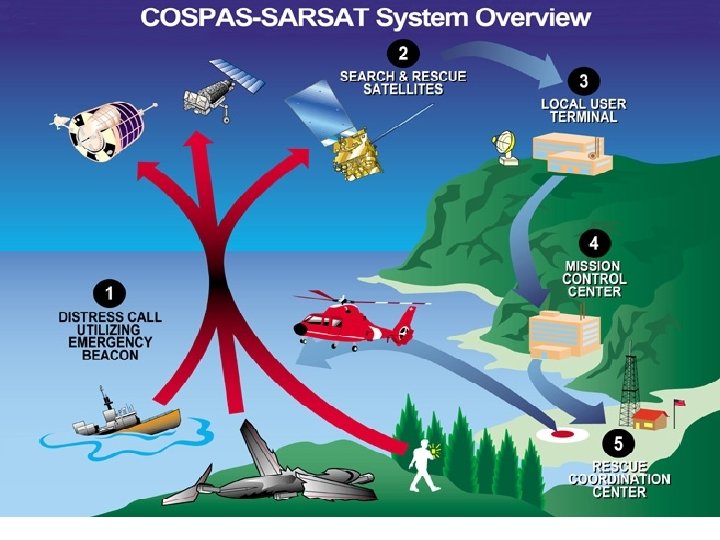
How the Mission Starts • ELT set off by plane crashing, or EPIRB goes off when ship sinks or when either is accidentally set off – 97 to 99 percent of all ELT missions are false alarms • SARSAT or COSPAS receives the signal • The satellite transmits the mirror locations of the target to a Local User Terminal (LUT) ELTDF. ppt Last Revised: 16 July 2002 2
How the Mission Starts Continued • The LUT forwards the information to the Mission Control Center so that the appropriate Rescue Coordination Center can be notified • AFRCC, at Langley AFB, calls the mission coordinator or designee who proceeds with the callout ELTDF. ppt Last Revised: 16 July 2002 3
• Primary: Distress Beacon Frequencies – 121. 5 MHz, and its harmonics (243 MHz) – 243 MHz, military frequency – 406 MHz, next generation distress beacons transmitting location, tail number or boat identification, etc. • Training: – 121. 775 MHz • Required by FAA as of 31 January 1998 • 121. 6 MHz is no longer authorized for training ELTDF. ppt Last Revised: 16 July 2002 5
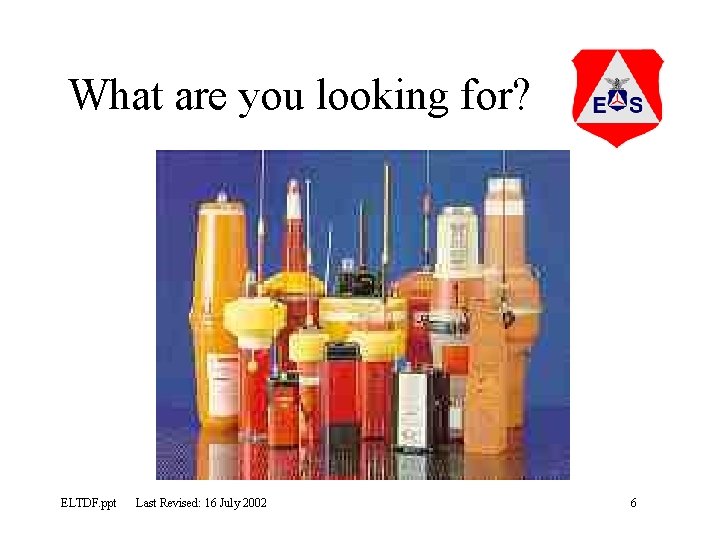
What are you looking for? ELTDF. ppt Last Revised: 16 July 2002 6
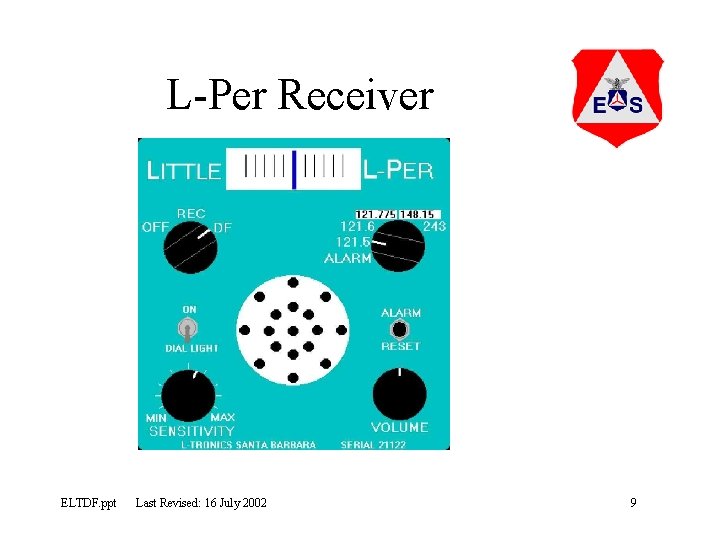
L-Per Components • Receiver: the actual metal box, has 7 features: – Dial: indicates signal strength or direction depending on whether in REC or DF mode – Mode switch: sets into DF, REC or OFF positions – Frequency selector: allows the selection of the frequencies possible depending on what is installed and the model ELTDF. ppt Last Revised: 16 July 2002 7
L-Per Components Continued – Sensitivity switch: a variable switch that adjusts the receiver's sensitivity. The closer to the target the less sensitivity is required – Volume control: adjusts the audible signal – Speaker: emits the audible signal – Dial light switch: turns the dial light on for use in low light conditions ELTDF. ppt Last Revised: 16 July 2002 8
L-Per Receiver ELTDF. ppt Last Revised: 16 July 2002 9
L-Per Components Continued • Mast – The two piece wooden vertical mast is joined in the middle by a bolt and wing nut, allowing the mast to be folded for storage or while the unit is carried through the woods. • Make sure to hold the mast on both levels because the L-Per tends to be a knuckle-buster. – The coaxial cable for connecting the radio to the antenna, and mounting screws for attaching the receiver to the mast are mounted to the mast. ELTDF. ppt Last Revised: 16 July 2002 10
L-Per Components Continued • Antenna crossbar – Antenna elements are attached to the crossbar, varying in size according to the frequency that you are searching on – Wire leads connect the antenna elements together at the switchbox located in the middle of the crossbar. – The antenna elements fold down parallel to the crossbar for storage or carrying through the wilderness. ELTDF. ppt Last Revised: 16 July 2002 11
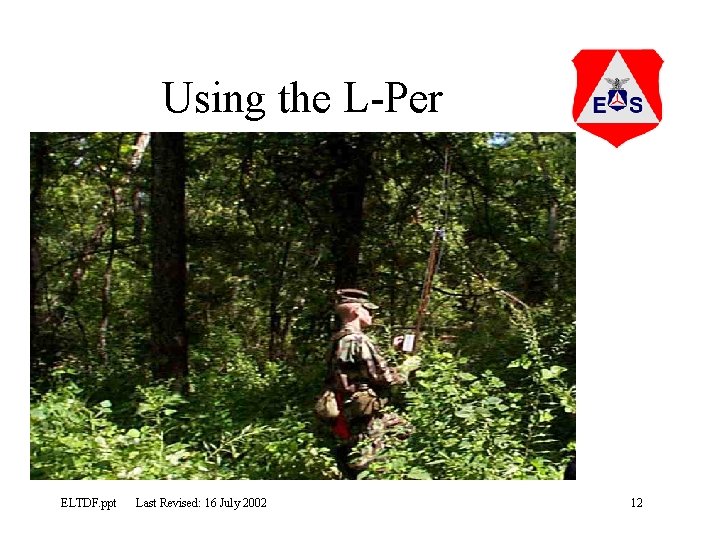
Using the L-Per ELTDF. ppt Last Revised: 16 July 2002 12
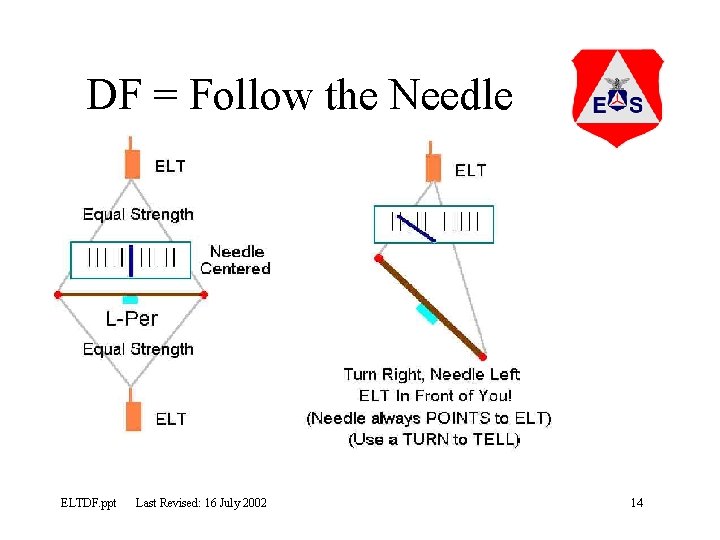
L-Per in DF Mode • DF mode measures equal strengths of signal – Not completely accurate, but good enough! – When needle is centered, ELT could be either direction – Needle always POINTS to the ELT (DF=Follow the needle) – Use a TURN to TELL if the ELT is in front or behind you ELTDF. ppt Last Revised: 16 July 2002 13
DF = Follow the Needle ELTDF. ppt Last Revised: 16 July 2002 14
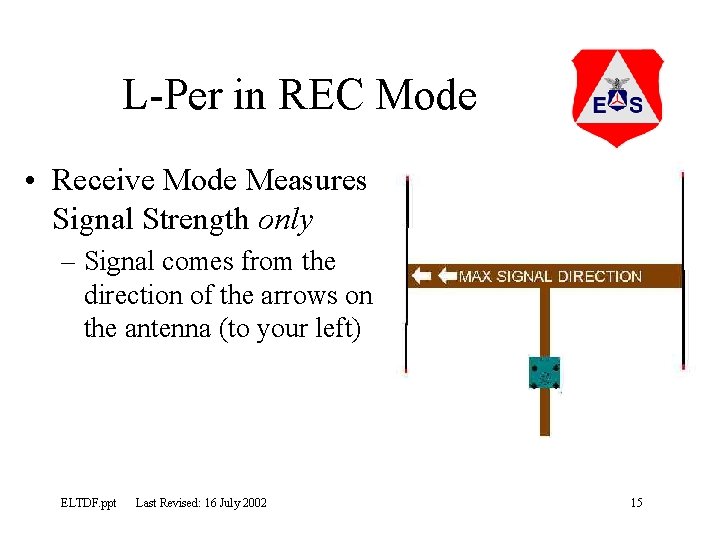
L-Per in REC Mode • Receive Mode Measures Signal Strength only – Signal comes from the direction of the arrows on the antenna (to your left) ELTDF. ppt Last Revised: 16 July 2002 15
L-Per in REC Mode Continued • Use it with multiple centers (more than 2) to verify strongest path – Due Reflections – That’s most likely the true direction to the ELTDF. ppt Last Revised: 16 July 2002 16
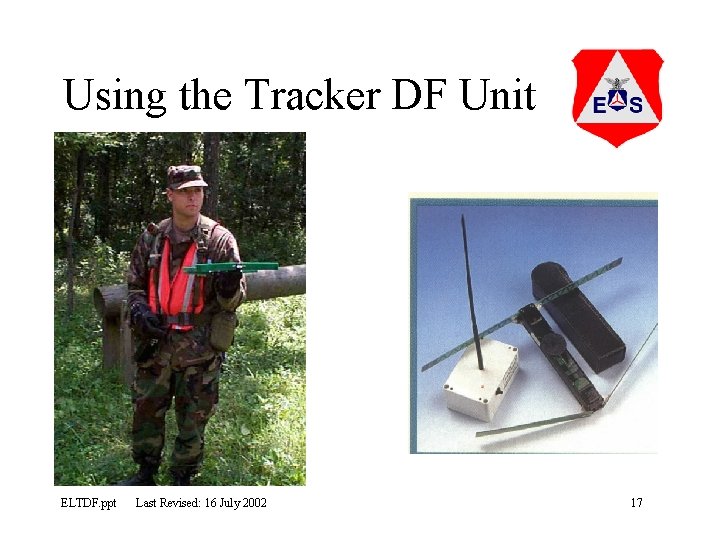
Using the Tracker DF Unit ELTDF. ppt Last Revised: 16 July 2002 17
Tracker Operating Instructions • Unfold antennae of the receiver unit, front antennae first then rear antennae • Start the receiver by pressing ON-button. – When turning on the receiver, it will automatically select the international distress frequency (121. 5 MHz), channel 1, and the green lights start blinking on the LED display – Use the CH button switch between the distress and practice frequency ELTDF. ppt Last Revised: 16 July 2002 18
Tracker Operating Instructions Continued • By Pressing the MAN button you can choose manual operation instead of automatic. – The MAN light will be lit when this mode has been selected – Receiver sensitivity can be adjusted in the manual mode • In manual or automatic mode, the LED display reflects signal strength in the direction of the signal beacon ELTDF. ppt Last Revised: 16 July 2002 19
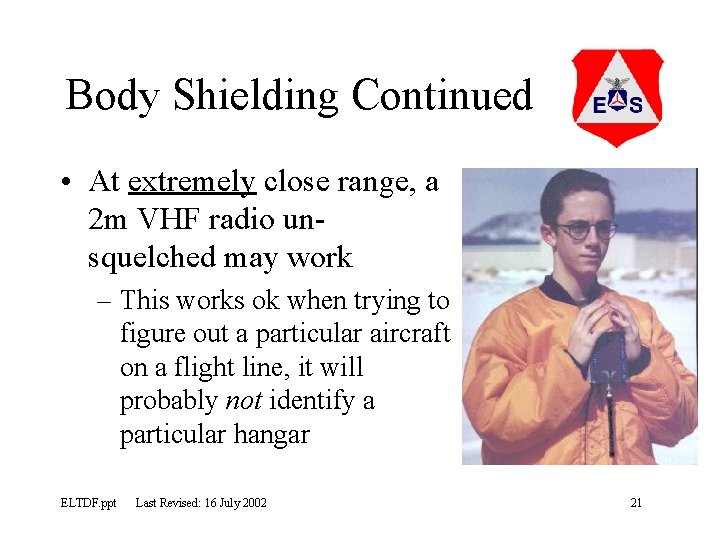
Body Shielding • A method of beating reflections at close range • Can use L-Per • Radio Shack JETSTREAM radio is better and CHEAP! • Body blocks out the signal – Called a NULL – Null should be at your BACK ELTDF. ppt Last Revised: 16 July 2002 20
Body Shielding Continued • At extremely close range, a 2 m VHF radio unsquelched may work – This works ok when trying to figure out a particular aircraft on a flight line, it will probably not identify a particular hangar ELTDF. ppt Last Revised: 16 July 2002 21
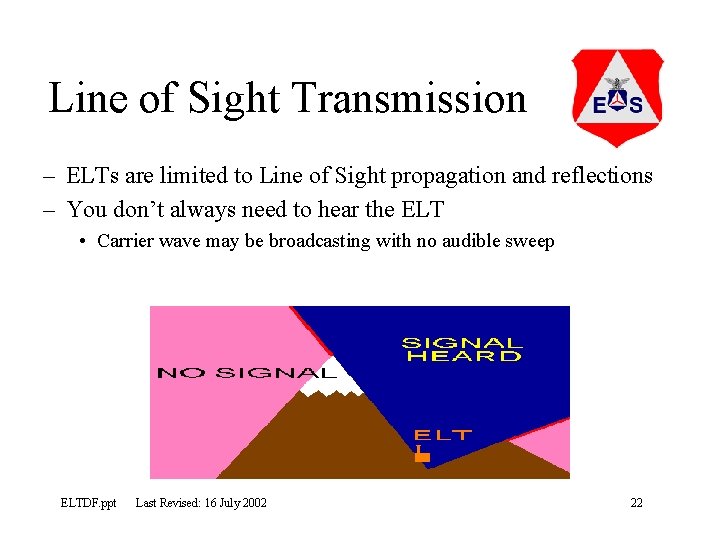
Line of Sight Transmission – ELTs are limited to Line of Sight propagation and reflections – You don’t always need to hear the ELT • Carrier wave may be broadcasting with no audible sweep ELTDF. ppt Last Revised: 16 July 2002 22
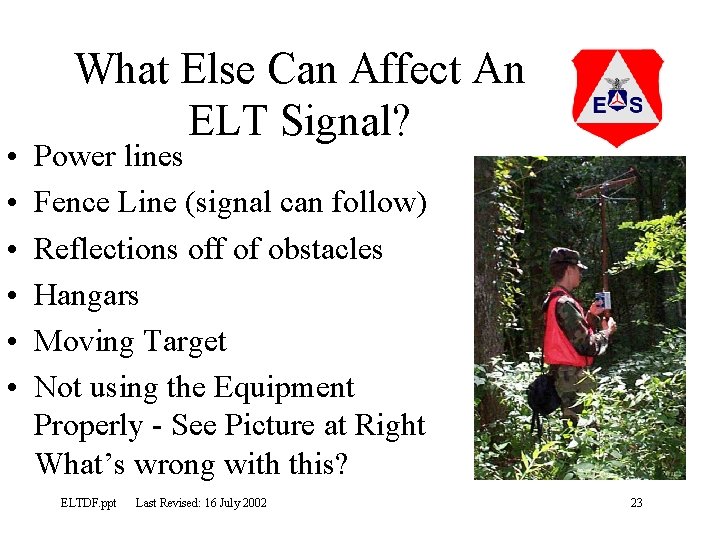
• • • What Else Can Affect An ELT Signal? Power lines Fence Line (signal can follow) Reflections off of obstacles Hangars Moving Target Not using the Equipment Properly - See Picture at Right What’s wrong with this? ELTDF. ppt Last Revised: 16 July 2002 23
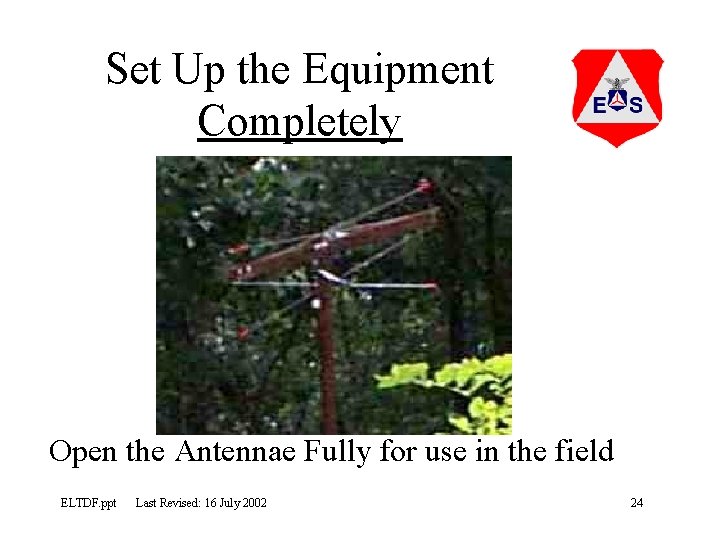
Set Up the Equipment Completely Open the Antennae Fully for use in the field ELTDF. ppt Last Revised: 16 July 2002 24
Reflections • To beat reflections – Check sensitivity often – Use REC mode • Usually strongest signal is not a reflection – Use the rubber ducky antenna when sensitivity is low – Re-trace your steps if necessary, going back to locations of strong signal strength ELTDF. ppt Last Revised: 16 July 2002 25
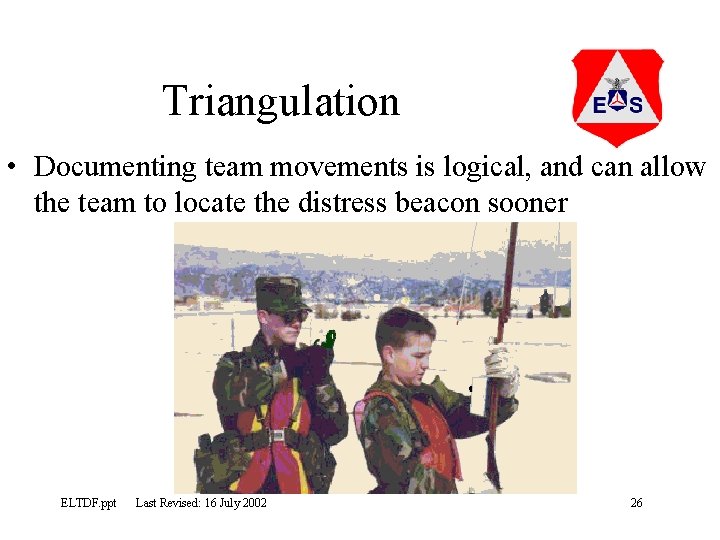
Triangulation • Documenting team movements is logical, and can allow the team to locate the distress beacon sooner ELTDF. ppt Last Revised: 16 July 2002 26
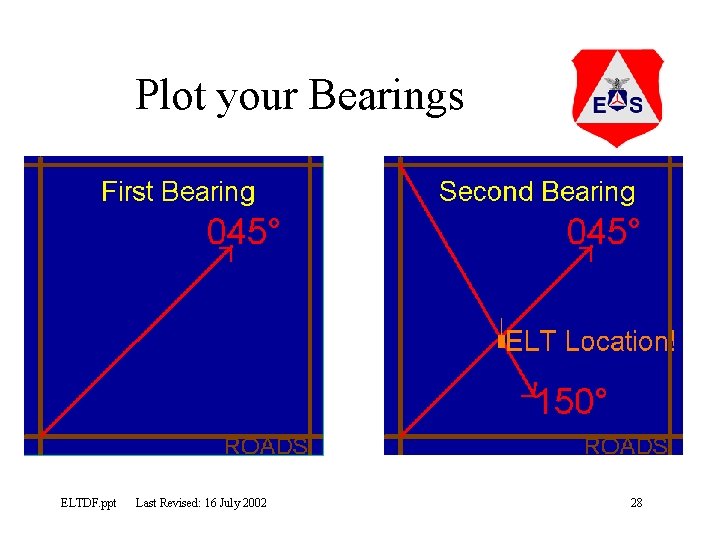
Triangulation Continued • You must be able to receive the signal – Center up DF unit on the signal – Take the magnetic bearing (shoot an azimuth) – Correct for magnetic variation • East is least, West is best – Plot your bearings (draw a line) on map – The ELT should be where the lines cross! ELTDF. ppt Last Revised: 16 July 2002 27
Plot your Bearings ELTDF. ppt Last Revised: 16 July 2002 28
What information is needed for the IC? • • Make Model and Model # Manufacturer Location Description Approximate location (Latitude & Longitude) Owner Tail Number or Boat Name and Number Time Found and Time Shut-off ELTDF. ppt Last Revised: 16 July 2002 29
What information is needed for the IC? Continued • Switch Position on ELT or EPIRB: ON, OFF, or ARM • Manufacture Date • Battery Expiration Date • Information which could indicate reason for accidental or justified activation of ELT or EPIRB • NOTE: If you can’t get certain information, don’t worry, the AFRCC understands ELTDF. ppt Last Revised: 16 July 2002 30
Electronic Direction Finding Tasks • Ground Team Members – O-0301: Determine Distress Beacon Bearing – O-0302: Locate a Distress Beacon • Ground Team Leaders – O-0303: Deactivate a Distress Beacon – O-0304: Triangulate on a Distress Beacon ELTDF. ppt Last Revised: 16 July 2002 31