
ELEC 4601 Microprocessor systems Lab 4 Tutorial USART
ELEC 4601 Microprocessor systems Lab 4 Tutorial USART and Floating point
Lab # 4 Part A 8251 A (USART) and 8279 (LED Display) Part B 8087 Emulator – Floating Point Multiplication
Suggested Readings – Lab Manual: Lab # 4 – SDK-86 User’s Guide: Serial Interface (Section 2. 11) – Peripherals Handbook: 8251 A, 8279, 8087 – 8086 User Manual: 8087 operation (Chap. 3) – Online: IEEE 80 -bit extended format for floating point

PART A USART AND DISPLAY

Part A: Objectives • Use of USART (Universal Synchronous/Asynchronous Receive Transmitter) - 8251 A • On SDK board, 8251 A is used to communicate with PC (“GO FE 00: 0. ”) • SDK board keypad controller – 8279 controls the SDK-86 board’s keypad and display interface • Given: SDK 2 PC subroutine – Receives characters typed in on SDK keypad and transmits them to PC • Write: PC 2 SDK subroutine – Characters typed on PC will be shown on the SDK-86 display
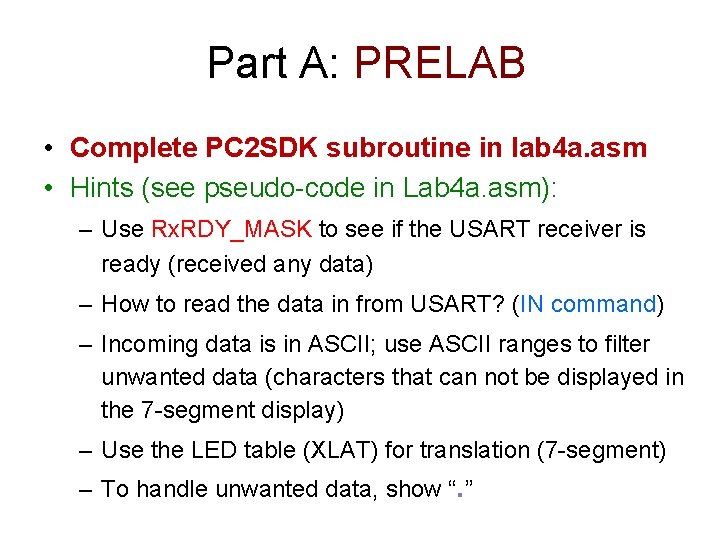
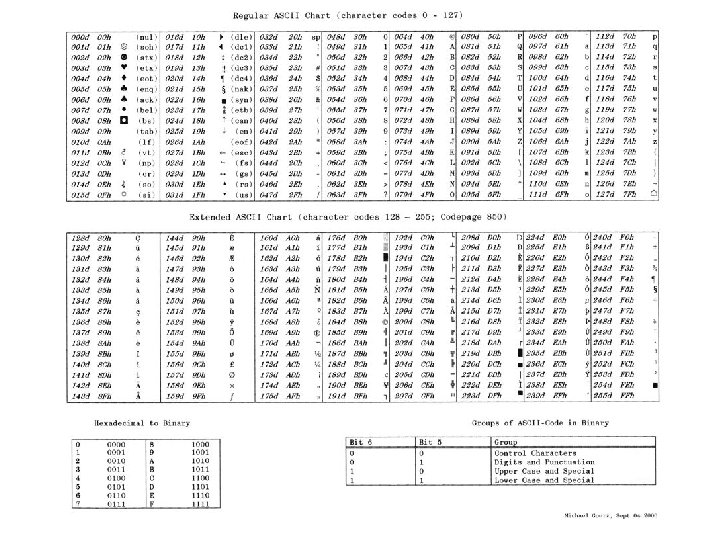
Part A: PRELAB • Complete PC 2 SDK subroutine in lab 4 a. asm • Hints (see pseudo-code in Lab 4 a. asm): – Use Rx. RDY_MASK to see if the USART receiver is ready (received any data) – How to read the data in from USART? (IN command) – Incoming data is in ASCII; use ASCII ranges to filter unwanted data (characters that can not be displayed in the 7 -segment display) – Use the LED table (XLAT) for translation (7 -segment) – To handle unwanted data, show “. ”
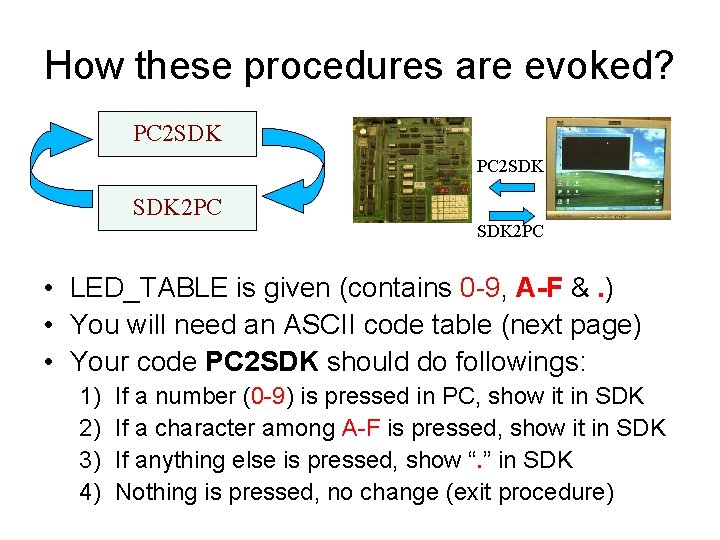
How these procedures are evoked? PC 2 SDK SDK 2 PC • LED_TABLE is given (contains 0 -9, A-F &. ) • You will need an ASCII code table (next page) • Your code PC 2 SDK should do followings: 1) 2) 3) 4) If a number (0 -9) is pressed in PC, show it in SDK If a character among A-F is pressed, show it in SDK If anything else is pressed, show “. ” in SDK Nothing is pressed, no change (exit procedure)
Part A: Procedure • Complete modifications to lab 4 a. asm – Write PC 2 SDK subroutine (follow pseudo-code) – Note: Characters received from the PC are in ASCII and must be translated into the 7 -segment format for the SDK display. Lab 4 a. asm already contains the translation table – Hint: Use conditional jumping according to ranges of ASCII code of incoming data • Use the mode and control bytes needed to program the 8279 and the 8251 A • Run the program and demo it to the TA

PART B FLOATING POINT OPERATION
Part C: Objectives • Lab 4 c. asm contains a floating point multiplication routine that emulates the 8087 • The floating point numbers are stored in IEEE 80 -bit format: – sign-bit + 15 -bit exponent + 64 -bit mantissa • The multiplication algorithm handles the exponent and fractional parts of the floating point numbers separately. – It treats the fraction part (64 -bit mantissa) as four 16 bit words, multiplying each word in the multiplicand by each word in the multiplier. – The final exponent (15 -bit) result is simply the addition of the two input exponents with some adjustment for normalization.
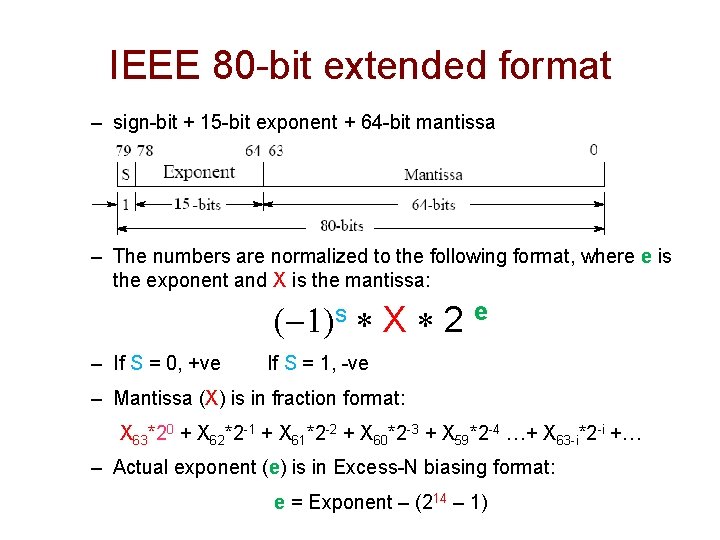
IEEE 80 -bit extended format – sign-bit + 15 -bit exponent + 64 -bit mantissa – The numbers are normalized to the following format, where e is the exponent and X is the mantissa: (-1)s * X * 2 e – If S = 0, +ve If S = 1, -ve – Mantissa (X) is in fraction format: X 63*20 + X 62*2 -1 + X 61*2 -2 + X 60*2 -3 + X 59*2 -4 …+ X 63 -i*2 -i +… – Actual exponent (e) is in Excess-N biasing format: e = Exponent – (214 – 1)
Part C: PRELAB • Review the code for lab 4 b. asm • Bring a stopwatch for timing the programs • Review extended precision IEEE floating point standard – Consult online references – Google for IEEE floating point format (80 -bit) and how to decode it • http: //www. opferman. net/Text/ieee. txt
Part C Procedure • Use “MASM LAB 4 B. ASM /r”, “LINK LAB 4 B. OBJ”, “LAB 4 B. EXE” • DO NOT use ASSEM • The result of the multiplication is displayed on the screen in 80 -bit format. Convert into mantissa/exponent format and find the value • You have to adjust the loop variables COUNT and COUNTA to get good execution times – How are COUNT and COUNTA related? • Find the difference in execution times between the 8087 and the emulator (show to a TA) • Discuss the difference between the two results

See you next week!
- Slides: 15