
Elargir lutilisation de PYTHON Outils et Interface Graphique
- Slides: 22
Elargir l’utilisation de PYTHON Outils et Interface Graphique Olivier Hargoaa Informatique et Réseaux, année 3
Comment mieux utiliser PYTHON ? Plan : Objectifs. Présentation du langage. Quelques librairies. Choix d’un IDE. Choix d’un générateur de documentation. Langage d’interface graphique. Construction assistée d’IG. Références. Olivier Hargoaa Qui ? Développeurs JAVA. Comment ? Apprendre vite… • Utilisation d’un IDE. • Génération de code documenté. • Interface graphique : parallélisme avec JAVA. • Builder d’interface.
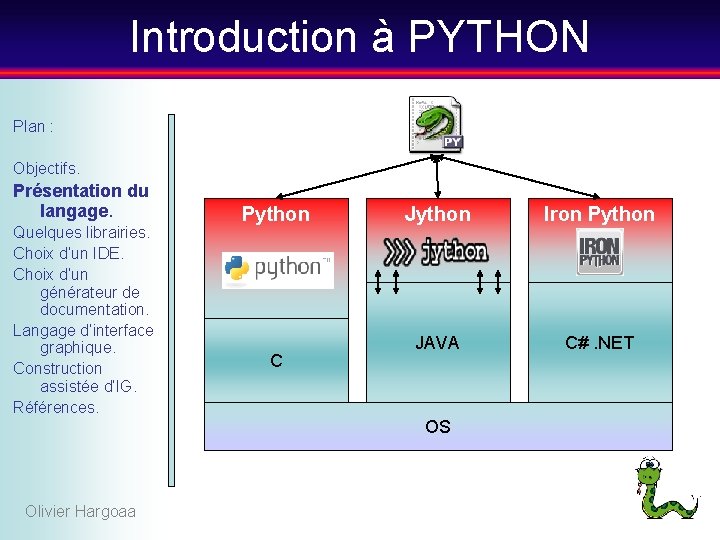
Introduction à PYTHON Plan : Objectifs. Présentation du langage. Quelques librairies. Choix d’un IDE. Choix d’un générateur de documentation. Langage d’interface graphique. Construction assistée d’IG. Références. Python C Jython Iron Python JAVA C#. NET OS Olivier Hargoaa
Introduction à PYTHON Plan : Objectifs. Présentation du langage. Quelques librairies. Choix d’un IDE. Choix d’un générateur de documentation. Langage d’interface graphique. Construction assistée d’IG. Références. Olivier Hargoaa • • Interprété. Syntaxe épurée. POO. Programmation fonctionnelle. Introspection. Tests unitaires. Bibliothèque standard riche.
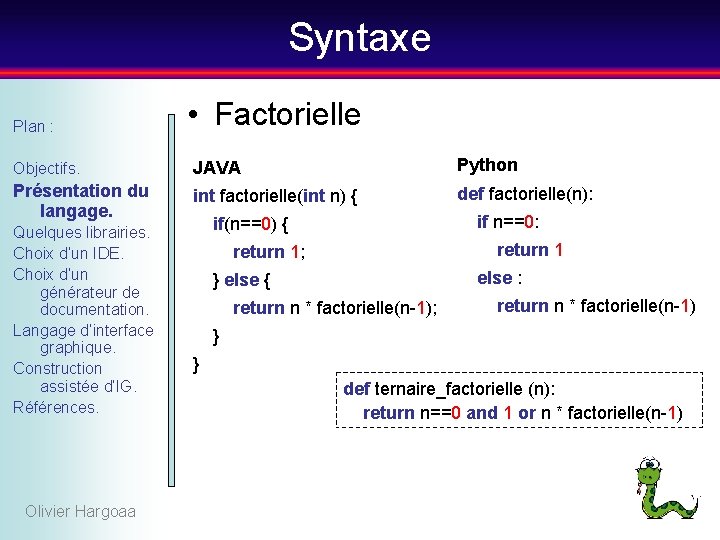
Syntaxe Plan : • Factorielle Objectifs. JAVA Python Présentation du langage. int factorielle(int n) { def factorielle(n): Quelques librairies. Choix d’un IDE. Choix d’un générateur de documentation. Langage d’interface graphique. Construction assistée d’IG. Références. Olivier Hargoaa if n==0: if(n==0) { return 1; else : } else { return n * factorielle(n-1); return n * factorielle(n-1) } } def ternaire_factorielle (n): return n==0 and 1 or n * factorielle(n-1)
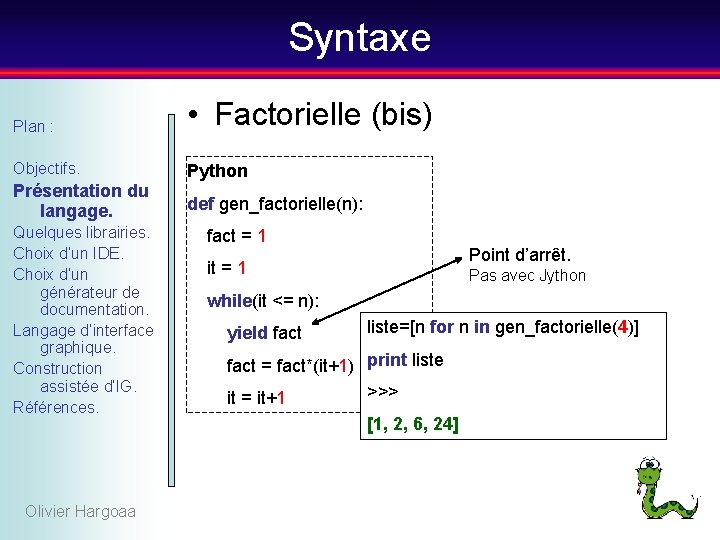
Syntaxe Plan : • Factorielle (bis) Objectifs. Python Présentation du langage. def gen_factorielle(n): Quelques librairies. Choix d’un IDE. Choix d’un générateur de documentation. Langage d’interface graphique. Construction assistée d’IG. Références. Olivier Hargoaa fact = 1 Point d’arrêt. it = 1 Pas avec Jython while(it <= n): yield fact liste=[n for n in gen_factorielle(4)] fact = fact*(it+1) print liste >>> it = it+1 [1, 2, 6, 24]
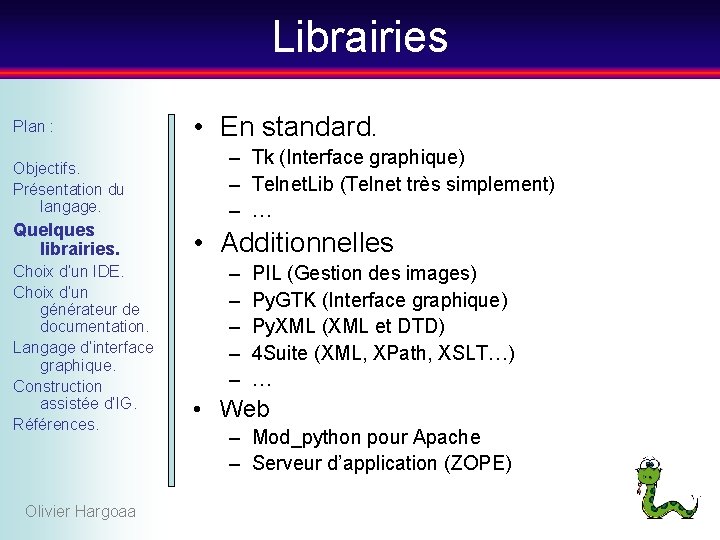
Librairies Plan : Objectifs. Présentation du langage. Quelques librairies. Choix d’un IDE. Choix d’un générateur de documentation. Langage d’interface graphique. Construction assistée d’IG. Références. Olivier Hargoaa • En standard. – Tk (Interface graphique) – Telnet. Lib (Telnet très simplement) – … • Additionnelles – – – PIL (Gestion des images) Py. GTK (Interface graphique) Py. XML (XML et DTD) 4 Suite (XML, XPath, XSLT…) … • Web – Mod_python pour Apache – Serveur d’application (ZOPE)
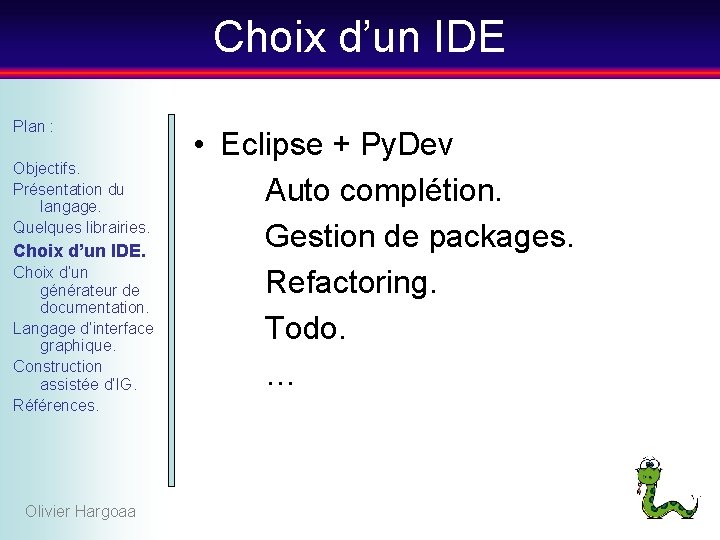
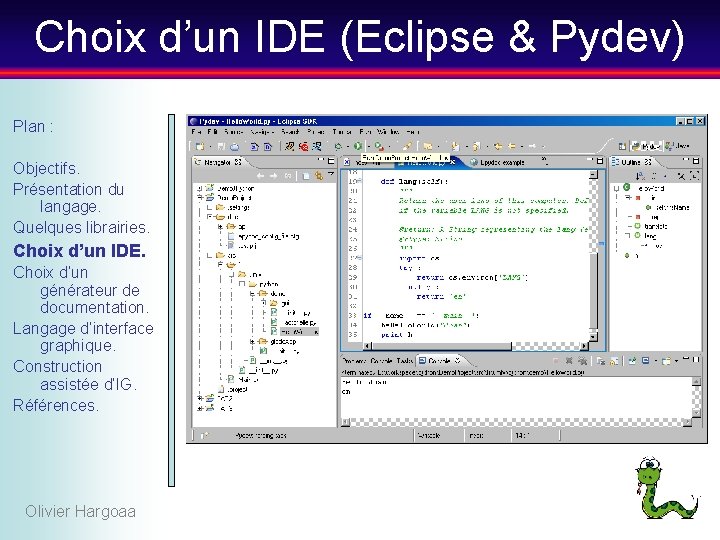
Choix d’un IDE Plan : Objectifs. Présentation du langage. Quelques librairies. Choix d’un IDE. Choix d’un générateur de documentation. Langage d’interface graphique. Construction assistée d’IG. Références. Olivier Hargoaa • Eclipse + Py. Dev Auto complétion. Gestion de packages. Refactoring. Todo. …
Choix d’un IDE (Eclipse & Pydev) Plan : Objectifs. Présentation du langage. Quelques librairies. Choix d’un IDE. Choix d’un générateur de documentation. Langage d’interface graphique. Construction assistée d’IG. Références. Olivier Hargoaa
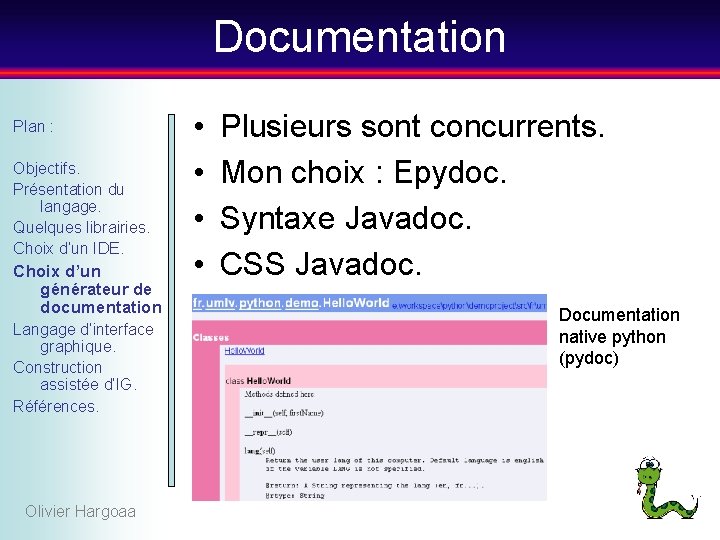
Documentation Plan : Objectifs. Présentation du langage. Quelques librairies. Choix d’un IDE. Choix d’un générateur de documentation Langage d’interface graphique. Construction assistée d’IG. Références. Olivier Hargoaa • • Plusieurs sont concurrents. Mon choix : Epydoc. Syntaxe Javadoc. CSS Javadoc. Documentation native python (pydoc)
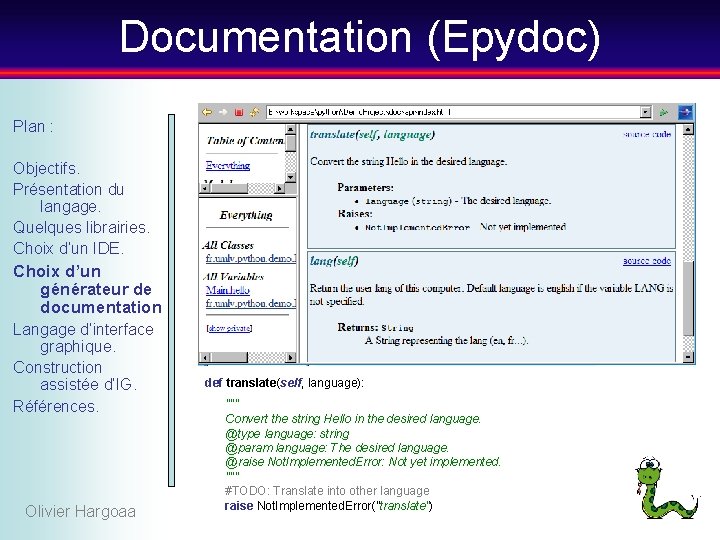
Documentation (Epydoc) Plan : Objectifs. Présentation du langage. Quelques librairies. Choix d’un IDE. Choix d’un générateur de documentation Langage d’interface graphique. Construction assistée d’IG. Références. Olivier Hargoaa def translate(self, language): """ Convert the string Hello in the desired language. @type language: string @param language: The desired language. @raise Not. Implemented. Error: Not yet implemented. """ #TODO: Translate into other language raise Not. Implemented. Error("translate")
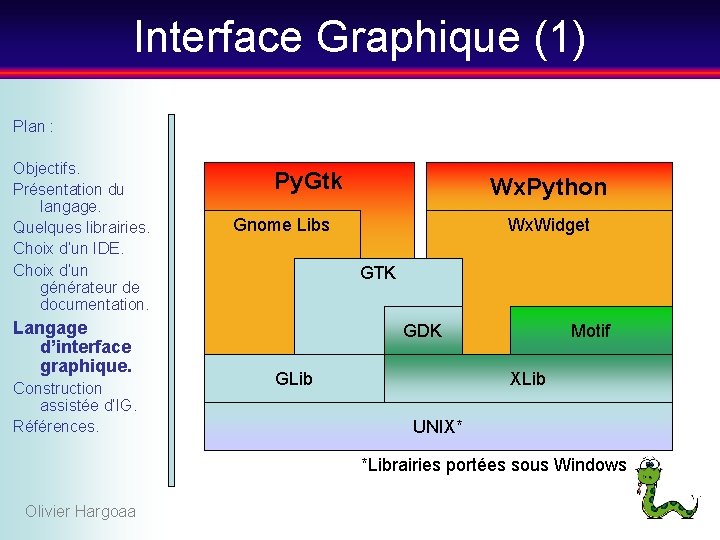
Interface Graphique (1) Plan : Objectifs. Présentation du langage. Quelques librairies. Choix d’un IDE. Choix d’un générateur de documentation. Langage d’interface graphique. Construction assistée d’IG. Références. Py. Gtk Wx. Python Gnome Libs Wx. Widget GTK GDK GLib Motif XLib UNIX* *Librairies portées sous Windows Olivier Hargoaa
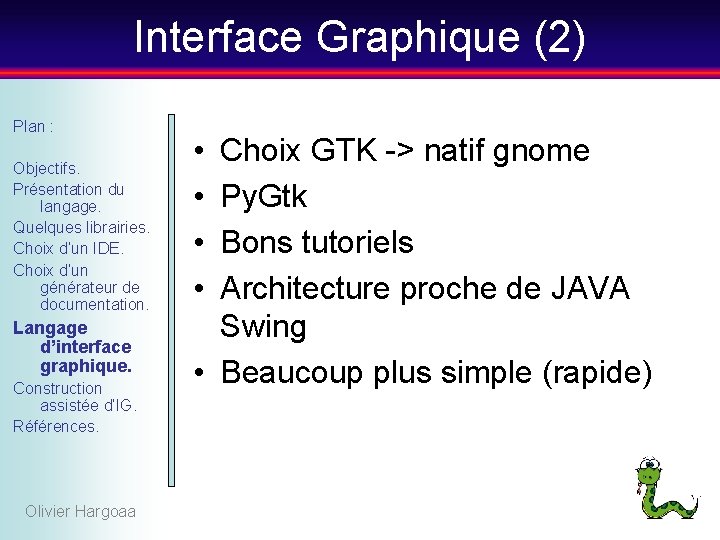
Interface Graphique (2) Plan : Objectifs. Présentation du langage. Quelques librairies. Choix d’un IDE. Choix d’un générateur de documentation. Langage d’interface graphique. Construction assistée d’IG. Références. Olivier Hargoaa • • Choix GTK -> natif gnome Py. Gtk Bons tutoriels Architecture proche de JAVA Swing • Beaucoup plus simple (rapide)
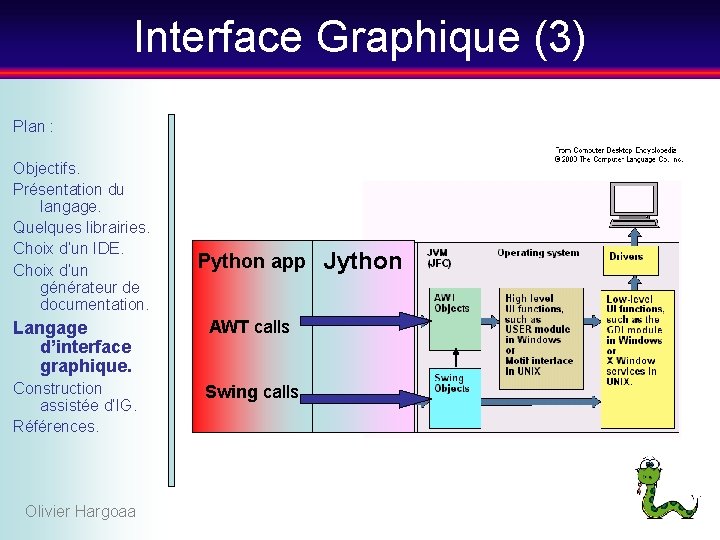
Interface Graphique (3) Plan : Objectifs. Présentation du langage. Quelques librairies. Choix d’un IDE. Choix d’un générateur de documentation. Python app Langage d’interface graphique. AWT calls Construction assistée d’IG. Références. Swing calls Olivier Hargoaa Jython
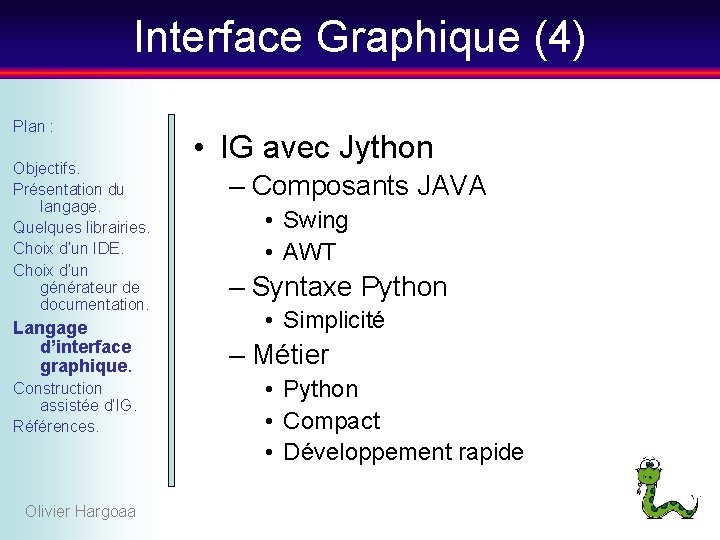
Interface Graphique (4) Plan : Objectifs. Présentation du langage. Quelques librairies. Choix d’un IDE. Choix d’un générateur de documentation. Langage d’interface graphique. Construction assistée d’IG. Références. Olivier Hargoaa • IG avec Jython – Composants JAVA • Swing • AWT – Syntaxe Python • Simplicité – Métier • Python • Compact • Développement rapide
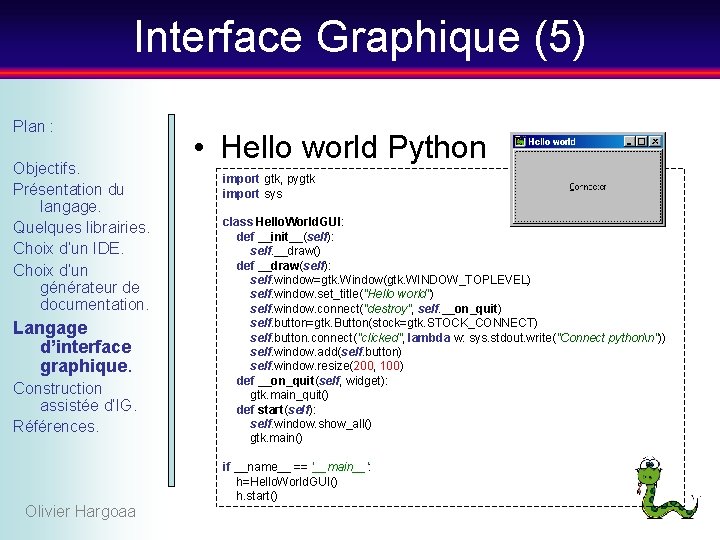
Interface Graphique (5) Plan : Objectifs. Présentation du langage. Quelques librairies. Choix d’un IDE. Choix d’un générateur de documentation. Langage d’interface graphique. Construction assistée d’IG. Références. • Hello world Python import gtk, pygtk import sys class Hello. World. GUI: def __init__(self): self. __draw() def __draw(self): self. window=gtk. Window(gtk. WINDOW_TOPLEVEL) self. window. set_title("Hello world") self. window. connect("destroy", self. __on_quit) self. button=gtk. Button(stock=gtk. STOCK_CONNECT) self. button. connect("clicked", lambda w: sys. stdout. write("Connect pythonn")) self. window. add(self. button) self. window. resize(200, 100) def __on_quit(self, widget): gtk. main_quit() def start(self): self. window. show_all() gtk. main() if __name__ == '__main__': h=Hello. World. GUI() h. start() Olivier Hargoaa
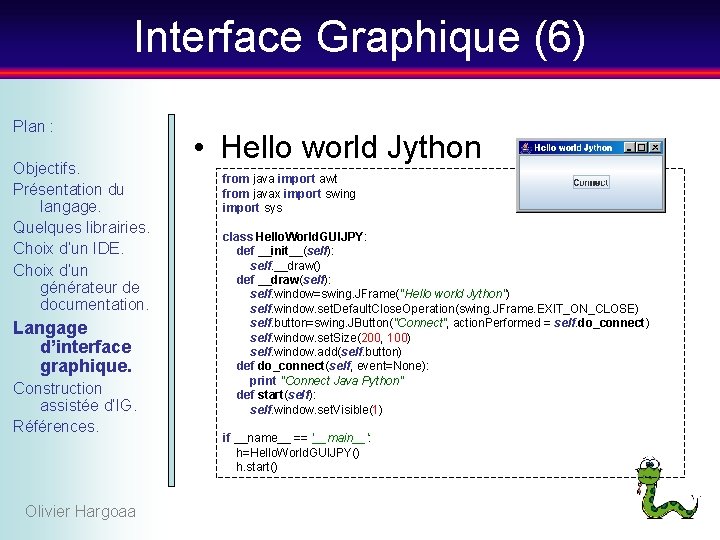
Interface Graphique (6) Plan : Objectifs. Présentation du langage. Quelques librairies. Choix d’un IDE. Choix d’un générateur de documentation. Langage d’interface graphique. Construction assistée d’IG. Références. Olivier Hargoaa • Hello world Jython from java import awt from javax import swing import sys class Hello. World. GUIJPY: def __init__(self): self. __draw() def __draw(self): self. window=swing. JFrame("Hello world Jython") self. window. set. Default. Close. Operation(swing. JFrame. EXIT_ON_CLOSE) self. button=swing. JButton("Connect", action. Performed = self. do_connect) self. window. set. Size(200, 100) self. window. add(self. button) def do_connect(self, event=None): print "Connect Java Python" def start(self): self. window. set. Visible(1) if __name__ == '__main__': h=Hello. World. GUIJPY() h. start()
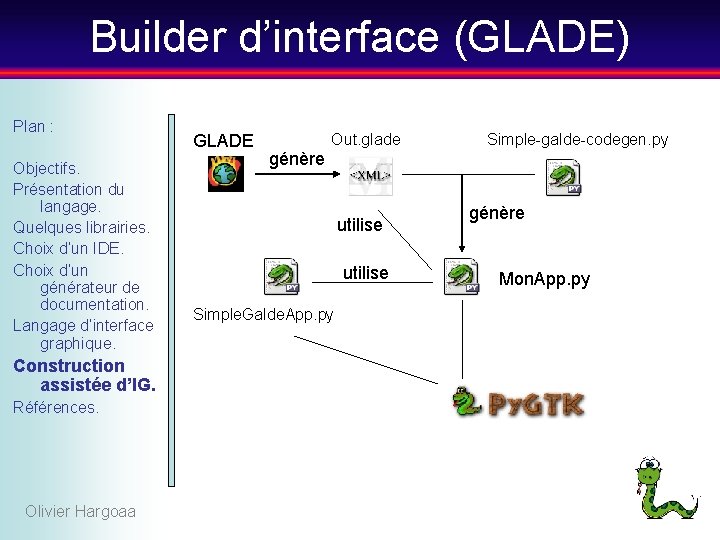
Builder d’interface (GLADE) Plan : Objectifs. Présentation du langage. Quelques librairies. Choix d’un IDE. Choix d’un générateur de documentation. Langage d’interface graphique. Construction assistée d’IG. Références. Olivier Hargoaa GLADE Out. glade Simple-galde-codegen. py génère utilise Simple. Galde. App. py génère Mon. App. py
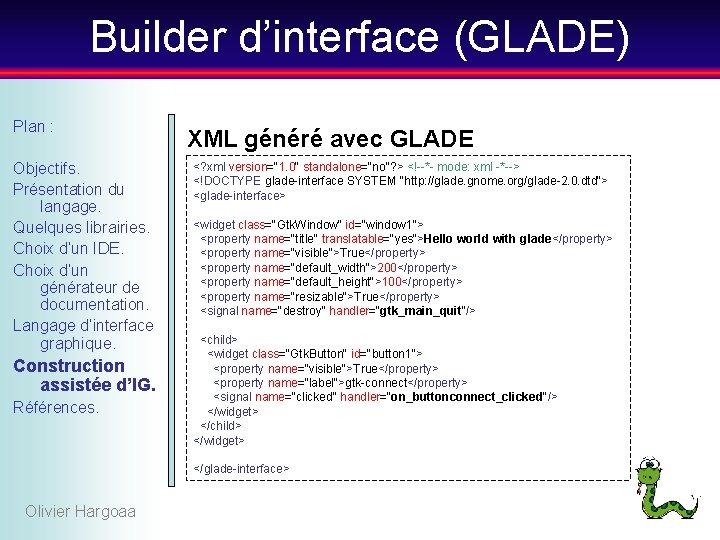
Builder d’interface (GLADE) Plan : Objectifs. Présentation du langage. Quelques librairies. Choix d’un IDE. Choix d’un générateur de documentation. Langage d’interface graphique. Construction assistée d’IG. Références. XML généré avec GLADE <? xml version="1. 0" standalone="no"? > <!--*- mode: xml -*--> <!DOCTYPE glade-interface SYSTEM "http: //glade. gnome. org/glade-2. 0. dtd"> <glade-interface> <widget class="Gtk. Window" id="window 1"> <property name="title" translatable="yes">Hello world with glade</property> <property name="visible">True</property> <property name="default_width">200</property> <property name="default_height">100</property> <property name="resizable">True</property> <signal name="destroy" handler="gtk_main_quit"/> <child> <widget class="Gtk. Button" id="button 1"> <property name="visible">True</property> <property name="label">gtk-connect</property> <signal name="clicked" handler="on_buttonconnect_clicked"/> </widget> </child> </widget> </glade-interface> Olivier Hargoaa
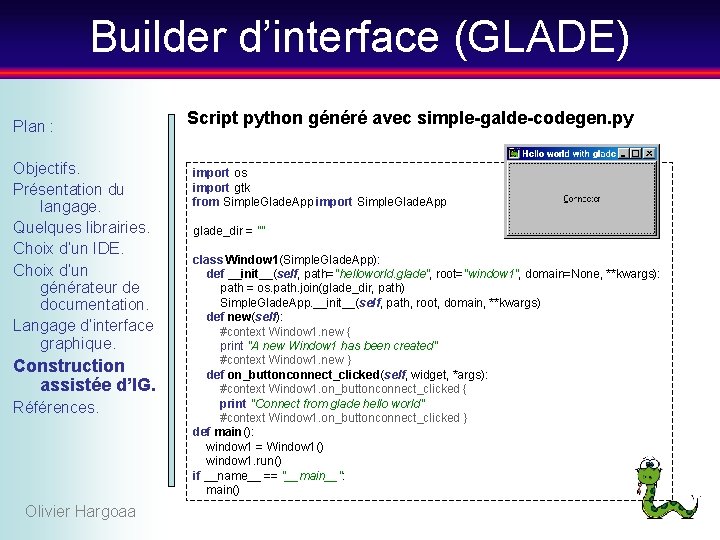
Builder d’interface (GLADE) Plan : Objectifs. Présentation du langage. Quelques librairies. Choix d’un IDE. Choix d’un générateur de documentation. Langage d’interface graphique. Construction assistée d’IG. Références. Olivier Hargoaa Script python généré avec simple-galde-codegen. py import os import gtk from Simple. Glade. App import Simple. Glade. App glade_dir = "" class Window 1(Simple. Glade. App): def __init__(self, path="helloworld. glade", root="window 1", domain=None, **kwargs): path = os. path. join(glade_dir, path) Simple. Glade. App. __init__(self, path, root, domain, **kwargs) def new(self): #context Window 1. new { print "A new Window 1 has been created" #context Window 1. new } def on_buttonconnect_clicked(self, widget, *args): #context Window 1. on_buttonconnect_clicked { print "Connect from glade hello world" #context Window 1. on_buttonconnect_clicked } def main(): window 1 = Window 1() window 1. run() if __name__ == "__main__": main()
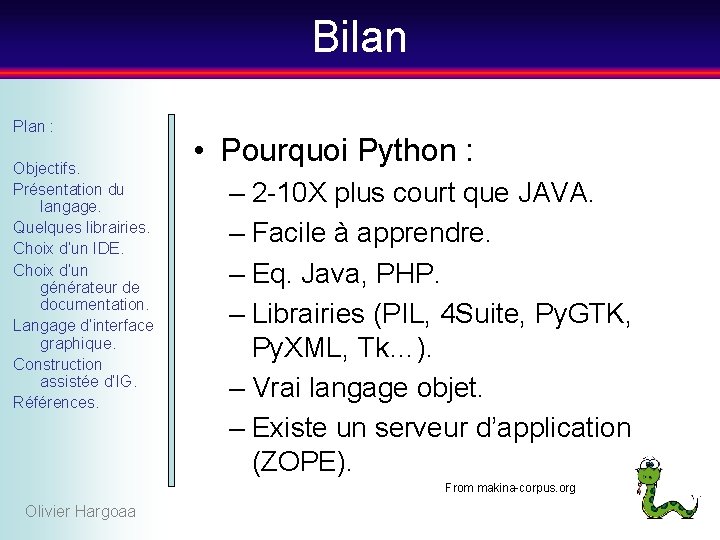
Bilan Plan : Objectifs. Présentation du langage. Quelques librairies. Choix d’un IDE. Choix d’un générateur de documentation. Langage d’interface graphique. Construction assistée d’IG. Références. • Pourquoi Python : – 2 -10 X plus court que JAVA. – Facile à apprendre. – Eq. Java, PHP. – Librairies (PIL, 4 Suite, Py. GTK, Py. XML, Tk…). – Vrai langage objet. – Existe un serveur d’application (ZOPE). From makina-corpus. org Olivier Hargoaa
Références Jython : Plan : Objectifs. Présentation du langage. Quelques librairies. Choix d’un IDE. Choix d’un générateur de documentation. Langage d’interface graphique. Construction assistée d’IG. Références. • http: //www. jython. org/Project/index. html • http: //www. oreilly. com/catalog/lpython/chapter/ch 10_fel. html • http: //jython. sourceforge. net/docs/differences. html Python : • http: //4 suite. org/index. xhtml • http: //python. developpez. com/outils/Python. Zope/ Linux : • http: //ref. web. cern. ch/ref/CERN/CNL/2000/001/kde-gnome 2 JAVA : • http: //www. pcmag. com/encyclopedia_term/0, 2542, t=AWT&i=38308, 00. asp IDE : • http: //pydev. sourceforge. net/ Documentation : • http: //epydoc. sourceforge. net/ GTK : • http: //www. pygtk. org/tutorial. html Olivier Hargoaa • http: //wikipython. flibuste. net/moin. py/Py. GTK