
EIT Author Gay Robertson 2021 What is a
© EIT, Author Gay Robertson, 2021
What is a query …. • A query allows us to analyse data in various ways • A query allows us to retrieve only the particular records that we want • A query can filter out (or hide) data that does NOT meet a criteria (value) • A query finds records using the criteria you key in. A query is saved and can be used over and over again Let’s look at a few examples …. .
• We could produce a list of the Puketapu Fishing Club members who are paid over $10 • We could produce a list of the family members • We could produce a list of the members who have paid their subs in the last six months • We could produce a list of the members
A query in a database is used to view, change and analyse data.
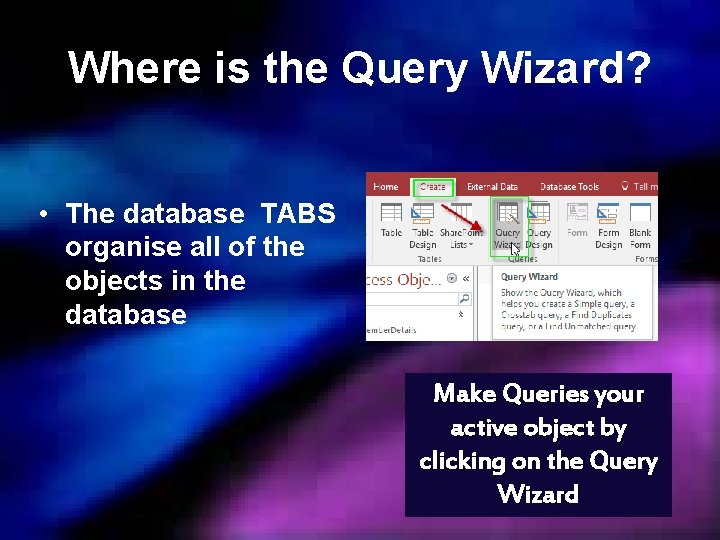
Where is the Query Wizard? • The database TABS organise all of the objects in the database Make Queries your active object by clicking on the Query Wizard
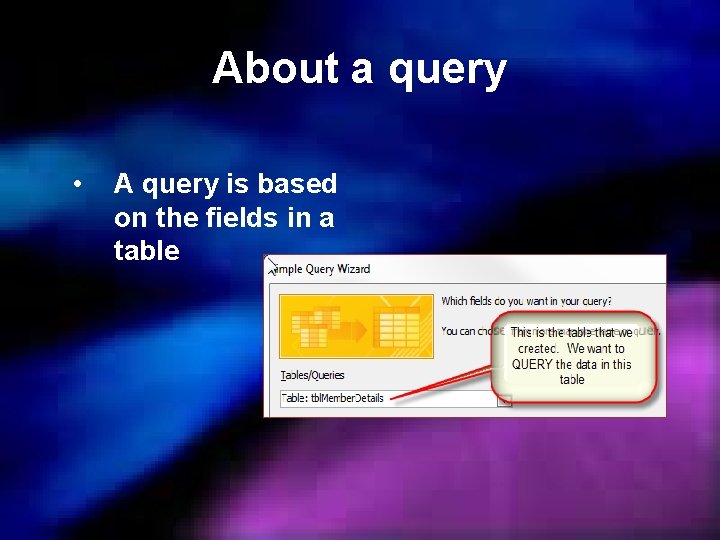
About a query • A query is based on the fields in a table
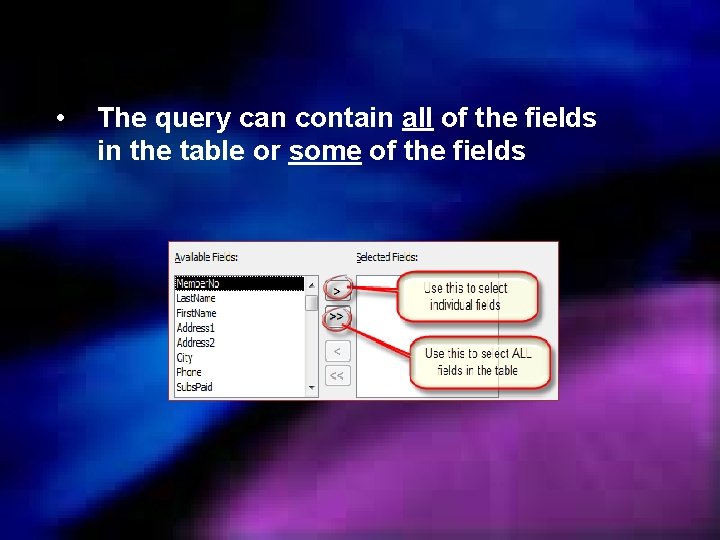
• The query can contain all of the fields in the table or some of the fields
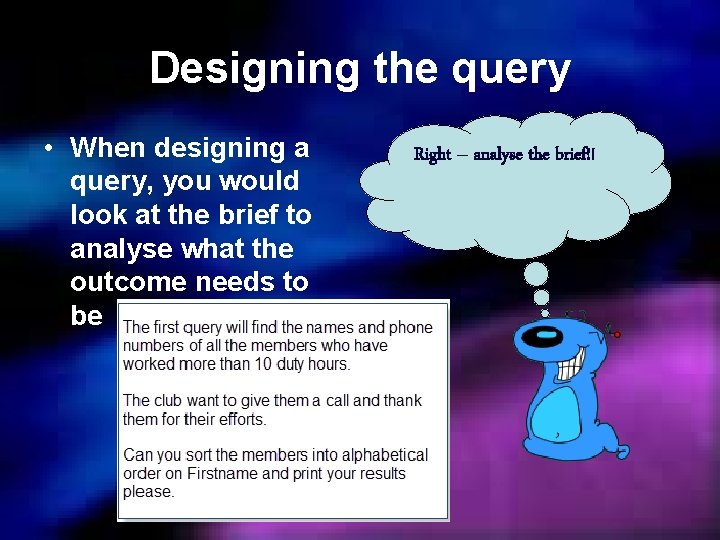
Designing the query • When designing a query, you would look at the brief to analyse what the outcome needs to be Right – analyse the brief!!
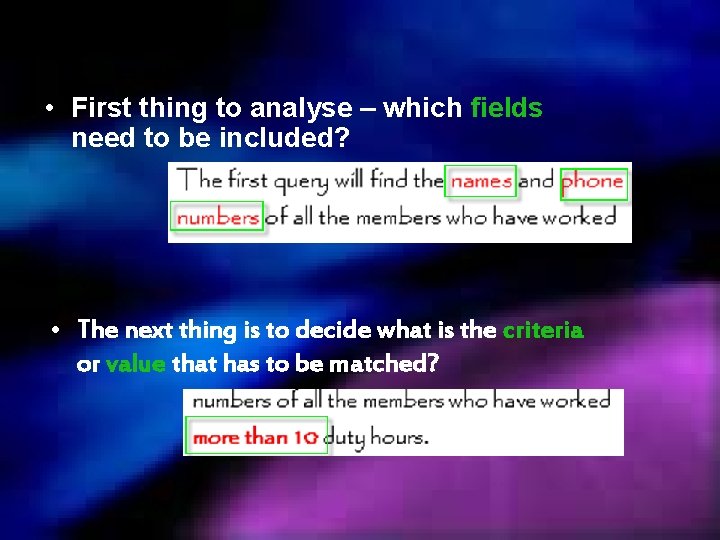
• First thing to analyse – which fields need to be included? • The next thing is to decide what is the criteria or value that has to be matched?
• How do you show more than? > • How do you show less than? < • These are known as Boolean operators < less than > more than = equal to <> not equal to >= more than or equal to <= less than or equal to
• You can also use other characters – NAPIER and HASTINGS must have NAPIER and HASTINGS in the field – NAPIER or HASTINGS can have NAPIER or HASTINGS in the field – Like “NAPIER” must have the word NAPIER in the field – Like H* must start with the letter H but can have anything after the H * The is known as a wildcard – it represents any letter/s
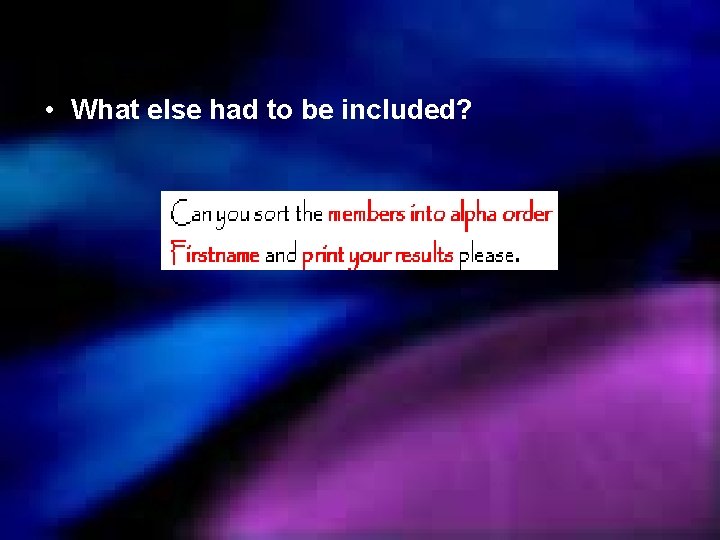
• What else had to be included?
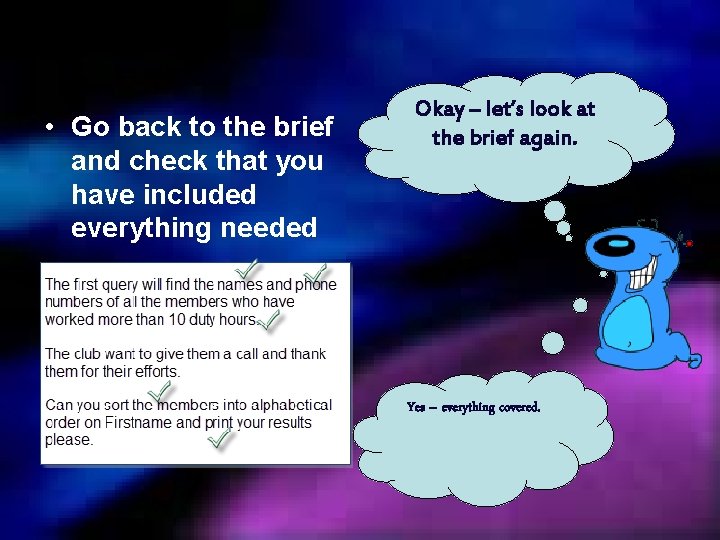
• Go back to the brief and check that you have included everything needed Okay – let’s look at the brief again. Yes – everything covered.
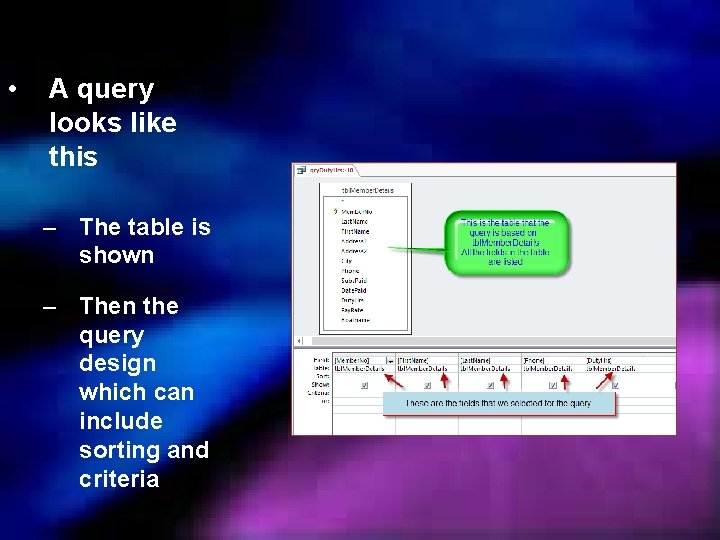
• A query looks like this – The table is shown – Then the query design which can include sorting and criteria
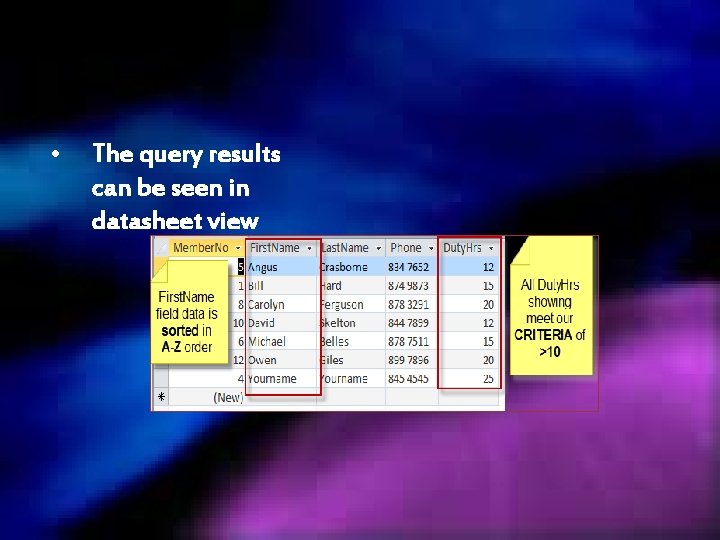
• The query results can be seen in datasheet view
Now I am ready to begin creating my query – back to the workbook!!
- Slides: 16