
eGovernance Portals EHRMS Employee Human Resource Management System




- Slides: 47
e-Governance Portals
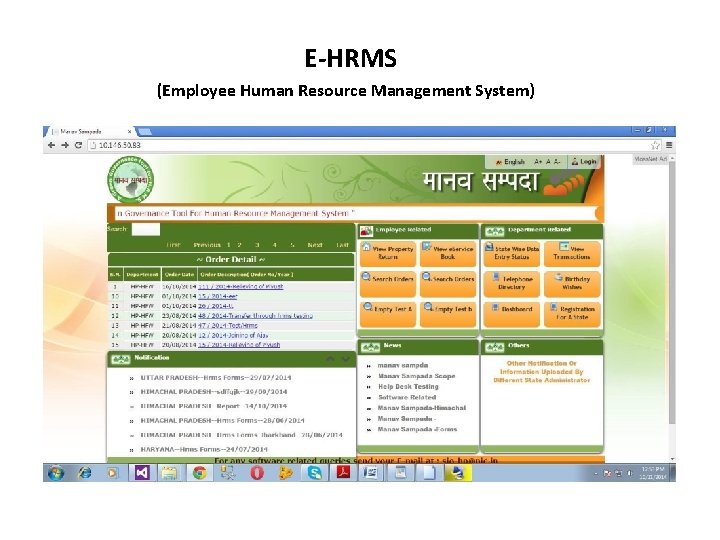
E-HRMS (Employee Human Resource Management System)
• To develop a complete HR solution. • To collate the data for creation of posts, determining staff strength and expected number of retirements in a year and rational deployment of staff in various field offices
• To develop HR related databases for analyzing the skill set of each employee by collecting the information like skills, compensation, personal details, demographic information, and other detailed relevant information.
• To link with attendance management (Biometric Based attendance System) for collecting and analyzing information about employees working hours and then to use in evaluating cost account for the departments.
• For providing Salary and Compensation Management to the departments to compute the pay roll details of the employees by using inputs of employees working hours and attendance.
• To developer Benefits Management System for calculating additional allowances and benefits provided to employees using details about insurance policies, pension plans.
E-Tendering
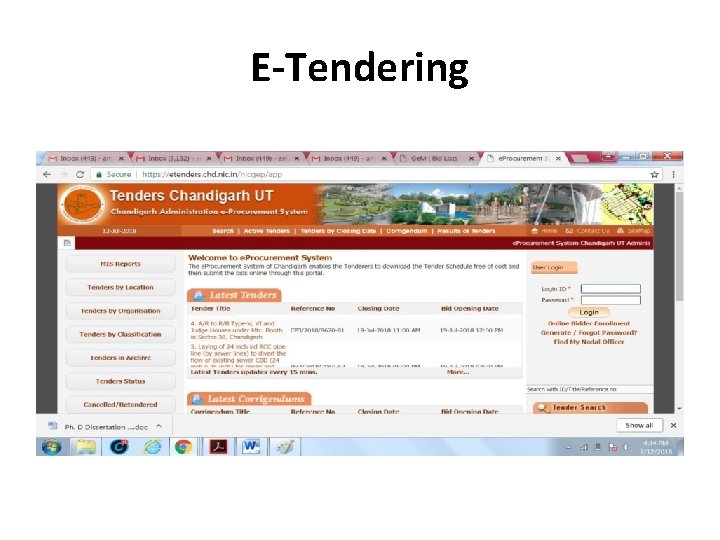
• E-Tendering • An internet based process wherein the complete tendering process; from advertising to receiving and submitting tender-related information are done online. This enables firms to be more efficient as paper-based transactions are reduced or eliminated, facilitating for a more speedy exchange of information.
Bid opening process
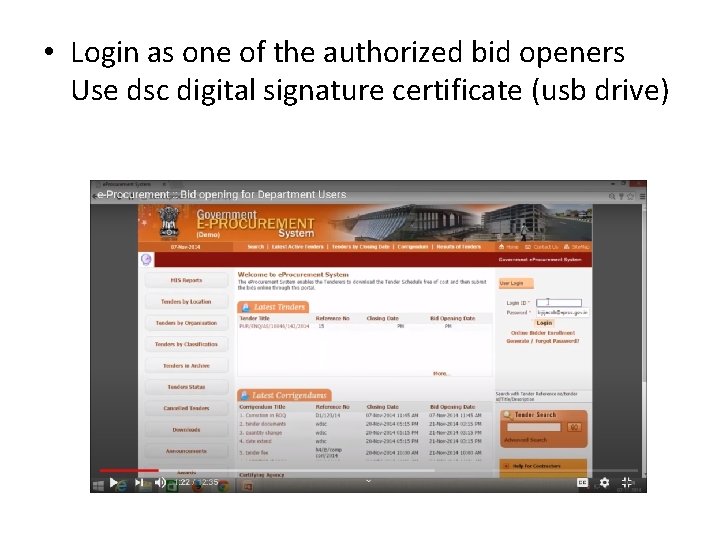
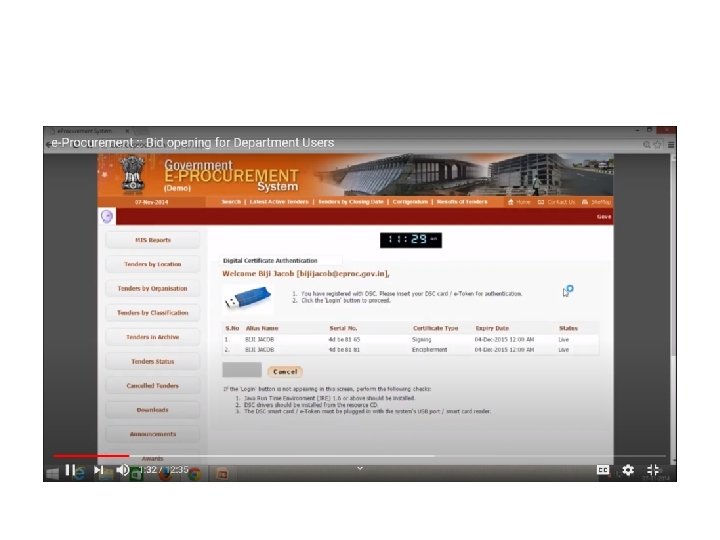
• Login as one of the authorized bid openers Use dsc digital signature certificate (usb drive)
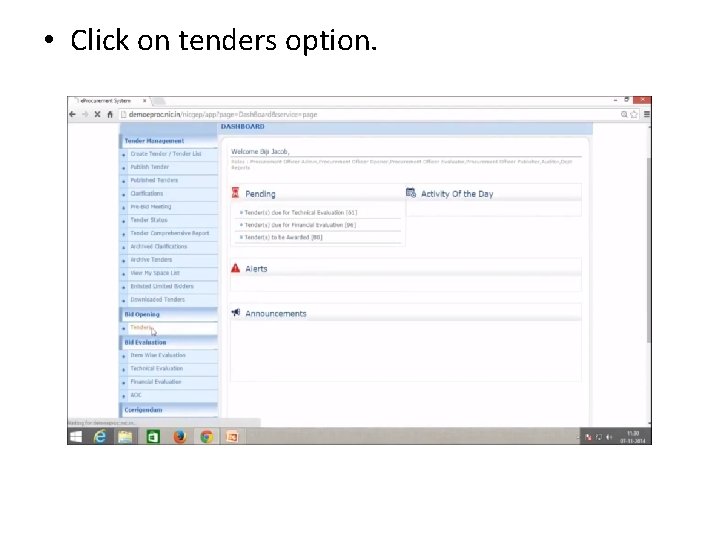
• Click on tenders option.
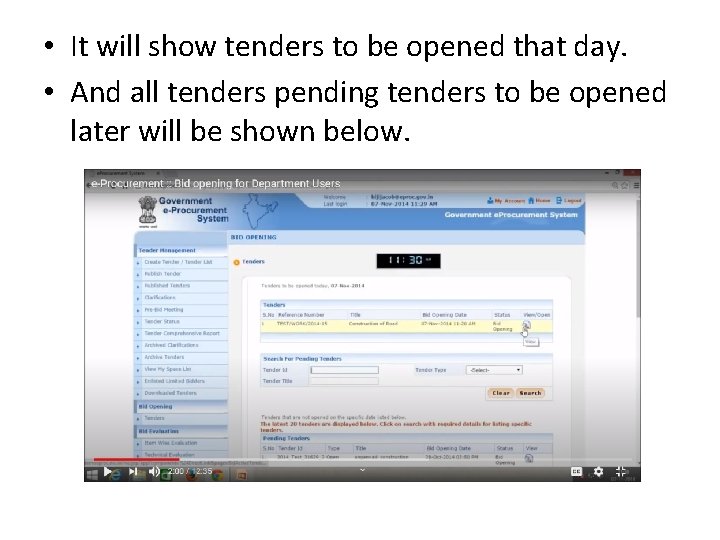
• It will show tenders to be opened that day. • And all tenders pending tenders to be opened later will be shown below.
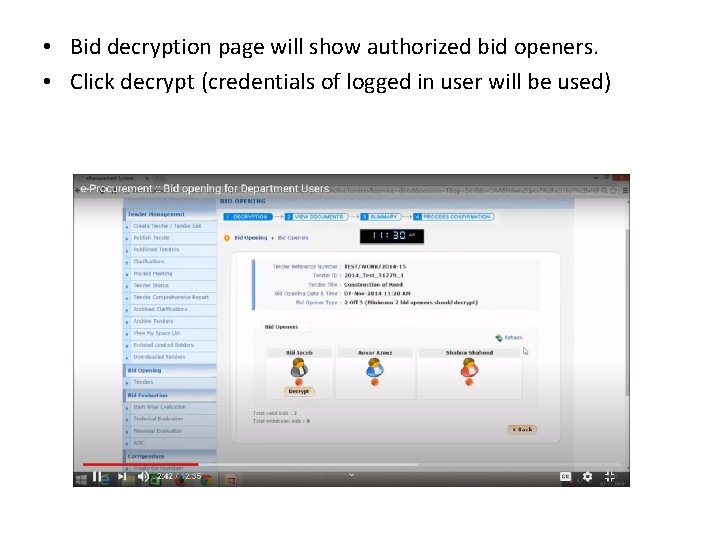
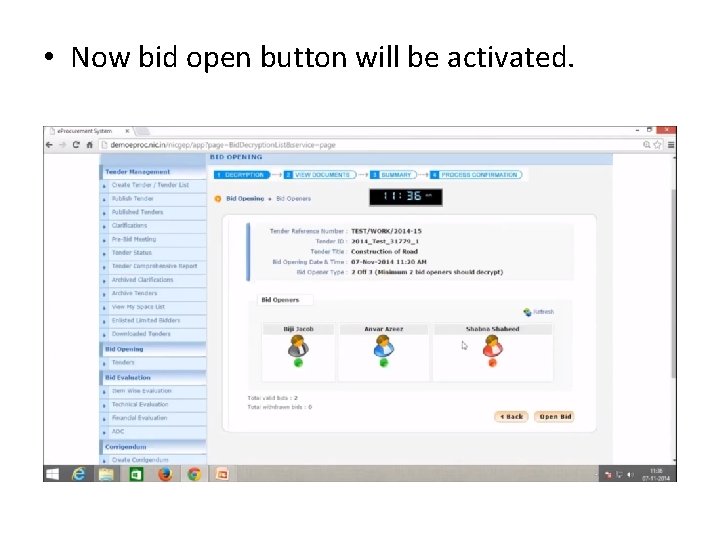
• Bid decryption page will show authorized bid openers. • Click decrypt (credentials of logged in user will be used)
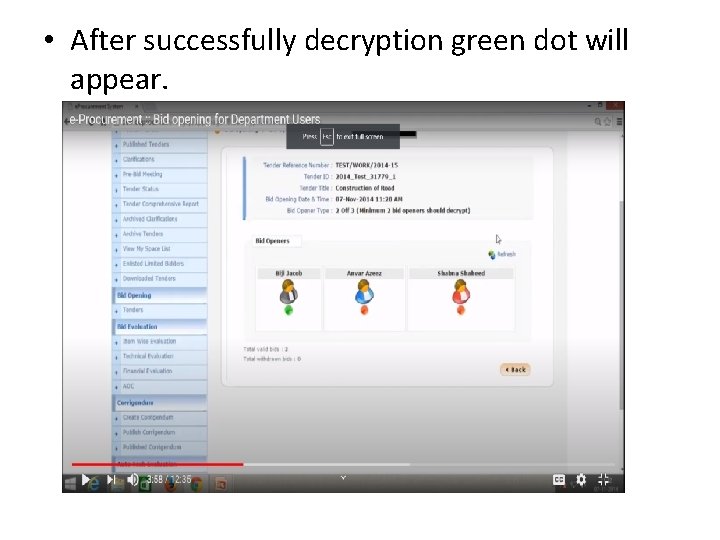
• After successfully decryption green dot will appear.
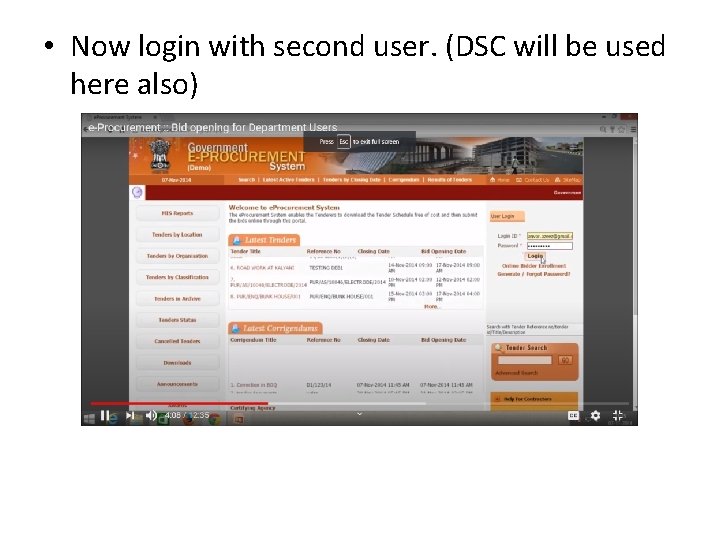
• Now login with second user. (DSC will be used here also)
• Now bid open button will be activated.
GEM
• Government e-Marketing (Ge. M) • Based on their commendations of the Group of Secretaries made to Hon‘ble Prime Minister, the Government decided that it will create a one stop Government- Marketplace (Ge. M) to facilitate online procurement of common use Goods & Services required by various Government Departments / Organizations / PSUs.
• Ge. M aims to enhance transparency, efficiency and speed in public procurement. It provides the tools of e-bidding, reverse e- auction and demand aggregation to facilitate the government users, achieve the best value for their money
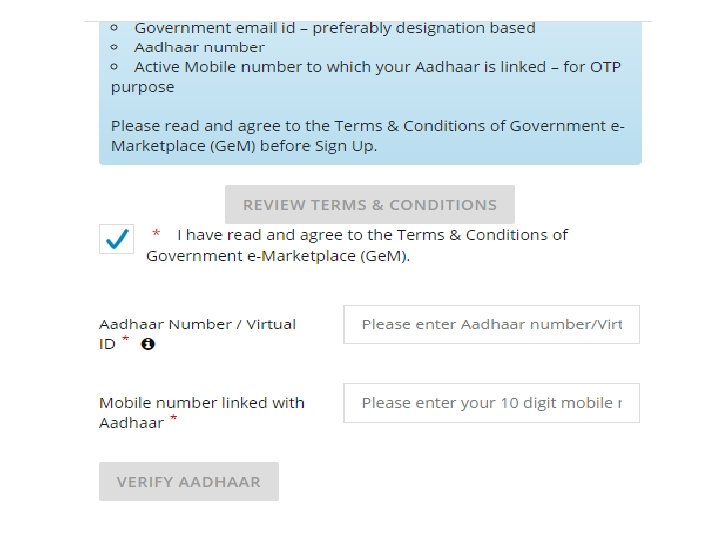
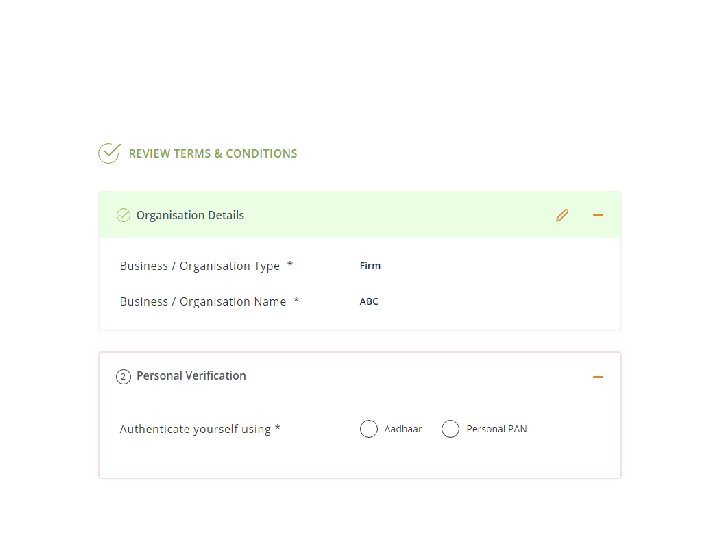
• Requirements to register on Gem Portal • User role to register on website is categorized as buyer and seller. A buyer which is a government organization needs to have Aadhaar number, official email id (gov. in/nic. in), official landline number and bank account details of an organization to register an organization on Ge. M portal. Below shown figure mention how to register in Ge. M as buyer
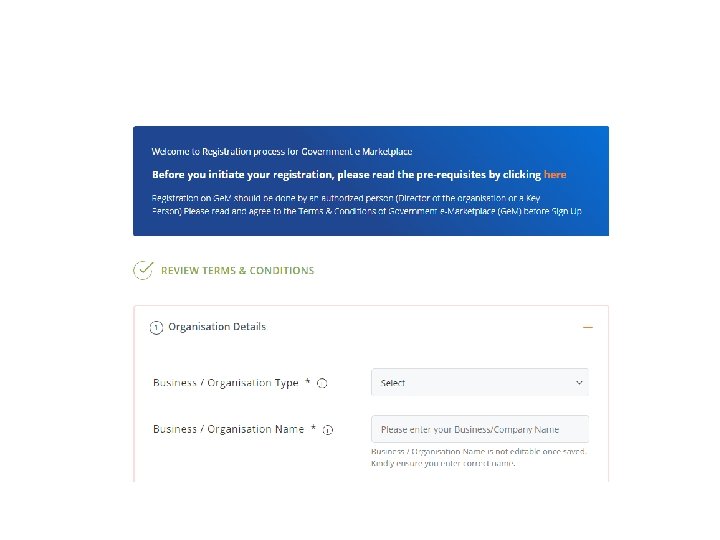
• Similarly, the seller also registers on the Ge. M portal and below displayed figure shows the step to follow.
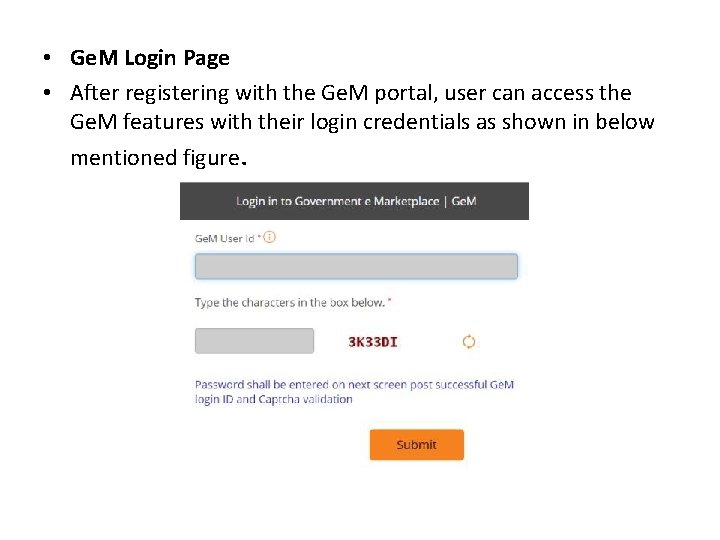
• Ge. M Login Page • After registering with the Ge. M portal, user can access the Ge. M features with their login credentials as shown in below mentioned figure.
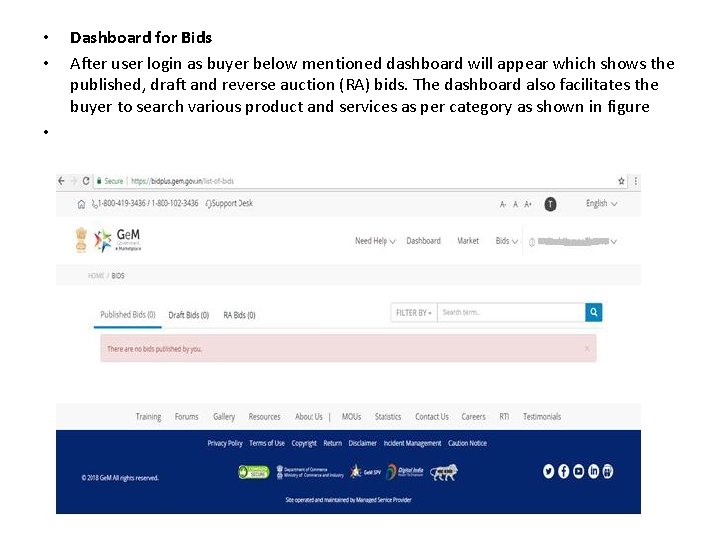
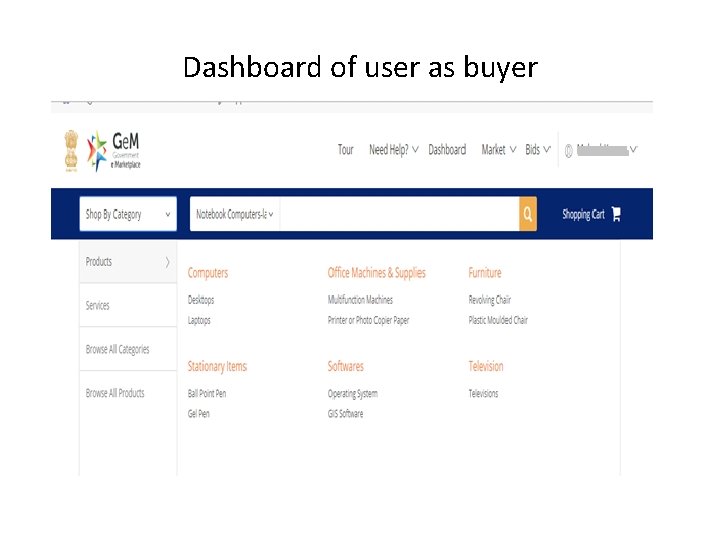
• • • Dashboard for Bids After user login as buyer below mentioned dashboard will appear which shows the published, draft and reverse auction (RA) bids. The dashboard also facilitates the buyer to search various product and services as per category as shown in figure
Dashboard of user as buyer
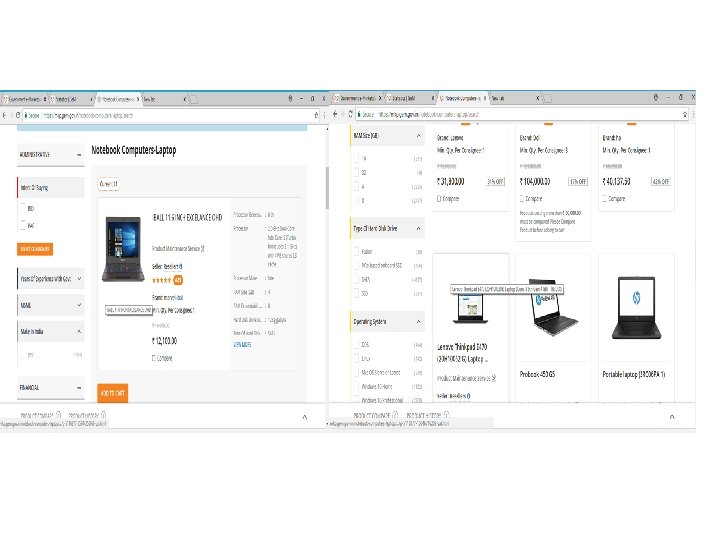
• Advanced Search • This feature allow user to search the product under various classifications and filter the product as per desired requirement. Below mentioned figure shows the list of products of different vendors which fulfill the searched criteria of user.
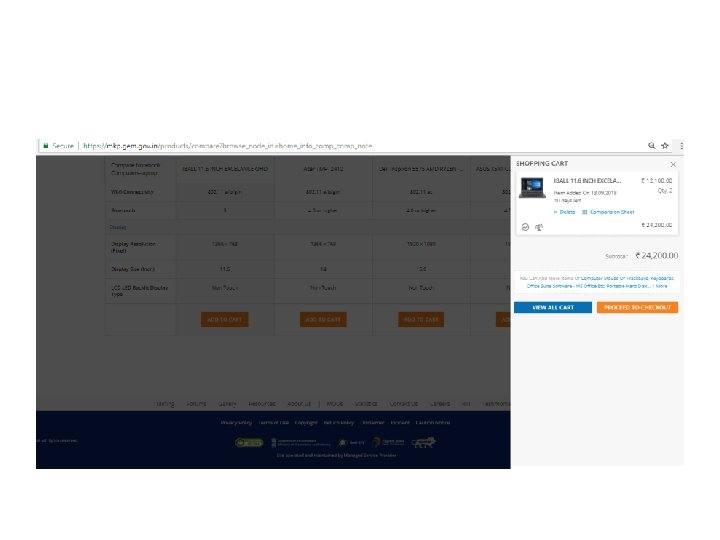
• Purchase a Product • There are four ways to purchase a product from Ge. M portal and these are Ø buy (without comparison) Ø buy (with comparison) Ø bidding purchase Ø and reverse auction purchase. • In direct buy (without comparison) just select the single product from the list and click buy button or add to cart if purchase more item.
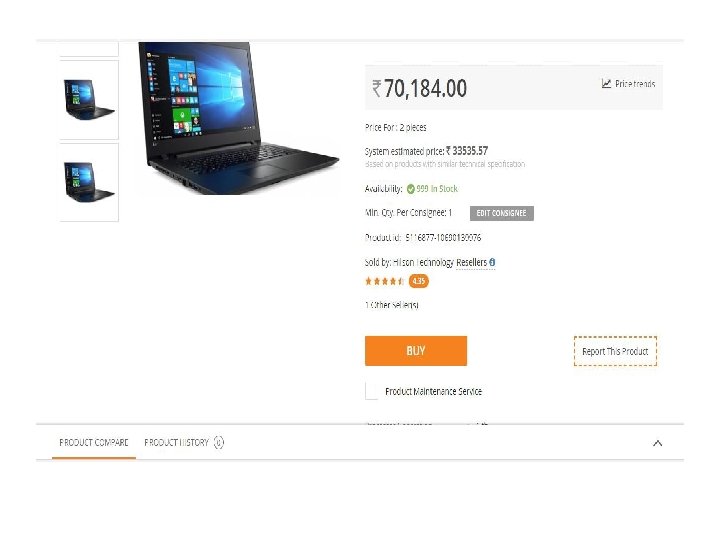
• This type of purchase can be initiated when the total purchase amount of all products should be less than 25 K as per latest government terms and condition. The same is shown in figure shown below.
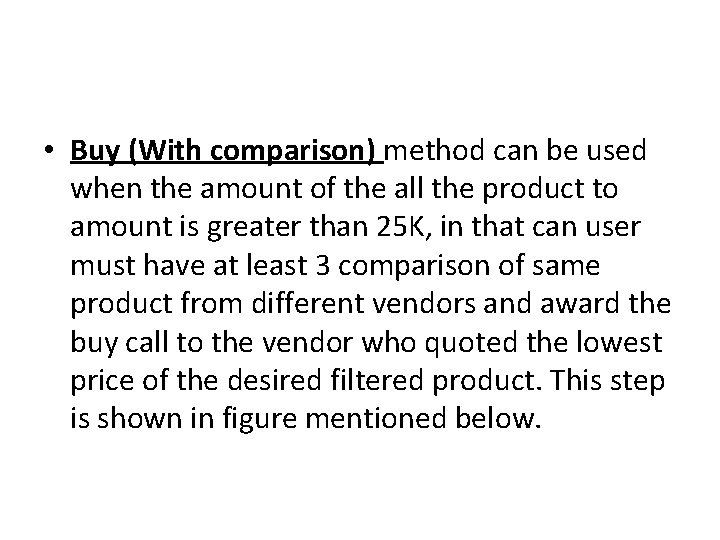
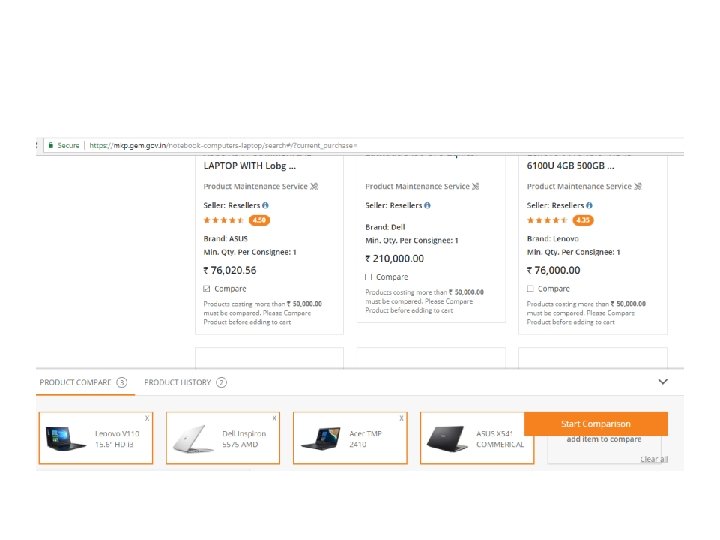
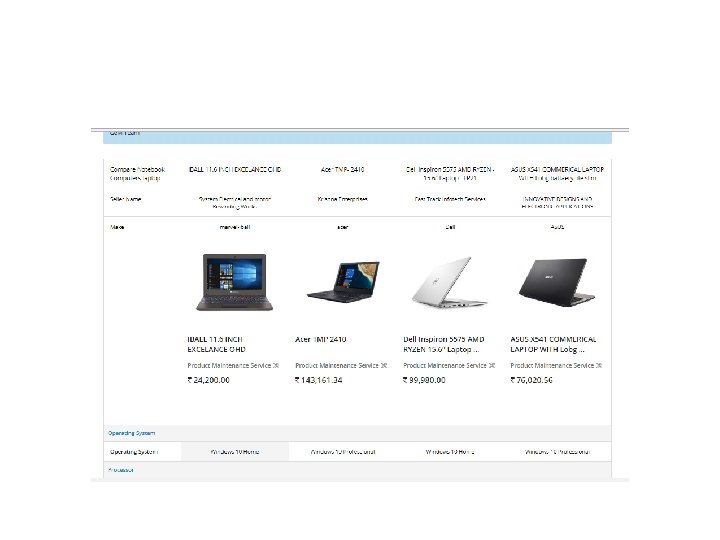
• Buy (With comparison) method can be used when the amount of the all the product to amount is greater than 25 K, in that can user must have at least 3 comparison of same product from different vendors and award the buy call to the vendor who quoted the lowest price of the desired filtered product. This step is shown in figure mentioned below.
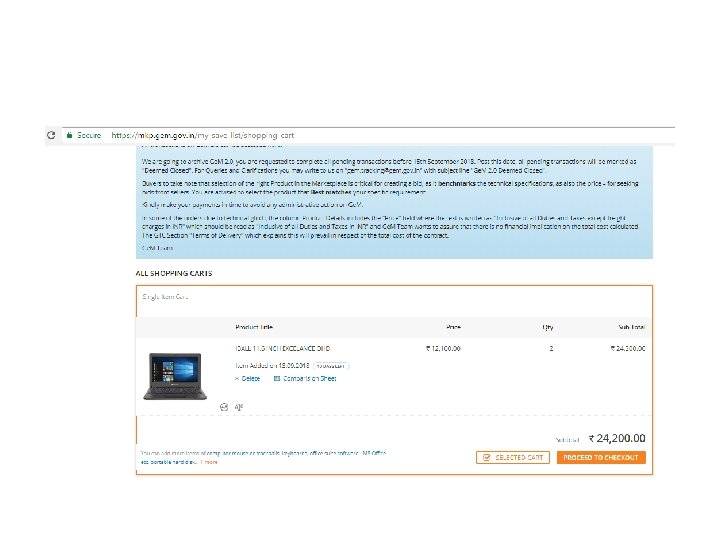
• After selecting the product with comparison and without comparison the below mentioned steps comes in which user click proceed to check out to move to next step of payment.
• Applying the purchase through bidding and reverse auction is similar as direct buy in Ge. M portal. • Bidding: Bidding is an offer (often competitive) to set a price by an individual or business for a product or service or a demand that something be done. Bidding is used to determine the cost or value of something.
• Reverse Auction: A reverse auction is a type of auction in which the roles of buyer and seller are reversed. In a reverse auction, the sellers compete to obtain business from the buyer and prices will typically decrease as the sellers under bid each other.
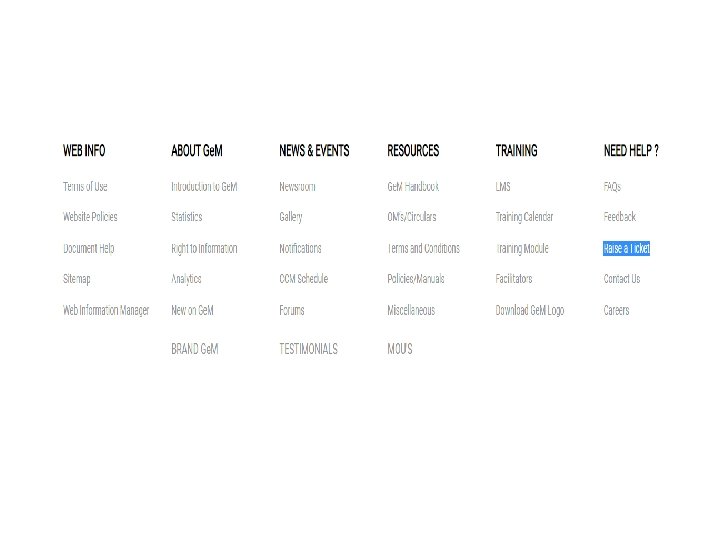
• Raising a Ticket • If any user faces any problem related to the Ge. M portal, then they can raise a ticket which have unique Id which can be tracked to check the status of the ticket whether the problem is resolved or not. Raise a Ticket option is available at the footer of Ge. M postal as shown in figure.