
EG 413 Computer Aided Engineering Tutorial 1 Mathcad
- Slides: 15
EG 413 Computer Aided Engineering Tutorial 1: Mathcad, step-by-step G. Mustoe 1
Purpose and Setup • Demonstrate how to use MATHCAD basics in Tutorial 1 • Note, these instructions only explain the major MATHCAD commands used, not a complete description of every line of MATHCAD commands for Tutorial 1 • While performing the step-by-step MATHCAD solution have a copy of Tutorial 1 equations at hand 2
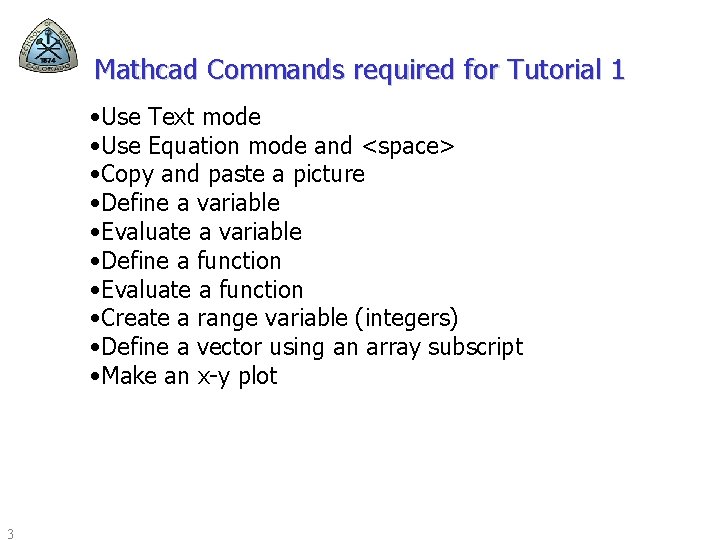
Mathcad Commands required for Tutorial 1 • Use Text mode • Use Equation mode and <space> • Copy and paste a picture • Define a variable • Evaluate a variable • Define a function • Evaluate a function • Create a range variable (integers) • Define a vector using an array subscript • Make an x-y plot 3
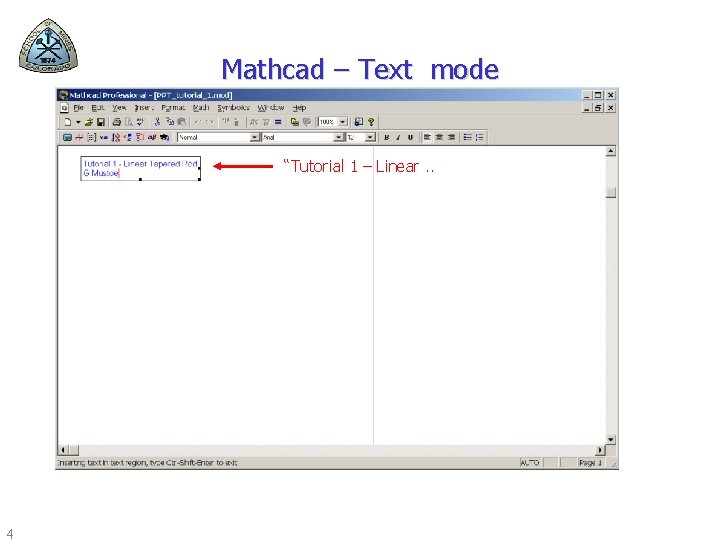
Mathcad – Text mode “Tutorial 1 – Linear. . 4
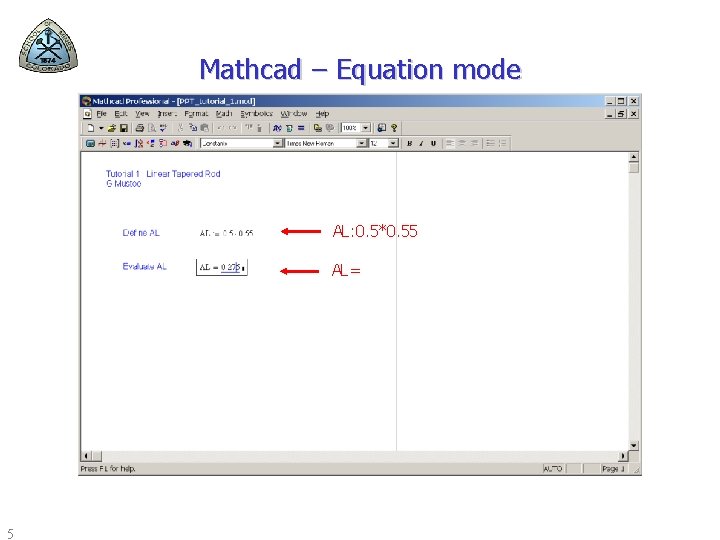
Mathcad – Equation mode AL: 0. 5*0. 55 AL= 5
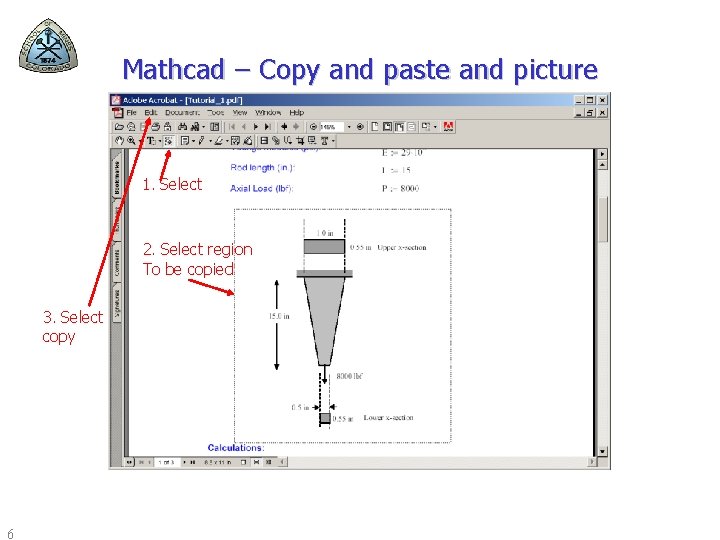
Mathcad – Copy and paste and picture 1. Select 2. Select region To be copied 3. Select copy 6
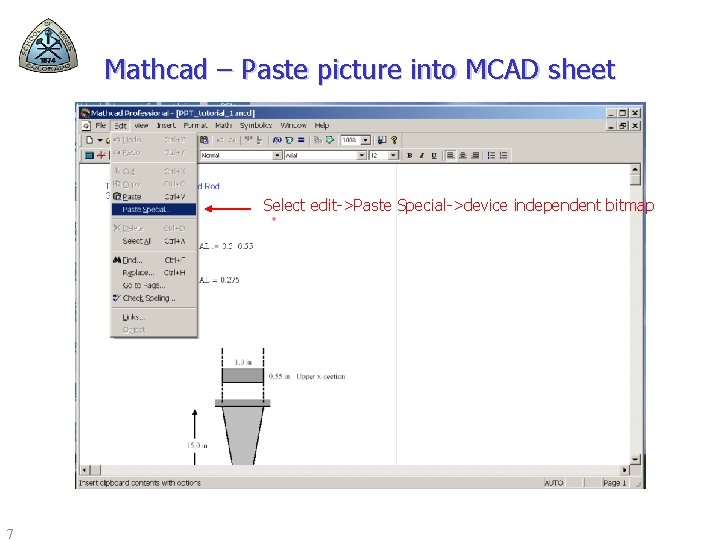
Mathcad – Paste picture into MCAD sheet Select edit->Paste Special->device independent bitmap 7
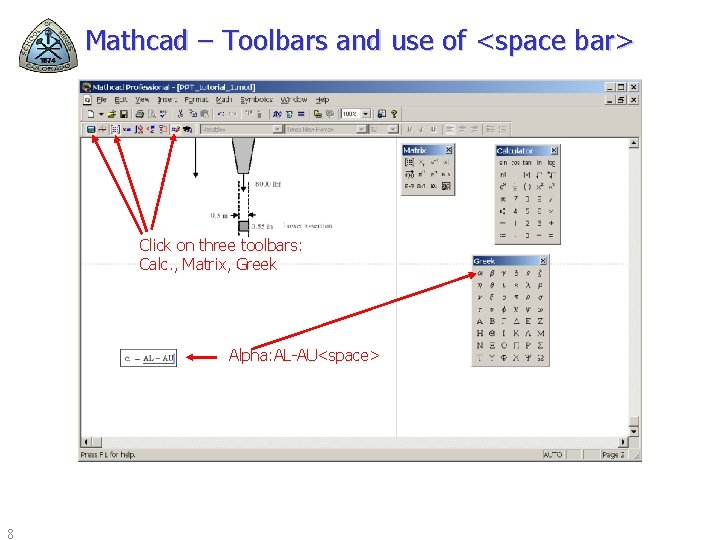
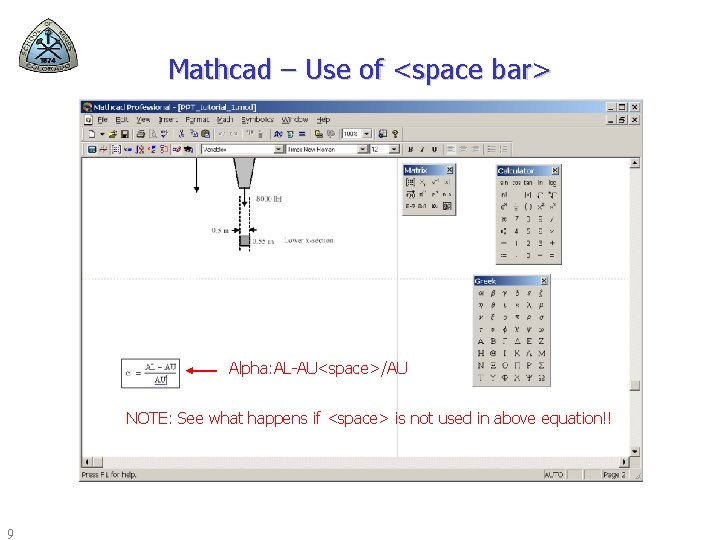
Mathcad – Toolbars and use of <space bar> Click on three toolbars: Calc. , Matrix, Greek Alpha: AL-AU<space> 8
Mathcad – Use of <space bar> Alpha: AL-AU<space>/AU NOTE: See what happens if <space> is not used in above equation!! 9
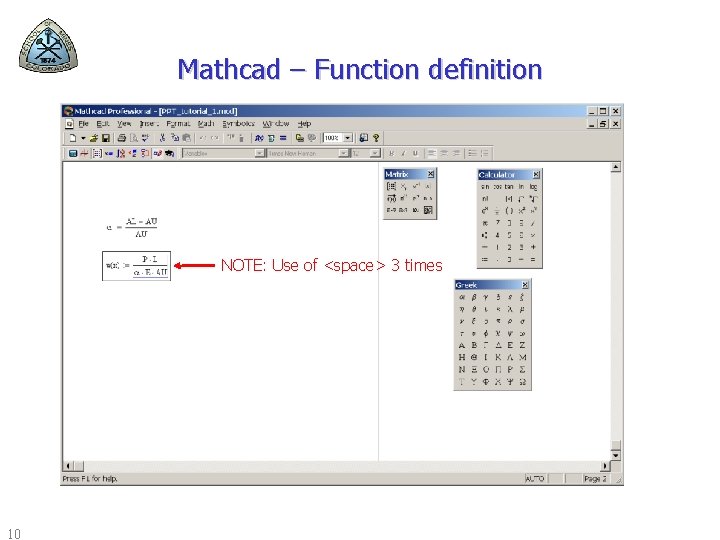
Mathcad – Function definition NOTE: Use of <space> 3 times 10
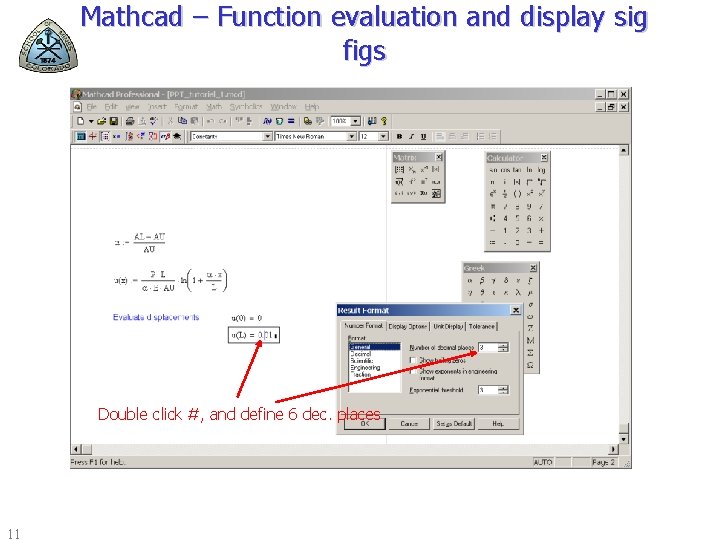
Mathcad – Function evaluation and display sig figs Double click #, and define 6 dec. places 11
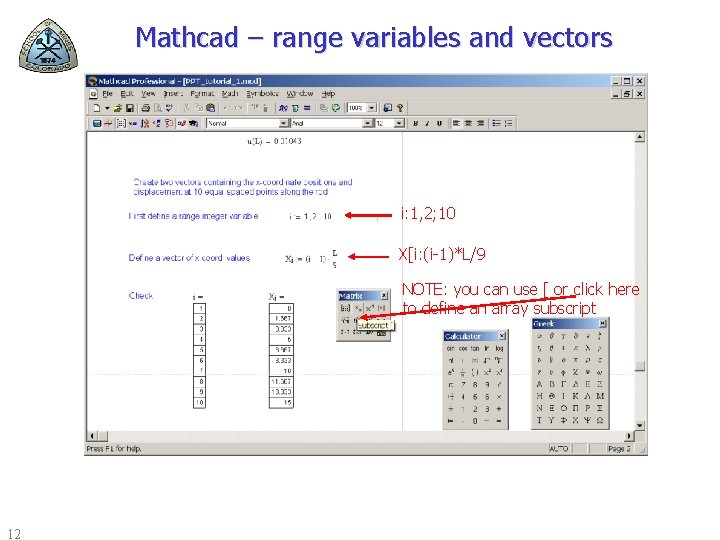
Mathcad – range variables and vectors i: 1, 2; 10 X[i: (i-1)*L/9 NOTE: you can use [ or click here to define an array subscript 12
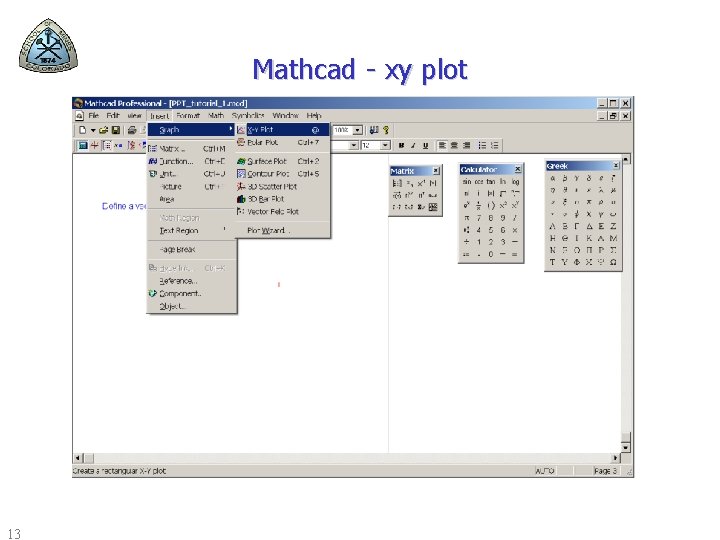
Mathcad - xy plot 13
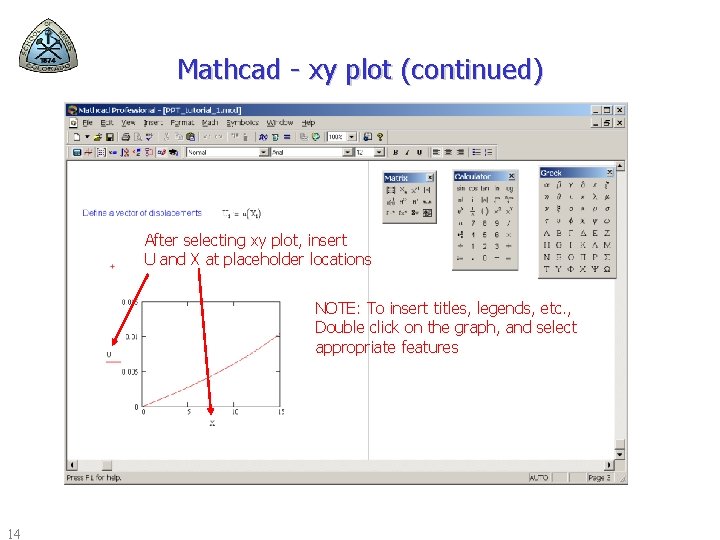
Mathcad - xy plot (continued) After selecting xy plot, insert U and X at placeholder locations NOTE: To insert titles, legends, etc. , Double click on the graph, and select appropriate features 14
Concept Questions 1. 2. 3. 4. 5. What are Math. CAD's two main modes? How do you define a function in Math. CAD? How do you debug a Math. CAD spreadsheet? In what order are values calculated in MATHCAD? What is a range variable and why are they used? Give an example. 6. Explain the difference between the two different types of subscript variables in Math. CAD and how you use each. 15