
Effective Review of Flow Tracker Measurements OSW Webinar
Effective Review of Flow. Tracker Measurements OSW Webinar August 27, 2013 (Please Mute your phones!) U. S. Department of the Interior U. S. Geological Survey Mike Rehmel

Overview § § § Flow. Tracker Basics The Midsection Discharge Measurement The Flow. Tracker Discharge Measurement Summary Output Dat. View Documenting Potential Quality Issues Rating Measurements
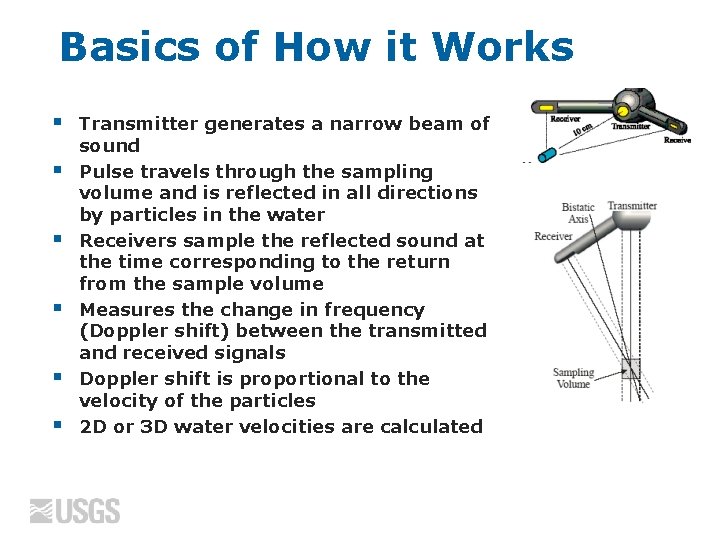
Basics of How it Works § § § Transmitter generates a narrow beam of sound Pulse travels through the sampling volume and is reflected in all directions by particles in the water Receivers sample the reflected sound at the time corresponding to the return from the sample volume Measures the change in frequency (Doppler shift) between the transmitted and received signals Doppler shift is proportional to the velocity of the particles 2 D or 3 D water velocities are calculated
Signal-To-Noise Ratio (SNR) § § § Measure of the strength of the acoustic reflection from the particles in the water If water is “too clear”, the return to the receiving transducers will be low Low SNR can reduce the quality of your data Ideally, SNRs > 10 d. B The Flow. Tracker should not be used when SNR drops below 4 d. B If you are unsure whether a stream will be “too clear” for a Flow. Tracker, place it in the water to check SNR values.
Temperature and Salinity § § § An error in Temperature or salinity will result in a velocity error OSW policy that an independent temperature measurement be made and verify Flow. Tracker temperature with 2 degrees C Common sources of temperature issues • • § Not allowing the Flow. Tracker to equilibrate to water temperature Thermistor failure (typically caused by internal connection issue) 5 degree C or 12 ppt salinity change results in approximately 2% error in velocity
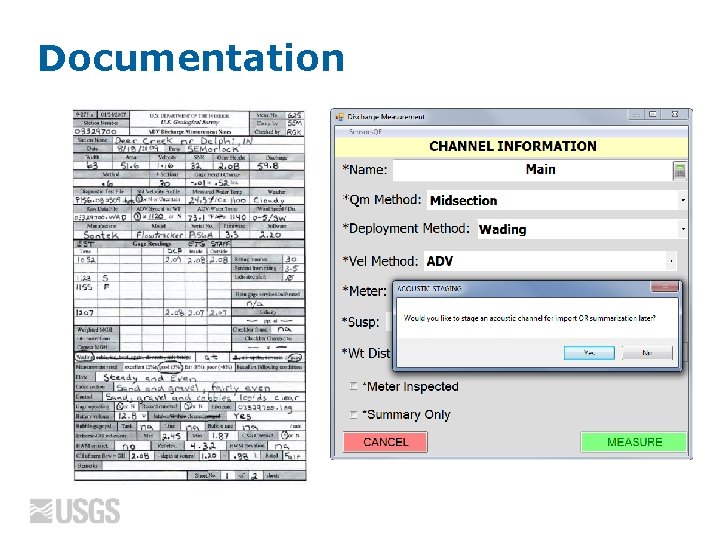
Documentation
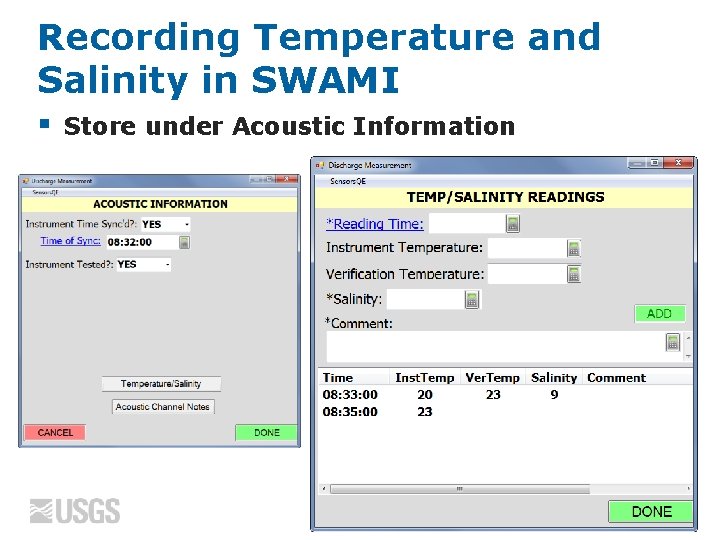
Recording Temperature and Salinity in SWAMI § Store under Acoustic Information
Site Selection § § Site selection is just as important when making a Q measurement with a Flow. Tracker as any other method A good measurement site is: • • • Within a straight reach with parallel streamlines A uniform streambed relatively free of boulders, debris or aquatic growth Relatively uniform flow free of eddies, slack water, and excessive turbulence

Mid-Section Method § Assumes that each measured velocity and depth is representative of the mean for that section
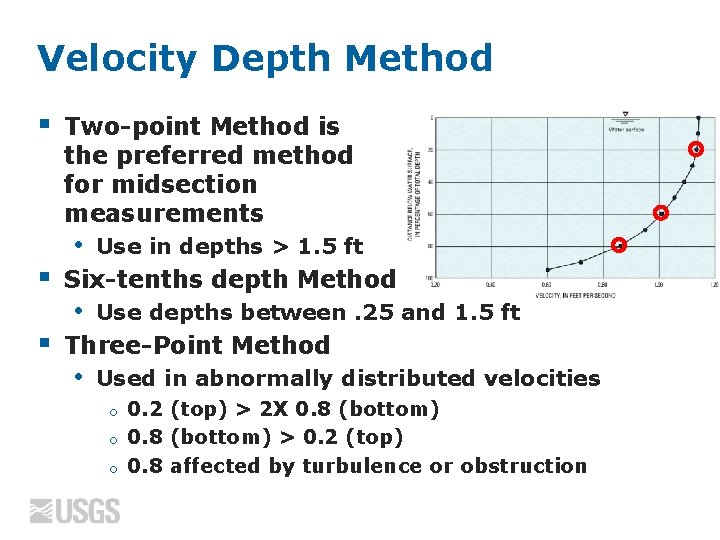
Velocity Depth Method § Two-point Method is the preferred method for midsection measurements • § Six-tenths depth Method • § Use in depths > 1. 5 ft Use depths between. 25 and 1. 5 ft Three-Point Method • Used in abnormally distributed velocities 0. 2 (top) > 2 X 0. 8 (bottom) o 0. 8 (bottom) > 0. 2 (top) o 0. 8 affected by turbulence or obstruction o
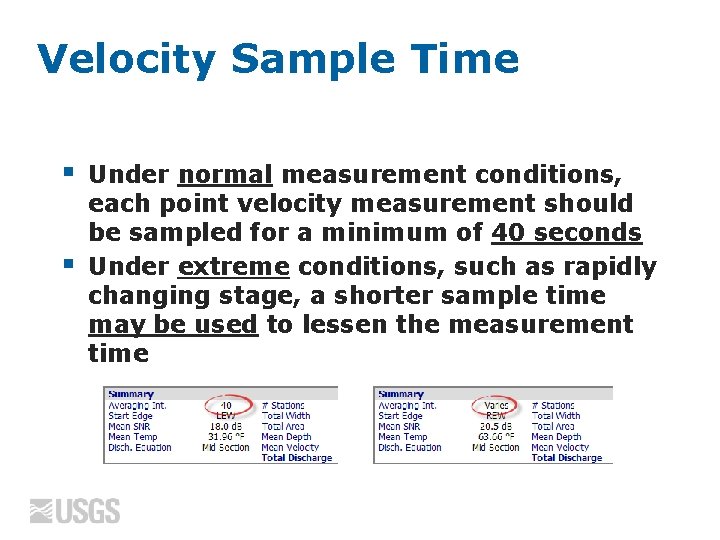
Velocity Sample Time § § Under normal measurement conditions, each point velocity measurement should be sampled for a minimum of 40 seconds Under extreme conditions, such as rapidly changing stage, a shorter sample time may be used to lessen the measurement time
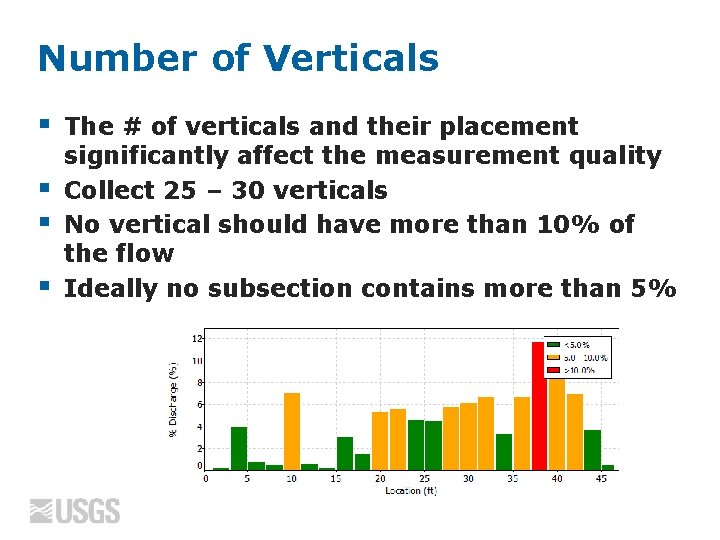
Number of Verticals § § The # of verticals and their placement significantly affect the measurement quality Collect 25 – 30 verticals No vertical should have more than 10% of the flow Ideally no subsection contains more than 5%
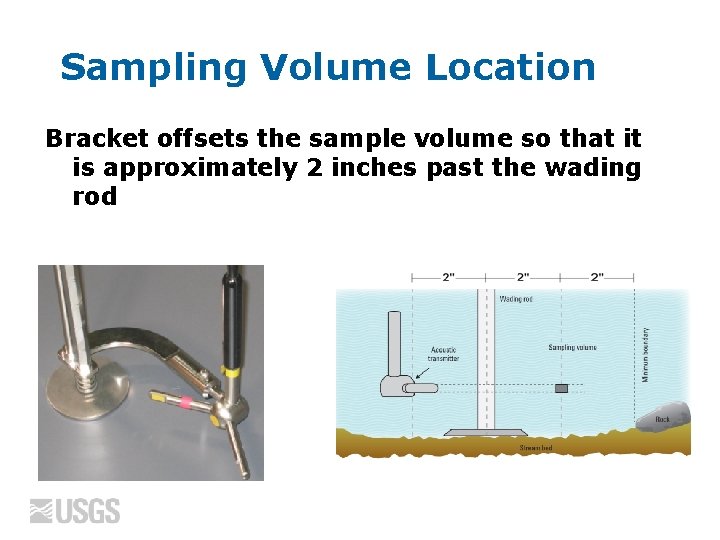
Sampling Volume Location Bracket offsets the sample volume so that it is approximately 2 inches past the wading rod
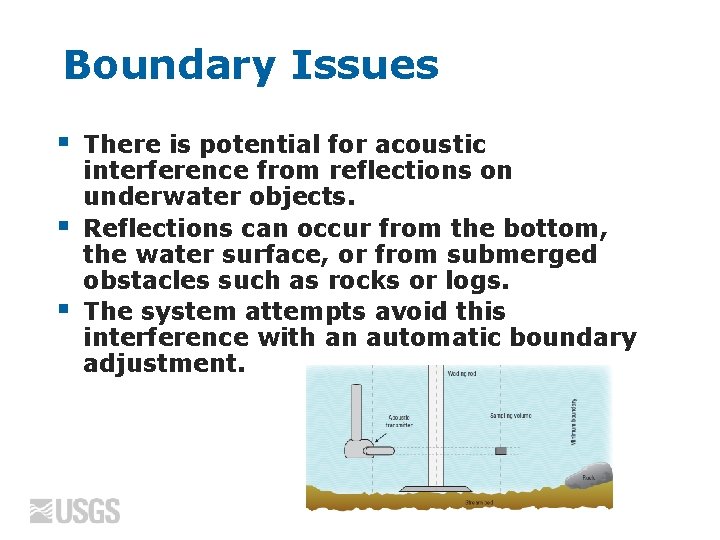
Boundary Issues § § § There is potential for acoustic interference from reflections on underwater objects. Reflections can occur from the bottom, the water surface, or from submerged obstacles such as rocks or logs. The system attempts avoid this interference with an automatic boundary adjustment.
Boundary Adjustment The Boundary variable may have one of following values: • • 0 (Best) - No adjustment necessary or minimal impact on performance 1 (Good) – Moderate impact on system performance 2 (Fair) – Notable impact on system performance 3 (Poor) - Major boundary adjustments necessary, maximum velocity < 4 ft/sec NOTE: If a boundary condition is not correctly detected by the Flow. Tracker the boundary flag may be 0 (Best), but the data will be poor!
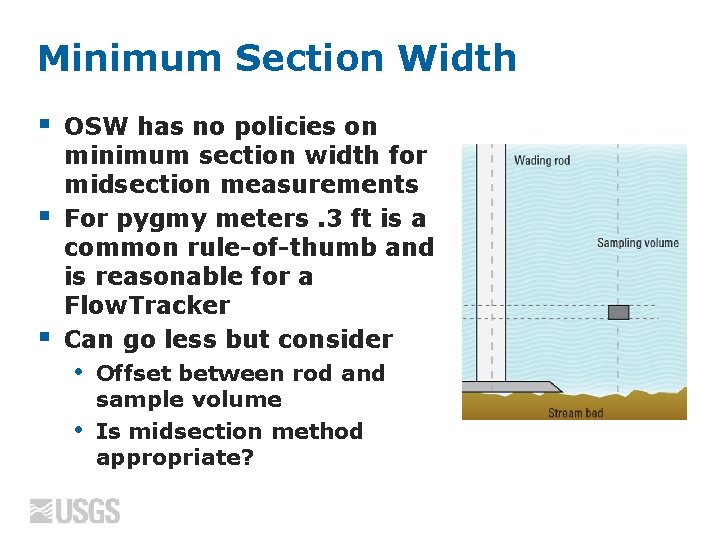
Minimum Section Width § § § OSW has no policies on minimum section width for midsection measurements For pygmy meters. 3 ft is a common rule-of-thumb and is reasonable for a Flow. Tracker Can go less but consider • • Offset between rod and sample volume Is midsection method appropriate?

Wading Rod Alignment § § Probe/wading rod orientation is VERY important when making a measurement! The wading rod should always be held perpendicular to the tag line, so that the pulse generated by the transmitter is parallel to the tagline
Flow Angles § § Velocities measured in the Y direction by the Flow. Tracker means there is angled flow Angled flow: • • § Flow not perpendicular to the tagline Wading rod not being held perpendicular to the tagline Small variations are normal, but if large fluctuations of flow angles are reported, a more uniform cross section should be located for the measurement
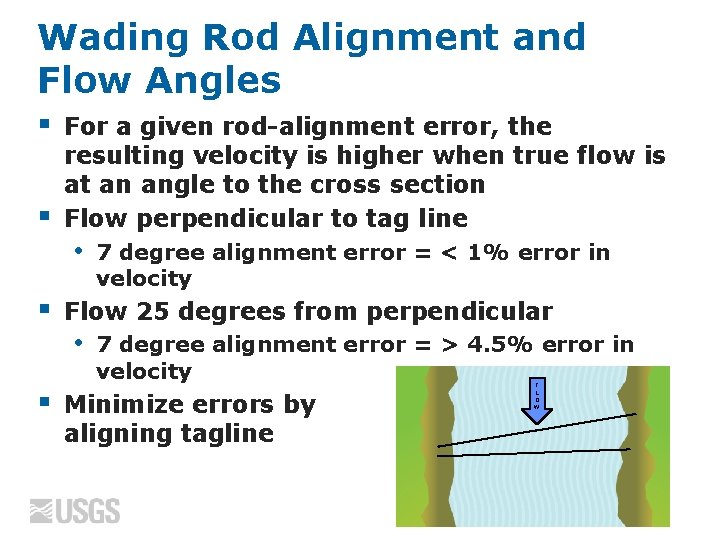
Wading Rod Alignment and Flow Angles § § For a given rod-alignment error, the resulting velocity is higher when true flow is at an angle to the cross section Flow perpendicular to tag line • § Flow 25 degrees from perpendicular • § 7 degree alignment error = < 1% error in velocity 7 degree alignment error = > 4. 5% error in velocity Minimize errors by aligning tagline F L O W
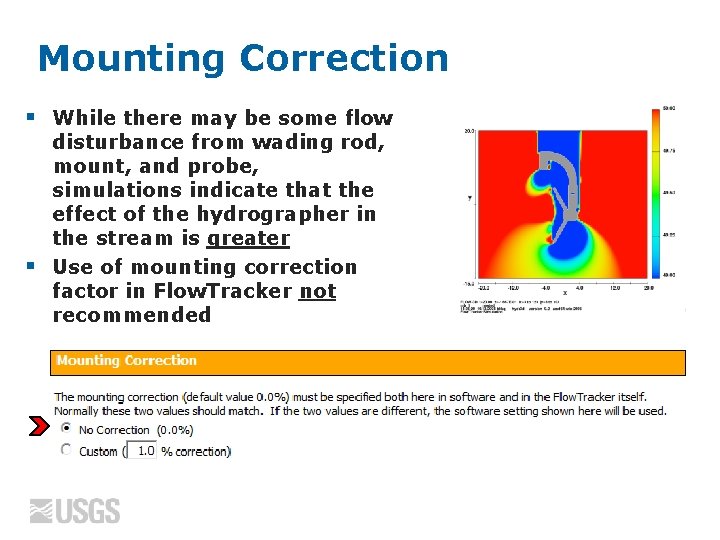
Mounting Correction § § While there may be some flow disturbance from wading rod, mount, and probe, simulations indicate that the effect of the hydrographer in the stream is greater Use of mounting correction factor in Flow. Tracker not recommended
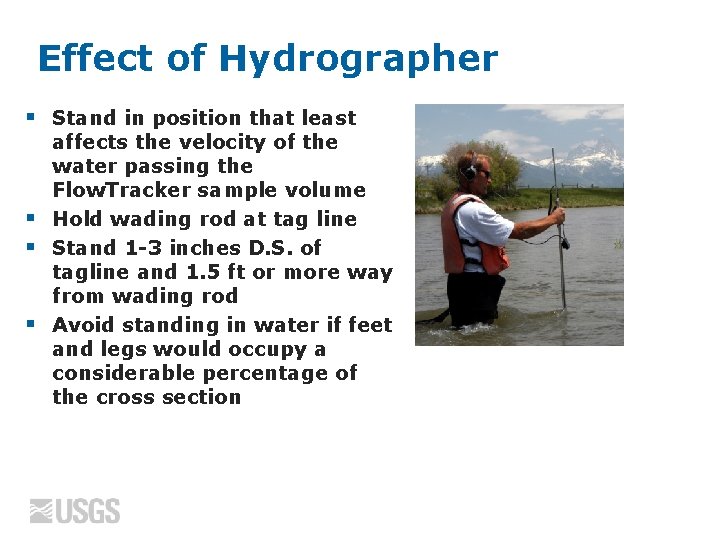
Effect of Hydrographer § § Stand in position that least affects the velocity of the water passing the Flow. Tracker sample volume Hold wading rod at tag line Stand 1 -3 inches D. S. of tagline and 1. 5 ft or more way from wading rod Avoid standing in water if feet and legs would occupy a considerable percentage of the cross section

Flow. Tracker Discharge Measurement Summary
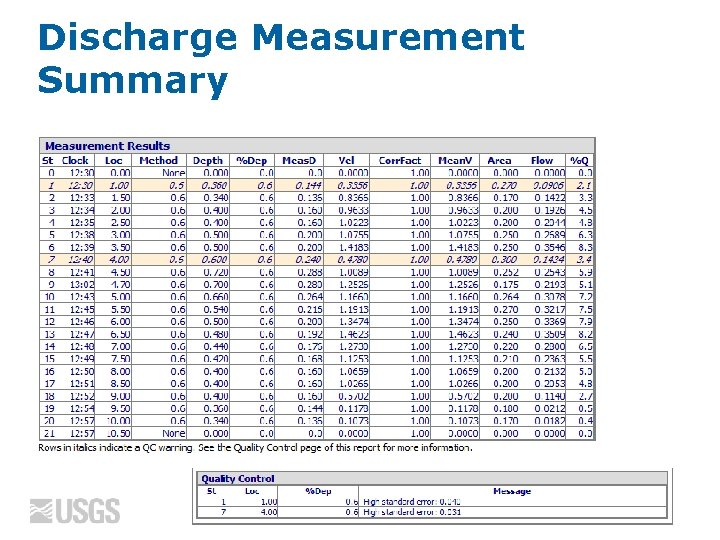
Discharge Measurement Summary
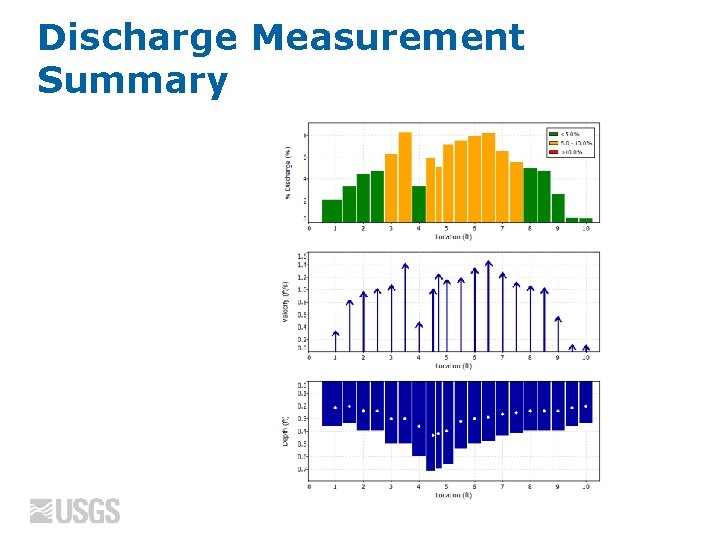
Discharge Measurement Summary

Discharge Measurement Summary
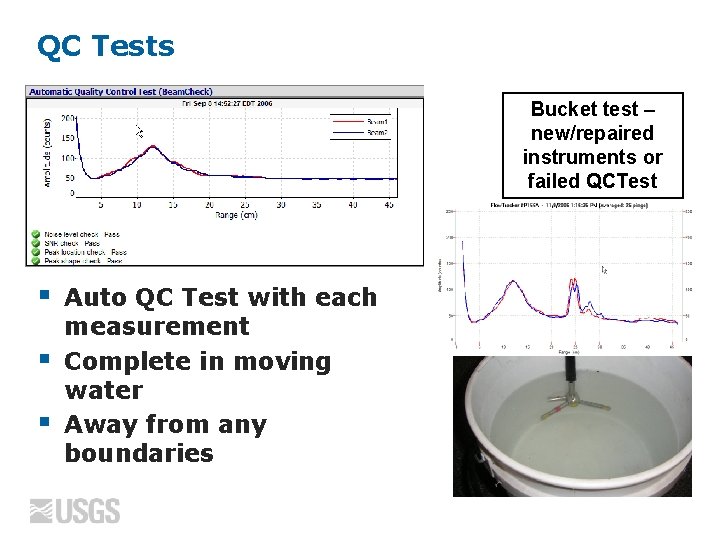
QC Tests Bucket test – new/repaired instruments or failed QCTest § § § Auto QC Test with each measurement Complete in moving water Away from any boundaries
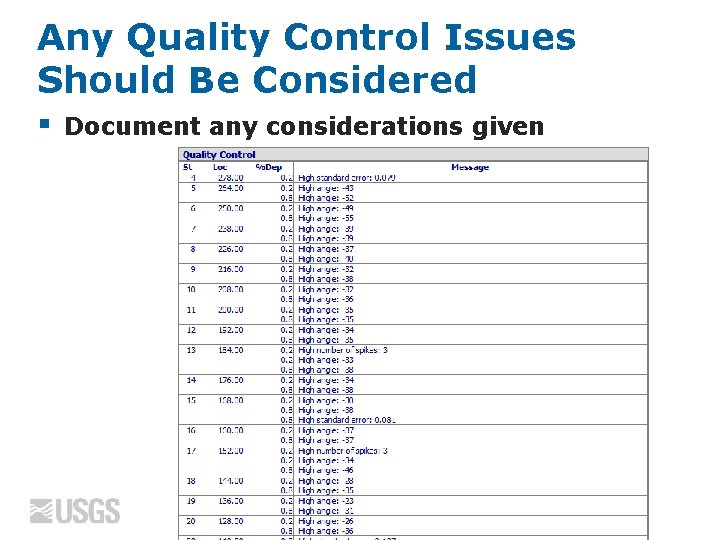
Any Quality Control Issues Should Be Considered § Document any considerations given
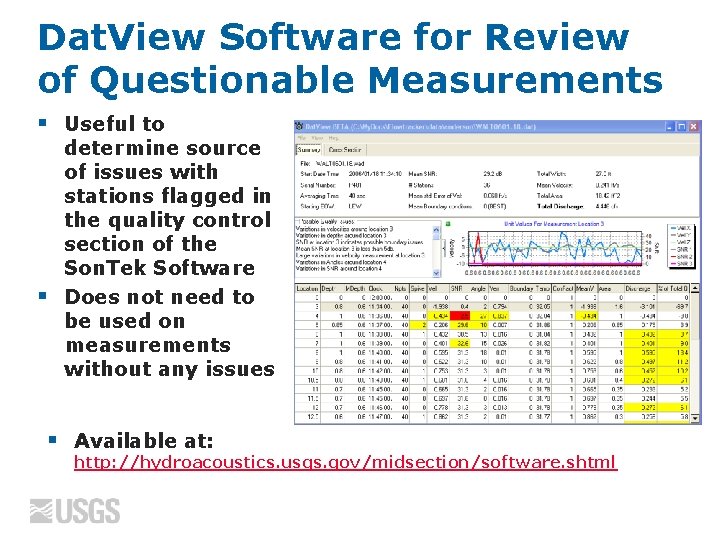
Dat. View Software for Review of Questionable Measurements § § § Useful to determine source of issues with stations flagged in the quality control section of the Son. Tek Software Does not need to be used on measurements without any issues Available at: http: //hydroacoustics. usgs. gov/midsection/software. shtml
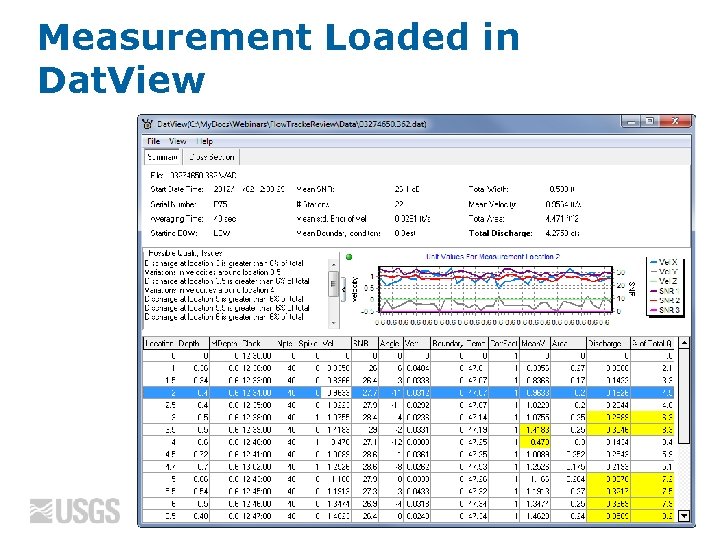
Measurement Loaded in Dat. View
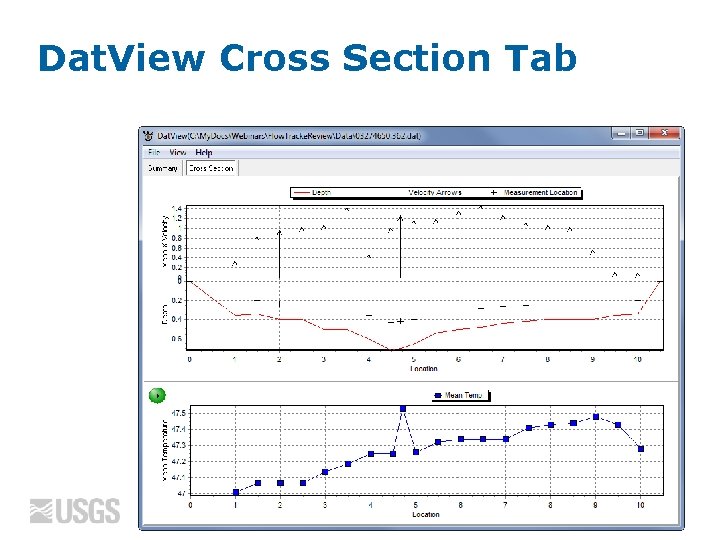
Dat. View Cross Section Tab
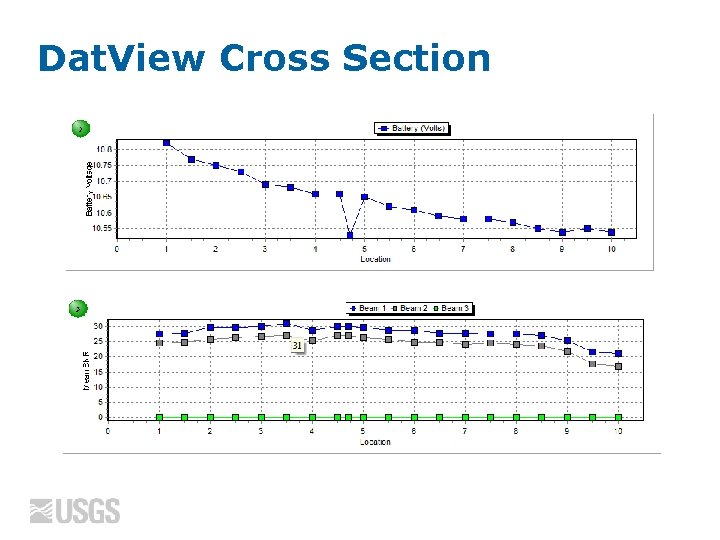
Dat. View Cross Section
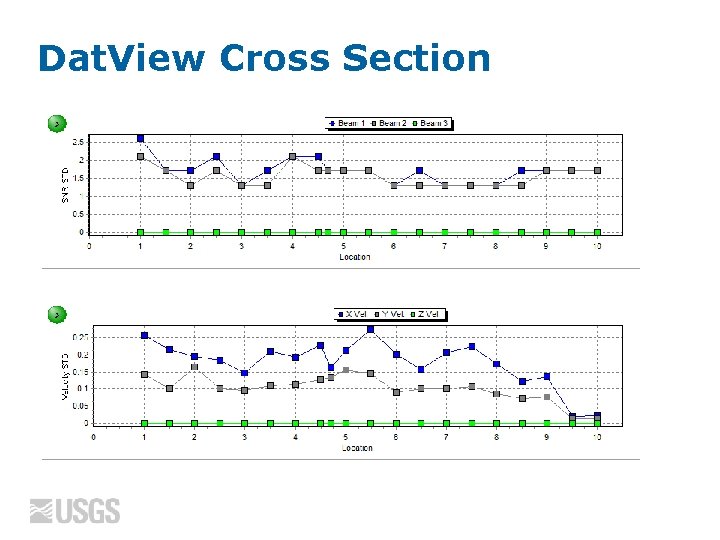
Dat. View Cross Section
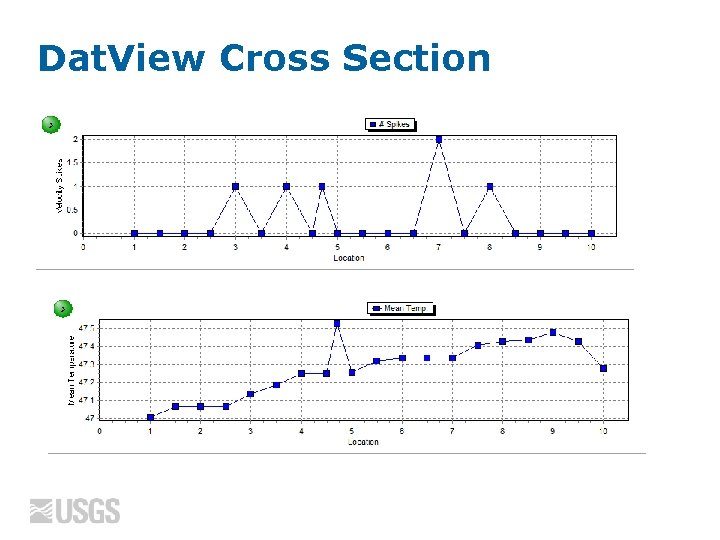
Dat. View Cross Section
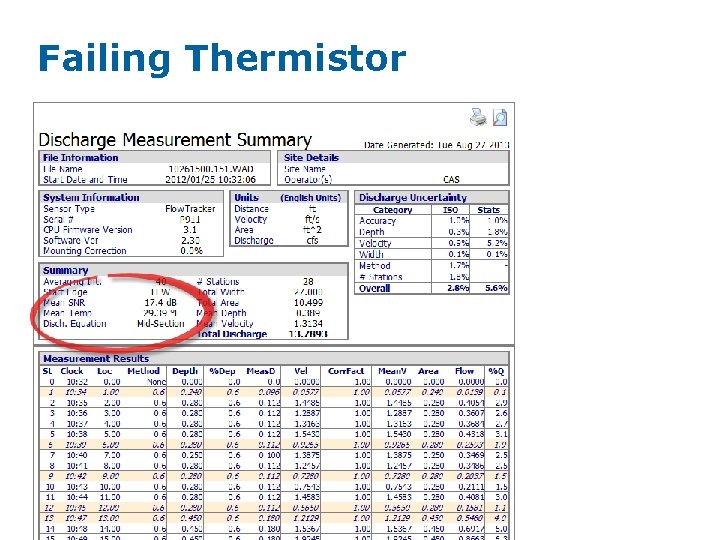
Failing Thermistor
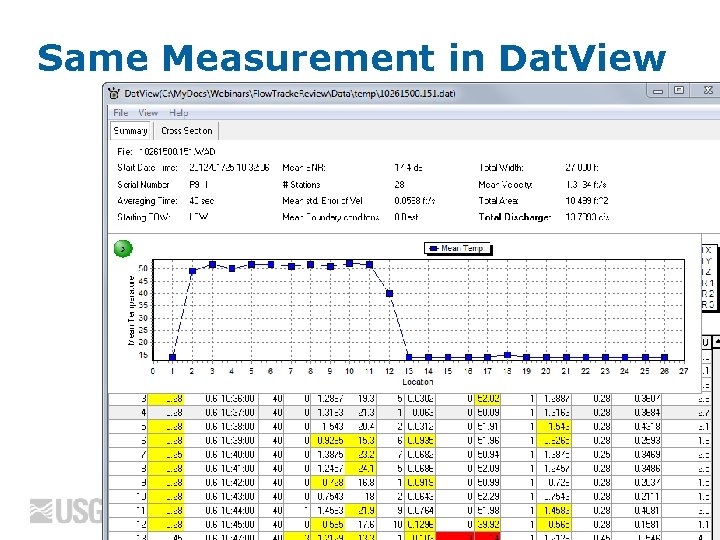
Same Measurement in Dat. View
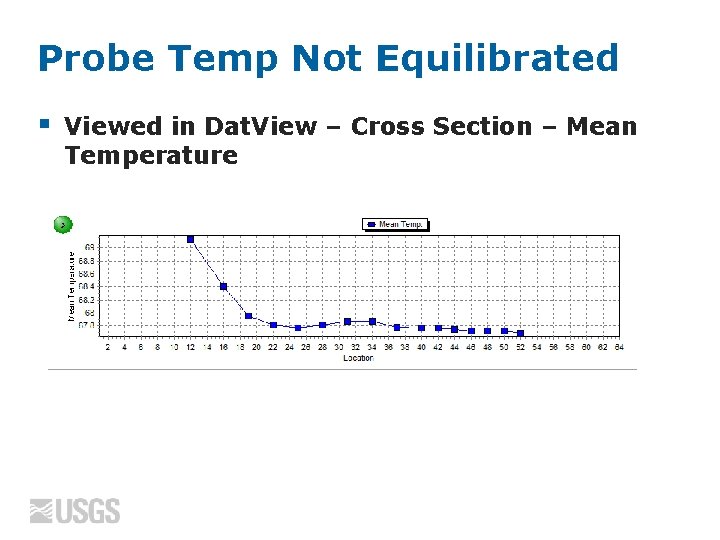
Probe Temp Not Equilibrated § Viewed in Dat. View – Cross Section – Mean Temperature
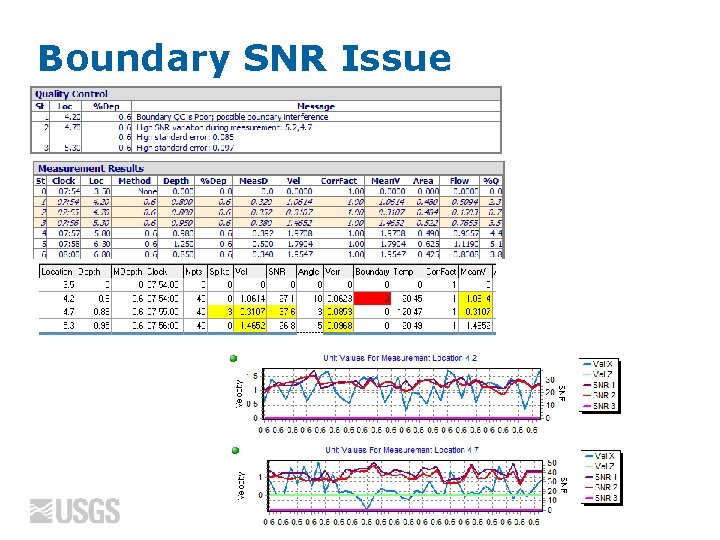
Boundary SNR Issue
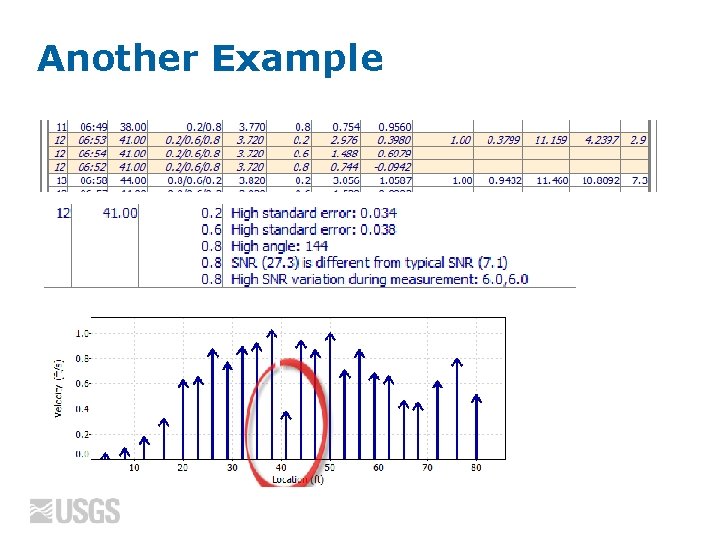
Another Example
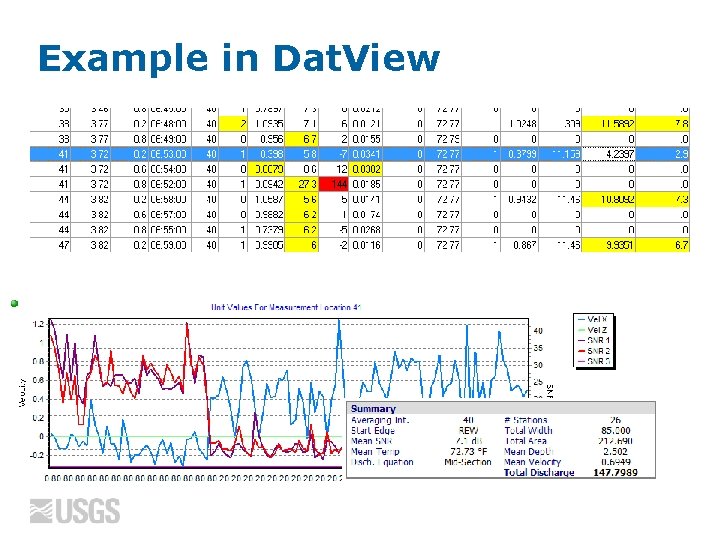
Example in Dat. View
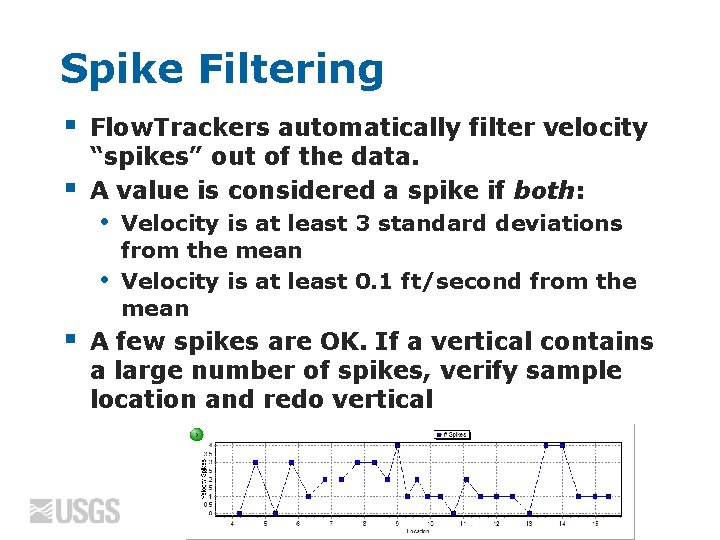
Spike Filtering § § Flow. Trackers automatically filter velocity “spikes” out of the data. A value is considered a spike if both: • • § Velocity is at least 3 standard deviations from the mean Velocity is at least 0. 1 ft/second from the mean A few spikes are OK. If a vertical contains a large number of spikes, verify sample location and redo vertical

Flow. Tracker in Fast Flow § Flow. Tracker maximum velocity = 14. 7 ft/sec • • • When flow perpendicular Maximum velocity that can be measured in the direction of a transducer is only 3. 7 ft/sec Velocities towards or away from the transducers > 3. 7 ft/sec will cause erroneous velocities Can occur in fast, turbulent flow with angles Typically appears as velocities with wrong magnitude and sign
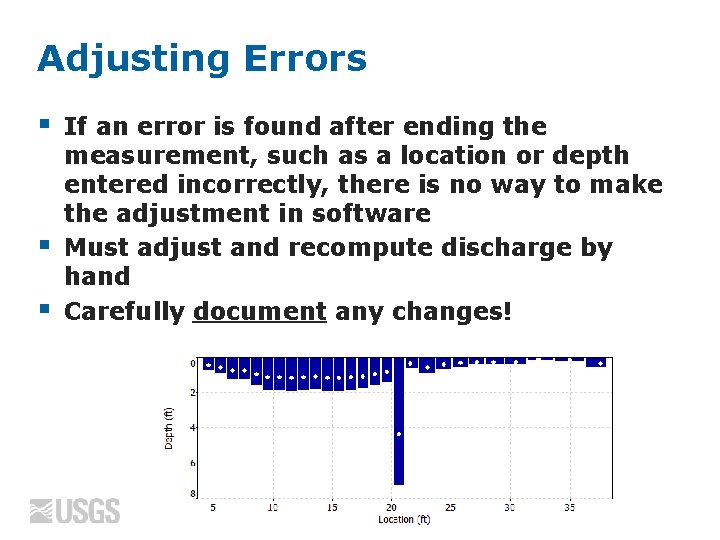
Adjusting Errors § § § If an error is found after ending the measurement, such as a location or depth entered incorrectly, there is no way to make the adjustment in software Must adjust and recompute discharge by hand Carefully document any changes!
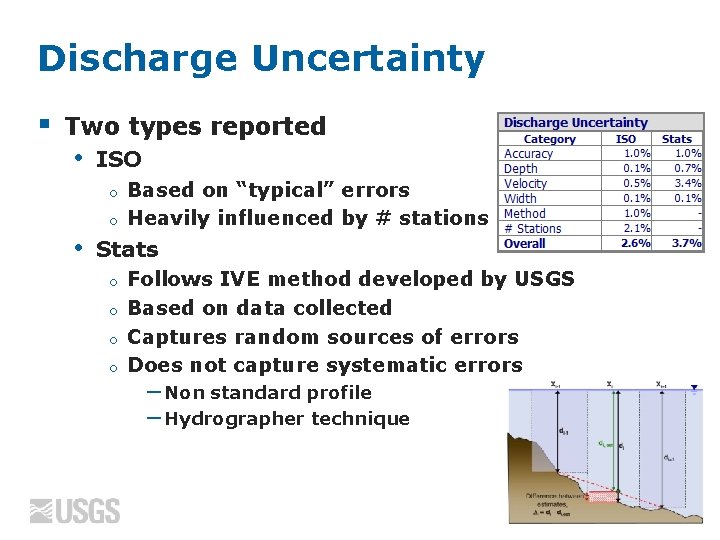
Discharge Uncertainty § Two types reported • ISO Based on “typical” errors o Heavily influenced by # stations o • Stats Follows IVE method developed by USGS o Based on data collected o Captures random sources of errors o Does not capture systematic errors o −Non standard profile −Hydrographer technique
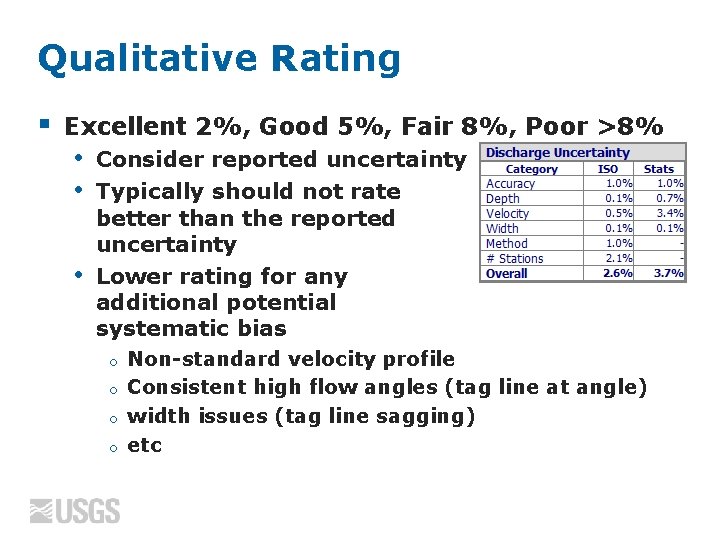
Qualitative Rating § Excellent 2%, Good 5%, Fair 8%, Poor >8% • • • Consider reported uncertainty Typically should not rate better than the reported uncertainty Lower rating for any additional potential systematic bias Non-standard velocity profile o Consistent high flow angles (tag line at angle) o width issues (tag line sagging) o etc o
Summary § § Site selection is a limiting factor It is important to understand how and what the Flow. Tracker is measuring • • § § SNR Flow angles Sample volume location Wading rod orientation Consider all Quality Control issues highlighted and document their potential affect on the final discharge Rate measurements considering the reported discharge uncertainty values
Questions! Recorded version will be placed on: http: //hydroacoustics. usgs. gov/ U. S. Department of the Interior U. S. Geological Survey
Standard Error of Velocity § § Indicates the variations in 1 second velocities - Standard deviation divided by the square root of the number of samples Typically dominated by real variations in flow Shown at the end of each velocity measurement High standard error of velocity values are an indicator of a poor measurement section (turbulent flow)
- Slides: 47