
EES Tutorial Zechao Lu 9172020 Objective 1 Develop
EES Tutorial Zechao Lu 9/17/2020
Objective 1. Develop an overview understanding of EES 2. Learn Property Evaluations in EES 3. Learn problem solving skills in EES
Engineering Equation Solver (EES) • Pronounced ‘ease’ • Developed by f-chart software and faculty at University of Wisconsin. Madison • A non-linear equation solver with features that make it very useful for analysis of thermal systems • Built in property functions (instead of tables) and diagrams • Built-in unit checking • EES You. Tube Channel (w/ many tutorials) • https: //www. youtube. com/channel/UCd. X-n. IPIP 0 SJm. W 5 f. Au. MLETQ/videos

Accessing EES • Students can access EES from itap's software remote (no need for VPN): https: //goremote. itap. purdue. edu/ • EES is installed on all ME lab machines and they can be accessed remotely by following the instructions listed here: http: //eng. purdue. edu/jump/2 e 86 d 30
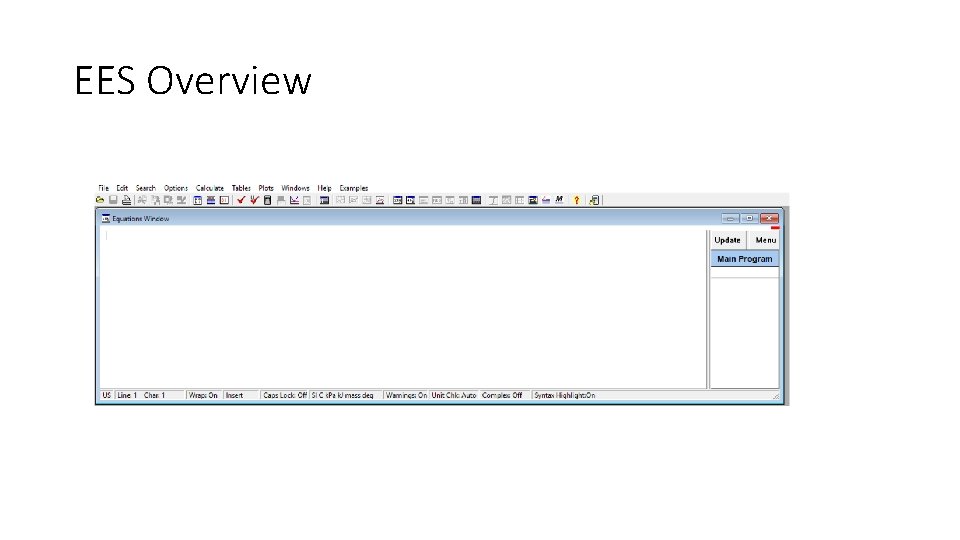
EES Overview
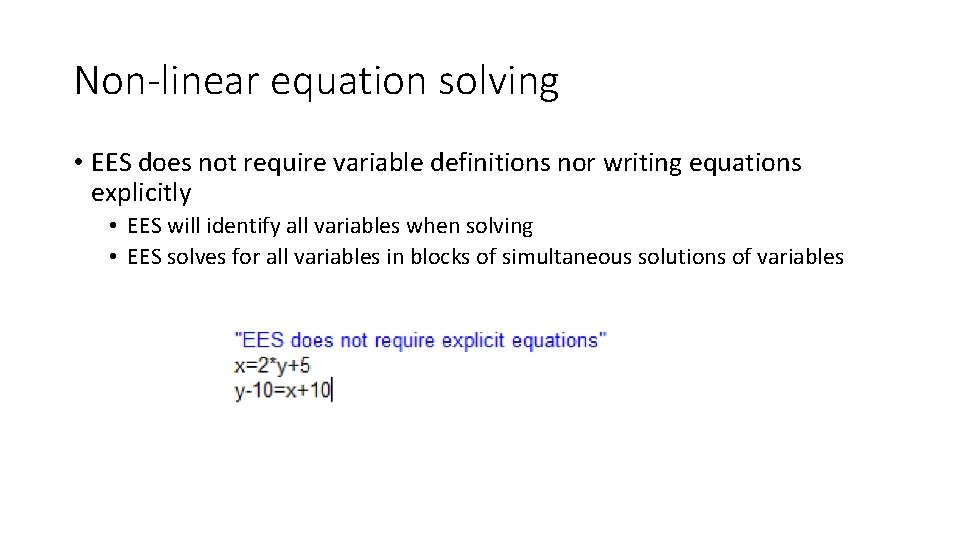
Non-linear equation solving • EES does not require variable definitions nor writing equations explicitly • EES will identify all variables when solving • EES solves for all variables in blocks of simultaneous solutions of variables
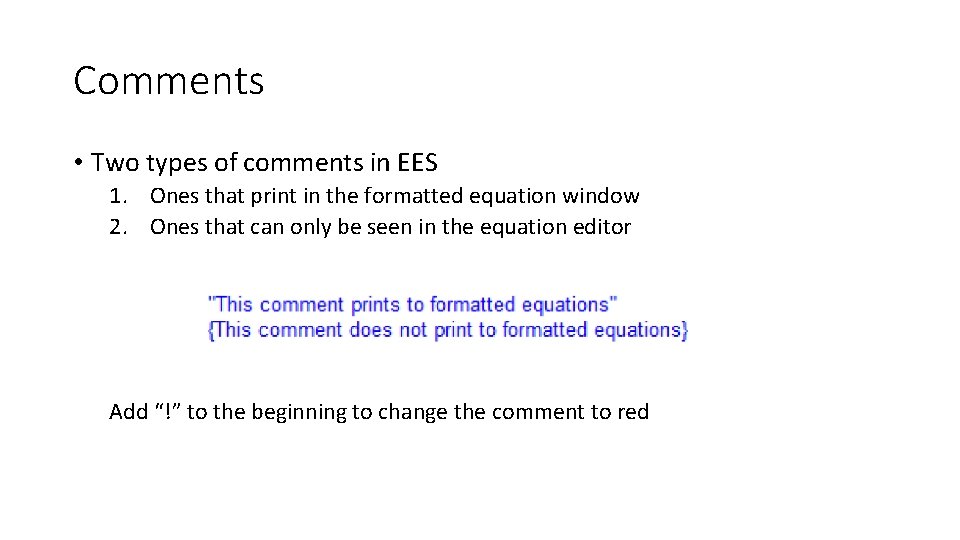
Comments • Two types of comments in EES 1. Ones that print in the formatted equation window 2. Ones that can only be seen in the equation editor Add “!” to the beginning to change the comment to red
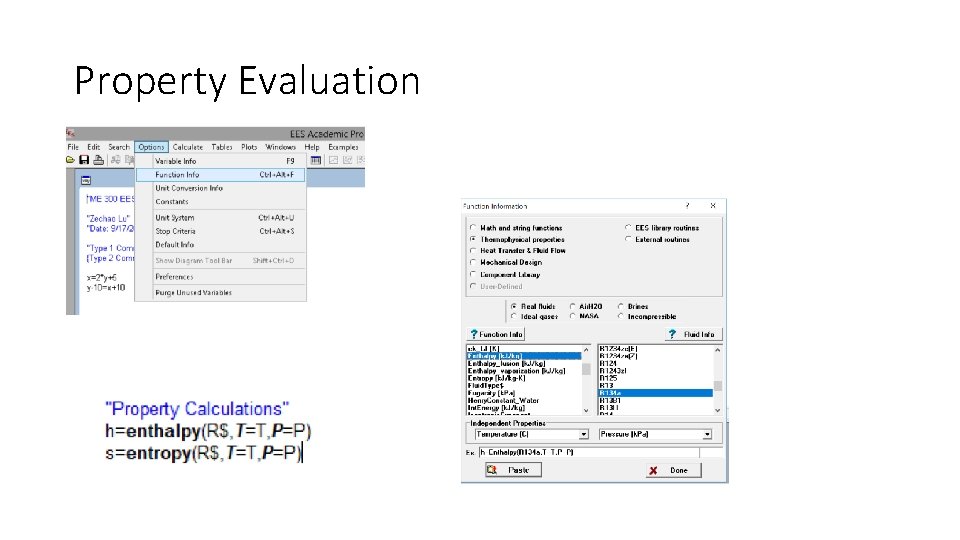
Property Evaluation
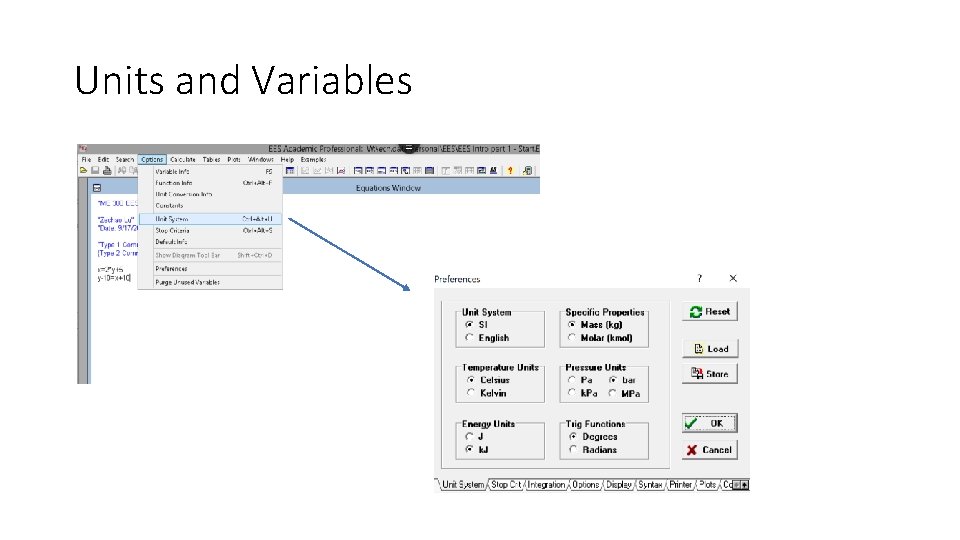
Units and Variables
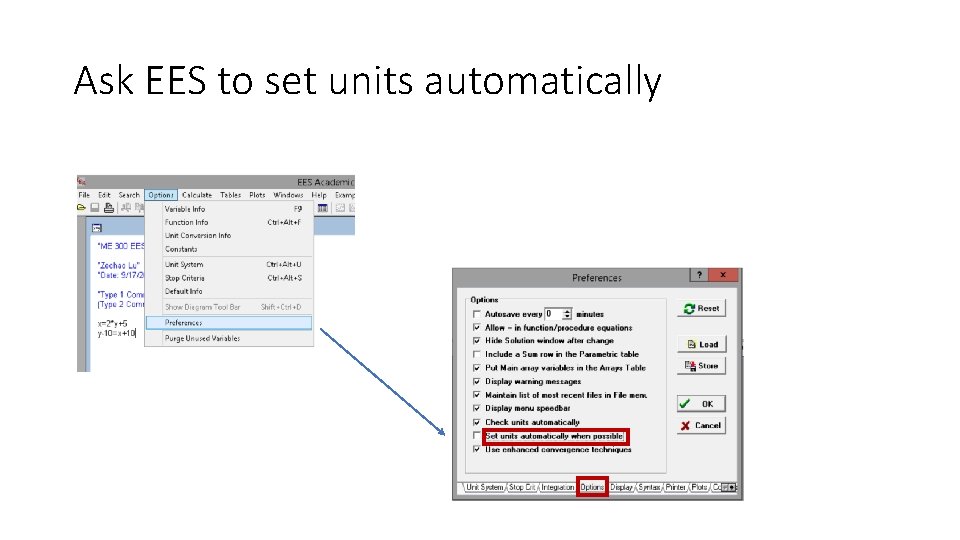
Ask EES to set units automatically
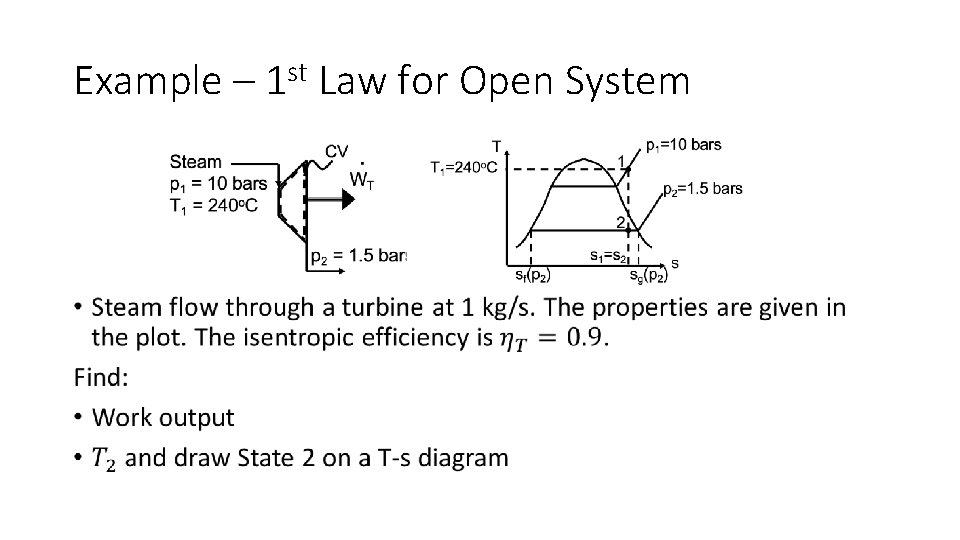
Example – 1 st Law for Open System •
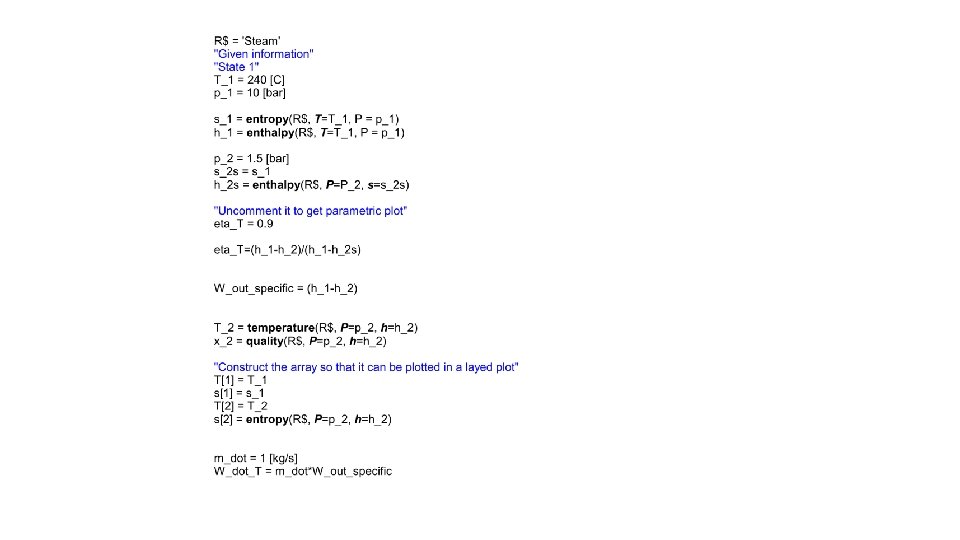
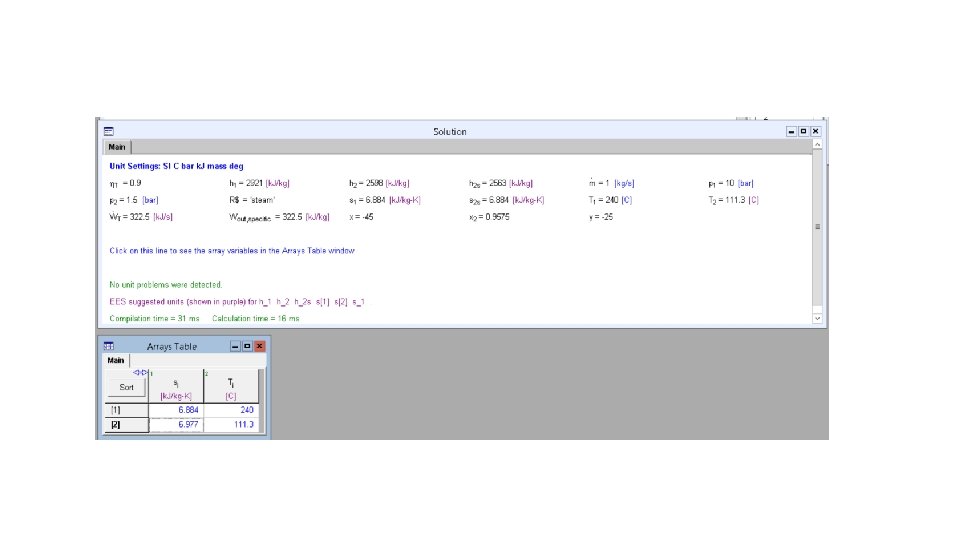
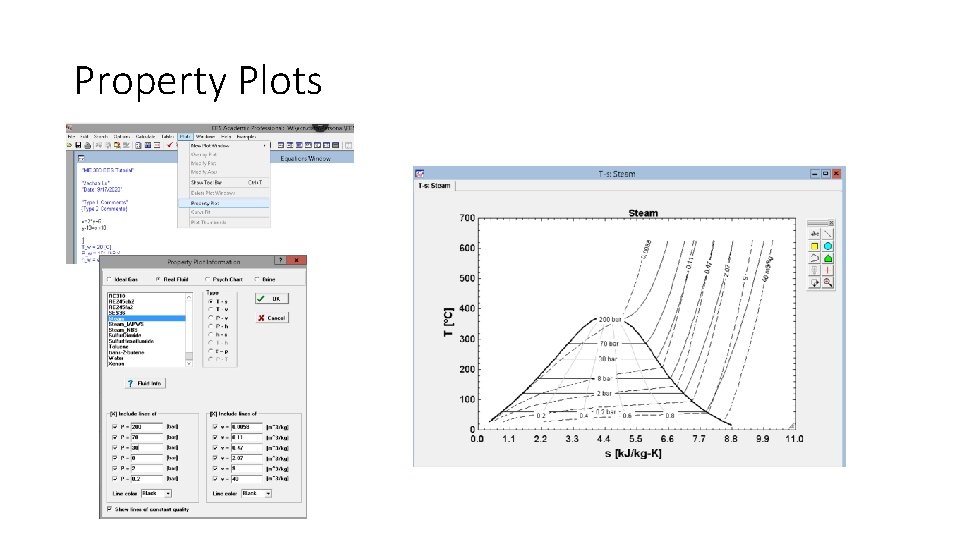
Property Plots
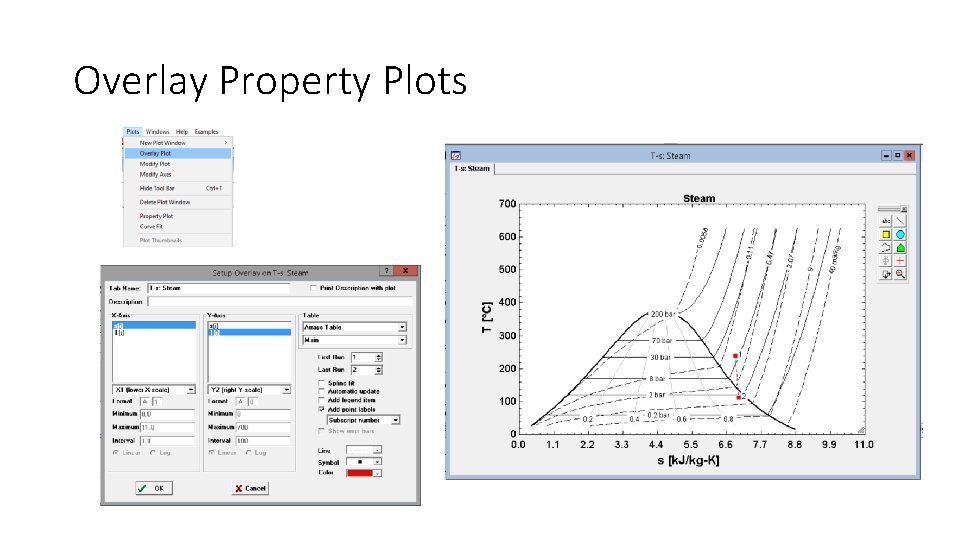
Overlay Property Plots
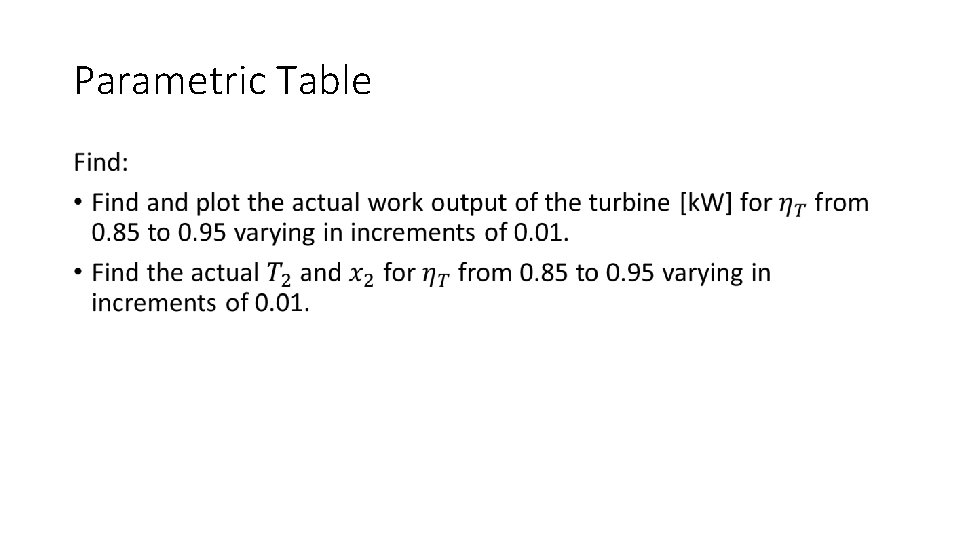
Parametric Table •
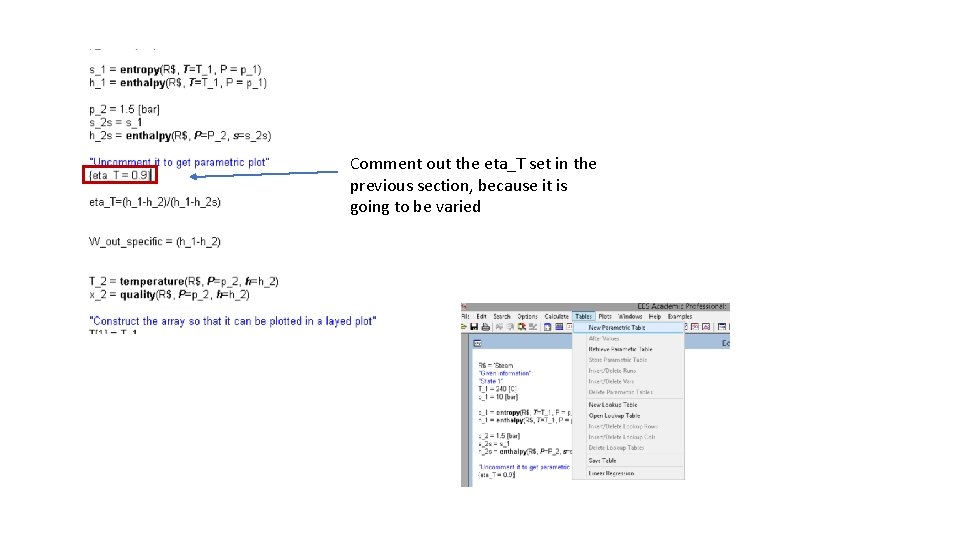
Comment out the eta_T set in the previous section, because it is going to be varied
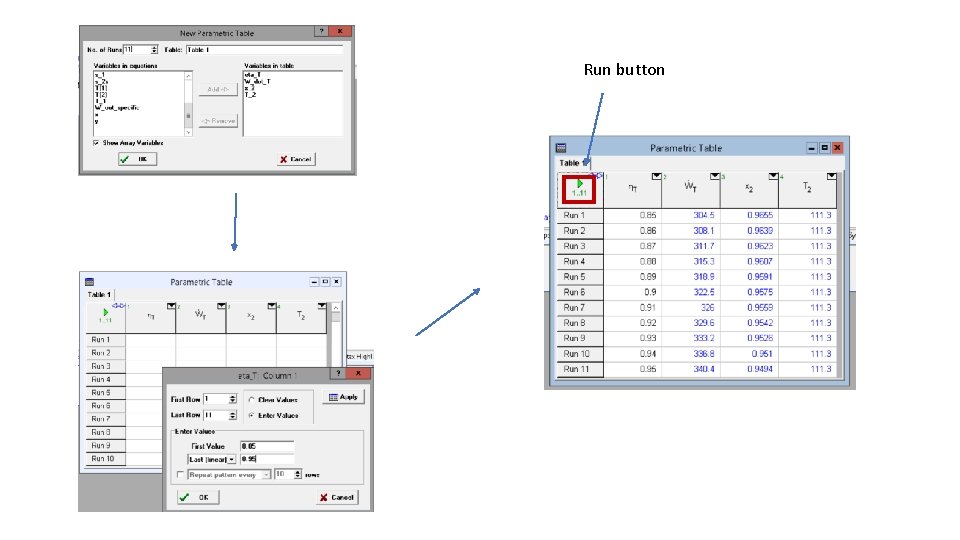
Run button
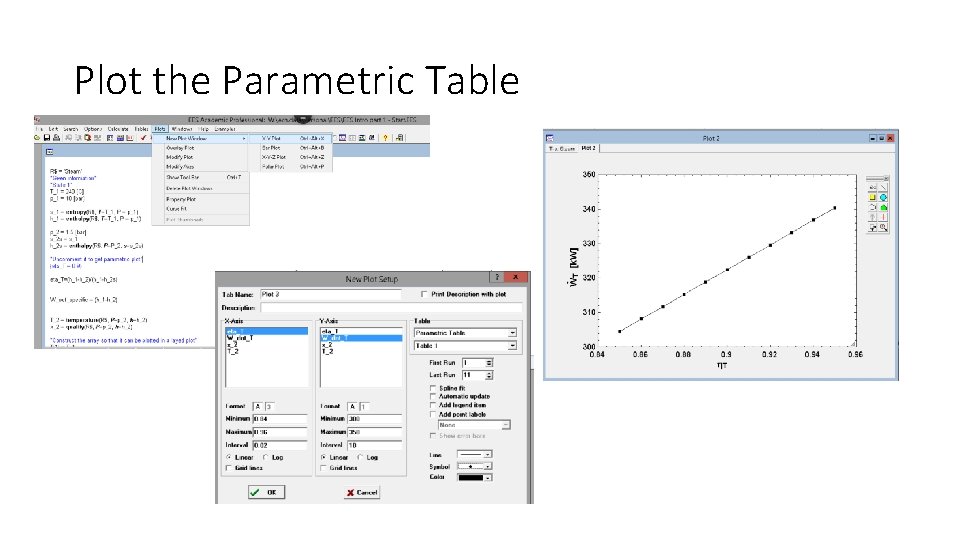
Plot the Parametric Table
Advance features • Lookup Tables • Functions and Logic Statements • Procedures • Libraries • Curve Fitting • Linear Regression • Directives
Question?
- Slides: 21