
EECS 473 Advanced Embedded Systems Lecture 1 Class
EECS 473 Advanced Embedded Systems Lecture 1: Class introduction Design in this class Creating software interfaces to hardware
Todo • Create a Google doc. • Give it a name. • Click “share” – Make it so “anyone with the link can edit” – Keep that tab open • It should be okay if not everyone does this.
Overview/ Welcome • This is a class on embedded systems. We will be… – Learning more about embedded systems • Lecture, labs, and, homework. – Gaining experience working as a group… • …but also working by yourself on researching and learning material without an instructor’s guidance – Learning (more? ) about the design cycle • Both theory in lecture and by doing a paper-to-prototype-toproject design.
Overview/ Welcome Who am I? • Dr. Mark Brehob – Prefer “Mark”, “Dr. Brehob” is okay too. – Full-time teacher (lecturer) • Been here for 18 years and I’ve taught a wide variety of courses (100, 101, 203, 270, 281, 370, 373, 452, 470, 473) – Ph. D is in the intersection of computer architecture and theoretical computer science as it relates to caches. – See http: //web. eecs. umich. edu/~brehob/
Staff • Senior Engineer – Matt Smith • Runs 270/373/473 labs • GSIs: – Owen Winship – Celine Schlueter
On-line resources for the class • Web site (primary location for course materials) – http: //www. eecs. umich. edu/courses/eecs 473/ – Includes all labs, handouts, old exams, etc. – Links to Piazza and Gradescope pages at the top. • Gradscope – Entry code: MBJKJK – All assignments will be turned in there. – All graded assignments and exams will be posted there. • Piazza – Class forum. Please feel free to answer each others questions.
Overview/ Welcome Today • Class intro – Grading, schedule, etc. • A bit on design – Design requirements, engineering specifications, etc. • Start on hardware interfaces – I’ve got a lot more slides than I expect to use • Hope to get through the breakout room stuff. • The Arudino stuff at the end is just reference.
Class overview Class Introduction • Learning more about embedded systems • You’ll do 5 labs in 5 weeks – – Labs 1 and 2 are microcontroller/rapid prototyping/interfacing Lab 3 covers real-time operating systems (RTOS) Lab 4 introduces embedded Linux and writing Linux device drivers Lab 5 gives an introduction to PCB design • For the first 4 weeks, lecture will be mostly about supporting lab. – But will then focus on other issues including PCB power, embedded wireless, and DSP as (the) example of application-specific CPUs. • Homework – Give you more practice working with technical documents related to embedded systems – Review material learned in lecture
Class overview We will be… • Gaining experience working as a group… • This is more-or-less the other side of your Engineering 100 experience. – We want you to use the technical knowledge you’ve learned in the last few years to make it through the whole engineering cycle with a team design. • Your labs will be in groups of 2 • Your projects will be in groups of 4 to 5 – Your group will make a schedule, create a budget, and divide up the work.
Class overview We will be… • …but also working by yourself on researching and learning material without an instructor’s guidance – The project will be done without lecture to guide you. » Each group will be doing something different and your group will be more expert than any of us on the topic (at least by the time you are done…)
Class overview We will be… • Learning (more? ) about the design cycle – Both theory in lecture and by doing a paper-toprototype-to-project design. – Back to Engin 100 principles but with your engineering knowledge and 373 experience to provide context.

Class overview Prerequisites • You must have a background in – Embedded design • Memory-mapped I/O, interrupts, serial bus interfacing, etc. (EECS 373) – Digital logic, C and assembly programming • Pointers, Verilog/VHDL, etc. (EECS 280, 270, 370) – And either • A solid programming background (EECS 281) • Or a reasonable circuits background (EECS 215)
Warning • If you don’t have 281 – Lab 3 and 4 are going to be rough. • If you don’t have any circuits or electromagnetics background (EECS 215 or Physics 240) – About 2 weeks of lecture are going to be very difficult. – Come to office hours. • If you’ve never taken an embedded systems class before – You’re in the wrong place. • Also, you’d ideally have some soldering experience including surface mount work. If not, you should go to http: //www. eecs. umich. edu/hub/ and sign up for the soldering lesson. – Lessons should be posted shortly.
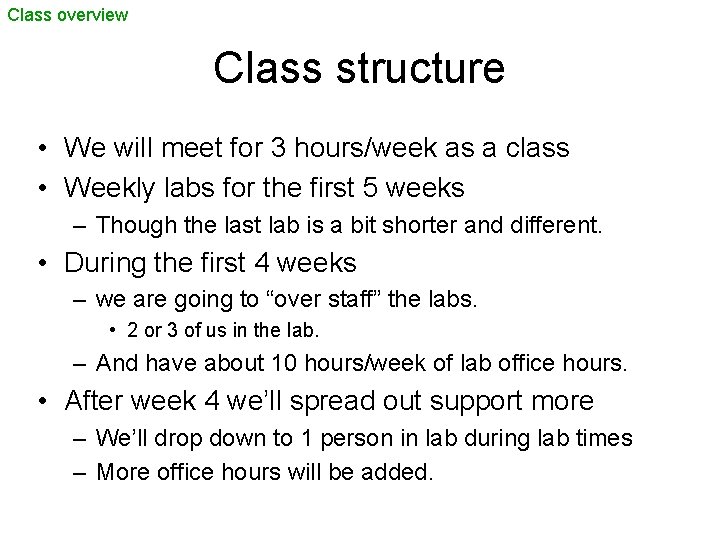
Class overview Class structure • We will meet for 3 hours/week as a class • Weekly labs for the first 5 weeks – Though the last lab is a bit shorter and different. • During the first 4 weeks – we are going to “over staff” the labs. • 2 or 3 of us in the lab. – And have about 10 hours/week of lab office hours. • After week 4 we’ll spread out support more – We’ll drop down to 1 person in lab during lab times – More office hours will be added.
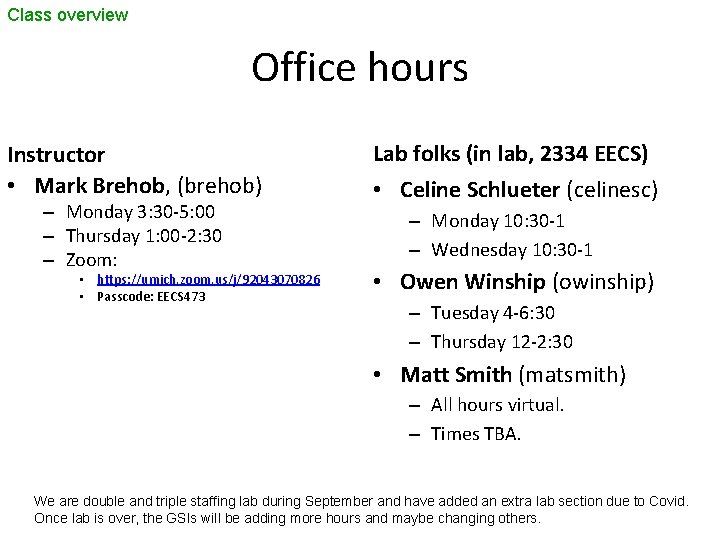
Class overview Office hours Instructor • Mark Brehob, (brehob) – Monday 3: 30 -5: 00 – Thursday 1: 00 -2: 30 – Zoom: • https: //umich. zoom. us/j/92043070826 • Passcode: EECS 473 Lab folks (in lab, 2334 EECS) • Celine Schlueter (celinesc) – Monday 10: 30 -1 – Wednesday 10: 30 -1 • Owen Winship (owinship) – Tuesday 4 -6: 30 – Thursday 12 -2: 30 • Matt Smith (matsmith) – All hours virtual. – Times TBA. We are double and triple staffing lab during September and have added an extra lab section due to Covid. Once lab is over, the GSIs will be adding more hours and maybe changing others.
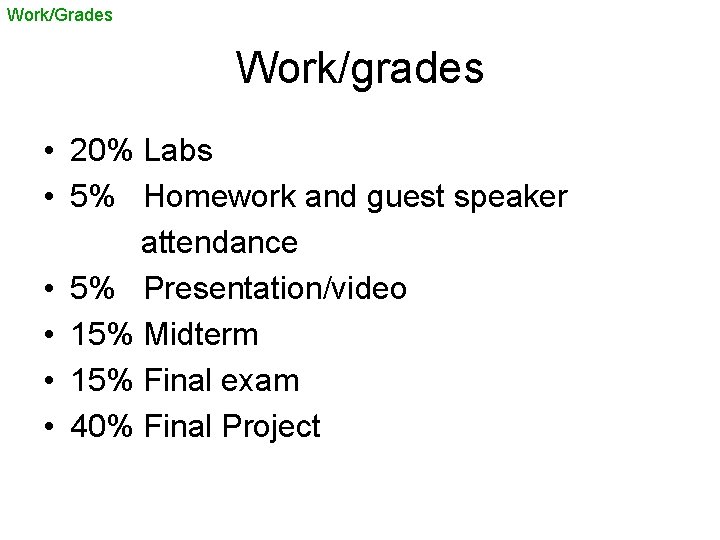
Work/Grades Work/grades • 20% Labs • 5% Homework and guest speaker attendance • 5% Presentation/video • 15% Midterm • 15% Final exam • 40% Final Project
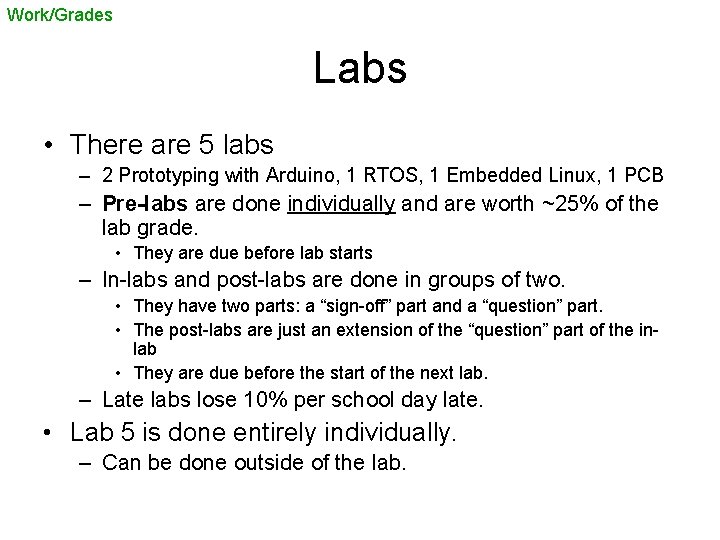
Work/Grades Labs • There are 5 labs – 2 Prototyping with Arduino, 1 RTOS, 1 Embedded Linux, 1 PCB – Pre-labs are done individually and are worth ~25% of the lab grade. • They are due before lab starts – In-labs and post-labs are done in groups of two. • They have two parts: a “sign-off” part and a “question” part. • The post-labs are just an extension of the “question” part of the inlab • They are due before the start of the next lab. – Late labs lose 10% per school day late. • Lab 5 is done entirely individually. – Can be done outside of the lab.
Labs—in person • You must have read the lab Operating Procedure (on the website under “overview”) before attending lab. • Basics – You must wear a mask at all time per University rules. – No eating or drinking in the lab. – When a lab instructor is helping you in person you, or you are working in person with a partner everyone must be wearing a face shield. – You are to stay in your seat during lab. Try to minimize trips outside of the lab (bathroom etc. ) • Face shields – You will be given one face shield. • You are to take it with you. We recommend cleaning it on a regular basis. • If you don’t have a face shield with you, you may not ask for help in lab. • If you break or lose your face shield, it is your responsibly to find and purchase another one.
Labs—in person • You are to wipe-down your station before starting work and when you finish – Generally keyboard and the part of the desk close to you. • When you need help, you are to use the electronic queue (standard EECS help queue). – Indicate your station number and if it’s a sign off. • For open hours, it’s first-come, first-serve. – We will have a reservation system shortly (this weekend? ) – I have to write one apparently, no Co. E or UM solution.
Labs—remote • Lab intro will be simulcast over Zoom – See Piazza for link • After that use the queue – You are to provide a Zoom link for us to meet you at. • Remote help is going to be less effective. – Not being able to touch things sucks. – Hopefully having 5 lab sections will help. • Staff may be remote themselves – Matt is always, others of us may get quarantined, etc.
Work/Grades Project (1/2) • You will work in groups of 4 -5 on designing and building an embedded system of your choosing – Significant budget • ~$200/student – There will be an emphasis on having a reliable system in place. – If you have an external group that wants something made and is willing to pay for it. • I’m open to discussion
Work/Grades Project (2/2) • There will be a number of due dates (proposal, milestones, final project) • There will be a significant degree of formalism in your reports and presentations. • Your project will be presented at the Co. E design expo on Thursday Dec 5 th. • You have significant design freedom. – The only real restrictions are that it has to use a processor, be doable in the time given, be technically interesting, and do something useful or interesting. • We expect groups will make a PCB. – As you think of ideas, please feel free to run them past me.
Project (Covid) • We think we can make this work even if we get pushed to fully remote. – Things get harder. • We will talk about it more on Thursday (project introduction)
Work/Grades Exams • A bit after the 5 labs are done, there will be an exam. It will cover the lab/class material up to that point. – Midterm is Tuesday 10/22 at 6 pm • Please let me know if you have a conflict ASAP.
Work/Grades Homework • You will have three homework assignments. – The first is to propose project ideas (HW 0) • Already sent out and posted. – The other two will be used to reinforce classroom material or to give you a chance to drill down a bit farther on topics then we can in class/lab.
Work/Grades Student talks • In groups of 3, students will give a talk (likely a video) on a technical topic related to embedded systems. – Not all group members can come from the same project group – Topics need to be approved by the instructor – Each student will provide feedback on the talk/video.
Schedule
A (Very Brief) Introduction to Design Thinking about how to think about building things. (yes, it’s that abstract, but also critical)
Brief design overview What is the design process? • Unlike the material in 95% of your engineering classes, this question is a matter of opinion. – There are tons of books on the topic, and they all use different words and emphasize different things. – That said, they (almost) all have similar ideas.
Brief design overview The stages of design • Where design ends is debated. – Pretty much everyone agrees that identifying a problem to be solved is the first step. • Though some have some pretty significant steps to be taken here (requirements gathering, user surveys, marketing analysis etc. ) – But is the last step • • Handing off the design to be manufactured? Dealing with manufacturing issues? Supporting users of the design? Dealing with end-of-life issues?
Brief design overview Design stages in this class (1/4) • Identifying the purpose* – Identifying a problem • Design requirements – What characteristics does the device need? • This should be things like “light-weight” or “easy to use” rather than “less than 8 oz” or “i. Phone-like interface” *There is often a research step between this step and developing the design requirements. What are current solutions/workarounds? What do people really want? What is doable in this space?
Brief design overview Design stages in this class (2/4) • Engineering specification – The design requirements turned into measurable outcomes. • 8 oz or less • new users can start measurement in less than 10 seconds on the average • 48 -hour battery life in the worst case.
Brief design overview Design stages in this class (3/4) • Work out possible solutions – Identify a few ways to solve this problem • Pick a solution – Find the one you like best. • Prototyping – Building a prototyped device • Likely not the right form-factor etc. • Probably on a breadboard, but mechanical issues also need to be addressed. – Let’s you see what’s doable. • Also gives you a testbed to develop your solution
Brief design overview Design stages in this class (4/4) • Implement your design – For us this involves ordering and assembling a PCB and getting your software up and running. • Test and debug – Get everything working – Test to see if engineering requirements are met.
Brief design overview Design and this class • This class is about getting a useful design done – Following the steps of the design process helps a lot more than you might think. • Though we have such a time crunch that they will have to overlap a bit.
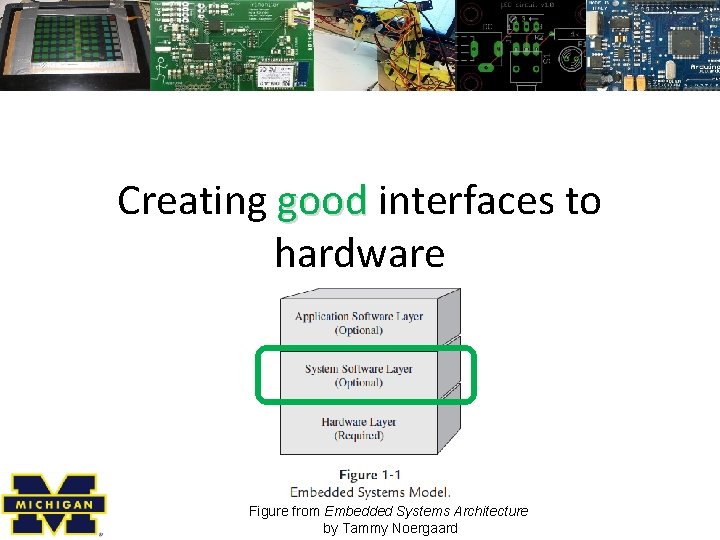
Creating good interfaces to hardware Figure from Embedded Systems Architecture by Tammy Noergaard
Interfaces What is a hardware interface? • A hardware interface is a set of functions, macros, or other programming constructs which allows the programmer to not worry about how exactly the hardware works. – It creates a level of abstraction so the programmer only needs to think about a subset of the problem. – This is creates a nice boundary where high-level code can be handed off. • Also extremely useful even when you are the only programmer!
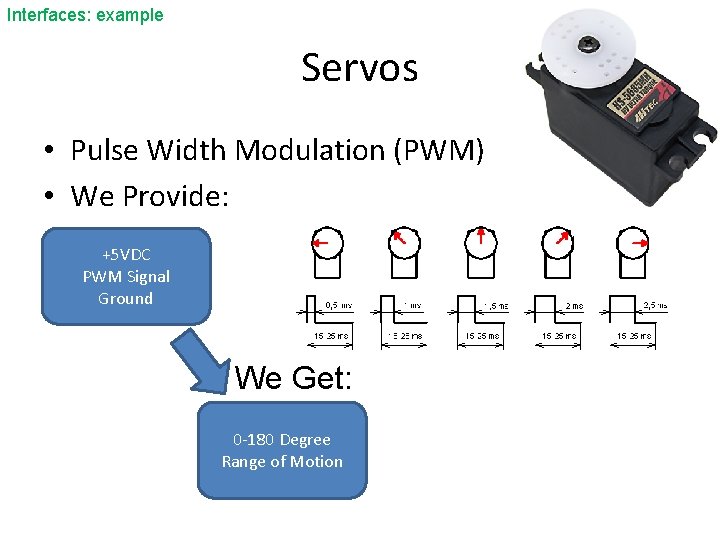
Interfaces: example Servos • Pulse Width Modulation (PWM) • We Provide: +5 VDC PWM Signal Ground We Get: 0 -180 Degree Range of Motion
Interfaces: example Talking directly to the servo • In fact we probably aren’t talking to the servo. – Instead there is (hopefully) a timer that supports PWM. • We can specify a period by writing a register – or more likely a series of registers (prescalar, clock select, etc. ) • We can specify the duty cycle in a similar way – Generally a single register where the duty cycle is in terms of clock ticks • We probably need to configure the timer to do PWM
Breakout room discussion • I’m going to break you into what should be groups of 3 to 4. – I’ve not used breakout rooms much in Zoom. • So beta test time – You should be able to ask me to join your room by clicking a “ask for help” button – Please turn on your camera if possible while in the breakout room – Introduce yourselves briefly (name, major) – Have one person give a link to their Google doc created at the start of class • And have that person share their screen. • Everyone can be writing.
Interfaces: example What should the interface be for a servo? • What I want you to do is to discuss: – What basic functions you want. – What the interface to those functions should be like. – Try to get a formal description of as much as you can. – You will have about 5 minutes. – Do it yourself—no web searches.

Discuss ideas
Interfaces: example Things change… • Might get a new servo – So period and duty cycle might be different • Might get a new processor – So timer configuration might change. • Might need additional functionality – Perhaps want to include stepper motors
Interfaces: why? …but in 373 we didn’t… • Most of you didn’t create any meaningful interfaces in 373* – Exposed the low-level details to the programmer • After all you were the programmer and interface design takes time. – Plus you often don’t yet know what you’re going to need. – This makes it easy to do boneheaded things. • Wrong MMIO address, lots of replicated code, etc. – It also makes it hard to write good code • You are worrying about too many things at once. • Keep worrying about things like bounds checking when interface should do that. *Though some did. Often the more successful groups had well-defined and reasonably well-documented interfaces.
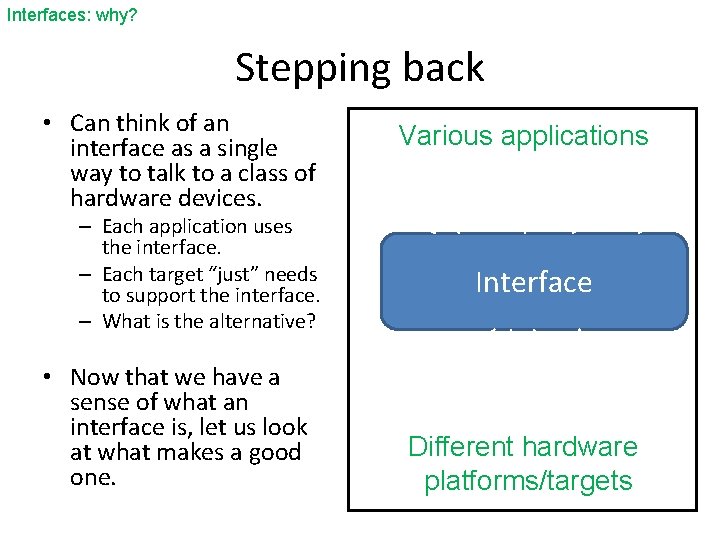
Interfaces: why? Stepping back • Can think of an interface as a single way to talk to a class of hardware devices. – Each application uses the interface. – Each target “just” needs to support the interface. – What is the alternative? • Now that we have a sense of what an interface is, let us look at what makes a good one. Various applications Interface Different hardware platforms/targets
Interfaces: why? Creating interfaces to hardware • A good hardware interface has three main goals: – It is easy to understand use (useable) – It is efficient – It is portable to other hardware platforms. • Those three things are often at odds. – And sometimes one matters a lot more than the others. • If the plan is to only use one hardware platform, portability matters little (though it matters a bit, as often plans change!) – Examples? • If the plan is that you are the only one who will use it, easy is less important. – That plan changes more than any IME
Interfaces What makes an interface easy to understand use?
Interfaces: efficiency What does an interface have to do with efficiency? • On the silly side: – One could imagine our servo interface having only a “turn 1 degree” function (direction specified) • Covers all functionality • But big turns require a lot of code to run. • On the less silly side – If we use angles (in degrees) as the basis for the interface, that is going to require some math in the interface itself to convert to a register value. • Perhaps the programmer could skip a lot of that. – Other places we might see inefficiency for our servo?
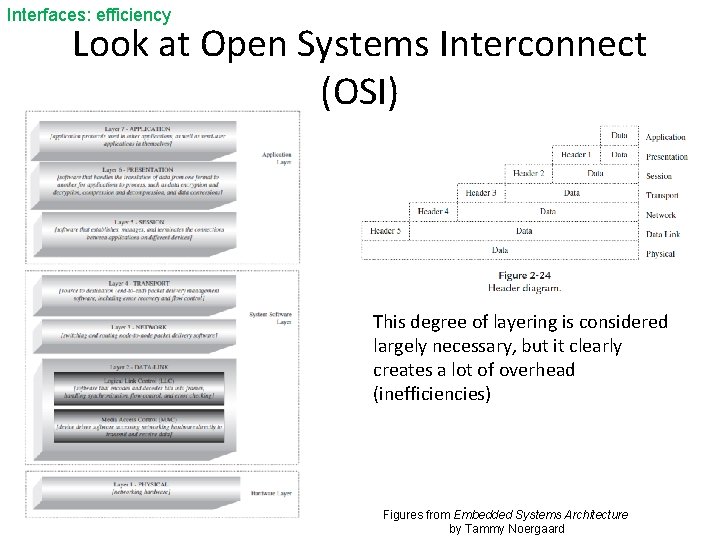
Interfaces: efficiency Look at Open Systems Interconnect (OSI) This degree of layering is considered largely necessary, but it clearly creates a lot of overhead (inefficiencies) Figures from Embedded Systems Architecture by Tammy Noergaard
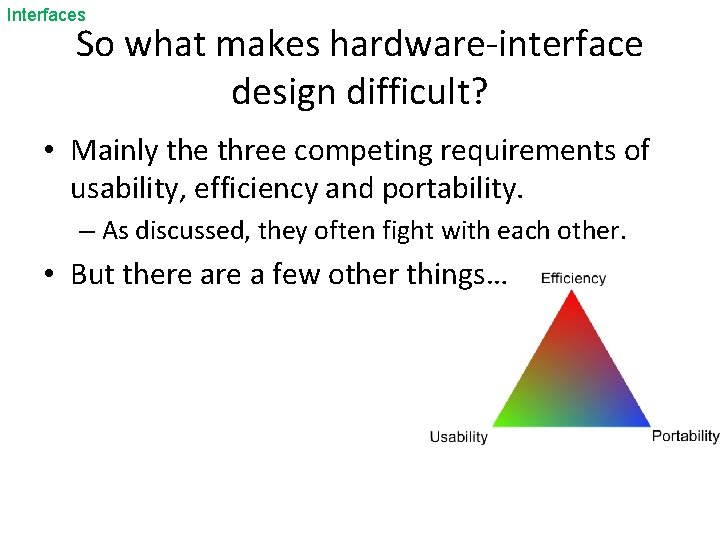
Interfaces So what makes hardware-interface design difficult? • Mainly the three competing requirements of usability, efficiency and portability. – As discussed, they often fight with each other. • But there a few other things…
Interfaces Software in parallel with hardware (1/2) • When developing an embedded system, it is often necessary to select hardware and start on software in parallel. – Not just because of time constraints. Hardware side needs a solid understanding of software’s needs before picking a processor • Memory and CPU requirements etc. • Certain peripherals might greatly reduce CPU needs – e. g. Don’t need to bit-bang for a servo if you have PWM support. But if CPU otherwise idle, bit-banging might be okay. • Might want/need more than one processor – More on that later…
Interfaces Software in parallel with hardware (2/2) • Developing software, or even specifying interfaces, while selecting hardware is tricky. – Often some of the functionality will be impacted by hardware/component choices. • Can buttons detect level of pressure? Do we have multitouch support? Does our processor have enough SPI busses that we can support a second ADC? • But it’s common to do software design before hardware is selected. – Scheduling pressure – HR issues (software people are otherwise idle) – Hardware people need answers from software folks
Interfaces Terminology • There is a lot of terminology wrapped around hardware interfacing. – Terms like: HAL (hardware abstraction layer), Middleware, and Device Driver are all related to hardware interfacing. • And it’s not unusual to see different people use those terms differently. – We’ll try to take a look at that terminology later on. • I’ll generally use “device driver” or “system software layer”
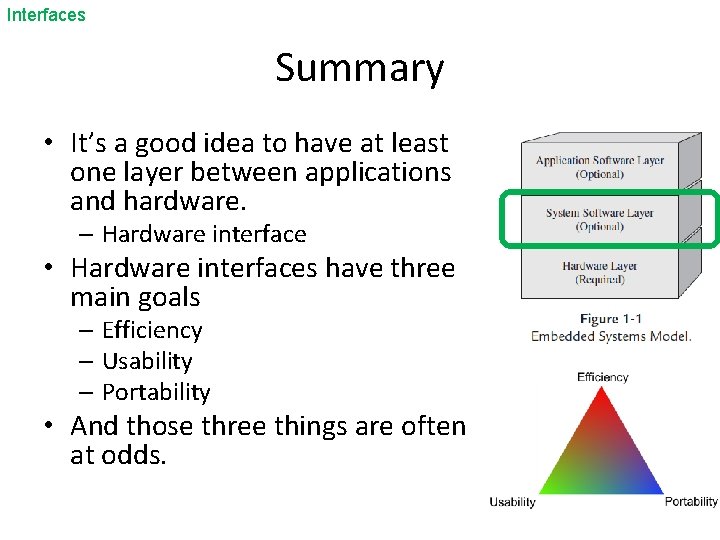
Interfaces Summary • It’s a good idea to have at least one layer between applications and hardware. – Hardware interface • Hardware interfaces have three main goals – Efficiency – Usability – Portability • And those three things are often at odds.
Interfaces: Bonus topic Hardware/software co-design • While a bit outside of the scope of this class, this is a good time to discuss hardware/software co-design – This phrase generically means “designing software and hardware a the same time” – But often used to describe automatic methods or tools to do the partitioning. • Might end up with an ISA/architecture for a CPU and applicationspecific code to run on it for example – HP has been doing this for printers for a while apparently • Might end up with three processors and code “done for you” once the problem is specified. – There is a lot of literature dating back decades on the topic.
Introduction to Arduino Stolen from Chris Meyer (CC-SA)
Arduino ARRRR, like a pirate / / DWEE, just say "do we“ fast / / NO, as in no. ”ARRR-DWEE-NO” http: //www. arduino. cc/cgi-bin/yabb 2/Ya. BB. pl? num=1191602549%3 Bstart=all
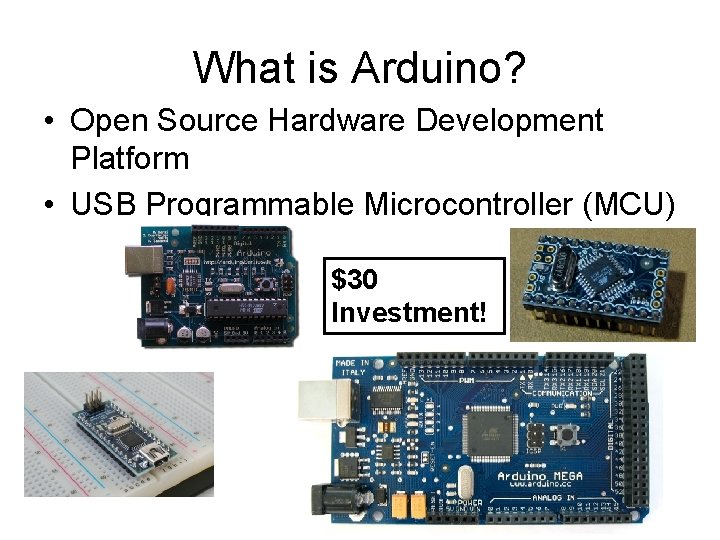
What is Arduino? • Open Source Hardware Development Platform • USB Programmable Microcontroller (MCU) $30 Investment!
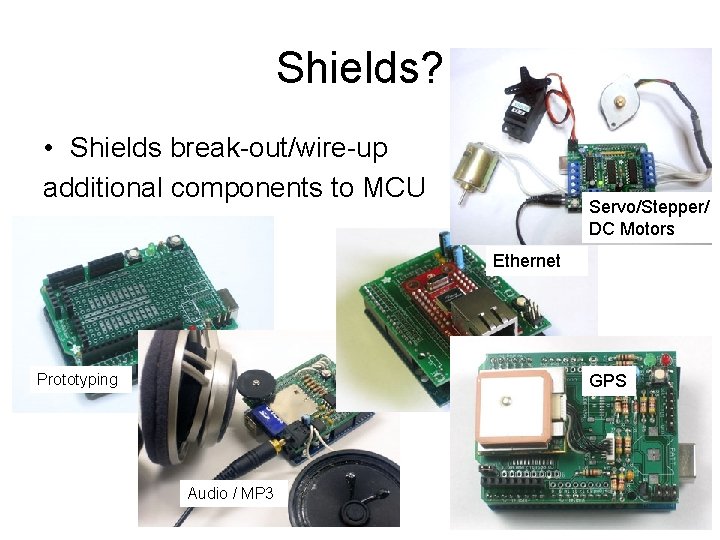
Shields? • Shields break-out/wire-up additional components to MCU Servo/Stepper/ DC Motors Ethernet Prototyping GPS Audio / MP 3
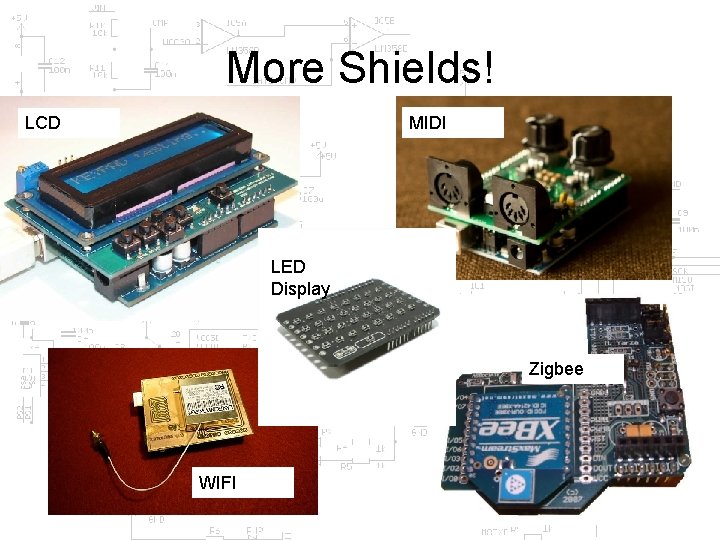
More Shields! MIDI LCD LED Display Zigbee WIFI
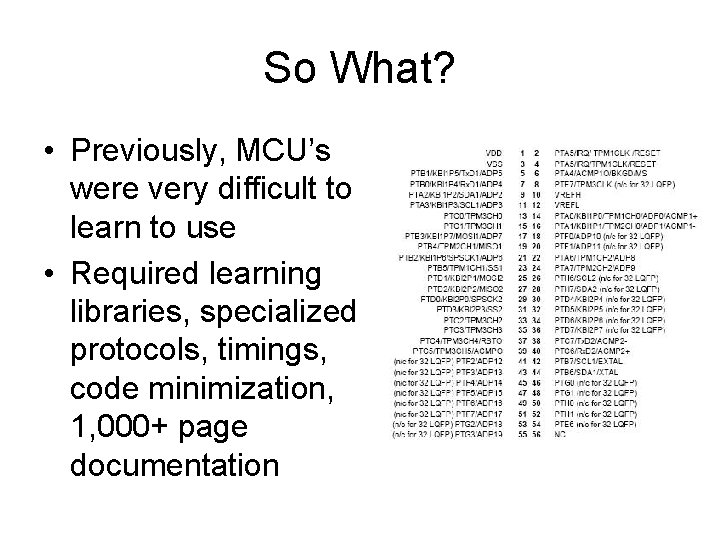
So What? • Previously, MCU’s were very difficult to learn to use • Required learning libraries, specialized protocols, timings, code minimization, 1, 000+ page documentation
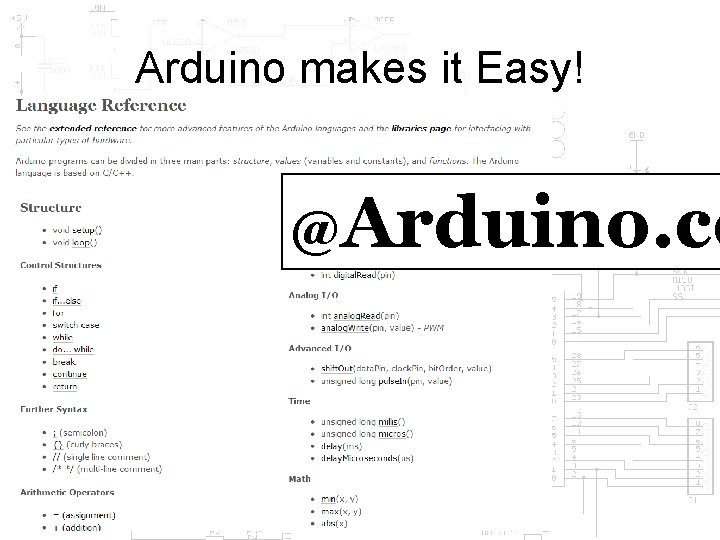
Arduino makes it Easy! @Arduino. cc
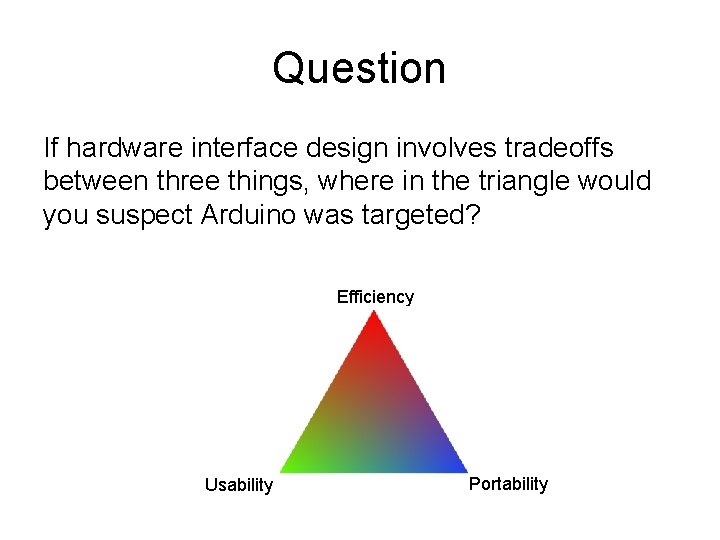
Question If hardware interface design involves tradeoffs between three things, where in the triangle would you suspect Arduino was targeted? Efficiency Usability Portability
- Slides: 63