
EE 577 a VLSI System Design Introduction to
- Slides: 13
EE 577 a - VLSI System Design Introduction to Hspice & m. Waves Spring 2001 Instructor: Dr. Sandeep Gupta Adapted by Amit Chowdhry Hspice 1
EE 577 a - VLSI System Design • Hspice is: – A transistor level simulator – Used to perform comprehensive circuit analysis – A text mode simulator • Mwaves is: – A graphical interface to view the results generated by HSpice Hspice 2
EE 577 a - VLSI System Design Hspice Set-up If you did setup for Magic, you don’t need to do anything for Hspice. < Correct path > which hspice /usr/usc/hspice/2002. 1/bin/hspice Hspice 3
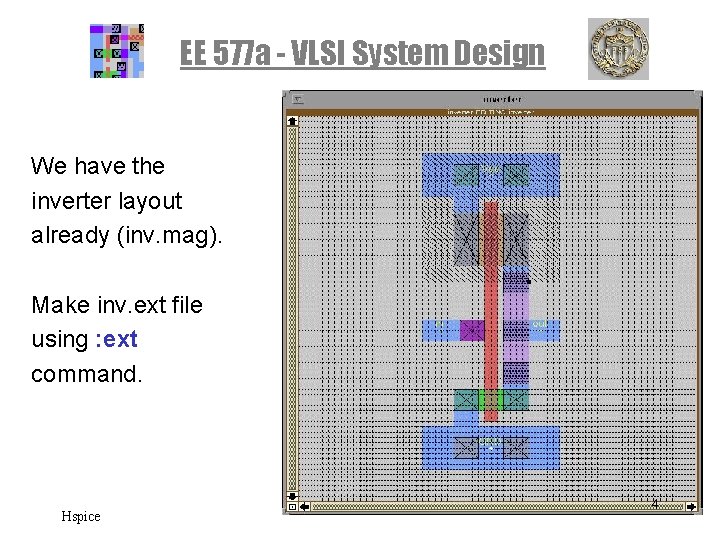
EE 577 a - VLSI System Design We have the inverter layout already (inv. mag). Make inv. ext file using : ext command. Hspice 4
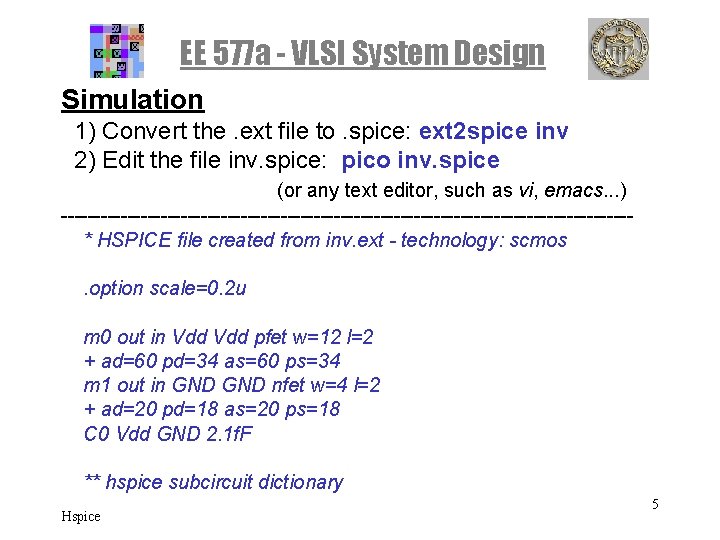
EE 577 a - VLSI System Design Simulation 1) Convert the. ext file to. spice: ext 2 spice inv 2) Edit the file inv. spice: pico inv. spice (or any text editor, such as vi, emacs. . . ) -------------------------------------------* HSPICE file created from inv. ext - technology: scmos. option scale=0. 2 u m 0 out in Vdd pfet w=12 l=2 + ad=60 pd=34 as=60 ps=34 m 1 out in GND nfet w=4 l=2 + ad=20 pd=18 as=20 ps=18 C 0 Vdd GND 2. 1 f. F ** hspice subcircuit dictionary Hspice 5
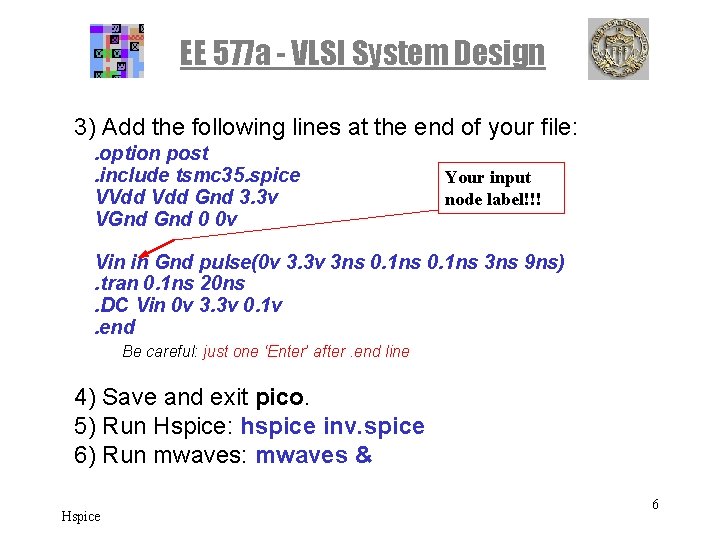
EE 577 a - VLSI System Design 3) Add the following lines at the end of your file: . option post. include tsmc 35. spice VVdd Gnd 3. 3 v VGnd 0 0 v Your input node label!!! Vin in Gnd pulse(0 v 3. 3 v 3 ns 0. 1 ns 3 ns 9 ns). tran 0. 1 ns 20 ns. DC Vin 0 v 3. 3 v 0. 1 v. end Be careful: just one ‘Enter’ after. end line 4) Save and exit pico. 5) Run Hspice: hspice inv. spice 6) Run mwaves: mwaves & Hspice 6
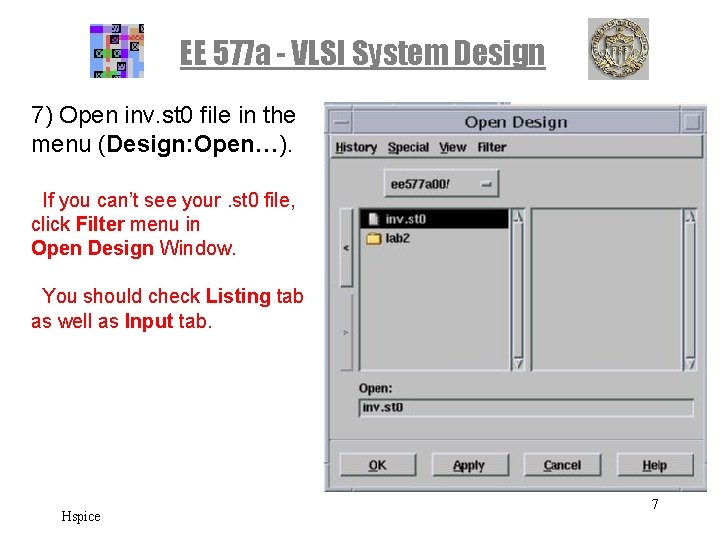
EE 577 a - VLSI System Design 7) Open inv. st 0 file in the menu (Design: Open…). If you can’t see your. st 0 file, click Filter menu in Open Design Window. You should check Listing tab as well as Input tab. Hspice 7
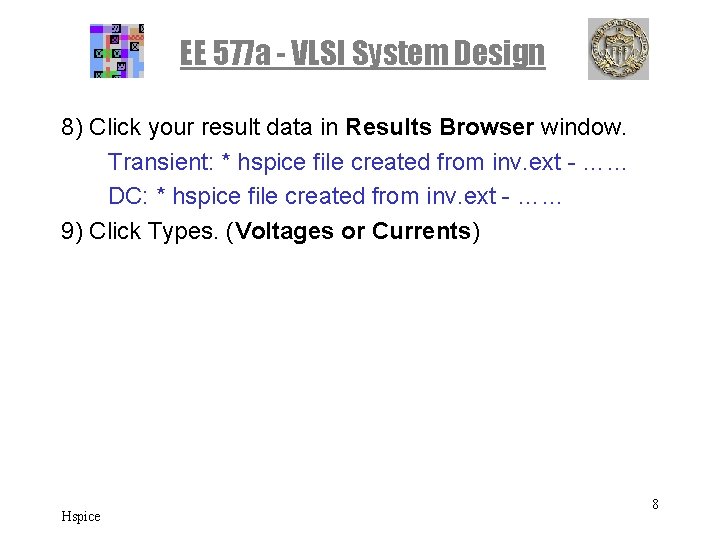
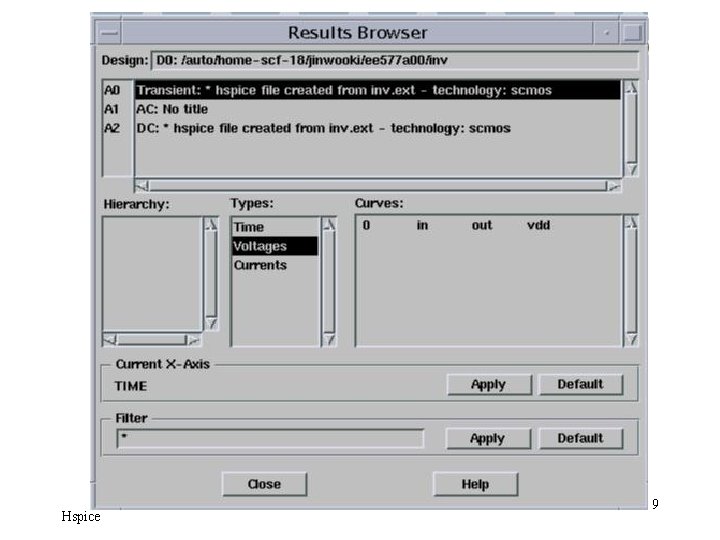
EE 577 a - VLSI System Design 8) Click your result data in Results Browser window. Transient: * hspice file created from inv. ext - …… DC: * hspice file created from inv. ext - …… 9) Click Types. (Voltages or Currents) Hspice 8
EE 577 a - VLSI System Design Hspice 9
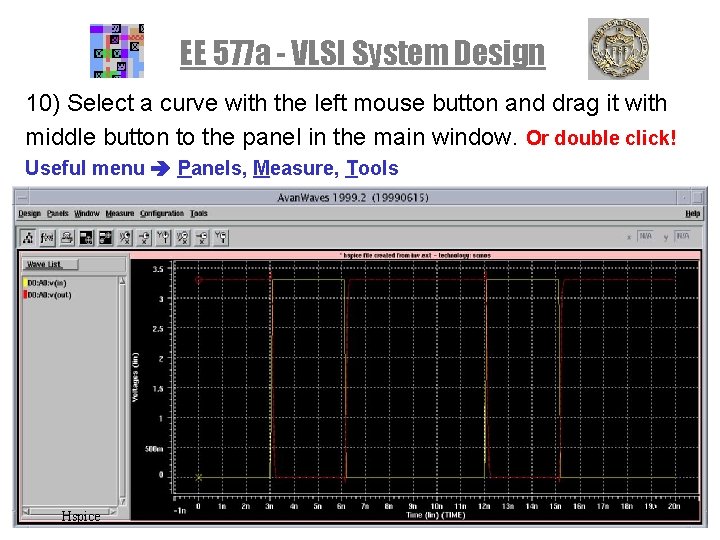
EE 577 a - VLSI System Design 10) Select a curve with the left mouse button and drag it with middle button to the panel in the main window. Or double click! Useful menu Panels, Measure, Tools Hspice 10
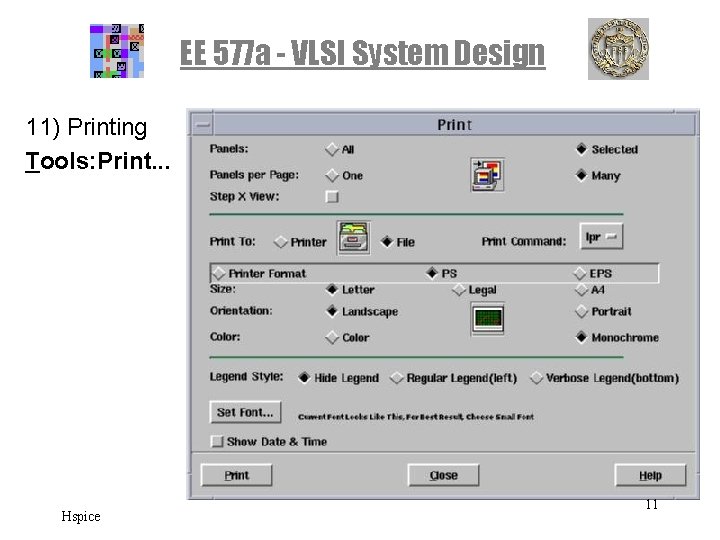
EE 577 a - VLSI System Design 11) Printing Tools: Print. . . Hspice 11
EE 577 a - VLSI System Design • Explore other links provided on class website to get acquainted with more command – especially look at different ways to apply stimulus and how to specifiy sub-circuits and save yourself some gruntwork while you do your labs. Hspice 12
EE 577 a - VLSI System Design • Nice Tutorials – www-scf. usc. edu/~ee 577/cad_frame. html in the Tools menu. *Digital Circuit Simulation Using HSPICE *HSPICE Handout from Fall 99 EE 577 a – Simple & easy tutorial of mwaves… http: //www. eos. ncsu. edu/eos/info/ece 213_info/www/spice/mwa ves. html • Extensive Hspice Manual – www. ece. orst. edu/~moon/hspice 98/ Hspice 13