
EE 2 E 1 JAVA Programming Lecture 8
![class Seat. Bookings { private int[] seats; public Seat. Bookings(int[] s) { seats=s; }](https://slidetodoc.com/presentation_image/9915801e664dbe140223ff7b3e1bb228/image-28.jpg "class Seat. Bookings { private int[] seats; public Seat. Bookings(int[] s) { seats=s; }")
- Slides: 41
EE 2 E 1. JAVA Programming Lecture 8 Multi-threading
Contents Introduction n Creating a thread – the Thread class n Starting and running threads n Thread states n Thread priorities and scheduling n Thread synchronisation n The Runnable interface n
Introduction n You are used to computers (operating systems) being multi-tasking u n You can browse the web whilst editing your Java programs! Multi-tasking refers to an operating system running several processes concurrently u u Each process has its own completely independent data Multi-tasking is difficult to incorporate in application programs requiring system programming primitives
n Java is the only commonly used programming language that enables concurrency to be implemented within application programs u Multi-threading n An application program can be written as a set of threads which run concurrently (in parallel) n A thread is different from a process in that threads share the same data u u Switching between threads involves much less overhead than switching between programs Sharing data can lead to programming complications (for example in reading/writing databases)
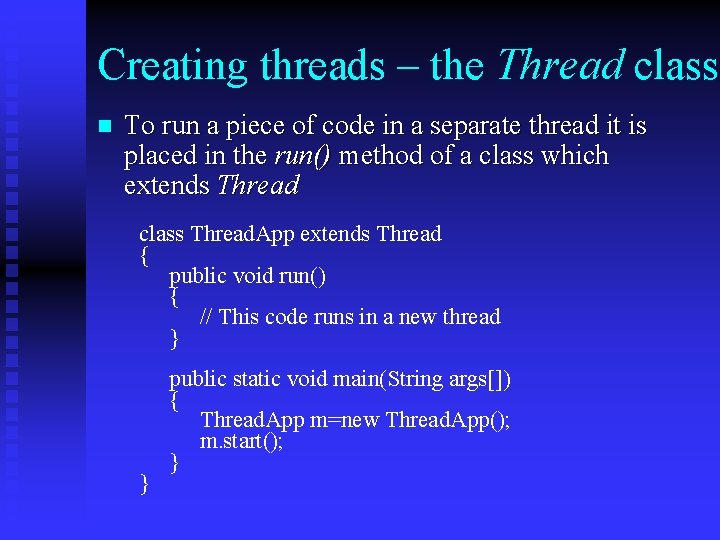
Creating threads – the Thread class n To run a piece of code in a separate thread it is placed in the run() method of a class which extends Thread class Thread. App extends Thread { public void run() { // This code runs in a new thread } } public static void main(String args[]) { Thread. App m=new Thread. App(); m. start(); }
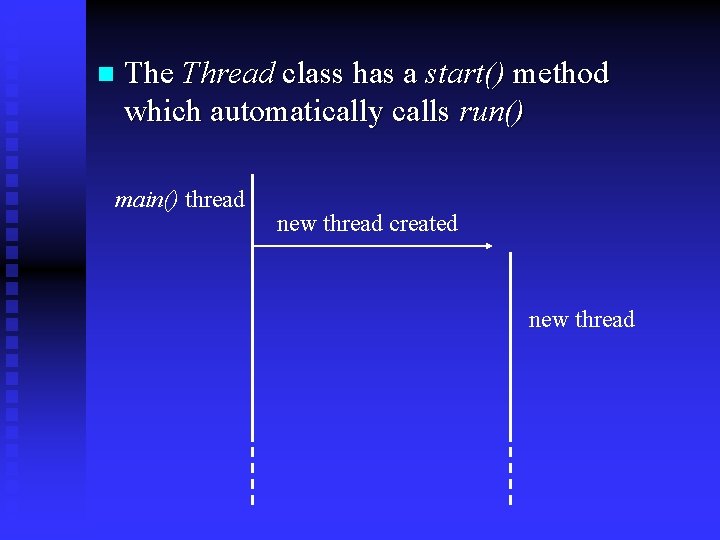
n The Thread class has a start() method which automatically calls run() main() thread new thread created new thread
Example n The following simple application creates separate threads to update a count within a window n http: //www. eee. bham. ac. uk/spannm/Java%2 0 Stuff/Thread. Test. Applet. html
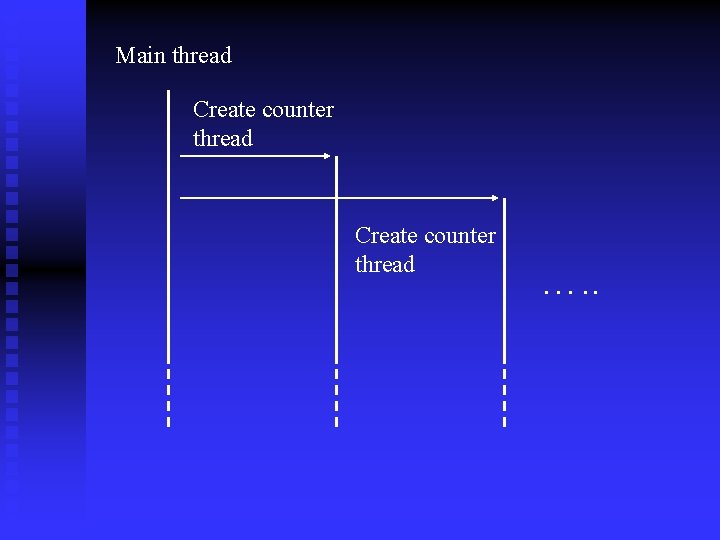
Main thread Create counter thread …. .
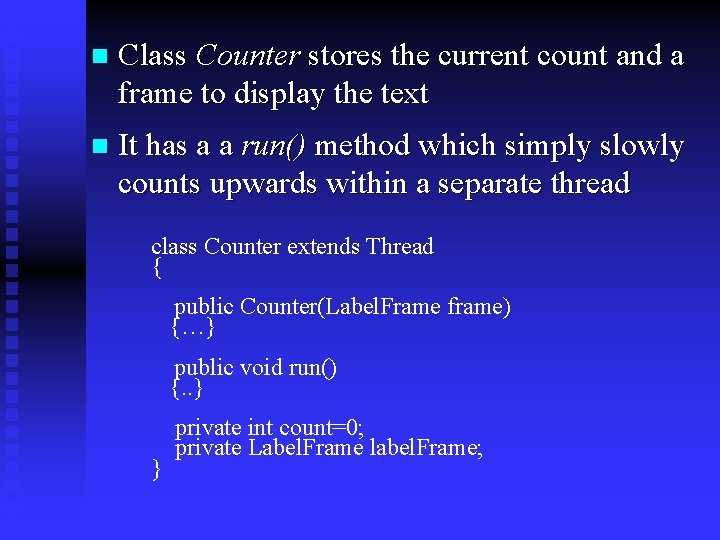
n Class Counter stores the current count and a frame to display the text n It has a a run() method which simply slowly counts upwards within a separate thread class Counter extends Thread { public Counter(Label. Frame frame) {…} public void run() {. . } } private int count=0; private Label. Frame label. Frame;
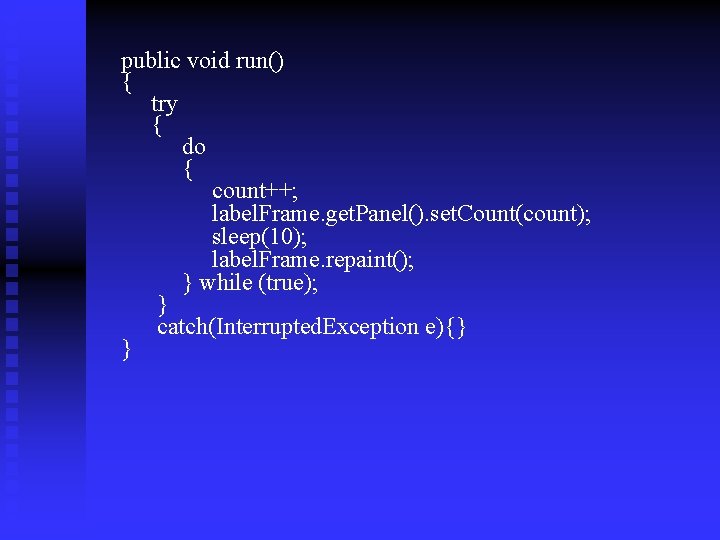
public void run() { try { do { count++; label. Frame. get. Panel(). set. Count(count); sleep(10); label. Frame. repaint(); } while (true); } catch(Interrupted. Exception e){} }
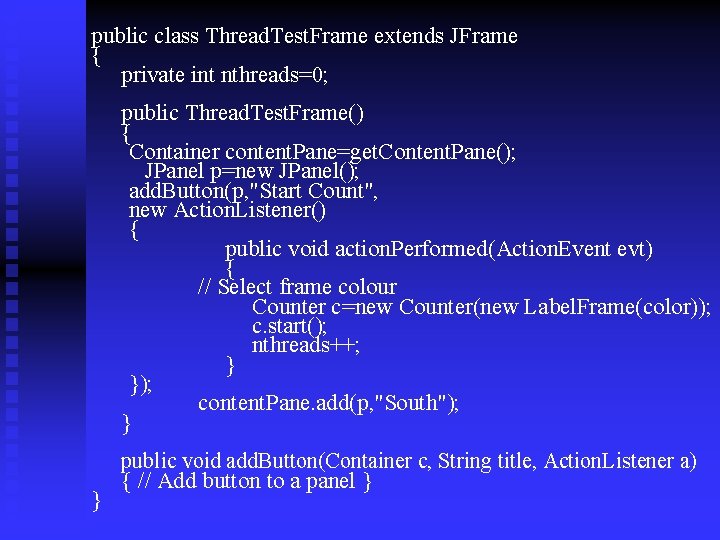
public class Thread. Test. Frame extends JFrame { private int nthreads=0; public Thread. Test. Frame() { Container content. Pane=get. Content. Pane(); JPanel p=new JPanel(); add. Button(p, "Start Count", new Action. Listener() { public void action. Performed(Action. Event evt) { // Select frame colour Counter c=new Counter(new Label. Frame(color)); c. start(); nthreads++; } }); content. Pane. add(p, "South"); } } public void add. Button(Container c, String title, Action. Listener a) { // Add button to a panel }
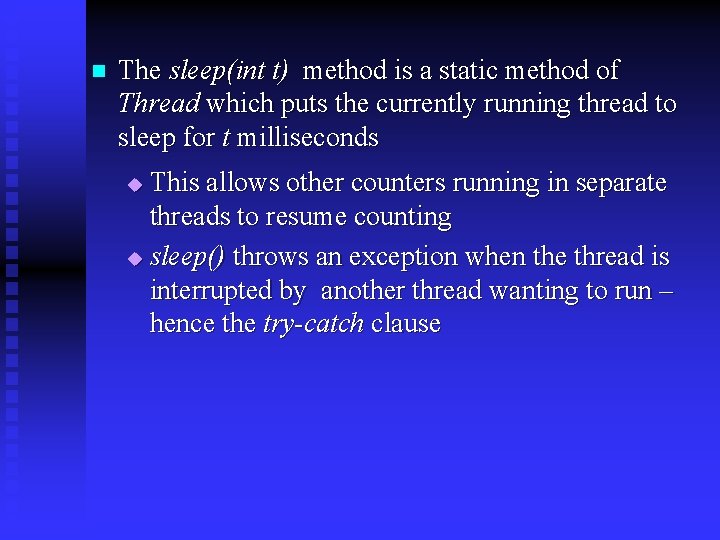
n The sleep(int t) method is a static method of Thread which puts the currently running thread to sleep for t milliseconds This allows other counters running in separate threads to resume counting u sleep() throws an exception when the thread is interrupted by another thread wanting to run – hence the try-catch clause u
n Each Counter object is created in the action. Performed() method of the button attached to the outer frame (applet) u u The thread is started by calling the start() method The number of threads started is counted in the nthreads variable and the frame colour selected accordingly
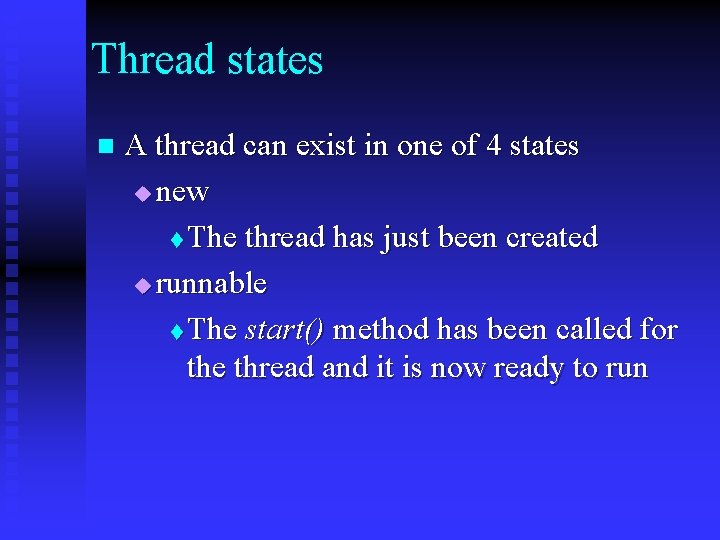
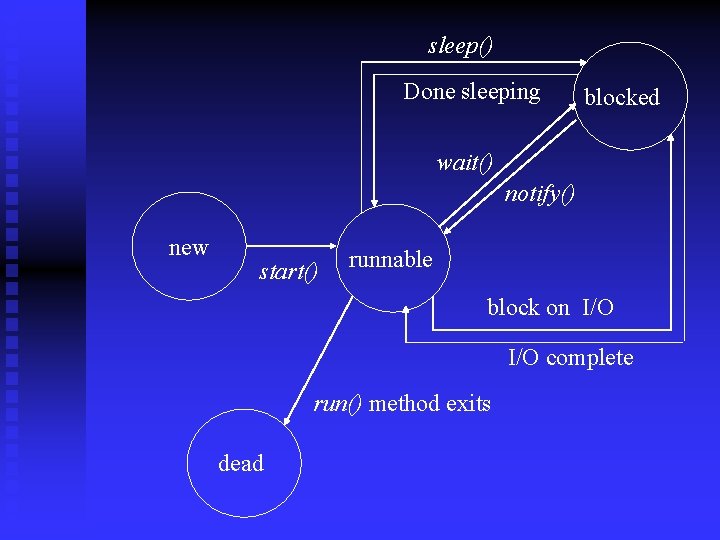
Thread states n A thread can exist in one of 4 states u new t The thread has just been created u runnable t The start() method has been called for the thread and it is now ready to run
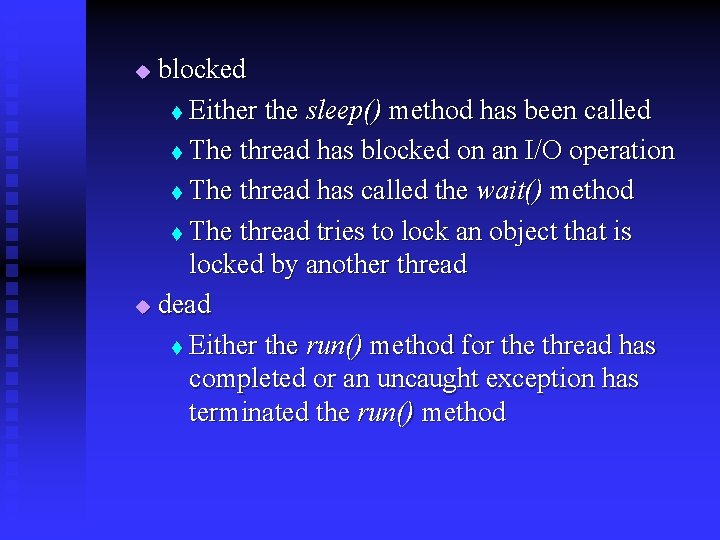
blocked t Either the sleep() method has been called t The thread has blocked on an I/O operation t The thread has called the wait() method t The thread tries to lock an object that is locked by another thread u dead t Either the run() method for the thread has completed or an uncaught exception has terminated the run() method u
sleep() Done sleeping blocked wait() notify() new start() runnable block on I/O complete run() method exits dead
Thread priorities and scheduling n Every thread has a priority which can be increased or decreased by calling the set. Priority() method u u u Thread. MIN_PRIORITY is the minimum priority (defined 1) Thread. MAX_PRIORITY is the maximum priority (defined as 10) When a thread is created, it is given a priority of 5 – defined as Thread. NORM_PRIORITY
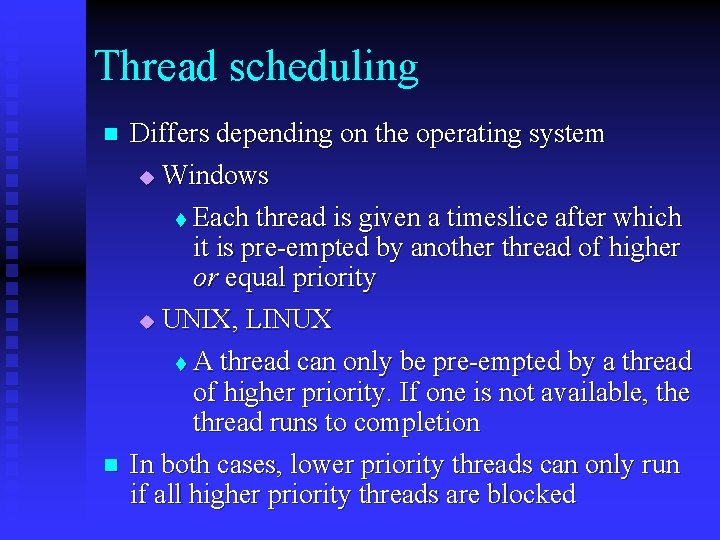
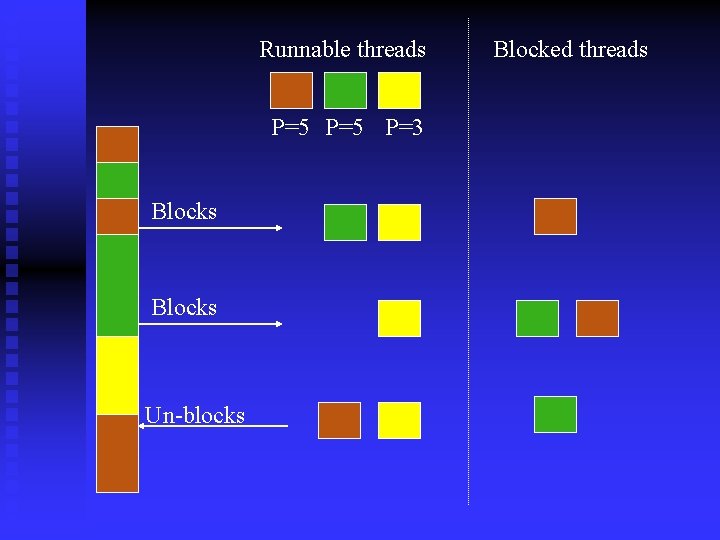
Thread scheduling n Differs depending on the operating system u Windows Each thread is given a timeslice after which it is pre-empted by another thread of higher or equal priority u UNIX, LINUX t A thread can only be pre-empted by a thread of higher priority. If one is not available, the thread runs to completion In both cases, lower priority threads can only run if all higher priority threads are blocked t n
Runnable threads P=5 P=3 Blocks Un-blocks Blocked threads
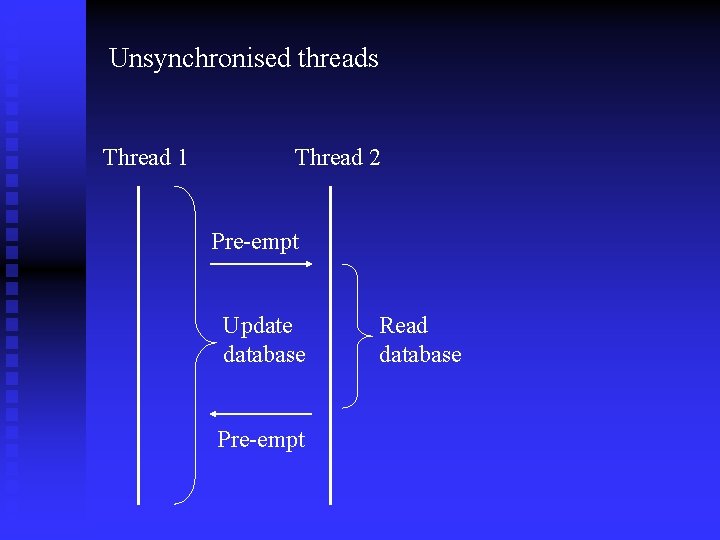
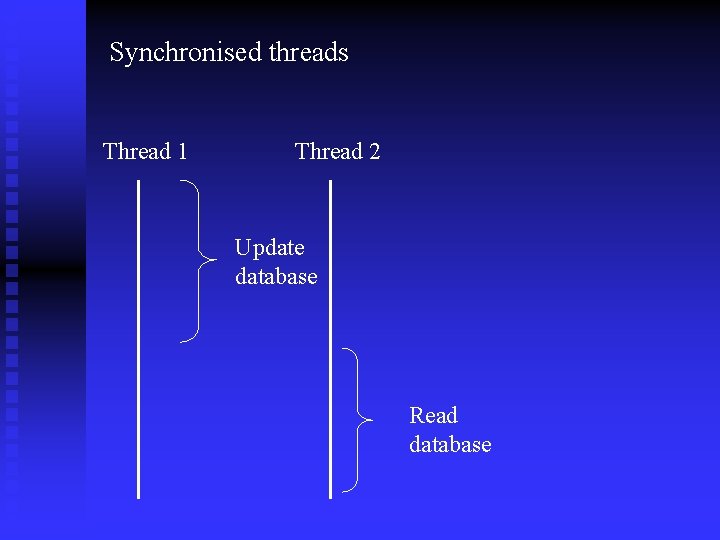
Thread synchronisation n n Threads need to share access to objects and may update shared objects u For example multiple threads may access a database for an online flight booking system u One thread may be updating a database entry whilst another is reading it may lead to problems We can synchronise threads so that they must complete their action before another thread is scheduled u We do this by tagging methods as synchronized t When a synchronised method is being executed, the object is locked and no other method can access the object until the method completes
Unsynchronised threads Thread 1 Thread 2 Pre-empt Update database Pre-empt Read database
Synchronised threads Thread 1 Thread 2 Update database Read database
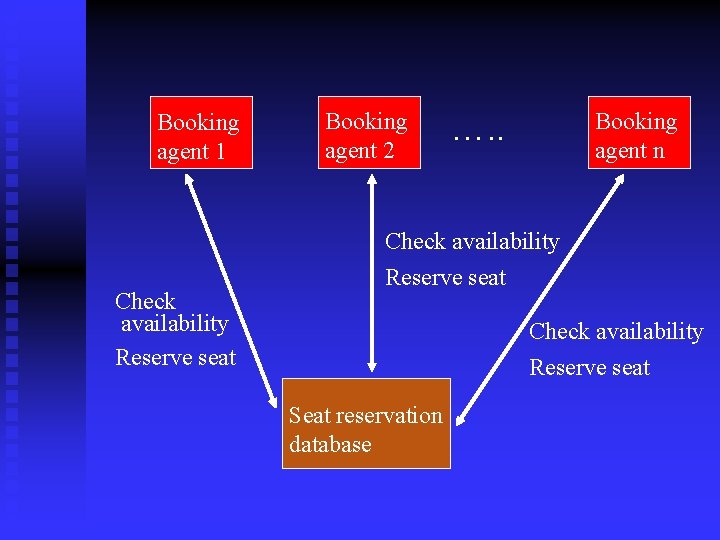
Example – An online seat reservation system n Seats for a concert can be reserved through booking agents n The processing for each booking agent runs in a separate thread – possibly on a different processor n Each booking transaction must check seat availability before reserving the seat
Booking agent 1 Booking agent 2 Booking agent n …. . Check availability Reserve seat Seat reservation database
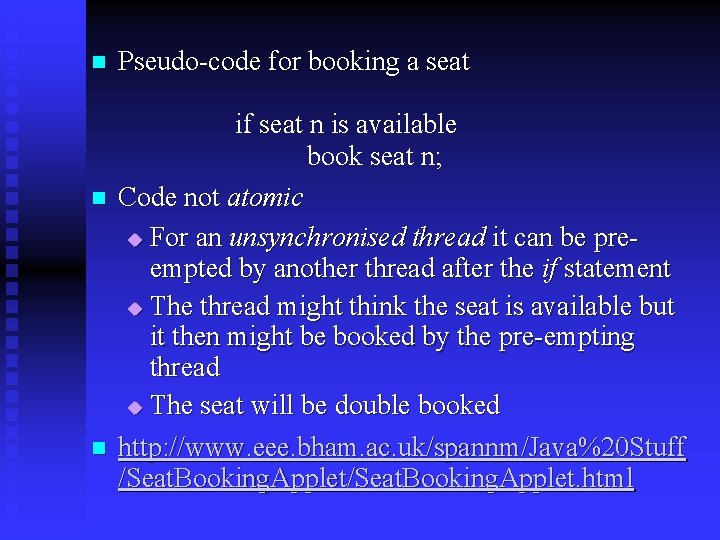
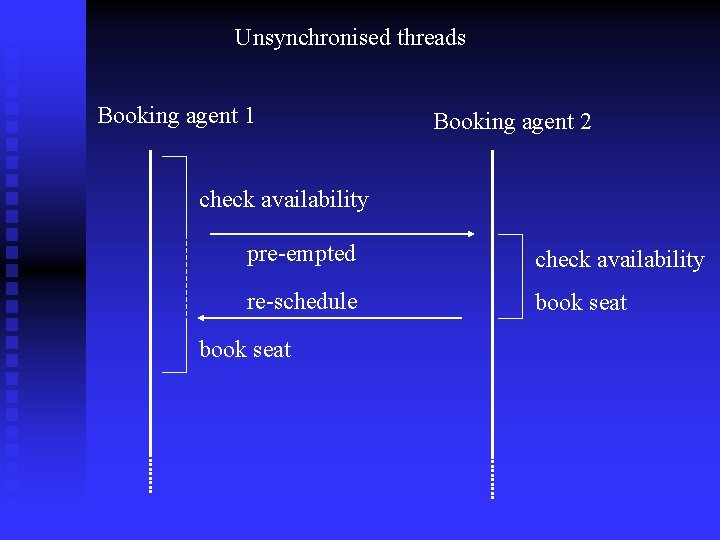
n n n Pseudo-code for booking a seat if seat n is available book seat n; Code not atomic u For an unsynchronised thread it can be preempted by another thread after the if statement u The thread might think the seat is available but it then might be booked by the pre-empting thread u The seat will be double booked http: //www. eee. bham. ac. uk/spannm/Java%20 Stuff /Seat. Booking. Applet. html
Unsynchronised threads Booking agent 1 Booking agent 2 check availability pre-empted check availability re-schedule book seat
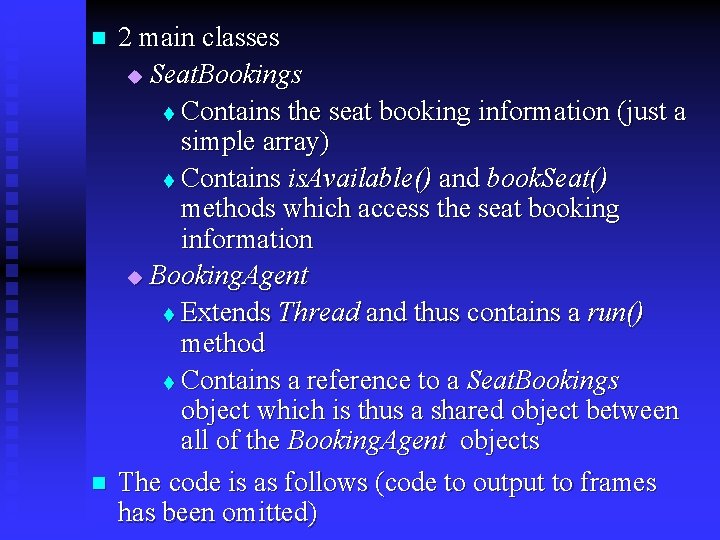
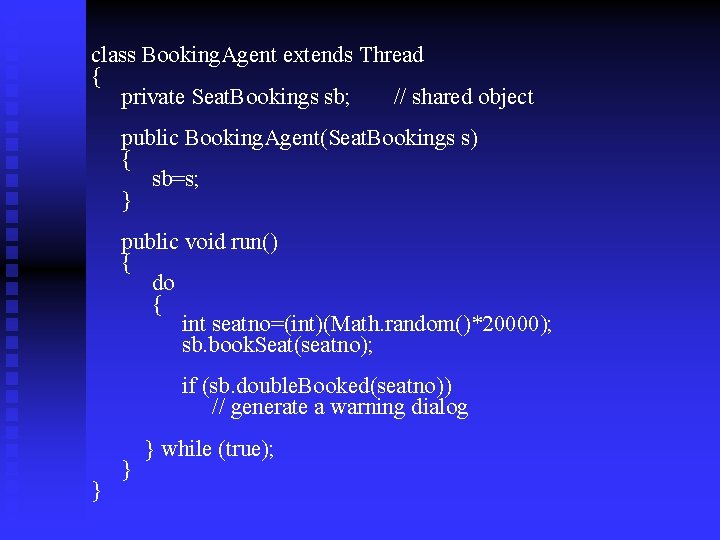
n n 2 main classes u Seat. Bookings t Contains the seat booking information (just a simple array) t Contains is. Available() and book. Seat() methods which access the seat booking information u Booking. Agent t Extends Thread and thus contains a run() method t Contains a reference to a Seat. Bookings object which is thus a shared object between all of the Booking. Agent objects The code is as follows (code to output to frames has been omitted)
class Seat. Bookings { private int[] seats; public Seat. Bookings(int[] s) { seats=s; } public boolean is. Available(int seatno) { return (seats[seatno]==0); } public void book. Seat(int seatno) { if (is. Available(seatno)) seats[seatno]++; } } public boolean double. Booked(int seatno) { return (seats[seatno]>1); }
class Booking. Agent extends Thread { private Seat. Bookings sb; // shared object public Booking. Agent(Seat. Bookings s) { sb=s; } public void run() { do { int seatno=(int)(Math. random()*20000); sb. book. Seat(seatno); if (sb. double. Booked(seatno)) // generate a warning dialog } } } while (true);
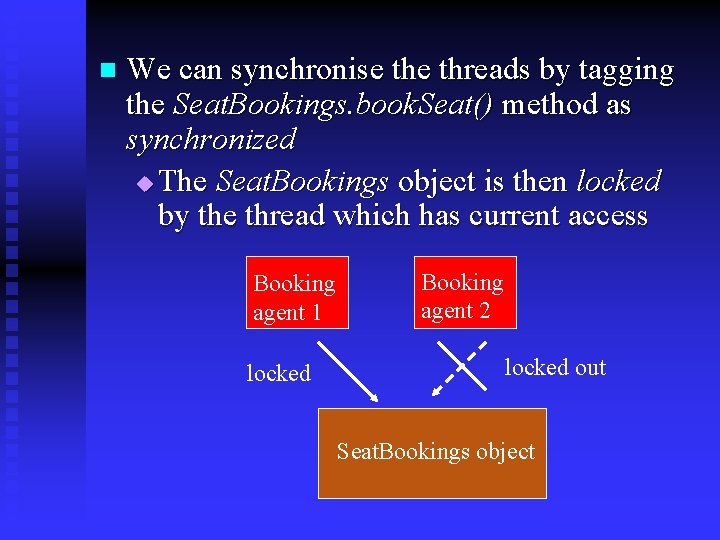
n We can synchronise threads by tagging the Seat. Bookings. book. Seat() method as synchronized u The Seat. Bookings object is then locked by the thread which has current access Booking agent 1 locked Booking agent 2 locked out Seat. Bookings object
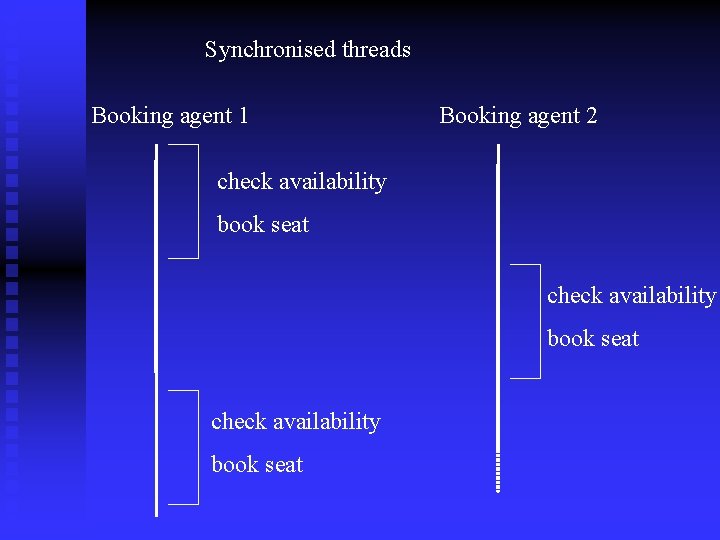
Synchronised threads Booking agent 1 Booking agent 2 check availability book seat
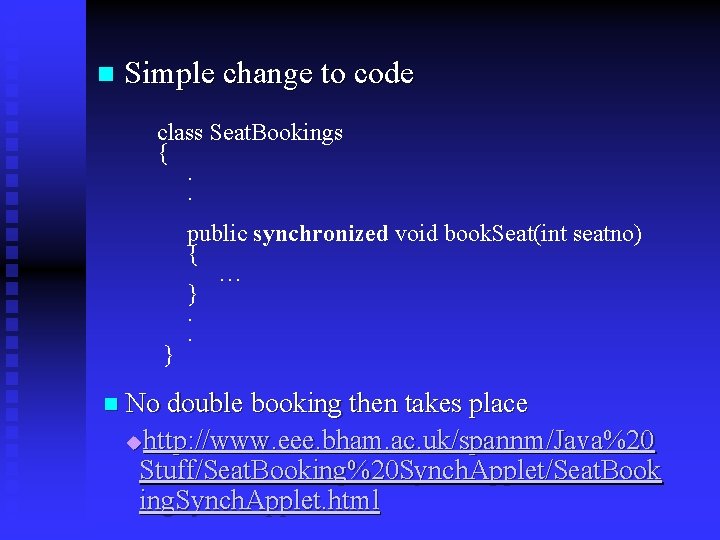
n Simple change to code class Seat. Bookings {. . } public synchronized void book. Seat(int seatno) { … }. . n No double booking then takes place http: //www. eee. bham. ac. uk/spannm/Java%20 Stuff/Seat. Booking%20 Synch. Applet/Seat. Book ing. Synch. Applet. html u
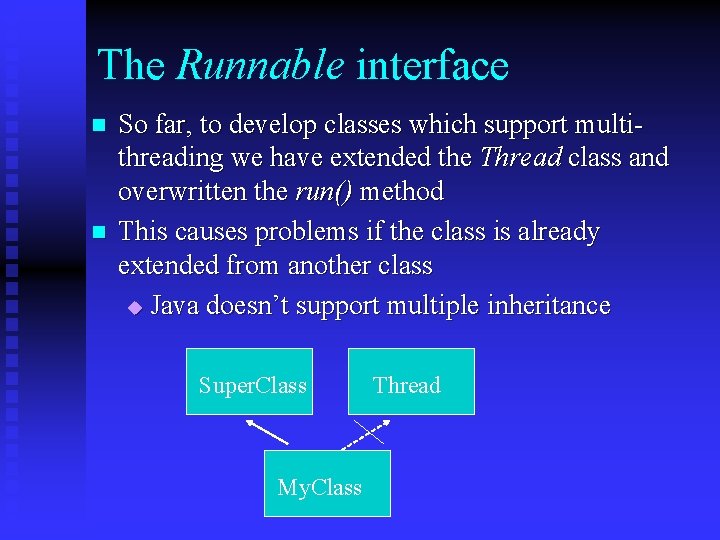
The Runnable interface n n So far, to develop classes which support multithreading we have extended the Thread class and overwritten the run() method This causes problems if the class is already extended from another class u Java doesn’t support multiple inheritance Super. Class My. Class Thread
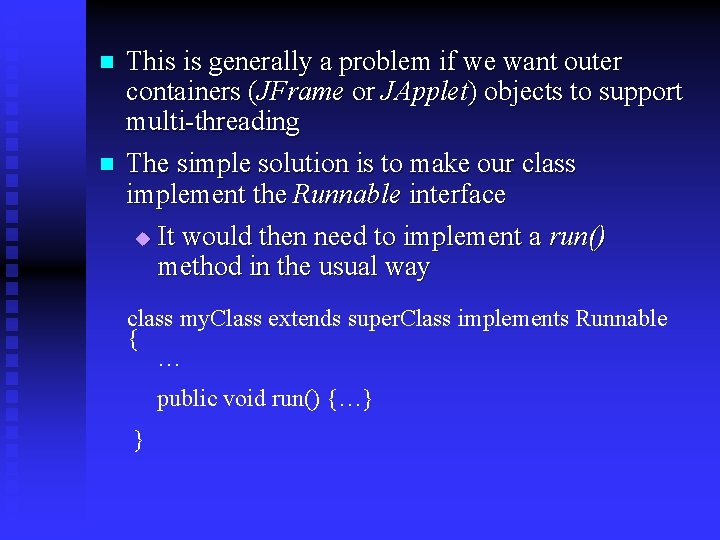
n n This is generally a problem if we want outer containers (JFrame or JApplet) objects to support multi-threading The simple solution is to make our class implement the Runnable interface u It would then need to implement a run() method in the usual way class my. Class extends super. Class implements Runnable { … public void run() {…} }
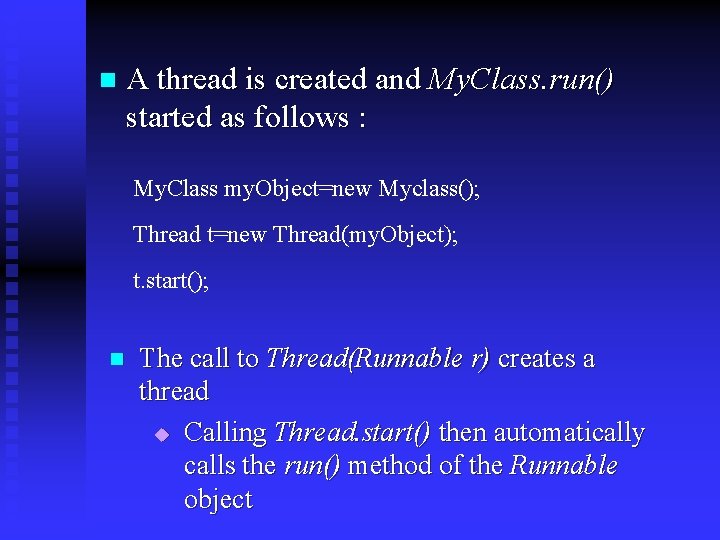
n A thread is created and My. Class. run() started as follows : My. Class my. Object=new Myclass(); Thread t=new Thread(my. Object); t. start(); n The call to Thread(Runnable r) creates a thread u Calling Thread. start() then automatically calls the run() method of the Runnable object
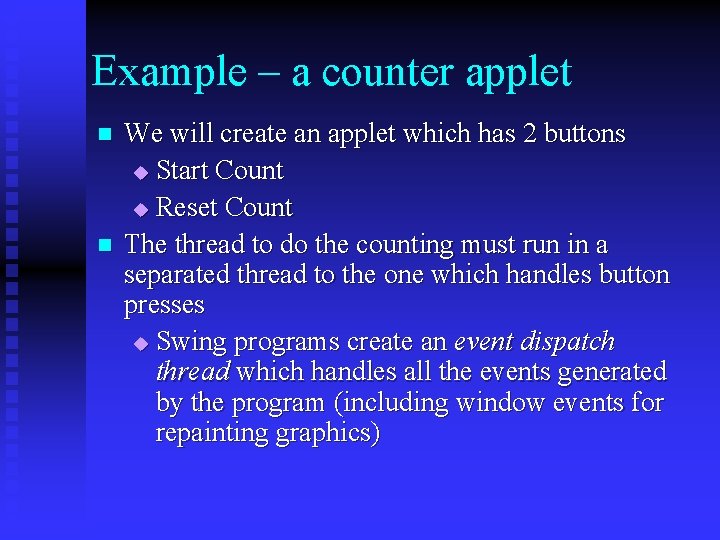
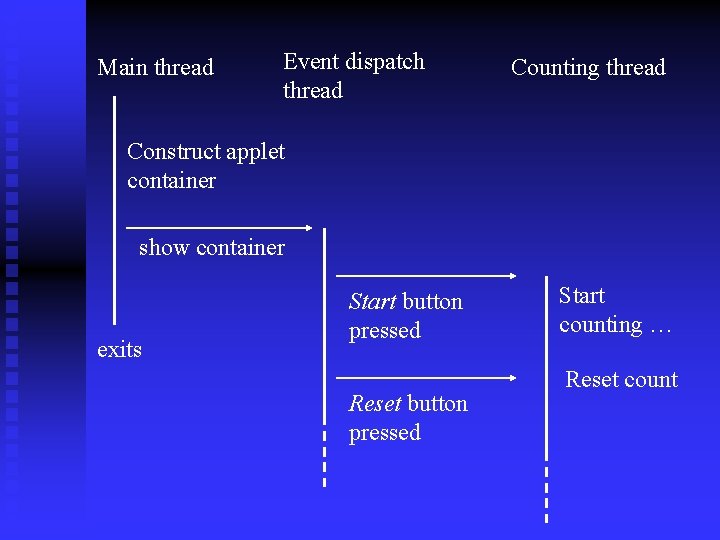
Example – a counter applet n n We will create an applet which has 2 buttons u Start Count u Reset Count The thread to do the counting must run in a separated thread to the one which handles button presses u Swing programs create an event dispatch thread which handles all the events generated by the program (including window events for repainting graphics)
Main thread Event dispatch thread Counting thread Construct applet container show container exits Start button pressed Reset button pressed Start counting … Reset count
n The following applet doesn’t use a separate thread to do the counting u Button press events or repainting events can’t be handled once counting begins t http: //www. eee. bham. ac. uk/spannm/Java%2 0 Stuff/Counter. Applet. html u The following applet generates a separate thread for the counter t http: //www. eee. bham. ac. uk/spannm/Java%2 0 Stuff/Runnable. Test. Applet/Runnable. Test. Ap plet. html
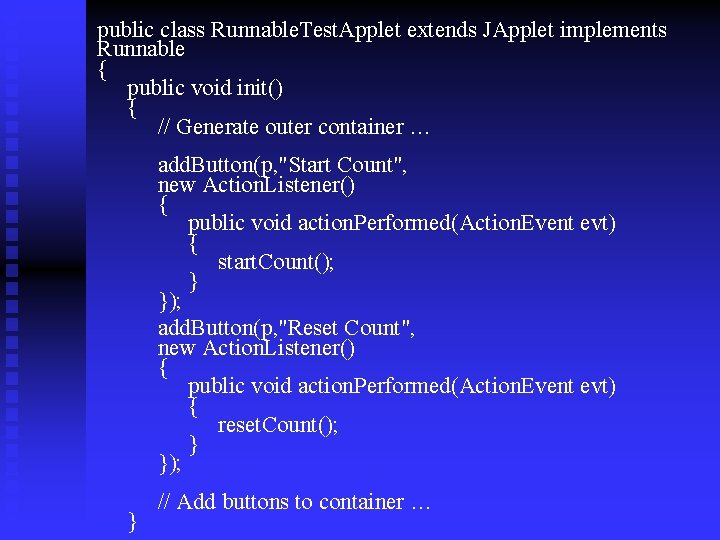
public class Runnable. Test. Applet extends JApplet implements Runnable { public void init() { // Generate outer container … add. Button(p, "Start Count", new Action. Listener() { public void action. Performed(Action. Event evt) { start. Count(); } }); add. Button(p, "Reset Count", new Action. Listener() { public void action. Performed(Action. Event evt) { reset. Count(); } }); } // Add buttons to container …
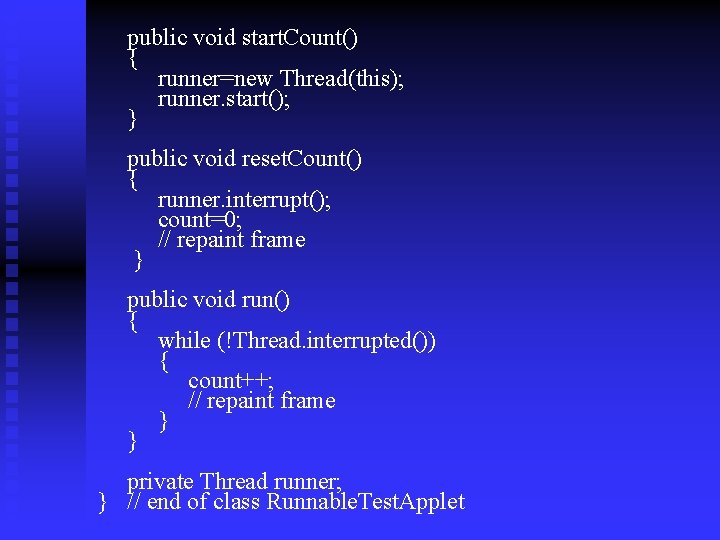
public void start. Count() { runner=new Thread(this); runner. start(); } public void reset. Count() { runner. interrupt(); count=0; // repaint frame } public void run() { while (!Thread. interrupted()) { count++; // repaint frame } } private Thread runner; } // end of class Runnable. Test. Applet
And finally…. . n n n Multi-threading is complex Make sure you understand the code for the first example we looked at Run the applet from my web site and scrutinize the code Multi-threading is the basis of many applications and, as we have seen, particularly crucial in graphical/event driven programming We have only scratched the surface. For an excellent and thorough description of threading see www. albahari. com/threading In the last lab exercise, you will have the opportunity to write a multi-threading server for a network-based game!