
EE 122 Ethernet Ion Stoica TAs Junda Liu
- Slides: 39
EE 122: Ethernet Ion Stoica TAs: Junda Liu, DK Moon, David Zats http: //inst. eecs. berkeley. edu/~ee 122/ (Materials with thanks to Vern Paxson, Jennifer Rexford, and colleagues at UC Berkeley) 1
Goals of Today’s Lecture l MAC (Media Access Control) protocols, esp. l CSMA/CD l l Ethernet: single segment l l l Frame structure Length/timing constraints due to Collision Detection Ethernet: spanning multiple segments l l l 2 Carrier Sense Multiple Access / Collision Detection l Repeaters and hubs Bridges and switches Self-learning (plug-and-play) Spanning trees (time permitting)
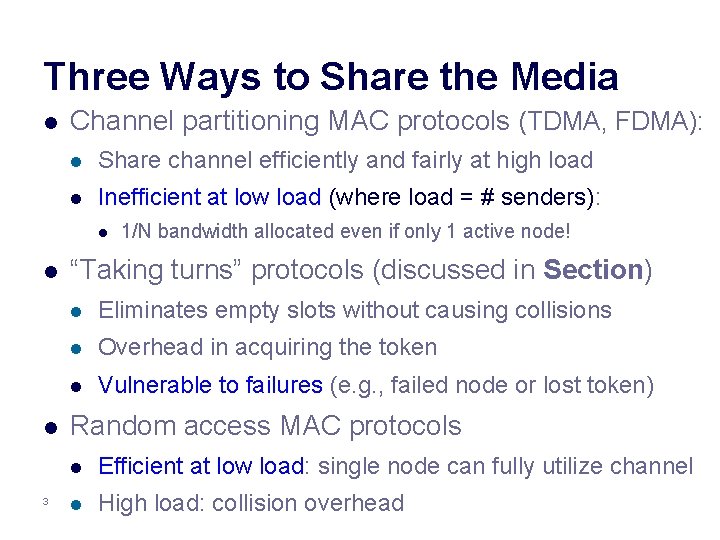
Three Ways to Share the Media l Channel partitioning MAC protocols (TDMA, FDMA): l Share channel efficiently and fairly at high load l Inefficient at low load (where load = # senders): l l l 3 1/N bandwidth allocated even if only 1 active node! “Taking turns” protocols (discussed in Section) l Eliminates empty slots without causing collisions l Overhead in acquiring the token l Vulnerable to failures (e. g. , failed node or lost token) Random access MAC protocols l Efficient at low load: single node can fully utilize channel l High load: collision overhead
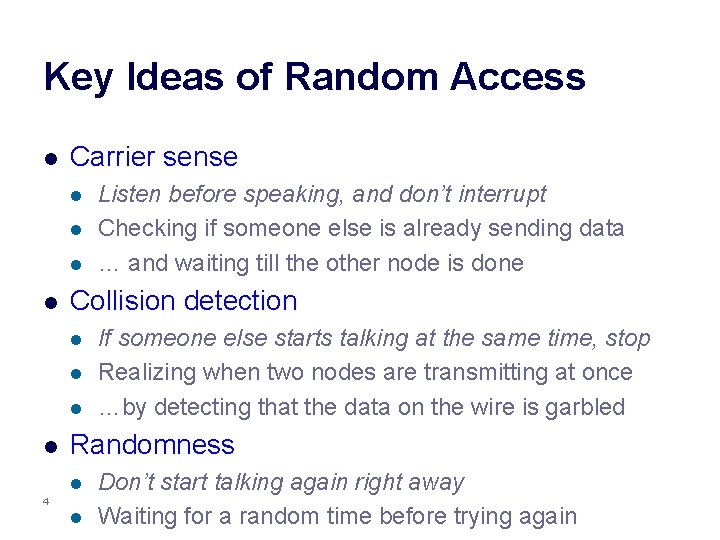
Key Ideas of Random Access l Carrier sense l l Collision detection l l Listen before speaking, and don’t interrupt Checking if someone else is already sending data … and waiting till the other node is done If someone else starts talking at the same time, stop Realizing when two nodes are transmitting at once …by detecting that the data on the wire is garbled Randomness l 4 l Don’t start talking again right away Waiting for a random time before trying again
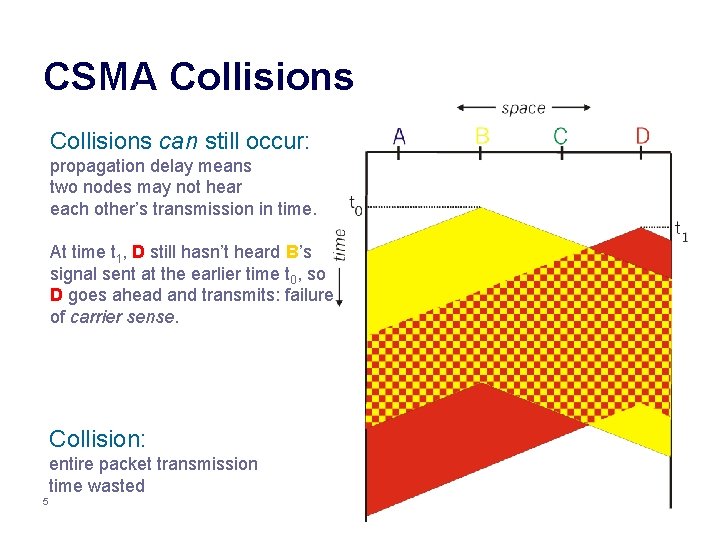
CSMA Collisions can still occur: propagation delay means two nodes may not hear each other’s transmission in time. At time t 1, D still hasn’t heard B’s signal sent at the earlier time t 0, so D goes ahead and transmits: failure of carrier sense. Collision: entire packet transmission time wasted 5
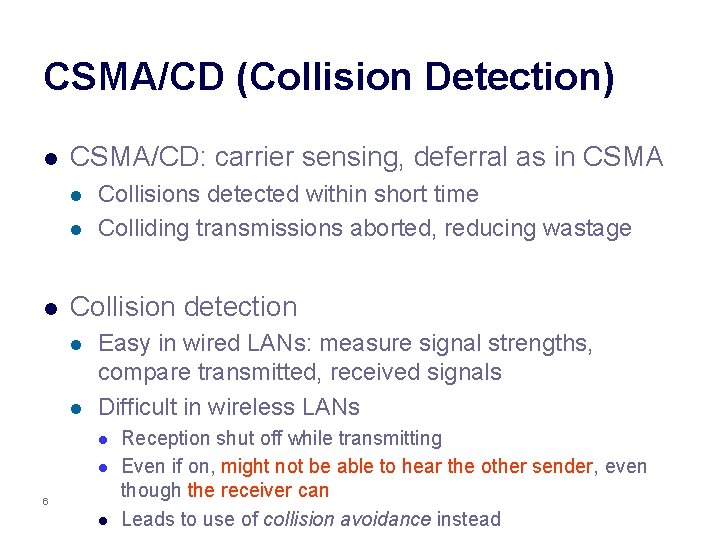
CSMA/CD (Collision Detection) l CSMA/CD: carrier sensing, deferral as in CSMA l l l Collisions detected within short time Colliding transmissions aborted, reducing wastage Collision detection l l Easy in wired LANs: measure signal strengths, compare transmitted, received signals Difficult in wireless LANs l l 6 l Reception shut off while transmitting Even if on, might not be able to hear the other sender, even though the receiver can Leads to use of collision avoidance instead
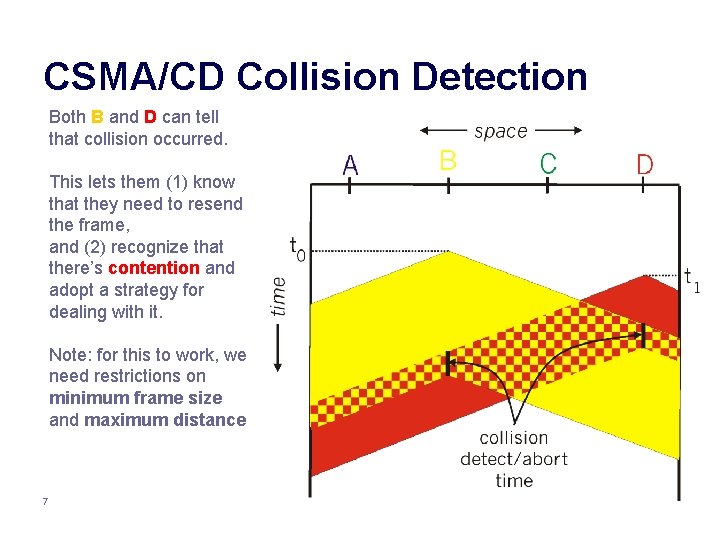
CSMA/CD Collision Detection Both B and D can tell that collision occurred. This lets them (1) know that they need to resend the frame, and (2) recognize that there’s contention and adopt a strategy for dealing with it. Note: for this to work, we need restrictions on minimum frame size and maximum distance 7
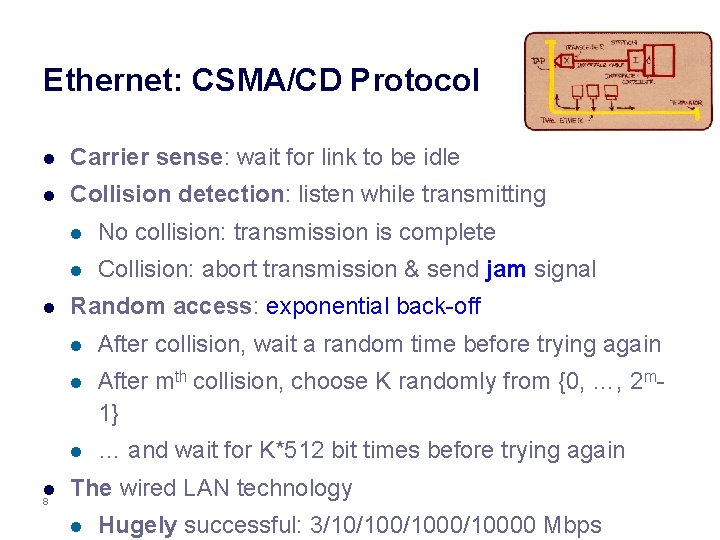
Ethernet: CSMA/CD Protocol l Carrier sense: wait for link to be idle l Collision detection: listen while transmitting l l 8 l No collision: transmission is complete l Collision: abort transmission & send jam signal Random access: exponential back-off l After collision, wait a random time before trying again l After mth collision, choose K randomly from {0, …, 2 m 1} l … and wait for K*512 bit times before trying again The wired LAN technology l Hugely successful: 3/10/1000/10000 Mbps
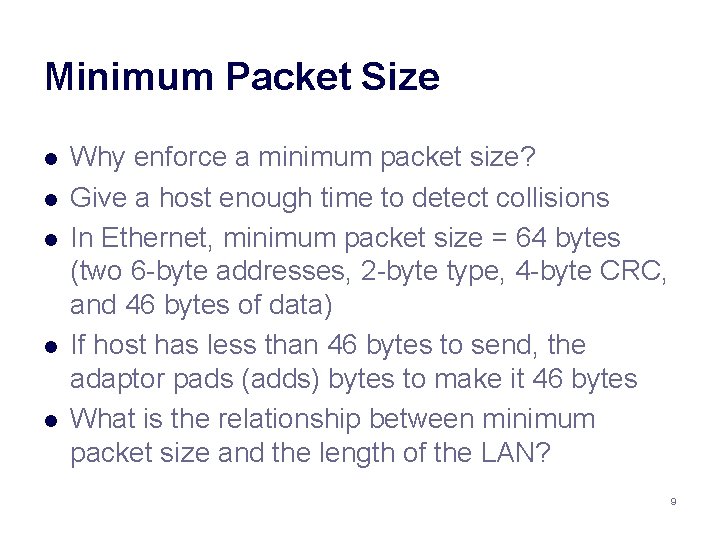
Minimum Packet Size l l l Why enforce a minimum packet size? Give a host enough time to detect collisions In Ethernet, minimum packet size = 64 bytes (two 6 -byte addresses, 2 -byte type, 4 -byte CRC, and 46 bytes of data) If host has less than 46 bytes to send, the adaptor pads (adds) bytes to make it 46 bytes What is the relationship between minimum packet size and the length of the LAN? 9
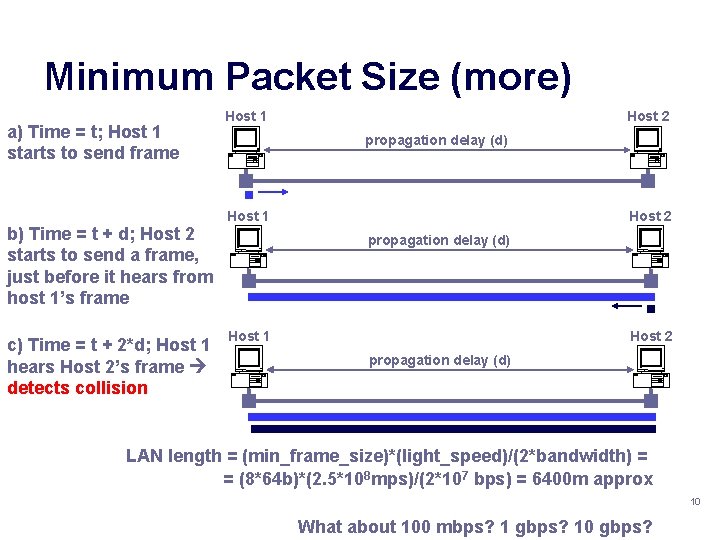
Minimum Packet Size (more) a) Time = t; Host 1 starts to send frame b) Time = t + d; Host 2 starts to send a frame, just before it hears from host 1’s frame c) Time = t + 2*d; Host 1 hears Host 2’s frame detects collision Host 1 Host 2 propagation delay (d) LAN length = (min_frame_size)*(light_speed)/(2*bandwidth) = = (8*64 b)*(2. 5*108 mps)/(2*107 bps) = 6400 m approx 10 What about 100 mbps? 1 gbps? 10 gbps?
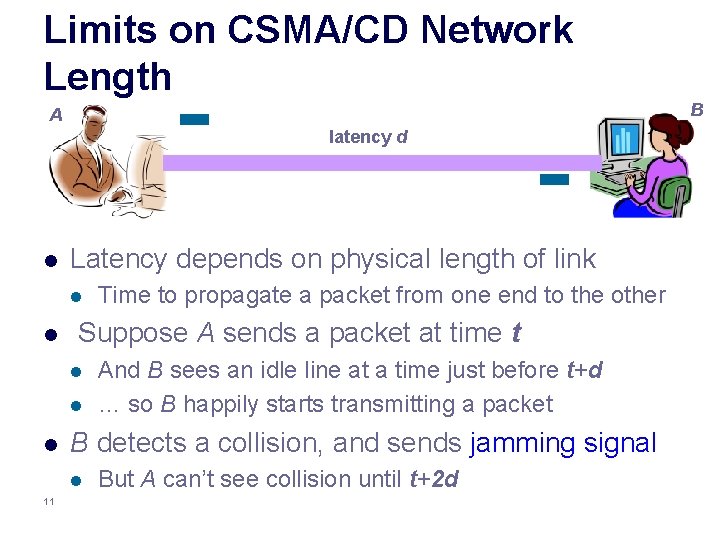
Limits on CSMA/CD Network Length B A latency d l Latency depends on physical length of link l l Suppose A sends a packet at time t l l l And B sees an idle line at a time just before t+d … so B happily starts transmitting a packet B detects a collision, and sends jamming signal l 11 Time to propagate a packet from one end to the other But A can’t see collision until t+2 d
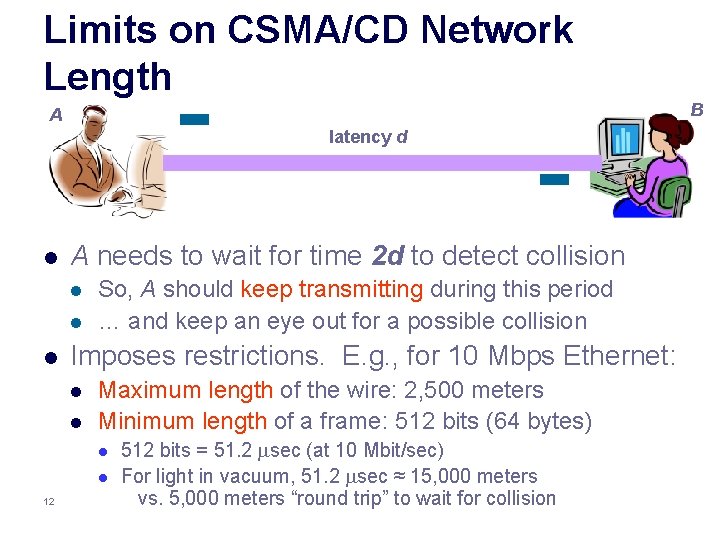
Limits on CSMA/CD Network Length B A latency d l A needs to wait for time 2 d to detect collision l l l So, A should keep transmitting during this period … and keep an eye out for a possible collision Imposes restrictions. E. g. , for 10 Mbps Ethernet: l l Maximum length of the wire: 2, 500 meters Minimum length of a frame: 512 bits (64 bytes) l l 12 512 bits = 51. 2 sec (at 10 Mbit/sec) For light in vacuum, 51. 2 sec ≈ 15, 000 meters vs. 5, 000 meters “round trip” to wait for collision
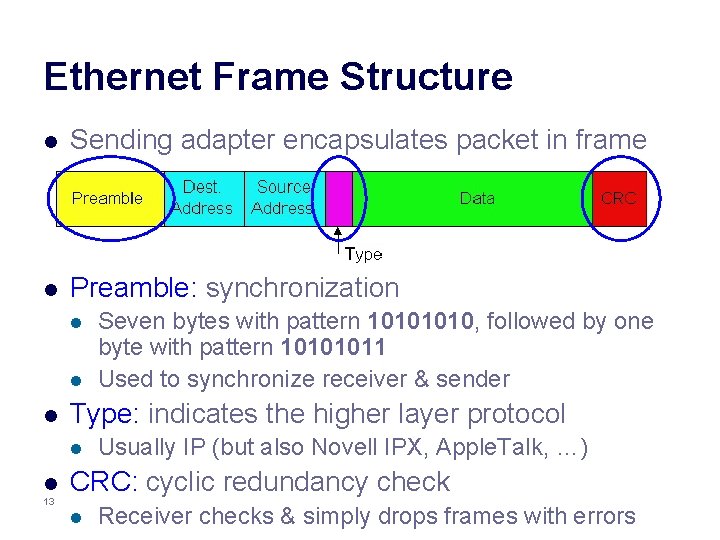
Ethernet Frame Structure l Sending adapter encapsulates packet in frame l Preamble: synchronization l l l Type: indicates the higher layer protocol l l 13 Seven bytes with pattern 1010, followed by one byte with pattern 10101011 Used to synchronize receiver & sender Usually IP (but also Novell IPX, Apple. Talk, …) CRC: cyclic redundancy check l Receiver checks & simply drops frames with errors
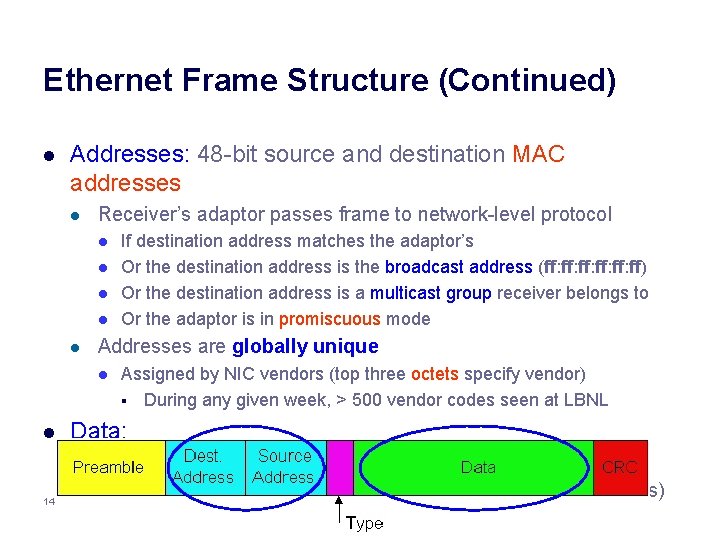
Ethernet Frame Structure (Continued) l Addresses: 48 -bit source and destination MAC addresses l Receiver’s adaptor passes frame to network-level protocol l l Addresses are globally unique l l Assigned by NIC vendors (top three octets specify vendor) § During any given week, > 500 vendor codes seen at LBNL Data: l 14 If destination address matches the adaptor’s Or the destination address is the broadcast address (ff: ff: ff: ff) Or the destination address is a multicast group receiver belongs to Or the adaptor is in promiscuous mode l Maximum: 1, 500 bytes Minimum: 46 bytes (+14 bytes header + 4 byte trailer = 512 bits)
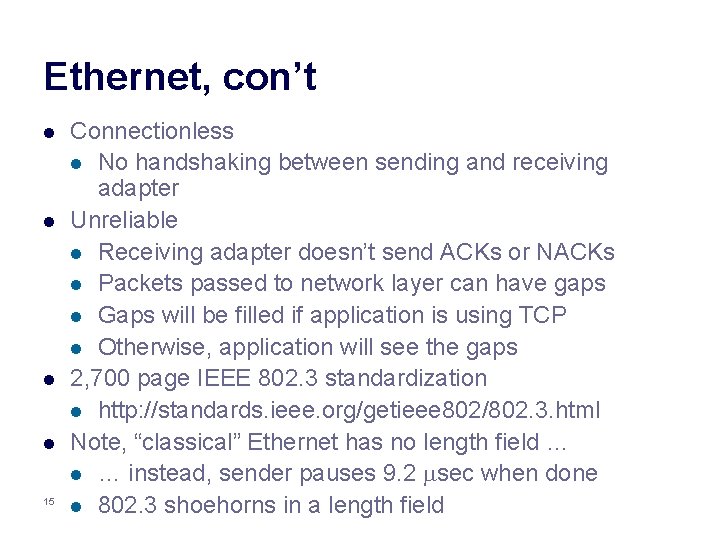
Ethernet, con’t l l 15 Connectionless l No handshaking between sending and receiving adapter Unreliable l Receiving adapter doesn’t send ACKs or NACKs l Packets passed to network layer can have gaps l Gaps will be filled if application is using TCP l Otherwise, application will see the gaps 2, 700 page IEEE 802. 3 standardization l http: //standards. ieee. org/getieee 802/802. 3. html Note, “classical” Ethernet has no length field … l … instead, sender pauses 9. 2 sec when done l 802. 3 shoehorns in a length field
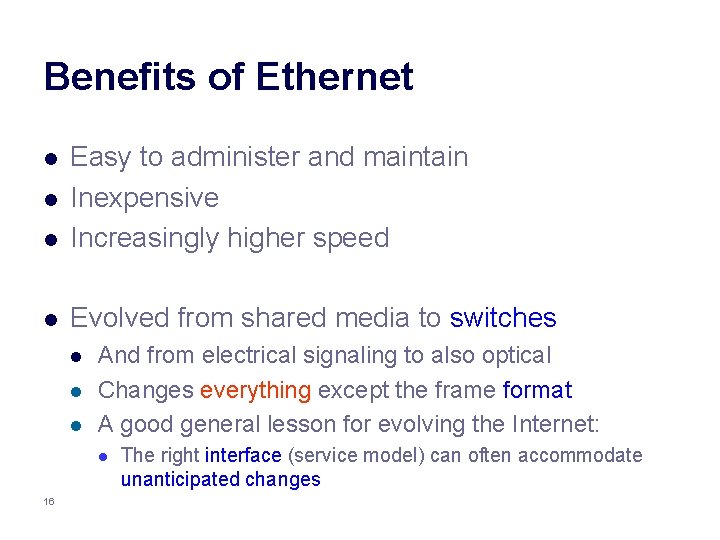
Benefits of Ethernet l Easy to administer and maintain Inexpensive Increasingly higher speed l Evolved from shared media to switches l l l And from electrical signaling to also optical Changes everything except the frame format A good general lesson for evolving the Internet: l 16 The right interface (service model) can often accommodate unanticipated changes
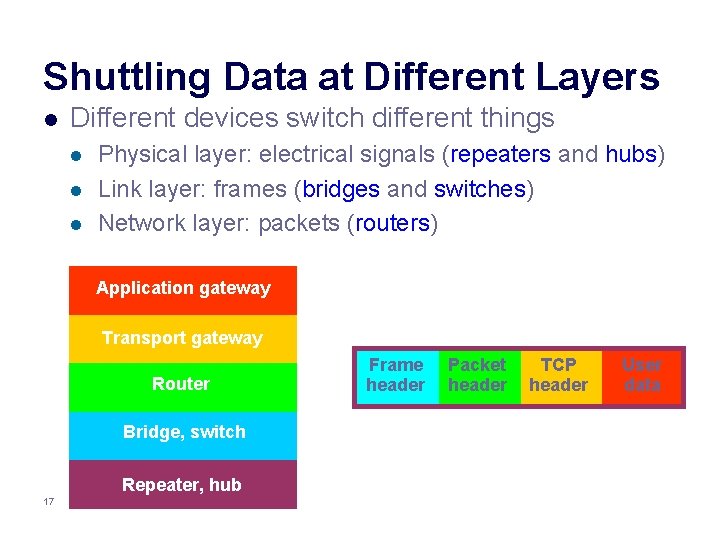
Shuttling Data at Different Layers l Different devices switch different things l l l Physical layer: electrical signals (repeaters and hubs) Link layer: frames (bridges and switches) Network layer: packets (routers) Application gateway Transport gateway Router Bridge, switch Repeater, hub 17 Frame header Packet header TCP header User data
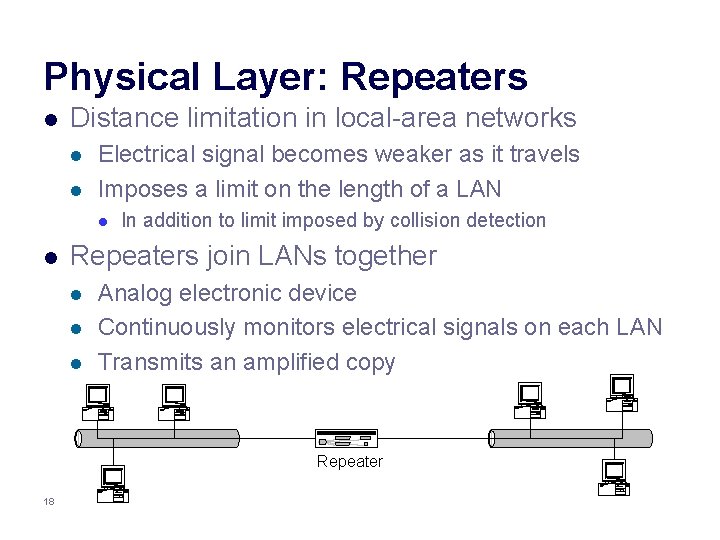
Physical Layer: Repeaters l Distance limitation in local-area networks l l Electrical signal becomes weaker as it travels Imposes a limit on the length of a LAN l l In addition to limit imposed by collision detection Repeaters join LANs together l l l Analog electronic device Continuously monitors electrical signals on each LAN Transmits an amplified copy Repeater 18
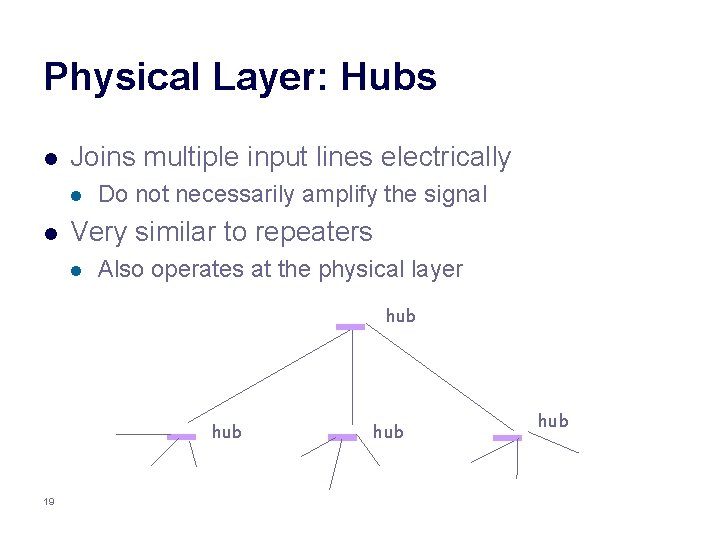
Physical Layer: Hubs l Joins multiple input lines electrically l l Do not necessarily amplify the signal Very similar to repeaters l Also operates at the physical layer hub 19 hub
Limitations of Repeaters and Hubs l One large collision domain l l l Cannot support multiple LAN technologies l l 20 Every bit is sent everywhere So, aggregate throughput is limited E. g. , three departments each get 10 Mbps independently … and then if connect via a hub must share 10 Mbps l Repeaters/hubs do not buffer or interpret frames So, can’t interconnect between different rates or formats E. g. , no mixing 10 Mbps Ethernet & 100 Mbps Ethernet
5 Minute Break Questions Before We Proceed? 21
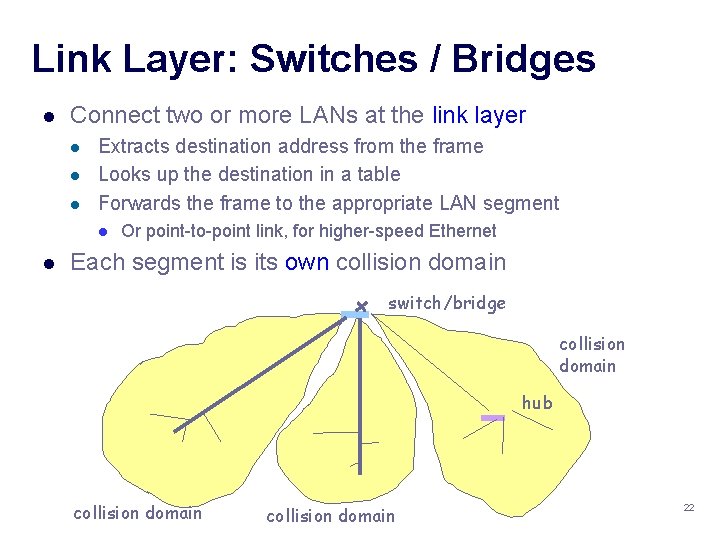
Link Layer: Switches / Bridges l Connect two or more LANs at the link layer l l l Extracts destination address from the frame Looks up the destination in a table Forwards the frame to the appropriate LAN segment l l Or point-to-point link, for higher-speed Ethernet Each segment is its own collision domain switch/bridge collision domain hub collision domain 22
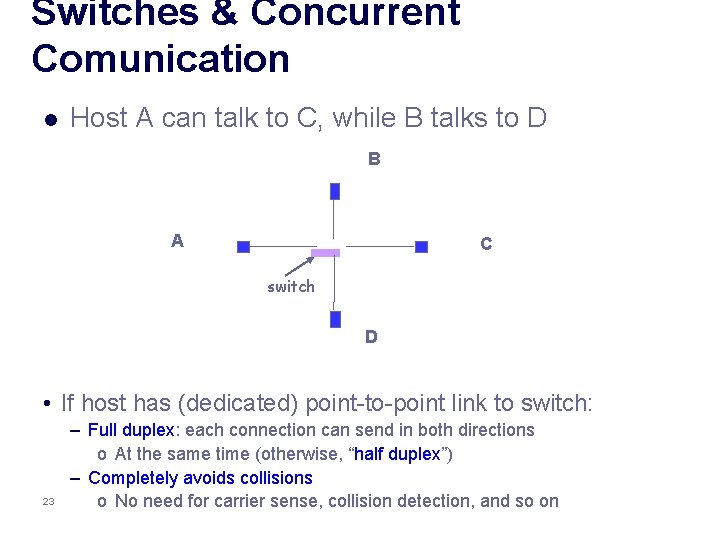
Switches & Concurrent Comunication l Host A can talk to C, while B talks to D B A C switch D • If host has (dedicated) point-to-point link to switch: 23 – Full duplex: each connection can send in both directions o At the same time (otherwise, “half duplex”) – Completely avoids collisions o No need for carrier sense, collision detection, and so on
Advantages Over Hubs & Repeaters l l l 24 Only forwards frames as needed l Filters frames to avoid unnecessary load on segments l Sends frames only to segments that need to see them Extends the geographic span of the network l Separate collision domains allow longer distances Improves privacy by limiting scope of frames l Hosts can “snoop” the traffic traversing their segment l … but not all the rest of the traffic If needed, applies carrier sense & collision detection l Does not transmit when the link is busy l Applies exponential back-off after a collision Joins segments using different technologies
Disadvantages Over Hubs & Repeaters l Higher cost l l More complicated devices that cost more money Delay in forwarding frames l l l Bridge/switch must receive and parse the frame … and perform a look-up to decide where to forward Introduces store-and-forward delay l Can ameliorate using cut-through switching § l Need to learn where to forward frames l l 25 Start forwarding after only header received l Bridge/switch needs to construct a forwarding table Ideally, without intervention from network administrators Solution: self-learning
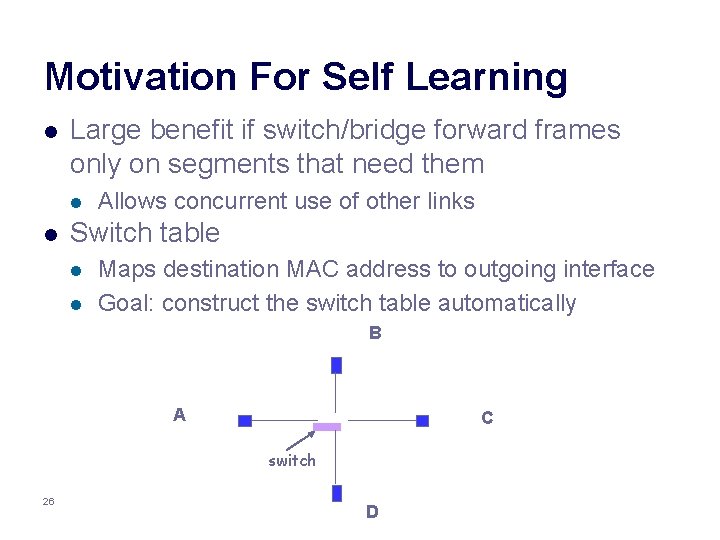
Motivation For Self Learning l Large benefit if switch/bridge forward frames only on segments that need them l l Allows concurrent use of other links Switch table l l Maps destination MAC address to outgoing interface Goal: construct the switch table automatically B A C switch 26 D
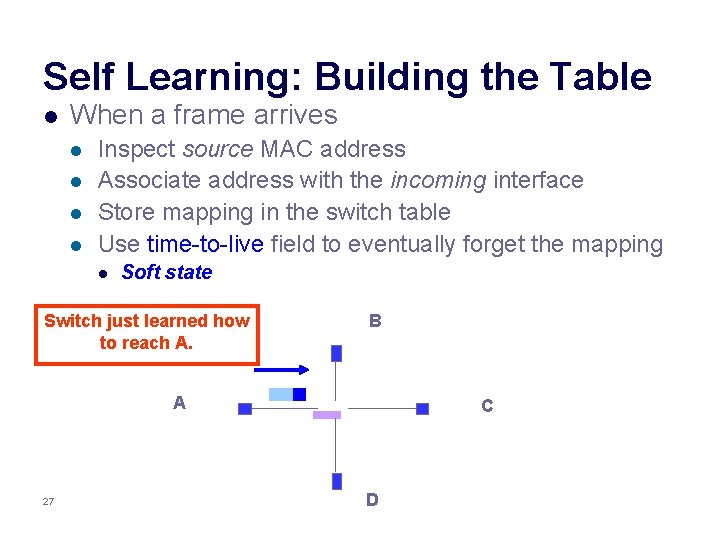
Self Learning: Building the Table l When a frame arrives l l Inspect source MAC address Associate address with the incoming interface Store mapping in the switch table Use time-to-live field to eventually forget the mapping l Soft state Switch just learned how to reach A. B A 27 C D
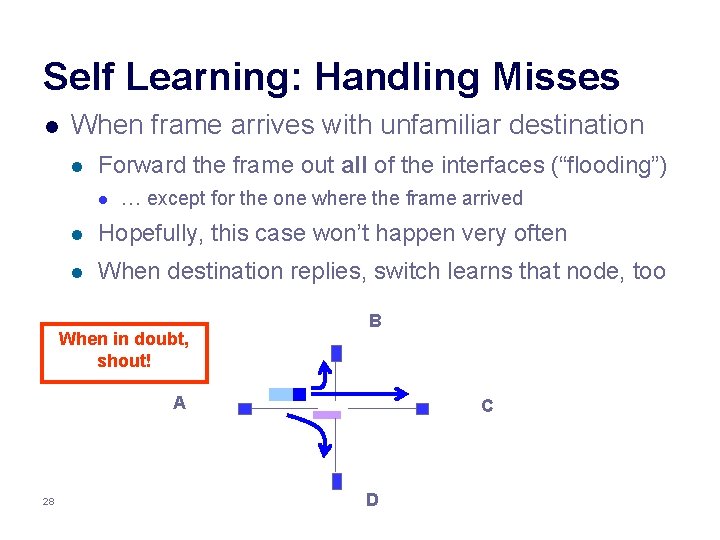
Self Learning: Handling Misses l When frame arrives with unfamiliar destination l Forward the frame out all of the interfaces (“flooding”) l … except for the one where the frame arrived l Hopefully, this case won’t happen very often l When destination replies, switch learns that node, too When in doubt, shout! B A 28 C D
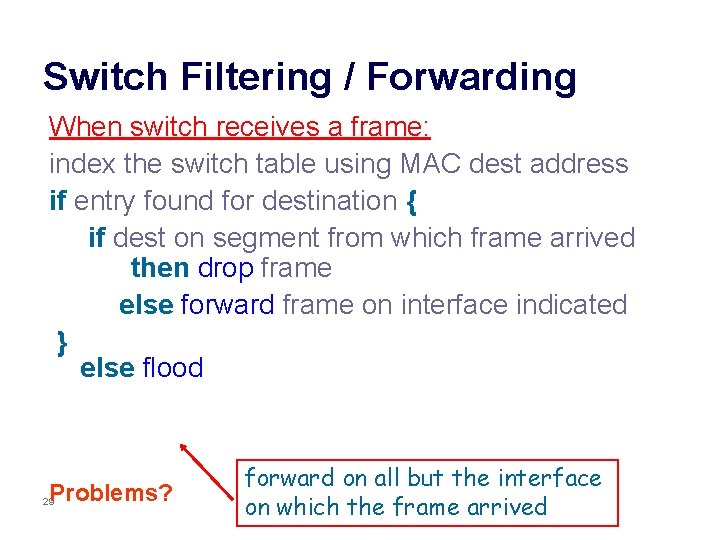
Switch Filtering / Forwarding When switch receives a frame: index the switch table using MAC dest address if entry found for destination { if dest on segment from which frame arrived then drop frame else forward frame on interface indicated } else flood Problems? 29 forward on all but the interface on which the frame arrived
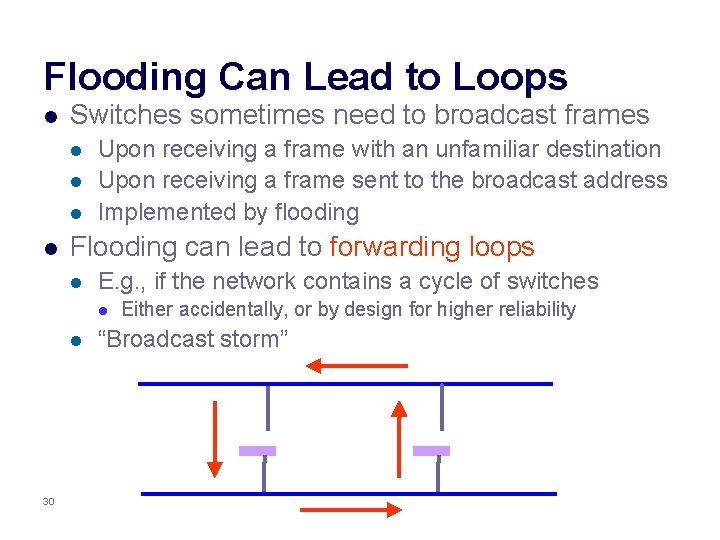
Flooding Can Lead to Loops l Switches sometimes need to broadcast frames l l Upon receiving a frame with an unfamiliar destination Upon receiving a frame sent to the broadcast address Implemented by flooding Flooding can lead to forwarding loops l E. g. , if the network contains a cycle of switches l l 30 Either accidentally, or by design for higher reliability “Broadcast storm”
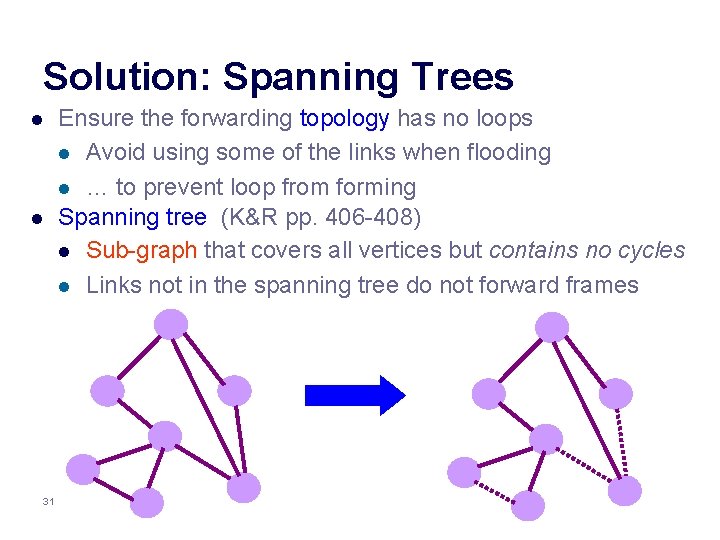
Solution: Spanning Trees l l 31 Ensure the forwarding topology has no loops l Avoid using some of the links when flooding l … to prevent loop from forming Spanning tree (K&R pp. 406 -408) l Sub-graph that covers all vertices but contains no cycles l Links not in the spanning tree do not forward frames
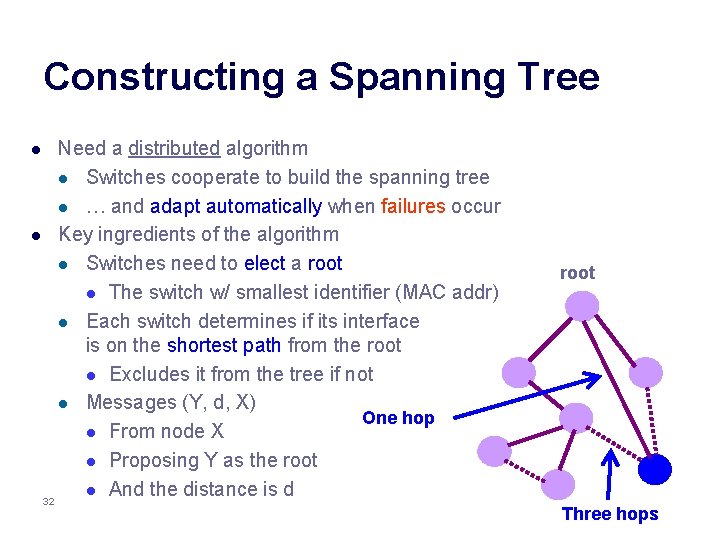
Constructing a Spanning Tree Need a distributed algorithm l Switches cooperate to build the spanning tree l … and adapt automatically when failures occur l Key ingredients of the algorithm l Switches need to elect a root l The switch w/ smallest identifier (MAC addr) l Each switch determines if its interface is on the shortest path from the root l Excludes it from the tree if not l Messages (Y, d, X) One hop l From node X l Proposing Y as the root l And the distance is d 32 l root Three hops
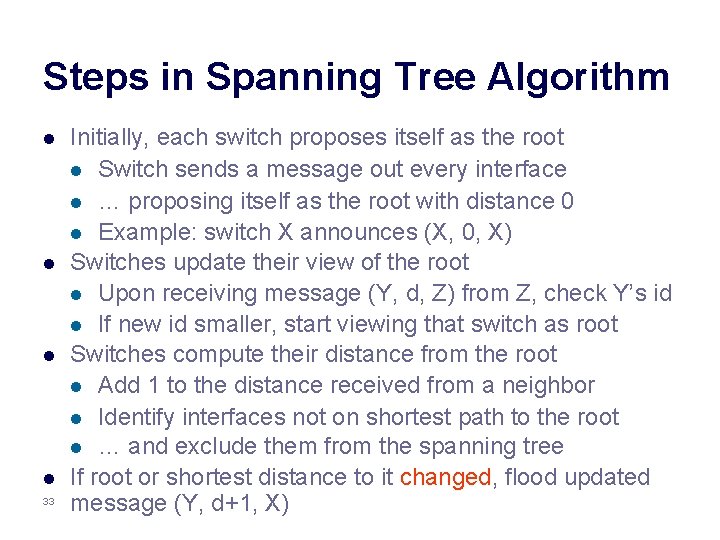
Steps in Spanning Tree Algorithm l l 33 Initially, each switch proposes itself as the root l Switch sends a message out every interface l … proposing itself as the root with distance 0 l Example: switch X announces (X, 0, X) Switches update their view of the root l Upon receiving message (Y, d, Z) from Z, check Y’s id l If new id smaller, start viewing that switch as root Switches compute their distance from the root l Add 1 to the distance received from a neighbor l Identify interfaces not on shortest path to the root l … and exclude them from the spanning tree If root or shortest distance to it changed, flood updated message (Y, d+1, X)
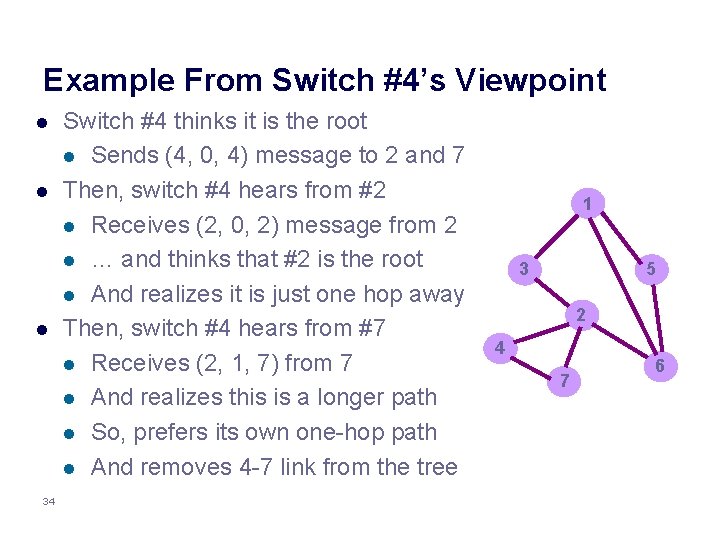
Example From Switch #4’s Viewpoint l l l 34 Switch #4 thinks it is the root l Sends (4, 0, 4) message to 2 and 7 Then, switch #4 hears from #2 l Receives (2, 0, 2) message from 2 l … and thinks that #2 is the root l And realizes it is just one hop away Then, switch #4 hears from #7 l Receives (2, 1, 7) from 7 l And realizes this is a longer path l So, prefers its own one-hop path l And removes 4 -7 link from the tree 1 3 5 2 4 7 6
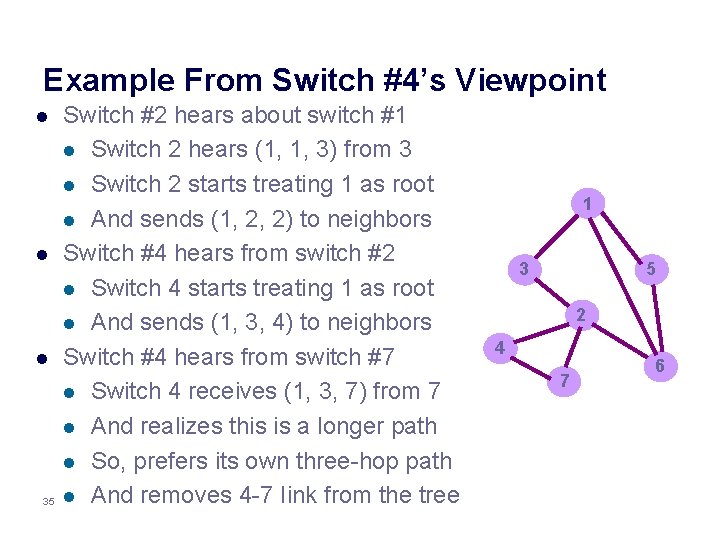
Example From Switch #4’s Viewpoint l l l 35 Switch #2 hears about switch #1 l Switch 2 hears (1, 1, 3) from 3 l Switch 2 starts treating 1 as root l And sends (1, 2, 2) to neighbors Switch #4 hears from switch #2 l Switch 4 starts treating 1 as root l And sends (1, 3, 4) to neighbors Switch #4 hears from switch #7 l Switch 4 receives (1, 3, 7) from 7 l And realizes this is a longer path l So, prefers its own three-hop path l And removes 4 -7 Iink from the tree 1 3 5 2 4 7 6
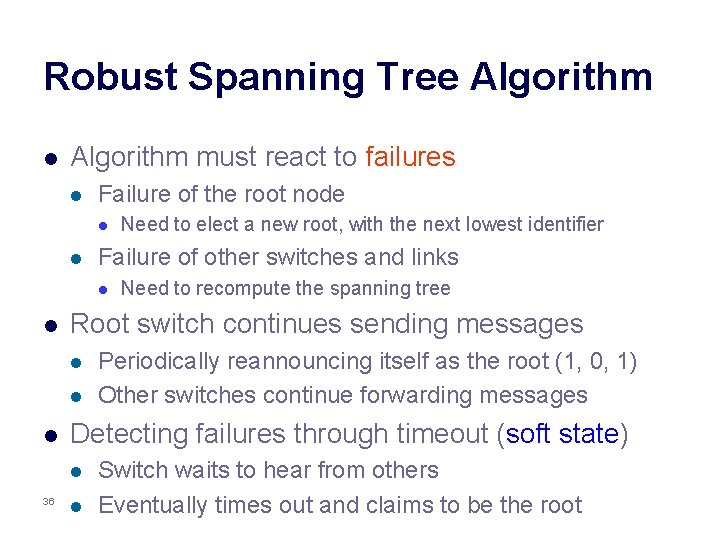
Robust Spanning Tree Algorithm l Algorithm must react to failures l Failure of the root node l l Failure of other switches and links l l l Periodically reannouncing itself as the root (1, 0, 1) Other switches continue forwarding messages Detecting failures through timeout (soft state) l 36 Need to recompute the spanning tree Root switch continues sending messages l l Need to elect a new root, with the next lowest identifier l Switch waits to hear from others Eventually times out and claims to be the root
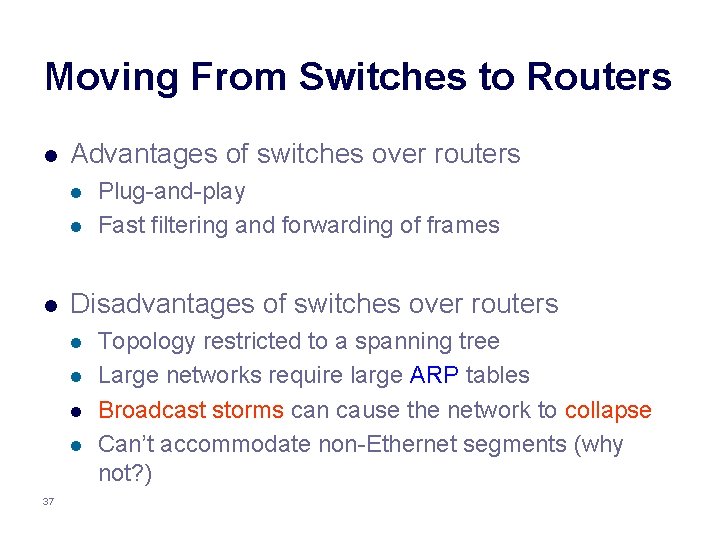
Moving From Switches to Routers l Advantages of switches over routers l l l Disadvantages of switches over routers l l 37 Plug-and-play Fast filtering and forwarding of frames Topology restricted to a spanning tree Large networks require large ARP tables Broadcast storms can cause the network to collapse Can’t accommodate non-Ethernet segments (why not? )
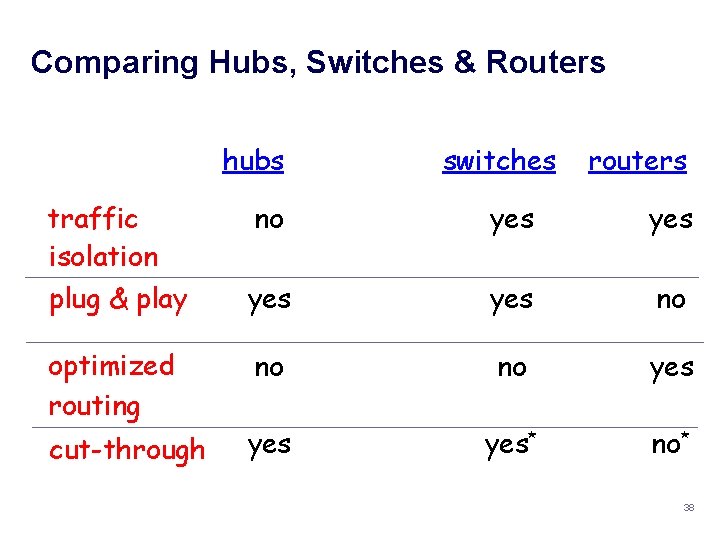
Comparing Hubs, Switches & Routers hubs traffic isolation plug & play optimized routing cut-through switches routers no yes yes no no no yes yes* no* 38
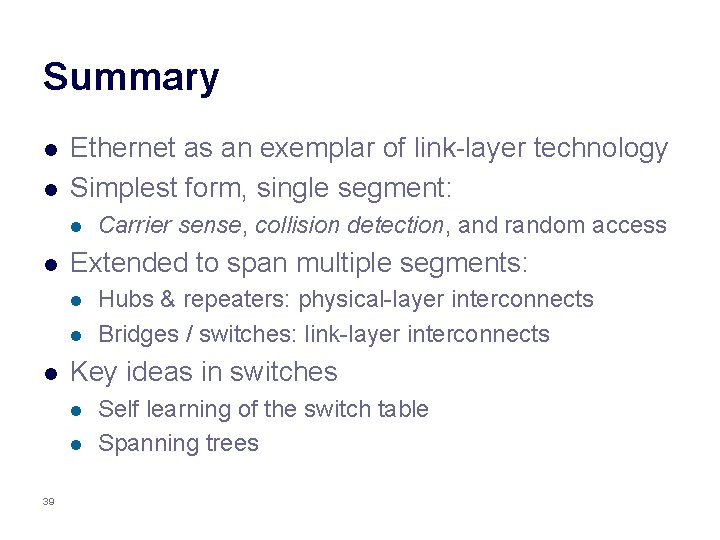
Summary l l Ethernet as an exemplar of link-layer technology Simplest form, single segment: l l Extended to span multiple segments: l l l Hubs & repeaters: physical-layer interconnects Bridges / switches: link-layer interconnects Key ideas in switches l l 39 Carrier sense, collision detection, and random access Self learning of the switch table Spanning trees