
Edukey Education Ltd www classcharts com supportclasscharts com
- Slides: 12
Edukey Education Ltd www. classcharts. com support@classcharts. com
What is Class Charts? With Class Charts you get data rich seating charts and streamlined behaviour management. You can even collaborate with other teachers and work as a team to tackle behaviour. Edukey Education Ltd www. classcharts. com support@classcharts. com
Class. Charts Features • Create your room layout with an • Take attendance records with attendance percentages shown. easy to use interface. • Add pupils individually or import • Apply behaviour points & custom behaviours. pupils from a spreadsheet. • Generate seating plans and allow parents to view behaviour statistics. • Mobile Devices – works on laptops, i. Pads, mobile phones & other tablets. • Collaborate with other teachers • Generate reports – behaviour, attendance, graphs & charts. to tackle behaviour together. Edukey Education Ltd www. classcharts. com support@classcharts. com
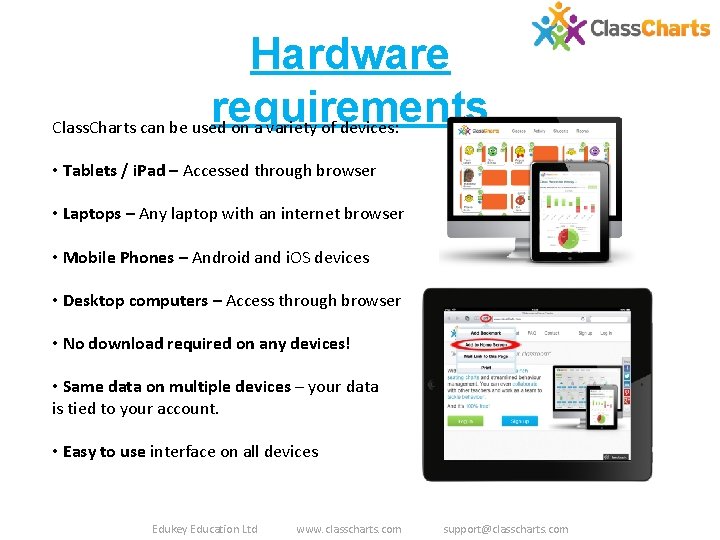
Hardware requirements Class. Charts can be used on a variety of devices: • Tablets / i. Pad – Accessed through browser • Laptops – Any laptop with an internet browser • Mobile Phones – Android and i. OS devices • Desktop computers – Access through browser • No download required on any devices! • Same data on multiple devices – your data is tied to your account. • Easy to use interface on all devices Edukey Education Ltd www. classcharts. com support@classcharts. com
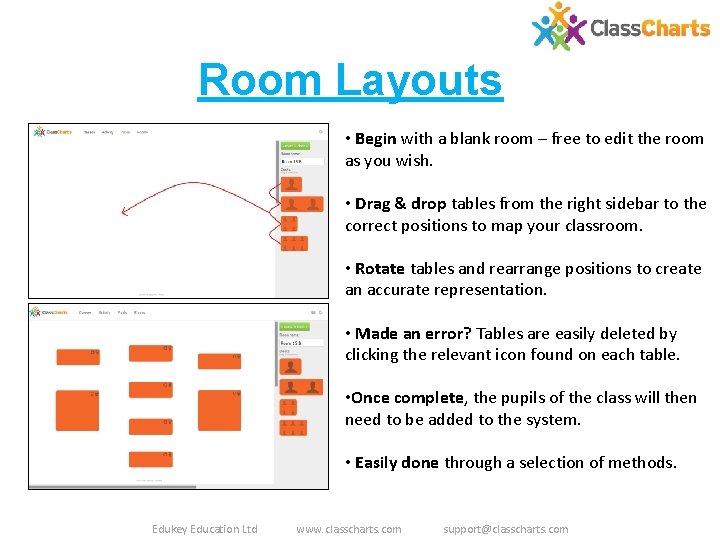
Room Layouts • Begin with a blank room – free to edit the room as you wish. • Drag & drop tables from the right sidebar to the correct positions to map your classroom. • Rotate tables and rearrange positions to create an accurate representation. • Made an error? Tables are easily deleted by clicking the relevant icon found on each table. • Once complete, the pupils of the class will then need to be added to the system. • Easily done through a selection of methods. Edukey Education Ltd www. classcharts. com support@classcharts. com
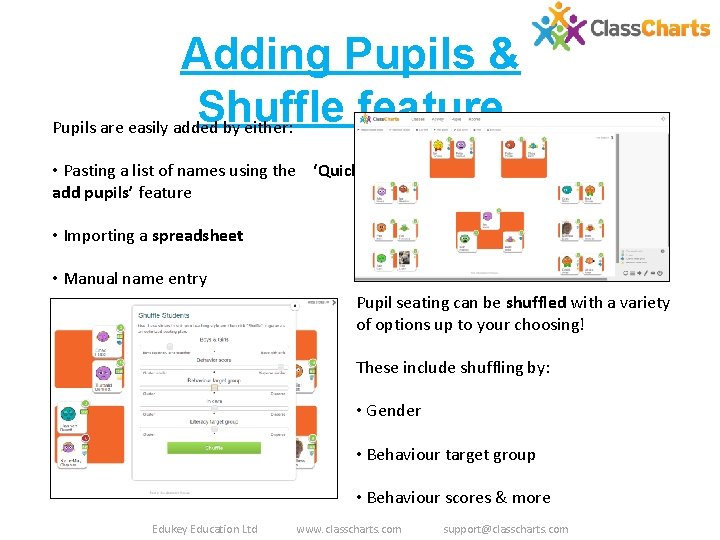
Adding Pupils & Shuffle feature Pupils are easily added by either: • Pasting a list of names using the ‘Quick add pupils’ feature • Importing a spreadsheet • Manual name entry Pupil seating can be shuffled with a variety of options up to your choosing! These include shuffling by: • Gender • Behaviour target group • Behaviour scores & more Edukey Education Ltd www. classcharts. com support@classcharts. com
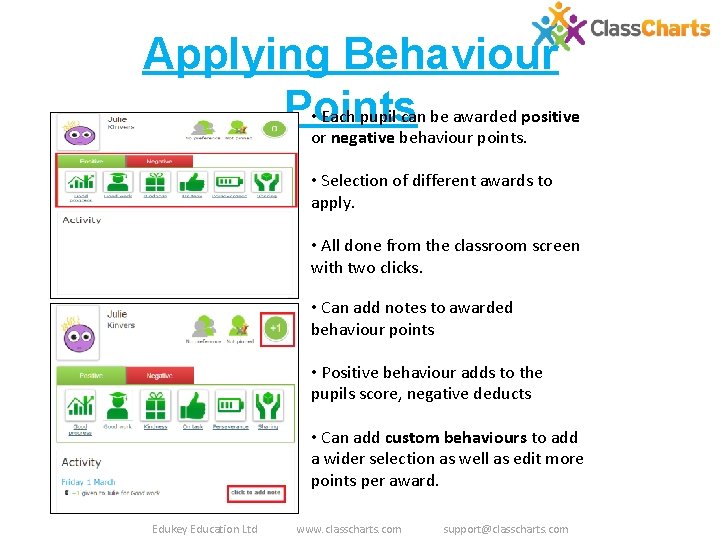
Applying Behaviour Points • Each pupil can be awarded positive or negative behaviour points. • Selection of different awards to apply. • All done from the classroom screen with two clicks. • Can add notes to awarded behaviour points • Positive behaviour adds to the pupils score, negative deducts • Can add custom behaviours to add a wider selection as well as edit more points per award. Edukey Education Ltd www. classcharts. com support@classcharts. com
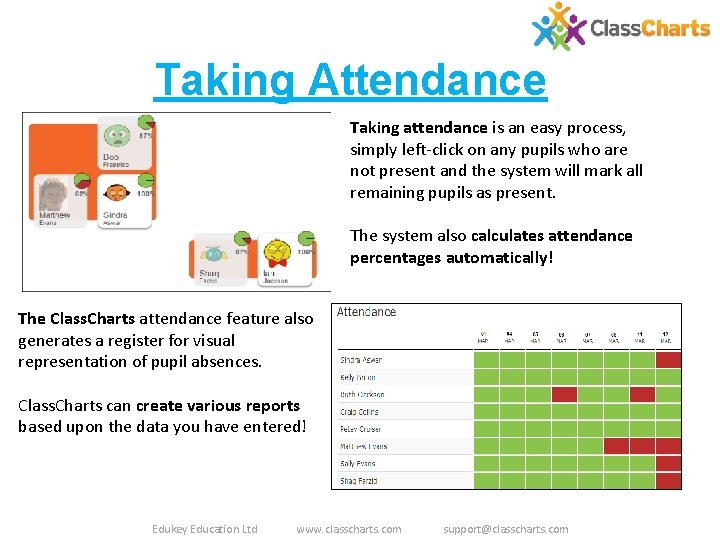
Taking Attendance Taking attendance is an easy process, simply left-click on any pupils who are not present and the system will mark all remaining pupils as present. The system also calculates attendance percentages automatically! The Class. Charts attendance feature also generates a register for visual representation of pupil absences. Class. Charts can create various reports based upon the data you have entered! Edukey Education Ltd www. classcharts. com support@classcharts. com
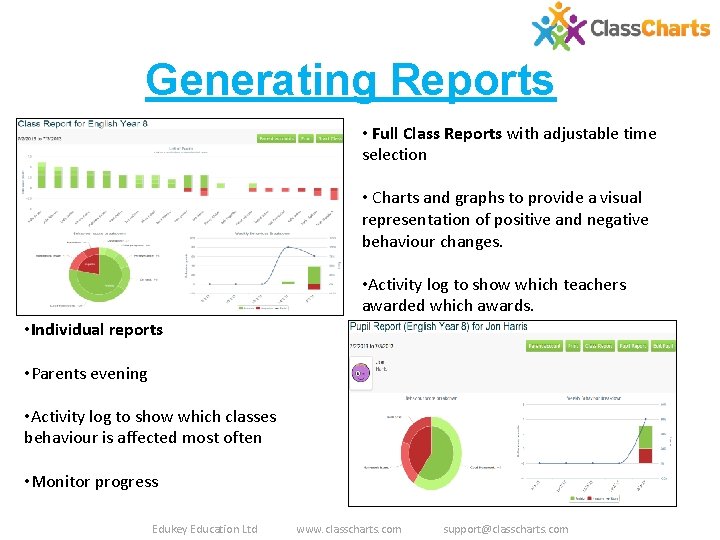
Generating Reports • Full Class Reports with adjustable time selection • Charts and graphs to provide a visual representation of positive and negative behaviour changes. • Activity log to show which teachers awarded which awards. • Individual reports • Parents evening • Activity log to show which classes behaviour is affected most often • Monitor progress Edukey Education Ltd www. classcharts. com support@classcharts. com
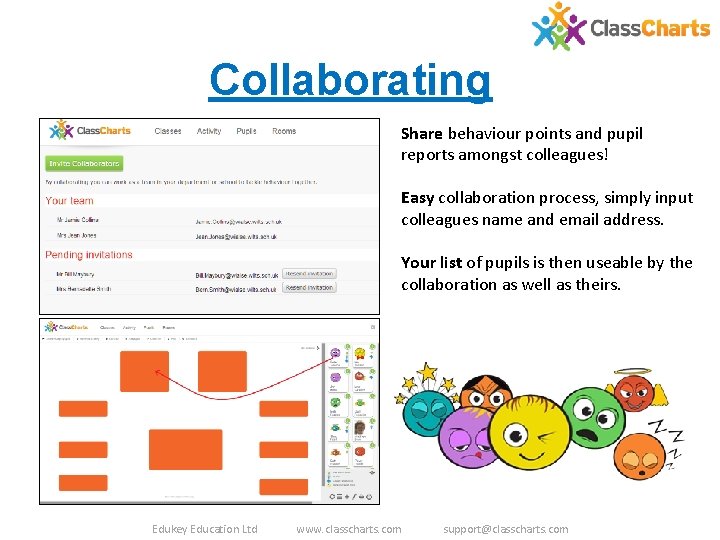
Collaborating Share behaviour points and pupil reports amongst colleagues! Easy collaboration process, simply input colleagues name and email address. Your list of pupils is then useable by the collaboration as well as theirs. Edukey Education Ltd www. classcharts. com support@classcharts. com
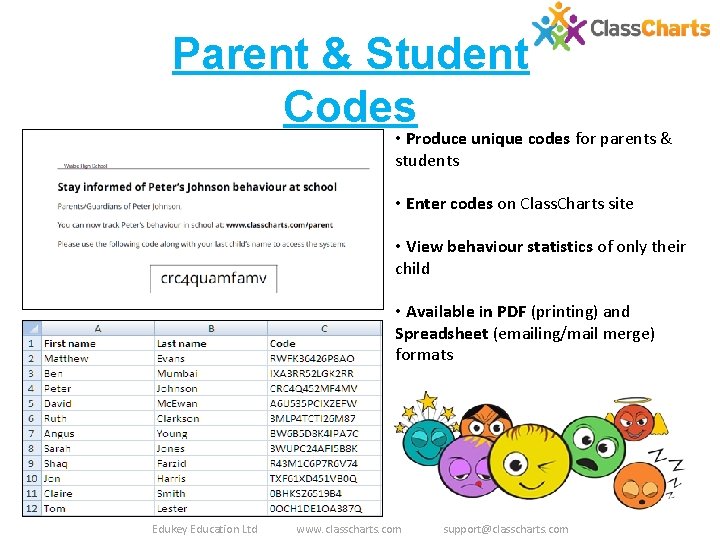
Parent & Student Codes • Produce unique codes for parents & students • Enter codes on Class. Charts site • View behaviour statistics of only their child • Available in PDF (printing) and Spreadsheet (emailing/mail merge) formats Edukey Education Ltd www. classcharts. com support@classcharts. com
Further Support There is an extensive support section online – just log in and click on to the top right. You will find a full user guide, a user forum and a range of video guides in the online help section. The system is intuitive and easy to use but if you do run into problems then you will find the Class Charts team a friendly bunch , you can email them at: support@classcharts. com Edukey Education Ltd www. classcharts. com support@classcharts. com