
Editing Multiuser Geodatabases An Introduction Cheryl Cleghorn and
Editing Multi-user Geodatabases : An Introduction Cheryl Cleghorn and Shawn Thorne Esri UC 2014 | Technical Workshop |
Assumptions: ü Basic knowledge of relational databases ü Basic knowledge of the Geodatabase data model File and Personal Geodatabases Esri UC 2014 | Technical Workshop |
Requests: Please hold questions until Q&A • • Please silence smart devices Esri UC 2014 | Technical Workshop |
Session Path • Introduction to the Multi-user Geodatabase • Versioning • Multi-user Geodatabase Editing Strategies • Archiving • Geodatabase Replication • Q&A Esri UC 2014 | Technical Workshop |
Session Path • Introduction to the Multi-user Geodatabase - What is the Geodatabase? - The Multiuser Geodatabase Management Approach - Different types of Geodatabases - The Multiuser Geodatabase • Versioning • Multi-user Geodatabase Editing Strategies • Archiving • Geodatabase Replication • Q&A Esri UC 2014 | Technical Workshop |
What is the Geodatabase? • • Physical data store Core Arc. GIS data model • Transactional model • COM components Esri UC 2014 | Technical Workshop |
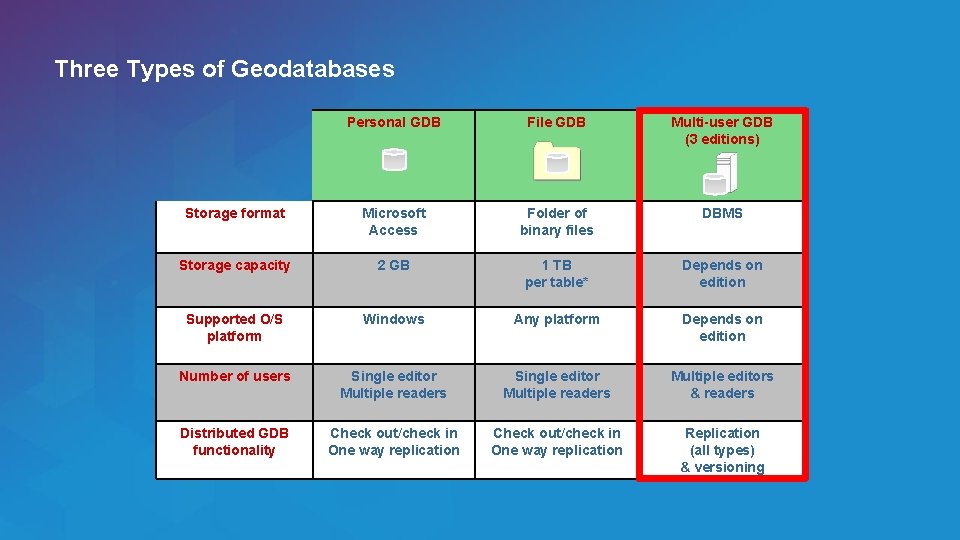
Three Types of Geodatabases Esri UC 2014 | Technical Workshop | Personal GDB File GDB Multi-user GDB (3 editions) Storage format Microsoft Access Folder of binary files DBMS Storage capacity 2 GB 1 TB per table* Depends on edition Supported O/S platform Windows Any platform Depends on edition Number of users Single editor Multiple readers Multiple editors & readers Distributed GDB functionality Check out/check in One way replication Replication (all types) & versioning
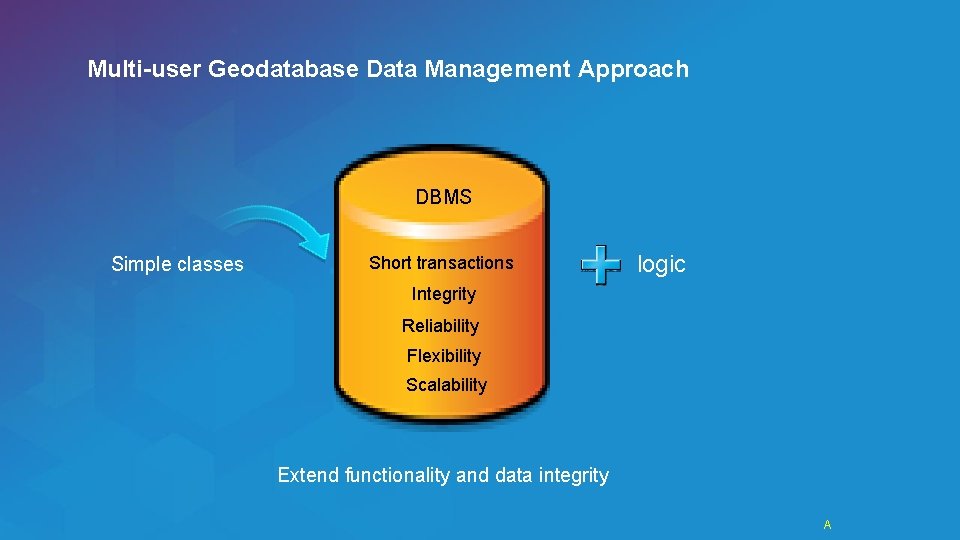
Multi-user Geodatabase Data Management Approach DBMS Simple classes Short transactions logic Integrity Reliability Flexibility Scalability Extend functionality and data integrity Esri UC 2014 | Technical Workshop | A

Mulit-user Geodatabase Data Management Approach… Editing and data compilation Oops! Esri UC 2014 | Technical Workshop |
Multi-user Geodatabase Data Management Approach… • • Versioning workflows - Long GIS transactions - Isolation and consistency of long transactions - Distributed data management Robust, customizable framework Esri UC 2014 | Technical Workshop |
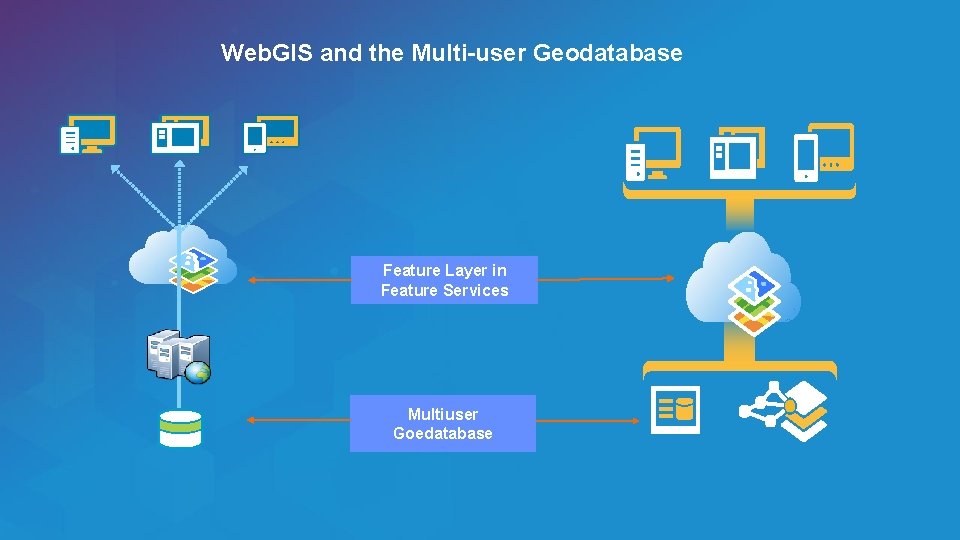
Web. GIS and the Multi-user Geodatabase Feature Layer in Feature Services Multiuser Goedatabase Esri UC 2014 | Technical Workshop |
What is a Multi-user Geodatabase? • DBMS enabled with ESRI’s geospatial technology • Unique capabilities: - Many supported DBMSs - Full, open SQL access - Versioning - Archiving - Replication Esri UC 2014 | Technical Workshop |
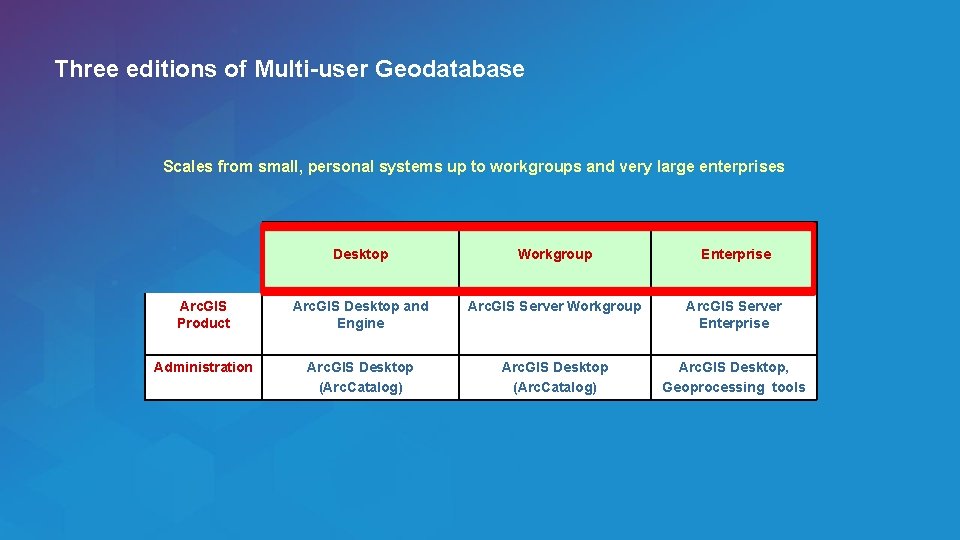
Three editions of Multi-user Geodatabase Scales from small, personal systems up to workgroups and very large enterprises Esri UC 2014 | Technical Workshop | Desktop Workgroup Enterprise Arc. GIS Product Arc. GIS Desktop and Engine Arc. GIS Server Workgroup Arc. GIS Server Enterprise Administration Arc. GIS Desktop (Arc. Catalog) Arc. GIS Desktop, Geoprocessing tools
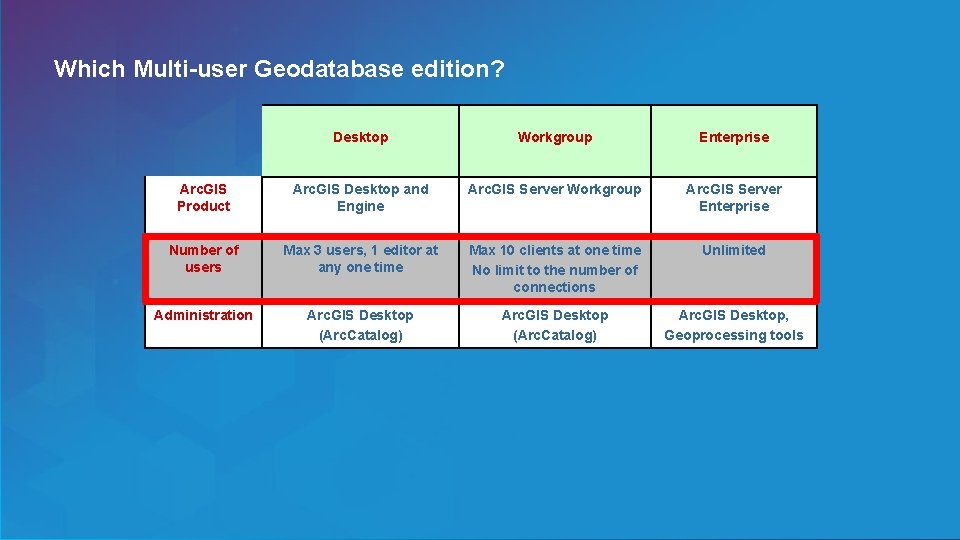
Which Multi-user Geodatabase edition? Esri UC 2014 | Technical Workshop | Desktop Workgroup Enterprise Arc. GIS Product Arc. GIS Desktop and Engine Arc. GIS Server Workgroup Arc. GIS Server Enterprise Number of users Max 3 users, 1 editor at any one time Max 10 clients at one time No limit to the number of connections Unlimited Administration Arc. GIS Desktop (Arc. Catalog) Arc. GIS Desktop, Geoprocessing tools
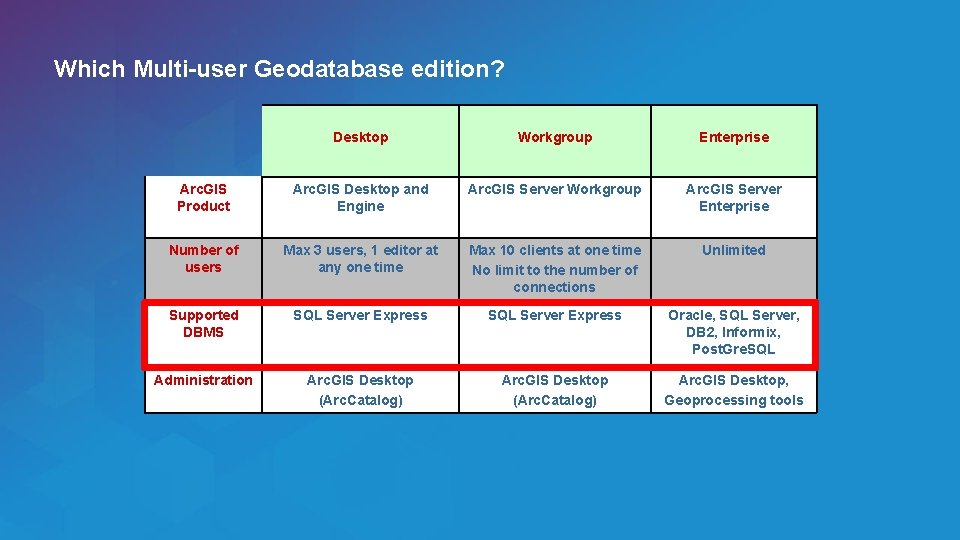
Which Multi-user Geodatabase edition? Esri UC 2014 | Technical Workshop | Desktop Workgroup Enterprise Arc. GIS Product Arc. GIS Desktop and Engine Arc. GIS Server Workgroup Arc. GIS Server Enterprise Number of users Max 3 users, 1 editor at any one time Max 10 clients at one time No limit to the number of connections Unlimited Supported DBMS SQL Server Express Oracle, SQL Server, DB 2, Informix, Post. Gre. SQL Administration Arc. GIS Desktop (Arc. Catalog) Arc. GIS Desktop, Geoprocessing tools
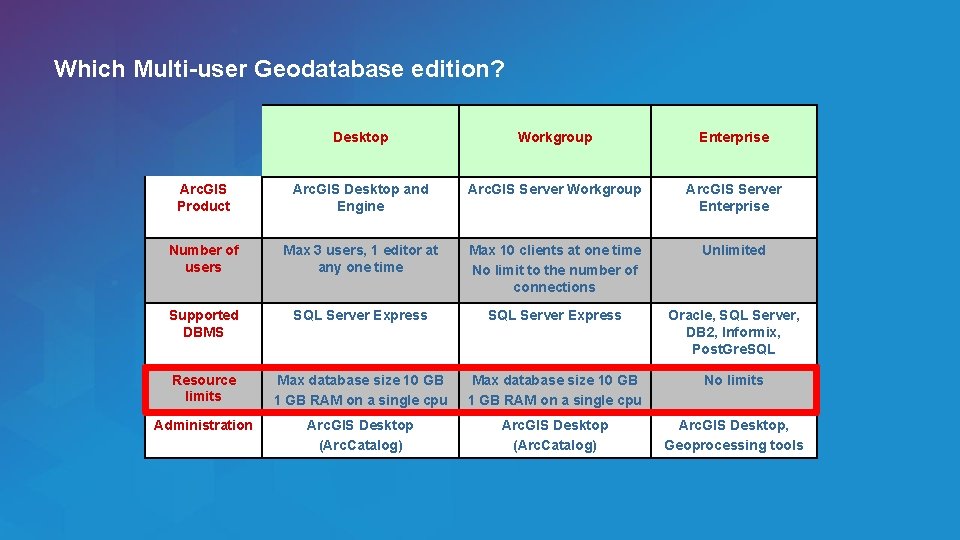
Which Multi-user Geodatabase edition? Esri UC 2014 | Technical Workshop | Desktop Workgroup Enterprise Arc. GIS Product Arc. GIS Desktop and Engine Arc. GIS Server Workgroup Arc. GIS Server Enterprise Number of users Max 3 users, 1 editor at any one time Max 10 clients at one time No limit to the number of connections Unlimited Supported DBMS SQL Server Express Oracle, SQL Server, DB 2, Informix, Post. Gre. SQL Resource limits Max database size 10 GB 1 GB RAM on a single cpu No limits Administration Arc. GIS Desktop (Arc. Catalog) Arc. GIS Desktop, Geoprocessing tools
Session Path • Introduction to the Multi-user Geodatabases • Versioning - What is it? - Why Use Versioning? • Multi-user Geodatabase Editing Strategies • Archiving • Geodatabase Replication • Q&A Esri UC 2014 | Technical Workshop |
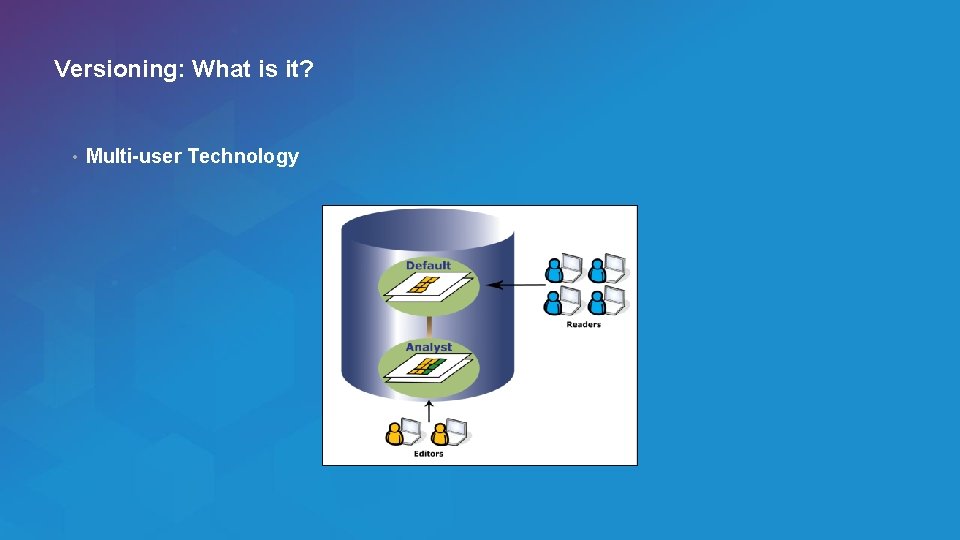
Versioning: What is it? • Multi-user Technology Esri UC 2014 | Technical Workshop |
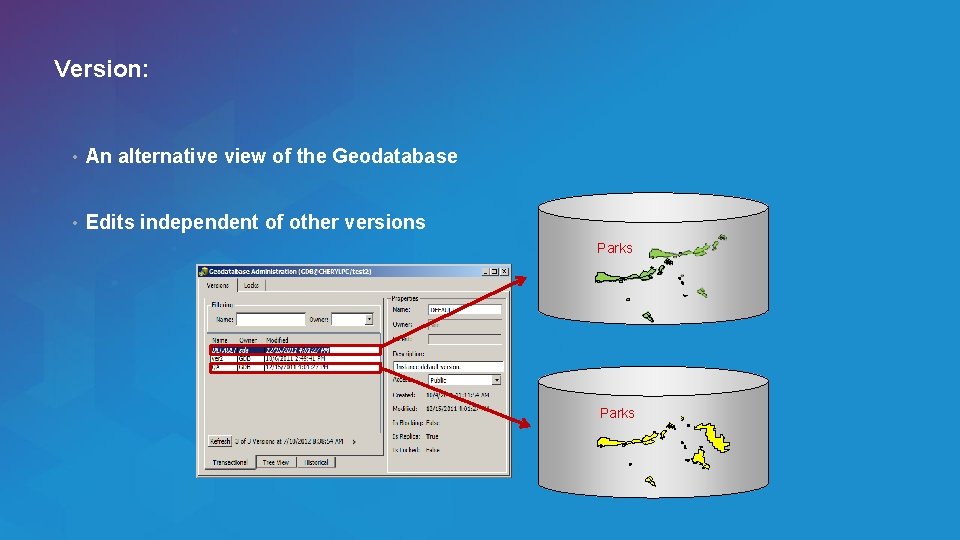
Version: • An alternative view of the Geodatabase • Edits independent of other versions Parks Esri UC 2014 | Technical Workshop |
Why Use Versioning? • Multiple Editors and Edit Sessions / Workflows • Different Views of the Geographic Information • Editing Complex Data (e. g. networks) • Geodatabase Distribution Esri UC 2014 | Technical Workshop |
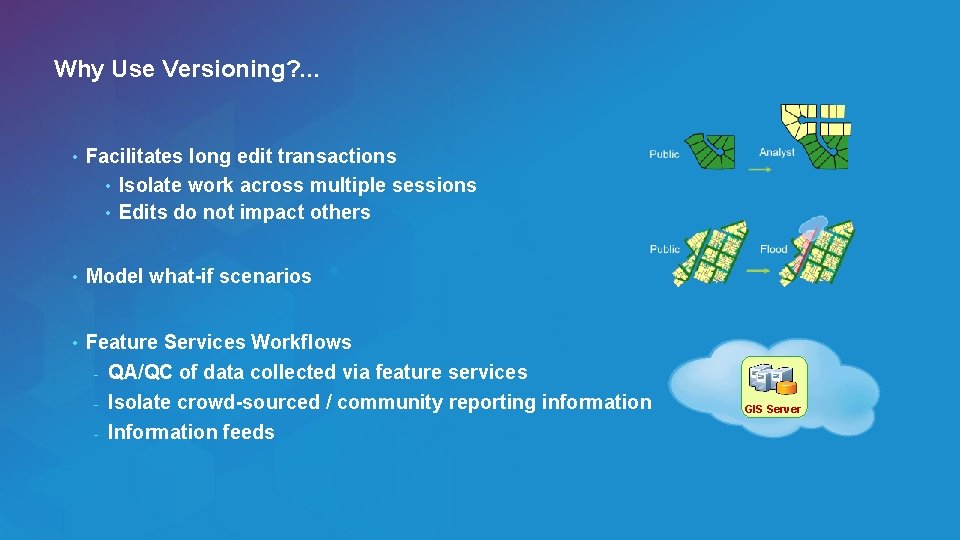
Why Use Versioning? . . . • Facilitates long edit transactions • Isolate work across multiple sessions • Edits do not impact others • Model what-if scenarios • Feature Services Workflows - QA/QC of data collected via feature services - Isolate crowd-sourced / community reporting information - Information feeds Esri UC 2014 | Technical Workshop | GIS Server
Session Path • Introduction to the Multi-user Geodatabase • Versioning • Multi-user Geodatabase Editing Strategies - Versioned Editing - Non-Versioned Editing - Editing through SQL • Archiving • Geodatabase Replication • Q&A Esri UC 2014 | Technical Workshop |
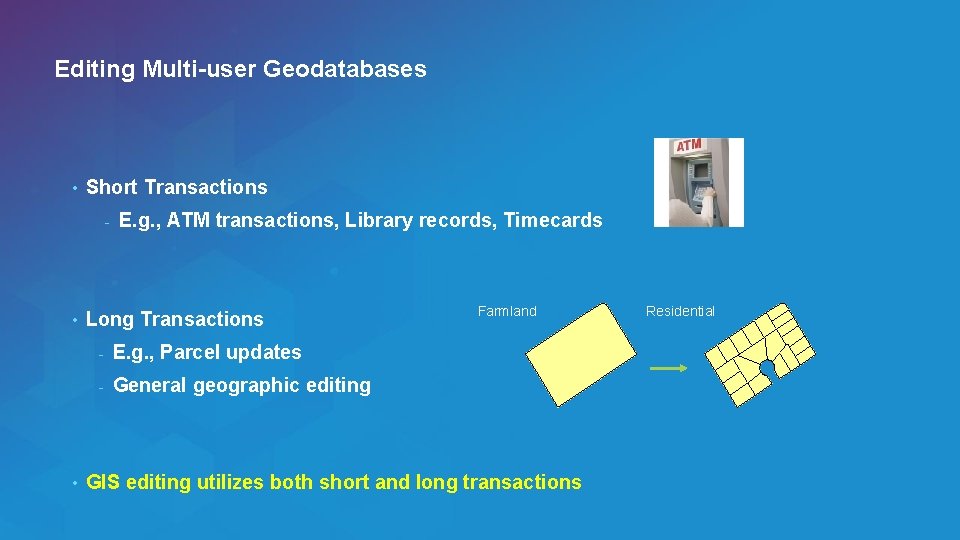
Editing Multi-user Geodatabases • Short Transactions - • • E. g. , ATM transactions, Library records, Timecards Long Transactions - E. g. , Parcel updates - General geographic editing Farmland GIS editing utilizes both short and long transactions Esri UC 2014 | Technical Workshop | Residential
Three ways to edit Multi-user Geodatabases - Versioned Editing (Long Transactions) - Non-Versioned Editing (Short Transactions) - Editing through SQL (Short Transactions) Esri UC 2014 | Technical Workshop |
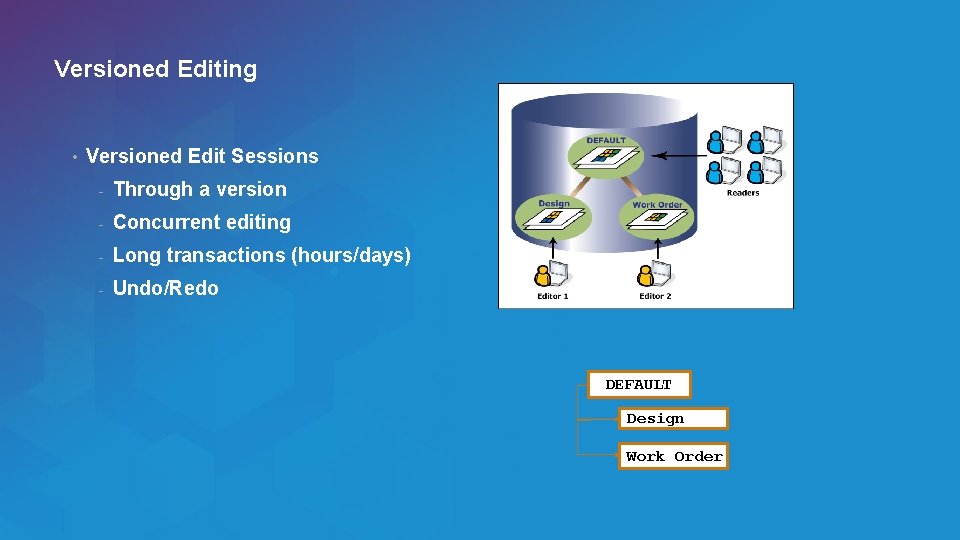
Versioned Editing • Versioned Edit Sessions - Through a version - Concurrent editing - Long transactions (hours/days) - Undo/Redo DEFAULT Design Work Order Esri UC 2014 | Technical Workshop |
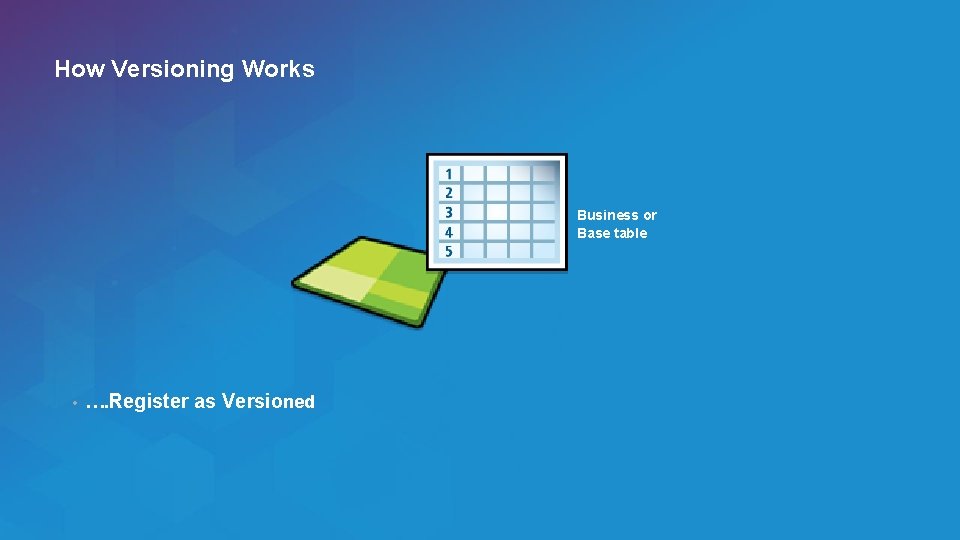
How Versioning Works Business or Base table • …. Register as Versioned Esri UC 2014 | Technical Workshop |
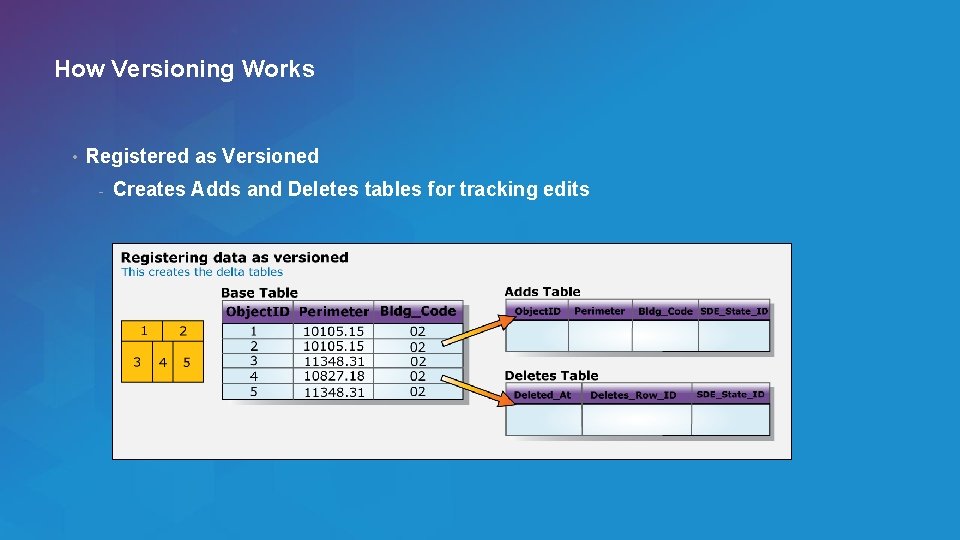
How Versioning Works • Registered as Versioned - Creates Adds and Deletes tables for tracking edits Esri UC 2014 | Technical Workshop |
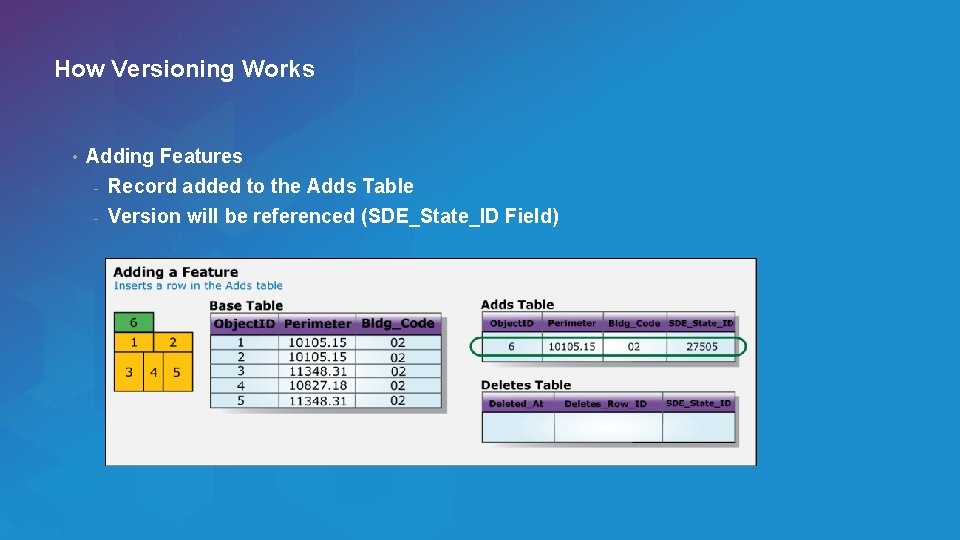
How Versioning Works • Adding Features - Record added to the Adds Table - Version will be referenced (SDE_State_ID Field) Esri UC 2014 | Technical Workshop |
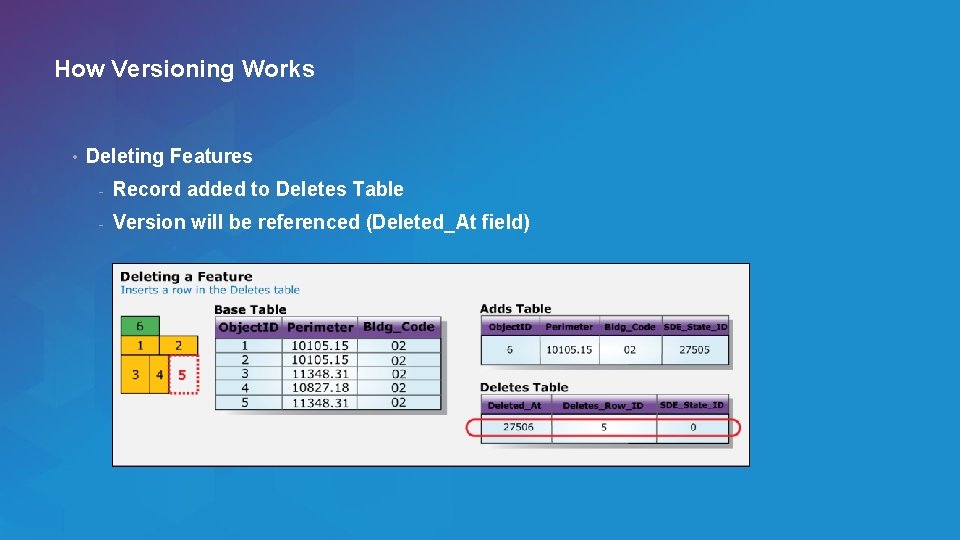
How Versioning Works • Deleting Features - Record added to Deletes Table - Version will be referenced (Deleted_At field) Esri UC 2014 | Technical Workshop |
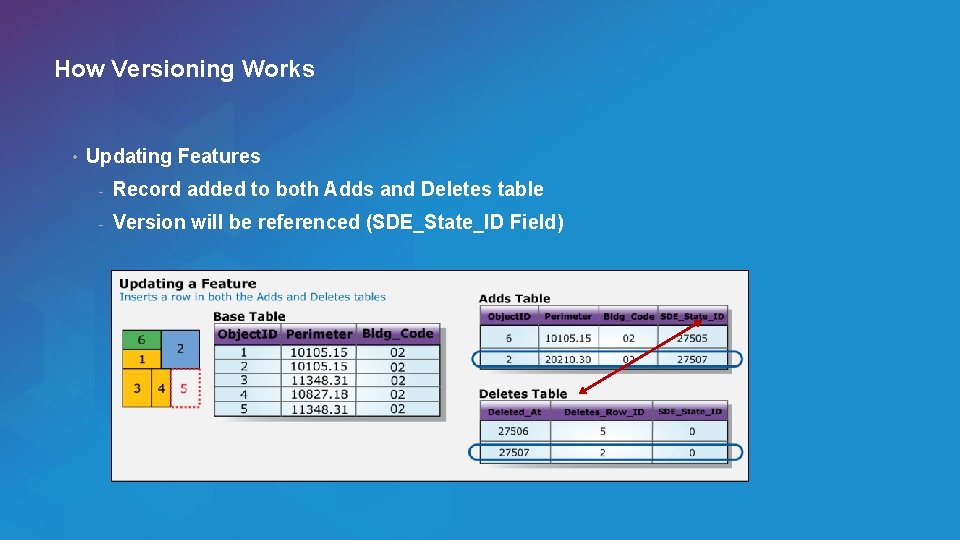
How Versioning Works • Updating Features - Record added to both Adds and Deletes table - Version will be referenced (SDE_State_ID Field) Esri UC 2014 | Technical Workshop |
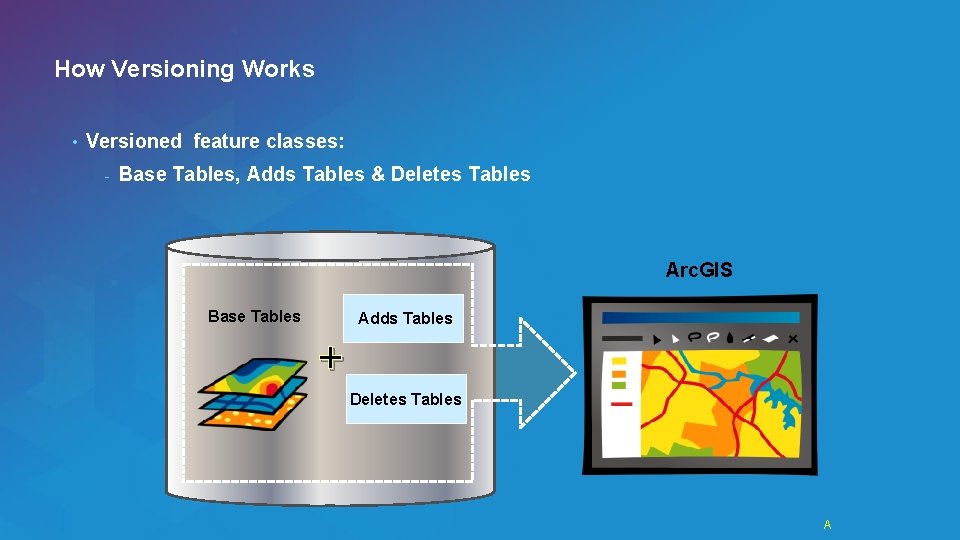
How Versioning Works • Versioned feature classes: - Base Tables, Adds Tables & Deletes Tables Arc. GIS Base Tables Adds Tables + Deletes Tables Esri UC 2014 | Technical Workshop | A
Versioned Editing Demo Shawn Thorne Esri UC 2014 | Technical Workshop |
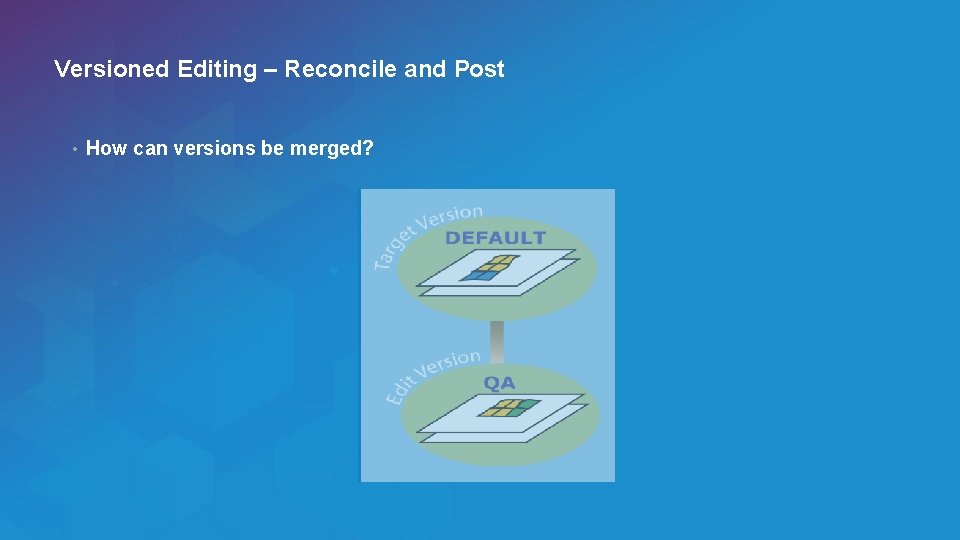
Versioned Editing – Reconcile and Post • How can versions be merged? Esri UC 2014 | Technical Workshop |
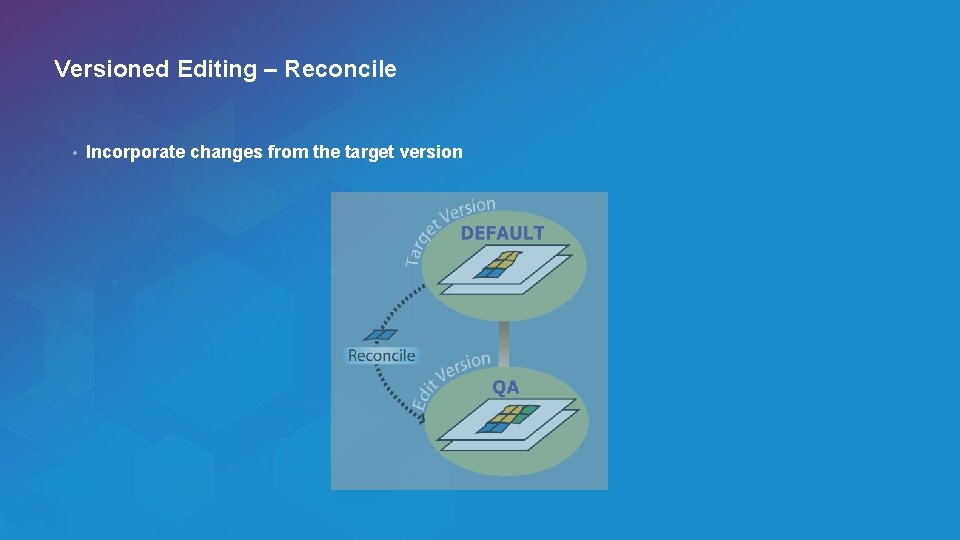
Versioned Editing – Reconcile • Incorporate changes from the target version Esri UC 2014 | Technical Workshop |
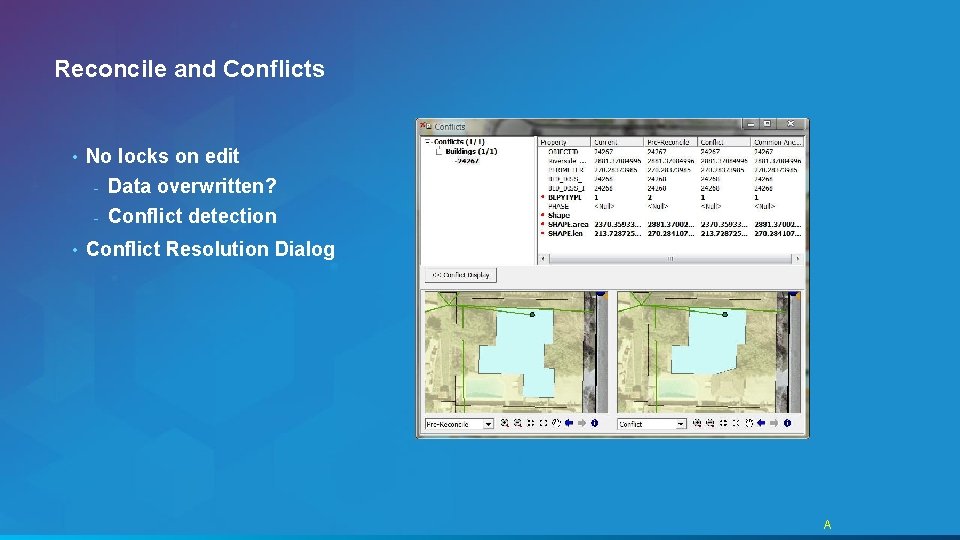
Reconcile and Conflicts • No locks on edit - Data overwritten? - • Conflict detection Conflict Resolution Dialog Esri UC 2014 | Technical Workshop | A
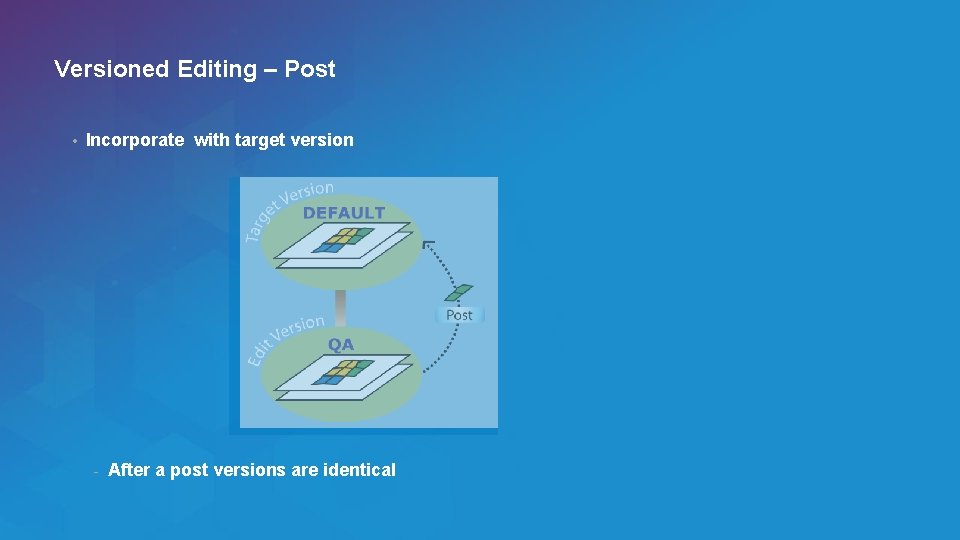
Versioned Editing – Post • Incorporate with target version - After a post versions are identical Esri UC 2014 | Technical Workshop |
Reconcile & Post Demo Shawn Thorne Esri UC 2014 | Technical Workshop |
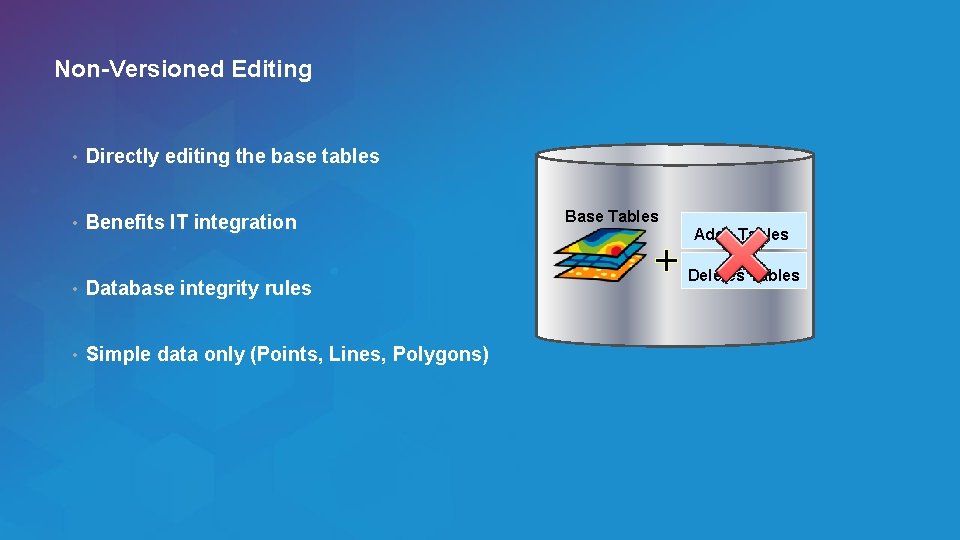
Non-Versioned Editing • Directly editing the base tables • Benefits IT integration • Database integrity rules • Simple data only (Points, Lines, Polygons) Esri UC 2014 | Technical Workshop | Base Tables + Adds Tables Deletes Tables
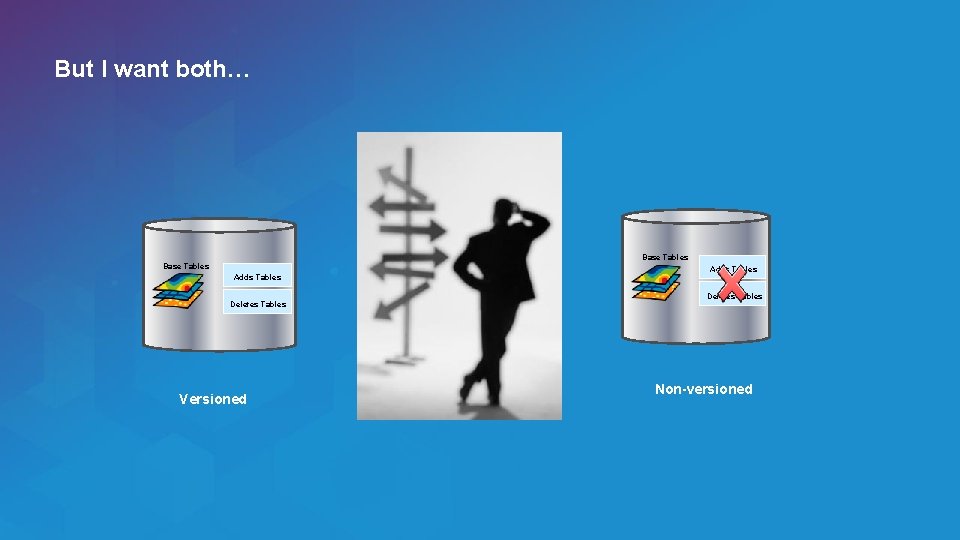
But I want both… Base Tables Adds Tables Deletes Tables Versioned Esri UC 2014 | Technical Workshop | Adds Tables Deletes Tables Non-versioned
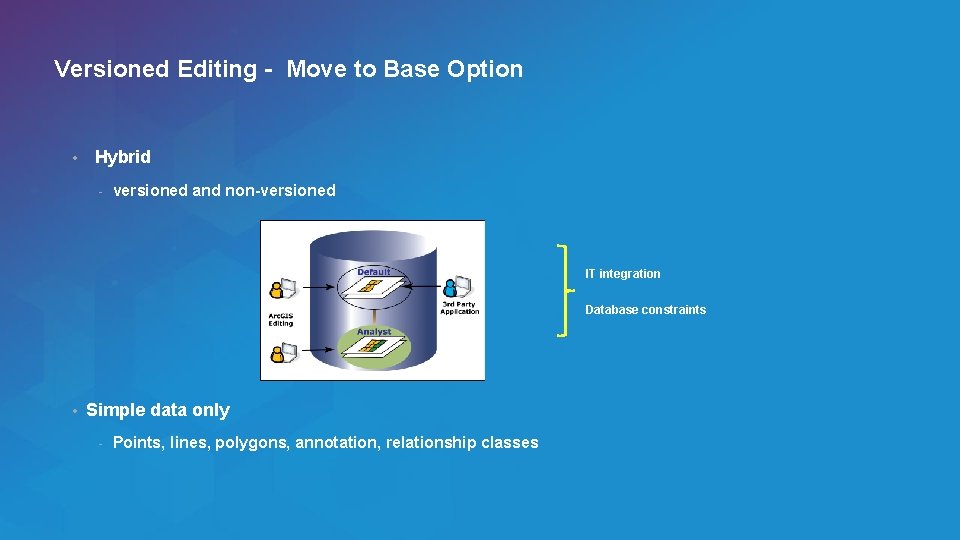
Versioned Editing - Move to Base Option • Hybrid - versioned and non-versioned IT integration Database constraints • Simple data only - Points, lines, polygons, annotation, relationship classes Esri UC 2014 | Technical Workshop |
SQL Editing • Attributes • Geometry - Spatial Types - Non-Arc. GIS Client - SQL access to geometries • Versions • No geodatabase functionality Esri UC 2014 | Technical Workshop |
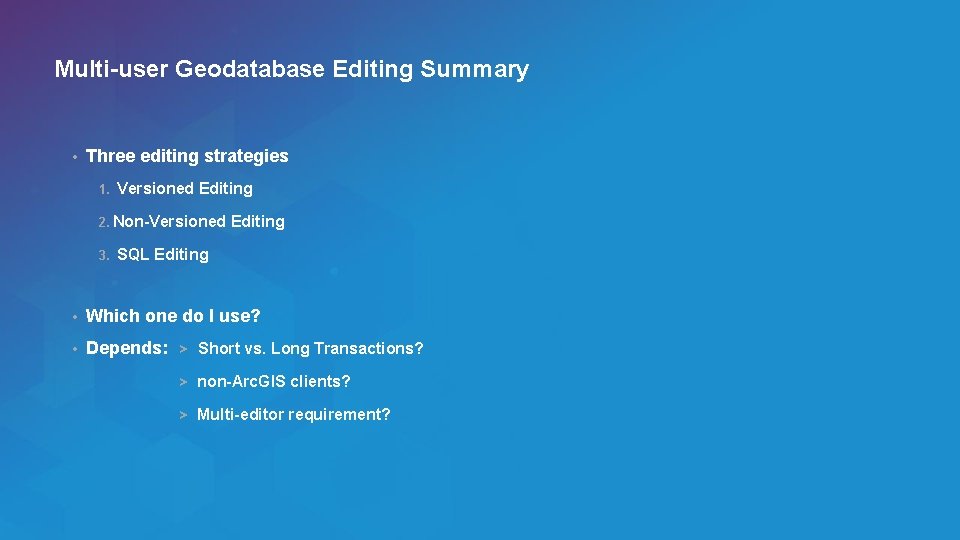
Multi-user Geodatabase Editing Summary • Three editing strategies 1. Versioned Editing 2. Non-Versioned 3. Editing SQL Editing • Which one do I use? • Depends: > Short vs. Long Transactions? > non-Arc. GIS clients? > Multi-editor requirement? Esri UC 2014 | Technical Workshop |
Session Path • Introduction to the Multi-user Geodatabases • Versioning • Multi-user Goedatabase Editing Strategies • Archiving - What is it? - How is it used? • Geodatabase Replication • Q&A Esri UC 2014 | Technical Workshop |
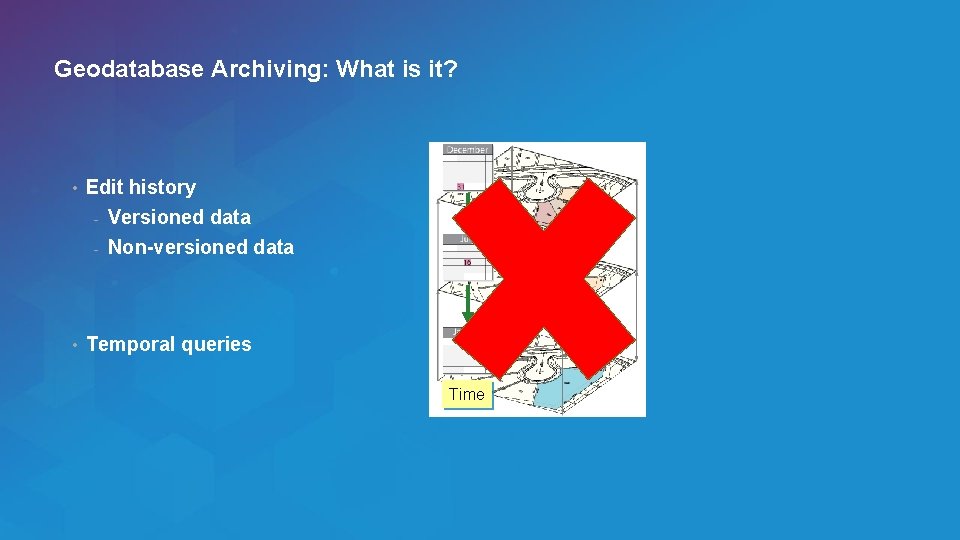
Geodatabase Archiving: What is it? • Edit history - Versioned data - Non-versioned data • Temporal queries Time Esri UC 2014 | Technical Workshop |
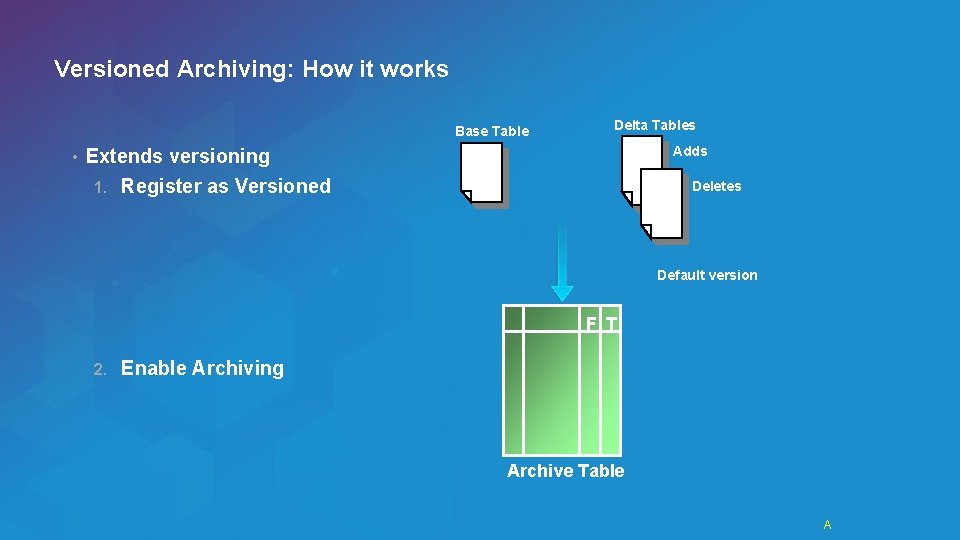
Versioned Archiving: How it works Base Table • Delta Tables Adds Extends versioning 1. Register as Versioned Deletes Default version F T 2. Enable Archiving Archive Table Esri UC 2014 | Technical Workshop | A
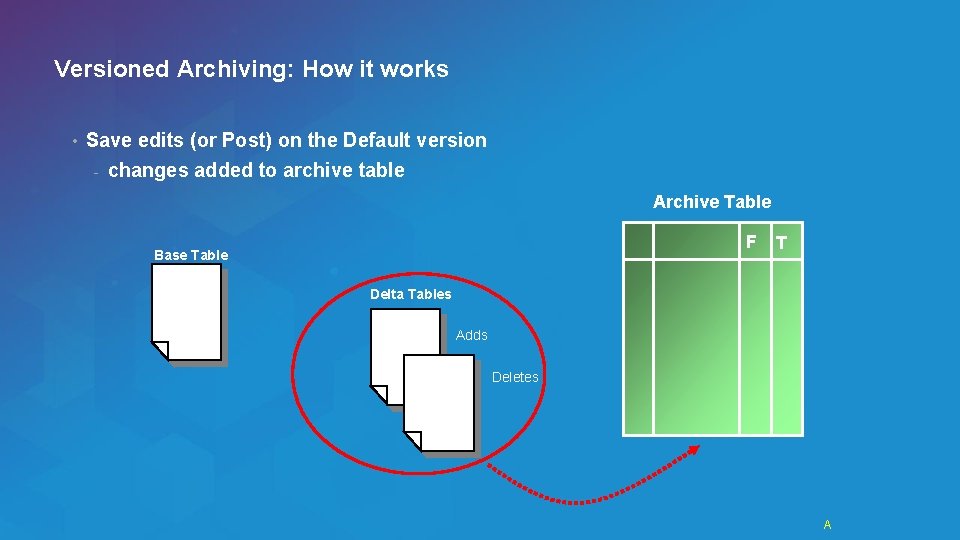
Versioned Archiving: How it works • Save edits (or Post) on the Default version - changes added to archive table Archive Table F Base Table T Delta Tables Adds Deletes Esri UC 2014 | Technical Workshop | A
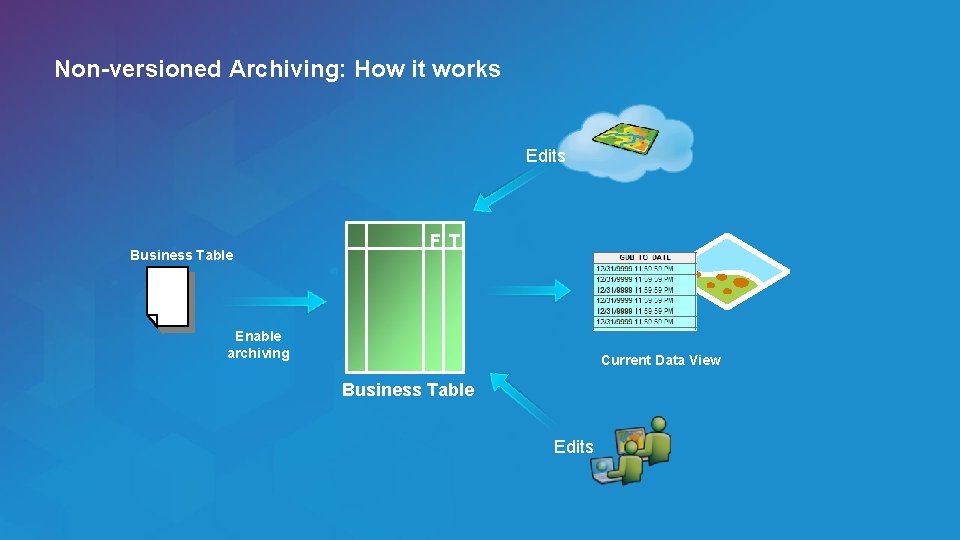
Non-versioned Archiving: How it works Edits Business Table F T Enable archiving Current Data View Business Table Edits Esri UC 2014 | Technical Workshop |
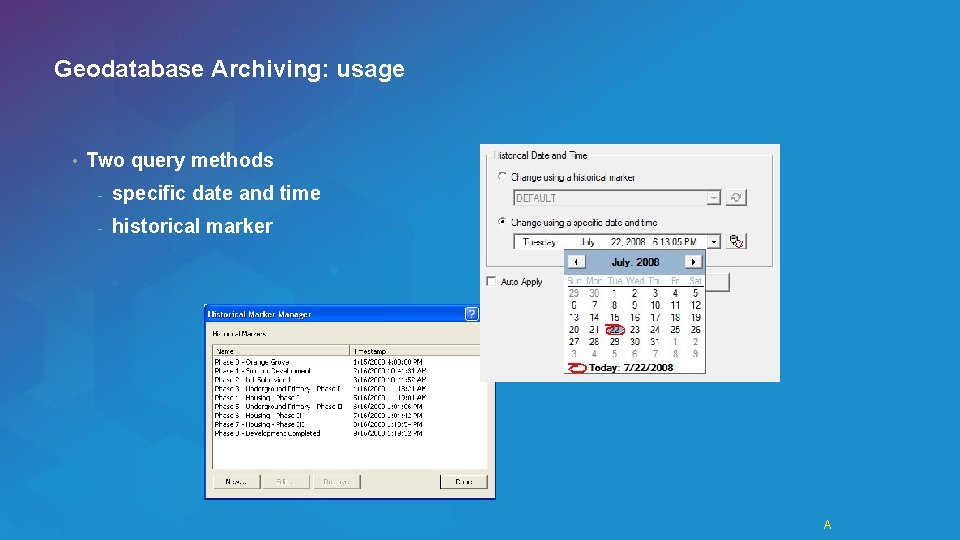
Geodatabase Archiving: usage • Two query methods - specific date and time - historical marker Esri UC 2014 | Technical Workshop | A
Geodatabase Archiving Demo Shawn Thorne Esri UC 2014 | Technical Workshop |
Session Path • Introduction to Multi-user Geodatabases • Versioning • Multi-user Goedatabase Editing Strategies • Archiving - Geodatabase Replication - Q&A Esri UC 2014 | Technical Workshop |
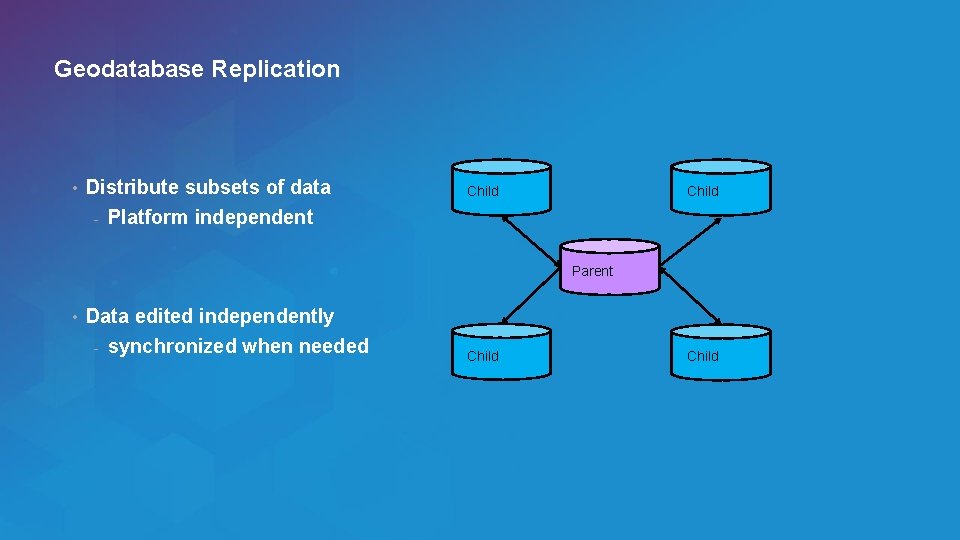
Geodatabase Replication • Distribute subsets of data - Platform independent Child Parent • Data edited independently - synchronized when needed Esri UC 2014 | Technical Workshop | Child
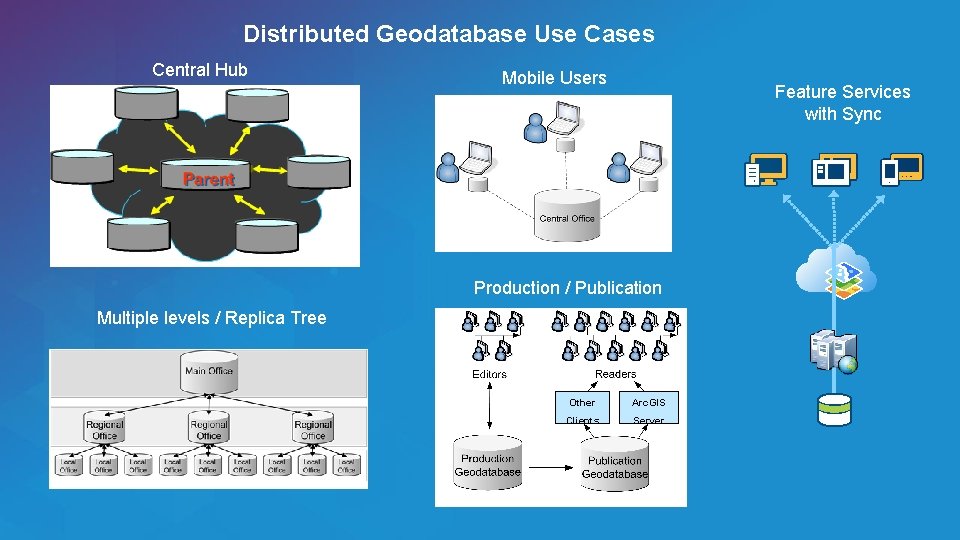
Distributed Geodatabase Use Cases Central Hub Mobile Users Feature Services with Sync Production / Publication Multiple levels / Replica Tree Esri UC 2014 | Technical Workshop | Other Arc. GIS Clients Server
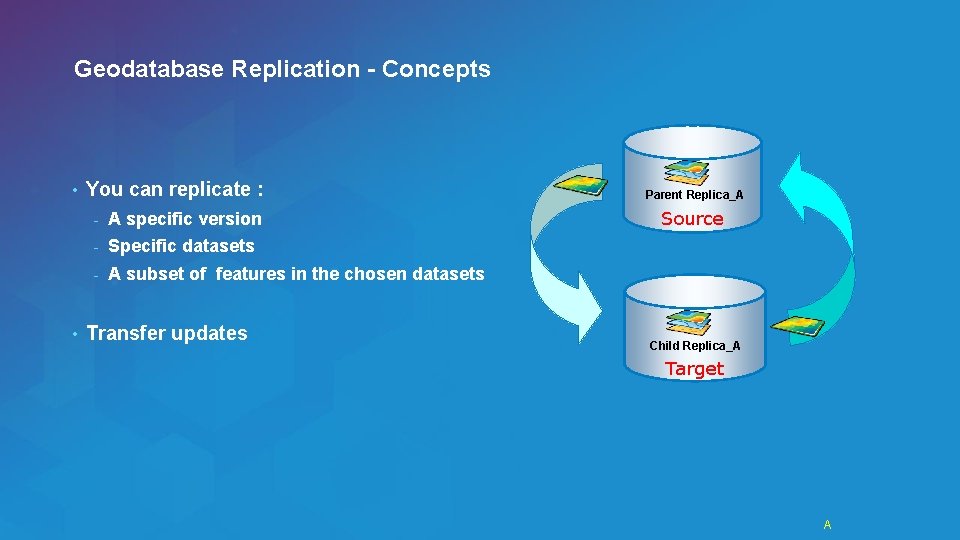
Geodatabase Replication - Concepts • • You can replicate : - A specific version - Specific datasets - A subset of features in the chosen datasets Transfer updates Parent Replica_A Source Child Replica_A Target Esri UC 2014 | Technical Workshop | A
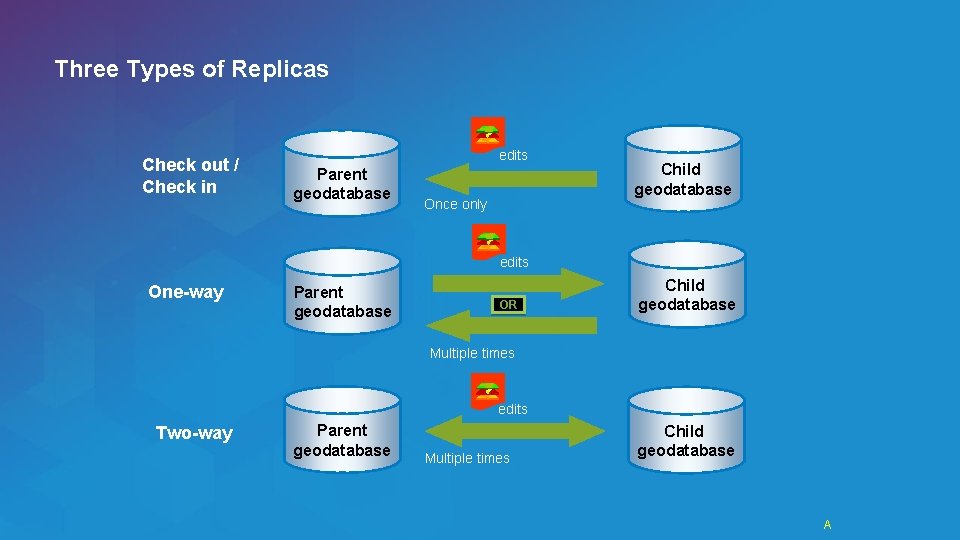
Three Types of Replicas Check out / Check in edits Parent geodatabase Once only Child geodatabase edits One-way Parent geodatabase OR Child geodatabase Multiple times edits Two-way Esri UC 2014 | Technical Workshop | Parent geodatabase Multiple times Child geodatabase A
Geodatabase Replication Demo Shawn Thorne Esri UC 2014 | Technical Workshop |
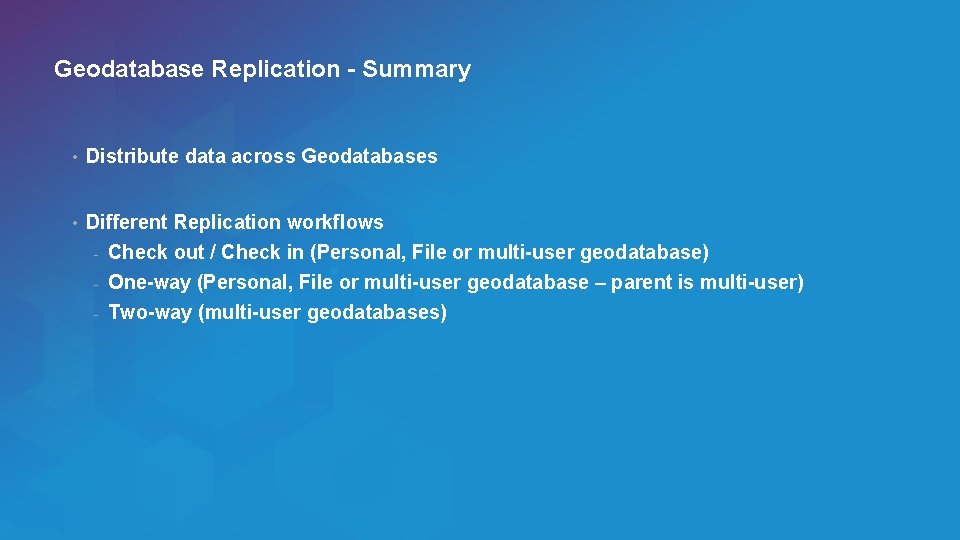
Geodatabase Replication - Summary • Distribute data across Geodatabases • Different Replication workflows - Check out / Check in (Personal, File or multi-user geodatabase) - One-way (Personal, File or multi-user geodatabase – parent is multi-user) - Two-way (multi-user geodatabases) Esri UC 2014 | Technical Workshop |
Session Path - Summary • Introduction to the Multi-user Geodatabases • Versioning • Multi-user Goedatabase Editing Strategies • Archiving • Geodatabase Replication Esri UC 2014 | Technical Workshop |
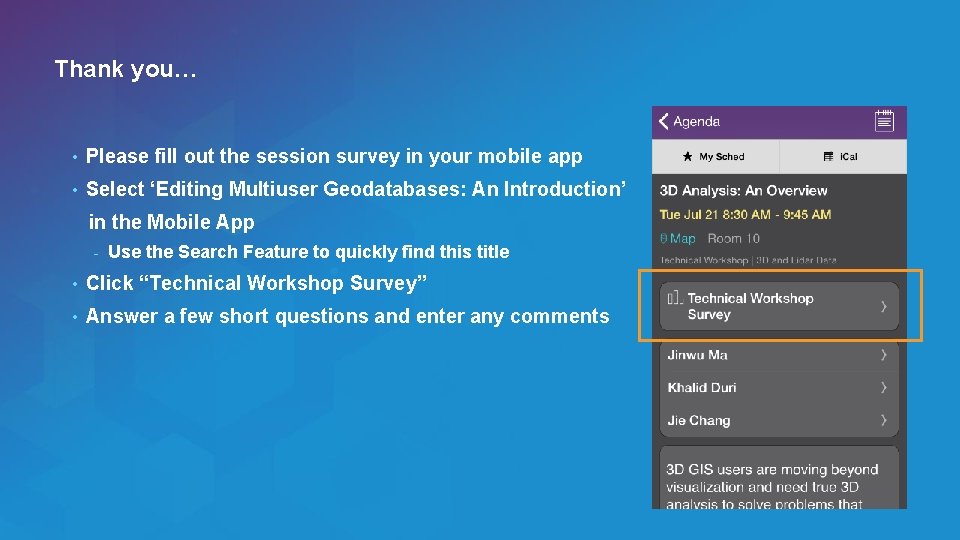
Thank you… • Please fill out the session survey in your mobile app • Select ‘Editing Multiuser Geodatabases: An Introduction’ in the Mobile App - Use the Search Feature to quickly find this title • Click “Technical Workshop Survey” • Answer a few short questions and enter any comments Esri UC 2014 | Technical Workshop |
Thank you for attending! Questions? ? Esri UC 2014 | Technical Workshop |
- Slides: 59