
Edge Detection Computer Vision JiaBin Huang Virginia Tech
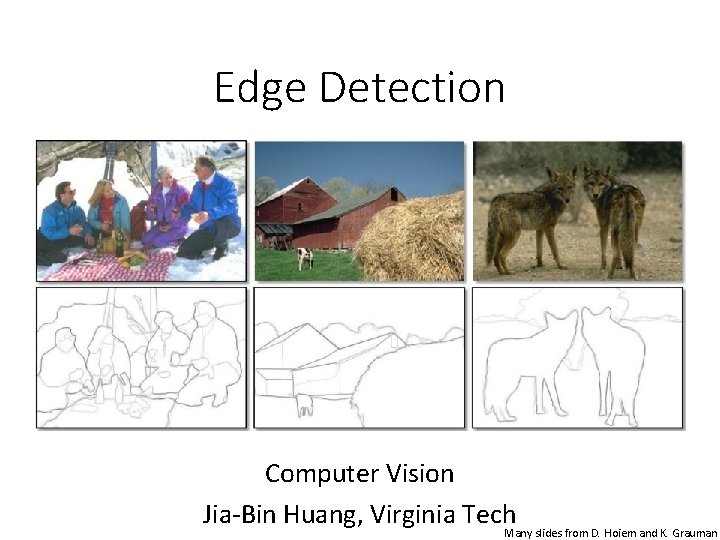
Edge Detection Computer Vision Jia-Bin Huang, Virginia Tech Many slides from D. Hoiem and K. Grauman

Administrative Stuffs • HW 1 posted, due 11: 59 PM Sept 19 • Submission through Canvas • Questions about HW? • Ask me/TA after classes • Post questions on Piazza (no emails) • Attend office hours
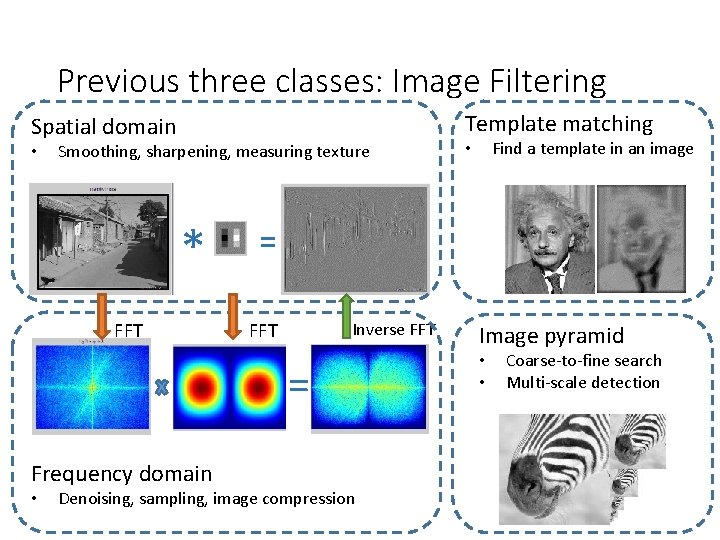
Previous three classes: Image Filtering Template matching Spatial domain • Smoothing, sharpening, measuring texture * FFT = FFT Inverse FFT = Frequency domain • Find a template in an image • Denoising, sampling, image compression Image pyramid • • Coarse-to-fine search Multi-scale detection
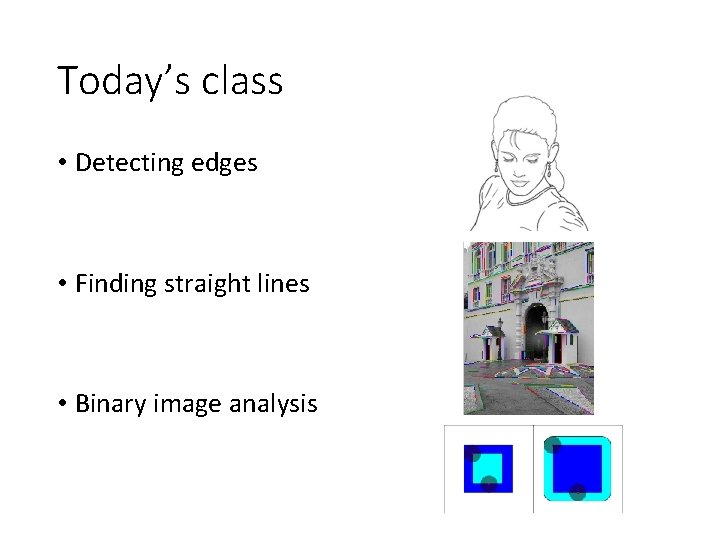
Today’s class • Detecting edges • Finding straight lines • Binary image analysis
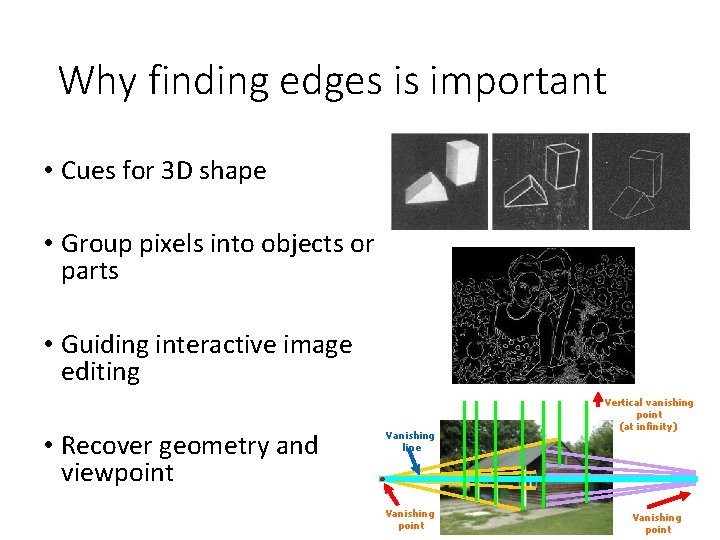
Why finding edges is important • Cues for 3 D shape • Group pixels into objects or parts • Guiding interactive image editing • Recover geometry and viewpoint Vanishing line Vanishing point Vertical vanishing point (at infinity) Vanishing point
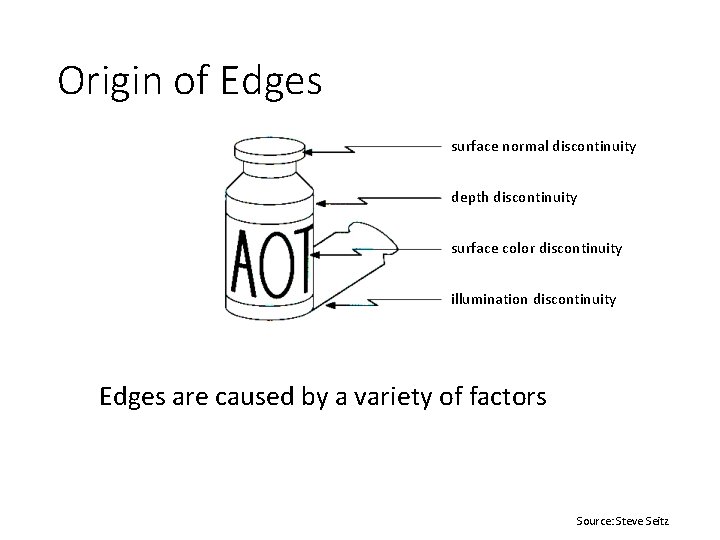
Origin of Edges surface normal discontinuity depth discontinuity surface color discontinuity illumination discontinuity Edges are caused by a variety of factors Source: Steve Seitz
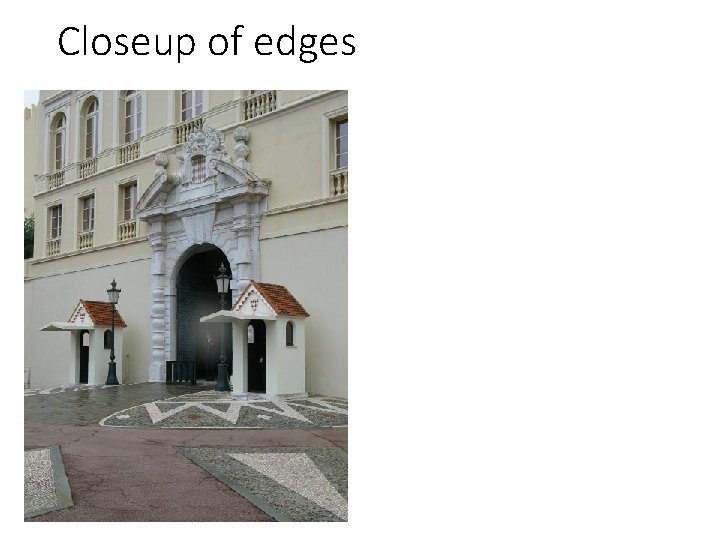
Closeup of edges
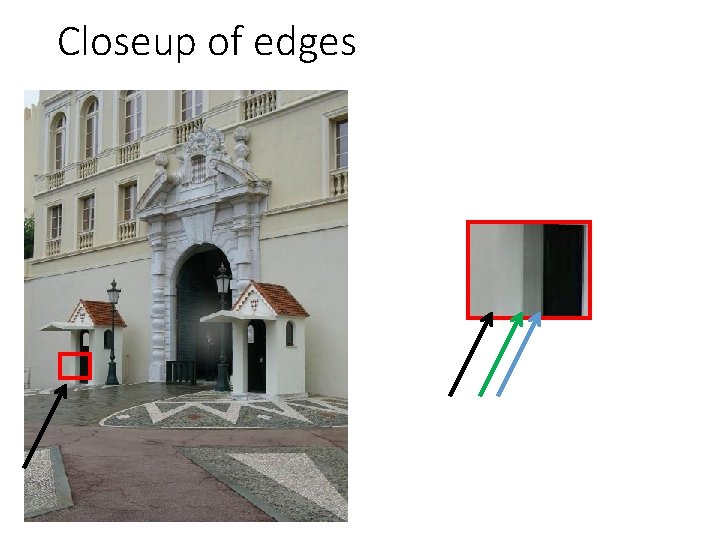
Closeup of edges
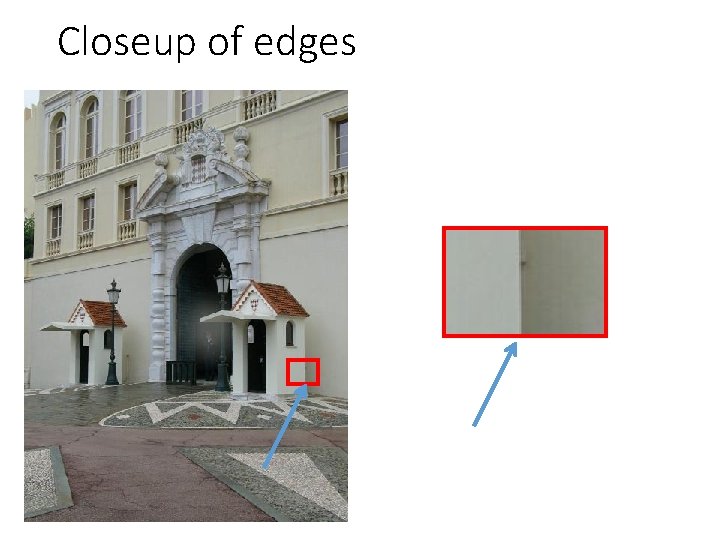
Closeup of edges
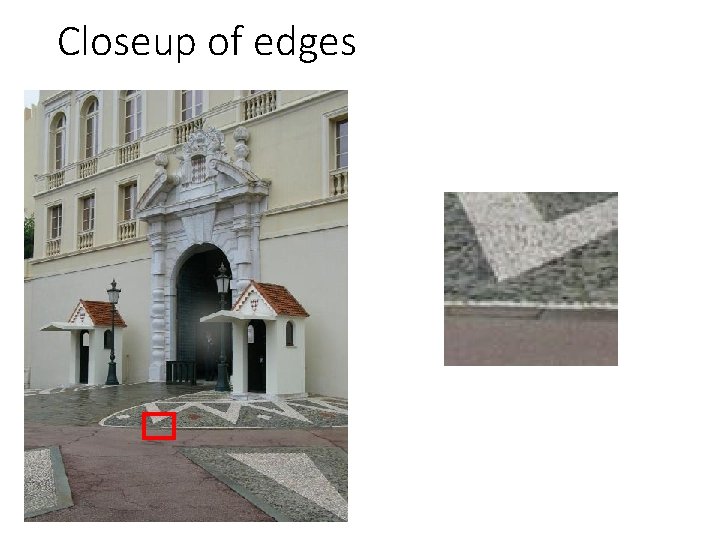
Closeup of edges
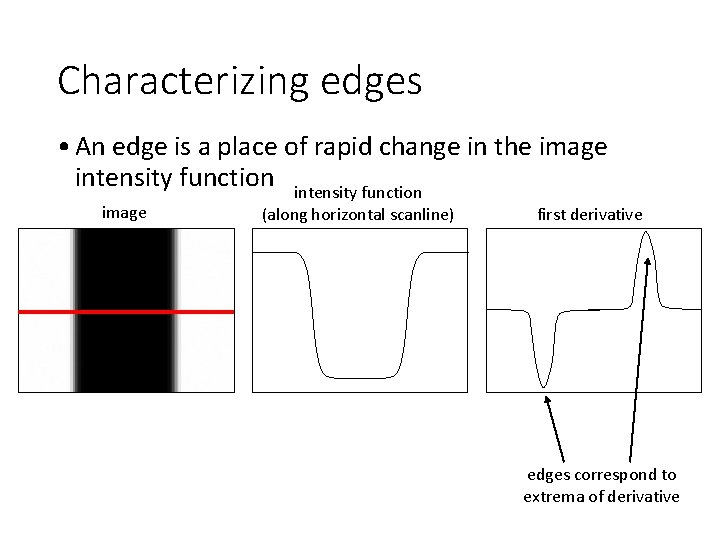
Characterizing edges • An edge is a place of rapid change in the image intensity function image (along horizontal scanline) first derivative edges correspond to extrema of derivative
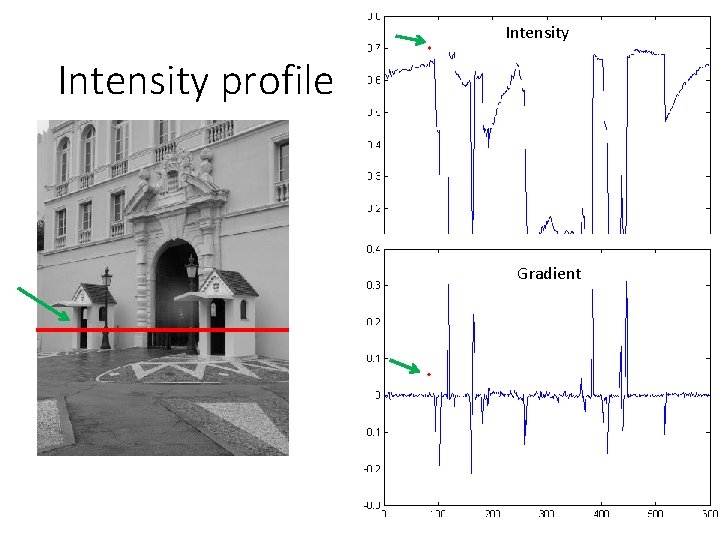
Intensity profile Gradient
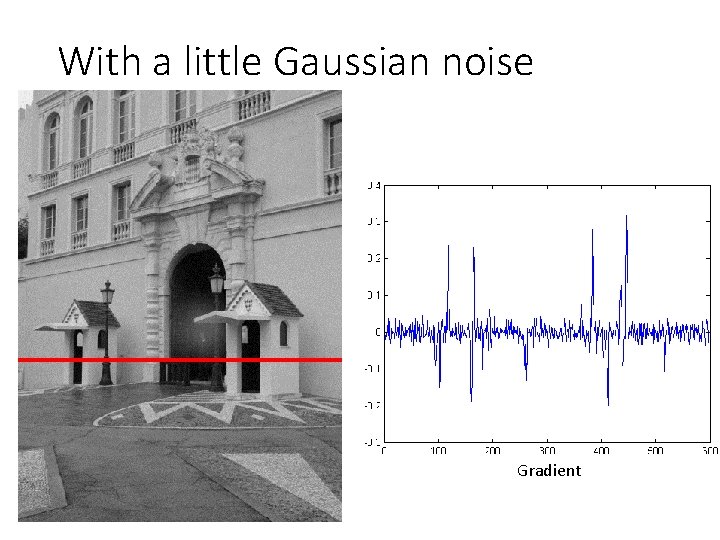
With a little Gaussian noise Gradient
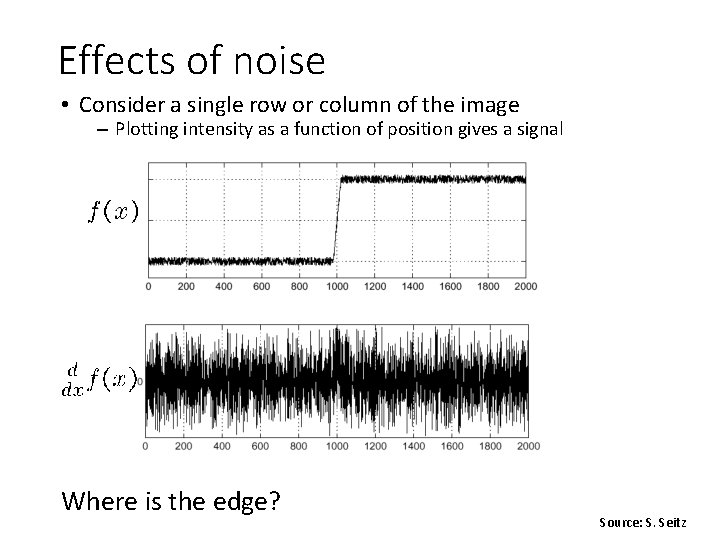
Effects of noise • Consider a single row or column of the image – Plotting intensity as a function of position gives a signal Where is the edge? Source: S. Seitz
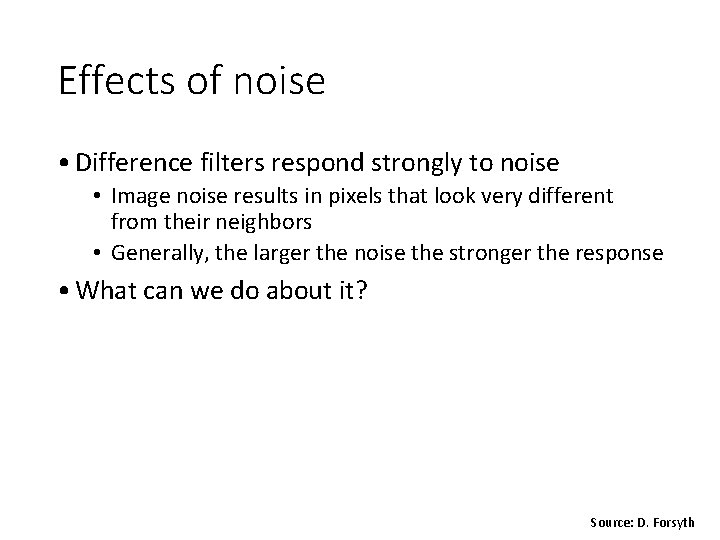
Effects of noise • Difference filters respond strongly to noise • Image noise results in pixels that look very different from their neighbors • Generally, the larger the noise the stronger the response • What can we do about it? Source: D. Forsyth
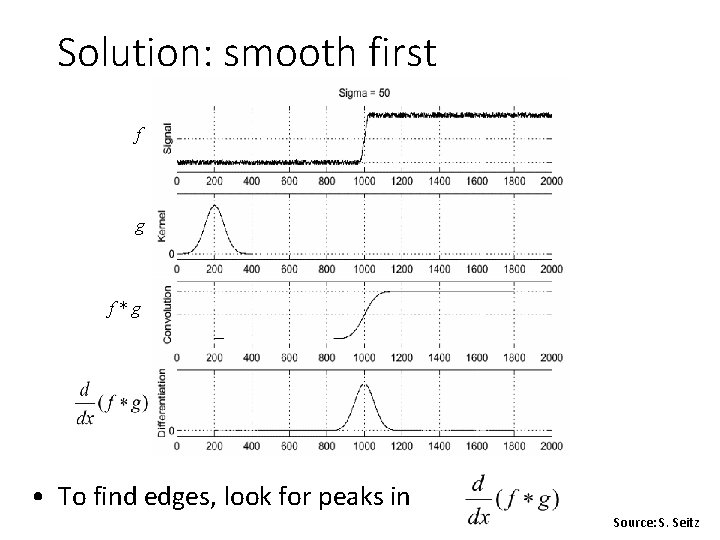
Solution: smooth first f g f*g • To find edges, look for peaks in Source: S. Seitz
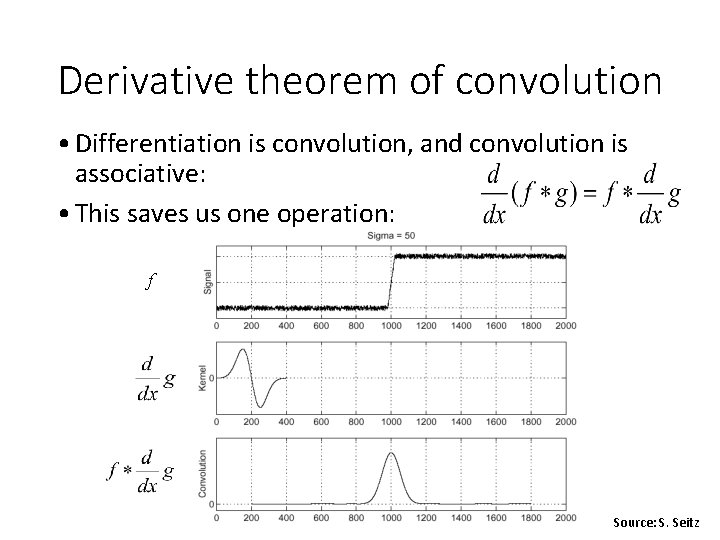
Derivative theorem of convolution • Differentiation is convolution, and convolution is associative: • This saves us one operation: f Source: S. Seitz
![Derivative of Gaussian filter * [1 0 -1] = • Is this filter separable?](http://slidetodoc.com/presentation_image_h/aa74d8ac96428168e4c1cd183412391d/image-18.jpg "Derivative of Gaussian filter * [1 0 -1] = • Is this filter separable?")
Derivative of Gaussian filter * [1 0 -1] = • Is this filter separable?
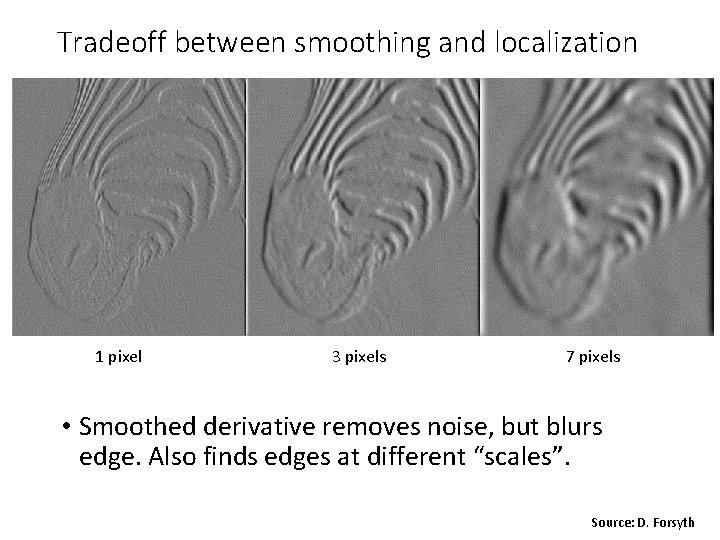
Tradeoff between smoothing and localization 1 pixel 3 pixels 7 pixels • Smoothed derivative removes noise, but blurs edge. Also finds edges at different “scales”. Source: D. Forsyth
Designing an edge detector • Criteria for a good edge detector: • Good detection: • find all real edges, ignoring noise or other artifacts • Good localization • detect edges as close as possible to the true edges • return one point only for each true edge point • Cues of edge detection • Differences in color, intensity, or texture across the boundary • Continuity and closure • High-level knowledge Source: L. Fei-Fei
Canny edge detector • This is probably the most widely used edge detector in computer vision • Theoretical model: step-edges corrupted by additive Gaussian noise • Canny has shown that the first derivative of the Gaussian closely approximates the operator that optimizes the product of signal-to-noise ratio and localization J. Canny, A Computational Approach To Edge Detection, IEEE Trans. Pattern Analysis and Machine Intelligence, 8: 679 -714, 1986. Source: L. Fei-Fei
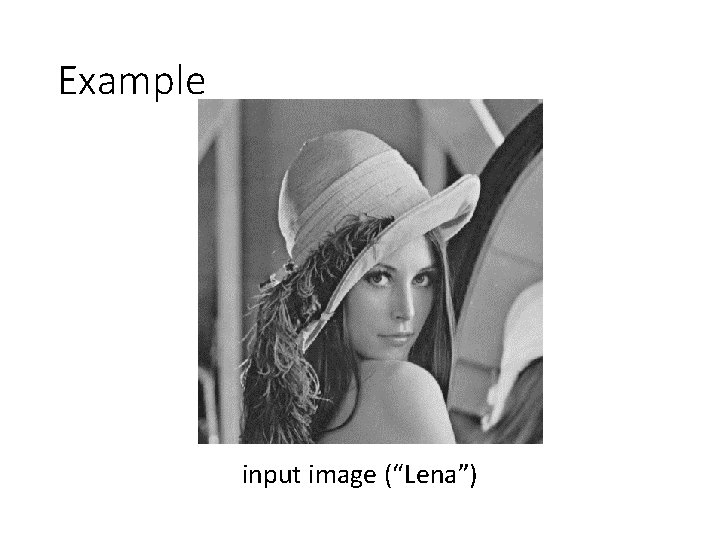
Example input image (“Lena”)
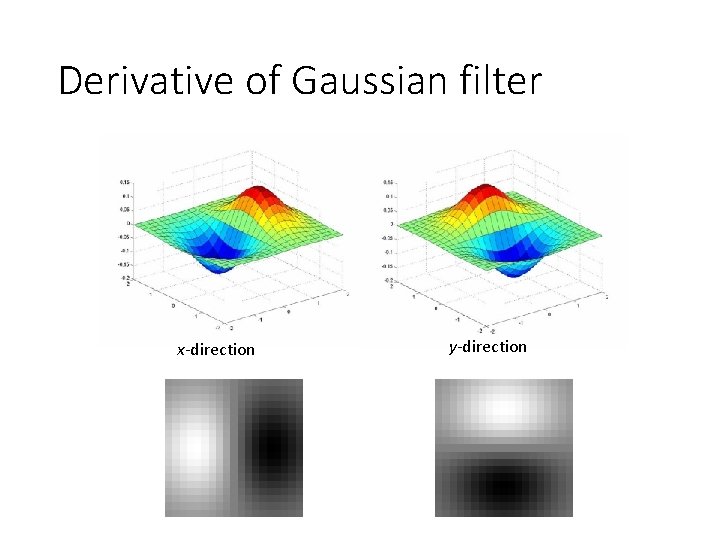
Derivative of Gaussian filter x-direction y-direction
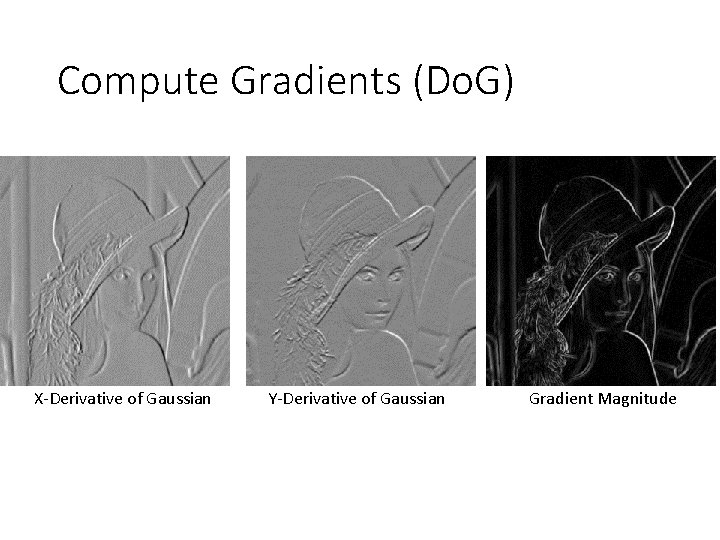
Compute Gradients (Do. G) X-Derivative of Gaussian Y-Derivative of Gaussian Gradient Magnitude
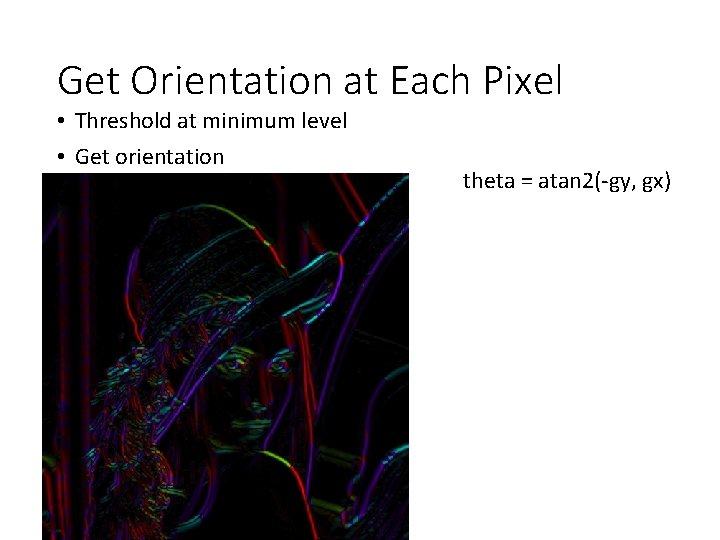
Get Orientation at Each Pixel • Threshold at minimum level • Get orientation theta = atan 2(-gy, gx)
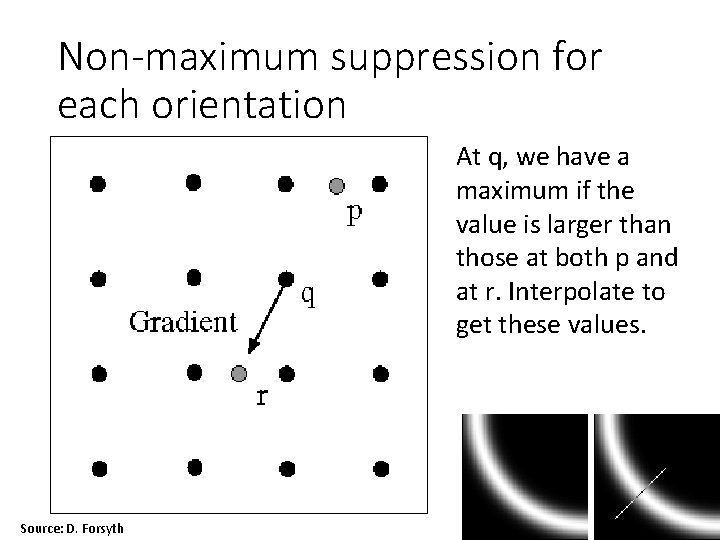
Non-maximum suppression for each orientation At q, we have a maximum if the value is larger than those at both p and at r. Interpolate to get these values. Source: D. Forsyth
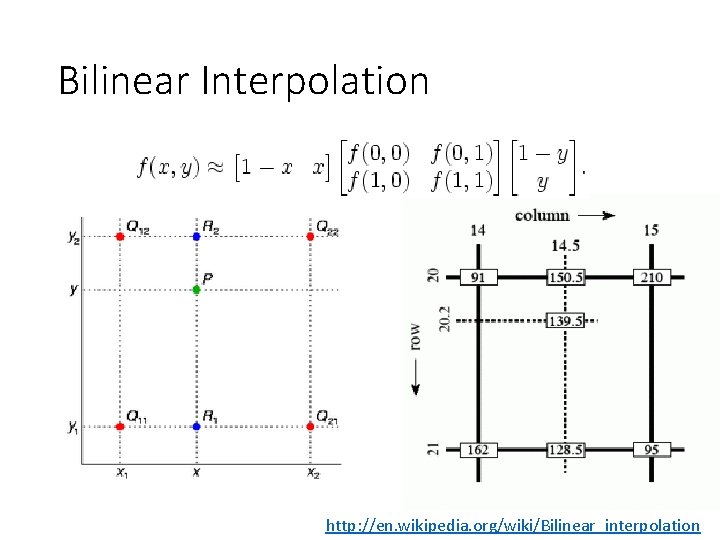
Bilinear Interpolation http: //en. wikipedia. org/wiki/Bilinear_interpolation
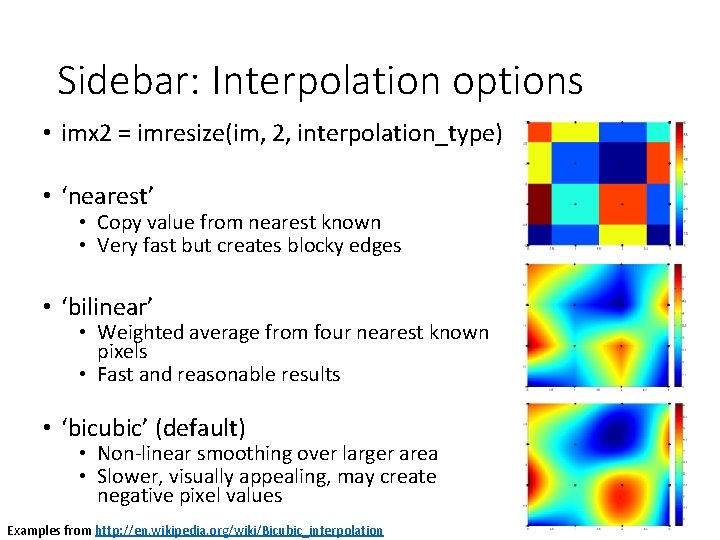
Sidebar: Interpolation options • imx 2 = imresize(im, 2, interpolation_type) • ‘nearest’ • Copy value from nearest known • Very fast but creates blocky edges • ‘bilinear’ • Weighted average from four nearest known pixels • Fast and reasonable results • ‘bicubic’ (default) • Non-linear smoothing over larger area • Slower, visually appealing, may create negative pixel values Examples from http: //en. wikipedia. org/wiki/Bicubic_interpolation
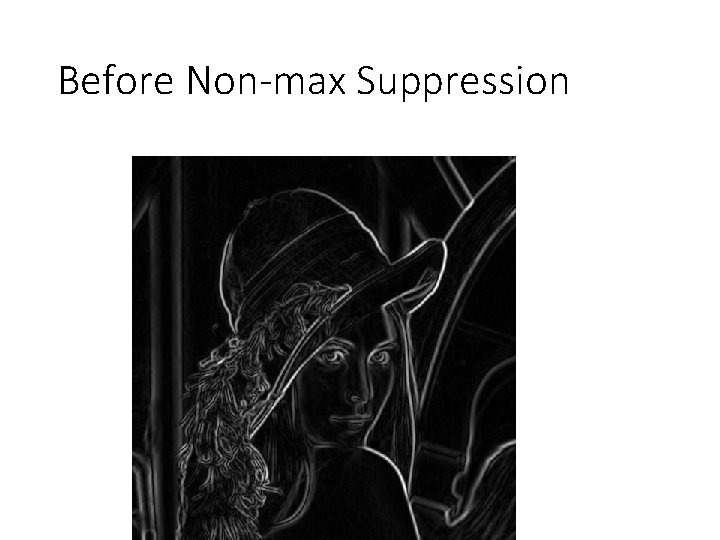
Before Non-max Suppression
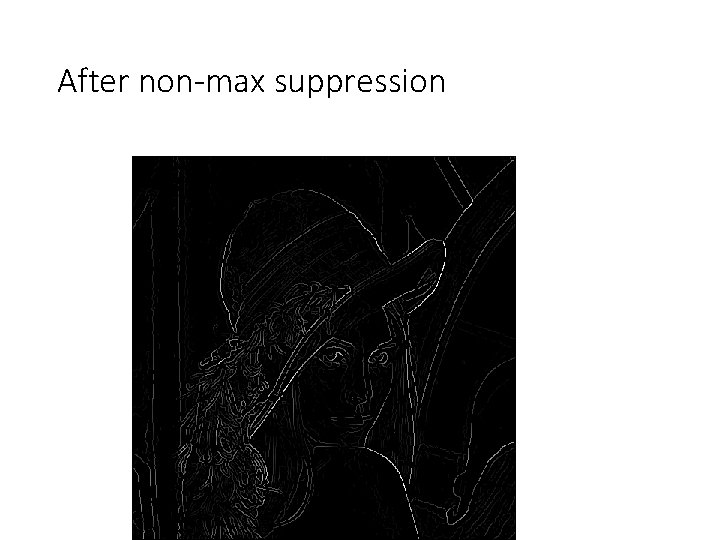
After non-max suppression
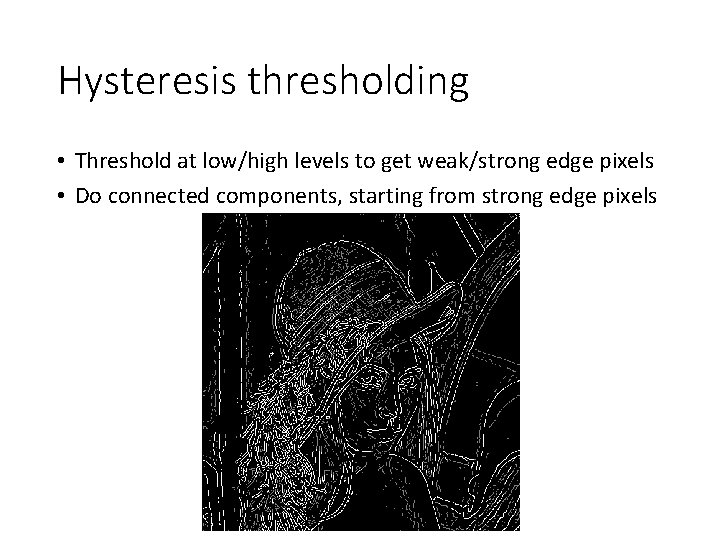
Hysteresis thresholding • Threshold at low/high levels to get weak/strong edge pixels • Do connected components, starting from strong edge pixels
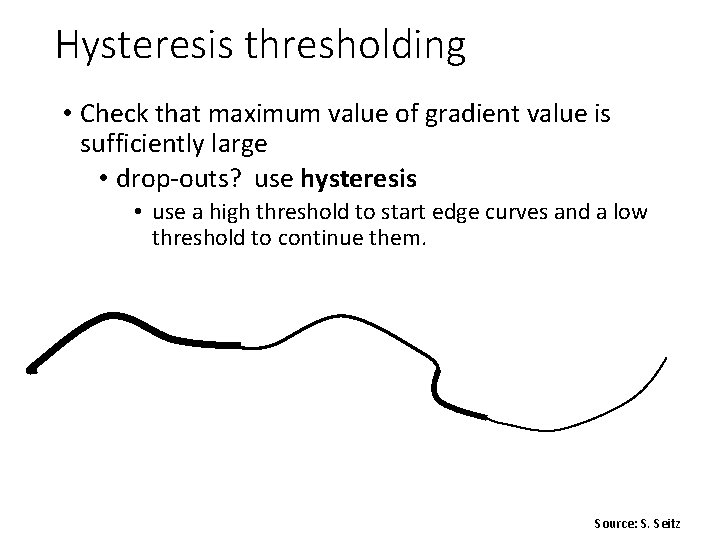
Hysteresis thresholding • Check that maximum value of gradient value is sufficiently large • drop-outs? use hysteresis • use a high threshold to start edge curves and a low threshold to continue them. Source: S. Seitz
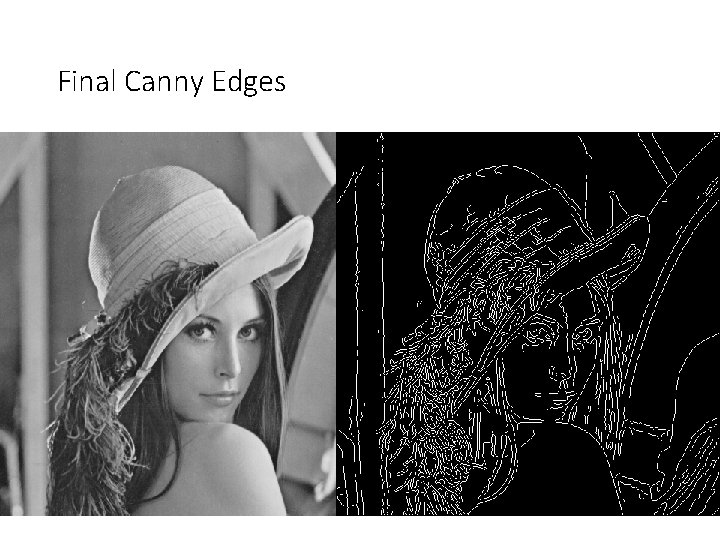
Final Canny Edges
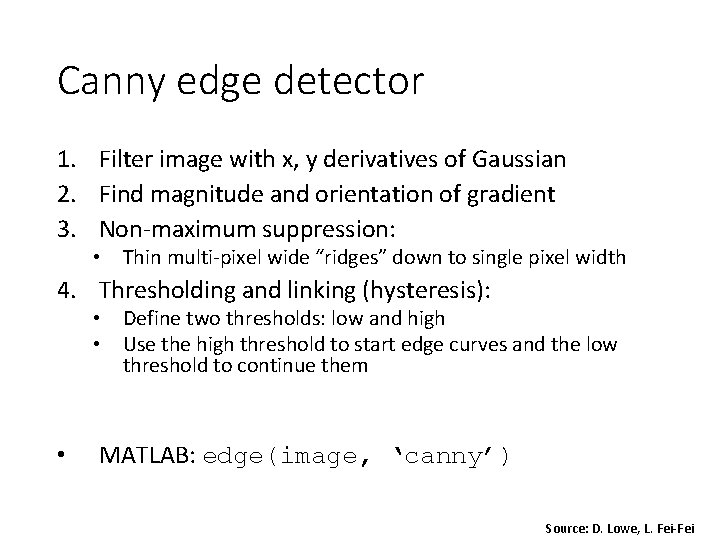
Canny edge detector 1. Filter image with x, y derivatives of Gaussian 2. Find magnitude and orientation of gradient 3. Non-maximum suppression: • Thin multi-pixel wide “ridges” down to single pixel width 4. Thresholding and linking (hysteresis): • Define two thresholds: low and high • Use the high threshold to start edge curves and the low threshold to continue them • MATLAB: edge(image, ‘canny’) Source: D. Lowe, L. Fei-Fei
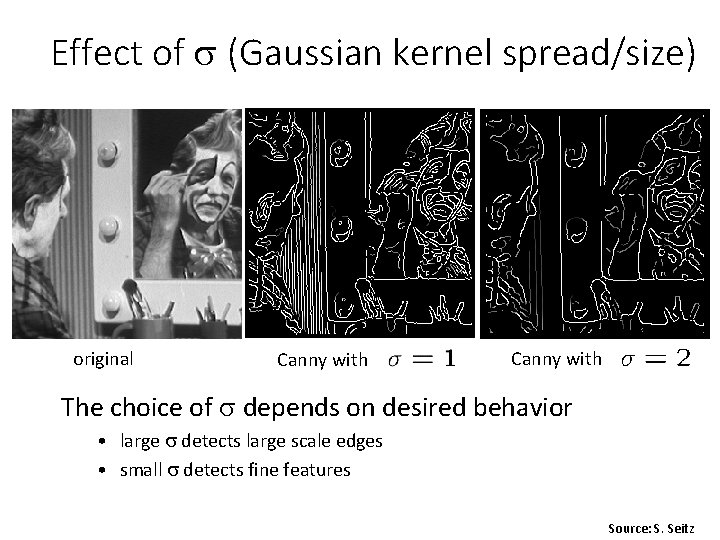
Effect of (Gaussian kernel spread/size) original Canny with The choice of depends on desired behavior • large detects large scale edges • small detects fine features Source: S. Seitz
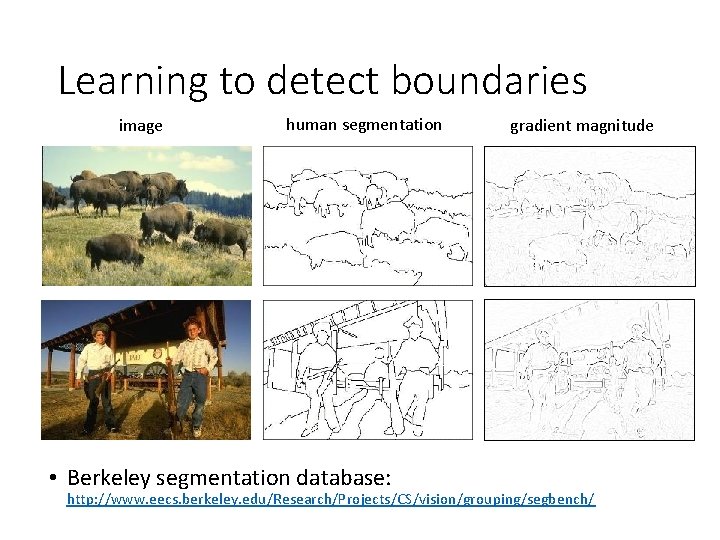
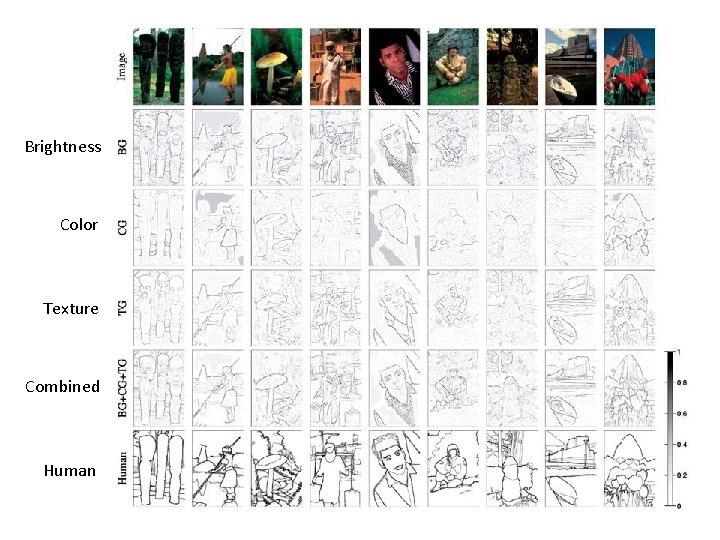
Learning to detect boundaries image human segmentation • Berkeley segmentation database: gradient magnitude http: //www. eecs. berkeley. edu/Research/Projects/CS/vision/grouping/segbench/
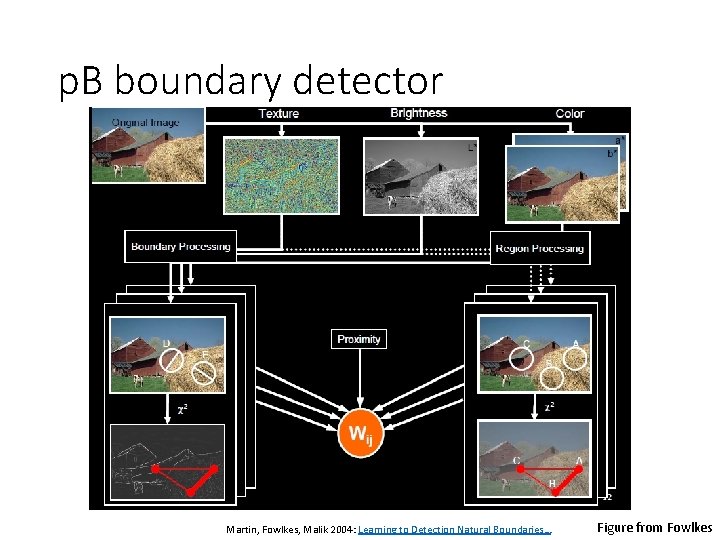
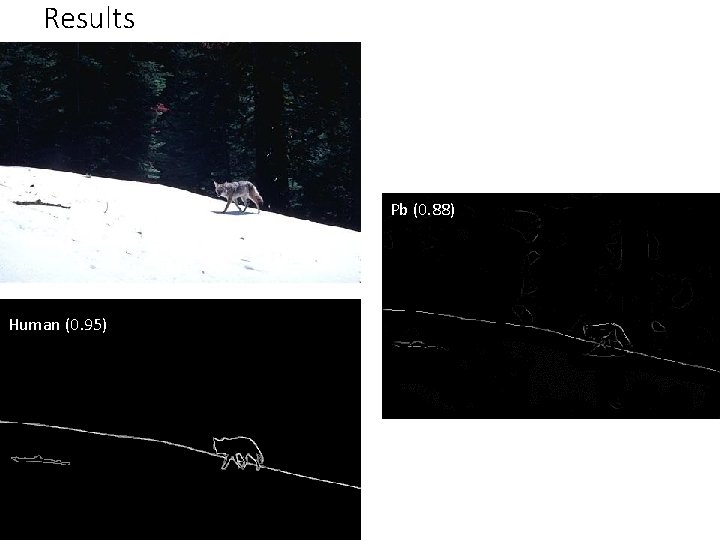
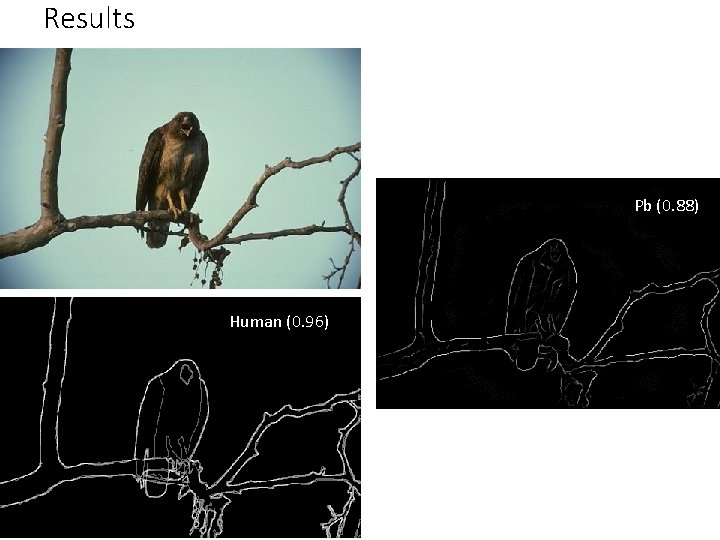
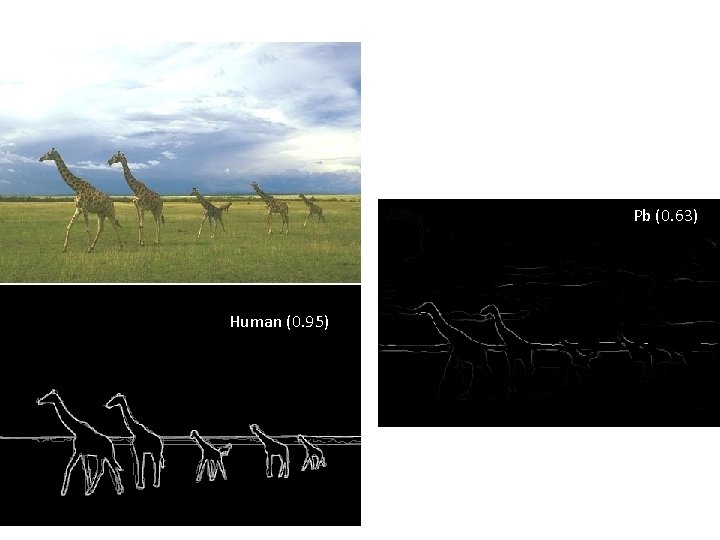
p. B boundary detector Martin, Fowlkes, Malik 2004: Learning to Detection Natural Boundaries… Figure from Fowlkes
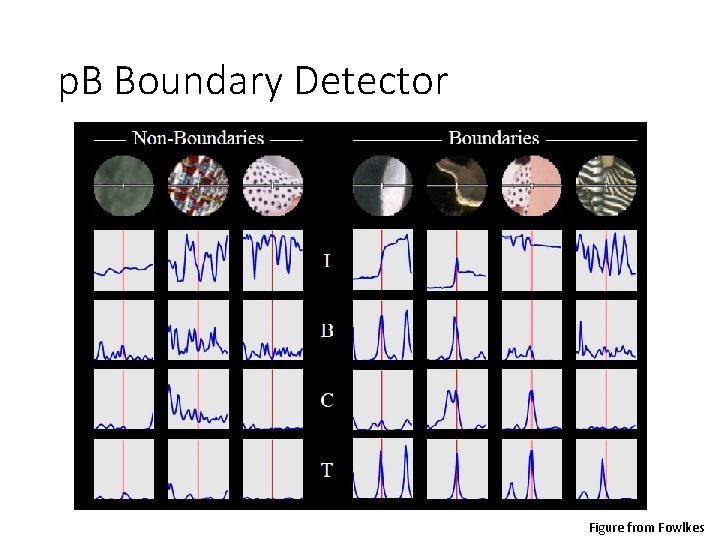
p. B Boundary Detector Figure from Fowlkes
Brightness Color Texture Combined Human
Results Pb (0. 88) Human (0. 95)
Results Pb Human (0. 96) Pb (0. 88) Global Pb
Pb (0. 63) Human (0. 95)
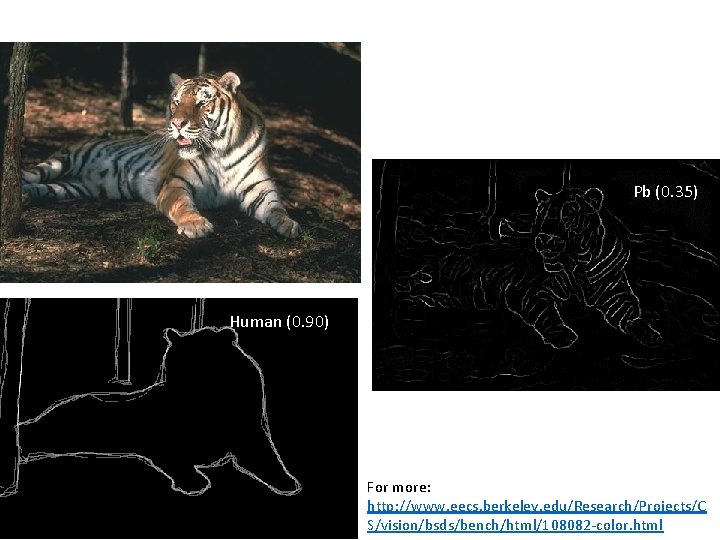
Pb (0. 35) Human (0. 90) For more: http: //www. eecs. berkeley. edu/Research/Projects/C S/vision/bsds/bench/html/108082 -color. html
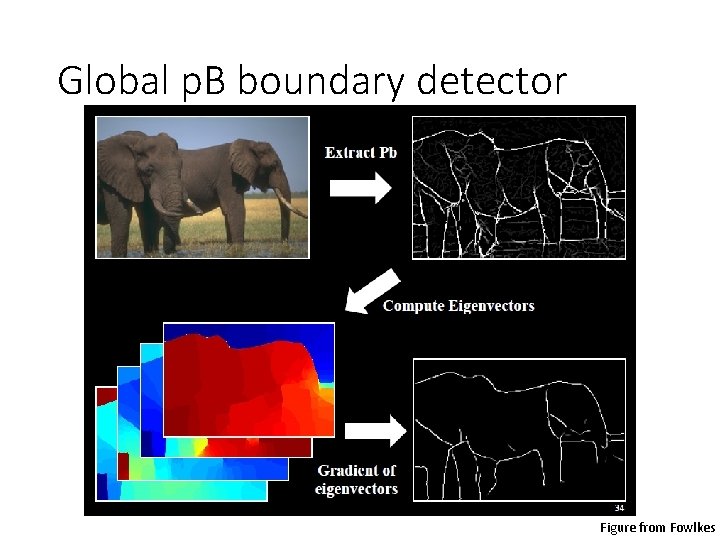
Global p. B boundary detector Figure from Fowlkes
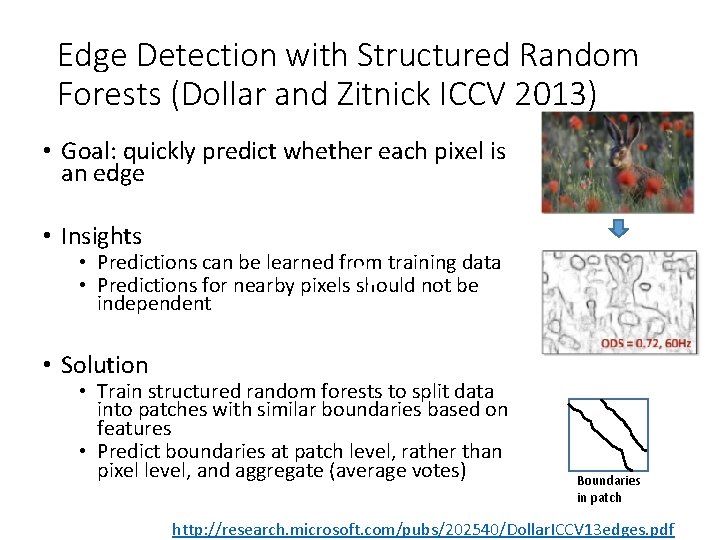
Edge Detection with Structured Random Forests (Dollar and Zitnick ICCV 2013) • Goal: quickly predict whether each pixel is an edge • Insights • Predictions can be learned from training data • Predictions for nearby pixels should not be independent • Solution • Train structured random forests to split data into patches with similar boundaries based on features • Predict boundaries at patch level, rather than pixel level, and aggregate (average votes) Boundaries in patch http: //research. microsoft. com/pubs/202540/Dollar. ICCV 13 edges. pdf
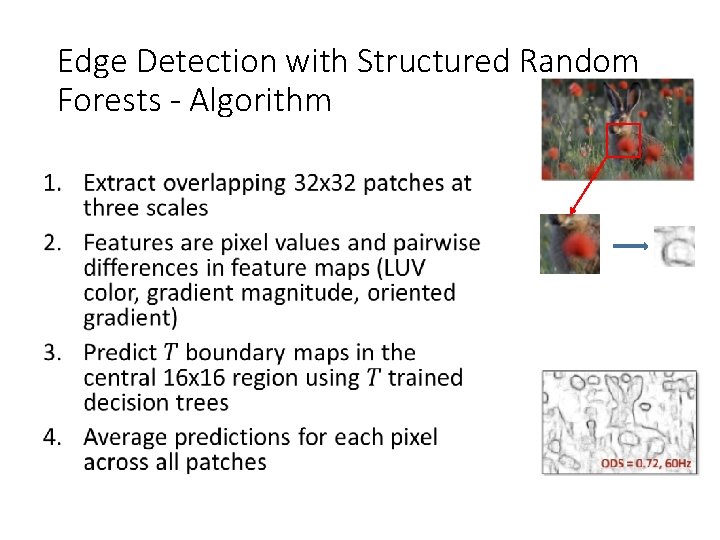
Edge Detection with Structured Random Forests - Algorithm •
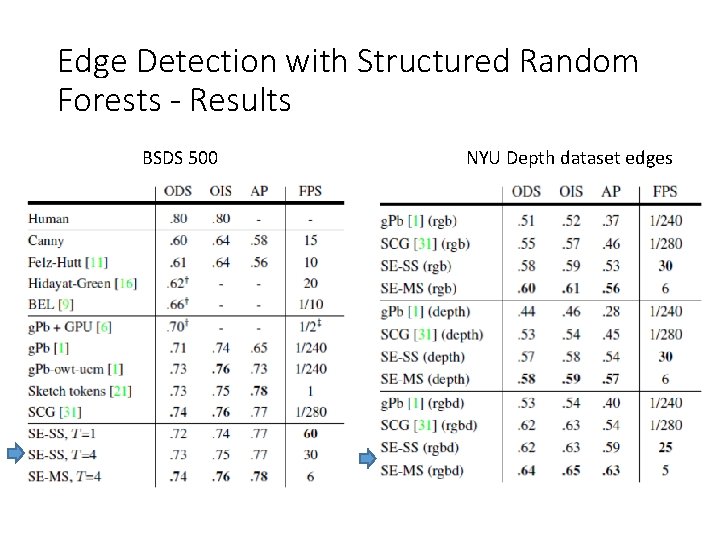
Edge Detection with Structured Random Forests - Results BSDS 500 NYU Depth dataset edges
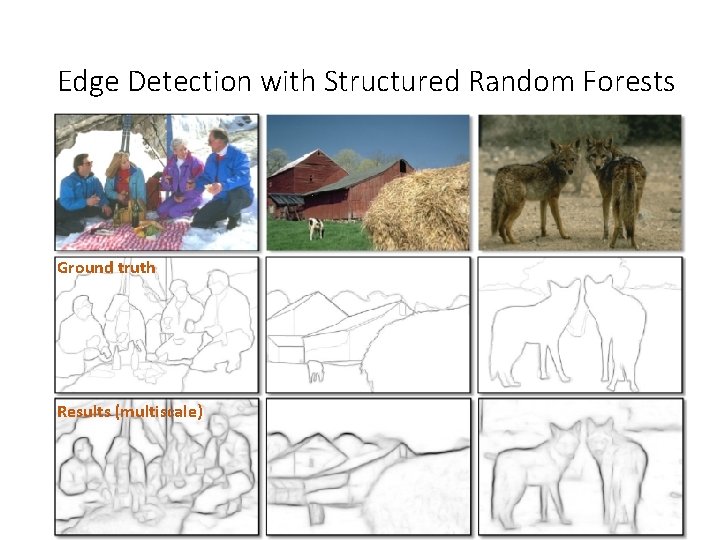
Edge Detection with Structured Random Forests Ground truth Results (multiscale)
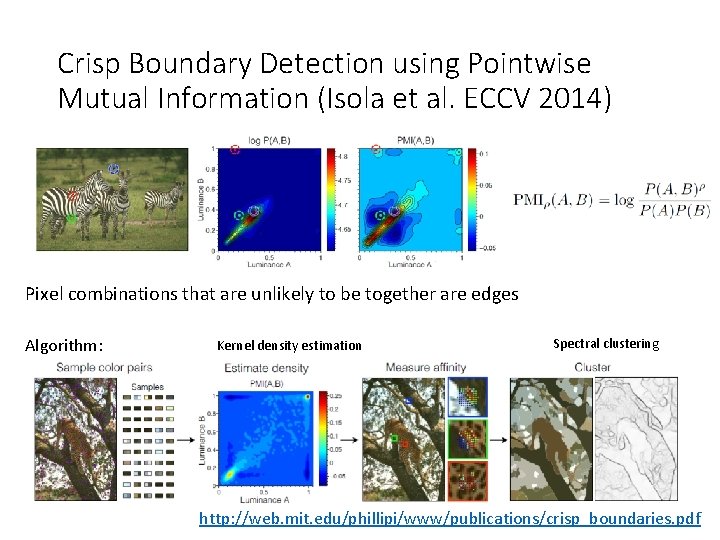
Crisp Boundary Detection using Pointwise Mutual Information (Isola et al. ECCV 2014) Pixel combinations that are unlikely to be together are edges Algorithm: Kernel density estimation Spectral clustering http: //web. mit. edu/phillipi/www/publications/crisp_boundaries. pdf
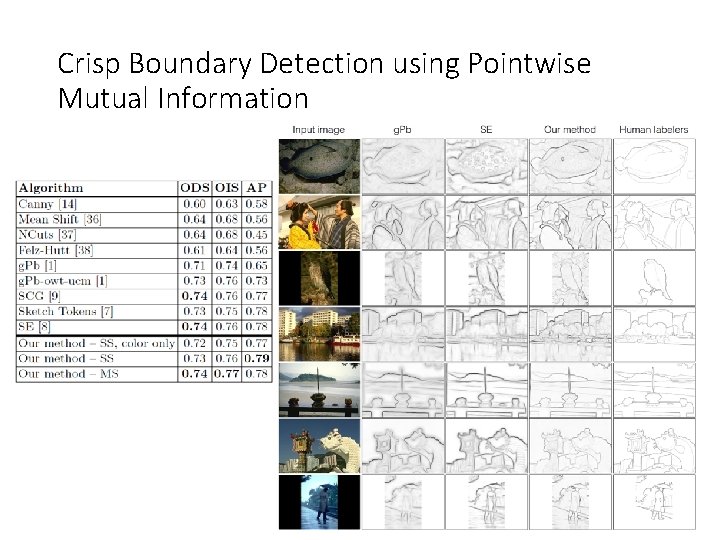
Crisp Boundary Detection using Pointwise Mutual Information
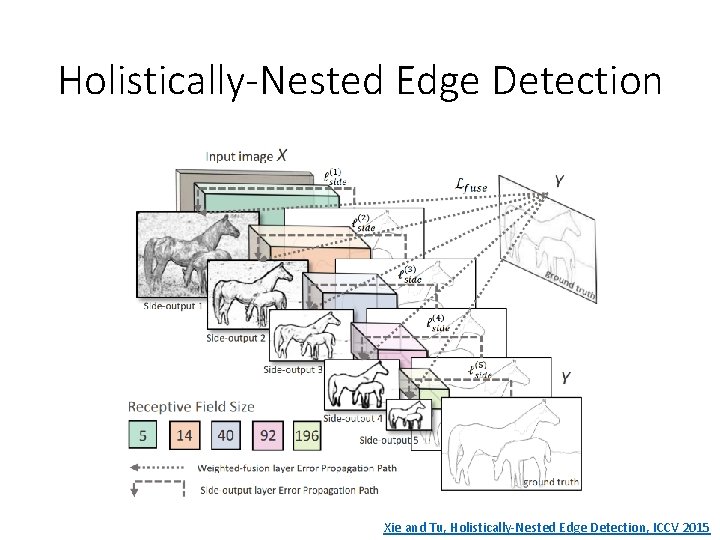
Holistically-Nested Edge Detection Xie and Tu, Holistically-Nested Edge Detection, ICCV 2015
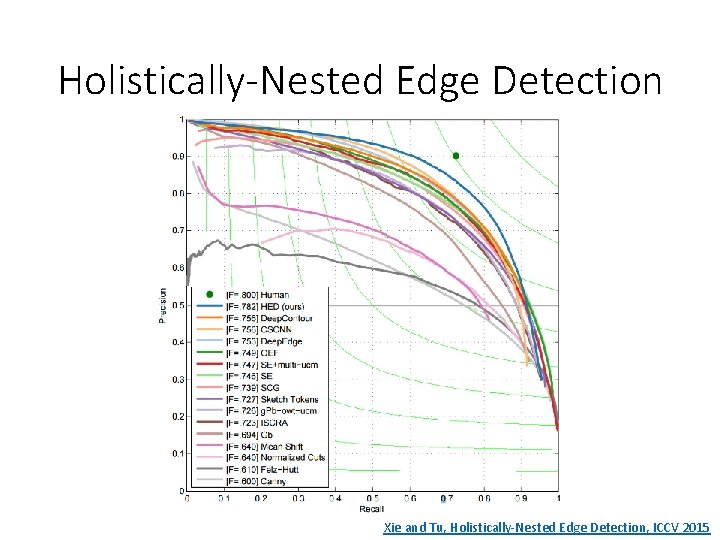
Holistically-Nested Edge Detection Xie and Tu, Holistically-Nested Edge Detection, ICCV 2015
State of edge detection • Local edge detection is mostly solved • Intensity gradient, color, texture • Work on RGB-D edge detection is currently more active • Some methods take into account longer contours, but could probably do better • Often used in combination with object detectors or region classifiers
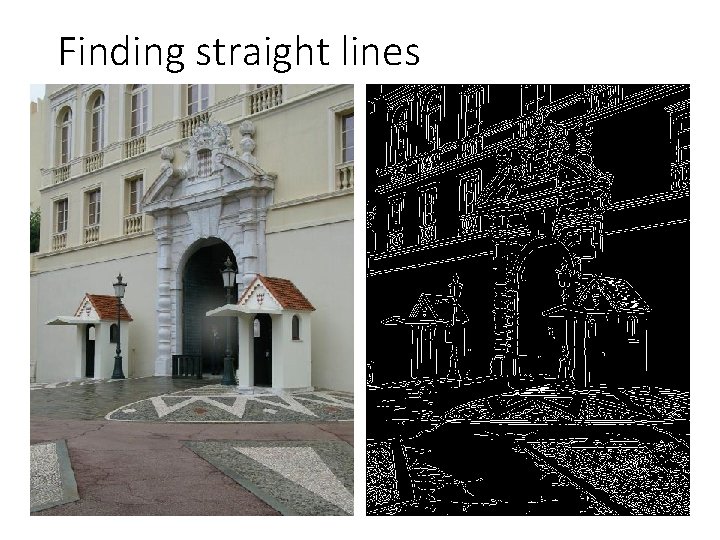
Finding straight lines
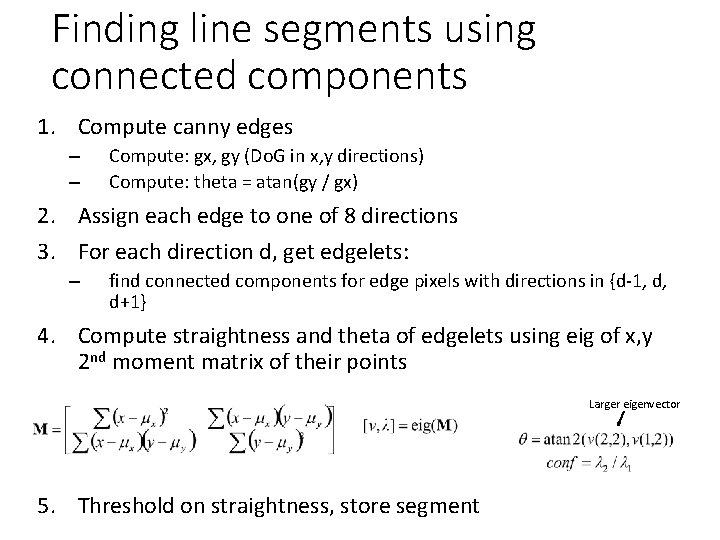
Finding line segments using connected components 1. Compute canny edges – – Compute: gx, gy (Do. G in x, y directions) Compute: theta = atan(gy / gx) 2. Assign each edge to one of 8 directions 3. For each direction d, get edgelets: – find connected components for edge pixels with directions in {d-1, d, d+1} 4. Compute straightness and theta of edgelets using eig of x, y 2 nd moment matrix of their points Larger eigenvector 5. Threshold on straightness, store segment
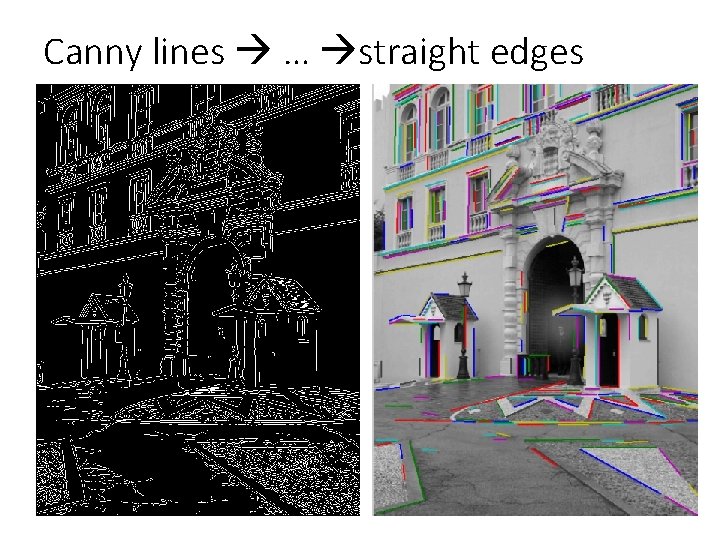
Canny lines … straight edges
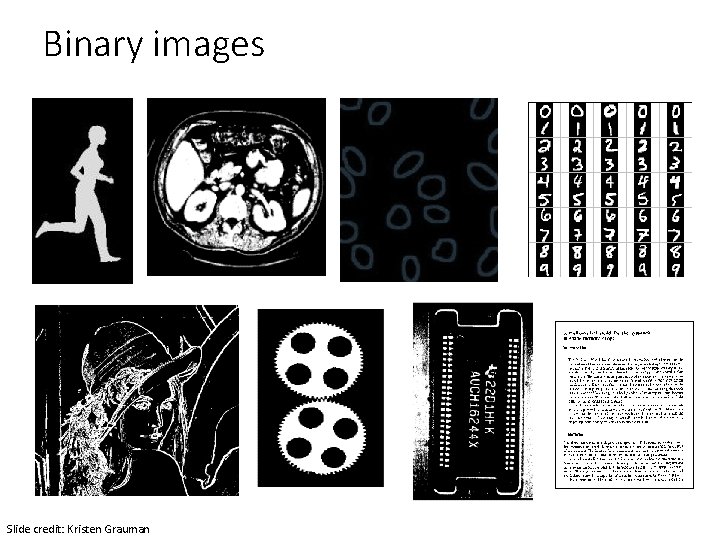
Binary images Slide credit: Kristen Grauman
Binary image analysis: basic steps • Convert the image into binary form • Thresholding • Clean up the thresholded image • Morphological operators • Extract separate blobs • Connected components • Describe the blobs with region properties Slide credit: Kristen Grauman
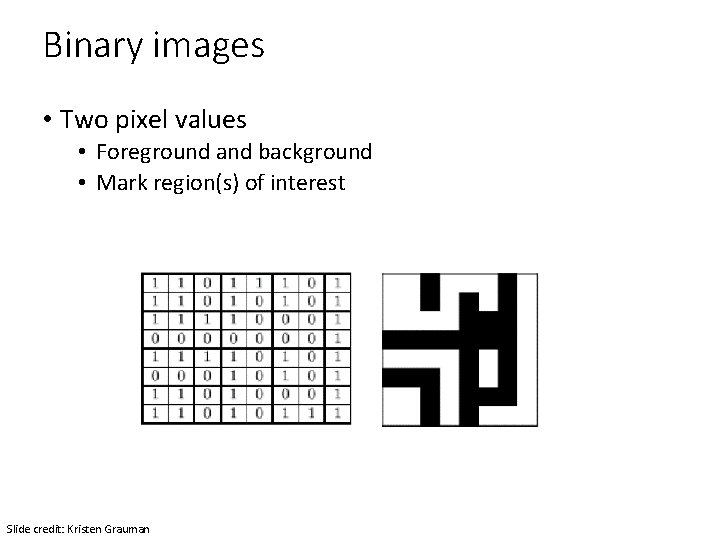
Binary images • Two pixel values • Foreground and background • Mark region(s) of interest Slide credit: Kristen Grauman
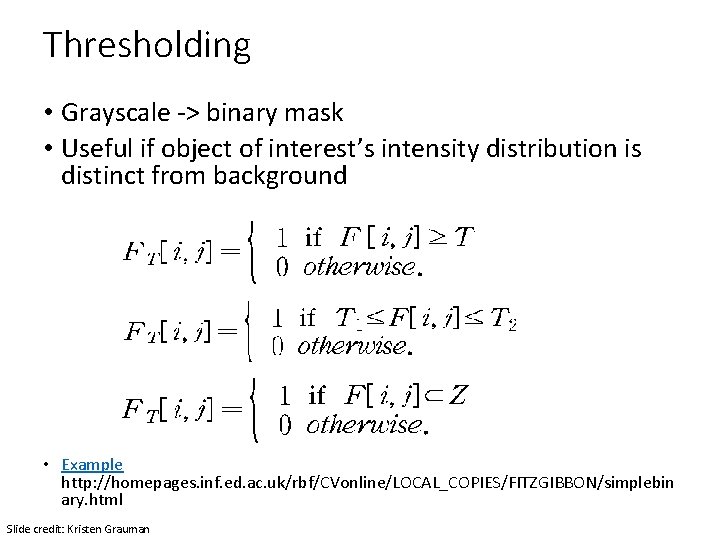
Thresholding • Grayscale -> binary mask • Useful if object of interest’s intensity distribution is distinct from background • Example http: //homepages. inf. ed. ac. uk/rbf/CVonline/LOCAL_COPIES/FITZGIBBON/simplebin ary. html Slide credit: Kristen Grauman
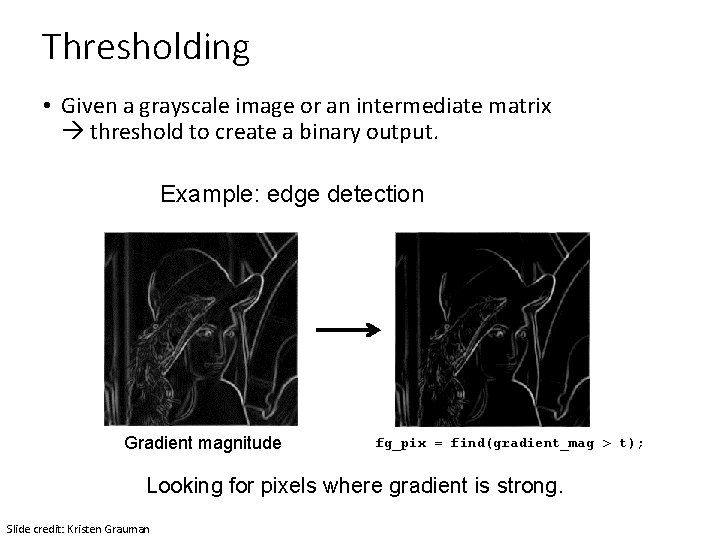
Thresholding • Given a grayscale image or an intermediate matrix threshold to create a binary output. Example: edge detection Gradient magnitude fg_pix = find(gradient_mag > t); Looking for pixels where gradient is strong. Slide credit: Kristen Grauman
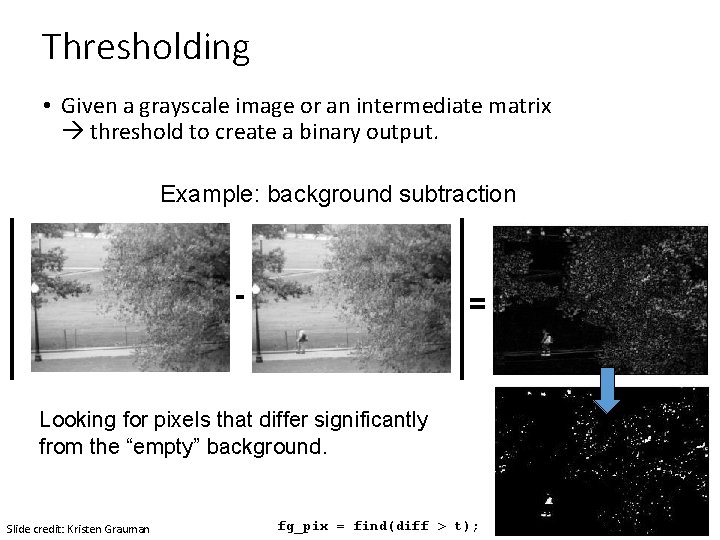
Thresholding • Given a grayscale image or an intermediate matrix threshold to create a binary output. Example: background subtraction - = Looking for pixels that differ significantly from the “empty” background. Slide credit: Kristen Grauman fg_pix = find(diff > t);
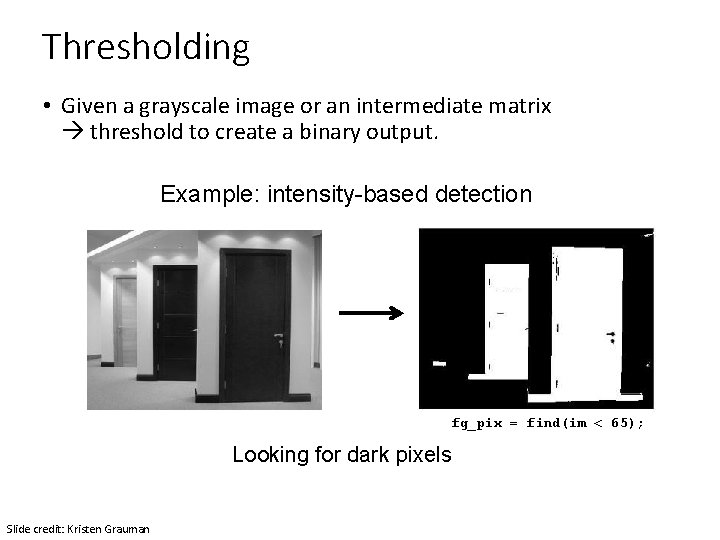
Thresholding • Given a grayscale image or an intermediate matrix threshold to create a binary output. Example: intensity-based detection fg_pix = find(im < 65); Looking for dark pixels Slide credit: Kristen Grauman
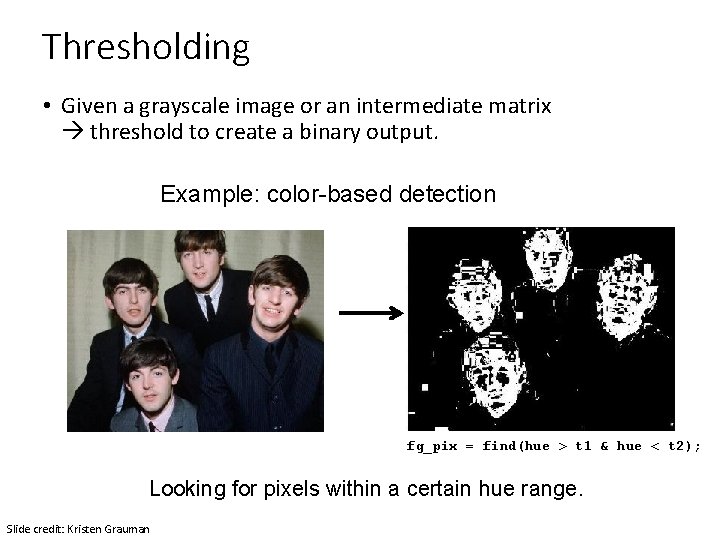
Thresholding • Given a grayscale image or an intermediate matrix threshold to create a binary output. Example: color-based detection fg_pix = find(hue > t 1 & hue < t 2); Looking for pixels within a certain hue range. Slide credit: Kristen Grauman
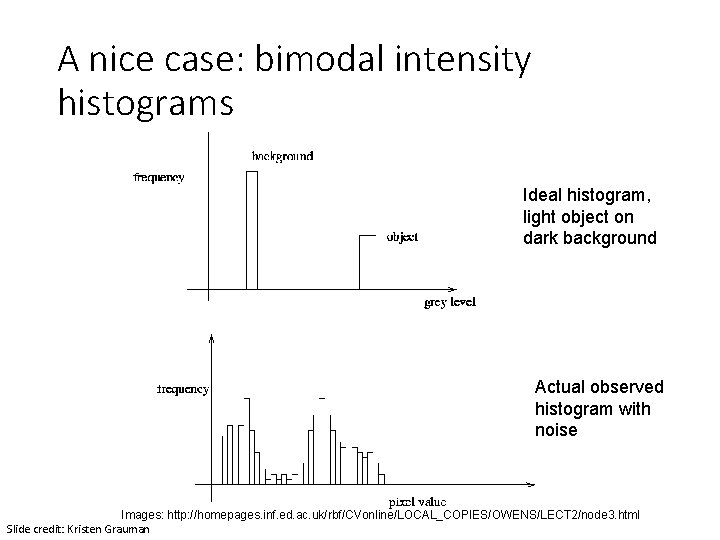
A nice case: bimodal intensity histograms Ideal histogram, light object on dark background Actual observed histogram with noise Images: http: //homepages. inf. ed. ac. uk/rbf/CVonline/LOCAL_COPIES/OWENS/LECT 2/node 3. html Slide credit: Kristen Grauman
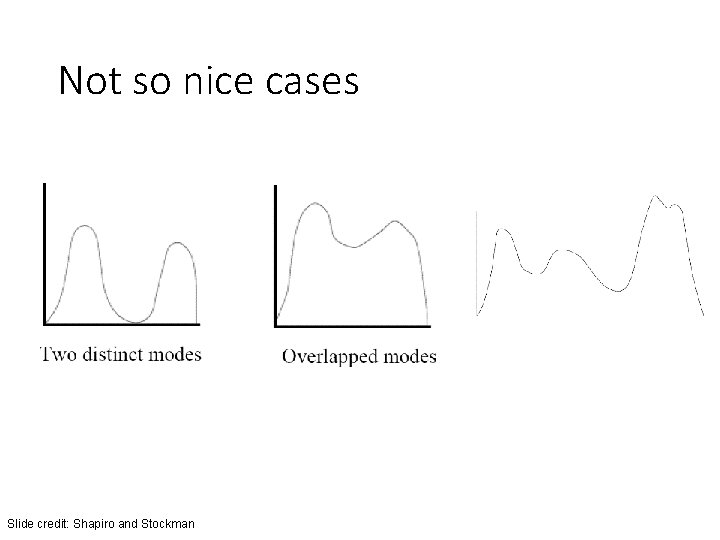
Not so nice cases Slide credit: Shapiro and Stockman
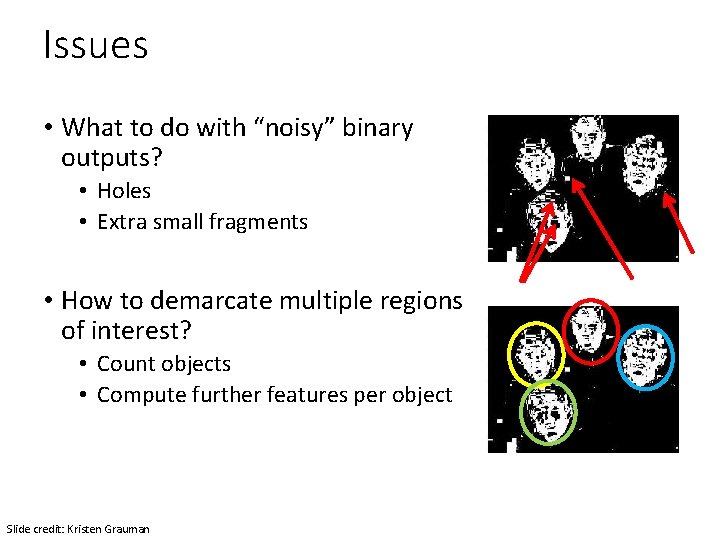
Issues • What to do with “noisy” binary outputs? • Holes • Extra small fragments • How to demarcate multiple regions of interest? • Count objects • Compute further features per object Slide credit: Kristen Grauman
Morphological operators • Change the shape of the foreground regions via intersection/union operations between a scanning structuring element and binary image. • Useful to clean up result from thresholding • Basic operators are: • Dilation • Erosion Slide credit: Kristen Grauman
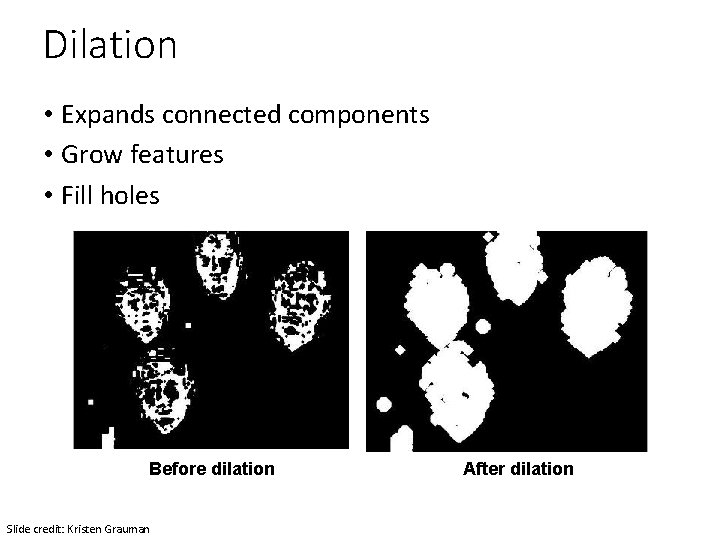
Dilation • Expands connected components • Grow features • Fill holes Before dilation Slide credit: Kristen Grauman After dilation
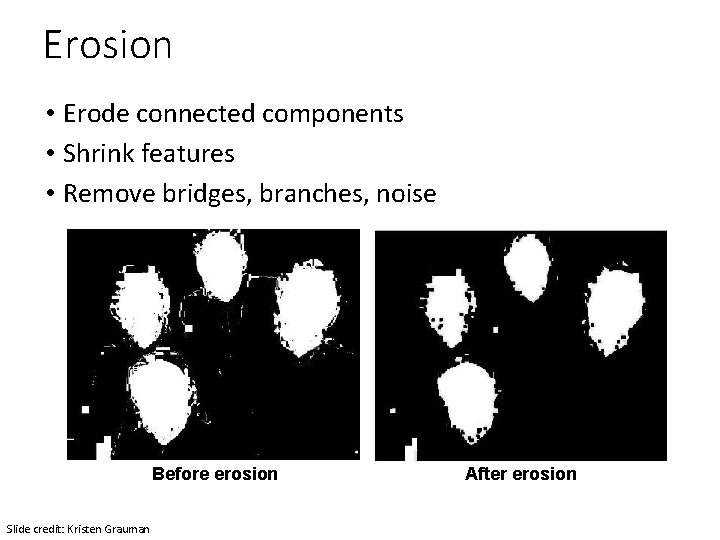
Erosion • Erode connected components • Shrink features • Remove bridges, branches, noise Before erosion Slide credit: Kristen Grauman After erosion
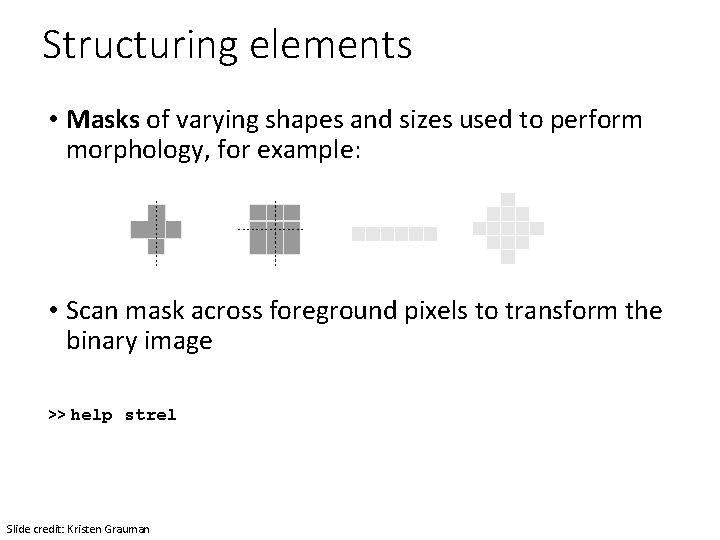
Structuring elements • Masks of varying shapes and sizes used to perform morphology, for example: • Scan mask across foreground pixels to transform the binary image >> help strel Slide credit: Kristen Grauman
Dilation vs. Erosion At each position: • Dilation: if current pixel is foreground, OR the structuring element with the input image. Slide credit: Kristen Grauman
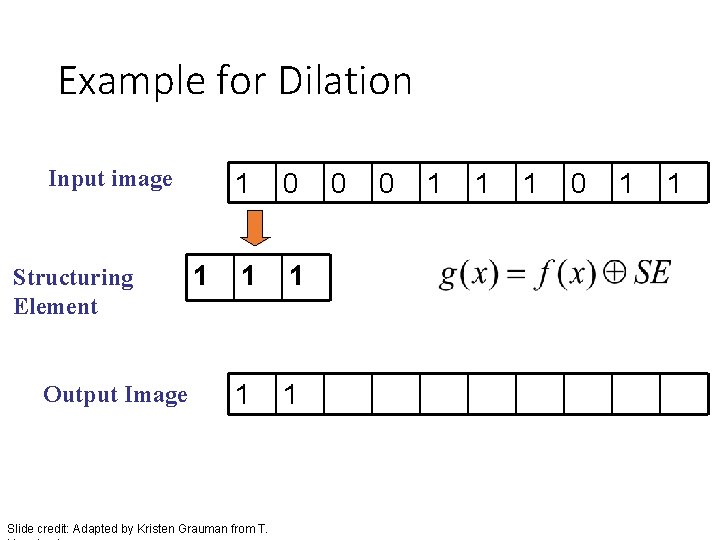
Example for Dilation Input image Structuring Element Output Image 1 1 0 1 1 Slide credit: Adapted by Kristen Grauman from T. 0 0 1 1 1 0 1 1
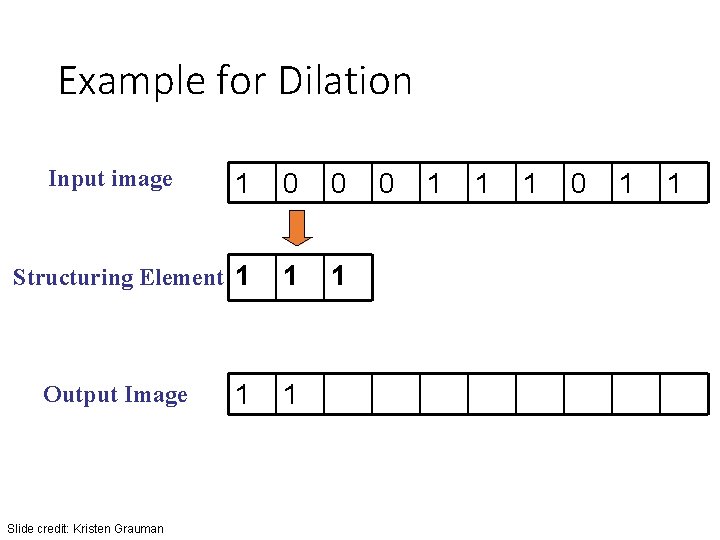
Example for Dilation Input image 1 0 0 Structuring Element 1 1 1 Output Image Slide credit: Kristen Grauman 0 1 1 1 0 1 1
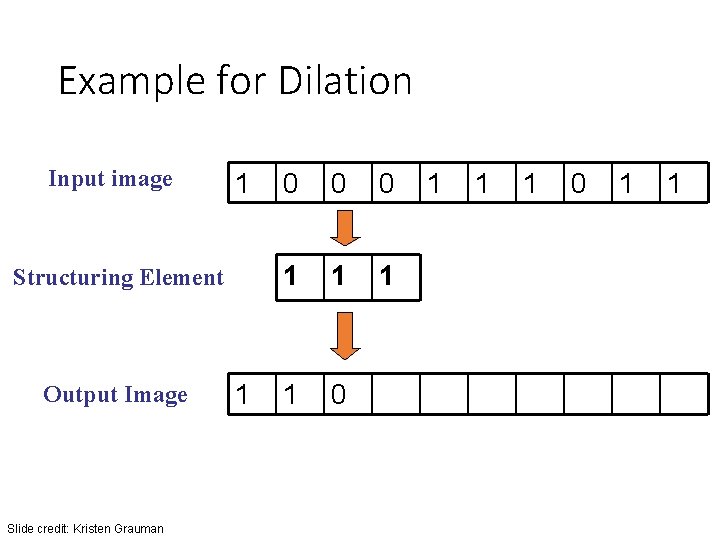
Example for Dilation Input image 1 Structuring Element Output Image Slide credit: Kristen Grauman 1 0 0 0 1 1 1 0 1 1
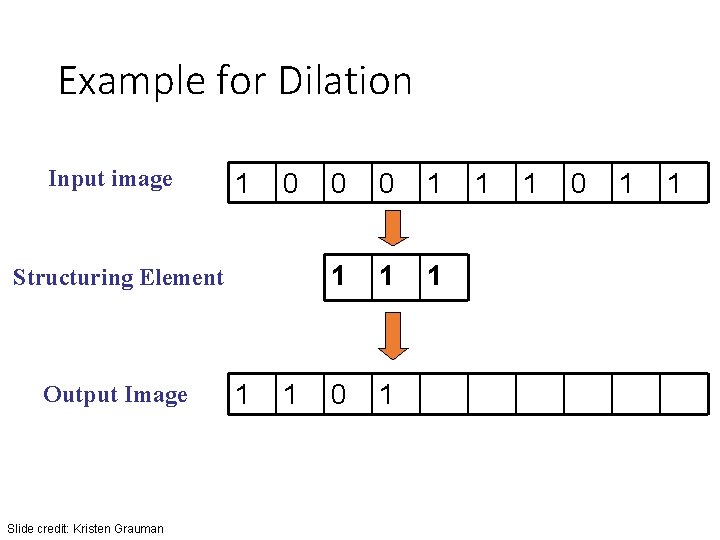
Example for Dilation Input image 1 0 Structuring Element Output Image Slide credit: Kristen Grauman 1 1 0 0 1 1 1 0 1 1
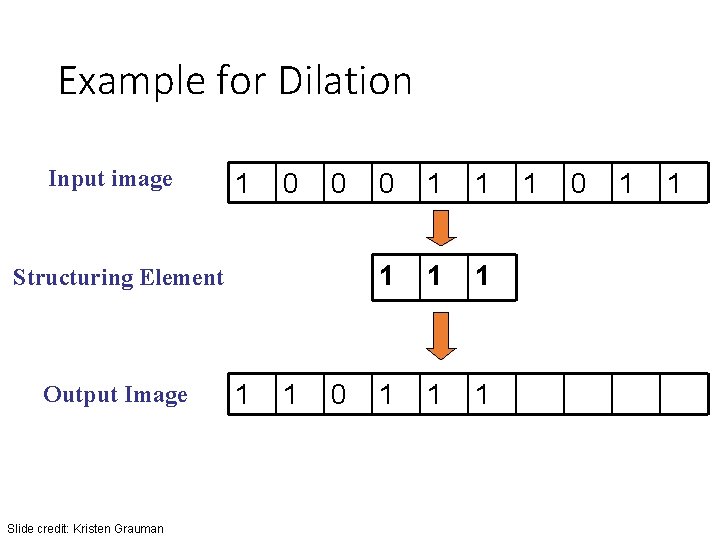
Example for Dilation Input image 1 0 0 Structuring Element Output Image Slide credit: Kristen Grauman 1 1 0 0 1 1 1 1 1 0 1 1
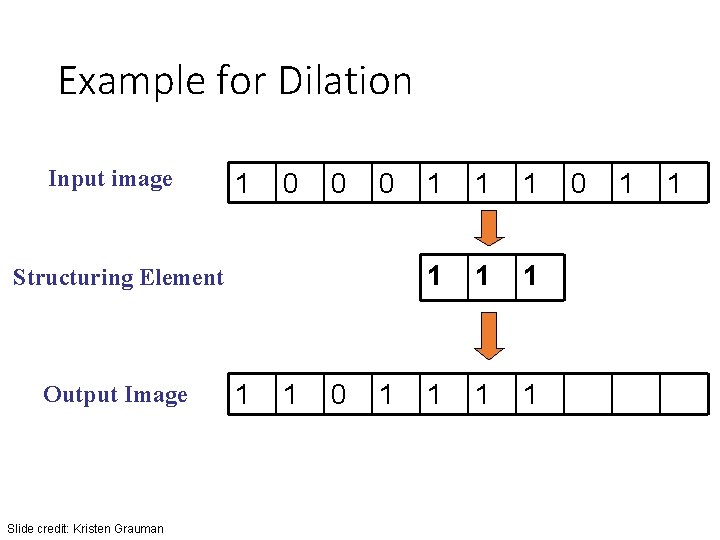
Example for Dilation Input image 1 0 0 0 Structuring Element Output Image Slide credit: Kristen Grauman 1 1 0 1 1 1 1 1 0 1 1
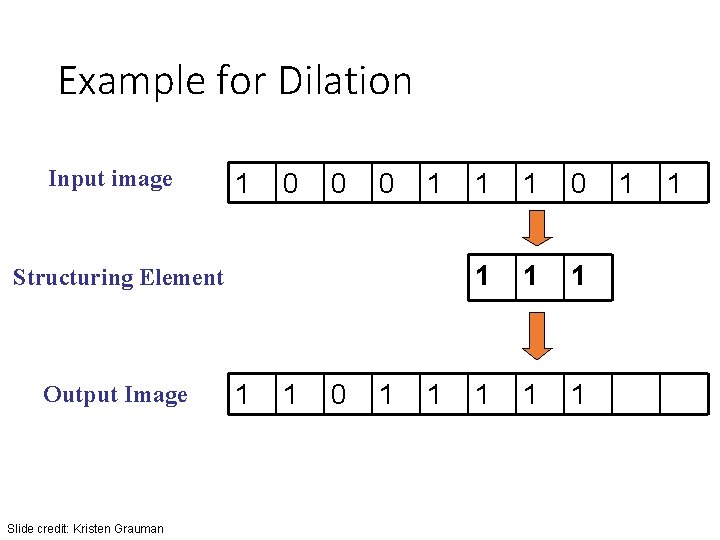
Example for Dilation Input image 1 0 0 0 1 Structuring Element Output Image Slide credit: Kristen Grauman 1 1 0 1 1 1 1 1
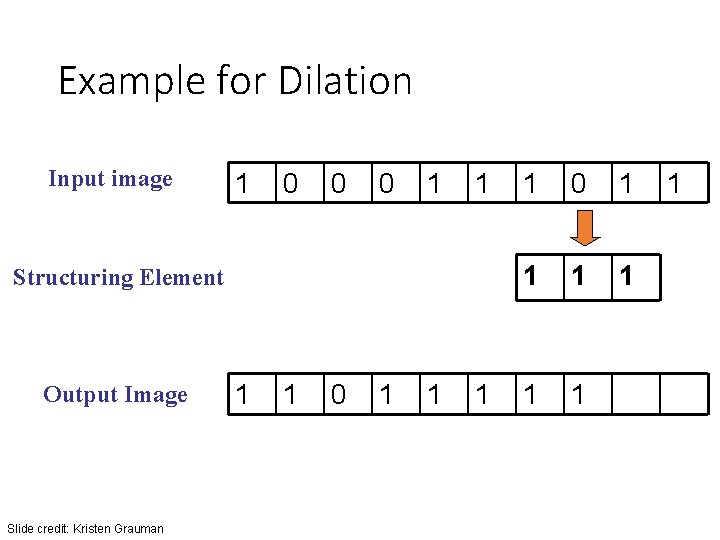
Example for Dilation Input image 1 0 0 0 1 1 Structuring Element Output Image Slide credit: Kristen Grauman 1 1 0 1 1 1 1 1
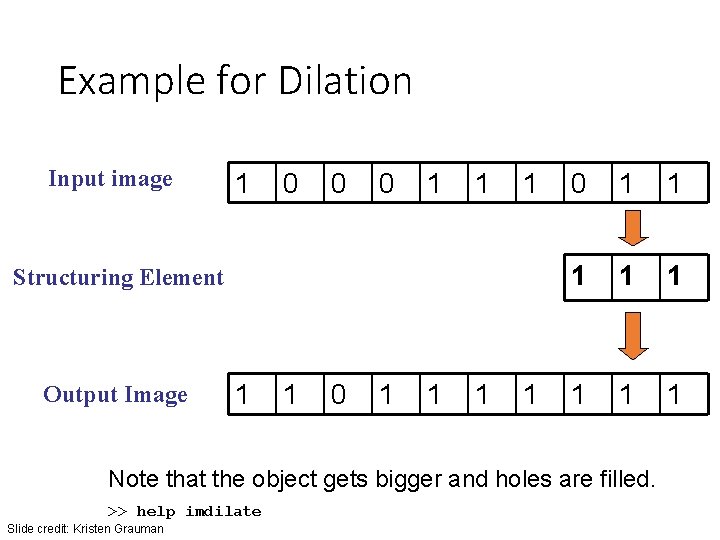
Example for Dilation Input image 1 0 0 0 1 1 1 Structuring Element Output Image 1 1 0 1 1 1 1 1 Note that the object gets bigger and holes are filled. >> help imdilate Slide credit: Kristen Grauman
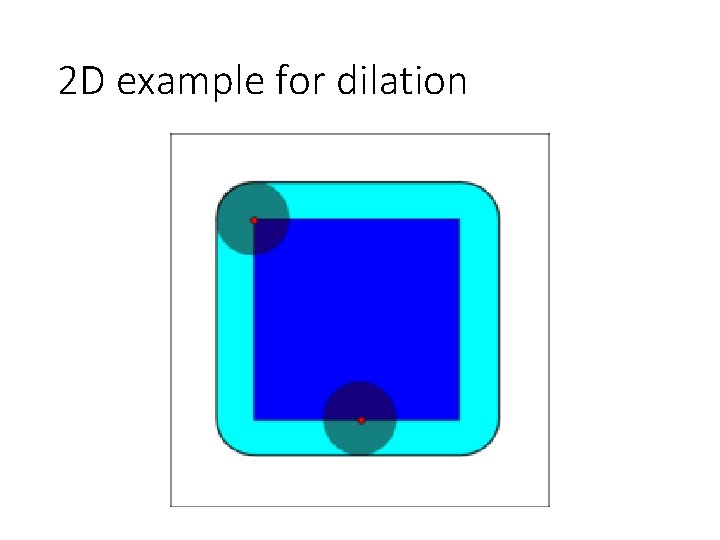
2 D example for dilation
Dilation vs. Erosion At each position: • Dilation: if current pixel is foreground, OR the structuring element with the input image. • Erosion: if every pixel under the structuring element’s nonzero entries is foreground, OR the current pixel with S. Slide credit: Kristen Grauman
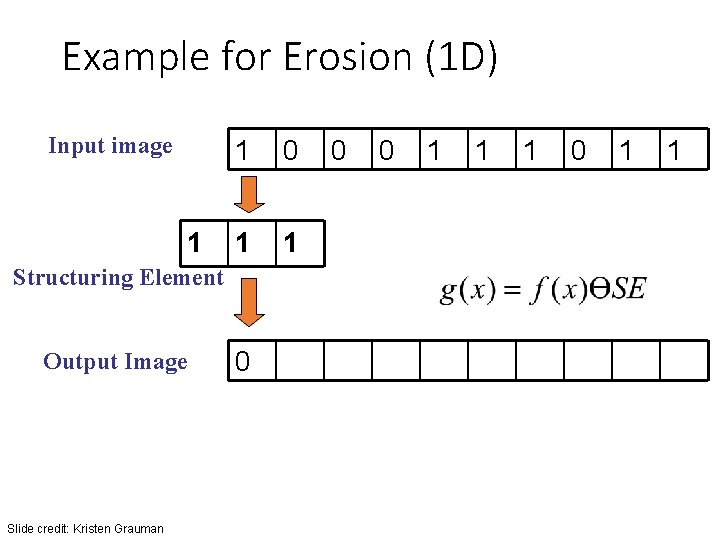
Example for Erosion (1 D) Input image 1 1 0 1 1 Slide credit: Kristen Grauman 0 1 1 1 0 1 _ Structuring Element Output Image 0 0 1
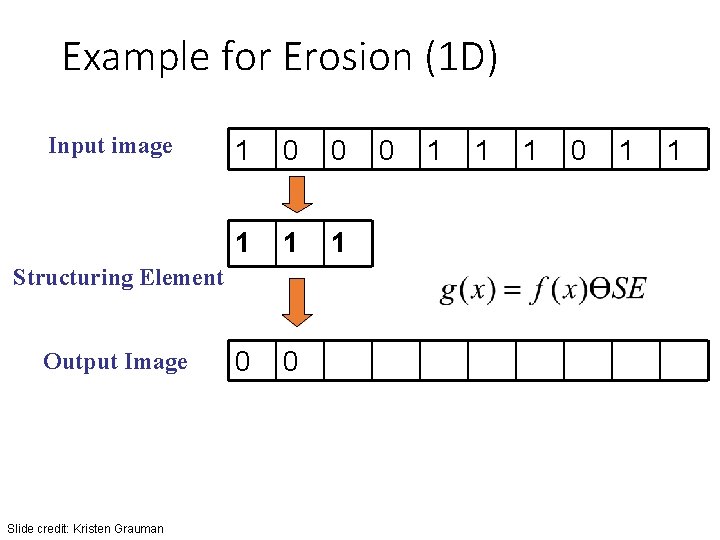
Example for Erosion (1 D) Input image 1 0 0 1 1 1 Slide credit: Kristen Grauman 1 1 1 0 1 _ Structuring Element Output Image 0 0 0 1
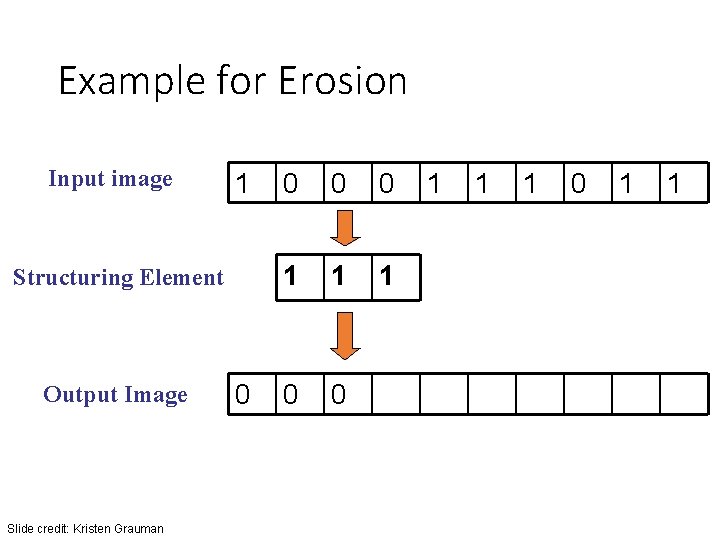
Example for Erosion Input image 1 Structuring Element Output Image Slide credit: Kristen Grauman 0 0 1 1 1 0 1 1
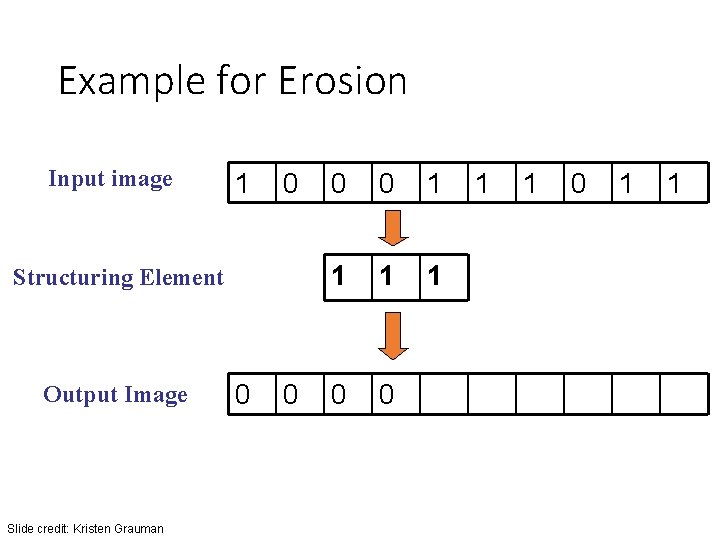
Example for Erosion Input image 1 0 Structuring Element Output Image Slide credit: Kristen Grauman 0 0 1 1
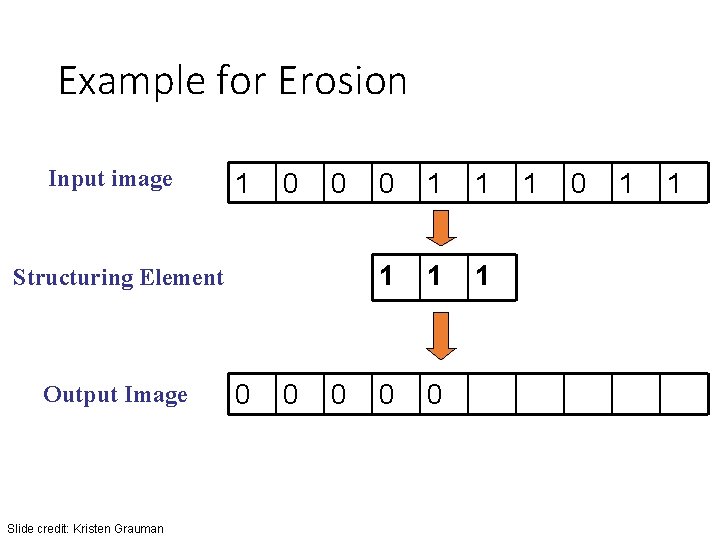
Example for Erosion Input image 1 0 0 Structuring Element Output Image Slide credit: Kristen Grauman 0 0 1 1 1 0 0 1 1
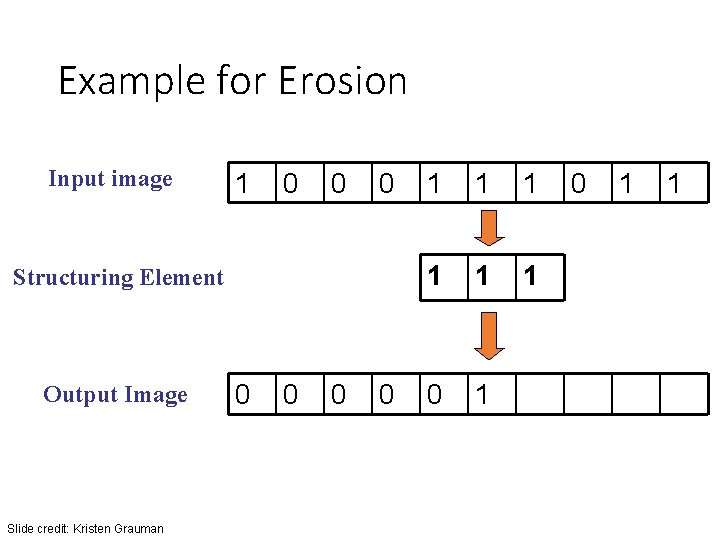
Example for Erosion Input image 1 0 0 0 Structuring Element Output Image Slide credit: Kristen Grauman 0 0 1 1 1 0 1 1
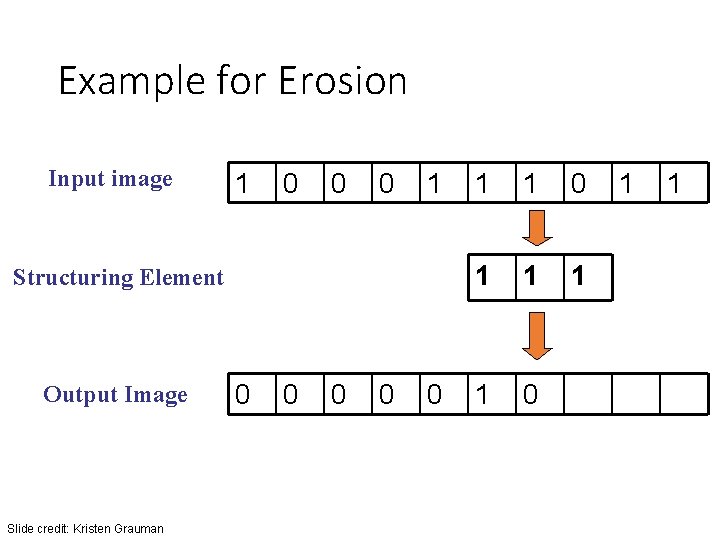
Example for Erosion Input image 1 0 0 0 1 Structuring Element Output Image Slide credit: Kristen Grauman 0 0 0 1 1 1 1 0 1 1
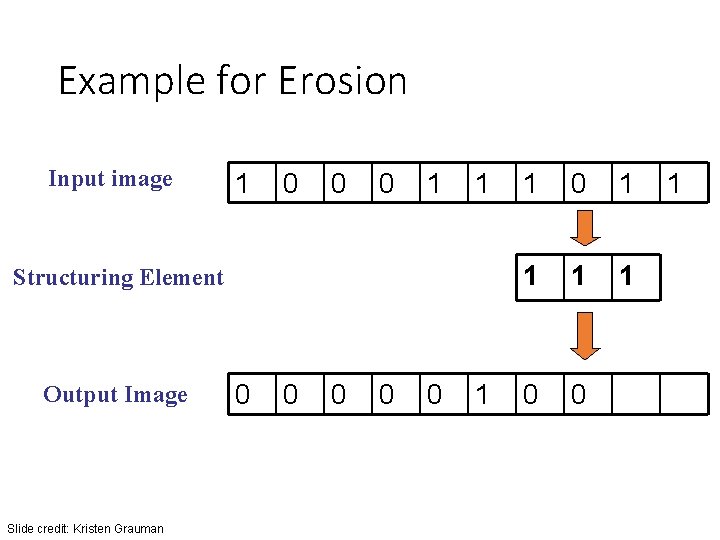
Example for Erosion Input image 1 0 0 0 1 1 Structuring Element Output Image Slide credit: Kristen Grauman 0 0 0 1 1 1 1 0 0 1
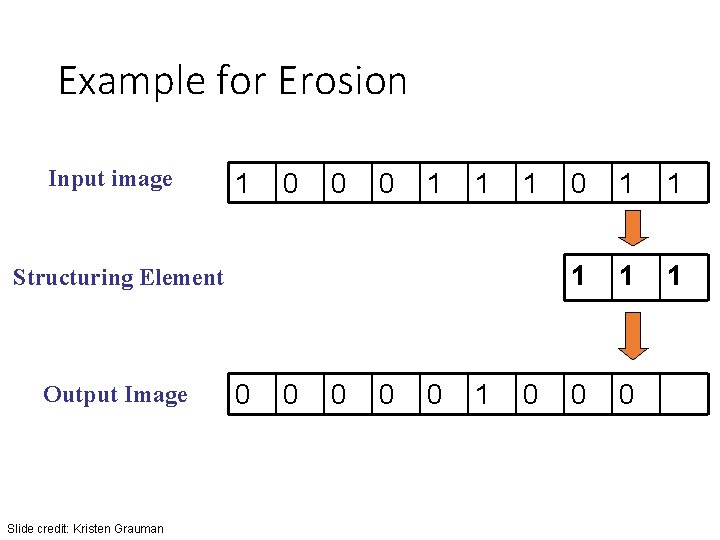
Example for Erosion Input image 1 0 0 0 1 1 1 Structuring Element Output Image Slide credit: Kristen Grauman 0 0 0 1 1 1 0 0
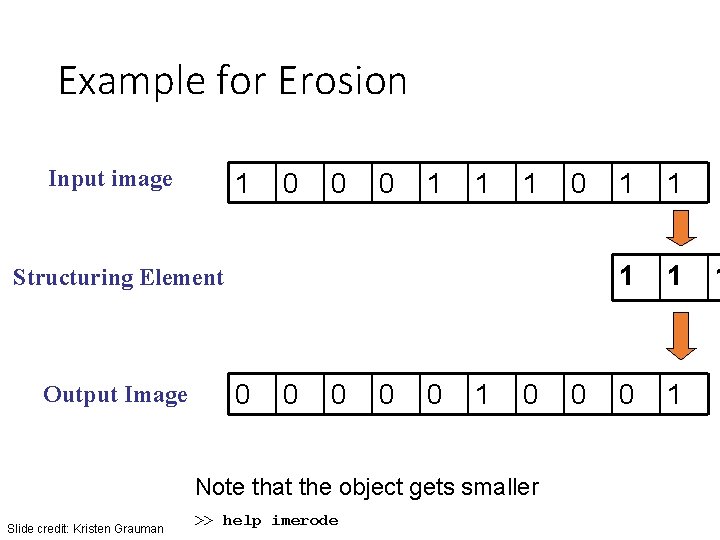
Example for Erosion Input image 1 0 0 0 1 1 1 0 Structuring Element Output Image 0 0 0 1 0 Note that the object gets smaller Slide credit: Kristen Grauman >> help imerode 0 1 1
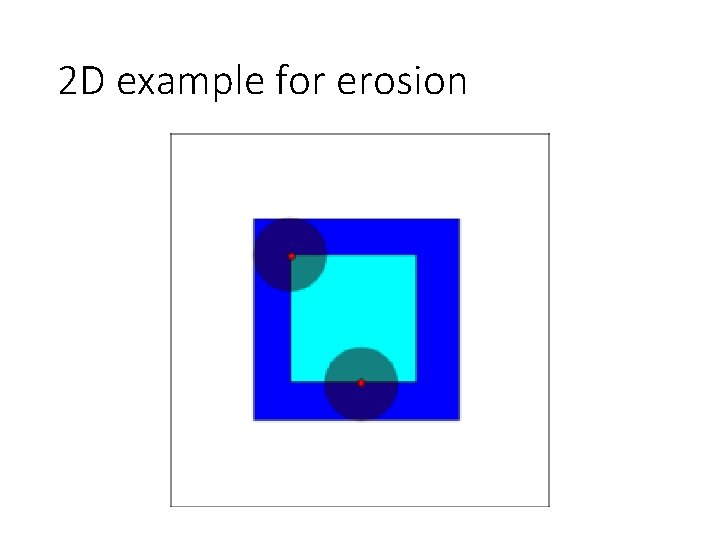
2 D example for erosion
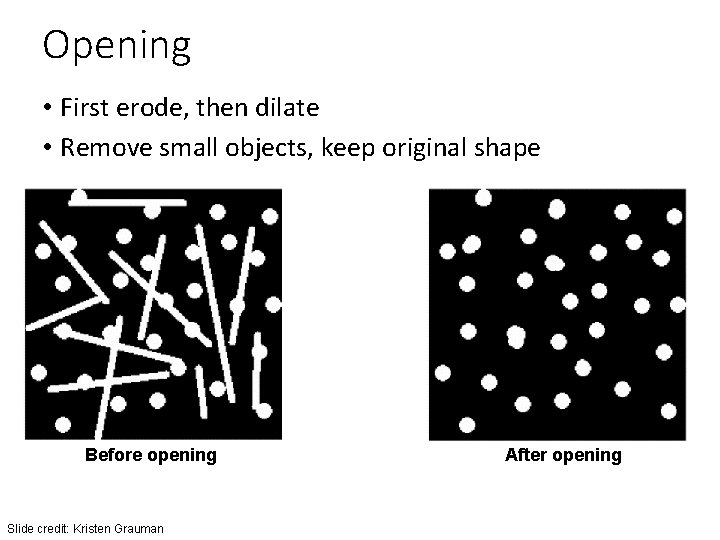
Opening • First erode, then dilate • Remove small objects, keep original shape Before opening Slide credit: Kristen Grauman After opening
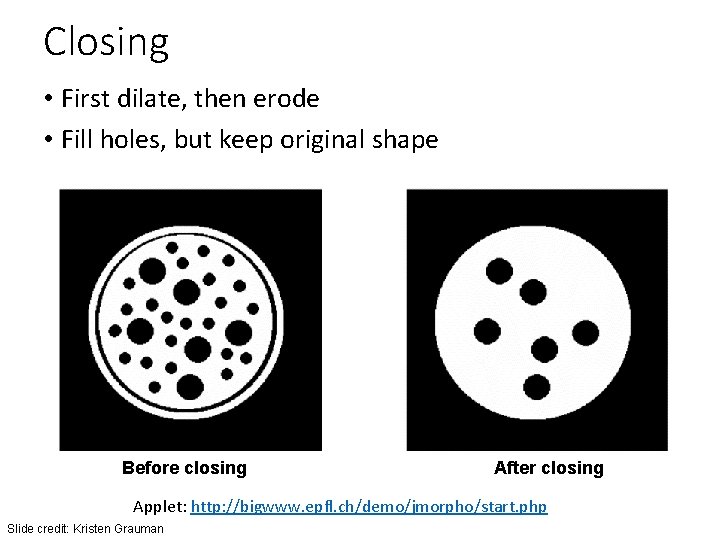
Closing • First dilate, then erode • Fill holes, but keep original shape Before closing After closing Applet: http: //bigwww. epfl. ch/demo/jmorpho/start. php Slide credit: Kristen Grauman
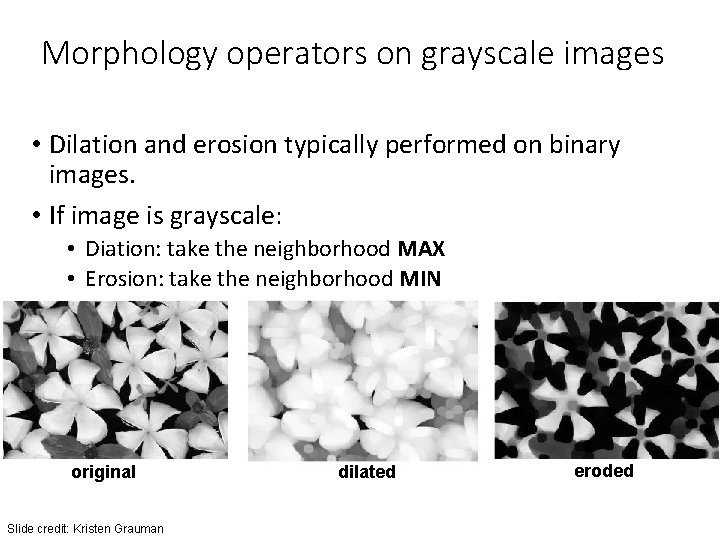
Morphology operators on grayscale images • Dilation and erosion typically performed on binary images. • If image is grayscale: • Diation: take the neighborhood MAX • Erosion: take the neighborhood MIN original Slide credit: Kristen Grauman dilated eroded
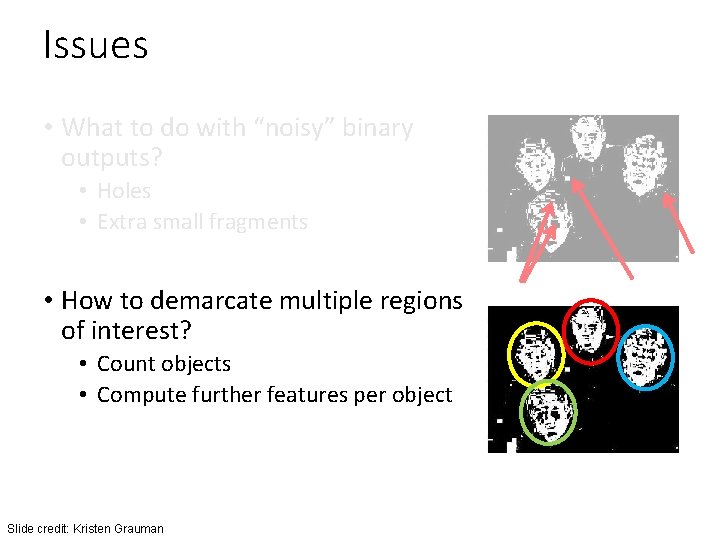
Issues • What to do with “noisy” binary outputs? • Holes • Extra small fragments • How to demarcate multiple regions of interest? • Count objects • Compute further features per object Slide credit: Kristen Grauman
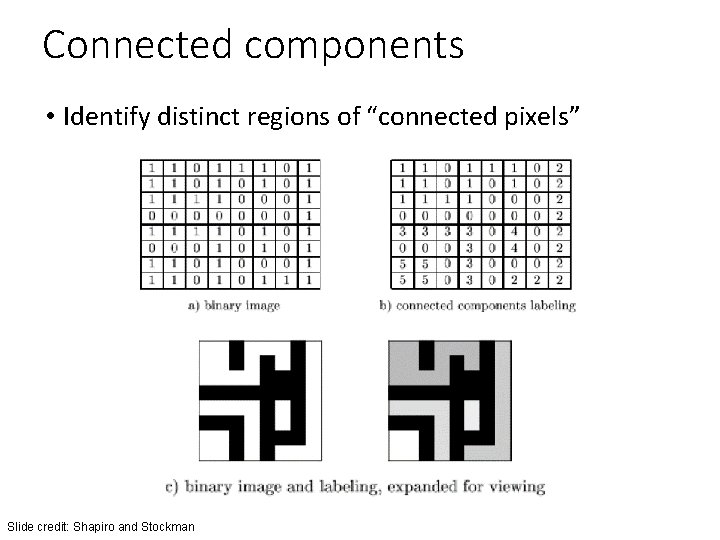
Connected components • Identify distinct regions of “connected pixels” Slide credit: Shapiro and Stockman
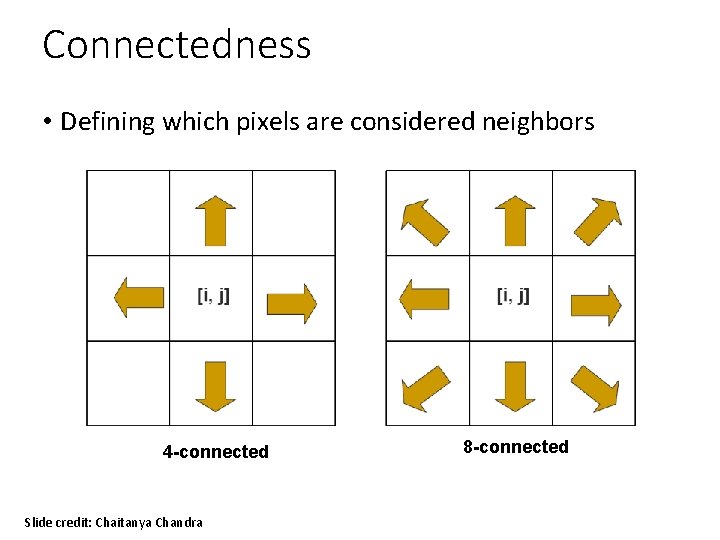
Connectedness • Defining which pixels are considered neighbors 4 -connected Slide credit: Chaitanya Chandra 8 -connected
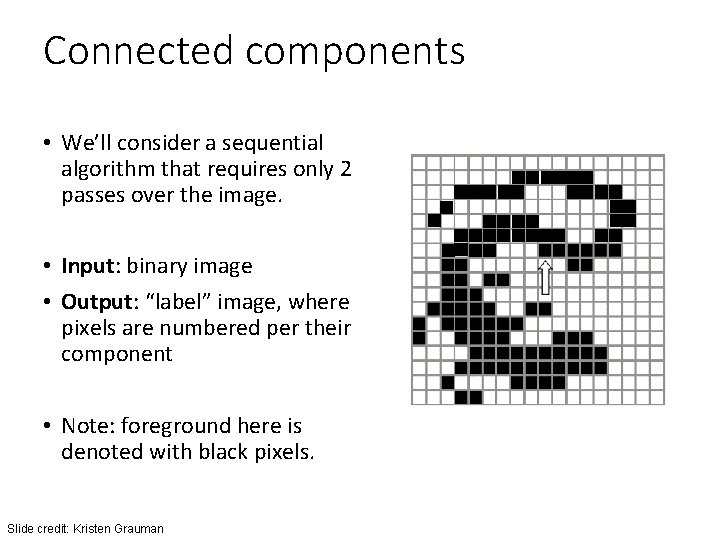
Connected components • We’ll consider a sequential algorithm that requires only 2 passes over the image. • Input: binary image • Output: “label” image, where pixels are numbered per their component • Note: foreground here is denoted with black pixels. Slide credit: Kristen Grauman
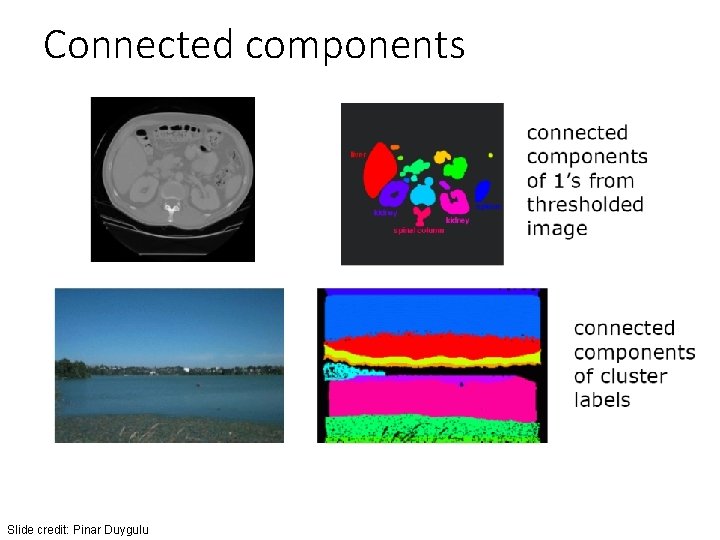
Connected components Slide credit: Pinar Duygulu
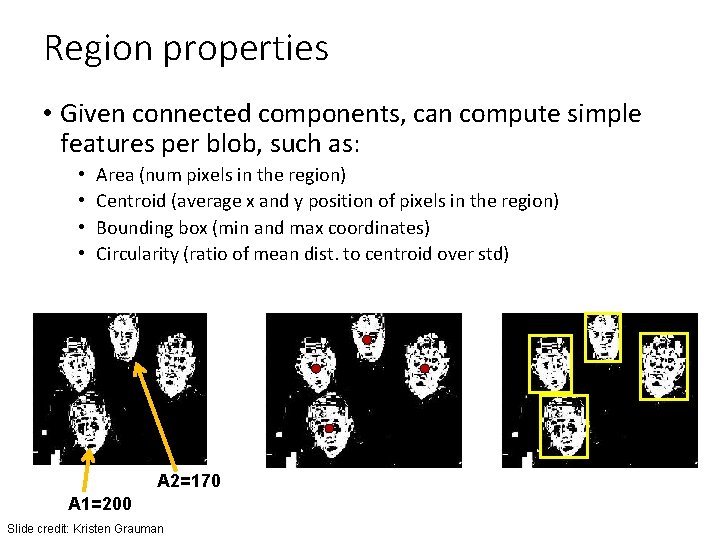
Region properties • Given connected components, can compute simple features per blob, such as: • • Area (num pixels in the region) Centroid (average x and y position of pixels in the region) Bounding box (min and max coordinates) Circularity (ratio of mean dist. to centroid over std) A 2=170 A 1=200 Slide credit: Kristen Grauman
![Circularity [Haralick] Slide credit: Shapiro & Stockman](http://slidetodoc.com/presentation_image_h/aa74d8ac96428168e4c1cd183412391d/image-104.jpg "Circularity [Haralick] Slide credit: Shapiro & Stockman")
Circularity [Haralick] Slide credit: Shapiro & Stockman
Binary image analysis: basic steps (recap) • Convert the image into binary form • Thresholding • Clean up the thresholded image • Morphological operators • Extract separate blobs • Connected components • Describe the blobs with region properties Slide credit: Kristen Grauman
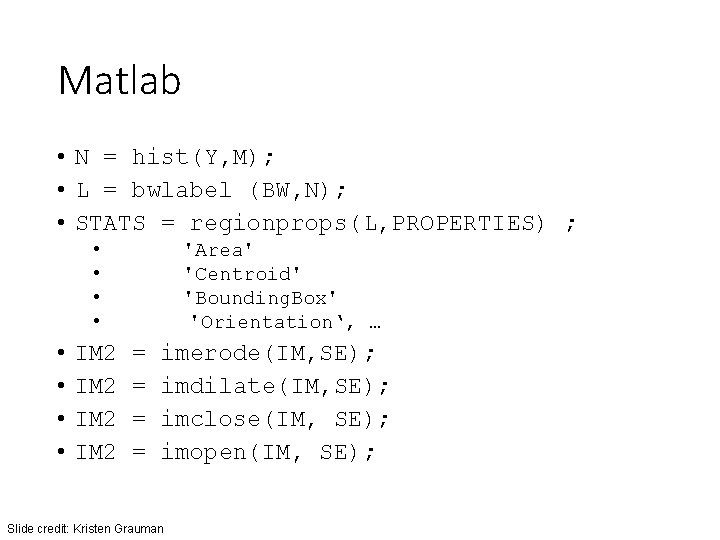
Matlab • N = hist(Y, M); • L = bwlabel (BW, N); • STATS = regionprops(L, PROPERTIES) ; • • IM 2 'Area' 'Centroid' 'Bounding. Box' 'Orientation‘, … = = imerode(IM, SE); imdilate(IM, SE); imclose(IM, SE); imopen(IM, SE); Slide credit: Kristen Grauman
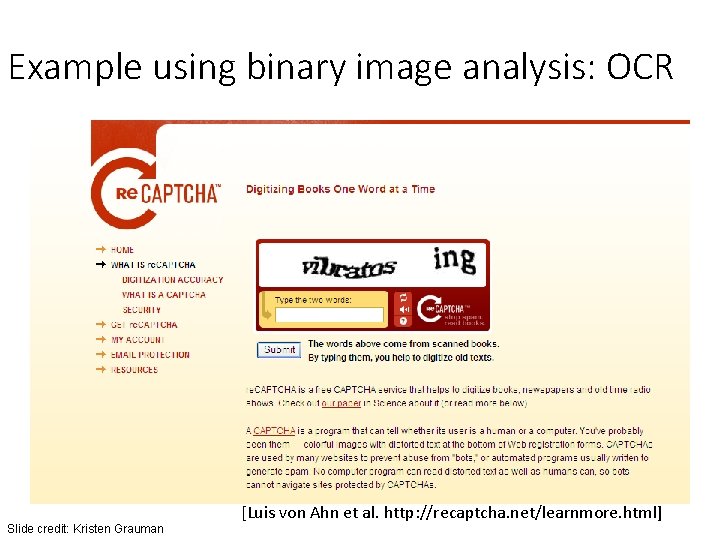
Example using binary image analysis: OCR Slide credit: Kristen Grauman [Luis von Ahn et al. http: //recaptcha. net/learnmore. html]
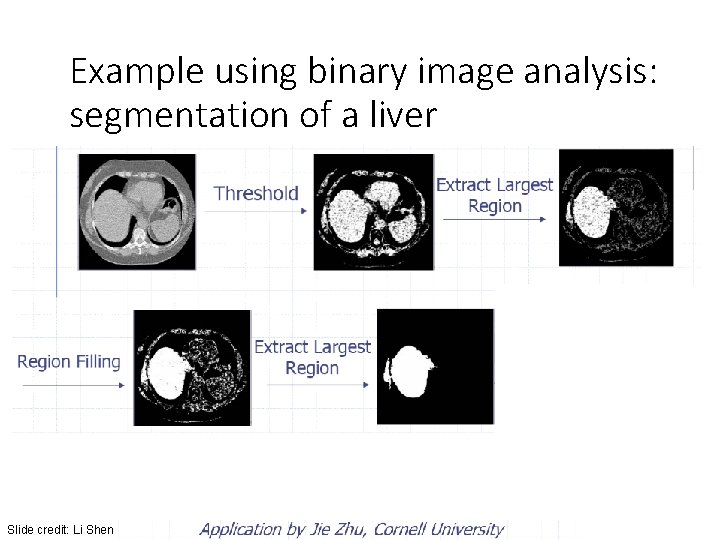
Example using binary image analysis: segmentation of a liver Slide credit: Li Shen
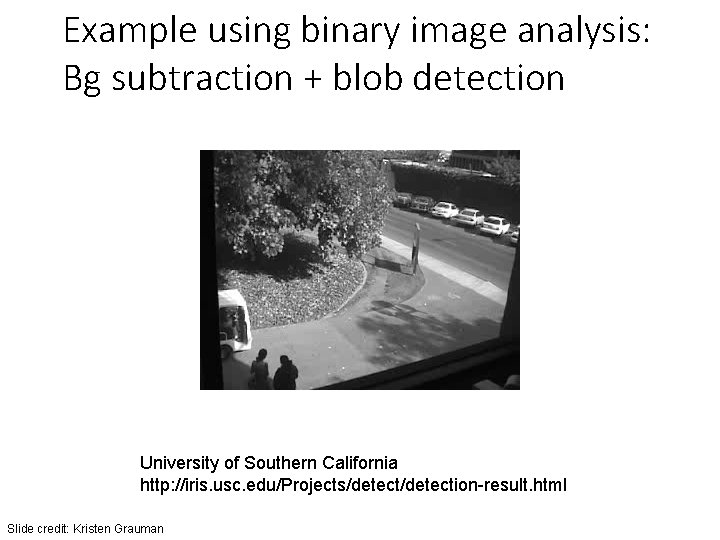
Example using binary image analysis: Bg subtraction + blob detection University of Southern California http: //iris. usc. edu/Projects/detection-result. html Slide credit: Kristen Grauman
Binary images • Pros • Can be fast to compute, easy to store • Simple processing techniques available • Lead to some useful compact shape descriptors • Cons • • Hard to get “clean” silhouettes Noise common in realistic scenarios Can be too coarse of a representation Not 3 d Slide credit: Kristen Grauman

Open. CV Demo
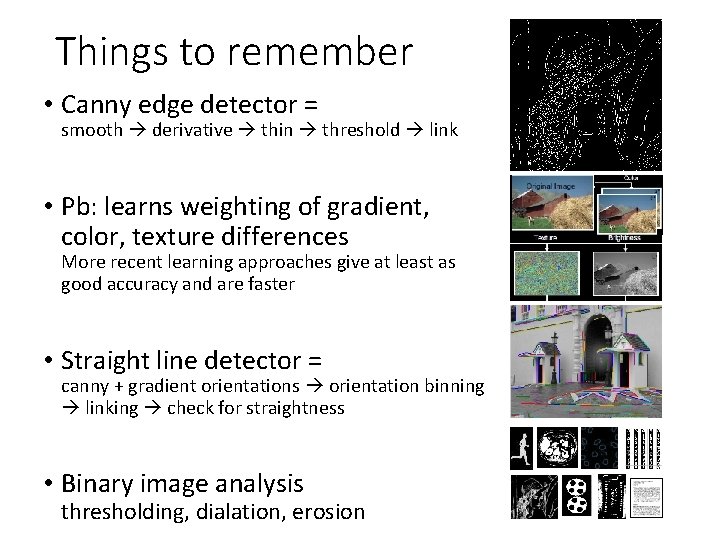
Things to remember • Canny edge detector = smooth derivative thin threshold link • Pb: learns weighting of gradient, color, texture differences More recent learning approaches give at least as good accuracy and are faster • Straight line detector = canny + gradient orientations orientation binning linking check for straightness • Binary image analysis thresholding, dialation, erosion
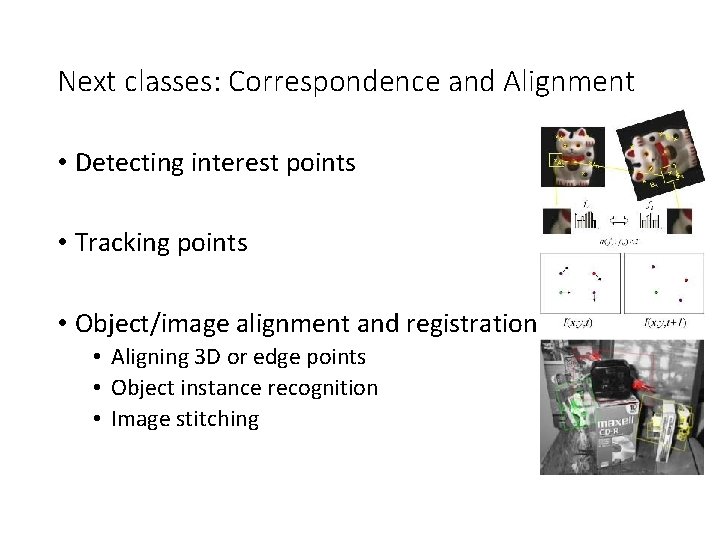
Next classes: Correspondence and Alignment • Detecting interest points • Tracking points • Object/image alignment and registration • Aligning 3 D or edge points • Object instance recognition • Image stitching
- Slides: 113