
EDA EXAMPLE INSURANCE SETTING Exploratory analysis Claim Values

- Slides: 13
EDA EXAMPLE INSURANCE SETTING
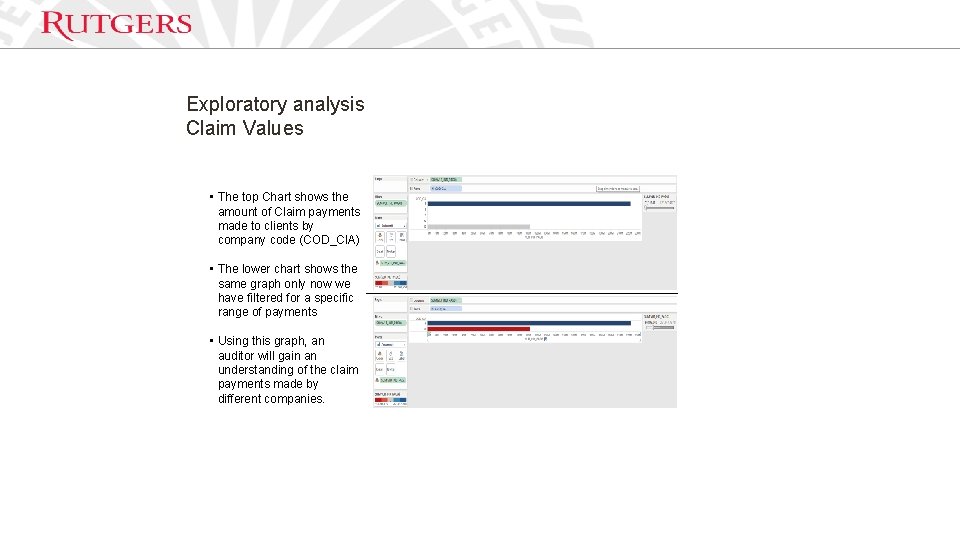
Exploratory analysis Claim Values • The top Chart shows the amount of Claim payments made to clients by company code (COD_CIA) • The lower chart shows the same graph only now we have filtered for a specific range of payments • Using this graph, an auditor will gain an understanding of the claim payments made by different companies.
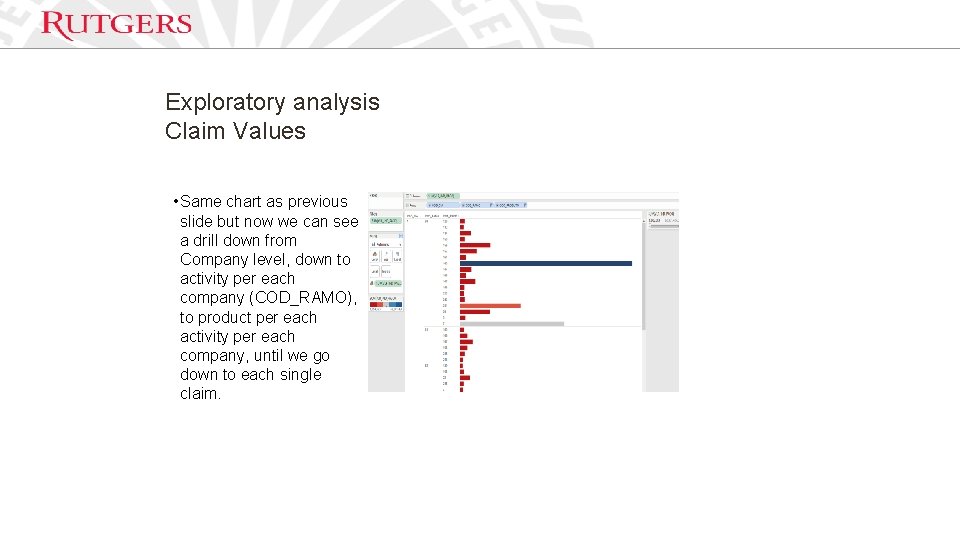
Exploratory analysis Claim Values • Same chart as previous slide but now we can see a drill down from Company level, down to activity per each company (COD_RAMO), to product per each activity per each company, until we go down to each single claim.
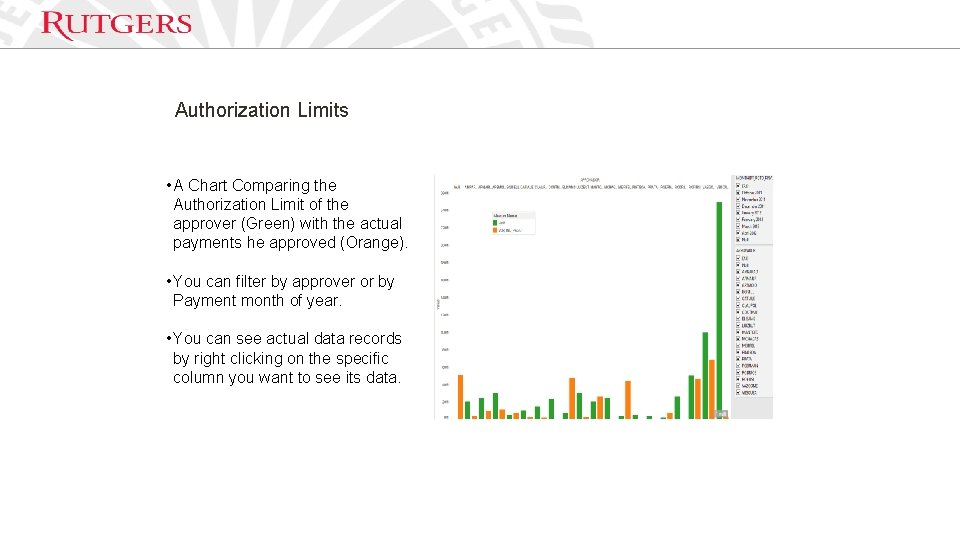
Authorization Limits • A Chart Comparing the Authorization Limit of the approver (Green) with the actual payments he approved (Orange). • You can filter by approver or by Payment month of year. • You can see actual data records by right clicking on the specific column you want to see its data.
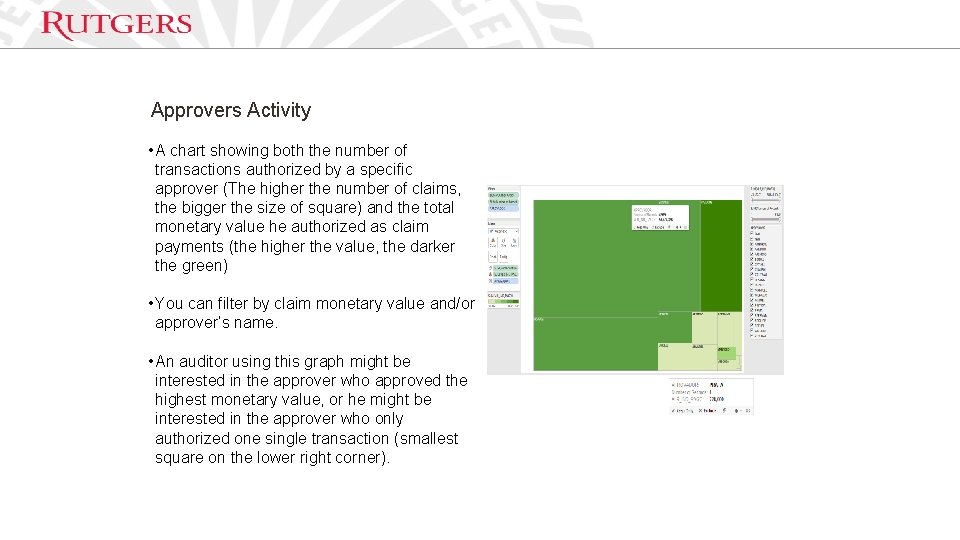
Approvers Activity • A chart showing both the number of transactions authorized by a specific approver (The higher the number of claims, the bigger the size of square) and the total monetary value he authorized as claim payments (the higher the value, the darker the green) • You can filter by claim monetary value and/or approver’s name. • An auditor using this graph might be interested in the approver who approved the highest monetary value, or he might be interested in the approver who only authorized one single transaction (smallest square on the lower right corner).
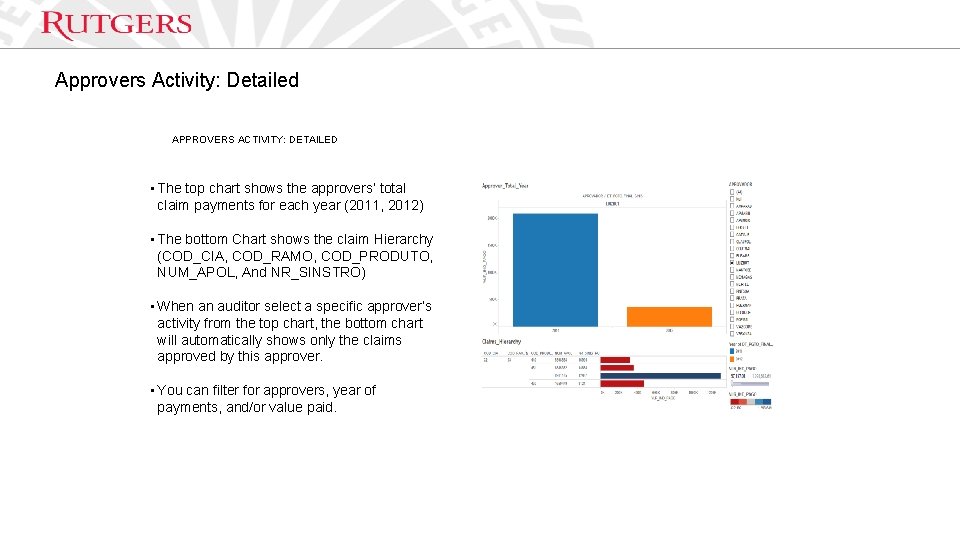
Approvers Activity: Detailed APPROVERS ACTIVITY: DETAILED • The top chart shows the approvers’ total claim payments for each year (2011, 2012) • The bottom Chart shows the claim Hierarchy (COD_CIA, COD_RAMO, COD_PRODUTO, NUM_APOL, And NR_SINSTRO) • When an auditor select a specific approver’s activity from the top chart, the bottom chart will automatically shows only the claims approved by this approver. • You can filter for approvers, year of payments, and/or value paid.
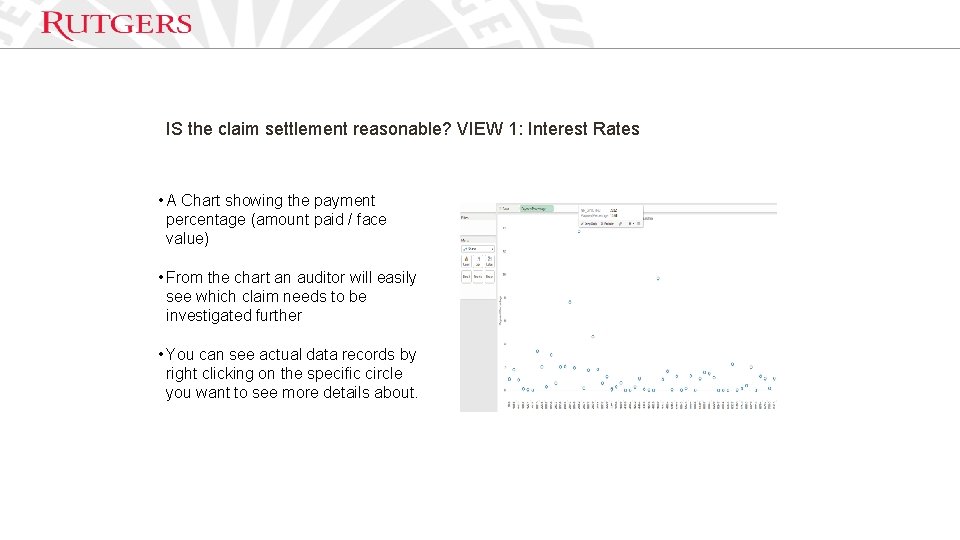
IS the claim settlement reasonable? VIEW 1: Interest Rates • A Chart showing the payment percentage (amount paid / face value) • From the chart an auditor will easily see which claim needs to be investigated further • You can see actual data records by right clicking on the specific circle you want to see more details about.
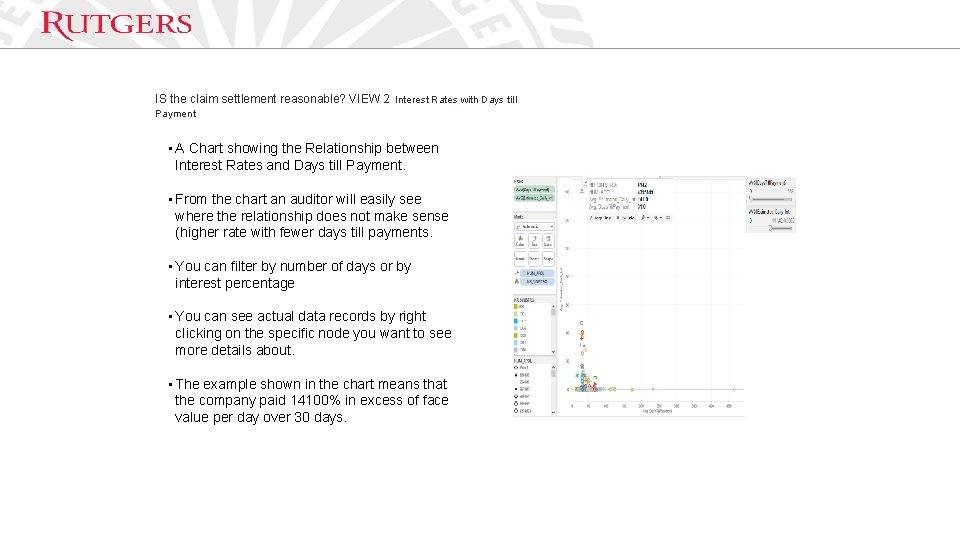
IS the claim settlement reasonable? VIEW 2 Interest Rates with Days till Payment • A Chart showing the Relationship between Interest Rates and Days till Payment. • From the chart an auditor will easily see where the relationship does not make sense (higher rate with fewer days till payments. • You can filter by number of days or by interest percentage • You can see actual data records by right clicking on the specific node you want to see more details about. • The example shown in the chart means that the company paid 14100% in excess of face value per day over 30 days.
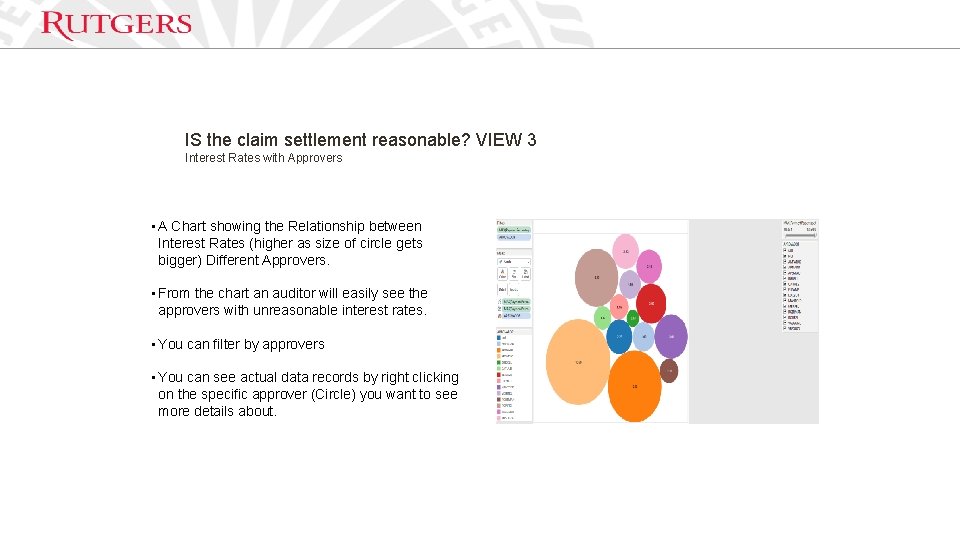
IS the claim settlement reasonable? VIEW 3 Interest Rates with Approvers • A Chart showing the Relationship between Interest Rates (higher as size of circle gets bigger) Different Approvers. • From the chart an auditor will easily see the approvers with unreasonable interest rates. • You can filter by approvers • You can see actual data records by right clicking on the specific approver (Circle) you want to see more details about.
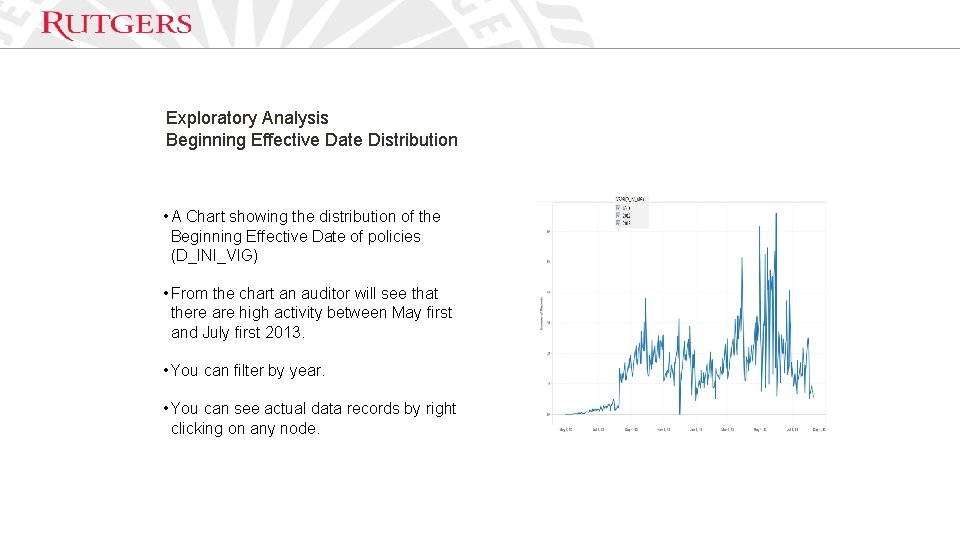
Exploratory Analysis Beginning Effective Date Distribution • A Chart showing the distribution of the Beginning Effective Date of policies (D_INI_VIG) • From the chart an auditor will see that there are high activity between May first and July first 2013. • You can filter by year. • You can see actual data records by right clicking on any node.
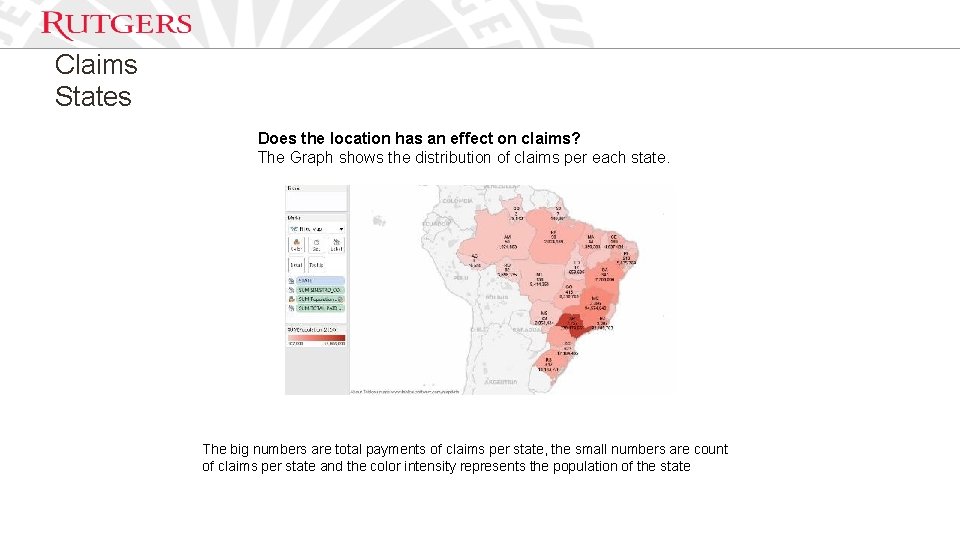
Claims States Does the location has an effect on claims? The Graph shows the distribution of claims per each state. The big numbers are total payments of claims per state, the small numbers are count of claims per state and the color intensity represents the population of the state
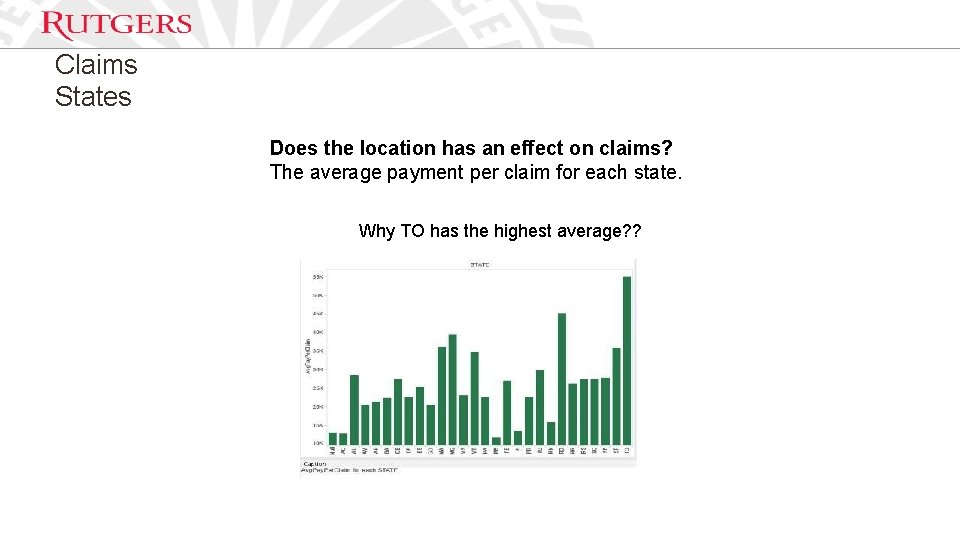
Claims States Does the location has an effect on claims? The average payment per claim for each state. Why TO has the highest average? ?
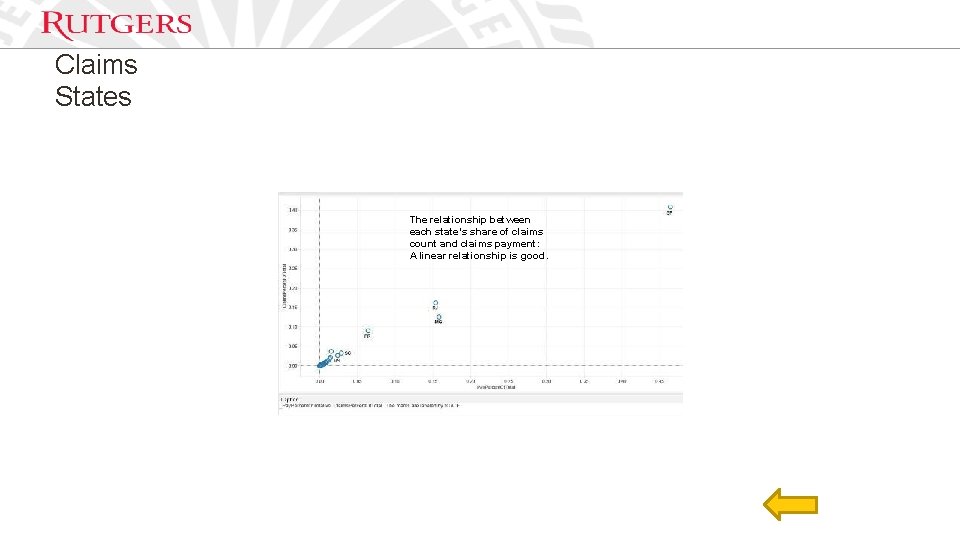
Claims States The relationship between each state’s share of claims count and claims payment: A linear relationship is good.