
Ecommerce Essentials first edition Kenneth C Laudon Carol

- Slides: 44
E-commerce Essentials first edition Kenneth C. Laudon Carol Guercio Traver
Chapter 4 Building an E-commerce Presence: Web Sites, Mobile Sites, and Apps Copyright © 2014 Pearson Education, Inc.
Class Discussion Tommy Hilfiger Replatforms n What reasons were behind Hilfiger’s choice of ATG for its Web site solution? n Why did Hilfiger decide it needed to replatform in 2011? n What are some of the site-building options for operators of smaller Web sites? Copyright © 2014 Pearson Education, Inc. Slide 4 -3
Imagine Your E-commerce Presence n What’s the idea? v Vision v Mission statement v Target audience v Intended market space v Strategic analysis v Internet marketing matrix v Development timeline and preliminary budget Copyright © 2014 Pearson Education, Inc. Slide 4 -4
Imagine Your E-commerce Presence (cont. ) n Where’s the money? v Business model(s): n Portal, e-tailer, content provider, transaction broker, market creator, service provider, community provider v Revenue model(s): n Advertising, subscriptions, transaction fees, sales, and affiliate revenue. Copyright © 2014 Pearson Education, Inc. Slide 4 -5
Imagine Your E-commerce Presence (cont. ) n Who and where is the target audience? v Describing your audience n Demographics v Age, gender, income, location n Behavior patterns (lifestyle) n Consumption patterns (purchasing habits) n Digital usage patterns n Content creation patterns (blogs, Facebook) n Buyer personas Copyright © 2014 Pearson Education, Inc. Slide 4 -6
Imagine Your E-commerce Presence (cont. ) n Characterize the marketplace v Demographics v Size, growth, changes v Structure n Competitors n Suppliers n Substitute products n Where is the content coming from? v Static or dynamic? Copyright © 2014 Pearson Education, Inc. Slide 4 -7
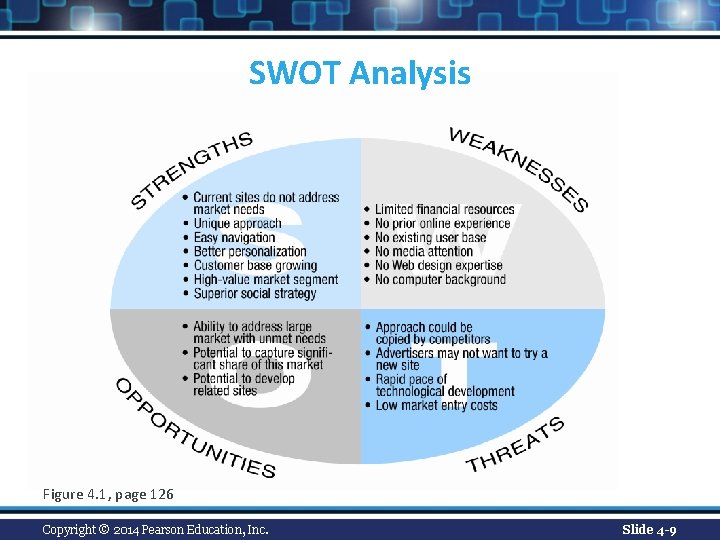
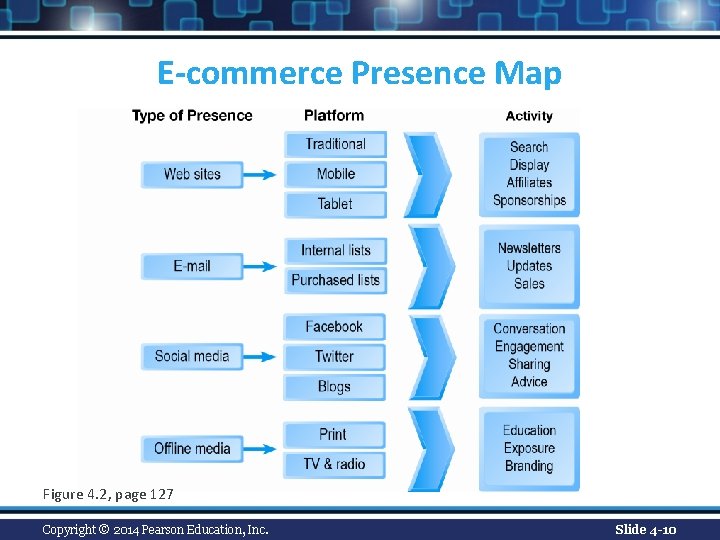
Imagine Your E-commerce Presence (cont. ) n Know yourself—SWOT analysis n Develop an e-commerce presence map n Develop a timeline: Milestones n How much will this cost? v Simple Web sites: up to $5000 v Small Web start-up: $25, 000 to $50, 000 v Large corporate site: $100, 000+ to millions Copyright © 2014 Pearson Education, Inc. Slide 4 -8
SWOT Analysis Figure 4. 1, page 126 Copyright © 2014 Pearson Education, Inc. Slide 4 -9
E-commerce Presence Map Figure 4. 2, page 127 Copyright © 2014 Pearson Education, Inc. Slide 4 -10
Building an E-commerce Presence: A Systematic Approach n Most important management challenges: v Developing a clear understanding of business objectives v Knowing how to choose the right technology to achieve those objectives Copyright © 2014 Pearson Education, Inc. Slide 4 -11
Pieces of the Site-Building Puzzle n Main areas where you will need to make decisions: v Human resources and organizational capabilities n Creating a team with the skill set needed to build and manage a successful site v Hardware/software v Telecommunications v Site design Copyright © 2014 Pearson Education, Inc. Slide 4 -12
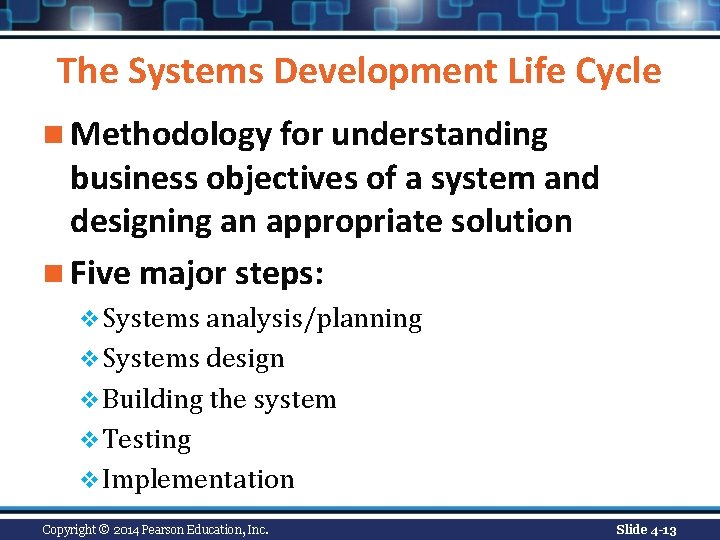
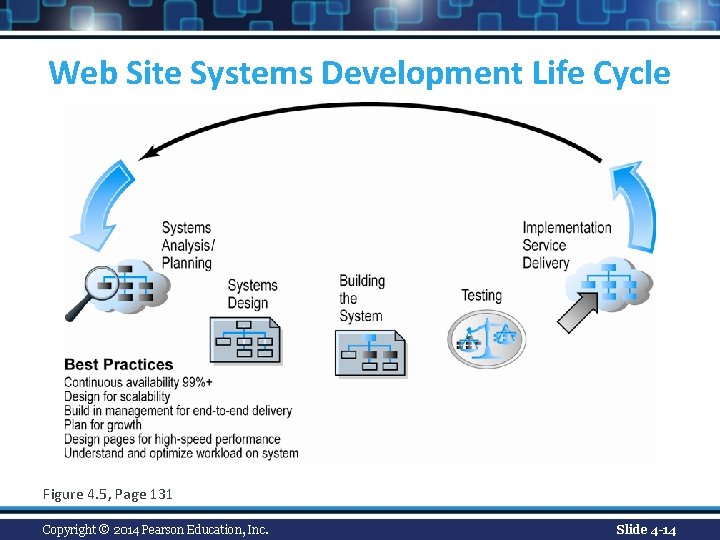
The Systems Development Life Cycle n Methodology for understanding business objectives of a system and designing an appropriate solution n Five major steps: v Systems analysis/planning v Systems design v Building the system v Testing v Implementation Copyright © 2014 Pearson Education, Inc. Slide 4 -13
Web Site Systems Development Life Cycle Figure 4. 5, Page 131 Copyright © 2014 Pearson Education, Inc. Slide 4 -14
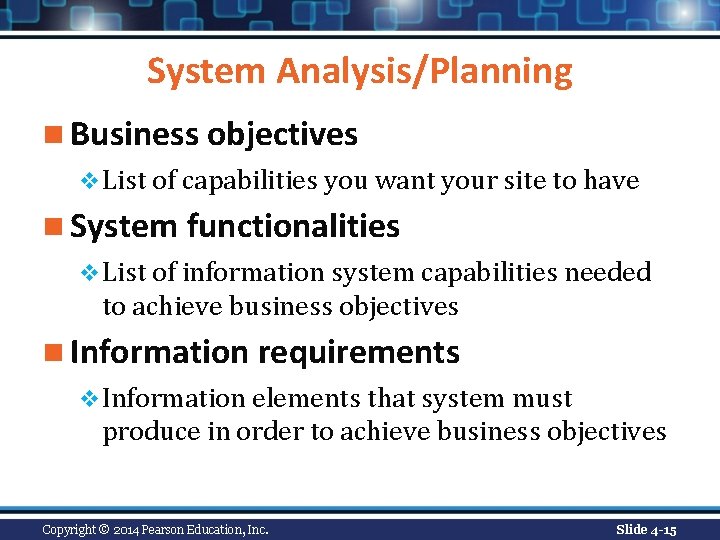
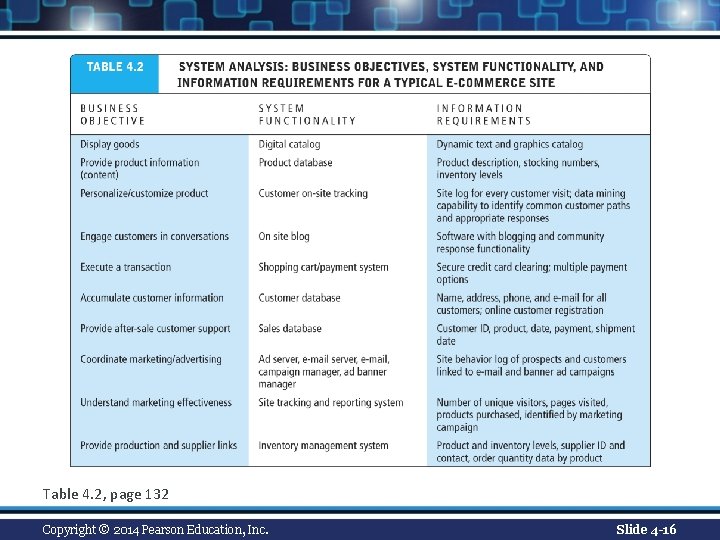
System Analysis/Planning n Business objectives v List of capabilities you want your site to have n System functionalities v List of information system capabilities needed to achieve business objectives n Information requirements v Information elements that system must produce in order to achieve business objectives Copyright © 2014 Pearson Education, Inc. Slide 4 -15
Table 4. 2, page 132 Copyright © 2014 Pearson Education, Inc. Slide 4 -16
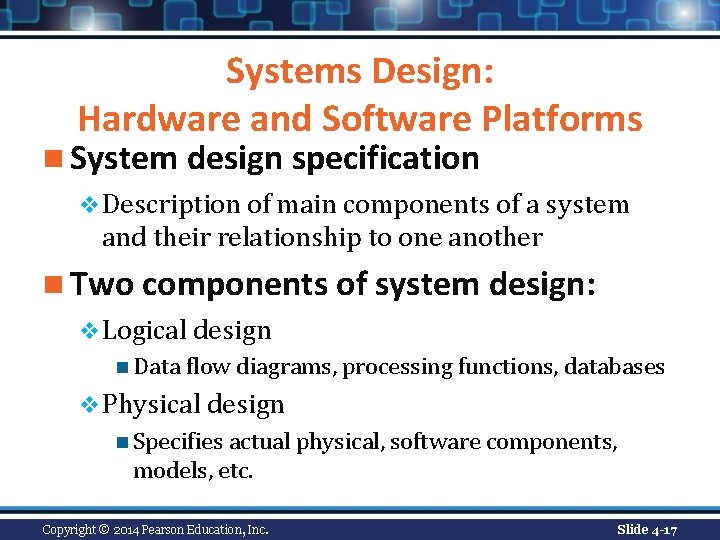
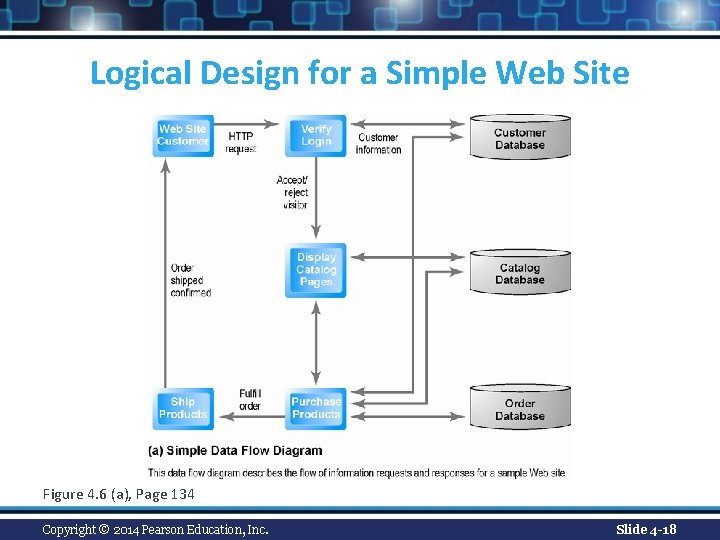
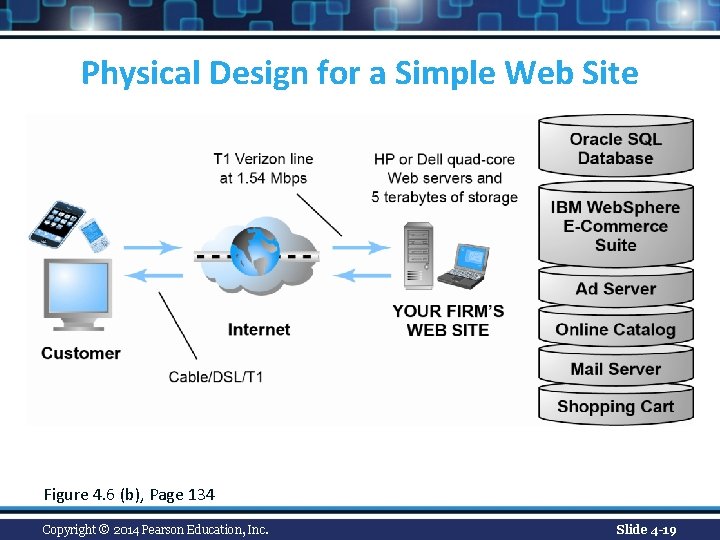
Systems Design: Hardware and Software Platforms n System design specification v Description of main components of a system and their relationship to one another n Two components of system design: v Logical design n Data flow diagrams, processing functions, databases v Physical design n Specifies actual physical, software components, models, etc. Copyright © 2014 Pearson Education, Inc. Slide 4 -17
Logical Design for a Simple Web Site Figure 4. 6 (a), Page 134 Copyright © 2014 Pearson Education, Inc. Slide 4 -18
Physical Design for a Simple Web Site Figure 4. 6 (b), Page 134 Copyright © 2014 Pearson Education, Inc. Slide 4 -19
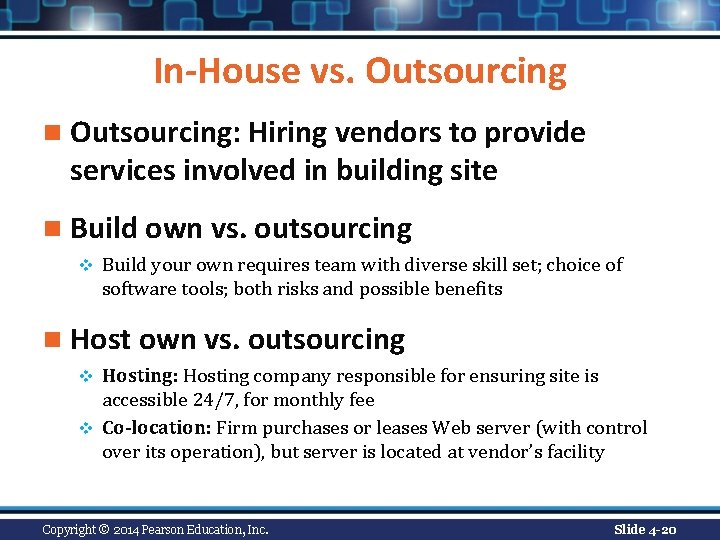
In-House vs. Outsourcing n Outsourcing: Hiring vendors to provide services involved in building site n Build own vs. outsourcing v Build your own requires team with diverse skill set; choice of software tools; both risks and possible benefits n Host own vs. outsourcing Hosting: Hosting company responsible for ensuring site is accessible 24/7, for monthly fee v Co-location: Firm purchases or leases Web server (with control over its operation), but server is located at vendor’s facility v Copyright © 2014 Pearson Education, Inc. Slide 4 -20
Insight on Business: Class Discussion Curly Hair and Appillionaires n How does a small, niche Web site like Naturally. Curly. com become profitable? n Why has it never been cheaper to start an e-commerce company? n What is an Appillionaire? Copyright © 2014 Pearson Education, Inc. Slide 4 -21
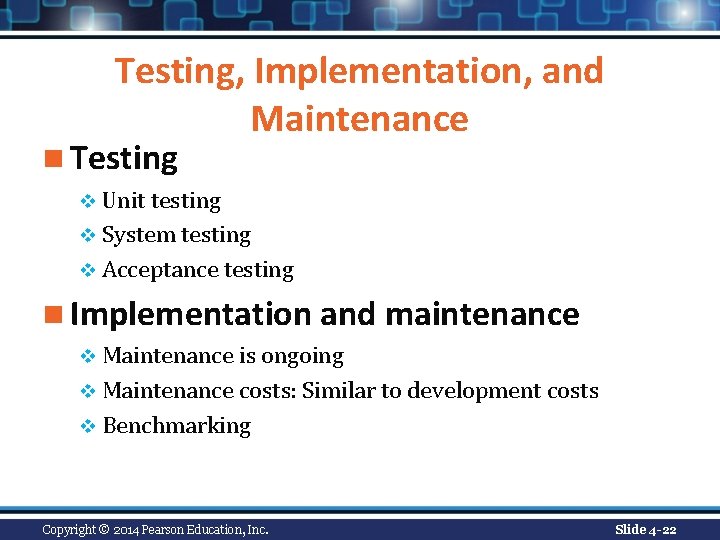
Testing, Implementation, and Maintenance n Testing v Unit testing v System testing v Acceptance testing n Implementation and maintenance v Maintenance is ongoing v Maintenance costs: Similar to development costs v Benchmarking Copyright © 2014 Pearson Education, Inc. Slide 4 -22
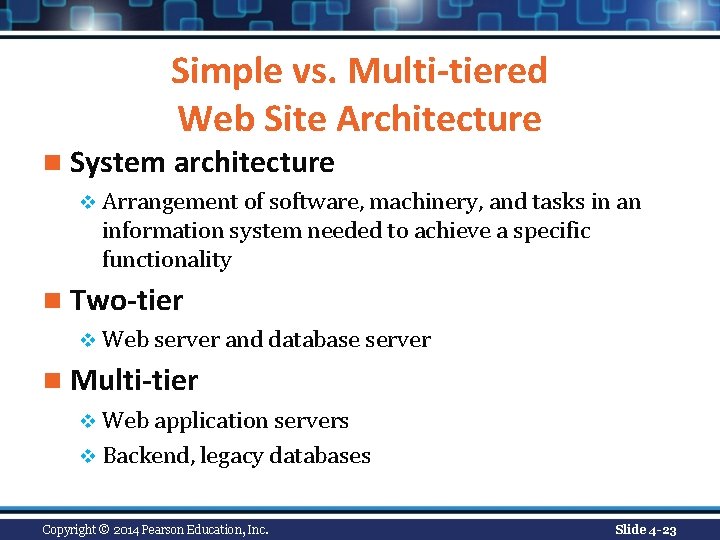
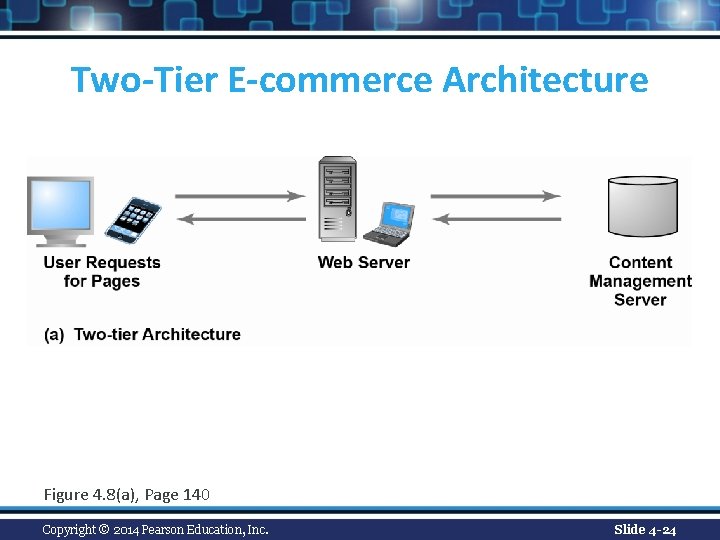
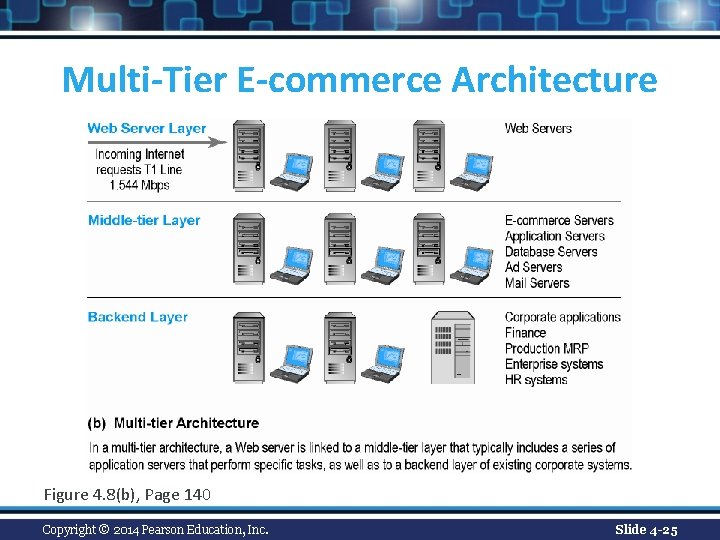
Simple vs. Multi-tiered Web Site Architecture n System architecture v Arrangement of software, machinery, and tasks in an information system needed to achieve a specific functionality n Two-tier v Web server and database server n Multi-tier v Web application servers v Backend, legacy databases Copyright © 2014 Pearson Education, Inc. Slide 4 -23
Two-Tier E-commerce Architecture Figure 4. 8(a), Page 140 Copyright © 2014 Pearson Education, Inc. Slide 4 -24
Multi-Tier E-commerce Architecture Figure 4. 8(b), Page 140 Copyright © 2014 Pearson Education, Inc. Slide 4 -25
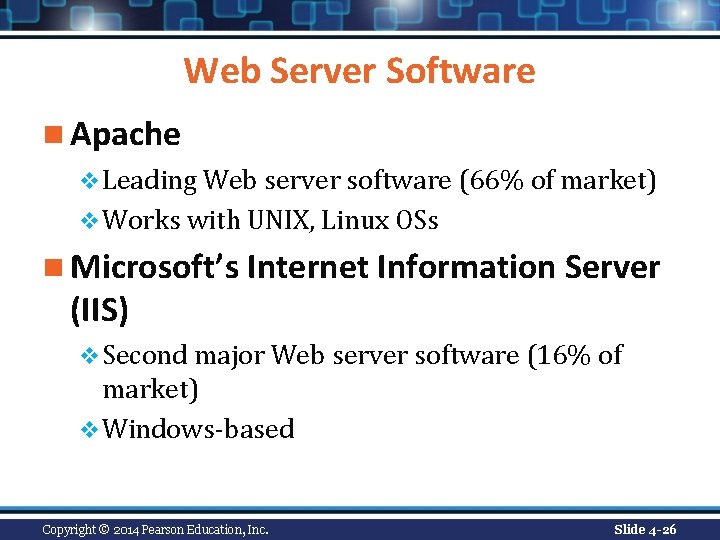
Web Server Software n Apache v Leading Web server software (66% of market) v Works with UNIX, Linux OSs n Microsoft’s Internet Information Server (IIS) v Second major Web server software (16% of market) v Windows-based Copyright © 2014 Pearson Education, Inc. Slide 4 -26
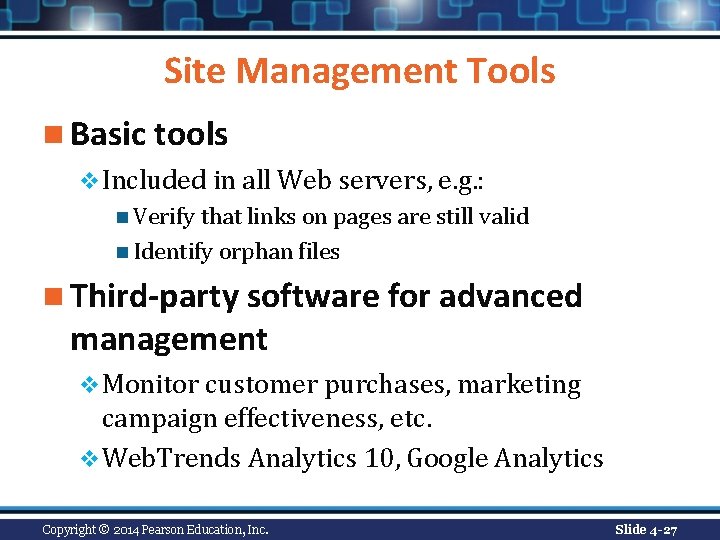
Site Management Tools n Basic tools v Included in all Web servers, e. g. : n Verify that links on pages are still valid n Identify orphan files n Third-party software for advanced management v Monitor customer purchases, marketing campaign effectiveness, etc. v Web. Trends Analytics 10, Google Analytics Copyright © 2014 Pearson Education, Inc. Slide 4 -27
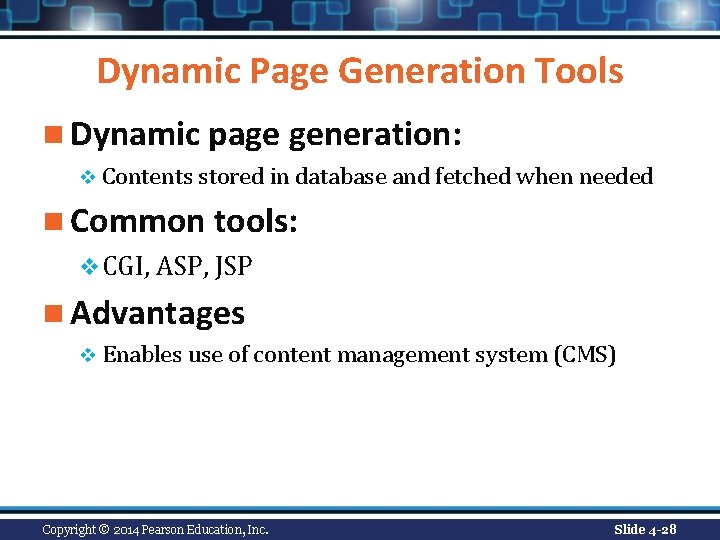
Dynamic Page Generation Tools n Dynamic page generation: v Contents stored in database and fetched when needed n Common tools: v CGI, ASP, JSP n Advantages v Enables use of content management system (CMS) Copyright © 2014 Pearson Education, Inc. Slide 4 -28
Application Servers n Web application servers v Provide specific business functionality required for a Web site v Type of middleware n Connects traditional corporate systems to customers v Single-function applications being replaced by integrated software tools that combine all functionality needed for e-commerce site Copyright © 2014 Pearson Education, Inc. Slide 4 -29
E-commerce Merchant Server Software n Provides basic functionality for sales v Online catalog n List of products available on Web site v Shopping cart n Allows shoppers to set aside, review, edit selections, and then make purchase v Credit card processing n Typically works in conjunction with shopping cart n Verifies card and puts through credit to company’s account at checkout Copyright © 2014 Pearson Education, Inc. Slide 4 -30
Merchant Server Software Packages n Integrated environment that includes most of functionality needed n Three general ranges of price and functionality v Basic: free, open source v Midrange v High-end Copyright © 2014 Pearson Education, Inc. Slide 4 -31
Building Your Own E-commerce Site n Options for small firms v Hosted e-commerce sites, e. g. , Yahoo’s Merchant Solutions n Site building tools n E-commerce templates v Open-source merchant server software n Enables you to build truly custom sites n Requires programmer with expertise, time Copyright © 2014 Pearson Education, Inc. Slide 4 -32
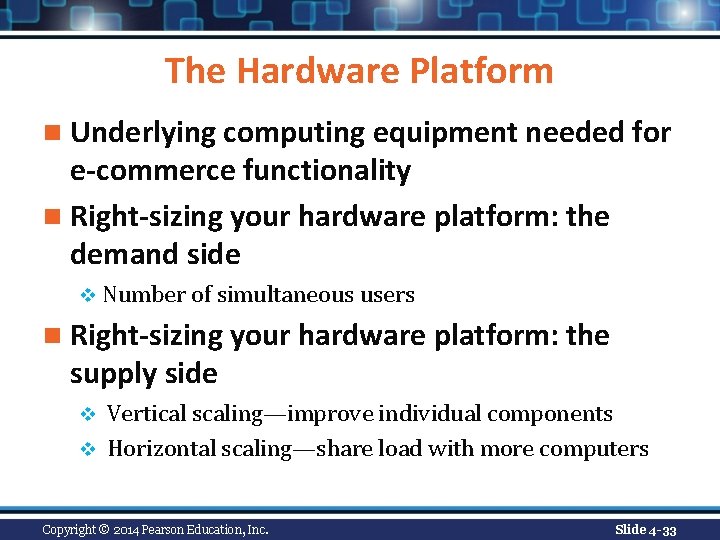
The Hardware Platform n Underlying computing equipment needed for e-commerce functionality n Right-sizing your hardware platform: the demand side v Number of simultaneous users n Right-sizing your hardware platform: the supply side Vertical scaling—improve individual components v Horizontal scaling—share load with more computers v Copyright © 2014 Pearson Education, Inc. Slide 4 -33
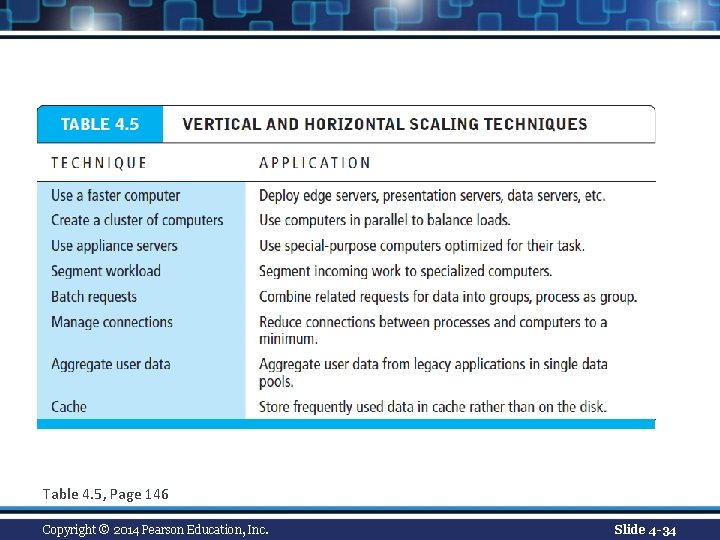
Table 4. 5, Page 146 Copyright © 2014 Pearson Education, Inc. Slide 4 -34
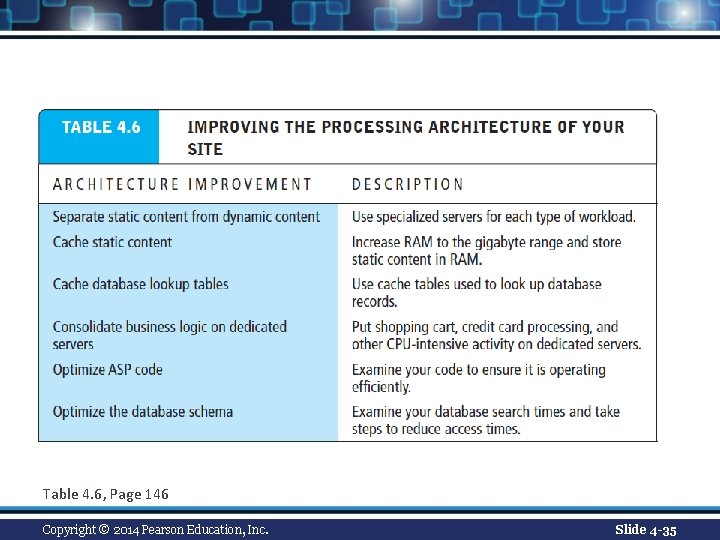
Table 4. 6, Page 146 Copyright © 2014 Pearson Education, Inc. Slide 4 -35
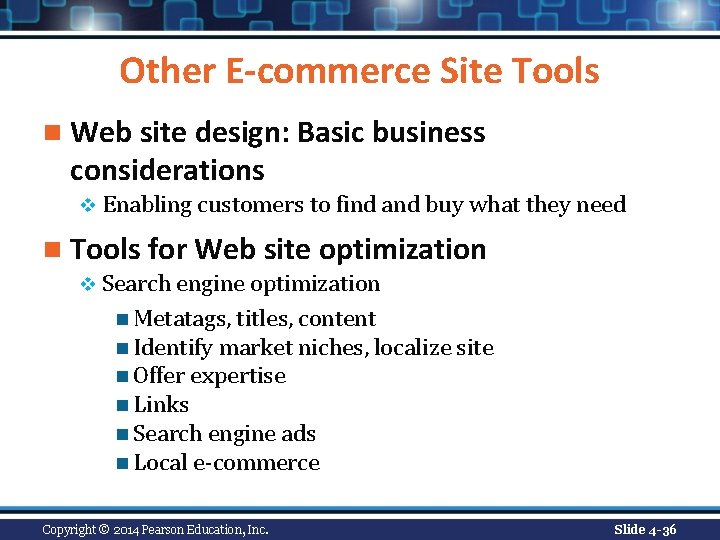
Other E-commerce Site Tools n Web site design: Basic business considerations v Enabling customers to find and buy what they need n Tools for Web site optimization v Search engine optimization n Metatags, titles, content n Identify market niches, localize site n Offer expertise n Links n Search engine ads n Local e-commerce Copyright © 2014 Pearson Education, Inc. Slide 4 -36
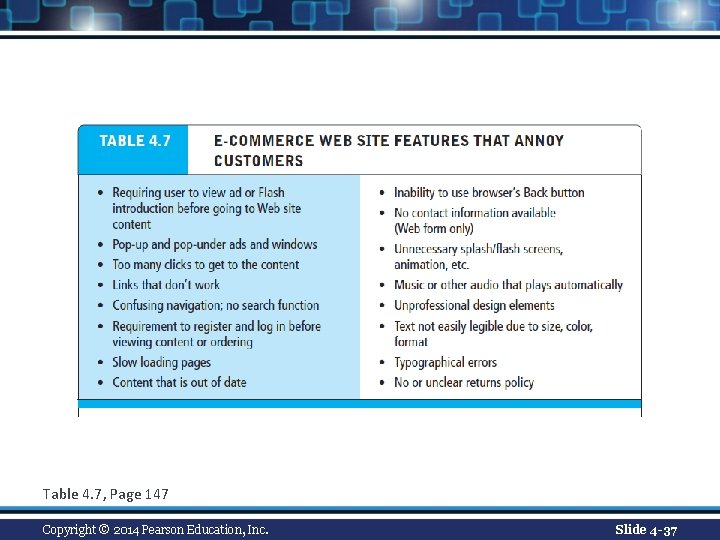
Table 4. 7, Page 147 Copyright © 2014 Pearson Education, Inc. Slide 4 -37
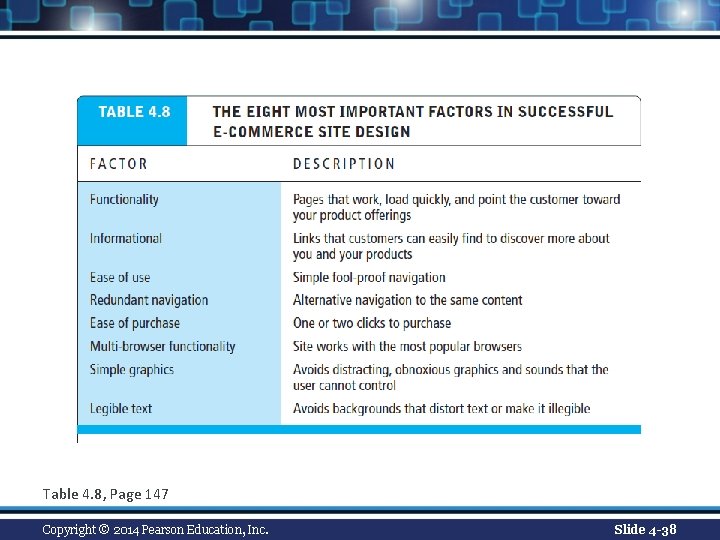
Table 4. 8, Page 147 Copyright © 2014 Pearson Education, Inc. Slide 4 -38
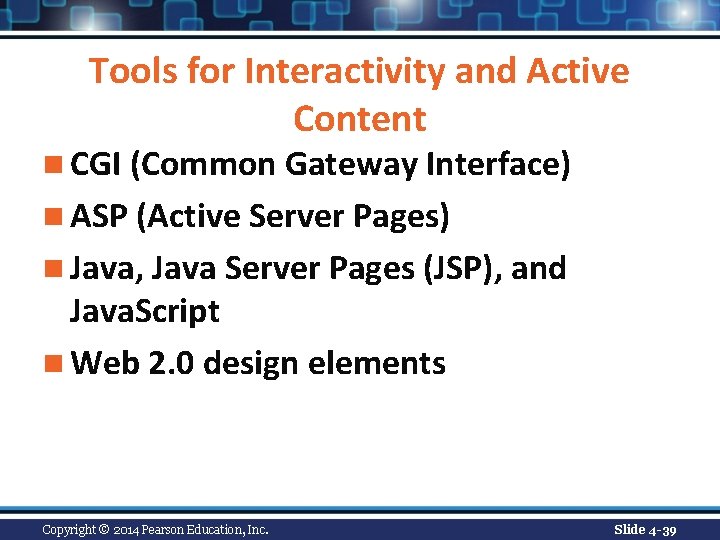
Tools for Interactivity and Active Content n CGI (Common Gateway Interface) n ASP (Active Server Pages) n Java, Java Server Pages (JSP), and Java. Script n Web 2. 0 design elements Copyright © 2014 Pearson Education, Inc. Slide 4 -39
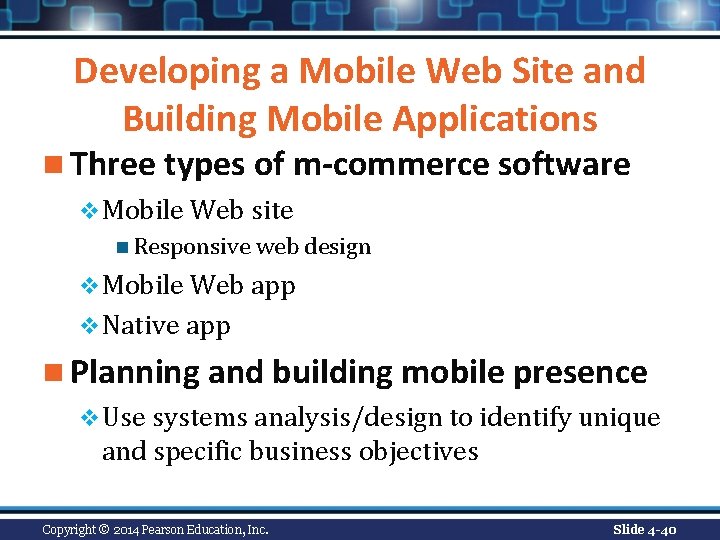
Developing a Mobile Web Site and Building Mobile Applications n Three types of m-commerce software v Mobile Web site n Responsive web design v Mobile Web app v Native app n Planning and building mobile presence v Use systems analysis/design to identify unique and specific business objectives Copyright © 2014 Pearson Education, Inc. Slide 4 -40
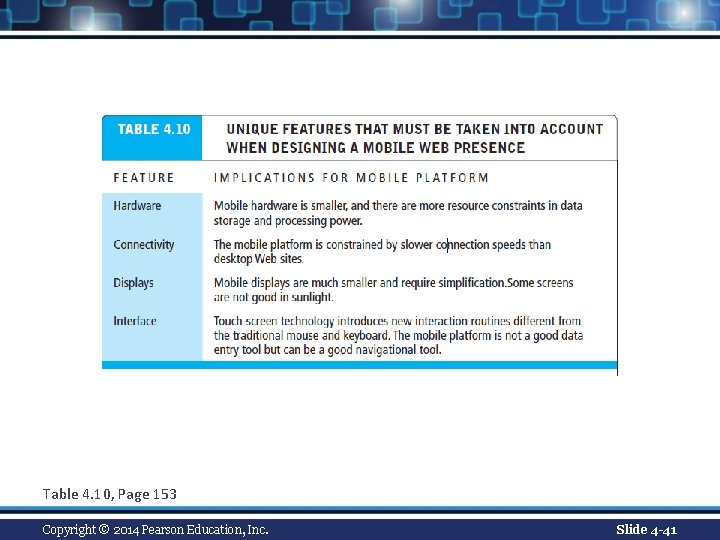
Table 4. 10, Page 153 Copyright © 2014 Pearson Education, Inc. Slide 4 -41
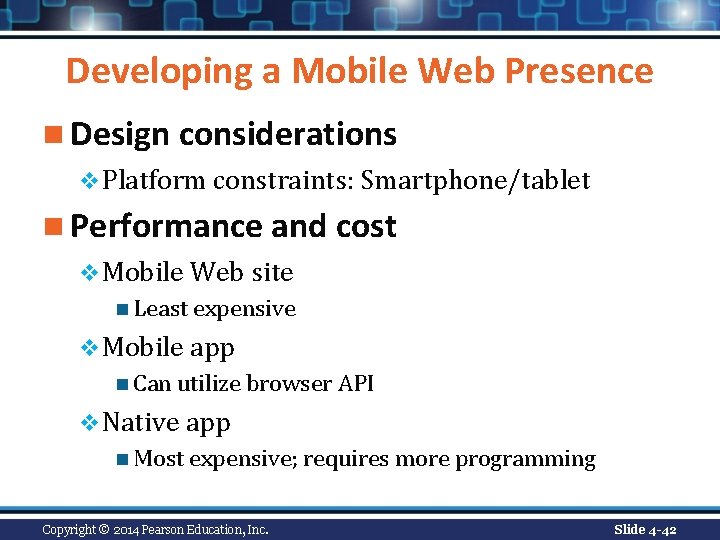
Developing a Mobile Web Presence n Design considerations v Platform constraints: Smartphone/tablet n Performance and cost v Mobile Web site n Least expensive v Mobile app n Can utilize browser API v Native app n Most expensive; requires more programming Copyright © 2014 Pearson Education, Inc. Slide 4 -42
Insight on Technology: Class Discussion Building a Mobile Presence n What are the key differences between user experience on a Web site and on a mobile device? n Why would a mobile Web site or app from the same merchant need different content or functionality? n In which cases would a merchant want to develop a mobile app over a mobile Web site? Copyright © 2014 Pearson Education, Inc. Slide 4 -43
Copyright © 2014 Pearson Education, Inc. Slide 4 -44