
Echometer How To TWM Basic Steps to Acquire
Echometer How To TWM Basic Steps to Acquire 30 K Lbs Horseshoe Load Cell Dynamometer Data. by Echometer Company Reference: Well Analyzer Quick. Refs, http: //www. echometer. com/support/quickrefs/index. html

30 k HORSESHOE TRANSDUCER POSITION FROM ACCELEROMETER 1. Highly accurate transducer 2. Provide a precise load value. 3. Load cell placed on polished rod between the permanent polished rod clamp and the carrier bar. 4. Sensor acquires the acceleration of the polished rod. 5. TWM calculates velocity and position of the polished rod by integration of the acceleration signal vs. time.
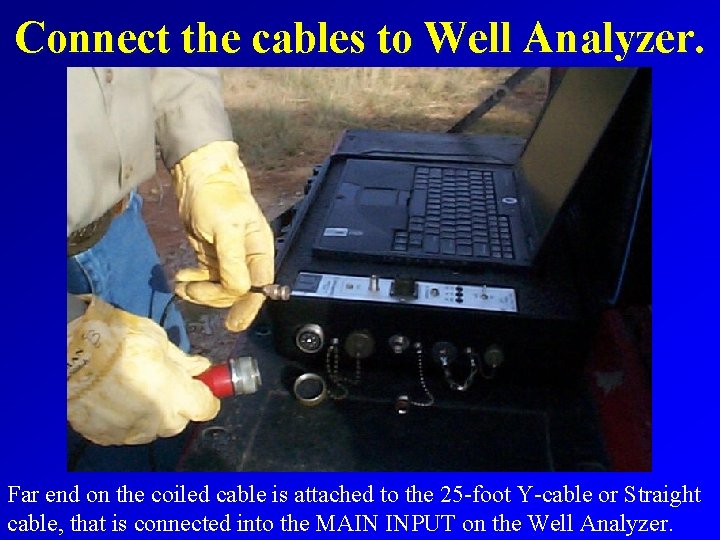
Connect the cables to Well Analyzer. Far end on the coiled cable is attached to the 25 -foot Y-cable or Straight cable, that is connected into the MAIN INPUT on the Well Analyzer.
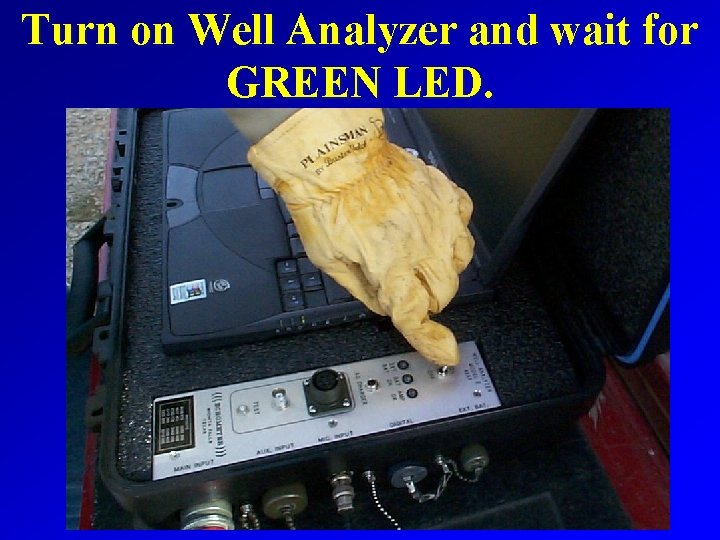
Turn on Well Analyzer and wait for GREEN LED.
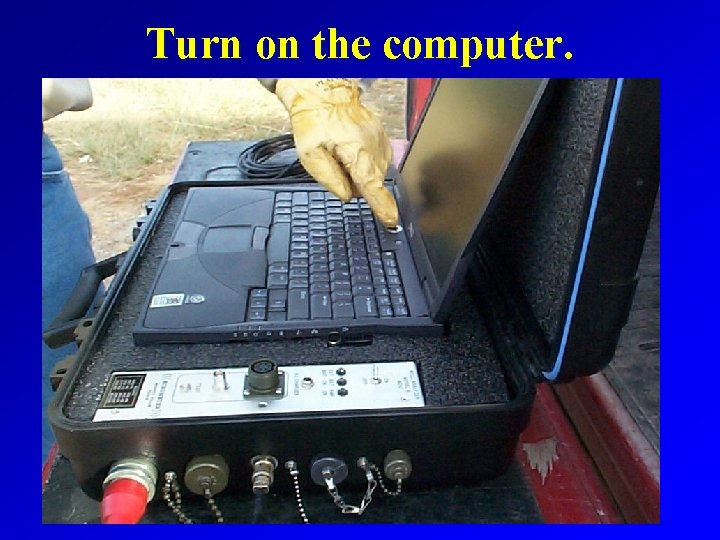
Turn on the computer.
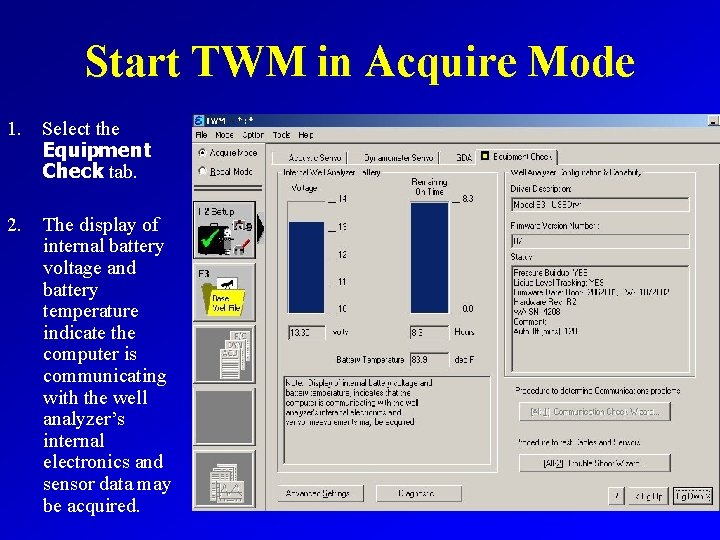
Start TWM in Acquire Mode 1. Select the Equipment Check tab. 2. The display of internal battery voltage and battery temperature indicate the computer is communicating with the well analyzer’s internal electronics and sensor data may be acquired.
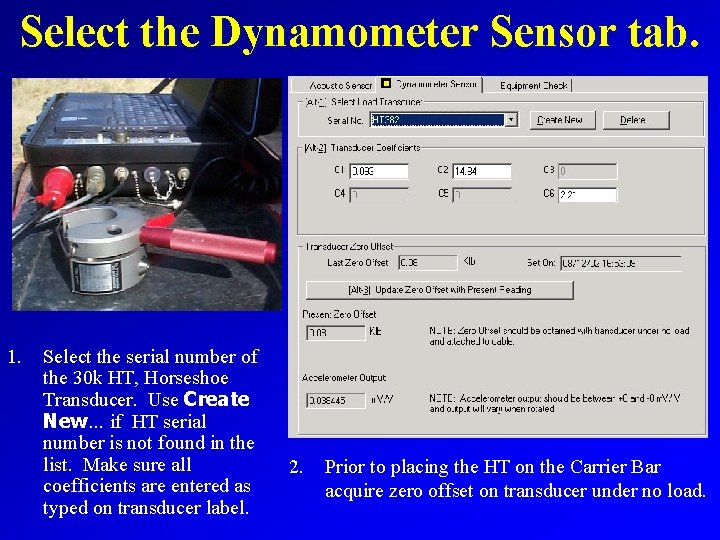
Select the Dynamometer Sensor tab. 1. Select the serial number of the 30 k HT, Horseshoe Transducer. Use Create New… if HT serial number is not found in the list. Make sure all coefficients are entered as typed on transducer label. 2. Prior to placing the HT on the Carrier Bar acquire zero offset on transducer under no load.

Stop the Pumping Unit carefully, near the bottom of the stroke. For safety purposes when stopping the pumping unit to attach the HT transducer, the operator should disconnect the power and set the break.

Attach Temporary Polished Rod Clamp Below Carrier Bar 1. Distance between the bottom of the carrier bar and the top of the polished rod clamp MUST be greater than the height of the 30 k HT. 2. At the bottom of the stroke there MUST still be room for the polished rod clamp to not contact the top of the stuffing box OR the temporary polished rod clamp must be removed prior to acquiring dynamometer data. 3. Attach polished rod clamp below carrier bar at the proper location.

Remove Non-Load Bearing Devices Attached to Top of Stuffing Box 1. Remove any equipment above the stuffing box, such as a lubricator, that is incapable of supporting the entire weight of the rod string plus the fluid load. 2. Special stack-off boxes may be required if the well head stuffing boxes is not capable of supporting the entire weight of the rod string plus the fluid load.
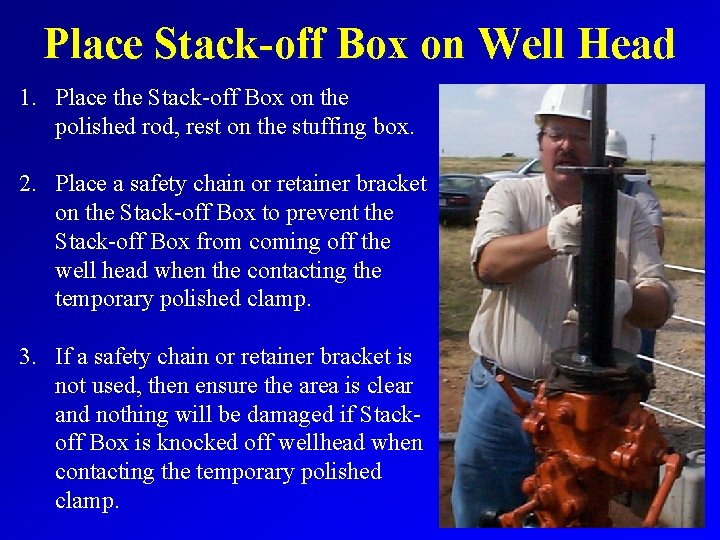
Place Stack-off Box on Well Head 1. Place the Stack-off Box on the polished rod, rest on the stuffing box. 2. Place a safety chain or retainer bracket on the Stack-off Box to prevent the Stack-off Box from coming off the well head when the contacting the temporary polished clamp. 3. If a safety chain or retainer bracket is not used, then ensure the area is clear and nothing will be damaged if Stackoff Box is knocked off wellhead when contacting the temporary polished clamp.

Carefully Stop the Pumping Unit, When Clamp Contacts Suitcase. 1. For safety purposes when stopping the pumping unit to attach the HT transducer, the operator should disconnect the power and set the break. 2. When the temporary polished rod clamp contacts the stack-off box, possibly the entire weight of the rod string plus the fluid load may be resting on the well head stuffing box.
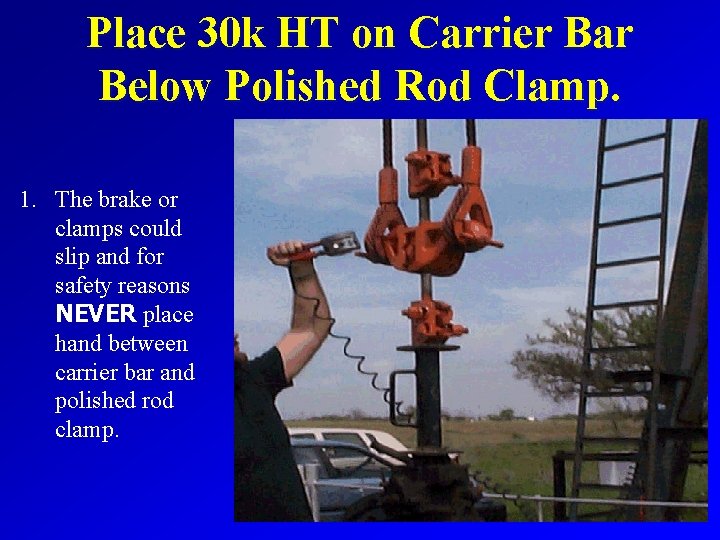
Place 30 k HT on Carrier Bar Below Polished Rod Clamp. 1. The brake or clamps could slip and for safety reasons NEVER place hand between carrier bar and polished rod clamp.

Use Safety Pin to Secure 30 k HT on Polished Rod 1. After the 30 k HT is placed on the carrier bar, insert safety pin through the 30 k HT to secure load cell. 2. 2. Place the 30 k HT on carrier bar below other types of equipment, such as rod rotator or load cell spacer. 3. 3. Errors possible in load data, if the carrier bar and clamp do not uniformly
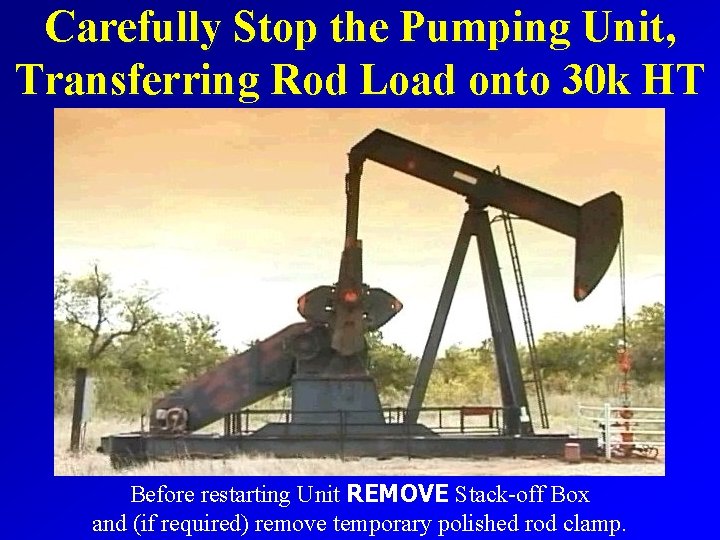
Carefully Stop the Pumping Unit, Transferring Rod Load onto 30 k HT Before restarting Unit REMOVE Stack-off Box and (if required) remove temporary polished rod clamp.
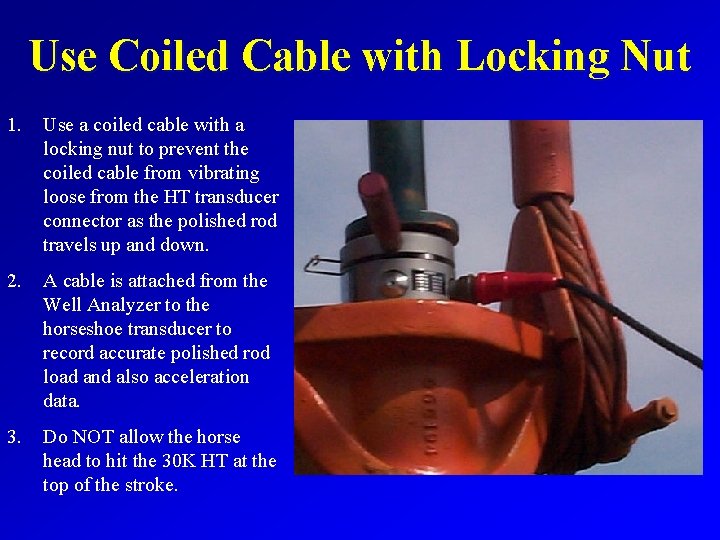
Use Coiled Cable with Locking Nut 1. Use a coiled cable with a locking nut to prevent the coiled cable from vibrating loose from the HT transducer connector as the polished rod travels up and down. 2. A cable is attached from the Well Analyzer to the horseshoe transducer to record accurate polished rod load and also acceleration data. 3. Do NOT allow the horse head to hit the 30 K HT at the top of the stroke.

Accelerometer Determines Position 1. An accelerometer is contained within the 30 k horseshoe transducer. 2. The acceleration data is processed to obtain position data, so a string position transducer is not required. 3. The accelerometer does not require as much maintenance as a string type position transducer requires and is easier to use.
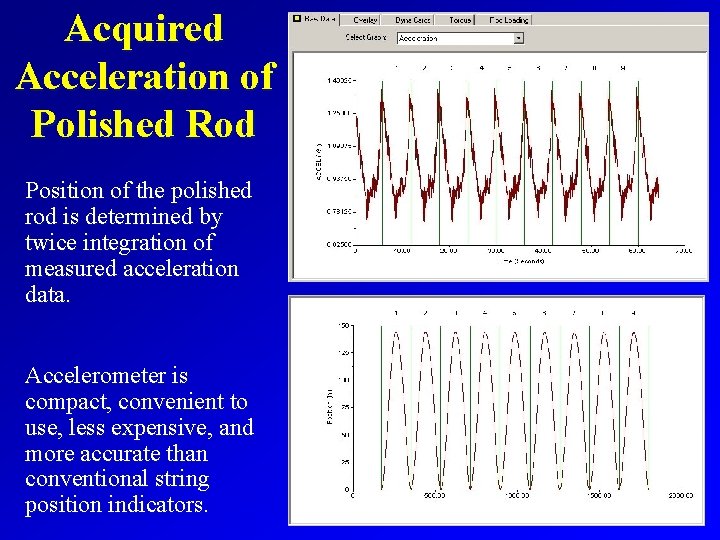
Acquired Acceleration of Polished Rod Position of the polished rod is determined by twice integration of measured acceleration data. Accelerometer is compact, convenient to use, less expensive, and more accurate than conventional string position indicators.
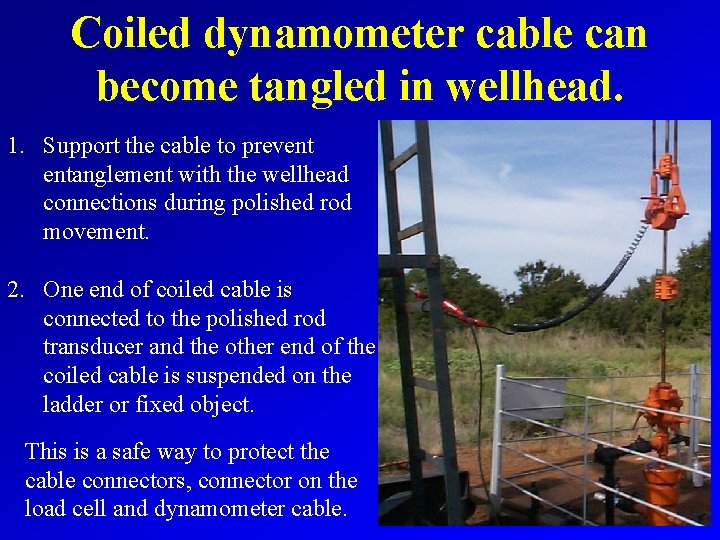
Coiled dynamometer cable can become tangled in wellhead. 1. Support the cable to prevent entanglement with the wellhead connections during polished rod movement. 2. One end of coiled cable is connected to the polished rod transducer and the other end of the coiled cable is suspended on the ladder or fixed object. This is a safe way to protect the cable connectors, connector on the load cell and dynamometer cable.
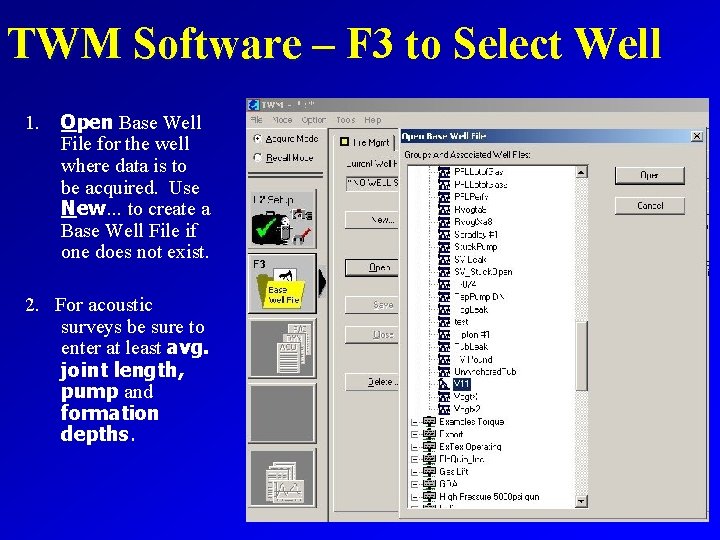
TWM Software – F 3 to Select Well TWM Software 1. Open Base Well File for the well where data is to be acquired. Use New… to create a Base Well File if one does not exist. 2. For acoustic surveys be sure to enter at least avg. joint length, pump and formation depths.
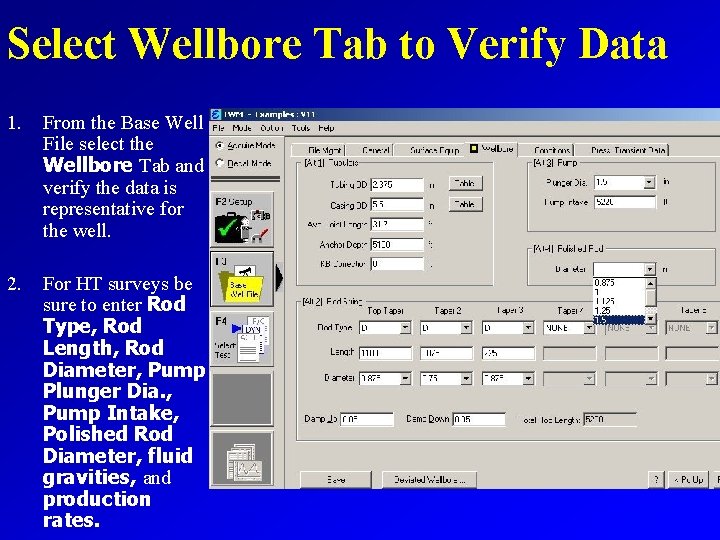
Select Wellbore Tab to Verify Data 1. From the Base Well File select the Wellbore Tab and verify the data is representative for the well. 2. For HT surveys be sure to enter Rod Type, Rod Length, Rod Diameter, Pump Plunger Dia. , Pump Intake, Polished Rod Diameter, fluid gravities, and production rates.
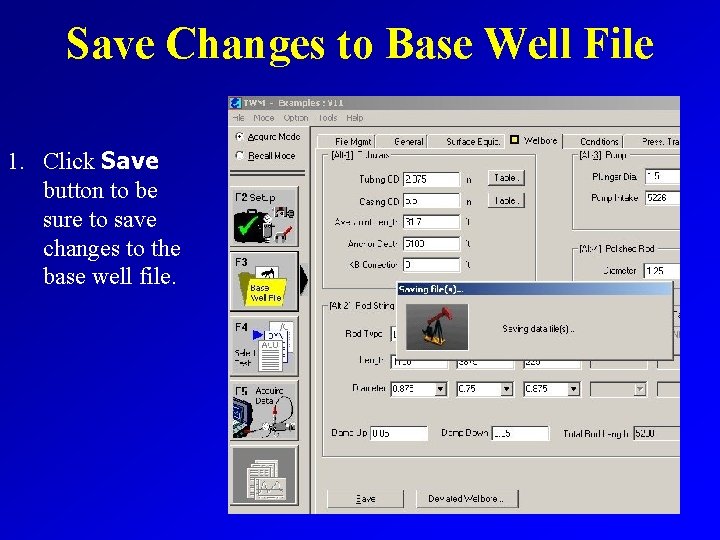
Save Changes to Base Well File 1. Click Save button to be sure to save changes to the base well file.
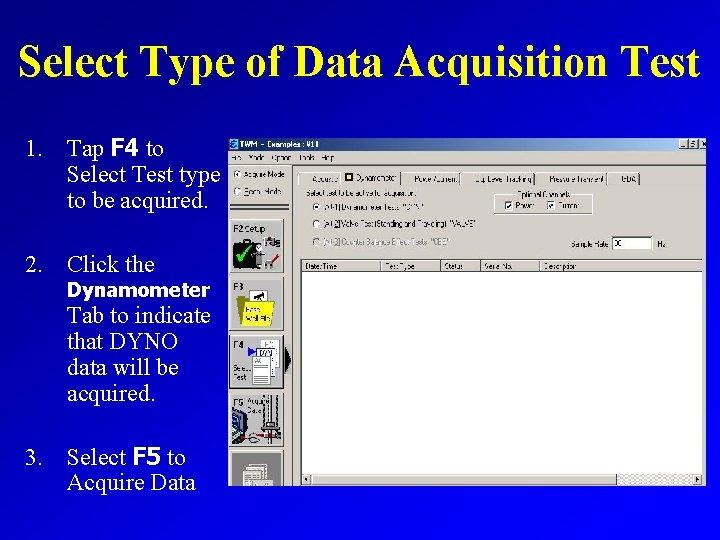
Select Type of Data Acquisition Test 1. Tap F 4 to Select Test type to be acquired. 2. Click the Dynamometer Tab to indicate that DYNO data will be acquired. 3. Select F 5 to Acquire Data
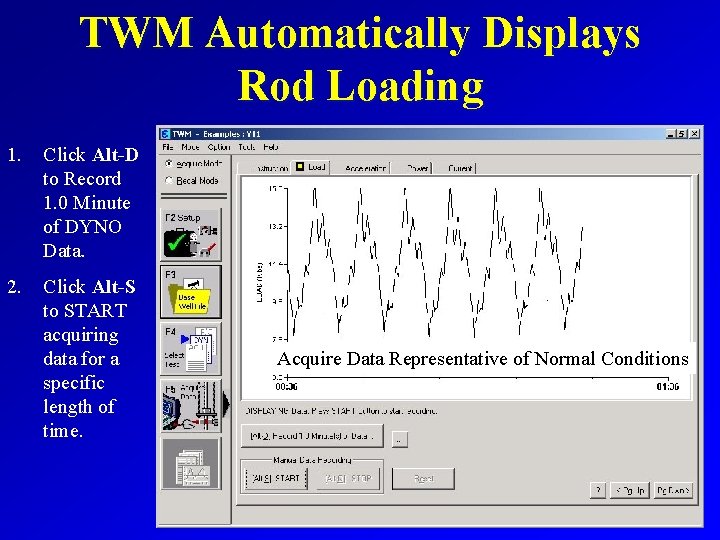
TWM Automatically Displays Rod Loading 1. Click Alt-D to Record 1. 0 Minute of DYNO Data. 2. Click Alt-S to START acquiring data for a specific length of time. Acquire Data Representative of Normal Conditions
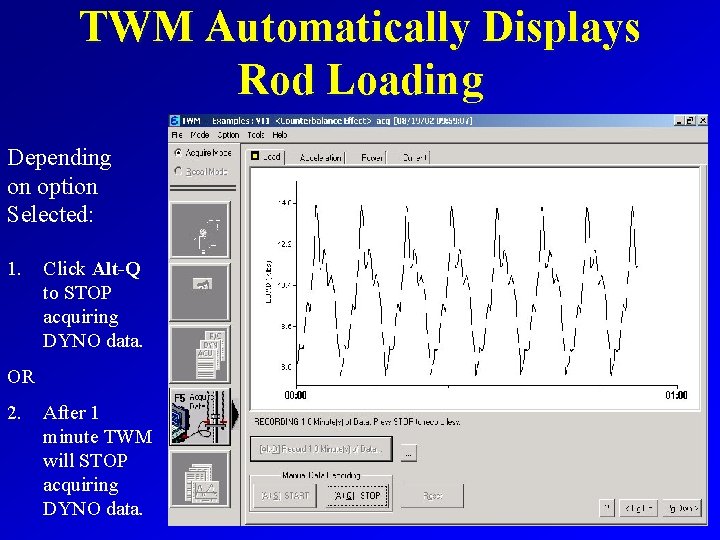
TWM Automatically Displays Rod Loading Depending on option Selected: 1. Click Alt-Q to STOP acquiring DYNO data. OR 2. After 1 minute TWM will STOP acquiring DYNO data.
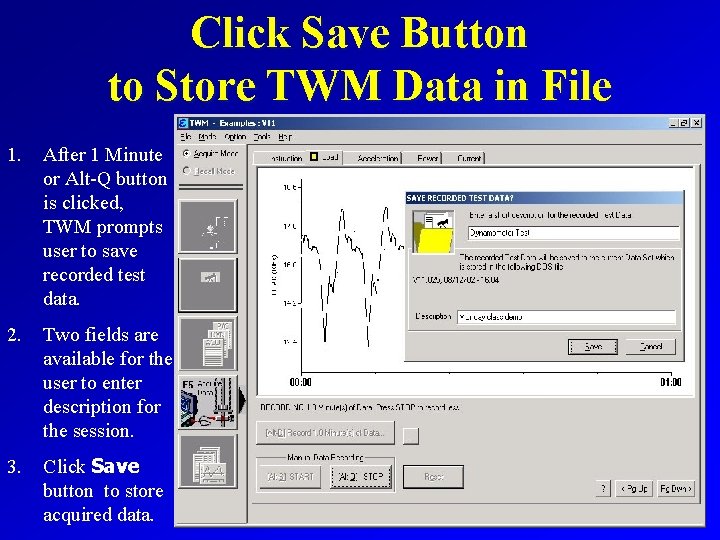
Click Save Button to Store TWM Data in File 1. After 1 Minute or Alt-Q button is clicked, TWM prompts user to save recorded test data. 2. Two fields are available for the user to enter description for the session. 3. Click Save button to store acquired data.
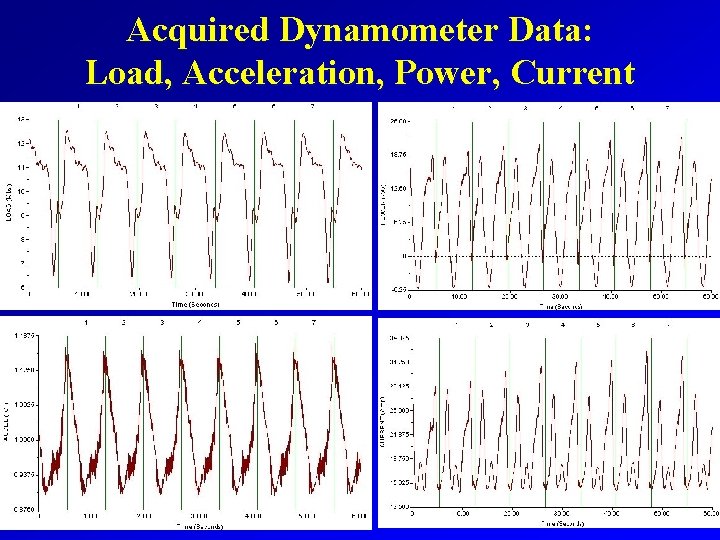
Acquired Dynamometer Data: Load, Acceleration, Power, Current

DYNAMOMETER SURVEY ANALYSIS ANSWERS THE FOLLOWING QUESTIONS: 1. 2. 3. 4. 5. 6. 7. 8. 9. 10. Is the well pumped off? What is the pump intake pressure? What is the pump fillage? And pump displacement? What is the current pumping speed? Are the traveling and/or standing valves leaking? Are the maximum and minimum rod loads within limits? What is the polished rod and pump horsepower? Is the gearbox overloaded? Is the unit properly balanced? What movement of the counterweights will balance the unit? Is the downhole gas separator operating effectively?
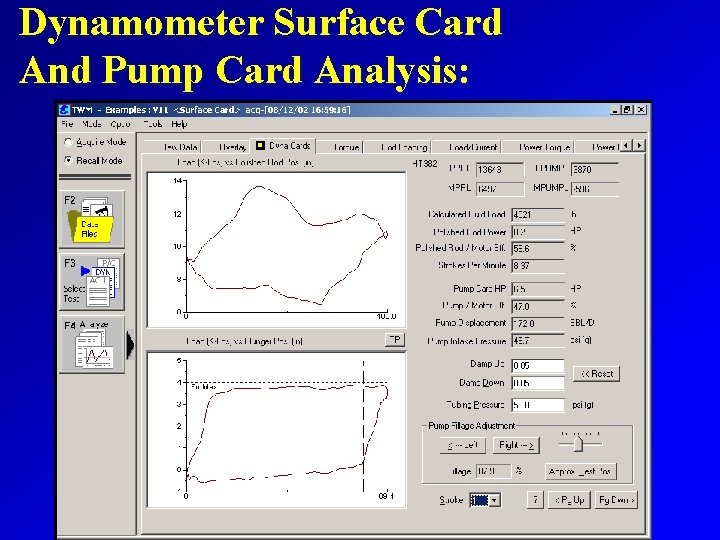
Dynamometer Surface Card And Pump Card Analysis:

ROD LOADING WITHIN LIMITS?
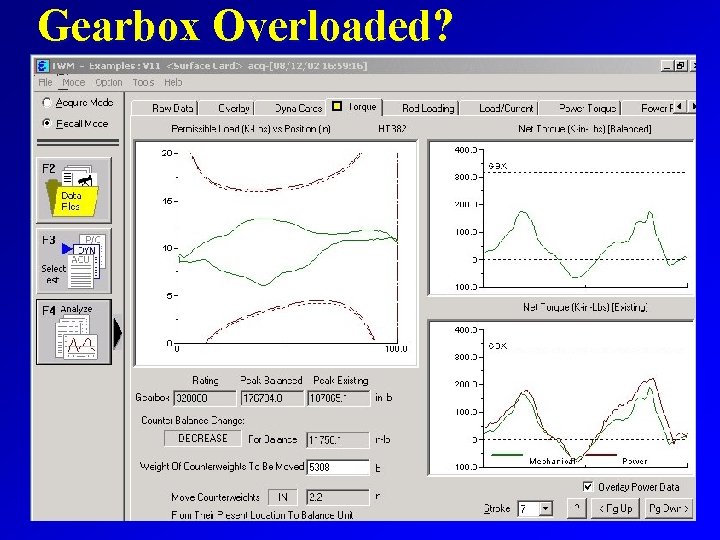
Gearbox Overloaded?
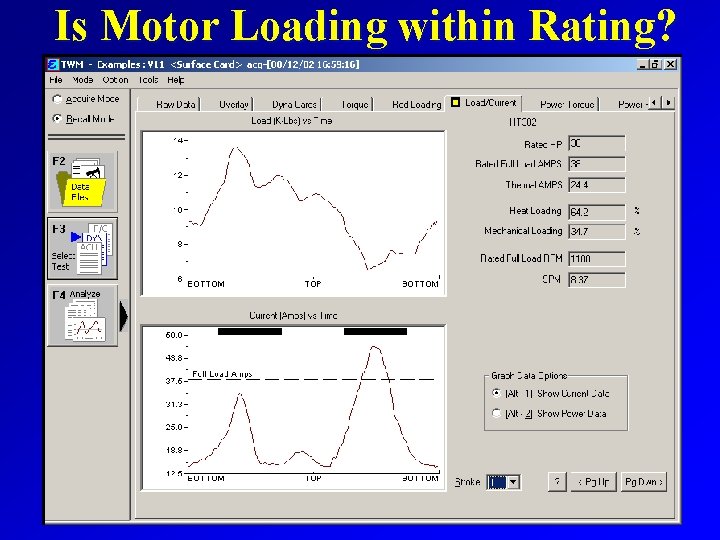
Is Motor Loading within Rating?
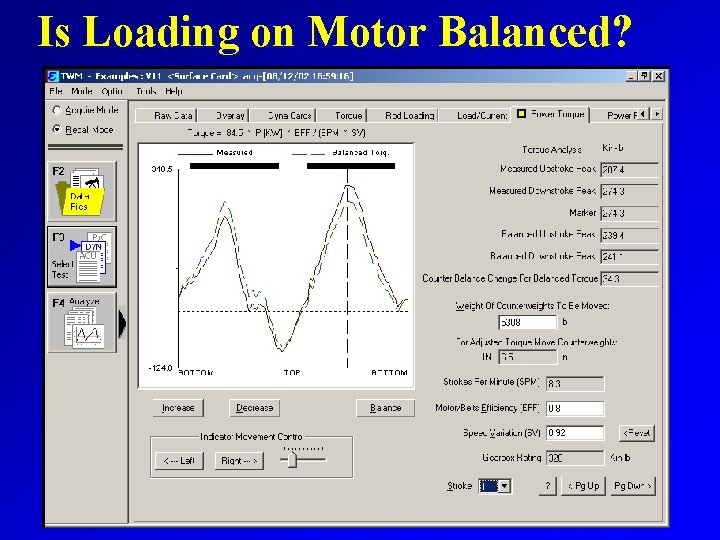
Is Loading on Motor Balanced?
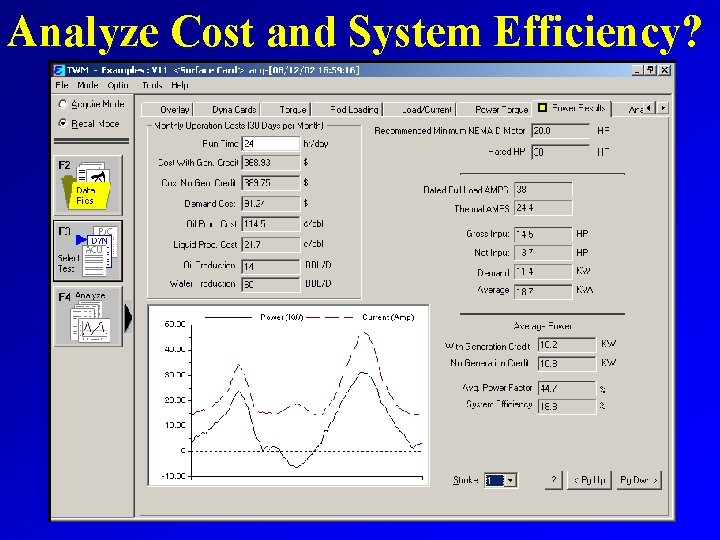
Analyze Cost and System Efficiency?
After the dynamometer test, the horseshoe transducer is removed in reverse manner.
- Slides: 35