
ECE 425 Timer 1 Timer Functions Two main

- Slides: 57
ECE 425 Timer 1
Timer Functions • Two main modes: – Input capture • Used for timing external events – Match (Output compare) • Allows use as a simple function generator • Runs off PCLK or a scaled down version. – PCLK is CCLK * 1, ½ or ¼ – 32 -bit prescale register allows long periods 2
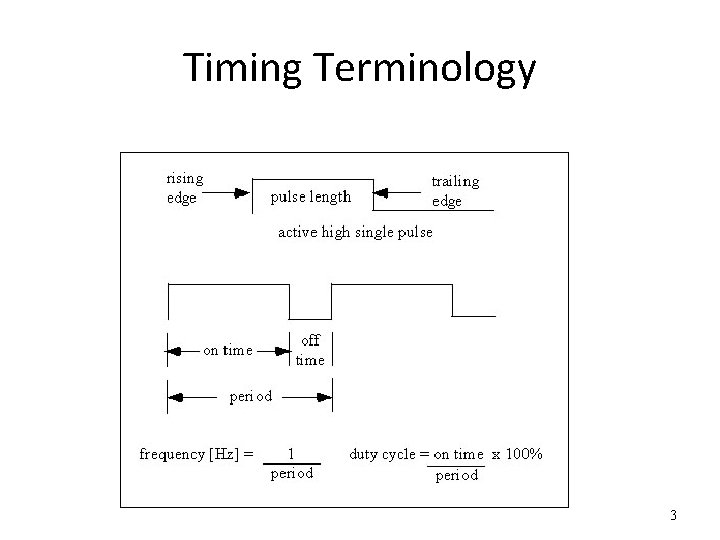
Timing Terminology 3
Timer Overview • Two independent timers • 32 bit counters – 4 channels per counter • Can generate interrupts on timeout/match • Programmable for edge sensitivity – Rising edge, falling edge, any edge 4
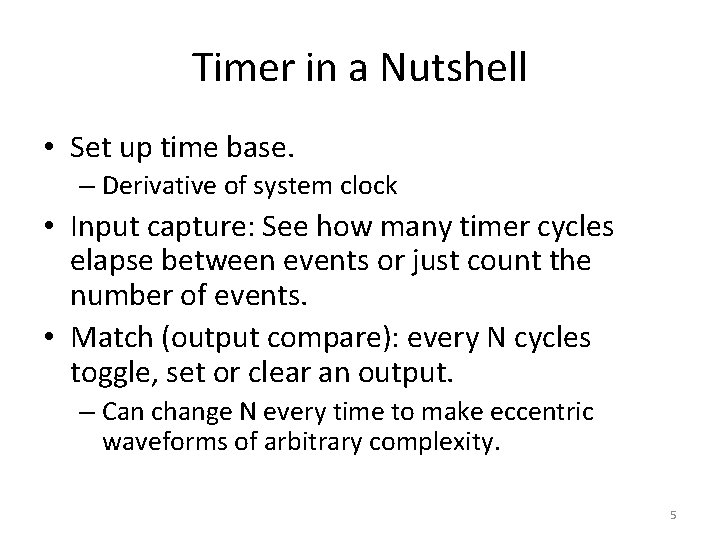
Timer in a Nutshell • Set up time base. – Derivative of system clock • Input capture: See how many timer cycles elapse between events or just count the number of events. • Match (output compare): every N cycles toggle, set or clear an output. – Can change N every time to make eccentric waveforms of arbitrary complexity. 5
Timer Registers • 17 per timer – Control registers: enables, set frequency, set mode – Check & clear interrupts – Capture values for timing measurements – Counters: prescale & time base • Lots of choices, lots of complexity 6
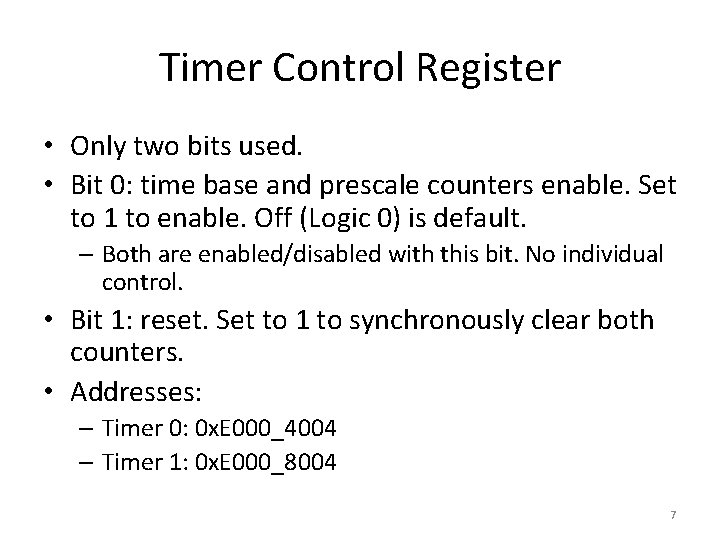
Timer Control Register • Only two bits used. • Bit 0: time base and prescale counters enable. Set to 1 to enable. Off (Logic 0) is default. – Both are enabled/disabled with this bit. No individual control. • Bit 1: reset. Set to 1 to synchronously clear both counters. • Addresses: – Timer 0: 0 x. E 000_4004 – Timer 1: 0 x. E 000_8004 7
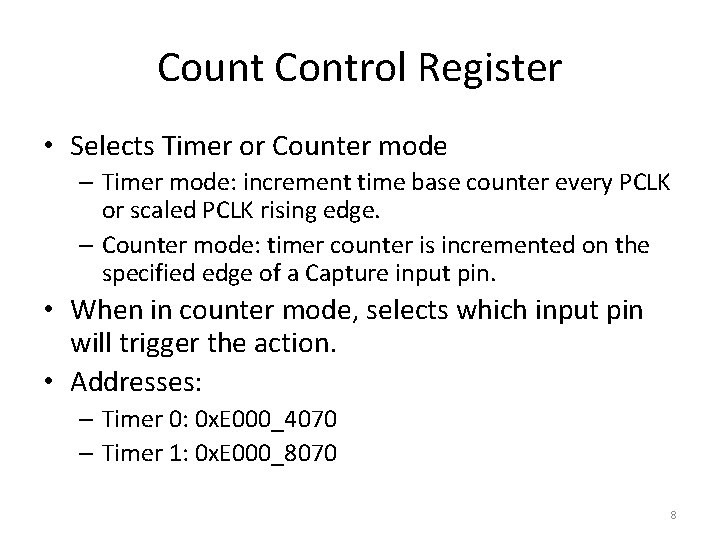
Count Control Register • Selects Timer or Counter mode – Timer mode: increment time base counter every PCLK or scaled PCLK rising edge. – Counter mode: timer counter is incremented on the specified edge of a Capture input pin. • When in counter mode, selects which input pin will trigger the action. • Addresses: – Timer 0: 0 x. E 000_4070 – Timer 1: 0 x. E 000_8070 8
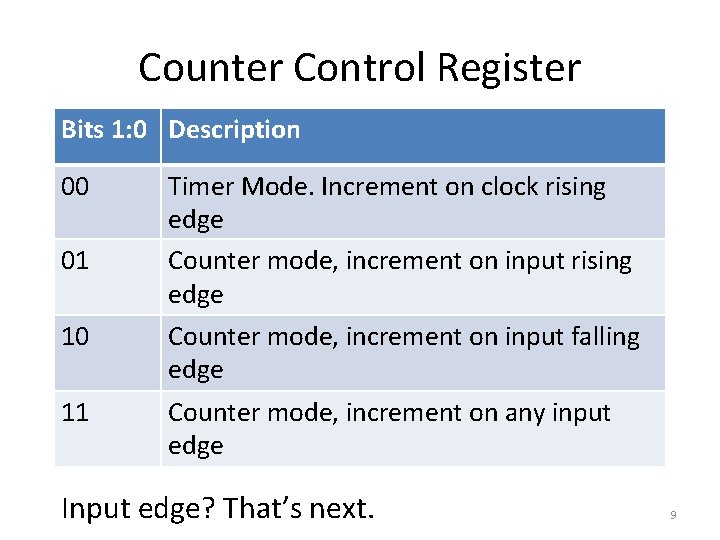
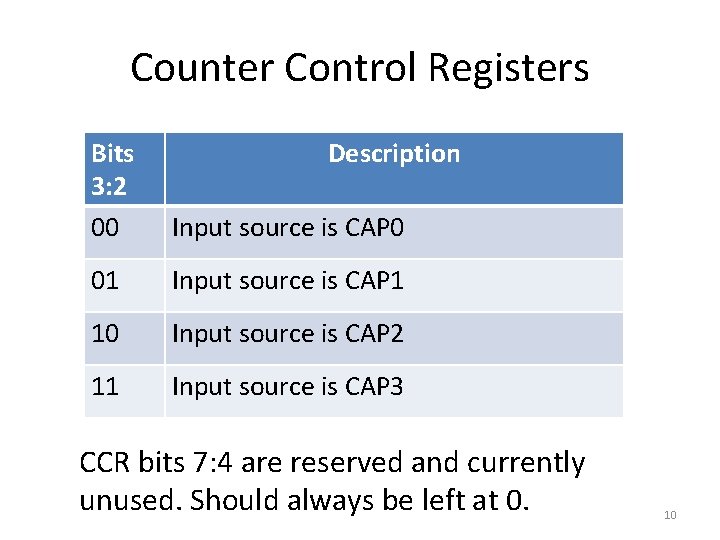
Counter Control Register Bits 1: 0 Description 00 01 Timer Mode. Increment on clock rising edge Counter mode, increment on input rising edge 10 Counter mode, increment on input falling edge 11 Counter mode, increment on any input edge Input edge? That’s next. 9
Counter Control Registers Bits 3: 2 00 Description Input source is CAP 0 01 Input source is CAP 1 10 Input source is CAP 2 11 Input source is CAP 3 CCR bits 7: 4 are reserved and currently unused. Should always be left at 0. 10
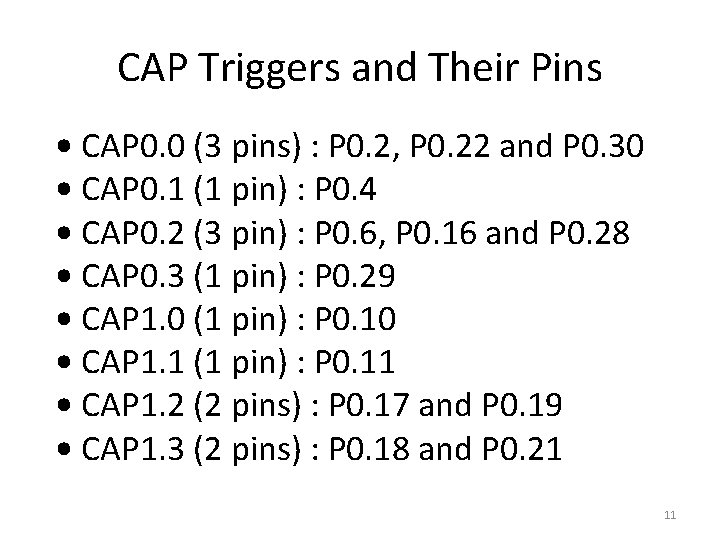
CAP Triggers and Their Pins • CAP 0. 0 (3 pins) : P 0. 2, P 0. 22 and P 0. 30 • CAP 0. 1 (1 pin) : P 0. 4 • CAP 0. 2 (3 pin) : P 0. 6, P 0. 16 and P 0. 28 • CAP 0. 3 (1 pin) : P 0. 29 • CAP 1. 0 (1 pin) : P 0. 10 • CAP 1. 1 (1 pin) : P 0. 11 • CAP 1. 2 (2 pins) : P 0. 17 and P 0. 19 • CAP 1. 3 (2 pins) : P 0. 18 and P 0. 21 11
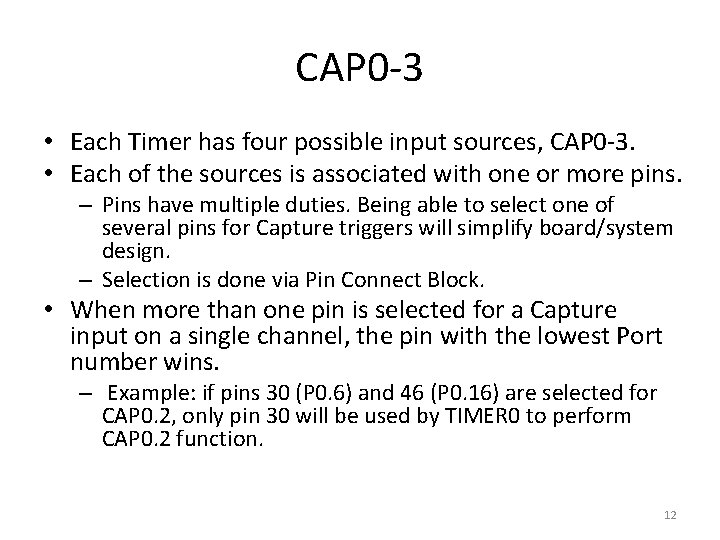
CAP 0 -3 • Each Timer has four possible input sources, CAP 0 -3. • Each of the sources is associated with one or more pins. – Pins have multiple duties. Being able to select one of several pins for Capture triggers will simplify board/system design. – Selection is done via Pin Connect Block. • When more than one pin is selected for a Capture input on a single channel, the pin with the lowest Port number wins. – Example: if pins 30 (P 0. 6) and 46 (P 0. 16) are selected for CAP 0. 2, only pin 30 will be used by TIMER 0 to perform CAP 0. 2 function. 12
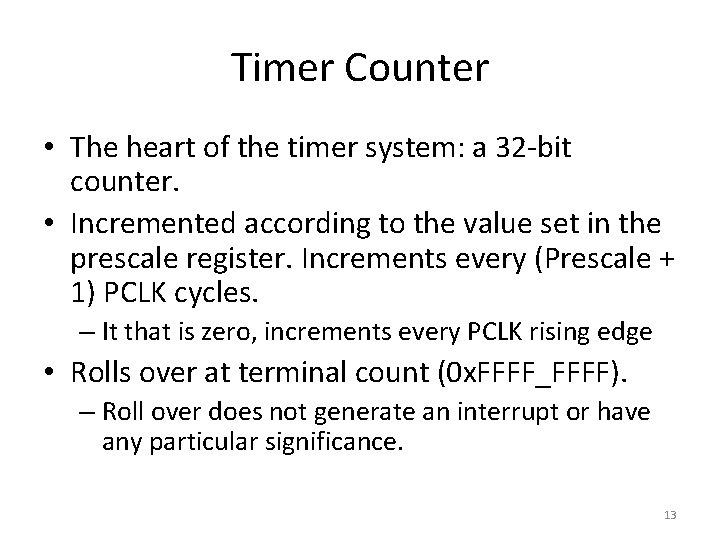
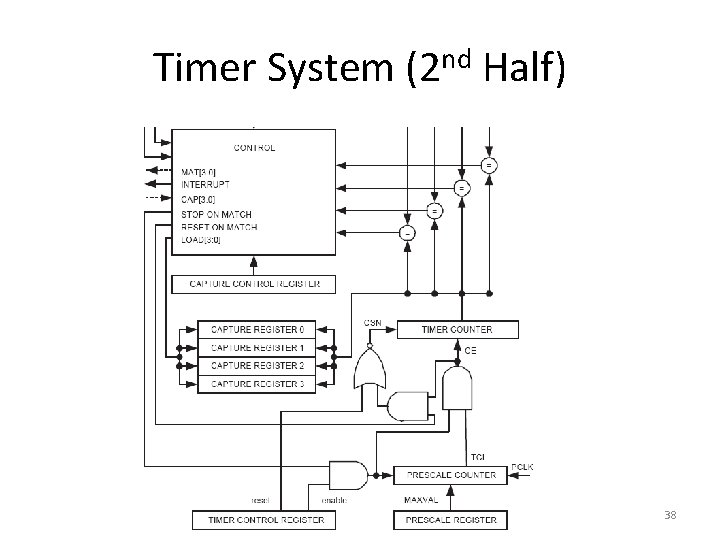
Timer Counter • The heart of the timer system: a 32 -bit counter. • Incremented according to the value set in the prescale register. Increments every (Prescale + 1) PCLK cycles. – It that is zero, increments every PCLK rising edge • Rolls over at terminal count (0 x. FFFF_FFFF). – Roll over does not generate an interrupt or have any particular significance. 13
Timer Counter • Suppose you want to know how many times the counter has rolled over? – Necessary for measuring events with long periods • Just set one of the match registers to generate an interrupt every time it does go to 0. • Timer Counter Addresses: – Timer 0: 0 x. E 000_4008 – Timer 1: 0 x. E 000_8008 14
Prescale Register • Set the maximum value for the Prescale Counter. – 32 -bit register, range is 0 – 0 x. FFFF_FFFF • When set to 0, Timer will run off PCLK with no scaling. – Anything else, timer will be scaled. • Addresses: – Timer 0: 0 x. E 000_400 C – Timer 1: 0 x. E 000_800 C 15
Prescale Counter • 32 -bit counter. • Runs off PCLK. • Increments every PCLK cycle up to the point where it matches what was set in the Prescale Register. – When it hits, it returns to 0 on the next cycle • Addresses: – Timer 0: 0 x. E 000_4010 – Timer 1: 0 x. E 000_8010 16
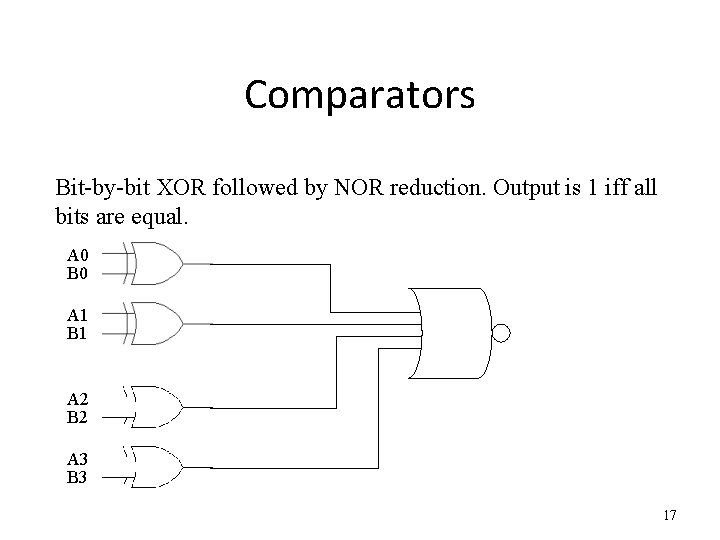
Comparators Bit-by-bit XOR followed by NOR reduction. Output is 1 iff all bits are equal. A 0 B 0 A 1 B 1 A 2 B 2 A 3 B 3 17
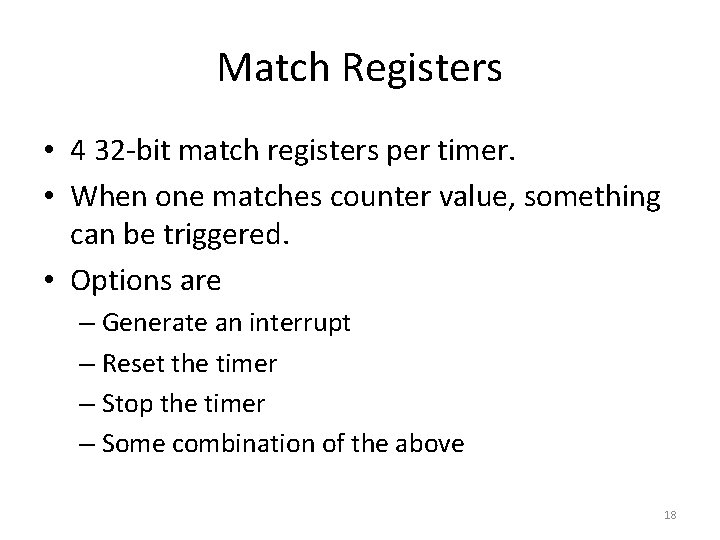
Match Registers • 4 32 -bit match registers per timer. • When one matches counter value, something can be triggered. • Options are – Generate an interrupt – Reset the timer – Stop the timer – Some combination of the above 18
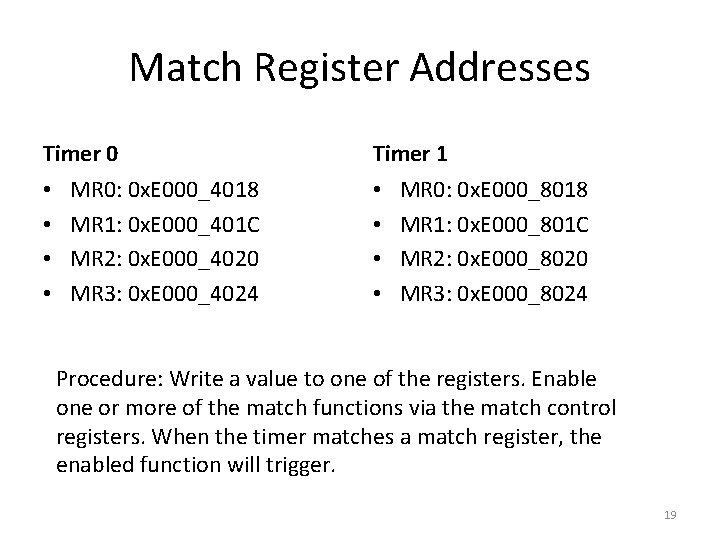
Match Register Addresses Timer 0 • • MR 0: 0 x. E 000_4018 MR 1: 0 x. E 000_401 C MR 2: 0 x. E 000_4020 MR 3: 0 x. E 000_4024 Timer 1 • • MR 0: 0 x. E 000_8018 MR 1: 0 x. E 000_801 C MR 2: 0 x. E 000_8020 MR 3: 0 x. E 000_8024 Procedure: Write a value to one of the registers. Enable one or more of the match functions via the match control registers. When the timer matches a match register, the enabled function will trigger. 19
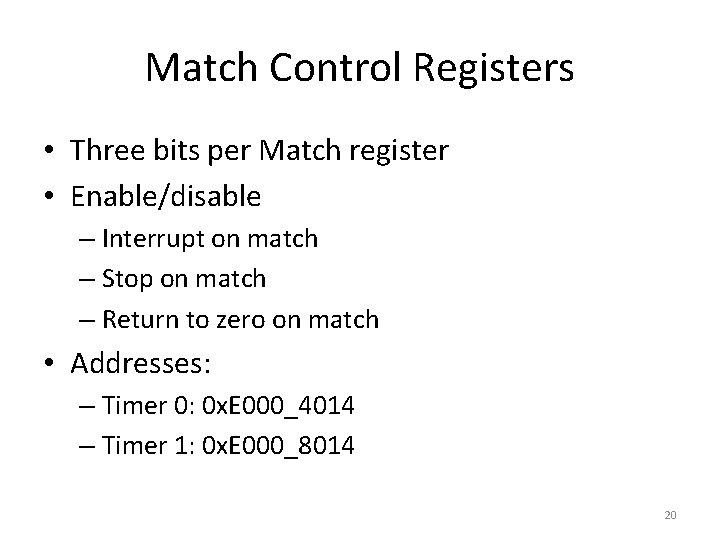
Match Control Registers • Three bits per Match register • Enable/disable – Interrupt on match – Stop on match – Return to zero on match • Addresses: – Timer 0: 0 x. E 000_4014 – Timer 1: 0 x. E 000_8014 20
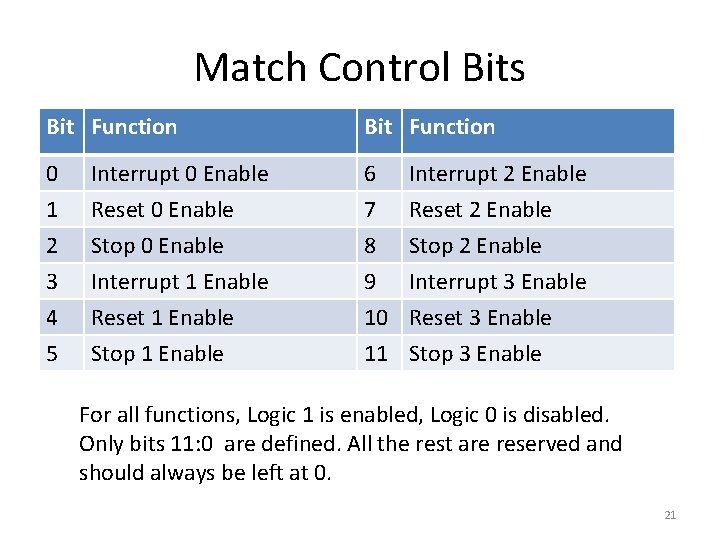
Match Control Bits Bit Function 0 Interrupt 0 Enable 6 Interrupt 2 Enable 1 2 Reset 0 Enable Stop 0 Enable 7 8 Reset 2 Enable Stop 2 Enable 3 4 5 Interrupt 1 Enable Reset 1 Enable Stop 1 Enable 9 Interrupt 3 Enable 10 Reset 3 Enable 11 Stop 3 Enable For all functions, Logic 1 is enabled, Logic 0 is disabled. Only bits 11: 0 are defined. All the rest are reserved and should always be left at 0. 21
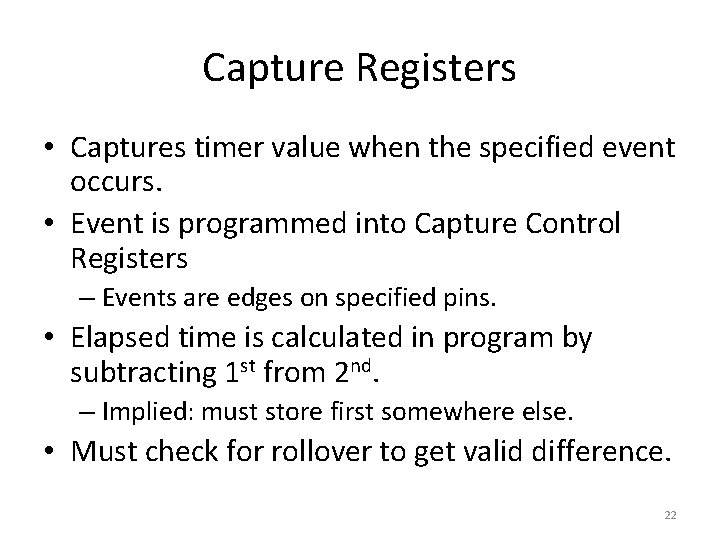
Capture Registers • Captures timer value when the specified event occurs. • Event is programmed into Capture Control Registers – Events are edges on specified pins. • Elapsed time is calculated in program by subtracting 1 st from 2 nd. – Implied: must store first somewhere else. • Must check for rollover to get valid difference. 22
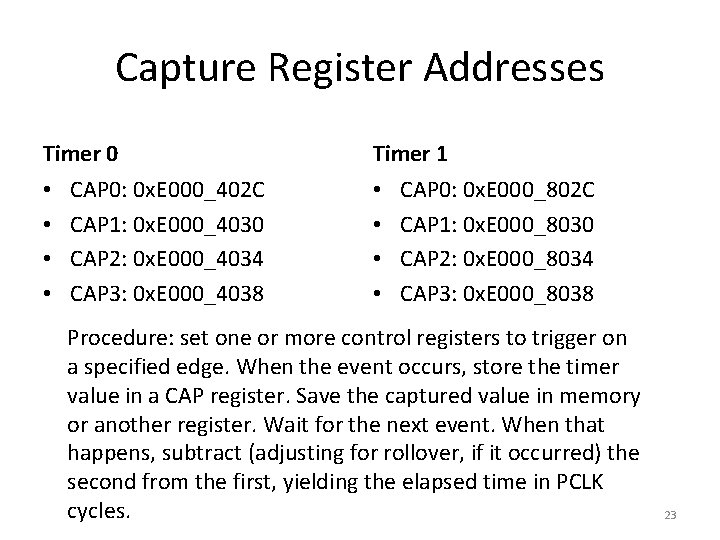
Capture Register Addresses Timer 0 • • CAP 0: 0 x. E 000_402 C CAP 1: 0 x. E 000_4030 CAP 2: 0 x. E 000_4034 CAP 3: 0 x. E 000_4038 Timer 1 • • CAP 0: 0 x. E 000_802 C CAP 1: 0 x. E 000_8030 CAP 2: 0 x. E 000_8034 CAP 3: 0 x. E 000_8038 Procedure: set one or more control registers to trigger on a specified edge. When the event occurs, store the timer value in a CAP register. Save the captured value in memory or another register. Wait for the next event. When that happens, subtract (adjusting for rollover, if it occurred) the second from the first, yielding the elapsed time in PCLK cycles. 23
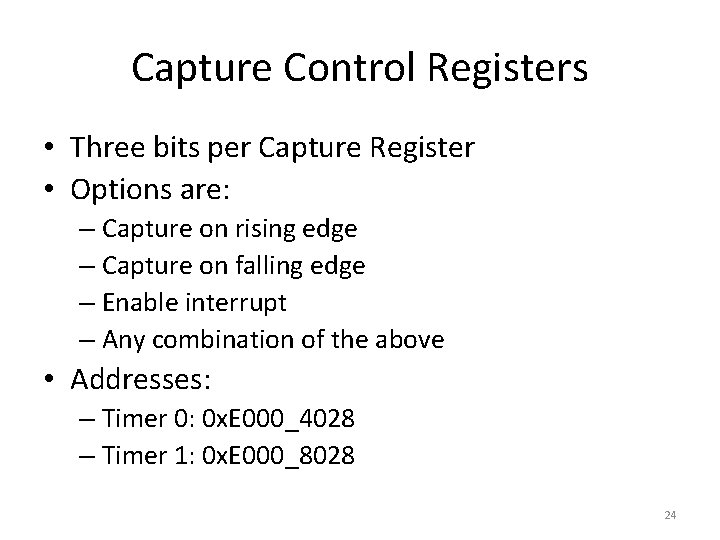
Capture Control Registers • Three bits per Capture Register • Options are: – Capture on rising edge – Capture on falling edge – Enable interrupt – Any combination of the above • Addresses: – Timer 0: 0 x. E 000_4028 – Timer 1: 0 x. E 000_8028 24
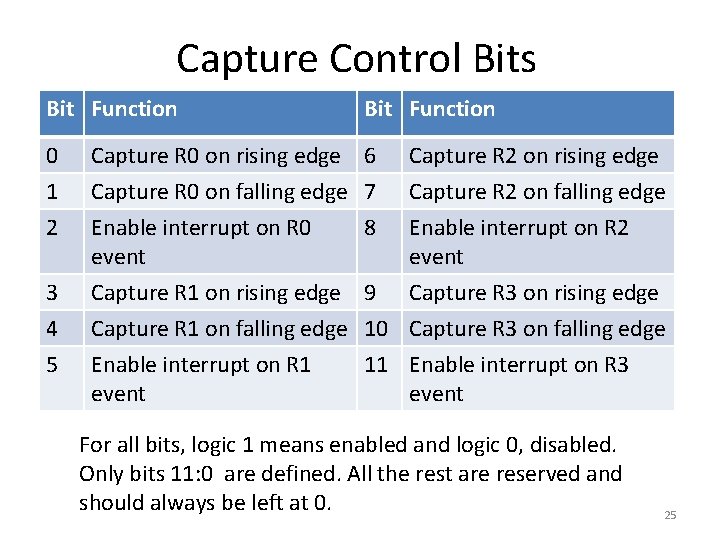
Capture Control Bits Bit Function 0 Capture R 0 on rising edge 6 Capture R 2 on rising edge 1 2 Capture R 0 on falling edge 7 Enable interrupt on R 0 8 event Capture R 2 on falling edge Enable interrupt on R 2 event 3 4 5 Capture R 1 on rising edge 9 Capture R 1 on falling edge 10 Enable interrupt on R 1 11 event Capture R 3 on rising edge Capture R 3 on falling edge Enable interrupt on R 3 event For all bits, logic 1 means enabled and logic 0, disabled. Only bits 11: 0 are defined. All the rest are reserved and should always be left at 0. 25
External Match • We’ve already seen how match works. • But that is internal to the silicon. • To use it as a signal generator, need to get those transitions to the outside world. • That’s done through External Match. • Four per timer, some can be connected to more than one pin. 26
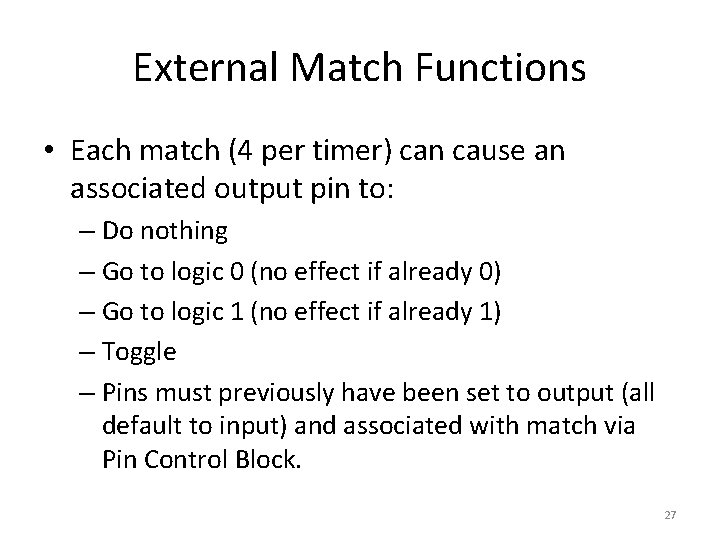
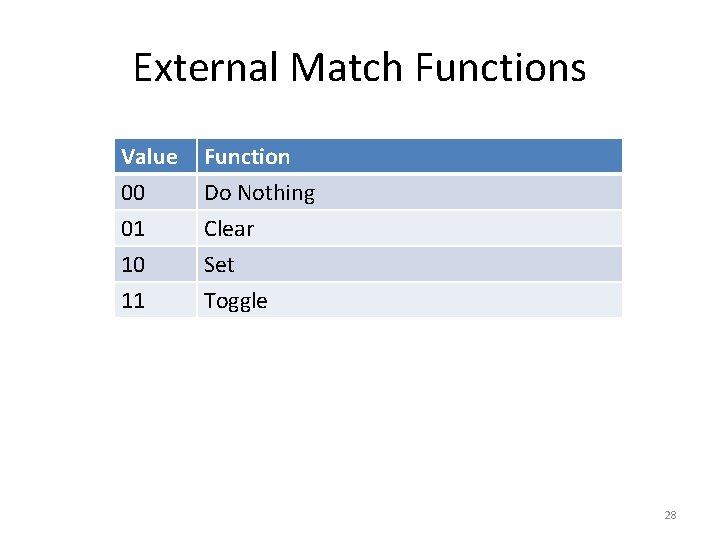
External Match Functions • Each match (4 per timer) can cause an associated output pin to: – Do nothing – Go to logic 0 (no effect if already 0) – Go to logic 1 (no effect if already 1) – Toggle – Pins must previously have been set to output (all default to input) and associated with match via Pin Control Block. 27
External Match Functions Value 00 01 10 Function Do Nothing Clear Set 11 Toggle 28
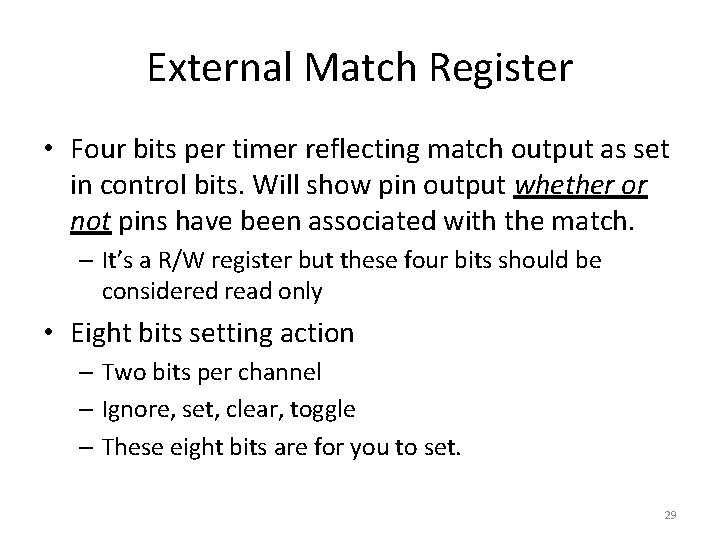
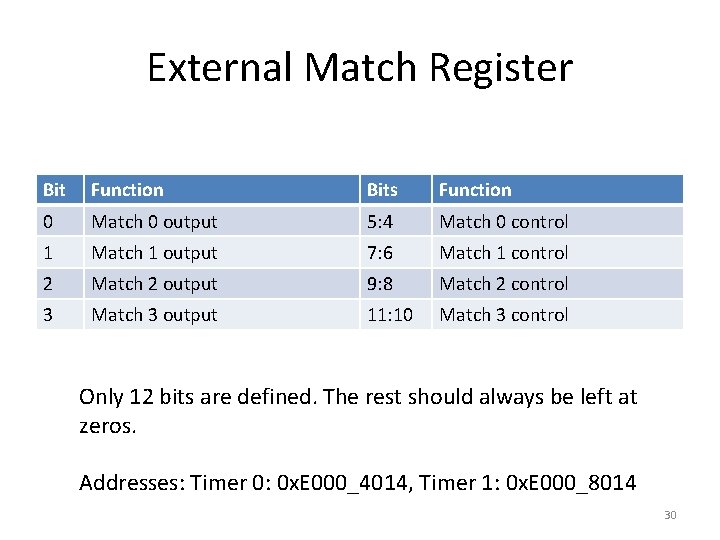
External Match Register • Four bits per timer reflecting match output as set in control bits. Will show pin output whether or not pins have been associated with the match. – It’s a R/W register but these four bits should be considered read only • Eight bits setting action – Two bits per channel – Ignore, set, clear, toggle – These eight bits are for you to set. 29
External Match Register Bit Function Bits Function 0 Match 0 output 5: 4 Match 0 control 1 Match 1 output 7: 6 Match 1 control 2 Match 2 output 9: 8 Match 2 control 3 Match 3 output 11: 10 Match 3 control Only 12 bits are defined. The rest should always be left at zeros. Addresses: Timer 0: 0 x. E 000_4014, Timer 1: 0 x. E 000_8014 30
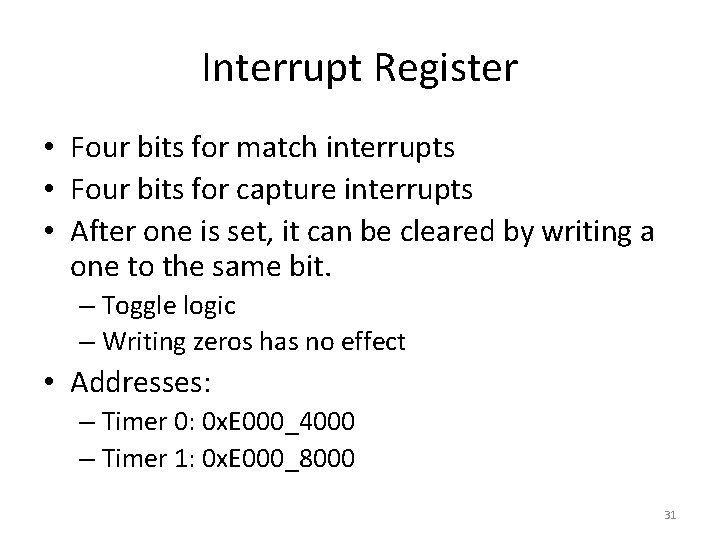
Interrupt Register • Four bits for match interrupts • Four bits for capture interrupts • After one is set, it can be cleared by writing a one to the same bit. – Toggle logic – Writing zeros has no effect • Addresses: – Timer 0: 0 x. E 000_4000 – Timer 1: 0 x. E 000_8000 31
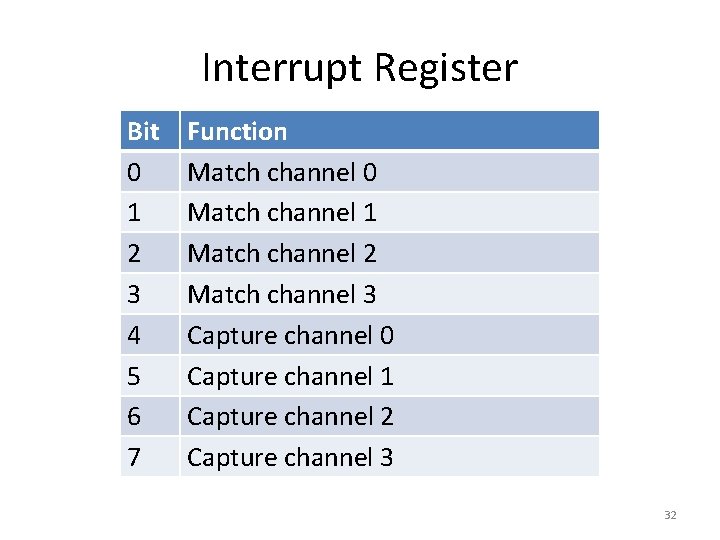
Interrupt Register Bit 0 1 2 3 4 5 6 7 Function Match channel 0 Match channel 1 Match channel 2 Match channel 3 Capture channel 0 Capture channel 1 Capture channel 2 Capture channel 3 32
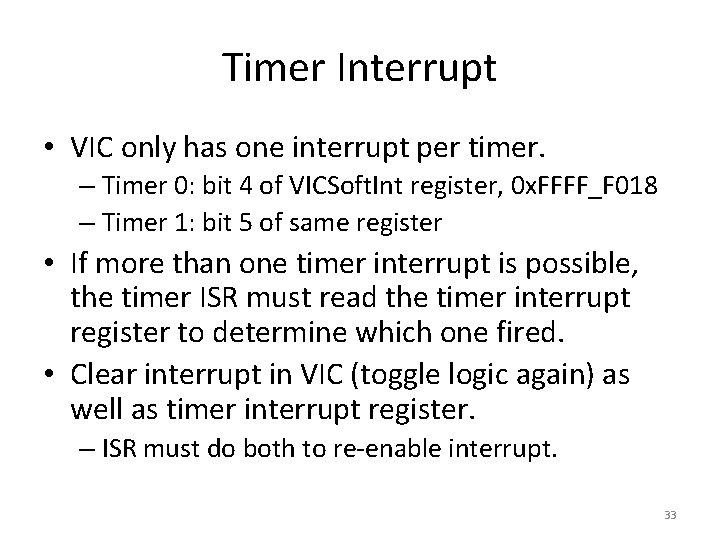
Timer Interrupt • VIC only has one interrupt per timer. – Timer 0: bit 4 of VICSoft. Int register, 0 x. FFFF_F 018 – Timer 1: bit 5 of same register • If more than one timer interrupt is possible, the timer ISR must read the timer interrupt register to determine which one fired. • Clear interrupt in VIC (toggle logic again) as well as timer interrupt register. – ISR must do both to re-enable interrupt. 33
That’s All • 17 x 2 registers. • Need to initialize them to use timer subsystem. • Defaults are all off. 34
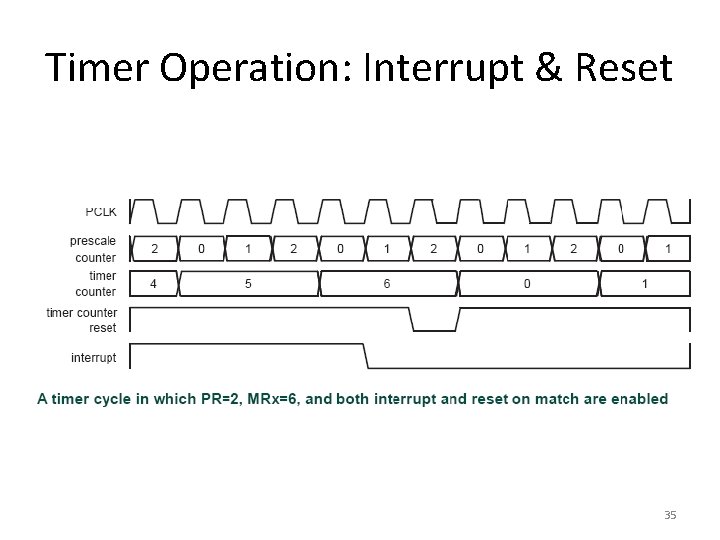
Timer Operation: Interrupt & Reset 35
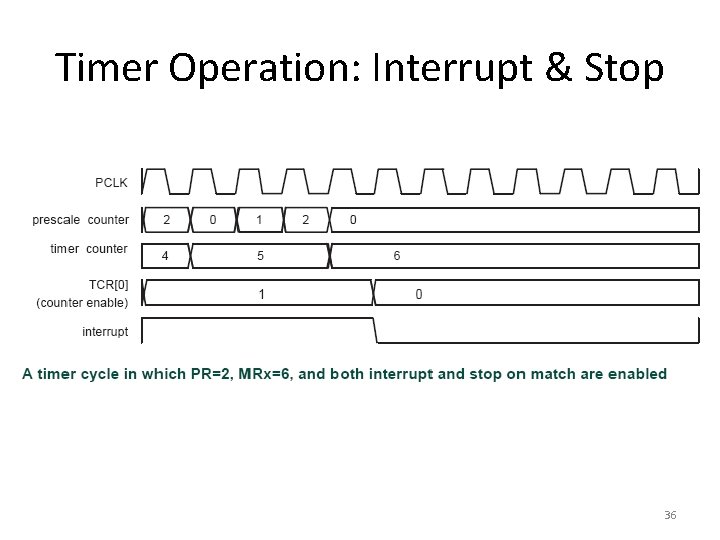
Timer Operation: Interrupt & Stop 36
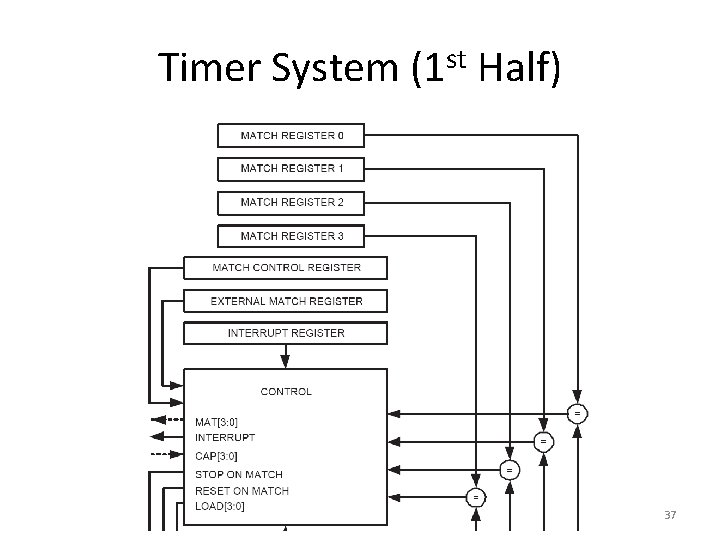
Timer System (1 st Half) 37
Timer System (2 nd Half) 38
Timer Applications • • What’s the timer good for? Timing things. Like a race. How about a marathon? 39
Marathon Timer Requirements • Accuracy: say 1/100 of a second. • Time: track checkpoints every ¼ mile. • Make it long enough for the 400 lb. Sumo wrestler. – 10 hours or so without aliasing. 40
Where Do We Start? • It will be an ARM core, same peripheral units as we’ve been discussing. • What functions will we need? • Is it a Match function? • How about input capture? • What registers need initialization? 41
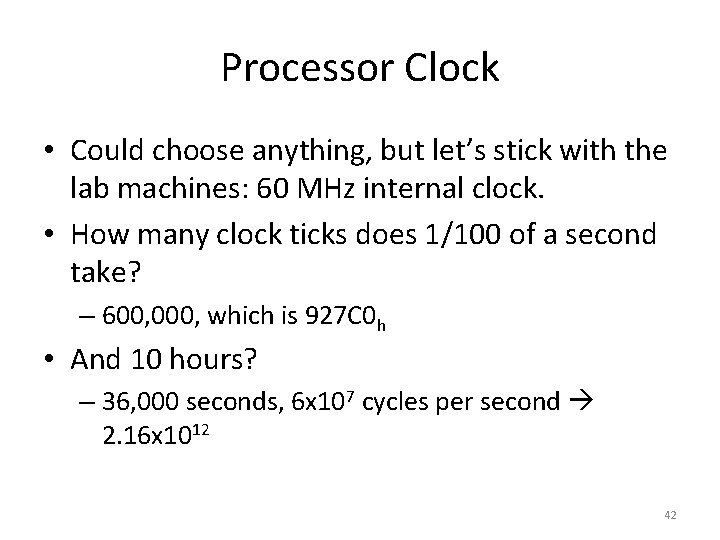
Processor Clock • Could choose anything, but let’s stick with the lab machines: 60 MHz internal clock. • How many clock ticks does 1/100 of a second take? – 600, 000, which is 927 C 0 h • And 10 hours? – 36, 000 seconds, 6 x 10⁷ cycles per second 2. 16 x 1012 42
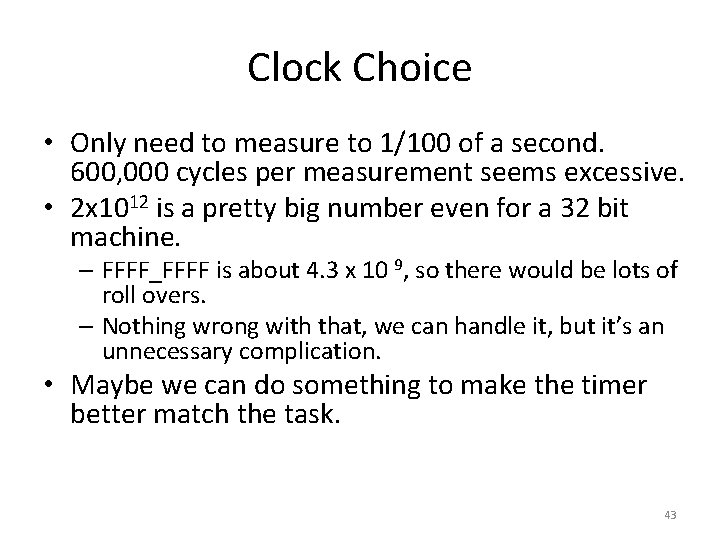
Clock Choice • Only need to measure to 1/100 of a second. 600, 000 cycles per measurement seems excessive. • 2 x 10¹² is a pretty big number even for a 32 bit machine. – FFFF_FFFF is about 4. 3 x 10 9, so there would be lots of roll overs. – Nothing wrong with that, we can handle it, but it’s an unnecessary complication. • Maybe we can do something to make the timer better match the task. 43
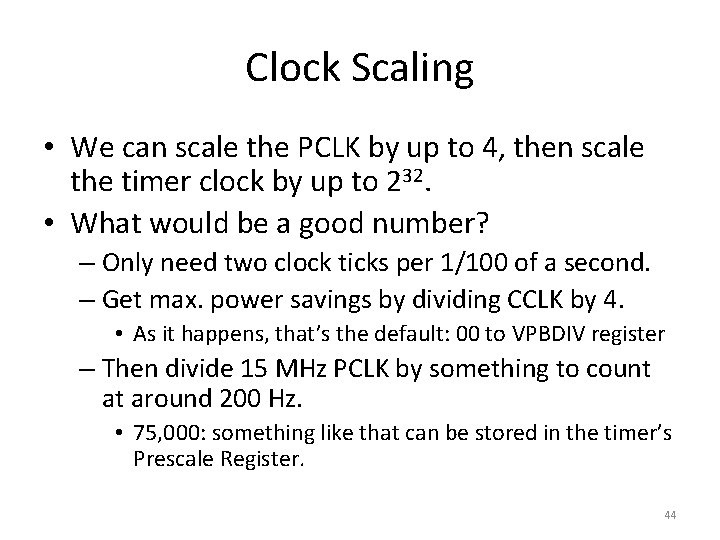
Clock Scaling • We can scale the PCLK by up to 4, then scale the timer clock by up to 232. • What would be a good number? – Only need two clock ticks per 1/100 of a second. – Get max. power savings by dividing CCLK by 4. • As it happens, that’s the default: 00 to VPBDIV register – Then divide 15 MHz PCLK by something to count at around 200 Hz. • 75, 000: something like that can be stored in the timer’s Prescale Register. 44
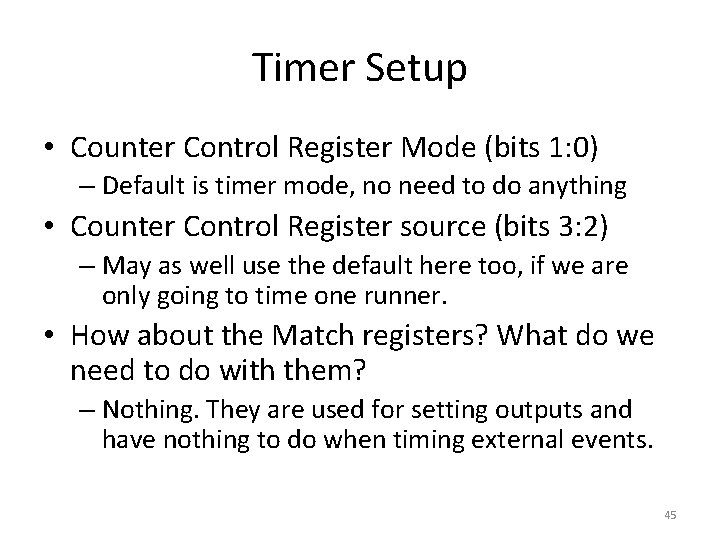
Timer Setup • Counter Control Register Mode (bits 1: 0) – Default is timer mode, no need to do anything • Counter Control Register source (bits 3: 2) – May as well use the default here too, if we are only going to time one runner. • How about the Match registers? What do we need to do with them? – Nothing. They are used for setting outputs and have nothing to do when timing external events. 45
More Things To Set Up • Capture control registers: need to set something there. All are off by default. – Assume we’ll just use one channel. – They’re all the same. Pick one arbitrarily. – Pick an edge. Rising or falling, matters not, but usually rising is used. • Both would be a bad idea. – Enable interrupt. Could theoretically make it work by polling, but this is what interrupts are for. 46
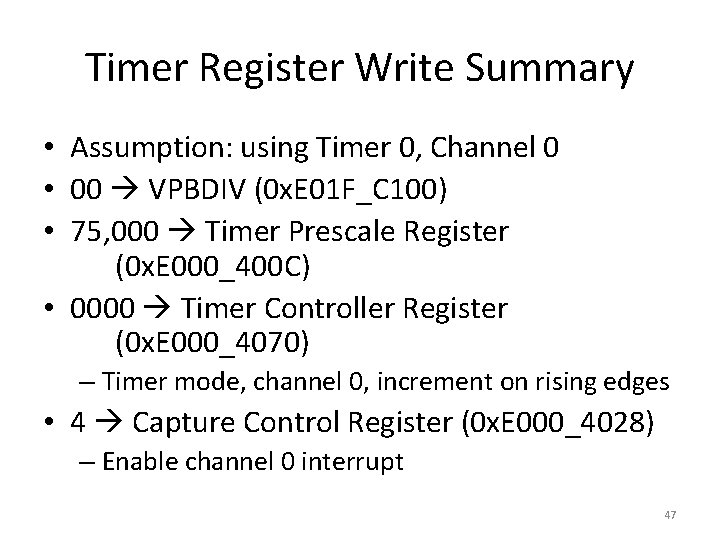
Timer Register Write Summary • Assumption: using Timer 0, Channel 0 • 00 VPBDIV (0 x. E 01 F_C 100) • 75, 000 Timer Prescale Register (0 x. E 000_400 C) • 0000 Timer Controller Register (0 x. E 000_4070) – Timer mode, channel 0, increment on rising edges • 4 Capture Control Register (0 x. E 000_4028) – Enable channel 0 interrupt 47
Timer ISR • After enabling the timer, all the action will be in the ISR. • What does it need to do? – Homework X: write a task list and then organize it into a flow chart for the marathon timer ISR. Include any necessary initialization, which may need to be done before the interrupt is enabled. 48
Output Compare Application • • • Two tone siren. Set fast (1200 Hz) wave on an output pin. Wait half a second. Set slow (300 Hz) wave on the pin. Wait half a second. Repeat. 49
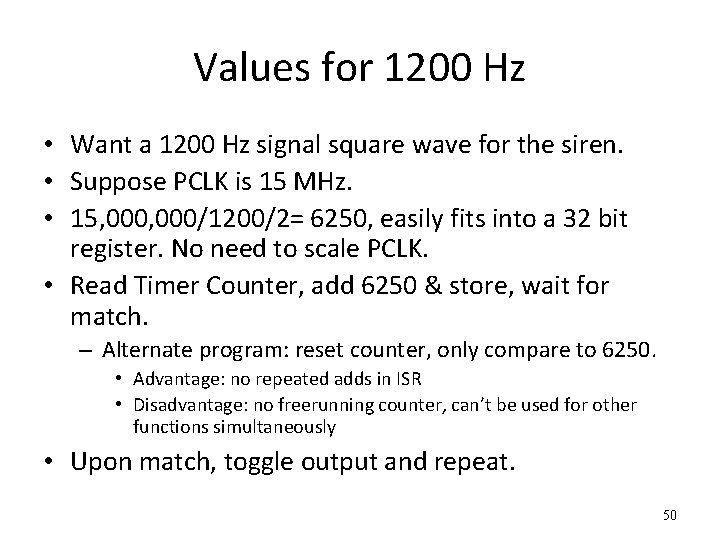
Values for 1200 Hz • Want a 1200 Hz signal square wave for the siren. • Suppose PCLK is 15 MHz. • 15, 000/1200/2= 6250, easily fits into a 32 bit register. No need to scale PCLK. • Read Timer Counter, add 6250 & store, wait for match. – Alternate program: reset counter, only compare to 6250. • Advantage: no repeated adds in ISR • Disadvantage: no freerunning counter, can’t be used for other functions simultaneously • Upon match, toggle output and repeat. 50
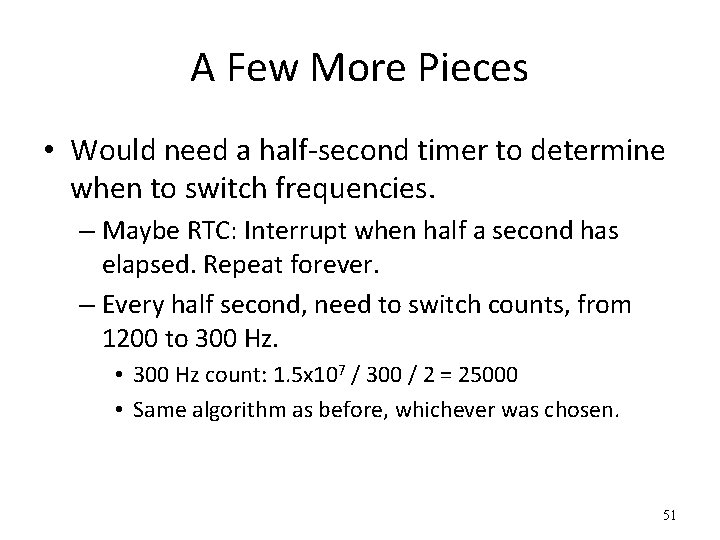
A Few More Pieces • Would need a half-second timer to determine when to switch frequencies. – Maybe RTC: Interrupt when half a second has elapsed. Repeat forever. – Every half second, need to switch counts, from 1200 to 300 Hz. • 300 Hz count: 1. 5 x 10⁷ / 300 / 2 = 25000 • Same algorithm as before, whichever was chosen. 51
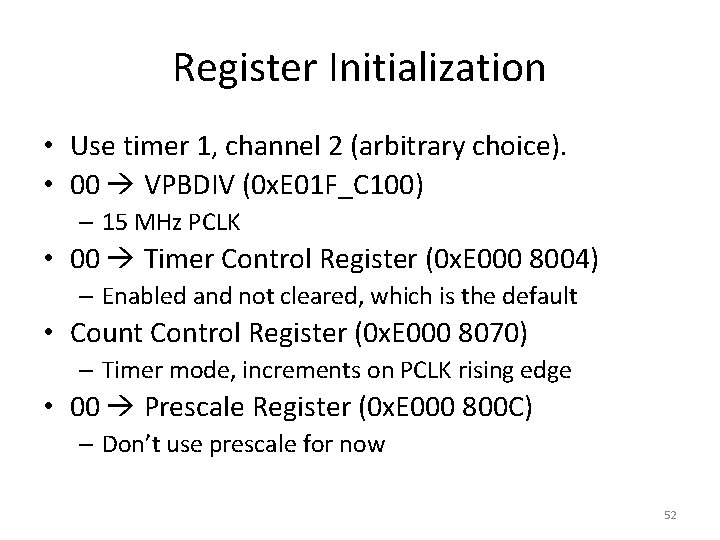
Register Initialization • Use timer 1, channel 2 (arbitrary choice). • 00 VPBDIV (0 x. E 01 F_C 100) – 15 MHz PCLK • 00 Timer Control Register (0 x. E 000 8004) – Enabled and not cleared, which is the default • Count Control Register (0 x. E 000 8070) – Timer mode, increments on PCLK rising edge • 00 Prescale Register (0 x. E 000 800 C) – Don’t use prescale for now 52
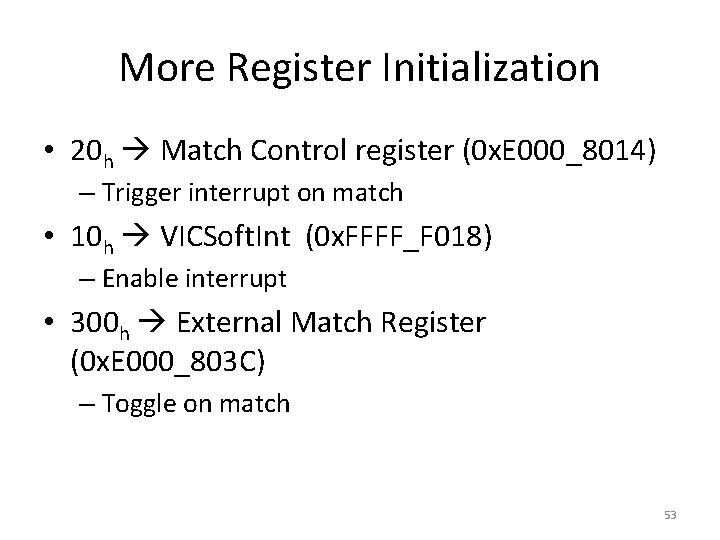
More Register Initialization • 20 h Match Control register (0 x. E 000_8014) – Trigger interrupt on match • 10 h VICSoft. Int (0 x. FFFF_F 018) – Enable interrupt • 300 h External Match Register (0 x. E 000_803 C) – Toggle on match 53
RTC • Real Time Clock may be used, but… – It has no provision for interrupting at less than 1 second intervals. • Is this a fatal flaw? – Not really. • Run it twice as fast, so what it thinks is one second is really only half a second. • Change the spec. Switch frequencies once per second instead of twice. • Use another match channel instead of RTC. 54
½ Second Switch • Can we easily use a second interrupt for the switch? • 15 MHz PCLK: need to switch every 7. 5 million cycles. • 7. 5 x 106 = 7270 E 0 h – Having a 32 bit machine can be advantageous. This would have been much more complicated with an HC 12. • So we can easily load another channel with 7. 5 million and have two tasks running concurrently. 55
More Homework • Initialize registers to do the ½ second switch without interfering with the siren frequencies. • Outline the ISRs for both. – Does not need to be done in assembly language. 56
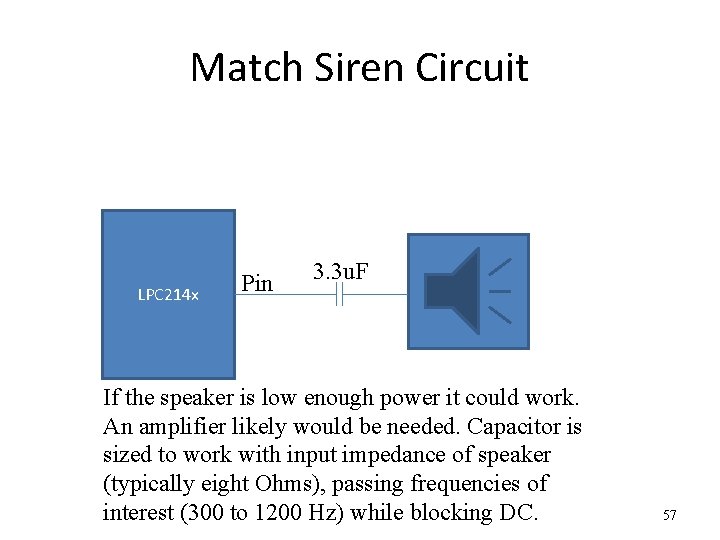
Match Siren Circuit LPC 214 x Pin 3. 3 u. F If the speaker is low enough power it could work. An amplifier likely would be needed. Capacitor is sized to work with input impedance of speaker (typically eight Ohms), passing frequencies of interest (300 to 1200 Hz) while blocking DC. 57