
ECE 362 Principles of Design The System Engineering
- Slides: 28
ECE 362– Principles of Design The System Engineering Process Systems Copyright © 2003, International Centers for Telecommunication Technology, Inc. 1
Unit Overview • • The systems challenge System concepts and terms Diagrams for systems Actors, boundaries, interfaces Copyright © 2003, International Centers for Telecommunication Technology, Inc. 2
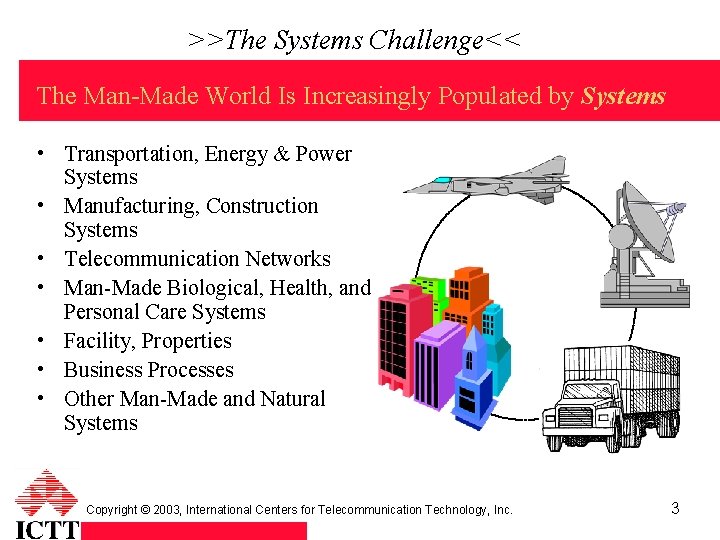
>>The Systems Challenge<< The Man-Made World Is Increasingly Populated by Systems • Transportation, Energy & Power Systems • Manufacturing, Construction Systems • Telecommunication Networks • Man-Made Biological, Health, and Personal Care Systems • Facility, Properties • Business Processes • Other Man-Made and Natural Systems Copyright © 2003, International Centers for Telecommunication Technology, Inc. 3
>>The Systems Challenge<< These Systems Are Becoming More Complex • Under pressure of demand & competition • Enabled by progress in technology • Becoming more complex at exponentially growing rates Copyright © 2003, International Centers for Telecommunication Technology, Inc. 4
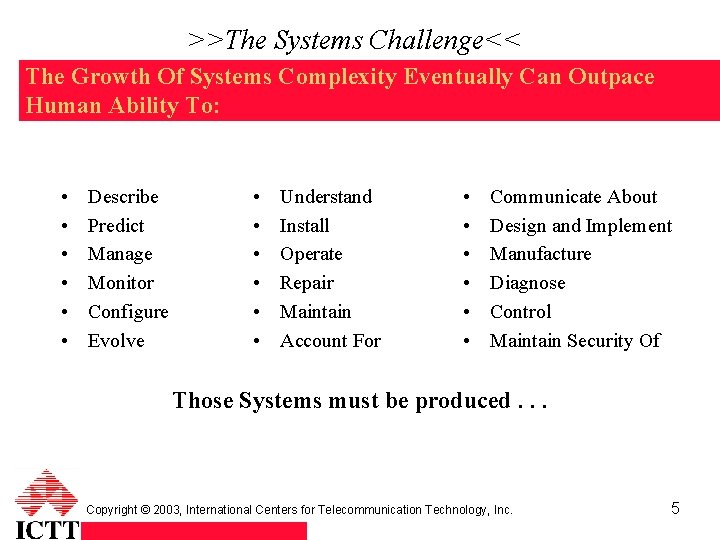
>>The Systems Challenge<< The Growth Of Systems Complexity Eventually Can Outpace Human Ability To: • • • Describe Predict Manage Monitor Configure Evolve • • • Understand Install Operate Repair Maintain Account For • • • Communicate About Design and Implement Manufacture Diagnose Control Maintain Security Of Those Systems must be produced. . . Copyright © 2003, International Centers for Telecommunication Technology, Inc. 5
>>The Systems Challenge<< . . . At Least Within Reasonable: • Time • Cost • Effort • Sense of Security from Risk Copyright © 2003, International Centers for Telecommunication Technology, Inc. 6
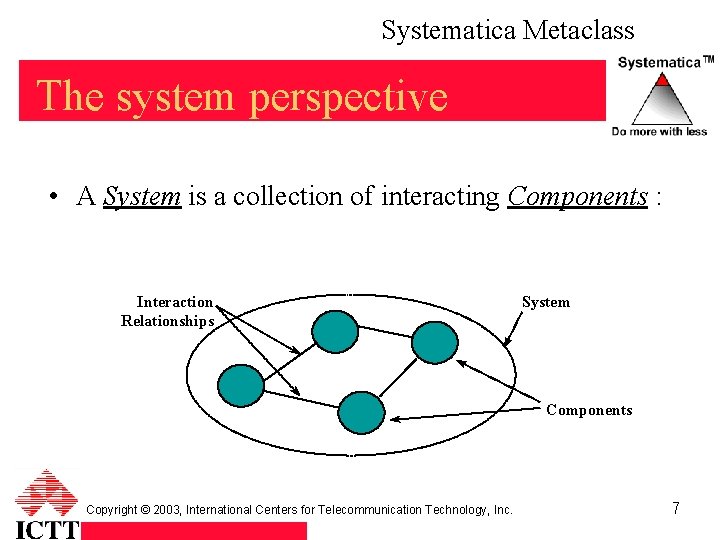
Systematica Metaclass The system perspective • A System is a collection of interacting Components : Interaction Relationships System Components Copyright © 2003, International Centers for Telecommunication Technology, Inc. 7
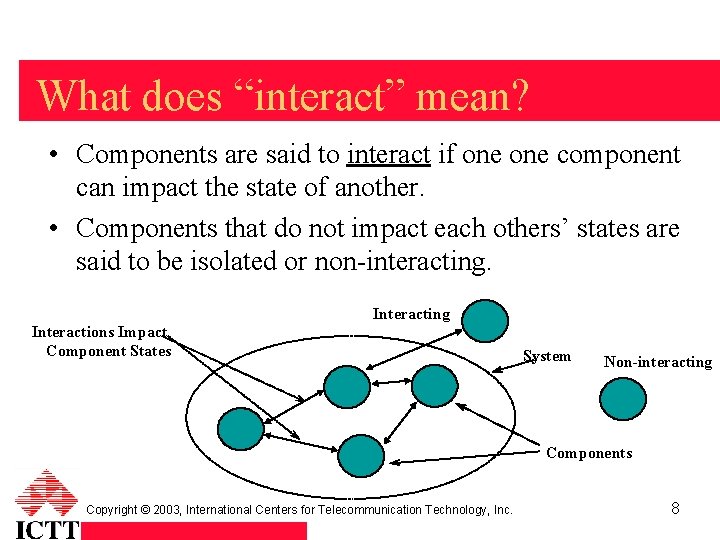
What does “interact” mean? • Components are said to interact if one component can impact the state of another. • Components that do not impact each others’ states are said to be isolated or non-interacting. Interacting Interactions Impact Component States System Non-interacting Components Copyright © 2003, International Centers for Telecommunication Technology, Inc. 8
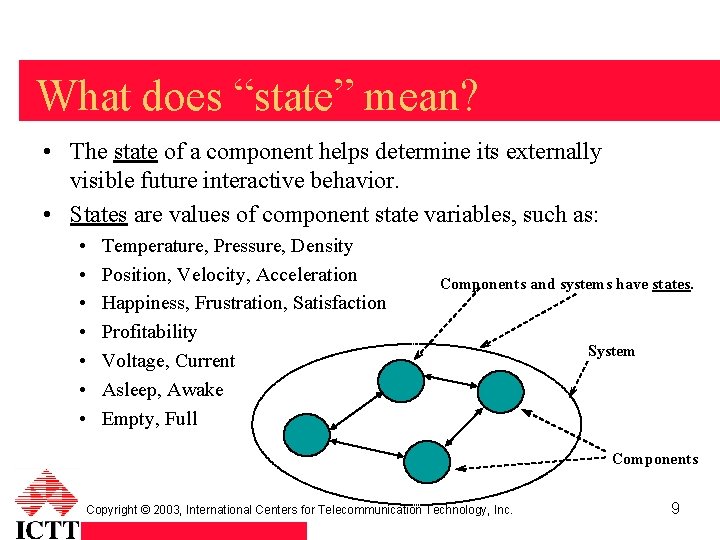
What does “state” mean? • The state of a component helps determine its externally visible future interactive behavior. • States are values of component state variables, such as: • • Temperature, Pressure, Density Position, Velocity, Acceleration Happiness, Frustration, Satisfaction Profitability Voltage, Current Asleep, Awake Empty, Full Components and systems have states. System Components Copyright © 2003, International Centers for Telecommunication Technology, Inc. 9
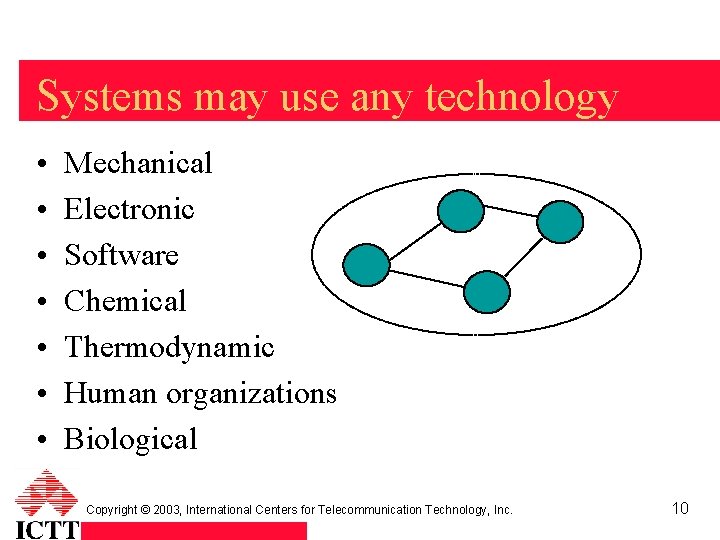
Systems may use any technology • • Mechanical Electronic Software Chemical Thermodynamic Human organizations Biological Copyright © 2003, International Centers for Telecommunication Technology, Inc. 10
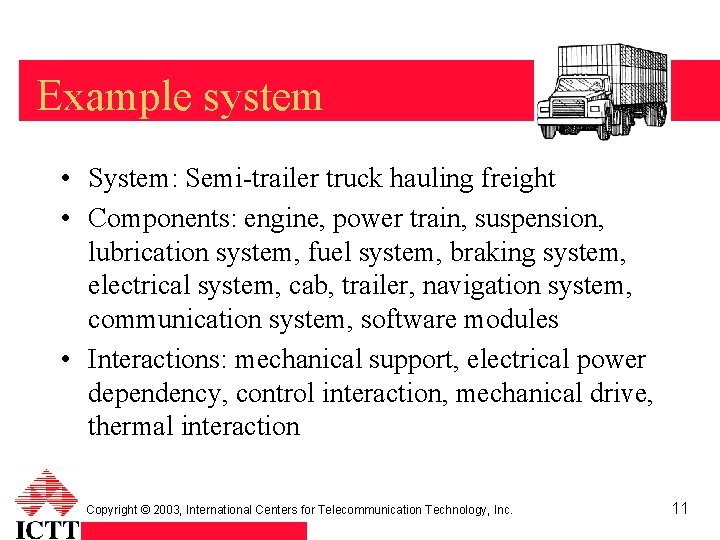
Example system • System: Semi-trailer truck hauling freight • Components: engine, power train, suspension, lubrication system, fuel system, braking system, electrical system, cab, trailer, navigation system, communication system, software modules • Interactions: mechanical support, electrical power dependency, control interaction, mechanical drive, thermal interaction Copyright © 2003, International Centers for Telecommunication Technology, Inc. 11
Example system • System: Telecommunication services system • Components: telephones, modems, workstations, transmission links, circuits, switches, base stations, communication sessions, software, customer requests, billing systems, customer analysts • Interactions: electrical & optical physical interactions, symbolic trunk status signaling, mechanical mounting support, power dependency, fault propagation Copyright © 2003, International Centers for Telecommunication Technology, Inc. 12
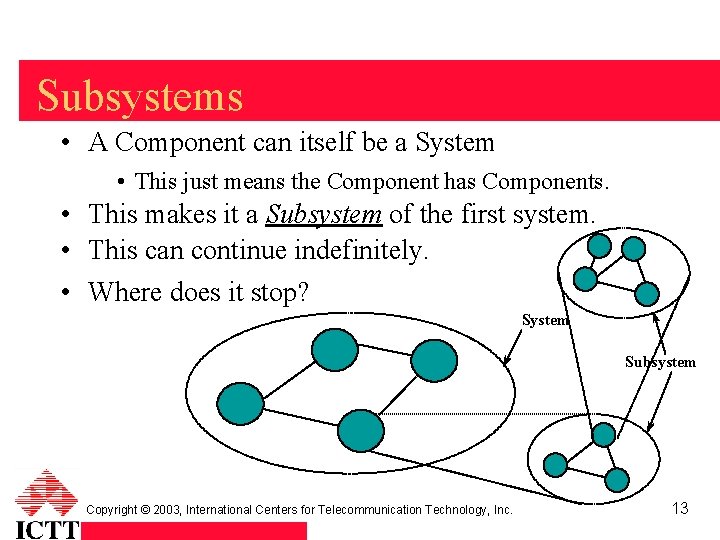
Subsystems • A Component can itself be a System • This just means the Component has Components. • This makes it a Subsystem of the first system. • This can continue indefinitely. • Where does it stop? System Subsystem Copyright © 2003, International Centers for Telecommunication Technology, Inc. 13
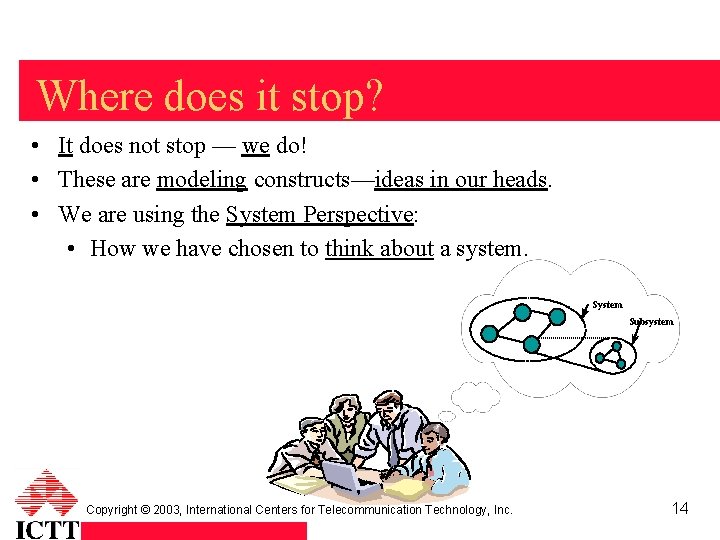
Where does it stop? • It does not stop — we do! • These are modeling constructs—ideas in our heads. • We are using the System Perspective: • How we have chosen to think about a system. System Subsystem Copyright © 2003, International Centers for Telecommunication Technology, Inc. 14
Is everything a system? • Is a rock a system? – Does it have parts? Interactions? – If you are a geologist, a rock is a system: • Strata, crystals, chemical interactions, pressures – But, if you are using the rock in your slingshot, this is not useful to know! – Different people need different models for different purposes – Views of models Copyright © 2003, International Centers for Telecommunication Technology, Inc. 15
What to model? • In model based systems engineering, it is not enough for a model to be correct: – We also have to ask if a model is useful to us. – We only need to model what is useful, to sort out requirements, plan designs, communicate specifications, verify behavior, etc. – There is a tendency of new modelers to model too much, to include too much detail …. so watch out! Copyright © 2003, International Centers for Telecommunication Technology, Inc. 16
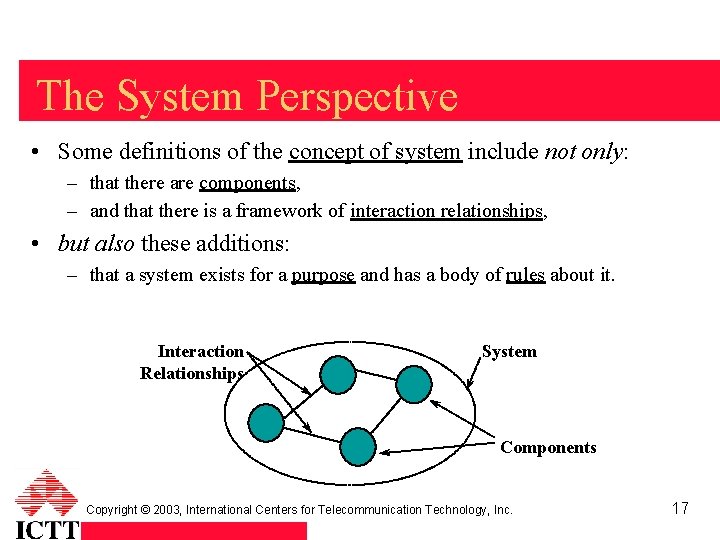
The System Perspective • Some definitions of the concept of system include not only: – that there are components, – and that there is a framework of interaction relationships, • but also these additions: – that a system exists for a purpose and has a body of rules about it. Interaction Relationships System Components Copyright © 2003, International Centers for Telecommunication Technology, Inc. 17
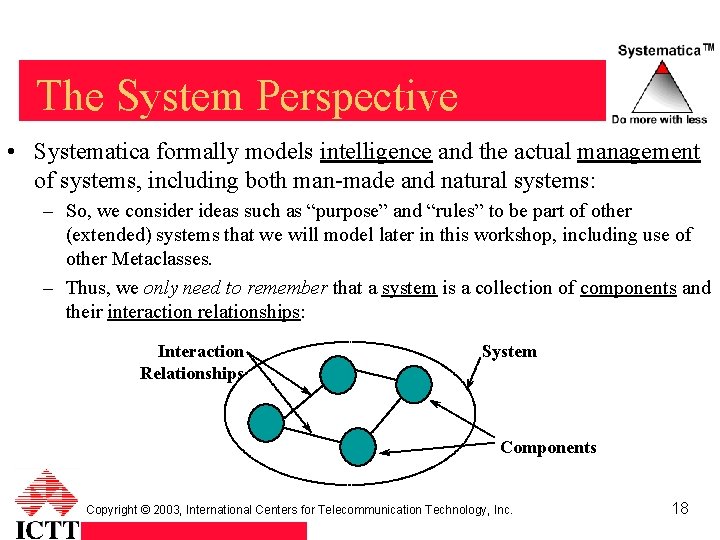
The System Perspective • Systematica formally models intelligence and the actual management of systems, including both man-made and natural systems: – So, we consider ideas such as “purpose” and “rules” to be part of other (extended) systems that we will model later in this workshop, including use of other Metaclasses. – Thus, we only need to remember that a system is a collection of components and their interaction relationships: Interaction Relationships System Components Copyright © 2003, International Centers for Telecommunication Technology, Inc. 18
System diagrams • Formal diagram notation: – UML subset--UML class/object diagrams • Frequently used system diagrams: – System environment diagram – System domain diagram – System logical architecture diagram – System physical architecture diagram (physical deployment diagram) Copyright © 2003, International Centers for Telecommunication Technology, Inc. 19
System diagrams • System environment diagram: To illustrate the systems (called “actors”) outside a “subject system”, with which it interacts. • System domain diagram: To illustrate the important relationships between the actors for a subject system (domain knowledge). Copyright © 2003, International Centers for Telecommunication Technology, Inc. 20
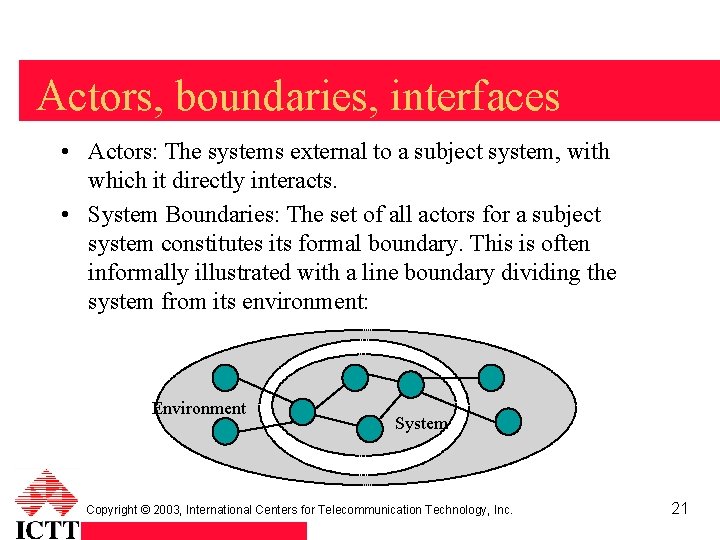
Actors, boundaries, interfaces • Actors: The systems external to a subject system, with which it directly interacts. • System Boundaries: The set of all actors for a subject system constitutes its formal boundary. This is often informally illustrated with a line boundary dividing the system from its environment: Environment System Copyright © 2003, International Centers for Telecommunication Technology, Inc. 21
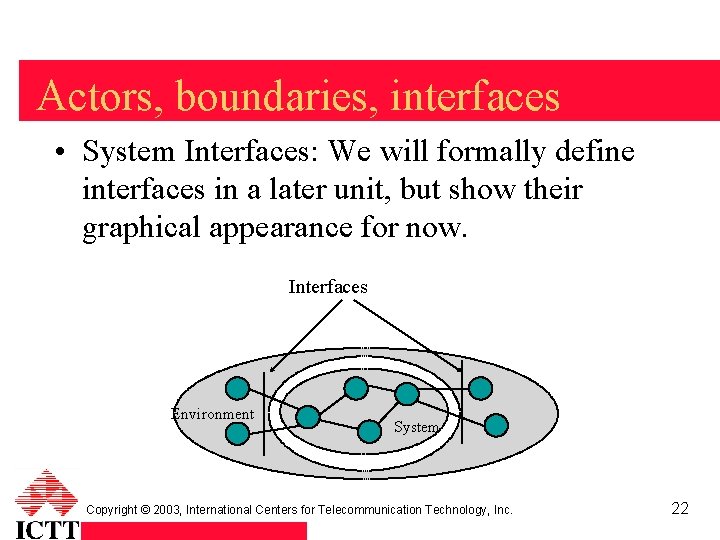
Actors, boundaries, interfaces • System Interfaces: We will formally define interfaces in a later unit, but show their graphical appearance for now. Interfaces Environment System Copyright © 2003, International Centers for Telecommunication Technology, Inc. 22
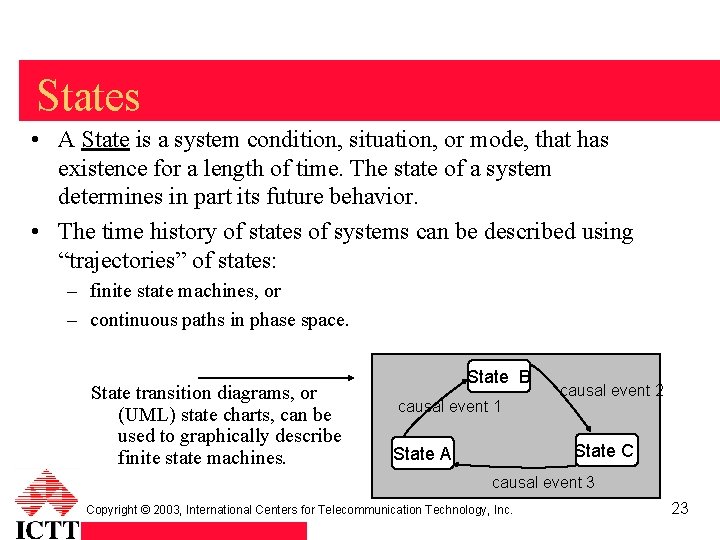
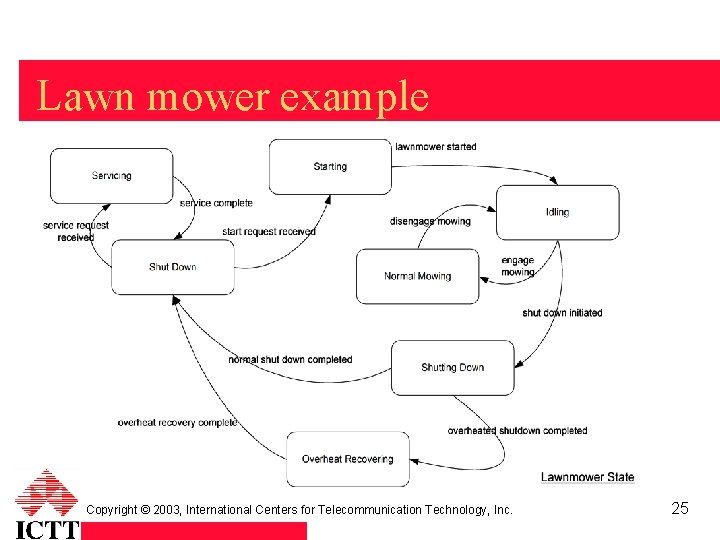
States • A State is a system condition, situation, or mode, that has existence for a length of time. The state of a system determines in part its future behavior. • The time history of states of systems can be described using “trajectories” of states: – finite state machines, or – continuous paths in phase space. State transition diagrams, or (UML) state charts, can be used to graphically describe finite state machines. State B causal event 1 causal event 2 State C State A causal event 3 Copyright © 2003, International Centers for Telecommunication Technology, Inc. 23
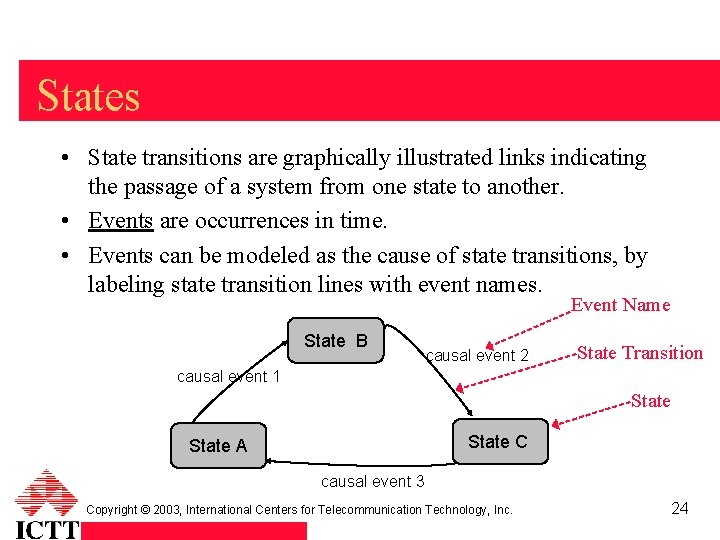
States • State transitions are graphically illustrated links indicating the passage of a system from one state to another. • Events are occurrences in time. • Events can be modeled as the cause of state transitions, by labeling state transition lines with event names. Event Name State B causal event 2 State Transition causal event 1 State C State A causal event 3 Copyright © 2003, International Centers for Telecommunication Technology, Inc. 24
Lawn mower example Copyright © 2003, International Centers for Telecommunication Technology, Inc. 25
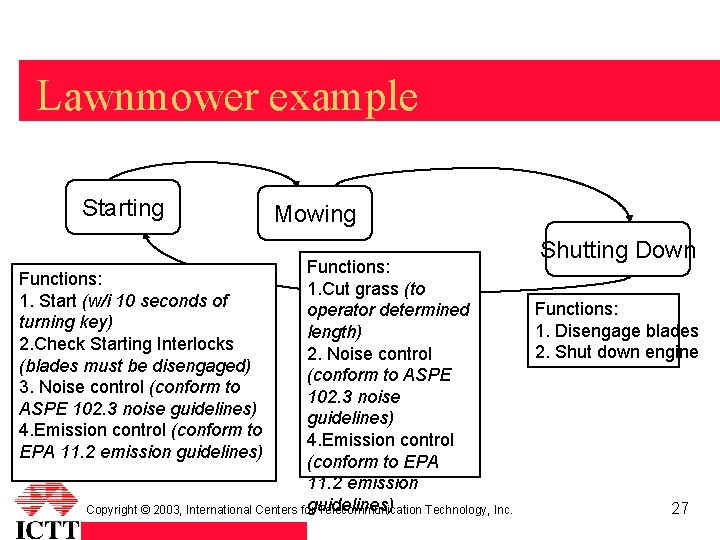
Organizing functions with states • Functions can be associated with states. – This is a way to indicate what functional interactions are required to occur during certain situations (that is, “when” they should occur in time) – This is a way to connect the (software engineering) “use case method” to state and function modeling techniques Copyright © 2003, International Centers for Telecommunication Technology, Inc. 26
Lawnmower example Starting Mowing Functions: 1. Cut grass (to operator determined length) 2. Noise control (conform to ASPE 102. 3 noise guidelines) 4. Emission control (conform to EPA 11. 2 emission guidelines) Copyright © 2003, International Centers for Telecommunication Technology, Inc. Functions: 1. Start (w/i 10 seconds of turning key) 2. Check Starting Interlocks (blades must be disengaged) 3. Noise control (conform to ASPE 102. 3 noise guidelines) 4. Emission control (conform to EPA 11. 2 emission guidelines) Shutting Down Functions: 1. Disengage blades 2. Shut down engine 27
Systematica, Gestalt Rules, Return on Variation are trademarks of System Sciences, LLC. Copyright © 2003, International Centers for Telecommunication Technology, Inc. 28