
ECE 3567 Microcontroller Laboratory Background and Project 1

ECE 3567 Microcontroller Laboratory Background and Project #1 Autumn 2018 Dr. Gregg Chapman
Module 1: The C Programming Language
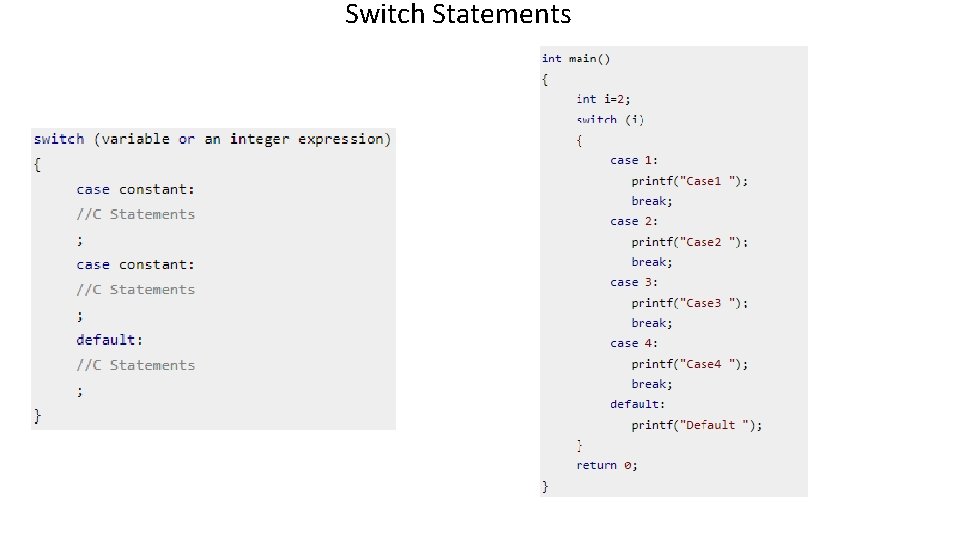
Switch Statements
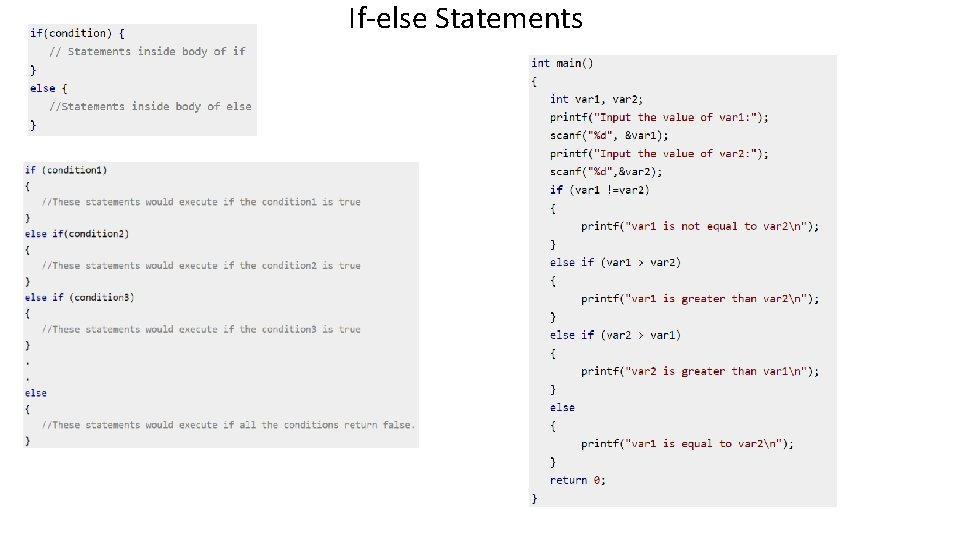
If-else Statements
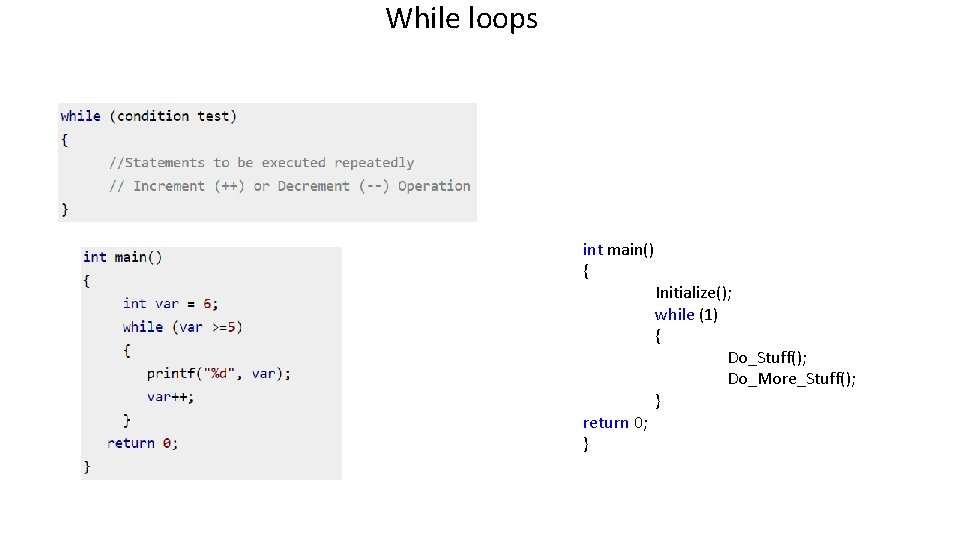
While loops int main() { return 0; } Initialize(); while (1) { Do_Stuff(); Do_More_Stuff(); }
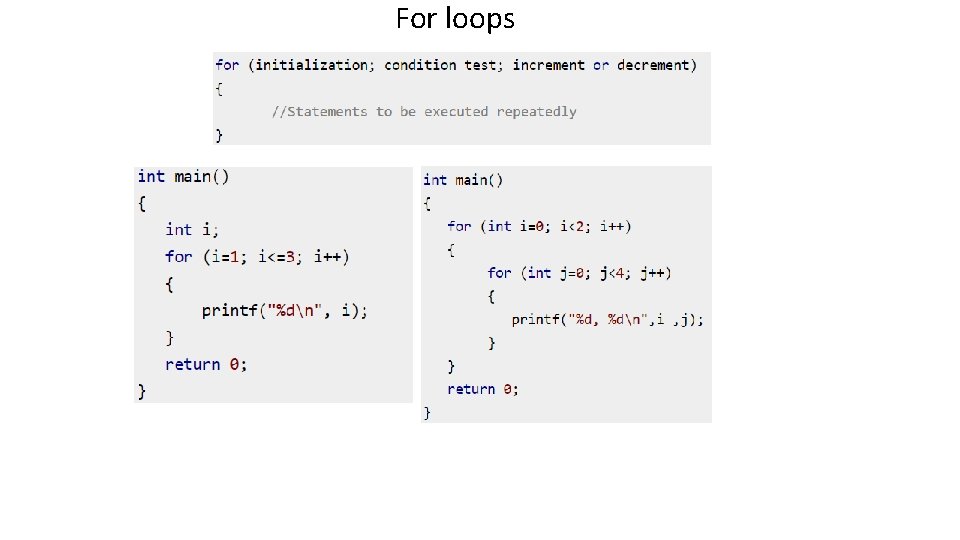
For loops
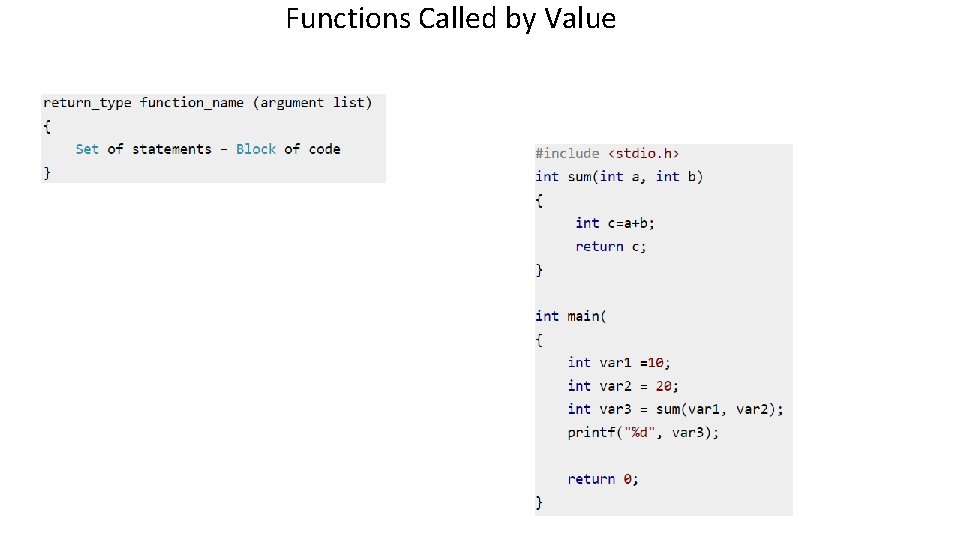
Functions Called by Value
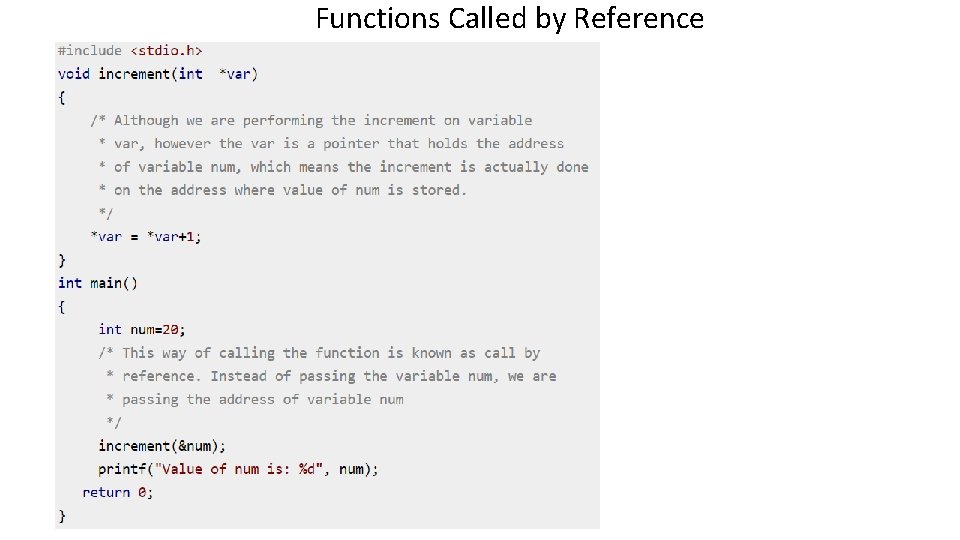
Functions Called by Reference
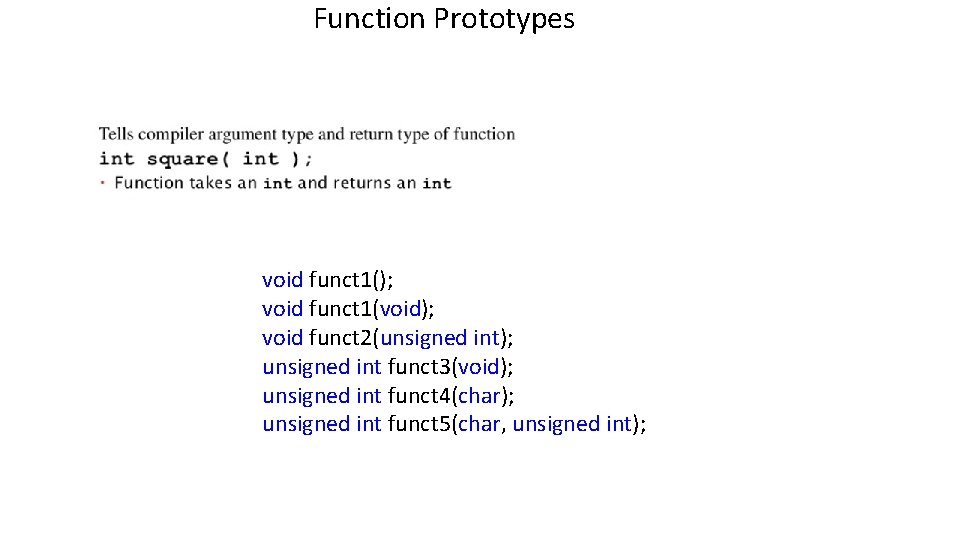
Function Prototypes void funct 1(); void funct 1(void); void funct 2(unsigned int); unsigned int funct 3(void); unsigned int funct 4(char); unsigned int funct 5(char, unsigned int);
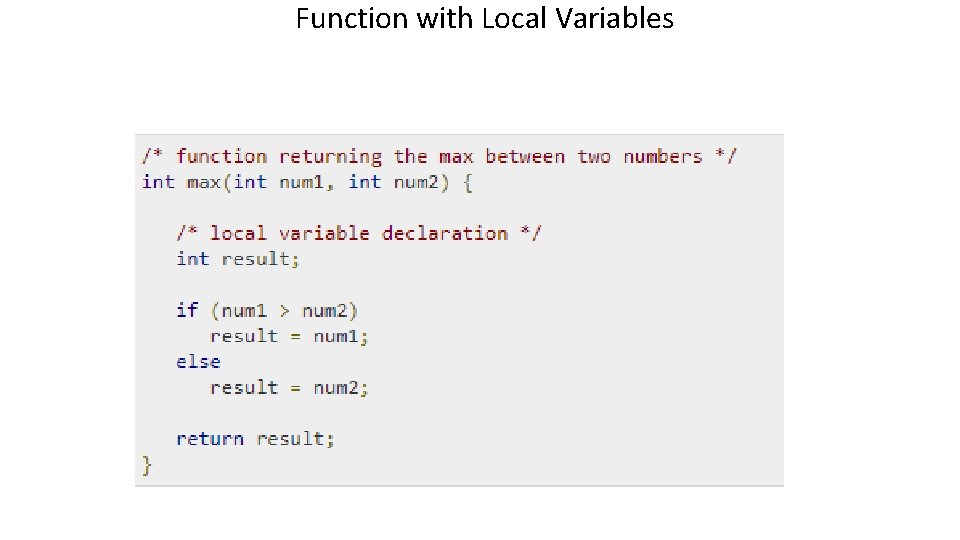
Function with Local Variables
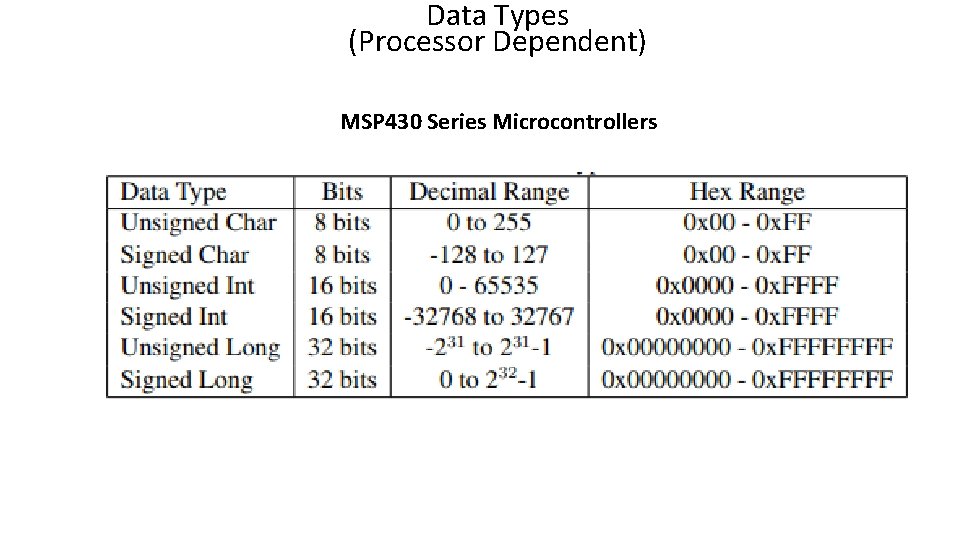
Data Types (Processor Dependent) MSP 430 Series Microcontrollers
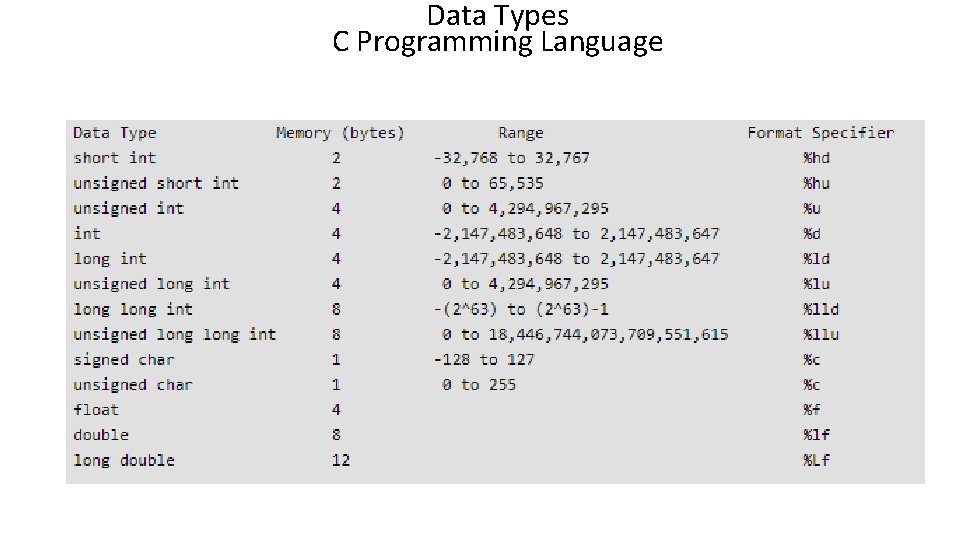
Data Types C Programming Language
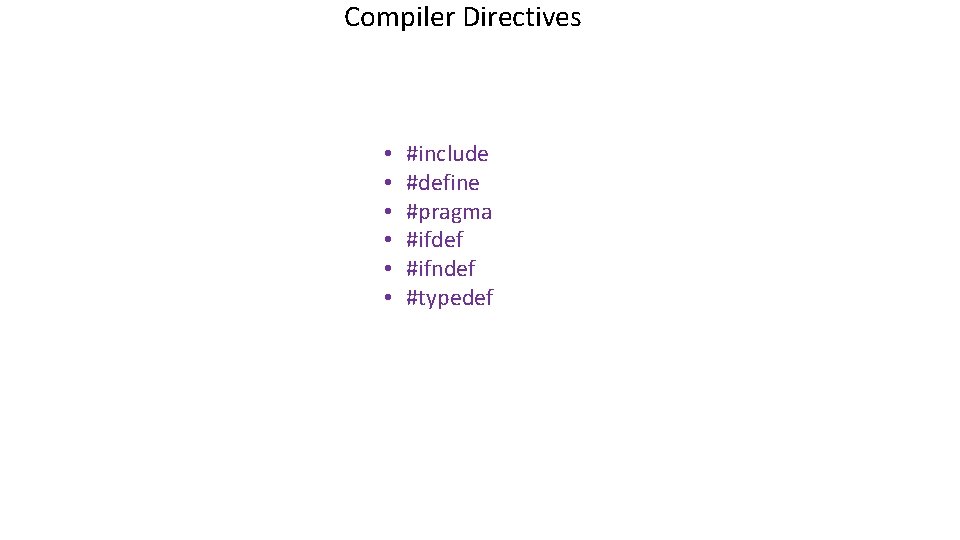
Compiler Directives • • • #include #define #pragma #ifdef #ifndef #typedef
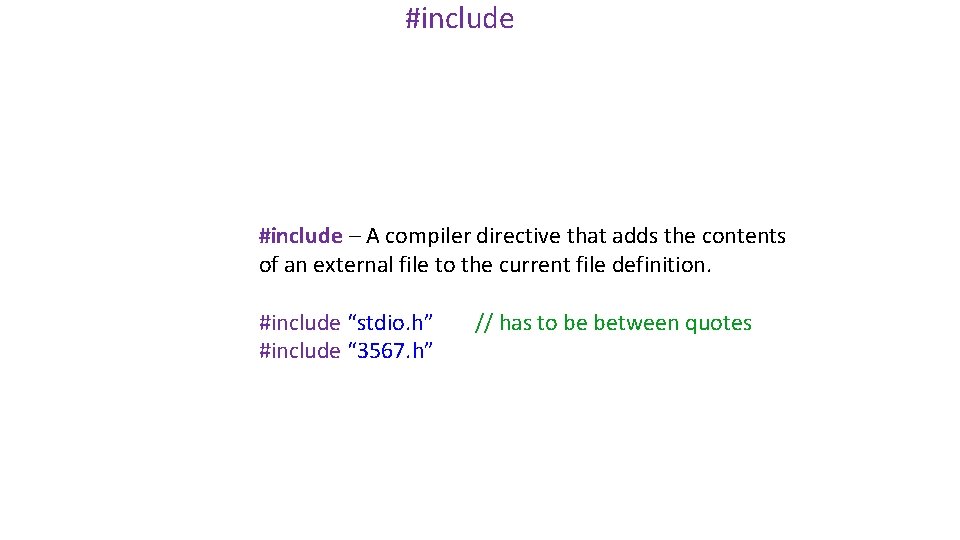
#include – A compiler directive that adds the contents of an external file to the current file definition. #include “stdio. h” #include “ 3567. h” // has to be between quotes
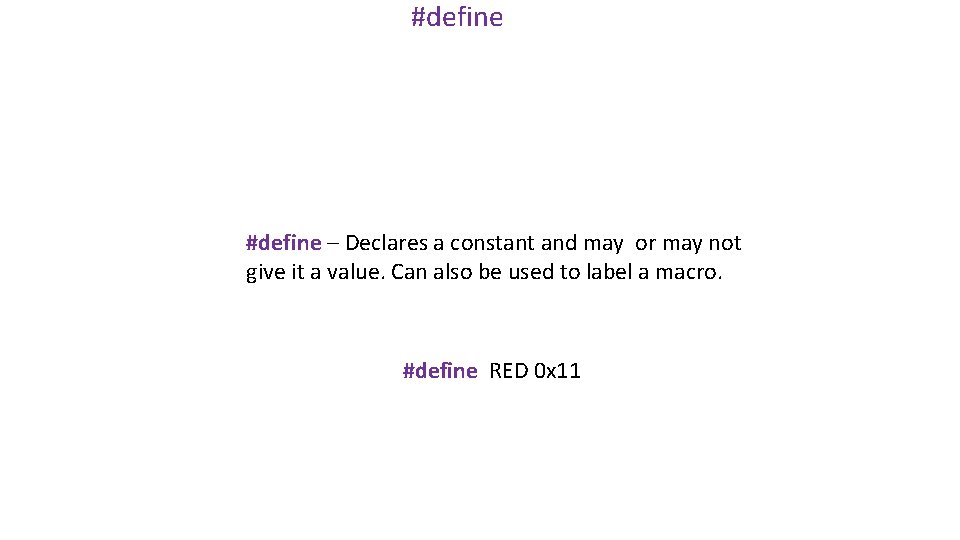
#define – Declares a constant and may or may not give it a value. Can also be used to label a macro. #define RED 0 x 11
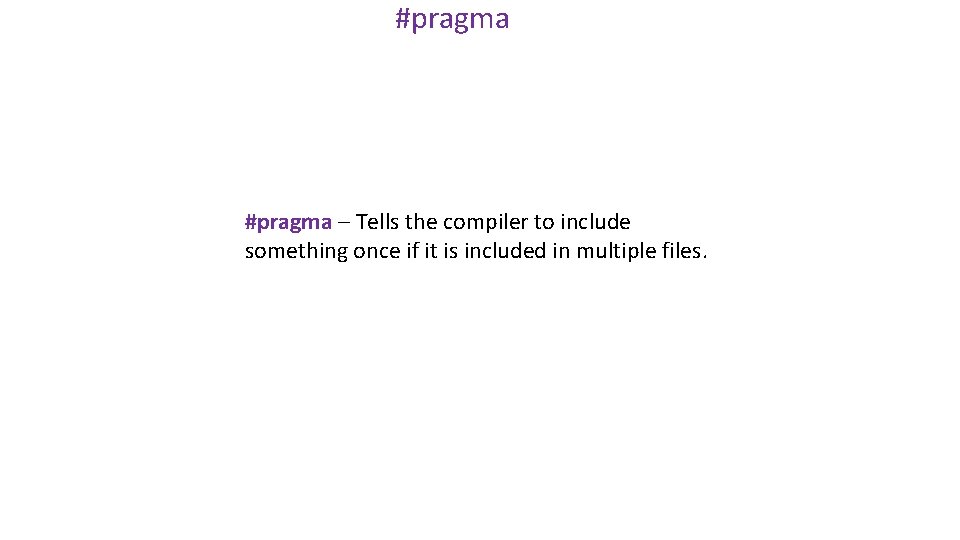
#pragma – Tells the compiler to include something once if it is included in multiple files.
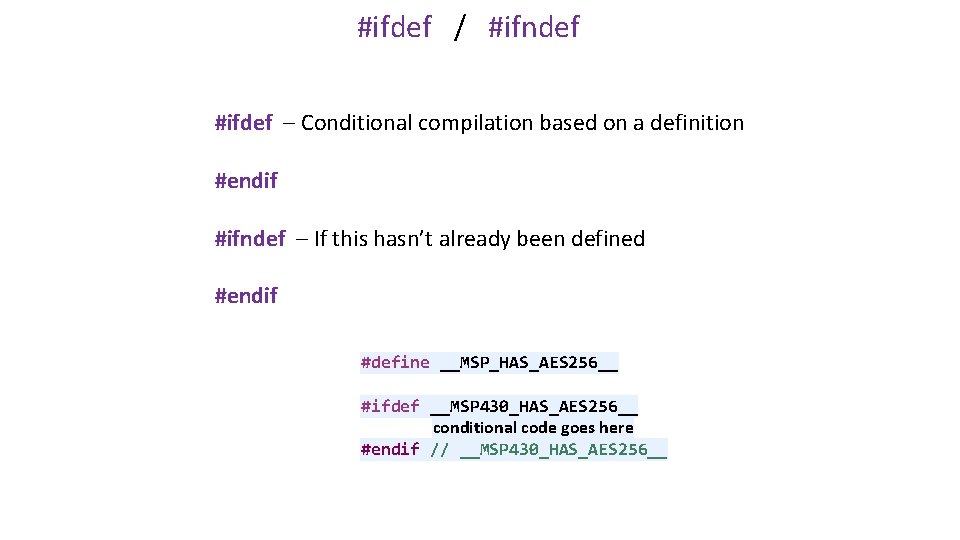
#ifdef / #ifndef #ifdef – Conditional compilation based on a definition #endif #ifndef – If this hasn’t already been defined #endif #define __MSP_HAS_AES 256__ #ifdef __MSP 430_HAS_AES 256__ conditional code goes here #endif // __MSP 430_HAS_AES 256__
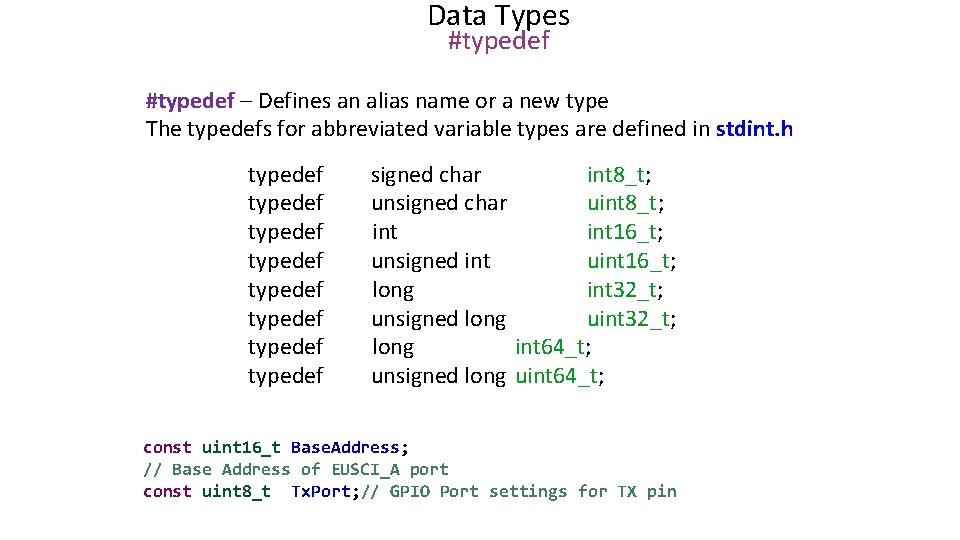
Data Types #typedef – Defines an alias name or a new type The typedefs for abbreviated variable types are defined in stdint. h typedef typedef signed char int 8_t; unsigned char uint 8_t; int 16_t; unsigned int uint 16_t; long int 32_t; unsigned long uint 32_t; long int 64_t; unsigned long uint 64_t; const uint 16_t Base. Address; // Base Address of EUSCI_A port const uint 8_t Tx. Port; // GPIO Port settings for TX pin
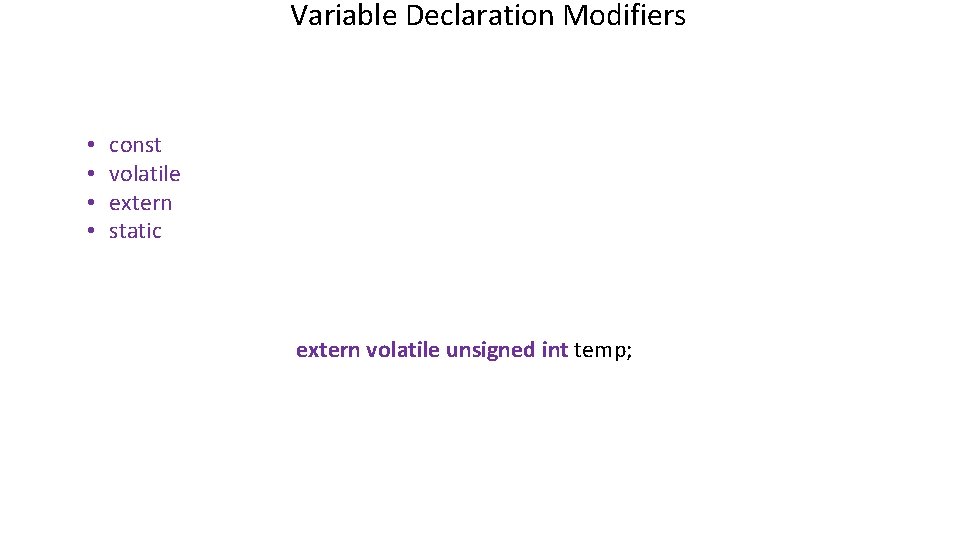
Variable Declaration Modifiers • • const volatile extern static extern volatile unsigned int temp;
volatile • The variable scope is available to all functions and all files in the project • The variable can be changed anywhere in the project
const The variable will have a single value at runtime and cannot be changed in the program
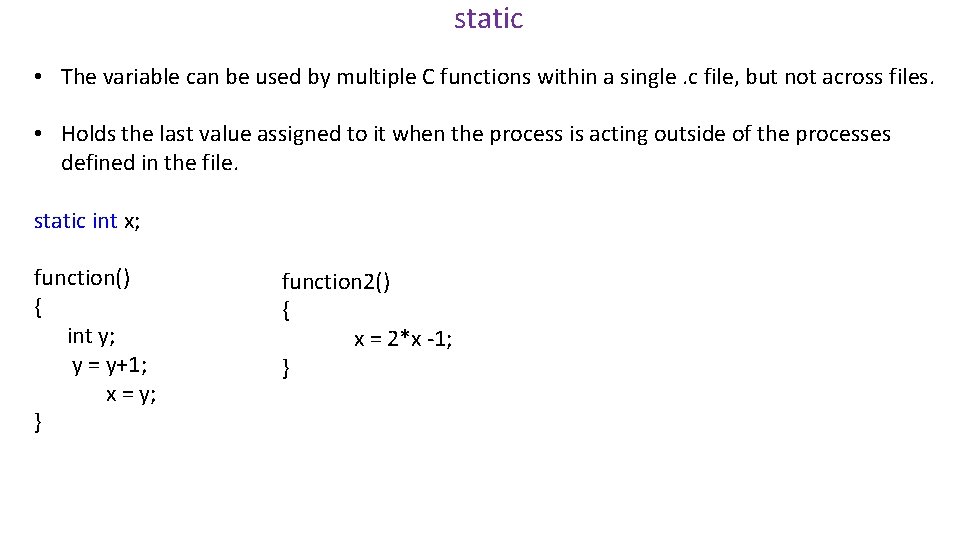
static • The variable can be used by multiple C functions within a single. c file, but not across files. • Holds the last value assigned to it when the process is acting outside of the processes defined in the file. static int x; function() { int y; y = y+1; x = y; } function 2() { x = 2*x -1; }
extern • The variable can be used in the current file, but is declared in another file
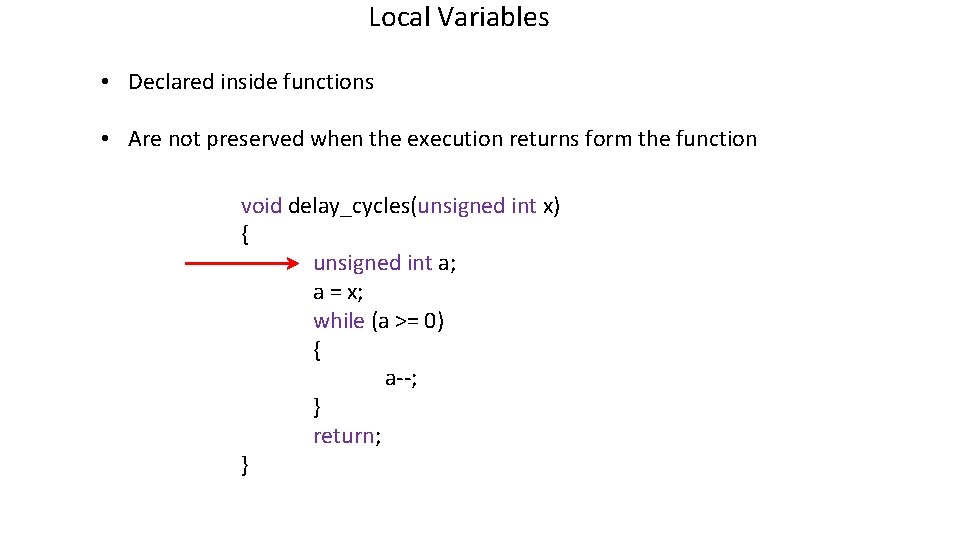
Local Variables • Declared inside functions • Are not preserved when the execution returns form the function void delay_cycles(unsigned int x) { unsigned int a; a = x; while (a >= 0) { a--; } return; }
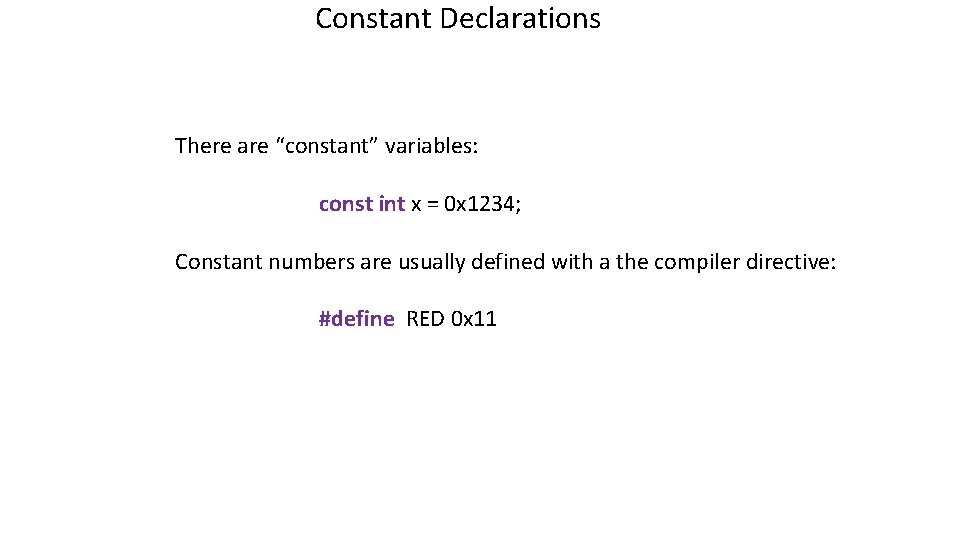
Constant Declarations There are “constant” variables: const int x = 0 x 1234; Constant numbers are usually defined with a the compiler directive: #define RED 0 x 11

Global Variables • Global variables are defined BEFORE a function and may be volatile, static, extern, etc.
Module 2: NUMBERS and REGISTERS
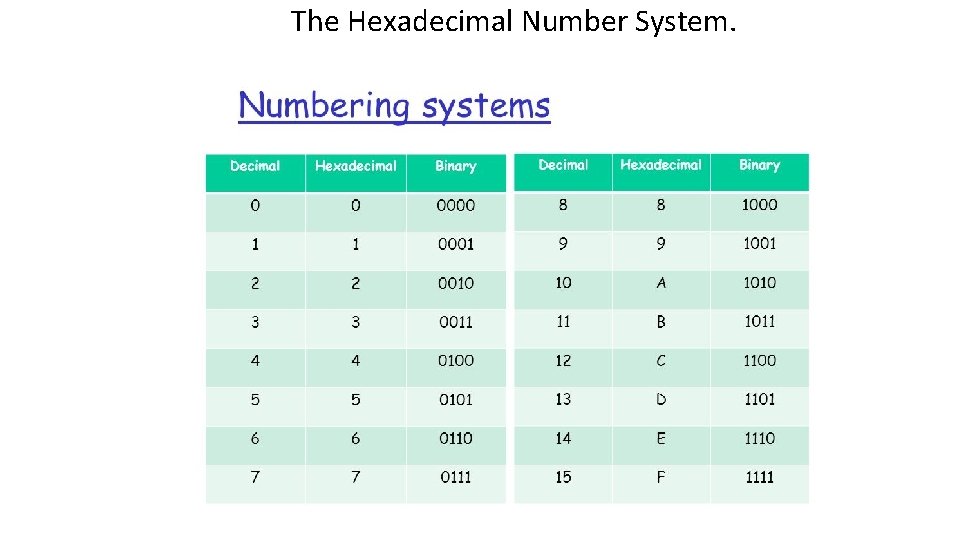
The Hexadecimal Number System.
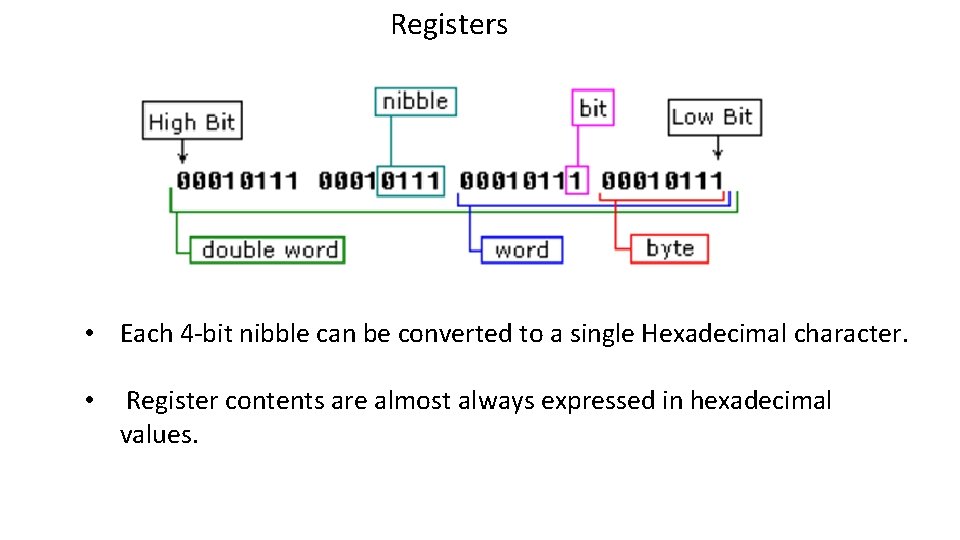
Registers • Each 4 -bit nibble can be converted to a single Hexadecimal character. • Register contents are almost always expressed in hexadecimal values.
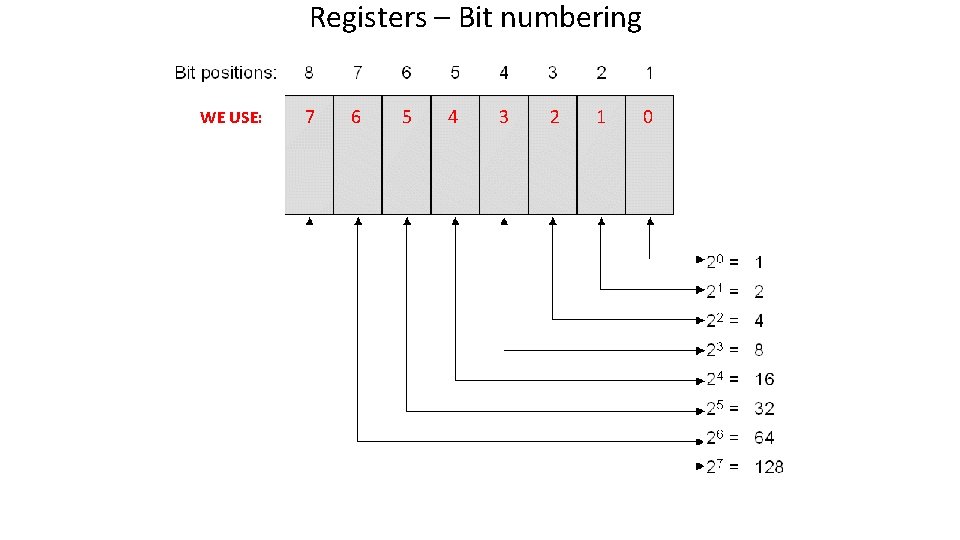
Registers – Bit numbering WE USE: 7 6 5 4 3 2 1 0
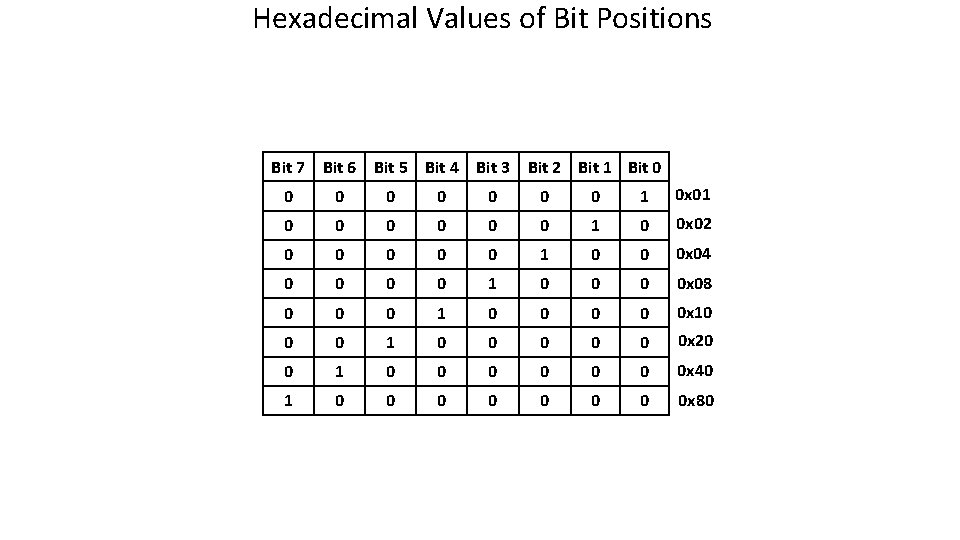
Hexadecimal Values of Bit Positions Bit 7 Bit 6 Bit 5 Bit 4 Bit 3 Bit 2 Bit 1 Bit 0 0 0 0 1 0 x 01 0 0 0 1 0 0 x 02 0 0 0 1 0 0 0 x 04 0 0 1 0 0 x 08 0 0 0 1 0 0 0 x 10 0 0 1 0 0 0 x 20 0 1 0 0 0 0 x 40 1 0 0 0 0 x 80
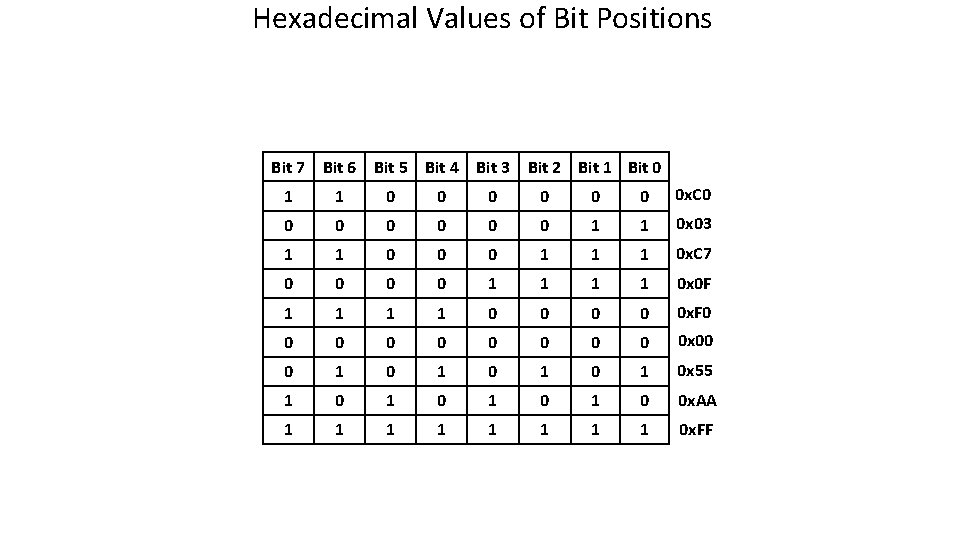
Hexadecimal Values of Bit Positions Bit 7 Bit 6 Bit 5 Bit 4 Bit 3 Bit 2 Bit 1 Bit 0 1 1 0 0 0 0 x. C 0 0 0 0 1 1 0 x 03 1 1 0 0 0 1 1 1 0 x. C 7 0 0 1 1 0 x 0 F 1 1 0 0 0 x. F 0 0 0 0 0 x 00 0 1 0 1 0 x 55 1 0 1 0 0 x. AA 1 1 1 1 0 x. FF
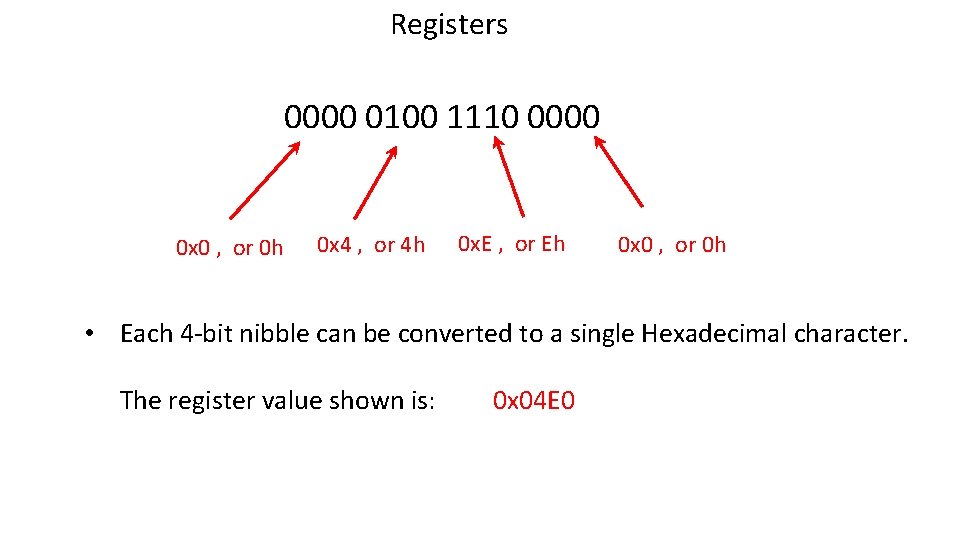
Registers 0000 0100 1110 0000 0 x 0 , or 0 h 0 x 4 , or 4 h 0 x. E , or Eh 0 x 0 , or 0 h • Each 4 -bit nibble can be converted to a single Hexadecimal character. The register value shown is: 0 x 04 E 0
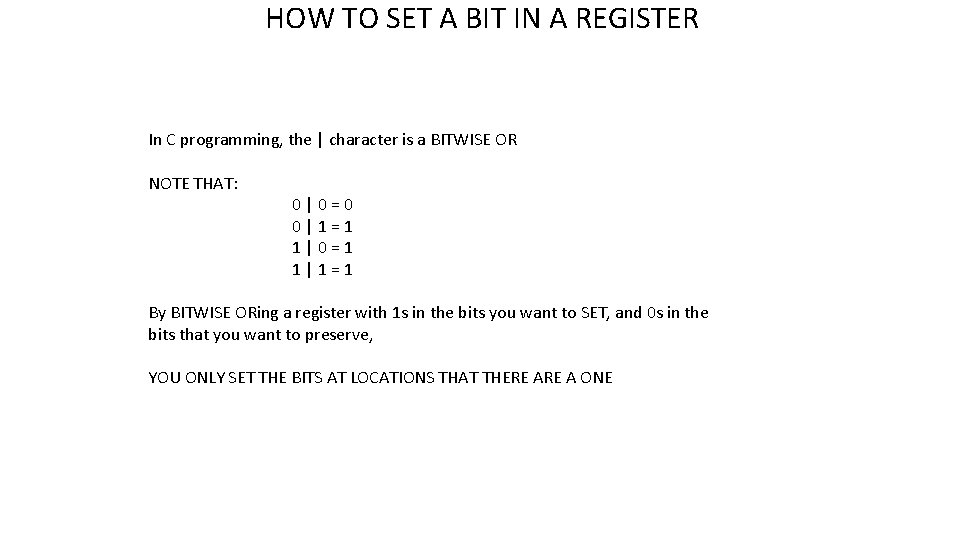
HOW TO SET A BIT IN A REGISTER In C programming, the | character is a BITWISE OR NOTE THAT: 0|0=0 0|1=1 1|0=1 1|1=1 By BITWISE ORing a register with 1 s in the bits you want to SET, and 0 s in the bits that you want to preserve, YOU ONLY SET THE BITS AT LOCATIONS THAT THERE A ONE
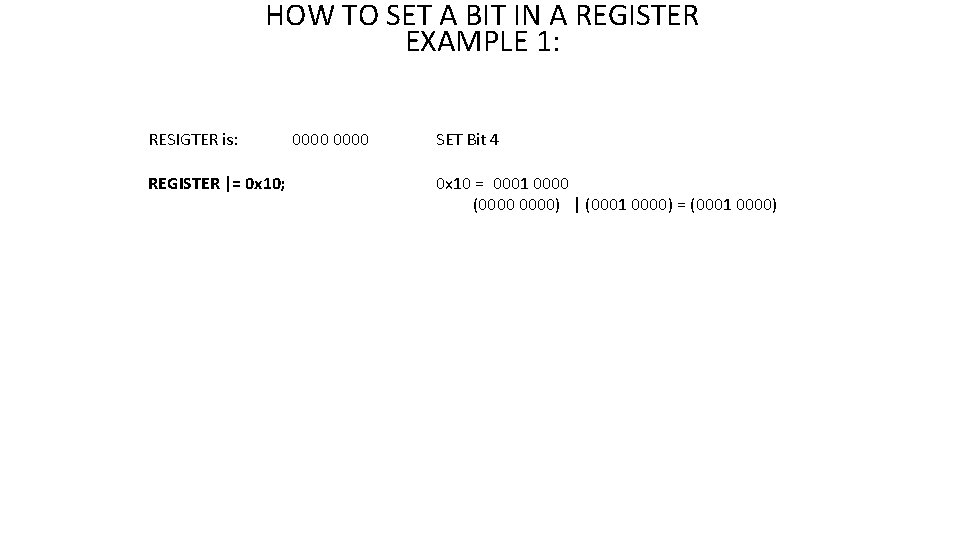
HOW TO SET A BIT IN A REGISTER EXAMPLE 1: RESIGTER is: REGISTER |= 0 x 10; 0000 SET Bit 4 0 x 10 = 0001 0000 (0000) | (0001 0000) = (0001 0000)
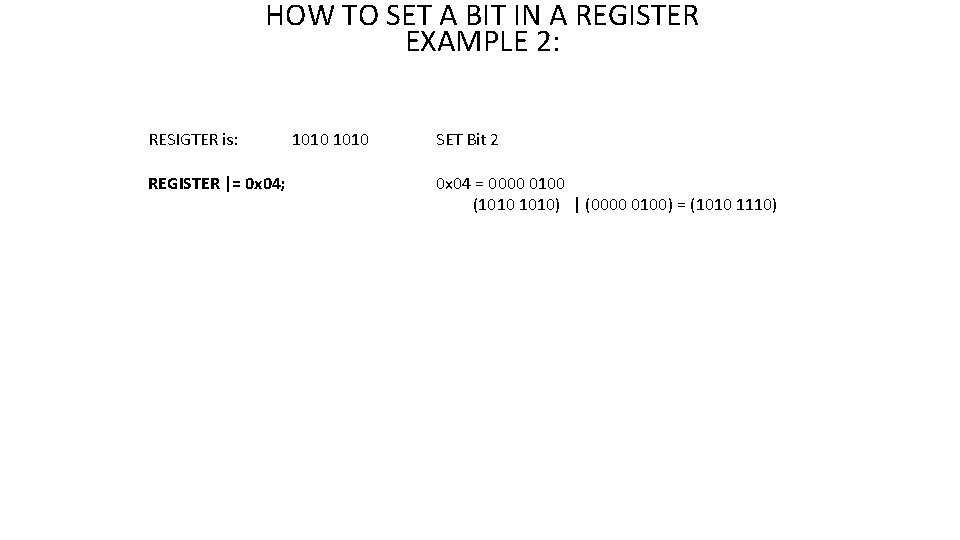
HOW TO SET A BIT IN A REGISTER EXAMPLE 2: RESIGTER is: REGISTER |= 0 x 04; 1010 SET Bit 2 0 x 04 = 0000 0100 (1010) | (0000 0100) = (1010 1110)
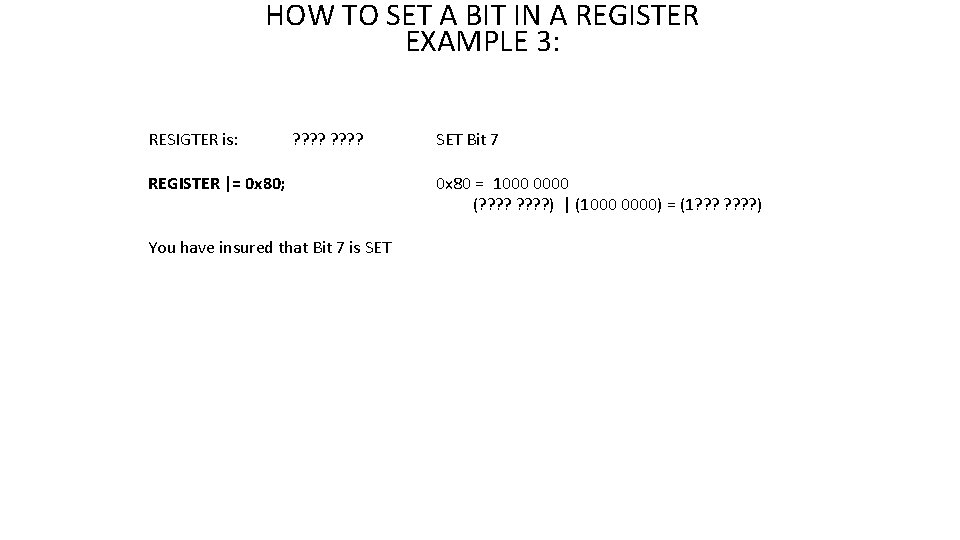
HOW TO SET A BIT IN A REGISTER EXAMPLE 3: RESIGTER is: ? ? ? ? REGISTER |= 0 x 80; You have insured that Bit 7 is SET Bit 7 0 x 80 = 1000 0000 (? ? ? ? ) | (1000 0000) = (1? ? ? ? )
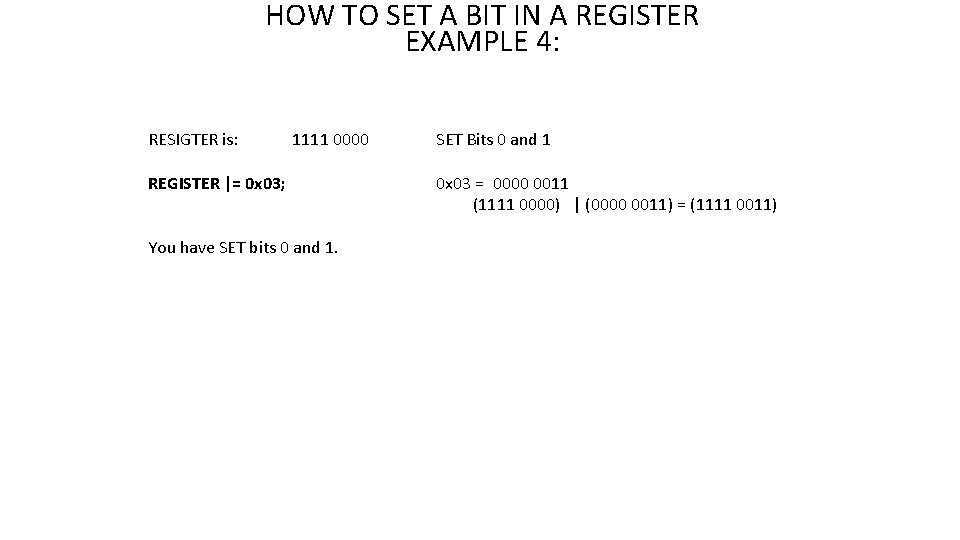
HOW TO SET A BIT IN A REGISTER EXAMPLE 4: RESIGTER is: 1111 0000 REGISTER |= 0 x 03; You have SET bits 0 and 1. SET Bits 0 and 1 0 x 03 = 0000 0011 (1111 0000) | (0000 0011) = (1111 0011)
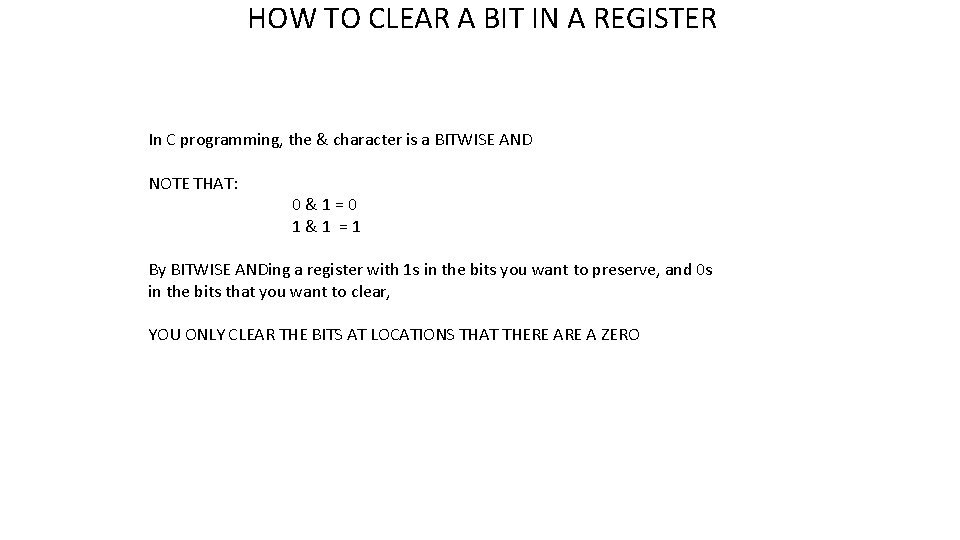
HOW TO CLEAR A BIT IN A REGISTER In C programming, the & character is a BITWISE AND NOTE THAT: 0&1=0 1&1 =1 By BITWISE ANDing a register with 1 s in the bits you want to preserve, and 0 s in the bits that you want to clear, YOU ONLY CLEAR THE BITS AT LOCATIONS THAT THERE A ZERO
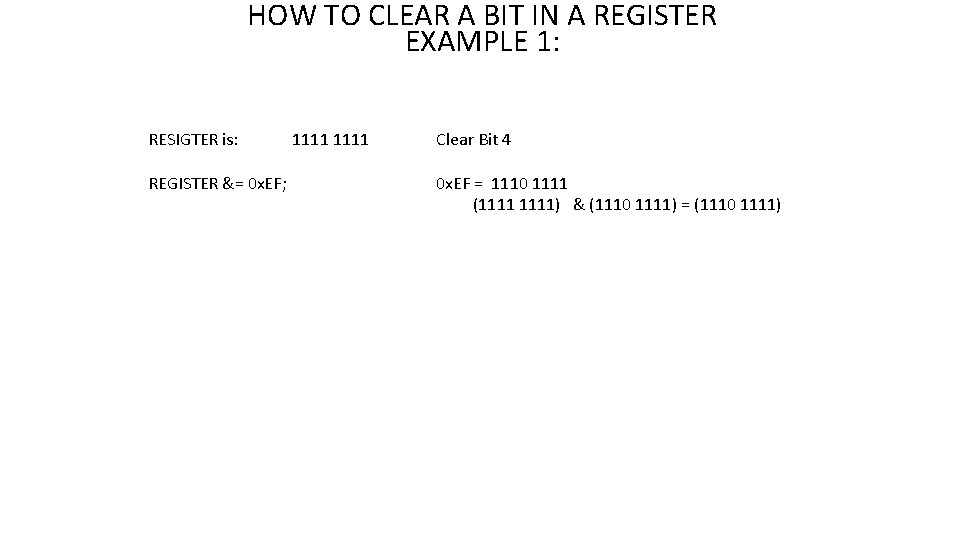
HOW TO CLEAR A BIT IN A REGISTER EXAMPLE 1: RESIGTER is: REGISTER &= 0 x. EF; 1111 Clear Bit 4 0 x. EF = 1110 1111 (1111) & (1110 1111) = (1110 1111)
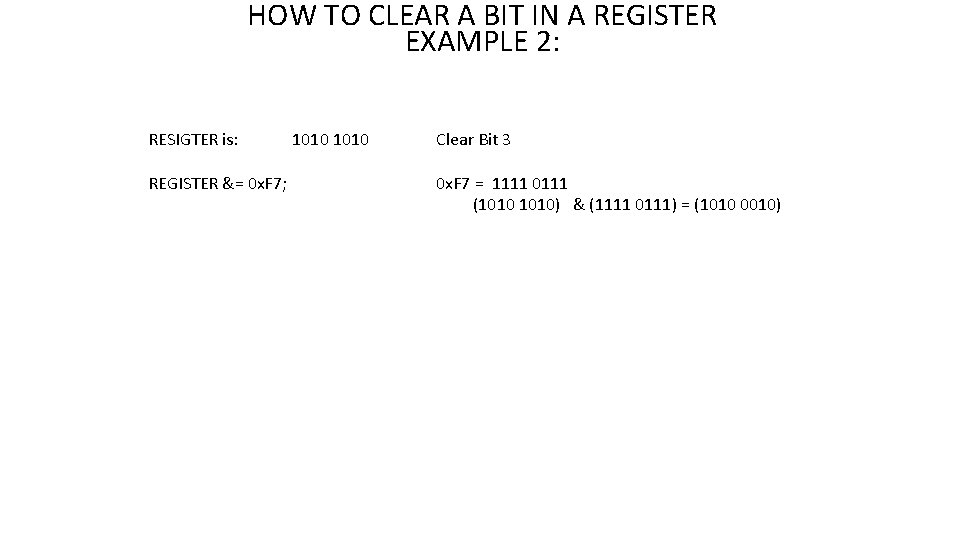
HOW TO CLEAR A BIT IN A REGISTER EXAMPLE 2: RESIGTER is: REGISTER &= 0 x. F 7; 1010 Clear Bit 3 0 x. F 7 = 1111 0111 (1010) & (1111 0111) = (1010 0010)
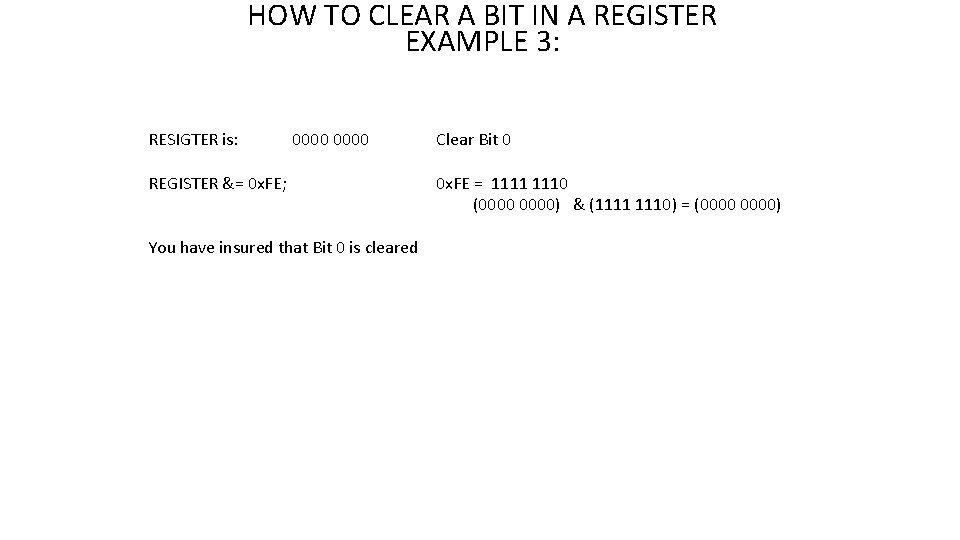
HOW TO CLEAR A BIT IN A REGISTER EXAMPLE 3: RESIGTER is: 0000 REGISTER &= 0 x. FE; You have insured that Bit 0 is cleared Clear Bit 0 0 x. FE = 1111 1110 (0000) & (1111 1110) = (0000)
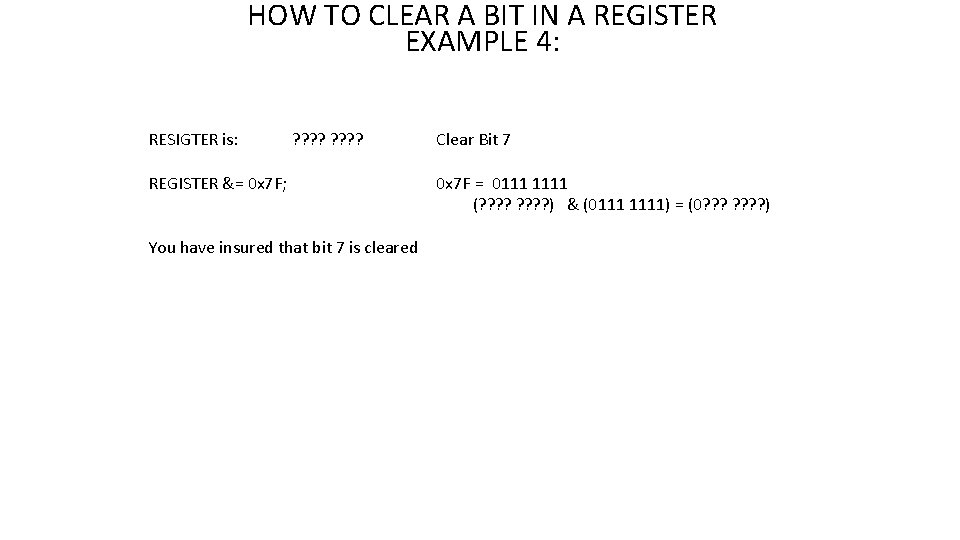
HOW TO CLEAR A BIT IN A REGISTER EXAMPLE 4: RESIGTER is: ? ? ? ? REGISTER &= 0 x 7 F; You have insured that bit 7 is cleared Clear Bit 7 0 x 7 F = 0111 1111 (? ? ? ? ) & (0111 1111) = (0? ? ? ? )
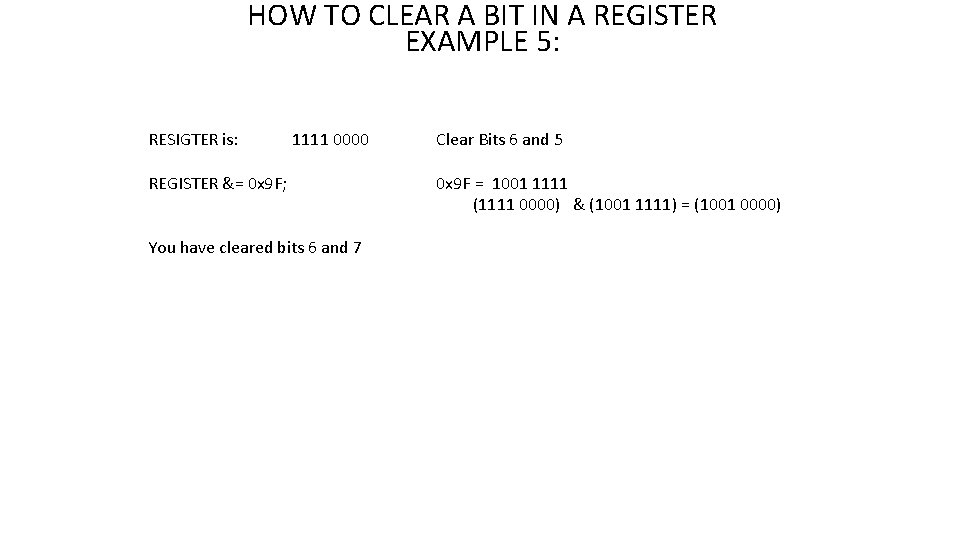
HOW TO CLEAR A BIT IN A REGISTER EXAMPLE 5: RESIGTER is: 1111 0000 REGISTER &= 0 x 9 F; You have cleared bits 6 and 7 Clear Bits 6 and 5 0 x 9 F = 1001 1111 (1111 0000) & (1001 1111) = (1001 0000)
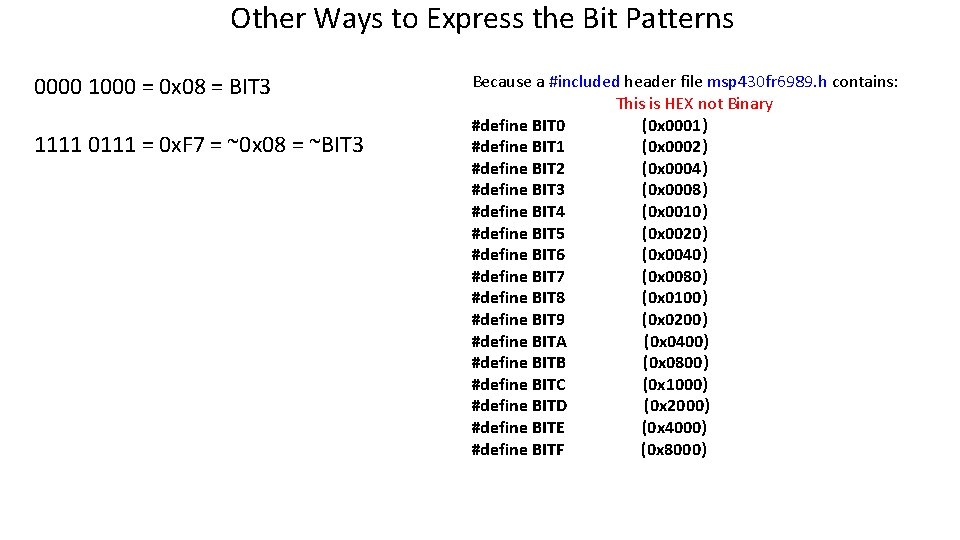
Other Ways to Express the Bit Patterns 0000 1000 = 0 x 08 = BIT 3 1111 0111 = 0 x. F 7 = ~0 x 08 = ~BIT 3 Because a #included header file msp 430 fr 6989. h contains: This is HEX not Binary #define BIT 0 (0 x 0001) #define BIT 1 (0 x 0002) #define BIT 2 (0 x 0004) #define BIT 3 (0 x 0008) #define BIT 4 (0 x 0010) #define BIT 5 (0 x 0020) #define BIT 6 (0 x 0040) #define BIT 7 (0 x 0080) #define BIT 8 (0 x 0100) #define BIT 9 (0 x 0200) #define BITA (0 x 0400) #define BITB (0 x 0800) #define BITC (0 x 1000) #define BITD (0 x 2000) #define BITE (0 x 4000) #define BITF (0 x 8000)
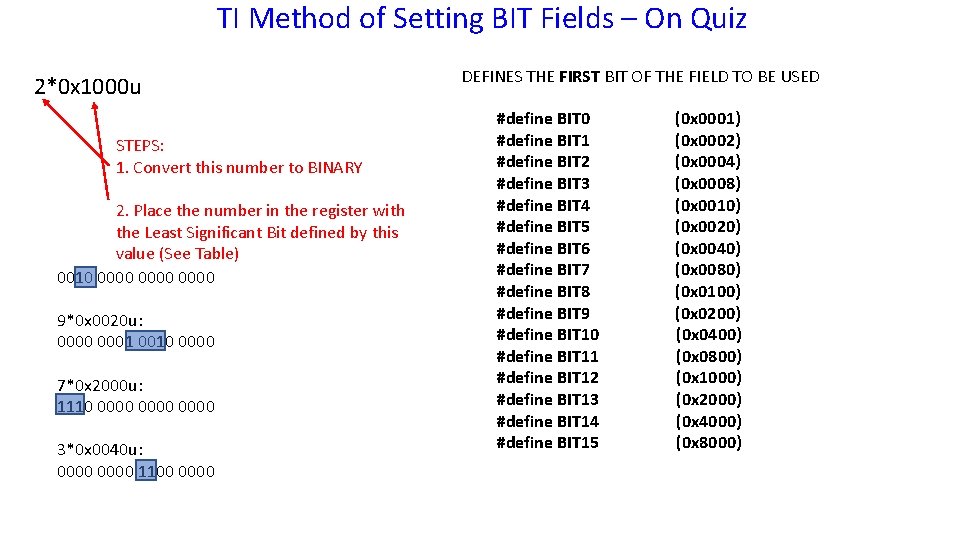
TI Method of Setting BIT Fields – On Quiz 2*0 x 1000 u STEPS: 1. Convert this number to BINARY 2. Place the number in the register with the Least Significant Bit defined by this value (See Table) 0010 0000 9*0 x 0020 u: 0000 0001 0010 0000 7*0 x 2000 u: 1110 0000 3*0 x 0040 u: 0000 1100 0000 DEFINES THE FIRST BIT OF THE FIELD TO BE USED #define BIT 0 #define BIT 1 #define BIT 2 #define BIT 3 #define BIT 4 #define BIT 5 #define BIT 6 #define BIT 7 #define BIT 8 #define BIT 9 #define BIT 10 #define BIT 11 #define BIT 12 #define BIT 13 #define BIT 14 #define BIT 15 (0 x 0001) (0 x 0002) (0 x 0004) (0 x 0008) (0 x 0010) (0 x 0020) (0 x 0040) (0 x 0080) (0 x 0100) (0 x 0200) (0 x 0400) (0 x 0800) (0 x 1000) (0 x 2000) (0 x 4000) (0 x 8000)
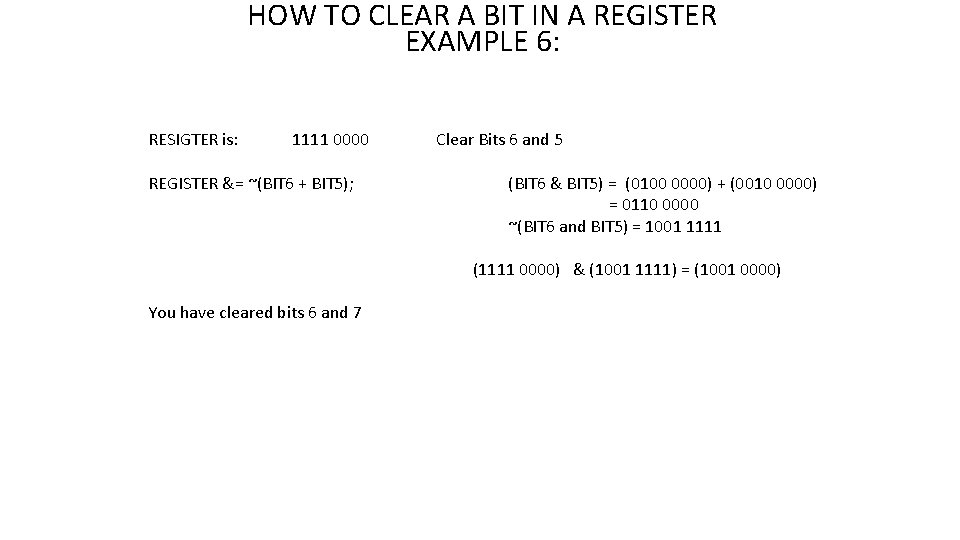
HOW TO CLEAR A BIT IN A REGISTER EXAMPLE 6: RESIGTER is: 1111 0000 REGISTER &= ~(BIT 6 + BIT 5); Clear Bits 6 and 5 (BIT 6 & BIT 5) = (0100 0000) + (0010 0000) = 0110 0000 ~(BIT 6 and BIT 5) = 1001 1111 (1111 0000) & (1001 1111) = (1001 0000) You have cleared bits 6 and 7
Module 3: The MSP 430 FR 6989 Microcontroller

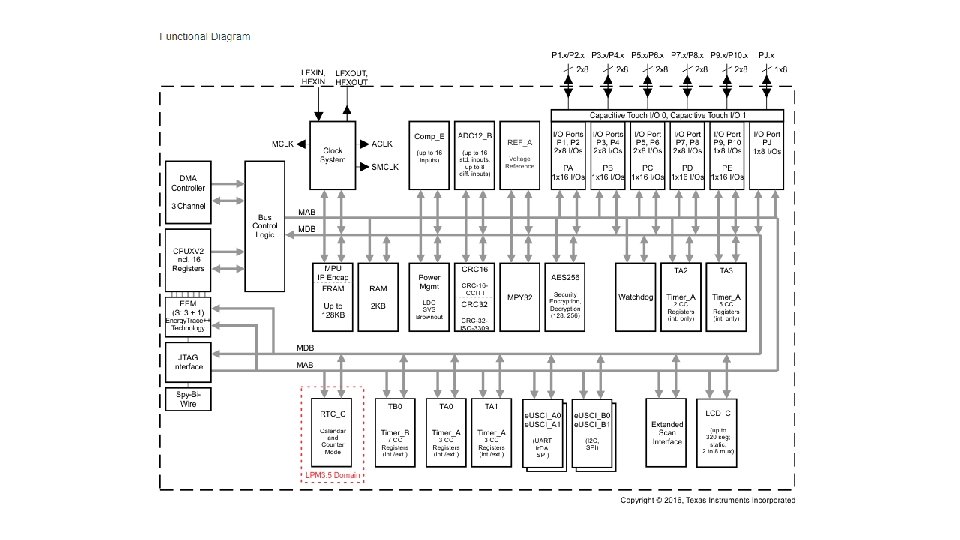
The MSP 430 FR 6989 Microcontroller - Overview
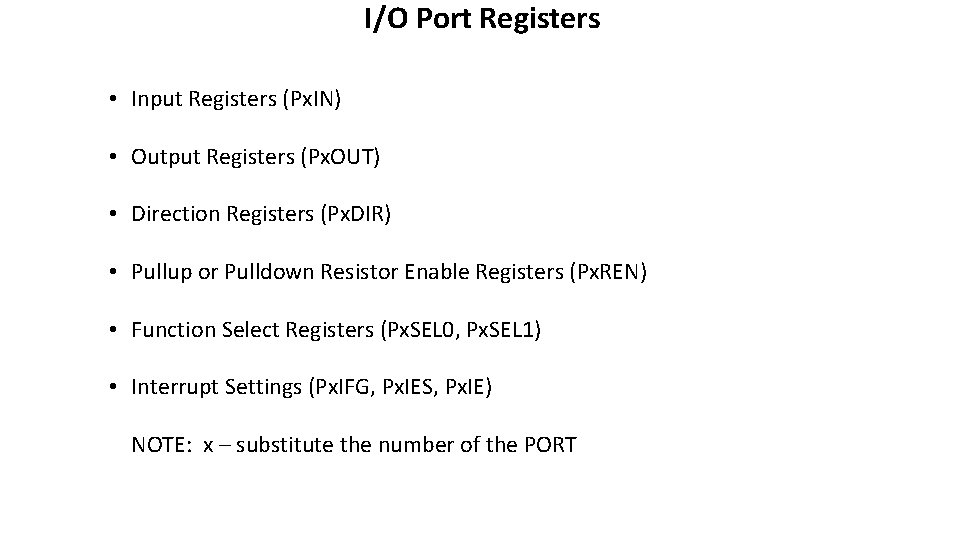
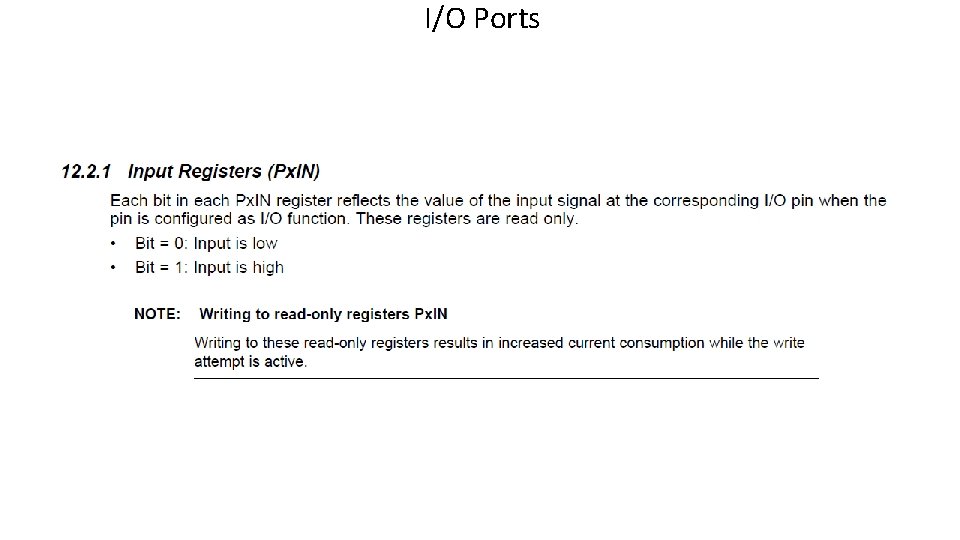
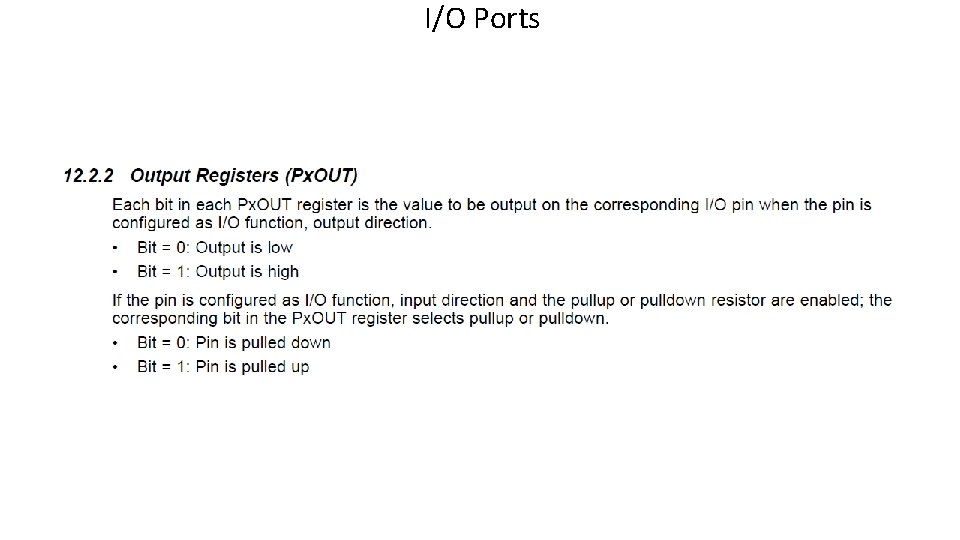
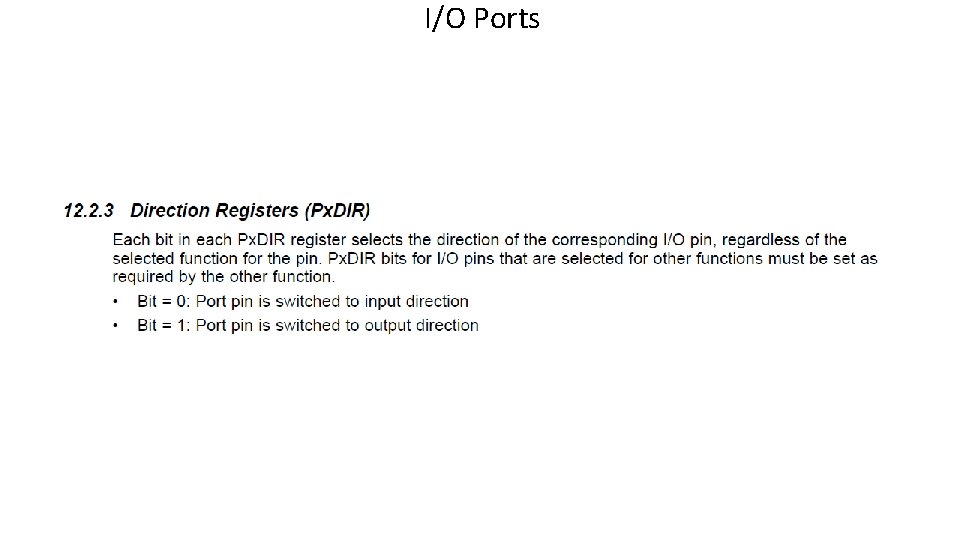
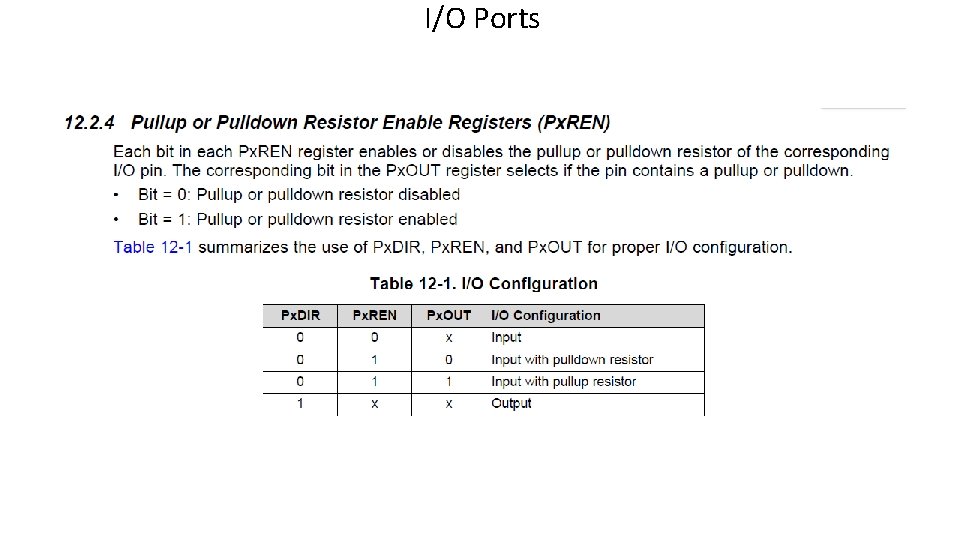
I/O Port Registers • Input Registers (Px. IN) • Output Registers (Px. OUT) • Direction Registers (Px. DIR) • Pullup or Pulldown Resistor Enable Registers (Px. REN) • Function Select Registers (Px. SEL 0, Px. SEL 1) • Interrupt Settings (Px. IFG, Px. IES, Px. IE) NOTE: x – substitute the number of the PORT
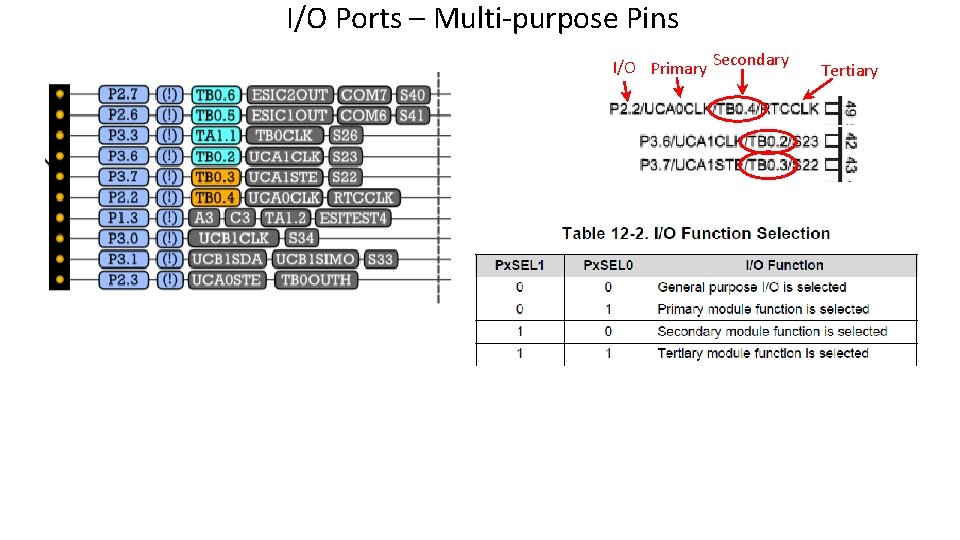
I/O Ports – Multi-purpose Pins I/O Primary Secondary Tertiary
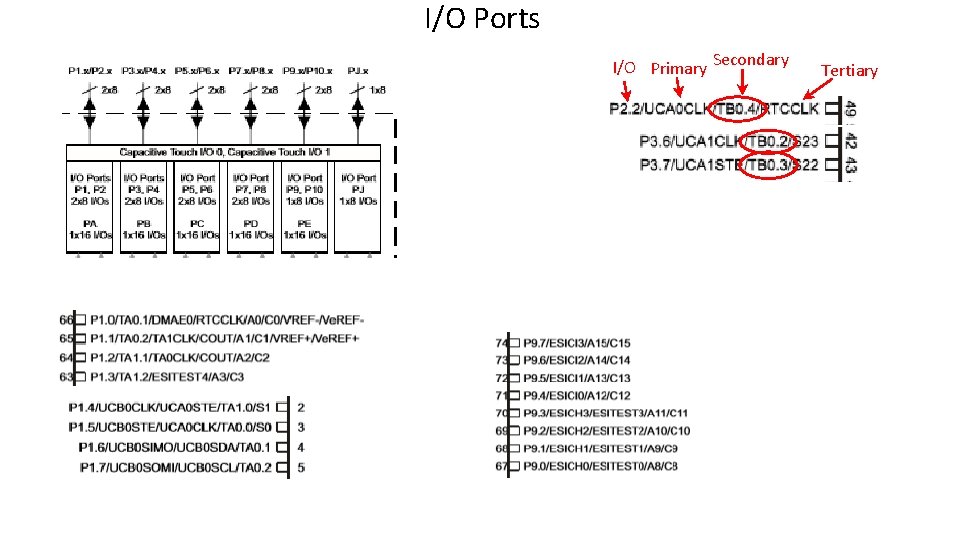
I/O Ports I/O Primary Secondary Tertiary
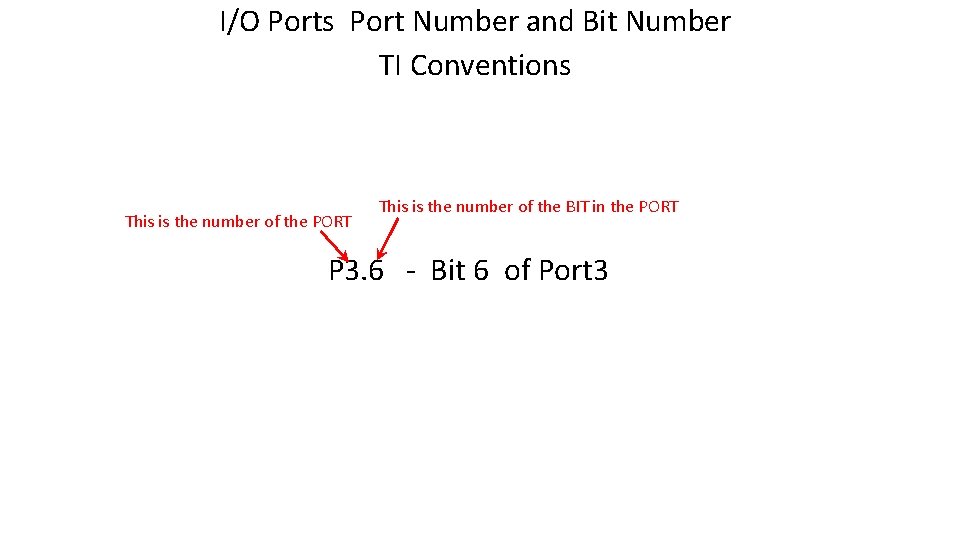
I/O Ports Port Number and Bit Number TI Conventions This is the number of the PORT This is the number of the BIT in the PORT P 3. 6 - Bit 6 of Port 3
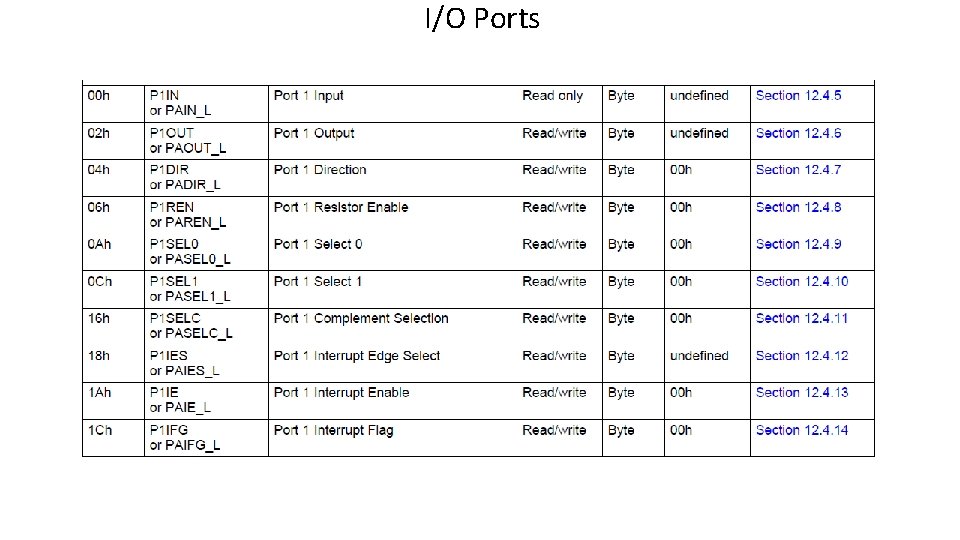
I/O Ports
I/O Ports
I/O Ports
I/O Ports
I/O Ports
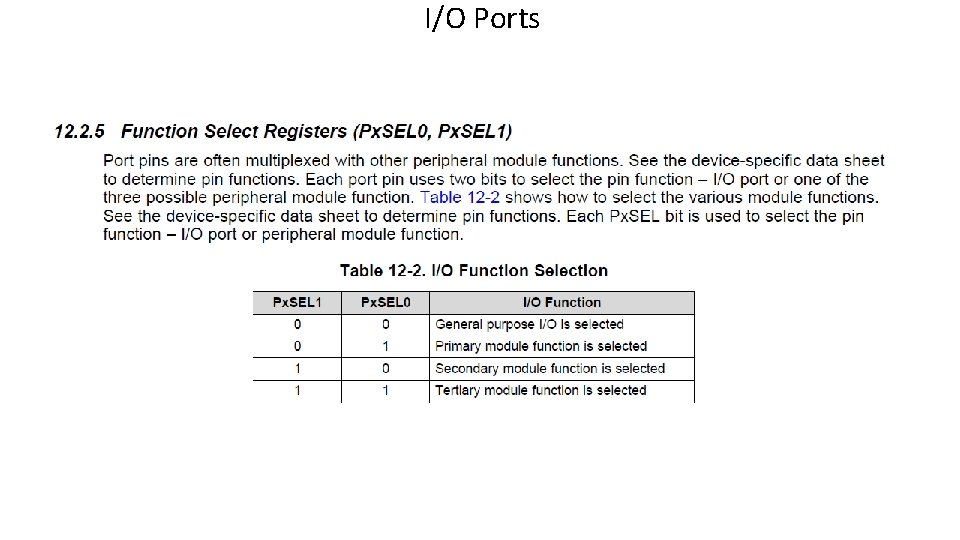
I/O Ports
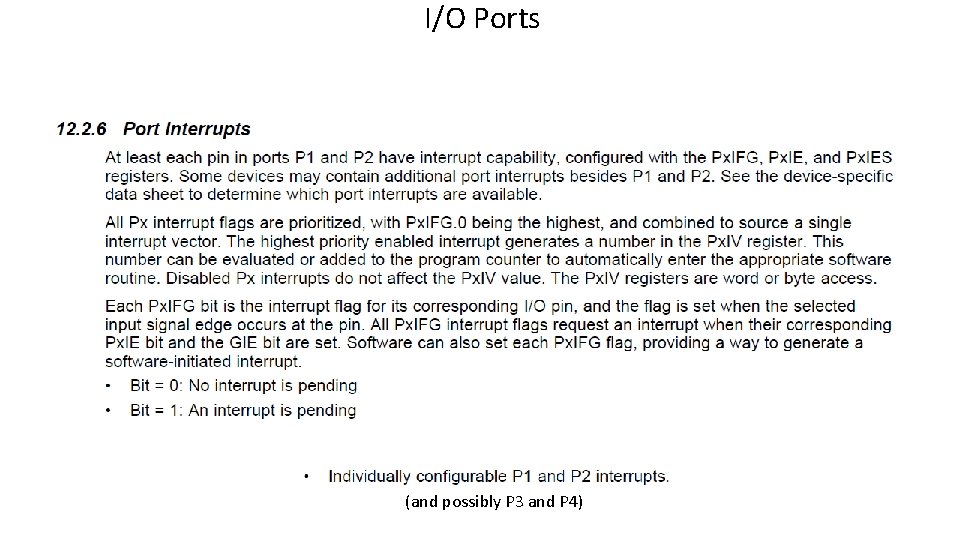
I/O Ports (and possibly P 3 and P 4)
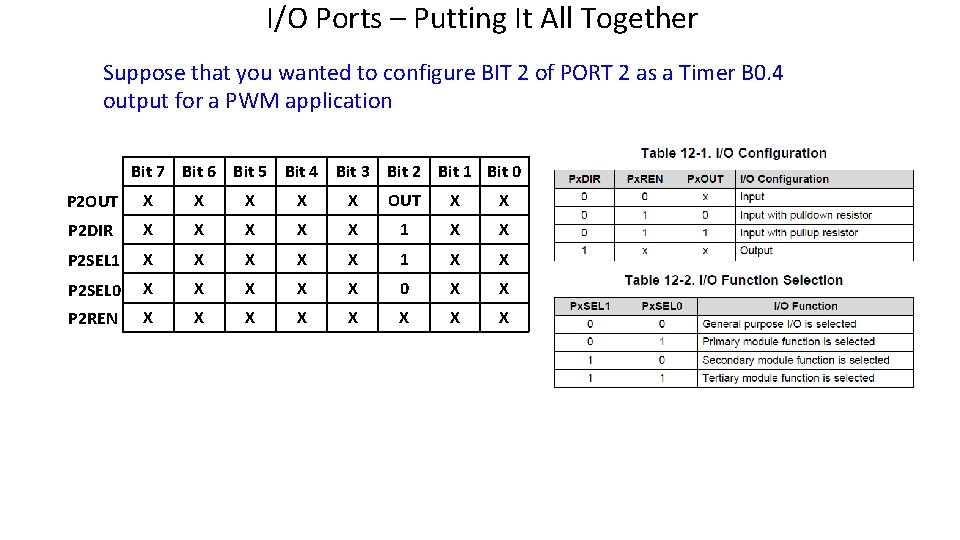
I/O Ports – Putting It All Together Suppose that you wanted to configure BIT 2 of PORT 2 as a Timer B 0. 4 output for a PWM application Bit 7 Bit 6 Bit 5 Bit 4 Bit 3 Bit 2 Bit 1 Bit 0 P 2 OUT X X X OUT X X P 2 DIR X X X 1 X X P 2 SEL 1 X X X 1 X X P 2 SEL 0 X X X 0 X X P 2 REN X X X X
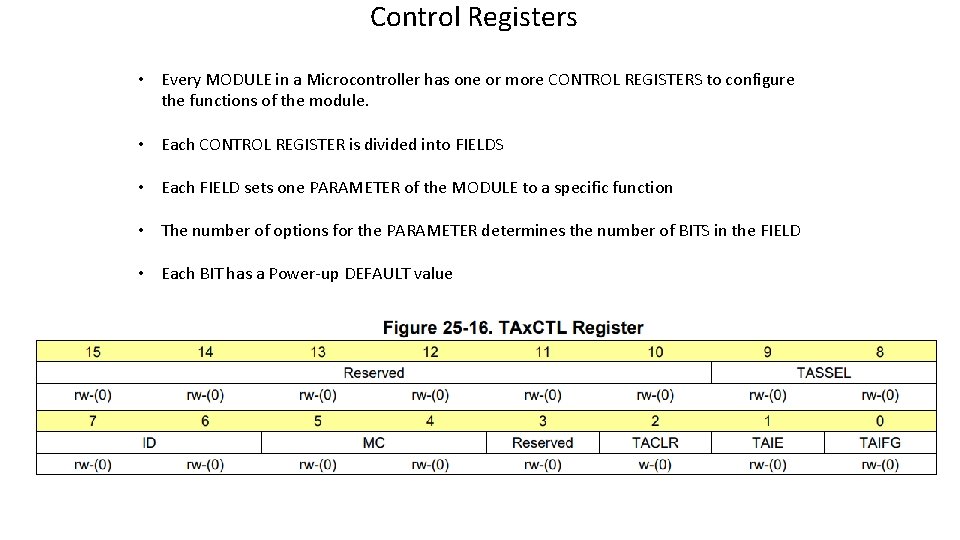
Control Registers • Every MODULE in a Microcontroller has one or more CONTROL REGISTERS to configure the functions of the module. • Each CONTROL REGISTER is divided into FIELDS • Each FIELD sets one PARAMETER of the MODULE to a specific function • The number of options for the PARAMETER determines the number of BITS in the FIELD • Each BIT has a Power-up DEFAULT value
The Timers • There are FIVE 16 -bit Timer Modules in the MSP 430 FR 6989 Microcontroller • TB 0 • Has 7 Capture/Compare Registers • TA 0 • Has 3 Capture/Compare Registers • TA 1 • Has 3 Capture/Compare Registers • TA 2 • Has 2 Capture/Compare Registers (internal only) • TA 3 • Has 5 Capture/Compare Registers (internal only)
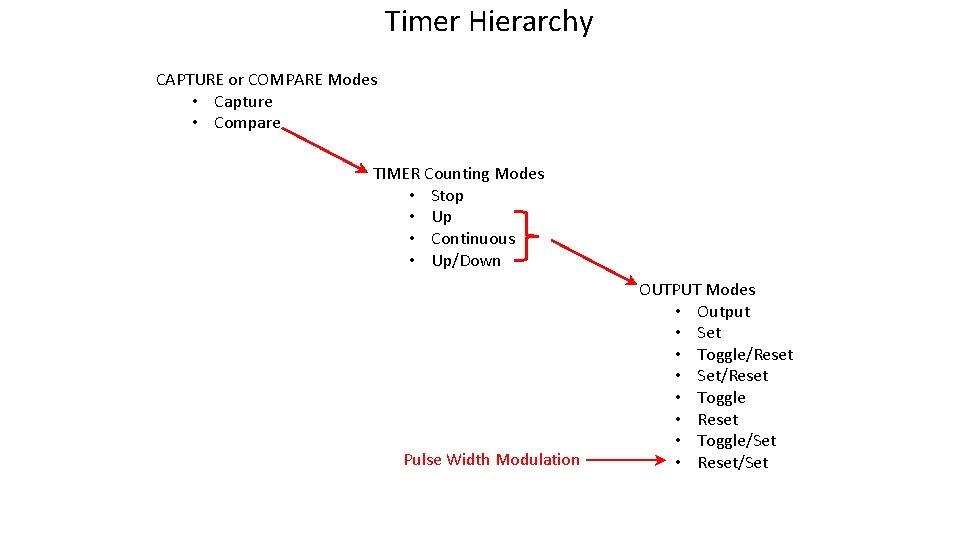
Timer Hierarchy CAPTURE or COMPARE Modes • Capture • Compare TIMER Counting Modes • Stop • Up • Continuous • Up/Down Pulse Width Modulation OUTPUT Modes • Output • Set • Toggle/Reset • Set/Reset • Toggle • Reset • Toggle/Set • Reset/Set
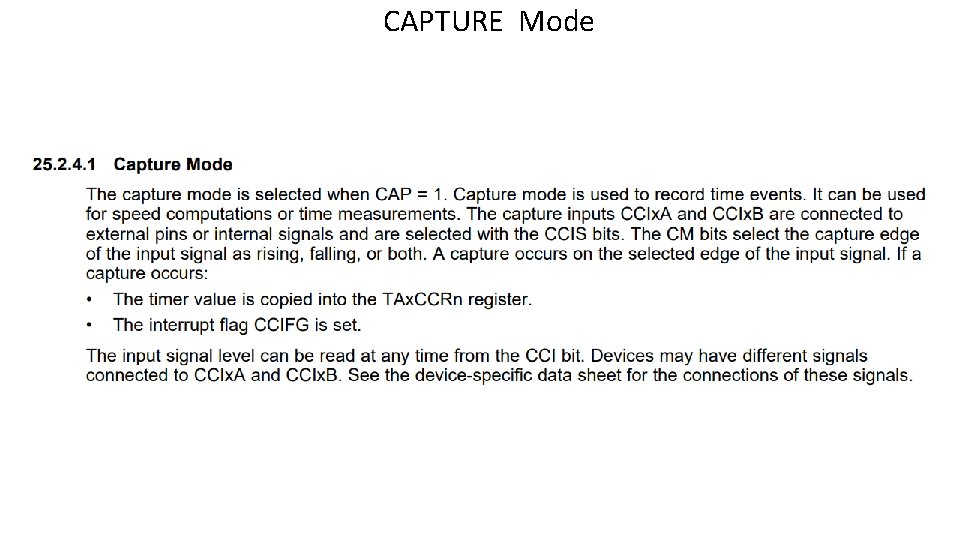
CAPTURE Mode
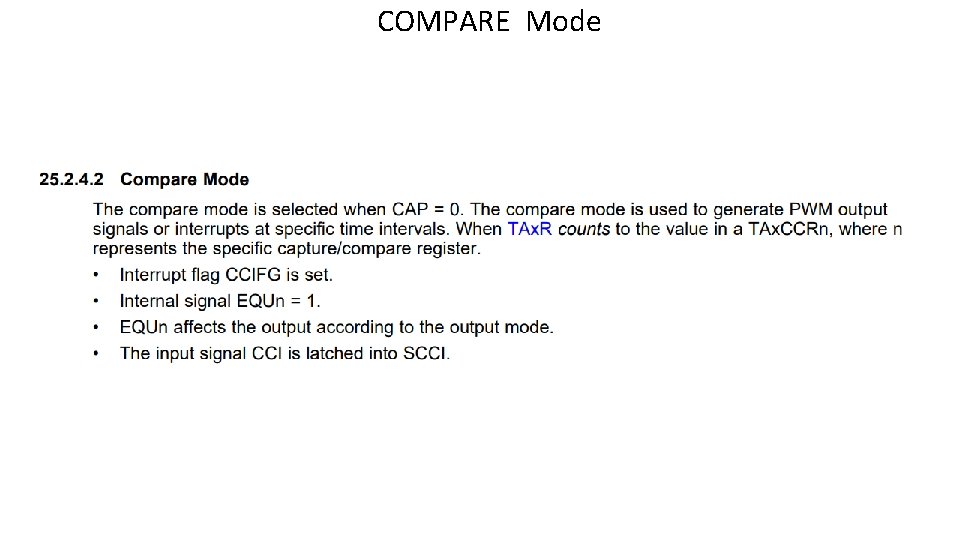
COMPARE Mode
TIMER Modes • There FOUR Timer MODES: This describes what the COUNTER is doing (TAx. R or TB 0 R) • STOP Mode • UP Mode • Continuous Mode • UP/DOWN Mode
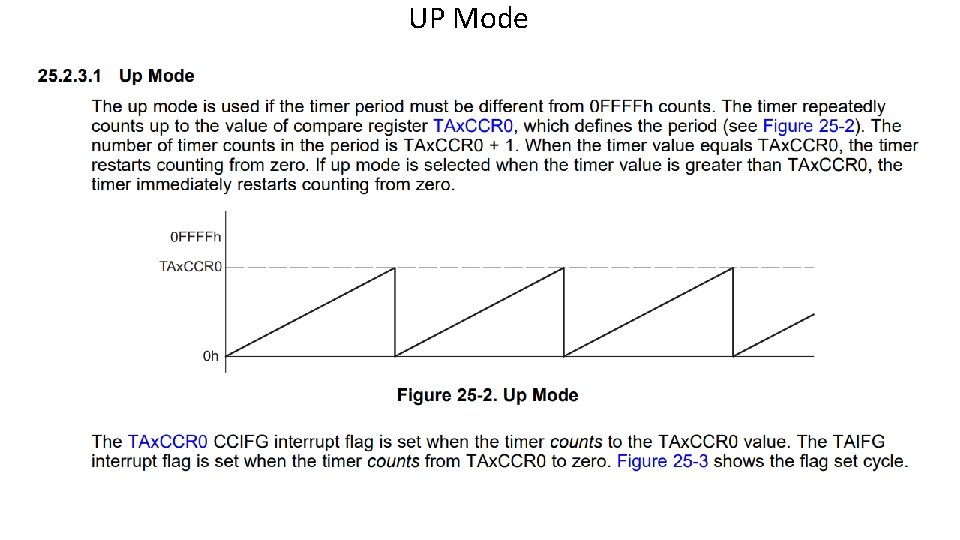
UP Mode
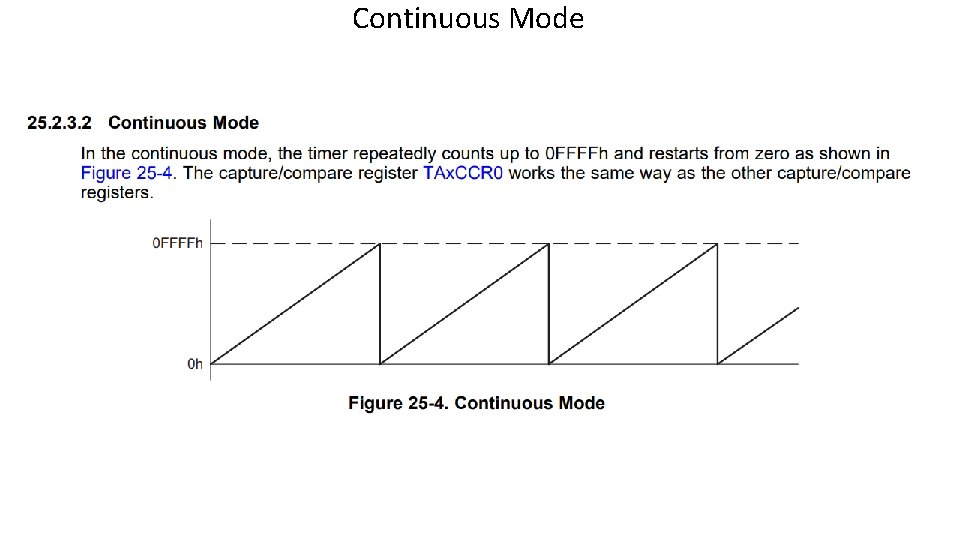
Continuous Mode
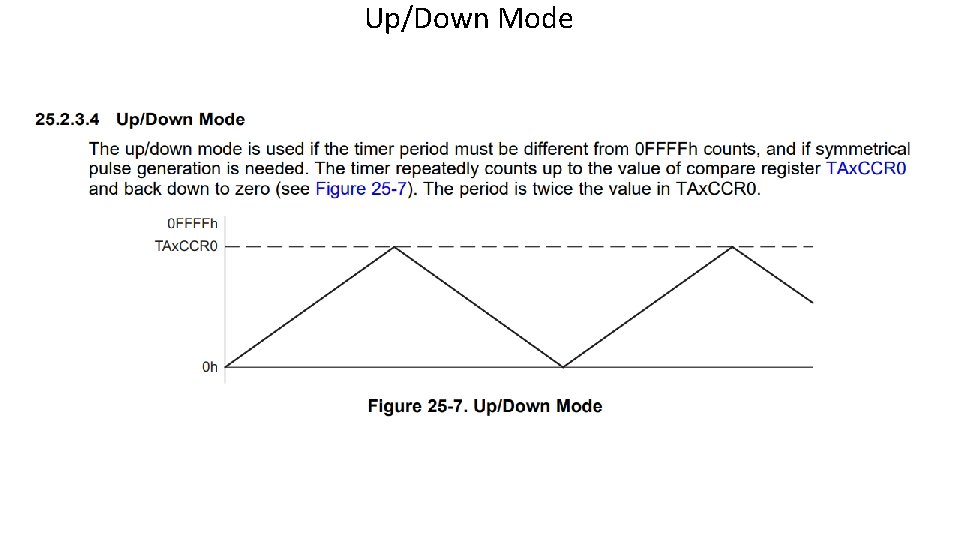
Up/Down Mode
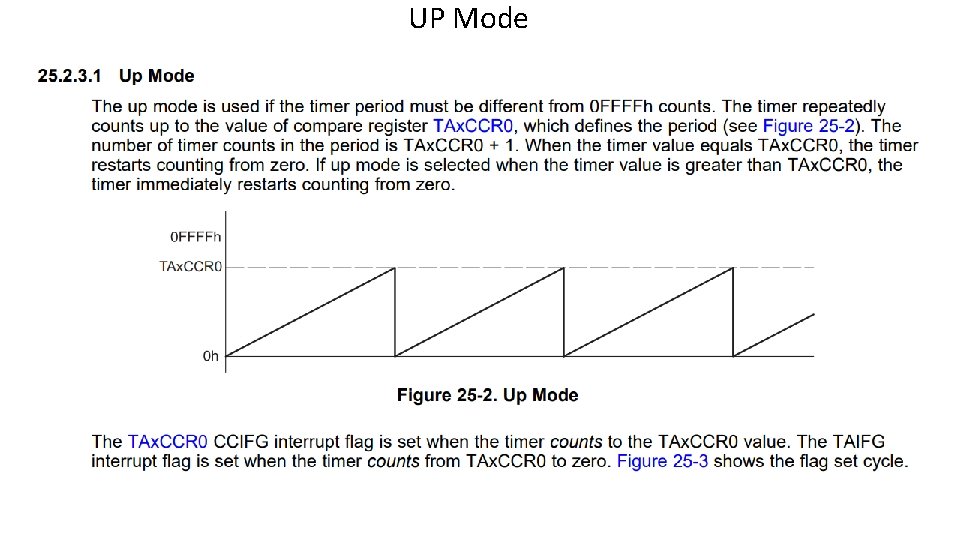
UP Mode
OUTPUT Modes • There EIGHT OUTPUT MODES: • This describes what the OUTPUT SIGNAL is doing (OUT 1 – OUT 6 on TBO e. g. ) • Compare Registers are used to SET or CLEAR the OUTPUT signal
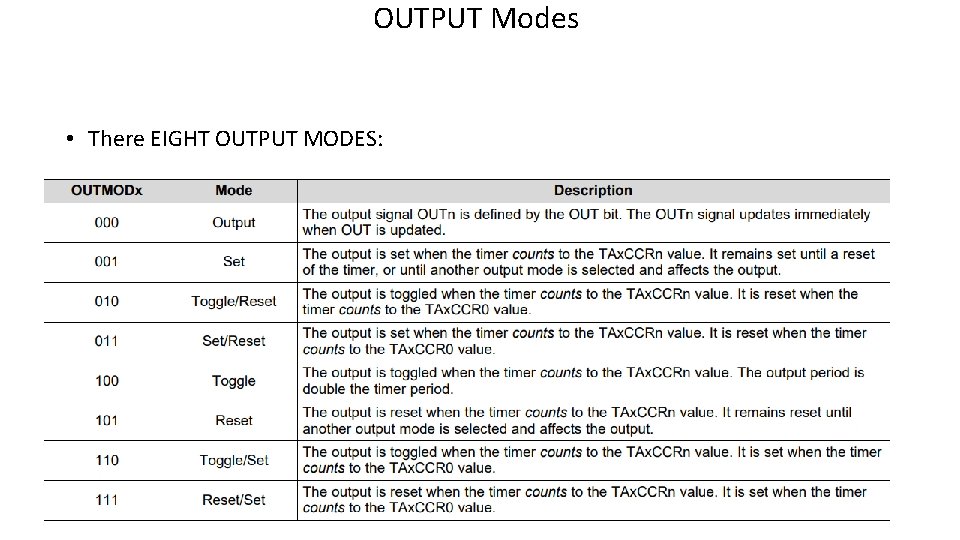
OUTPUT Modes • There EIGHT OUTPUT MODES:
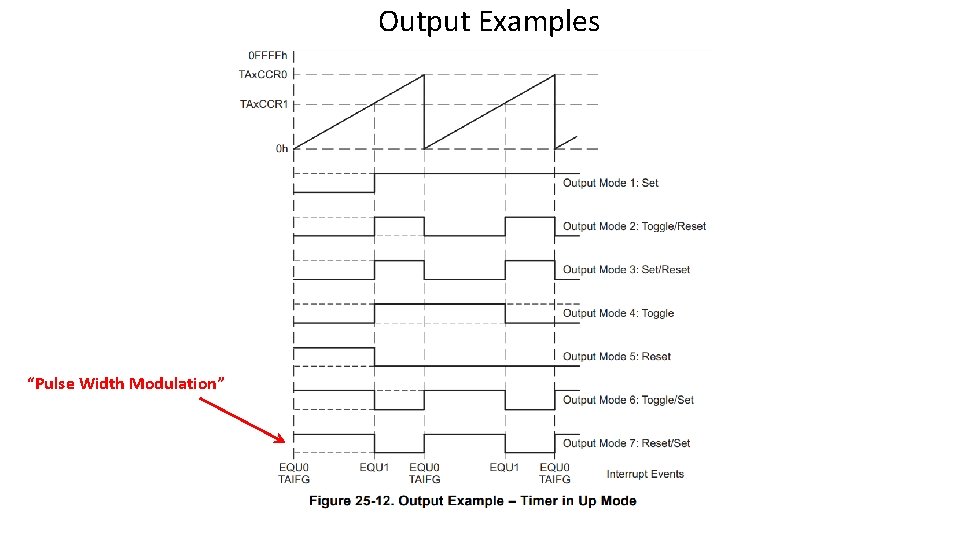
Output Examples “Pulse Width Modulation”
Interrupt Service Routines • Require a #pragma vector= NAME_OF_VECTOR • There is USUALLY an unused_interrupt file with all of the #pragmas for all possible interrupts. The vector you wish to use must be commented out in the unused_interrupt source file. • ISR must be preceded by the reserved for implementation name of : __interrupt
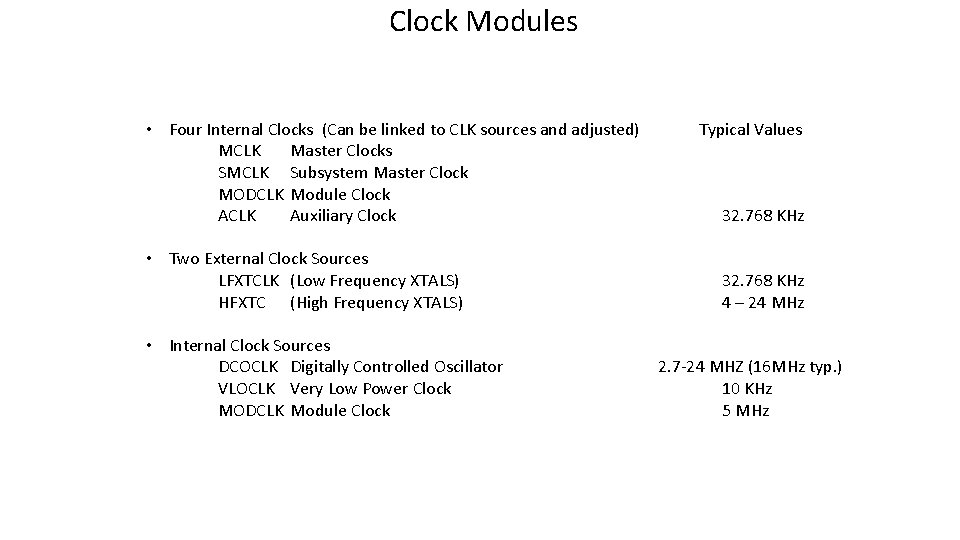
Clock Modules • Four Internal Clocks (Can be linked to CLK sources and adjusted) MCLK Master Clocks SMCLK Subsystem Master Clock MODCLK Module Clock ACLK Auxiliary Clock • Two External Clock Sources LFXTCLK (Low Frequency XTALS) HFXTC (High Frequency XTALS) • Internal Clock Sources DCOCLK Digitally Controlled Oscillator VLOCLK Very Low Power Clock MODCLK Module Clock Typical Values 32. 768 KHz 4 – 24 MHz 2. 7 -24 MHZ (16 MHz typ. ) 10 KHz 5 MHz
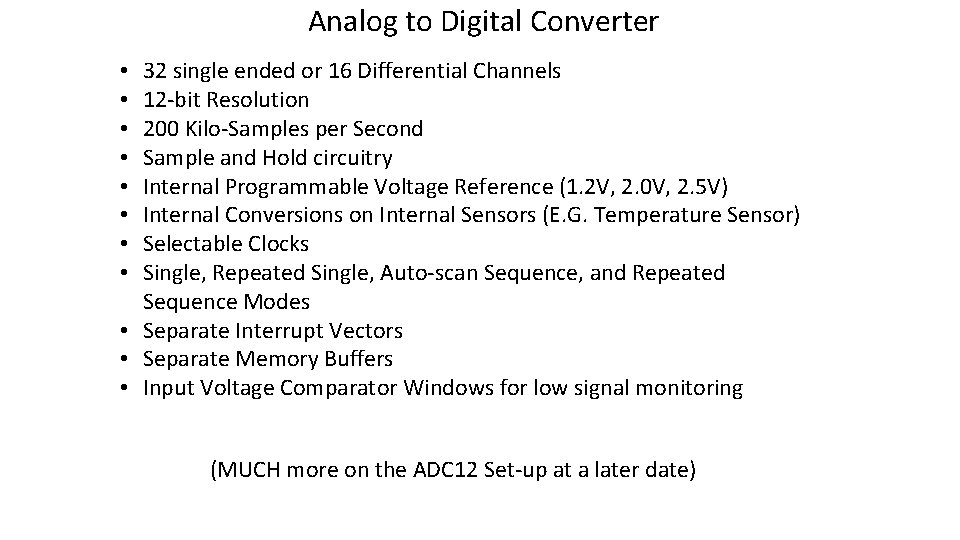
Analog to Digital Converter 32 single ended or 16 Differential Channels 12 -bit Resolution 200 Kilo-Samples per Second Sample and Hold circuitry Internal Programmable Voltage Reference (1. 2 V, 2. 0 V, 2. 5 V) Internal Conversions on Internal Sensors (E. G. Temperature Sensor) Selectable Clocks Single, Repeated Single, Auto-scan Sequence, and Repeated Sequence Modes • Separate Interrupt Vectors • Separate Memory Buffers • Input Voltage Comparator Windows for low signal monitoring • • (MUCH more on the ADC 12 Set-up at a later date)
Module 4: MSP 430 FR 6989 Project #1
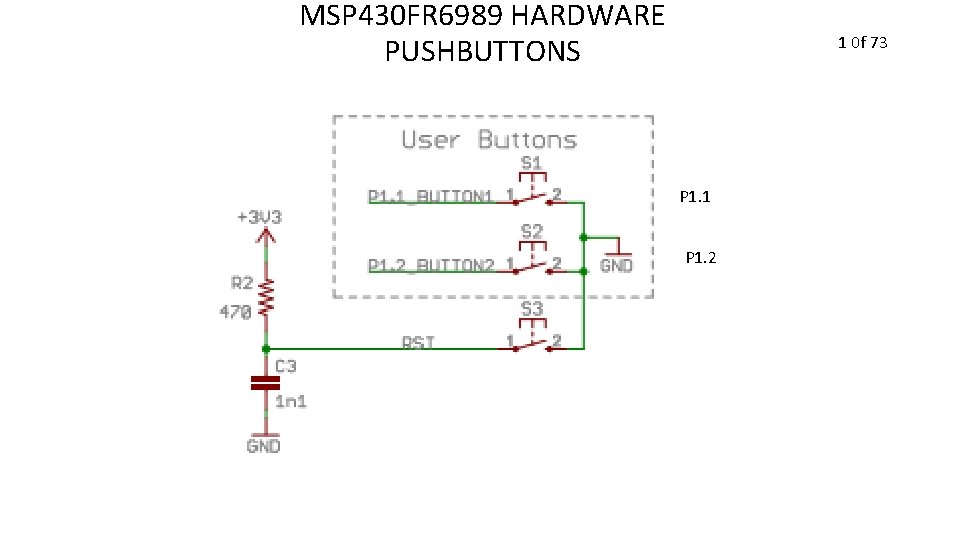
MSP 430 FR 6989 HARDWARE PUSHBUTTONS 1 0 f 73 P 1. 1 P 1. 2
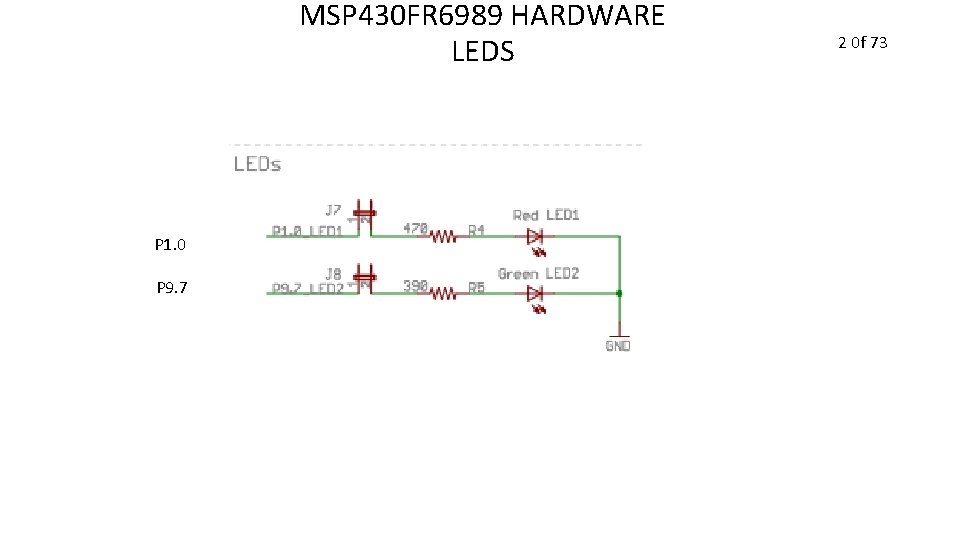
MSP 430 FR 6989 HARDWARE LEDS P 1. 0 P 9. 7 2 0 f 73
MSP 430 FR 6989 Project You will create a simple microcontroller project Follow the Steps in the next slide to create a project DON’T SKIP ANY STEPS! 3 0 f 73
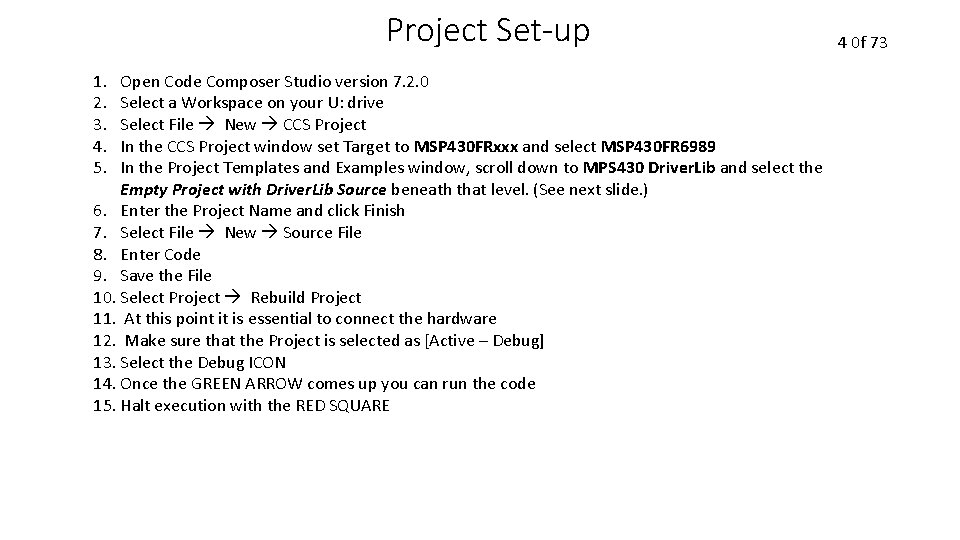
Project Set-up 1. 2. 3. 4. 5. Open Code Composer Studio version 7. 2. 0 Select a Workspace on your U: drive Select File New CCS Project In the CCS Project window set Target to MSP 430 FRxxx and select MSP 430 FR 6989 In the Project Templates and Examples window, scroll down to MPS 430 Driver. Lib and select the Empty Project with Driver. Lib Source beneath that level. (See next slide. ) 6. Enter the Project Name and click Finish 7. Select File New Source File 8. Enter Code 9. Save the File 10. Select Project Rebuild Project 11. At this point it is essential to connect the hardware 12. Make sure that the Project is selected as [Active – Debug] 13. Select the Debug ICON 14. Once the GREEN ARROW comes up you can run the code 15. Halt execution with the RED SQUARE 4 0 f 73
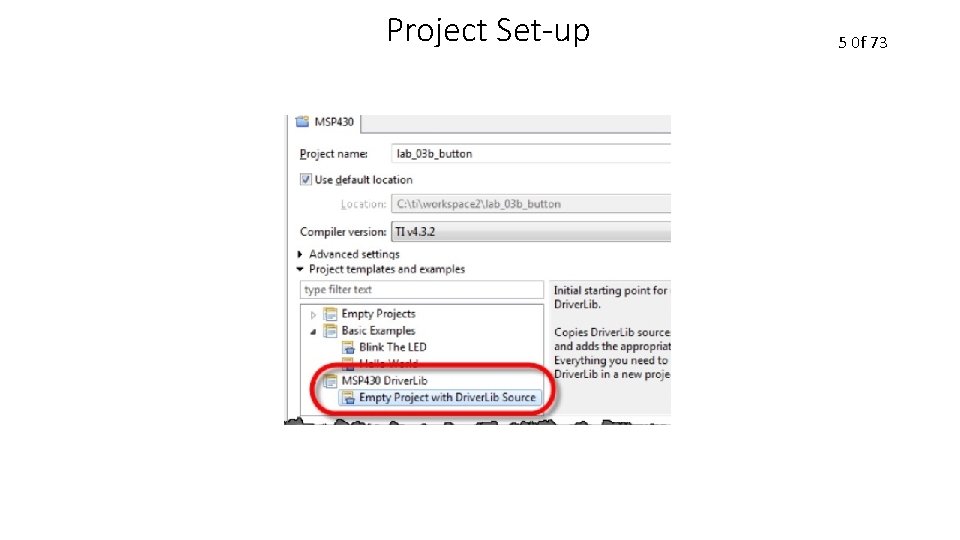
Project Set-up 5 0 f 73
MSP 430 FR 6989 Project The project software shall run an Interrupt Service Routine whenever the S 1 pushbutton is pressed 6 0 f 73
MSP 430 FR 6989 Project The Interrupt Service Routine for the Pushbutton will switch the flashing LED from the RED LED (LED 1) to the GREEN LED (LED 2) whenever it executes 7 0 f 73
MSP 430 FR 6989 Project You shall configure Timer A 0 to generate another Interrupt every 62. 5 milliseconds. To do this, you must configure the following registers: TA 0 CTL – Timer A 0 Control Register TA 0 CCTL 0 – Compare 0 Control Register TA 0 CCTL 1 – Compare 1 Control Register You must also write compare values to the following registers TA 0 CCR 0 – Compare 0 Register TA 0 CCR 1 – Compare 1 Register 8 0 f 73
MSP 430 FR 6989 Project The Timer A 0 Interrupt Service Routine shall toggle the state of the ACTIVE LED (either LED 1 or LED 2) every 500 milliseconds. 9 0 f 73
MSP 430 FR 6989 Project 1. Include: driverlib. h stdio. h string. h Can be <driverlib. h> or “driverlib. h” 10 0 f 73
MSP 430 FR 6989 Project 2. Add the following function prototype: void delay_cycles(unsigned int); This will be used to debounce the pushbutton presses which will eliminate multiple interrupts from one press. 11 0 f 73
MSP 430 FR 6989 Project 3. Create the main function: void main (void) { } 12 0 f 73
MSP 430 FR 6989 Project 4. Stop the Watchdog Timer using the following TI macro (inside the main function). WDT_A_hold(__MSP 430_BASEADDRESS_WDT_A__); 13 0 f 73
MSP 430 FR 6989 Project 5. Disable the power-on high impedance mode to release all pins for configuration (do this inside main) using the following TI macro: PMM_unlock. LPM 5(); 14 0 f 73
MSP 430 FR 6989 Project LED Initialization 6. Set Bit 0 of Port 1 as an OUTPUT You will use the P 1 DIR register to do this. This pin is connected to the RED LED. 15 0 f 73
MSP 430 FR 6989 Project LED Initialization 7. Set Bit 7 of Port 9 as an OUTPUT You will use the P 9 DIR register to do this. This pin is connected to the GREEN LED 16 0 f 73
MSP 430 FR 6989 Project LED Initialization 8. Turn OFF the RED LED You will use the P 1 OUT register to do this. The RED LED is on Bit 0. 17 0 f 73
MSP 430 FR 6989 Project LED Initialization 9. Turn ON the GREEN LED You will use the P 9 OUT register to do this. The GREEN LED is on Bit 7. 18 0 f 73
MSP 430 FR 6989 Project Pushbutton Initialization 10. CLEAR Bit 1 of PORT 1 as an INPUT You will use P 1 DIR register to do this. Use &= to CLEAR the Bit 1. 19 0 f 73
MSP 430 FR 6989 Project Pushbutton Initialization 11. Enable the Pull-up Resistor on P 1. 1 by setting Bit 1 in P 1 REN register You will use P 1 REN register to do this Remember that P 1. 1 means Bit 1 on Port 1 Remember that |= can be used to SET a bit 20 0 f 73
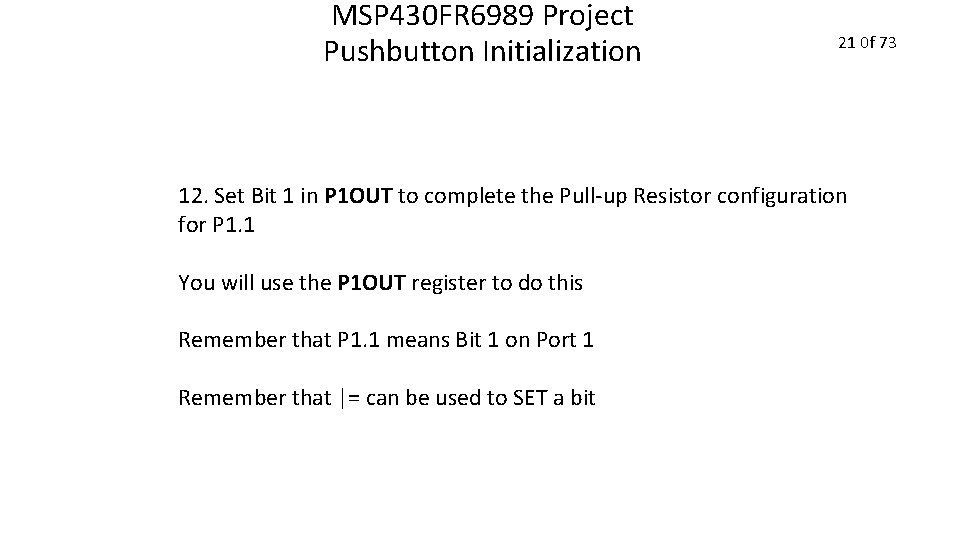
MSP 430 FR 6989 Project Pushbutton Initialization 21 0 f 73 12. Set Bit 1 in P 1 OUT to complete the Pull-up Resistor configuration for P 1. 1 You will use the P 1 OUT register to do this Remember that P 1. 1 means Bit 1 on Port 1 Remember that |= can be used to SET a bit
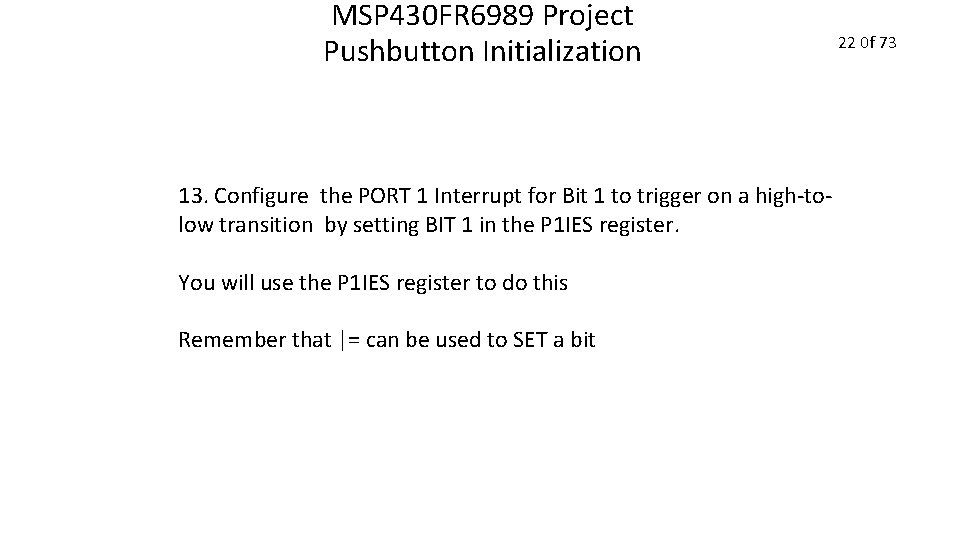
MSP 430 FR 6989 Project Pushbutton Initialization 13. Configure the PORT 1 Interrupt for Bit 1 to trigger on a high-tolow transition by setting BIT 1 in the P 1 IES register. You will use the P 1 IES register to do this Remember that |= can be used to SET a bit 22 0 f 73
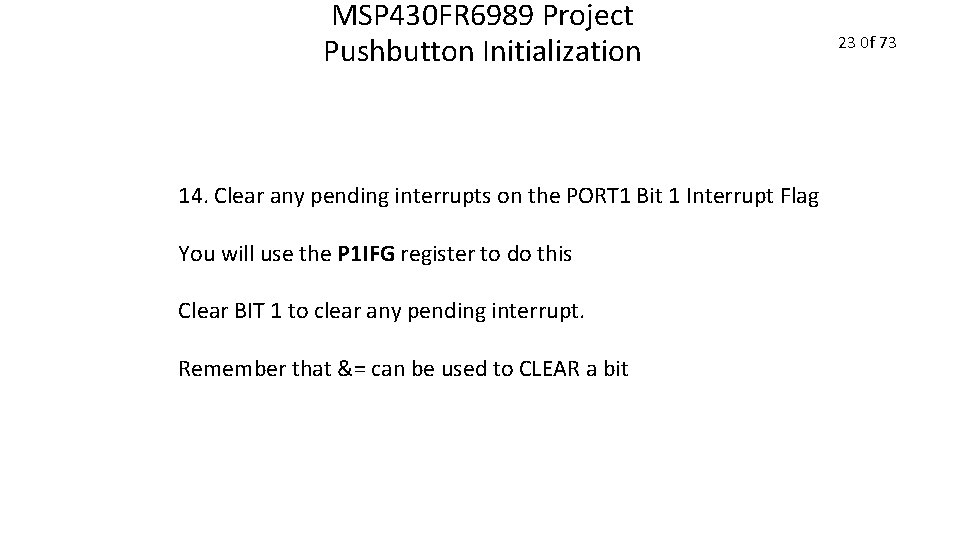
MSP 430 FR 6989 Project Pushbutton Initialization 14. Clear any pending interrupts on the PORT 1 Bit 1 Interrupt Flag You will use the P 1 IFG register to do this Clear BIT 1 to clear any pending interrupt. Remember that &= can be used to CLEAR a bit 23 0 f 73
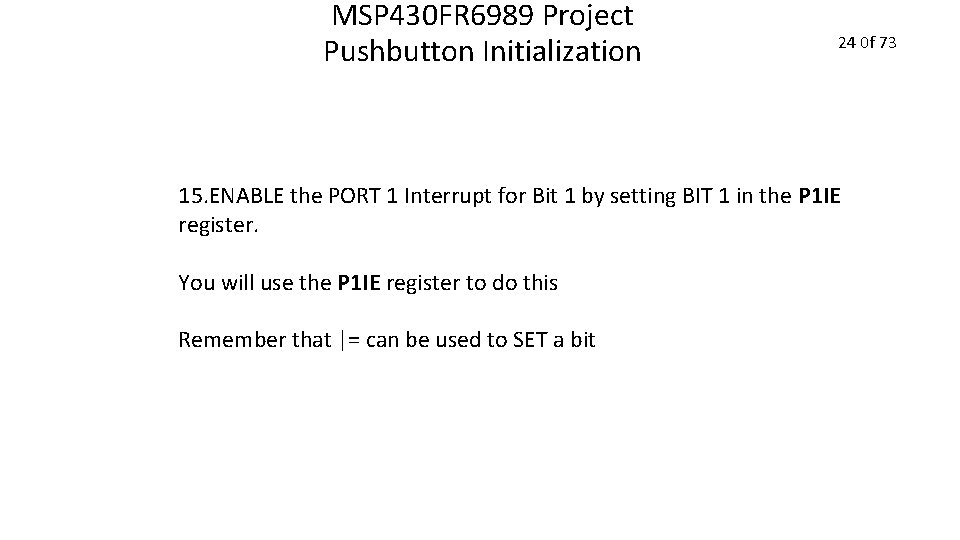
MSP 430 FR 6989 Project Pushbutton Initialization 24 0 f 73 15. ENABLE the PORT 1 Interrupt for Bit 1 by setting BIT 1 in the P 1 IE register. You will use the P 1 IE register to do this Remember that |= can be used to SET a bit
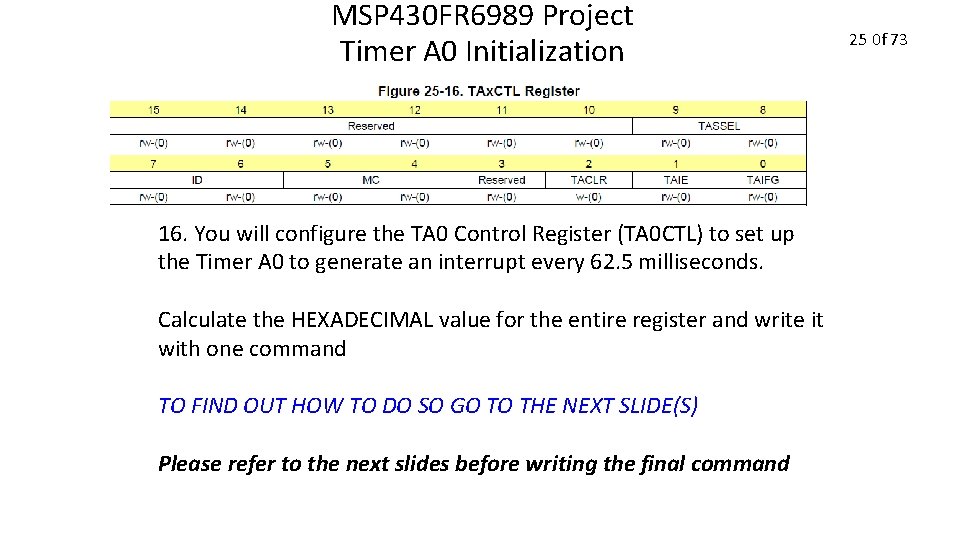
MSP 430 FR 6989 Project Timer A 0 Initialization 16. You will configure the TA 0 Control Register (TA 0 CTL) to set up the Timer A 0 to generate an interrupt every 62. 5 milliseconds. Calculate the HEXADECIMAL value for the entire register and write it with one command TO FIND OUT HOW TO DO SO GO TO THE NEXT SLIDE(S) Please refer to the next slides before writing the final command 25 0 f 73
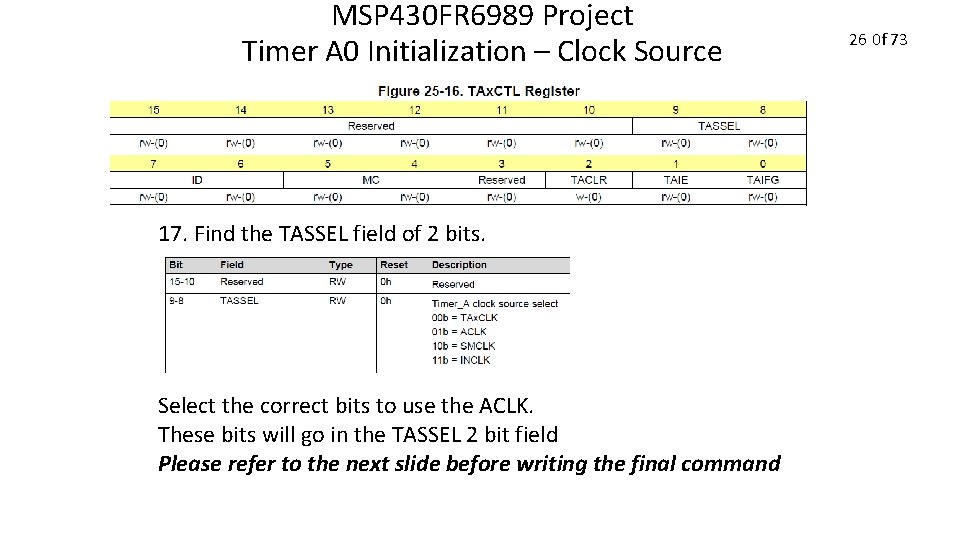
MSP 430 FR 6989 Project Timer A 0 Initialization – Clock Source 17. Find the TASSEL field of 2 bits. Select the correct bits to use the ACLK. These bits will go in the TASSEL 2 bit field Please refer to the next slide before writing the final command 26 0 f 73
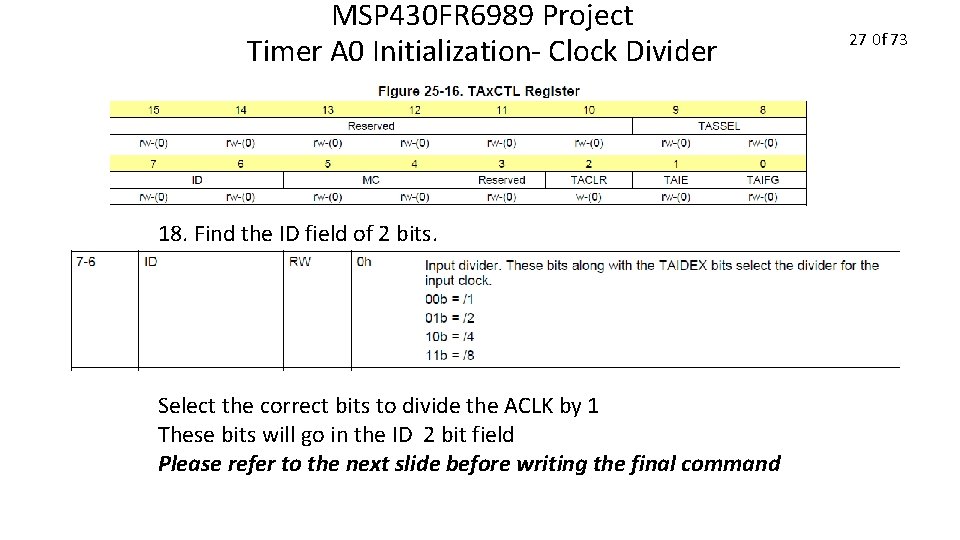
MSP 430 FR 6989 Project Timer A 0 Initialization- Clock Divider 18. Find the ID field of 2 bits. Select the correct bits to divide the ACLK by 1 These bits will go in the ID 2 bit field Please refer to the next slide before writing the final command 27 0 f 73
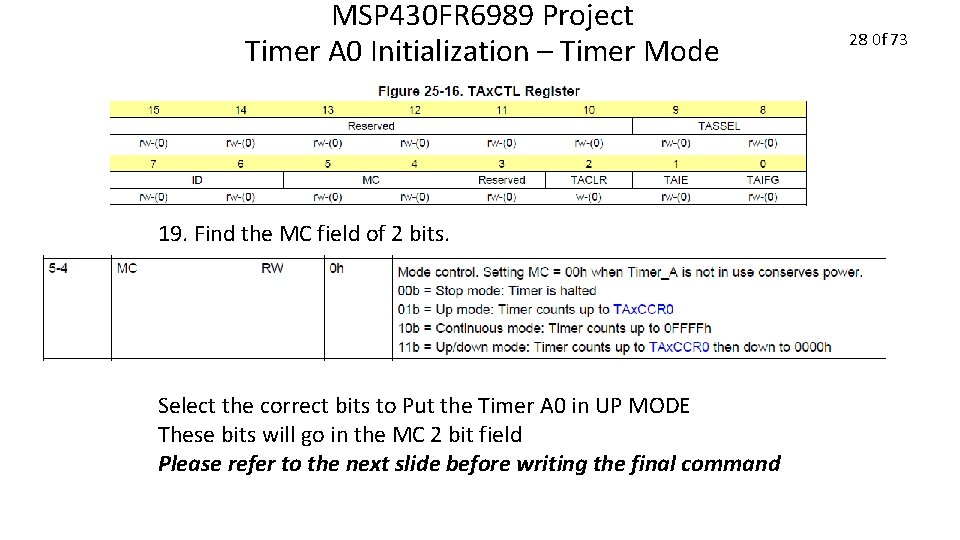
MSP 430 FR 6989 Project Timer A 0 Initialization – Timer Mode 19. Find the MC field of 2 bits. Select the correct bits to Put the Timer A 0 in UP MODE These bits will go in the MC 2 bit field Please refer to the next slide before writing the final command 28 0 f 73
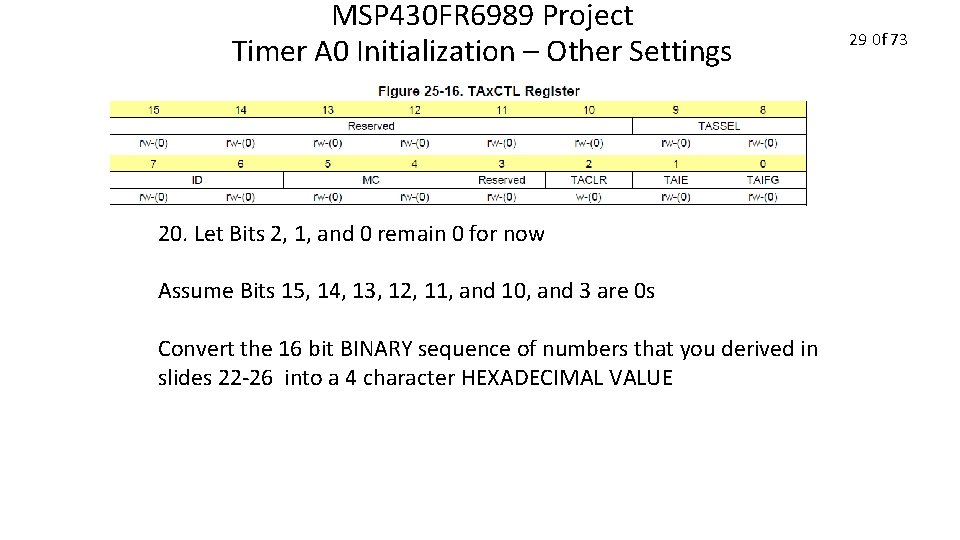
MSP 430 FR 6989 Project Timer A 0 Initialization – Other Settings 20. Let Bits 2, 1, and 0 remain 0 for now Assume Bits 15, 14, 13, 12, 11, and 10, and 3 are 0 s Convert the 16 bit BINARY sequence of numbers that you derived in slides 22 -26 into a 4 character HEXADECIMAL VALUE 29 0 f 73
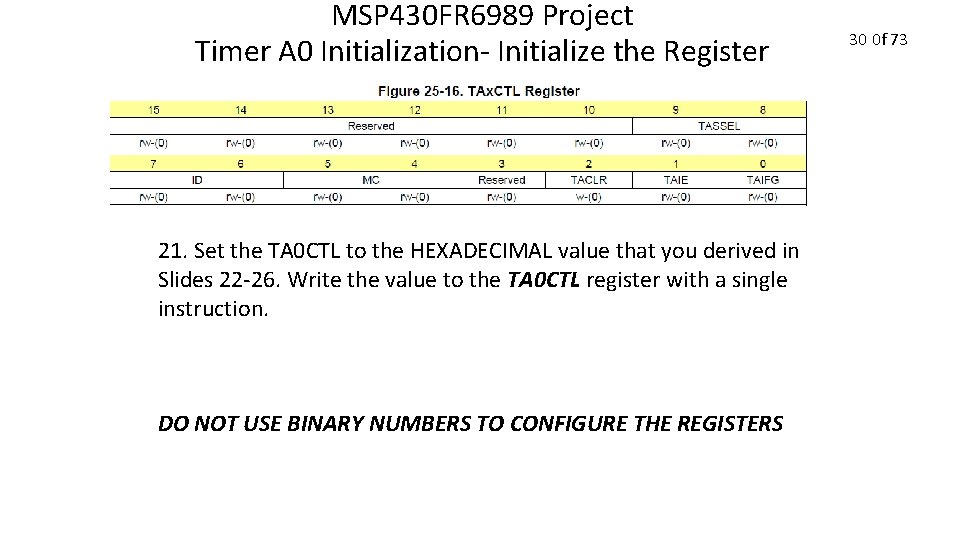
MSP 430 FR 6989 Project Timer A 0 Initialization- Initialize the Register 21. Set the TA 0 CTL to the HEXADECIMAL value that you derived in Slides 22 -26. Write the value to the TA 0 CTL register with a single instruction. DO NOT USE BINARY NUMBERS TO CONFIGURE THE REGISTERS 30 0 f 73
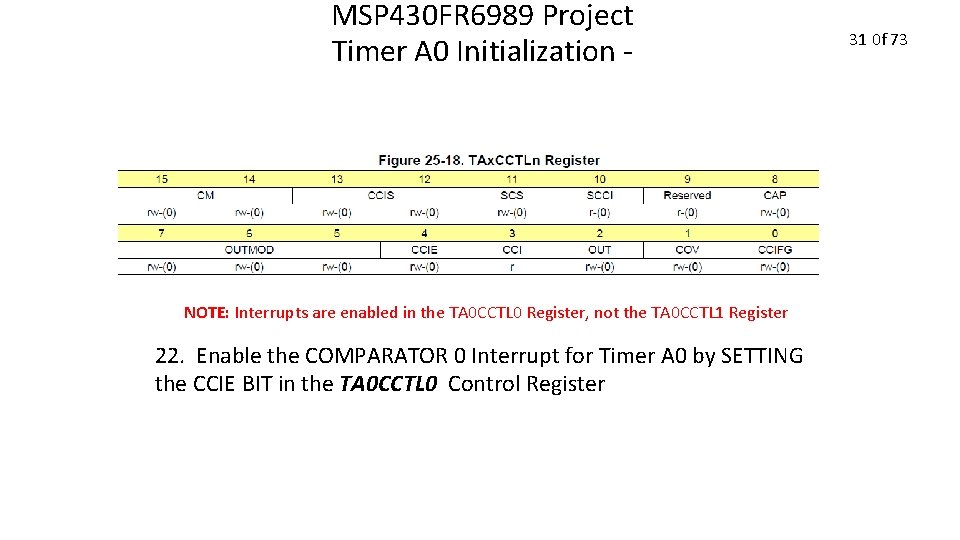
MSP 430 FR 6989 Project Timer A 0 Initialization - NOTE: Interrupts are enabled in the TA 0 CCTL 0 Register, not the TA 0 CCTL 1 Register 22. Enable the COMPARATOR 0 Interrupt for Timer A 0 by SETTING the CCIE BIT in the TA 0 CCTL 0 Control Register 31 0 f 73
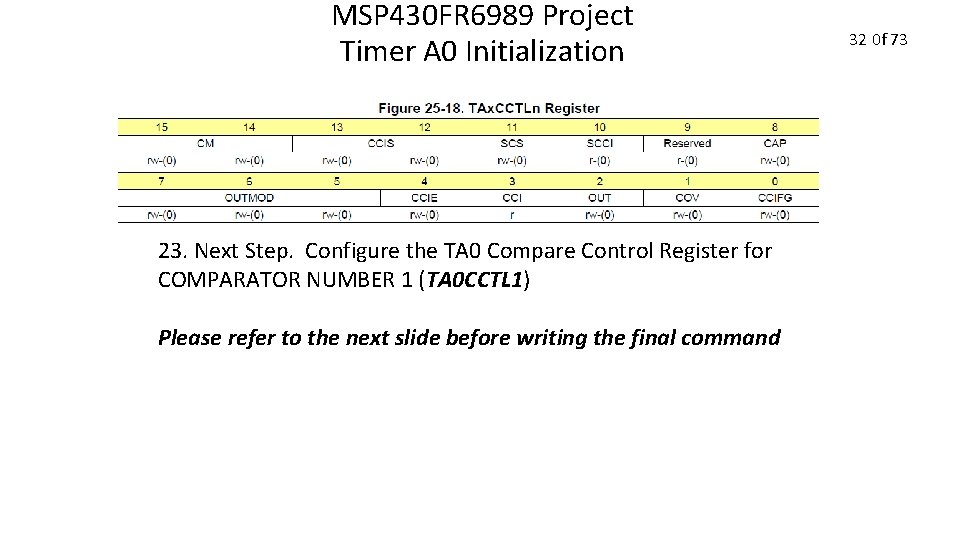
MSP 430 FR 6989 Project Timer A 0 Initialization 23. Next Step. Configure the TA 0 Compare Control Register for COMPARATOR NUMBER 1 (TA 0 CCTL 1) Please refer to the next slide before writing the final command 32 0 f 73
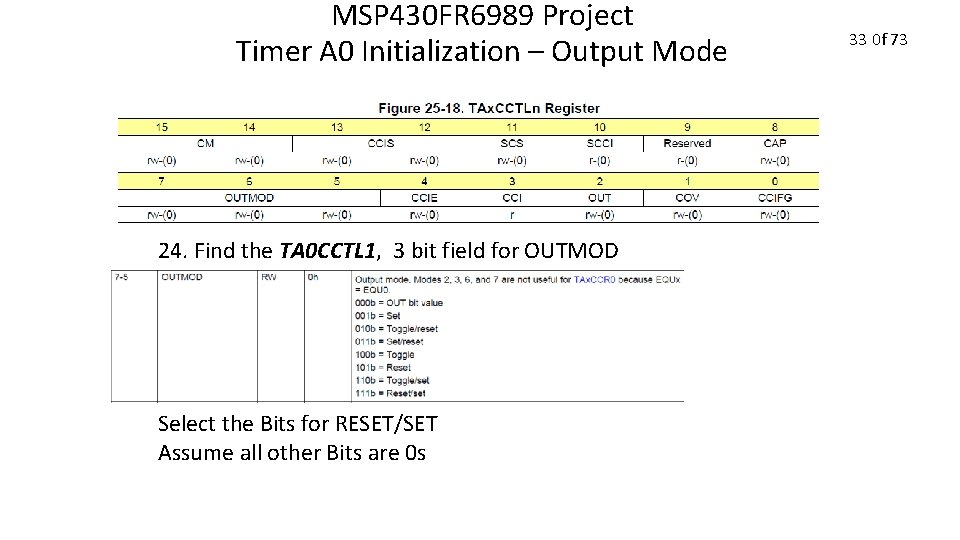
MSP 430 FR 6989 Project Timer A 0 Initialization – Output Mode 24. Find the TA 0 CCTL 1, 3 bit field for OUTMOD Select the Bits for RESET/SET Assume all other Bits are 0 s 33 0 f 73
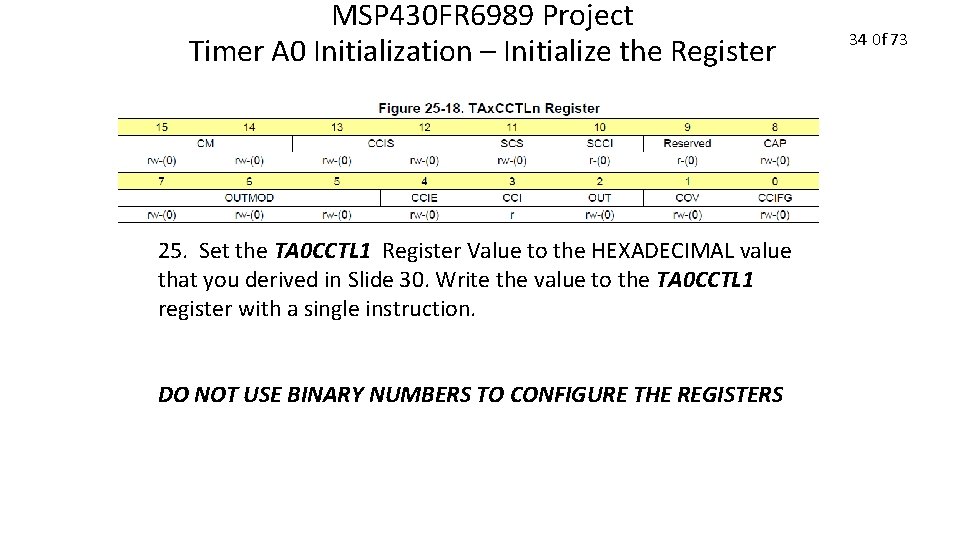
MSP 430 FR 6989 Project Timer A 0 Initialization – Initialize the Register 25. Set the TA 0 CCTL 1 Register Value to the HEXADECIMAL value that you derived in Slide 30. Write the value to the TA 0 CCTL 1 register with a single instruction. DO NOT USE BINARY NUMBERS TO CONFIGURE THE REGISTERS 34 0 f 73
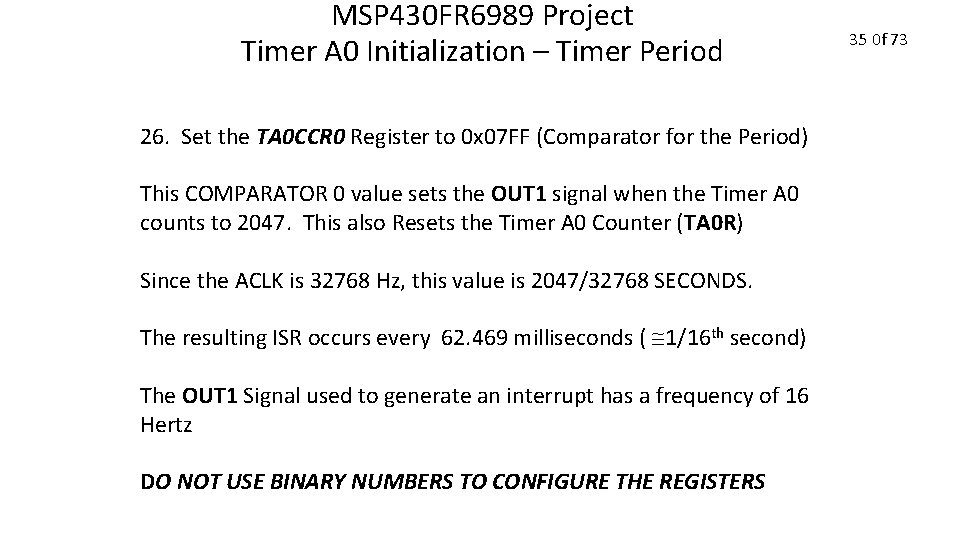
MSP 430 FR 6989 Project Timer A 0 Initialization – Timer Period 26. Set the TA 0 CCR 0 Register to 0 x 07 FF (Comparator for the Period) This COMPARATOR 0 value sets the OUT 1 signal when the Timer A 0 counts to 2047. This also Resets the Timer A 0 Counter (TA 0 R) Since the ACLK is 32768 Hz, this value is 2047/32768 SECONDS. The resulting ISR occurs every 62. 469 milliseconds ( 1/16 th second) The OUT 1 Signal used to generate an interrupt has a frequency of 16 Hertz DO NOT USE BINARY NUMBERS TO CONFIGURE THE REGISTERS 35 0 f 73
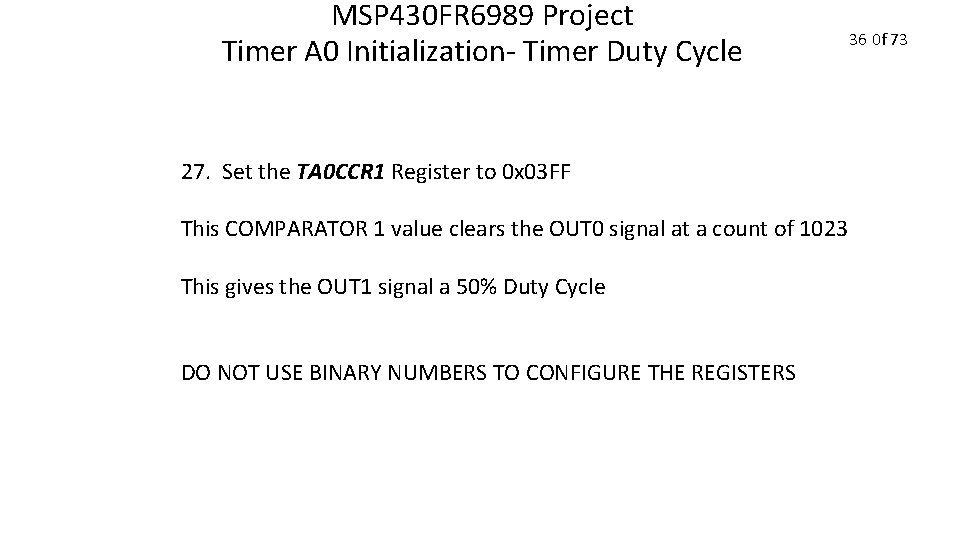
MSP 430 FR 6989 Project Timer A 0 Initialization- Timer Duty Cycle 27. Set the TA 0 CCR 1 Register to 0 x 03 FF This COMPARATOR 1 value clears the OUT 0 signal at a count of 1023 This gives the OUT 1 signal a 50% Duty Cycle DO NOT USE BINARY NUMBERS TO CONFIGURE THE REGISTERS 36 0 f 73
MSP 430 FR 6989 Project Timer A 0 Initialization Enable All Interrupts 28. Use the TI macro to enable all configured interrupts simultaneously: __enable_interrupt(); 37 0 f 73
MSP 430 FR 6989 Project CONGRATULATIONS! You are done with Initialization 38 0 f 73
MSP 430 FR 6989 Project Timer A 0 ISR Write the Timer A 0 interrupt Service Routine This occurs at 16 Hz or every 62. 6 milliseconds 39 0 f 73
MSP 430 FR 6989 Project Timer A 0 ISR Add the following variables BEFORE the main() function: volatile unsigned char LED_Flag; volatile unsigned int ISR_Counter; volatile unsigned char ISR_Flag = 0; 40 0 f 73
MSP 430 FR 6989 Project Timer A 0 ISR Add unused_interrupts. c to your project DOWNLOAD IT FROM THE PROJECT 1 LAB on the ECE 3567 website. 41 0 f 73
MSP 430 FR 6989 Project Timer A 0 ISR In unused_interrupts. c comment out the #pragma vector = TIMER 0_A 0_VECTOR 42 0 f 73
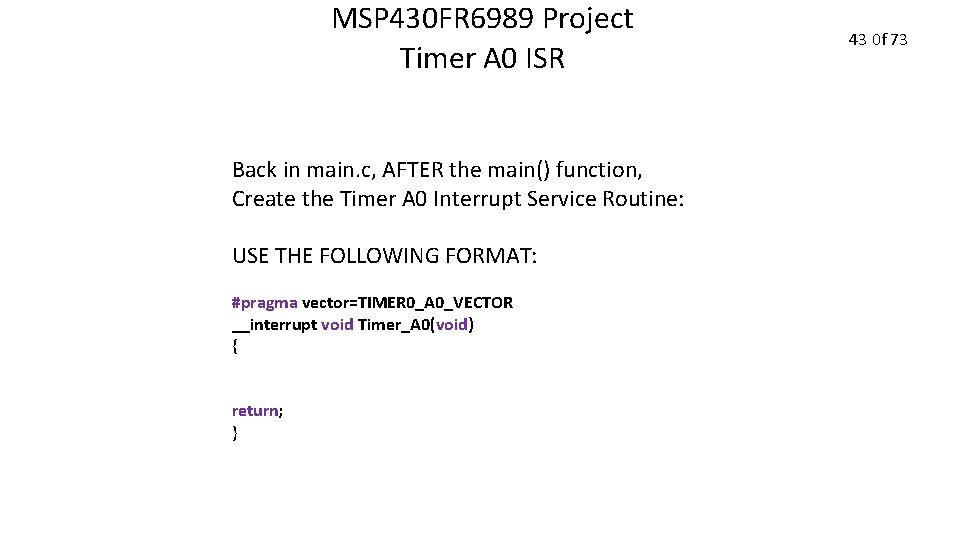
MSP 430 FR 6989 Project Timer A 0 ISR Back in main. c, AFTER the main() function, Create the Timer A 0 Interrupt Service Routine: USE THE FOLLOWING FORMAT: #pragma vector=TIMER 0_A 0_VECTOR __interrupt void Timer_A 0(void) { return; } 43 0 f 73
MSP 430 FR 6989 Project Timer A 0 ISR Inside the Timer_A 0 ISR: 1. Set the ISR_Flag = 1; 2. Increment the ISR_Counter++; 44 0 f 73
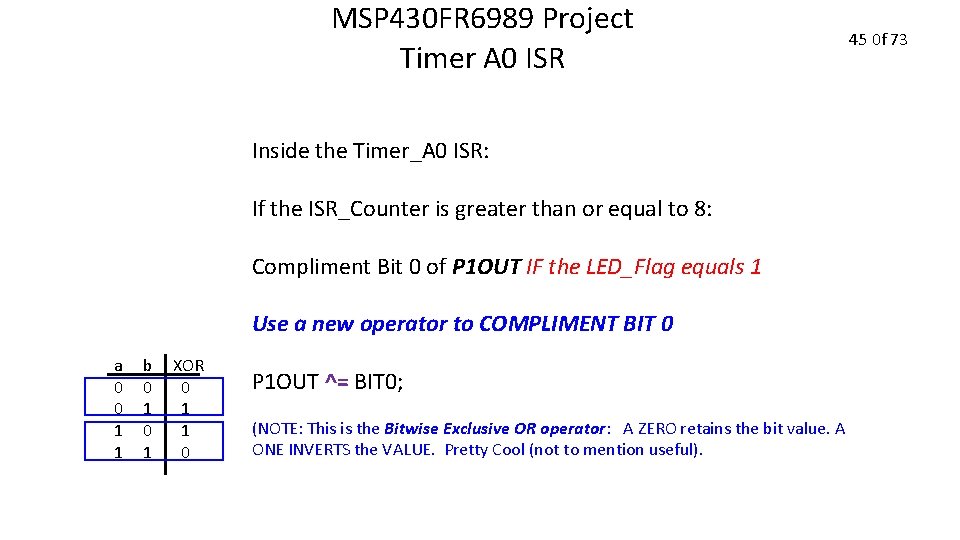
MSP 430 FR 6989 Project Timer A 0 ISR Inside the Timer_A 0 ISR: If the ISR_Counter is greater than or equal to 8: Compliment Bit 0 of P 1 OUT IF the LED_Flag equals 1 Use a new operator to COMPLIMENT BIT 0 a 0 0 1 1 b 0 1 XOR 0 1 1 0 P 1 OUT ^= BIT 0; (NOTE: This is the Bitwise Exclusive OR operator: A ZERO retains the bit value. A ONE INVERTS the VALUE. Pretty Cool (not to mention useful). 45 0 f 73
MSP 430 FR 6989 Project Timer A 0 ISR Inside the Timer_A 0 ISR: If the ISR_Counter is greater than or equal to 8: Compliment Bit 7 of P 9 OUT IF the LED_Flag is NOT equal to 1 (use an else) 46 0 f 73
MSP 430 FR 6989 Project Timer A 0 ISR Inside the Timer_A 0 ISR: Reset the ISR_Counter to 0 LAST THING INSIDE THE IF statement for ISR_Counter >= 8 before the } for the end of the if. 47 0 f 73
MSP 430 FR 6989 Project NOTE: Since the ISR_Counter must count to 8 before any changes take place, The lights are toggled every 8/16 or ½ SECOND. This means that the LEDs flash at 1 Hertz. 48 0 f 73
MSP 430 FR 6989 Project Pushbutton ISR Write the Port 1 interrupt Service Routine This runs whenever the S 1 Pushbutton is pressed 49 0 f 73
MSP 430 FR 6989 Project Pushbutton ISR Add the PB_Flag variable BEFORE main(): volatile unsigned int PB_Flag = 0; 50 0 f 73
MSP 430 FR 6989 Project Pushbutton ISR In unused_interrupts. c comment out the #pragma vector = PORT 1_VECTOR 51 0 f 73
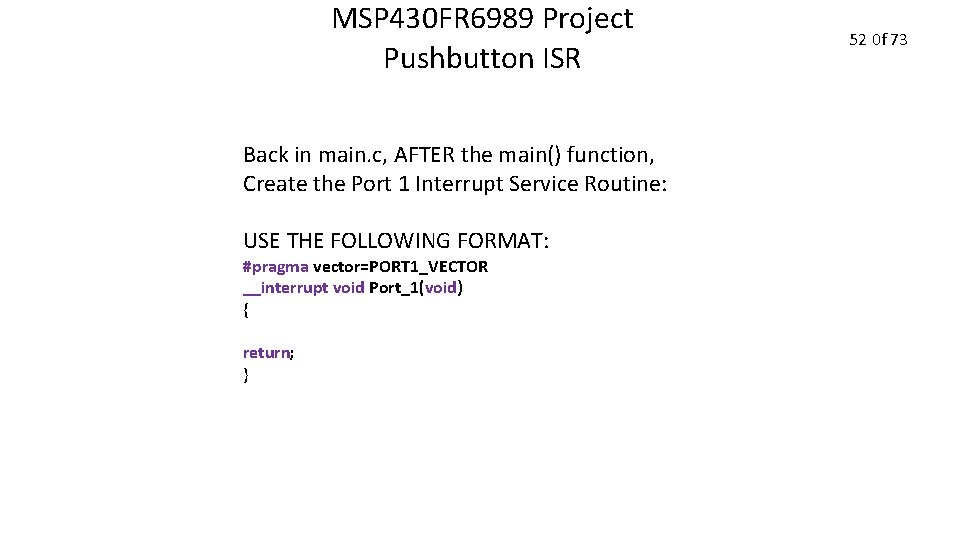
MSP 430 FR 6989 Project Pushbutton ISR Back in main. c, AFTER the main() function, Create the Port 1 Interrupt Service Routine: USE THE FOLLOWING FORMAT: #pragma vector=PORT 1_VECTOR __interrupt void Port_1(void) { return; } 52 0 f 73
MSP 430 FR 6989 Project Pushbutton ISR Inside the Port_1 ISR: (BUT BEFORE THE return; ) Disable the interrupt from PORT 1 by CLEARING BIT 1 in the P 1 IE register 53 0 f 73
MSP 430 FR 6989 Project Pushbutton ISR Inside the Port_1 ISR: (BUT BEFORE THE return; ) SET the PB_Flag 54 0 f 73
MSP 430 FR 6989 Project Pushbutton Debounce Add the volatile unsigned int BEFORE main() called delay and initialize it to 2000: volatile unsigned int delay = 2000; 55 0 f 73
MSP 430 FR 6989 Project Pushbutton Debounce Create a function to delay a fixed amount of time called delay_cycles. do this in main. c Begin by adding the FUNCTION PROTOTYPE BEFORE the main() void delay_cycles ( unsigned int); 56 0 f 73
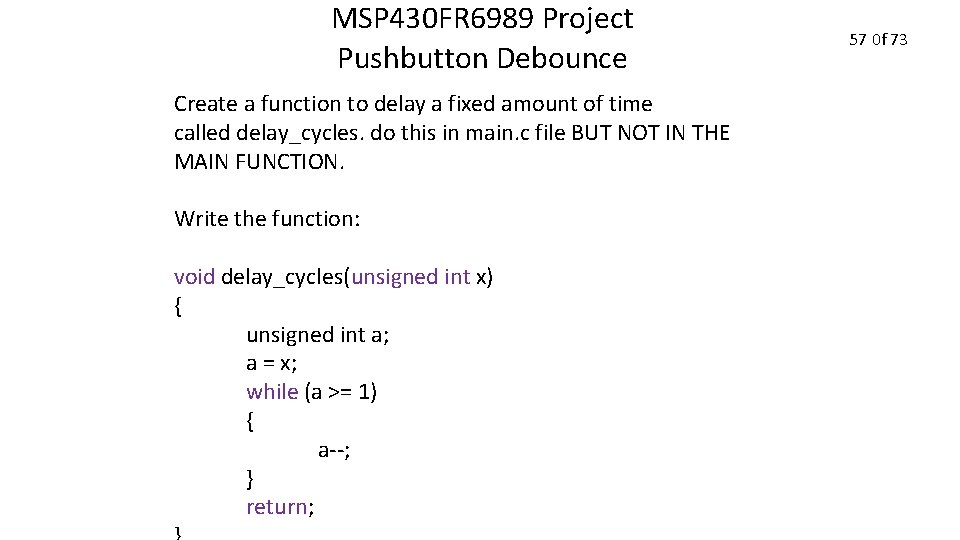
MSP 430 FR 6989 Project Pushbutton Debounce Create a function to delay a fixed amount of time called delay_cycles. do this in main. c file BUT NOT IN THE MAIN FUNCTION. Write the function: void delay_cycles(unsigned int x) { unsigned int a; a = x; while (a >= 1) { a--; } return; 57 0 f 73
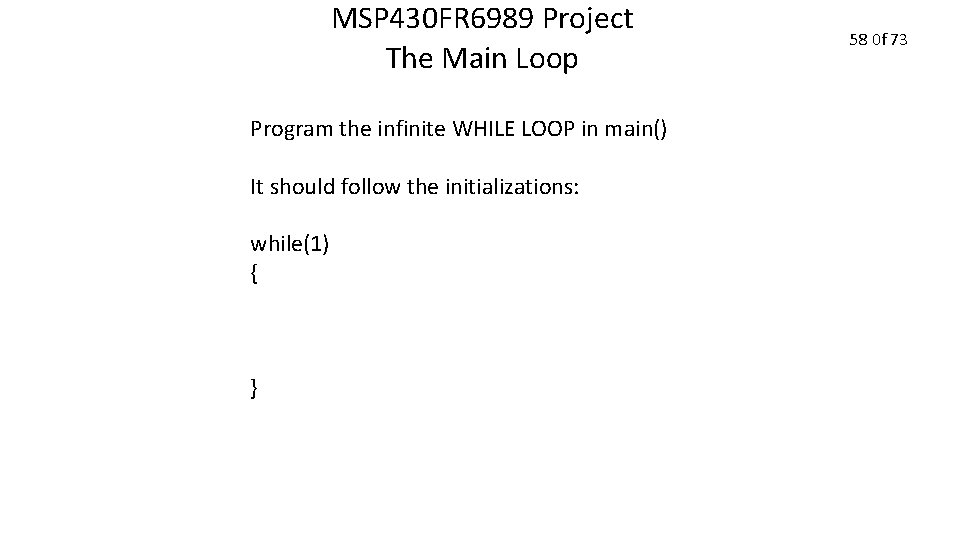
MSP 430 FR 6989 Project The Main Loop Program the infinite WHILE LOOP in main() It should follow the initializations: while(1) { } 58 0 f 73
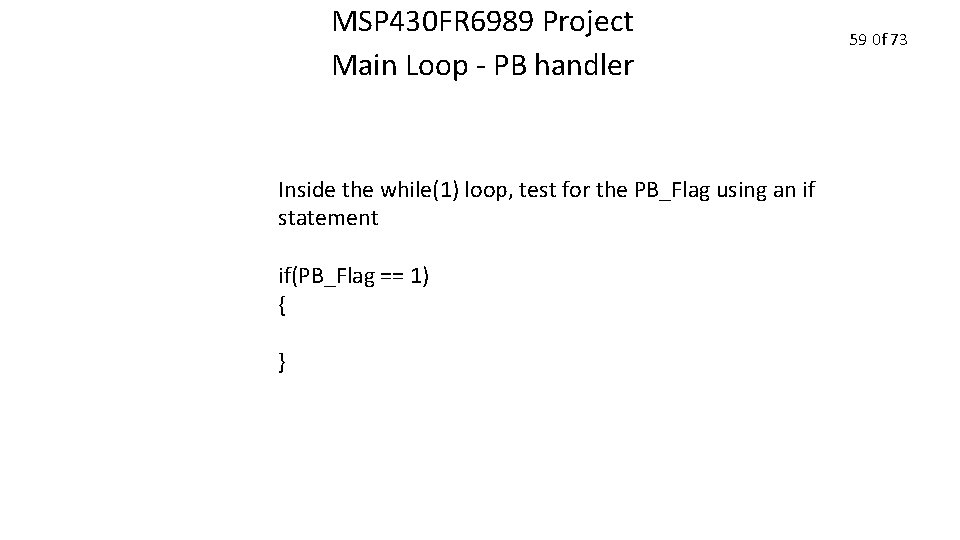
MSP 430 FR 6989 Project Main Loop - PB handler Inside the while(1) loop, test for the PB_Flag using an if statement if(PB_Flag == 1) { } 59 0 f 73
MSP 430 FR 6989 Project Main Loop - PB handler Inside the PB_Flag IF: 1. Turn OFF both LEDS 60 0 f 73
MSP 430 FR 6989 Project Main Loop - PB handler Inside the PB_Flag IF: 2. Call the debounce delay function delay_cycles(delay); 61 0 f 73
MSP 430 FR 6989 Project Main Loop - PB handler Inside the PB_Flag IF: 3. Follow the delay with a re-reading of the pushbutton and test to see if it is still pressed: if ((P 1 IN & BIT 1) == 0) { } This is a NESTED if 62 0 f 73
MSP 430 FR 6989 Project Main Loop - PB handler Inside the NESTED IF just created: 4. Compliment the LED_Flag using the ! operator LED_Flag = !LED_Flag; 63 0 f 73
MSP 430 FR 6989 Project Main Loop - PB handler Inside the NESTED IF just created: 5. Clear the PB_Flag 64 0 f 73
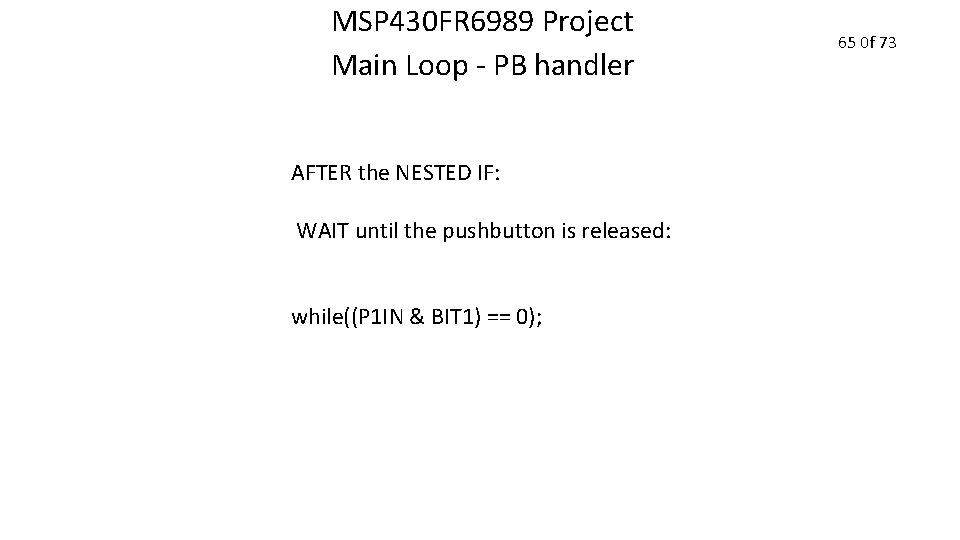
MSP 430 FR 6989 Project Main Loop - PB handler AFTER the NESTED IF: WAIT until the pushbutton is released: while((P 1 IN & BIT 1) == 0); 65 0 f 73
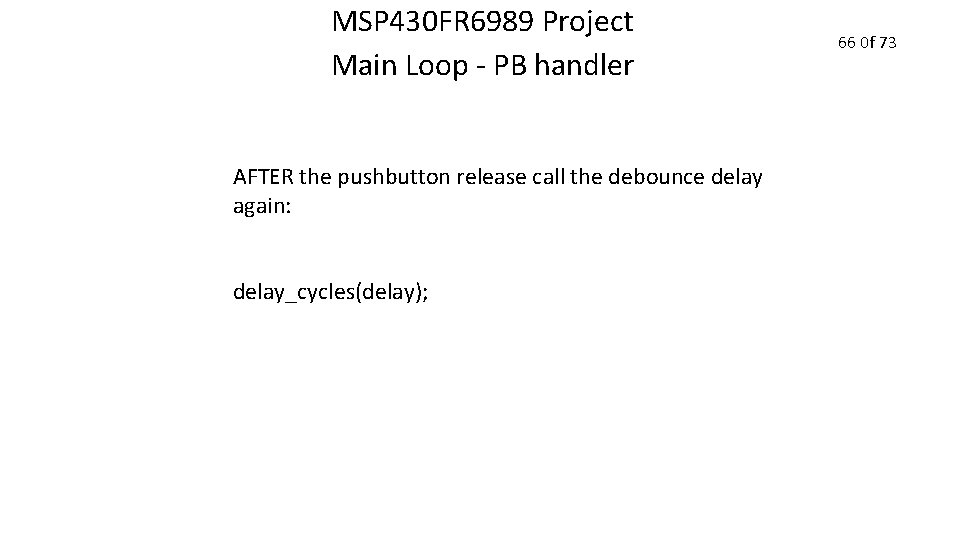
MSP 430 FR 6989 Project Main Loop - PB handler AFTER the pushbutton release call the debounce delay again: delay_cycles(delay); 66 0 f 73
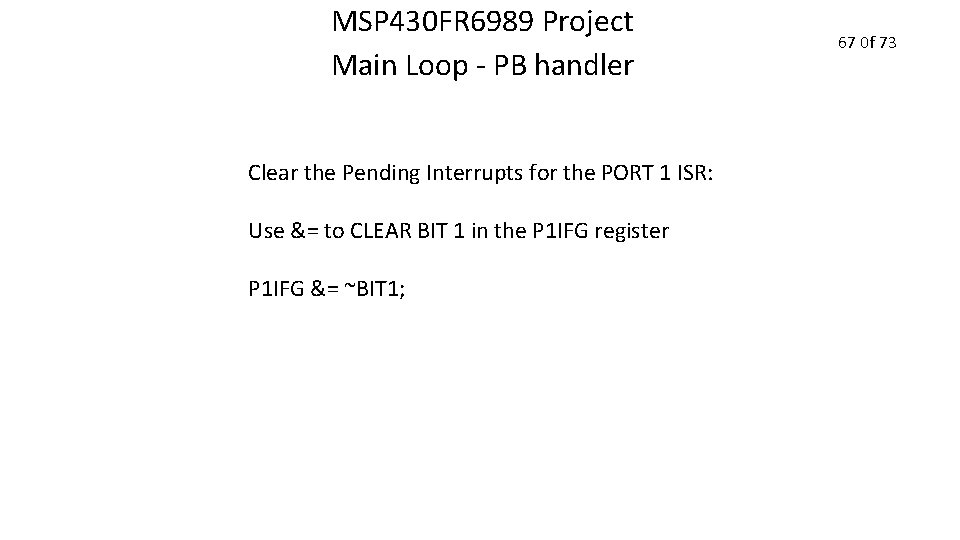
MSP 430 FR 6989 Project Main Loop - PB handler Clear the Pending Interrupts for the PORT 1 ISR: Use &= to CLEAR BIT 1 in the P 1 IFG register P 1 IFG &= ~BIT 1; 67 0 f 73
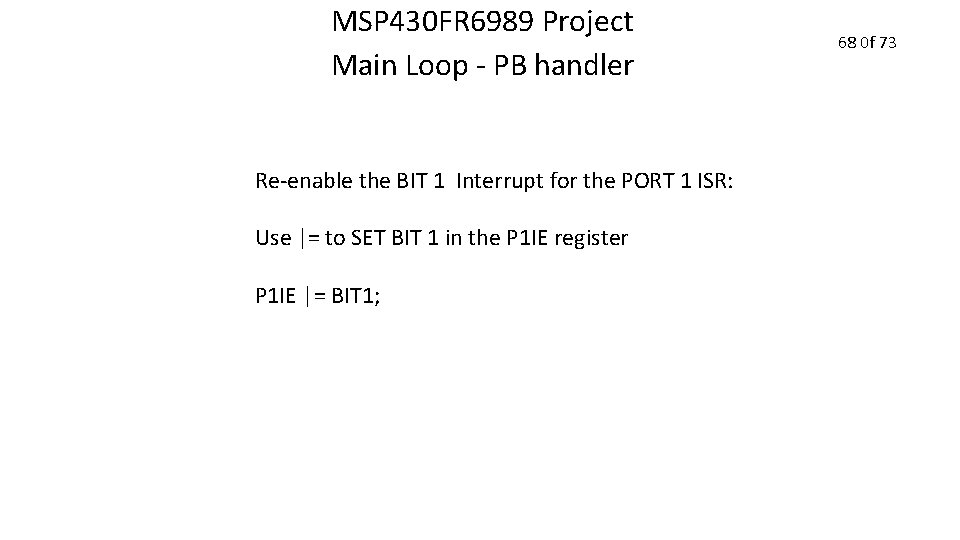
MSP 430 FR 6989 Project Main Loop - PB handler Re-enable the BIT 1 Interrupt for the PORT 1 ISR: Use |= to SET BIT 1 in the P 1 IE register P 1 IE |= BIT 1; 68 0 f 73
MSP 430 FR 6989 Project Main Loop - PB handler This is the end of the if(PB_Flag) statement 69 0 f 73
MSP 430 FR 6989 Project Main Loop – Timer A 0 Handler Add the if(ISR_Flag) to process the Timer A 0 function IN THE MAIN LOOP BUT AFTER the end of if(PB_Flag==1) section: if(ISR_Flag ==1) { ISR_Flag = 0; } 70 0 f 73
MSP 430 FR 6989 Project Main Loop This is the end of the main() function 71 0 f 73
MSP 430 FR 6989 Project 1. Compile and Program Project #1 2. Demonstrate the Project to the Lab Monitor 1. One LED should flash at a time. 2. The GREEN LED should be the default after initialization 3. The LED should flash at 1 Hz 4. The Pushbutton should switch between the 2 LEDs 5. The Pushbutton should be free of glitches from button bounce. 3. Include your COMMENTED code in the Progress Report 72 0 f 73
MSP 430 FR 6989 Project This is the end of Project #1 73 0 f 73
- Slides: 152