
ECE 3567 Lab 4 AnalogtoDigital Converters Dr Gregg
ECE 3567 Lab 4 Analog-to-Digital Converters Dr. Gregg J Chapman Autumn 2019 1
The Users Manual Chapter 33 Chapter 34 REF_A…………………. pp 858 -864 ADC 12_B………………. . pp 865 -911 2
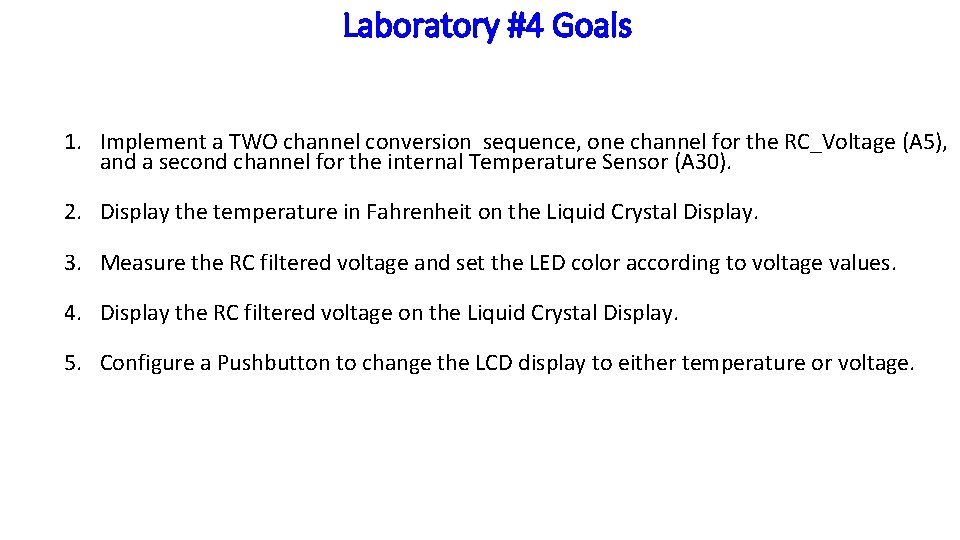
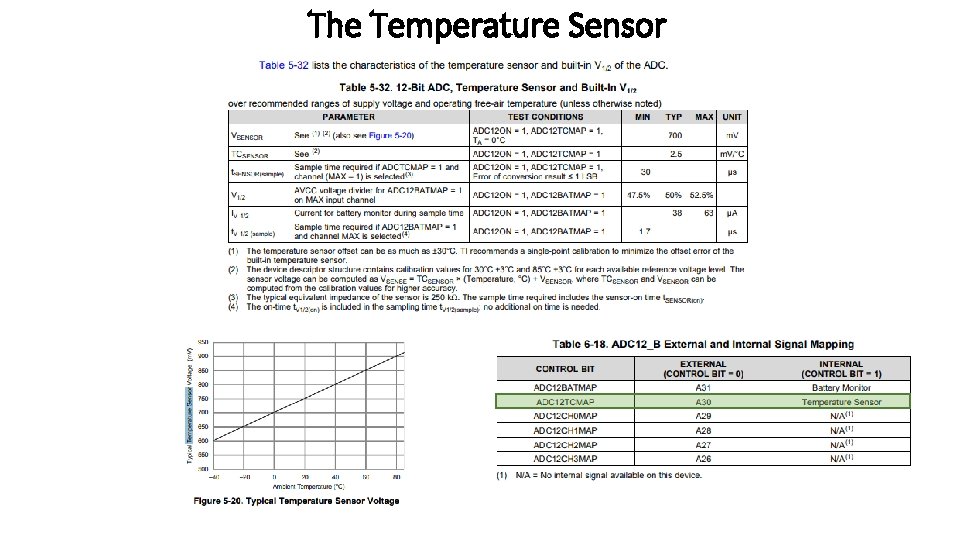
Laboratory #4 Goals 1. Implement a TWO channel conversion sequence, one channel for the RC_Voltage (A 5), and a second channel for the internal Temperature Sensor (A 30). 2. Display the temperature in Fahrenheit on the Liquid Crystal Display. 3. Measure the RC filtered voltage and set the LED color according to voltage values. 4. Display the RC filtered voltage on the Liquid Crystal Display. 5. Configure a Pushbutton to change the LCD display to either temperature or voltage.
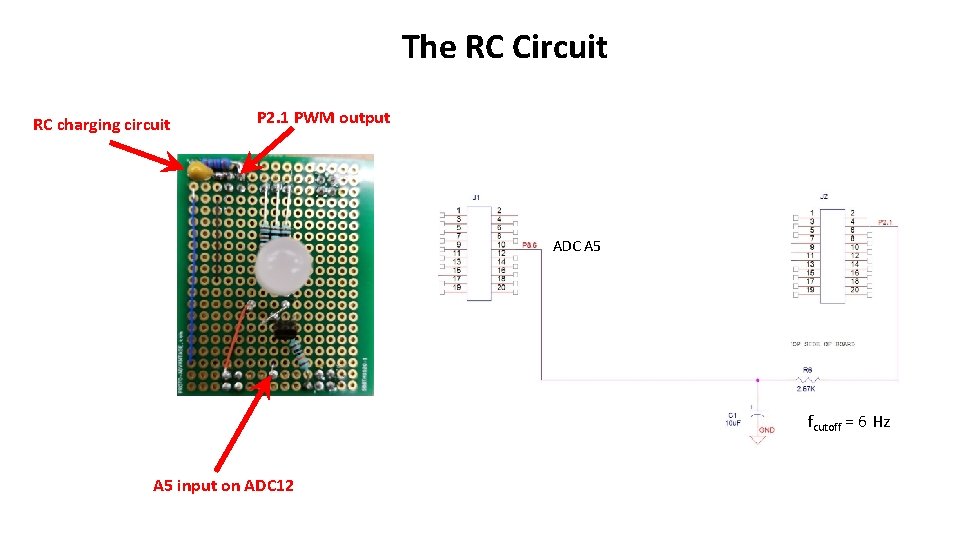
The RC Circuit RC charging circuit P 2. 1 PWM output ADC A 5 fcutoff = 6 Hz A 5 input on ADC 12
The Temperature Sensor

Launch. Pad LCD Display 6
Launch. Pad Pushbuttons
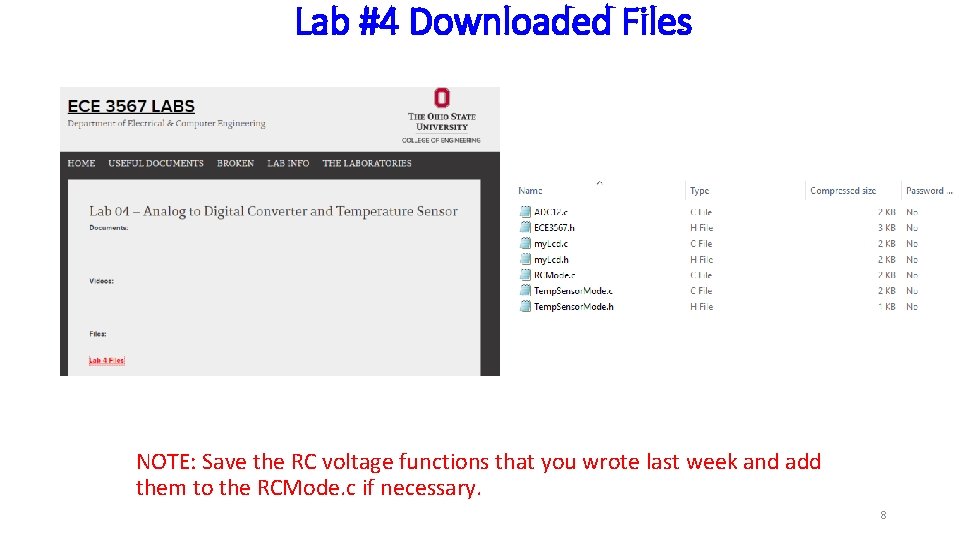
Lab #4 Downloaded Files NOTE: Save the RC voltage functions that you wrote last week and add them to the RCMode. c if necessary. 8
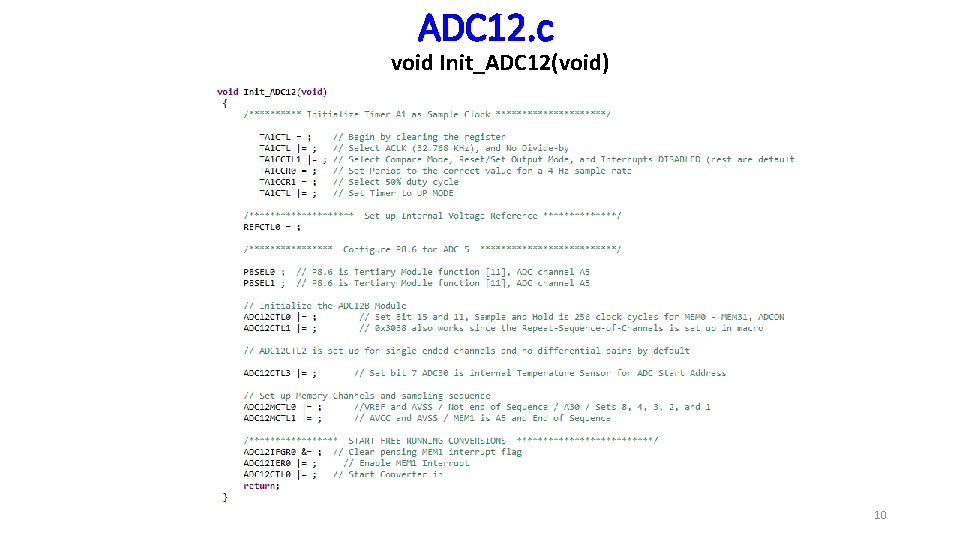
ADC 12. c void Init_ADC 12(void) __interrupt void ADC 12_ISR(void) Template with declarations and headers is included in the Lab 4 Code Additions download. Copy and ADD all files to your existing project directory. 9
ADC 12. c void Init_ADC 12(void) 10
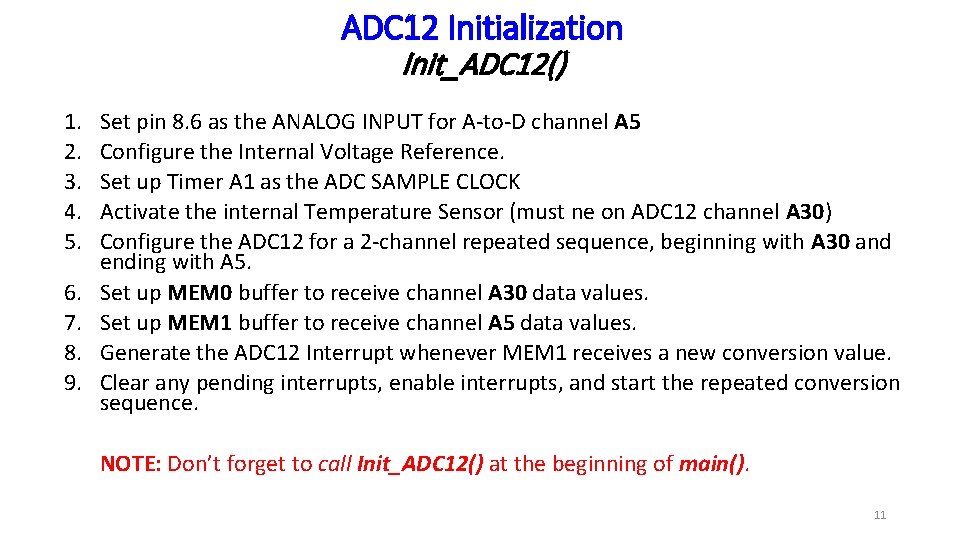
ADC 12 Initialization Init_ADC 12() 1. 2. 3. 4. 5. 6. 7. 8. 9. Set pin 8. 6 as the ANALOG INPUT for A-to-D channel A 5 Configure the Internal Voltage Reference. Set up Timer A 1 as the ADC SAMPLE CLOCK Activate the internal Temperature Sensor (must ne on ADC 12 channel A 30) Configure the ADC 12 for a 2 -channel repeated sequence, beginning with A 30 and ending with A 5. Set up MEM 0 buffer to receive channel A 30 data values. Set up MEM 1 buffer to receive channel A 5 data values. Generate the ADC 12 Interrupt whenever MEM 1 receives a new conversion value. Clear any pending interrupts, enable interrupts, and start the repeated conversion sequence. NOTE: Don’t forget to call Init_ADC 12() at the beginning of main(). 11
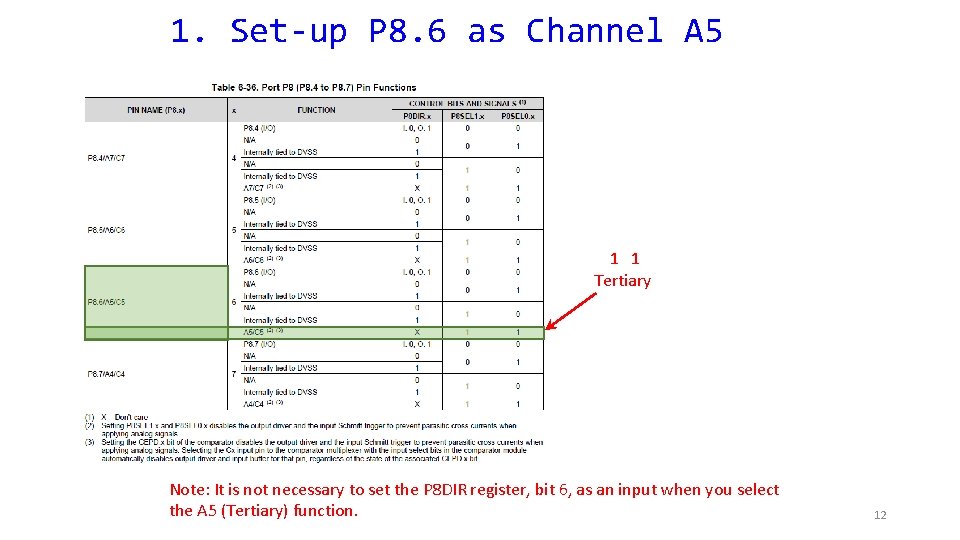
1. Set-up P 8. 6 as Channel A 5 1 1 Tertiary Note: It is not necessary to set the P 8 DIR register, bit 6, as an input when you select the A 5 (Tertiary) function. 12
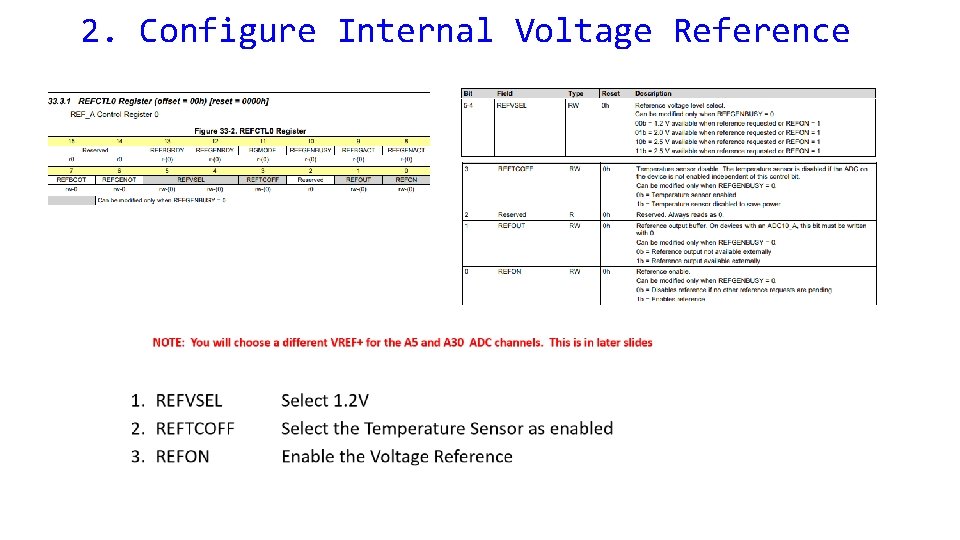
2. Configure Internal Voltage Reference
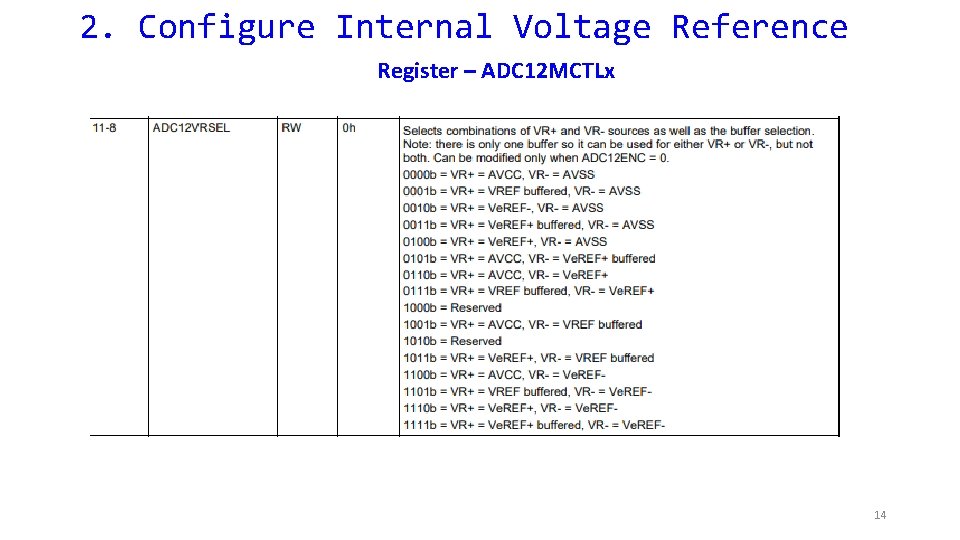
2. Configure Internal Voltage Reference Register – ADC 12 MCTLx 14
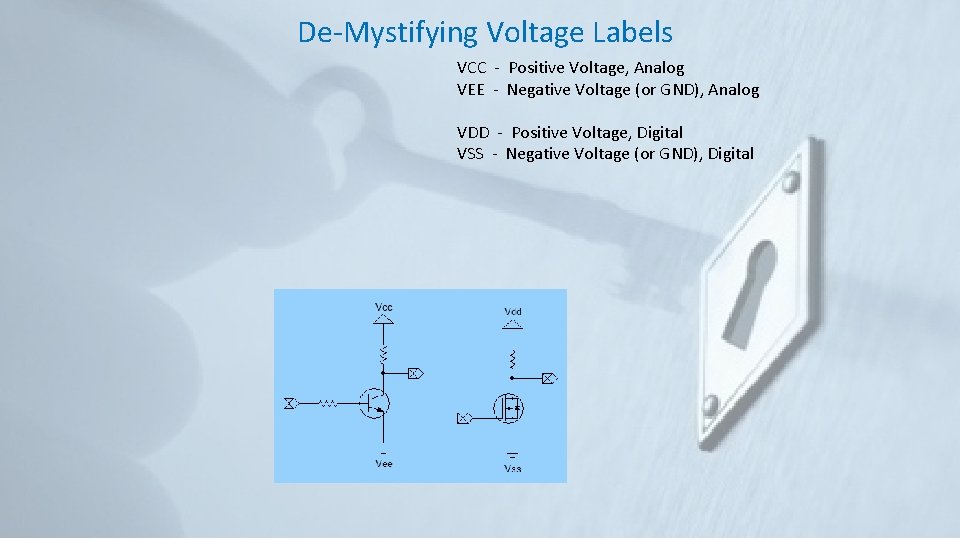
De-Mystifying Voltage Labels VCC - Positive Voltage, Analog VEE - Negative Voltage (or GND), Analog VDD - Positive Voltage, Digital VSS - Negative Voltage (or GND), Digital
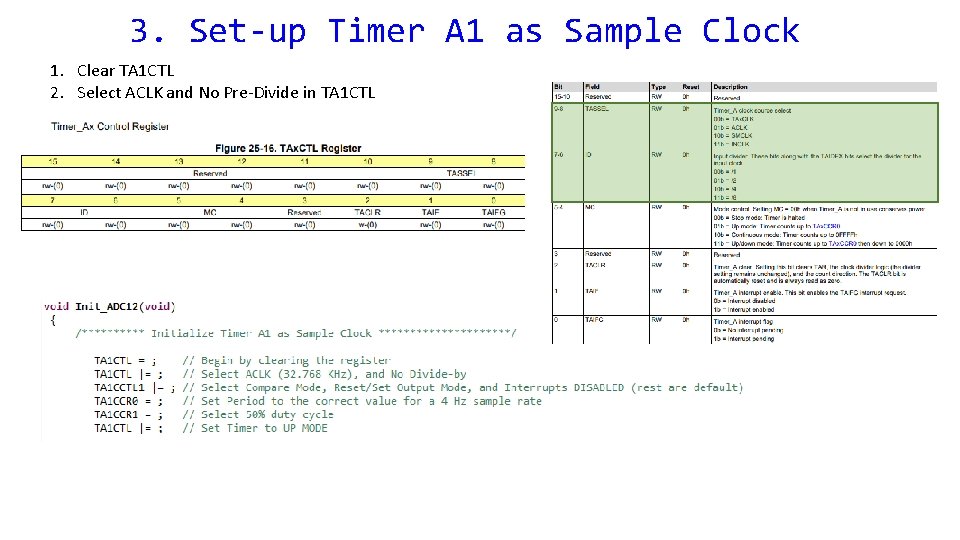
3. Set-up Timer A 1 as Sample Clock 1. Clear TA 1 CTL 2. Select ACLK and No Pre-Divide in TA 1 CTL
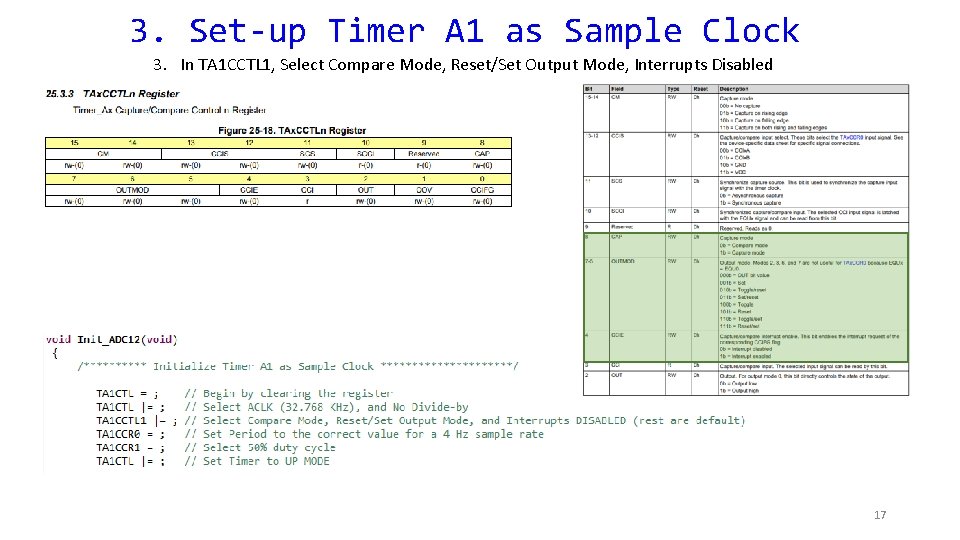
3. Set-up Timer A 1 as Sample Clock 3. In TA 1 CCTL 1, Select Compare Mode, Reset/Set Output Mode, Interrupts Disabled 17
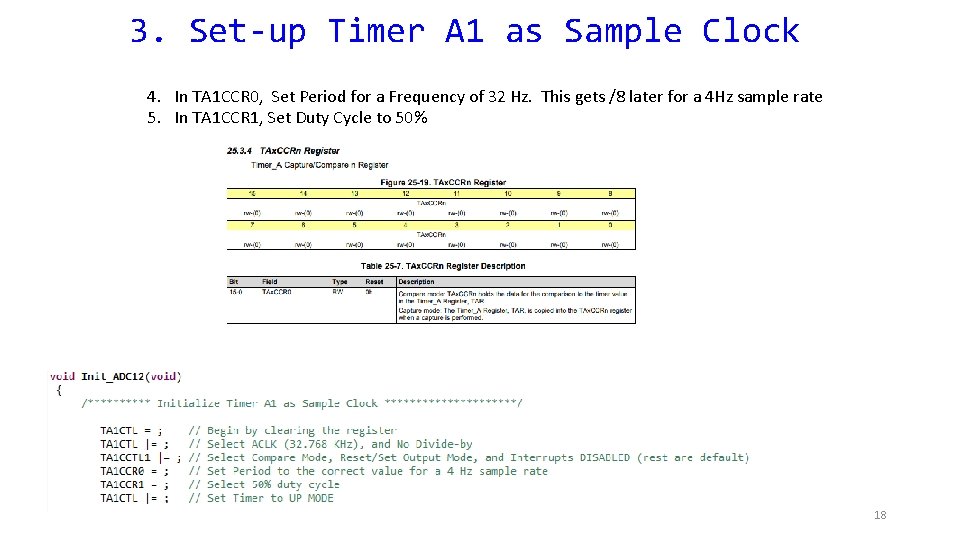
3. Set-up Timer A 1 as Sample Clock 4. In TA 1 CCR 0, Set Period for a Frequency of 32 Hz. This gets /8 later for a 4 Hz sample rate 5. In TA 1 CCR 1, Set Duty Cycle to 50% 18
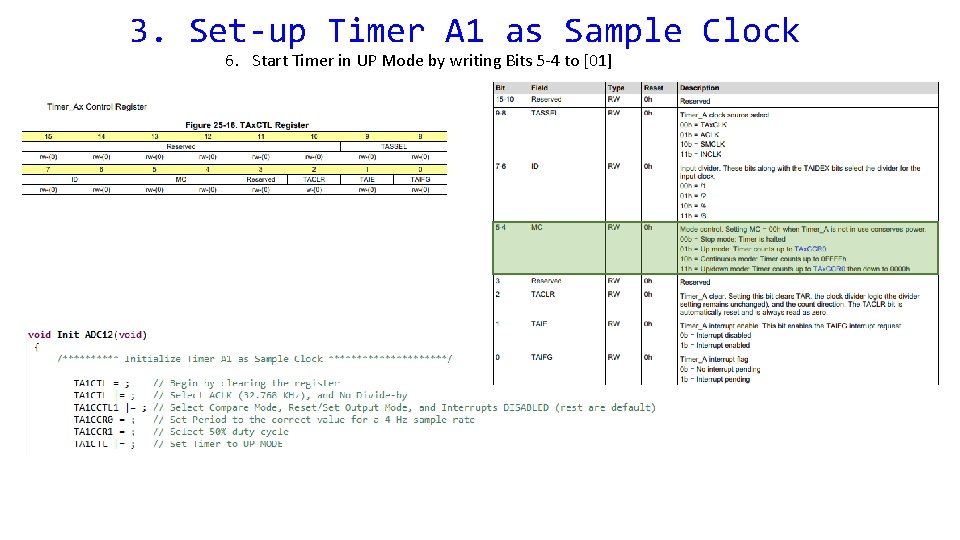
3. Set-up Timer A 1 as Sample Clock 6. Start Timer in UP Mode by writing Bits 5 -4 to [01]
4. Activate Internal Temperature Sensor 5. Configure ADC 12 for 2 -Channel Repeated Sequence There are FOUR Configuration Registers for the ADC 12_B: ADC 12 CTL 0 – ADC 12 CTL 3.
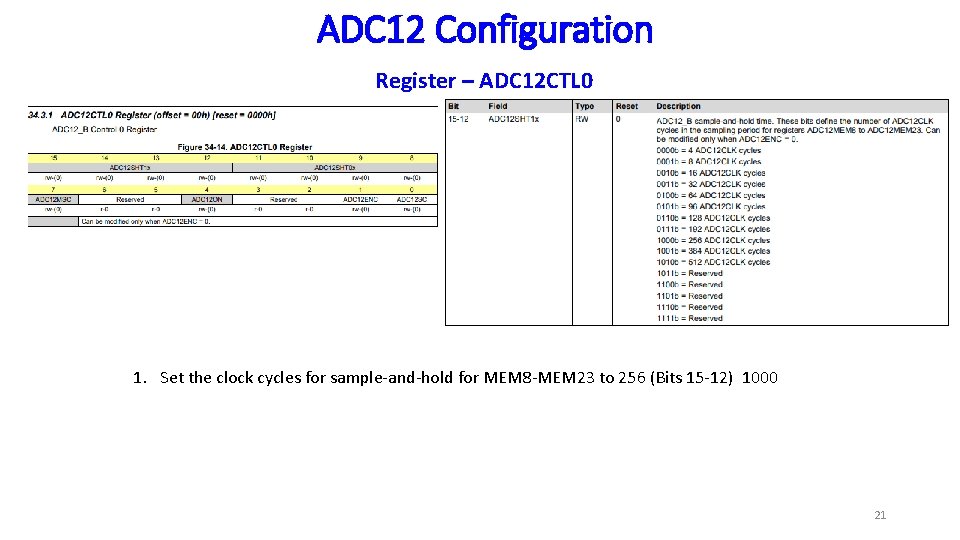
ADC 12 Configuration Register – ADC 12 CTL 0 1. Set the clock cycles for sample-and-hold for MEM 8 -MEM 23 to 256 (Bits 15 -12) 1000 21
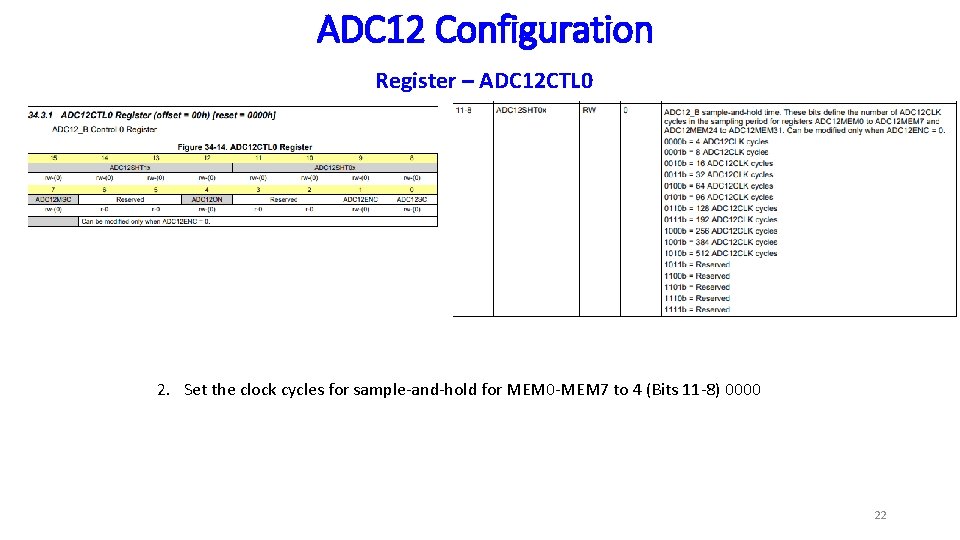
ADC 12 Configuration Register – ADC 12 CTL 0 2. Set the clock cycles for sample-and-hold for MEM 0 -MEM 7 to 4 (Bits 11 -8) 0000 22
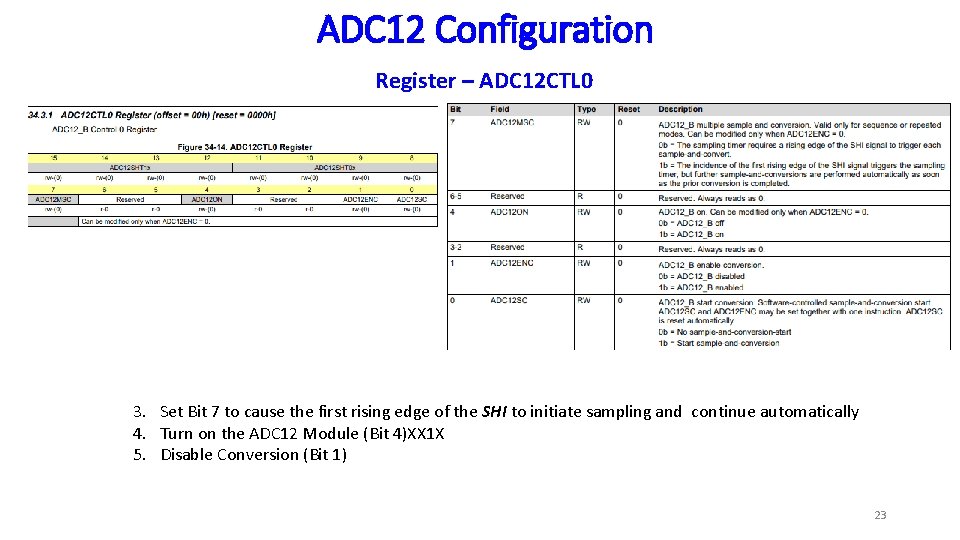
ADC 12 Configuration Register – ADC 12 CTL 0 3. Set Bit 7 to cause the first rising edge of the SHI to initiate sampling and continue automatically 4. Turn on the ADC 12 Module (Bit 4)XX 1 X 5. Disable Conversion (Bit 1) 23
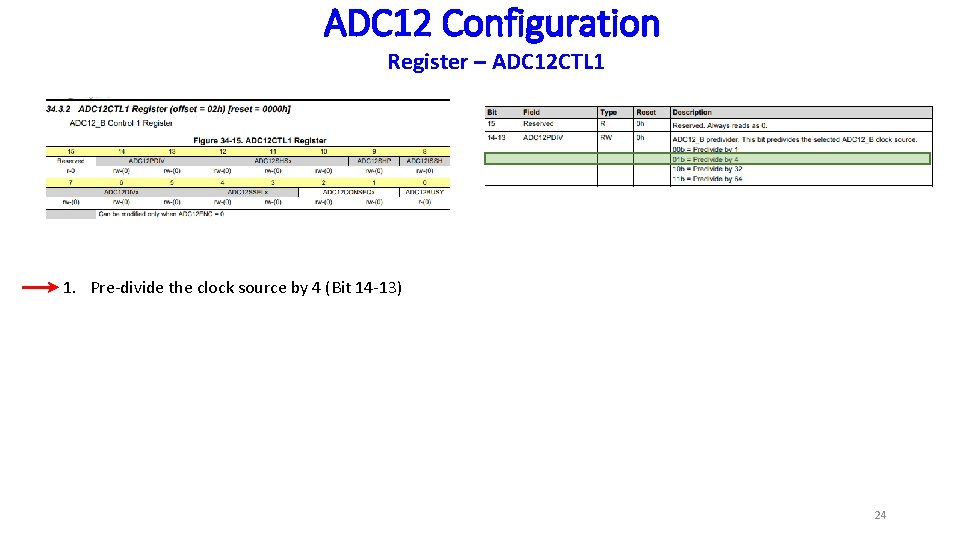
ADC 12 Configuration Register – ADC 12 CTL 1 1. Pre-divide the clock source by 4 (Bit 14 -13) 24
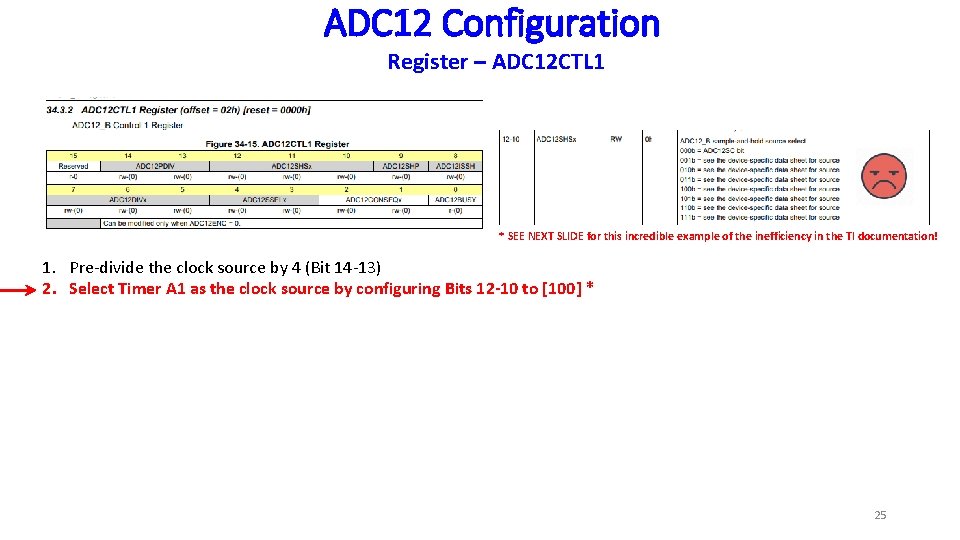
ADC 12 Configuration Register – ADC 12 CTL 1 * SEE NEXT SLIDE for this incredible example of the inefficiency in the TI documentation! 1. Pre-divide the clock source by 4 (Bit 14 -13) 2. Select Timer A 1 as the clock source by configuring Bits 12 -10 to [100] * 25
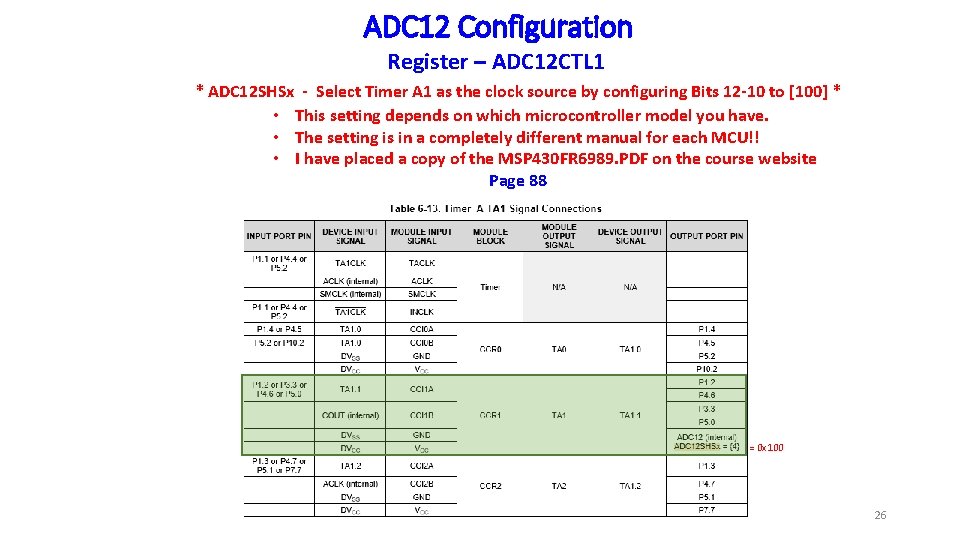
ADC 12 Configuration Register – ADC 12 CTL 1 * ADC 12 SHSx - Select Timer A 1 as the clock source by configuring Bits 12 -10 to [100] * • This setting depends on which microcontroller model you have. • The setting is in a completely different manual for each MCU!! • I have placed a copy of the MSP 430 FR 6989. PDF on the course website Page 88 = 0 x 100 26
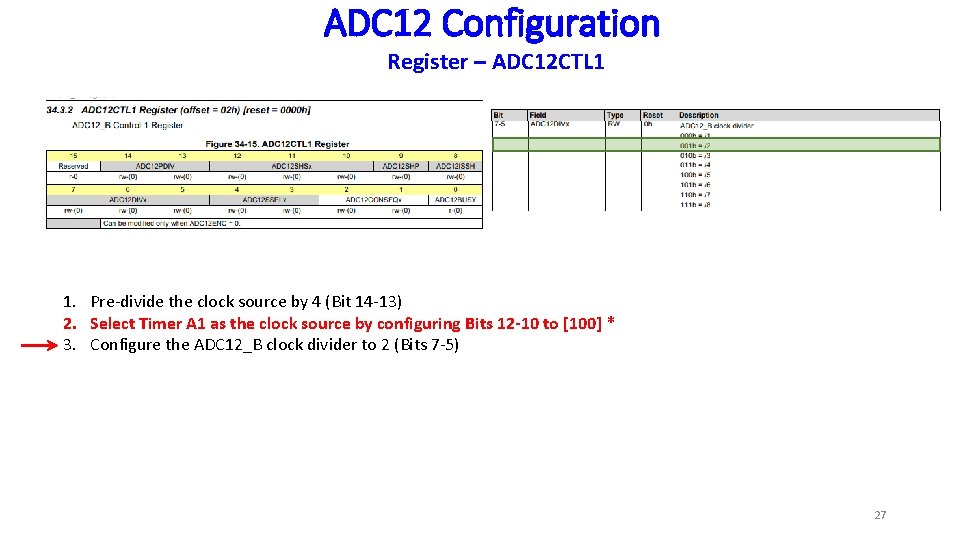
ADC 12 Configuration Register – ADC 12 CTL 1 1. Pre-divide the clock source by 4 (Bit 14 -13) 2. Select Timer A 1 as the clock source by configuring Bits 12 -10 to [100] * 3. Configure the ADC 12_B clock divider to 2 (Bits 7 -5) 27
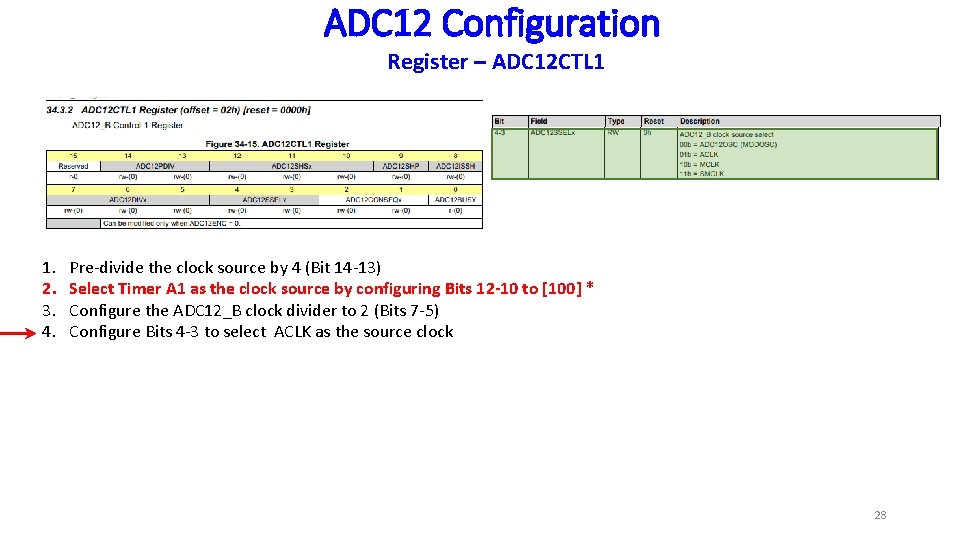
ADC 12 Configuration Register – ADC 12 CTL 1 1. 2. 3. 4. Pre-divide the clock source by 4 (Bit 14 -13) Select Timer A 1 as the clock source by configuring Bits 12 -10 to [100] * Configure the ADC 12_B clock divider to 2 (Bits 7 -5) Configure Bits 4 -3 to select ACLK as the source clock 28
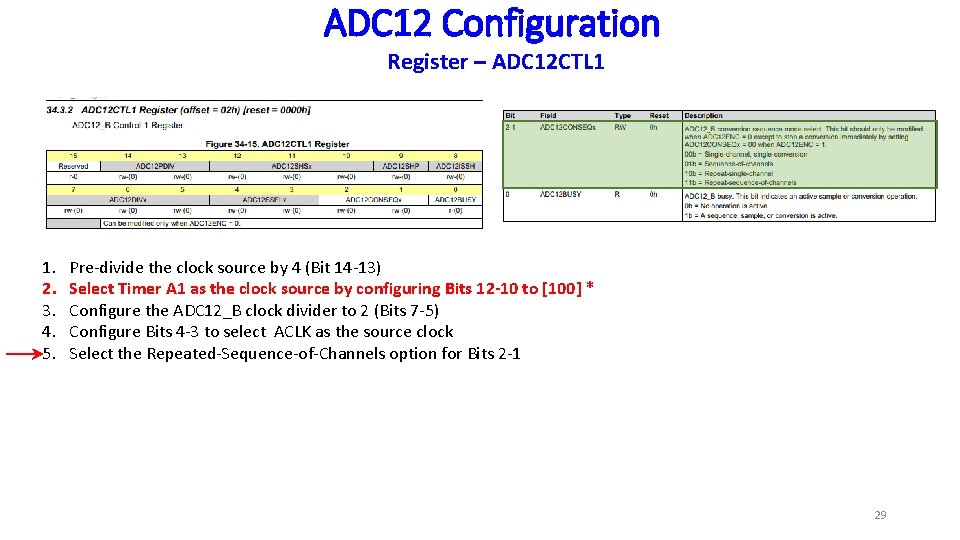
ADC 12 Configuration Register – ADC 12 CTL 1 1. 2. 3. 4. 5. Pre-divide the clock source by 4 (Bit 14 -13) Select Timer A 1 as the clock source by configuring Bits 12 -10 to [100] * Configure the ADC 12_B clock divider to 2 (Bits 7 -5) Configure Bits 4 -3 to select ACLK as the source clock Select the Repeated-Sequence-of-Channels option for Bits 2 -1 29
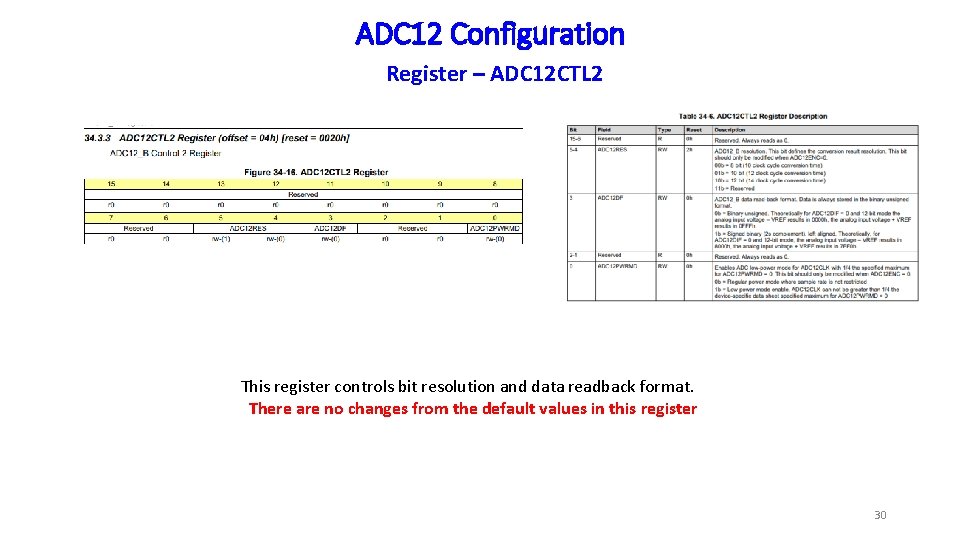
ADC 12 Configuration Register – ADC 12 CTL 2 This register controls bit resolution and data readback format. There are no changes from the default values in this register 30
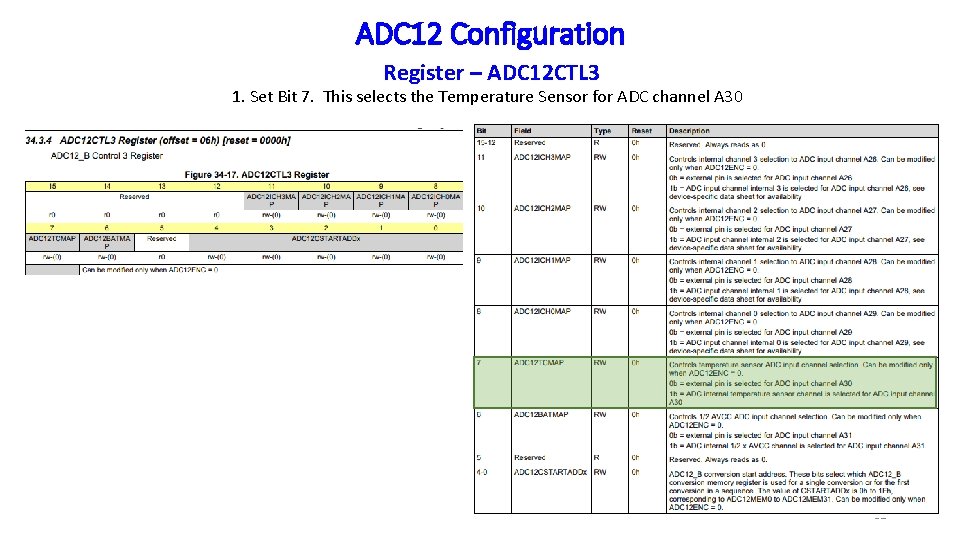
ADC 12 Configuration Register – ADC 12 CTL 3 1. Set Bit 7. This selects the Temperature Sensor for ADC channel A 30 31
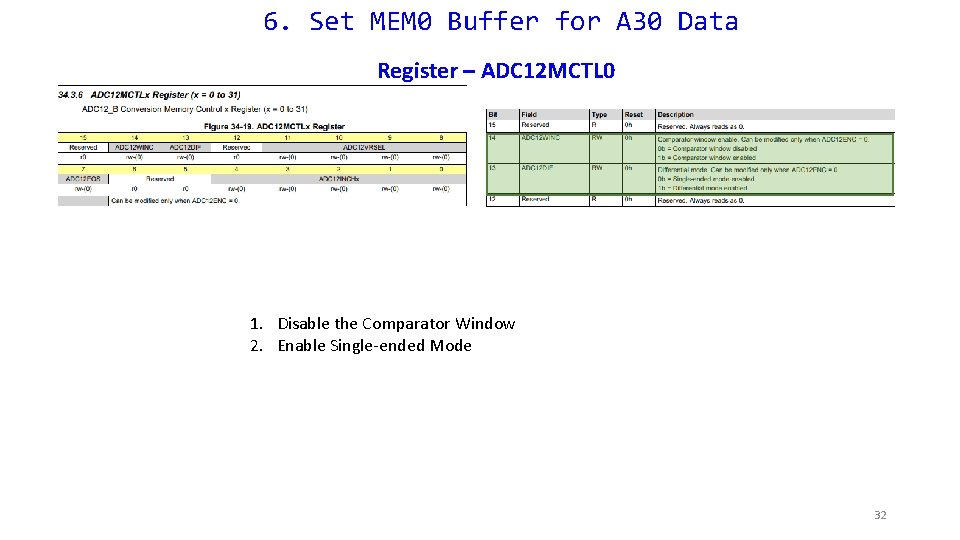
6. Set MEM 0 Buffer for A 30 Data Register – ADC 12 MCTL 0 1. Disable the Comparator Window 2. Enable Single-ended Mode 32
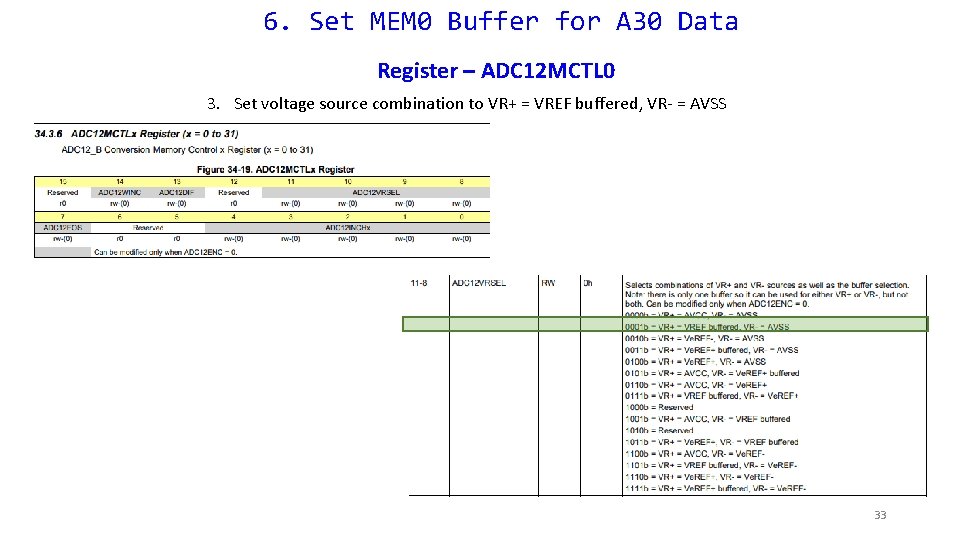
6. Set MEM 0 Buffer for A 30 Data Register – ADC 12 MCTL 0 3. Set voltage source combination to VR+ = VREF buffered, VR- = AVSS 33
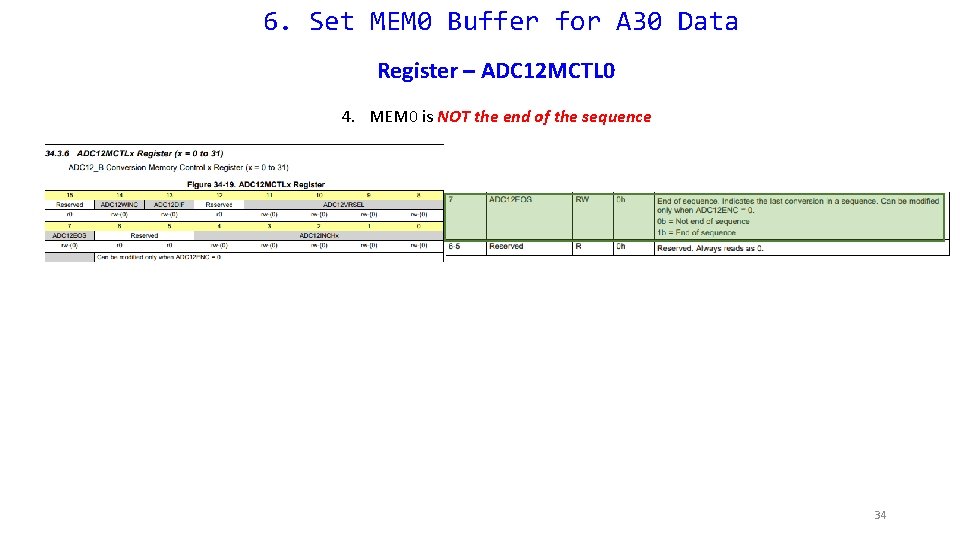
6. Set MEM 0 Buffer for A 30 Data Register – ADC 12 MCTL 0 4. MEM 0 is NOT the end of the sequence 34
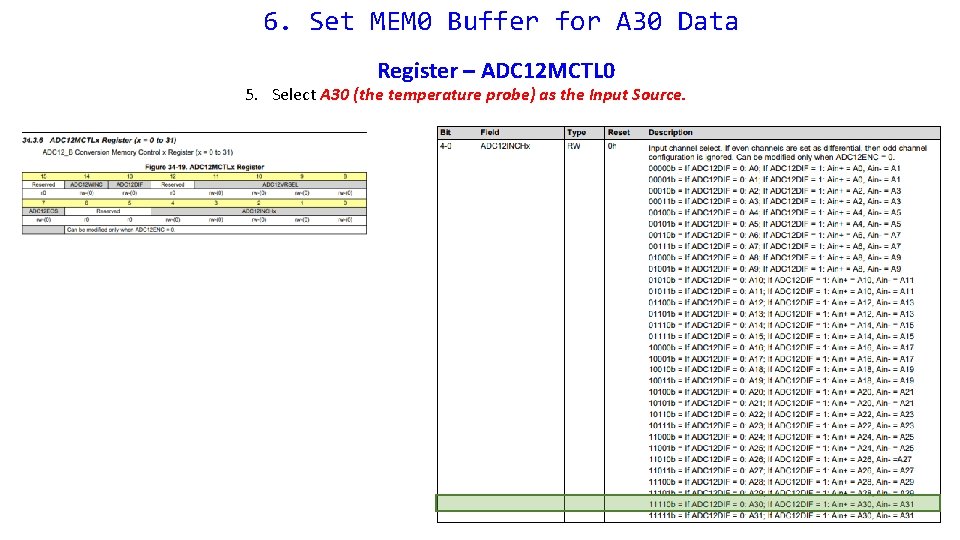
6. Set MEM 0 Buffer for A 30 Data Register – ADC 12 MCTL 0 5. Select A 30 (the temperature probe) as the Input Source.
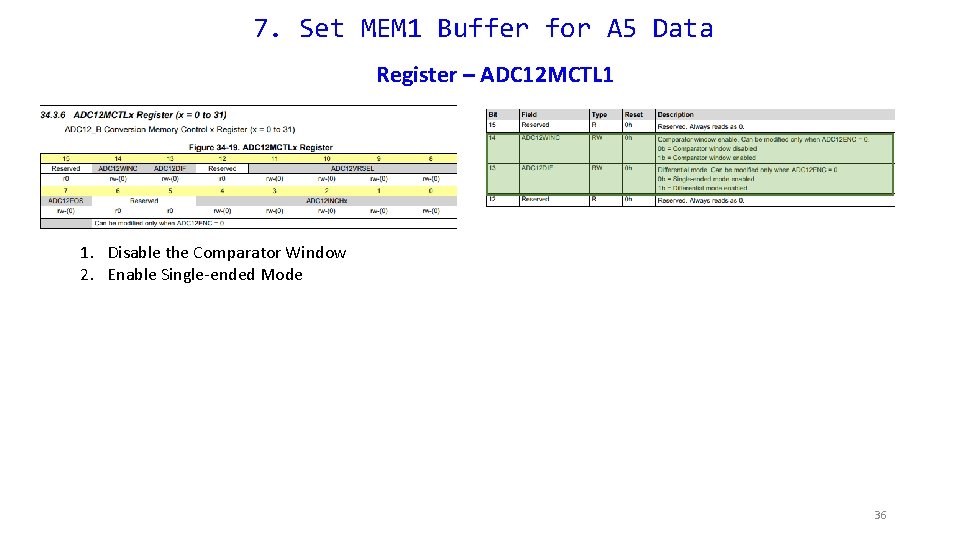
7. Set MEM 1 Buffer for A 5 Data Register – ADC 12 MCTL 1 1. Disable the Comparator Window 2. Enable Single-ended Mode 36
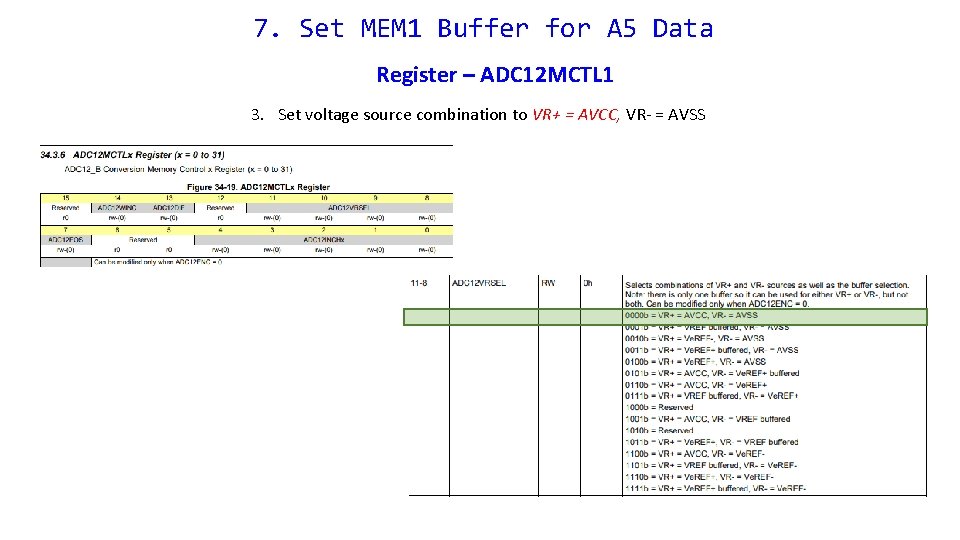
7. Set MEM 1 Buffer for A 5 Data Register – ADC 12 MCTL 1 3. Set voltage source combination to VR+ = AVCC, VR- = AVSS
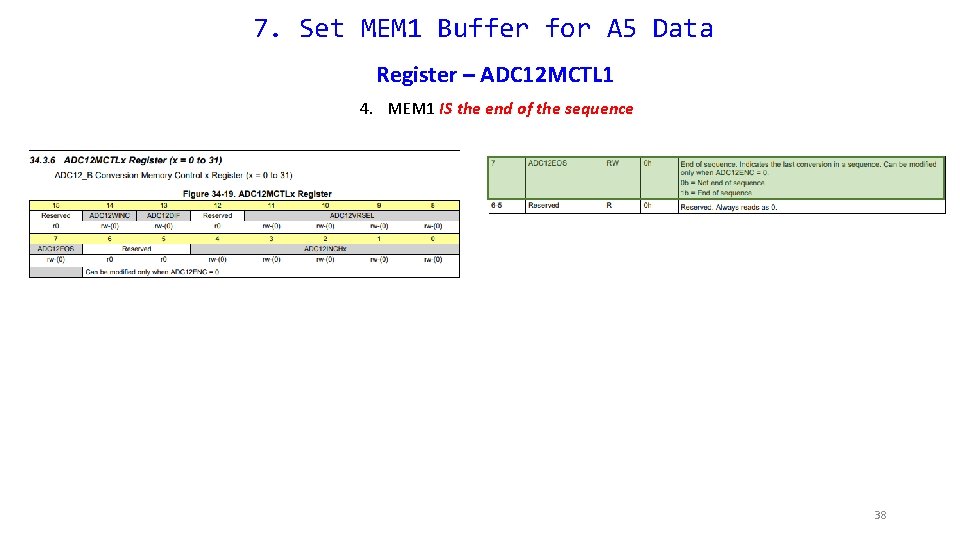
7. Set MEM 1 Buffer for A 5 Data Register – ADC 12 MCTL 1 4. MEM 1 IS the end of the sequence 38
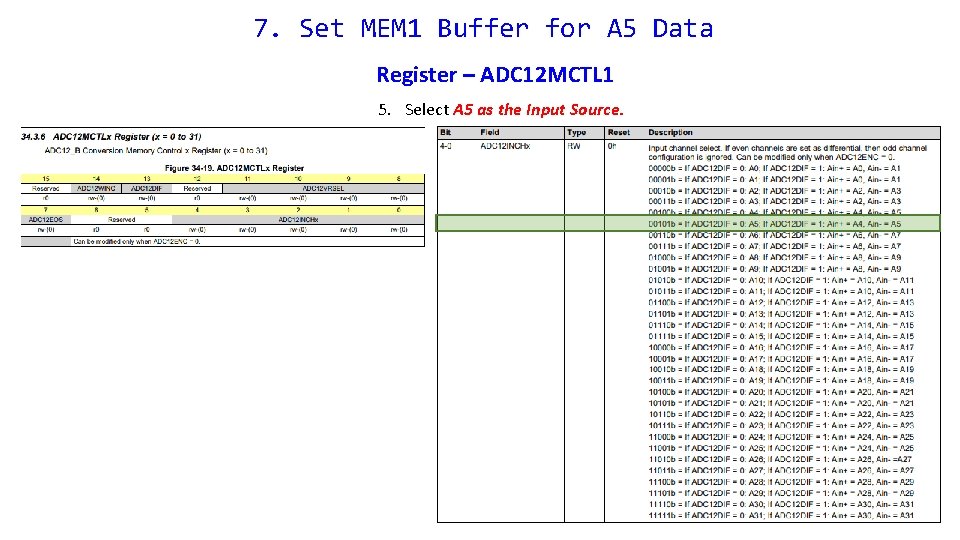
7. Set MEM 1 Buffer for A 5 Data Register – ADC 12 MCTL 1 5. Select A 5 as the Input Source. 39
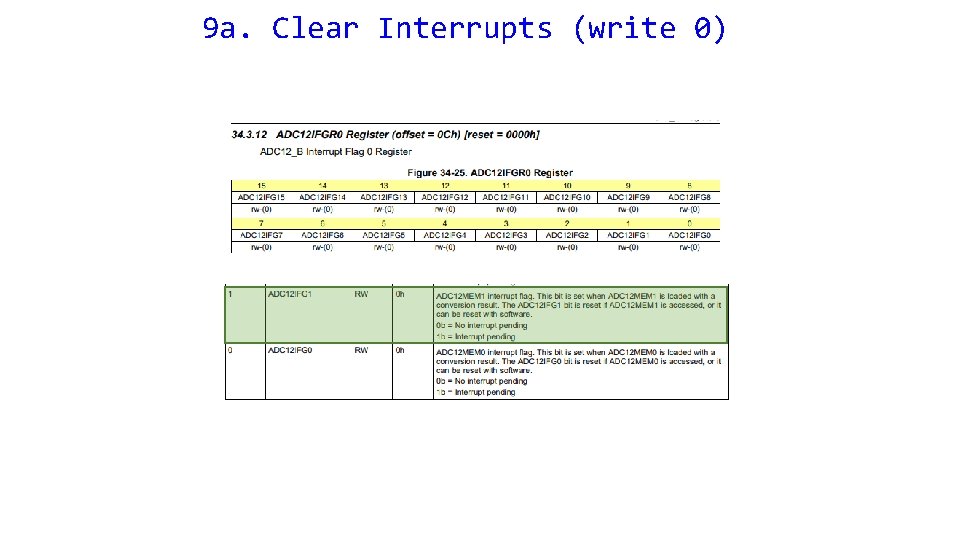
9 a. Clear Interrupts (write 0)
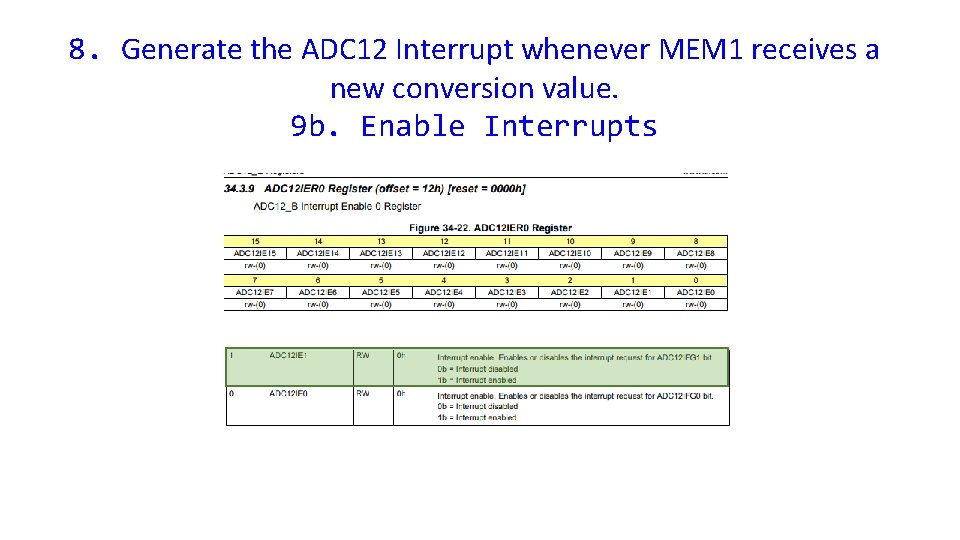
8. Generate the ADC 12 Interrupt whenever MEM 1 receives a new conversion value. 9 b. Enable Interrupts
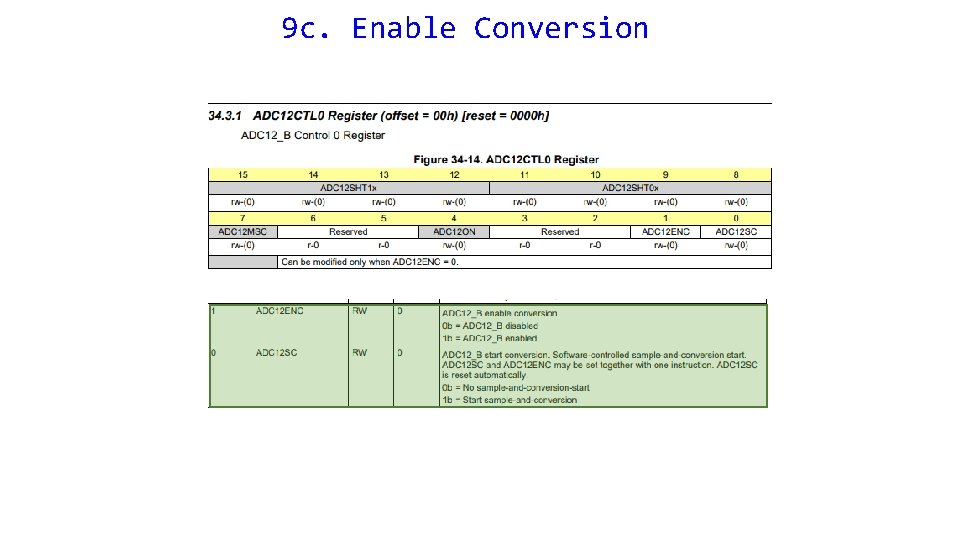
9 c. Enable Conversion
Checkpoint #1 Please have your Init_ADC 12() checked before proceeding 43
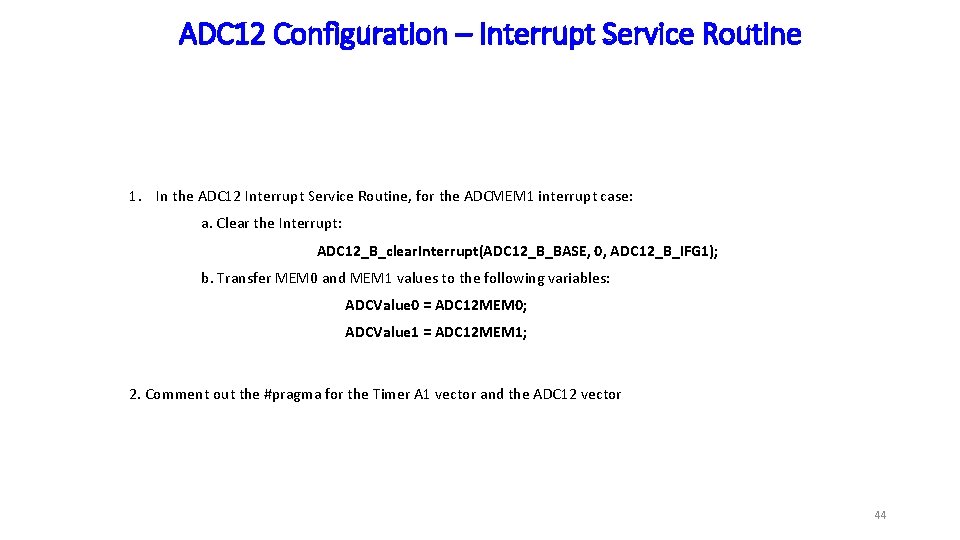
ADC 12 Configuration – Interrupt Service Routine 1. In the ADC 12 Interrupt Service Routine, for the ADCMEM 1 interrupt case: a. Clear the Interrupt: ADC 12_B_clear. Interrupt(ADC 12_B_BASE, 0, ADC 12_B_IFG 1); b. Transfer MEM 0 and MEM 1 values to the following variables: ADCValue 0 = ADC 12 MEM 0; ADCValue 1 = ADC 12 MEM 1; 2. Comment out the #pragma for the Timer A 1 vector and the ADC 12 vector 44
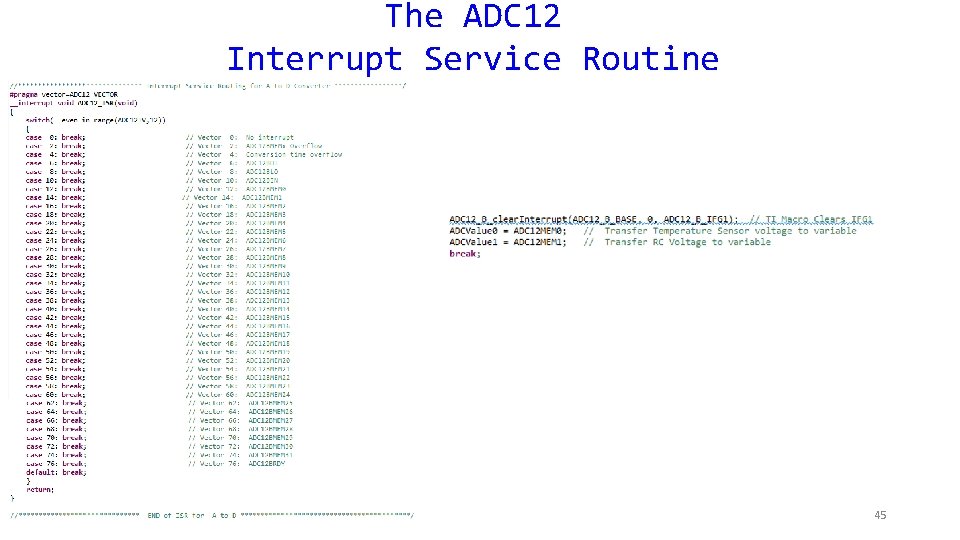
The ADC 12 Interrupt Service Routine 45
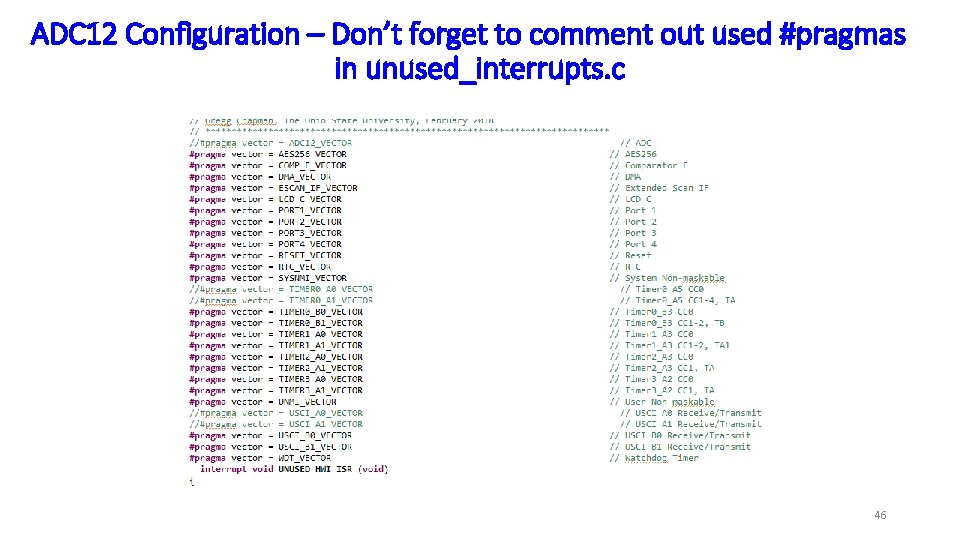
ADC 12 Configuration – Don’t forget to comment out used #pragmas in unused_interrupts. c 46
Temp. Sensor. Mode. c 47
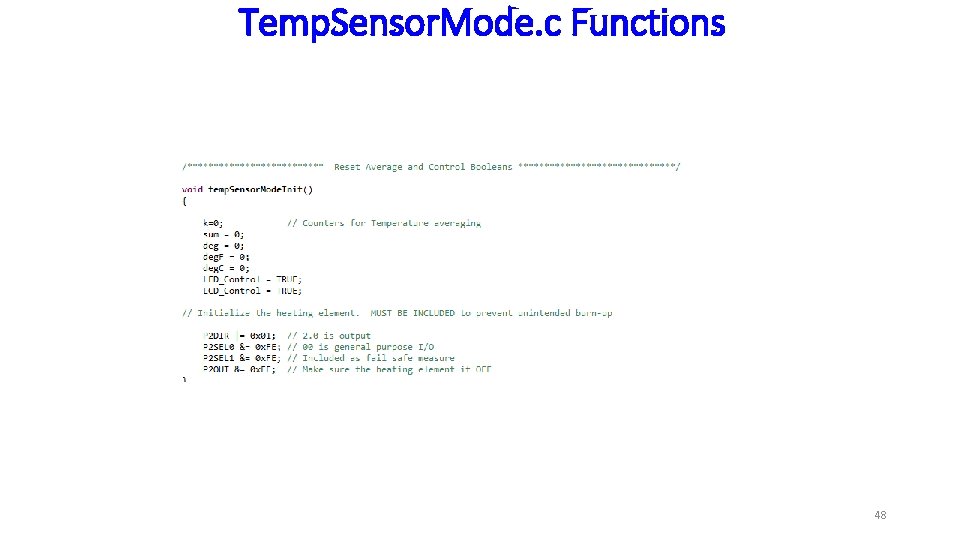
Temp. Sensor. Mode. c Functions 48
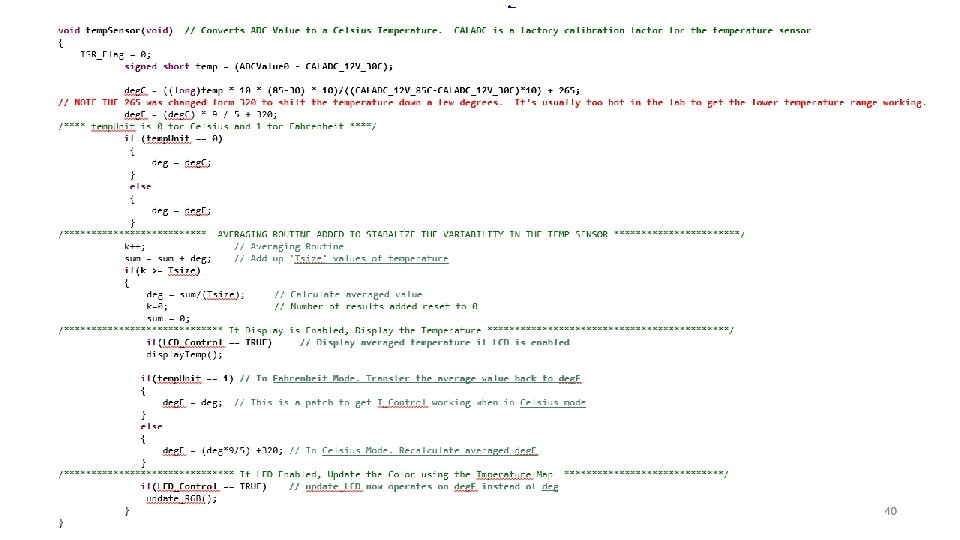
Temp. Sensor. Mode. c Functions 49
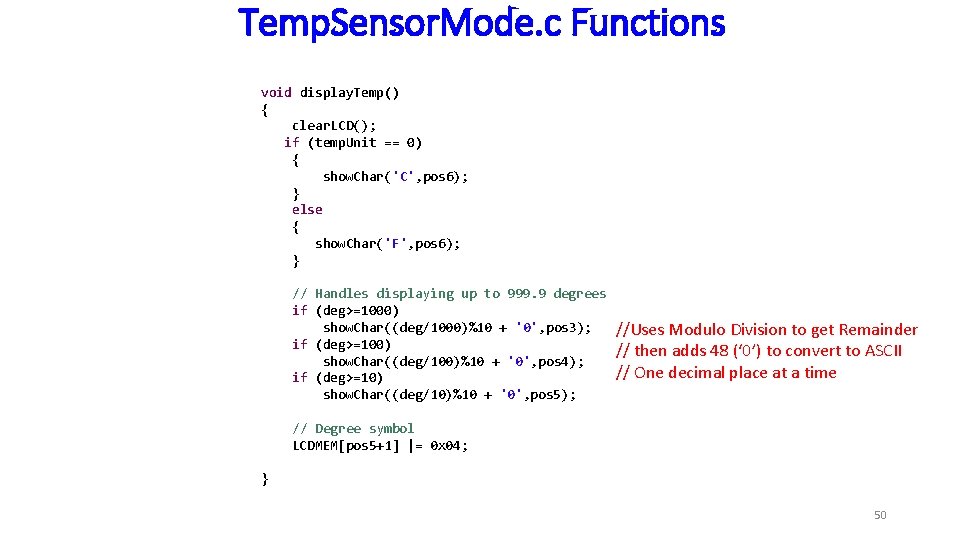
Temp. Sensor. Mode. c Functions void display. Temp() { clear. LCD(); if (temp. Unit == 0) { show. Char('C', pos 6); } else { show. Char('F', pos 6); } // Handles displaying up to 999. 9 degrees if (deg>=1000) show. Char((deg/1000)%10 + '0', pos 3); if (deg>=100) show. Char((deg/100)%10 + '0', pos 4); if (deg>=10) show. Char((deg/10)%10 + '0', pos 5); //Uses Modulo Division to get Remainder // then adds 48 (‘ 0’) to convert to ASCII // One decimal place at a time // Degree symbol LCDMEM[pos 5+1] |= 0 x 04; } 50
my. Lcd. c 51
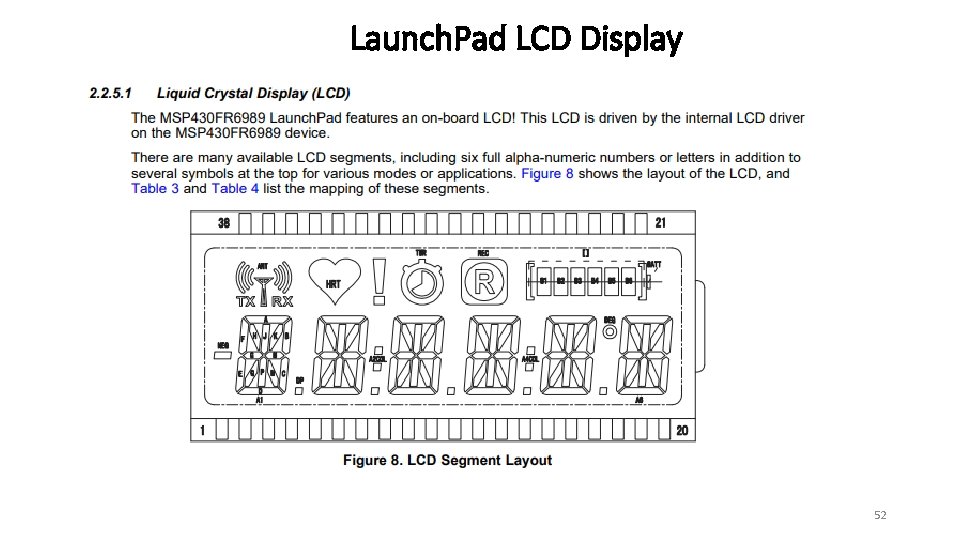
Launch. Pad LCD Display 52
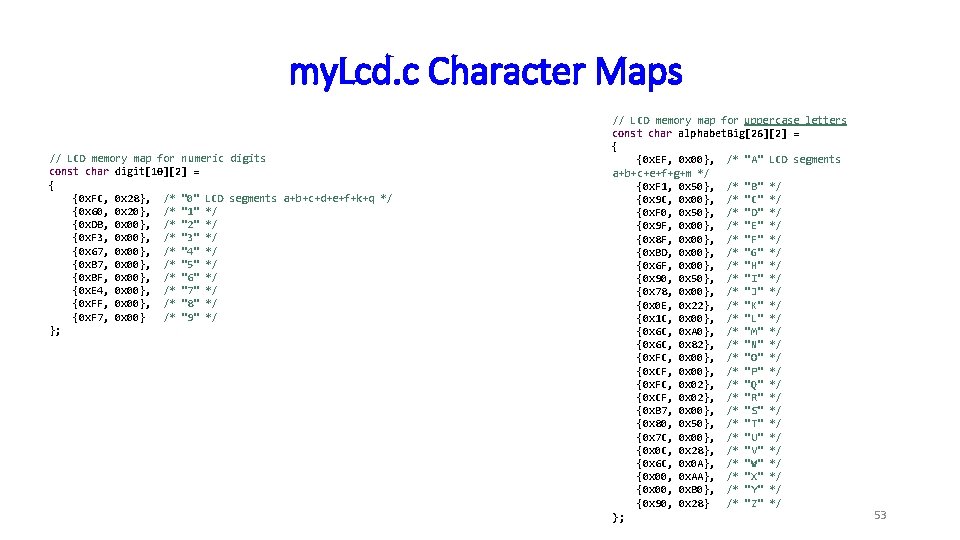
my. Lcd. c Character Maps // LCD memory map for numeric digits const char digit[10][2] = { {0 x. FC, 0 x 28}, /* "0" LCD segments a+b+c+d+e+f+k+q */ {0 x 60, 0 x 20}, /* "1" */ {0 x. DB, 0 x 00}, /* "2" */ {0 x. F 3, 0 x 00}, /* "3" */ {0 x 67, 0 x 00}, /* "4" */ {0 x. B 7, 0 x 00}, /* "5" */ {0 x. BF, 0 x 00}, /* "6" */ {0 x. E 4, 0 x 00}, /* "7" */ {0 x. FF, 0 x 00}, /* "8" */ {0 x. F 7, 0 x 00} /* "9" */ }; // LCD memory map for uppercase letters const char alphabet. Big[26][2] = { {0 x. EF, 0 x 00}, /* "A" LCD segments a+b+c+e+f+g+m */ {0 x. F 1, 0 x 50}, /* "B" */ {0 x 9 C, 0 x 00}, /* "C" */ {0 x. F 0, 0 x 50}, /* "D" */ {0 x 9 F, 0 x 00}, /* "E" */ {0 x 8 F, 0 x 00}, /* "F" */ {0 x. BD, 0 x 00}, /* "G" */ {0 x 6 F, 0 x 00}, /* "H" */ {0 x 90, 0 x 50}, /* "I" */ {0 x 78, 0 x 00}, /* "J" */ {0 x 0 E, 0 x 22}, /* "K" */ {0 x 1 C, 0 x 00}, /* "L" */ {0 x 6 C, 0 x. A 0}, /* "M" */ {0 x 6 C, 0 x 82}, /* "N" */ {0 x. FC, 0 x 00}, /* "O" */ {0 x. CF, 0 x 00}, /* "P" */ {0 x. FC, 0 x 02}, /* "Q" */ {0 x. CF, 0 x 02}, /* "R" */ {0 x. B 7, 0 x 00}, /* "S" */ {0 x 80, 0 x 50}, /* "T" */ {0 x 7 C, 0 x 00}, /* "U" */ {0 x 0 C, 0 x 28}, /* "V" */ {0 x 6 C, 0 x 0 A}, /* "W" */ {0 x 00, 0 x. AA}, /* "X" */ {0 x 00, 0 x. B 0}, /* "Y" */ {0 x 90, 0 x 28} /* "Z" */ }; 53
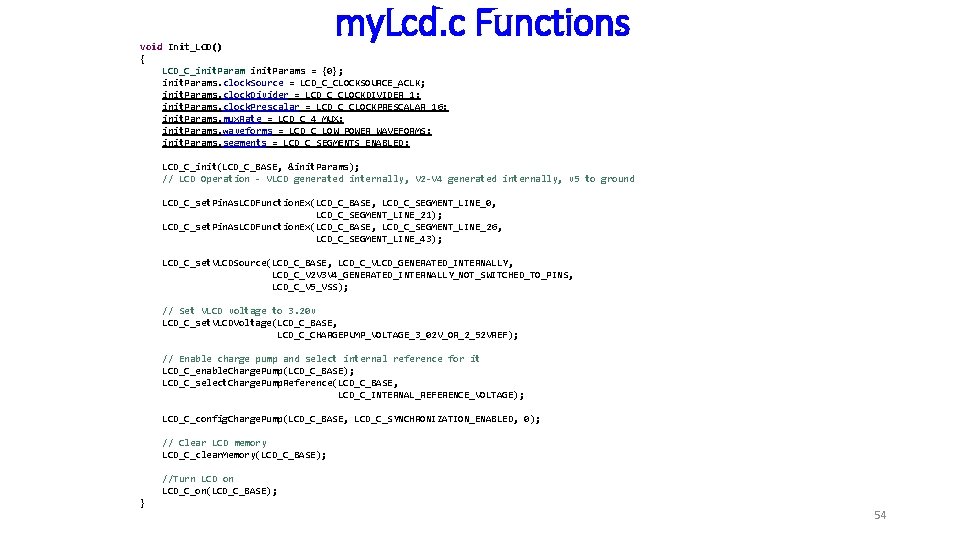
my. Lcd. c Functions void Init_LCD() { LCD_C_init. Params = {0}; init. Params. clock. Source = LCD_C_CLOCKSOURCE_ACLK; init. Params. clock. Divider = LCD_C_CLOCKDIVIDER_1; init. Params. clock. Prescalar = LCD_C_CLOCKPRESCALAR_16; init. Params. mux. Rate = LCD_C_4_MUX; init. Params. waveforms = LCD_C_LOW_POWER_WAVEFORMS; init. Params. segments = LCD_C_SEGMENTS_ENABLED; LCD_C_init(LCD_C_BASE, &init. Params); // LCD Operation - VLCD generated internally, V 2 -V 4 generated internally, v 5 to ground LCD_C_set. Pin. As. LCDFunction. Ex(LCD_C_BASE, LCD_C_SEGMENT_LINE_0, LCD_C_SEGMENT_LINE_21); LCD_C_set. Pin. As. LCDFunction. Ex(LCD_C_BASE, LCD_C_SEGMENT_LINE_26, LCD_C_SEGMENT_LINE_43); LCD_C_set. VLCDSource(LCD_C_BASE, LCD_C_VLCD_GENERATED_INTERNALLY, LCD_C_V 2 V 3 V 4_GENERATED_INTERNALLY_NOT_SWITCHED_TO_PINS, LCD_C_V 5_VSS); // Set VLCD voltage to 3. 20 v LCD_C_set. VLCDVoltage(LCD_C_BASE, LCD_C_CHARGEPUMP_VOLTAGE_3_02 V_OR_2_52 VREF); // Enable charge pump and select internal reference for it LCD_C_enable. Charge. Pump(LCD_C_BASE); LCD_C_select. Charge. Pump. Reference(LCD_C_BASE, LCD_C_INTERNAL_REFERENCE_VOLTAGE); LCD_C_config. Charge. Pump(LCD_C_BASE, LCD_C_SYNCHRONIZATION_ENABLED, 0); // Clear LCD memory LCD_C_clear. Memory(LCD_C_BASE); //Turn LCD on LCD_C_on(LCD_C_BASE); } 54
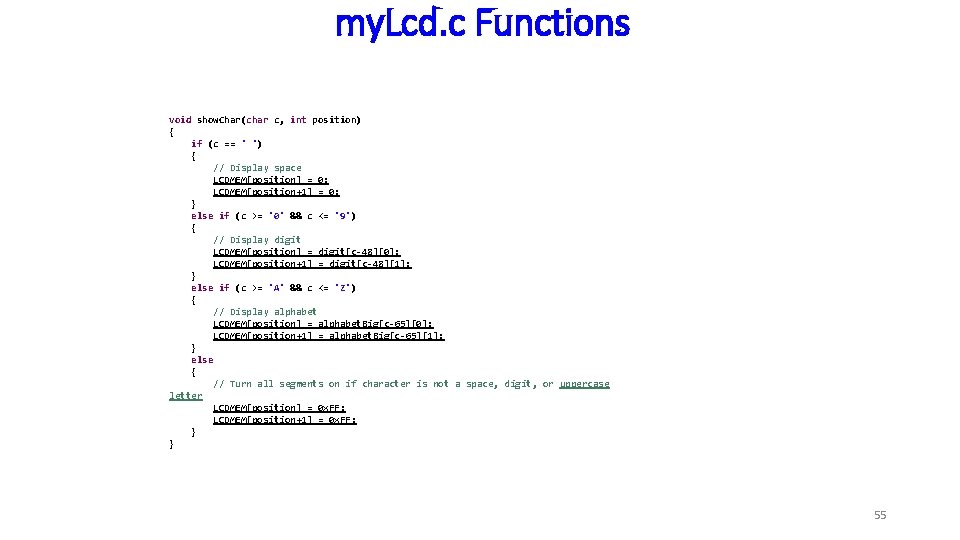
my. Lcd. c Functions void show. Char(char c, int position) { if (c == ' ') { // Display space LCDMEM[position] = 0; LCDMEM[position+1] = 0; } else if (c >= '0' && c <= '9') { // Display digit LCDMEM[position] = digit[c-48][0]; LCDMEM[position+1] = digit[c-48][1]; } else if (c >= 'A' && c <= 'Z') { // Display alphabet LCDMEM[position] = alphabet. Big[c-65][0]; LCDMEM[position+1] = alphabet. Big[c-65][1]; } else { // Turn all segments on if character is not a space, digit, or uppercase letter LCDMEM[position] = 0 x. FF; LCDMEM[position+1] = 0 x. FF; } } 55
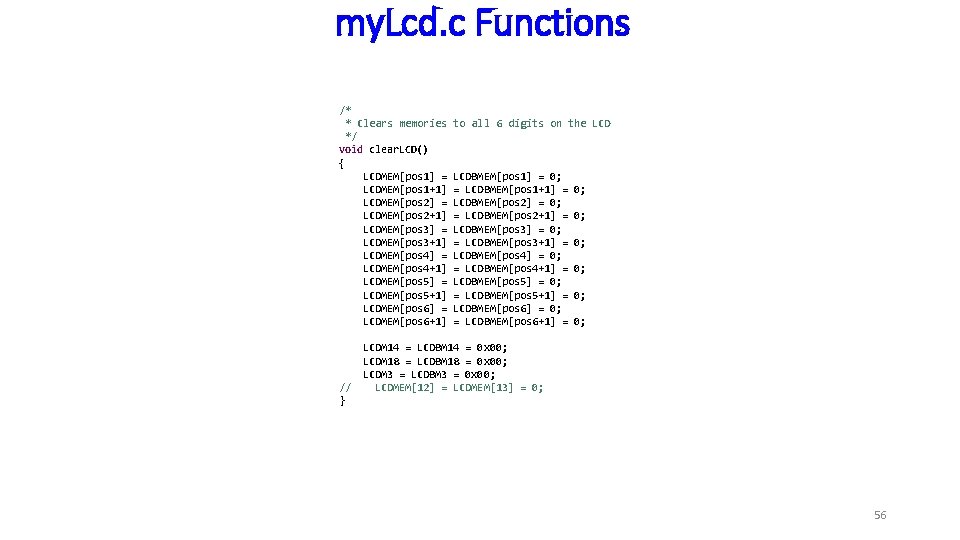
my. Lcd. c Functions /* * Clears memories */ void clear. LCD() { LCDMEM[pos 1] = LCDMEM[pos 1+1] LCDMEM[pos 2] = LCDMEM[pos 2+1] LCDMEM[pos 3] = LCDMEM[pos 3+1] LCDMEM[pos 4] = LCDMEM[pos 4+1] LCDMEM[pos 5] = LCDMEM[pos 5+1] LCDMEM[pos 6] = LCDMEM[pos 6+1] // } to all 6 digits on the LCDBMEM[pos 1] = 0; = LCDBMEM[pos 1+1] = LCDBMEM[pos 2] = 0; = LCDBMEM[pos 2+1] = LCDBMEM[pos 3] = 0; = LCDBMEM[pos 3+1] = LCDBMEM[pos 4] = 0; = LCDBMEM[pos 4+1] = LCDBMEM[pos 5] = 0; = LCDBMEM[pos 5+1] = LCDBMEM[pos 6] = 0; = LCDBMEM[pos 6+1] = 0; 0; 0; LCDM 14 = LCDBM 14 = 0 x 00; LCDM 18 = LCDBM 18 = 0 x 00; LCDM 3 = LCDBM 3 = 0 x 00; LCDMEM[12] = LCDMEM[13] = 0; 56
my. Lcd. c Functions 57

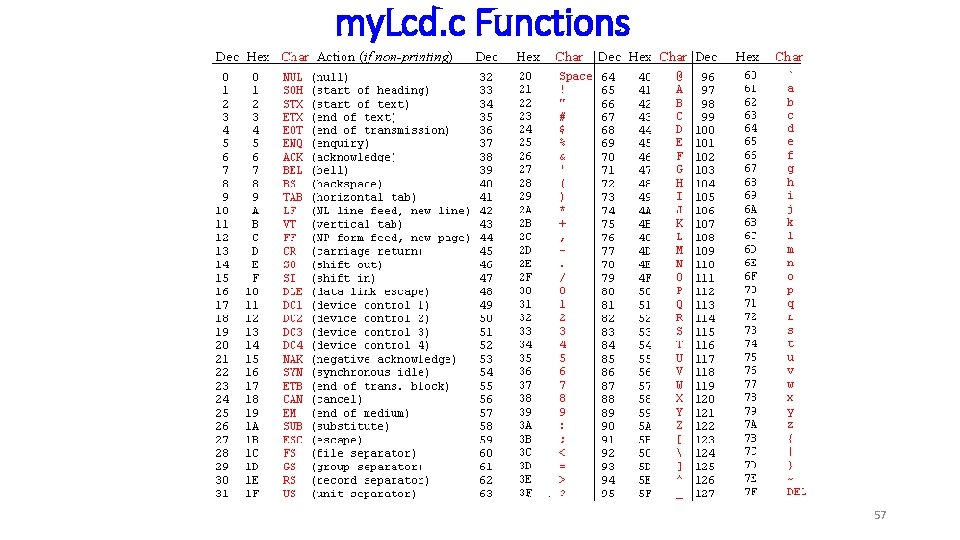
Quiz Question What number do you subtract from the ASCII character for a number to convert from ASCII code to an actual numeric value? What is the number in Hexadecimal? What is the number in Decimal? What ASCII number can you subtract from another ASCII number to convert it to a decimal value? What do you add to a number to convert to the ASCII character? 58
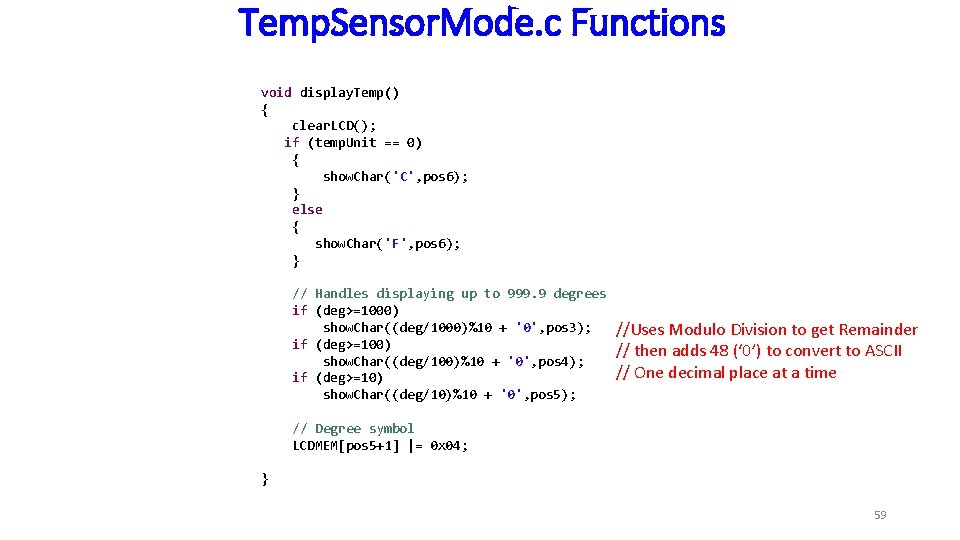
Temp. Sensor. Mode. c Functions void display. Temp() { clear. LCD(); if (temp. Unit == 0) { show. Char('C', pos 6); } else { show. Char('F', pos 6); } // Handles displaying up to 999. 9 degrees if (deg>=1000) show. Char((deg/1000)%10 + '0', pos 3); if (deg>=100) show. Char((deg/100)%10 + '0', pos 4); if (deg>=10) show. Char((deg/10)%10 + '0', pos 5); //Uses Modulo Division to get Remainder // then adds 48 (‘ 0’) to convert to ASCII // One decimal place at a time // Degree symbol LCDMEM[pos 5+1] |= 0 x 04; } 59
Checkpoint #2 Demonstrate the temperature sensor on the LCD (display) in Fahrenheit with 16 averages and updating once every second. You may use the cold spray to change the temperature rapidly. 60
RCMode. c 61
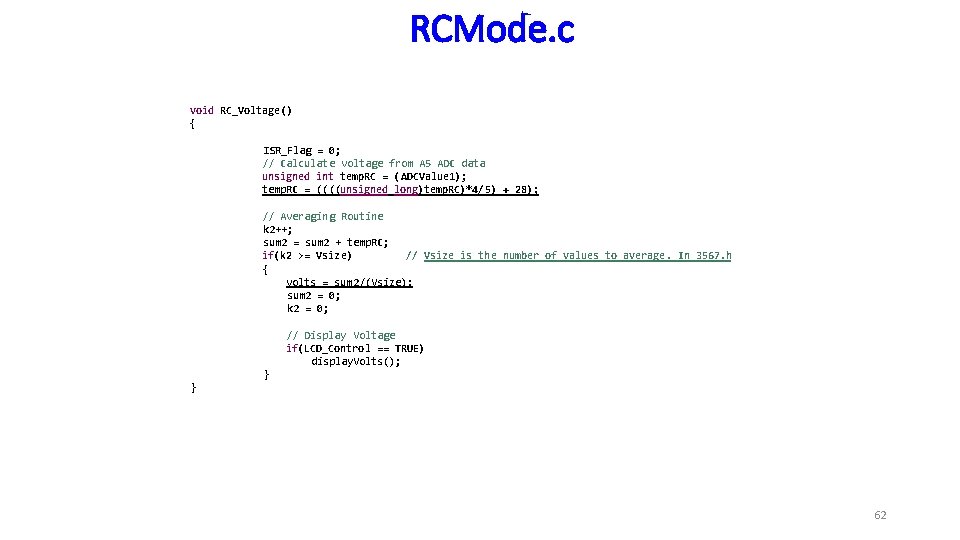
RCMode. c void RC_Voltage() { ISR_Flag = 0; // Calculate voltage from A 5 ADC data unsigned int temp. RC = (ADCValue 1); temp. RC = ((((unsigned long)temp. RC)*4/5) + 28); // Averaging Routine k 2++; sum 2 = sum 2 + temp. RC; if(k 2 >= Vsize) // Vsize is the number of values to average. In 3567. h { volts = sum 2/(Vsize); sum 2 = 0; k 2 = 0; // Display Voltage if(LCD_Control == TRUE) display. Volts(); } } 62
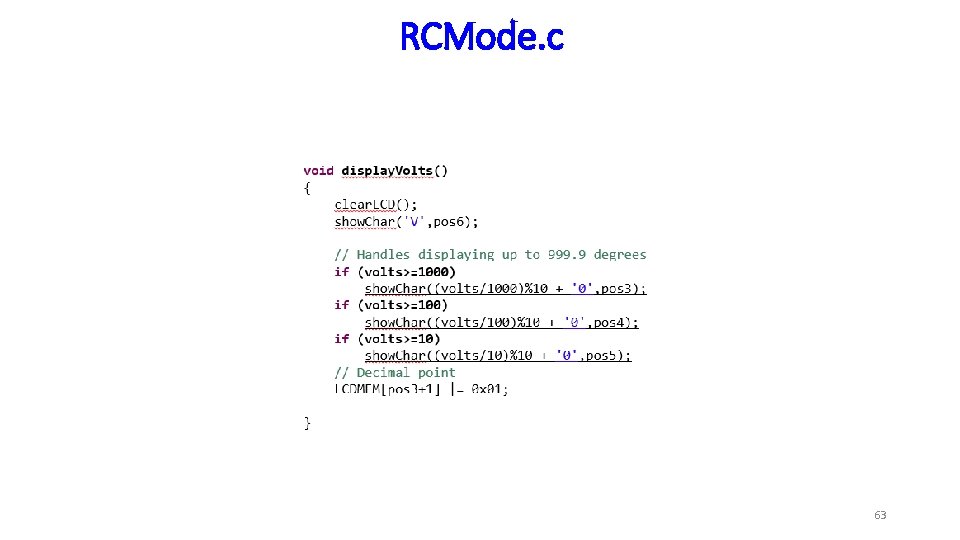
RCMode. c 63
Checkpoint #3 Demonstrate the filtered RC voltage with 2 digits after the decimal, an average of 16 value, and updating once per second. 64
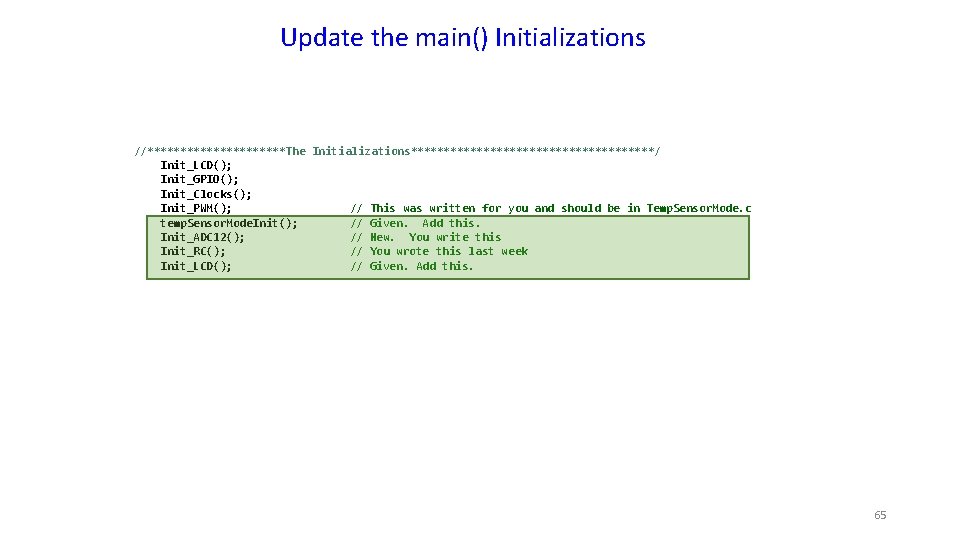
Update the main() Initializations //***********The Initializations*******************/ Init_LCD(); Init_GPIO(); Init_Clocks(); Init_PWM(); // This was written for you and should be in Temp. Sensor. Mode. c temp. Sensor. Mode. Init(); // Given. Add this. Init_ADC 12(); // New. You write this Init_RC(); // You wrote this last week Init_LCD(); // Given. Add this. 65
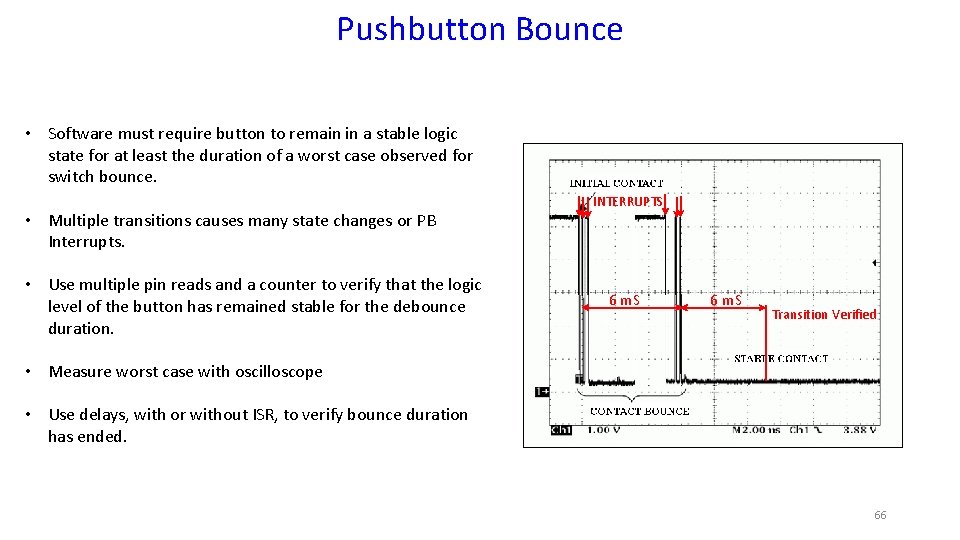
Pushbutton Bounce • Software must require button to remain in a stable logic state for at least the duration of a worst case observed for switch bounce. • Multiple transitions causes many state changes or PB Interrupts. • Use multiple pin reads and a counter to verify that the logic level of the button has remained stable for the debounce duration. INTERRUPTS 6 m. S Transition Verified • Measure worst case with oscilloscope • Use delays, with or without ISR, to verify bounce duration has ended. 66
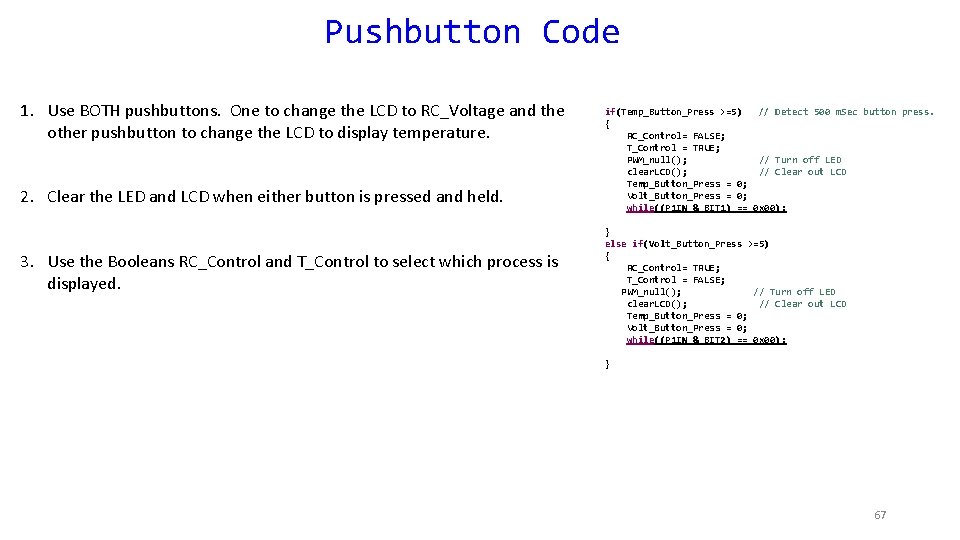
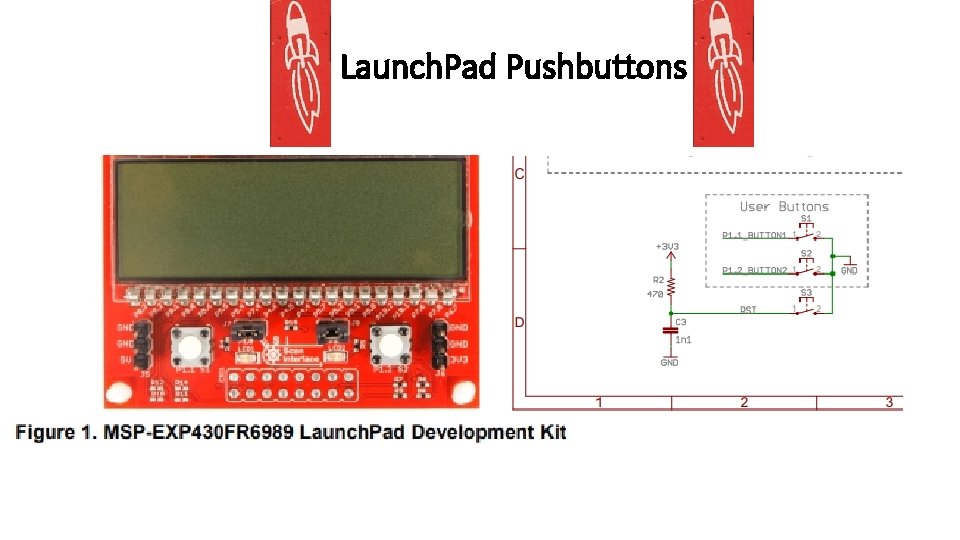
Pushbutton Code 1. Use BOTH pushbuttons. One to change the LCD to RC_Voltage and the other pushbutton to change the LCD to display temperature. 2. Clear the LED and LCD when either button is pressed and held. 3. Use the Booleans RC_Control and T_Control to select which process is displayed. if(Temp_Button_Press >=5) // Detect 500 m. Sec button press. { RC_Control= FALSE; T_Control = TRUE; PWM_null(); // Turn off LED clear. LCD(); // Clear out LCD Temp_Button_Press = 0; Volt_Button_Press = 0; while((P 1 IN & BIT 1) == 0 x 00); } else if(Volt_Button_Press >=5) { RC_Control= TRUE; T_Control = FALSE; PWM_null(); // Turn off LED clear. LCD(); // Clear out LCD Temp_Button_Press = 0; Volt_Button_Press = 0; while((P 1 IN & BIT 2) == 0 x 00); } 67
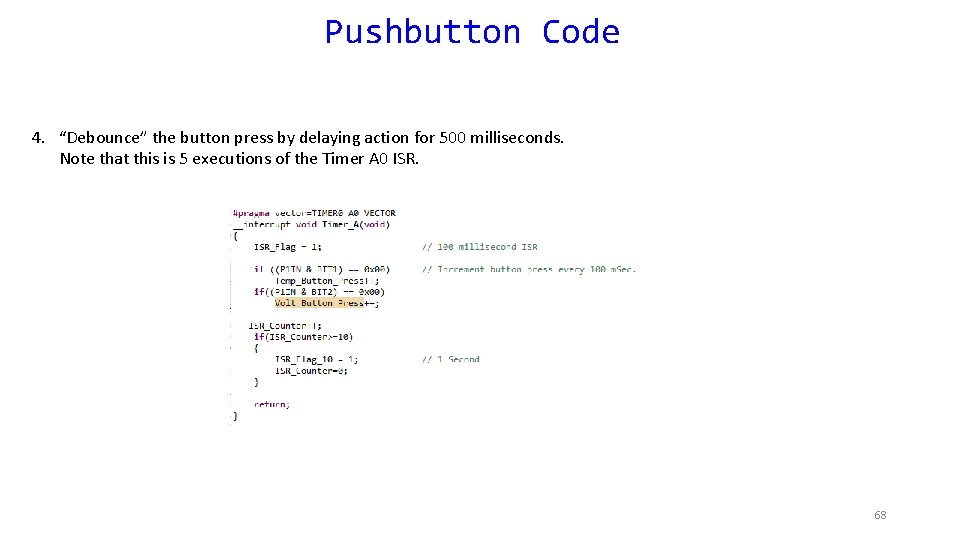
Pushbutton Code 4. “Debounce” the button press by delaying action for 500 milliseconds. Note that this is 5 executions of the Timer A 0 ISR. 68
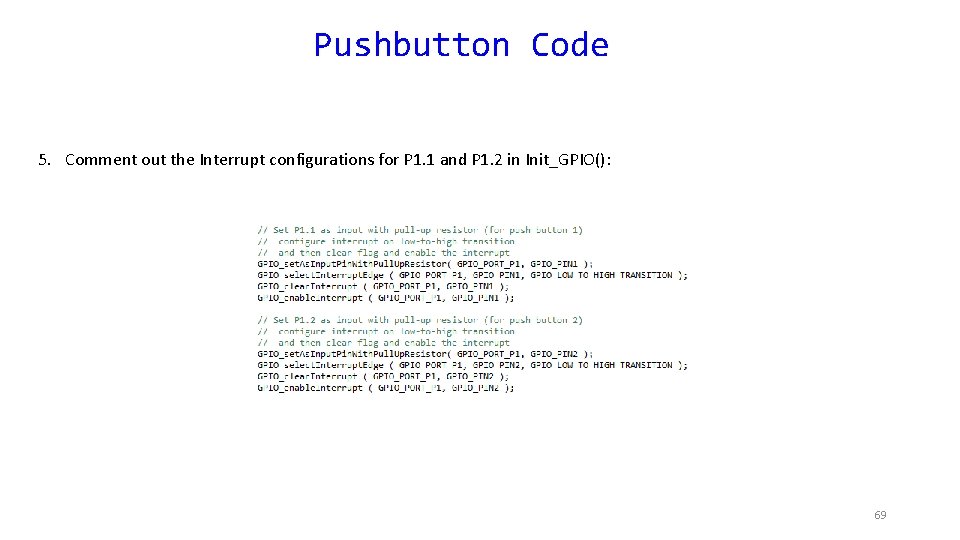
Pushbutton Code 5. Comment out the Interrupt configurations for P 1. 1 and P 1. 2 in Init_GPIO(): 69
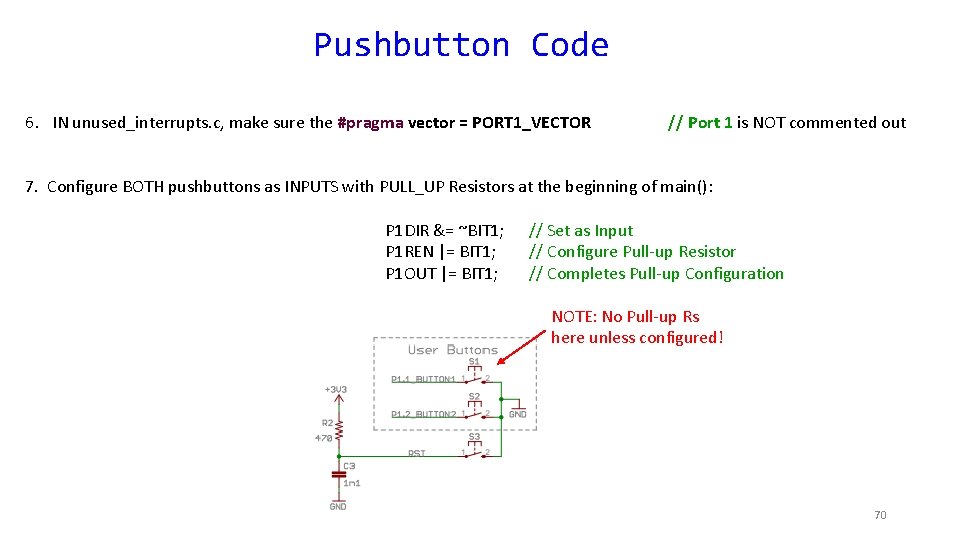
Pushbutton Code 6. IN unused_interrupts. c, make sure the #pragma vector = PORT 1_VECTOR // Port 1 is NOT commented out 7. Configure BOTH pushbuttons as INPUTS with PULL_UP Resistors at the beginning of main(): P 1 DIR &= ~BIT 1; P 1 REN |= BIT 1; P 1 OUT |= BIT 1; // Set as Input // Configure Pull-up Resistor // Completes Pull-up Configuration NOTE: No Pull-up Rs here unless configured! 70
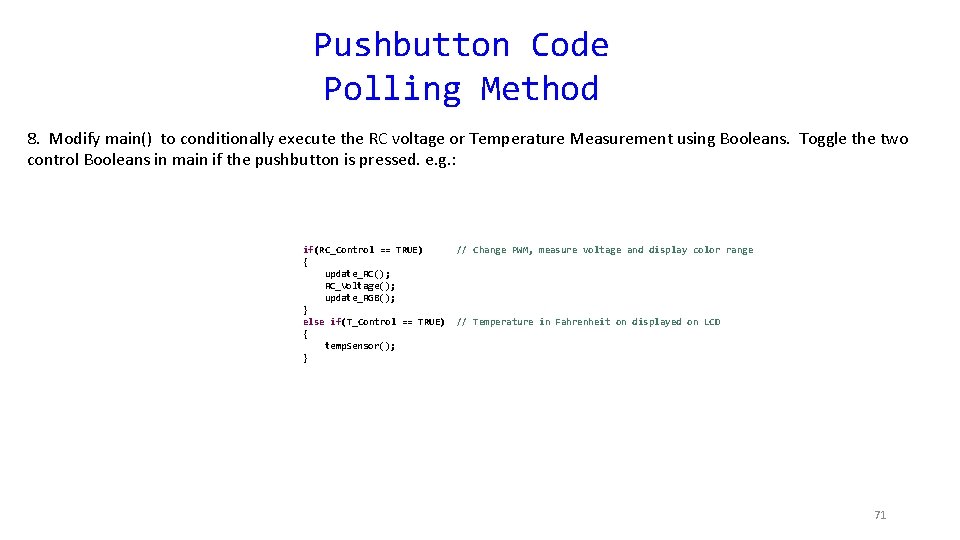
Pushbutton Code Polling Method 8. Modify main() to conditionally execute the RC voltage or Temperature Measurement using Booleans. Toggle the two control Booleans in main if the pushbutton is pressed. e. g. : if(RC_Control == TRUE) { update_RC(); RC_Voltage(); update_RGB(); } else if(T_Control == TRUE) { temp. Sensor(); } // Change PWM, measure voltage and display color range // Temperature in Fahrenheit on displayed on LCD 71
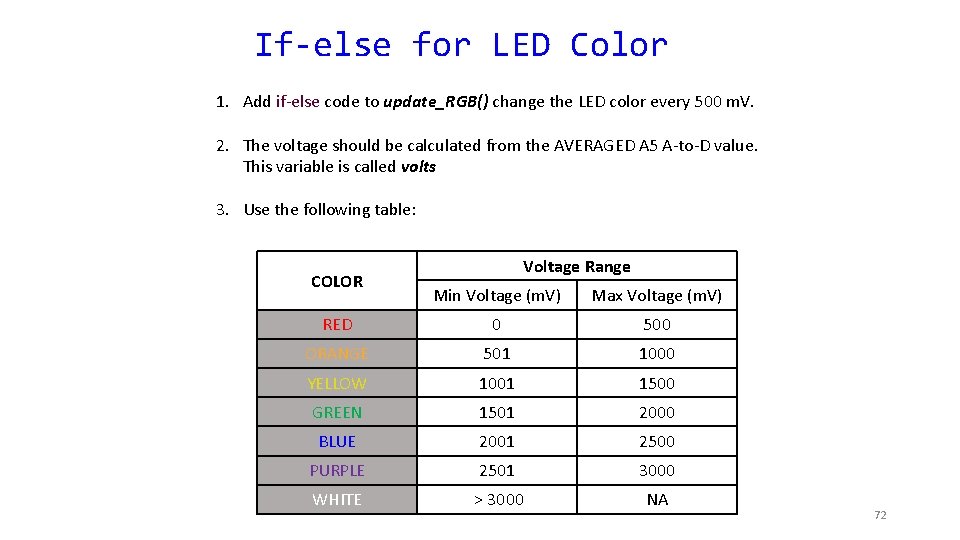
If-else for LED Color 1. Add if-else code to update_RGB() change the LED color every 500 m. V. 2. The voltage should be calculated from the AVERAGED A 5 A-to-D value. This variable is called volts 3. Use the following table: COLOR Voltage Range Min Voltage (m. V) Max Voltage (m. V) RED 0 500 ORANGE 501 1000 YELLOW 1001 1500 GREEN 1501 2000 BLUE 2001 2500 PURPLE 2501 3000 WHITE > 3000 NA 72
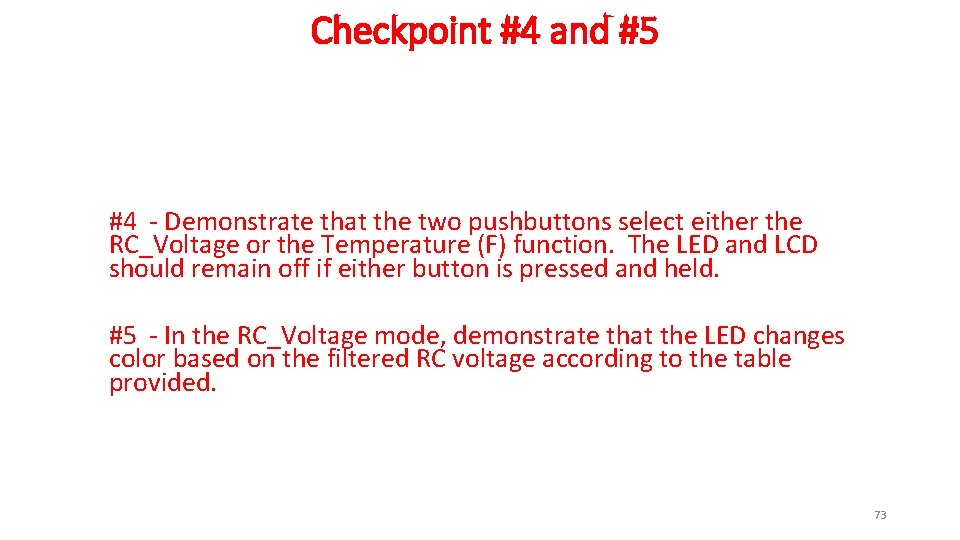
Checkpoint #4 and #5 #4 - Demonstrate that the two pushbuttons select either the RC_Voltage or the Temperature (F) function. The LED and LCD should remain off if either button is pressed and held. #5 - In the RC_Voltage mode, demonstrate that the LED changes color based on the filtered RC voltage according to the table provided. 73
- Slides: 73