
ECE 200 Computer Organization Chapter 2 The Role
- Slides: 33
ECE 200 – Computer Organization Chapter 2 - The Role of Performance
Homework 2 n 2. 1 -2. 4, 2. 10, 2. 11, 2. 13 -2. 17, 2. 26 -2. 28, 2. 39, 2. 41 -2. 44
Outline for Chapter 2 lectures n How computer systems are generally evaluated n How architects make design tradeoffs n Performance metrics n Combining performance results n Amdahl’s Law
Evaluating computer system performance n A workload is a collection of programs n A user’s workload are the programs that they run day in and day out on their computer n Ideally, the user evaluates the performance of their workload on a given machine before deciding whether to purchase it n We common folk don’t get to do this! o Maybe n General Motors can… So how can we as customers make purchase decisions without being able to run our programs on different machines?
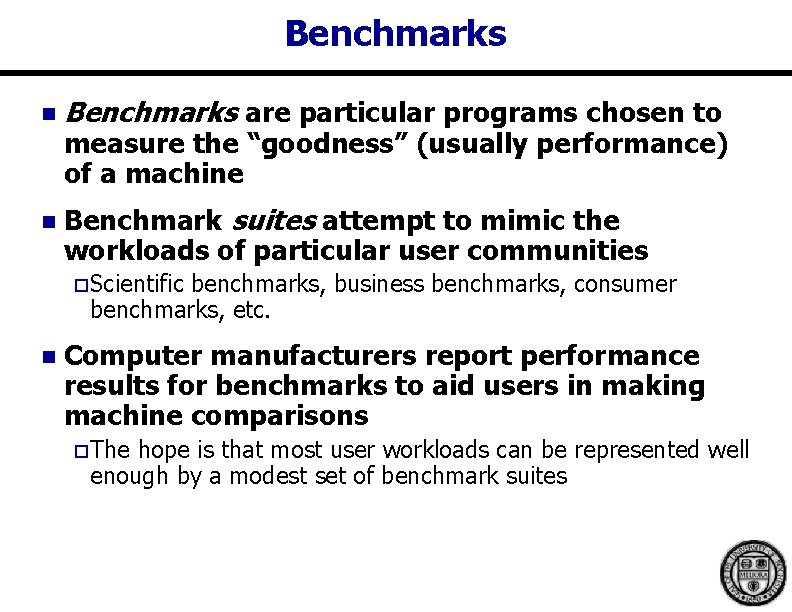
Benchmarks n Benchmarks are particular programs chosen to n Benchmark suites attempt to mimic the workloads of particular user communities measure the “goodness” (usually performance) of a machine o Scientific benchmarks, business benchmarks, consumer benchmarks, etc. n Computer manufacturers report performance results for benchmarks to aid users in making machine comparisons o The hope is that most user workloads can be represented well enough by a modest set of benchmark suites
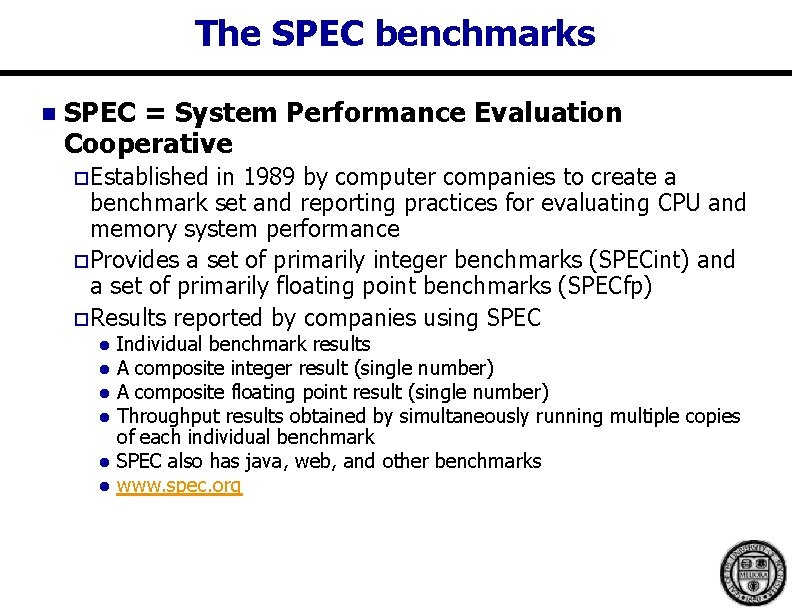
The SPEC benchmarks n SPEC = System Performance Evaluation Cooperative o Established in 1989 by computer companies to create a benchmark set and reporting practices for evaluating CPU and memory system performance o Provides a set of primarily integer benchmarks (SPECint) and a set of primarily floating point benchmarks (SPECfp) o Results reported by companies using SPEC l l l Individual benchmark results A composite integer result (single number) A composite floating point result (single number) Throughput results obtained by simultaneously running multiple copies of each individual benchmark SPEC also has java, web, and other benchmarks www. spec. org
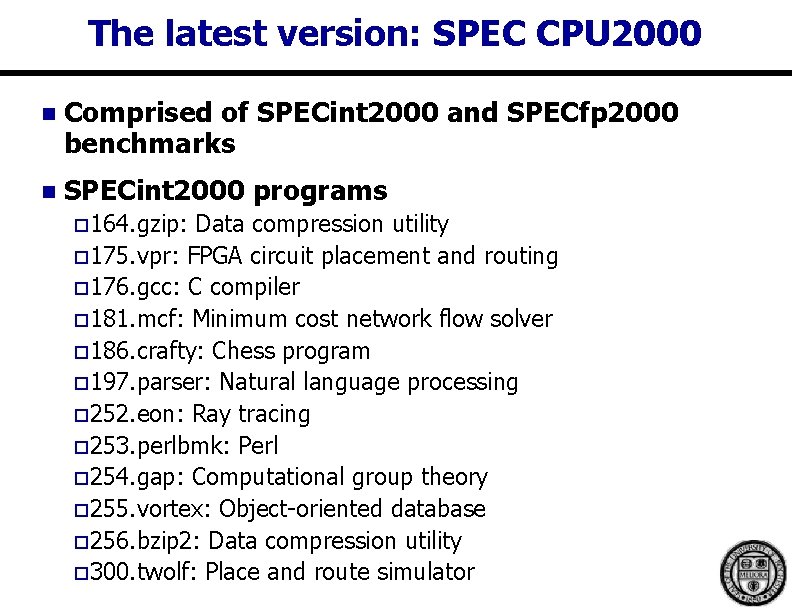
The latest version: SPEC CPU 2000 n Comprised of SPECint 2000 and SPECfp 2000 benchmarks n SPECint 2000 programs o 164. gzip: Data compression utility o 175. vpr: FPGA circuit placement and routing o 176. gcc: C compiler o 181. mcf: Minimum cost network flow solver o 186. crafty: Chess program o 197. parser: Natural language processing o 252. eon: Ray tracing o 253. perlbmk: Perl o 254. gap: Computational group theory o 255. vortex: Object-oriented database o 256. bzip 2: Data compression utility o 300. twolf: Place and route simulator
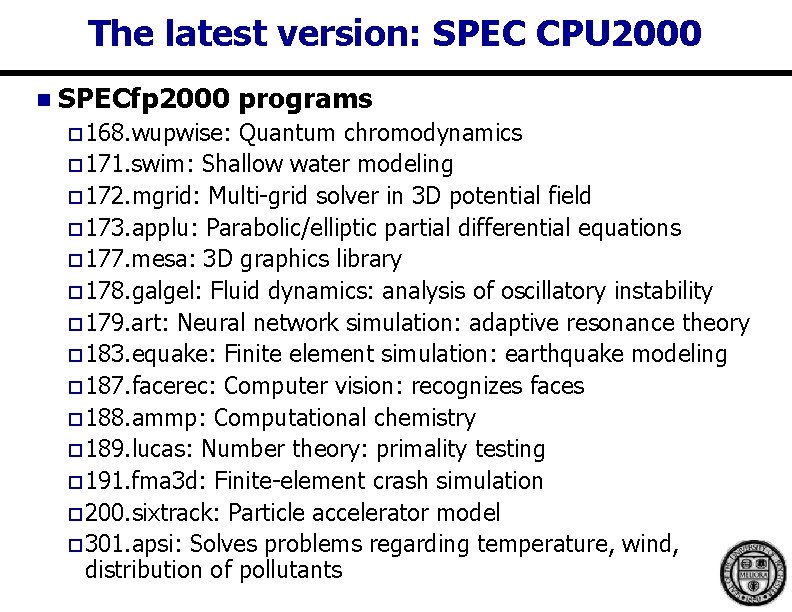
The latest version: SPEC CPU 2000 n SPECfp 2000 programs o 168. wupwise: Quantum chromodynamics o 171. swim: Shallow water modeling o 172. mgrid: Multi-grid solver in 3 D potential field o 173. applu: Parabolic/elliptic partial differential equations o 177. mesa: 3 D graphics library o 178. galgel: Fluid dynamics: analysis of oscillatory instability o 179. art: Neural network simulation: adaptive resonance theory o 183. equake: Finite element simulation: earthquake modeling o 187. facerec: Computer vision: recognizes faces o 188. ammp: Computational chemistry o 189. lucas: Number theory: primality testing o 191. fma 3 d: Finite-element crash simulation o 200. sixtrack: Particle accelerator model o 301. apsi: Solves problems regarding temperature, wind, distribution of pollutants
Benchmarks and the architect n Computer architects developing a new machine o Want to know how fast their machine will run compared to current offerings o Also want to know the cost/performance benefit when making tradeoffs throughout the design process l n Example: if I change the cache size, what will be the relative change in performance? Standard benchmarks (like SPEC) are used by architects in evaluating design tradeoffs o Real customer applications (like Power. Point) are also used
Architecting a new machine n Chicken and egg problem: Architects need to compare different design options before having the systems to run the benchmarks on n Solution of long ago: hardware prototyping o Build n a system, evaluate it, re-design it, re-evaluate it, … High level of circuit integration makes this nearly impossible today o Difficult to get at internals of chip o Too costly ($ and time) to re-spin
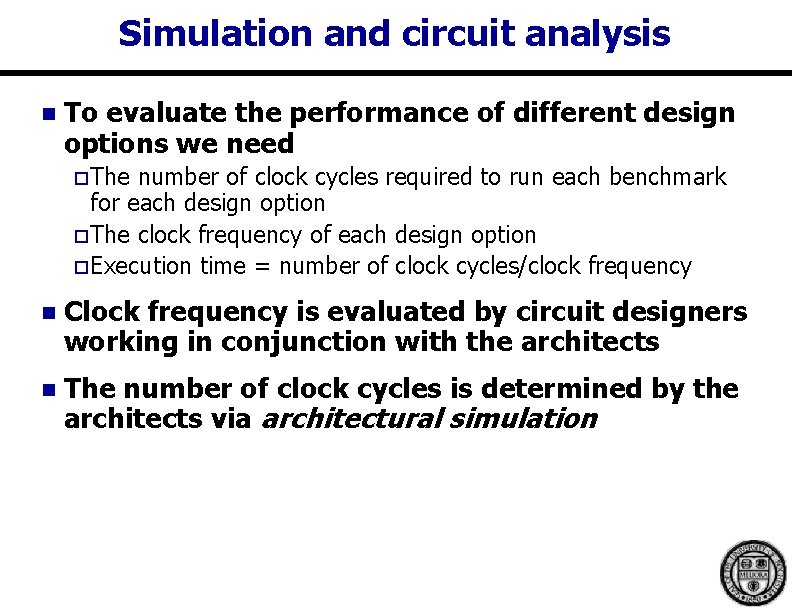
Simulation and circuit analysis n To evaluate the performance of different design options we need o The number of clock cycles required to run each benchmark for each design option o The clock frequency of each design option o Execution time = number of clock cycles/clock frequency n Clock frequency is evaluated by circuit designers working in conjunction with the architects n The number of clock cycles is determined by the architects via architectural simulation
Architectural simulation n A model that faithfully mimics the operation of the new computer system is written in a HLL n The model executes machine code and collects performance statistics while it runs o Power dissipation may also be evaluated o Functional correctness is not tested at this level (later when HDL design is completed) n Various design parameters can be changed to allow architects to explore how combinations of design options impact performance
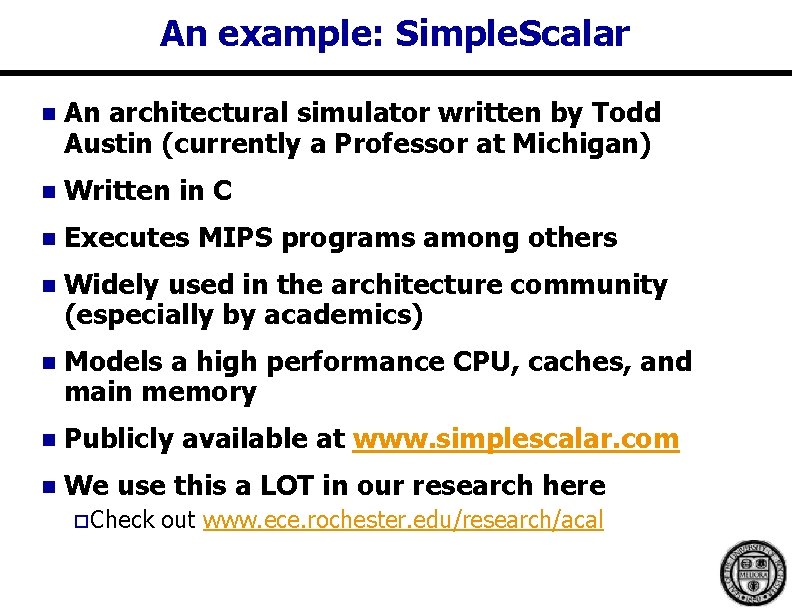
An example: Simple. Scalar n An architectural simulator written by Todd Austin (currently a Professor at Michigan) n Written in C n Executes MIPS programs among others n Widely used in the architecture community (especially by academics) n Models a high performance CPU, caches, and main memory n Publicly available at www. simplescalar. com n We use this a LOT in our research here o Check out www. ece. rochester. edu/research/acal
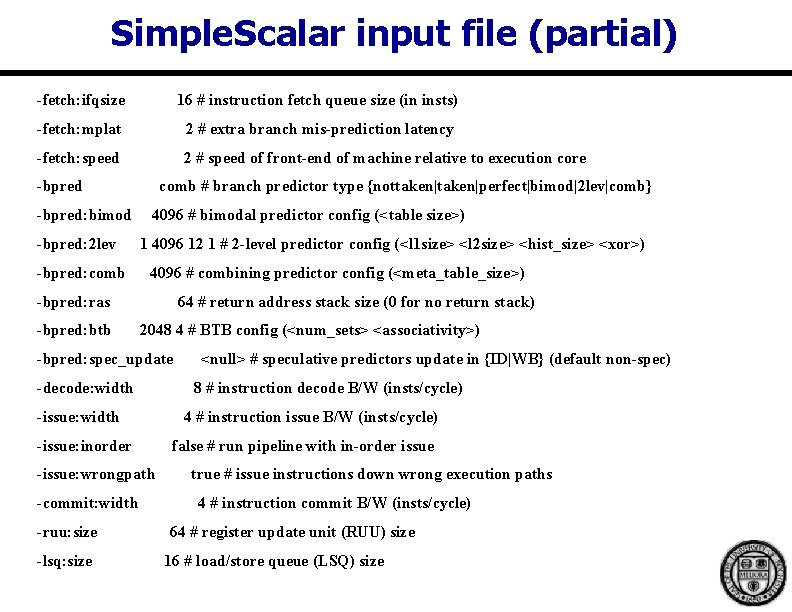
Simple. Scalar input file (partial) -fetch: ifqsize 16 # instruction fetch queue size (in insts) -fetch: mplat 2 # extra branch mis-prediction latency -fetch: speed 2 # speed of front-end of machine relative to execution core -bpred: bimod -bpred: 2 lev -bpred: comb # branch predictor type {nottaken|perfect|bimod|2 lev|comb} 4096 # bimodal predictor config (<table size>) 1 4096 12 1 # 2 -level predictor config (<l 1 size> <l 2 size> <hist_size> <xor>) 4096 # combining predictor config (<meta_table_size>) -bpred: ras -bpred: btb 64 # return address stack size (0 for no return stack) 2048 4 # BTB config (<num_sets> <associativity>) -bpred: spec_update -decode: width -issue: inorder -issue: wrongpath -commit: width -ruu: size -lsq: size <null> # speculative predictors update in {ID|WB} (default non-spec) 8 # instruction decode B/W (insts/cycle) 4 # instruction issue B/W (insts/cycle) false # run pipeline with in-order issue true # issue instructions down wrong execution paths 4 # instruction commit B/W (insts/cycle) 64 # register update unit (RUU) size 16 # load/store queue (LSQ) size
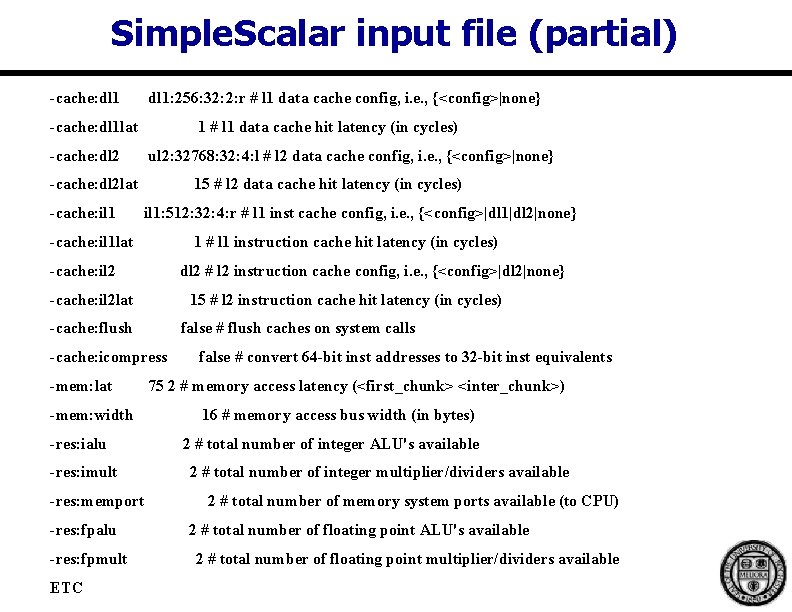
Simple. Scalar input file (partial) -cache: dl 1: 256: 32: 2: r # l 1 data cache config, i. e. , {<config>|none} -cache: dl 1 lat 1 # l 1 data cache hit latency (in cycles) -cache: dl 2 ul 2: 32768: 32: 4: l # l 2 data cache config, i. e. , {<config>|none} -cache: dl 2 lat -cache: il 1 15 # l 2 data cache hit latency (in cycles) il 1: 512: 32: 4: r # l 1 inst cache config, i. e. , {<config>|dl 1|dl 2|none} -cache: il 1 lat 1 # l 1 instruction cache hit latency (in cycles) -cache: il 2 dl 2 # l 2 instruction cache config, i. e. , {<config>|dl 2|none} -cache: il 2 lat 15 # l 2 instruction cache hit latency (in cycles) -cache: flush false # flush caches on system calls -cache: icompress -mem: lat -mem: width -res: ialu -res: imult -res: memport -res: fpalu -res: fpmult ETC false # convert 64 -bit inst addresses to 32 -bit inst equivalents 75 2 # memory access latency (<first_chunk> <inter_chunk>) 16 # memory access bus width (in bytes) 2 # total number of integer ALU's available 2 # total number of integer multiplier/dividers available 2 # total number of memory system ports available (to CPU) 2 # total number of floating point ALU's available 2 # total number of floating point multiplier/dividers available
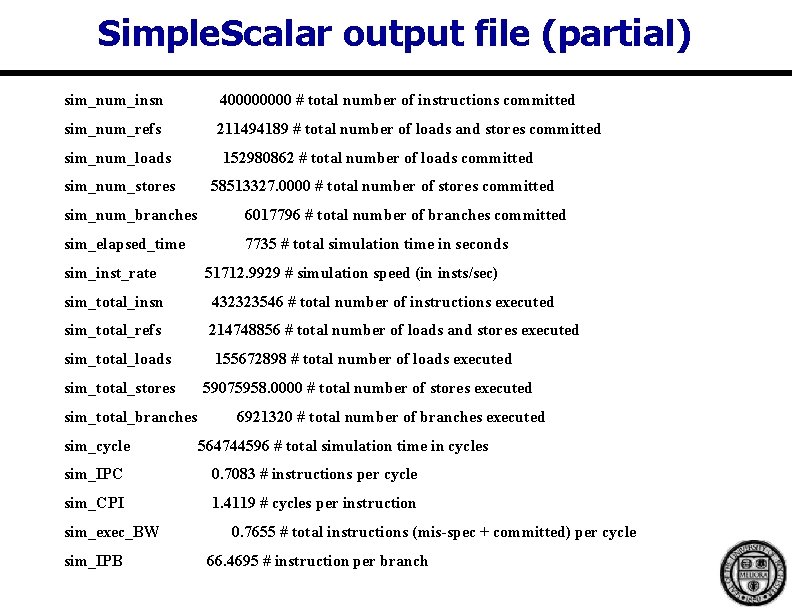
Simple. Scalar output file (partial) sim_num_insn 40000 # total number of instructions committed sim_num_refs 211494189 # total number of loads and stores committed sim_num_loads 152980862 # total number of loads committed sim_num_stores 58513327. 0000 # total number of stores committed sim_num_branches 6017796 # total number of branches committed sim_elapsed_time 7735 # total simulation time in seconds sim_inst_rate 51712. 9929 # simulation speed (in insts/sec) sim_total_insn 432323546 # total number of instructions executed sim_total_refs 214748856 # total number of loads and stores executed sim_total_loads 155672898 # total number of loads executed sim_total_stores 59075958. 0000 # total number of stores executed sim_total_branches sim_cycle 6921320 # total number of branches executed 564744596 # total simulation time in cycles sim_IPC 0. 7083 # instructions per cycle sim_CPI 1. 4119 # cycles per instruction sim_exec_BW sim_IPB 0. 7655 # total instructions (mis-spec + committed) per cycle 66. 4695 # instruction per branch
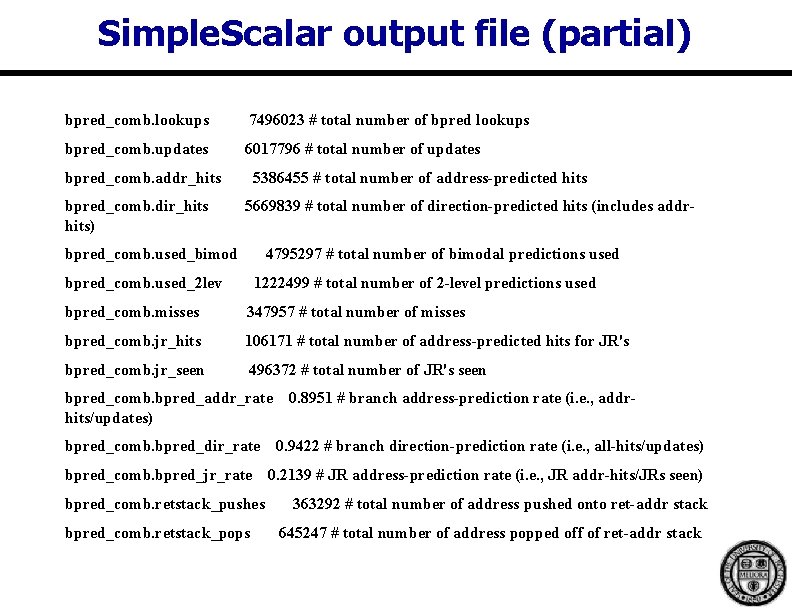
Simple. Scalar output file (partial) bpred_comb. lookups 7496023 # total number of bpred lookups bpred_comb. updates 6017796 # total number of updates bpred_comb. addr_hits bpred_comb. dir_hits) 5386455 # total number of address-predicted hits 5669839 # total number of direction-predicted hits (includes addr- bpred_comb. used_bimod 4795297 # total number of bimodal predictions used bpred_comb. used_2 lev 1222499 # total number of 2 -level predictions used bpred_comb. misses 347957 # total number of misses bpred_comb. jr_hits 106171 # total number of address-predicted hits for JR's bpred_comb. jr_seen 496372 # total number of JR's seen bpred_comb. bpred_addr_rate 0. 8951 # branch address-prediction rate (i. e. , addrhits/updates) bpred_comb. bpred_dir_rate 0. 9422 # branch direction-prediction rate (i. e. , all-hits/updates) bpred_comb. bpred_jr_rate bpred_comb. retstack_pushes bpred_comb. retstack_pops 0. 2139 # JR address-prediction rate (i. e. , JR addr-hits/JRs seen) 363292 # total number of address pushed onto ret-addr stack 645247 # total number of address popped off of ret-addr stack
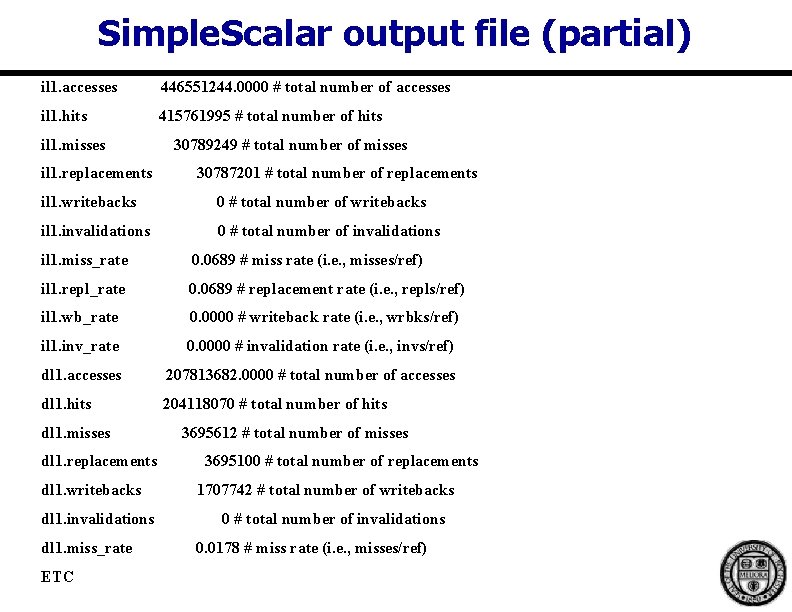
Simple. Scalar output file (partial) il 1. accesses 446551244. 0000 # total number of accesses il 1. hits 415761995 # total number of hits il 1. misses il 1. replacements 30789249 # total number of misses 30787201 # total number of replacements il 1. writebacks 0 # total number of writebacks il 1. invalidations 0 # total number of invalidations il 1. miss_rate 0. 0689 # miss rate (i. e. , misses/ref) il 1. repl_rate 0. 0689 # replacement rate (i. e. , repls/ref) il 1. wb_rate 0. 0000 # writeback rate (i. e. , wrbks/ref) il 1. inv_rate 0. 0000 # invalidation rate (i. e. , invs/ref) dl 1. accesses 207813682. 0000 # total number of accesses dl 1. hits 204118070 # total number of hits dl 1. misses dl 1. replacements dl 1. writebacks dl 1. invalidations dl 1. miss_rate ETC 3695612 # total number of misses 3695100 # total number of replacements 1707742 # total number of writebacks 0 # total number of invalidations 0. 0178 # miss rate (i. e. , misses/ref)
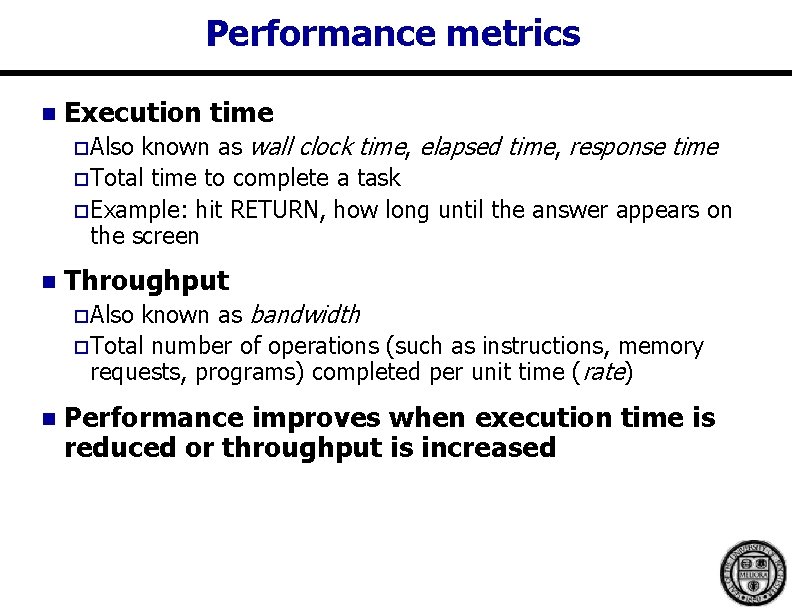
Performance metrics n Execution time known as wall clock time, elapsed time, response time o Total time to complete a task o Example: hit RETURN, how long until the answer appears on the screen o Also n Throughput known as bandwidth o Total number of operations (such as instructions, memory requests, programs) completed per unit time (rate) o Also n Performance improves when execution time is reduced or throughput is increased
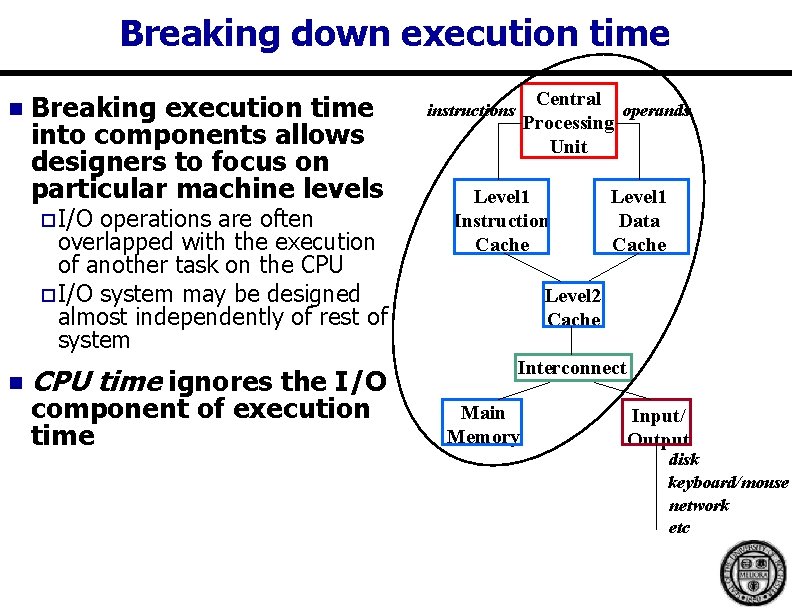
Breaking down execution time n Breaking execution time into components allows designers to focus on particular machine levels o I/O operations are often overlapped with the execution of another task on the CPU o I/O system may be designed almost independently of rest of system n CPU time ignores the I/O component of execution time Central operands Processing Unit instructions Level 1 Instruction Cache Level 1 Data Cache Level 2 Cache Interconnect Main Memory Input/ Output disk keyboard/mouse network etc
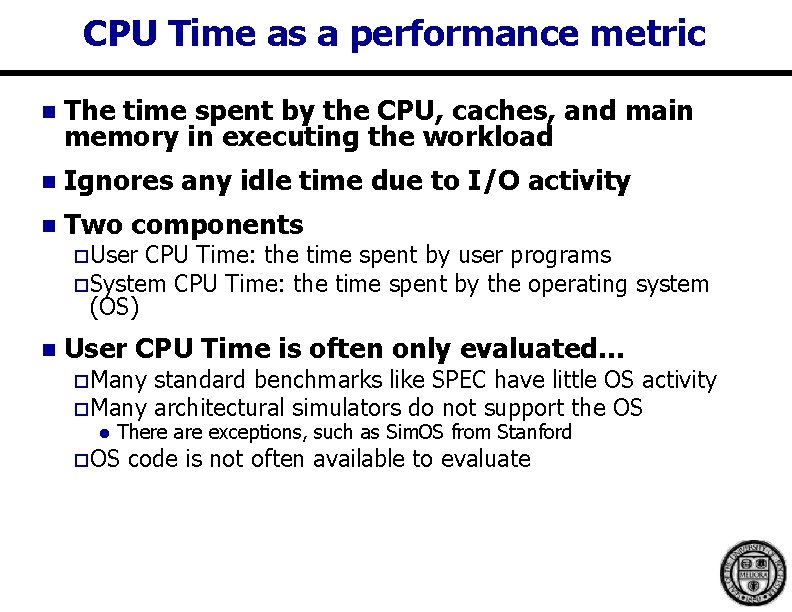
CPU Time as a performance metric n The time spent by the CPU, caches, and main memory in executing the workload n Ignores any idle time due to I/O activity n Two components o User CPU Time: the time spent by user programs o System CPU Time: the time spent by the operating system (OS) n User CPU Time is often only evaluated… o Many standard benchmarks like SPEC have little OS activity o Many architectural simulators do not support the OS l There are exceptions, such as Sim. OS from Stanford o OS code is not often available to evaluate
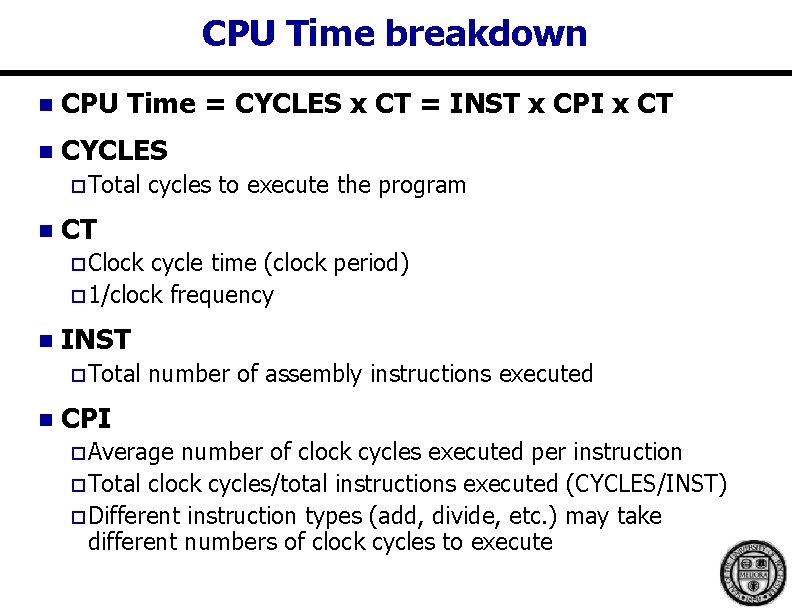
CPU Time breakdown n CPU Time = CYCLES x CT = INST x CPI x CT n CYCLES o Total n cycles to execute the program CT o Clock cycle time (clock period) o 1/clock frequency n INST o Total n number of assembly instructions executed CPI o Average number of clock cycles executed per instruction o Total clock cycles/total instructions executed (CYCLES/INST) o Different instruction types (add, divide, etc. ) may take different numbers of clock cycles to execute
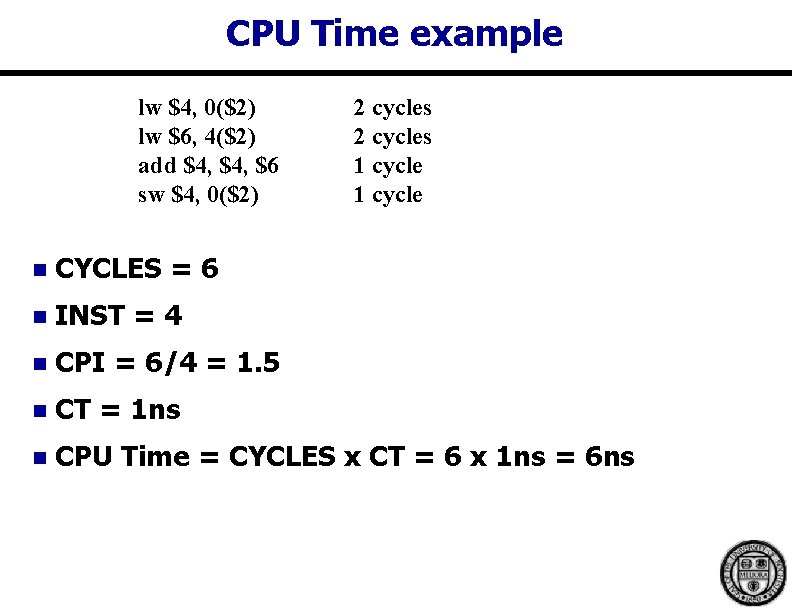
CPU Time example lw $4, 0($2) lw $6, 4($2) add $4, $6 sw $4, 0($2) 2 cycles 1 cycle n CYCLES = 6 n INST = 4 n CPI = 6/4 = 1. 5 n CT = 1 ns n CPU Time = CYCLES x CT = 6 x 1 ns = 6 ns
What parts of CPU Time (INST, CPI, CT)… n Are influenced by the ISA designer? n Are influenced by the compiler writer? n Are influenced by the microarchitect?
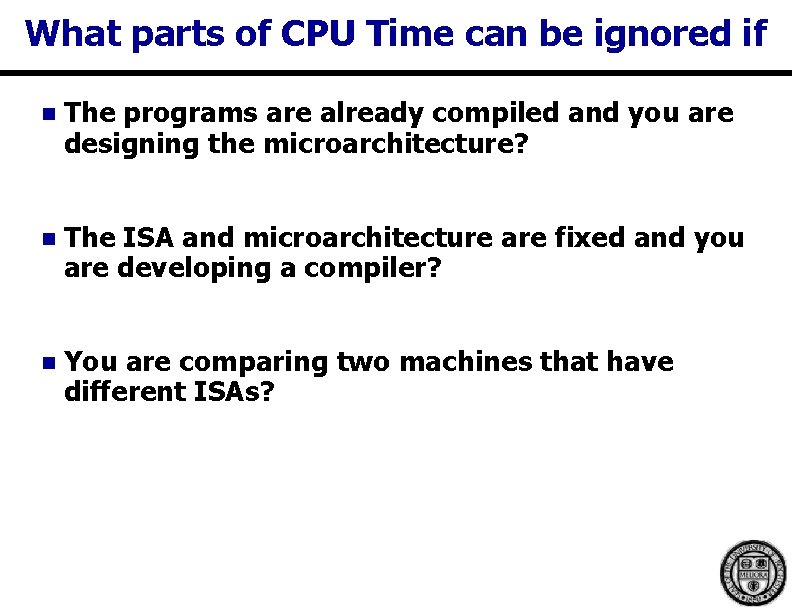
What parts of CPU Time can be ignored if n The programs are already compiled and you are designing the microarchitecture? n The ISA and microarchitecture are fixed and you are developing a compiler? n You are comparing two machines that have different ISAs?
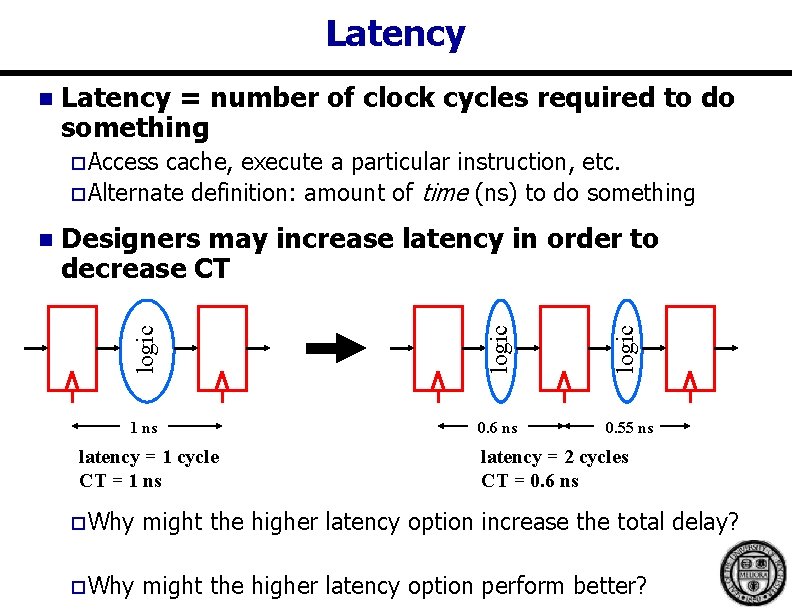
Latency n Latency = number of clock cycles required to do something o Access cache, execute a particular instruction, etc. o Alternate definition: amount of time (ns) to do something 1 ns 0. 6 ns latency = 1 cycle CT = 1 ns logic Designers may increase latency in order to decrease CT logic n 0. 55 ns latency = 2 cycles CT = 0. 6 ns o Why might the higher latency option increase the total delay? o Why might the higher latency option perform better?
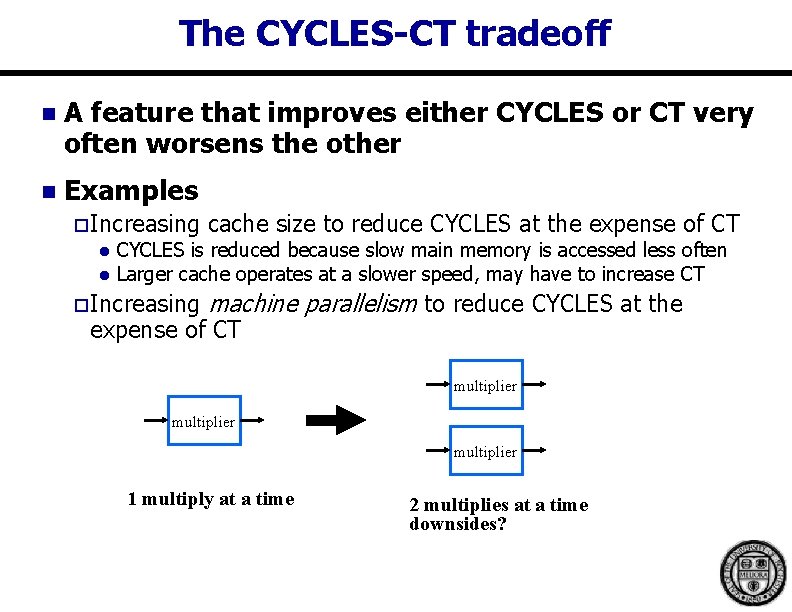
The CYCLES-CT tradeoff n A feature that improves either CYCLES or CT very often worsens the other n Examples o Increasing l l cache size to reduce CYCLES at the expense of CT CYCLES is reduced because slow main memory is accessed less often Larger cache operates at a slower speed, may have to increase CT o Increasing machine parallelism to reduce CYCLES at the expense of CT multiplier 1 multiply at a time 2 multiplies at a time downsides?
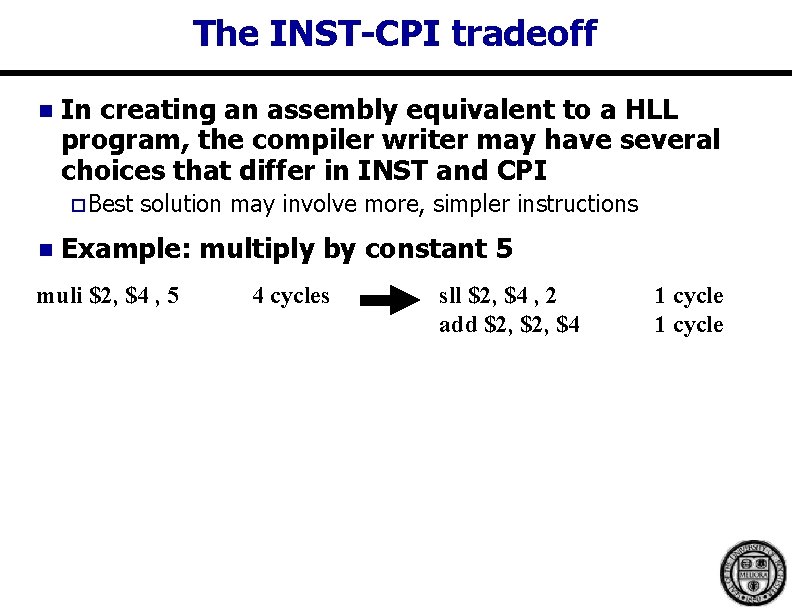
The INST-CPI tradeoff n In creating an assembly equivalent to a HLL program, the compiler writer may have several choices that differ in INST and CPI o Best n solution may involve more, simpler instructions Example: multiply by constant 5 muli $2, $4 , 5 4 cycles sll $2, $4 , 2 add $2, $4 1 cycle
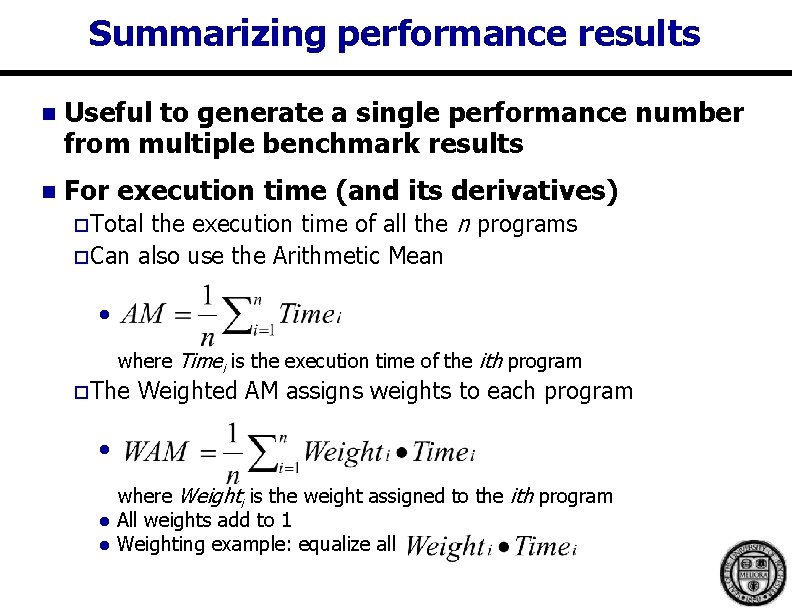
Summarizing performance results n Useful to generate a single performance number from multiple benchmark results n For execution time (and its derivatives) the execution time of all the n programs o Can also use the Arithmetic Mean o Total l where Timei is the execution time of the ith program o The Weighted AM assigns weights to each program l l l where Weighti is the weight assigned to the ith program All weights add to 1 Weighting example: equalize all
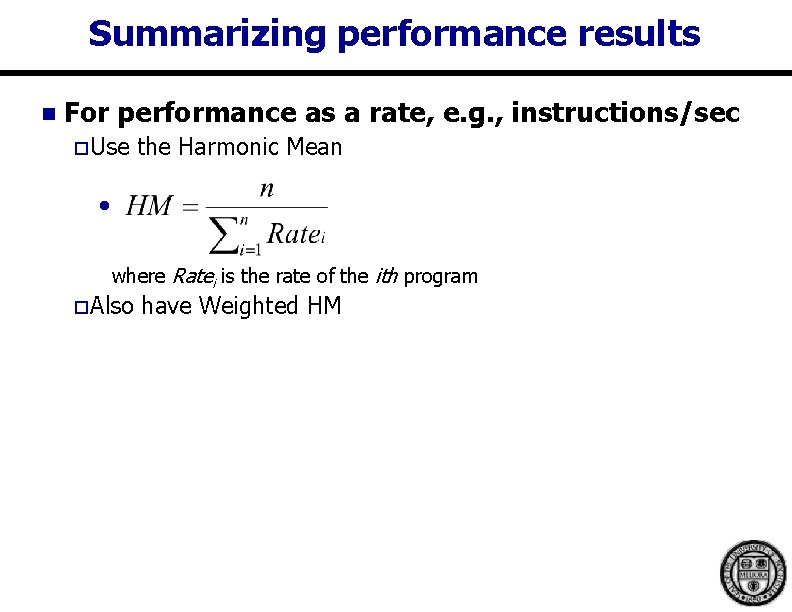
Summarizing performance results n For performance as a rate, e. g. , instructions/sec o Use the Harmonic Mean l where Ratei is the rate of the ith program o Also have Weighted HM
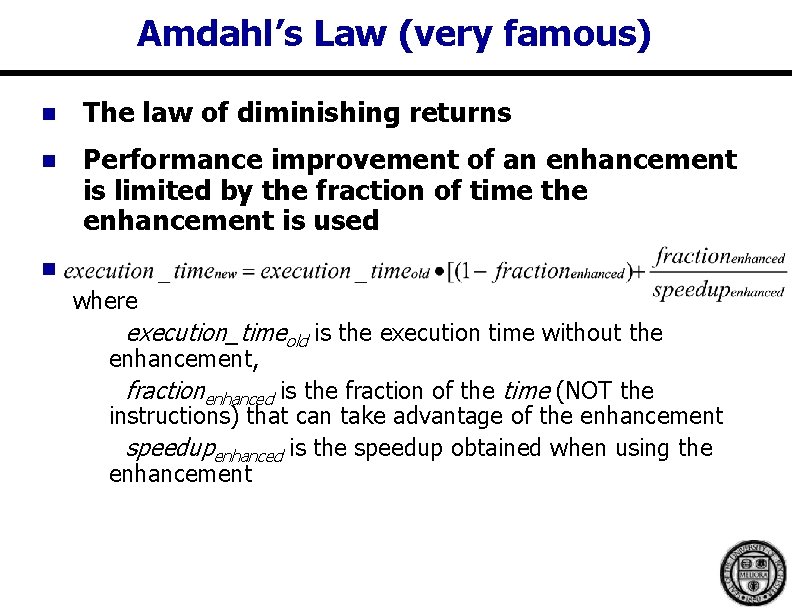
Amdahl’s Law (very famous) n The law of diminishing returns n Performance improvement of an enhancement is limited by the fraction of time the enhancement is used n where execution_timeold is the execution time without the enhancement, fractionenhanced is the fraction of the time (NOT the instructions) that can take advantage of the enhancement speedupenhanced is the speedup obtained when using the enhancement
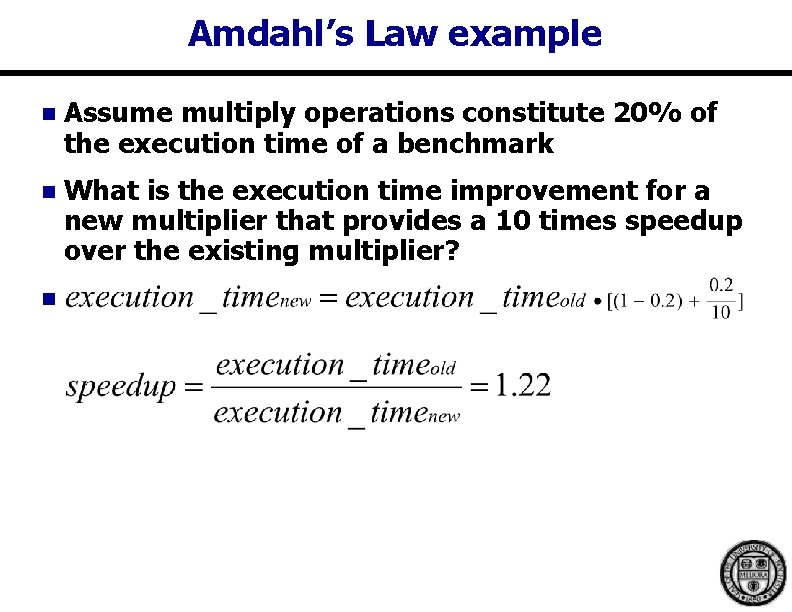
Amdahl’s Law example n Assume multiply operations constitute 20% of the execution time of a benchmark n What is the execution time improvement for a new multiplier that provides a 10 times speedup over the existing multiplier? n
Questions?