
ECE 111 RunLength Encoding Project RLE RunLength Encoding

![Module Interface • message_size[31: 0] given in number of bytes (e. g. 67 bytes](https://slidetodoc.com/presentation_image_h2/ba2443a44155a7e0df30d83b83f42f70/image-3.jpg "Module Interface • message_size[31: 0] given in number of bytes (e. g. 67 bytes")
- Slides: 11
ECE 111 Run-Length Encoding Project (RLE)
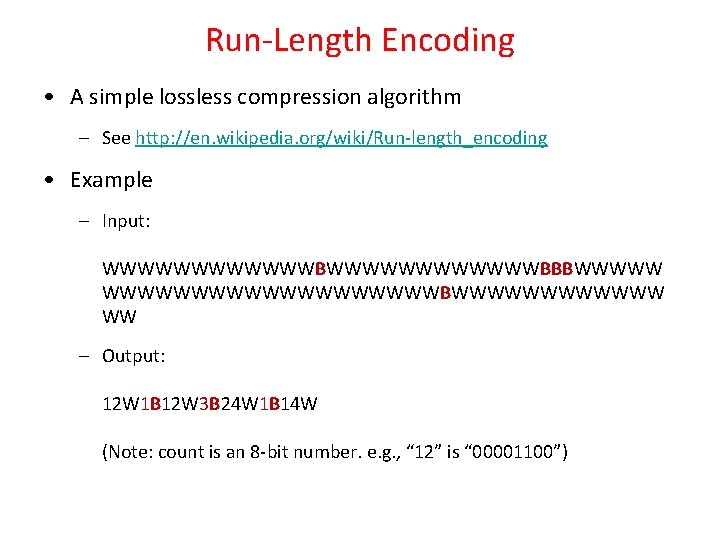
Run-Length Encoding • A simple lossless compression algorithm – See http: //en. wikipedia. org/wiki/Run-length_encoding • Example – Input: WWWWWWWWWWWWBBBWWWWWWWWWWBWWWWWW WW – Output: 12 W 1 B 12 W 3 B 24 W 1 B 14 W (Note: count is an 8 -bit number. e. g. , “ 12” is “ 00001100”)
Module Interface • message_size[31: 0] given in number of bytes (e. g. 67 bytes in previous example) rle_size[31: 0] done start rle_addr[31: 0] message_size[31: 0] message_addr[31: 0] • The size in bytes for the compressed output should be specified at output rle_size[31: 0] (e. g. 14 bytes in previous example) port_A_addr[15: 0] DPSRAM (stores message) port_A_we port_A_data_in[31: 0] port_A_data_out[31: 0] DPSRAM interface port_A_clk RLE Processor nreset
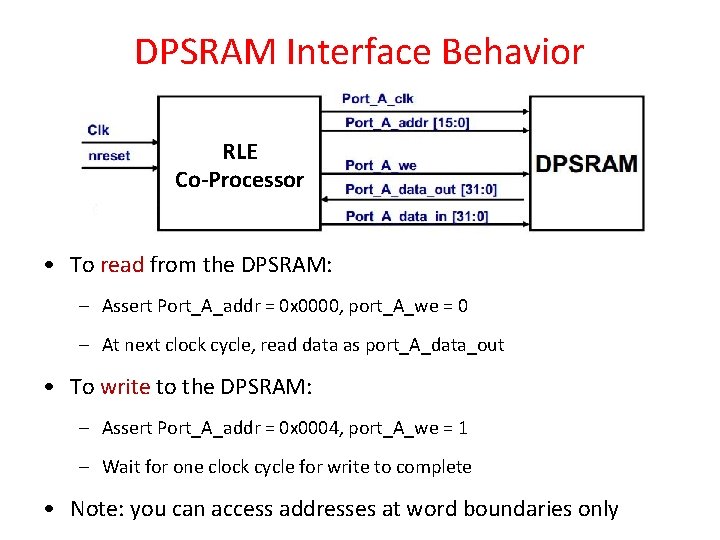
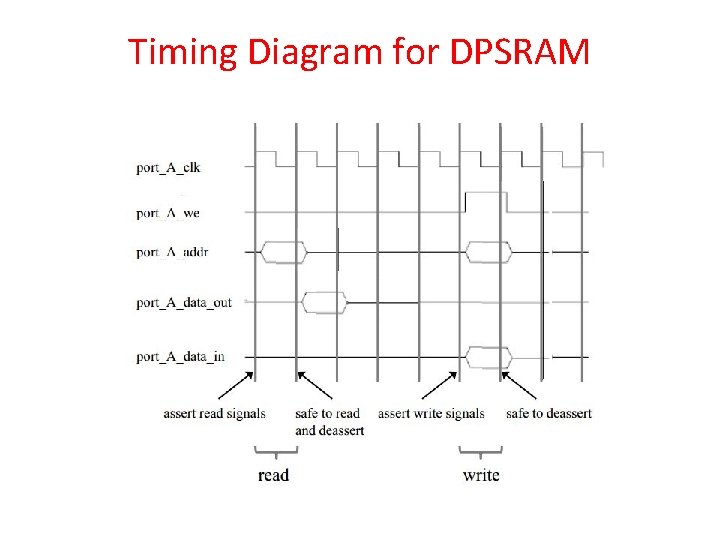
DPSRAM Interface Behavior RLE Co-Processor • To read from the DPSRAM: – Assert Port_A_addr = 0 x 0000, port_A_we = 0 – At next clock cycle, read data as port_A_data_out • To write to the DPSRAM: – Assert Port_A_addr = 0 x 0004, port_A_we = 1 – Wait for one clock cycle for write to complete • Note: you can access addresses at word boundaries only
Timing Diagram for DPSRAM
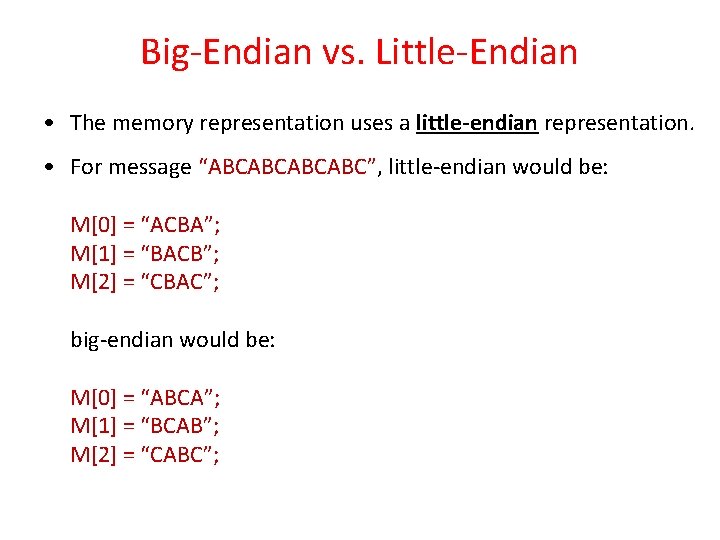
Big-Endian vs. Little-Endian • The memory representation uses a little-endian representation. • For message “ABCABC”, little-endian would be: M[0] = “ACBA”; M[1] = “BACB”; M[2] = “CBAC”; big-endian would be: M[0] = “ABCA”; M[1] = “BCAB”; M[2] = “CABC”;
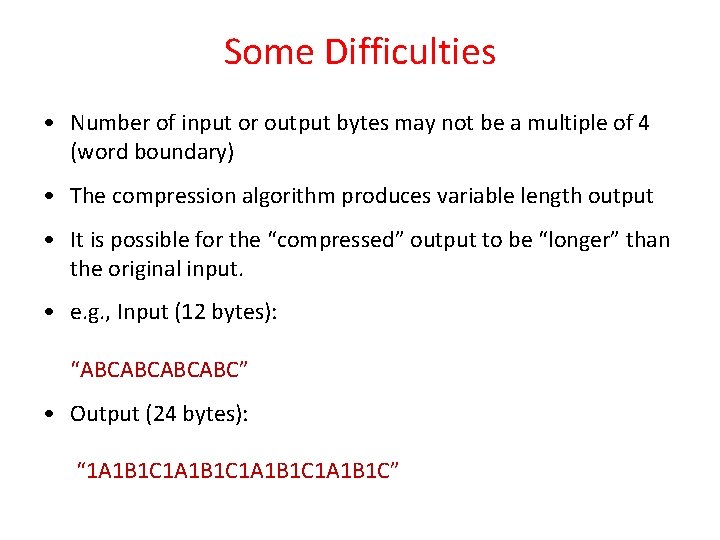
Some Difficulties • Number of input or output bytes may not be a multiple of 4 (word boundary) • The compression algorithm produces variable length output • It is possible for the “compressed” output to be “longer” than the original input. • e. g. , Input (12 bytes): “ABCABC” • Output (24 bytes): “ 1 A 1 B 1 C”
Some Difficulties (cont’d) • If the size of the input message is not a multiple of 4, ignore the “extra bytes” • If the size of the output compressed message is not a multiple of 4, the “extra bytes” can be anything (e. g. , all 0’s works)
Test Bench • Testbench file is “rle_testbench. v” • It reads the test cases from a file called “plaintext. dat”, which contains two test cases: 1 st one has 48 bytes, 2 nd one has 51 bytes (be careful, only consider 3 bytes from the last memory word) • Testbench will report number of cycles for both test cases for your “delay” computation
Test Bench 2 • There is also a second testbench file called “rle_testbench 2. v” • Your designs must simulate correctly with this testbench as well, but the reported number of cycles will not be used for your “delay” computation
Two Design Objectives • Minimum Delay – Delay = clock period * number of cycles – Clock period = 1/Fmax – Use the Fmax result from the Slow 900 m. V 100 C Model to report your clock period. (Do not use the Restricted Fmax. ) • Minimum Area*Delay product – Area = #ALUTs + #Registers