
Easy Solutions To LET You Reduce Repetitive Programming

- Slides: 41
Easy Solutions To %LET You Reduce Repetitive Programming Ekaterina (Katya) Roudneva, University of California, Davis, CA
Biography • Katya is a Data Analyst working at UC Davis Public Health Department. She has over 5 years of experience working in research. Her duties have included project coordination and providing data management support for studies that focus on asthma, autism, and environmental health. She holds a bachelor's degree in biochemistry from UC Davis with a minor in statistics.
Overview • Data cleaning and report generation can be inefficient • Can reduce need for copy and pasting by using macro variables and macros
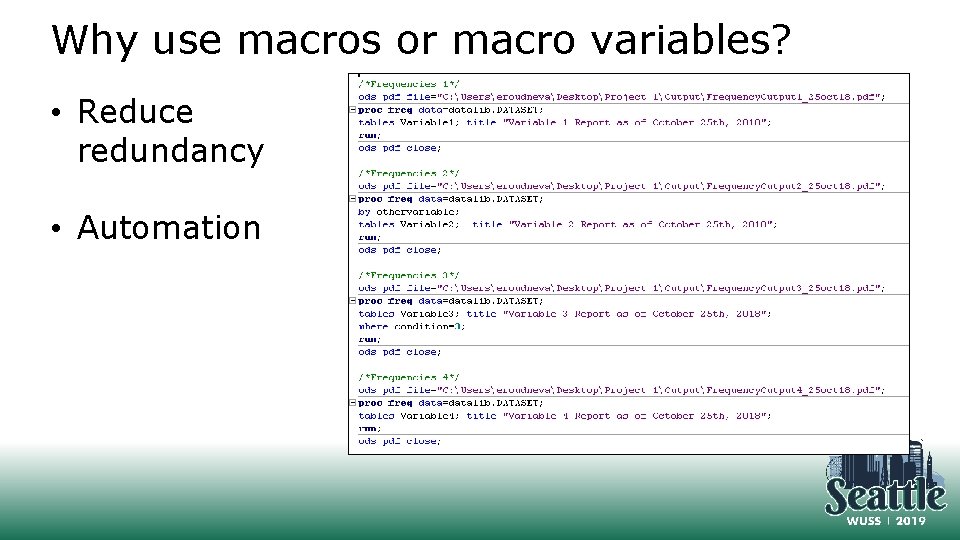
Why use macros or macro variables? • Reduce redundancy • Automation
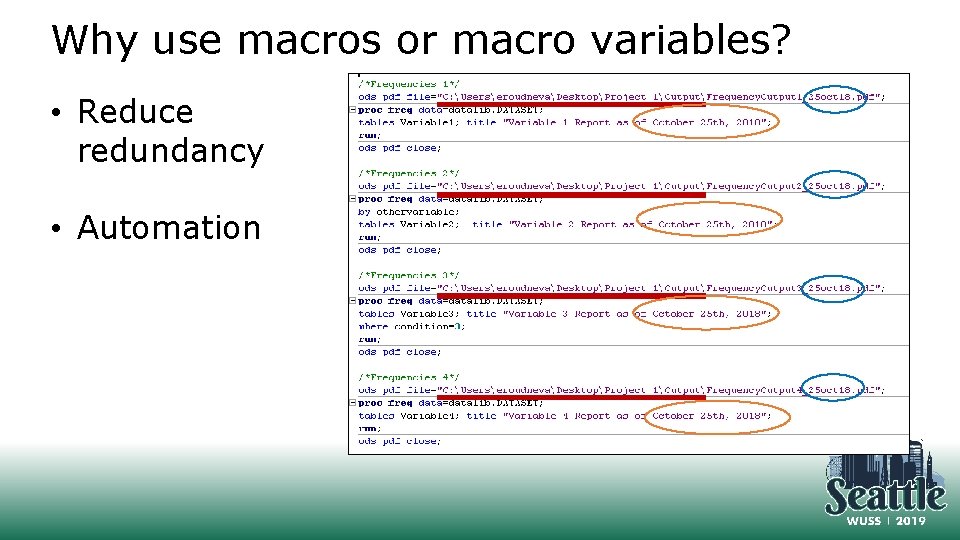
Why use macros or macro variables? • Reduce redundancy • Automation
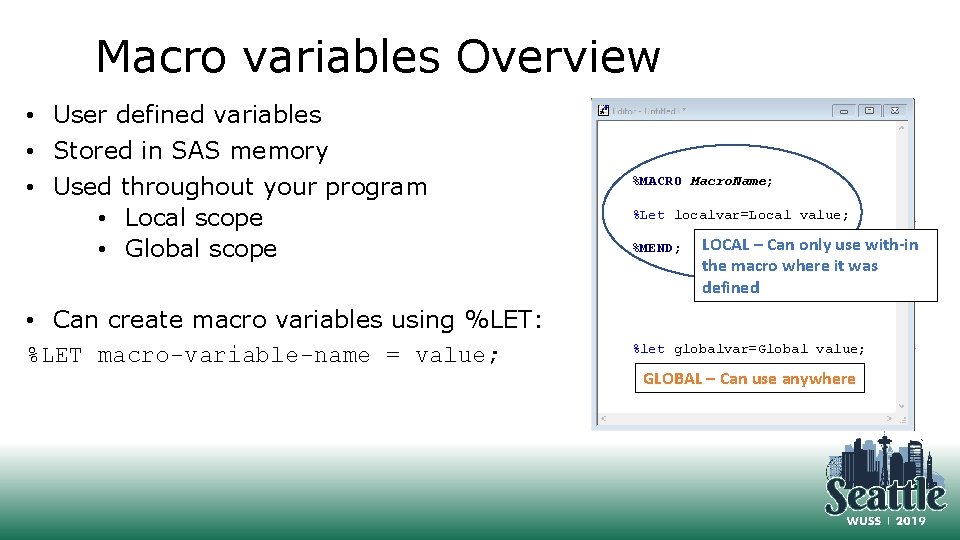
Macro variables Overview • User defined variables • Stored in SAS memory • Used throughout your program • Local scope • Global scope • Can create macro variables using %LET: %LET macro-variable-name = value; %MACRO Macro. Name; %Let localvar=Local value; %MEND; LOCAL – Can only use with-in the macro where it was defined %let globalvar=Global value; GLOBAL – Can use anywhere
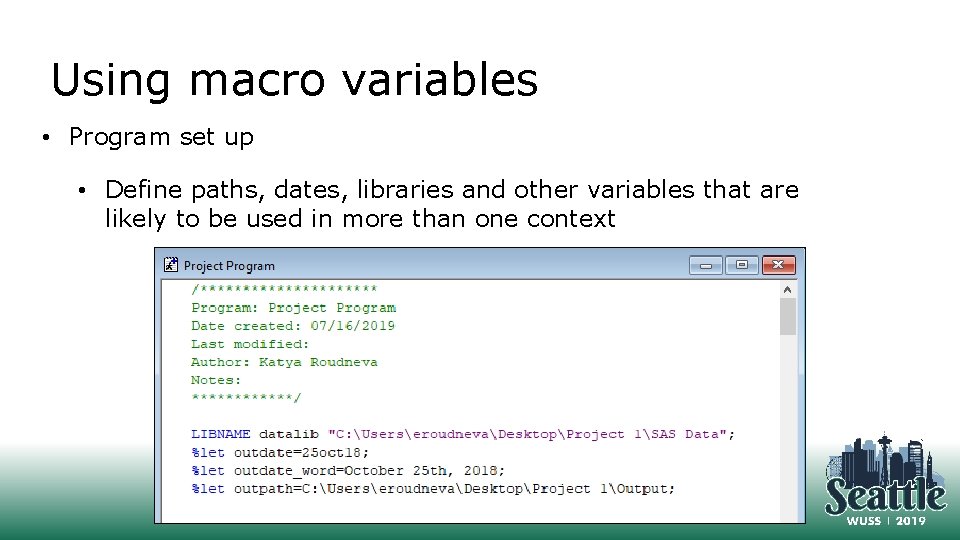
Using macro variables • Program set up • Define paths, dates, libraries and other variables that are likely to be used in more than one context
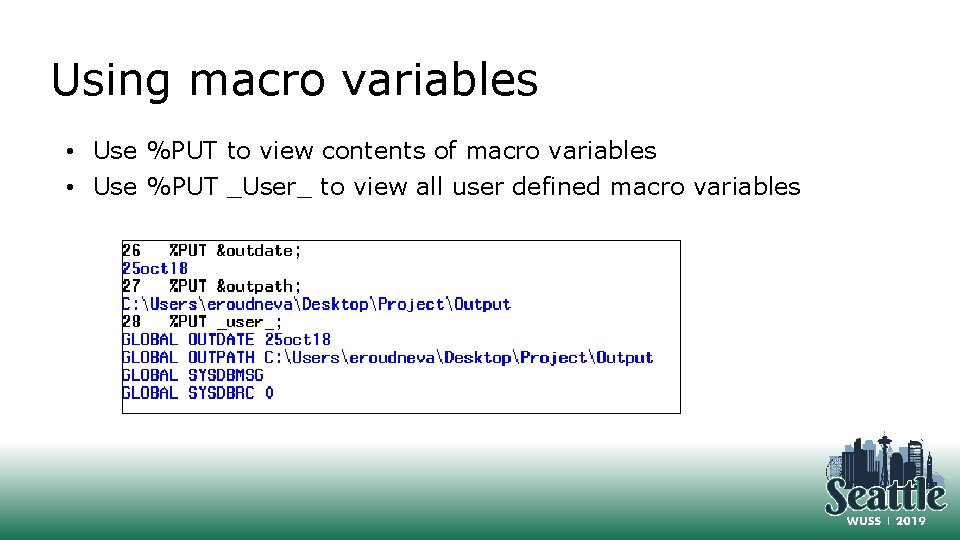
Using macro variables • Use %PUT to view contents of macro variables • Use %PUT _User_ to view all user defined macro variables
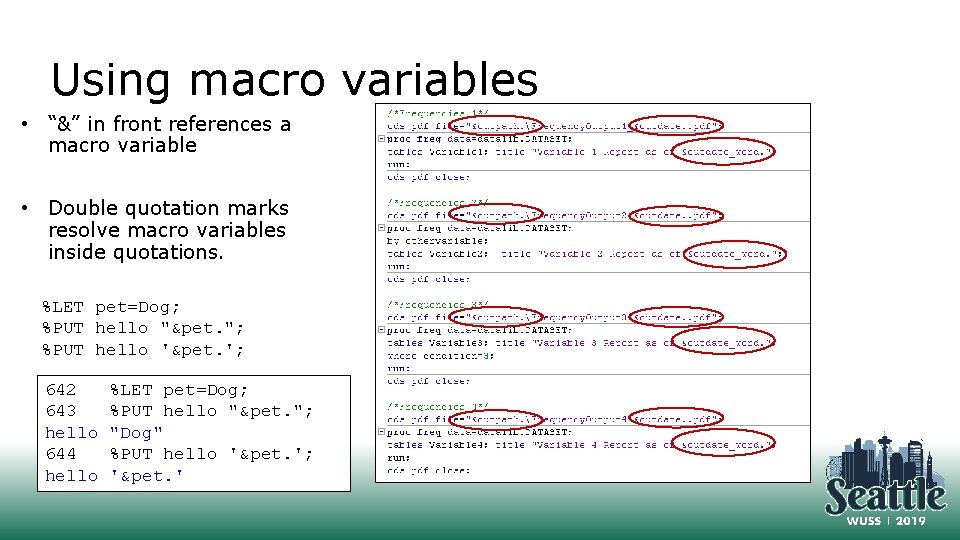
Using macro variables • “&” in front references a macro variable • Double quotation marks resolve macro variables inside quotations. %LET pet=Dog; %PUT hello "&pet. "; %PUT hello '&pet. '; 642 643 hello 644 hello %LET pet=Dog; %PUT hello "&pet. "; "Dog" %PUT hello '&pet. '; '&pet. '
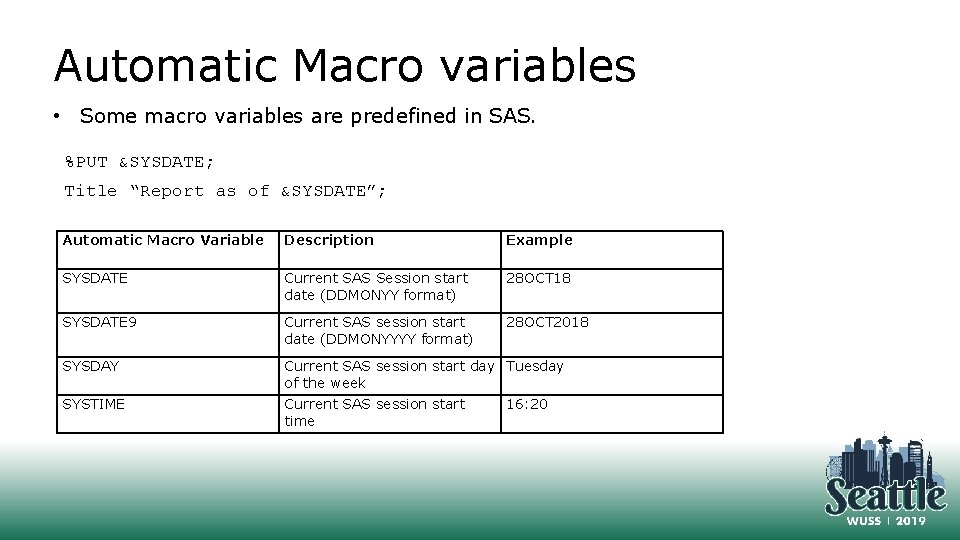
Automatic Macro variables • Some macro variables are predefined in SAS. %PUT &SYSDATE; Title “Report as of &SYSDATE”; Automatic Macro Variable Description Example SYSDATE Current SAS Session start date (DDMONYY format) 28 OCT 18 SYSDATE 9 Current SAS session start date (DDMONYYYY format) 28 OCT 2018 SYSDAY Current SAS session start day Tuesday of the week SYSTIME Current SAS session start time 16: 20
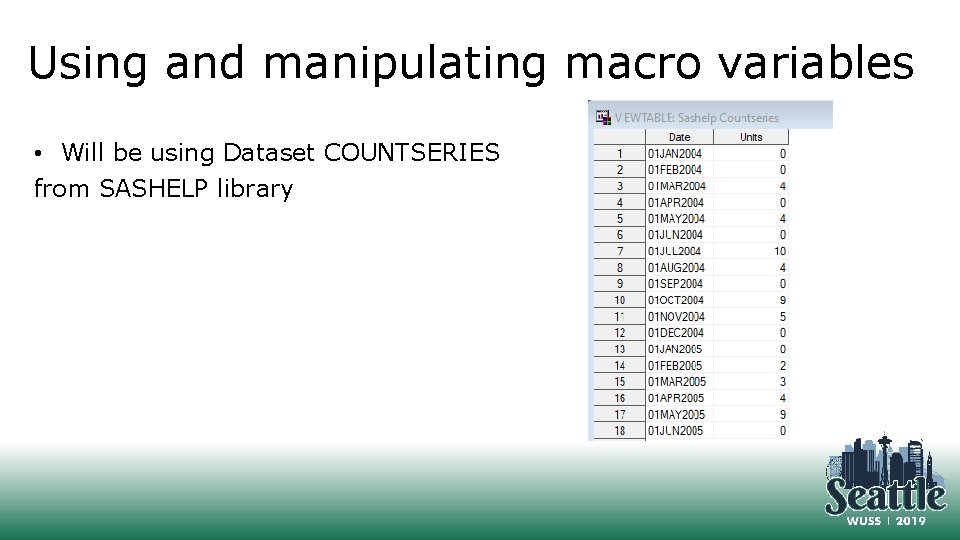
Using and manipulating macro variables • Will be using Dataset COUNTSERIES from SASHELP library
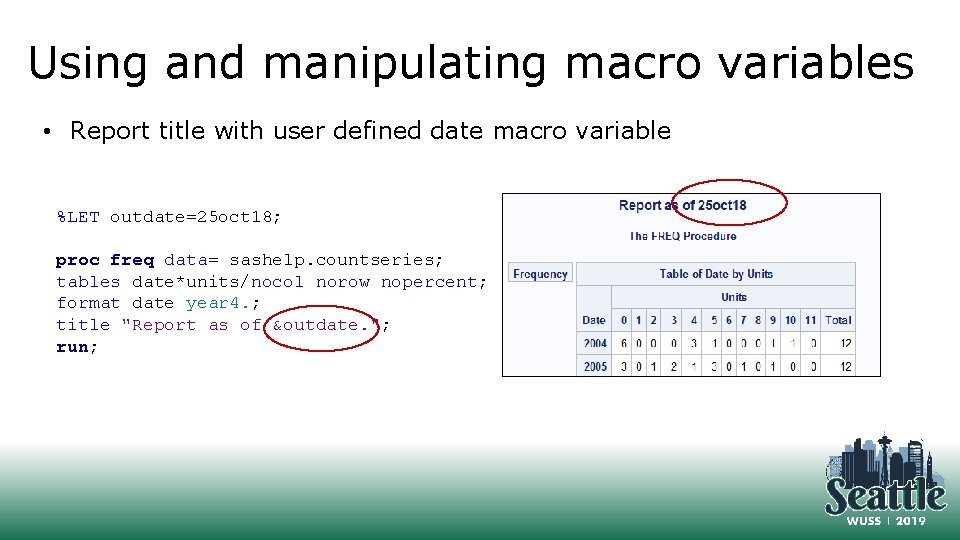
Using and manipulating macro variables • Report title with user defined date macro variable %LET outdate=25 oct 18; proc freq data= sashelp. countseries; tables date*units/nocol norow nopercent; format date year 4. ; title "Report as of &outdate. "; run;
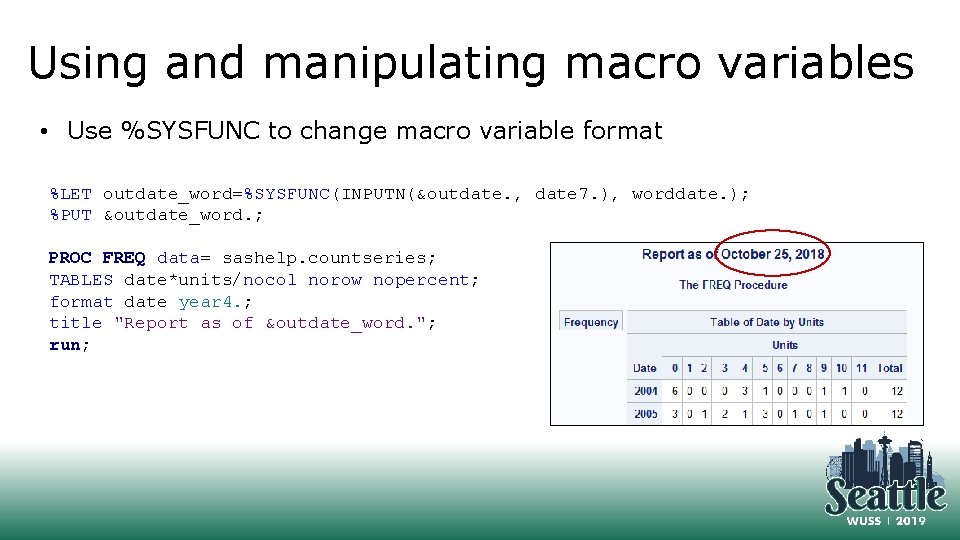
Using and manipulating macro variables • Use %SYSFUNC to change macro variable format %LET outdate_word=%SYSFUNC(INPUTN(&outdate. , date 7. ), worddate. ); %PUT &outdate_word. ; PROC FREQ data= sashelp. countseries; TABLES date*units/nocol norow nopercent; format date year 4. ; title "Report as of &outdate_word. "; run;
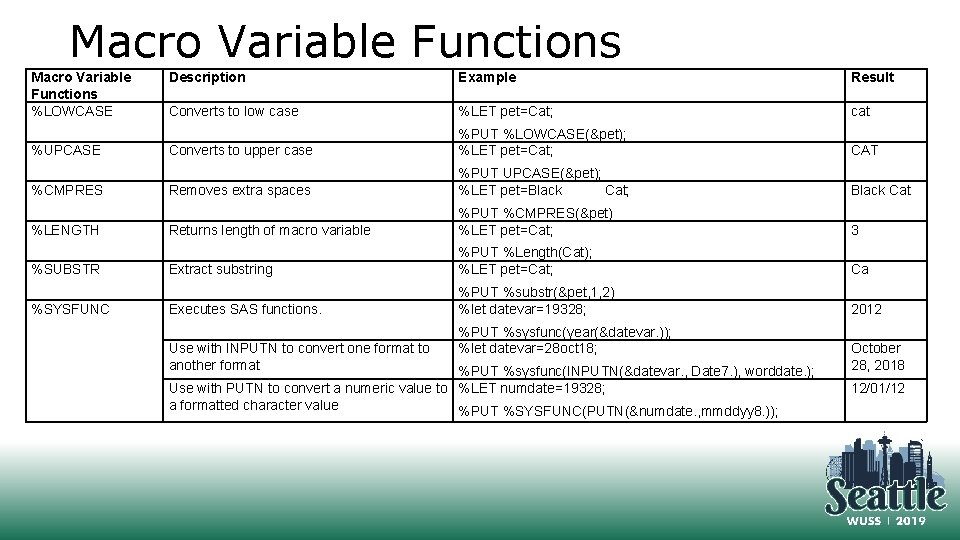
Macro Variable Functions %LOWCASE %UPCASE %CMPRES %LENGTH %SUBSTR %SYSFUNC Description Example Result Converts to low case %LET pet=Cat; cat Converts to upper case %PUT %LOWCASE(&pet); %LET pet=Cat; CAT Removes extra spaces %PUT UPCASE(&pet); %LET pet=Black Cat; Black Cat Returns length of macro variable %PUT %CMPRES(&pet) %LET pet=Cat; 3 Extract substring %PUT %Length(Cat); %LET pet=Cat; Ca Executes SAS functions. %PUT %substr(&pet, 1, 2) %let datevar=19328; 2012 Use with INPUTN to convert one format to another format %PUT %sysfunc(year(&datevar. )); %let datevar=28 oct 18; %PUT %sysfunc(INPUTN(&datevar. , Date 7. ), worddate. ); Use with PUTN to convert a numeric value to %LET numdate=19328; a formatted character value %PUT %SYSFUNC(PUTN(&numdate. , mmddyy 8. )); October 28, 2018 12/01/12
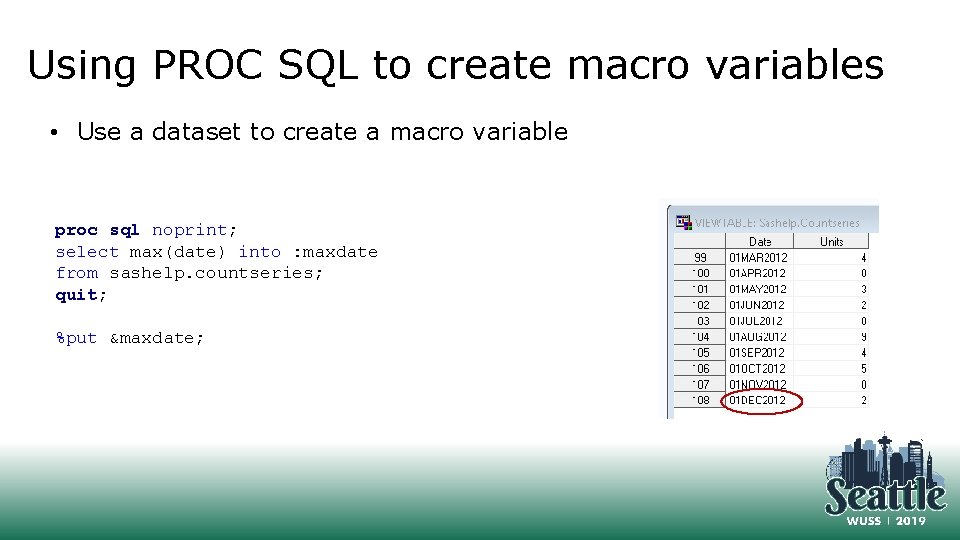
Using PROC SQL to create macro variables • Use a dataset to create a macro variable proc sql noprint; select max(date) into : maxdate from sashelp. countseries; quit; %put &maxdate;
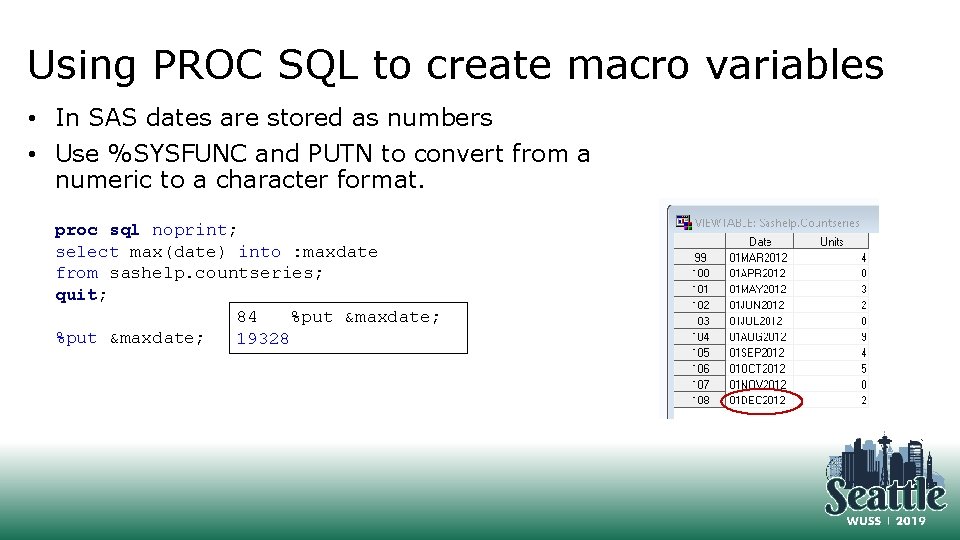
Using PROC SQL to create macro variables • In SAS dates are stored as numbers • Use %SYSFUNC and PUTN to convert from a numeric to a character format. proc sql noprint; select max(date) into : maxdate from sashelp. countseries; quit; 84 %put &maxdate; 19328
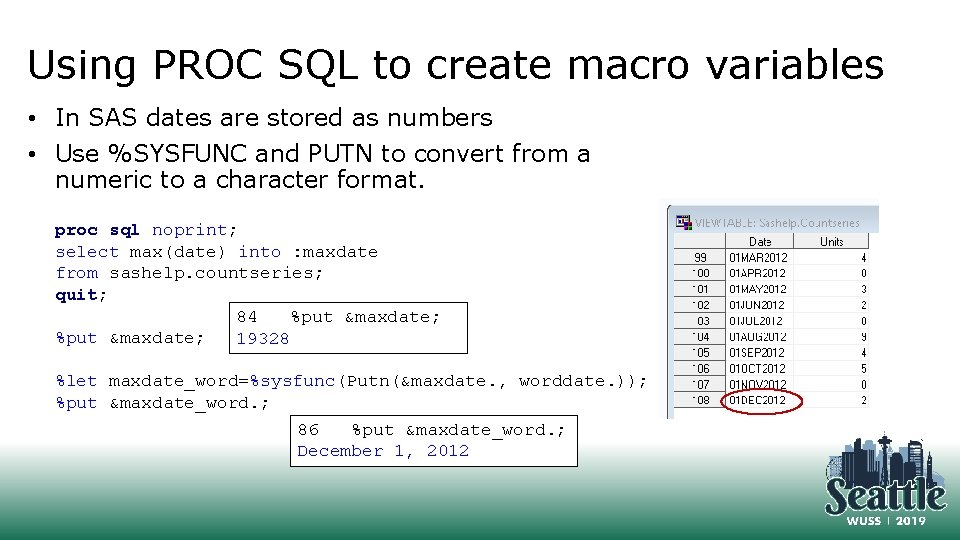
Using PROC SQL to create macro variables • In SAS dates are stored as numbers • Use %SYSFUNC and PUTN to convert from a numeric to a character format. proc sql noprint; select max(date) into : maxdate from sashelp. countseries; quit; 84 %put &maxdate; 19328 %let maxdate_word=%sysfunc(Putn(&maxdate. , worddate. )); %put &maxdate_word. ; 86 %put &maxdate_word. ; December 1, 2012
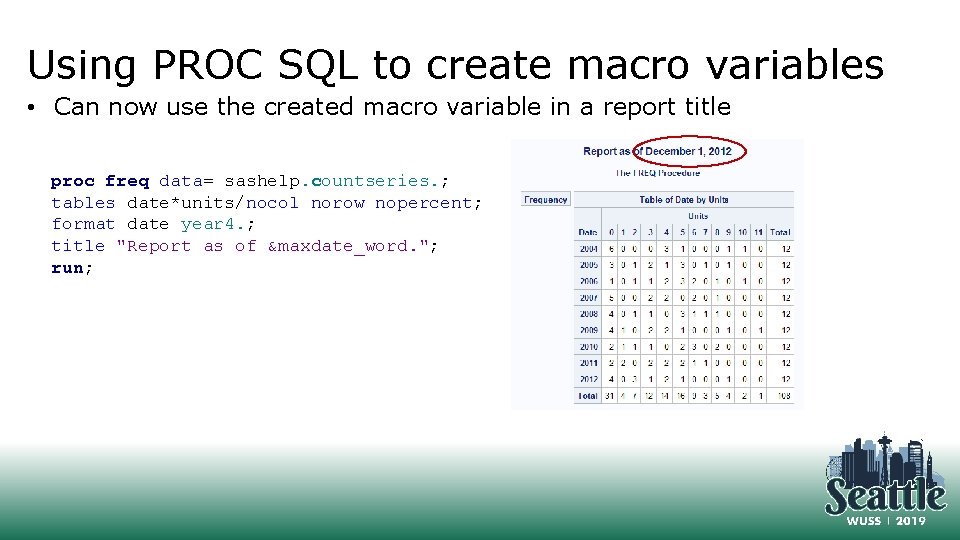
Using PROC SQL to create macro variables • Can now use the created macro variable in a report title proc freq data= sashelp. countseries. ; tables date*units/nocol norow nopercent; format date year 4. ; title "Report as of &maxdate_word. "; run;
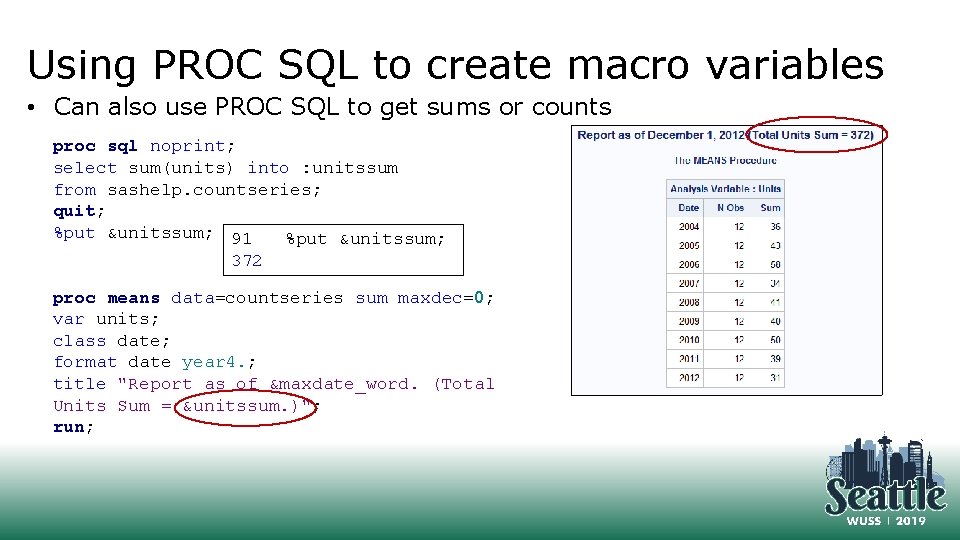
Using PROC SQL to create macro variables • Can also use PROC SQL to get sums or counts proc sql noprint; select sum(units) into : unitssum from sashelp. countseries; quit; %put &unitssum; 91 %put &unitssum; 372 proc means data=countseries sum maxdec=0; var units; class date; format date year 4. ; title "Report as of &maxdate_word. (Total Units Sum = &unitssum. )"; run;
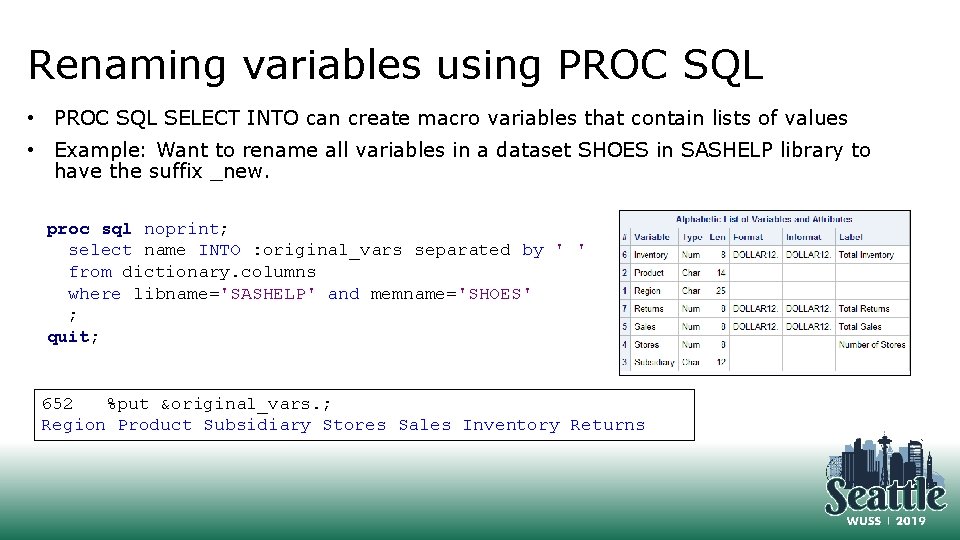
Renaming variables using PROC SQL • PROC SQL SELECT INTO can create macro variables that contain lists of values • Example: Want to rename all variables in a dataset SHOES in SASHELP library to have the suffix _new. proc sql noprint; select name INTO : original_vars separated by ' ' from dictionary. columns where libname='SASHELP' and memname='SHOES' ; quit; 652 %put &original_vars. ; Region Product Subsidiary Stores Sales Inventory Returns
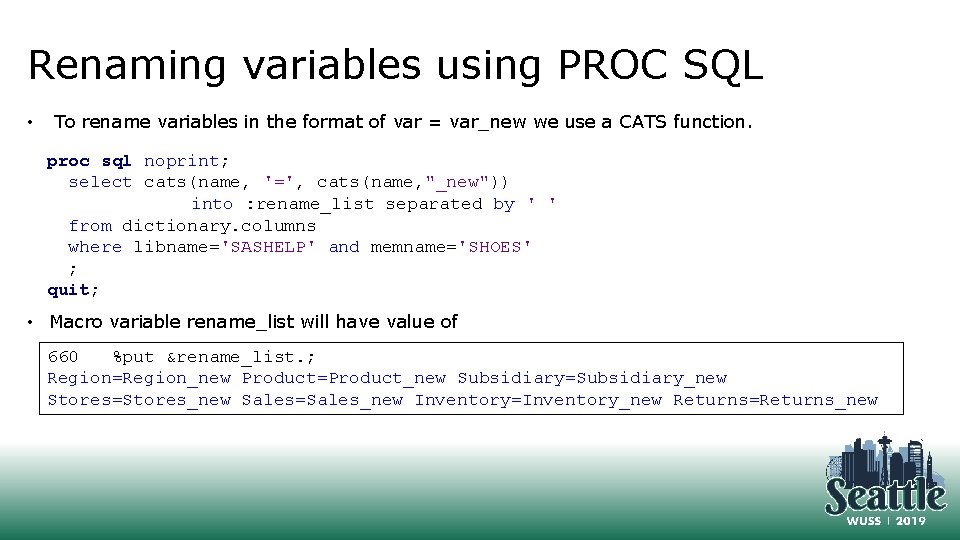
Renaming variables using PROC SQL • To rename variables in the format of var = var_new we use a CATS function. proc sql noprint; select cats(name, '=', cats(name, "_new")) into : rename_list separated by ' ' from dictionary. columns where libname='SASHELP' and memname='SHOES' ; quit; • Macro variable rename_list will have value of 660 %put &rename_list. ; Region=Region_new Product=Product_new Subsidiary=Subsidiary_new Stores=Stores_new Sales=Sales_new Inventory=Inventory_new Returns=Returns_new
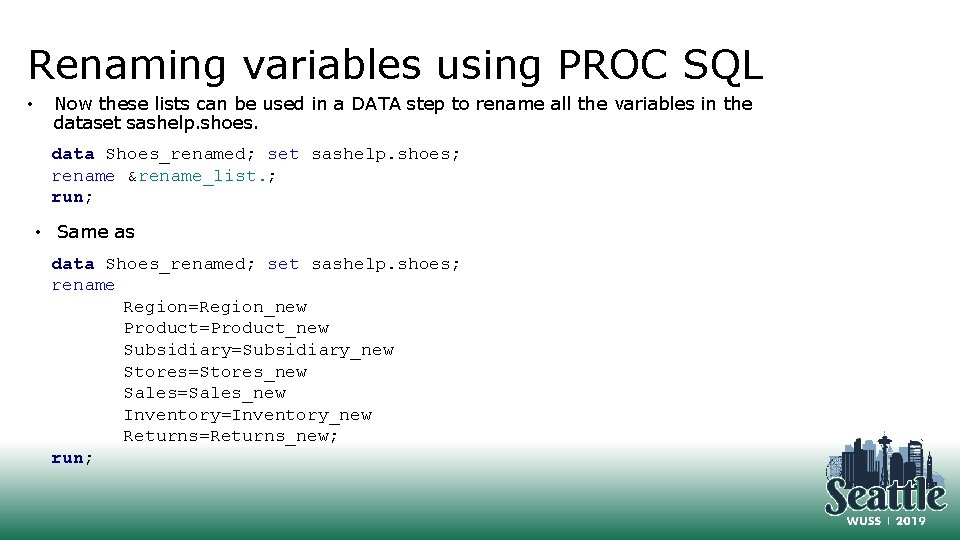
Renaming variables using PROC SQL • Now these lists can be used in a DATA step to rename all the variables in the dataset sashelp. shoes. data Shoes_renamed; set sashelp. shoes; rename &rename_list. ; run; • Same as data Shoes_renamed; set sashelp. shoes; rename Region=Region_new Product=Product_new Subsidiary=Subsidiary_new Stores=Stores_new Sales=Sales_new Inventory=Inventory_new Returns=Returns_new; run;
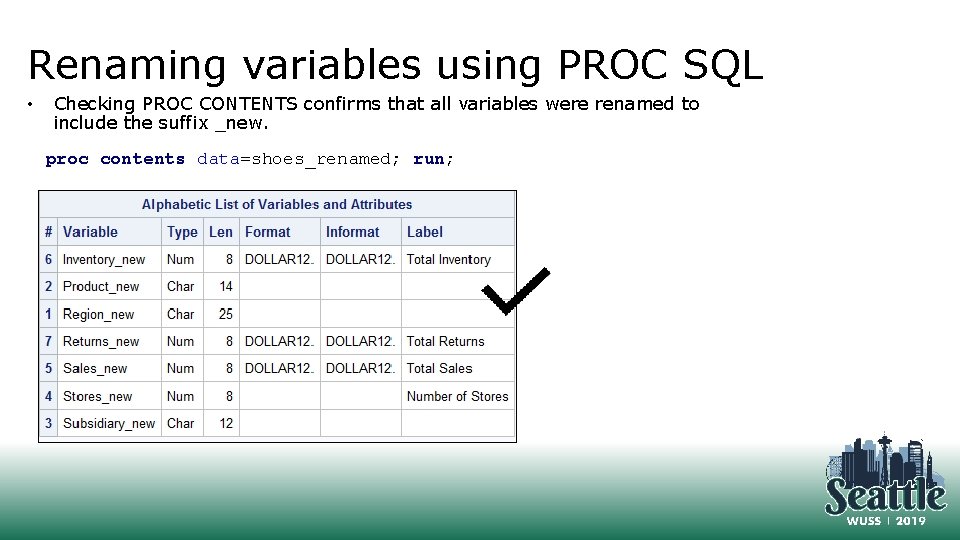
Renaming variables using PROC SQL • Checking PROC CONTENTS confirms that all variables were renamed to include the suffix _new. proc contents data=shoes_renamed; run;
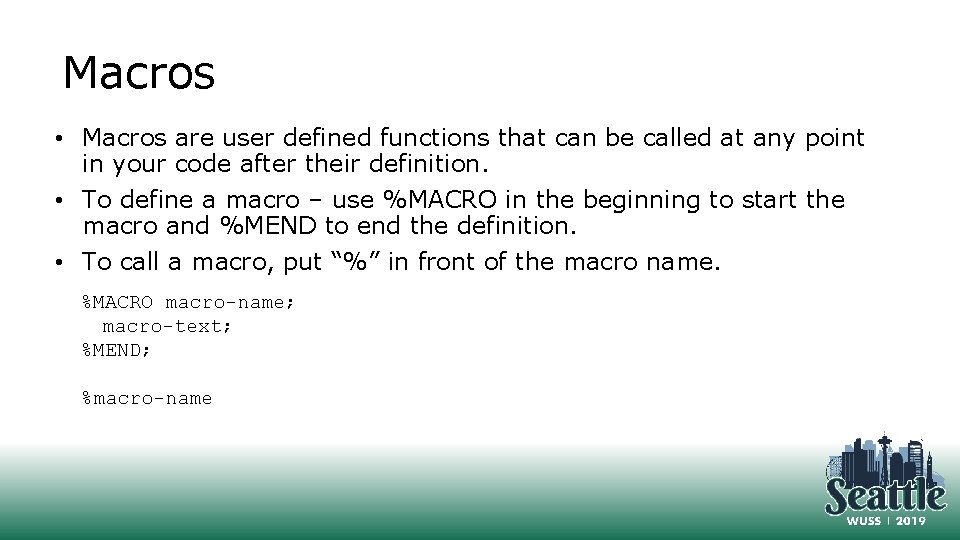
Macros • Macros are user defined functions that can be called at any point in your code after their definition. • To define a macro – use %MACRO in the beginning to start the macro and %MEND to end the definition. • To call a macro, put “%” in front of the macro name. %MACRO macro-name; macro-text; %MEND; %macro-name
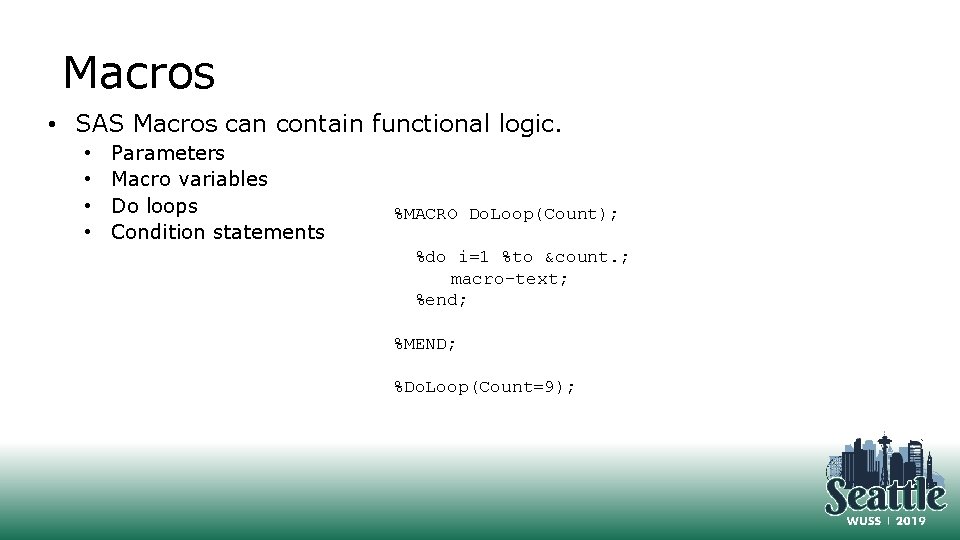
Macros • SAS Macros can contain functional logic. • • Parameters Macro variables Do loops Condition statements %MACRO Do. Loop(Count); %do i=1 %to &count. ; macro-text; %end; %MEND; %Do. Loop(Count=9);
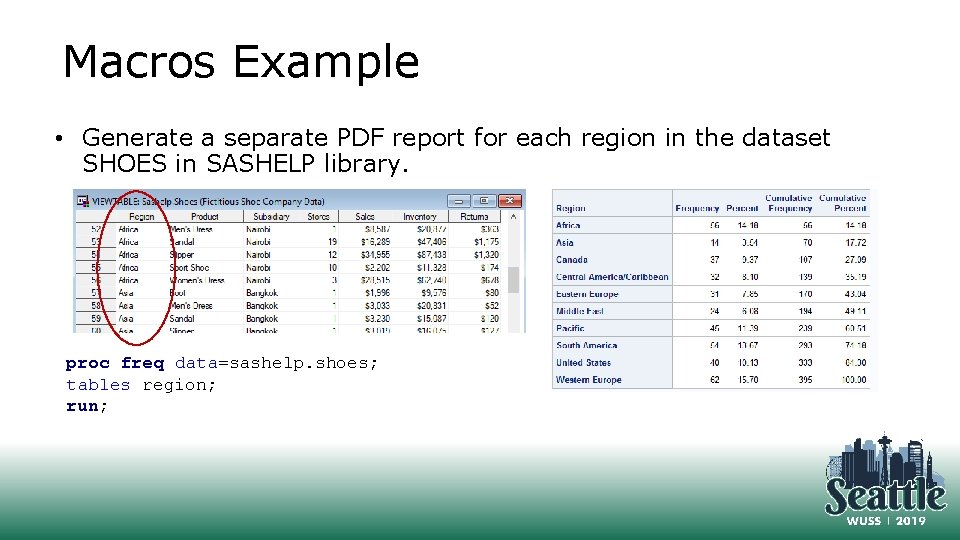
Macros Example • Generate a separate PDF report for each region in the dataset SHOES in SASHELP library. proc freq data=sashelp. shoes; tables region; run;
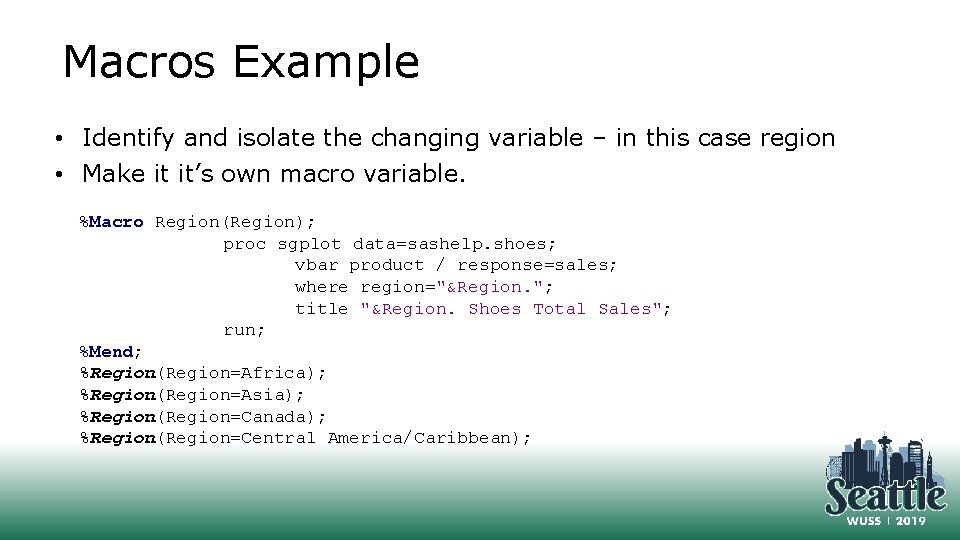
Macros Example • Identify and isolate the changing variable – in this case region • Make it it’s own macro variable. %Macro Region(Region); proc sgplot data=sashelp. shoes; vbar product / response=sales; where region="&Region. "; title "&Region. Shoes Total Sales"; run; %Mend; %Region(Region=Africa); %Region(Region=Asia); %Region(Region=Canada); %Region(Region=Central America/Caribbean);
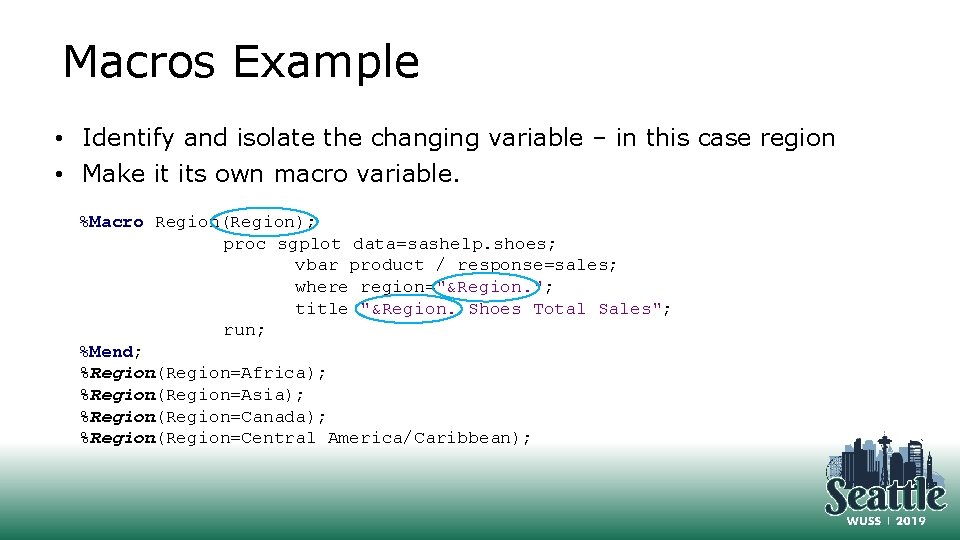
Macros Example • Identify and isolate the changing variable – in this case region • Make it its own macro variable. %Macro Region(Region); proc sgplot data=sashelp. shoes; vbar product / response=sales; where region="&Region. "; title "&Region. Shoes Total Sales"; run; %Mend; %Region(Region=Africa); %Region(Region=Asia); %Region(Region=Canada); %Region(Region=Central America/Caribbean);
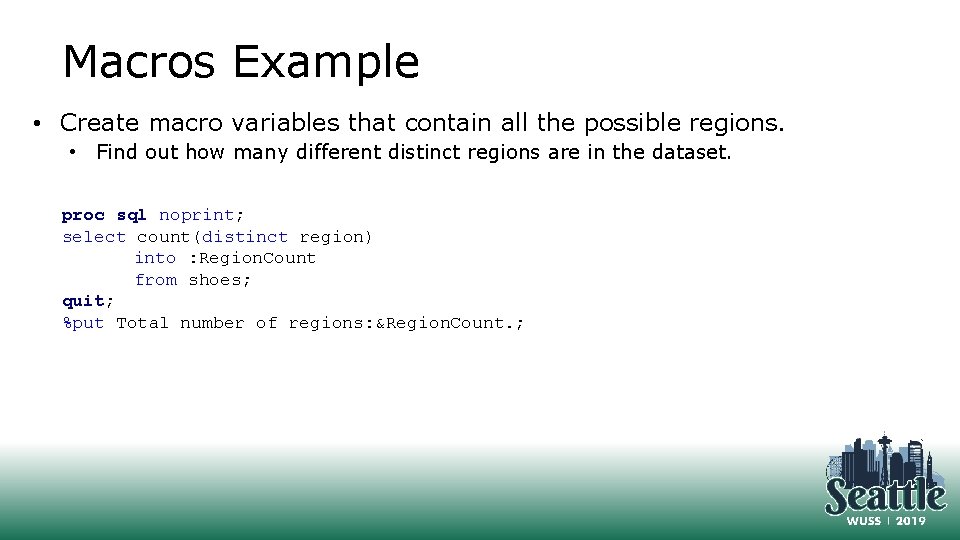
Macros Example • Create macro variables that contain all the possible regions. • Find out how many different distinct regions are in the dataset. proc sql noprint; select count(distinct region) into : Region. Count from shoes; quit; %put Total number of regions: &Region. Count. ;
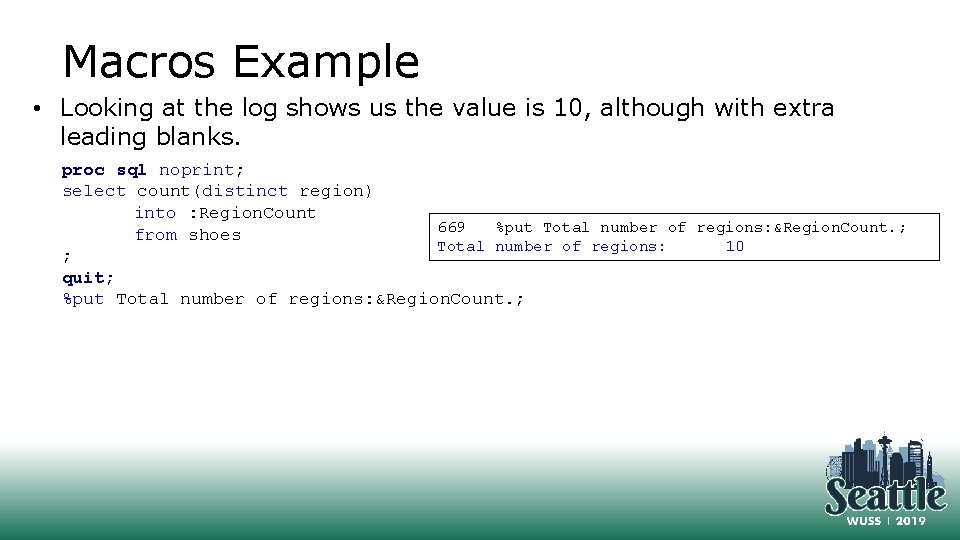
Macros Example • Looking at the log shows us the value is 10, although with extra leading blanks. proc sql noprint; select count(distinct region) into : Region. Count 669 %put Total number of regions: &Region. Count. ; from shoes Total number of regions: 10 ; quit; %put Total number of regions: &Region. Count. ;
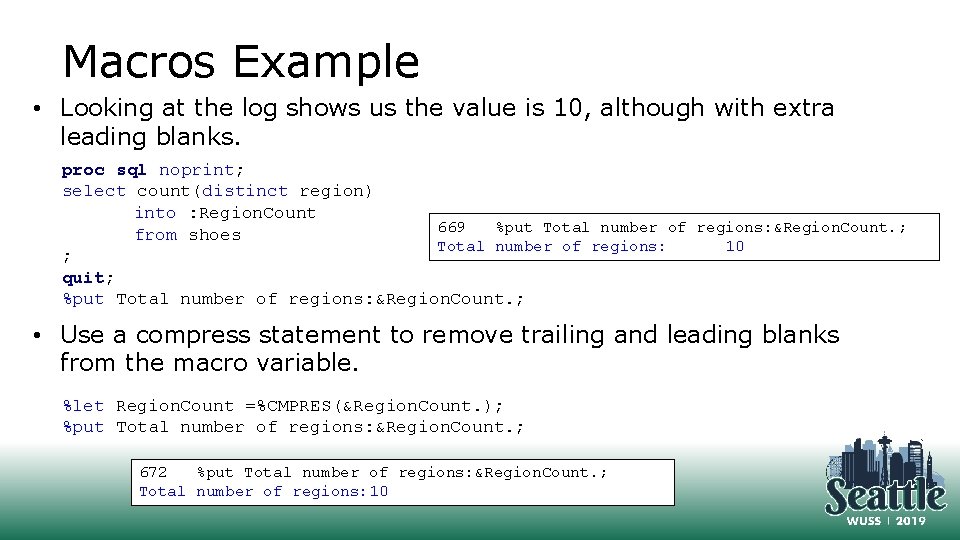
Macros Example • Looking at the log shows us the value is 10, although with extra leading blanks. proc sql noprint; select count(distinct region) into : Region. Count 669 %put Total number of regions: &Region. Count. ; from shoes Total number of regions: 10 ; quit; %put Total number of regions: &Region. Count. ; • Use a compress statement to remove trailing and leading blanks from the macro variable. %let Region. Count =%CMPRES(&Region. Count. ); %put Total number of regions: &Region. Count. ; 672 %put Total number of regions: &Region. Count. ; Total number of regions: 10
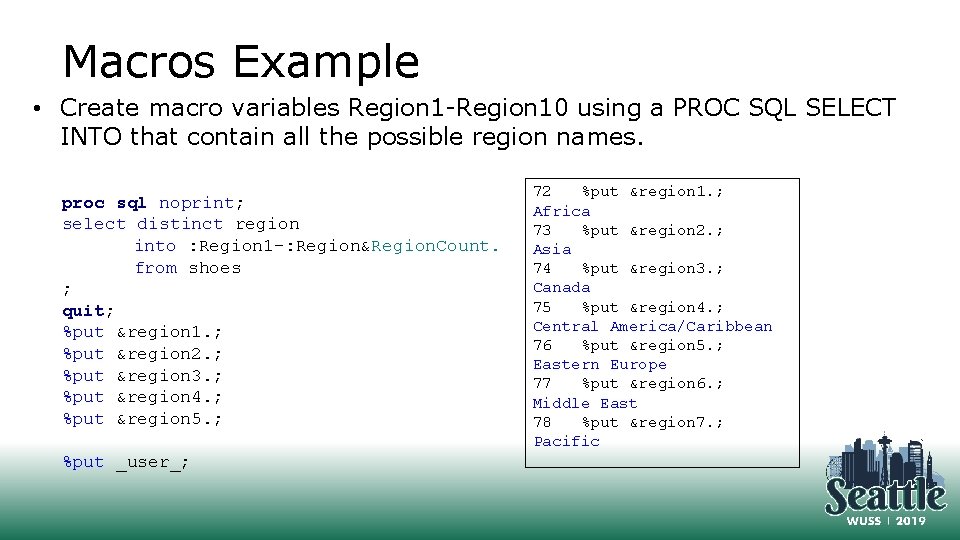
Macros Example • Create macro variables Region 1 -Region 10 using a PROC SQL SELECT INTO that contain all the possible region names. proc sql noprint; select distinct region into : Region 1 -: Region&Region. Count. from shoes ; quit; %put ®ion 1. ; %put ®ion 2. ; %put ®ion 3. ; %put ®ion 4. ; %put ®ion 5. ; %put _user_; 72 %put ®ion 1. ; Africa 73 %put ®ion 2. ; Asia 74 %put ®ion 3. ; Canada 75 %put ®ion 4. ; Central America/Caribbean 76 %put ®ion 5. ; Eastern Europe 77 %put ®ion 6. ; Middle East 78 %put ®ion 7. ; Pacific
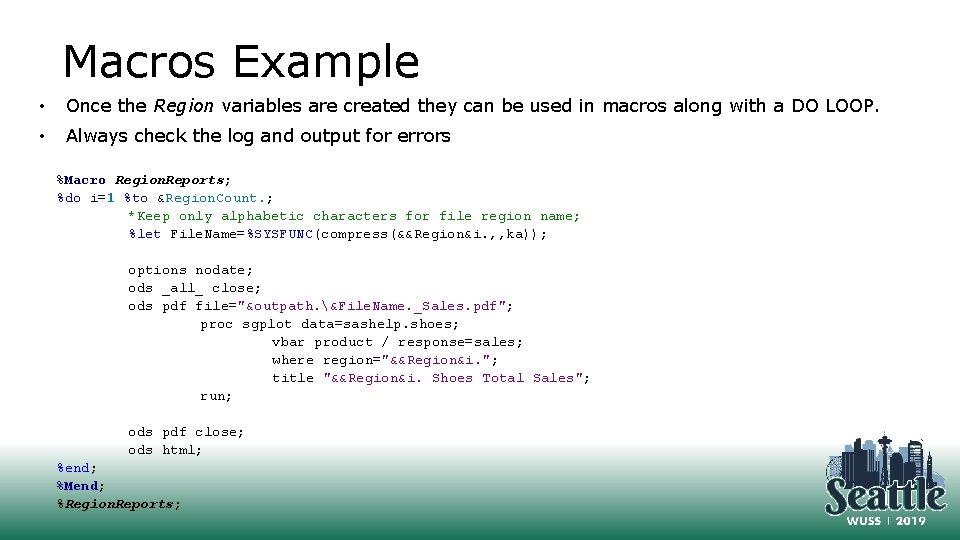
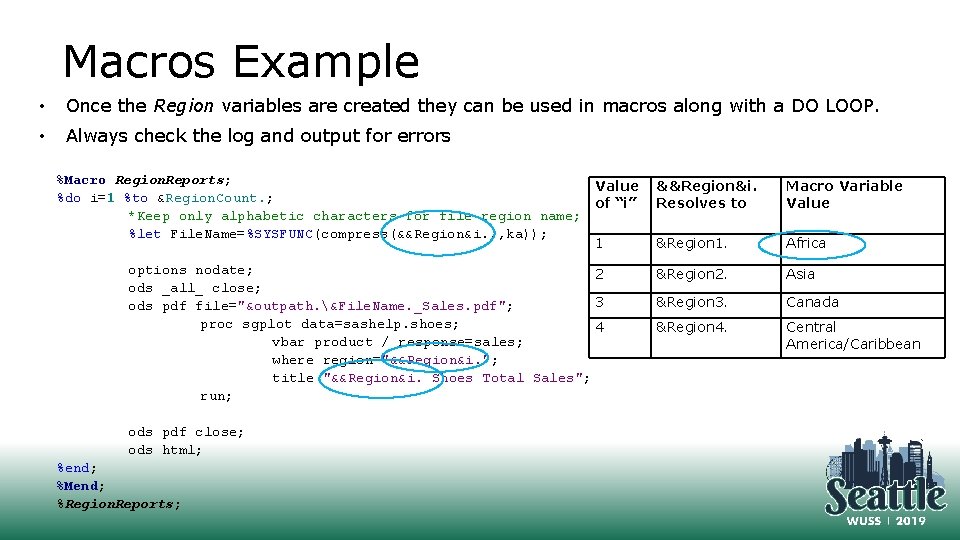
Macros Example • Once the Region variables are created they can be used in macros along with a DO LOOP. • Always check the log and output for errors %Macro Region. Reports; %do i=1 %to &Region. Count. ; *Keep only alphabetic characters for file region name; %let File. Name=%SYSFUNC(compress(&&Region&i. , , ka)); options nodate; ods _all_ close; ods pdf file="&outpath. &File. Name. _Sales. pdf"; proc sgplot data=sashelp. shoes; vbar product / response=sales; where region="&&Region&i. "; title "&&Region&i. Shoes Total Sales"; run; ods pdf close; ods html; %end; %Mend; %Region. Reports;
Macros Example • Once the Region variables are created they can be used in macros along with a DO LOOP. • Always check the log and output for errors %Macro Region. Reports; Value %do i=1 %to &Region. Count. ; of “i” *Keep only alphabetic characters for file region name; %let File. Name=%SYSFUNC(compress(&&Region&i. , , ka)); 1 options nodate; 2 ods _all_ close; 3 ods pdf file="&outpath. &File. Name. _Sales. pdf"; proc sgplot data=sashelp. shoes; 4 vbar product / response=sales; where region="&&Region&i. "; title "&&Region&i. Shoes Total Sales"; run; ods pdf close; ods html; %end; %Mend; %Region. Reports; &&Region&i. Resolves to Macro Variable Value &Region 1. Africa &Region 2. Asia &Region 3. Canada &Region 4. Central America/Caribbean
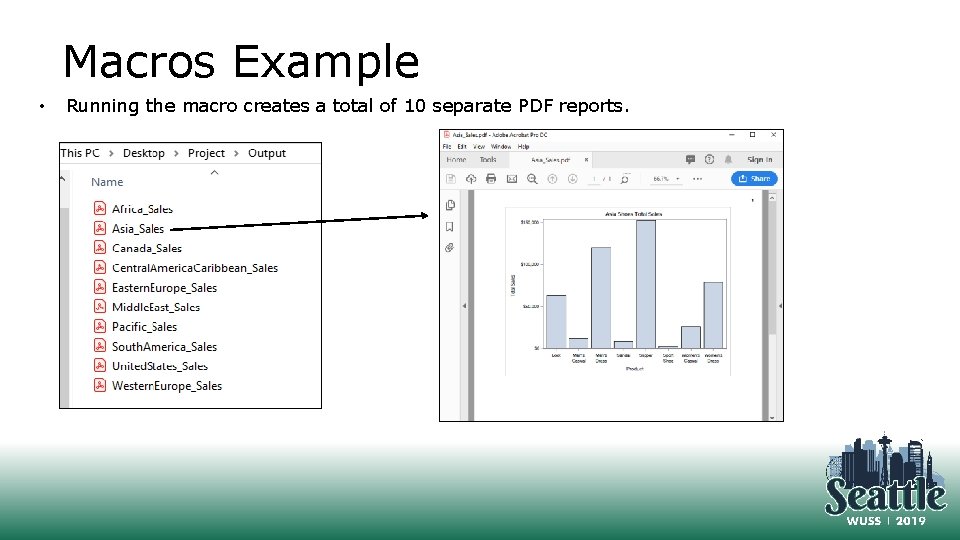
Macros Example • Running the macro creates a total of 10 separate PDF reports.
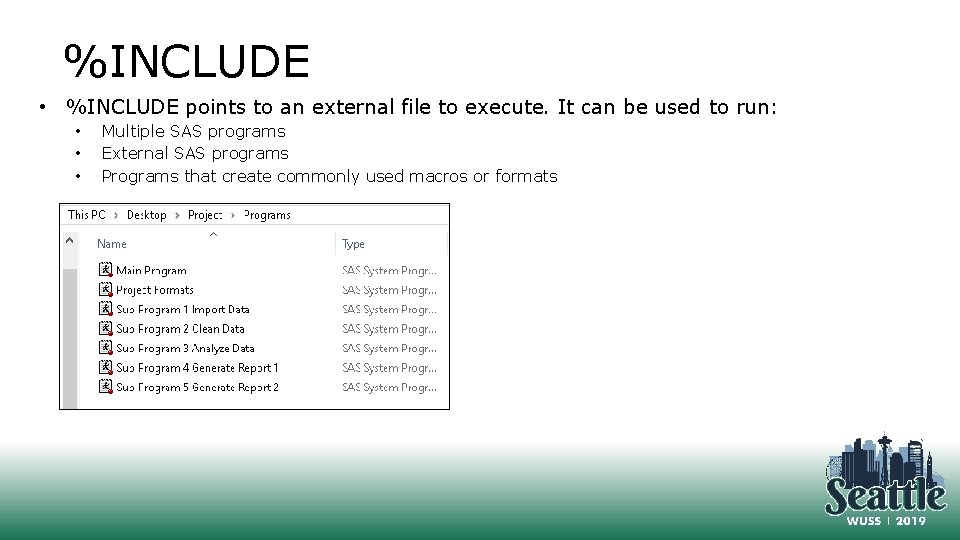
%INCLUDE • %INCLUDE points to an external file to execute. It can be used to run: • • • Multiple SAS programs External SAS programs Programs that create commonly used macros or formats
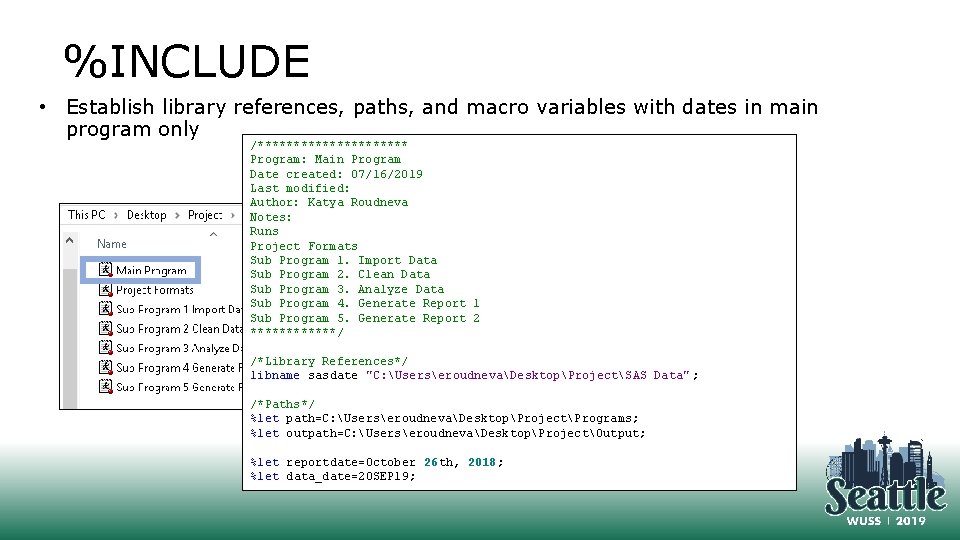
%INCLUDE • Establish library references, paths, and macro variables with dates in main program only /*********** Program: Main Program Date created: 07/16/2019 Last modified: Author: Katya Roudneva Notes: Runs Project Formats Sub Program 1. Import Data Sub Program 2. Clean Data Sub Program 3. Analyze Data Sub Program 4. Generate Report 1 Sub Program 5. Generate Report 2 ******/ /*Library References*/ libname sasdate "C: UserseroudnevaDesktopProjectSAS Data" ; /*Paths*/ %let path=C: UserseroudnevaDesktopProjectPrograms; %let outpath=C: UserseroudnevaDesktopProjectOutput; %let reportdate=October 26 th, 2018; %let data_date=20 SEP 19;
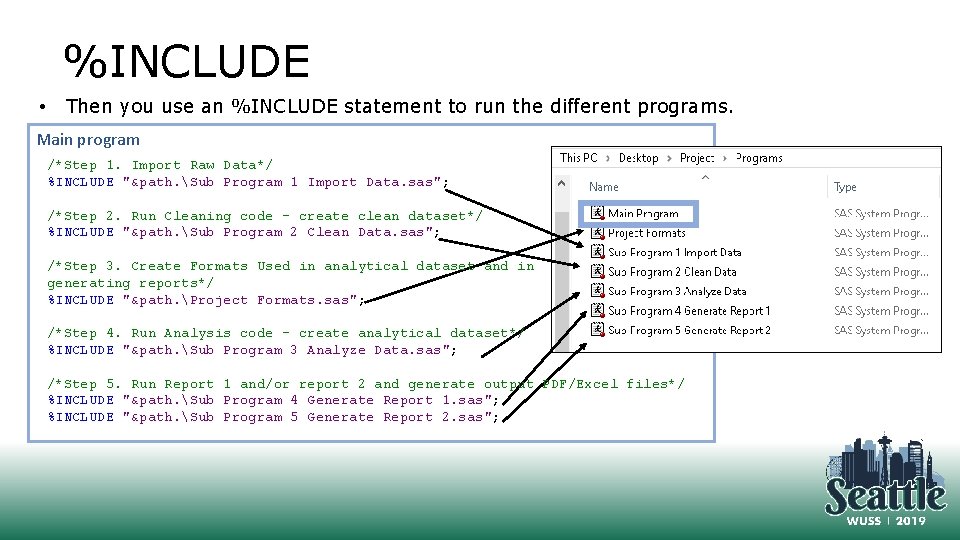
%INCLUDE • Then you use an %INCLUDE statement to run the different programs. Main program /*Step 1. Import Raw Data*/ %INCLUDE "&path. Sub Program 1 Import Data. sas"; /*Step 2. Run Cleaning code – create clean dataset*/ %INCLUDE "&path. Sub Program 2 Clean Data. sas"; /*Step 3. Create Formats Used in analytical dataset and in generating reports*/ %INCLUDE "&path. Project Formats. sas"; /*Step 4. Run Analysis code – create analytical dataset*/ %INCLUDE "&path. Sub Program 3 Analyze Data. sas"; /*Step 5. Run Report 1 and/or report 2 and generate output PDF/Excel files*/ %INCLUDE "&path. Sub Program 4 Generate Report 1. sas"; %INCLUDE "&path. Sub Program 5 Generate Report 2. sas";
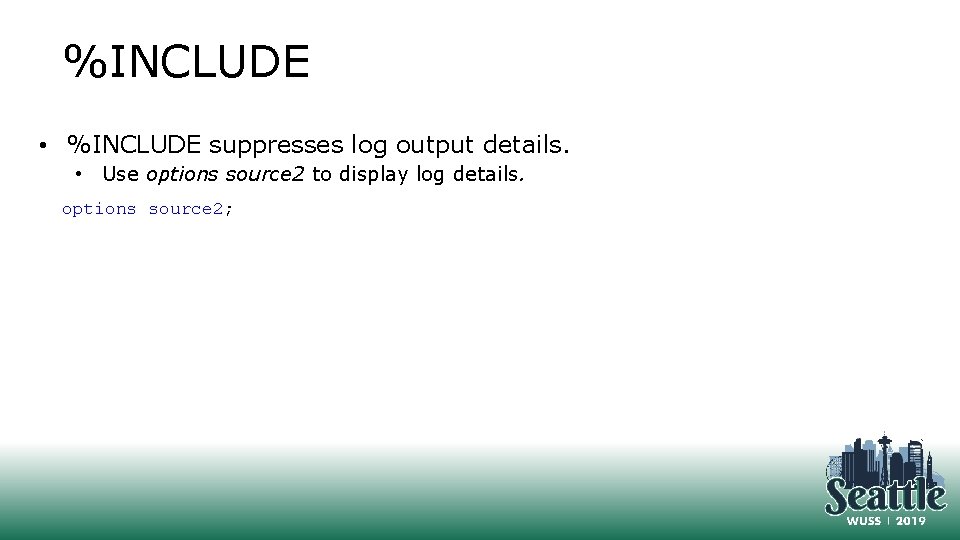
%INCLUDE • %INCLUDE suppresses log output details. • Use options source 2 to display log details. options source 2;
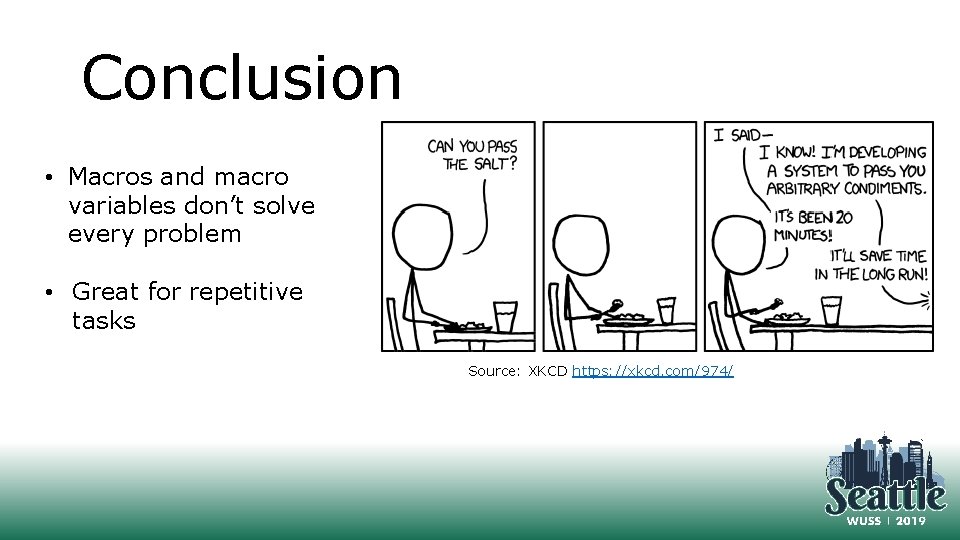
Conclusion • Macros and macro variables don’t solve every problem • Great for repetitive tasks Source: XKCD https: //xkcd. com/974/
Contact Information Name: Ekaterina (Katya) Roudneva Company: UC Davis City/State: Davis, CA Phone: (530) 754 -0815 Email: eroudneva@ucdavis. edu