
easy science via The Internet Introduction The Future



- Slides: 22
easy science via The Internet
Introduction “The Future of Collaborative Geoscience Process and Analytics” The Oil & Gas Technology Centre Aberdeen 9 November 2017 Presentation by Stan Grodynski CEO
Vision: e. Geo aims to be the world's leading provider of web browser utilities to advance collaborative geoscience processes and analytics in the global energy industry Mission: to develop a comprehensive matrix of advanced geoscience online utilities for the efficient exploitation of digital data and raster images in a secure collaborative environment
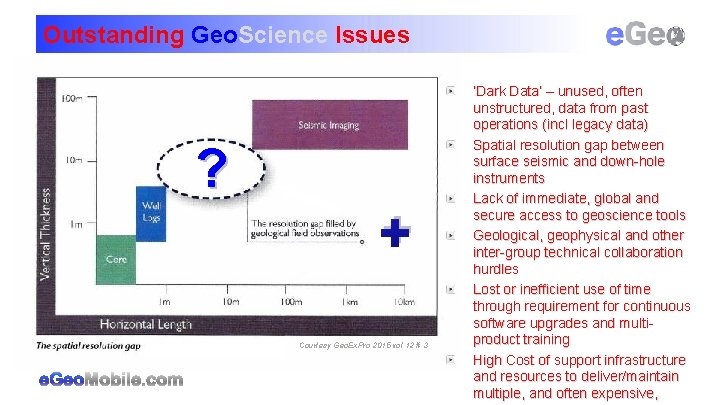
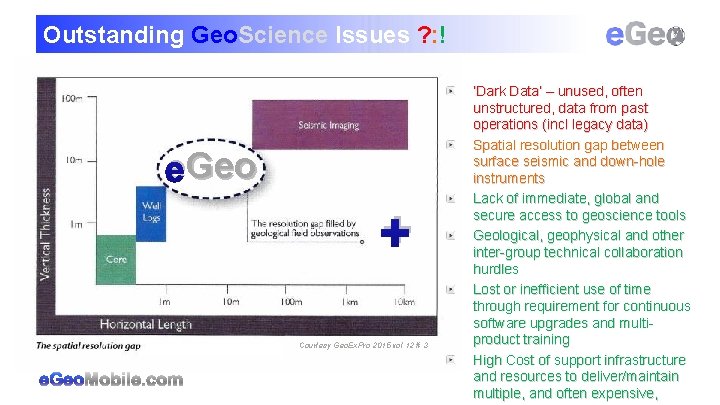
Outstanding Geo. Science Issues ? + Courtesy Geo. Ex. Pro 2015 vol 12 # 3 ‘Dark Data’ – unused, often unstructured, data from past operations (incl legacy data) Spatial resolution gap between surface seismic and down-hole instruments Lack of immediate, global and secure access to geoscience tools Geological, geophysical and other inter-group technical collaboration hurdles Lost or inefficient use of time through requirement for continuous software upgrades and multiproduct training High Cost of support infrastructure and resources to deliver/maintain multiple, and often expensive,
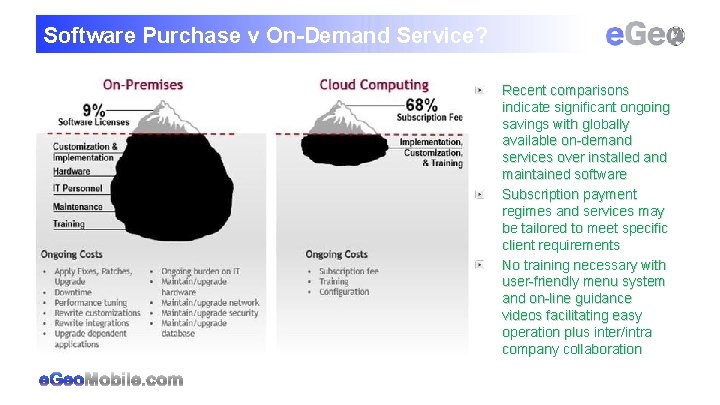
Software Purchase v On-Demand Service? Recent comparisons indicate significant ongoing savings with globally available on-demand services over installed and maintained software Subscription payment regimes and services may be tailored to meet specific client requirements No training necessary with user-friendly menu system and on-line guidance videos facilitating easy operation plus inter/intra company collaboration
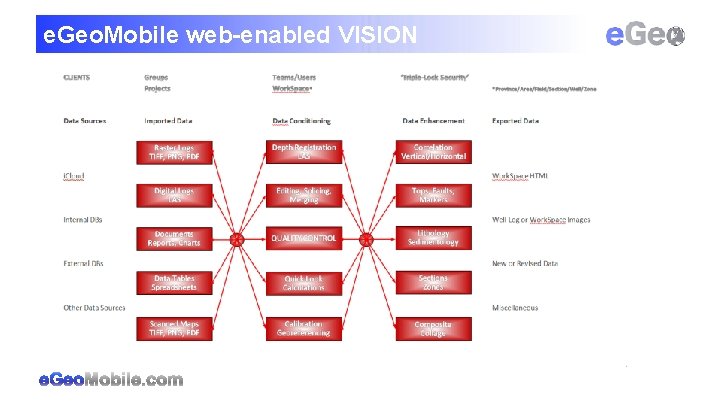
e. Geo. Mobile web-enabled VISION
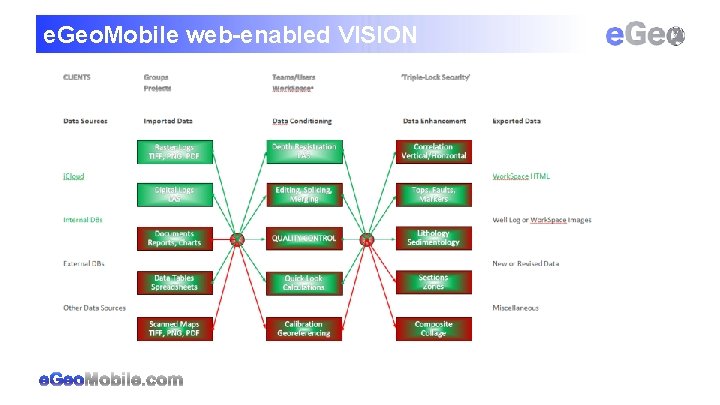
e. Geo. Mobile web-enabled VISION
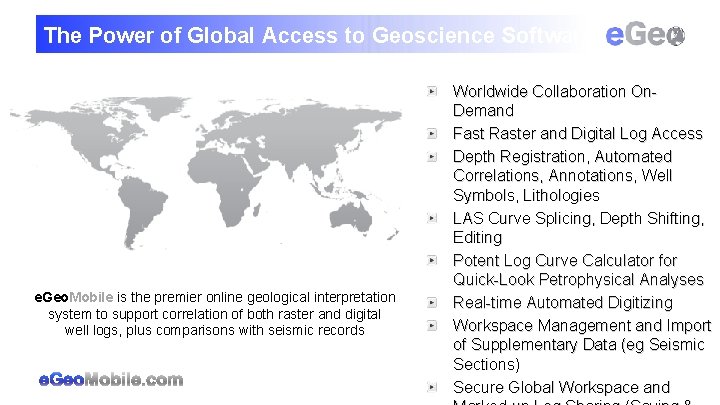
The Power of Global Access to Geoscience Software e. Geo. Mobile is the premier online geological interpretation system to support correlation of both raster and digital well logs, plus comparisons with seismic records Worldwide Collaboration On. Demand Fast Raster and Digital Log Access Depth Registration, Automated Correlations, Annotations, Well Symbols, Lithologies LAS Curve Splicing, Depth Shifting, Editing Potent Log Curve Calculator for Quick-Look Petrophysical Analyses Real-time Automated Digitizing Workspace Management and Import of Supplementary Data (eg Seismic Sections) Secure Global Workspace and
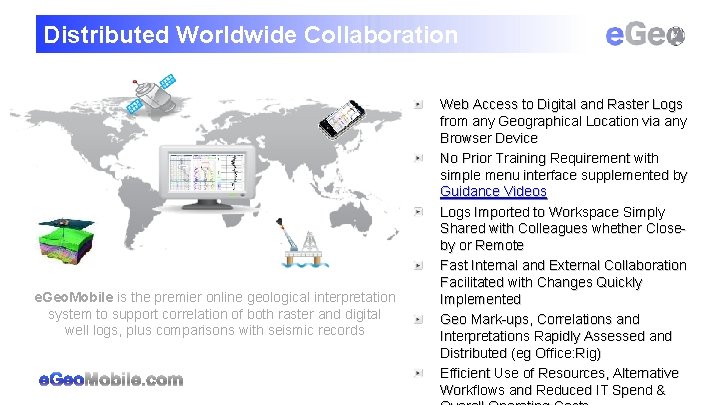
Distributed Worldwide Collaboration e. Geo. Mobile is the premier online geological interpretation system to support correlation of both raster and digital well logs, plus comparisons with seismic records Web Access to Digital and Raster Logs from any Geographical Location via any Browser Device No Prior Training Requirement with simple menu interface supplemented by Guidance Videos Logs Imported to Workspace Simply Shared with Colleagues whether Closeby or Remote Fast Internal and External Collaboration Facilitated with Changes Quickly Implemented Geo Mark-ups, Correlations and Interpretations Rapidly Assessed and Distributed (eg Office: Rig) Efficient Use of Resources, Alternative Workflows and Reduced IT Spend &
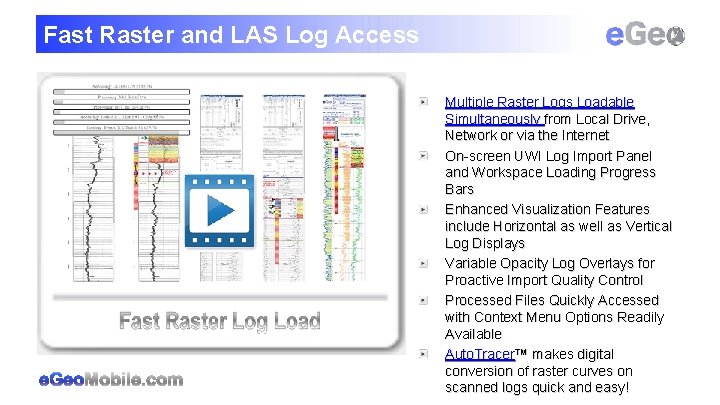
Fast Raster and LAS Log Access Multiple Raster Logs Loadable Simultaneously from Local Drive, Network or via the Internet On-screen UWI Log Import Panel and Workspace Loading Progress Bars Enhanced Visualization Features include Horizontal as well as Vertical Log Displays Variable Opacity Log Overlays for Proactive Import Quality Control Processed Files Quickly Accessed with Context Menu Options Readily Available Auto. Tracer™ makes digital conversion of raster curves on scanned logs quick and easy!
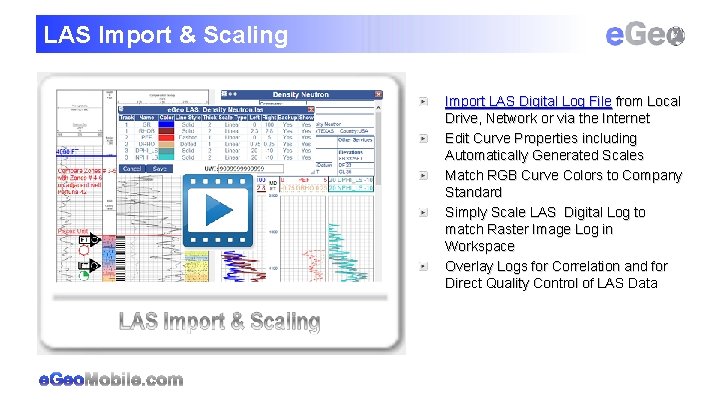
LAS Import & Scaling Import LAS Digital Log File from Local Drive, Network or via the Internet Edit Curve Properties including Automatically Generated Scales Match RGB Curve Colors to Company Standard Simply Scale LAS Digital Log to match Raster Image Log in Workspace Overlay Logs for Correlation and for Direct Quality Control of LAS Data
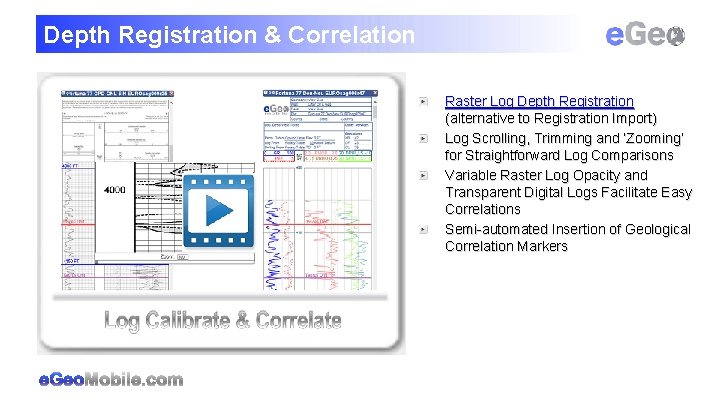
Depth Registration & Correlation Raster Log Depth Registration (alternative to Registration Import) Log Scrolling, Trimming and ‘Zooming’ for Straightforward Log Comparisons Variable Raster Log Opacity and Transparent Digital Logs Facilitate Easy Correlations Semi-automated Insertion of Geological Correlation Markers
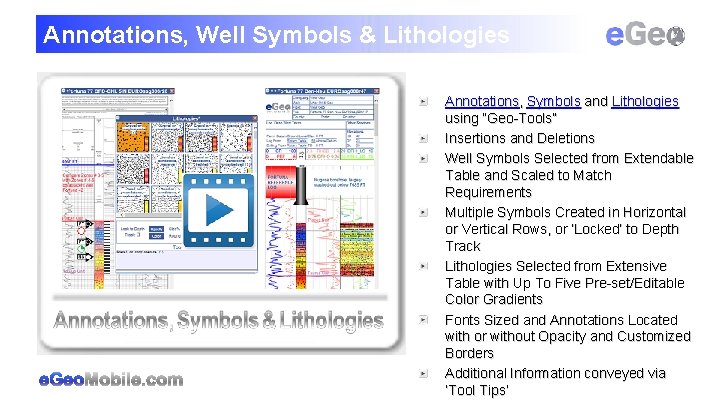
Annotations, Well Symbols & Lithologies Annotations, Symbols and Lithologies using “Geo-Tools” Insertions and Deletions Well Symbols Selected from Extendable Table and Scaled to Match Requirements Multiple Symbols Created in Horizontal or Vertical Rows, or ‘Locked’ to Depth Track Lithologies Selected from Extensive Table with Up To Five Pre-set/Editable Color Gradients Fonts Sized and Annotations Located with or without Opacity and Customized Borders Additional Information conveyed via ‘Tool Tips’
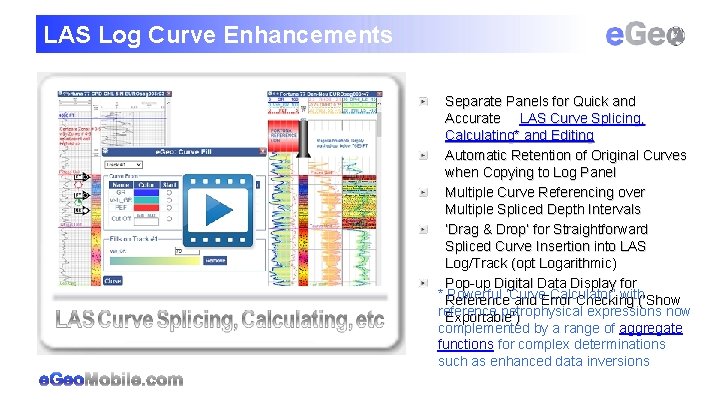
LAS Log Curve Enhancements Separate Panels for Quick and Accurate LAS Curve Splicing, Calculating* and Editing Automatic Retention of Original Curves when Copying to Log Panel Multiple Curve Referencing over Multiple Spliced Depth Intervals ‘Drag & Drop’ for Straightforward Spliced Curve Insertion into LAS Log/Track (opt Logarithmic) Pop-up Digital Data Display for * Reference Powerful ‘Curve Calculator’ with(‘Show and Error Checking reference petrophysical expressions now Exportable’) complemented by a range of aggregate functions for complex determinations such as enhanced data inversions
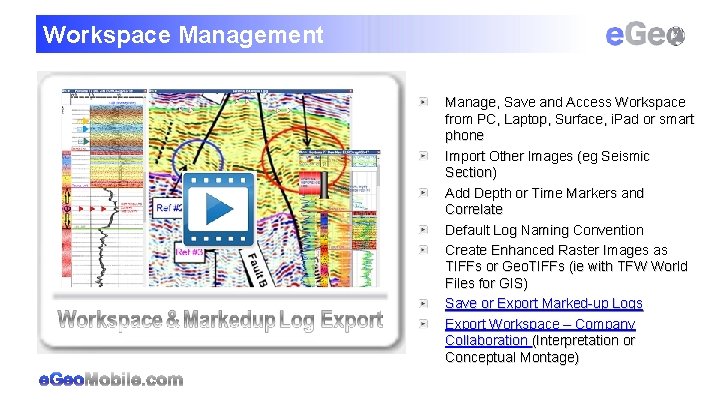
Workspace Management Manage, Save and Access Workspace from PC, Laptop, Surface, i. Pad or smart phone Import Other Images (eg Seismic Section) Add Depth or Time Markers and Correlate Default Log Naming Convention Create Enhanced Raster Images as TIFFs or Geo. TIFFs (ie with TFW World Files for GIS) Save or Export Marked-up Logs Export Workspace – Company Collaboration (Interpretation or Conceptual Montage)
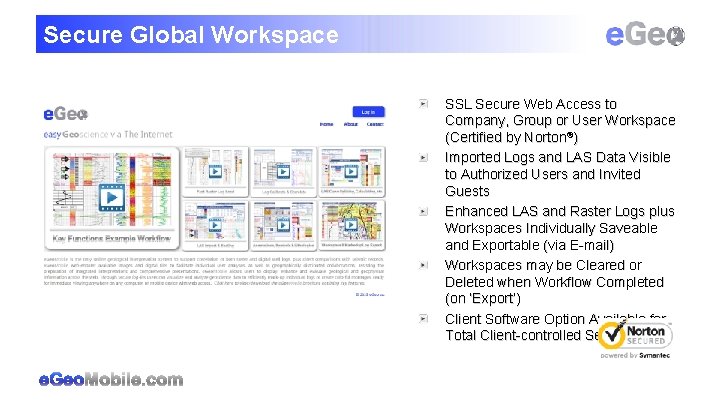
Secure Global Workspace SSL Secure Web Access to Company, Group or User Workspace (Certified by Norton®) Imported Logs and LAS Data Visible to Authorized Users and Invited Guests Enhanced LAS and Raster Logs plus Workspaces Individually Saveable and Exportable (via E-mail) Workspaces may be Cleared or Deleted when Workflow Completed (on ‘Export’) Client Software Option Available for Total Client-controlled Security
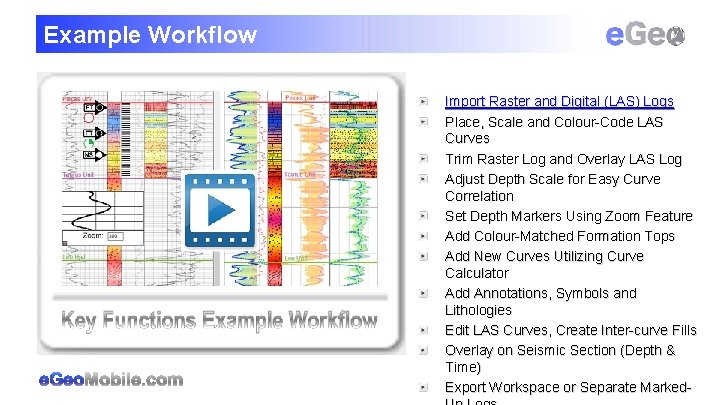
Example Workflow Import Raster and Digital (LAS) Logs Place, Scale and Colour-Code LAS Curves Trim Raster Log and Overlay LAS Log Adjust Depth Scale for Easy Curve Correlation Set Depth Markers Using Zoom Feature Add Colour-Matched Formation Tops Add New Curves Utilizing Curve Calculator Add Annotations, Symbols and Lithologies Edit LAS Curves, Create Inter-curve Fills Overlay on Seismic Section (Depth & Time) Export Workspace or Separate Marked-
Reduced Software Overhead / Support Costs e. Geo. Mobile is the premier online geological interpretation system to support correlation of both raster and digital well logs, plus comparisons with seismic records Web Access to Digital and Raster Logs from any Geographical Location (via any Browser Device) Drop-down and Context Menus for Quick and Easy Access to Data and Utilities Intuitive Operation with Online Guidance Videos for Immediate Results (No Training Required) Industry Standard Workflow Options with Flexible Structure for Client Promoted Functionality Straightforward Internal/External Collaboration, Local or Global No New Software/Hardware Required or On-going IT Support or Maintenance Necessary Reduced Requirement for TP
Outstanding Geo. Science Issues ? : ! Geo e. Geo + Courtesy Geo. Ex. Pro 2015 vol 12 # 3 ‘Dark Data’ – unused, often unstructured, data from past operations (incl legacy data) Spatial resolution gap between surface seismic and down-hole instruments Lack of immediate, global and secure access to geoscience tools Geological, geophysical and other inter-group technical collaboration hurdles Lost or inefficient use of time through requirement for continuous software upgrades and multiproduct training High Cost of support infrastructure and resources to deliver/maintain multiple, and often expensive,
e. Geo. Mobile exclusively represented throughout Europe by SCOTCH THANK YOU FOR YOUR KIND ATTENTION! QUESTIONS?