
Easy OnBoarding EAM Purchasing Set Up Process Easy
Easy On-Boarding EAM – Purchasing Set Up Process
Easy On-Boarding Course Overview • • EAM Overview EAM Modules Introduction to EAM Purchasing Set Up Process
Easy On-Boarding QAD EAM Overview • Enterprise Asset Management - Manage the physical assets of a business - Includes design, construction, commissioning, operation, maintenance, improvement and replacement of plant, equipment and facilities • Control MRO spend - Maintenance Spend - Non Production spend
Easy On-Boarding QAD ERP and QAD EAM • QAD ERP - Manufacturing components • QAD EAM - Maintenance components
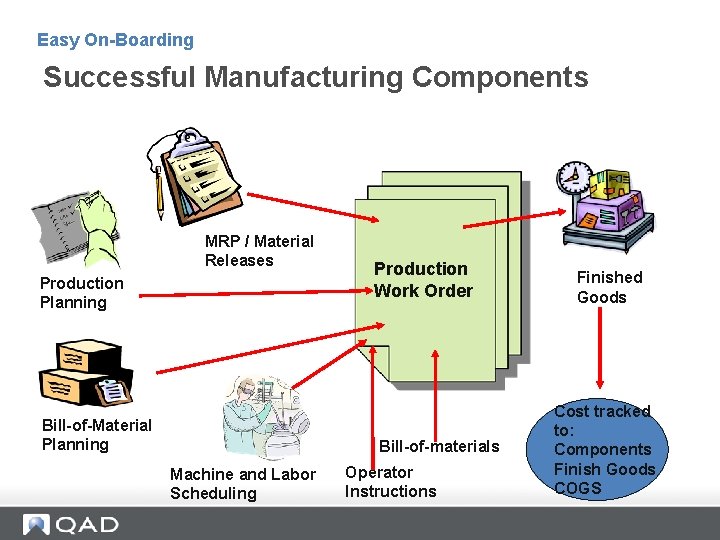
Easy On-Boarding Successful Manufacturing Components MRP / Material Releases Production Planning Bill-of-Material Planning Production Work Order Bill-of-materials Machine and Labor Scheduling Operator Instructions Finished Goods Cost tracked to: Components Finish Goods COGS
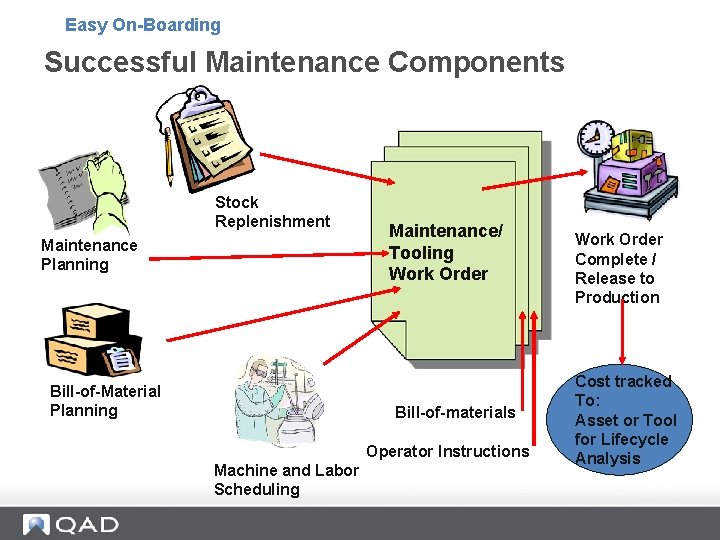
Easy On-Boarding Successful Maintenance Components Stock Replenishment Maintenance Planning Bill-of-Material Planning Maintenance/ Tooling Work Order Bill-of-materials Operator Instructions Machine and Labor Scheduling Work Order Complete / Release to Production Cost tracked To: Asset or Tool for Lifecycle Analysis
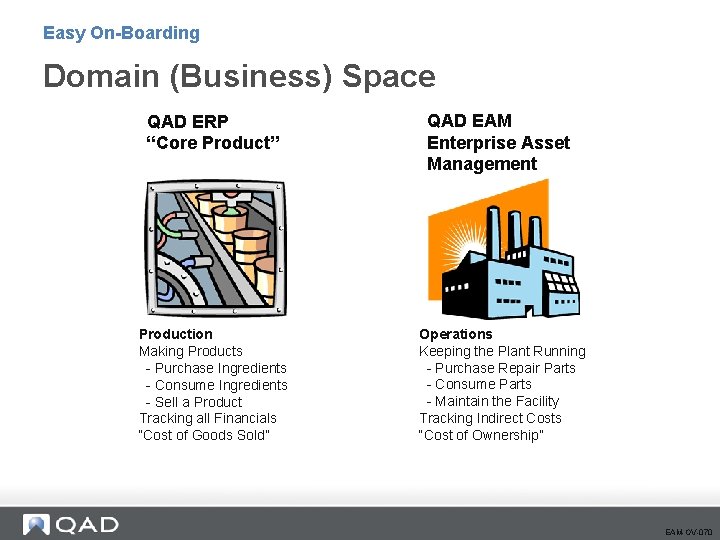
Easy On-Boarding Domain (Business) Space QAD ERP “Core Product” Production Making Products - Purchase Ingredients - Consume Ingredients - Sell a Product Tracking all Financials “Cost of Goods Sold” QAD EAM Enterprise Asset Management Operations Keeping the Plant Running - Purchase Repair Parts - Consume Parts - Maintain the Facility Tracking Indirect Costs “Cost of Ownership” EAM-OV-070
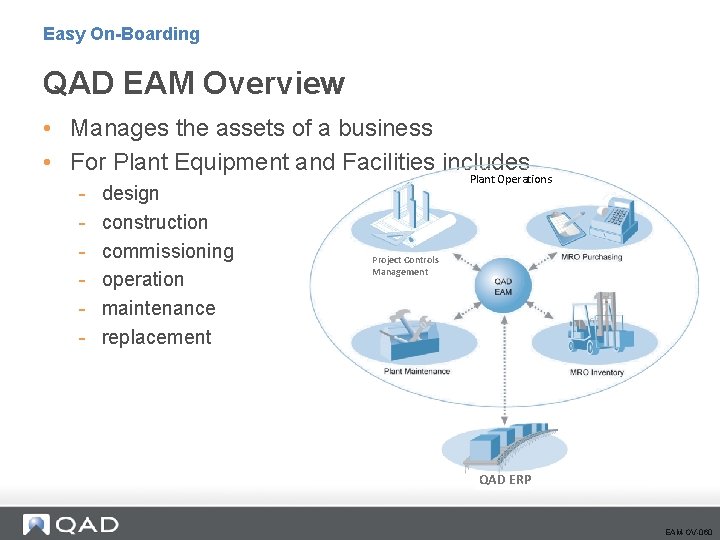
Easy On-Boarding QAD EAM Overview • Manages the assets of a business • For Plant Equipment and Facilities includes - design construction commissioning operation maintenance replacement Plant Operations Project Controls Management QAD ERP EAM-OV-060
QAD EAM Modules
Easy On-Boarding QAD EAM Overview – Modules • Maintenance - Equipment Efficiency - Plant Reliability • Inventory - Right Size MRO/Indirect Inventory - The right parts when you need them • Purchasing - Control MRO/Indirect Spend - Comply with Corporate Financial Manual Approvals • Project Controls - Manage Project Spend - Track True Acquisition Cost of Assets EAM-OV-080
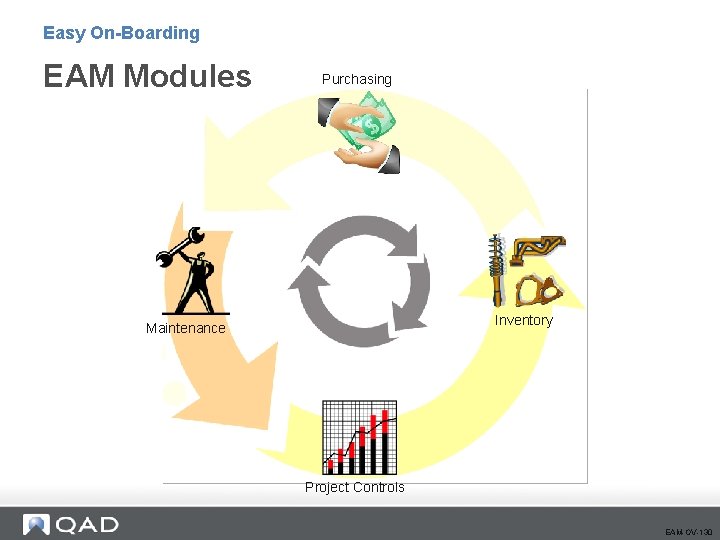
Easy On-Boarding EAM Modules Purchasing Inventory Maintenance Project Controls EAM-OV-130
Easy On-Boarding Introduction to EAM Purchasing
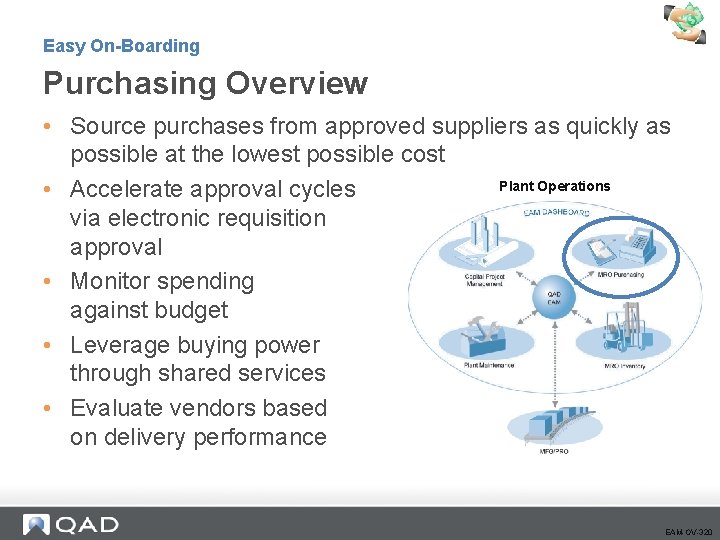
Easy On-Boarding Purchasing Overview • Source purchases from approved suppliers as quickly as possible at the lowest possible cost Plant Operations • Accelerate approval cycles via electronic requisition approval • Monitor spending against budget • Leverage buying power through shared services • Evaluate vendors based on delivery performance EAM-OV-320
Easy On-Boarding Who uses EAM Purchasing? • • • Requestors Buyers Approvers Receivers Accounts Payable Vendors EAM-OV-320
Easy On-Boarding Important Things to Know • Purchasing Key Concepts - Requisitions - Purchase Orders • Stock Replenishment EAM-OV-350
Easy On-Boarding EAM Purchasing Key Concepts • Starts with a Requisition - Standard Clauses - File Attachments • Vendors #’s from ERP System • Supports - Quotes Parts Purchases Non-Stock Purchases Consignment Purchases Services Purchases Automated Stock Replenishment • EAM Purchase Orders = ERP Memo PO’s EAM-OV-360
Easy On-Boarding Purchasing Key Concepts (cont. ) • All EAM Purchases are Expensed on Receipt • Receipt sends Receiver to ERP (Accounts Payable Process) • EAM Provides Robust Electronic Approval Options - Requisition Level – Budgetary - Purchase Order Level – “Second” Signature • NEW to v 12: Horizontal / Vertical Approval EAM-OV-360
Easy On-Boarding Stock Replenishment • Stock Replenishment similar in concept to MRP in the ERP System. • Manual and Automated options. • Utilizes on-hand quantity, reorder point and management max values. • May be manipulated prior to order. • Create the request after adding parts to a stock run. - Vendor Sourced: Generates purchase one requisition per Vendor - Internal Fabricated: Generates work order EAM-OV-370
EAM Purchasing Set Up Process 19
Easy On-Boarding Section Objectives • Define Purchasing Master Data • Set Up Purchasing Functional Data •
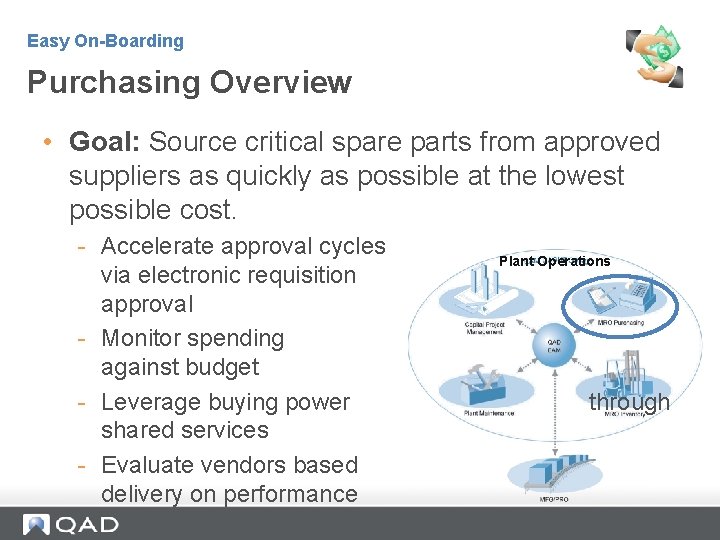
Easy On-Boarding Purchasing Overview • Goal: Source critical spare parts from approved suppliers as quickly as possible at the lowest possible cost. - Accelerate approval cycles via electronic requisition approval - Monitor spending against budget - Leverage buying power shared services - Evaluate vendors based delivery on performance Plant Operations through
Easy On-Boarding Purchasing Overview • EAM creates a QAD ERP Memo Purchase Order - All adds, changes and deletes are automatically reflected on corresponding QAD ERP application Memo purchase order • Financial Transactions Feed to QAD ERP* - Receipts - Return to vendor - All tax related to purchase Note: Buyers typically manage purchase orders through EAM.
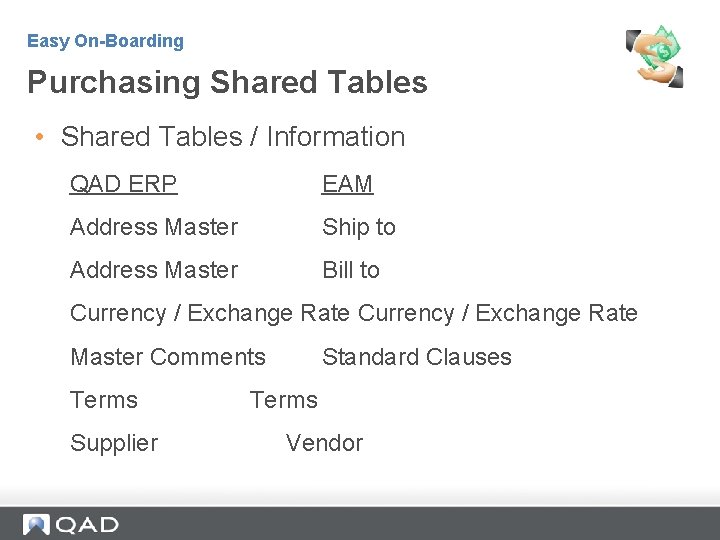
Easy On-Boarding Purchasing Shared Tables • Shared Tables / Information QAD ERP EAM Address Master Ship to Address Master Bill to Currency / Exchange Rate Master Comments Terms Supplier Standard Clauses Terms Vendor
Easy On-Boarding Purchasing Role in EAM • Purchasing addresses all indirect purchasing requirements in a plant, enabling the buyer to report all indirect purchases in a single system. - Purchasing is tightly integrated into EAM’s inventory, capital project, and maintenance modules. - Requisitions are the backbone of the purchasing system. All requests originate as requisitions. Requisitions route for approval, and are attached to purchase orders (POs). - EAM automatically creates POs for sole-sourced items.
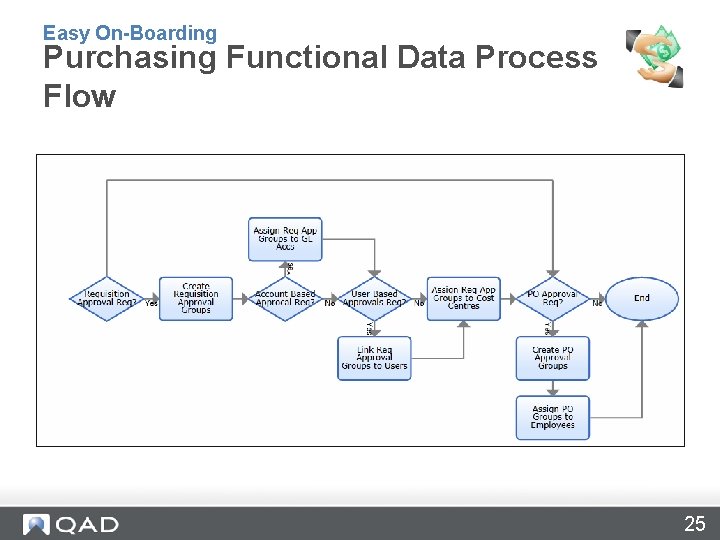
Easy On-Boarding Purchasing Functional Data Process Flow 25
Easy On-Boarding Requisition Setup • Part Number - The lookup uses the inventory part lookup. You can also enter a non-stock part number in the field. • Order Cost - EAM first seeks a valid price schedule. If one does not exist, it seeks: • the last price paid to the vendor for the part • the last price paid for the part from any vendor • the current inventory cost • Contractor - Cost is expensed to the contractor instead of the material bucket for equipment, work order, and project purchases.
Easy On-Boarding Requisition Setup • Auto Issue - Instead of receiving parts into inventory on receipt, items will be issued directly to a project, work order, equipment or cost center, noted on the requisition. • Consignment - If the requisition replenishes consignment inventory, create a consignment order instead of a purchase order. • From Schedule - Indicate whether the requisition price is from a valid price schedule. • Tax Information - Tax codes default from project, inventory, vendor, and ship to address.
Easy On-Boarding Requisition Setup • Requisition Approval - The routing system is set up during EAM implementation. EAM uses approval groups linked to project, user, cost center, or account number. EAM can use a hierarchical approach to accommodate available criteria. - Approvers can designate substitutes during a leave of absence. - Requisition routes to approvers through internal and external email. Routing continues until a manager with enough spending authority approves the requisition. - Approvers can access current spending information against budget during the approval process. - Quality approvers, who do not approve the amount, can be in approval groups. - Requestor receives e-mail notification of approval or rejection.
Easy On-Boarding Requisition Setup • Convert requisitions to purchase orders - Individually convert to purchase order - Attach to an existing purchase order - Globally create multiple purchase orders simultaneously, combining requisitions to each vendor on the same purchase order
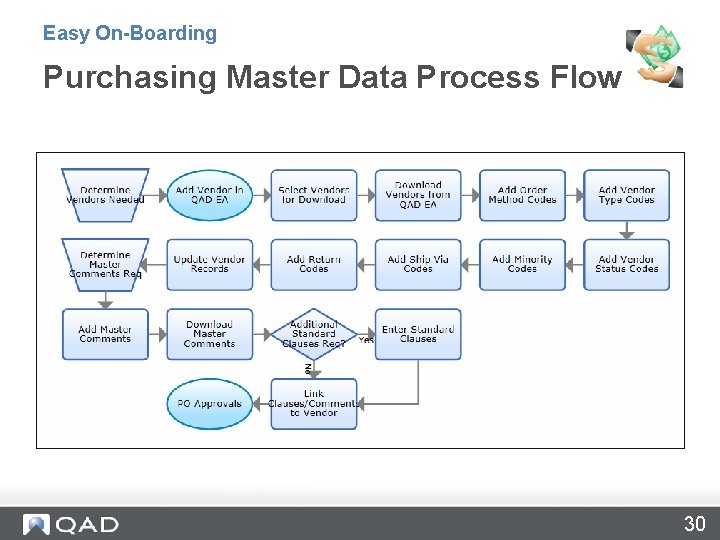
Easy On-Boarding Purchasing Master Data Process Flow 30
Easy On-Boarding Purchase Order Setup • Types of Purchases - Blanket Purchase Orders • Pre-negotiated orders with suppliers for a specified period of time. Buyers can create releases against valid Blanket purchase orders can restrict the items that can be purchased on the blanket or be left open. - Consignment Order • Stored in EAM’s purchase order table, but are flagged as a consignment order. Consignment orders are not sent to QAD ERP application. - Standard Purchase Order
Easy On-Boarding Purchase Order Setup • Special Functions - Standard Clauses • Downloaded from QAD ERP to specify special terms or requirements. - Vendor Revisions • When printing a purchase order, users can list the revision number and any changes the vendor should be aware of since the purchase was first submitted.
Easy On-Boarding Questions? 33
www. qad. com © 2011 QAD Inc 34
- Slides: 34