
Easy OnBoarding EAM Purchasing Processes Easy OnBoarding Course
Easy On-Boarding EAM – Purchasing Processes
Easy On-Boarding Course Overview • • EAM Overview EAM Modules Introduction to EAM Purchasing Processes - Requisitions Purchase Orders Receiving Supplier Returns
Easy On-Boarding QAD EAM Overview • Enterprise Asset Management - Manage the physical assets of a business - Includes design, construction, commissioning, operation, maintenance, improvement and replacement of plant, equipment and facilities • Control MRO spend - Maintenance Spend - Non Production spend
Easy On-Boarding QAD ERP and QAD EAM • QAD ERP - Manufacturing components • QAD EAM - Maintenance components
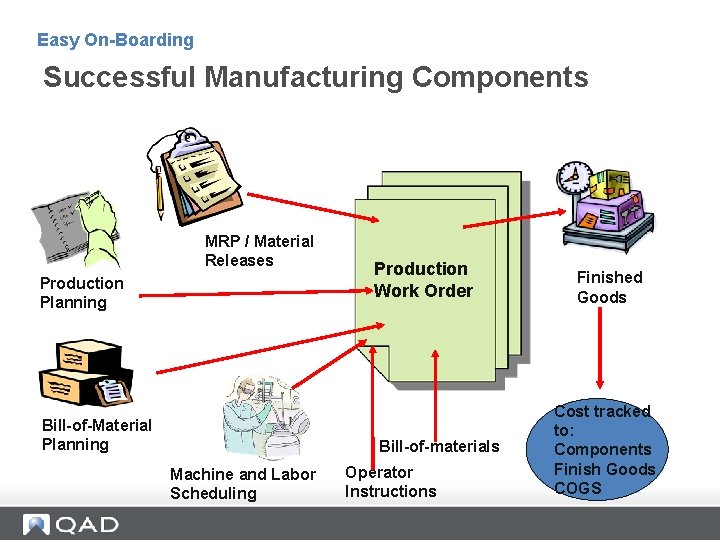
Easy On-Boarding Successful Manufacturing Components MRP / Material Releases Production Planning Bill-of-Material Planning Production Work Order Bill-of-materials Machine and Labor Scheduling Operator Instructions Finished Goods Cost tracked to: Components Finish Goods COGS
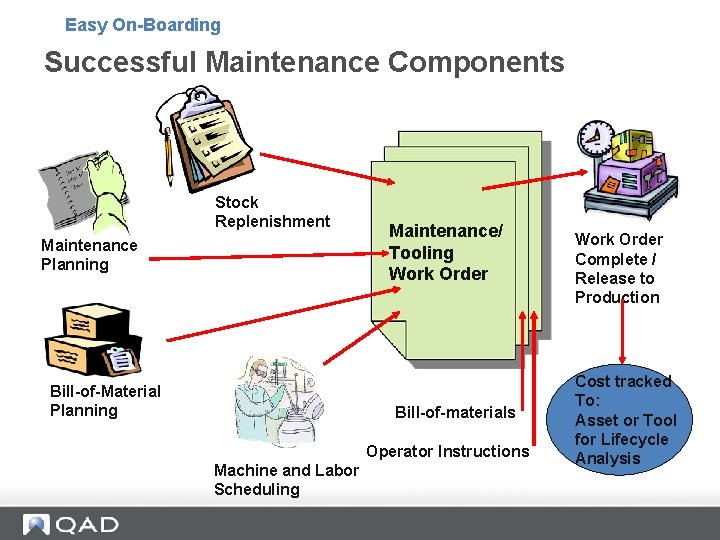
Easy On-Boarding Successful Maintenance Components Stock Replenishment Maintenance Planning Bill-of-Material Planning Maintenance/ Tooling Work Order Bill-of-materials Operator Instructions Machine and Labor Scheduling Work Order Complete / Release to Production Cost tracked To: Asset or Tool for Lifecycle Analysis
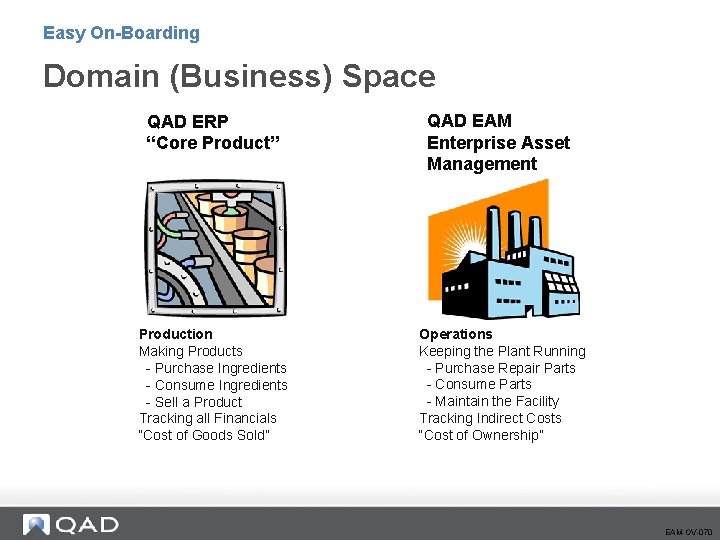
Easy On-Boarding Domain (Business) Space QAD ERP “Core Product” Production Making Products - Purchase Ingredients - Consume Ingredients - Sell a Product Tracking all Financials “Cost of Goods Sold” QAD EAM Enterprise Asset Management Operations Keeping the Plant Running - Purchase Repair Parts - Consume Parts - Maintain the Facility Tracking Indirect Costs “Cost of Ownership” EAM-OV-070
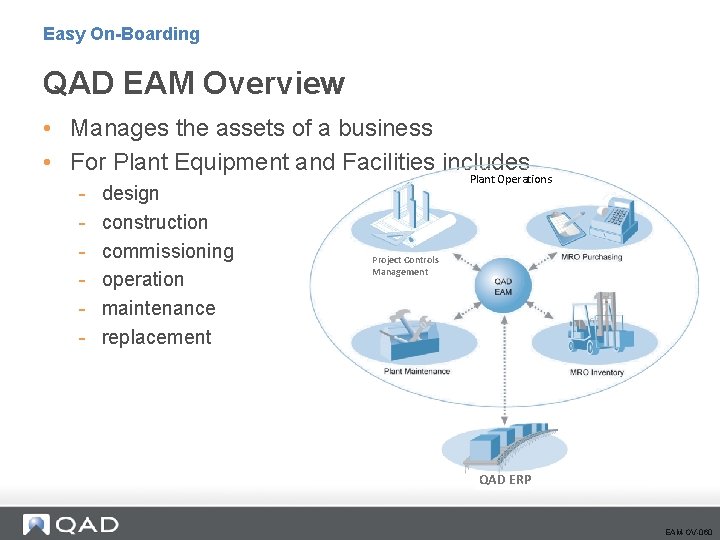
Easy On-Boarding QAD EAM Overview • Manages the assets of a business • For Plant Equipment and Facilities includes - design construction commissioning operation maintenance replacement Plant Operations Project Controls Management QAD ERP EAM-OV-060
QAD EAM Modules
Easy On-Boarding QAD EAM Overview – Modules • Maintenance - Equipment Efficiency - Plant Reliability • Inventory - Right Size MRO/Indirect Inventory - The right parts when you need them • Purchasing - Control MRO/Indirect Spend - Comply with Corporate Financial Manual Approvals • Project Controls - Manage Project Spend - Track True Acquisition Cost of Assets EAM-OV-080
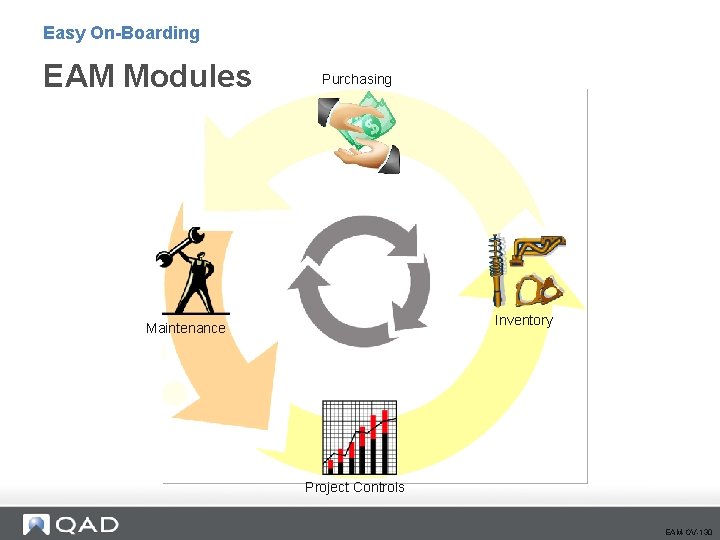
Easy On-Boarding EAM Modules Purchasing Inventory Maintenance Project Controls EAM-OV-130
Easy On-Boarding Introduction to EAM Purchasing
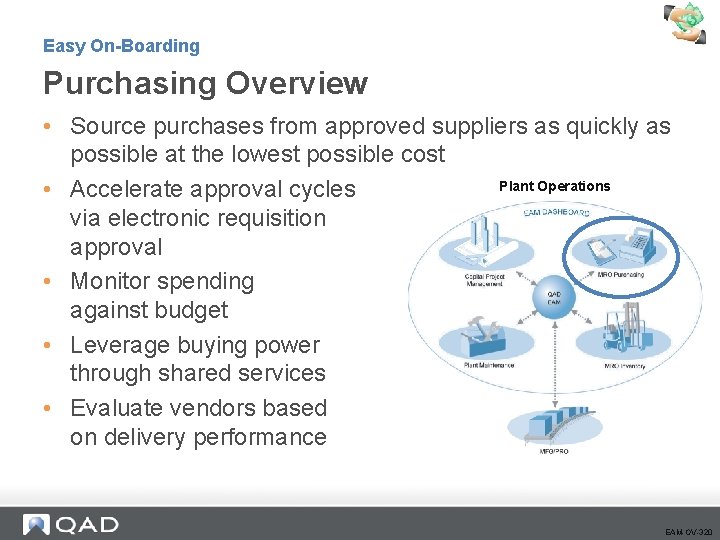
Easy On-Boarding Purchasing Overview • Source purchases from approved suppliers as quickly as possible at the lowest possible cost Plant Operations • Accelerate approval cycles via electronic requisition approval • Monitor spending against budget • Leverage buying power through shared services • Evaluate vendors based on delivery performance EAM-OV-320
Easy On-Boarding Who uses EAM Purchasing? • • • Requestors Buyers Approvers Receivers Accounts Payable Vendors EAM-OV-320
Easy On-Boarding Important Things to Know • Purchasing Key Concepts - Requisitions - Purchase Orders • Stock Replenishment EAM-OV-350
Easy On-Boarding EAM Purchasing Key Concepts • Starts with a Requisition - Standard Clauses - File Attachments • Vendors #’s from ERP System • Supports - Quotes Parts Purchases Non-Stock Purchases Consignment Purchases Services Purchases Automated Stock Replenishment • EAM Purchase Orders = ERP Memo PO’s EAM-OV-360
Easy On-Boarding Purchasing Key Concepts (cont. ) • All EAM Purchases are Expensed on Receipt • Receipt sends Receiver to ERP (Accounts Payable Process) • EAM Provides Robust Electronic Approval Options - Requisition Level – Budgetary - Purchase Order Level – “Second” Signature • NEW to v 12: Horizontal / Vertical Approval EAM-OV-360
Easy On-Boarding Stock Replenishment • Stock Replenishment similar in concept to MRP in the ERP System. • Manual and Automated options. • Utilizes on-hand quantity, reorder point and management max values. • May be manipulated prior to order. • Create the request after adding parts to a stock run. - Vendor Sourced: Generates purchase one requisition per Vendor - Internal Fabricated: Generates work order EAM-OV-370
EAM Purchasing Processes 19
Easy On-Boarding Section Objectives • • • Define Purchasing Create and authorize requisitions Globally create POs Order and receive POs View GLs and vouchers in QAD ERP Replenish stock
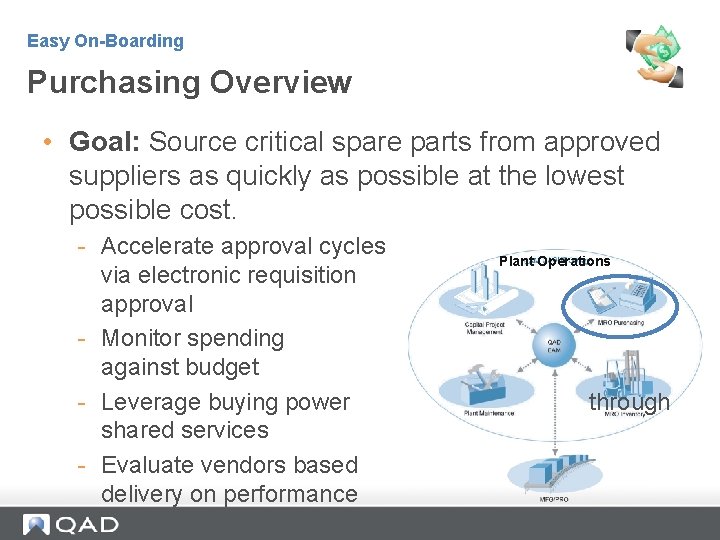
Easy On-Boarding Purchasing Overview • Goal: Source critical spare parts from approved suppliers as quickly as possible at the lowest possible cost. - Accelerate approval cycles via electronic requisition approval - Monitor spending against budget - Leverage buying power shared services - Evaluate vendors based delivery on performance Plant Operations through
Easy On-Boarding Purchasing Overview • EAM creates a QAD ERP Memo Purchase Order - All adds, changes and deletes are automatically reflected on corresponding QAD ERP application Memo purchase order • Financial Transactions Feed to QAD ERP* - Receipts - Return to vendor - All tax related to purchase Note: Buyers typically manage purchase orders through EAM.
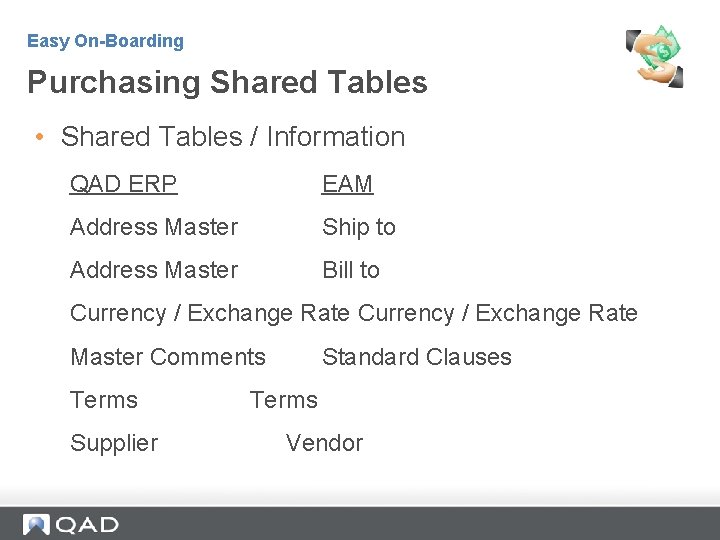
Easy On-Boarding Purchasing Shared Tables • Shared Tables / Information QAD ERP EAM Address Master Ship to Address Master Bill to Currency / Exchange Rate Master Comments Terms Supplier Standard Clauses Terms Vendor
Easy On-Boarding Purchasing Role in EAM • Purchasing addresses all indirect purchasing requirements in a plant, enabling the buyer to report all indirect purchases in a single system. - Purchasing is tightly integrated into EAM’s inventory, capital project, and maintenance modules. - Requisitions are the backbone of the purchasing system. All requests originate as requisitions. Requisitions route for approval, and are attached to purchase orders (POs). - EAM automatically creates POs for sole-sourced items.
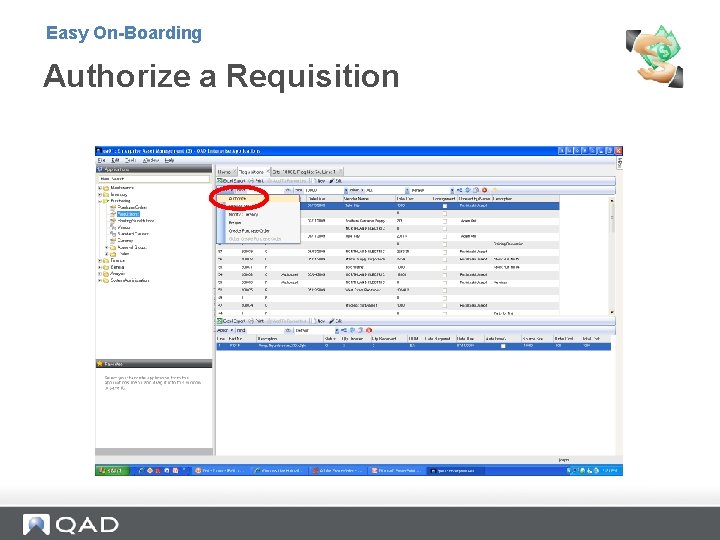
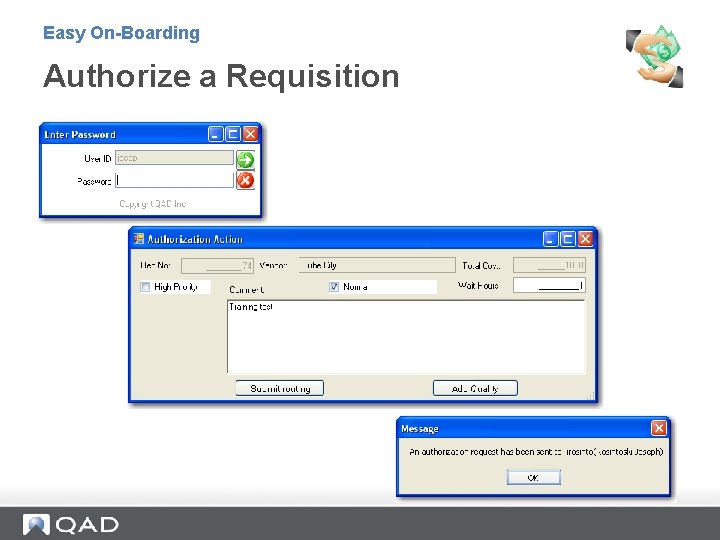
Easy On-Boarding Purchasing Process • Submit requisition for routing. - Approval routing is initiated. - Requisition is approved. • Buyer combines approved requisitions into purchase orders. - Buyer gets quotes or confirms price with supplier. - Purchase order is ordered and submitted to supplier. • Parts are received into EAM. - Items are received into inventory or charged to designated area. - EAM e-mails requestor.
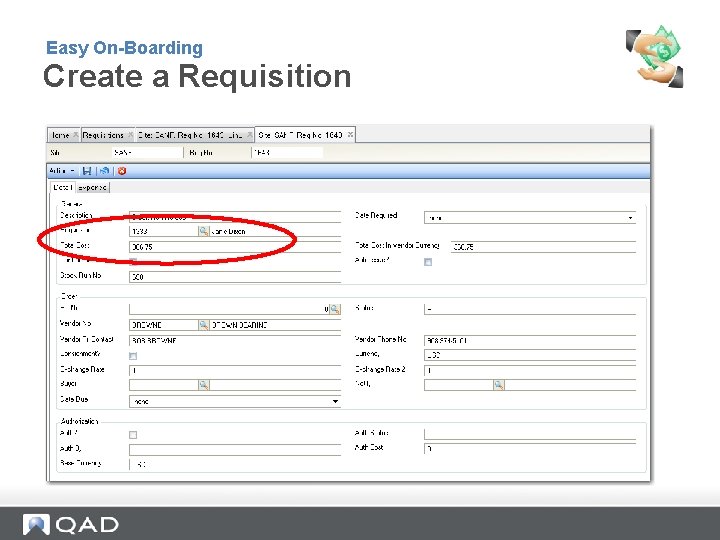
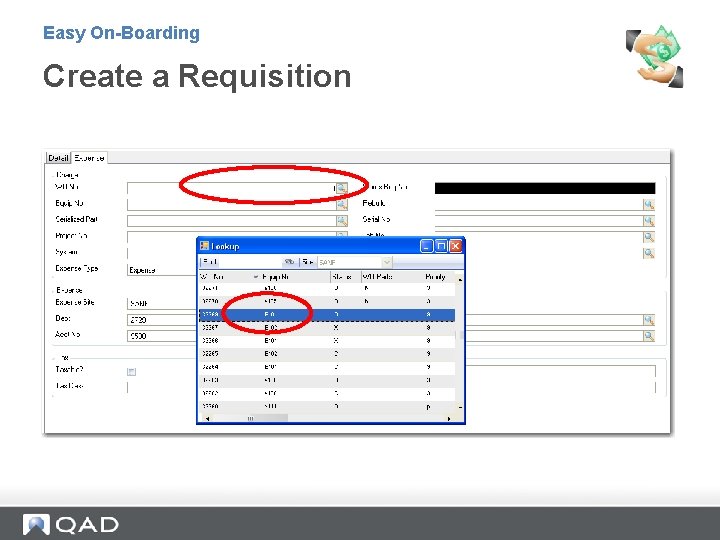
Easy On-Boarding Purchase Sample • Create requisition for non-stock item. - Charge expense to a work order - Start approval process • Login as approver and authorize requisition. • Login as buyer and filter approved requisitions that have not been attached to a purchase order. • Globally - Create purchase orders - Change status to ordered • Receive items into EAM. • Log into QAD ERP. • Follow the purchase order through cycle.
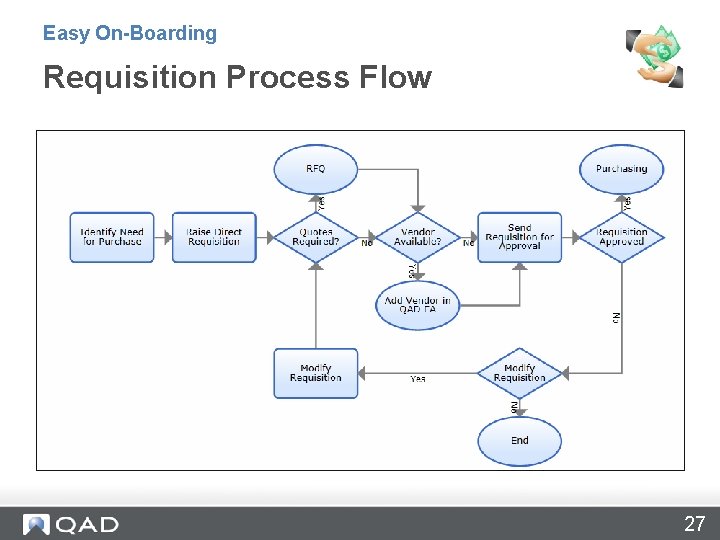
Easy On-Boarding Requisition Process Flow 27
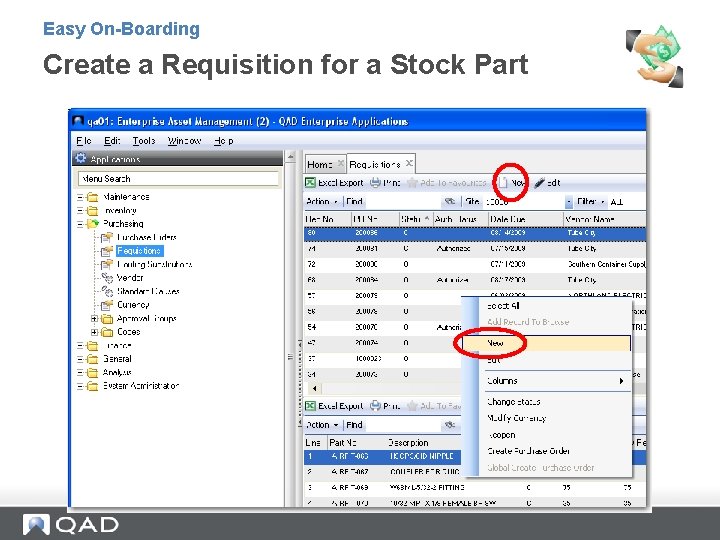
Easy On-Boarding Create a Requisition for a Stock Part
Easy On-Boarding Create a Requisition
Easy On-Boarding Create a Requisition
Easy On-Boarding Authorize a Requisition
Easy On-Boarding Authorize a Requisition
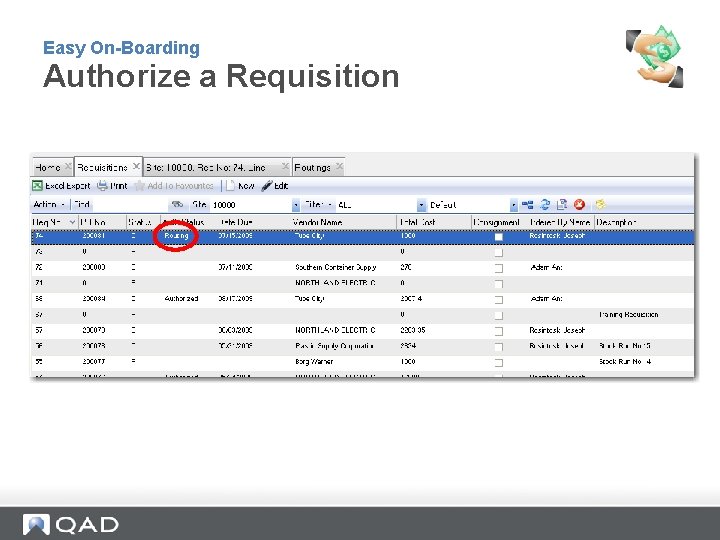
Easy On-Boarding Authorize a Requisition
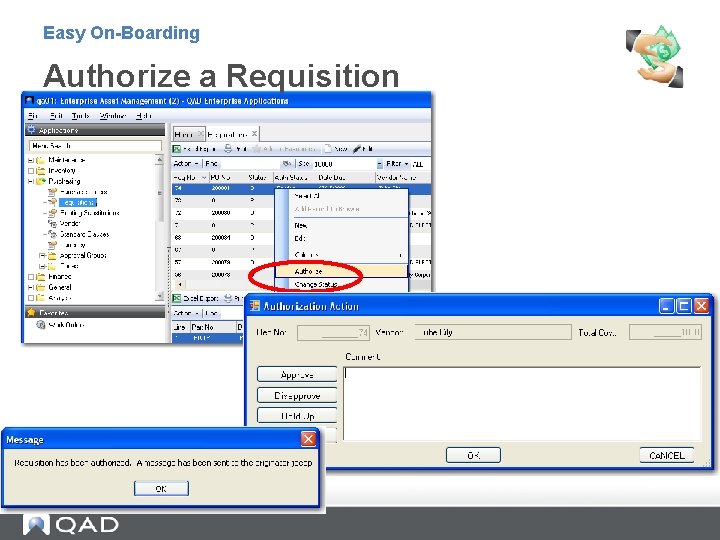
Easy On-Boarding Authorize a Requisition
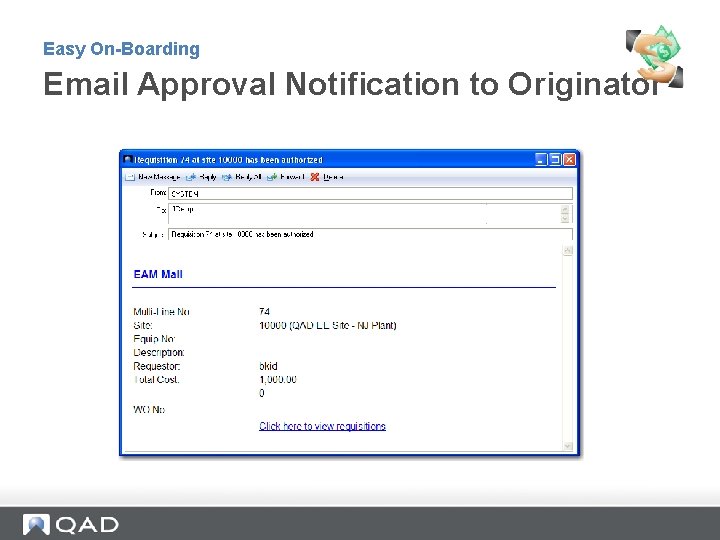
Easy On-Boarding Email Approval Notification to Originator
Easy On-Boarding Exercise: Create and Approve a Requisition • Create an on-demand requisition for your part. - Create requisition for a quantity of 2. Question: How was the price determined? - Inventory Price - Last Price Paid - Price Schedule • • Route for approval and complete the routing process. Create an on-demand requisition for a non-stock part and charge to an open work order. - • Some specifics: • Enter a quantity of 3 each • Enter a price • Select a vendor from the vendor lookup • Select a Work Order number from the WO lookup. Route for approval and complete the routing process.
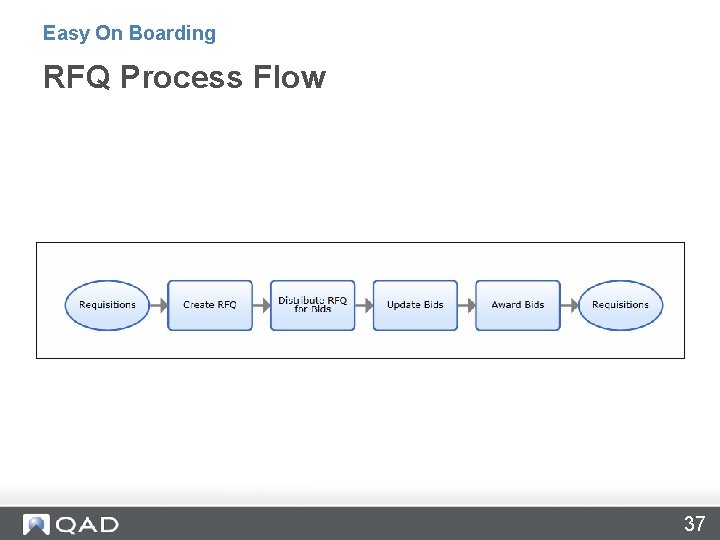
Easy On Boarding RFQ Process Flow 37
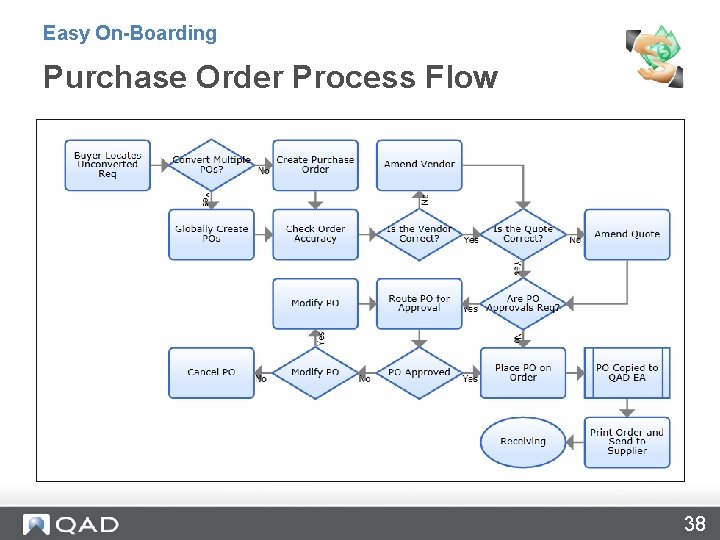
Easy On-Boarding Purchase Order Process Flow 38
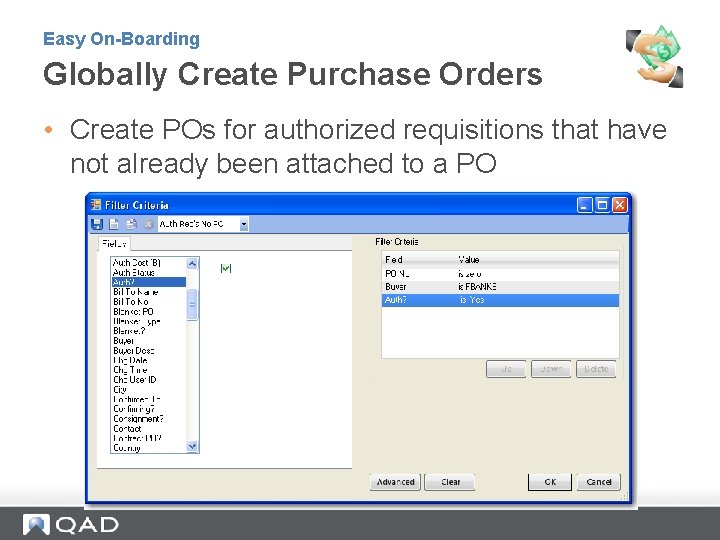
Easy On-Boarding Globally Create Purchase Orders • Create POs for authorized requisitions that have not already been attached to a PO
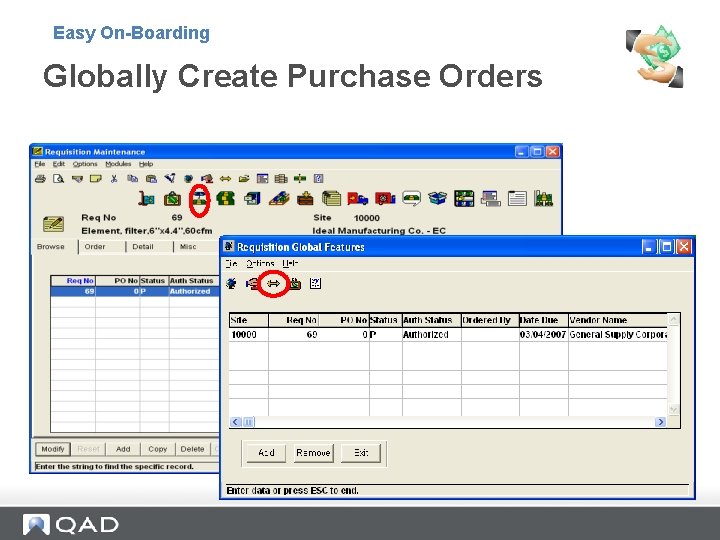
Easy On-Boarding Globally Create Purchase Orders
Easy On-Boarding Exercise: Globally Create POs and Place on Order • Filter the requisitions by the following criteria: - Requestor = your logon ID (student 1, student 2, etc) - PO = 0 • Expected results: - 2 requisitions. One for a stock purchase and the other a nonstock purchase • Globally create POs • Expected results: - If you used the same vendor for both requisitions, you see only 1 PO for both Requisitions. - If you used two different vendors for your requisitions, then you have 2 POs (one for each requisition).
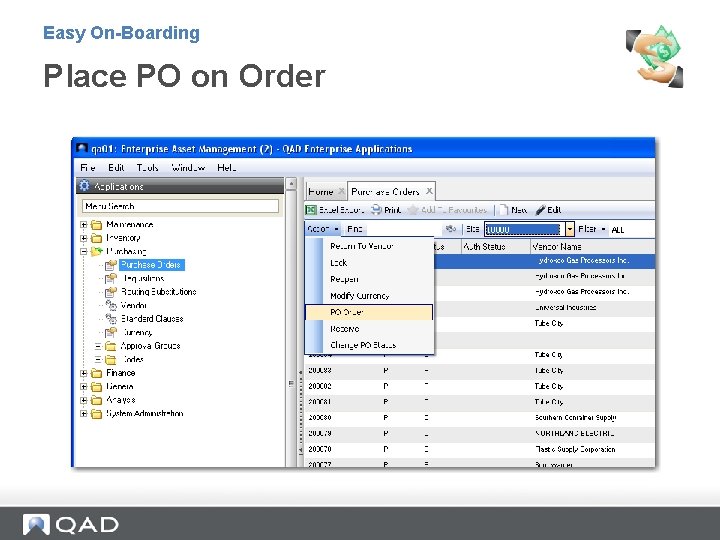
Easy On-Boarding Place PO on Order
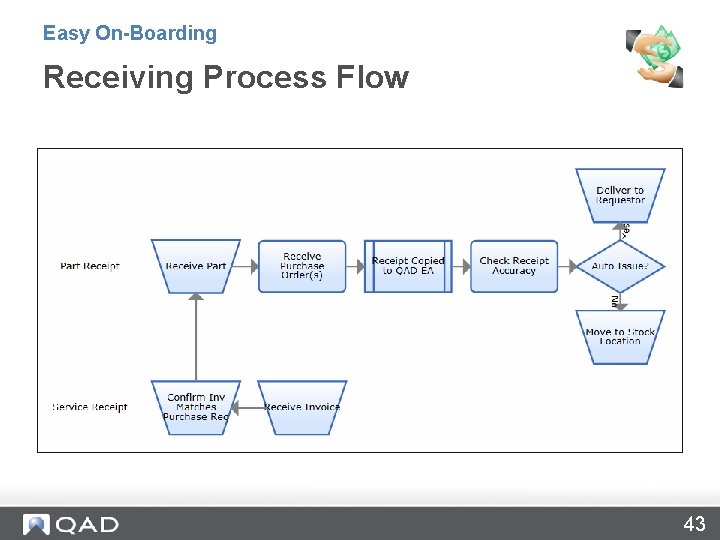
Easy On-Boarding Receiving Process Flow 43
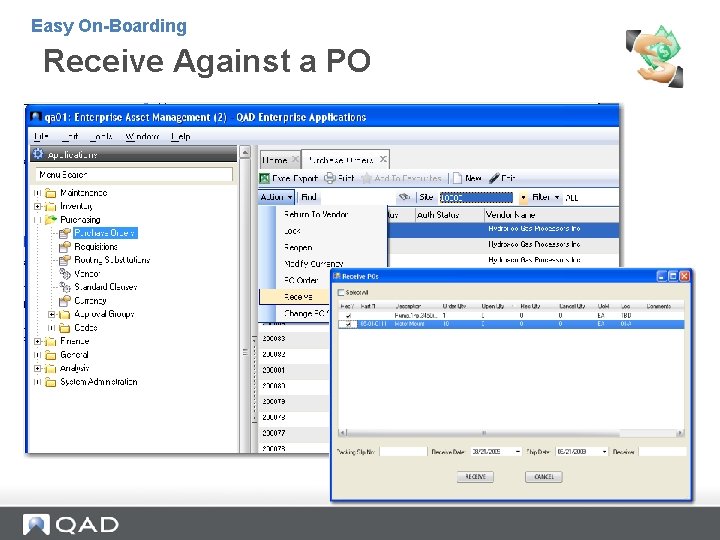
Easy On-Boarding Receive Against a PO
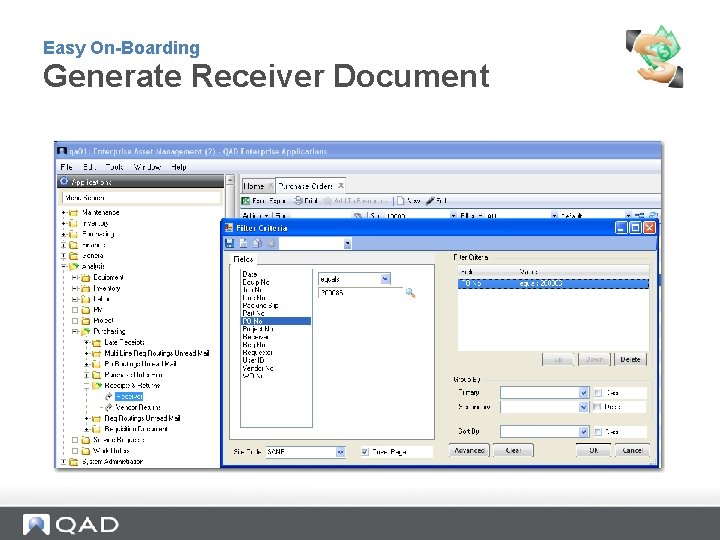
Easy On-Boarding Generate Receiver Document
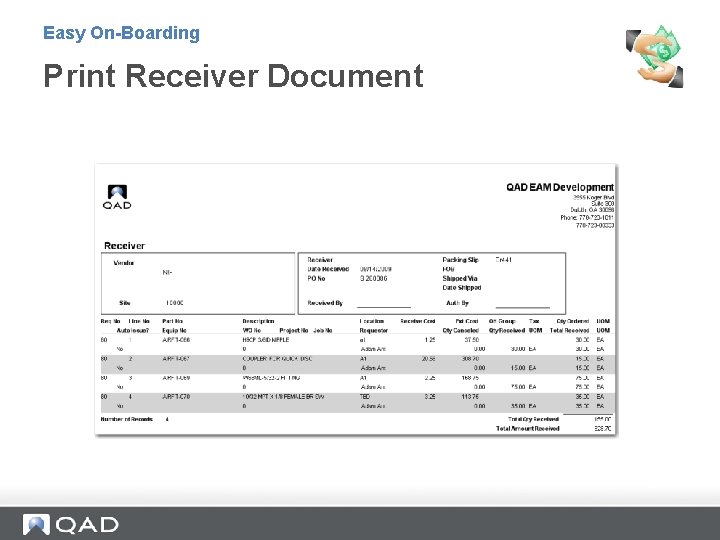
Easy On-Boarding Print Receiver Document
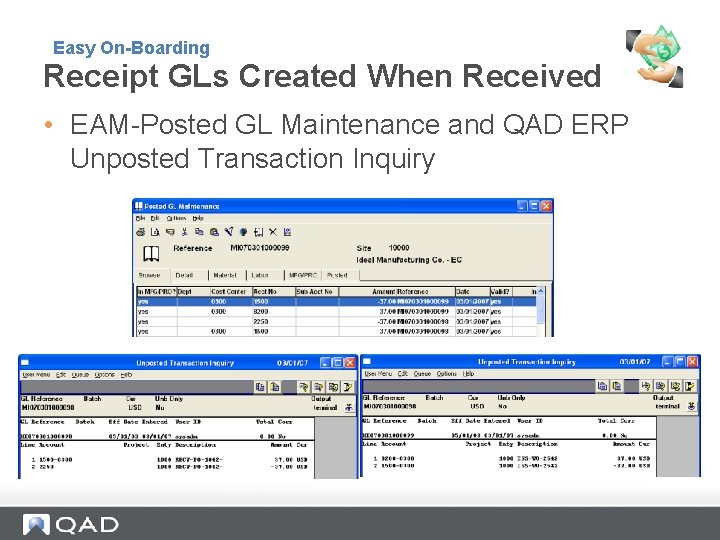
Easy On-Boarding Receipt GLs Created When Received • EAM-Posted GL Maintenance and QAD ERP Unposted Transaction Inquiry
Easy On-Boarding Exercise: Order and Receive 1. Place your PO on order by: a) Highlighting your PO number one at a time b) Click Order, or c) Filter the requisition browse: • Requestor = your logon ID (student 1, student 2, etc) • Status = P - Expected results: • Browse filters to your POs • Globally place your POs on order 2. View the PO Header in QAD ERP. - Use PO Prefix M followed by your PO number 3. Receive against your POs in EAM. 4. View the GL in EAM. Expected results: • Debit – Inventory - Asset Cost Center=0300 - Asset Account=1500 • Credit – EIR - Account = 2250
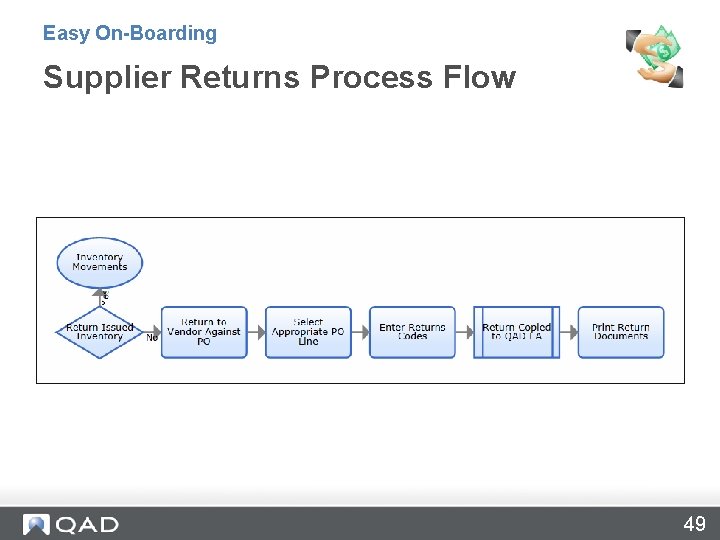
Easy On-Boarding Supplier Returns Process Flow 49
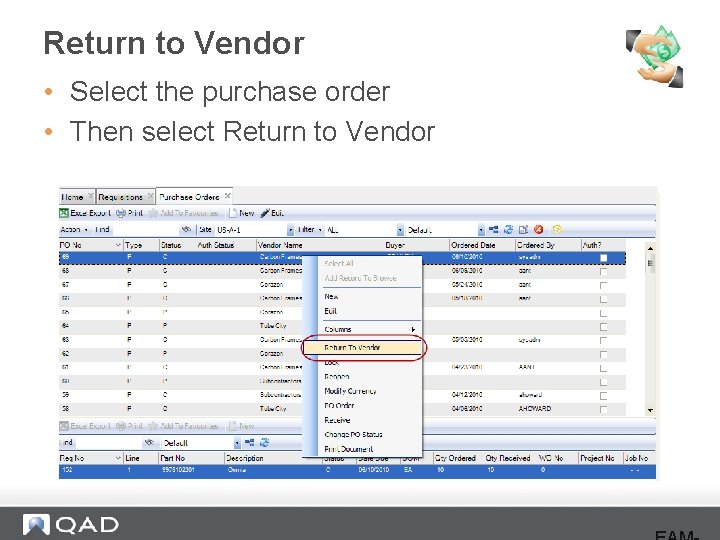
Return to Vendor • Select the purchase order • Then select Return to Vendor
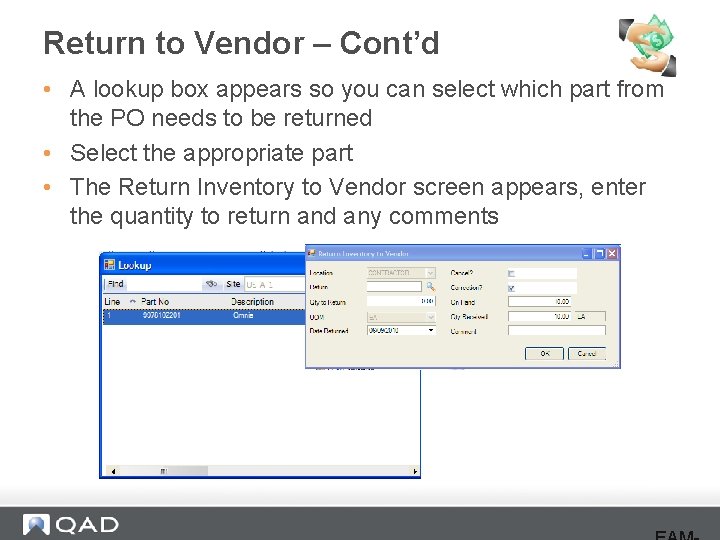
Return to Vendor – Cont’d • A lookup box appears so you can select which part from the PO needs to be returned • Select the appropriate part • The Return Inventory to Vendor screen appears, enter the quantity to return and any comments
Easy On-Boarding Review • Use Purchasing to set up and create requisitions and purchase orders, • Globally create work orders to save time. • EAM uses an automated approval process integrated into the mail system. • EAM sends GLs and vouchers to QAD ERP when parts are received.
Easy On-Boarding Questions? 53
www. qad. com © 2011 QAD Inc 54
- Slides: 54