
Easy On Boarding B 2 B Set Up

Easy On Boarding B 2 B Set Up Author and Date
Easy On Boarding Agenda • Introduction to Customer Self Service (CSS) • Business Issues • B 2 B Set Up • 2
Easy On Boarding Introduction to Customer Self Service (CSS) 3
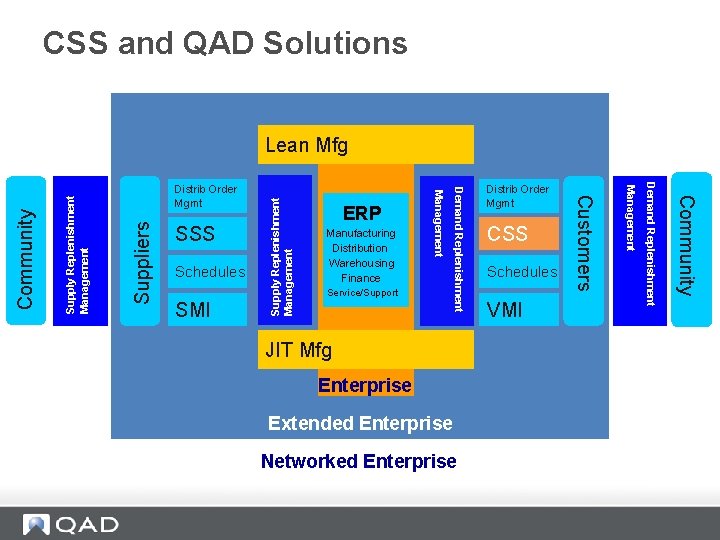
CSS and QAD Solutions Suppliers Supply Replenishment Management Enterprise Extended Enterprise Networked Enterprise VMI Community JIT Mfg Schedules Demand Replenishment SMI Service/Support CSS Management Schedules Manufacturing Distribution Warehousing Finance Distrib Order Mgmt Customers SSS ERP Demand Replenishment Distrib Order Mgmt Management Community Lean Mfg
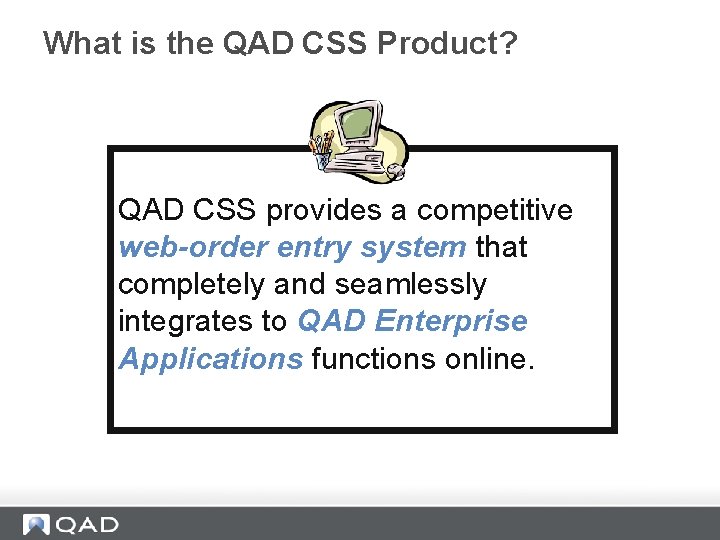
What is the QAD CSS Product? QAD CSS provides a competitive web-order entry system that completely and seamlessly integrates to QAD Enterprise Applications functions online.
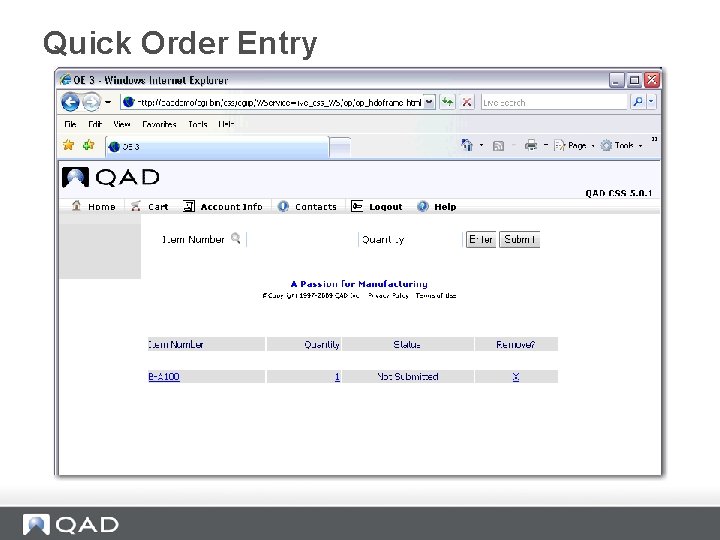
Quick Order Entry
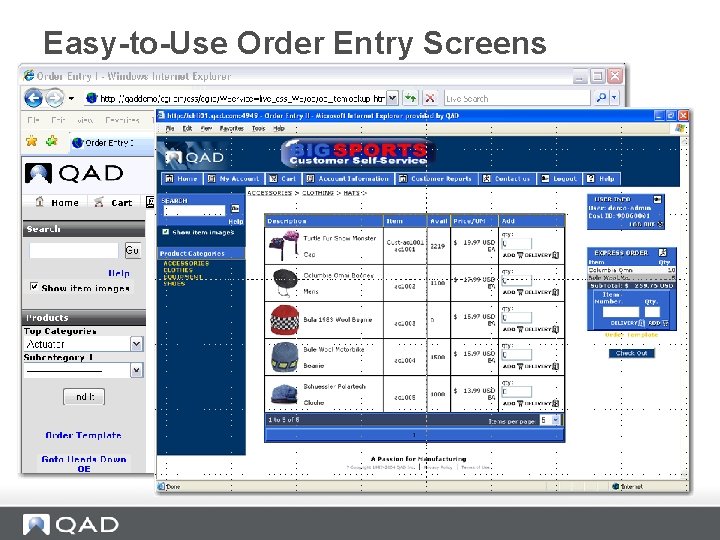
Easy-to-Use Order Entry Screens
Information Accessibility • • • Get online Real-time information for pricing Order confirmation Tracking Ship dates and more.
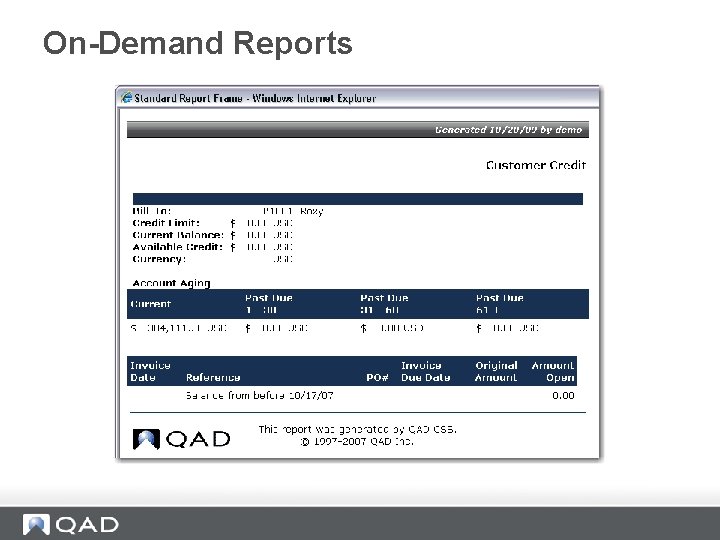
On-Demand Reports
Additional Information for Customers • • FAQs Marketing information Contact information Customer-specific messaging, and more
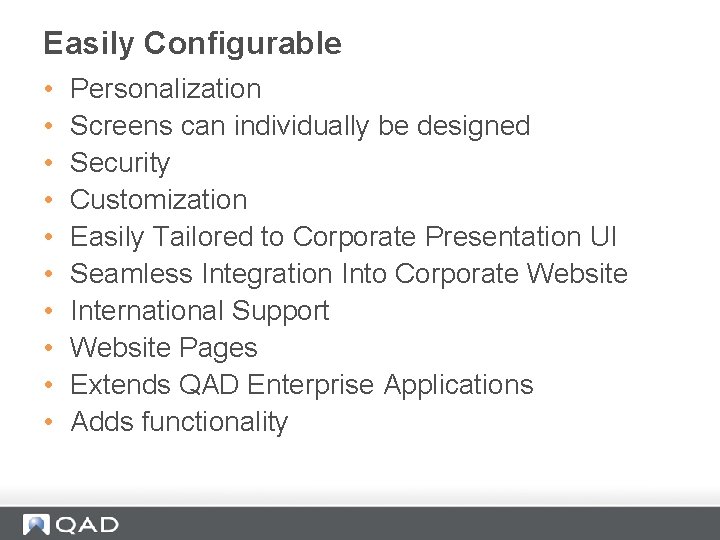
Easily Configurable • • • Personalization Screens can individually be designed Security Customization Easily Tailored to Corporate Presentation UI Seamless Integration Into Corporate Website International Support Website Pages Extends QAD Enterprise Applications Adds functionality
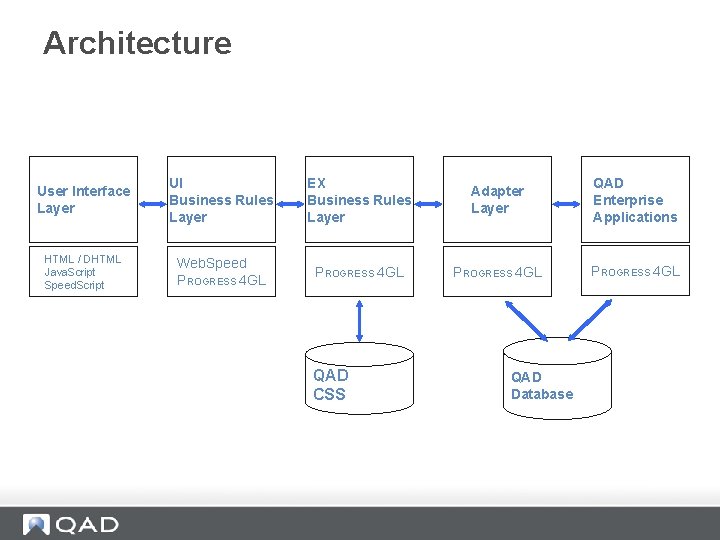
Architecture User Interface Layer UI Business Rules Layer EX Business Rules Layer Adapter Layer QAD Enterprise Applications HTML / DHTML Java. Script Speed. Script Web. Speed PROGRESS 4 GL QAD CSS QAD Database
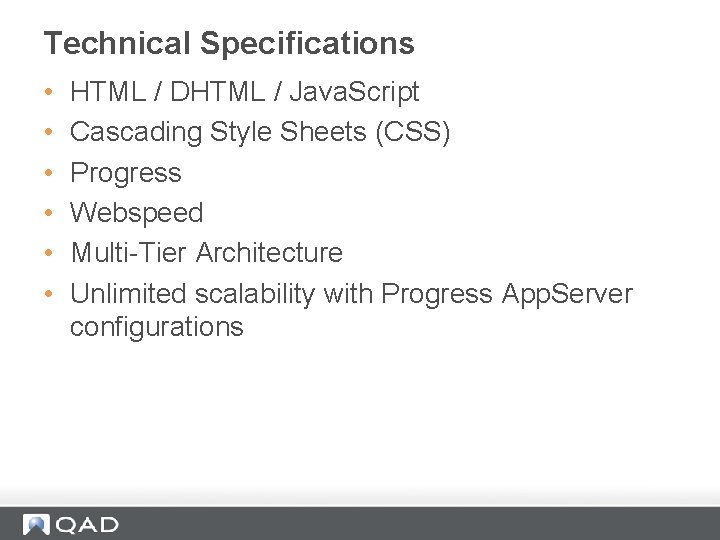
Technical Specifications • • • HTML / DHTML / Java. Script Cascading Style Sheets (CSS) Progress Webspeed Multi-Tier Architecture Unlimited scalability with Progress App. Server configurations
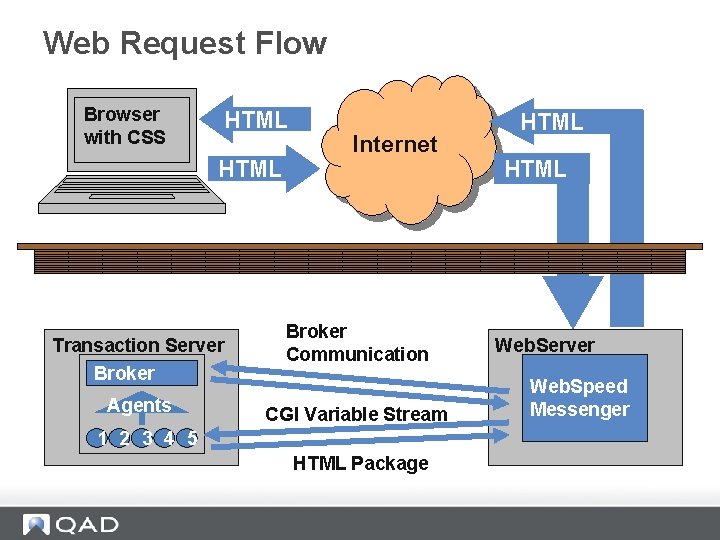
Web Request Flow Browser with CSS HTML Transaction Server Broker Agents Internet Broker Communication CGI Variable Stream 1 2 3 4 5 HTML Package HTML Web. Server Web. Speed Messenger
Easy On Boarding Business Issues
Introduction to Business Issues • Business issues CSS solves for a customer • Business scenarios that apply to CSS - B 2 B
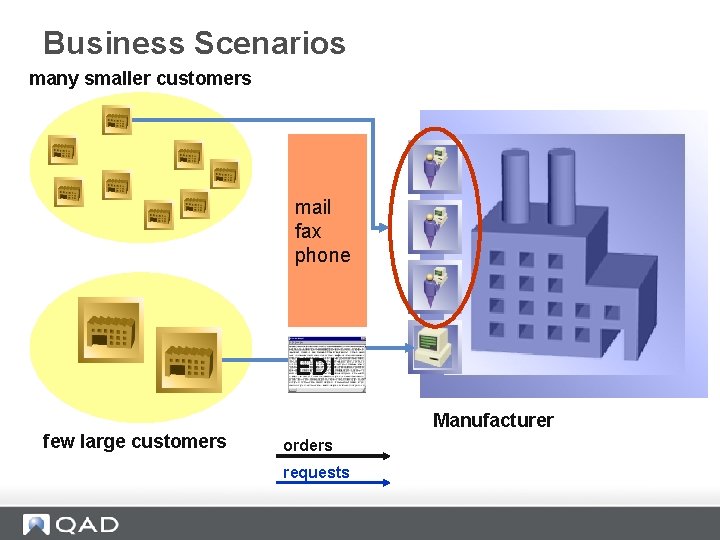
Business Scenarios many smaller customers mail fax phone EDI Manufacturer few large customers orders requests
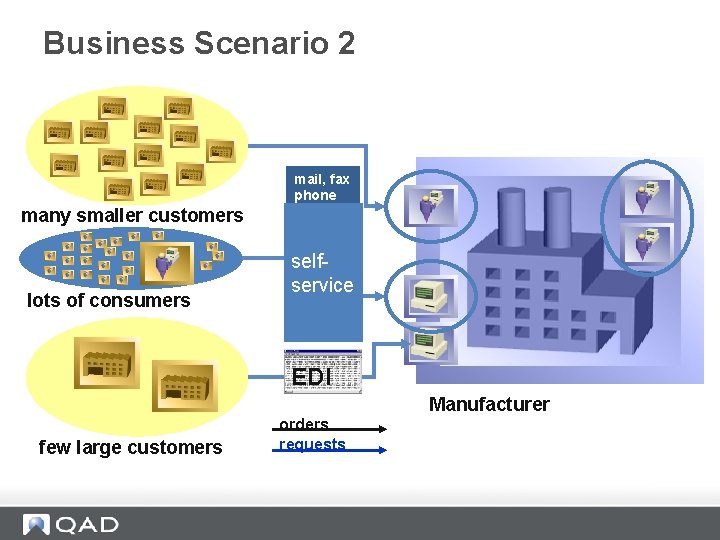
Business Scenario 2 mail, fax phone many smaller customers lots of consumers selfservice EDI Manufacturer few large customers orders requests
CSS Value Propositions • Increase revenues • Reduce costs • Enhance customer service
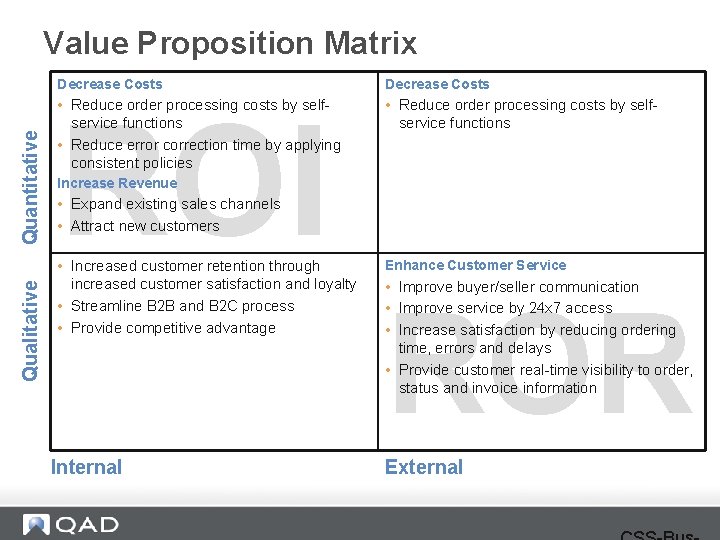
Qualitative Quantitative Value Proposition Matrix Decrease Costs • Reduce order processing costs by selfservice functions • Reduce error correction time by applying consistent policies • Reduce order processing costs by selfservice functions ROI Increase Revenue • Expand existing sales channels • Attract new customers • Increased customer retention through increased customer satisfaction and loyalty • Streamline B 2 B and B 2 C process • Provide competitive advantage Internal Enhance Customer Service • Improve buyer/seller communication • Improve service by 24 x 7 access • Increase satisfaction by reducing ordering time, errors and delays • Provide customer real-time visibility to order, status and invoice information ROR External
Typical CSS Customer A typical QAD CSS customer is a current or potential QAD Enterprise Applications install base customer with: • A large number of smaller customers, distributors or sales agents placing orders via phone, fax, or mail • Limited EDI capabilities • High CSR costs • Increasing demands by customers for access to internal information • Strategy to sell directly to the end user
Business to Business (B 2 B) • Customers, Distributors and Sales Agents • Known business partners • Long-term relationship, regularly order submission • Identified (logged in) • Customer-specific pricing (contracts) • Finished goods and components • Payment method: Usually by invoice
Easy On Boarding B 2 B Set up
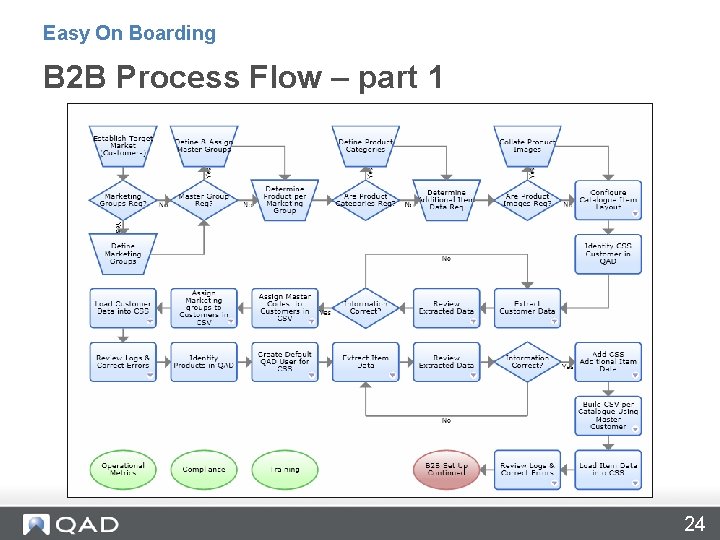
Easy On Boarding B 2 B Process Flow – part 1 24
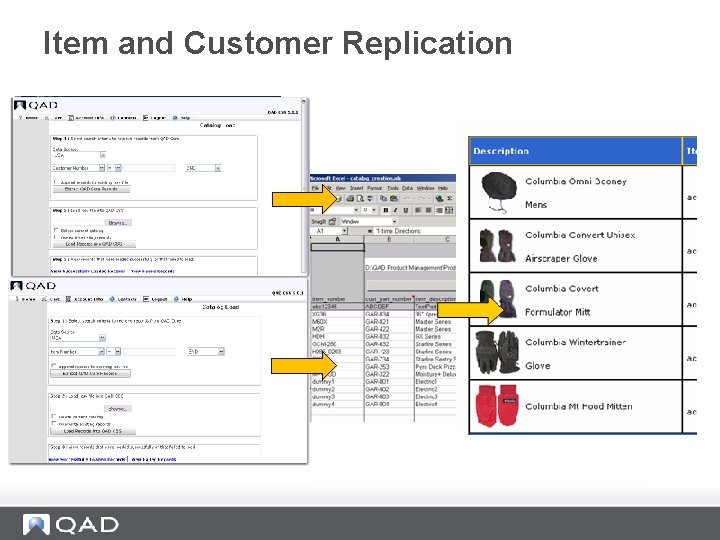
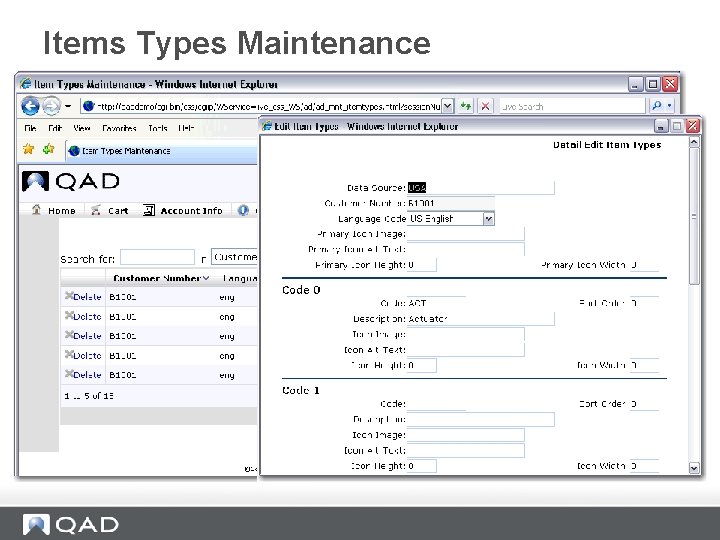
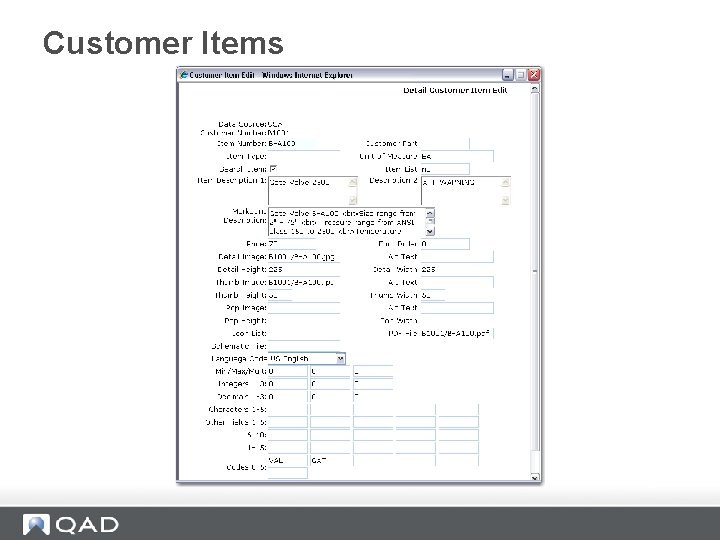
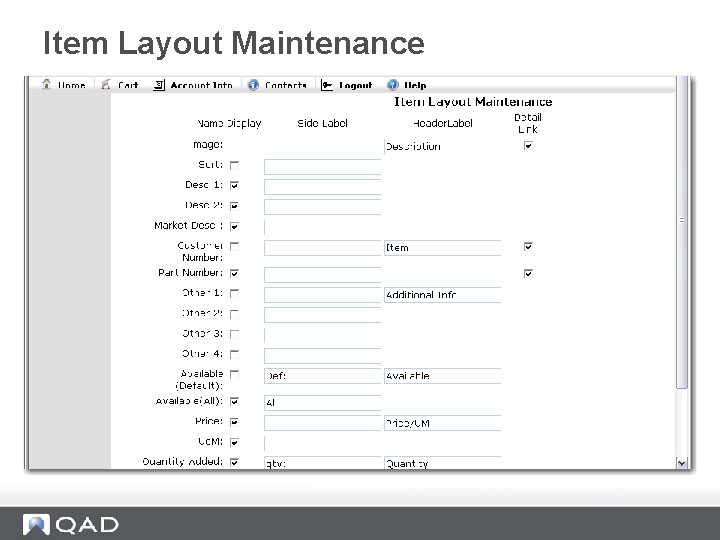
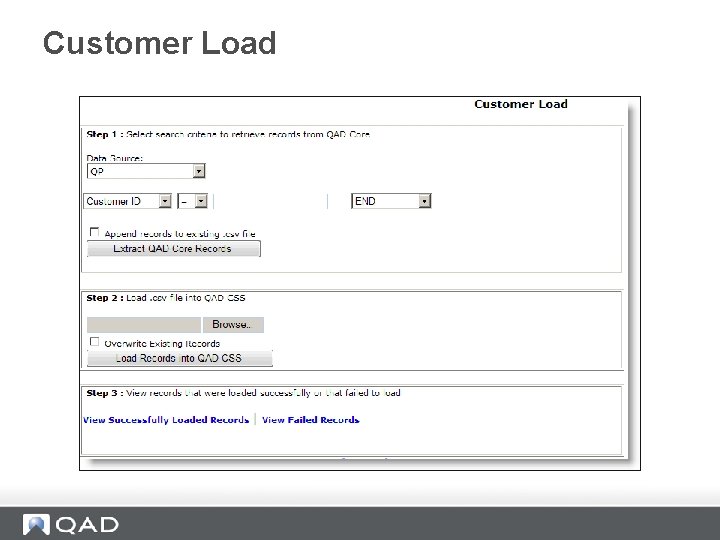
Item and Customer Replication
Items Types Maintenance
Customer Items
Item Layout Maintenance
Customer Load
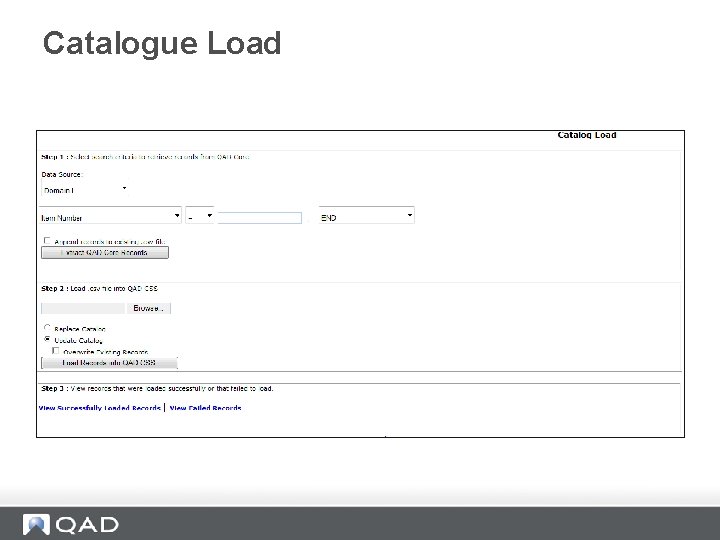
Catalogue Load
Concept of a Marketing Group • A group of users targeted for marketing purposes • The behavior of the site can also be controlled by marketing group
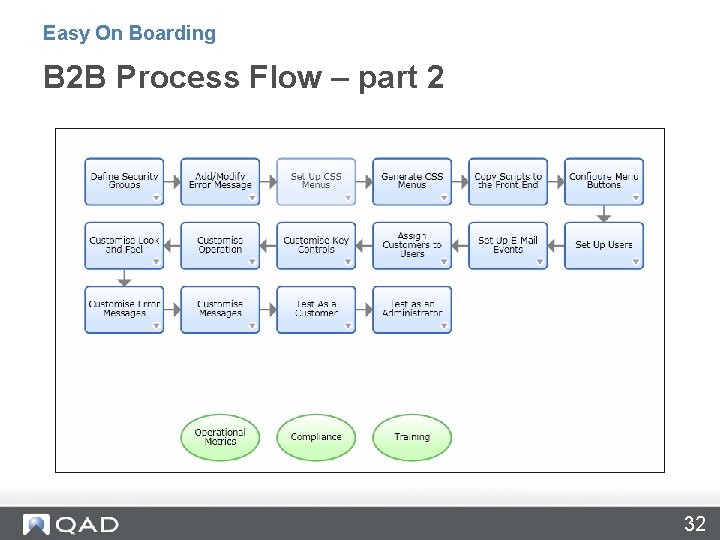
Easy On Boarding B 2 B Process Flow – part 2 32
Managing Security Groups, Customers and Users • • Security Group Maintenance Customer Maintenance User Registration
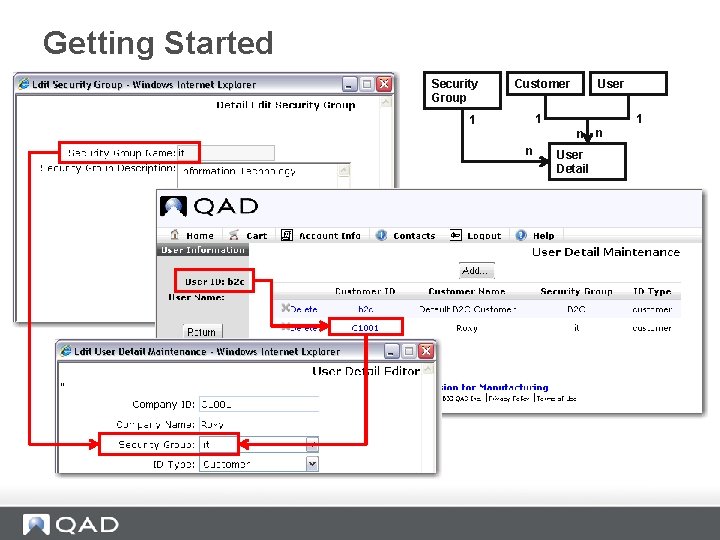
Getting Started Security Group User Customer 1 1 1 n n User Detail n
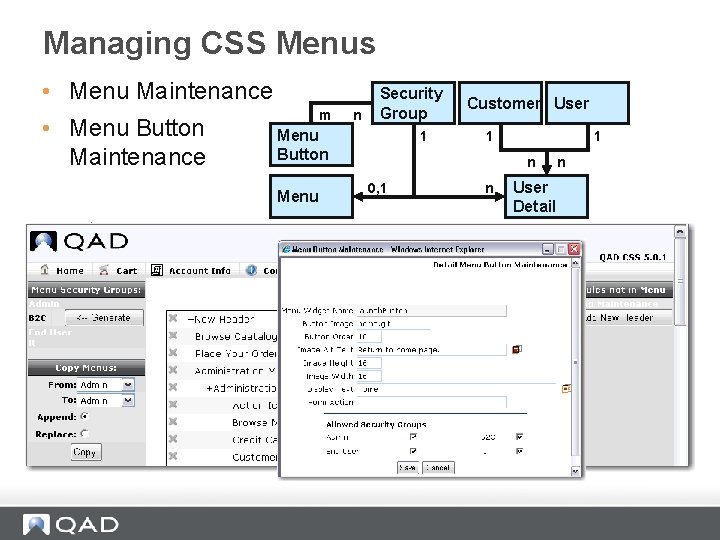
Managing CSS Menus • Menu Maintenance • Menu Button Maintenance m n Security Group Menu Button Menu 1 Customer User 1 1 n 0, 1 n User Detail n
Email Master Maintenance • CSS allows for automatic email to be produced when specific events or triggers occur within the CSS system • Based on the created settings, a form letter email can be sent to any number of people • Use Email Master Maintenance to set up the specific email event and to create the text to be emailed for that event
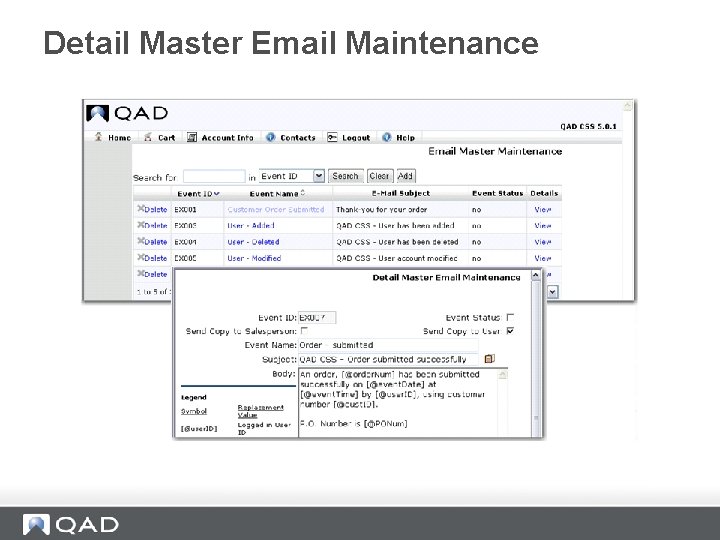
Detail Master Email Maintenance
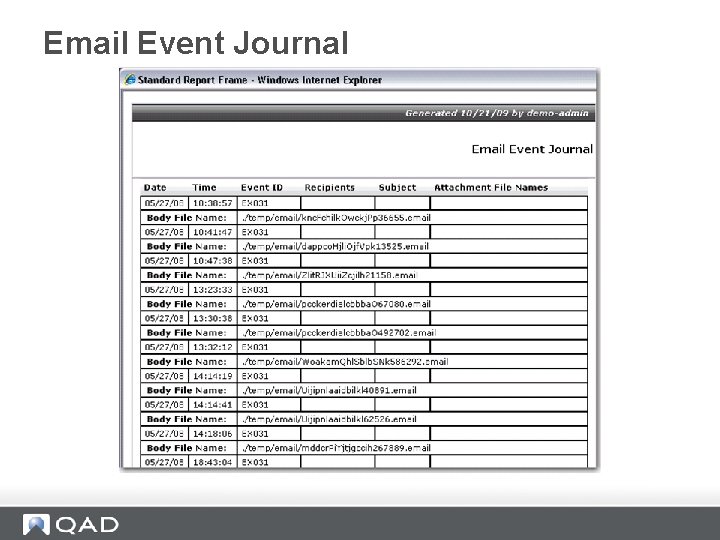
Email Event Journal
CSS System Registry • System registry is a virtual control table in QAD CSS comprised of keys and values used to establish how QAD CSS dynamically interprets and processes business rules. • Examples - PO Required? - Logo
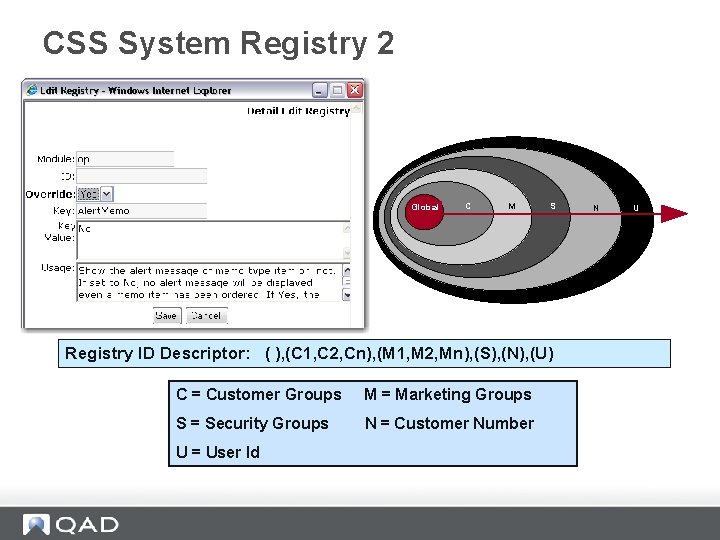
CSS System Registry 2 Global C M S Registry ID Descriptor: ( ), (C 1, C 2, Cn), (M 1, M 2, Mn), (S), (N), (U) C = Customer Groups M = Marketing Groups S = Security Groups N = Customer Number U = User Id N U
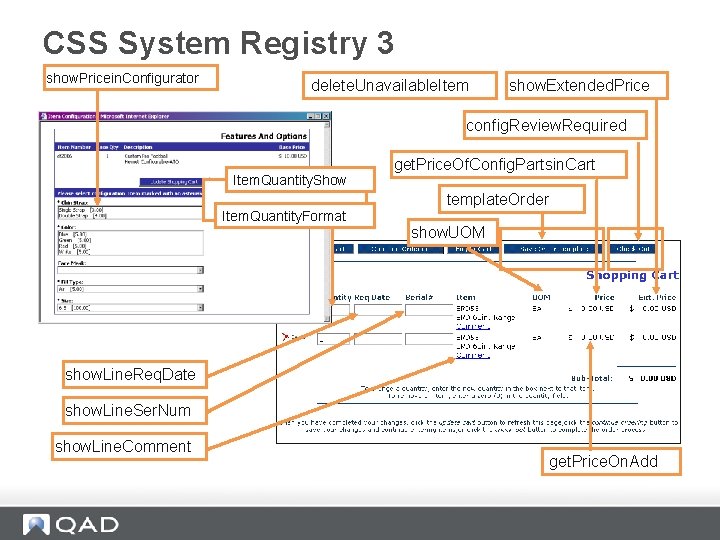
CSS System Registry 3 show. Pricein. Configurator delete. Unavailable. Item show. Extended. Price config. Review. Required Item. Quantity. Show Item. Quantity. Format get. Price. Of. Config. Partsin. Cart template. Order show. UOM show. Line. Req. Date show. Line. Ser. Num show. Line. Comment get. Price. On. Add
Messages • There a few concepts that relate to providing unstructured information to customers - Not like a query or a report or an order status. • These more unstructured type of information displays we call messages. • The first screen is the Message Maintenance.
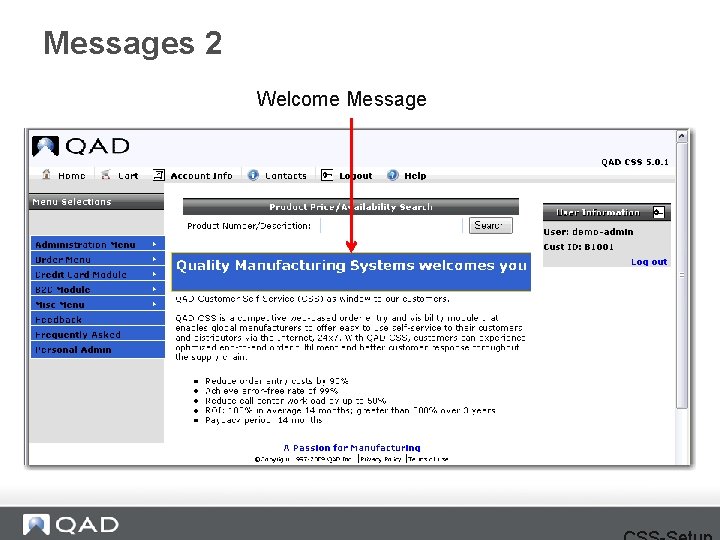
Messages 2 Welcome Message
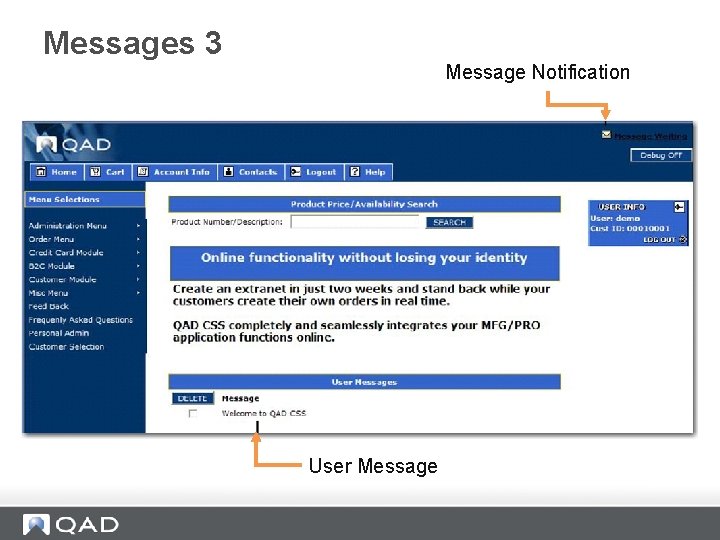
Messages 3 Message Notification User Message
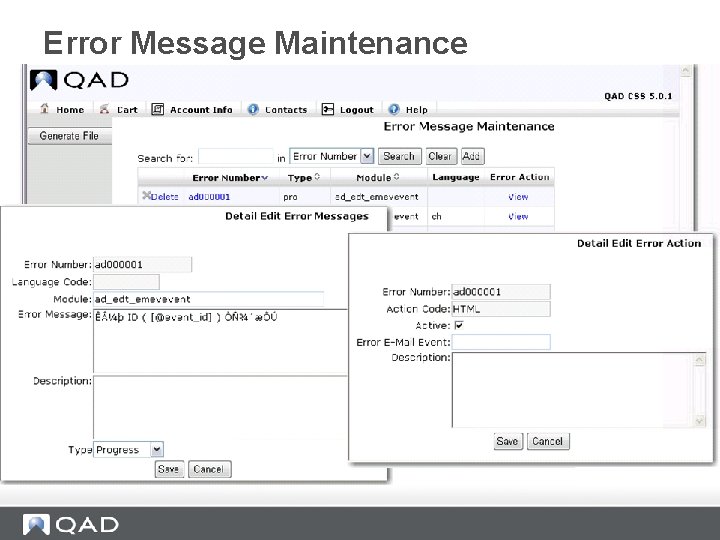
Error Message Maintenance
Easy On Boarding B 2 B Set Up www. qad. com © QAD Inc 46
- Slides: 46