
Easy Bank Model the FSM of Account 1
Easy. Bank: Model the FSM of “Account” 1. Download “Easy. Bank_D_Events. zip” from the cases overview 2. Model the behavior of the lowest object type (the events are already identified) 3. Generate the application and test your model using the provided scenario’s When an account is created, it exists and starts in the frozen state. In this state, it is only possible to deposit money. It is not possible to withdraw money. In addition, when an account is in the frozen state, one can open the account or end the account. If an account is open, an accountholder can deposit and withdraw money. Due to certain circumstances, it might be possible that an account is frozen again. An open account cannot be ended immediately. Before an open account can be ended, it must be frozen first.
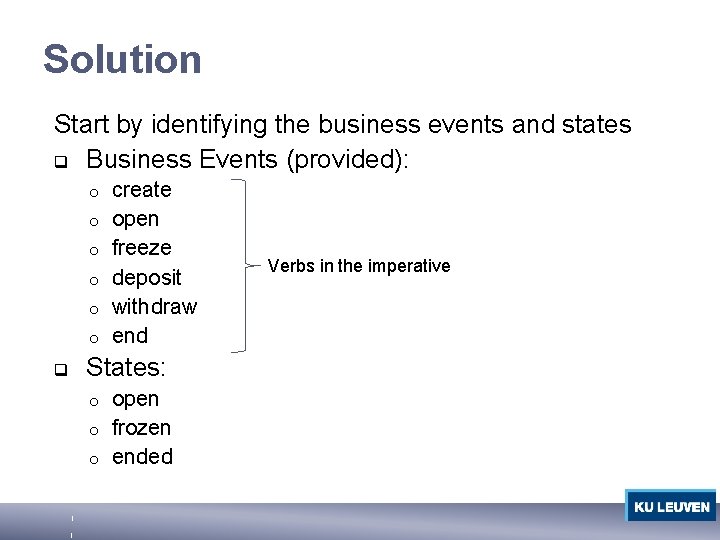
Solution Start by identifying the business events and states q Business Events (provided): o o o q create open freeze deposit withdraw end States: open o frozen o ended o Verbs in the imperative
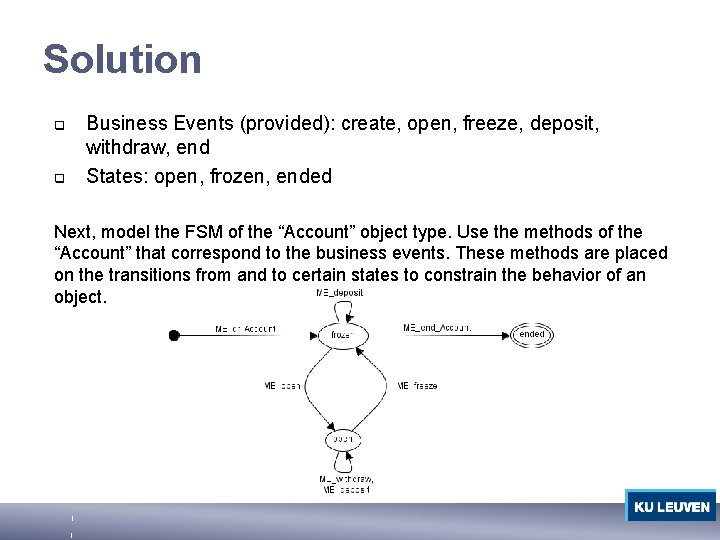
Solution q q Business Events (provided): create, open, freeze, deposit, withdraw, end States: open, frozen, ended Next, model the FSM of the “Account” object type. Use the methods of the “Account” that correspond to the business events. These methods are placed on the transitions from and to certain states to constrain the behavior of an object.
2. 2 Extend the FSM of Account Easy. Bank wants to offer extra functionality to a select group of loyal customers. At a given moment in time, Easy. Bank could promote an account to a premium account. When an account is a premium account, customers are also able to check the balance of their account. Checking the balance of a bank account is always possible, regardless of whether the account is frozen or open. Just like a normal account, a premium account can also be frozen or opened (as described above). After a while, a premium account can be demoted back to a normal account. 1. Add the necessary business events 2. Create a new FSM in parallel with the FSM you created in the previous exercise
Solution Start by identifying the business events and states q Business Events create o promote o demote o rename_account o q States normal o premium o ended o
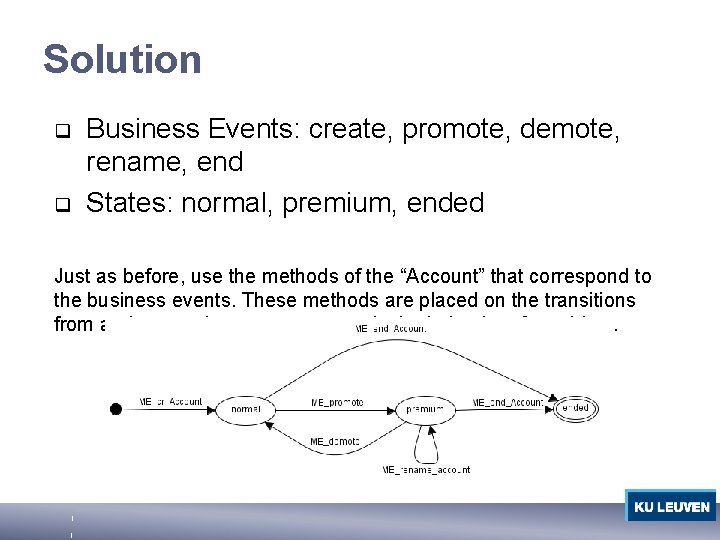
Solution q q Business Events: create, promote, demote, rename, end States: normal, premium, ended Just as before, use the methods of the “Account” that correspond to the business events. These methods are placed on the transitions from and to certain states to constrain the behavior of an object.
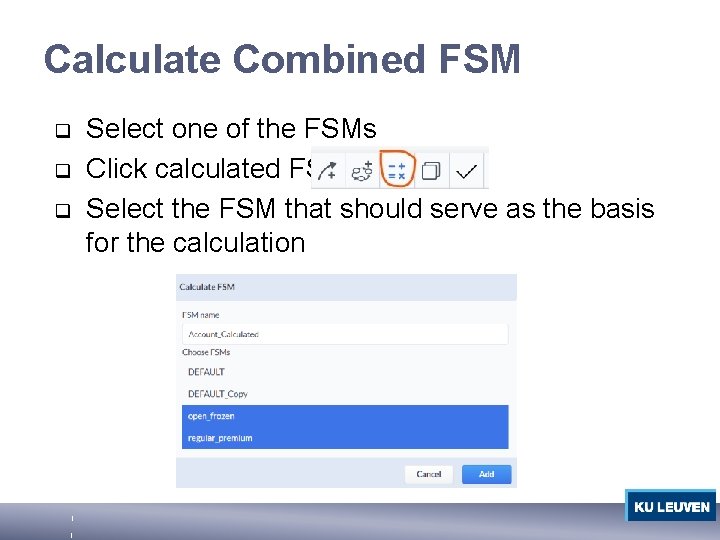
Calculate Combined FSM q q q Select one of the FSMs Click calculated FSM Select the FSM that should serve as the basis for the calculation
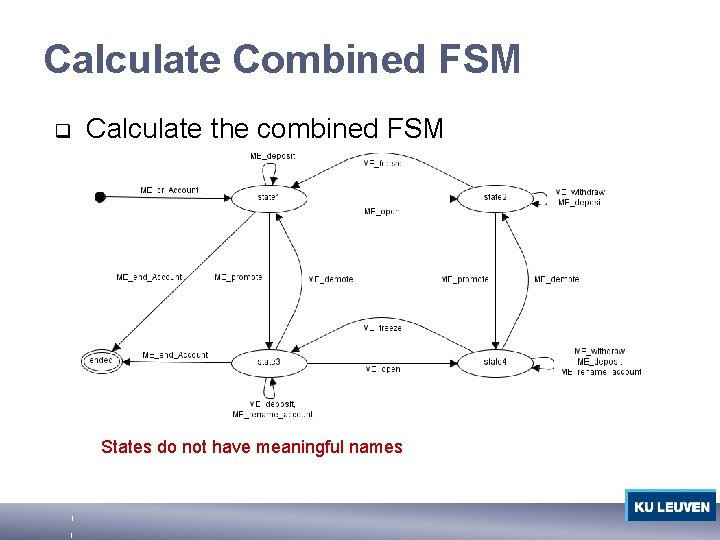
Calculate Combined FSM q Calculate the combined FSM States do not have meaningful names
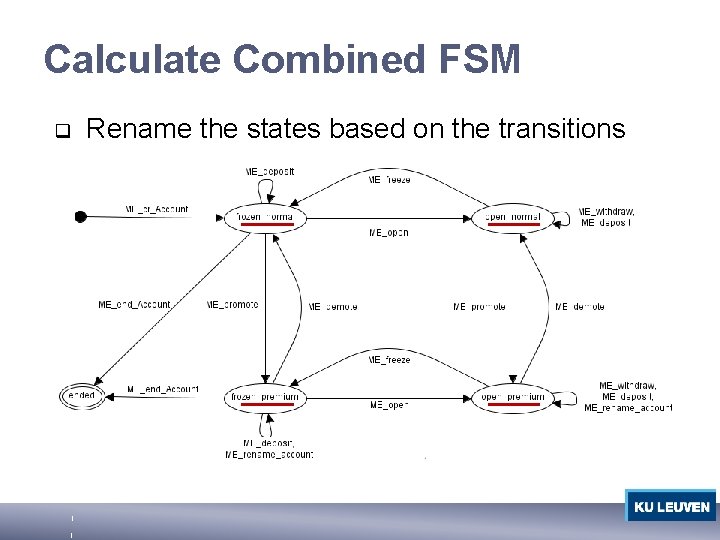
Calculate Combined FSM q Rename the states based on the transitions
- Slides: 9