
Eastern Mediterranean University ITEC 106 INTRODUCTION 1 Logistics
- Slides: 40
Eastern Mediterranean University ITEC 106 INTRODUCTION 1
Logistics • Instructor – Mobina Beheshti • E-mail: Mobina. beheshti@emu. edu. tr • Office Hour : Wednesday – 12. 30 • Office : CT 123 B • Lecture Hours : Monday 12: 30 -14: 20 Friday 10: 30 -12: 20 2
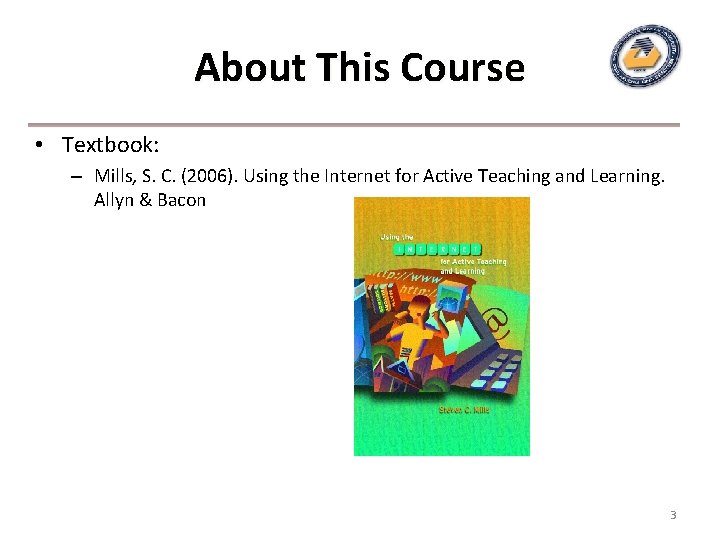
About This Course • Textbook: – Mills, S. C. (2006). Using the Internet for Active Teaching and Learning. Allyn & Bacon 3
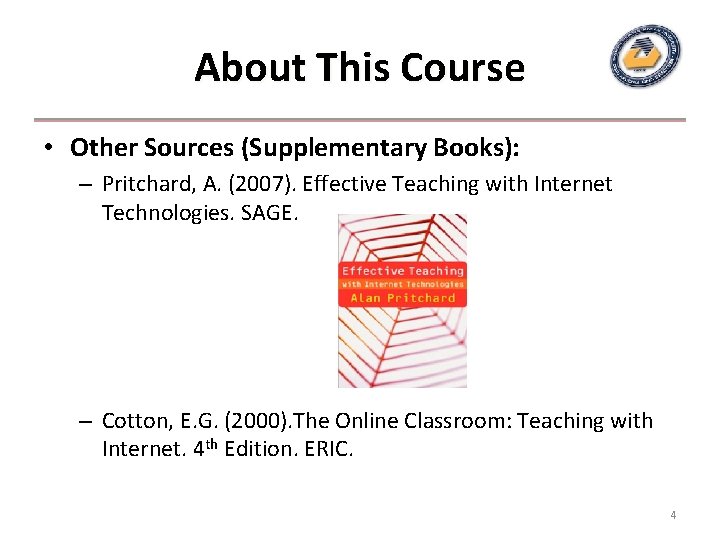
About This Course • Other Sources (Supplementary Books): – Pritchard, A. (2007). Effective Teaching with Internet Technologies. SAGE. – Cotton, E. G. (2000). The Online Classroom: Teaching with Internet. 4 th Edition. ERIC. 4
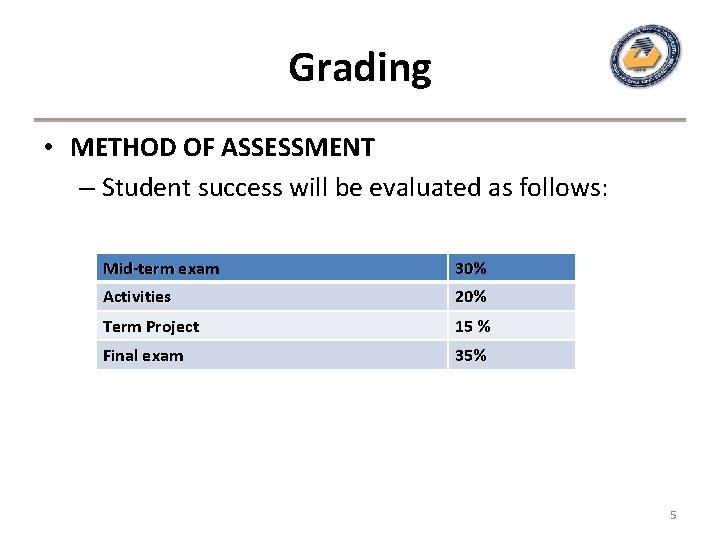
Grading • METHOD OF ASSESSMENT – Student success will be evaluated as follows: Mid-term exam 30% Activities 20% Term Project 15 % Final exam 35% 5
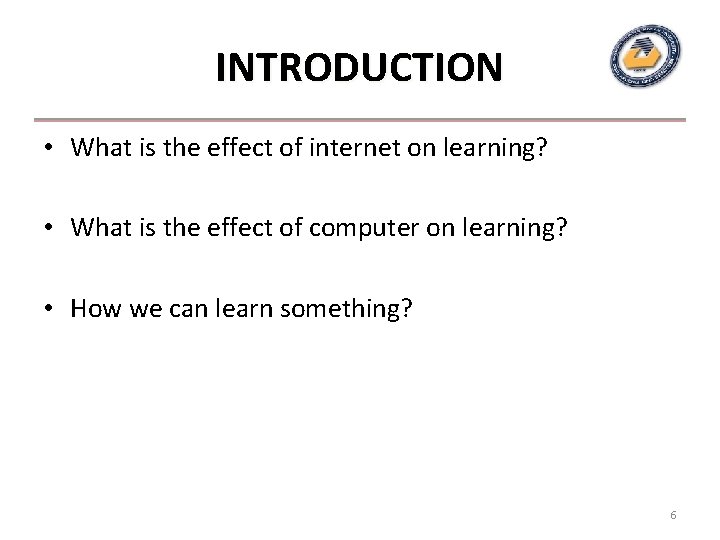
INTRODUCTION • What is the effect of internet on learning? • What is the effect of computer on learning? • How we can learn something? 6
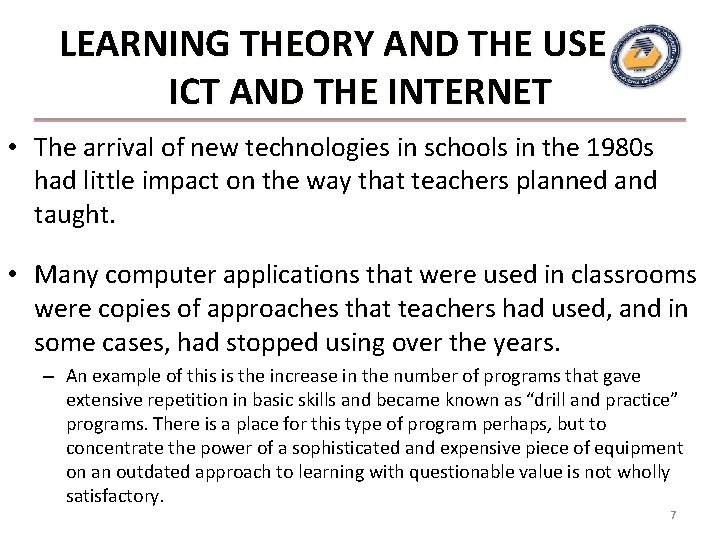
LEARNING THEORY AND THE USE OF ICT AND THE INTERNET • The arrival of new technologies in schools in the 1980 s had little impact on the way that teachers planned and taught. • Many computer applications that were used in classrooms were copies of approaches that teachers had used, and in some cases, had stopped using over the years. – An example of this is the increase in the number of programs that gave extensive repetition in basic skills and became known as “drill and practice” programs. There is a place for this type of program perhaps, but to concentrate the power of a sophisticated and expensive piece of equipment on an outdated approach to learning with questionable value is not wholly satisfactory. 7
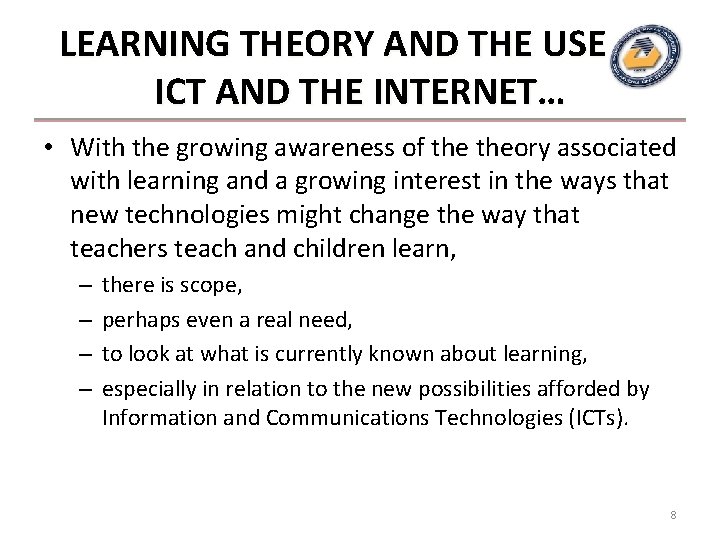
LEARNING THEORY AND THE USE OF ICT AND THE INTERNET… • With the growing awareness of theory associated with learning and a growing interest in the ways that new technologies might change the way that teachers teach and children learn, – – there is scope, perhaps even a real need, to look at what is currently known about learning, especially in relation to the new possibilities afforded by Information and Communications Technologies (ICTs). 8
LEARNING THEORY AND THE USE OF ICT AND THE INTERNET… • The internet is becoming an important resource for use in schools and as such it has created the need to look again at what we know about how children learn, and about how teachers approach the tasks involved in teaching. • Of all of the websites that might be used for teaching purposes, some are specifically designed for schools and include activities and tasks to complete, others can be equally useful but have not been created with educational purposes as a priority. • The tasks and other activities presented on websites, and the ways in which teachers choose to encourage children to make use of websites, is underpinned by certain theoretical approaches to teaching and learning. 9
LEARNING THEORY AND THE USE OF ICT AND THE INTERNET… • Behaviorists see learning as a process by which learners become able to make specific set responses to particular stimuli. • This perhaps sounds very basic, and in some ways it is, but behaviorists believe that all behavior can be divided into small actions, actions each of which can be mastered by a process of training, training rewards and sometimes punishments, punishments and that learning proceeds in that way, often without the all important ingredient of understanding. 10
LEARNING THEORY AND THE USE OF ICT AND THE INTERNET… • To be able to respond with the number 56 when asked the question “What are seven eights? ” is certainly commendable. – However, simply responding with the correct number cannot give any insight into the level of understanding of the respondent. – Of course we can say that as long as the answer is correct it does not matter, but understanding is at the heart of effective and lasting learning. – Some would argue that being able to make the correct response is fine and that understanding may follow on behind for many, and if it does not, then at least the response is correct. 11
LEARNING THEORY AND THE USE OF ICT AND THE INTERNET… • Sometimes theory has affected the design of the site, sometimes the approach chosen by the teacher dictates the type and style of learning that is encouraged. • Teachers need to be aware of the underpinning theory, which can have a big effect on the progress of learning. Teachers need to have clearning outcomes in mind, and according to these, plan appropriately. 12
LEARNING THEORY AND THE USE OF ICT AND THE INTERNET… • Sometimes a behaviorist approach may be most appropriate, at other times an approach based upon constructivist principles may be. • Constructivism, as the name suggests, sees learning as a building activity in which individuals build an understanding of events, concepts and processes, processes based on their personal experiences and often supported and developed by, amongst other things, activity and interaction with others. 13
LEARNING THEORY AND THE USE OF ICT AND THE INTERNET… • Behaviourist learning, sometimes characterised by memorising, or rote learning, does not necessarily lead to an understanding of ideas, but can be quite effective for encouraging recall of facts. • Constructivist learning involves more thinking, more activity, and more interaction with others. Constructivist learning encourages and implies understanding. 14
LEARNING THEORY AND THE USE OF ICT AND THE INTERNET… • The principles of constructivist learning, which in many cases are the most appropriate to apply in learning situations (whether or not the internet is implicated) are: – learning is a process of interaction between what is known and what is to be learned – learning is a social process – learning is a situated process – learning is a metacognitive process 15
Nature of the Internet in Schools • What is Internet? • What is ICT? • “… wide-area hypermedia information retrieval initiative aiming to give universal access to a large universe of documents”. documents • Wide-area: The World Wide Web spans the entire globe. • Hypermedia: It contains a range of media, including text, pictures, sound and video. – The individual elements are connected by hyperlinks that connect pages to one another, and allow for swift movement from one internet location to another. 16
Nature of the Internet in Schools. . . • Information retrieval: Viewing a web document is very easy thanks to the help of web browsers, which are the point of contact between the user and the web. – Web browsers allow the user to retrieve pages just by clicking a mouse button when the pointer on the screen is over a “link”, or by entering appropriate web addresses. Information may be retrieved from the web extremely quickly by any suitably set up computer with an internet connection. • Universal access: No matter what type of computer, or what type of computer the page that is to be viewed is stored on, web browsers allow for apparently seamless connection to and movement between many different internet locations which might be stored on many different types of computer system. – Increasingly newer mobile devices, including mobile phones, are adding to this universal access. 17
Nature of the Internet in Schools. . . • Large universe of documents: Anyone can publish a web page. – No matter what obscure information you want to find, there is certain to be someone who has produced and published a web page about it. – It will not necessarily be exactly what you want, it might not be accurate or written in an appropriate style, but it will be there. – “The Net consists of 2. 5 billion documents, growing at a healthy clip of 7. 3 million pages per day. ” (Varian, undated) 18
Nature of the Internet in Schools. . . • The internet is, for all intents and purposes, available to all teachers in all schools. • As such it is available as a resource for teaching and learning, and as with all tools and resources used in classrooms, its use should be carefully considered. • Not only should the approaches to teaching and learning be looked at in detail, but the integrity and usefulness of individual websites should also be carefully investigated. 19
Internet Use in Schools • The internet, by means of the World Wide Web, and initially by the use of simple e-mail systems, has become the latest in a list of technological advances to be introduced into classrooms. • In the early to mid 1990 s to use the internet in a primary school setting was to take a bold move into the unknown. • The use of e-mail was introduced experimentally, and in some schools contact was made, sometimes only locally, with other classes. 20
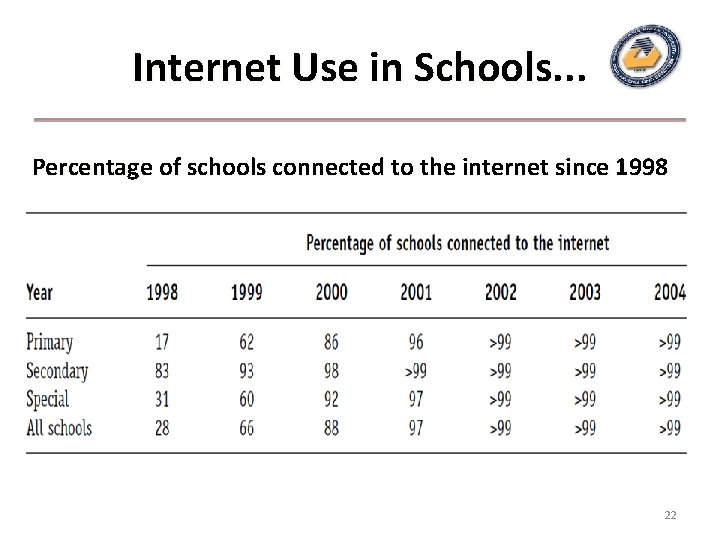
Internet Use in Schools. . . • Examples of contact between more remote locations at home and abroad soon came to light. – As the availability and reliability of the equipment increased, so did the opportunities for teachers to try out new communications-based activities. • Official figures from the UK Government give a picture of the current position as far as schools with internet access is concerned: since 2002 more than 99 per cent of all schools have had access to the internet. 21
Internet Use in Schools. . . Percentage of schools connected to the internet since 1998 22
Internet Use in Schools. . . • Despite the rapid increase in internet connectivity in schools, it is important to remember that, “The internet is a generally unregulated environment …” … and, “There is a wide range of material available covering virtually every aspect of our life or activity, much of it positive, some of it offensive. ” offensive. • As well as being very large and generally of a positive nature, another aspect of the make up of the internet that must be held firmly in mind is that a very large proportion of the internet is attempting to sell to the sometimes unsuspecting surfer. 23
Internet Use in Schools. . . • Through access to the internet it is possible for children to “visit” places and take part in events that would otherwise be too far away, too dangerous, or too costly. – For example, the 24 Hour Museum (www. 24 hourmuseum. org. uk) enables visitors to take a virtual tour, – The Hubble Space Telescope (http: //hubblesite. org or http: //hubble. nasa. gov) offers full-colour pictures of planets, while – The Whole Brain Atlas (www. med. harvard. edu/AANLIB/home. html) gives access to full colour MRI scan images of the entire brain. 24
Internet Use in Schools. . . • Video-conferencing allows for real time communication with experts. – There are other sites specifically designed to support education, which offer pupils, teachers and parents access to a growing collection of good quality, “approved” resources and educational material. • Searching for information on the Web can help pupils to develop information handling skills. • The internet is an ideal vehicle for introducing pupils to, and illustrating, concepts such as audience, purpose, authorship and bias. • By viewing sites that promote opposing views, the idea of subjectivity/objectivity, fact/opinion and overt/covert bias can be demonstrated in an immediate and powerful way. The internet is also a place for children to publish their own work. 25
Website Evaluation • When any particular resource is chosen for use in a planned learning activity the teacher, either formally, or more likely, informally, will have made judgments about its usefulness. • This process of evaluation becomes very important when dealing with a “large universe of documents”. • Teachers must be absolutely certain, for example, that information or activities accessed via the internet are wholly appropriate and in no way damaging or misleading. 26
Purpose, Audience, Relevance • • • What are the aims of the site? Does it achieve its aims? Who is the intended audience for this content? Is the content easy to read and understand? Is the site specifically aimed at children? If so, is the level and tone of the content appropriate? Is the site specifically aimed at adults? Does the material provide everything that is needed? Could more relevant material be found elsewhere? (In a book or magazine for example. ) Is the site trying to sell something? 27
Accuracy and currency • • Does the information appear to be accurate? Are additional references given? Can the information be verified from other sources? Is the spelling and grammar correct? Is the content dated? When was the content last updated? Are all links up-to-date and valid? Are any areas of the site “under construction”? 28
Format, and Links • Format: – Does the site contain information in a format that I would be able to make use of? • Links: – Does the site give me advice/ideas/other choices? 29
Ease of Use • • • Is the site easy to use? Is the site well structured? Is it easy to find relevant information? Is the content set out in an easy to use way? What facilities does the site provide to help locate information? Does it have a search facility? Is the menu navigation logical? Does it provide a site map or index? Does the site load quickly? Is the site attractive in design? Is the content copyright, or can it be used providing the source is acknowledged? 30
Website Evaluation… • These questions are all pertinent and certainly deserving of attention. • Obviously these questions could not easily be answered on the site of a specific activity (the activity itself should be evaluated with a set of criteria relating to educational value and suitability), but the site hosting the activity can be scrutinised and evaluated in this way. 31
Website Evaluation… • There are many internet resources to help with the evaluation of websites. A keyword search on any search engine will provide a range of sites, and some useful tools and checklists. • The ICT Advice site (http: //ictadvice. org. uk) provides guidance on evaluating and reviewing websites, including some key considerations for teachers. 32
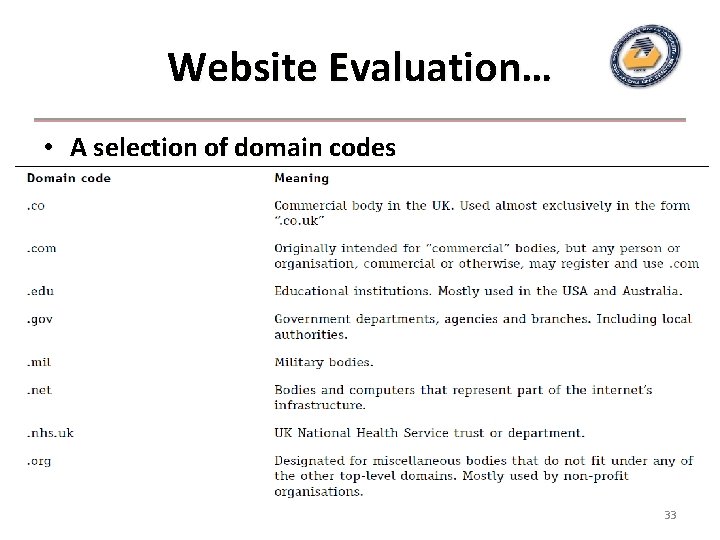
Website Evaluation… • A selection of domain codes 33
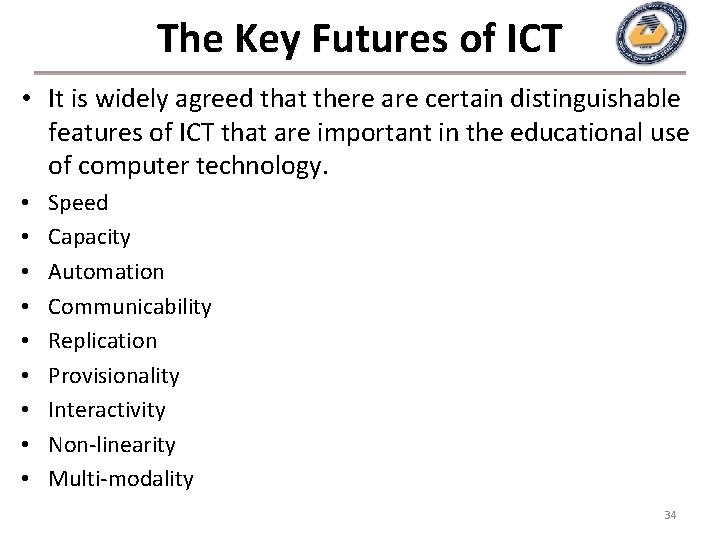
The Key Futures of ICT • It is widely agreed that there are certain distinguishable features of ICT that are important in the educational use of computer technology. • • • Speed Capacity Automation Communicability Replication Provisionality Interactivity Non-linearity Multi-modality 34
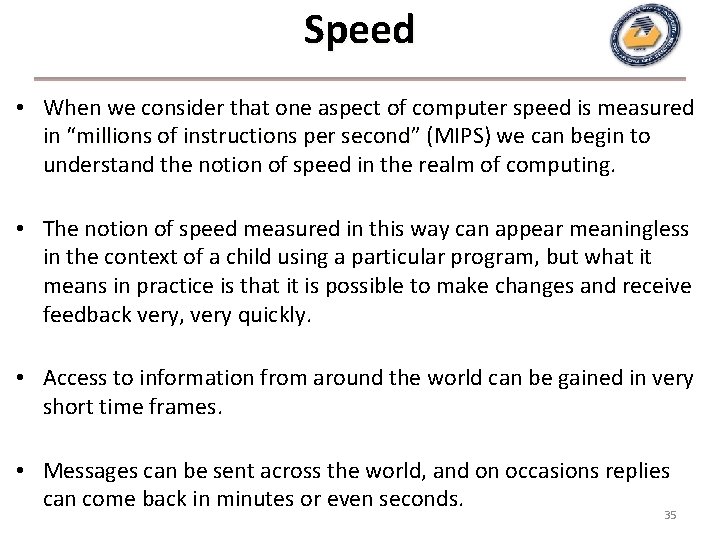
Speed • When we consider that one aspect of computer speed is measured in “millions of instructions per second” second (MIPS) we can begin to understand the notion of speed in the realm of computing. • The notion of speed measured in this way can appear meaningless in the context of a child using a particular program, but what it means in practice is that it is possible to make changes and receive feedback very, very quickly. • Access to information from around the world can be gained in very short time frames. • Messages can be sent across the world, and on occasions replies can come back in minutes or even seconds. 35
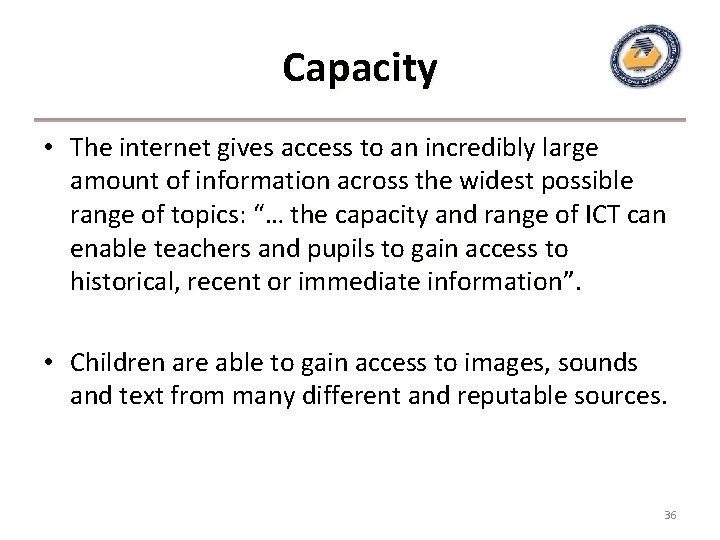
Capacity • The internet gives access to an incredibly large amount of information across the widest possible range of topics: “… the capacity and range of ICT can enable teachers and pupils to gain access to historical, recent or immediate information”. information • Children are able to gain access to images, sounds and text from many different and reputable sources. 36
Communicability • It is possible to develop means of communicating both within the classroom (by ICT mediated presentations for example) and beyond the classroom. • The internet and its possibilities for e-mail, chat and messaging have opened up many possibilities for long distance rapid communication, which can be used to good educational advantage. 37
Interactivity • The ability of ICT systems to offer and promote an interactive approach to school work is a clear advantage. • When we consider the view of learning that suggests that learning is an interactive, collaborative process, depending upon communication and feedback, it is easy to recognise the advantages offered by interactive computer applications, computer mediated communication and the collaboration and discussion that can be engendered by well planned computer related tasks. • Another aspect of interactivity which ICT and the internet can provide is in the form of immediate feedback to tasks and activities that can be undertaken either from CD- or computer-based software, or via the internet. 38
Non-linearity • Traditionally, information has been delivered in a linear fashion, and there are many occasions when this is highly appropriate. • With the advent of hypertext style information systems it is possible for the user to navigate through what can be large volumes of information in a personal and possibly more meaningful way. 39
Multi-modality • Sound, pictures (both moving and still) can be used for teaching activities very easily. • When we consider this in connection with the learning preferences of different learners, and the emphasis which is often put on what is known as multi-sensory learning (learning via a range of different human senses – sound, vision, touch and so on), we can see that there are distinct advantages for teachers when making use of this particular feature. • In some cases children can respond to their experiences by using the multimodal capability of web page creation software. – They could, for example, design and create a web page which incorporates pictures, video, diagrams, symbols, text and sound. 40