
Eaglesoft 16 Power Personalized New Features Line Item

- Slides: 18
Eaglesoft 16 Power. Personalized.
New Features • • Line Item Accounting Customizable windows Family Walkout Date Based Reporting
Eaglesoft 16 HOW TO PREPARE
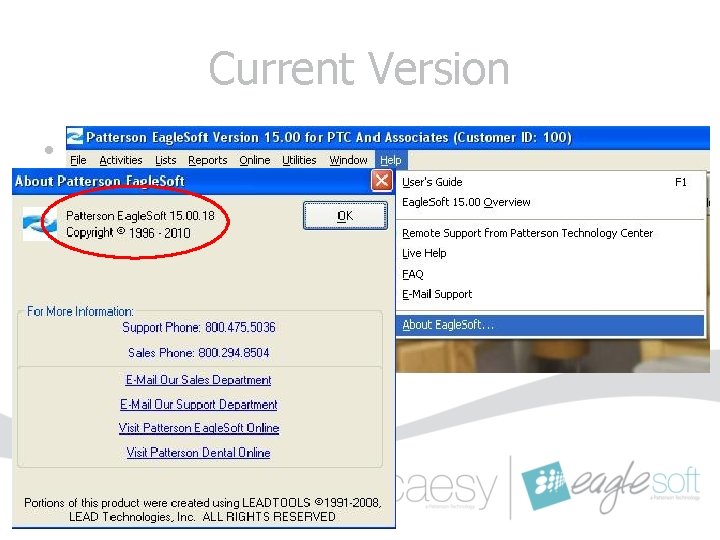
Current Version • Must be on version 15. 00. 18 • Verify from Help|About Eaglesoft
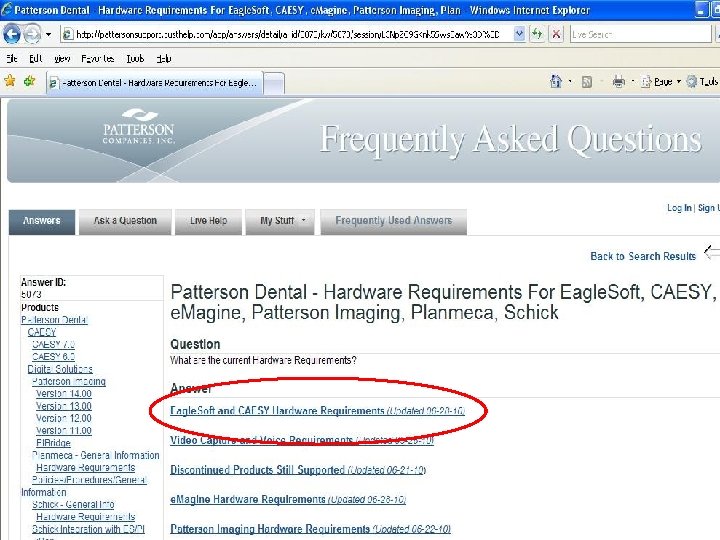
Hardware Requirements • Verify your office complies with the latest Eaglesoft Hardware Requirements. (FAQ 5073) – Windows 2000 no longer supported – Windows XP and Server 2003 must have Service Pack 2 or higher installed – Server machines require minimum of 2 GB RAM; Workstations 1 GB RAM
New Operating System Support • Support of Windows 7, Server 2008 • 64 bit Operating systems included
Third Party Applications • Verify any third-party applications your office utilizes are compliant with Eaglesoft 16. – Appointment Reminder applications – Digital Imaging applications
Database Upgrade • Schedule upgrade after business hours. • Turn off any automatic tasks to avoid interruption. • Set Windows Power Options to Never to avoid hard disk shut-downs. (FAQ 13738)
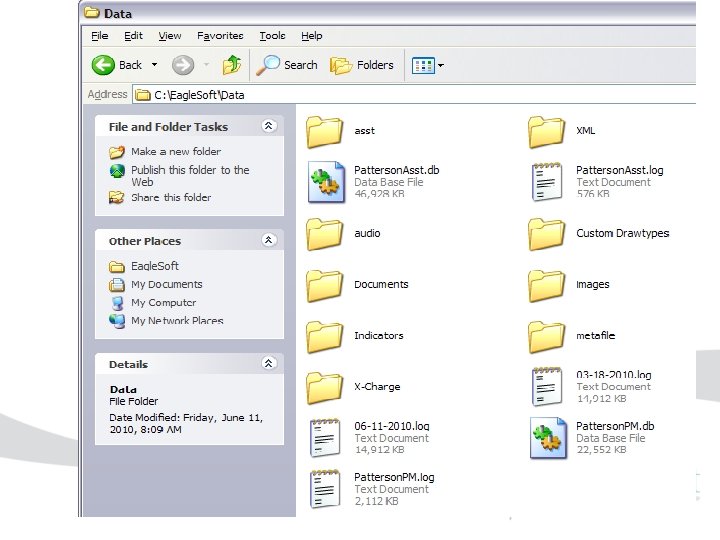
Backup • Database files are now Patterson. PM. db and Patterson. PM. log. • Verify with your Hardware provider that your backup system is backing up the entire Eaglesoft|Data directory.
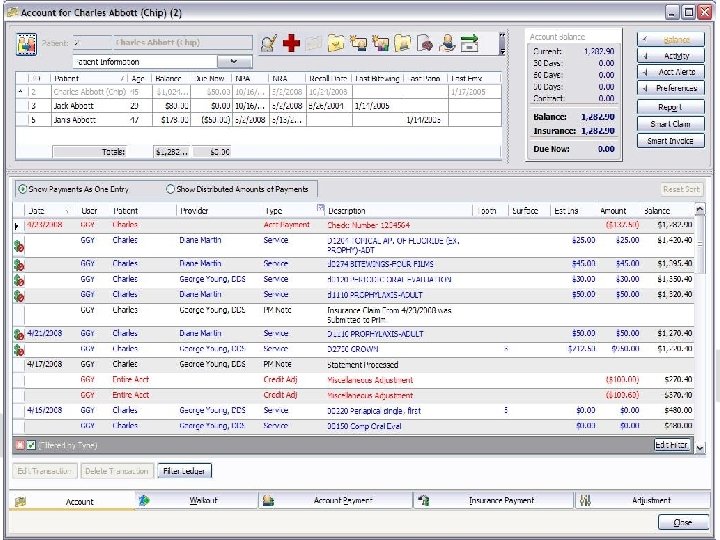
Line Item Accounting Benefits: • Enables the user to apply a payment directly to a specific line item in the account ledger. • Excellent way to group services and payments that are related together. • Makes each Account easier to manage. • Can see at a glance which items in the account are not paid in full.
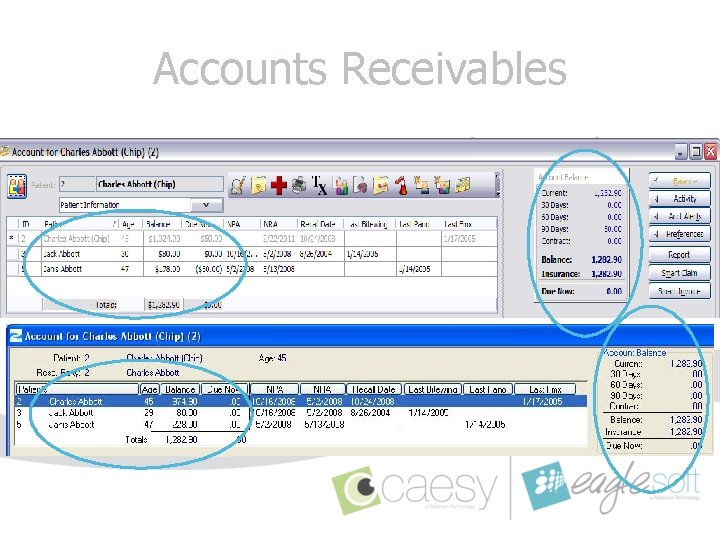
Accounts Receivables • Transition to Line Item Distribution of Payments. – Individual Patient balances and aging categories may differ after the upgrade. – Total Account Balance and Provider Accounts Receivables will remain the same. Please review your Statement Queue carefully prior to processing Statements and applying Finance Charges.
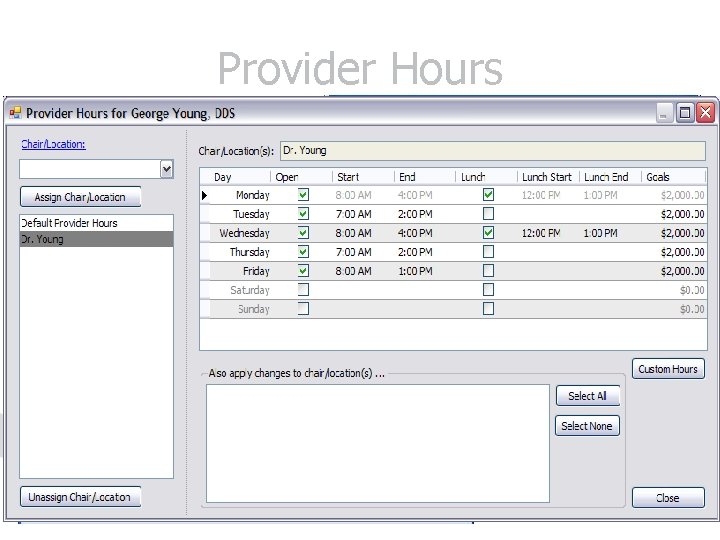
Provider Hours • Verify Provider Hours are accurate and properly assigned to Chairs. • Lists|Providers/Staff|Edit
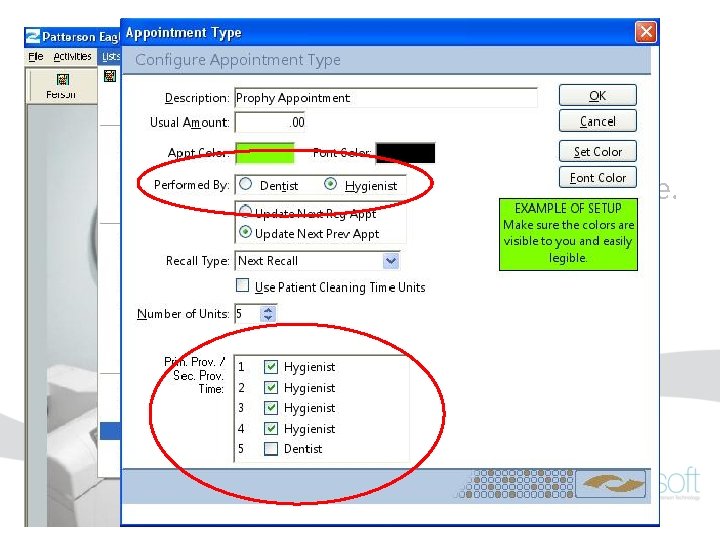
Appointment Types • Verify Appointment Types have the appropriate assignments for Provider Time. • Lists|On. Schedule|Appointment Types|Edit
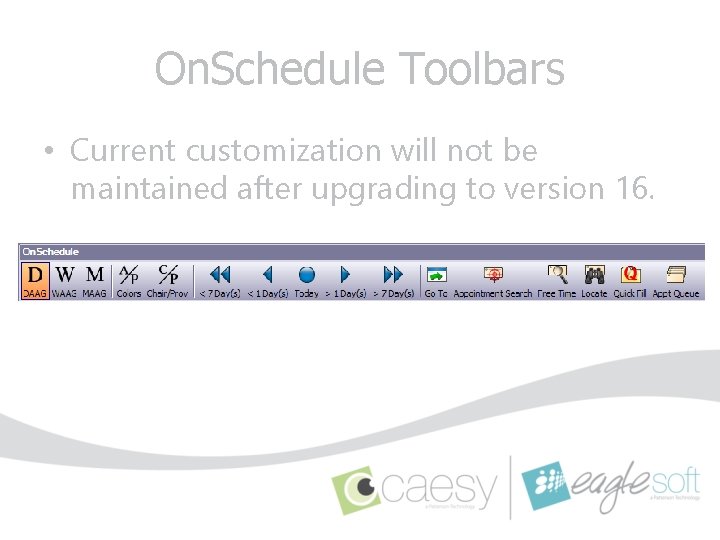
On. Schedule Toolbars • Current customization will not be maintained after upgrading to version 16.
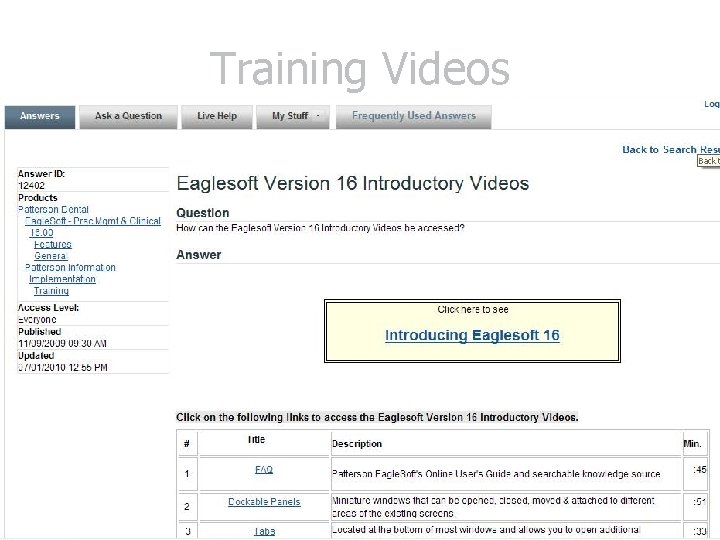
Training Videos • Introductions of the new features in version 16. (FAQ 12402) • Detailed training webinars will be provided. • All staff members are encouraged!
Upcoming Webinars • • • Account On. Schedule Appointment Walkout Line Item Accounting Provider Hours
Stay Tuned… Sign up to receive email updates regarding Eaglesoft 16 at http: //conta. cc/Eaglesoft. Updates Patterson Technology Center Eaglesoft Support 1 -800 -475 -5036