
E Oracle Join Syntax Copyright 2012 Oracle andor
- Slides: 23
E Oracle Join Syntax Copyright © 2012, Oracle and/or its affiliates. All rights reserved.
Objectives After completing this appendix, you should be able to do the following: • Write SELECT statements to access data from more than one table using equijoins and nonequijoins • Join a table to itself by using a self-join • View data that generally does not meet a join condition by using outer joins • Generate a Cartesian product of all rows from two or more tables E-2 Copyright © 2012, Oracle and/or its affiliates. All rights reserved.
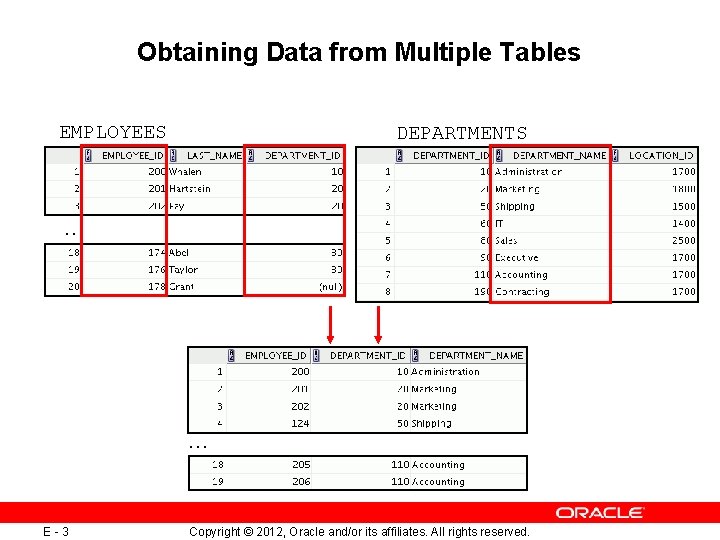
Obtaining Data from Multiple Tables EMPLOYEES DEPARTMENTS … … E-3 Copyright © 2012, Oracle and/or its affiliates. All rights reserved.
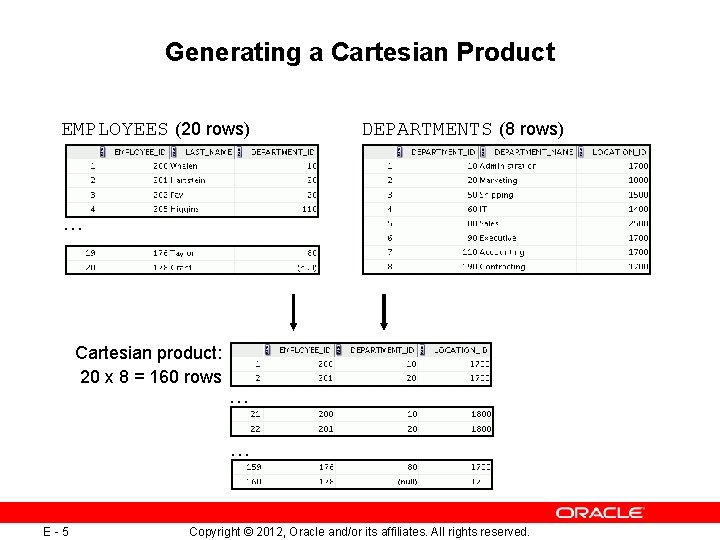
Cartesian Products • A Cartesian product is formed when: – A join condition is omitted – A join condition is invalid – All rows in the first table are joined to all rows in the second table • E-4 To avoid a Cartesian product, always include a valid join condition in a WHERE clause. Copyright © 2012, Oracle and/or its affiliates. All rights reserved.
Generating a Cartesian Product EMPLOYEES (20 rows) DEPARTMENTS (8 rows) … Cartesian product: 20 x 8 = 160 rows … … E-5 Copyright © 2012, Oracle and/or its affiliates. All rights reserved.
Types of Oracle-Proprietary Joins • • E-6 Equijoin Nonequijoin Outer join Self-join Copyright © 2012, Oracle and/or its affiliates. All rights reserved.
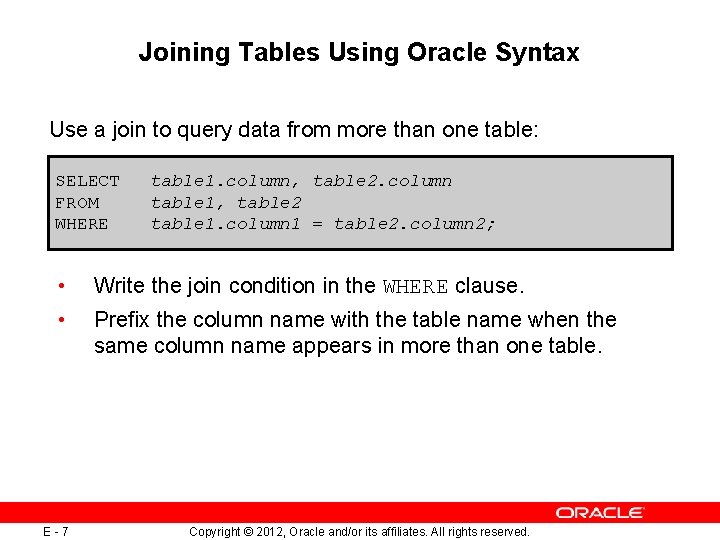
Joining Tables Using Oracle Syntax Use a join to query data from more than one table: SELECT FROM WHERE • • E-7 table 1. column, table 2. column table 1, table 2 table 1. column 1 = table 2. column 2; Write the join condition in the WHERE clause. Prefix the column name with the table name when the same column name appears in more than one table. Copyright © 2012, Oracle and/or its affiliates. All rights reserved.
Qualifying Ambiguous Column Names • • Use table prefixes to qualify column names that are in multiple tables. Use table prefixes to improve performance. Use table aliases, instead of full table name prefixes. Table aliases give a table a shorter name. – Keeps SQL code smaller, uses less memory • E-8 Use column aliases to distinguish columns that have identical names, but reside in different tables. Copyright © 2012, Oracle and/or its affiliates. All rights reserved.
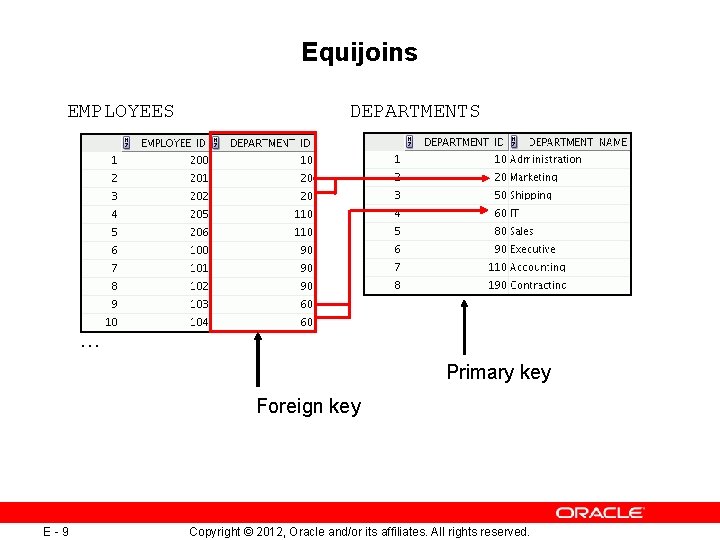
Equijoins EMPLOYEES DEPARTMENTS … Primary key Foreign key E-9 Copyright © 2012, Oracle and/or its affiliates. All rights reserved.
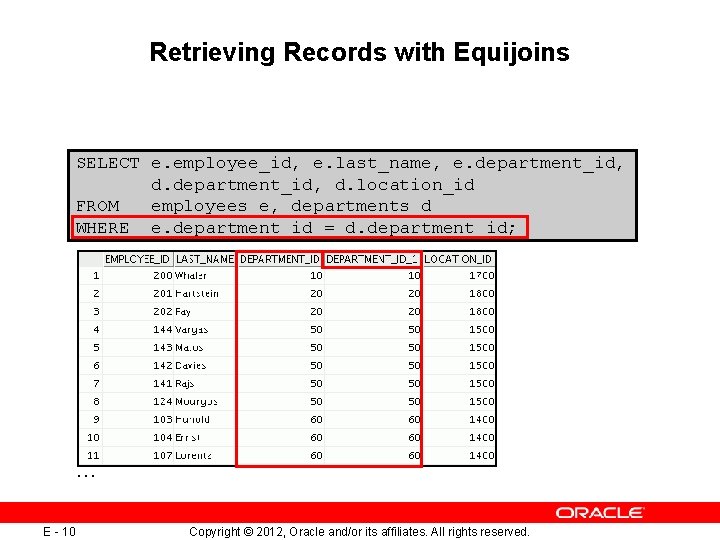
Retrieving Records with Equijoins SELECT e. employee_id, e. last_name, e. department_id, d. location_id FROM employees e, departments d WHERE e. department_id = d. department_id; … E - 10 Copyright © 2012, Oracle and/or its affiliates. All rights reserved.
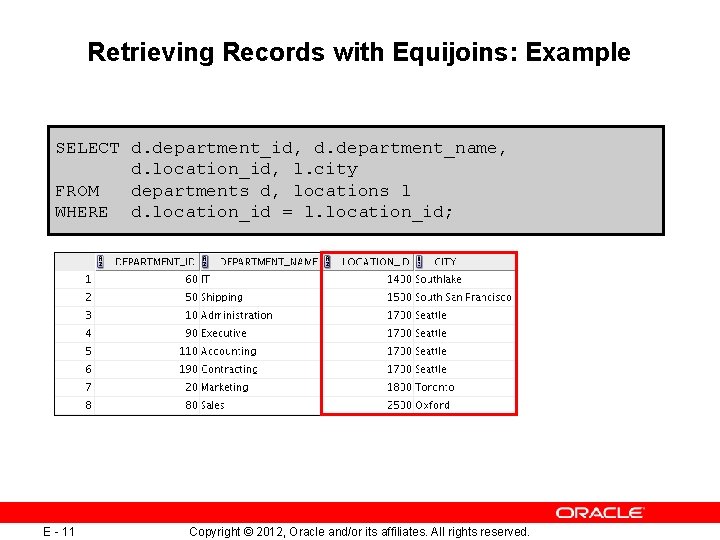
Retrieving Records with Equijoins: Example SELECT d. department_id, d. department_name, d. location_id, l. city FROM departments d, locations l WHERE d. location_id = l. location_id; E - 11 Copyright © 2012, Oracle and/or its affiliates. All rights reserved.
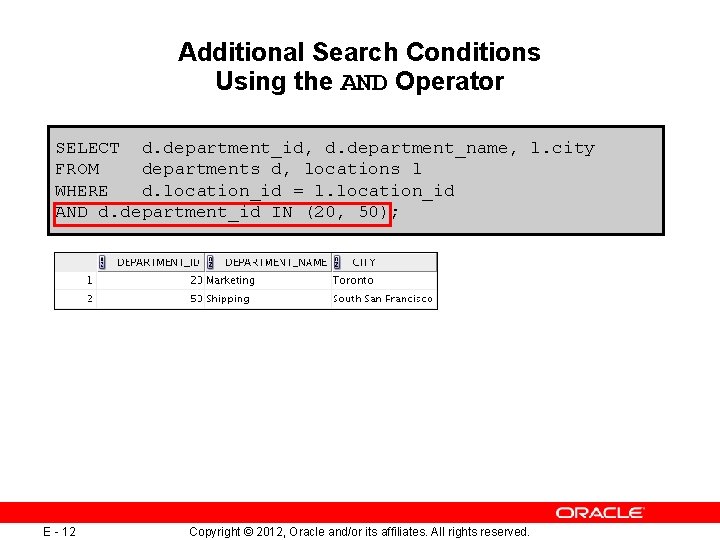
Additional Search Conditions Using the AND Operator SELECT d. department_id, d. department_name, l. city FROM departments d, locations l WHERE d. location_id = l. location_id AND d. department_id IN (20, 50); E - 12 Copyright © 2012, Oracle and/or its affiliates. All rights reserved.
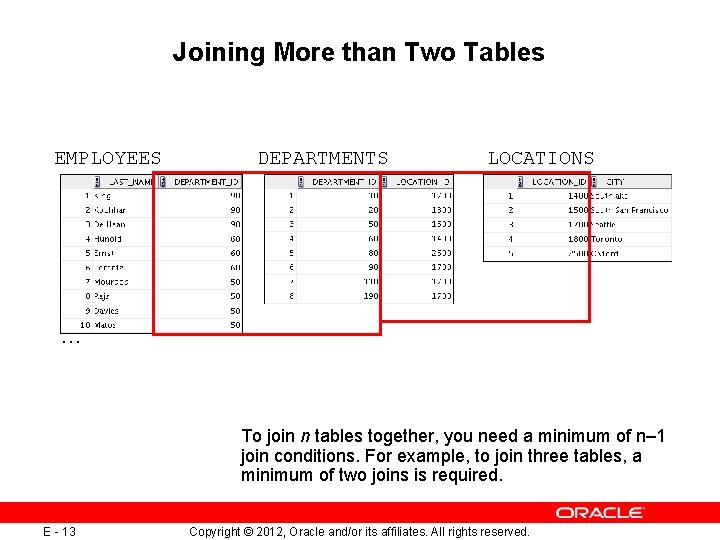
Joining More than Two Tables EMPLOYEES DEPARTMENTS LOCATIONS … To join n tables together, you need a minimum of n– 1 join conditions. For example, to join three tables, a minimum of two joins is required. E - 13 Copyright © 2012, Oracle and/or its affiliates. All rights reserved.
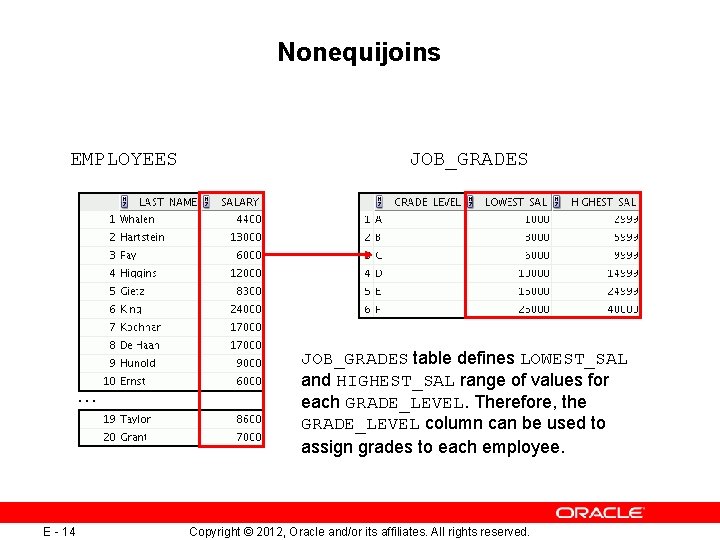
Nonequijoins EMPLOYEES … E - 14 JOB_GRADES table defines LOWEST_SAL and HIGHEST_SAL range of values for each GRADE_LEVEL. Therefore, the GRADE_LEVEL column can be used to assign grades to each employee. Copyright © 2012, Oracle and/or its affiliates. All rights reserved.
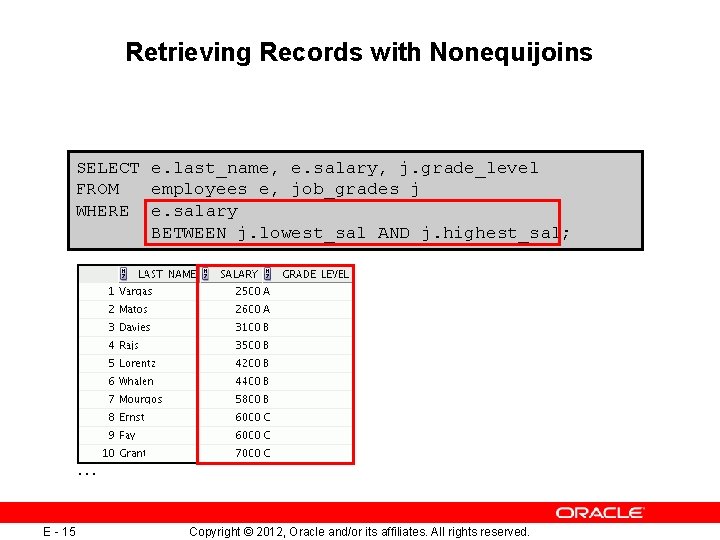
Retrieving Records with Nonequijoins SELECT e. last_name, e. salary, j. grade_level FROM employees e, job_grades j WHERE e. salary BETWEEN j. lowest_sal AND j. highest_sal; … E - 15 Copyright © 2012, Oracle and/or its affiliates. All rights reserved.
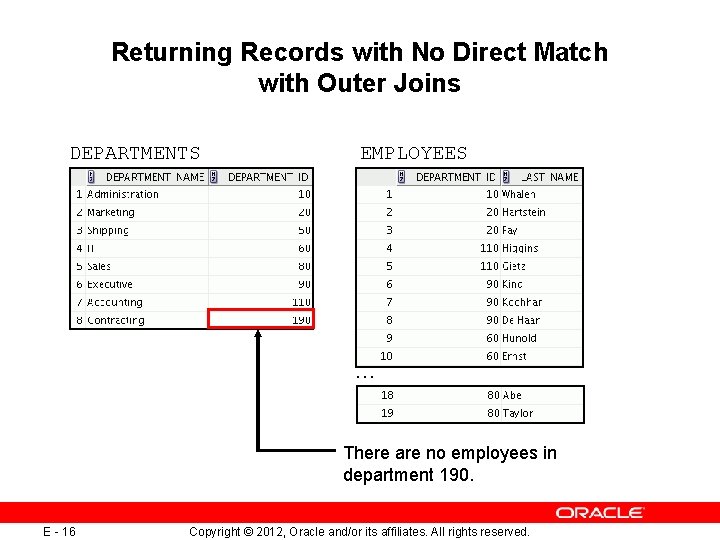
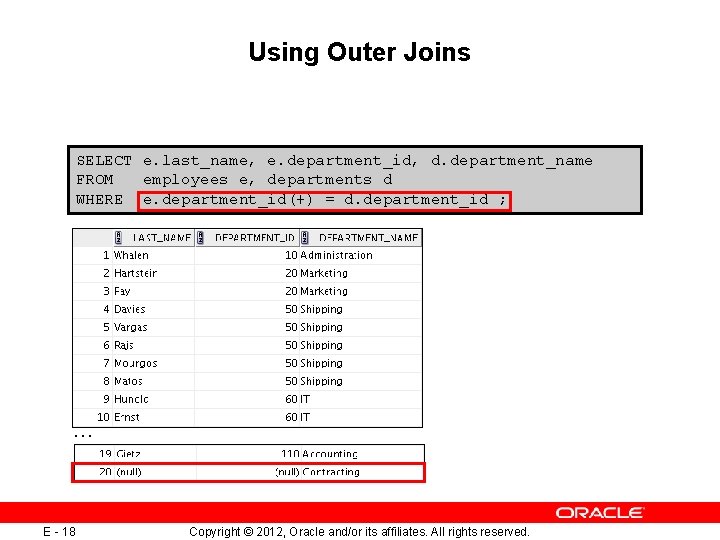
Returning Records with No Direct Match with Outer Joins DEPARTMENTS EMPLOYEES … There are no employees in department 190. E - 16 Copyright © 2012, Oracle and/or its affiliates. All rights reserved.
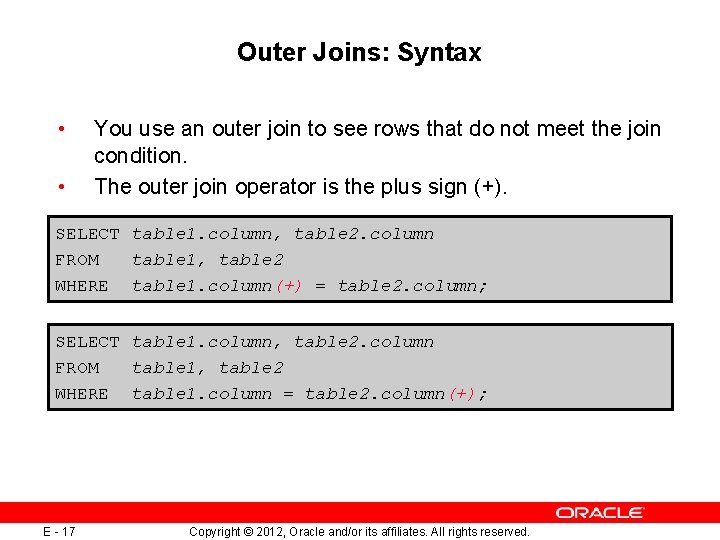
Outer Joins: Syntax • • You use an outer join to see rows that do not meet the join condition. The outer join operator is the plus sign (+). SELECT table 1. column, table 2. column FROM table 1, table 2 WHERE table 1. column(+) = table 2. column; SELECT table 1. column, table 2. column FROM table 1, table 2 WHERE table 1. column = table 2. column(+); E - 17 Copyright © 2012, Oracle and/or its affiliates. All rights reserved.
Using Outer Joins SELECT e. last_name, e. department_id, d. department_name FROM employees e, departments d WHERE e. department_id(+) = d. department_id ; … E - 18 Copyright © 2012, Oracle and/or its affiliates. All rights reserved.
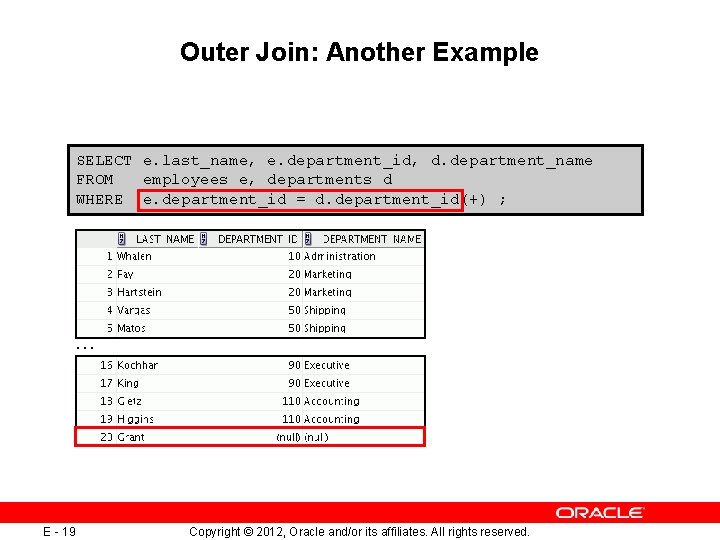
Outer Join: Another Example SELECT e. last_name, e. department_id, d. department_name FROM employees e, departments d WHERE e. department_id = d. department_id(+) ; … E - 19 Copyright © 2012, Oracle and/or its affiliates. All rights reserved.
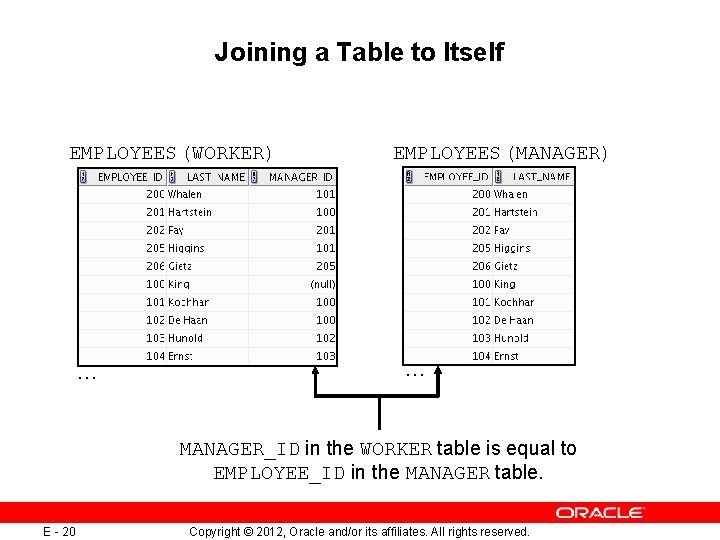
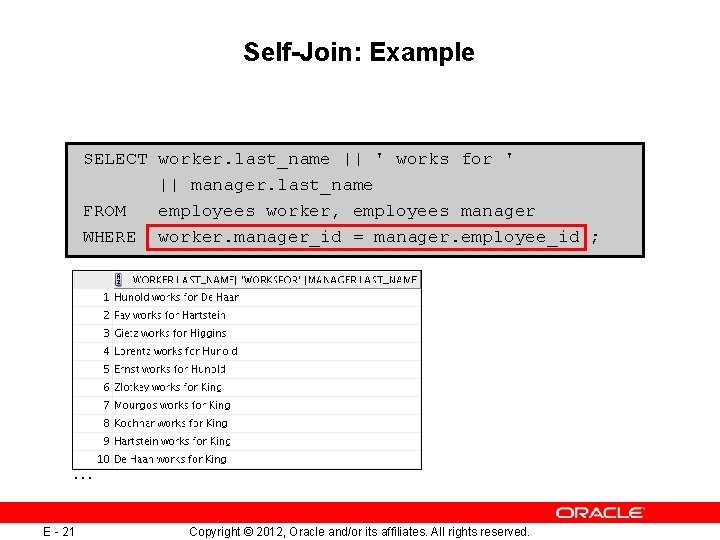
Joining a Table to Itself EMPLOYEES (WORKER) … EMPLOYEES (MANAGER) … MANAGER_ID in the WORKER table is equal to EMPLOYEE_ID in the MANAGER table. E - 20 Copyright © 2012, Oracle and/or its affiliates. All rights reserved.
Self-Join: Example SELECT worker. last_name || ' works for ' || manager. last_name FROM employees worker, employees manager WHERE worker. manager_id = manager. employee_id ; … E - 21 Copyright © 2012, Oracle and/or its affiliates. All rights reserved.
Summary In this appendix, you should have learned how to use joins to display data from multiple tables by using Oracle-proprietary syntax. E - 22 Copyright © 2012, Oracle and/or its affiliates. All rights reserved.
Practice E: Overview This practice covers the following topics: • Joining tables by using an equijoin • Performing outer and self-joins • Adding conditions E - 23 Copyright © 2012, Oracle and/or its affiliates. All rights reserved.