
Dyson Centre For Engineering Design An introduction to
- Slides: 25
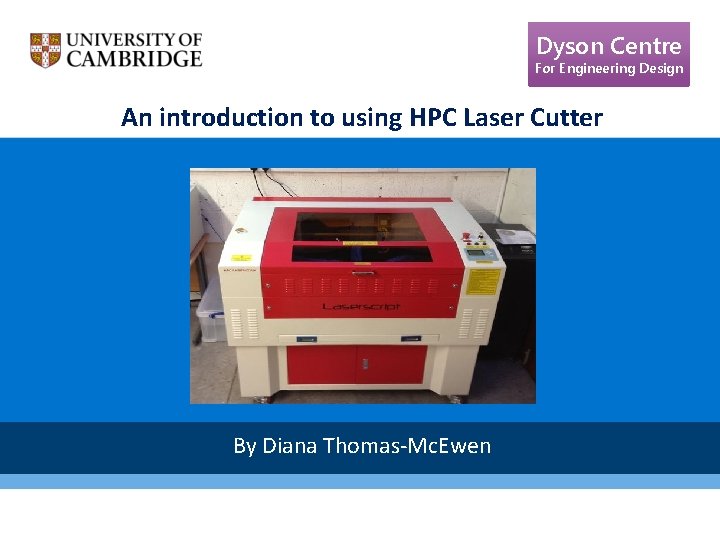
Dyson Centre For Engineering Design An introduction to using HPC Laser Cutter By Diana Thomas-Mc. Ewen
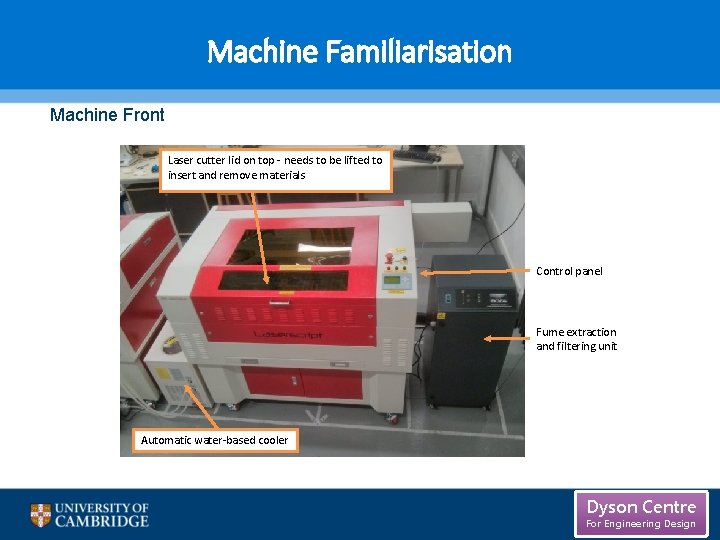
Machine Familiarisation Machine Front Laser cutter lid on top - needs to be lifted to insert and remove materials Control panel Fume extraction and filtering unit Automatic water-based cooler Dyson Centre For Engineering Design
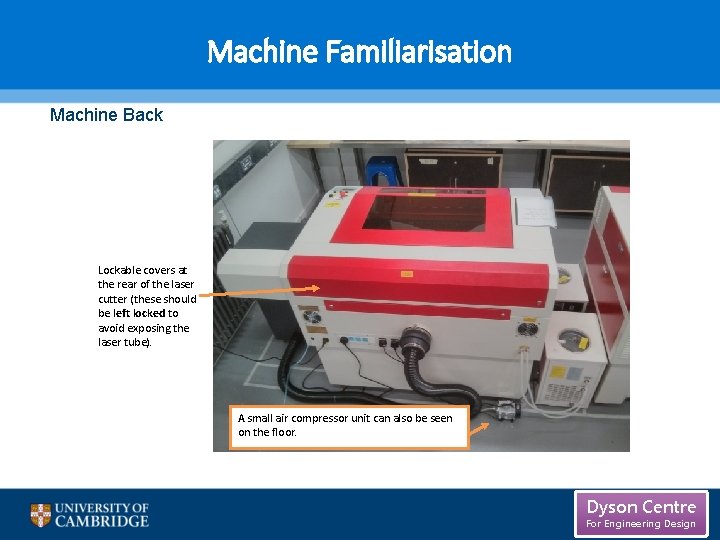
Machine Familiarisation Machine Back Lockable covers at the rear of the laser cutter (these should be left locked to avoid exposing the laser tube). A small air compressor unit can also be seen on the floor. Dyson Centre For Engineering Design
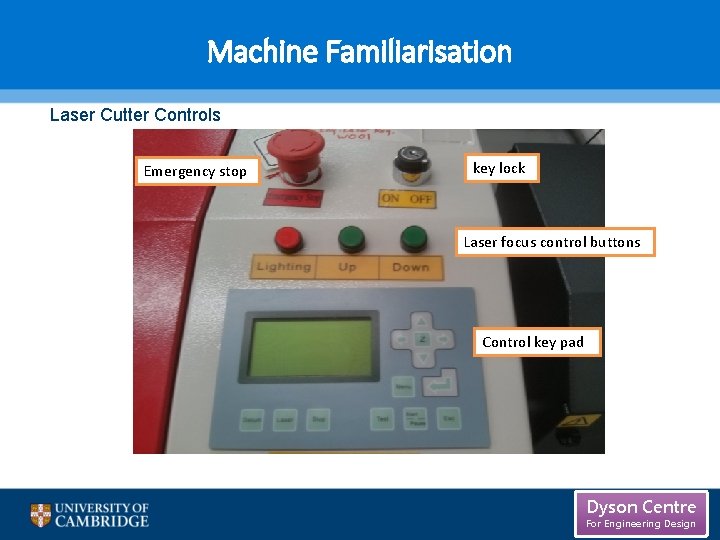
Machine Familiarisation Laser Cutter Controls Emergency stop key lock Laser focus control buttons Control key pad Dyson Centre For Engineering Design
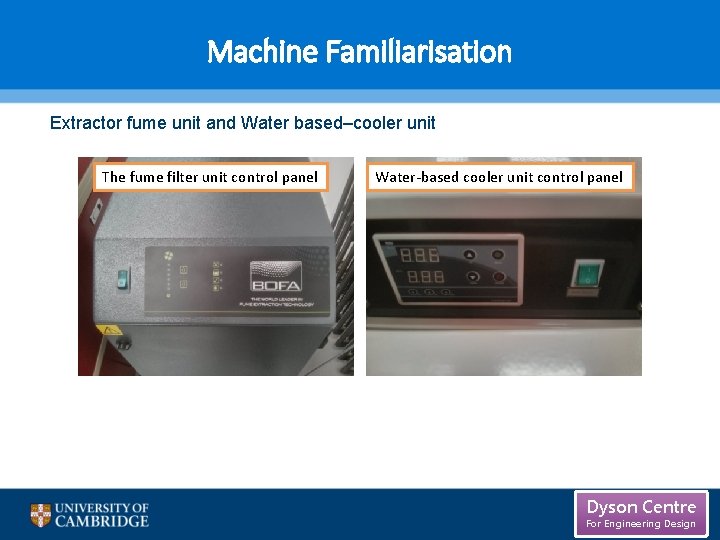
Machine Familiarisation Extractor fume unit and Water based–cooler unit The fume filter unit control panel Water-based cooler unit control panel Dyson Centre For Engineering Design
Using Laser. Cut 5. 3 Software Dyson Centre For Engineering Design
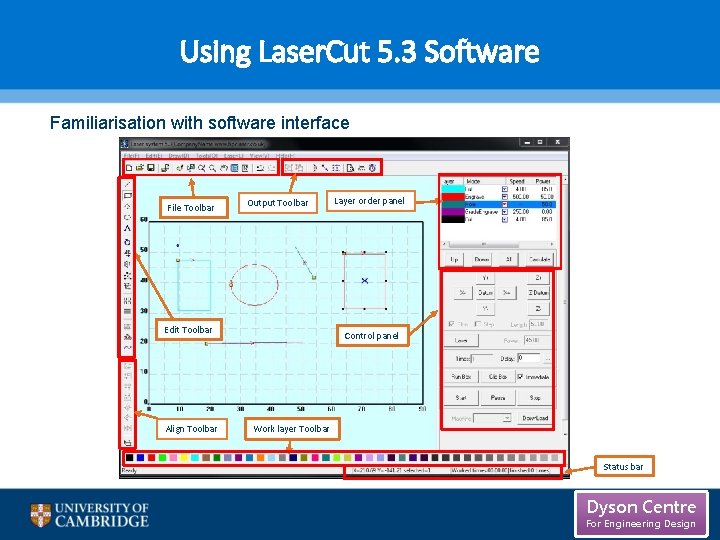
Using Laser. Cut 5. 3 Software Familiarisation with software interface File Toolbar Output Toolbar Edit Toolbar Align Toolbar Layer order panel Control panel Work layer Toolbar Status bar Dyson Centre For Engineering Design
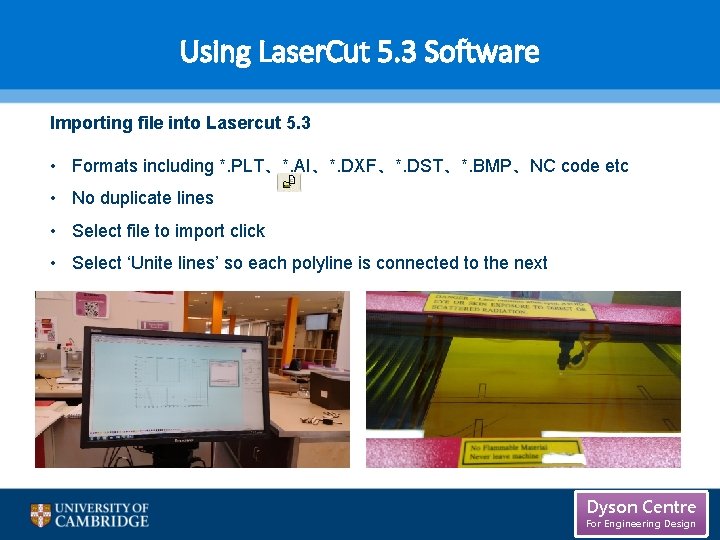
Using Laser. Cut 5. 3 Software Importing file into Lasercut 5. 3 • Formats including *. PLT、*. AI、*. DXF、*. DST、*. BMP、NC code etc • No duplicate lines • Select file to import click • Select ‘Unite lines’ so each polyline is connected to the next Dyson Centre For Engineering Design
Using Laser. Cut 5. 3 Software Creating a file from scratch in Lasercut 5. 3 This simple program is limited in what it can do listed below are some of its functions: • New file • Save/save as (*. ecp) • Tools • Layer properties • Data check (check the data to make sure it is closed) • Smooth curve • Unite lines • Offset curve • Define first cut (specify where the first cut should be made) • Simulate operation time Dyson Centre For Engineering Design
Using Laser. Cut 5. 3 Software Creating a file from scratch in Lasercut 5. 3 Specific Draw Functions • Line, Rectangle • Multipoint • Ellipse • Bezier Curve • Text (single line text, however previews of the text are not shown) • Array • Rotate • Mirror • Size (will not set X and Y in relation have to be set separately. ) • Group • Align Dyson Centre For Engineering Design
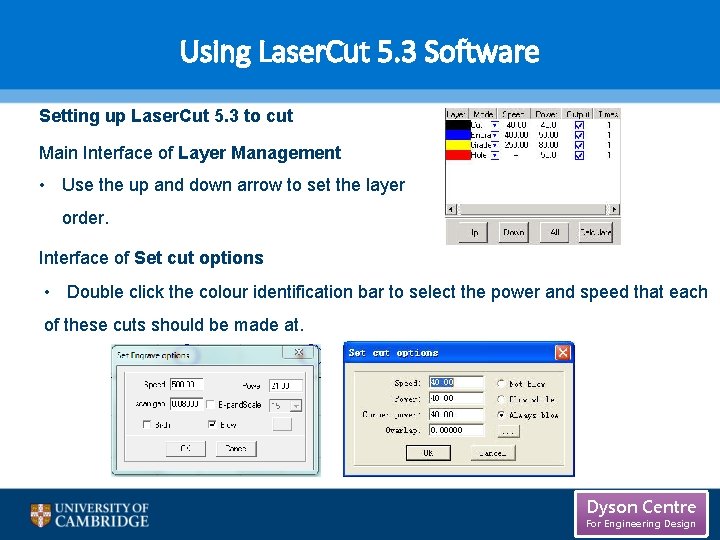
Using Laser. Cut 5. 3 Software Setting up Laser. Cut 5. 3 to cut Main Interface of Layer Management • Use the up and down arrow to set the layer order. Interface of Set cut options • Double click the colour identification bar to select the power and speed that each of these cuts should be made at. Dyson Centre For Engineering Design
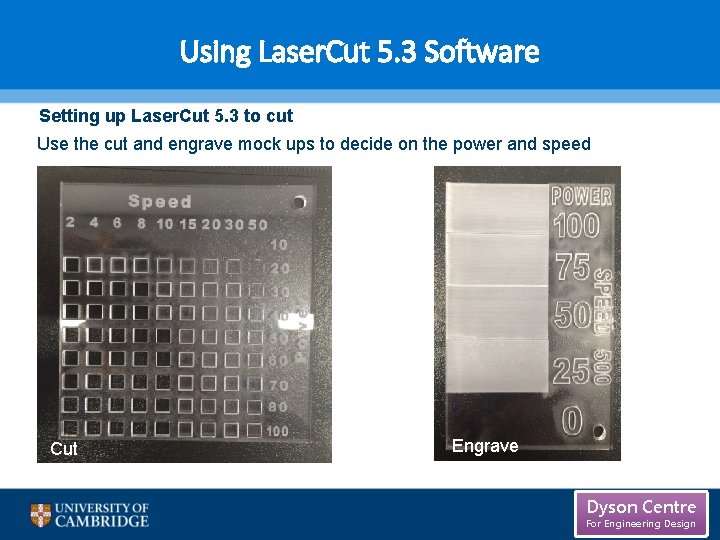
Using Laser. Cut 5. 3 Software Setting up Laser. Cut 5. 3 to cut Use the cut and engrave mock ups to decide on the power and speed Cut Engrave Dyson Centre For Engineering Design
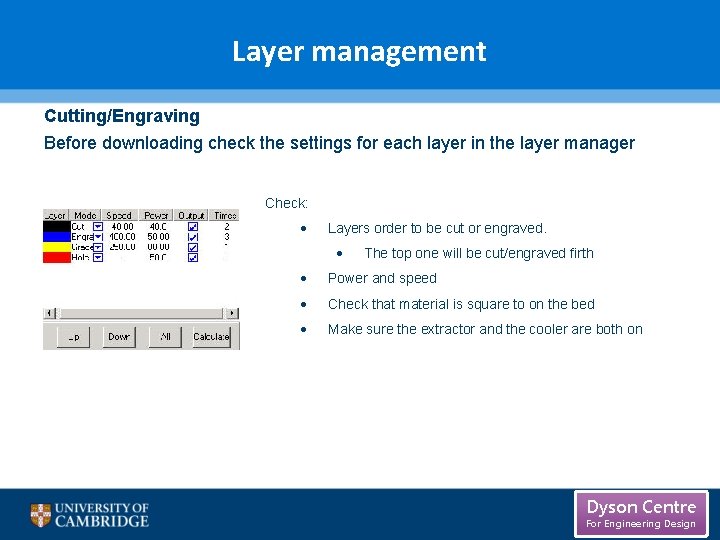
Layer management Cutting/Engraving Before downloading check the settings for each layer in the layer manager Check: Layers order to be cut or engraved. The top one will be cut/engraved firth Power and speed Check that material is square to on the bed Make sure the extractor and the cooler are both on Cut Dyson Centre For Engineering Design
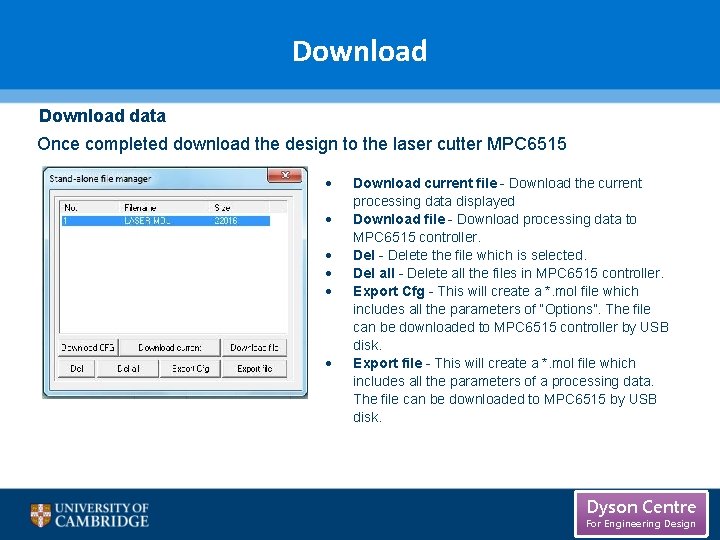
Download data Once completed download the design to the laser cutter MPC 6515 Cut Download current file - Download the current processing data displayed Download file - Download processing data to MPC 6515 controller. Del - Delete the file which is selected. Del all - Delete all the files in MPC 6515 controller. Export Cfg - This will create a *. mol file which includes all the parameters of “Options”. The file can be downloaded to MPC 6515 controller by USB disk. Export file - This will create a *. mol file which includes all the parameters of a processing data. The file can be downloaded to MPC 6515 by USB disk. Engrave Dyson Centre For Engineering Design
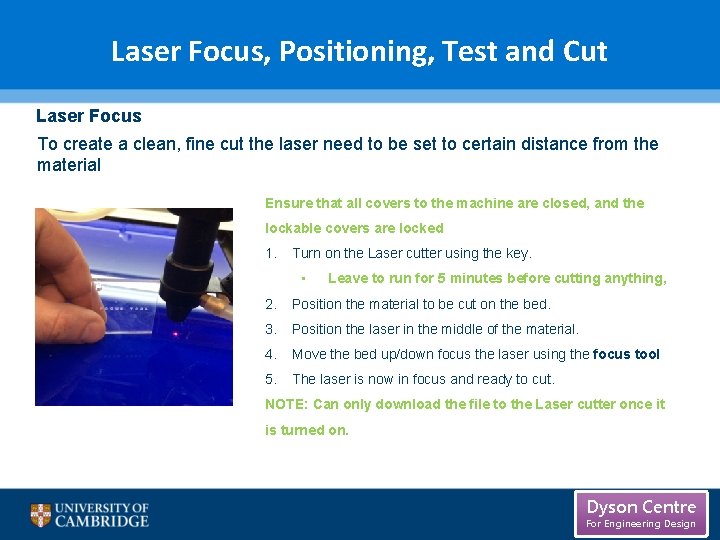
Laser Focus, Positioning, Test and Cut Laser Focus To create a clean, fine cut the laser need to be set to certain distance from the material Ensure that all covers to the machine are closed, and the lockable covers are locked 1. Turn on the Laser cutter using the key. • Leave to run for 5 minutes before cutting anything, 2. Position the material to be cut on the bed. 3. Position the laser in the middle of the material. 4. Move the bed up/down focus the laser using the focus tool 5. The laser is now in focus and ready to cut. NOTE: Can only download the file to the Laser cutter once it is turned on. Cut Engrave Dyson Centre For Engineering Design
Laser Focus, Positioning, Test and Cut Positioning and test Positioning the laser on the material The area that the design covers will be traced out in a rectangle using this function. 1. Using the arrow buttons on the control key pad position the laser. 2. Select ‘test’ in the control keypad. 3. The laser head will then move (not cutting) tracing the area that design will fit into one rectangle. 4. Once set so the design fits within the material the laser can be set to cut. WARNING: Once the laser has been set to cut you CAN NOT leave the laser unattended, as a fire could start in the machine. Cut Engrave Dyson Centre For Engineering Design
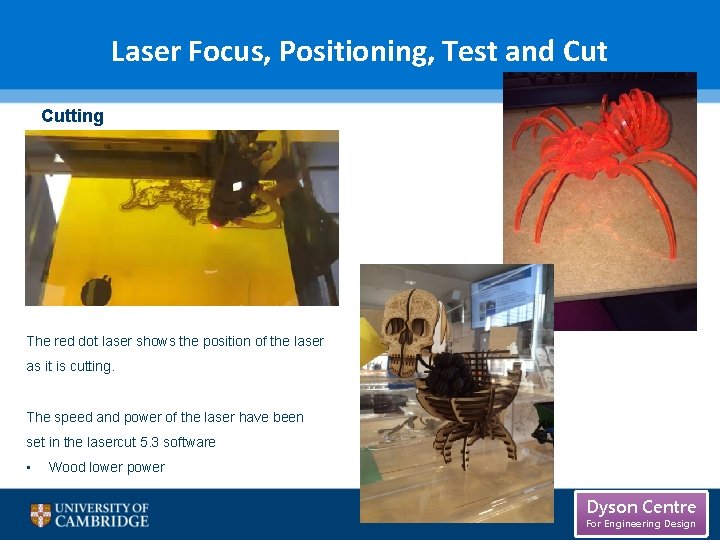
Laser Focus, Positioning, Test and Cutting The red dot laser shows the position of the laser as it is cutting. The speed and power of the laser have been set in the lasercut 5. 3 software Cut • Wood lower power Dyson Centre For Engineering Design
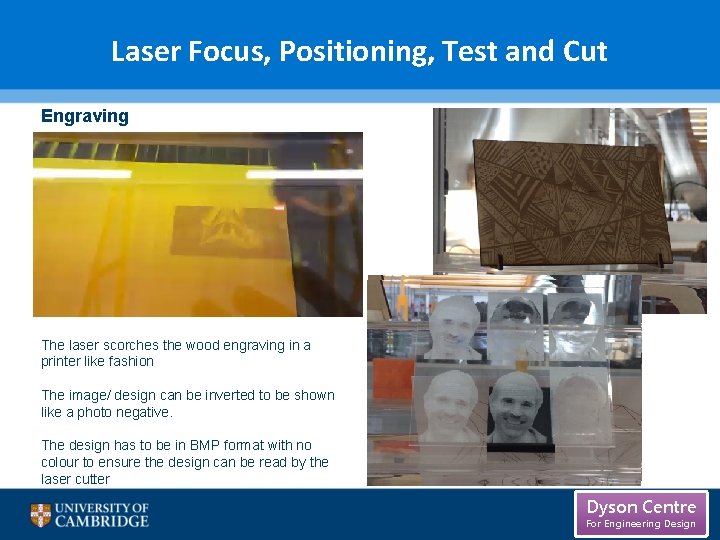
Laser Focus, Positioning, Test and Cut Engraving The laser scorches the wood engraving in a printer like fashion The image/ design can be inverted to be shown like a photo negative. The design has to be in BMP format with no Cut colour to ensure the design can be read by the laser cutter Dyson Centre For Engineering Design
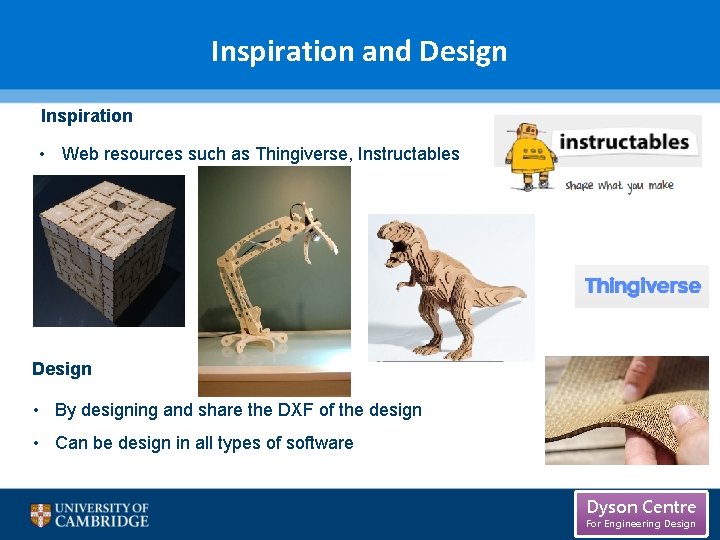
Inspiration and Design Inspiration • Web resources such as Thingiverse, Instructables Design • By designing and share the DXF of the design • Cut Can be design in all types of software Dyson Centre For Engineering Design
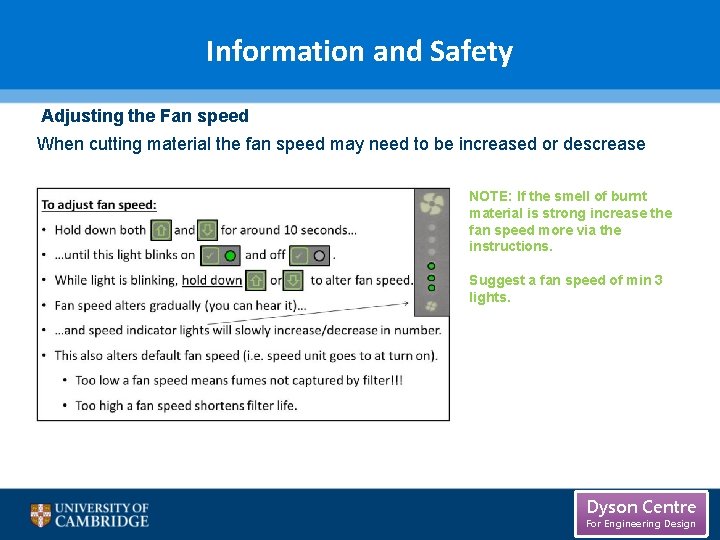
Information and Safety Adjusting the Fan speed When cutting material the fan speed may need to be increased or descrease NOTE: If the smell of burnt material is strong increase the fan speed more via the instructions. Suggest a fan speed of min 3 lights. Cut Dyson Centre For Engineering Design
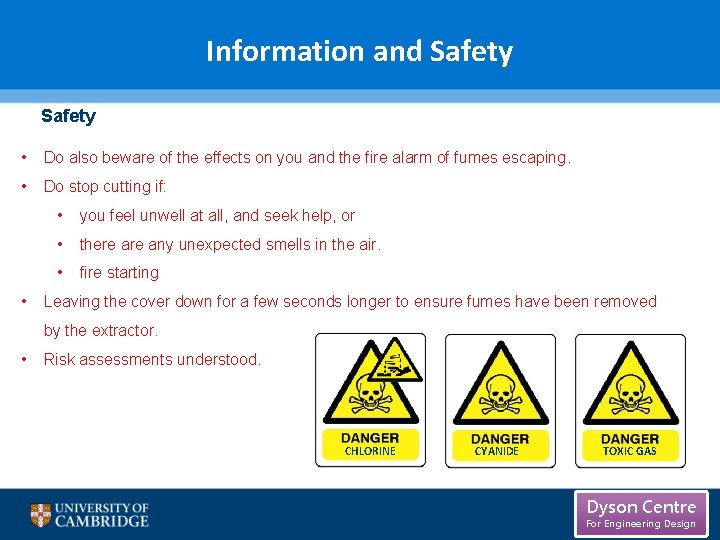
Information and Safety • Do also beware of the effects on you and the fire alarm of fumes escaping. • Do stop cutting if: • • you feel unwell at all, and seek help, or • there any unexpected smells in the air. • fire starting Leaving the cover down for a few seconds longer to ensure fumes have been removed by the extractor. • Risk assessments understood. Cut CHLORINE CYANIDE CHLORINE TOXIC GAS CHLORINE Dyson Centre For Engineering Design
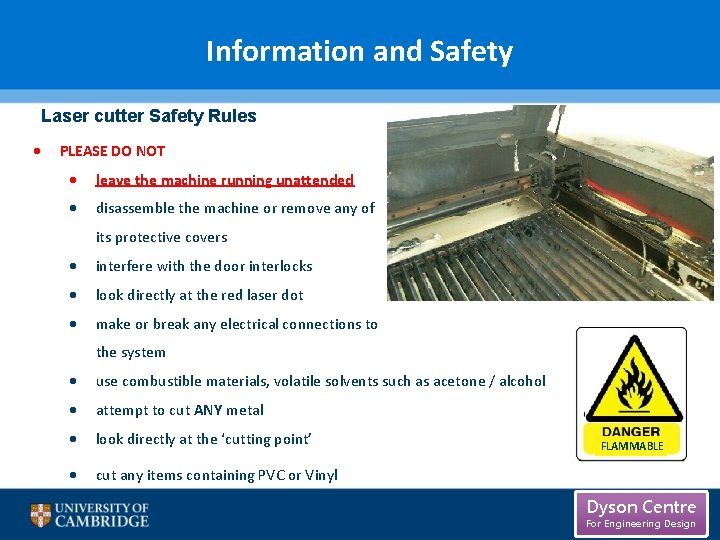
Information and Safety Laser cutter Safety Rules PLEASE DO NOT leave the machine running unattended disassemble the machine or remove any of its protective covers interfere with the door interlocks look directly at the red laser dot make or break any electrical connections to the system use combustible materials, volatile solvents such as acetone / alcohol attempt to cut ANY metal look directly at the ‘cutting point’ cut any items containing PVC or Vinyl CHLORINE FLAMMABLE Dyson Centre For Engineering Design
Information and Safety Laser cutter Safety Rules PLEASE MAKE SURE the dust/fume extractor and air assist compressor is turned on when cutting keep the laser bed clean and remove any small cuttings from the draw below) seek a member of staff if you are unsure of any procedures the area around tidy and clutter free have a fire extinguisher nearby. Dyson Centre For Engineering Design
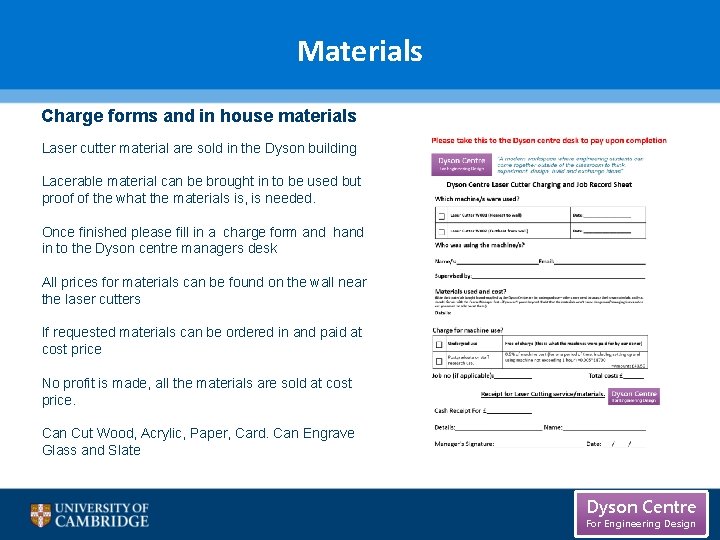
Materials Charge forms and in house materials Laser cutter material are sold in the Dyson building Lacerable material can be brought in to be used but proof of the what the materials is, is needed. Once finished please fill in a charge form and hand in to the Dyson centre managers desk All prices for materials can be found on the wall near the laser cutters If requested materials can be ordered in and paid at cost price No profit is made, all the materials are sold at cost price. Can Cut Wood, Acrylic, Paper, Card. Can Engrave Glass and Slate Dyson Centre For Engineering Design
Laser Cutter Training is now being offered so that the laser cutter can be used with out being supervised. Dyson Centre For Engineering Design