
Dynamic Routing Protocols part 3 EIGRP Introduction to
![+ DUAL terminology D 192. 168. 1. 0/24 [90/3014400] via 192. 168. 10, 00:](https://slidetodoc.com/presentation_image_h/20013a7ed631e8e515048e18989c01c6/image-31.jpg "+ DUAL terminology D 192. 168. 1. 0/24 [90/3014400] via 192. 168. 10, 00:")
- Slides: 47
+ Dynamic Routing Protocols part 3 EIGRP
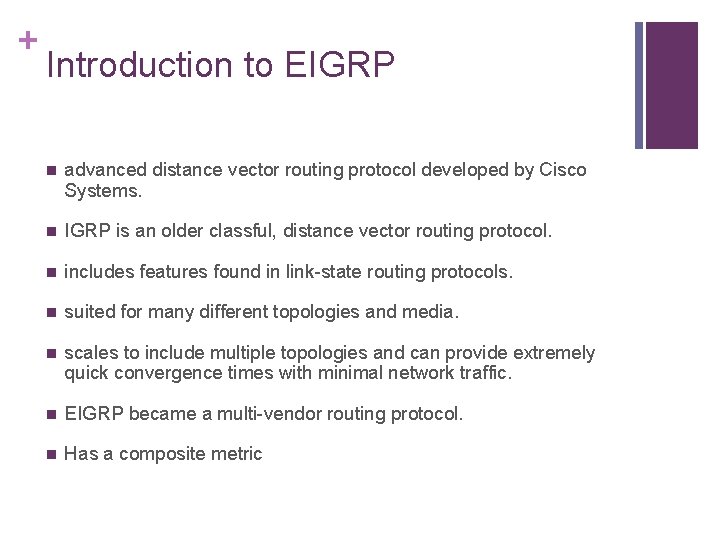
+ Introduction to EIGRP n advanced distance vector routing protocol developed by Cisco Systems. n IGRP is an older classful, distance vector routing protocol. n includes features found in link-state routing protocols. n suited for many different topologies and media. n scales to include multiple topologies and can provide extremely quick convergence times with minimal network traffic. n EIGRP became a multi-vendor routing protocol. n Has a composite metric
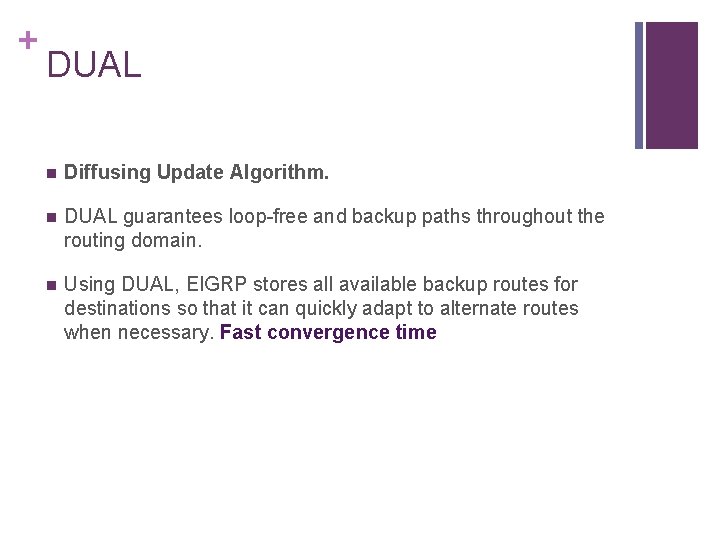
+ DUAL n Diffusing Update Algorithm. n DUAL guarantees loop-free and backup paths throughout the routing domain. n Using DUAL, EIGRP stores all available backup routes for destinations so that it can quickly adapt to alternate routes when necessary. Fast convergence time
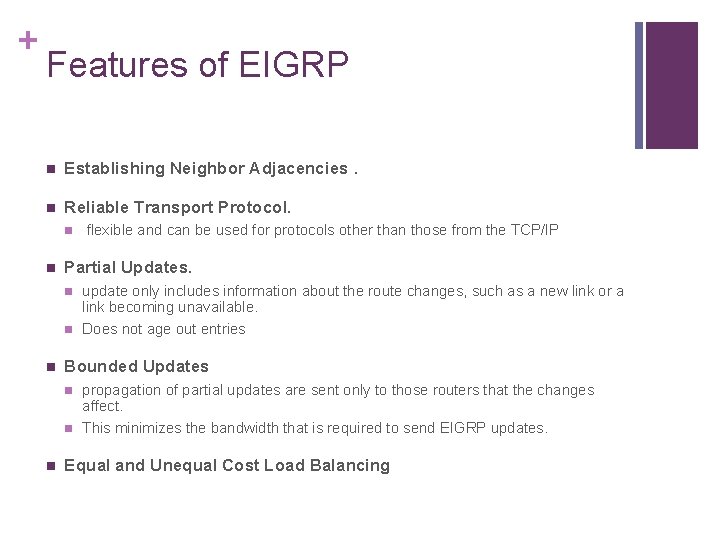
+ Features of EIGRP n Establishing Neighbor Adjacencies. n Reliable Transport Protocol. n n Partial Updates. n n n update only includes information about the route changes, such as a new link or a link becoming unavailable. Does not age out entries Bounded Updates n n n flexible and can be used for protocols other than those from the TCP/IP propagation of partial updates are sent only to those routers that the changes affect. This minimizes the bandwidth that is required to send EIGRP updates. Equal and Unequal Cost Load Balancing
+ Autonomous System number n EIGRP uses the router eigrp autonomous-system command to enable the EIGRP process. n is only significant to the EIGRP routing domain. n It functions as a process ID to help routers keep track of multiple running instances of EIGRP.
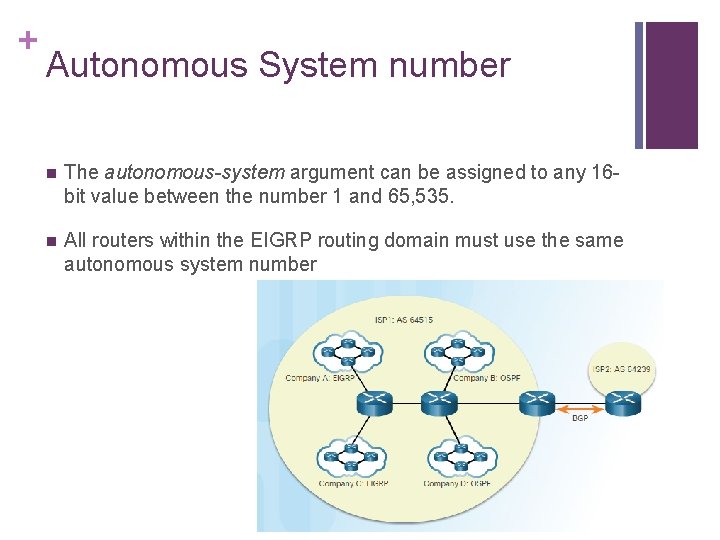
+ Autonomous System number n The autonomous-system argument can be assigned to any 16 bit value between the number 1 and 65, 535. n All routers within the EIGRP routing domain must use the same autonomous system number
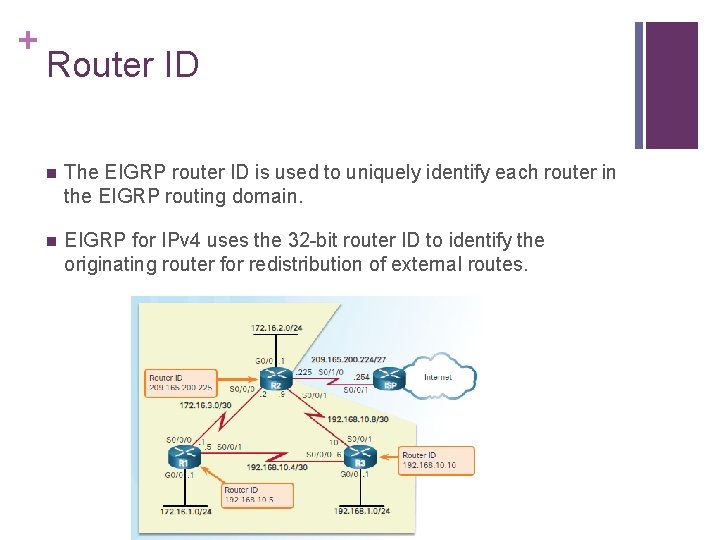
+ Router ID n The EIGRP router ID is used to uniquely identify each router in the EIGRP routing domain. n EIGRP for IPv 4 uses the 32 -bit router ID to identify the originating router for redistribution of external routes.
+ Router ID 1. Use the address configured with the eigrp router-id ipv 4 address router configuration mode command. 2. If the router ID is not configured, choose the highest IPv 4 address of any of its loopback interfaces. 3. If no loopback interfaces are configured, choose the highest active IPv 4 address of any of its physical interfaces. n A loopback address is a virtual interface and is automatically in the up state when configured.
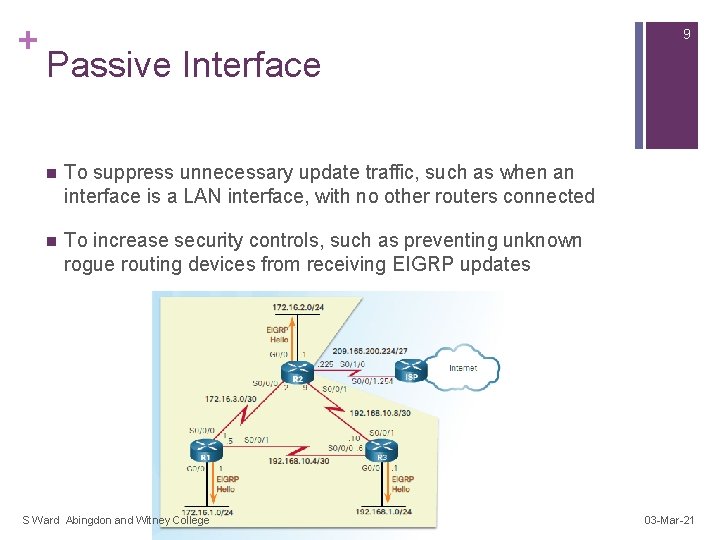
+ 9 Passive Interface n To suppress unnecessary update traffic, such as when an interface is a LAN interface, with no other routers connected n To increase security controls, such as preventing unknown rogue routing devices from receiving EIGRP updates S Ward Abingdon and Witney College 03 -Mar-21
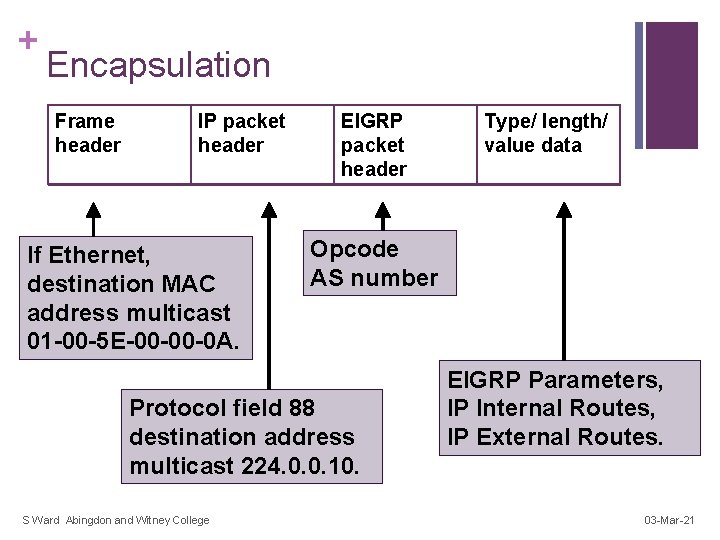
+ Encapsulation Frame header IP packet header If Ethernet, destination MAC address multicast 01 -00 -5 E-00 -00 -0 A. EIGRP packet header Opcode AS number Protocol field 88 destination address multicast 224. 0. 0. 10. S Ward Abingdon and Witney College Type/ length/ value data EIGRP Parameters, IP Internal Routes, IP External Routes. 03 -Mar-21
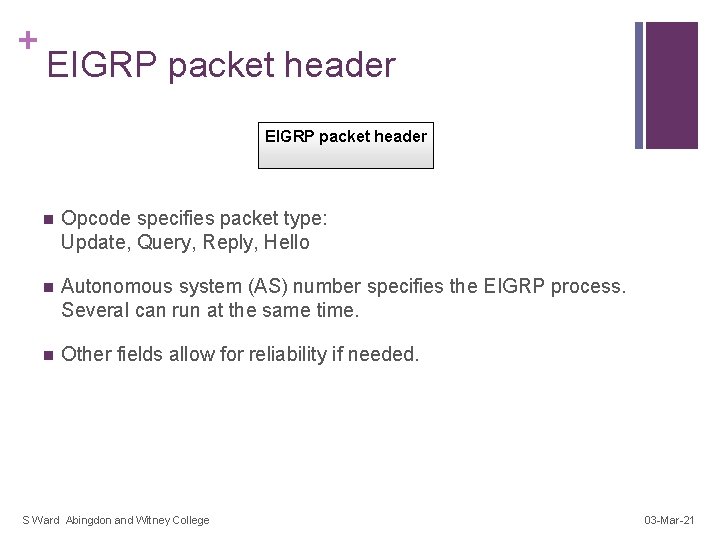
+ EIGRP packet header n Opcode specifies packet type: Update, Query, Reply, Hello n Autonomous system (AS) number specifies the EIGRP process. Several can run at the same time. n Other fields allow for reliability if needed. S Ward Abingdon and Witney College 03 -Mar-21
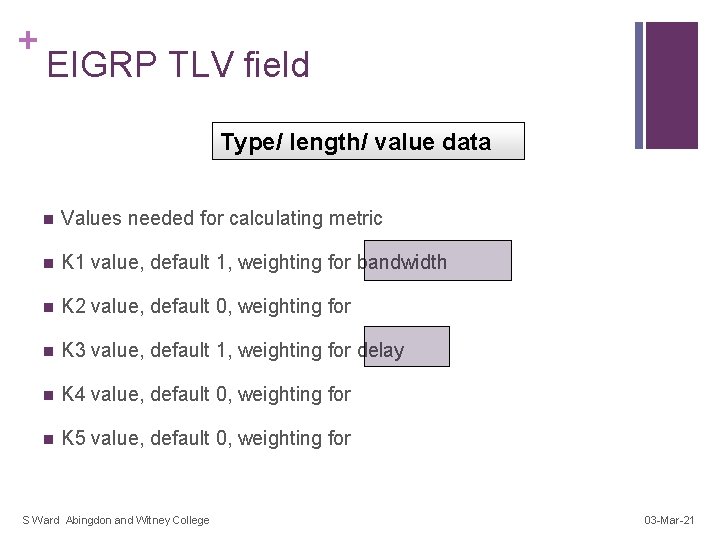
+ EIGRP TLV field Type/ length/ value data n Values needed for calculating metric n K 1 value, default 1, weighting for bandwidth n K 2 value, default 0, weighting for n K 3 value, default 1, weighting for delay n K 4 value, default 0, weighting for n K 5 value, default 0, weighting for S Ward Abingdon and Witney College 03 -Mar-21
+ EIGRP TLV field Type/ length/ value data n Hold time: n The number of seconds a router should wait for a hello message before considering that a neighbour router is down. S Ward Abingdon and Witney College 03 -Mar-21
+ Internal routes Type/ length/ value data n Internal routes originate within the AS. n Their messages include n metric information: bandwidth, delay, load, reliability n prefix length and network address n Next hop address S Ward Abingdon and Witney College 03 -Mar-21
+ External routes Type/ length/ value data n External routes originate elsewhere and are imported. (Static, other protocol, other AS) n Their messages include all the internal route information. n Plus extra fields used to track the source of the information. S Ward Abingdon and Witney College 03 -Mar-21
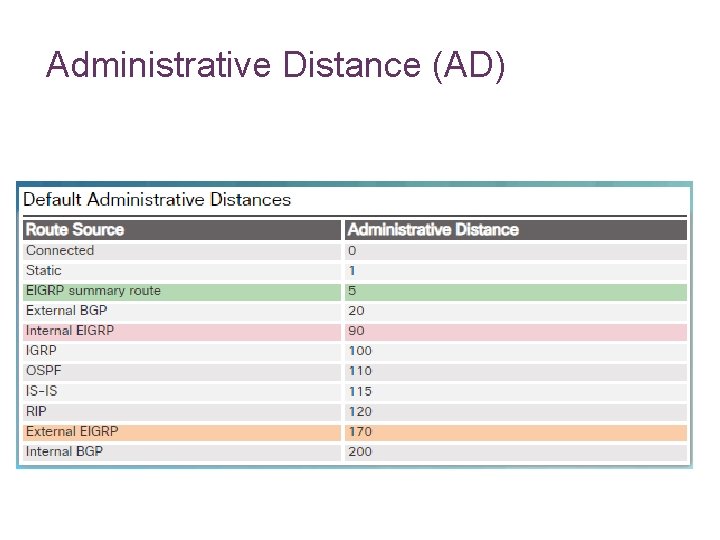
Administrative Distance (AD) –Administrative distance is the feature that routers use in order to select the best path when there are two or more different routes to same destination from two different routing protocols. –Administrative distance defines the reliability of a routing protocol. –Each routing protocol is prioritized in order of most to least reliable with the help of an administrative distance value.
Administrative Distance (AD)
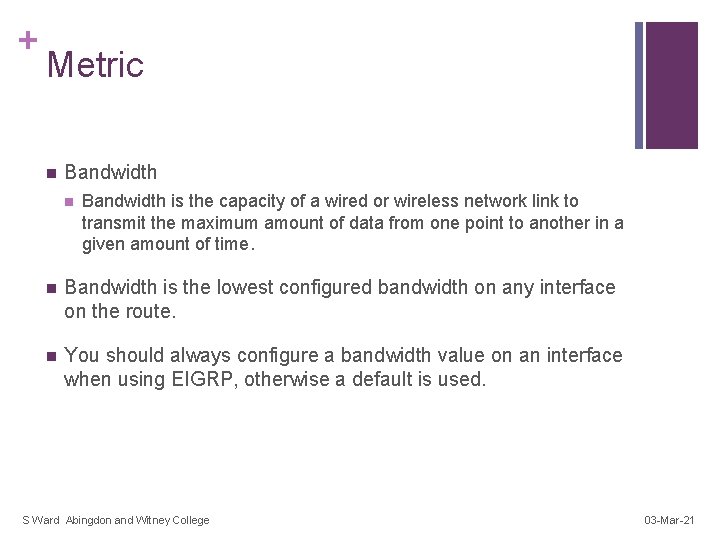
+ Metric n Bandwidth is the capacity of a wired or wireless network link to transmit the maximum amount of data from one point to another in a given amount of time. n Bandwidth is the lowest configured bandwidth on any interface on the route. n You should always configure a bandwidth value on an interface when using EIGRP, otherwise a default is used. S Ward Abingdon and Witney College 03 -Mar-21
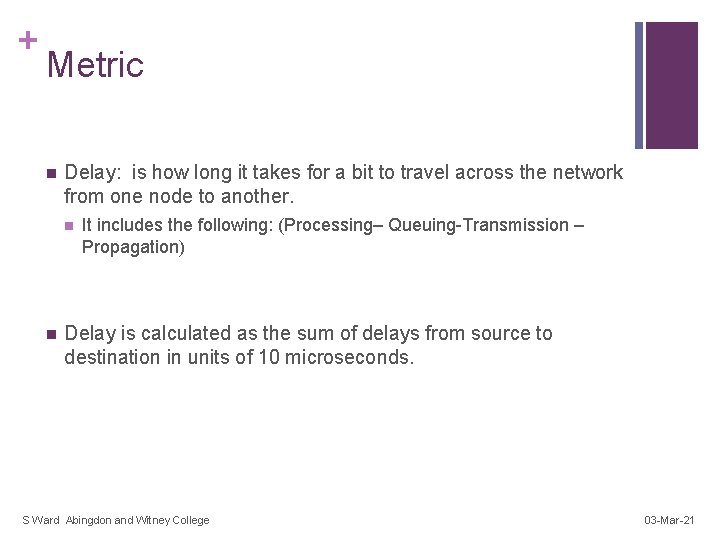
+ Metric n Delay: is how long it takes for a bit to travel across the network from one node to another. n n It includes the following: (Processing– Queuing-Transmission – Propagation) Delay is calculated as the sum of delays from source to destination in units of 10 microseconds. S Ward Abingdon and Witney College 03 -Mar-21
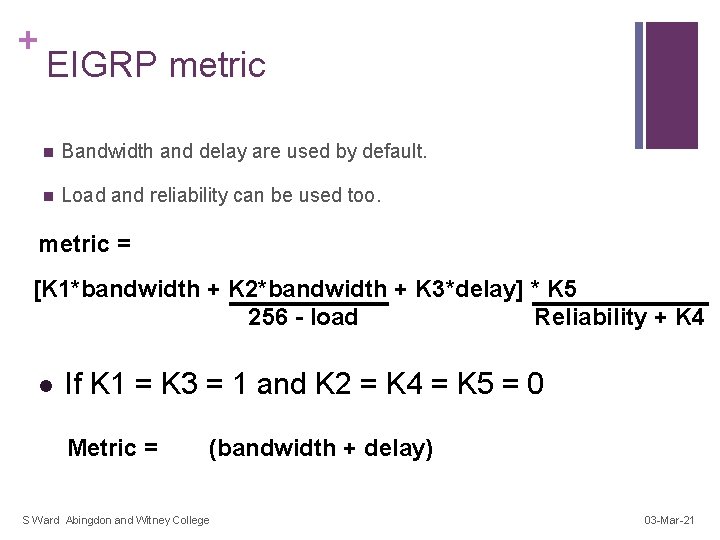
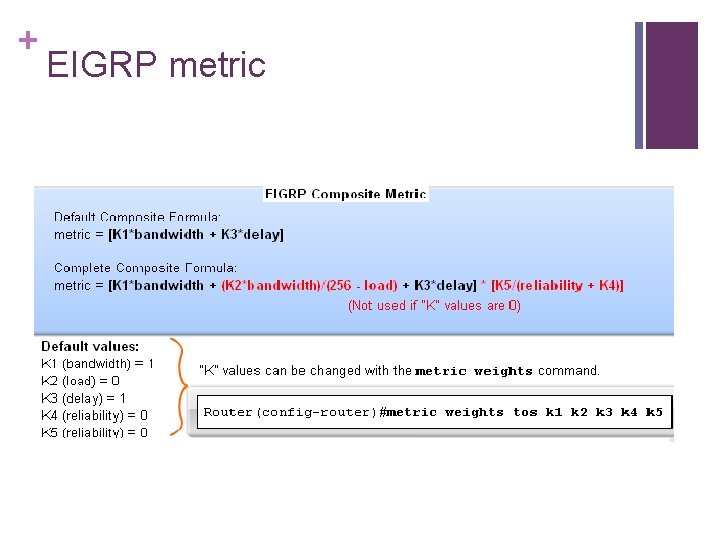
+ EIGRP metric n Bandwidth and delay are used by default. n Load and reliability can be used too. metric = [K 1*bandwidth + K 2*bandwidth + K 3*delay] * K 5 256 - load Reliability + K 4 l If K 1 = K 3 = 1 and K 2 = K 4 = K 5 = 0 Metric = (bandwidth + delay) S Ward Abingdon and Witney College 03 -Mar-21
+ EIGRP metric
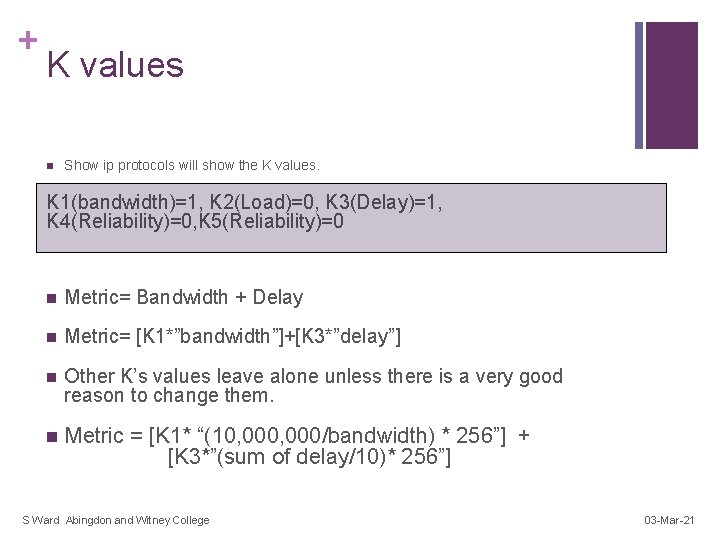
+ K values n Show ip protocols will show the K values. K 1(bandwidth)=1, K 2(Load)=0, K 3(Delay)=1, K 4(Reliability)=0, K 5(Reliability)=0 n Metric= Bandwidth + Delay n Metric= [K 1*”bandwidth”]+[K 3*”delay”] n Other K’s values leave alone unless there is a very good reason to change them. n Metric = [K 1* “(10, 000/bandwidth) * 256”] + [K 3*”(sum of delay/10)* 256”] S Ward Abingdon and Witney College 03 -Mar-21
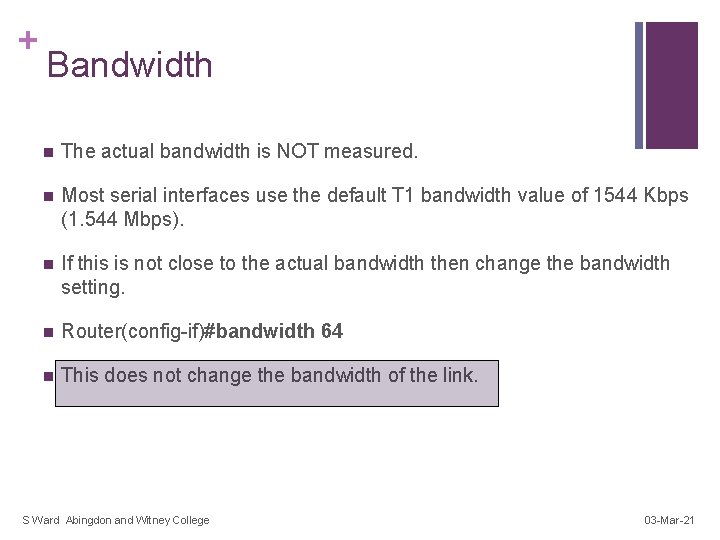
+ Bandwidth n The actual bandwidth is NOT measured. n Most serial interfaces use the default T 1 bandwidth value of 1544 Kbps (1. 544 Mbps). n If this is not close to the actual bandwidth then change the bandwidth setting. n Router(config-if)#bandwidth 64 n This does not change the bandwidth of the link. S Ward Abingdon and Witney College 03 -Mar-21
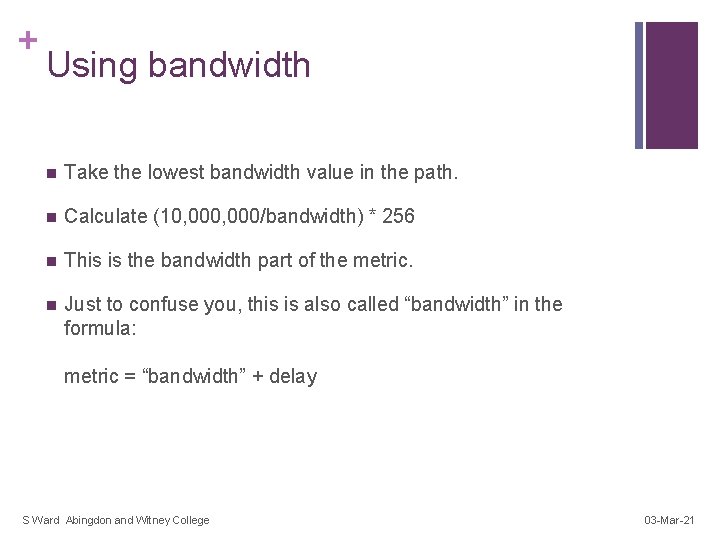
+ Using bandwidth n Take the lowest bandwidth value in the path. n Calculate (10, 000/bandwidth) * 256 n This is the bandwidth part of the metric. n Just to confuse you, this is also called “bandwidth” in the formula: metric = “bandwidth” + delay S Ward Abingdon and Witney College 03 -Mar-21
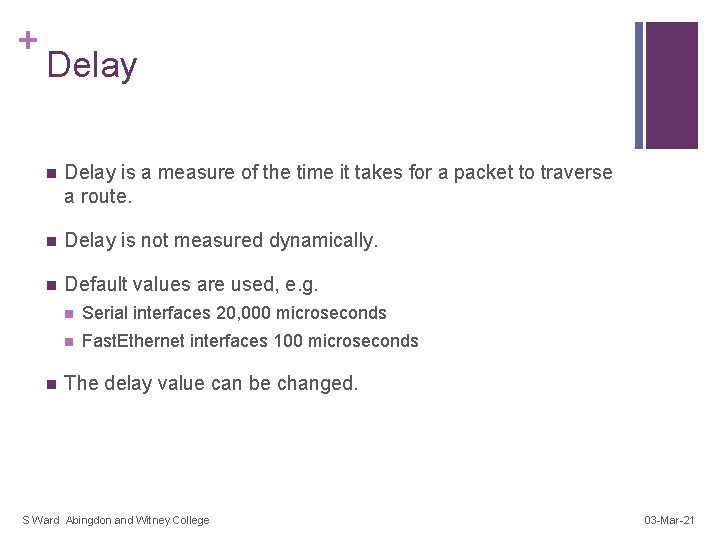
+ Delay n Delay is a measure of the time it takes for a packet to traverse a route. n Delay is not measured dynamically. n Default values are used, e. g. n n Serial interfaces 20, 000 microseconds n Fast. Ethernet interfaces 100 microseconds The delay value can be changed. S Ward Abingdon and Witney College 03 -Mar-21
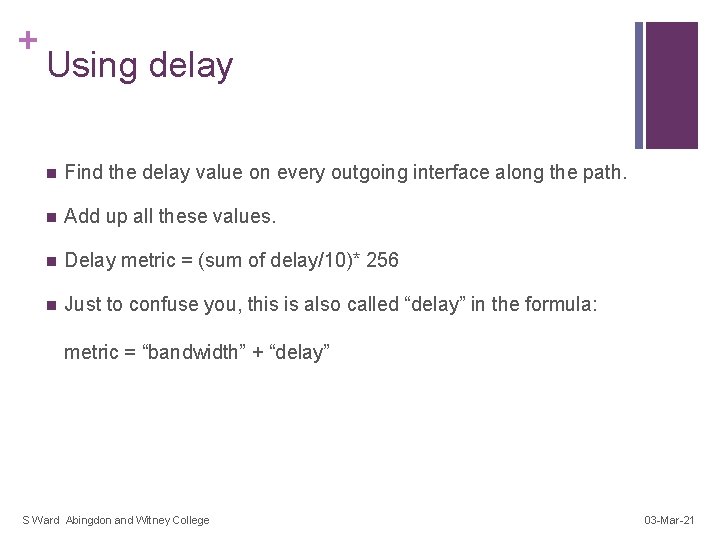
+ Using delay n Find the delay value on every outgoing interface along the path. n Add up all these values. n Delay metric = (sum of delay/10)* 256 n Just to confuse you, this is also called “delay” in the formula: metric = “bandwidth” + “delay” S Ward Abingdon and Witney College 03 -Mar-21
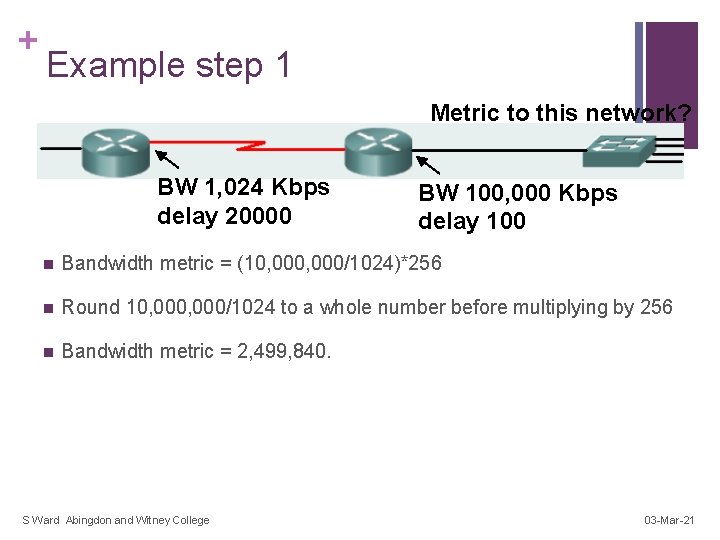
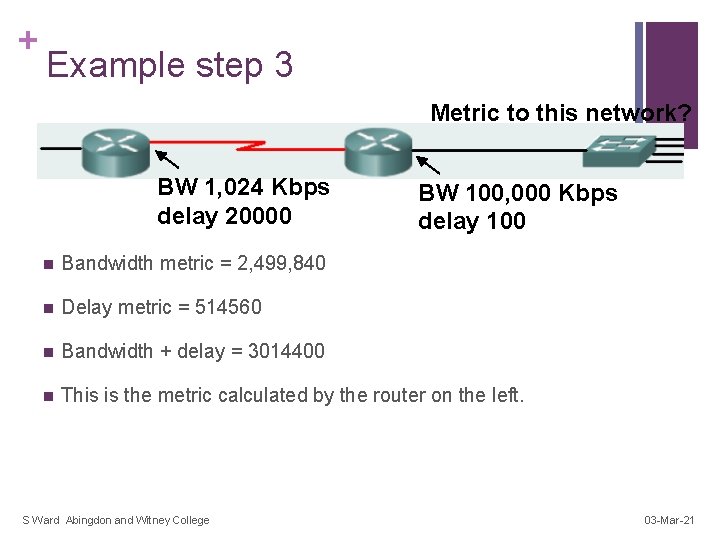
+ Example step 1 Metric to this network? BW 1, 024 Kbps delay 20000 BW 100, 000 Kbps delay 100 n Bandwidth metric = (10, 000/1024)*256 n Round 10, 000/1024 to a whole number before multiplying by 256 n Bandwidth metric = 2, 499, 840. S Ward Abingdon and Witney College 03 -Mar-21
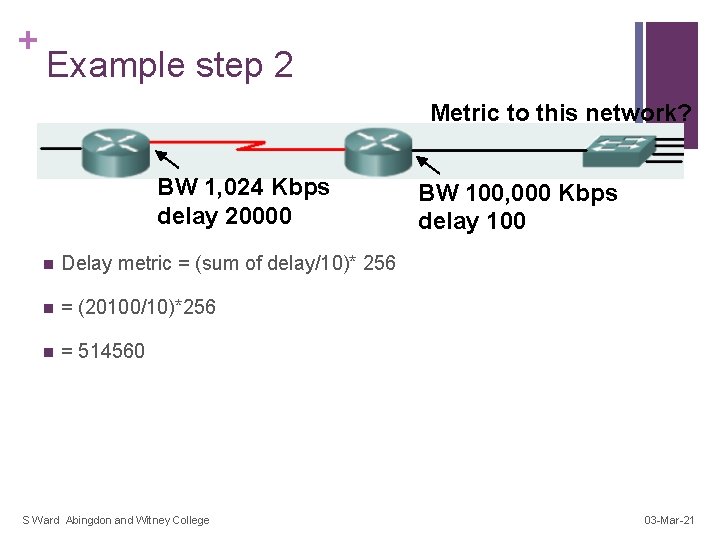
+ Example step 2 Metric to this network? BW 1, 024 Kbps delay 20000 n Delay metric = (sum of delay/10)* 256 n = (20100/10)*256 n = 514560 S Ward Abingdon and Witney College BW 100, 000 Kbps delay 100 03 -Mar-21
+ Example step 3 Metric to this network? BW 1, 024 Kbps delay 20000 BW 100, 000 Kbps delay 100 n Bandwidth metric = 2, 499, 840 n Delay metric = 514560 n Bandwidth + delay = 3014400 n This is the metric calculated by the router on the left. S Ward Abingdon and Witney College 03 -Mar-21
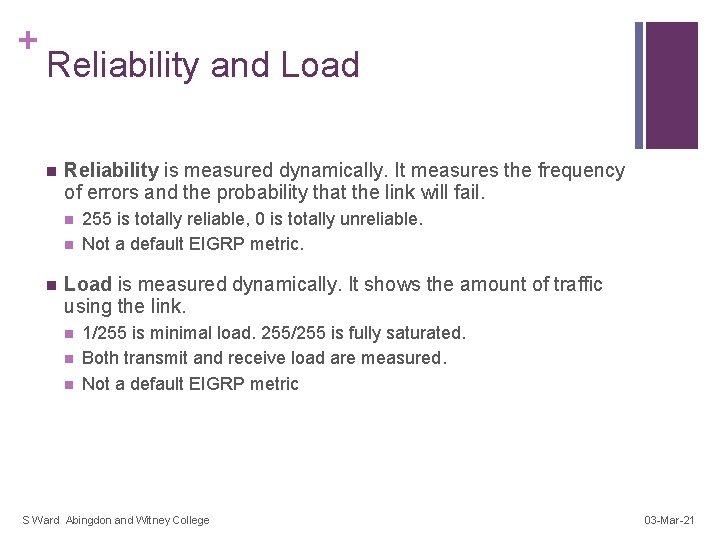
+ Reliability and Load n Reliability is measured dynamically. It measures the frequency of errors and the probability that the link will fail. n n n 255 is totally reliable, 0 is totally unreliable. Not a default EIGRP metric. Load is measured dynamically. It shows the amount of traffic using the link. n n n 1/255 is minimal load. 255/255 is fully saturated. Both transmit and receive load are measured. Not a default EIGRP metric S Ward Abingdon and Witney College 03 -Mar-21
+ DUAL terminology D 192. 168. 1. 0/24 [90/3014400] via 192. 168. 10, 00: 31, Serial 0/0/1 Interface of successor router that provides the next hop on the best path. Feasible distance: the metric of the best path. S Ward Abingdon and Witney College 03 -Mar-21
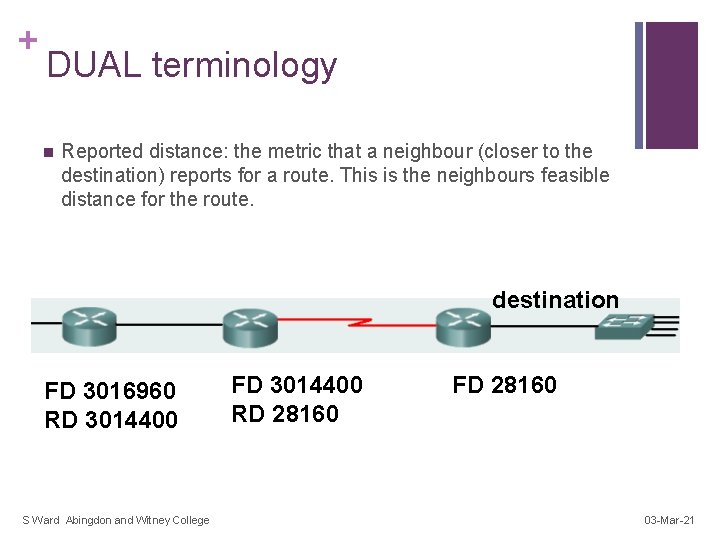
+ DUAL terminology n Reported distance: the metric that a neighbour (closer to the destination) reports for a route. This is the neighbours feasible distance for the route. destination FD 3016960 RD 3014400 S Ward Abingdon and Witney College FD 3014400 RD 28160 FD 28160 03 -Mar-21
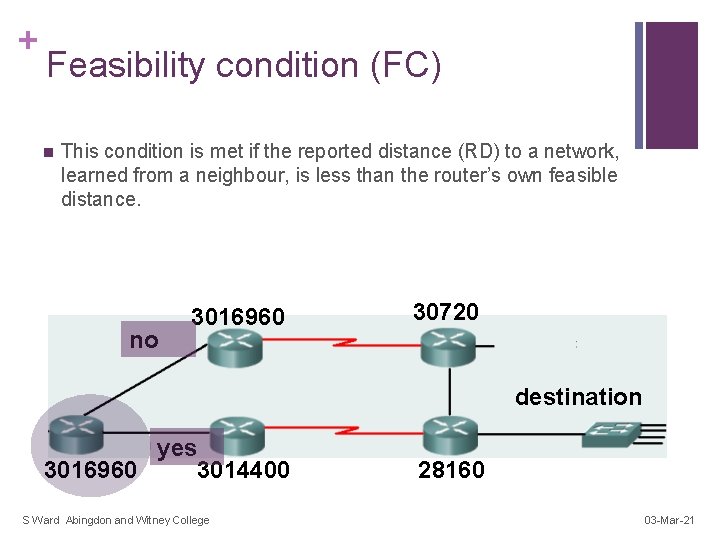
+ Feasibility condition (FC) n This condition is met if the reported distance (RD) to a network, learned from a neighbour, is less than the router’s own feasible distance. no 3016960 30720 destination yes 3016960 3014400 S Ward Abingdon and Witney College 28160 03 -Mar-21
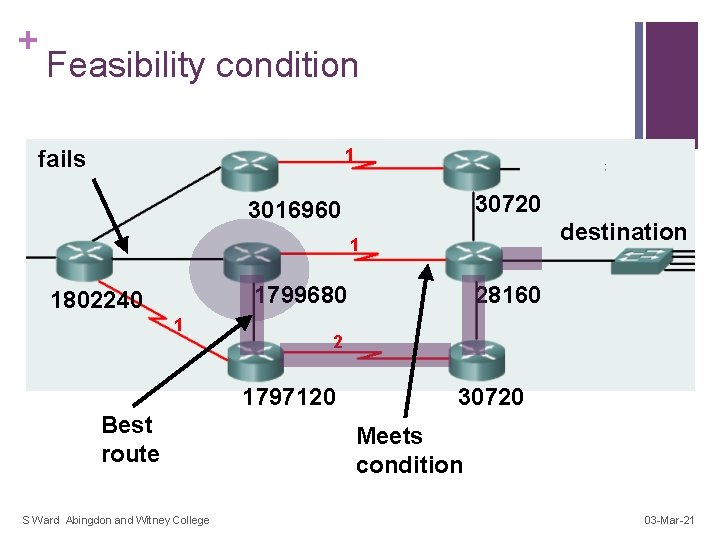
+ Feasibility condition 1 fails 30720 3016960 destination 1 1799680 1802240 1 2 1797120 Best route S Ward Abingdon and Witney College 28160 30720 Meets condition 03 -Mar-21
+ Feasible successor (FS) n A feasible successor (FS) is a neighbour who has a path to the same network as the successor, and satisfies the feasibility condition. n This path should be loop-free and is kept as a backup path. S Ward Abingdon and Witney College 03 -Mar-21
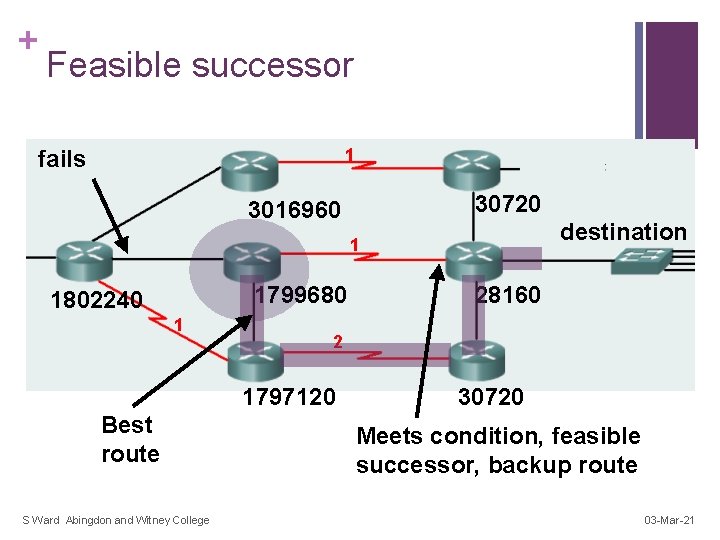
+ Feasible successor 1 fails 30720 3016960 destination 1 1799680 1802240 1 2 1797120 Best route S Ward Abingdon and Witney College 28160 30720 Meets condition, feasible successor, backup route 03 -Mar-21
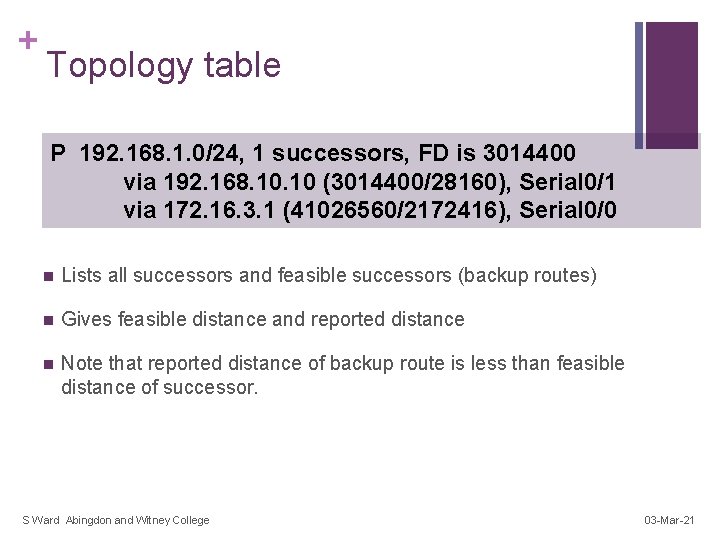
+ Topology table P 192. 168. 1. 0/24, 1 successors, FD is 3014400 via 192. 168. 10 (3014400/28160), Serial 0/1 via 172. 16. 3. 1 (41026560/2172416), Serial 0/0 n Lists all successors and feasible successors (backup routes) n Gives feasible distance and reported distance n Note that reported distance of backup route is less than feasible distance of successor. S Ward Abingdon and Witney College 03 -Mar-21
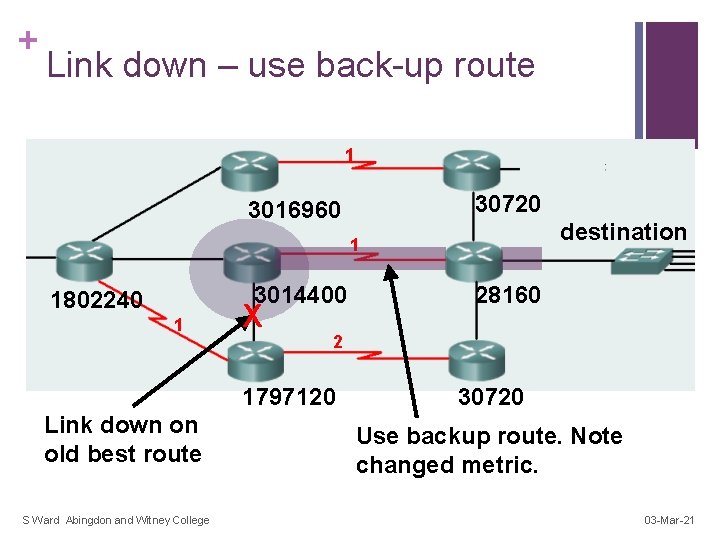
+ Link down – use back-up route 1 30720 3016960 destination 1 3014400 1802240 1 X 2 1797120 Link down on old best route S Ward Abingdon and Witney College 28160 30720 Use backup route. Note changed metric. 03 -Mar-21
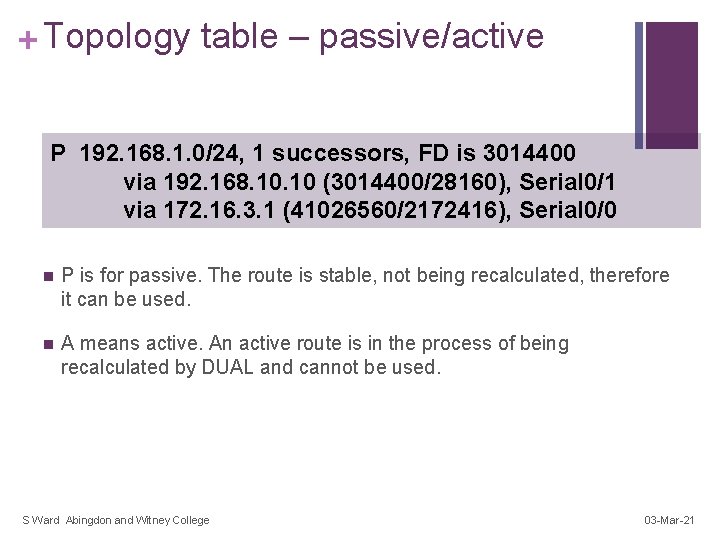
+ Topology table – passive/active P 192. 168. 1. 0/24, 1 successors, FD is 3014400 via 192. 168. 10 (3014400/28160), Serial 0/1 via 172. 16. 3. 1 (41026560/2172416), Serial 0/0 n P is for passive. The route is stable, not being recalculated, therefore it can be used. n A means active. An active route is in the process of being recalculated by DUAL and cannot be used. S Ward Abingdon and Witney College 03 -Mar-21
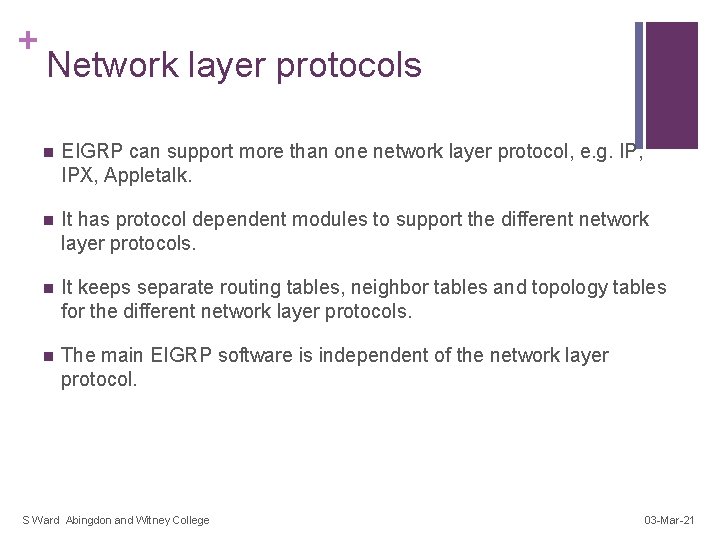
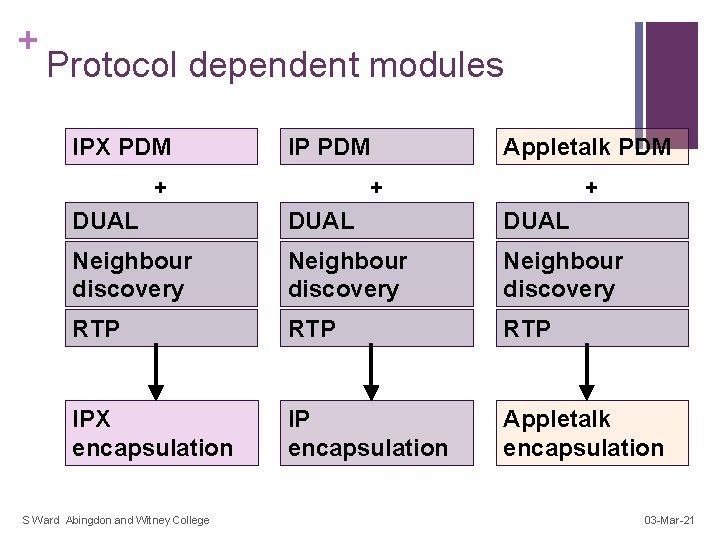
+ Network layer protocols n EIGRP can support more than one network layer protocol, e. g. IP, IPX, Appletalk. n It has protocol dependent modules to support the different network layer protocols. n It keeps separate routing tables, neighbor tables and topology tables for the different network layer protocols. n The main EIGRP software is independent of the network layer protocol. S Ward Abingdon and Witney College 03 -Mar-21
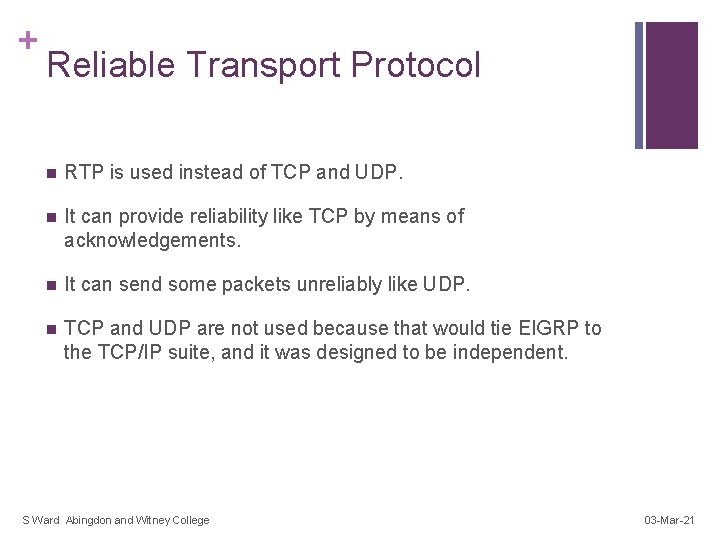
+ Reliable Transport Protocol n RTP is used instead of TCP and UDP. n It can provide reliability like TCP by means of acknowledgements. n It can send some packets unreliably like UDP. n TCP and UDP are not used because that would tie EIGRP to the TCP/IP suite, and it was designed to be independent. S Ward Abingdon and Witney College 03 -Mar-21
+ Protocol dependent modules IPX PDM IP PDM + Appletalk PDM + + DUAL Neighbour discovery RTP RTP IPX encapsulation IP encapsulation Appletalk encapsulation S Ward Abingdon and Witney College 03 -Mar-21
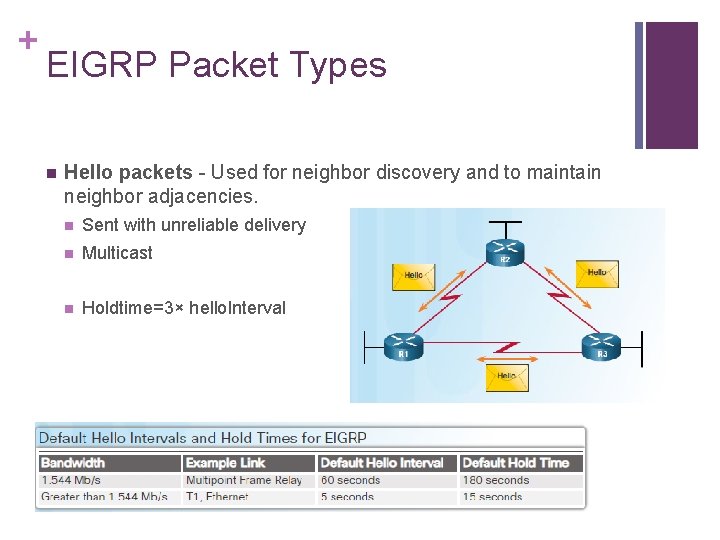
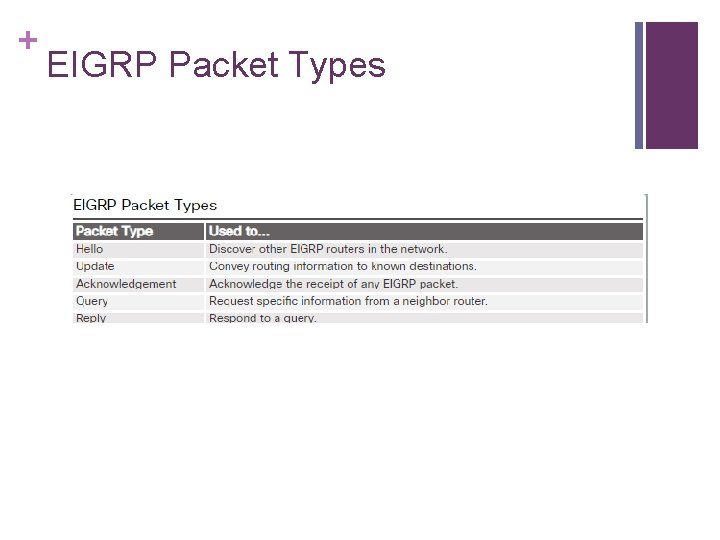
+ EIGRP Packet Types n Hello packets - Used for neighbor discovery and to maintain neighbor adjacencies. n Sent with unreliable delivery n Multicast n Holdtime=3× hello. Interval
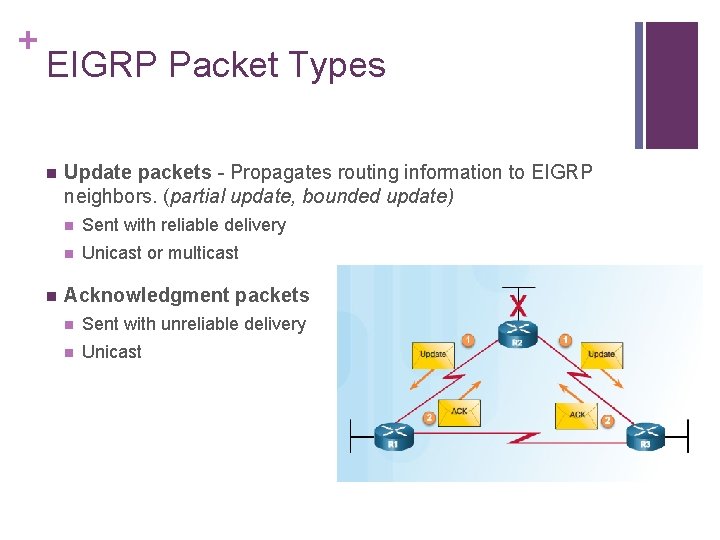
+ EIGRP Packet Types n n Update packets - Propagates routing information to EIGRP neighbors. (partial update, bounded update) n Sent with reliable delivery n Unicast or multicast Acknowledgment packets n Sent with unreliable delivery n Unicast
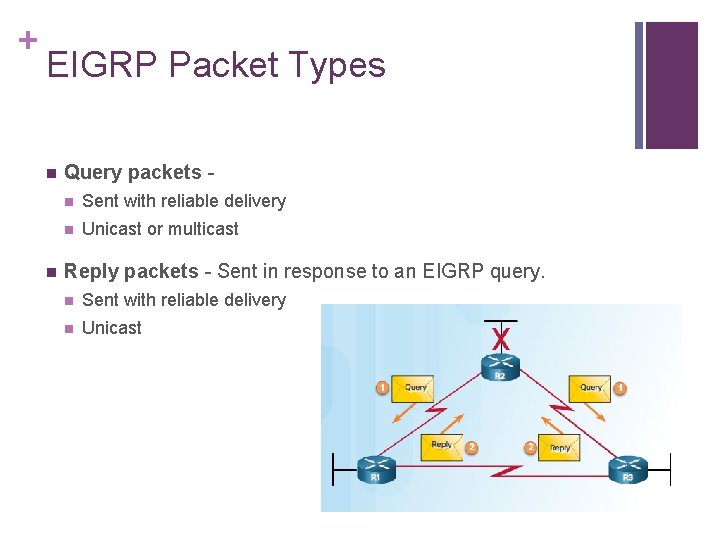
+ EIGRP Packet Types n n Query packets n Sent with reliable delivery n Unicast or multicast Reply packets - Sent in response to an EIGRP query. n Sent with reliable delivery n Unicast
+ EIGRP Packet Types
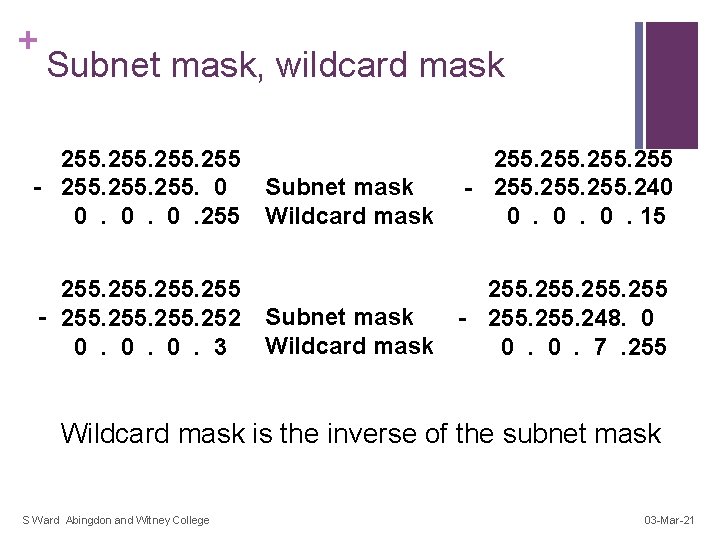
+ Subnet mask, wildcard mask 255 - 255. 0 0 . 255 - 255. 240 0 . 15 Subnet mask Wildcard mask 255 - 255. 252 0 . 3 255 Subnet mask - 255. 248. 0 Wildcard mask 0 . 7 . 255 Wildcard mask is the inverse of the subnet mask S Ward Abingdon and Witney College 03 -Mar-21