
Dynamic Infrastructure for Dependable Cloud Services Eric Keller
Dynamic Infrastructure for Dependable Cloud Services Eric Keller Princeton University
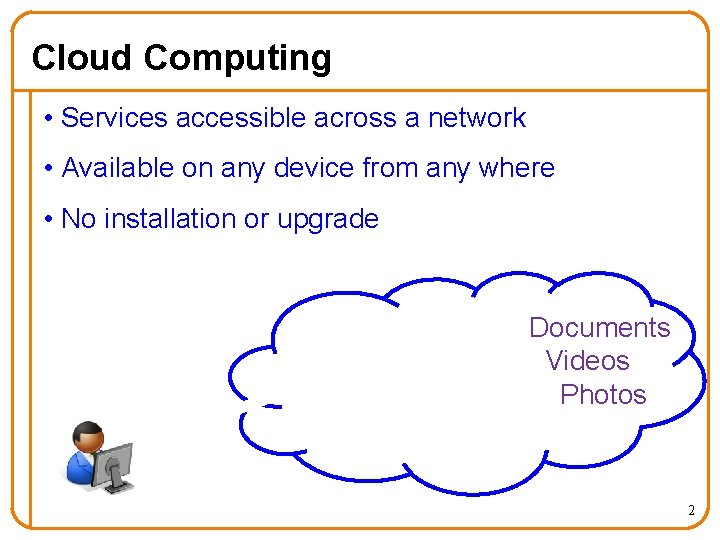
Cloud Computing • Services accessible across a network • Available on any device from any where • No installation or upgrade Documents Videos Photos 2
What makes it cloud computing? • Dynamic infrastructure with illusion of infinite scale – Elastic and scalable 3
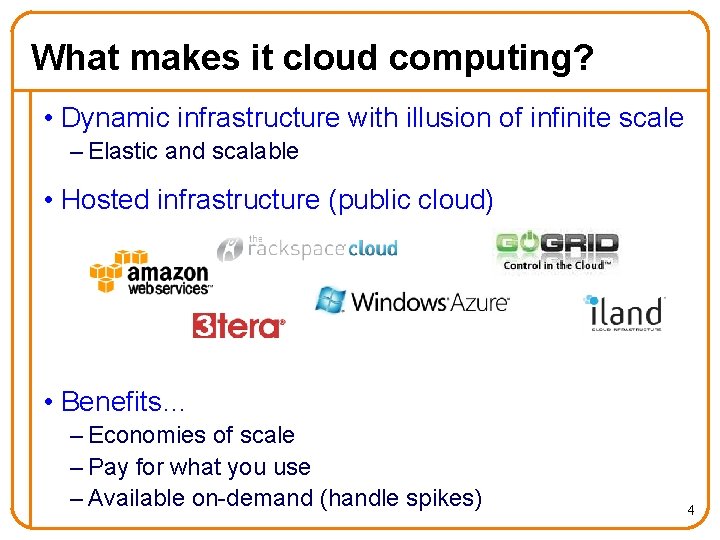
What makes it cloud computing? • Dynamic infrastructure with illusion of infinite scale – Elastic and scalable • Hosted infrastructure (public cloud) • Benefits… – Economies of scale – Pay for what you use – Available on-demand (handle spikes) 4
Cloud Services • Increasingly demanding e-mail → social media → streaming (live) video 5

Cloud Services • Increasingly demanding e-mail → social media → streaming (live) video • Increasingly critical business software → smart power grid → healthcare 6
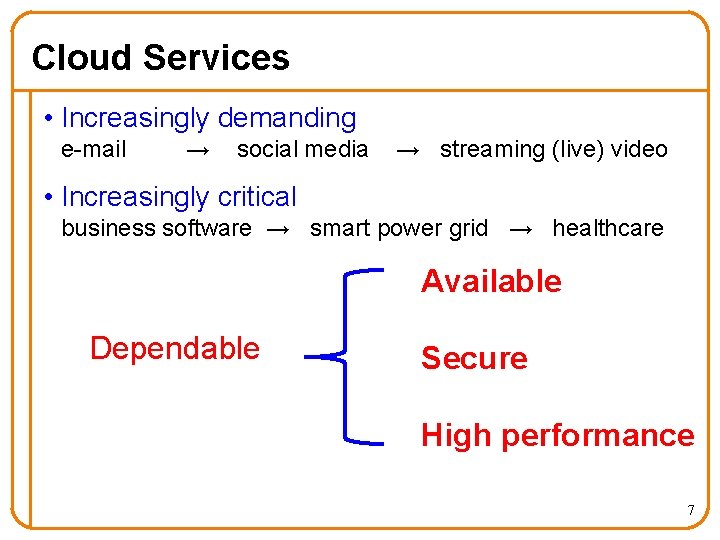
Cloud Services • Increasingly demanding e-mail → social media → streaming (live) video • Increasingly critical business software → smart power grid → healthcare Available Dependable Secure High performance 7
“In the Cloud” Documents Videos Photos 8
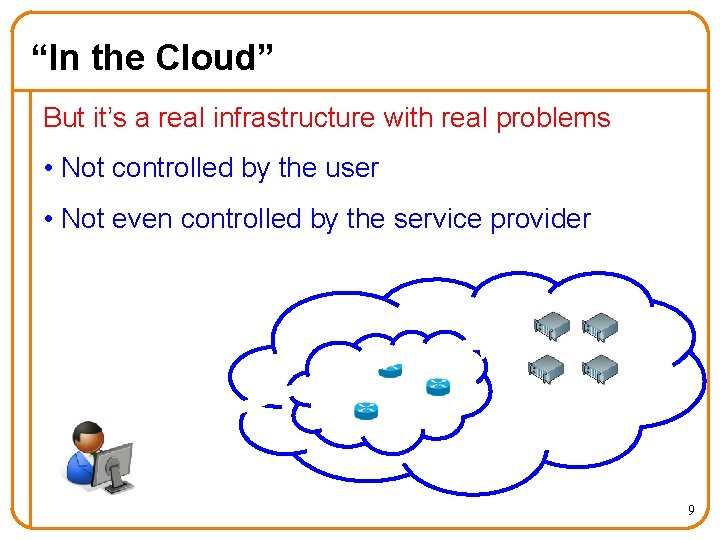
“In the Cloud” But it’s a real infrastructure with real problems • Not controlled by the user • Not even controlled by the service provider 9
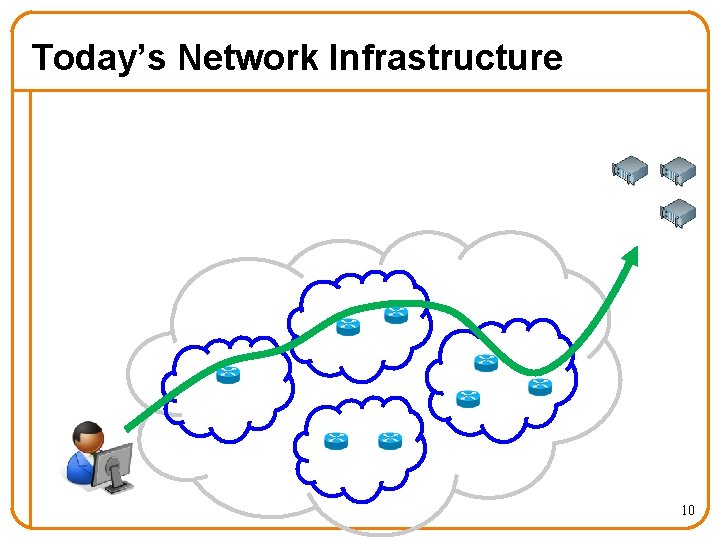
Today’s Network Infrastructure 10
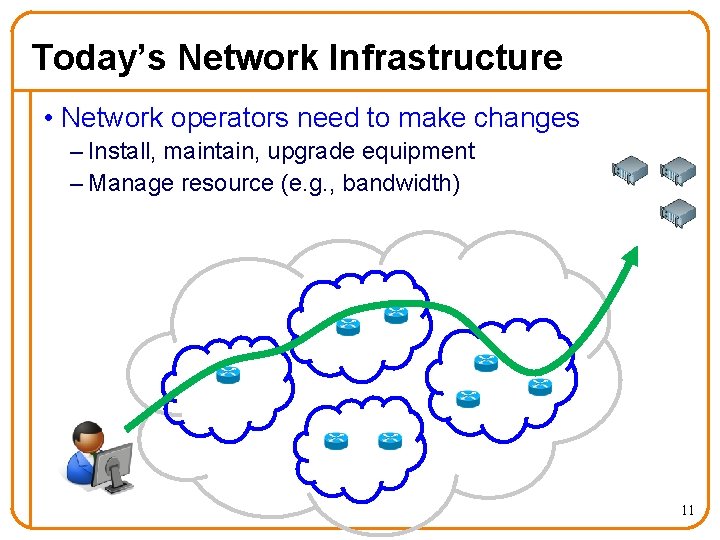
Today’s Network Infrastructure • Network operators need to make changes – Install, maintain, upgrade equipment – Manage resource (e. g. , bandwidth) 11
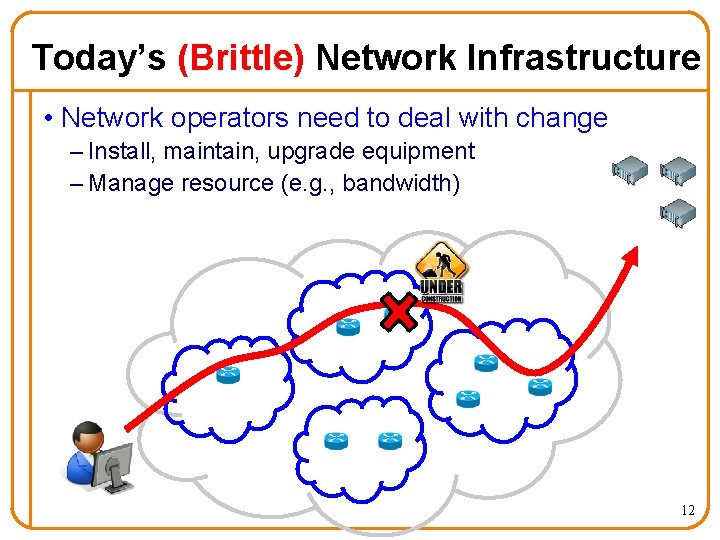
Today’s (Brittle) Network Infrastructure • Network operators need to deal with change – Install, maintain, upgrade equipment – Manage resource (e. g. , bandwidth) 12
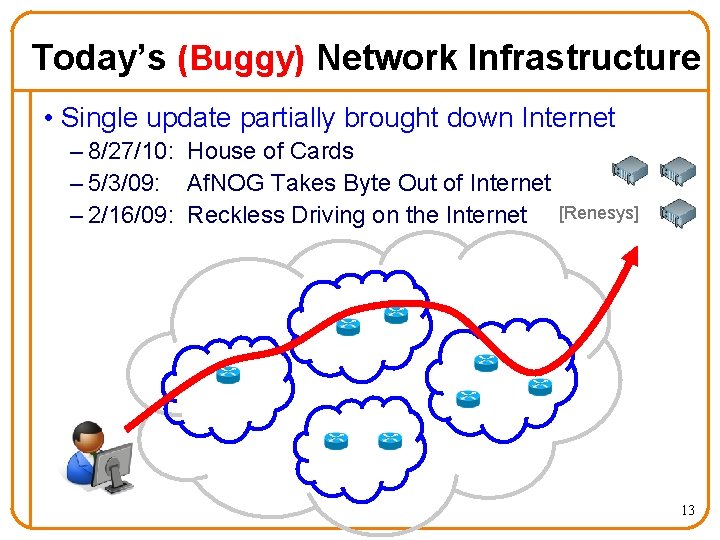
Today’s (Buggy) Network Infrastructure • Single update partially brought down Internet – 8/27/10: House of Cards – 5/3/09: Af. NOG Takes Byte Out of Internet – 2/16/09: Reckless Driving on the Internet [Renesys] 13
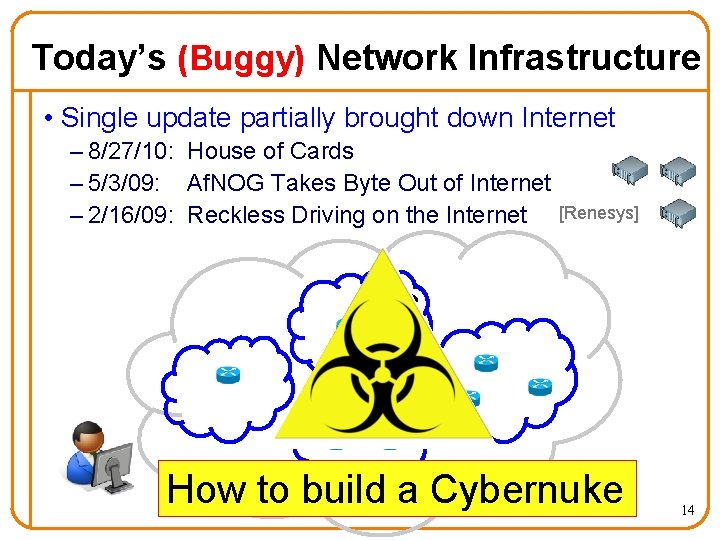
Today’s (Buggy) Network Infrastructure • Single update partially brought down Internet – 8/27/10: House of Cards – 5/3/09: Af. NOG Takes Byte Out of Internet – 2/16/09: Reckless Driving on the Internet [Renesys] How to build a Cybernuke 14
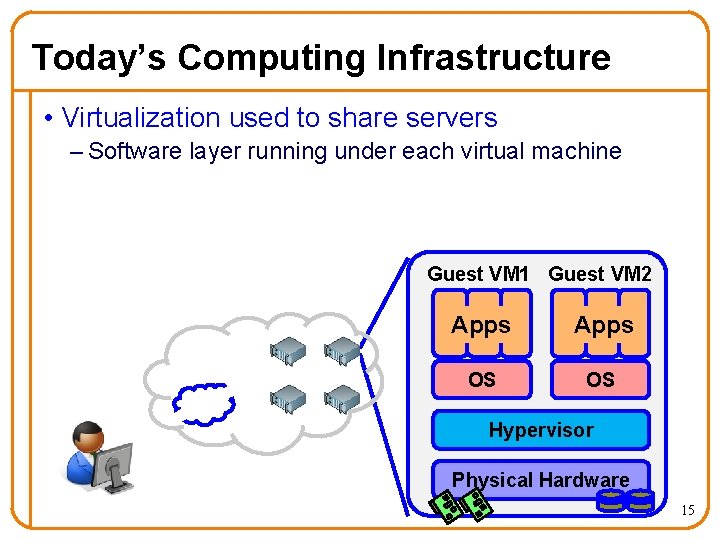
Today’s Computing Infrastructure • Virtualization used to share servers – Software layer running under each virtual machine Guest VM 1 Guest VM 2 Apps OS OS Hypervisor Physical Hardware 15
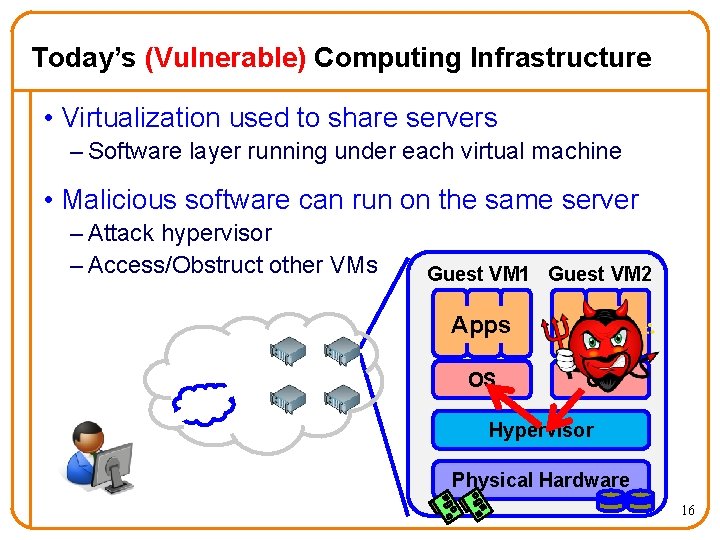
Today’s (Vulnerable) Computing Infrastructure • Virtualization used to share servers – Software layer running under each virtual machine • Malicious software can run on the same server – Attack hypervisor – Access/Obstruct other VMs Guest VM 1 Guest VM 2 Apps OS OS Hypervisor Physical Hardware 16
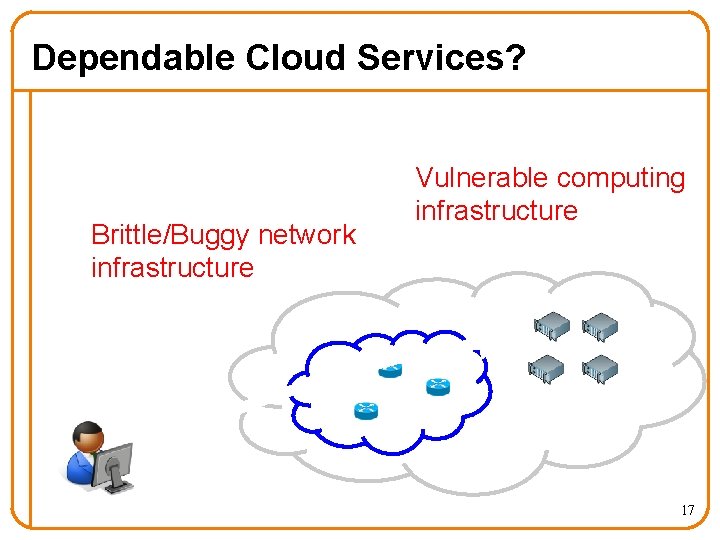
Dependable Cloud Services? Brittle/Buggy network infrastructure Vulnerable computing infrastructure 17
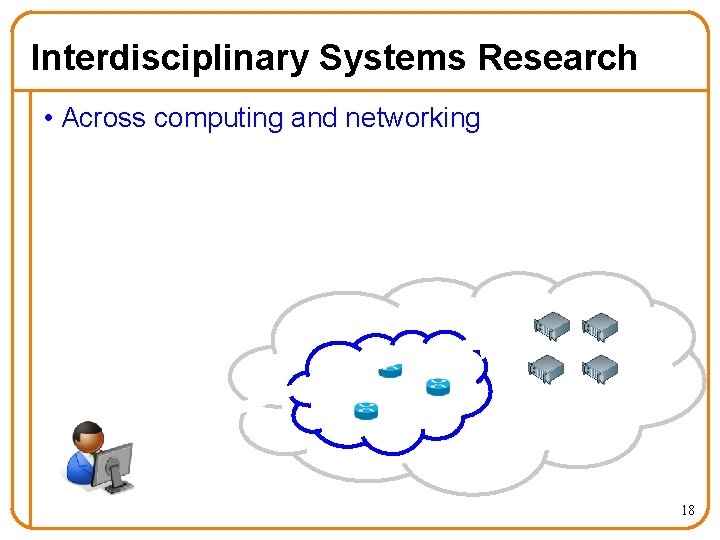
Interdisciplinary Systems Research • Across computing and networking 18
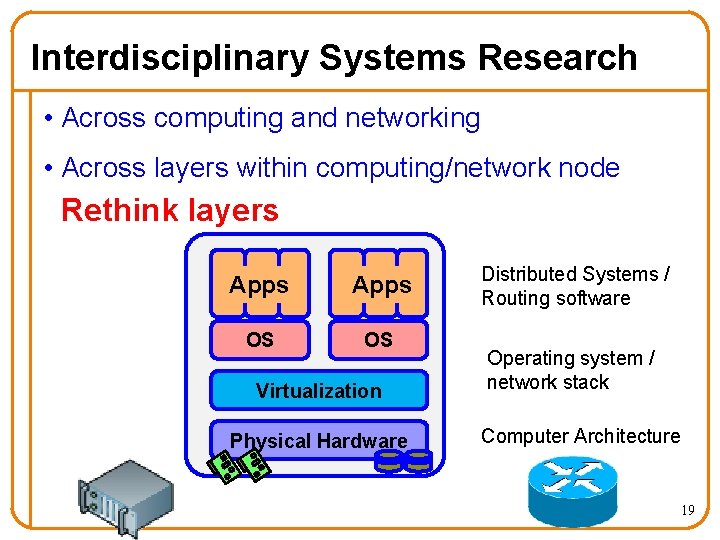
Interdisciplinary Systems Research • Across computing and networking • Across layers within computing/network node Rethink layers Apps OS OS Virtualization Physical Hardware Distributed Systems / Routing software Operating system / network stack Computer Architecture 19
Dynamic Infrastructure for Dependable Cloud Services • Part I: Make network infrastructure dynamic – Rethink the monolithic view of a router – Enabling network operators to accommodate change • Part II: Address security threat in shared computing – Rethink the virtualization layer in computing infrastructure – Eliminating security threat unique to cloud computing 20
![Part I Migrating and Grafting Routers to Accommodate Change [SIGCOMM 2008] [NSDI 2010] 21](http://slidetodoc.com/presentation_image/5583e5e405c4e74b9c7be48035d17d40/image-21.jpg "Part I Migrating and Grafting Routers to Accommodate Change [SIGCOMM 2008] [NSDI 2010] 21")
Part I Migrating and Grafting Routers to Accommodate Change [SIGCOMM 2008] [NSDI 2010] 21
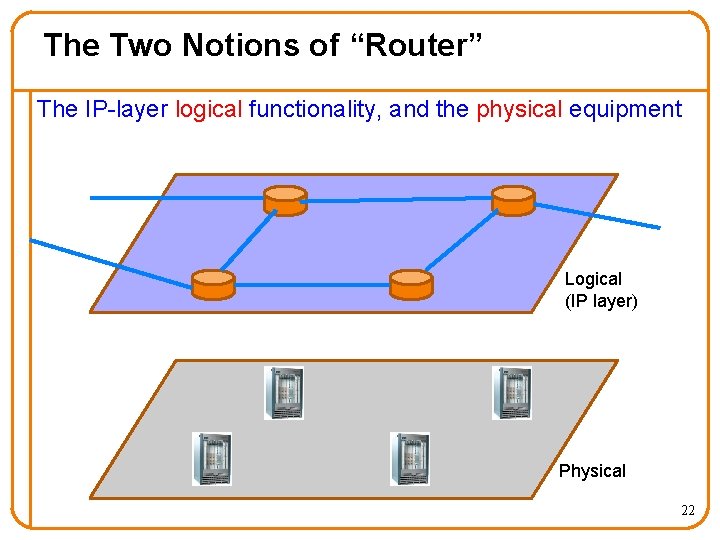
The Two Notions of “Router” The IP-layer logical functionality, and the physical equipment Logical (IP layer) Physical 22
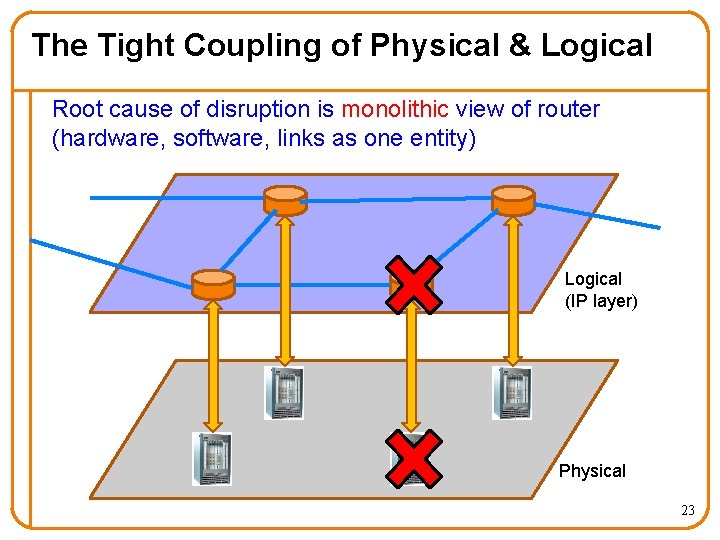
The Tight Coupling of Physical & Logical Root cause of disruption is monolithic view of router (hardware, software, links as one entity) Logical (IP layer) Physical 23
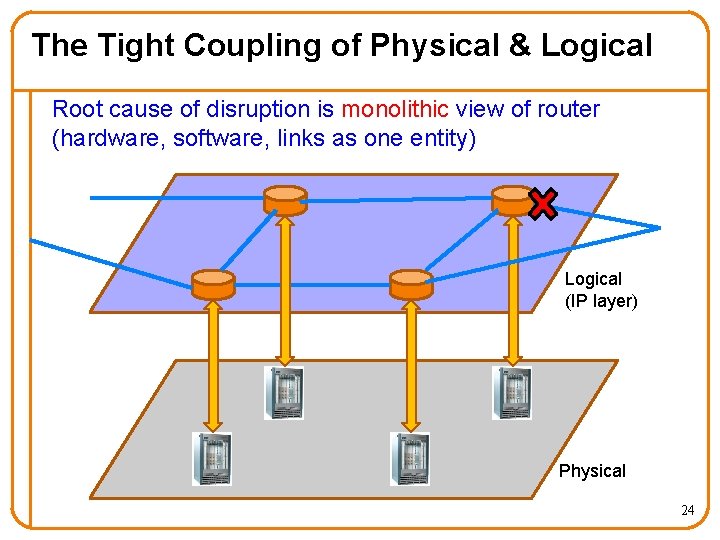
The Tight Coupling of Physical & Logical Root cause of disruption is monolithic view of router (hardware, software, links as one entity) Logical (IP layer) Physical 24
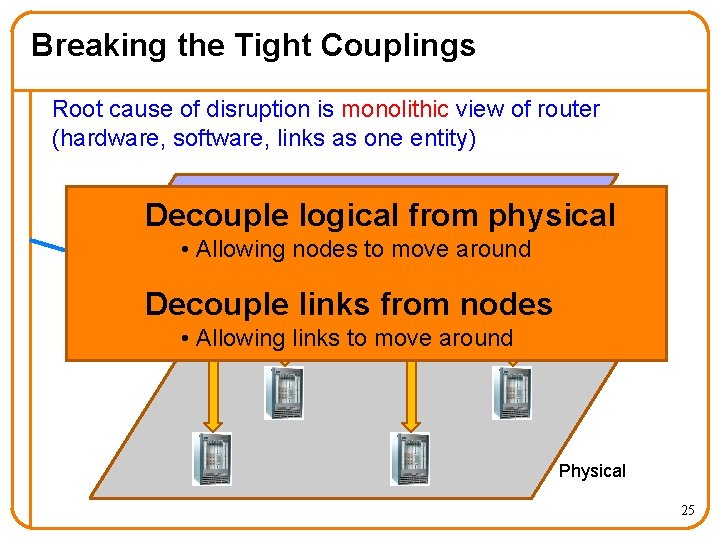
Breaking the Tight Couplings Root cause of disruption is monolithic view of router (hardware, software, links as one entity) Decouple logical from physical • Allowing nodes to move around Decouple links from nodes Logical (IP layer) • Allowing links to move around Physical 25
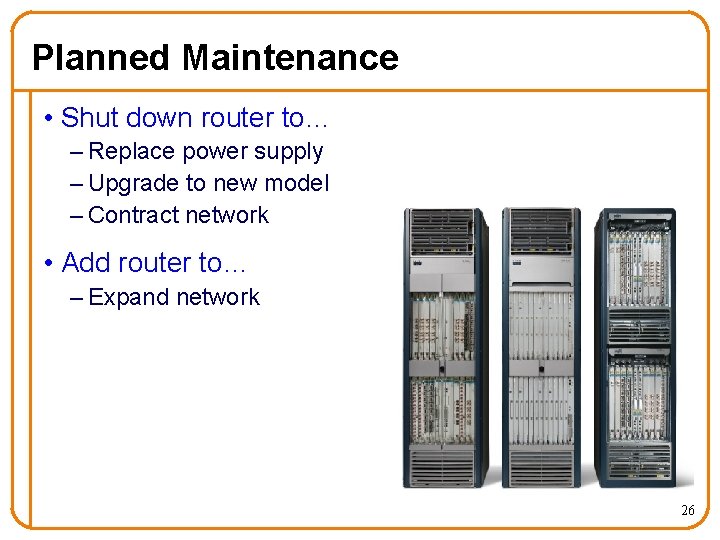
Planned Maintenance • Shut down router to… – Replace power supply – Upgrade to new model – Contract network • Add router to… – Expand network 26
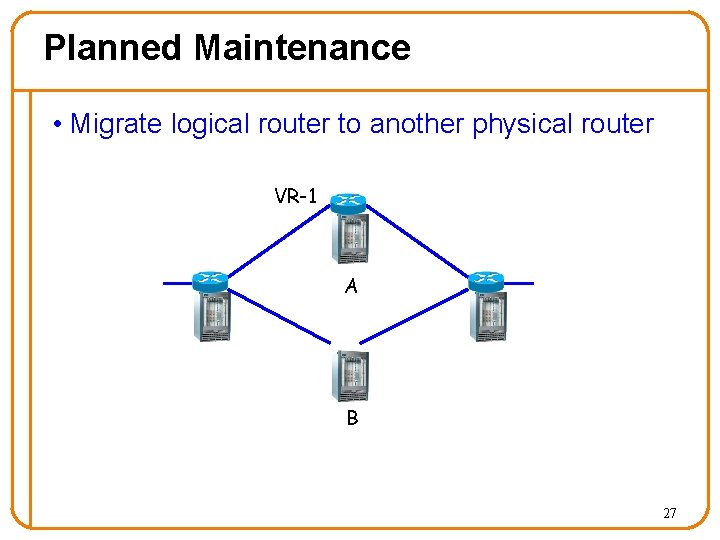
Planned Maintenance • Migrate logical router to another physical router VR-1 A B 27
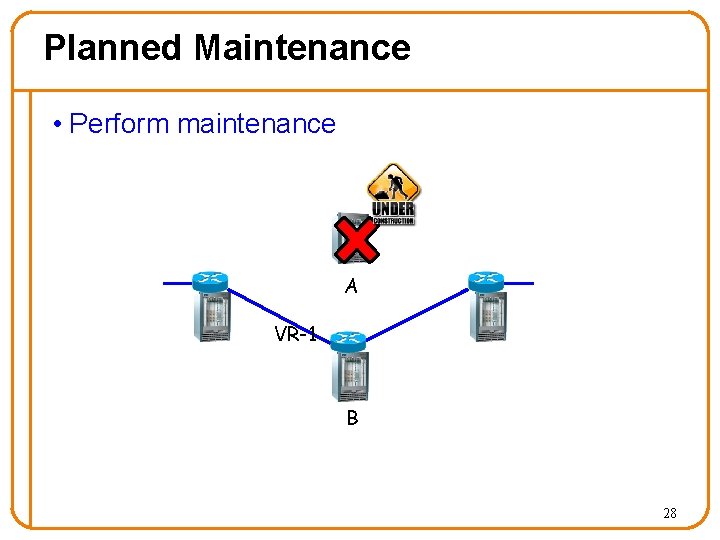
Planned Maintenance • Perform maintenance A VR-1 B 28
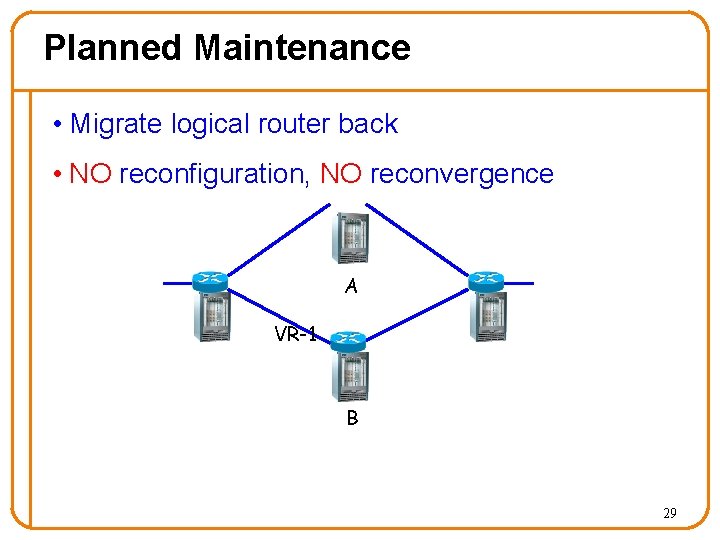
Planned Maintenance • Migrate logical router back • NO reconfiguration, NO reconvergence A VR-1 B 29
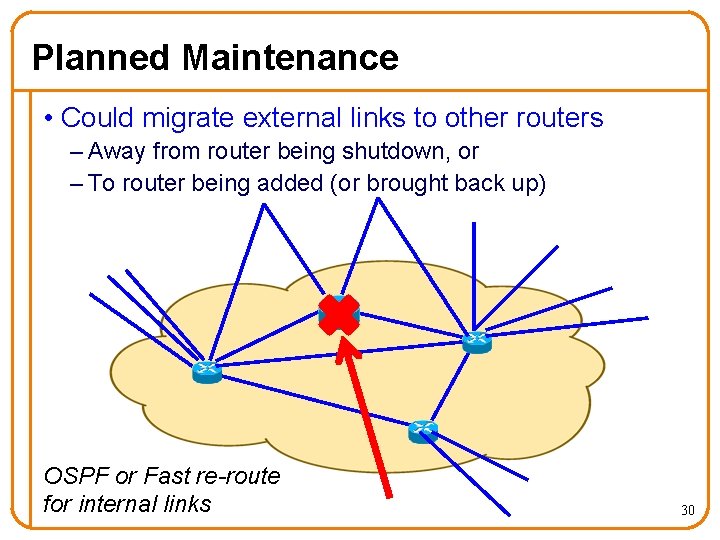
Planned Maintenance • Could migrate external links to other routers – Away from router being shutdown, or – To router being added (or brought back up) OSPF or Fast re-route for internal links 30
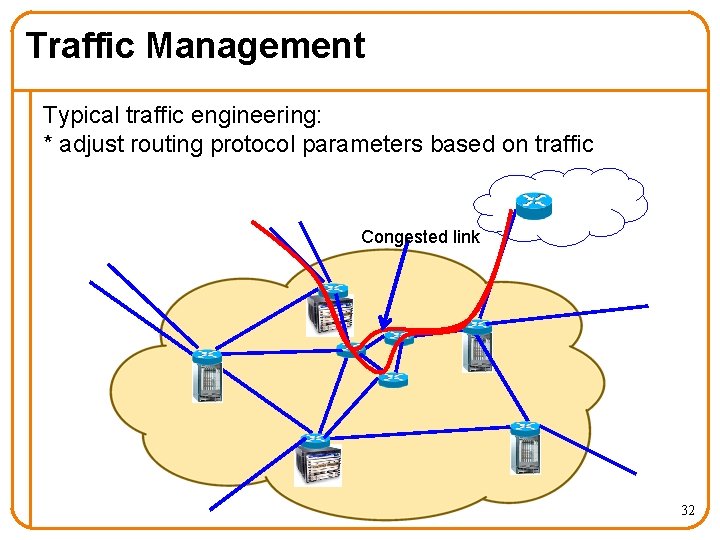
Traffic Management Typical traffic engineering: * adjust routing protocol parameters based on traffic Congested link 32
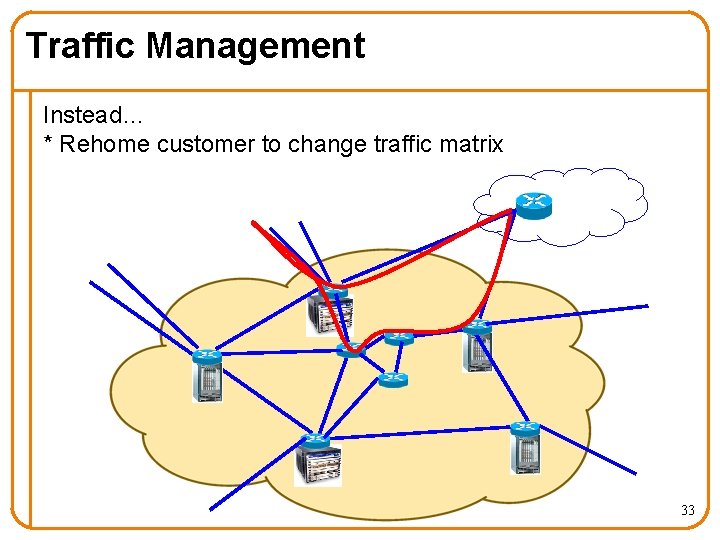
Traffic Management Instead… * Rehome customer to change traffic matrix 33
![Migrating and Grafting • Virtual Router Migration (VROOM) [SIGCOMM 2008] – Allow (virtual) routers](http://slidetodoc.com/presentation_image/5583e5e405c4e74b9c7be48035d17d40/image-33.jpg "Migrating and Grafting • Virtual Router Migration (VROOM) [SIGCOMM 2008] – Allow (virtual) routers")
Migrating and Grafting • Virtual Router Migration (VROOM) [SIGCOMM 2008] – Allow (virtual) routers to move around – To break the routing software free from the physical device it is running on – Built prototype with Open. VZ, Quagga, Net. FPGA or Linux • Router Grafting [NSDI 2010] – To break the links/sessions free from the routing software instance currently handling it 34
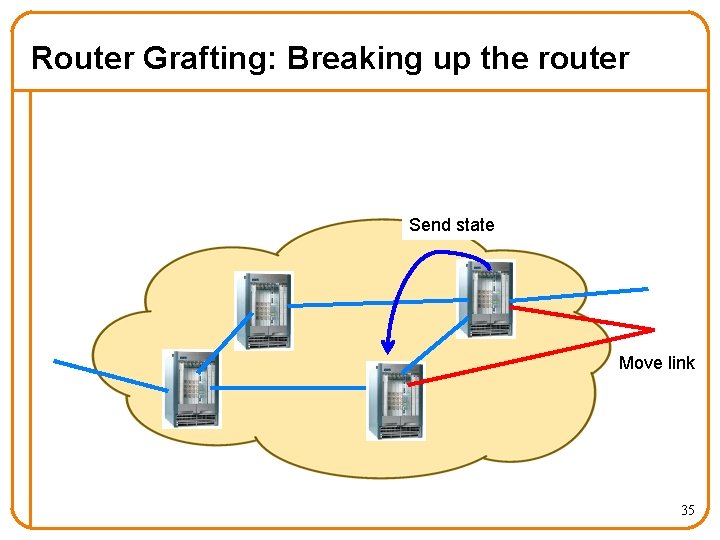
Router Grafting: Breaking up the router Send state Move link 35
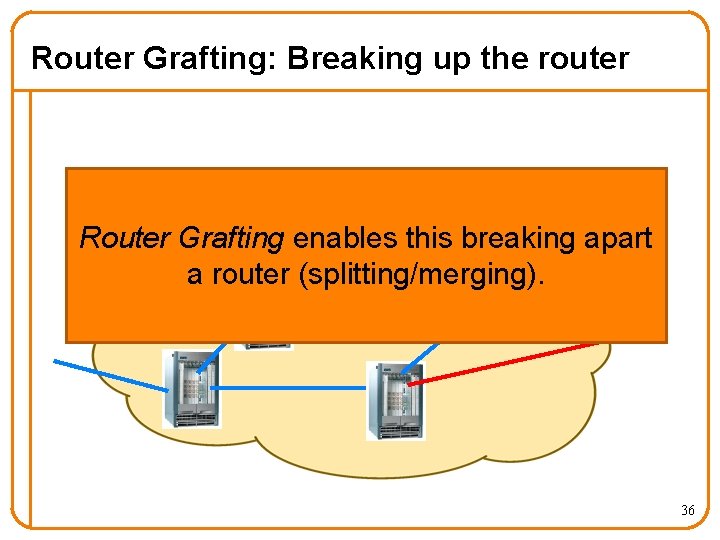
Router Grafting: Breaking up the router Router Grafting enables this breaking apart a router (splitting/merging). 36
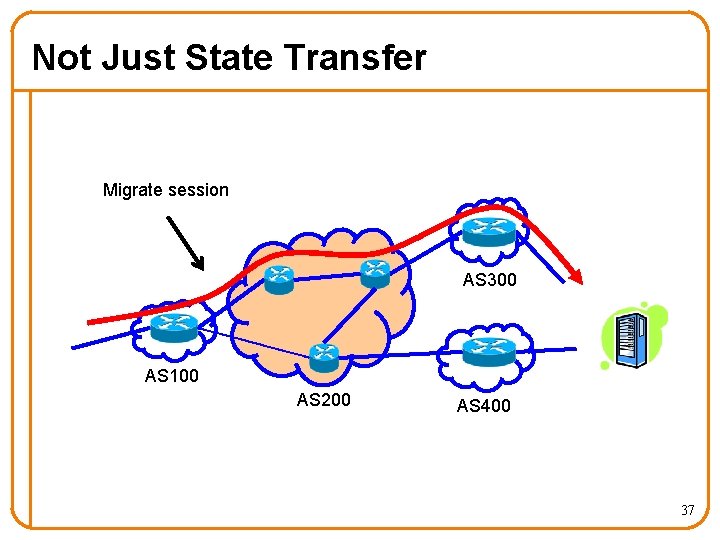
Not Just State Transfer Migrate session AS 300 AS 100 AS 200 AS 400 37
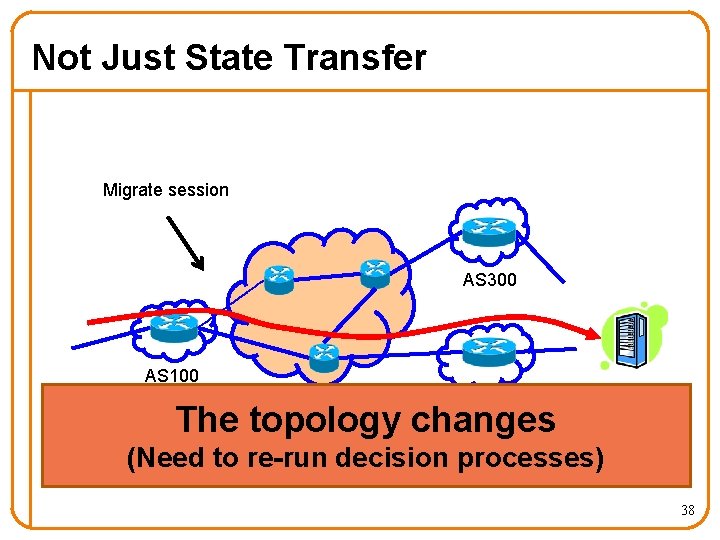
Not Just State Transfer Migrate session AS 300 AS 100 AS 200 AS 400 The topology changes (Need to re-run decision processes) 38
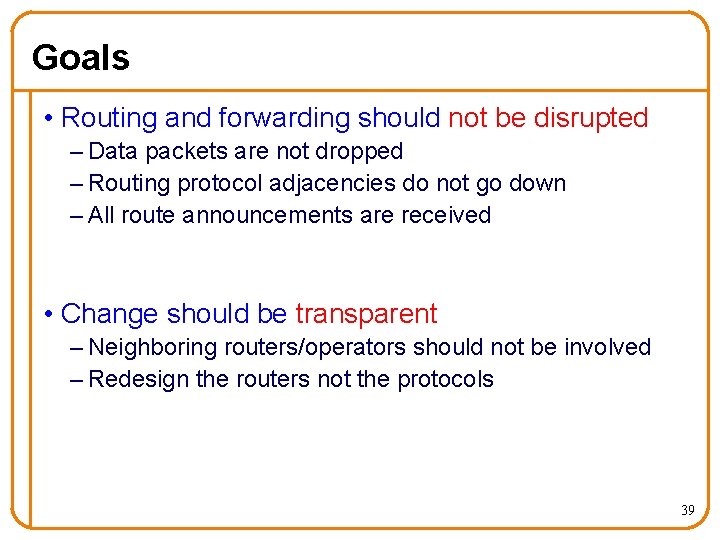
Goals • Routing and forwarding should not be disrupted – Data packets are not dropped – Routing protocol adjacencies do not go down – All route announcements are received • Change should be transparent – Neighboring routers/operators should not be involved – Redesign the routers not the protocols 39
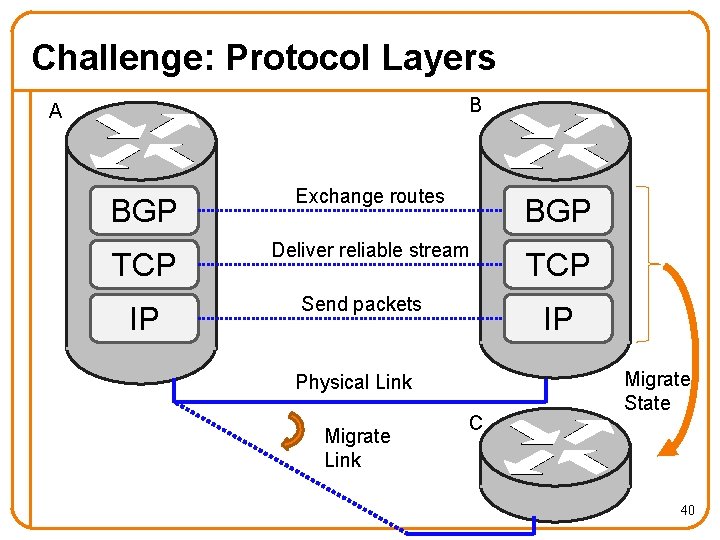
Challenge: Protocol Layers B A BGP Exchange routes BGP TCP Deliver reliable stream TCP IP Send packets IP Physical Link Migrate Link C Migrate State 40
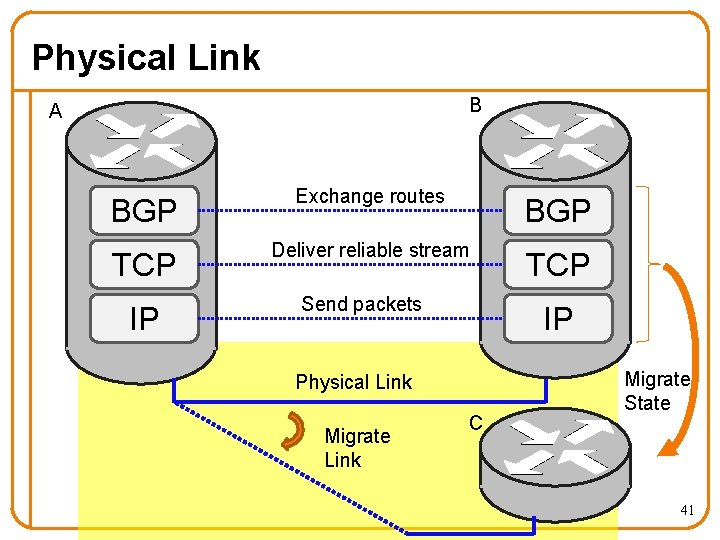
Physical Link B A BGP Exchange routes BGP TCP Deliver reliable stream TCP IP Send packets IP Physical Link Migrate Link C Migrate State 41
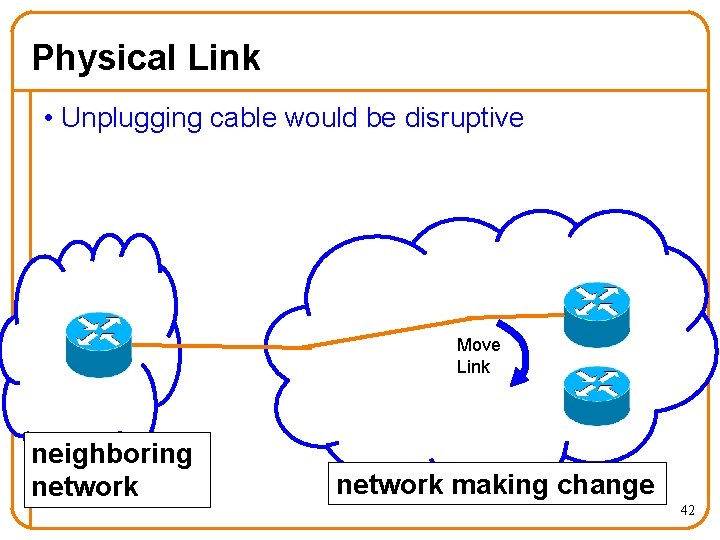
Physical Link • Unplugging cable would be disruptive Move Link neighboring network making change 42
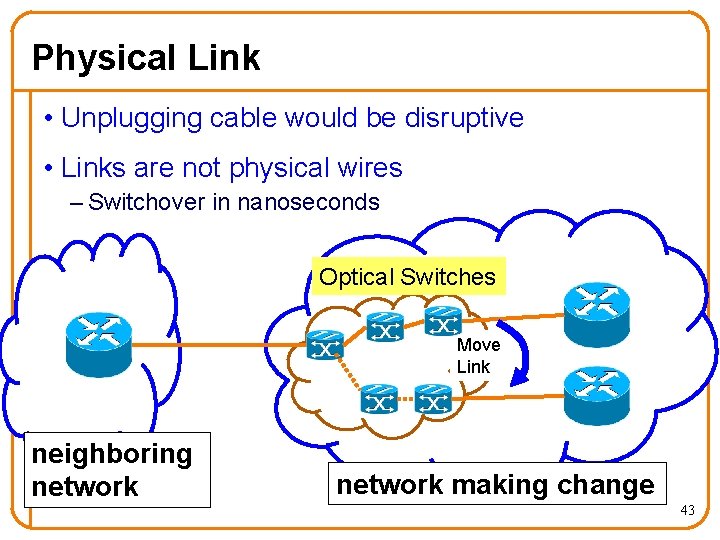
Physical Link • Unplugging cable would be disruptive • Links are not physical wires – Switchover in nanoseconds Optical Switches mi neighboring network Move Link network making change 43
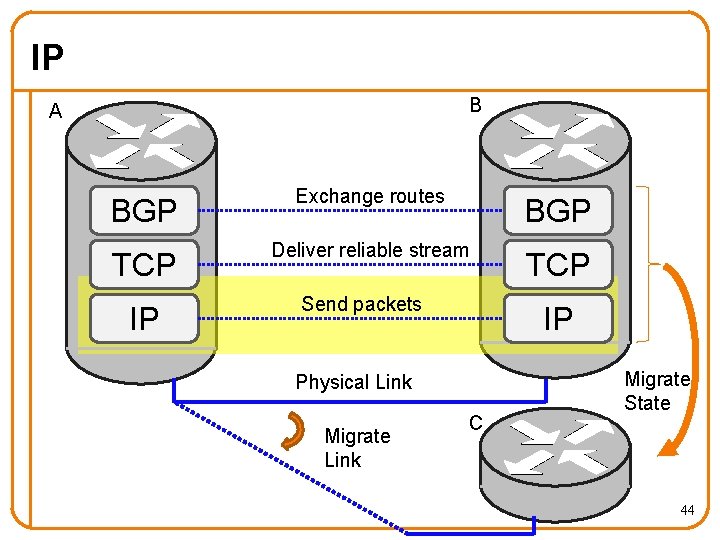
IP B A BGP Exchange routes BGP TCP Deliver reliable stream TCP IP Send packets IP Physical Link Migrate Link C Migrate State 44
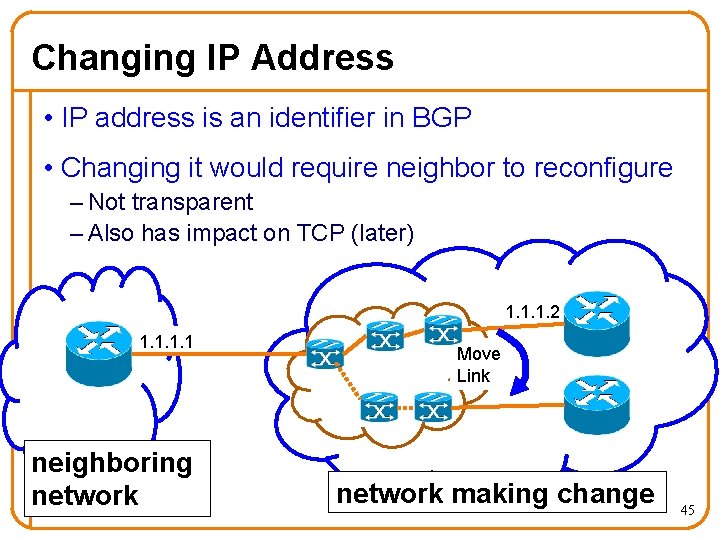
Changing IP Address • IP address is an identifier in BGP • Changing it would require neighbor to reconfigure – Not transparent – Also has impact on TCP (later) 1. 1. 1. 2 1. 1 mi neighboring network Move Link network making change 45
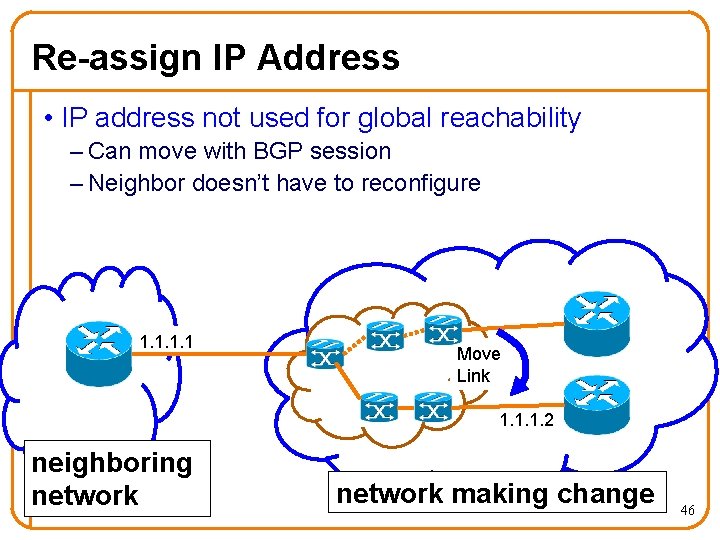
Re-assign IP Address • IP address not used for global reachability – Can move with BGP session – Neighbor doesn’t have to reconfigure 1. 1 mi Move Link 1. 1. 1. 2 neighboring network making change 46
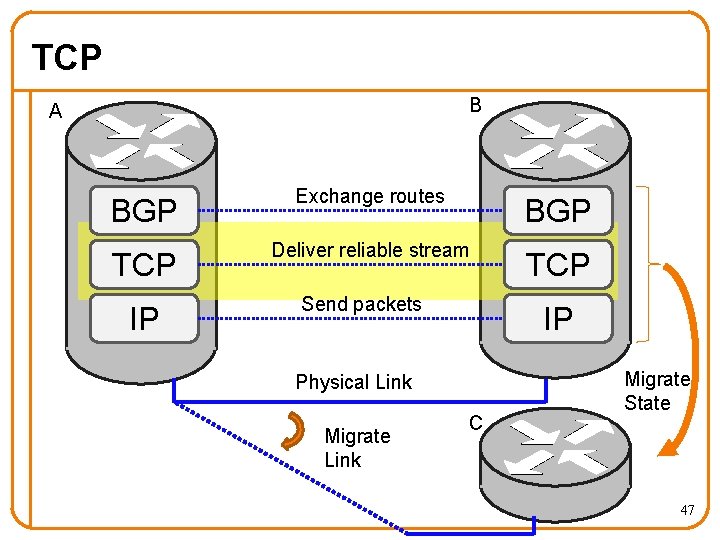
TCP B A BGP Exchange routes BGP TCP Deliver reliable stream TCP IP Send packets IP Physical Link Migrate Link C Migrate State 47
Dealing with TCP • TCP sessions are long running in BGP – Killing it implicitly signals the router is down • BGP and TCP extensions as a workaround (not supported on all routers) 48
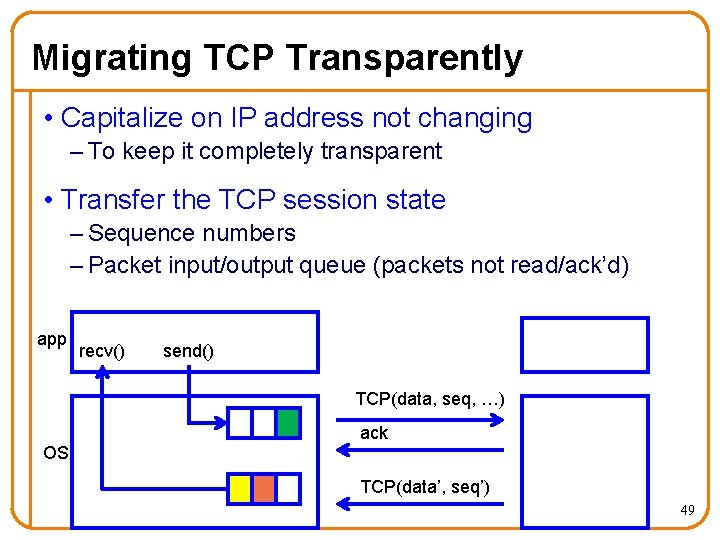
Migrating TCP Transparently • Capitalize on IP address not changing – To keep it completely transparent • Transfer the TCP session state – Sequence numbers – Packet input/output queue (packets not read/ack’d) app recv() send() TCP(data, seq, …) ack OS TCP(data’, seq’) 49
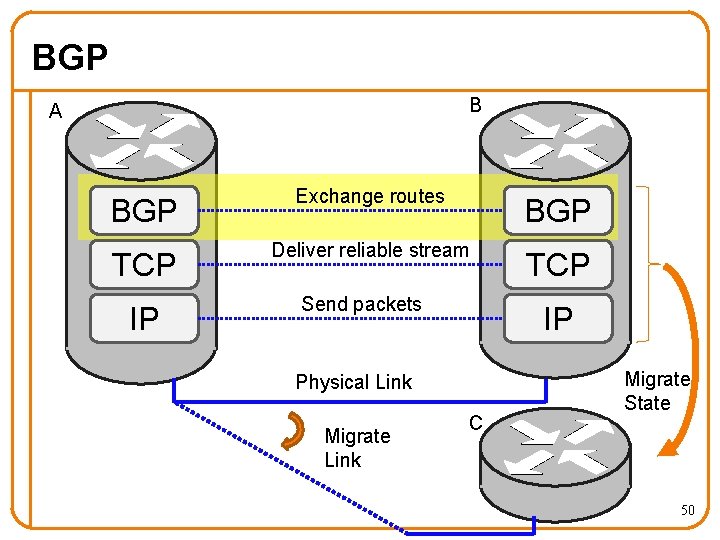
BGP B A BGP Exchange routes BGP TCP Deliver reliable stream TCP IP Send packets IP Physical Link Migrate Link C Migrate State 50
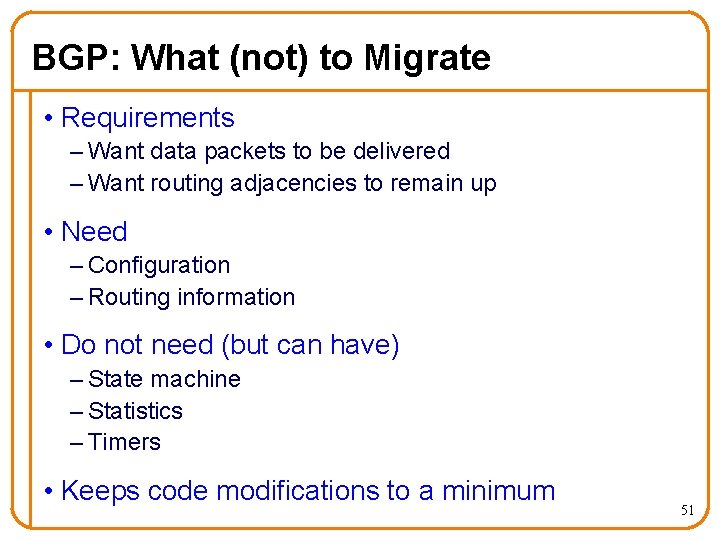
BGP: What (not) to Migrate • Requirements – Want data packets to be delivered – Want routing adjacencies to remain up • Need – Configuration – Routing information • Do not need (but can have) – State machine – Statistics – Timers • Keeps code modifications to a minimum 51
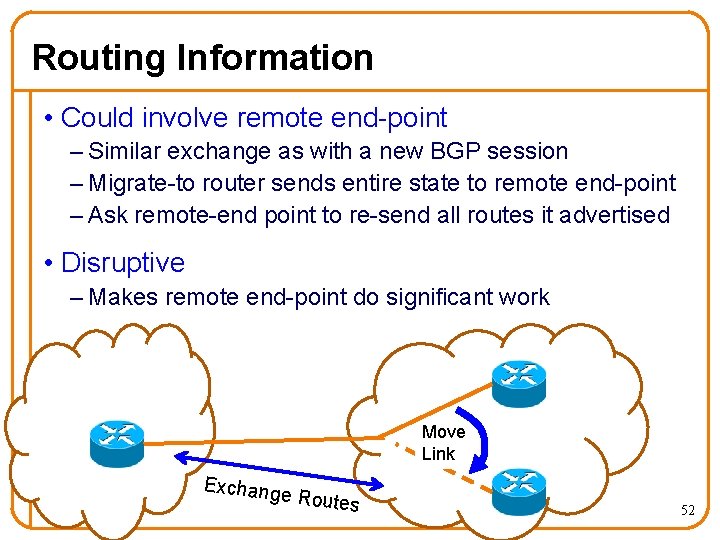
Routing Information • Could involve remote end-point – Similar exchange as with a new BGP session – Migrate-to router sends entire state to remote end-point – Ask remote-end point to re-send all routes it advertised • Disruptive – Makes remote end-point do significant work Move mi Link mi Exchang e Routes 52
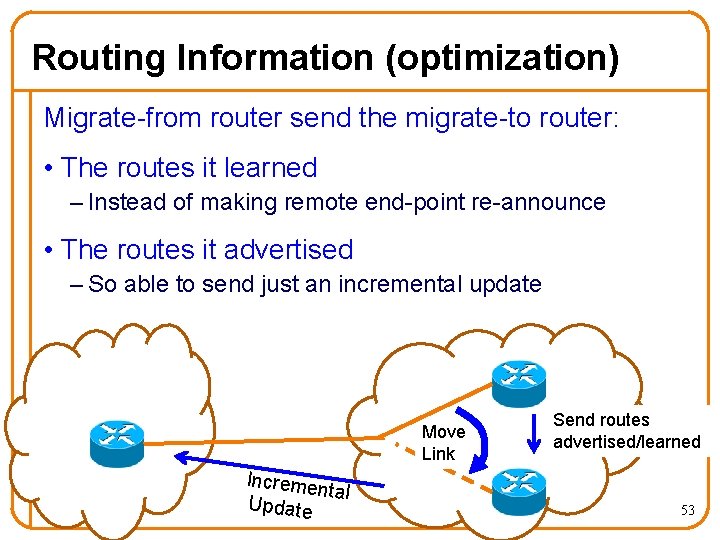
Routing Information (optimization) Migrate-from router send the migrate-to router: • The routes it learned – Instead of making remote end-point re-announce • The routes it advertised – So able to send just an incremental update Move mi Link mi Incremen tal Update Send routes advertised/learned 53
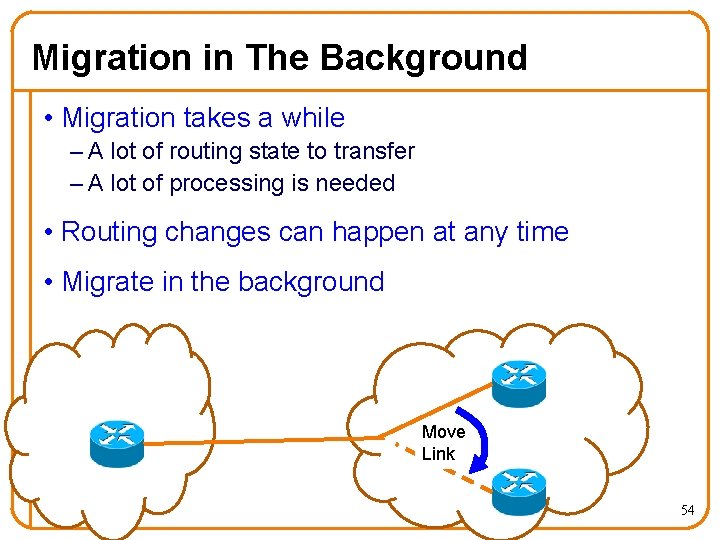
Migration in The Background • Migration takes a while – A lot of routing state to transfer – A lot of processing is needed • Routing changes can happen at any time • Migrate in the background mi Move mi Link 54
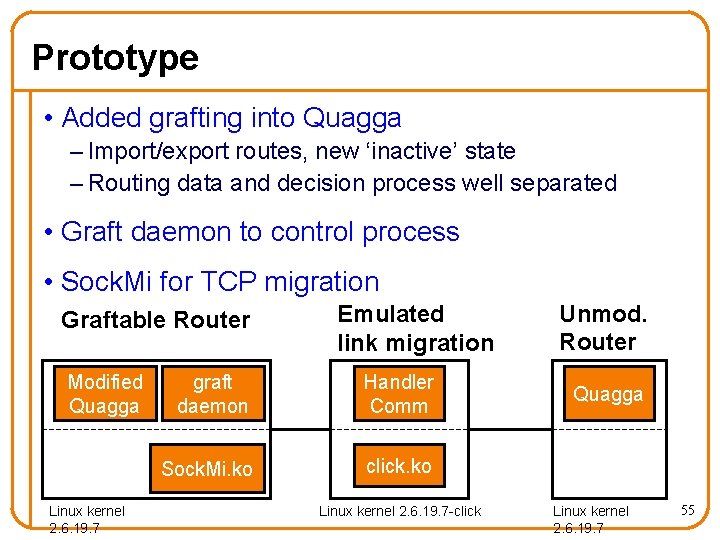
Prototype • Added grafting into Quagga – Import/export routes, new ‘inactive’ state – Routing data and decision process well separated • Graft daemon to control process • Sock. Mi for TCP migration Graftable Router Modified Quagga Linux kernel 2. 6. 19. 7 Emulated link migration graft daemon Handler Comm Sock. Mi. ko click. ko Linux kernel 2. 6. 19. 7 -click Unmod. Router Quagga Linux kernel 2. 6. 19. 7 55
Evaluation Mechanism: • Impact on migrating routers • Disruption to network operation Application: • Traffic engineering 56
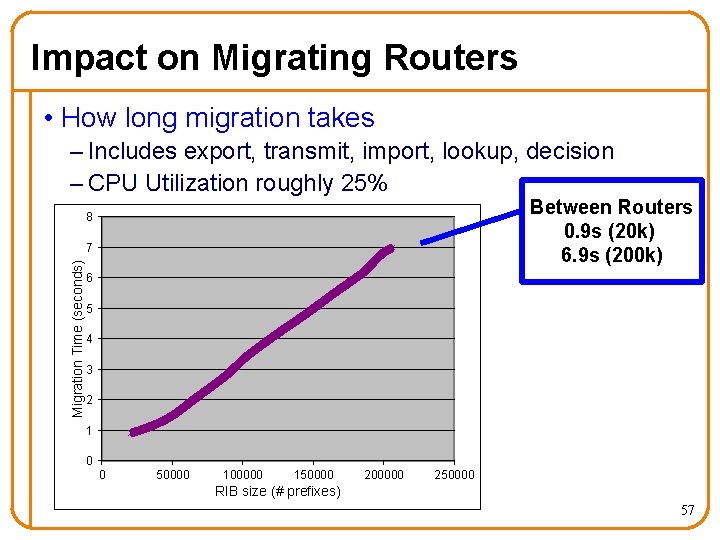
Impact on Migrating Routers • How long migration takes – Includes export, transmit, import, lookup, decision – CPU Utilization roughly 25% Between Routers 0. 9 s (20 k) 6. 9 s (200 k) 8 Migration Time (seconds) 7 6 5 4 3 2 1 0 0 50000 100000 150000 200000 250000 RIB size (# prefixes) 57
Disruption to Network Operation • Data traffic affected by not having a link – nanoseconds • Routing protocols affected by unresponsiveness – Set old router to “inactive”, migrate link, migrate TCP, set new router to “active” – milliseconds 58
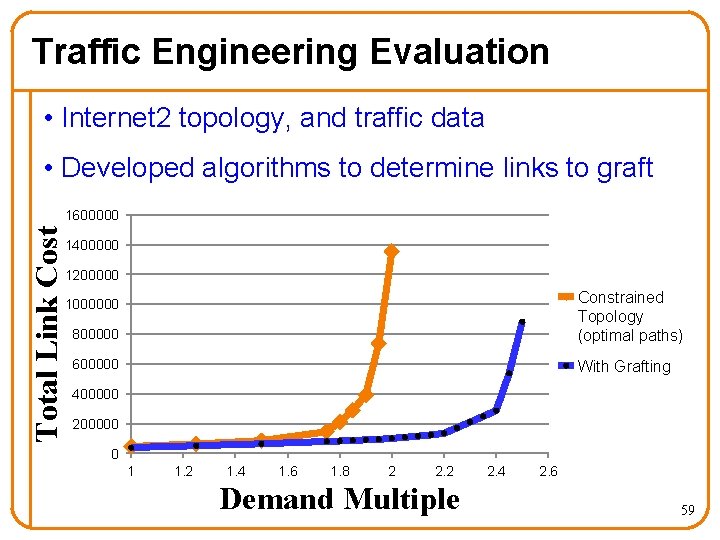
Traffic Engineering Evaluation • Internet 2 topology, and traffic data • Developed algorithms to determine links to graft Total Link Cost 1600000 1400000 1200000 800000 Constrained Topology (optimal paths) 600000 With Grafting 1000000 400000 200000 0 1 1. 2 1. 4 1. 6 1. 8 2 2. 2 Demand Multiple 2. 4 2. 6 59
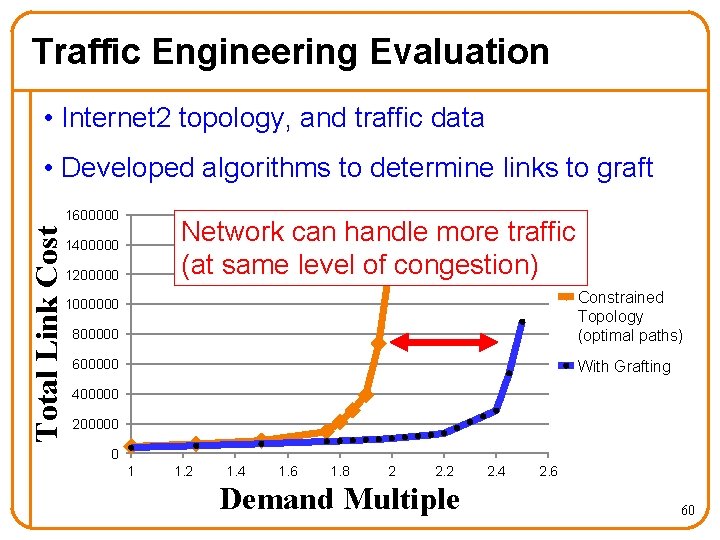
Traffic Engineering Evaluation • Internet 2 topology, and traffic data • Developed algorithms to determine links to graft Total Link Cost 1600000 Network can handle more traffic (at same level of congestion) 1400000 1200000 800000 Constrained Topology (optimal paths) 600000 With Grafting 1000000 400000 200000 0 1 1. 2 1. 4 1. 6 1. 8 2 2. 2 Demand Multiple 2. 4 2. 6 60
Router Grafting Conclusions • Enables moving a single link with… – Minimal code change – No impact on data traffic – No visible impact on routing protocol adjacencies – Minimal overhead on rest of network • Applying to traffic engineering… – Enables changing ingress/egress points – Networks can handle more traffic 61
![Part II Virtualized Cloud Infrastructure without the Virtualization [ISCA 2010] 62](http://slidetodoc.com/presentation_image/5583e5e405c4e74b9c7be48035d17d40/image-61.jpg "Part II Virtualized Cloud Infrastructure without the Virtualization [ISCA 2010] 62")
Part II Virtualized Cloud Infrastructure without the Virtualization [ISCA 2010] 62
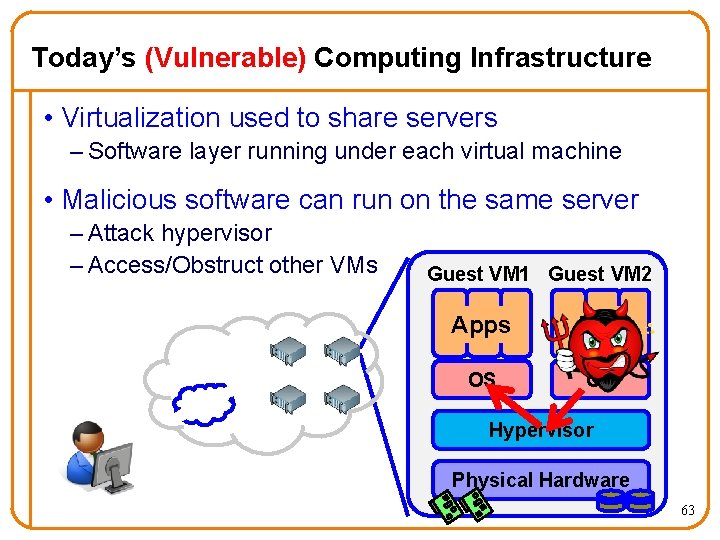
Today’s (Vulnerable) Computing Infrastructure • Virtualization used to share servers – Software layer running under each virtual machine • Malicious software can run on the same server – Attack hypervisor – Access/Obstruct other VMs Guest VM 1 Guest VM 2 Apps OS OS Hypervisor Physical Hardware 63
Is this Problem Real? • No headlines… doesn’t mean it’s not real – Not enticing enough to hackers yet? (small market size, lack of confidential data) • Virtualization layer huge and growing • Derived from existing operating systems – Which have security holes 64
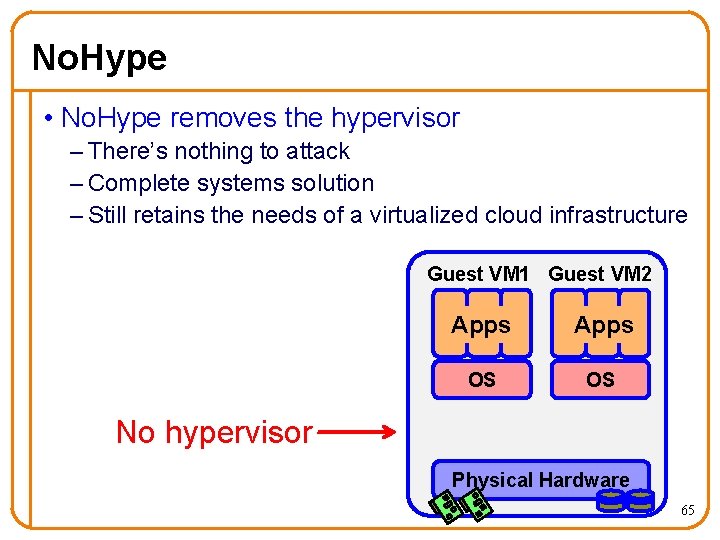
No. Hype • No. Hype removes the hypervisor – There’s nothing to attack – Complete systems solution – Still retains the needs of a virtualized cloud infrastructure Guest VM 1 Guest VM 2 Apps OS OS No hypervisor Physical Hardware 65
Virtualization in the Cloud • Why does a cloud infrastructure use virtualization? – To support dynamically starting/stopping VMs – To allow servers to be shared (multi-tenancy) • Do not need full power of modern hypervisors – Emulating diverse (potentially older) hardware – Maximizing server consolidation 66
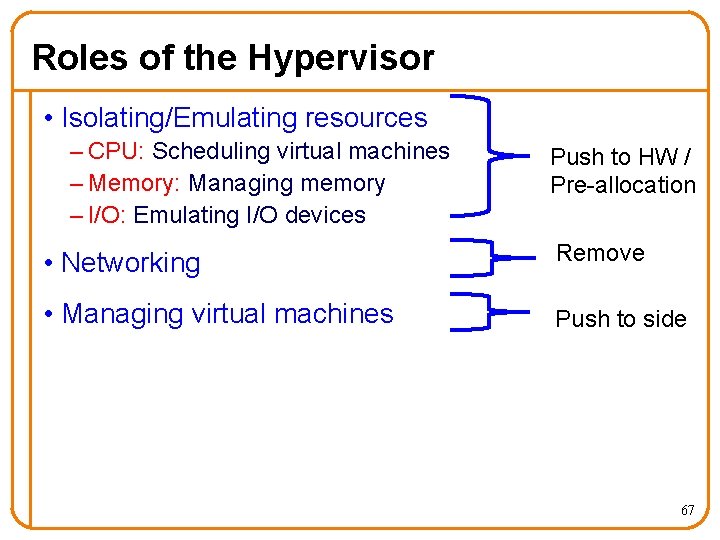
Roles of the Hypervisor • Isolating/Emulating resources – CPU: Scheduling virtual machines – Memory: Managing memory – I/O: Emulating I/O devices Push to HW / Pre-allocation • Networking Remove • Managing virtual machines Push to side 67
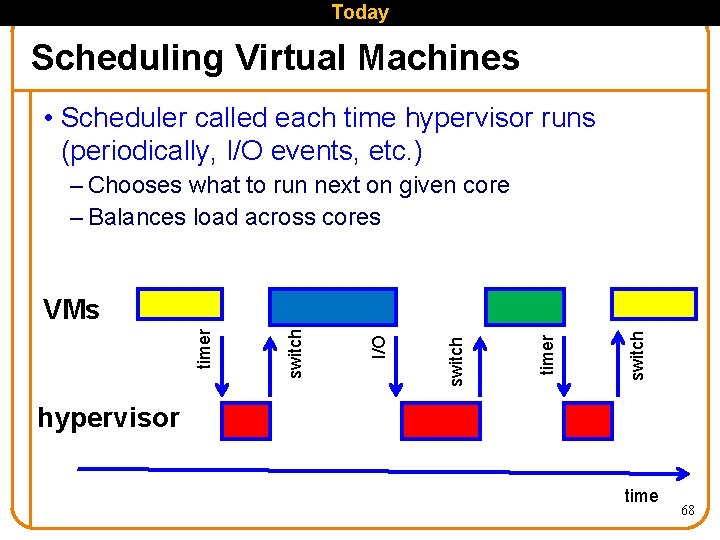
Today Scheduling Virtual Machines • Scheduler called each time hypervisor runs (periodically, I/O events, etc. ) – Chooses what to run next on given core – Balances load across cores switch timer switch I/O switch timer VMs hypervisor time 68
No. Hype Dedicate a core to a single VM • Ride the multi-core trend – 1 core on 128 -core device is ~0. 8% of the processor • Cloud computing is pay-per-use – During high demand, spawn more VMs – During low demand, kill some VMs – Customer maximizing each VMs work, which minimizes opportunity for over-subscription 69
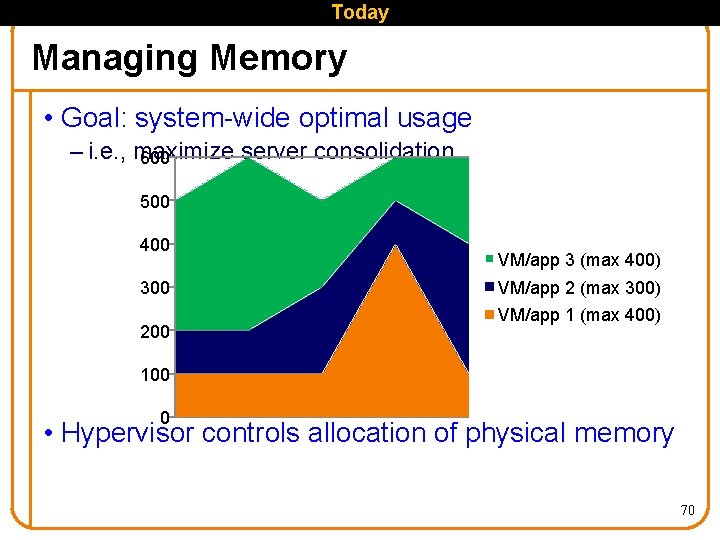
Today Managing Memory • Goal: system-wide optimal usage – i. e. , maximize server consolidation 600 500 400 300 200 VM/app 3 (max 400) VM/app 2 (max 300) VM/app 1 (max 400) 100 0 • Hypervisor controls allocation of physical memory 70
No. Hype Pre-allocate Memory • In cloud computing: charged per unit – e. g. , VM with 2 GB memory • Pre-allocate a fixed amount of memory – Memory is fixed and guaranteed – Guest VM manages its own physical memory (deciding what pages to swap to disk) • Processor support for enforcing: – allocation and bus utilization 71
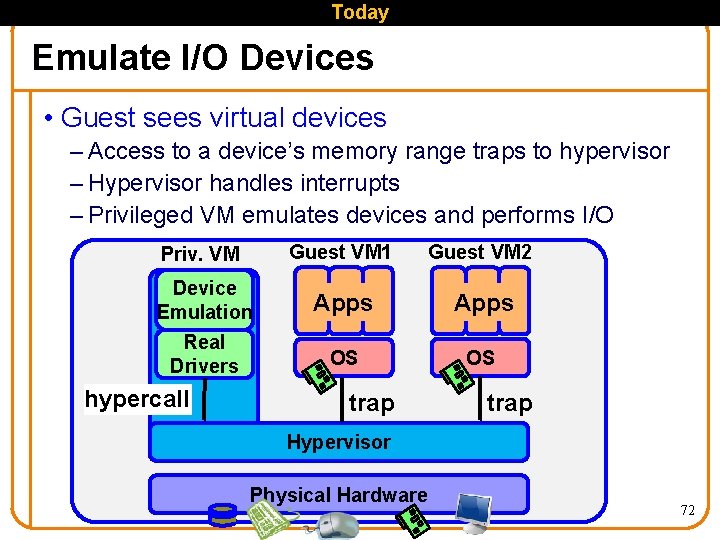
Today Emulate I/O Devices • Guest sees virtual devices – Access to a device’s memory range traps to hypervisor – Hypervisor handles interrupts – Privileged VM emulates devices and performs I/O Priv. VM Guest VM 1 Guest VM 2 Device Emulation Apps Real Drivers OS OS hypercall trap Hypervisor Physical Hardware 72
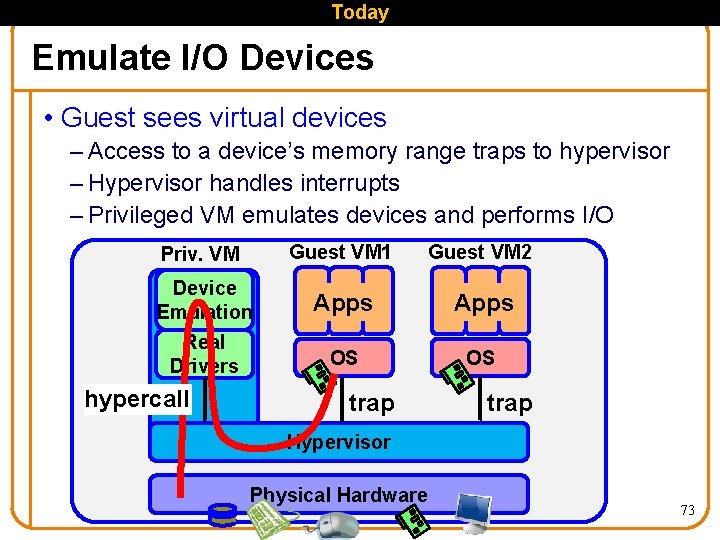
Today Emulate I/O Devices • Guest sees virtual devices – Access to a device’s memory range traps to hypervisor – Hypervisor handles interrupts – Privileged VM emulates devices and performs I/O Priv. VM Guest VM 1 Guest VM 2 Device Emulation Apps Real Drivers OS OS hypercall trap Hypervisor Physical Hardware 73
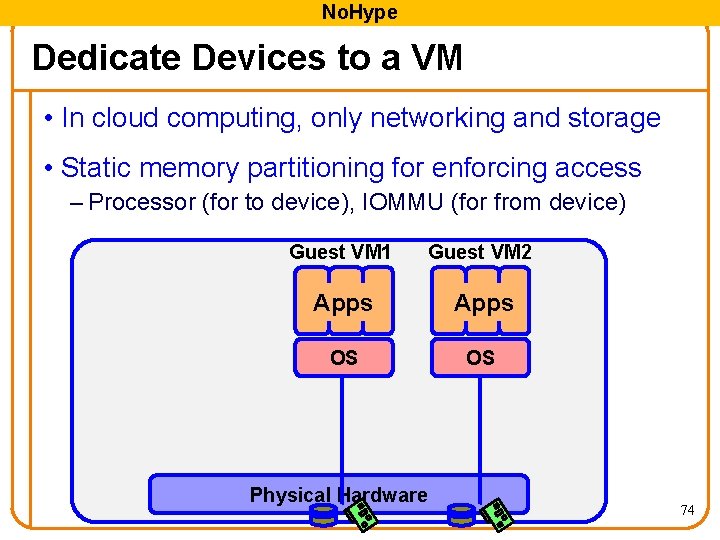
No. Hype Dedicate Devices to a VM • In cloud computing, only networking and storage • Static memory partitioning for enforcing access – Processor (for to device), IOMMU (for from device) Guest VM 1 Guest VM 2 Apps OS OS Physical Hardware 74
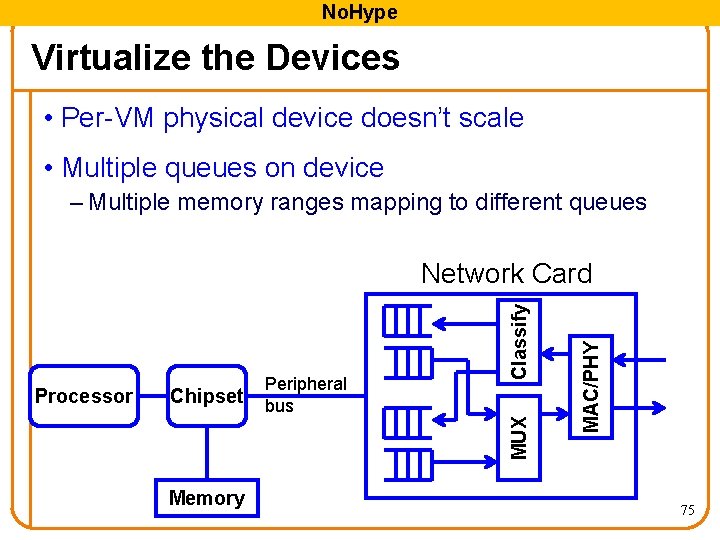
No. Hype Virtualize the Devices • Per-VM physical device doesn’t scale • Multiple queues on device – Multiple memory ranges mapping to different queues Peripheral bus Memory MAC/PHY Chipset MUX Processor Classify Network Card 75
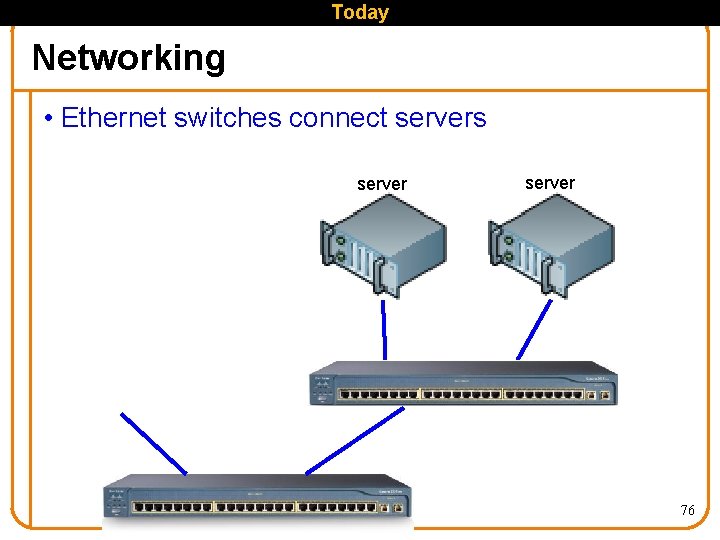
Today Networking • Ethernet switches connect servers server 76
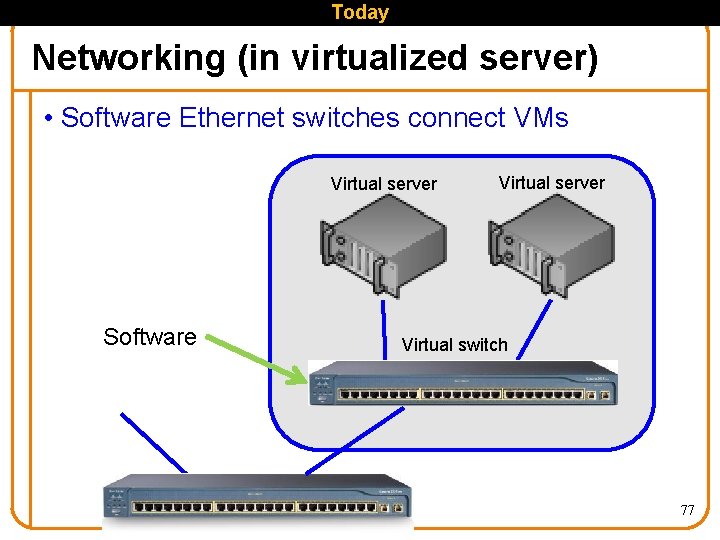
Today Networking (in virtualized server) • Software Ethernet switches connect VMs Virtual server Software Virtual server Virtual switch 77
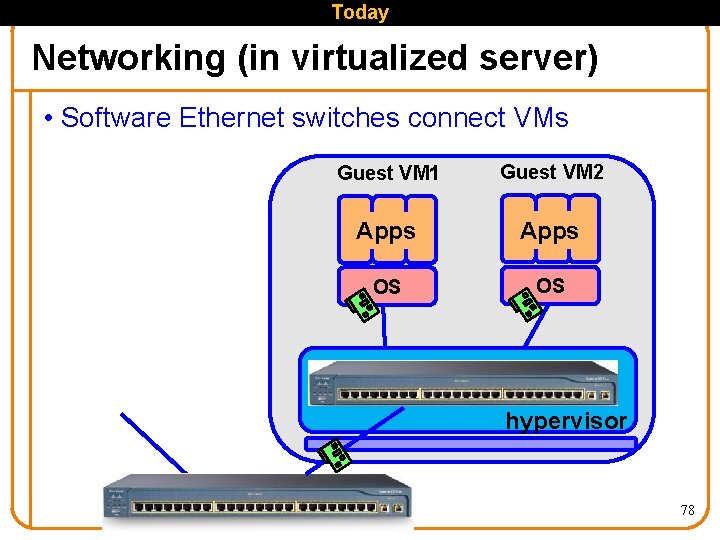
Today Networking (in virtualized server) • Software Ethernet switches connect VMs Guest VM 1 Guest VM 2 Apps OS OS Hypervisor hypervisor 78
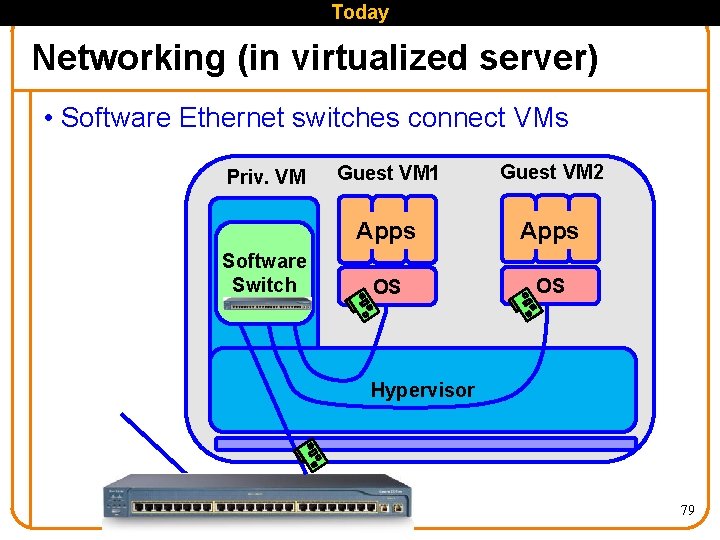
Today Networking (in virtualized server) • Software Ethernet switches connect VMs Priv. VM Software Switch Guest VM 1 Guest VM 2 Apps OS OS Hypervisor 79
No. Hype Do Networking in the Network • Co-located VMs communicate through software – Performance penalty for not co-located VMs – Special case in cloud computing – Artifact of going through hypervisor anyway • Instead: utilize hardware switches in the network – Modification to support hairpin turnaround 80
Removing the Hypervisor Summary • Scheduling virtual machines – One VM per core • Managing memory – Pre-allocate memory with processor support • Emulating I/O devices – Direct access to virtualized devices • Networking – Utilize hardware Ethernet switches • Managing virtual machines – Decouple the management from operation 81
No. Hype Double Meaning • Means no hypervisor, also means “no hype” • Multi-core processors • Extended Page Tables • SR-IOV and Directed I/O (VT-d) • Virtual Ethernet Port Aggregator (VEPA) 82
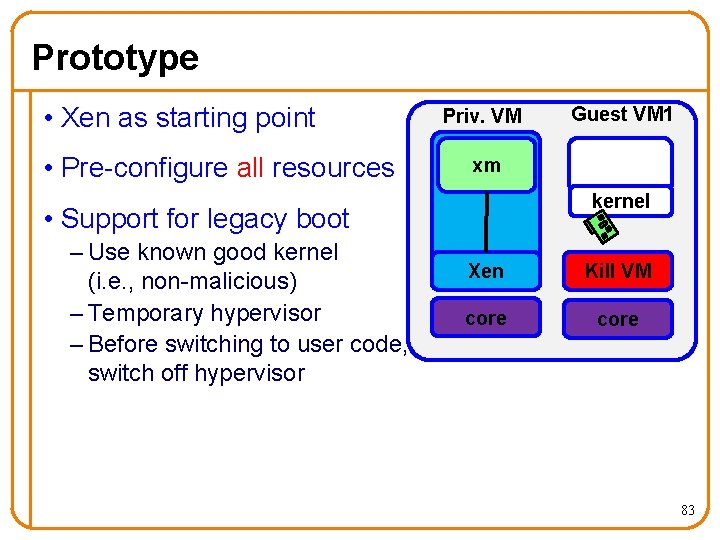
Prototype • Xen as starting point • Pre-configure all resources Priv. VM xm kernel • Support for legacy boot – Use known good kernel (i. e. , non-malicious) – Temporary hypervisor – Before switching to user code, switch off hypervisor Guest VM 1 Xen Kill VM core 83
Improvements for Future Technology Main Limitations: • Inter-processor Interrupts • Side channels • Legacy boot 84
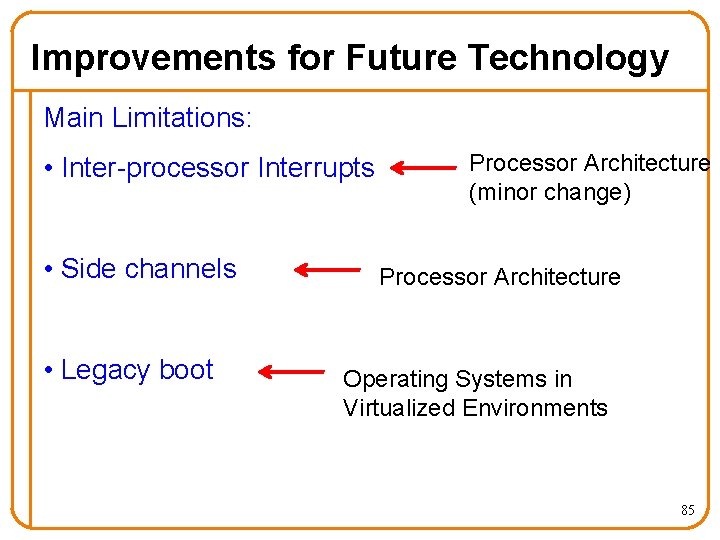
Improvements for Future Technology Main Limitations: • Inter-processor Interrupts • Side channels • Legacy boot Processor Architecture (minor change) Processor Architecture Operating Systems in Virtualized Environments 85
No. Hype Conclusions • Significant security issue threatens cloud adoption • No. Hype solves this by removing the hypervisor • Performance improvement is a side benefit 86
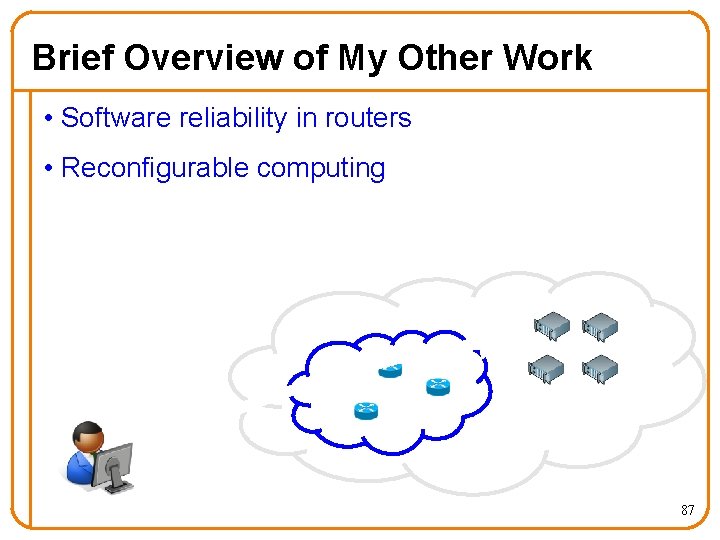
Brief Overview of My Other Work • Software reliability in routers • Reconfigurable computing 87
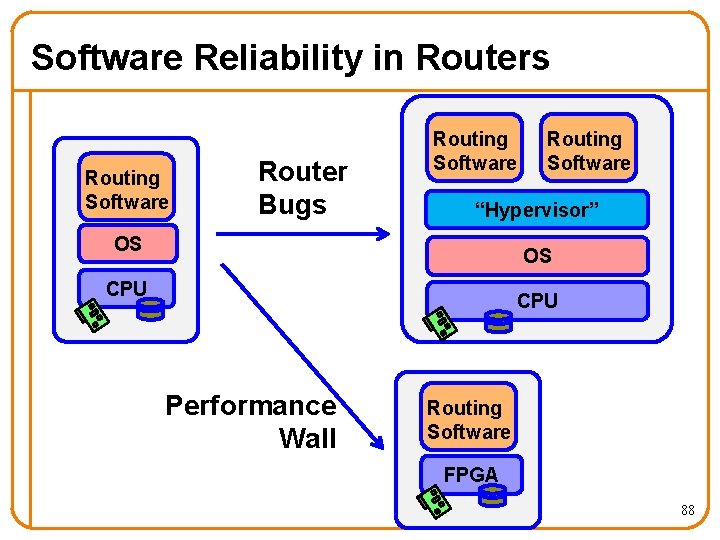
Software Reliability in Routers Routing Software Router Bugs Routing Software “Hypervisor” OS OS CPU Performance Wall Routing Software FPGA 88
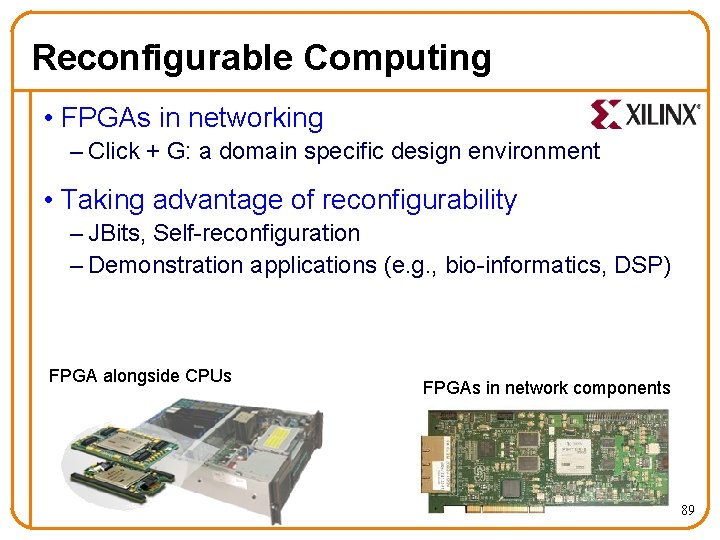
Reconfigurable Computing • FPGAs in networking – Click + G: a domain specific design environment • Taking advantage of reconfigurability – JBits, Self-reconfiguration – Demonstration applications (e. g. , bio-informatics, DSP) FPGA alongside CPUs FPGAs in network components 89
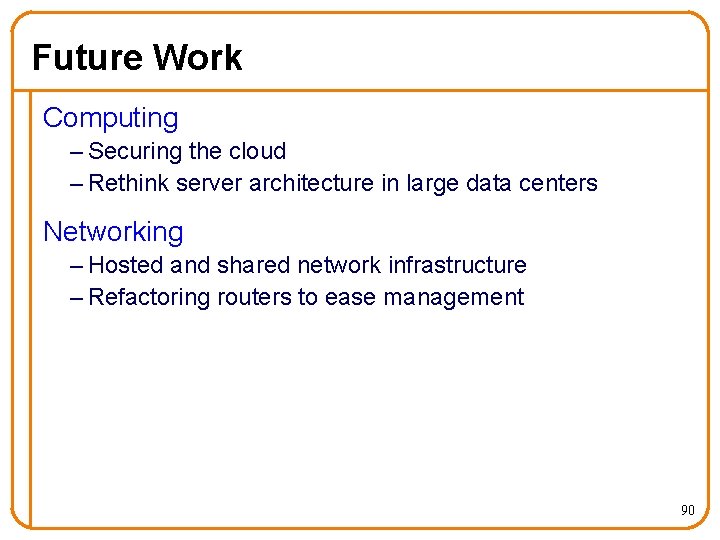
Future Work Computing – Securing the cloud – Rethink server architecture in large data centers Networking – Hosted and shared network infrastructure – Refactoring routers to ease management 90
![“The Network is the Computer” [John Gage ‘ 84] Exciting time when this is](http://slidetodoc.com/presentation_image/5583e5e405c4e74b9c7be48035d17d40/image-90.jpg "“The Network is the Computer” [John Gage ‘ 84] Exciting time when this is")
“The Network is the Computer” [John Gage ‘ 84] Exciting time when this is becoming a reality 91
Questions? Contact info: ekeller@princeton. edu http: //www. princeton. edu/~ekeller 92
- Slides: 91