
Dynamic Host Configuration Protocol DHCP and Domain Name
- Slides: 26
Dynamic Host Configuration Protocol (DHCP) and Domain Name System (DNS) �in a large network Organising computers Reference books: The DHCP Handbook, Ralph Droms & Ted Lemon, 2 nd edition, DNS and Bind, Paul Albitz and Cricket Liu, 4 th edition
DHCP: Why? • Manually assigning IP addresses (the alternative to DHCP) causes: – More work to set up – Much more work to change – IP address conflicts – Unsatisfied users who configure their own machines to cause more conflicts Systems and Network Management DHCP 1
DHCP: Why not? • You notice that every Tuesday afternoon, our laboratories were disrupted by “network failure” • This was caused by project students running DHCP servers on our network, • …and recently, by a small router running a DHCP server accidentally plugged into our campus network • Solution: when detect this, run Ethereal listening on ports 67 and 68 Systems and Network Management DHCP 1
What can DHCP do? • Current standard DHCP servers can: – Allocate all IP parameters – Divide hosts into classes, based on many criteria, such as: • Manufacturer • Explicitly putting individual machines into different classes • Whether the machine is registered – Offer different parameters to machines in different classes – Dynamically update DNS servers – Support a DHCP failover protocol Systems and Network Management DHCP 1
Internet Software Consortium: ISC DHCP • ISC makes reference implementations of DNS, DHCP • Available from http: //www. isc. org/ • Implemented by people directly involved with the standardisation process • Provide the most standards compliant, most feature-rich implementations • ISC DHCP server very robust – Computer Centre in TY used MS DHCP on NT 4 – Crashed twice, with complete loss of database containing MAC addresses of all computers on campus – Out of action for two days at a time, long sessions of manual retyping of all the data again • Replaced with system based on ISC DHCP server on a 486 • Has worked well ever since (no down time) Systems and Network Management DHCP 1
Characteristics of DHCP • All communication initiated by the client • Uses UDP on port 67 for client, port 68 for server • Uses unicast when client has IP address, [and client is not in REBINDING state — see later]; broadcast otherwise • Addresses offered from – address pools, or – Fixed addresses allocated to particular computers Systems and Network Management DHCP 1
Leases • Server offers IP address and network parameters for a limited time (called a lease) • In practice, leases may very from 30 minutes to a week or so • Short lease: – clients get updated parameters quickly – Essential if have more clients than addresses • Long lease: – more reliable (clients may continue to operate for a week after DHCP server fails) Systems and Network Management DHCP 1
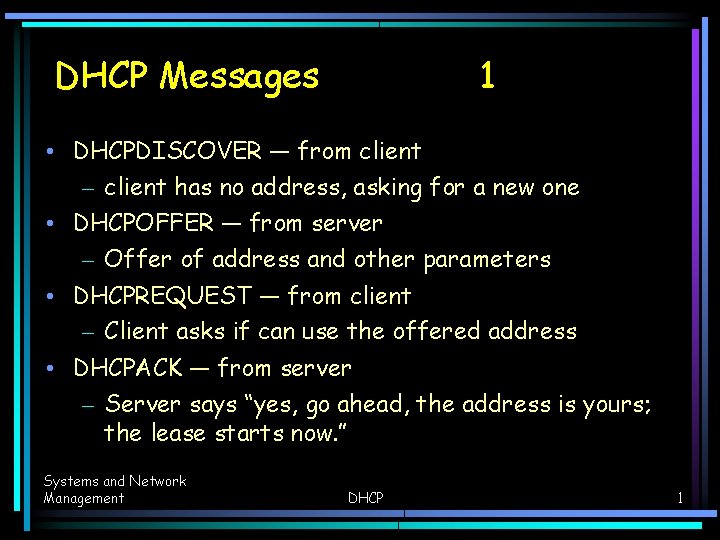
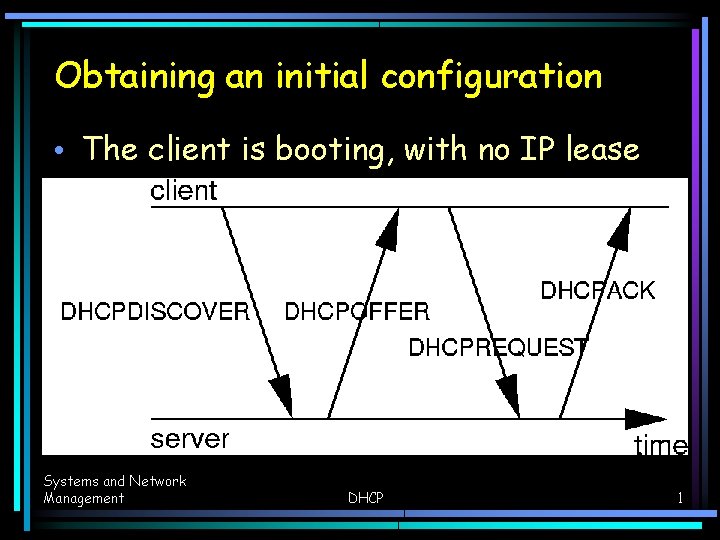
DHCP Messages 1 • DHCPDISCOVER — from client – client has no address, asking for a new one • DHCPOFFER — from server – Offer of address and other parameters • DHCPREQUEST — from client – Client asks if can use the offered address • DHCPACK — from server – Server says “yes, go ahead, the address is yours; the lease starts now. ” Systems and Network Management DHCP 1
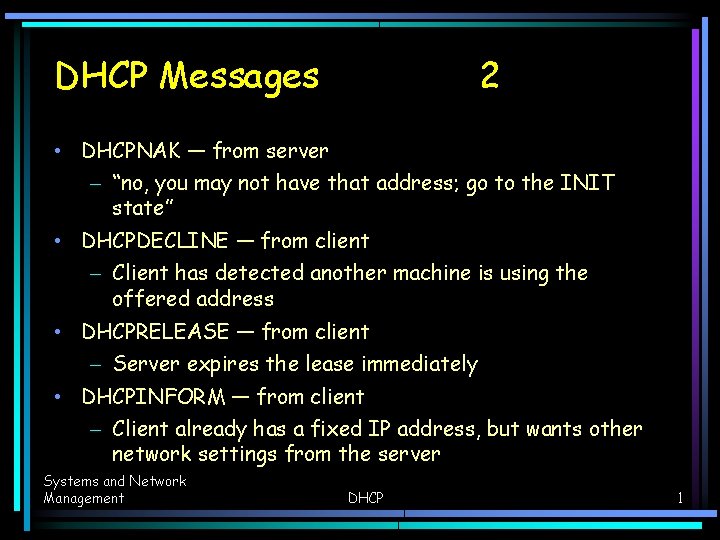
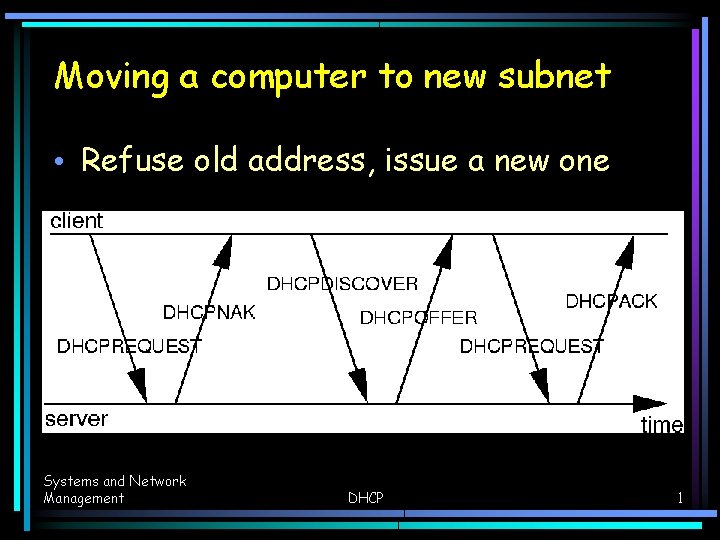
DHCP Messages 2 • DHCPNAK — from server – “no, you may not have that address; go to the INIT state” • DHCPDECLINE — from client – Client has detected another machine is using the offered address • DHCPRELEASE — from client – Server expires the lease immediately • DHCPINFORM — from client – Client already has a fixed IP address, but wants other network settings from the server Systems and Network Management DHCP 1
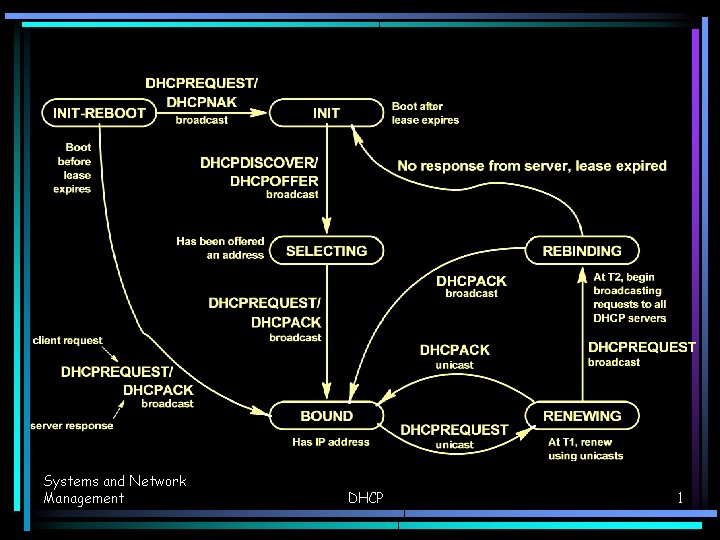
State Diagram for DHCP protocol • See page 35 of RFC 2131 for a more complete state diagram. Systems and Network Management DHCP 1
Systems and Network Management DHCP 1
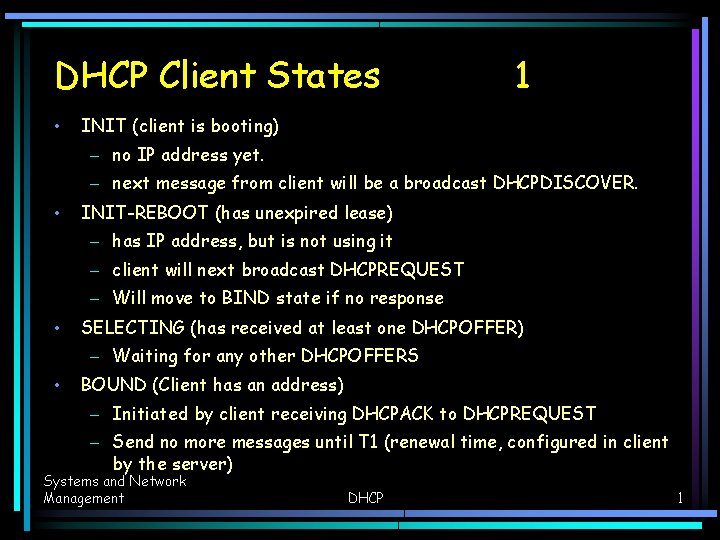
DHCP Client States • 1 INIT (client is booting) – no IP address yet. – next message from client will be a broadcast DHCPDISCOVER. • INIT-REBOOT (has unexpired lease) – has IP address, but is not using it – client will next broadcast DHCPREQUEST – Will move to BIND state if no response • SELECTING (has received at least one DHCPOFFER) – Waiting for any other DHCPOFFERS • BOUND (Client has an address) – Initiated by client receiving DHCPACK to DHCPREQUEST – Send no more messages until T 1 (renewal time, configured in client by the server) Systems and Network Management DHCP 1
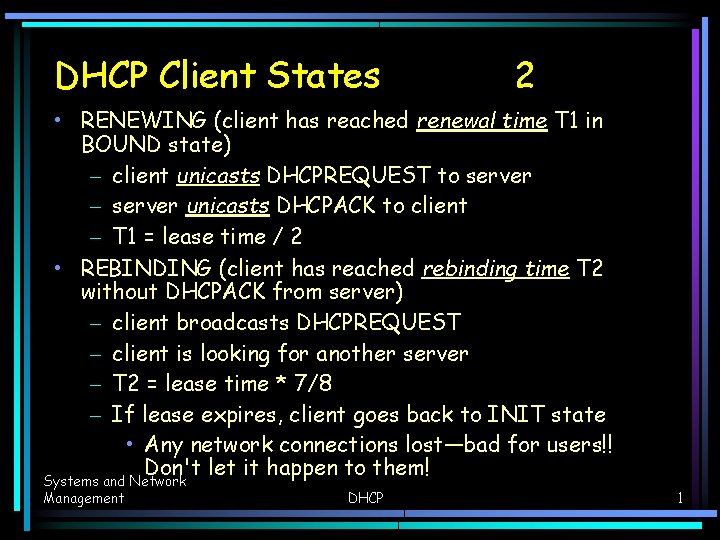
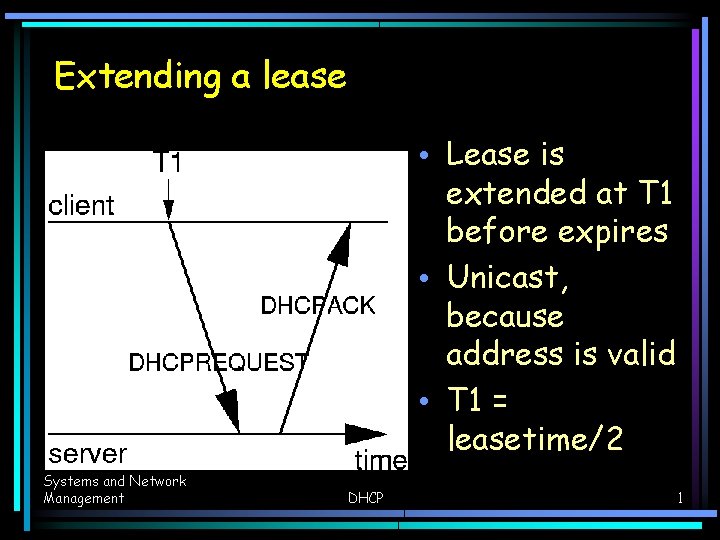
DHCP Client States 2 • RENEWING (client has reached renewal time T 1 in BOUND state) – client unicasts DHCPREQUEST to server – server unicasts DHCPACK to client – T 1 = lease time / 2 • REBINDING (client has reached rebinding time T 2 without DHCPACK from server) – client broadcasts DHCPREQUEST – client is looking for another server – T 2 = lease time * 7/8 – If lease expires, client goes back to INIT state • Any network connections lost—bad for users!! Don't let it happen to them! Systems and Network Management DHCP 1
Obtaining an initial configuration • The client is booting, with no IP lease Systems and Network Management DHCP 1
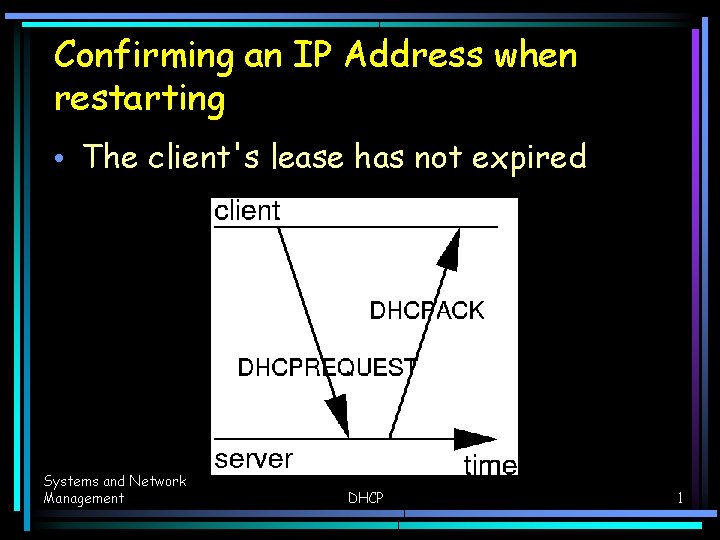
Confirming an IP Address when restarting • The client's lease has not expired Systems and Network Management DHCP 1
Extending a lease • Lease is extended at T 1 before expires • Unicast, because address is valid • T 1 = leasetime/2 Systems and Network Management DHCP 1
Moving a computer to new subnet • Refuse old address, issue a new one Systems and Network Management DHCP 1
Ways of using DHCP • There are two fundamentally different ways of using DHCP • Typified by implementation in Campus, and ICT (currently) • (both implemented by Nick!) • Fixed addresses for registered clients (Campus network) • Dynamic addresses for all comers (ICT now) • Better: can provide automatic registration for clients: see chapter 18 of The DHCP Handbook Systems and Network Management DHCP 1
Method used by Computer Centre • Uses Samba, ISC DHCP • Documented on our web site; see the link to “DHCP and DNS System” http: //ictlab. tyict. vtc. edu. hk/snm/dhcp-dns-system/ Systems and Network Management DHCP 1
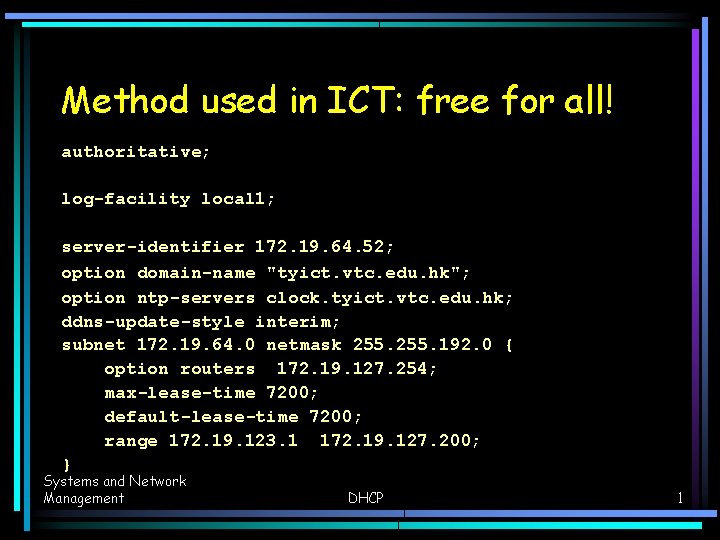
Method used in ICT: free for all! authoritative; log-facility local 1; server-identifier 172. 19. 64. 52; option domain-name "tyict. vtc. edu. hk"; option ntp-servers clock. tyict. vtc. edu. hk; ddns-update-style interim; subnet 172. 19. 64. 0 netmask 255. 192. 0 { option routers 172. 19. 127. 254; max-lease-time 7200; default-lease-time 7200; range 172. 19. 123. 1 172. 19. 127. 200; } Systems and Network Management DHCP 1
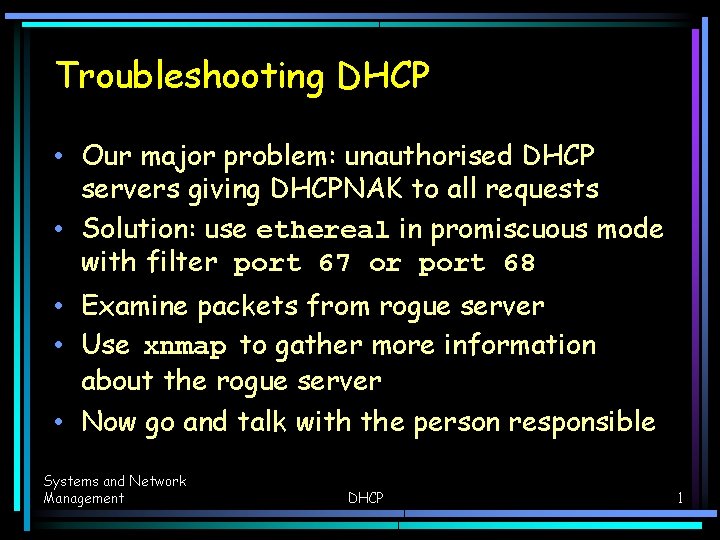
Troubleshooting DHCP • Our major problem: unauthorised DHCP servers giving DHCPNAK to all requests • Solution: use ethereal in promiscuous mode with filter port 67 or port 68 • Examine packets from rogue server • Use xnmap to gather more information about the rogue server • Now go and talk with the person responsible Systems and Network Management DHCP 1
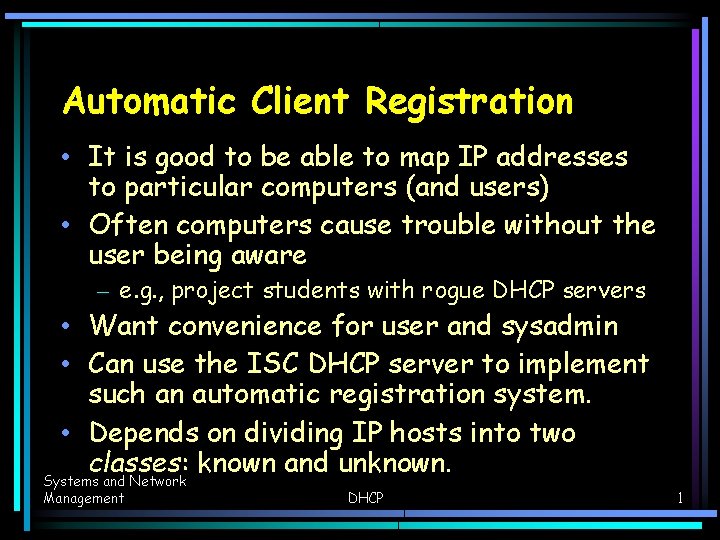
Automatic Client Registration • It is good to be able to map IP addresses to particular computers (and users) • Often computers cause trouble without the user being aware – e. g. , project students with rogue DHCP servers • Want convenience for user and sysadmin • Can use the ISC DHCP server to implement such an automatic registration system. • Depends on dividing IP hosts into two classes: known and unknown. Systems and Network Management DHCP 1
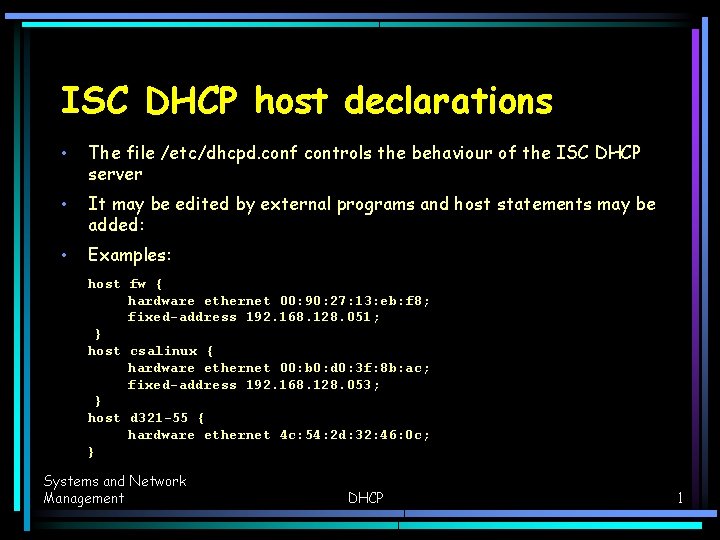
ISC DHCP host declarations • The file /etc/dhcpd. conf controls the behaviour of the ISC DHCP server • It may be edited by external programs and host statements may be added: • Examples: host fw { hardware ethernet 00: 90: 27: 13: eb: f 8; fixed-address 192. 168. 128. 051; } host csalinux { hardware ethernet 00: b 0: d 0: 3 f: 8 b: ac; fixed-address 192. 168. 128. 053; } host d 321 -55 { hardware ethernet 4 c: 54: 2 d: 32: 46: 0 c; } Systems and Network Management DHCP 1
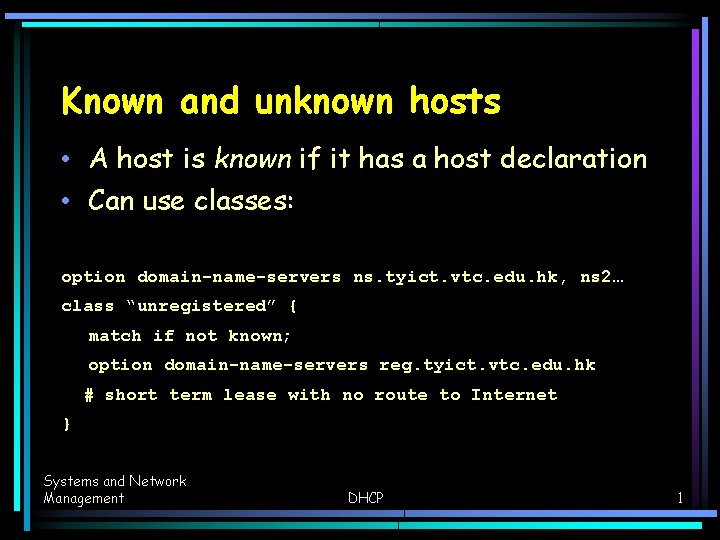
Known and unknown hosts • A host is known if it has a host declaration • Can use classes: option domain-name-servers ns. tyict. vtc. edu. hk, ns 2… class “unregistered” { match if not known; option domain-name-servers reg. tyict. vtc. edu. hk # short term lease with no route to Internet } Systems and Network Management DHCP 1
The registration server • All unregistered hosts have a name server that maps all hostnames to itself • The web browser will go to the registration application, no matter URL entered • Registration application edits /etc/dhcpd. conf on DHCP server • Adds the host as a known host • Gets the information from the DHCP lease • User just needs to enter their user name and LDAP password Systems and Network Management DHCP 1
Registered computer • Now the client can either reboot, or wait 60 seconds to T 1, and get a long term lease • The machine becomes a “known host” • Client can now access Internet conveniently • Could extend this by adding MAC address to access control list of the appropriate port on the main switch • Unregistered computers blocked by switch • Enforces limiting access to registered computers only Systems and Network Management DHCP 1