
Dynamic Directional System for the Visually Impaired ENSC


- Slides: 44
Dynamic Directional System for the Visually Impaired ENSC 340 Project Copyright 2003 © Sound Directions
Team Organization • Farhan Ali, Team leader, CEO • Daniel Kim, VP R&D • Nima Jahedi, CTO • Galerah Paradian, VP Marketing • Ted Liu, CFO • Chris Chun, COO
Overview • Market • Solutions • Phase one details • Phase two details • Questions
The Need • 105, 000 Canadians registered with CNIB • Number is increasing by one thousand people per month • Navigation aids very limited
Existing Solutions • Guide Dogs • Talking Signs™ – IR Beacons placed in environment – User Must Scan using hand-held device – Line of sight required – No directions given
Dynamic Directional System • Provide directions to the visually impaired based on their orientation • Easy to use for the visually impaired • Effective in indoor and outdoor environments • Cheap
Research • Visually Impaired Program at VCC – Focus group of visually impaired navigation students • CNIB – Existing trends and technologies
Project Overview • Phase One – ENSC 340 deliverable – Basic functionality • Phase Two – End of 2004
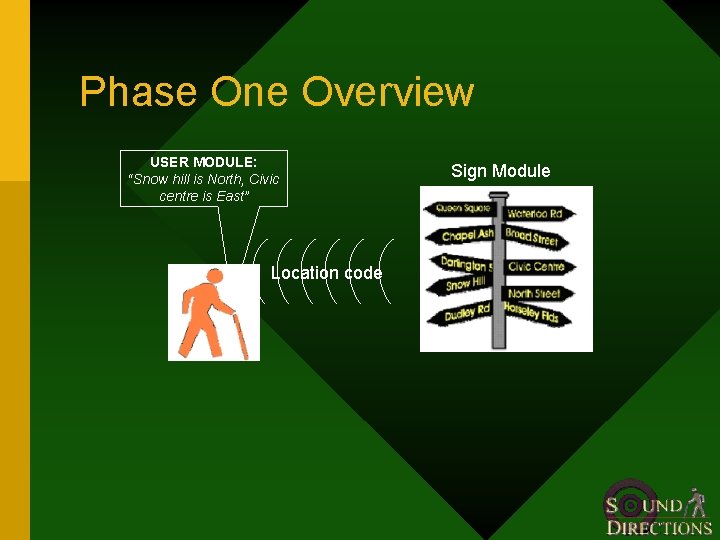
Phase One Overview USER MODULE: “Snow hill is North, Civic centre is East” Location code Sign Module
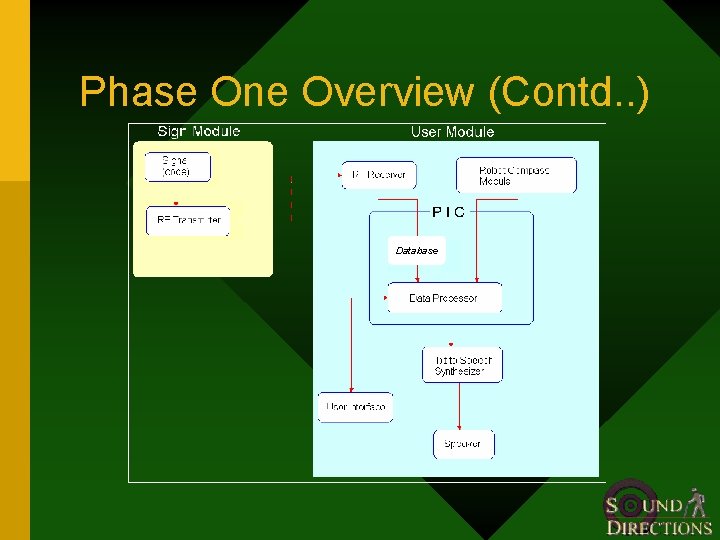
Phase One Overview (Contd. . ) Database
Wireless Communications Technology • Wireless Communications Design criteria: – Simple to integrate – Short-range (within a 5 ~ 7 meter radii) – Does not require line-of-sight – Cheap
Competing Technologies • Infrared Ø Pros • Cheap, simple to integrate – Cons • Needs line-of-sight • Narrow range communication • Ultrasound – Cons • Complicated detection scheme • Only useful in range finding • Discouraged by instructors
Competing Technologies (Contd. . ) • Bluetooth Ø Pros • For short-range application – Cons • Takes time to develop • Expensive, development kit costs > $1, 000 apiece • RF Ø Pros • Higher S/N • Not line-of-sight • Simple to use – Cons • Co-channel Interference
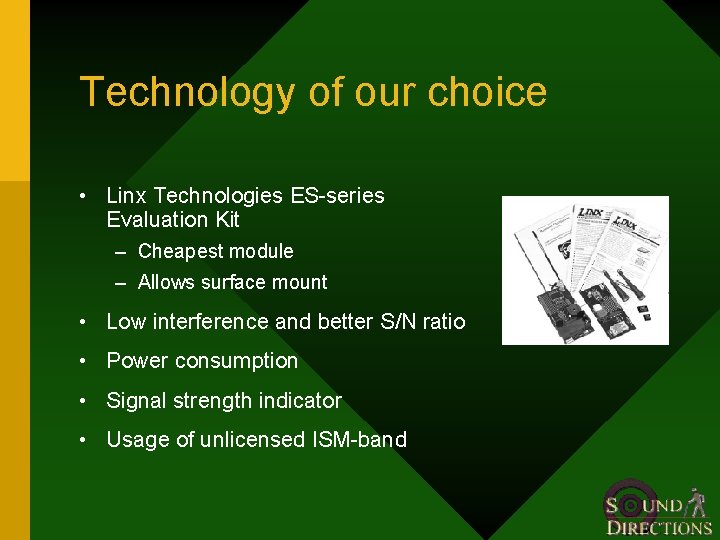
Technology of our choice • Linx Technologies ES-series Evaluation Kit – Cheapest module – Allows surface mount • Low interference and better S/N ratio • Power consumption • Signal strength indicator • Usage of unlicensed ISM-band
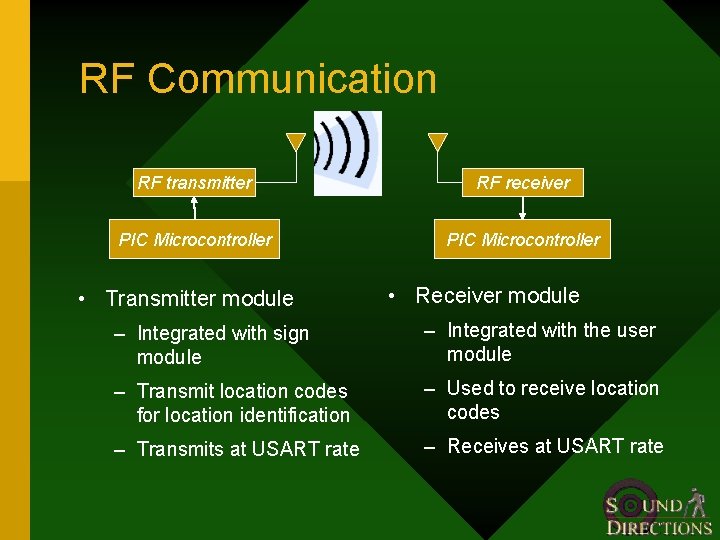
RF Communication RF transmitter RF receiver PIC Microcontroller • Transmitter module • Receiver module – Integrated with sign module – Integrated with the user module – Transmit location codes for location identification – Used to receive location codes – Transmits at USART rate – Receives at USART rate
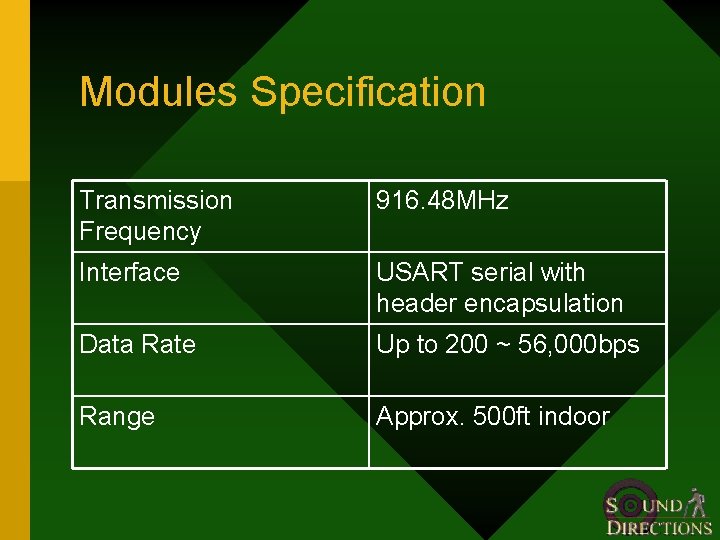
Modules Specification Transmission Frequency 916. 48 MHz Interface USART serial with header encapsulation Data Rate Up to 200 ~ 56, 000 bps Range Approx. 500 ft indoor
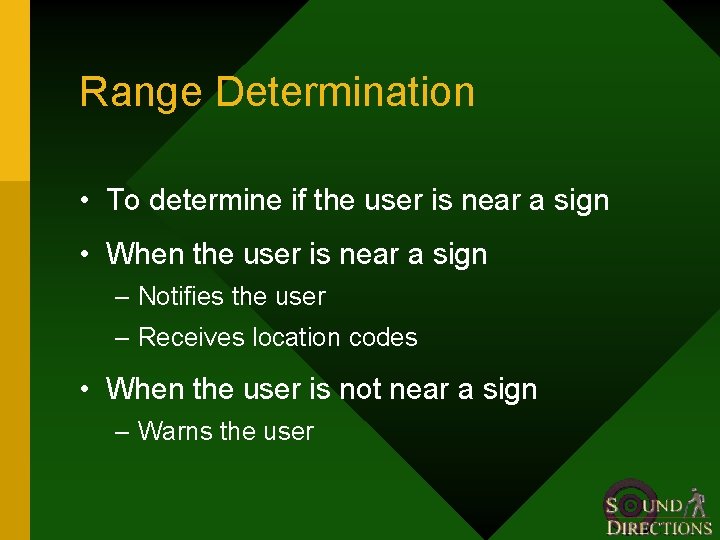
Range Determination • To determine if the user is near a sign • When the user is near a sign – Notifies the user – Receives location codes • When the user is not near a sign – Warns the user
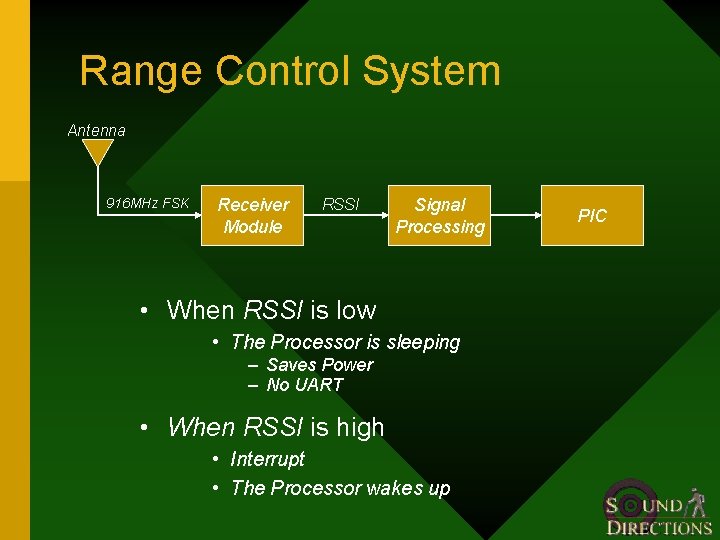
Range Control System Antenna 916 MHz FSK Receiver Module RSSI Signal Processing • When RSSI is low • The Processor is sleeping – Saves Power – No UART • When RSSI is high • Interrupt • The Processor wakes up PIC
Signal Possessing Contains: Ø Amplifier • Shifts the signal level Ø Integrator • Removes Spikes Ø Schmitt Trigger • Stabilizing the switching against rapid triggering
Advantages • Processor goes to sleep – Saves Power – Extends Battery Life – Reduces interference from other RF sources – Ensures data is only received near a sign
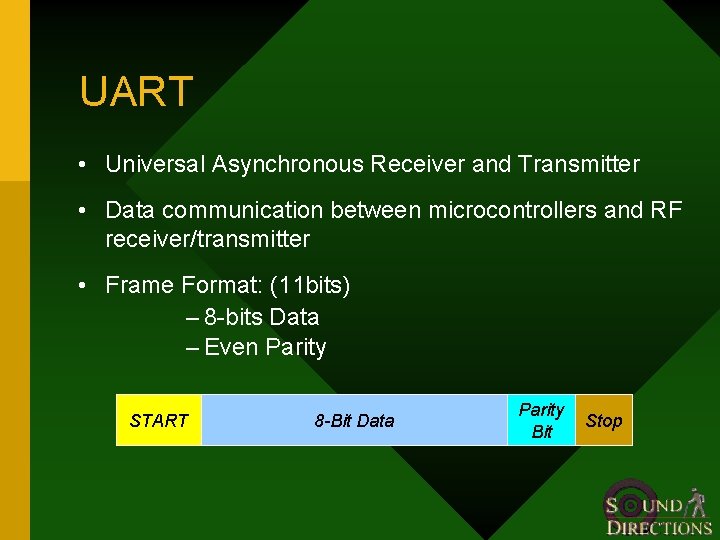
UART • Universal Asynchronous Receiver and Transmitter • Data communication between microcontrollers and RF receiver/transmitter • Frame Format: (11 bits) – 8 -bits Data – Even Parity START 8 -Bit Data Parity Bit Stop
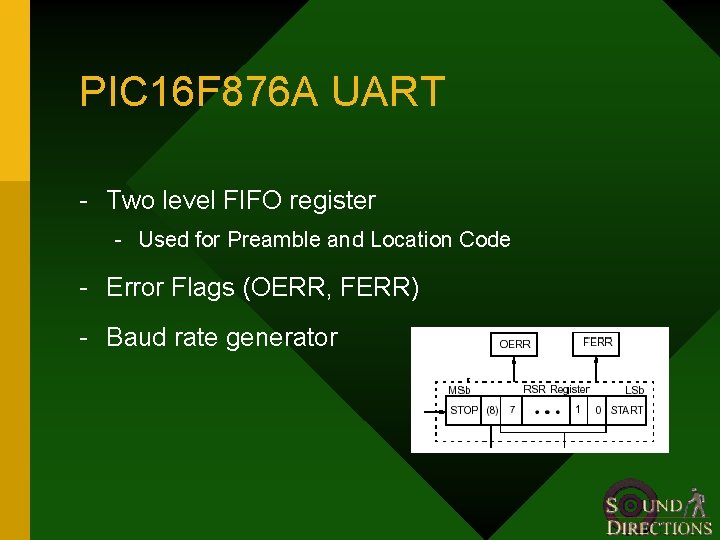
PIC 16 F 876 A UART - Two level FIFO register - Used for Preamble and Location Code - Error Flags (OERR, FERR) - Baud rate generator
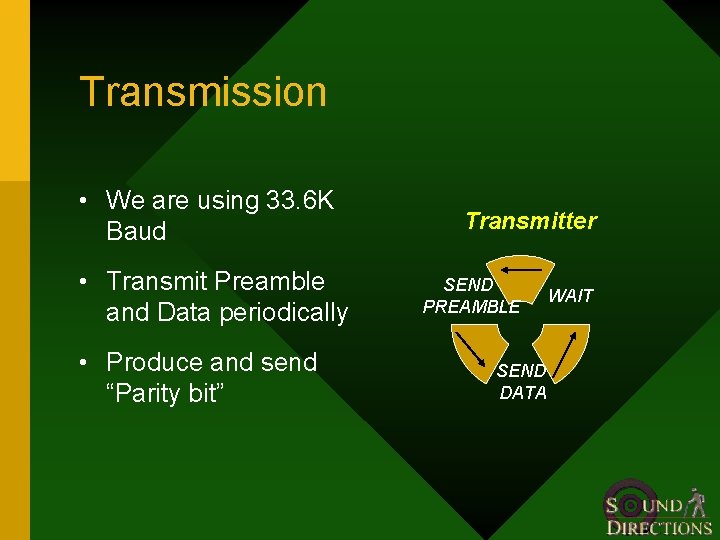
Transmission • We are using 33. 6 K Baud • Transmit Preamble and Data periodically • Produce and send “Parity bit” Transmitter SEND PREAMBLE SEND DATA WAIT
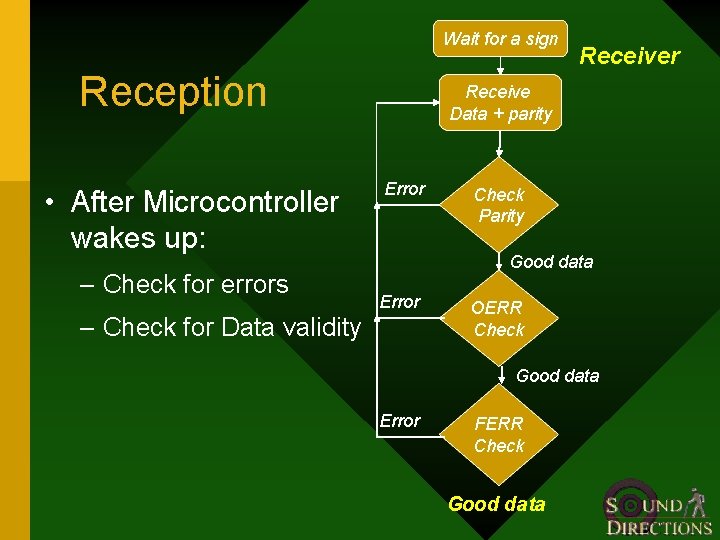
Wait for a sign Reception • After Microcontroller wakes up: – Check for errors Receiver Receive Data + parity Error Check Parity Good data Error – Check for Data validity OERR Check Good data Error FERR Check Good data
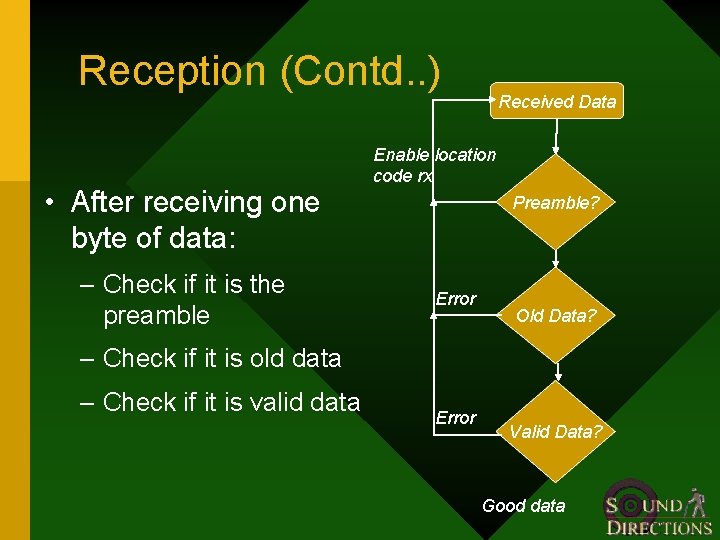
Reception (Contd. . ) • After receiving one byte of data: – Check if it is the preamble Received Data Enable location code rx Preamble? Error Old Data? – Check if it is old data – Check if it is valid data Error Valid Data? Good data
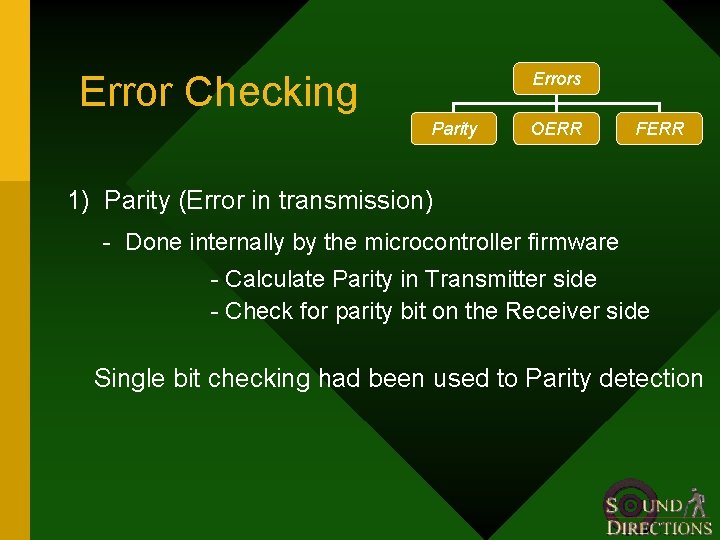
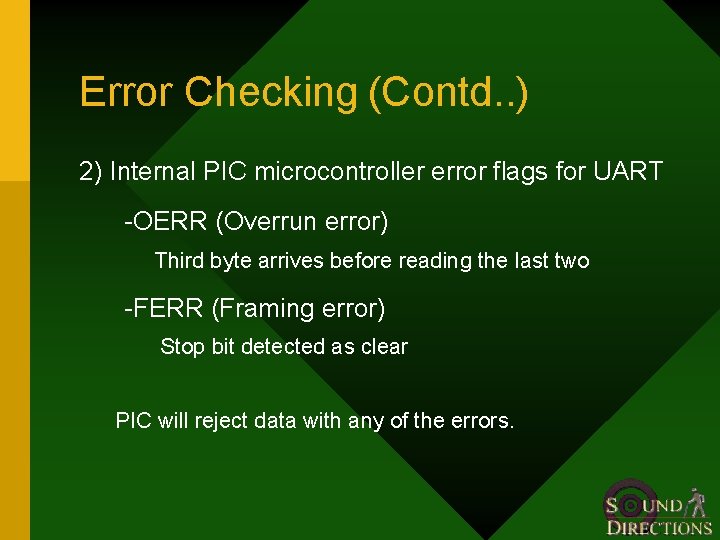
Error Checking Errors Parity OERR FERR 1) Parity (Error in transmission) - Done internally by the microcontroller firmware - Calculate Parity in Transmitter side - Check for parity bit on the Receiver side Single bit checking had been used to Parity detection
Error Checking (Contd. . ) 2) Internal PIC microcontroller error flags for UART -OERR (Overrun error) Third byte arrives before reading the last two -FERR (Framing error) Stop bit detected as clear PIC will reject data with any of the errors.
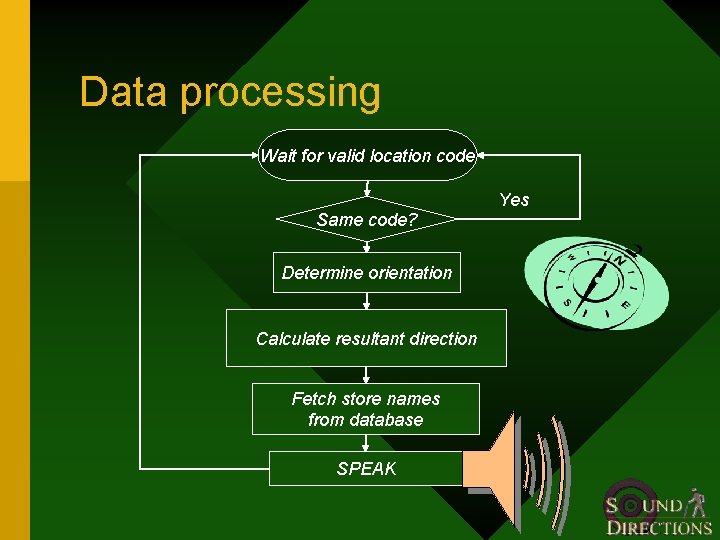
Data processing Wait for valid location code Same code? Determine orientation Calculate resultant direction Fetch store names from database SPEAK Yes
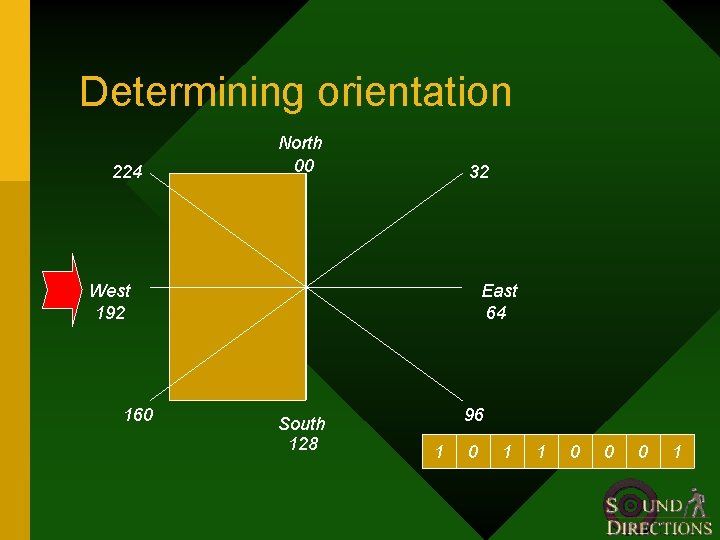
Determining orientation 224 North 00 32 West 192 160 East 64 South 128 96 1 0 1 1 0 0 0 1
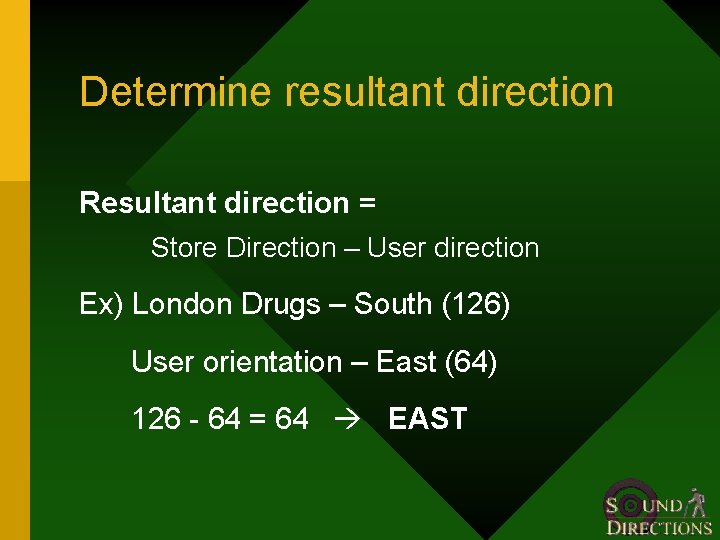
Determine resultant direction Resultant direction = Store Direction – User direction Ex) London Drugs – South (126) User orientation – East (64) 126 - 64 = 64 EAST
Compass • Provides digital 0 -255 compass bearing • Uses Philips magnetic field sensor • Can detect Earth’s magnetic field
Limitations • Magnetic interference – may influence compass reading – compass should be kept afar – choose sign locations with care • Tilting – tilting off horizontal results in increasing error – Tilt compensated compass (upto 50˚ without error)
Text-to-speech • Input: ASCII characters • Converts ASCII characters to speech • Reduces storage, complexity and cost
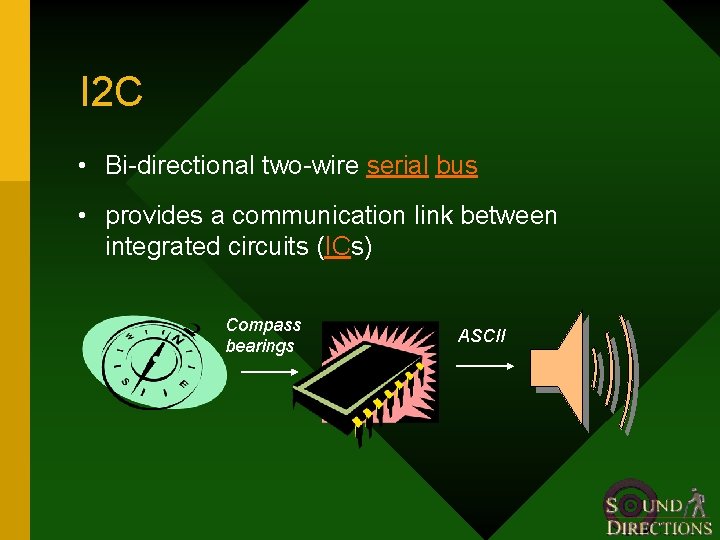
I 2 C • Bi-directional two-wire serial bus • provides a communication link between integrated circuits (ICs) Compass bearings ASCII
Phase Two Overview • Data Storage • User Interface • Potential
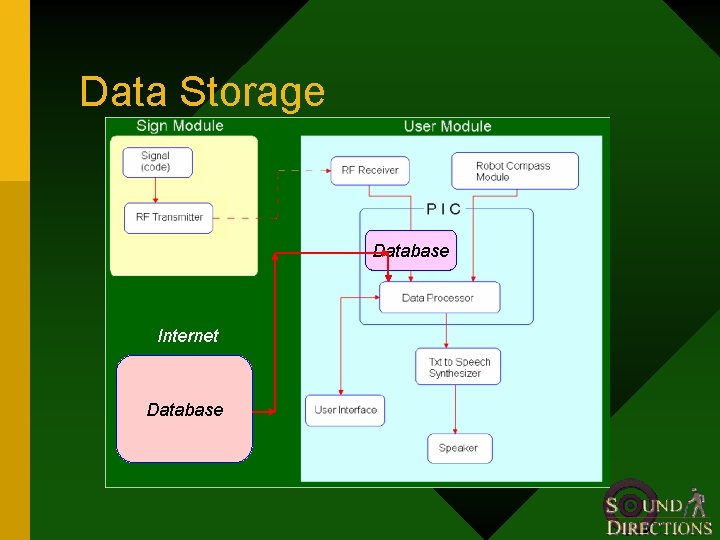
Data Storage Database Internet Database
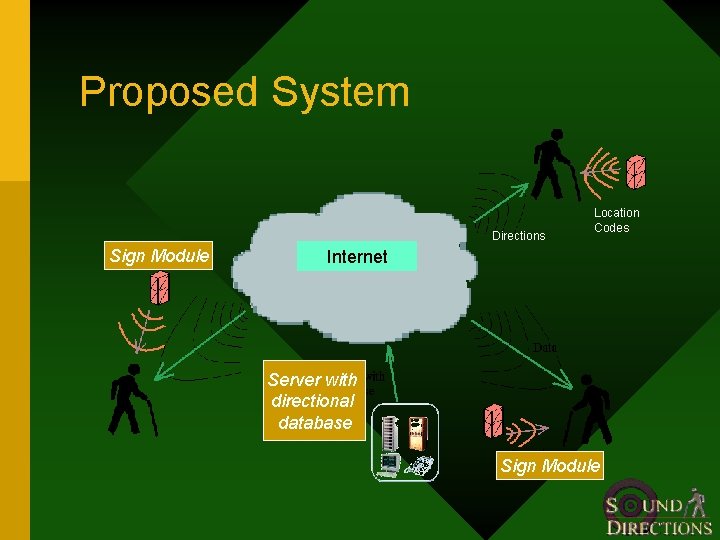
Proposed System Directions Sign Module Location Codes Internet Server with directional database Sign Module
Internet storage • Can store large amounts of data • Easier to update the database • Infrastructure already in place • Cheap to implement, can be used with other applications
Internet Integration • PDA with WLAN card Ø Easy to program Ø Minimal Hardware design required – Visually impaired people have no other use for PDA • Cell Phone Ø Used by many people – Slower Data rates – Coverage Issues
Internet Integration (Contd. . ) • Custom made WLAN module Ø Could be made cheaper Ø Customized for use by visually impaired people – Extensive Hardware development required
User Interface • Hot Keys for critical locations • Earphone • Pushbuttons with Braille subtitles
Complete Solution • To accurately direct visually impaired people to any place they wish to go
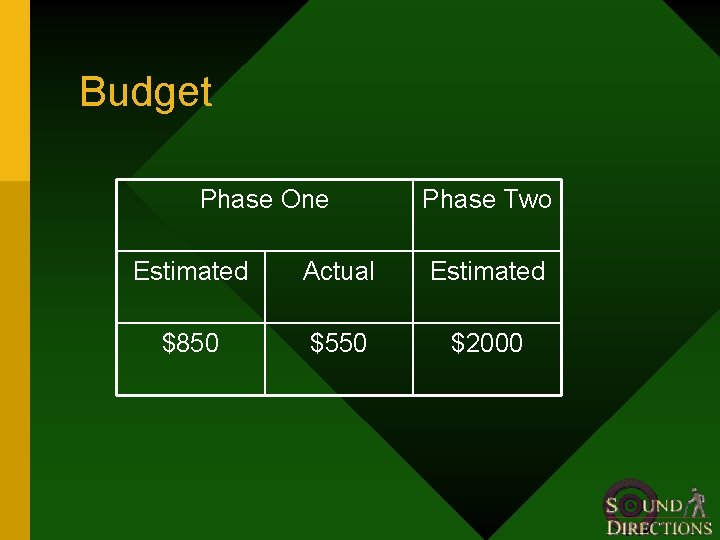
Budget Phase One Phase Two Estimated Actual Estimated $850 $550 $2000
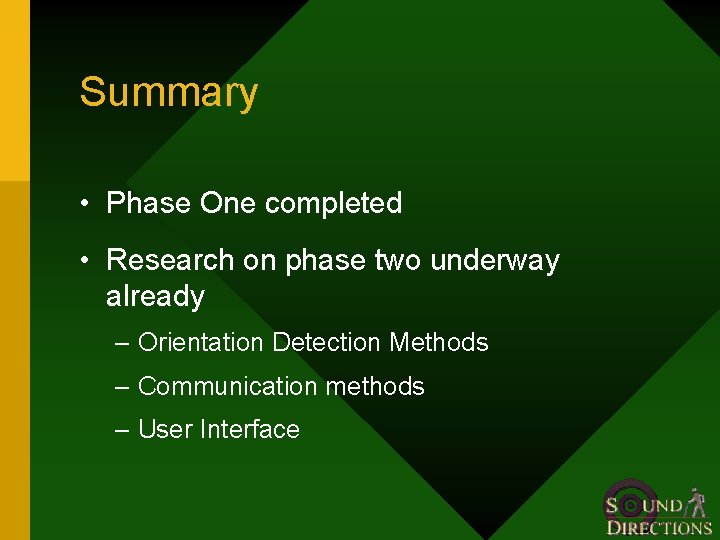
Summary • Phase One completed • Research on phase two underway already – Orientation Detection Methods – Communication methods – User Interface