
Dyna Cash A versatile interface between Cash DispensersRecyclers
Dyna. Cash™ A versatile interface between Cash Dispensers/Recyclers and Teller stations
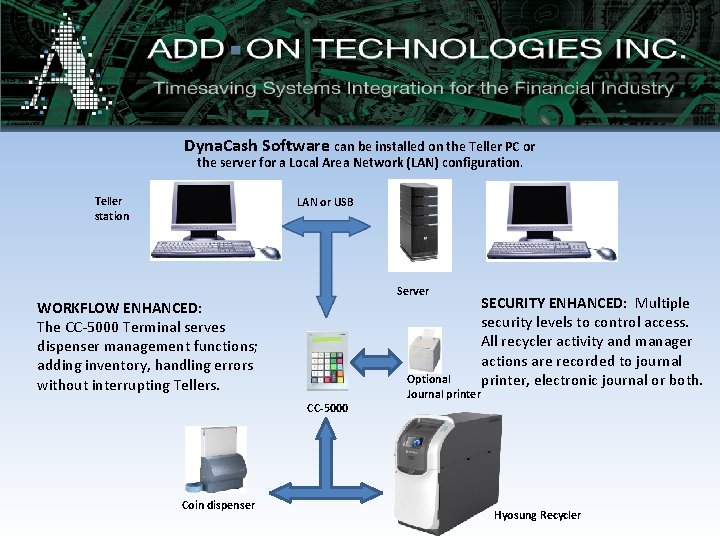
Dyna. Cash Software can be installed on the Teller PC or the server for a Local Area Network (LAN) configuration. Teller station LAN or USB Server WORKFLOW ENHANCED: The CC-5000 Terminal serves dispenser management functions; adding inventory, handling errors without interrupting Tellers. CC-5000 Coin dispenser Optional Journal printer SECURITY ENHANCED: Multiple security levels to control access. All recycler activity and manager actions are recorded to journal printer, electronic journal or both. Hyosung Recycler
• d What is Dyna. Cash? • A versatile interface for Cash Dispensers and Recyclers • Integrates into and enhances the Teller’s everyday workflow • Connects Cash Dispensers and Recyclers with the Teller station via CC-5000 control terminal • “Screen Management” “capture” technology identifies Cash Machine input/output and fills in the teller screen. • On-Site Configurable to work with your Teller Application
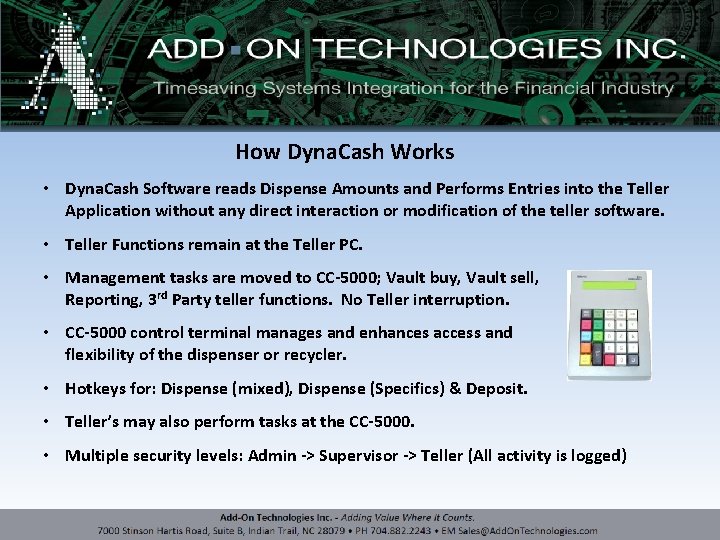
How Dyna. Cash Works • Dyna. Cash Software reads Dispense Amounts and Performs Entries into the Teller Application without any direct interaction or modification of the teller software. • Teller Functions remain at the Teller PC. • Management tasks are moved to CC-5000; Vault buy, Vault sell, Reporting, 3 rd Party teller functions. No Teller interruption. • CC-5000 control terminal manages and enhances access and flexibility of the dispenser or recycler. • Hotkeys for: Dispense (mixed), Dispense (Specifics) & Deposit. • Teller’s may also perform tasks at the CC-5000. • Multiple security levels: Admin -> Supervisor -> Teller (All activity is logged)
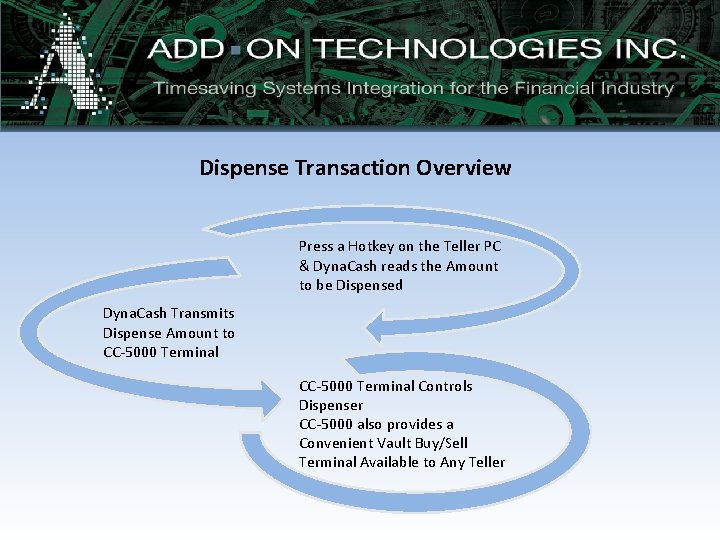
Dispense Transaction Overview Press a Hotkey on the Teller PC & Dyna. Cash reads the Amount to be Dispensed Dyna. Cash Transmits Dispense Amount to CC-5000 Terminal Controls Dispenser CC-5000 also provides a Convenient Vault Buy/Sell Terminal Available to Any Teller
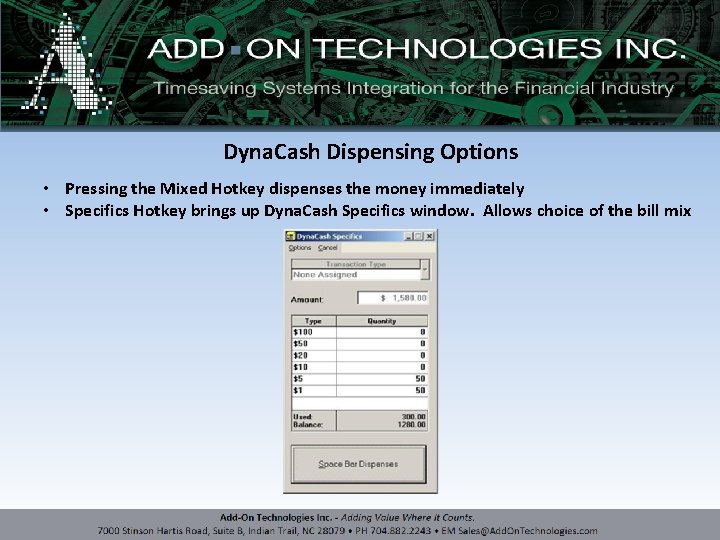
Dyna. Cash Dispensing Options • Pressing the Mixed Hotkey dispenses the money immediately • Specifics Hotkey brings up Dyna. Cash Specifics window. Allows choice of the bill mix
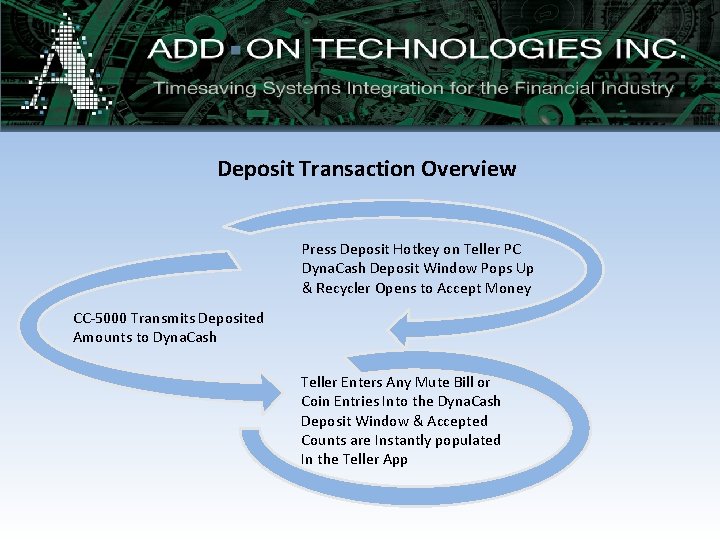
Deposit Transaction Overview Press Deposit Hotkey on Teller PC Dyna. Cash Deposit Window Pops Up & Recycler Opens to Accept Money CC-5000 Transmits Deposited Amounts to Dyna. Cash Teller Enters Any Mute Bill or Coin Entries Into the Dyna. Cash Deposit Window & Accepted Counts are Instantly populated In the Teller App
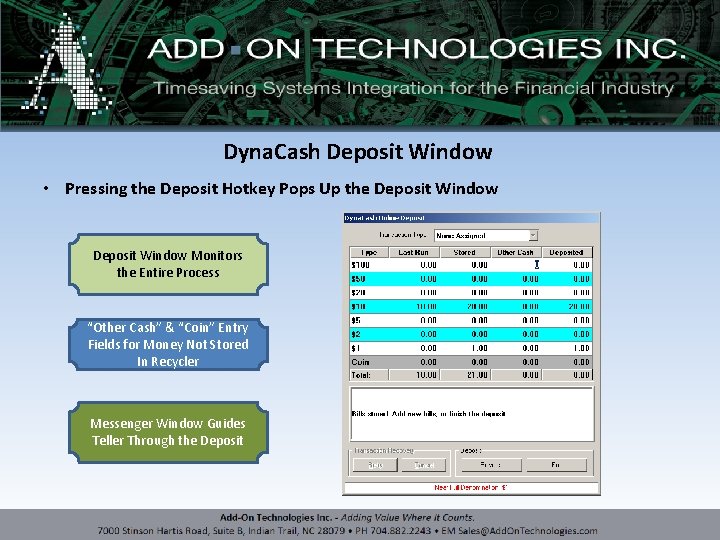
Dyna. Cash Deposit Window • Pressing the Deposit Hotkey Pops Up the Deposit Window Monitors the Entire Process “Other Cash” & “Coin” Entry Fields for Money Not Stored In Recycler Messenger Window Guides Teller Through the Deposit
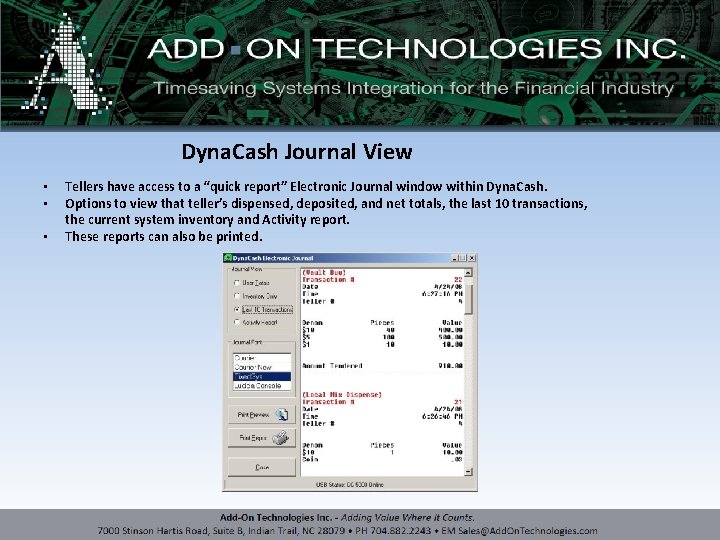
Dyna. Cash Journal View • • • Tellers have access to a “quick report” Electronic Journal window within Dyna. Cash. Options to view that teller’s dispensed, deposited, and net totals, the last 10 transactions, the current system inventory and Activity report. These reports can also be printed.
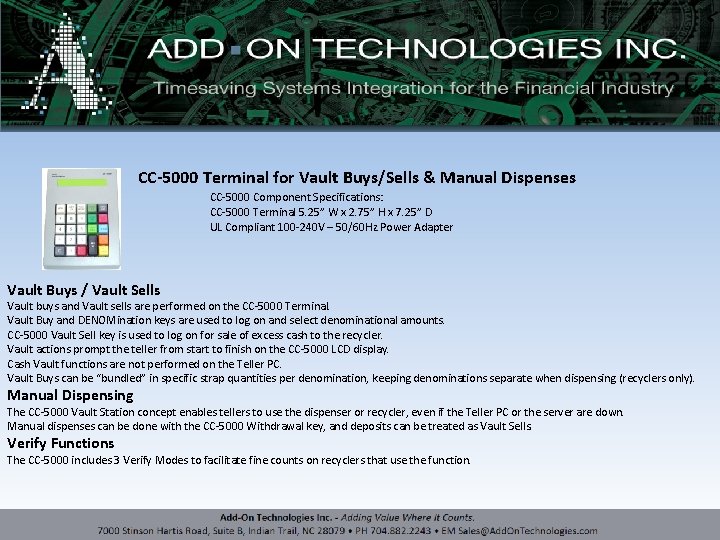
CC-5000 Terminal for Vault Buys/Sells & Manual Dispenses CC-5000 Component Specifications: CC-5000 Terminal 5. 25” W x 2. 75” H x 7. 25” D UL Compliant 100 -240 V – 50/60 Hz Power Adapter Vault Buys / Vault Sells Vault buys and Vault sells are performed on the CC-5000 Terminal. Vault Buy and DENOMination keys are used to log on and select denominational amounts. CC-5000 Vault Sell key is used to log on for sale of excess cash to the recycler. Vault actions prompt the teller from start to finish on the CC-5000 LCD display. Cash Vault functions are not performed on the Teller PC. Vault Buys can be “bundled” in specific strap quantities per denomination, keeping denominations separate when dispensing (recyclers only). Manual Dispensing The CC-5000 Vault Station concept enables tellers to use the dispenser or recycler, even if the Teller PC or the server are down. Manual dispenses can be done with the CC-5000 Withdrawal key, and deposits can be treated as Vault Sells. Verify Functions The CC-5000 includes 3 Verify Modes to facilitate fine counts on recyclers that use the function.
- Slides: 10