
DUT 122 INFORMATION TECHNOLOGY SKILLS CHAPTER 2 COMPUTER
- Slides: 87
DUT 122 INFORMATION TECHNOLOGY SKILLS CHAPTER 2: COMPUTER HARDWARE PREPARED BY : NUR AZILA AZAHARI IKOM, JEJAWI, UNIMAP
OBJECTIVES OVERVIEW Explains definition of computer hardware and components includes. Differentiate the functions each of system unit Differentiate the functions each of the computer hardware Types of storage
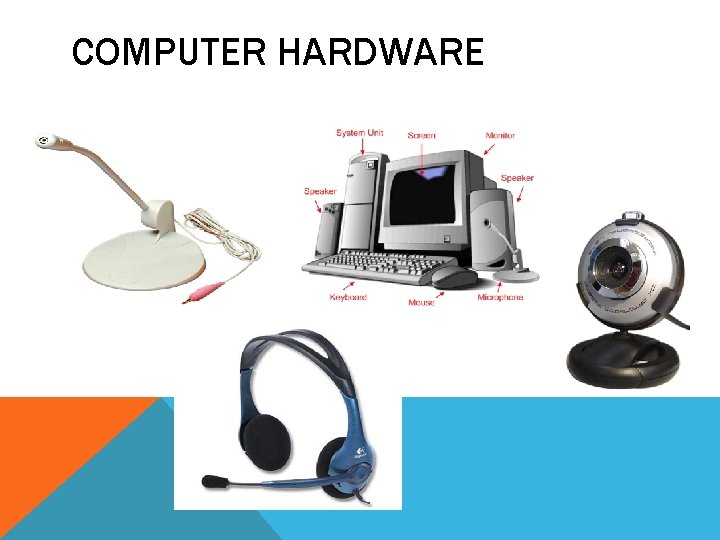
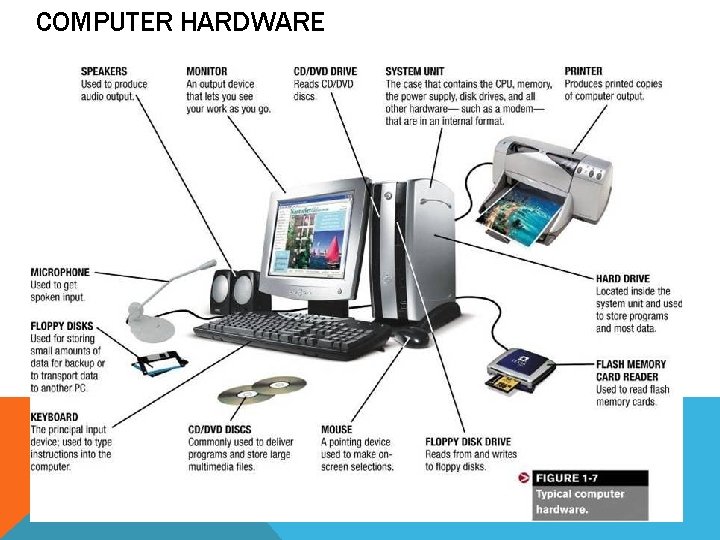
DEFINITION – COMPUTER HARDWARE Computer hardware is the collection of physical parts of a computer system. This includes the computer case, monitor, keyboard, and mouse. It also includes all the parts inside the computer case, such as the hard disk drive, motherboard, video card, and many others. Computer hardware is what you can physically touch. – study. com Notes : A computer system consists of two major elements: hardware and software. Physically touch : tangible or can touch by your hand feel it.
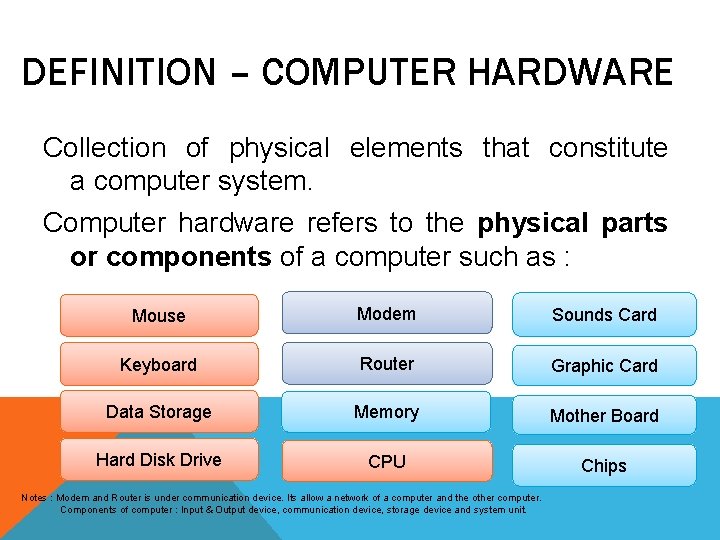
DEFINITION – COMPUTER HARDWARE Collection of physical elements that constitute a computer system. Computer hardware refers to the physical parts or components of a computer such as : Mouse Modem Sounds Card Keyboard Router Graphic Card Data Storage Memory Mother Board Hard Disk Drive CPU Chips Notes : Modem and Router is under communication device. Its allow a network of a computer and the other computer. Components of computer : Input & Output device, communication device, storage device and system unit.
COMPUTER HARDWARE
DEFINITION - COMPUTER SOFTWARE • Computer software is any set of instructions that directs a computer to perform specific operations. Computer software consists of computer programs, libraries and related non-executable data (such as online documentation or digital media). Computer software is non-tangible, contrasted with computer hardware, which is the physical component of computers. Computer hardware and software require each other and neither can be realistically used without the other. – wikipedia. org üIn contrast, software is untouchable. Software exists as ideas, application, concepts, and symbols, but it has no substance. üA combination of hardware and software forms a usable computing system
COMPUTER HARDWARE
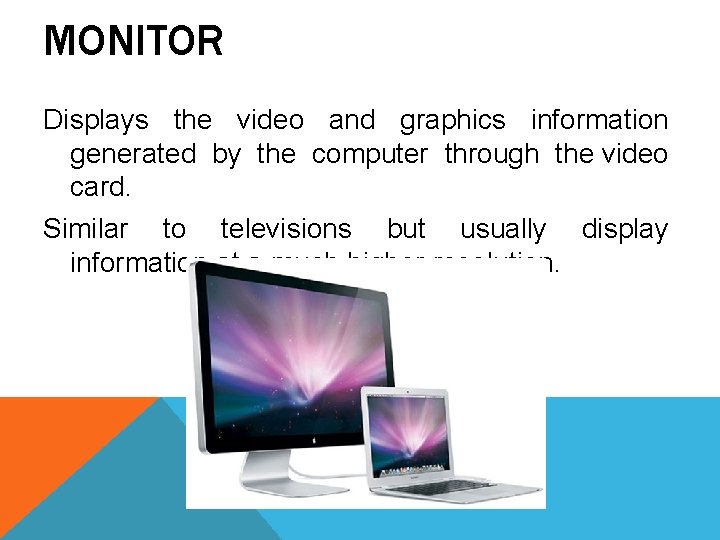
MONITOR Displays the video and graphics information generated by the computer through the video card. Similar to televisions but usually display information at a much higher resolution.
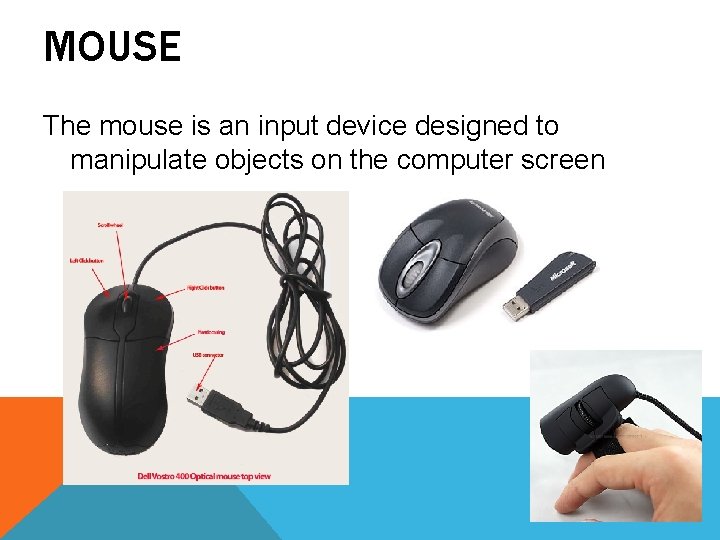
MOUSE The mouse is an input device designed to manipulate objects on the computer screen
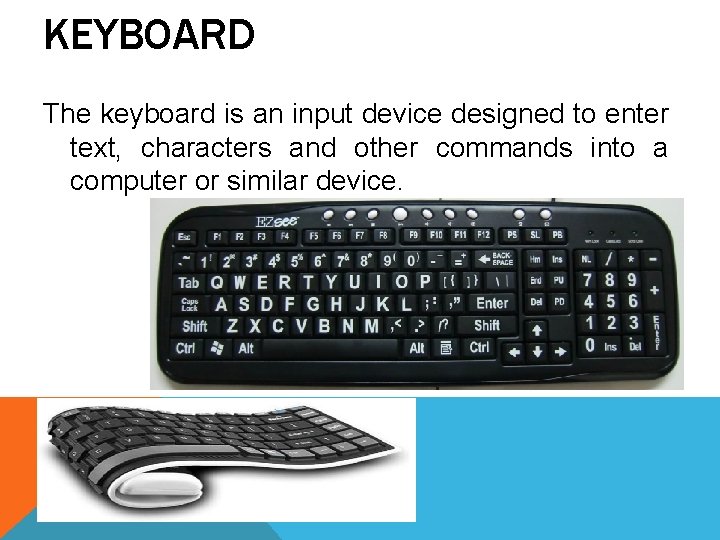
KEYBOARD The keyboard is an input device designed to enter text, characters and other commands into a computer or similar device.
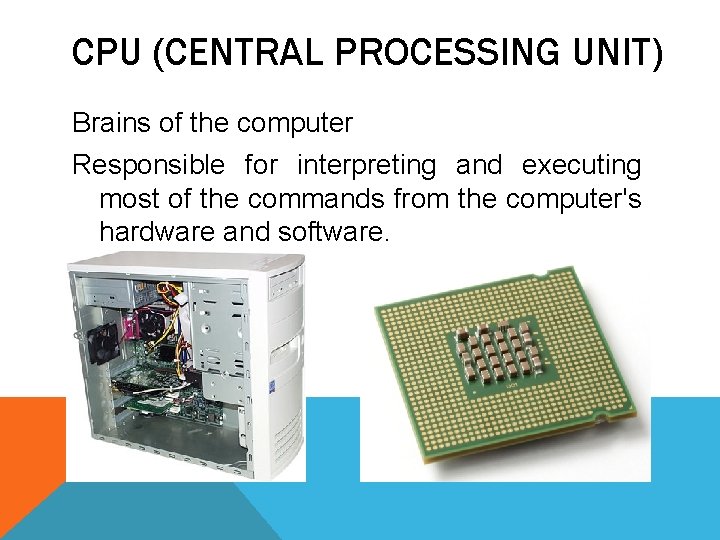
CPU (CENTRAL PROCESSING UNIT) Brains of the computer Responsible for interpreting and executing most of the commands from the computer's hardware and software.
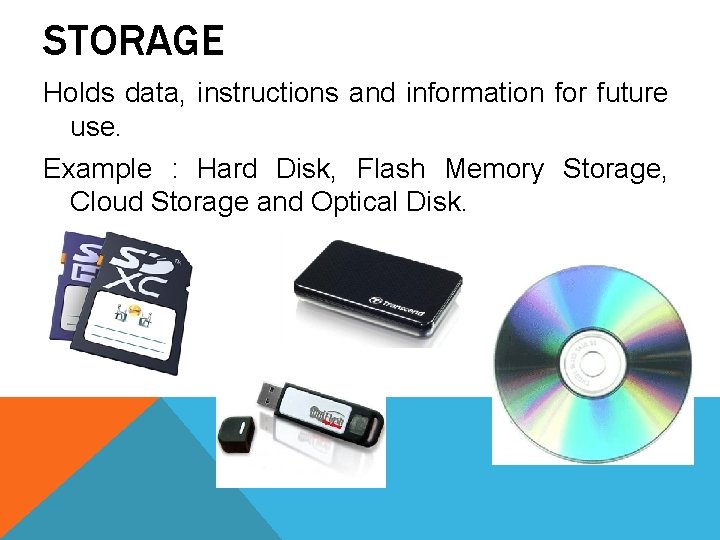
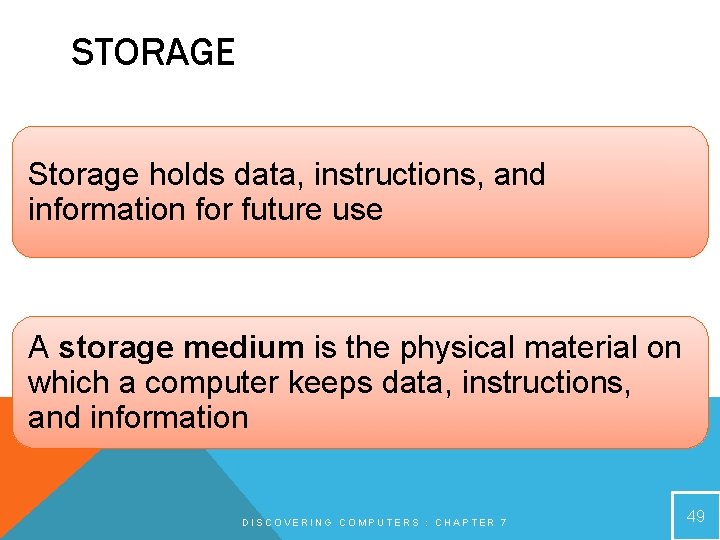
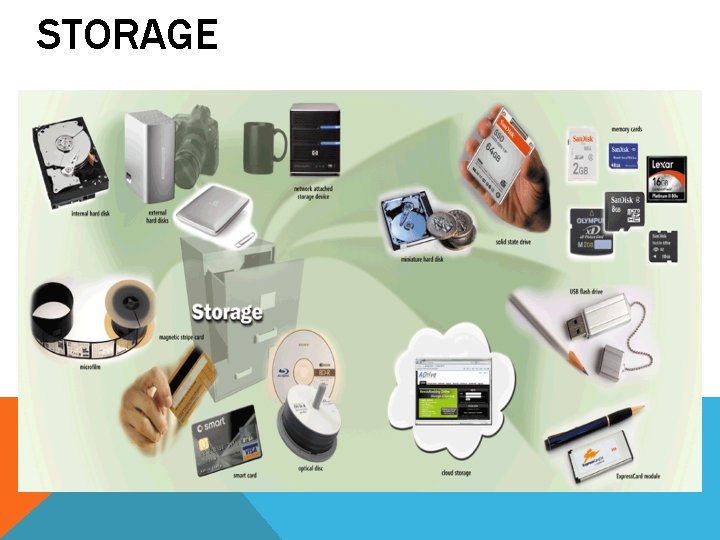
STORAGE Holds data, instructions and information for future use. Example : Hard Disk, Flash Memory Storage, Cloud Storage and Optical Disk.
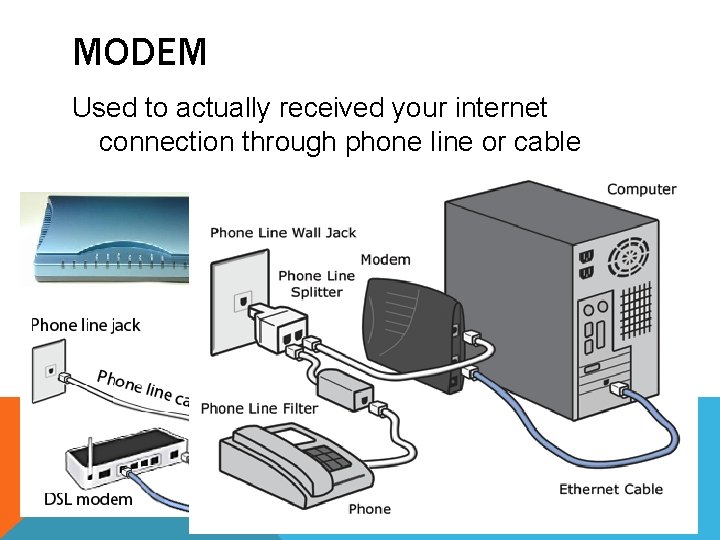
MODEM Used to actually received your internet connection through phone line or cable
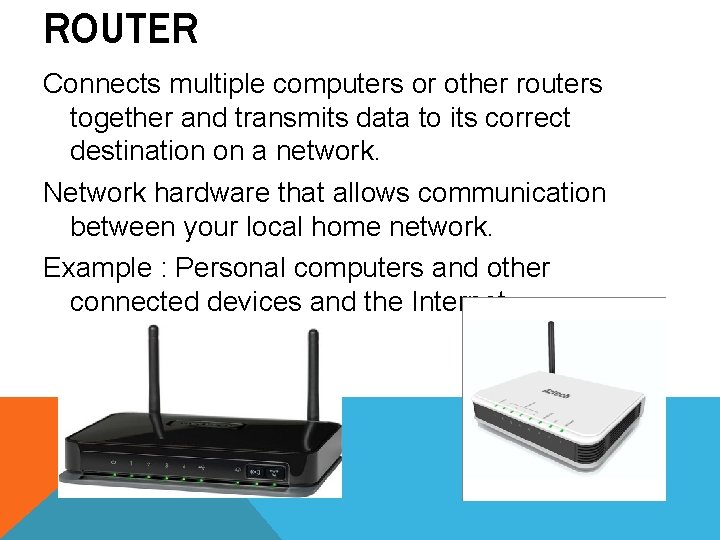
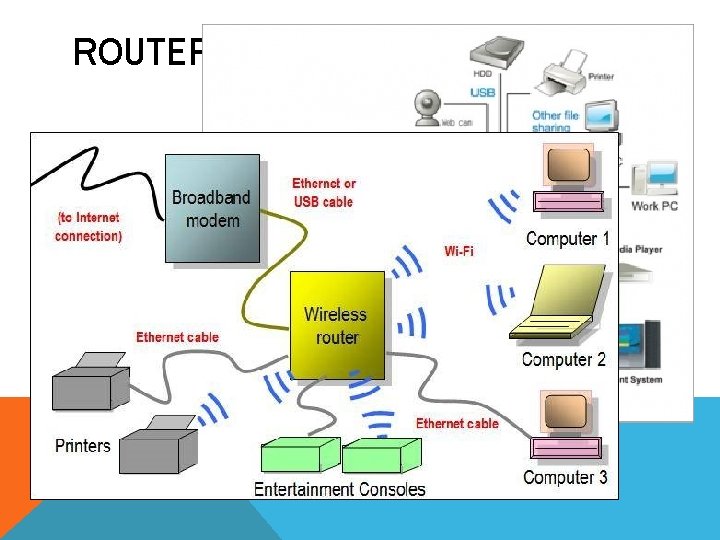
ROUTER Connects multiple computers or other routers together and transmits data to its correct destination on a network. Network hardware that allows communication between your local home network. Example : Personal computers and other connected devices and the Internet.
ROUTER
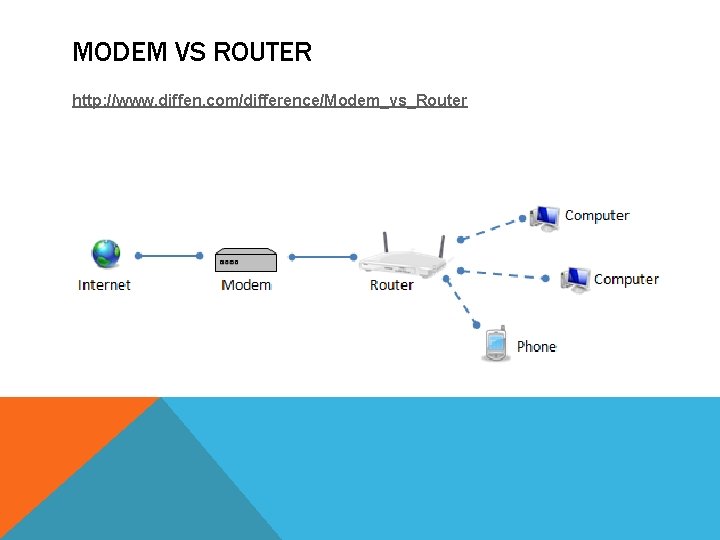
MODEM VS ROUTER http: //www. diffen. com/difference/Modem_vs_Router
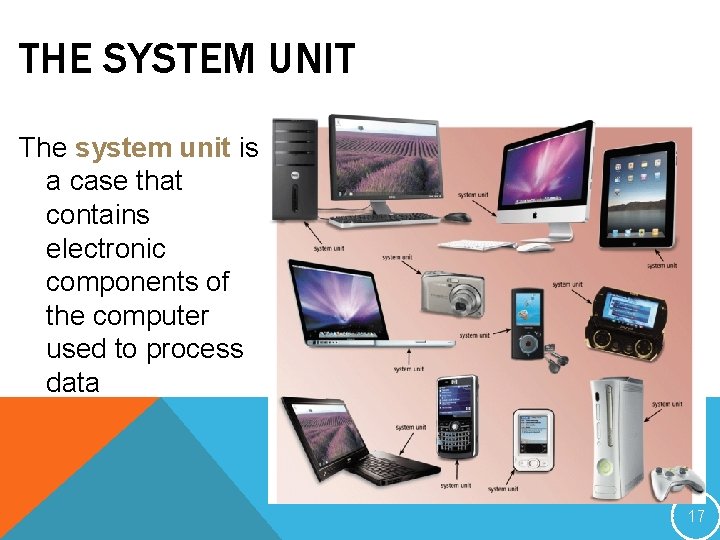
THE SYSTEM UNIT The system unit is a case that contains electronic components of the computer used to process data 17
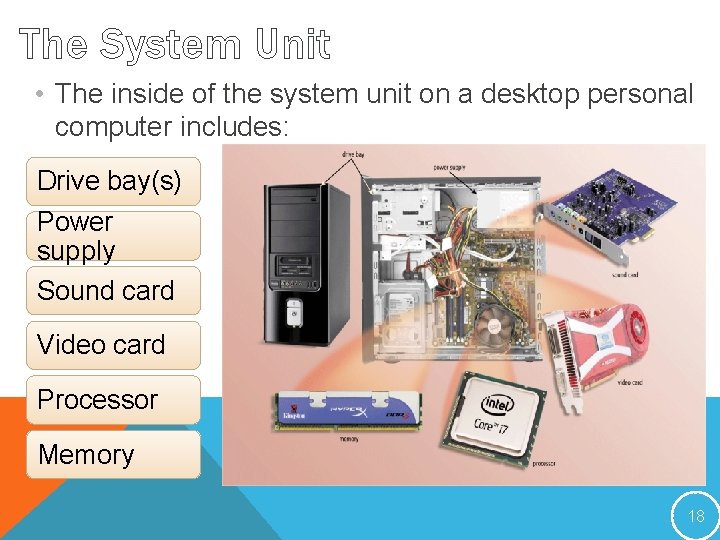
The System Unit • The inside of the system unit on a desktop personal computer includes: Drive bay(s) Power supply Sound card Video card Processor Memory 18
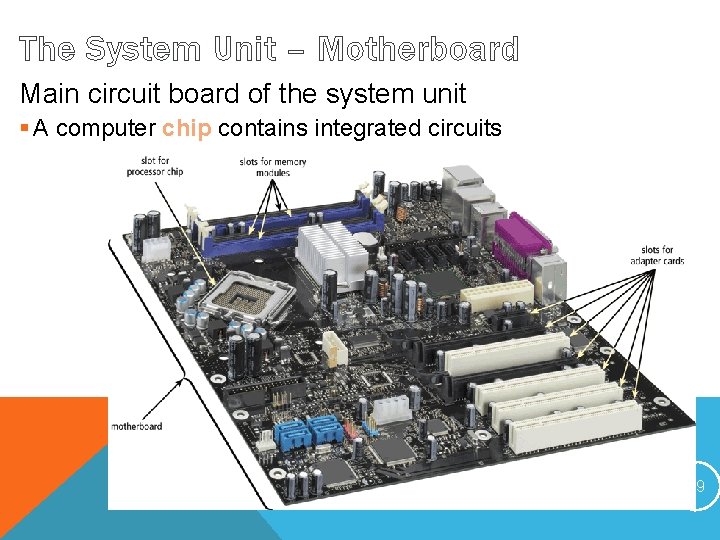
The System Unit – Motherboard Main circuit board of the system unit § A computer chip contains integrated circuits DISCOVERING COMPUTERS 2012: CHAPTER 4 19
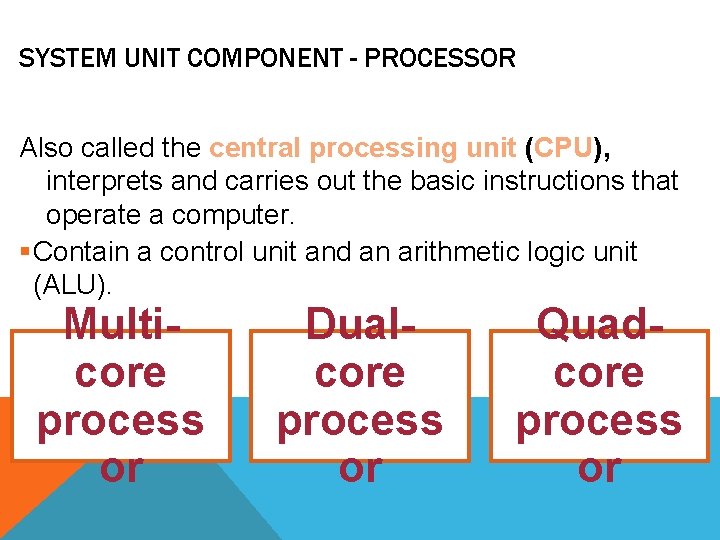
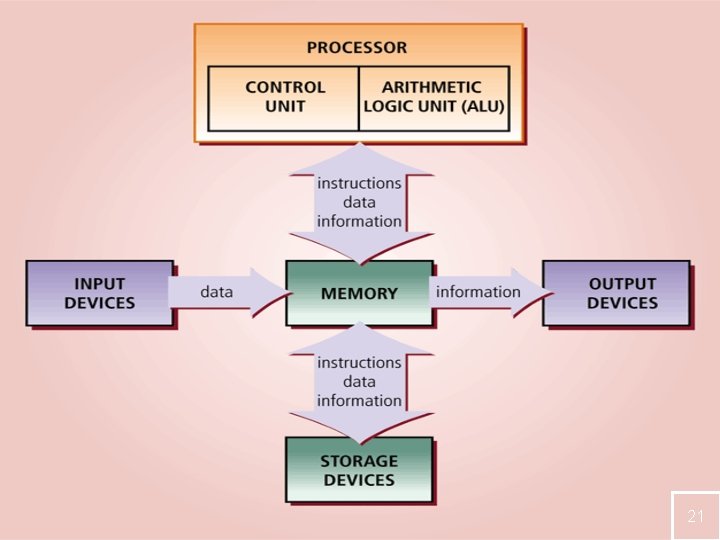
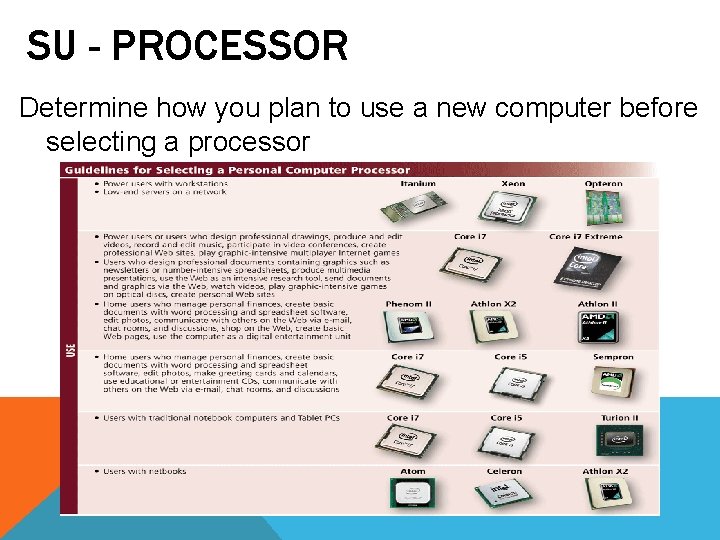
SYSTEM UNIT COMPONENT - PROCESSOR Also called the central processing unit (CPU), interprets and carries out the basic instructions that operate a computer. §Contain a control unit and an arithmetic logic unit (ALU). Multicore process or Dualcore process or Quadcore process or
21
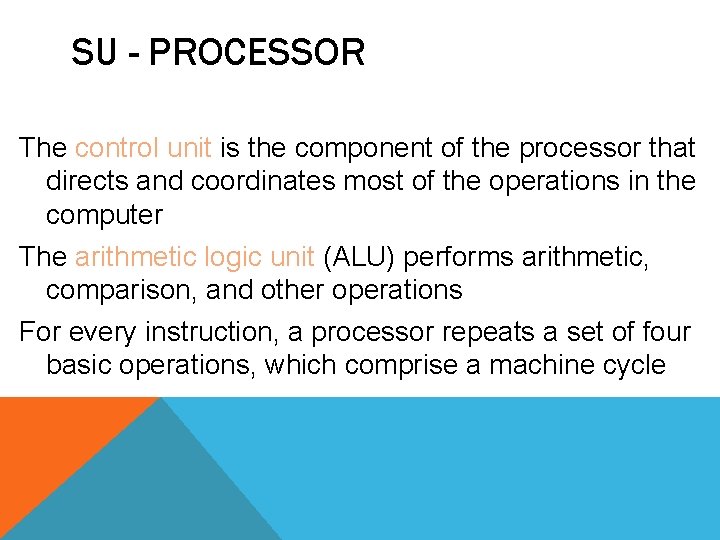
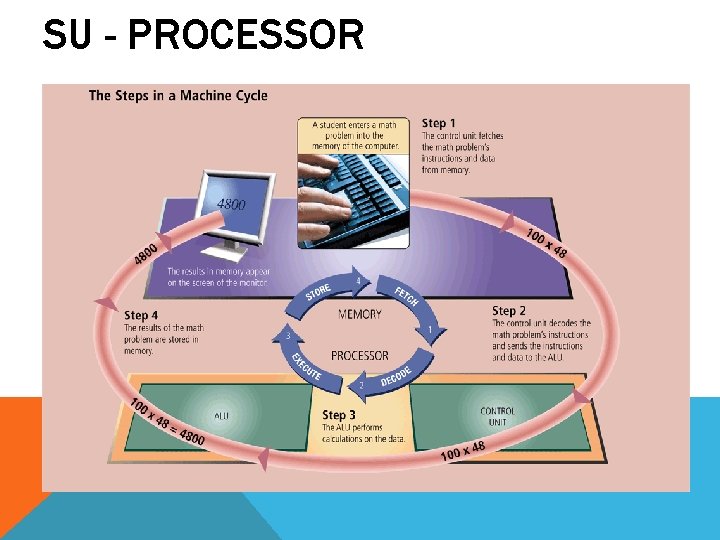
SU - PROCESSOR The control unit is the component of the processor that directs and coordinates most of the operations in the computer The arithmetic logic unit (ALU) performs arithmetic, comparison, and other operations For every instruction, a processor repeats a set of four basic operations, which comprise a machine cycle
SU - PROCESSOR
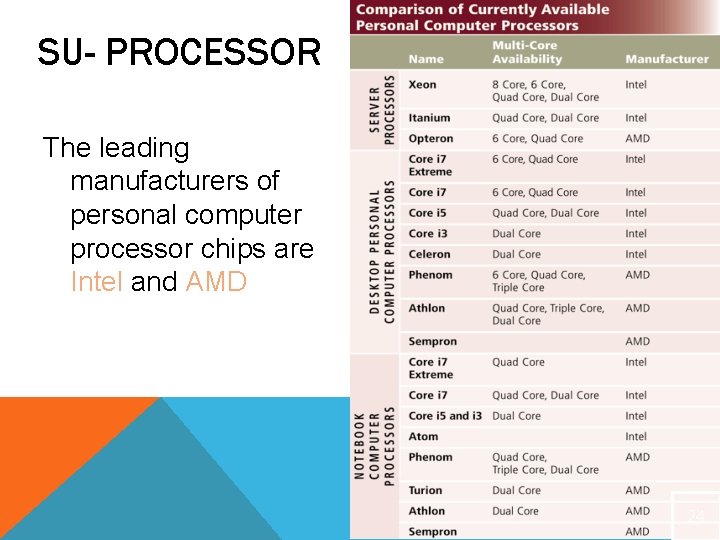
SU- PROCESSOR The leading manufacturers of personal computer processor chips are Intel and AMD 24
SU - PROCESSOR Determine how you plan to use a new computer before selecting a processor
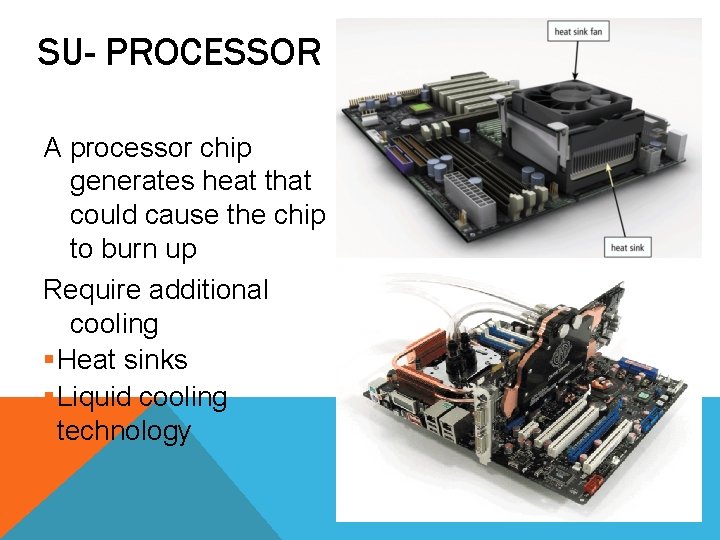
SU- PROCESSOR A processor chip generates heat that could cause the chip to burn up Require additional cooling §Heat sinks §Liquid cooling technology
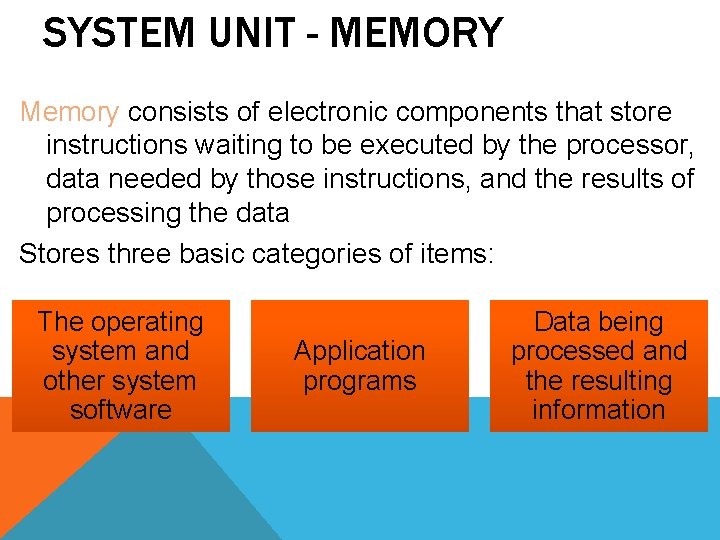
SYSTEM UNIT - MEMORY Memory consists of electronic components that store instructions waiting to be executed by the processor, data needed by those instructions, and the results of processing the data Stores three basic categories of items: The operating system and other system software Application programs Data being processed and the resulting information
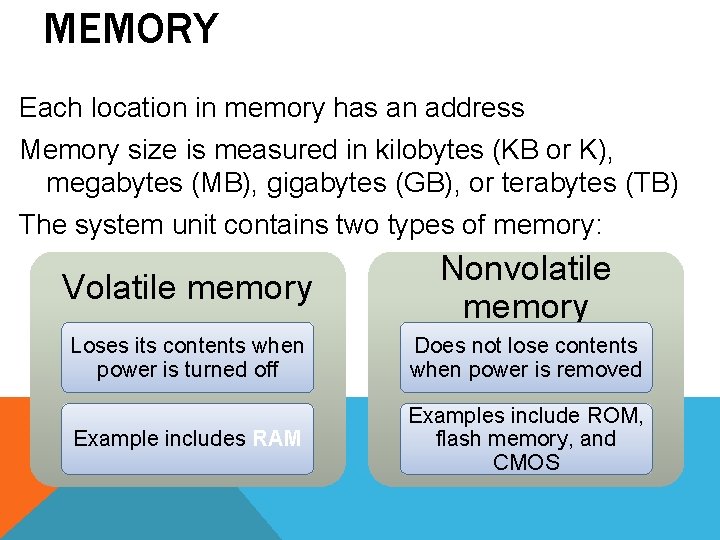
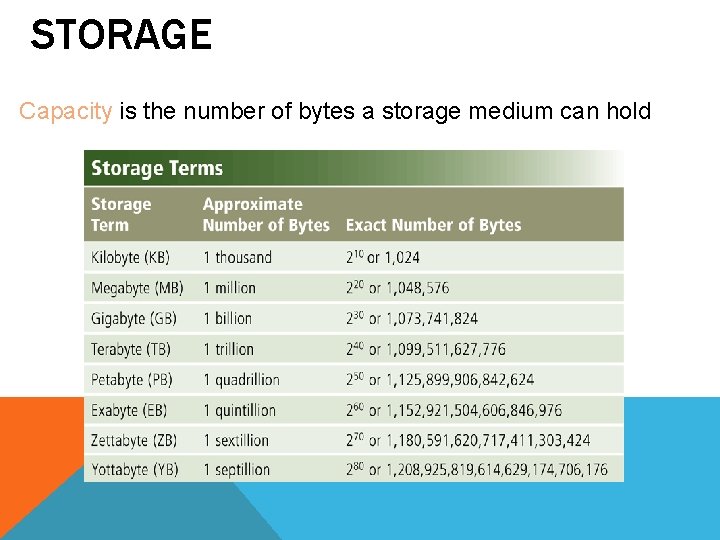
MEMORY Each location in memory has an address Memory size is measured in kilobytes (KB or K), megabytes (MB), gigabytes (GB), or terabytes (TB) The system unit contains two types of memory: Volatile memory Nonvolatile memory Loses its contents when power is turned off Does not lose contents when power is removed Example includes RAM Examples include ROM, flash memory, and CMOS
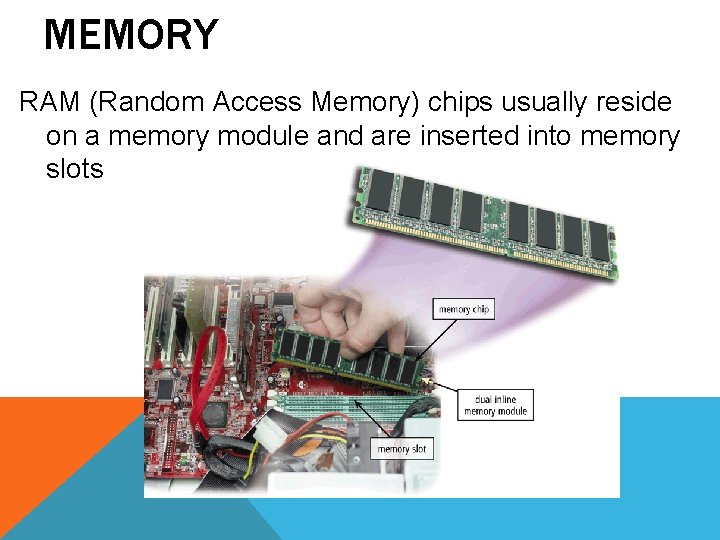
MEMORY RAM (Random Access Memory) chips usually reside on a memory module and are inserted into memory slots
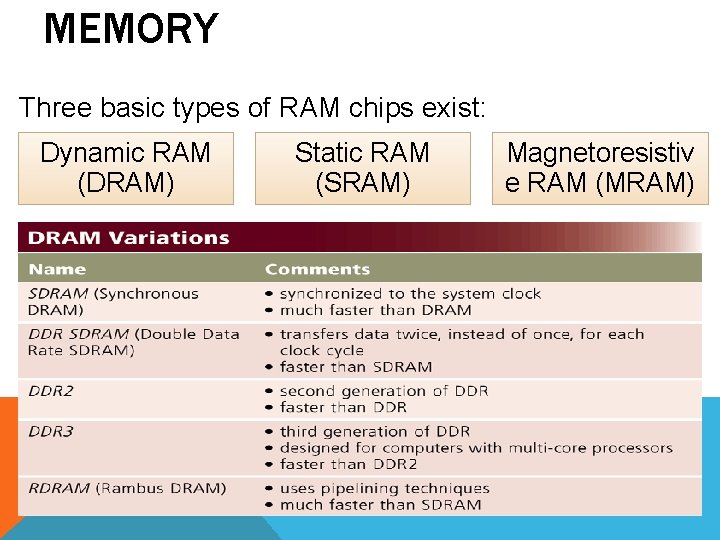
MEMORY Three basic types of RAM chips exist: Dynamic RAM (DRAM) Static RAM (SRAM) Magnetoresistiv e RAM (MRAM)
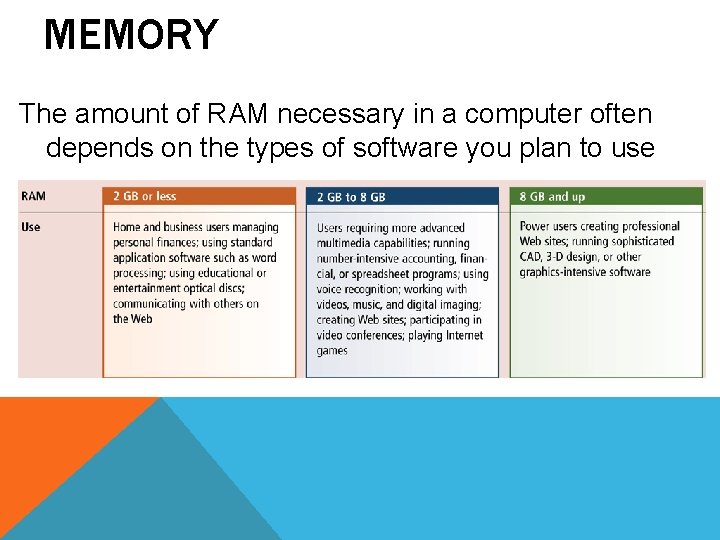
MEMORY The amount of RAM necessary in a computer often depends on the types of software you plan to use
MEMORY Read-only memory (ROM) refers to memory chips storing permanent data and instructions Flash memory can be erased electronically and rewritten
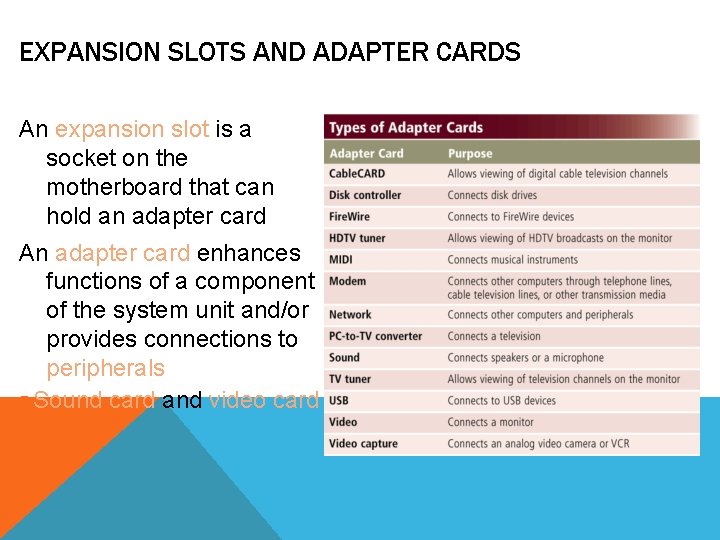
EXPANSION SLOTS AND ADAPTER CARDS An expansion slot is a socket on the motherboard that can hold an adapter card An adapter card enhances functions of a component of the system unit and/or provides connections to peripherals § Sound card and video card
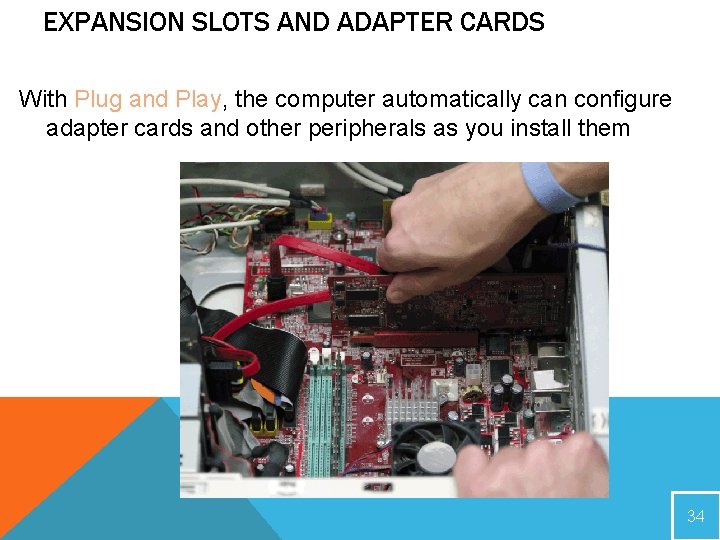
EXPANSION SLOTS AND ADAPTER CARDS With Plug and Play, the computer automatically can configure adapter cards and other peripherals as you install them 34
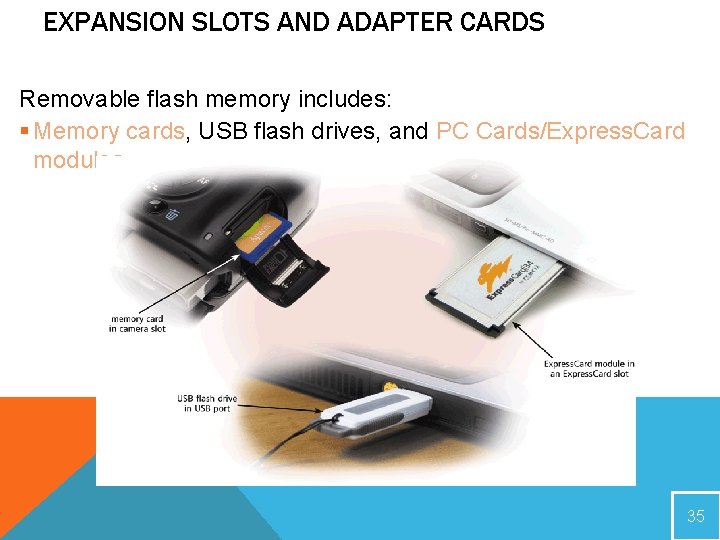
EXPANSION SLOTS AND ADAPTER CARDS Removable flash memory includes: § Memory cards, USB flash drives, and PC Cards/Express. Card modules 35
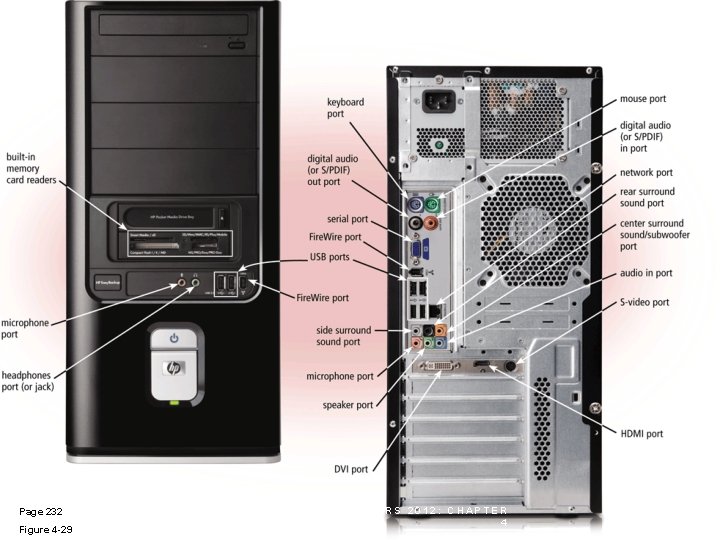
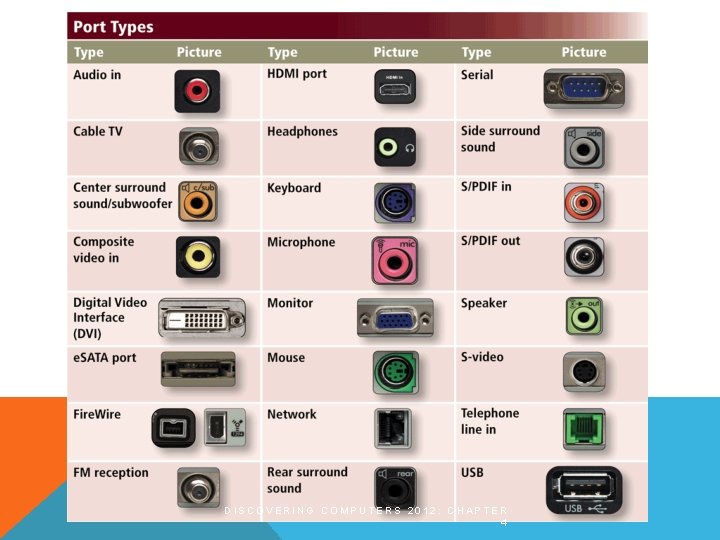
PORTS AND CONNECTORS A port is the point at which a peripheral attaches to or communicates with a system unit (sometimes referred to as a jack) A connector joins a cable to a port
Page 232 Figure 4 -29 DISCOVERING COMPUTERS 2012: CHAPTER 4 37
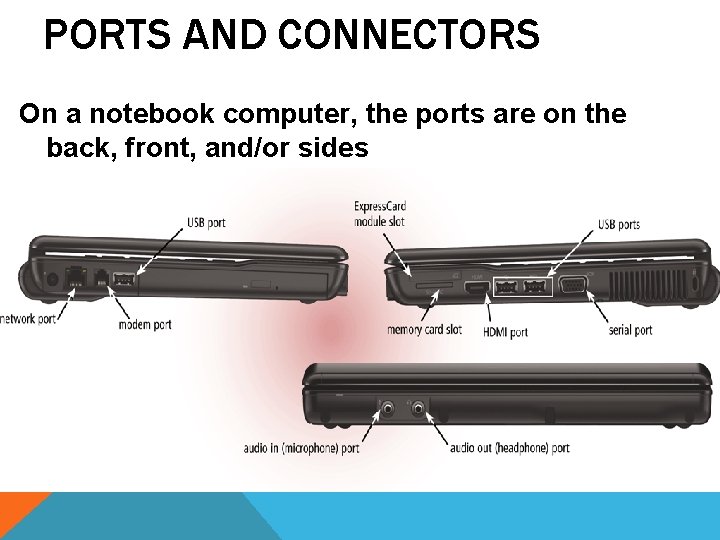
PORTS AND CONNECTORS On a notebook computer, the ports are on the back, front, and/or sides
DISCOVERING COMPUTERS 2012: CHAPTER 4
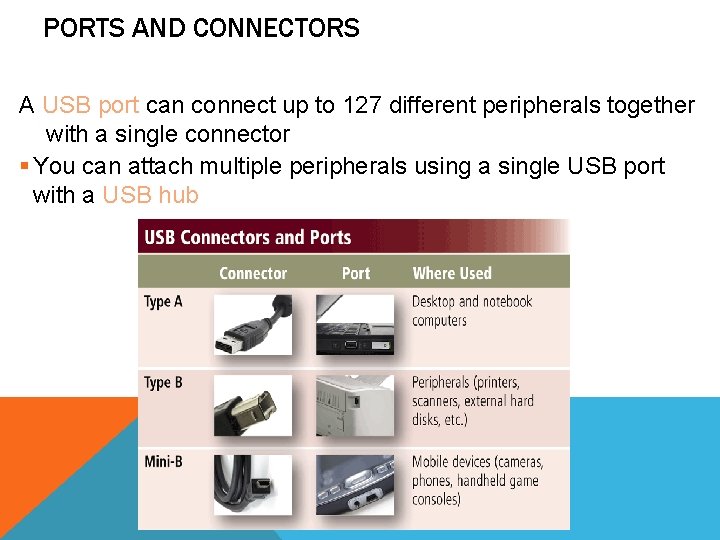
PORTS AND CONNECTORS A USB port can connect up to 127 different peripherals together with a single connector § You can attach multiple peripherals using a single USB port with a USB hub
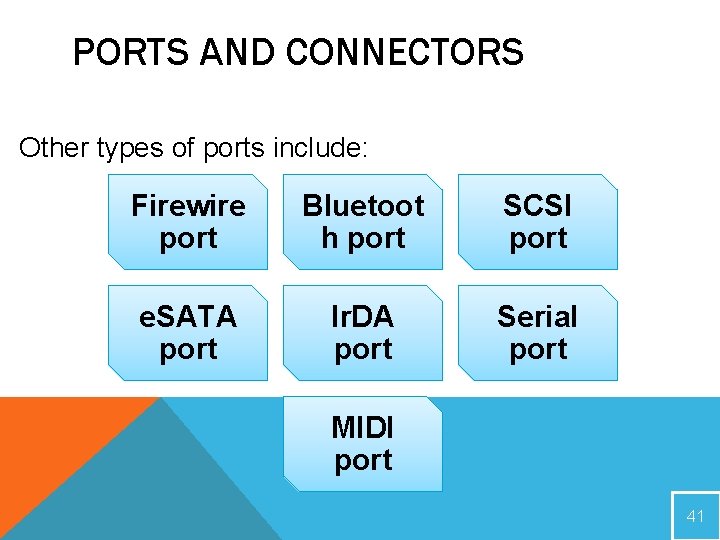
PORTS AND CONNECTORS Other types of ports include: Firewire port Bluetoot h port SCSI port e. SATA port Ir. DA port Serial port MIDI port 41
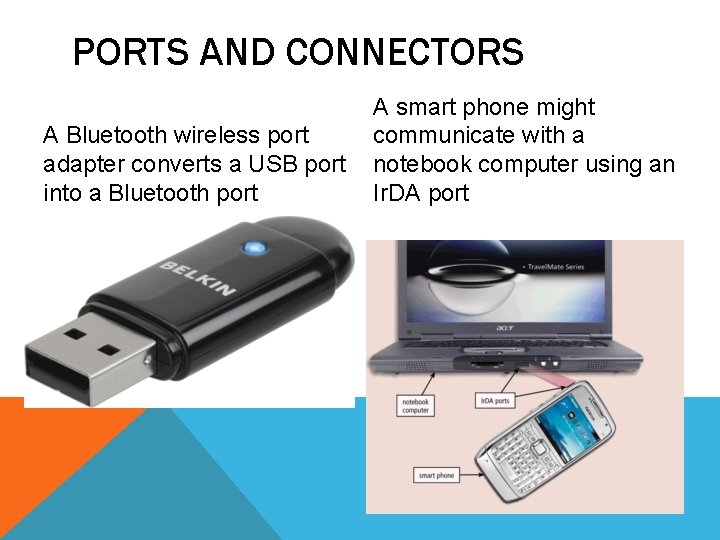
PORTS AND CONNECTORS A Bluetooth wireless port adapter converts a USB port into a Bluetooth port A smart phone might communicate with a notebook computer using an Ir. DA port
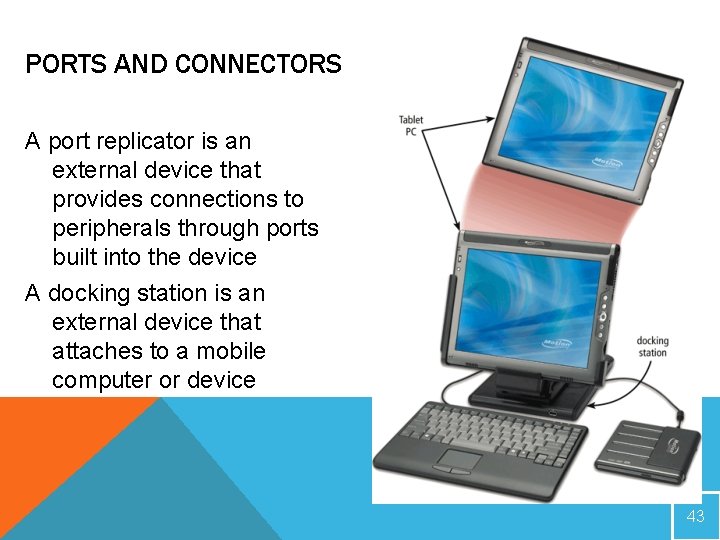
PORTS AND CONNECTORS A port replicator is an external device that provides connections to peripherals through ports built into the device A docking station is an external device that attaches to a mobile computer or device 43
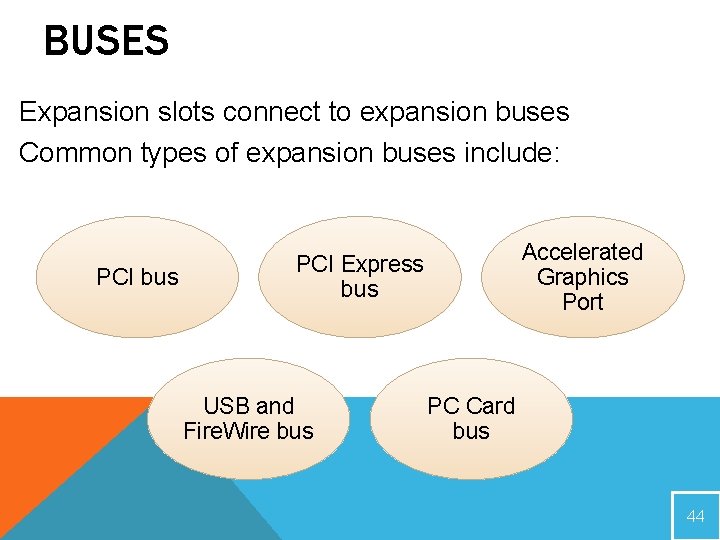
BUSES Expansion slots connect to expansion buses Common types of expansion buses include: PCI bus Accelerated Graphics Port PCI Express bus USB and Fire. Wire bus PC Card bus 44
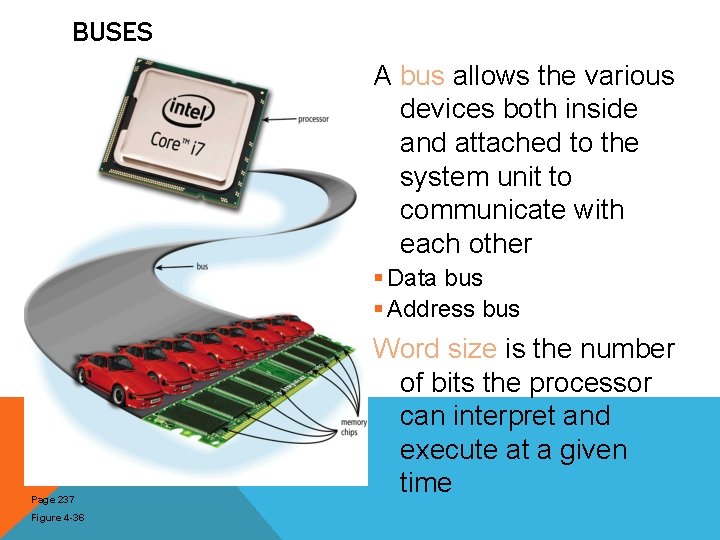
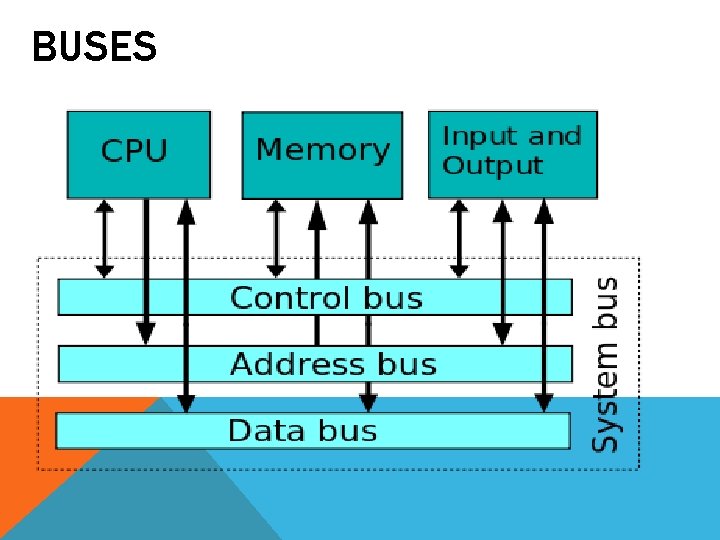
BUSES A bus allows the various devices both inside and attached to the system unit to communicate with each other § Data bus § Address bus Page 237 Figure 4 -36 Word size is the number of bits the processor can interpret and execute at a given time
BUSES
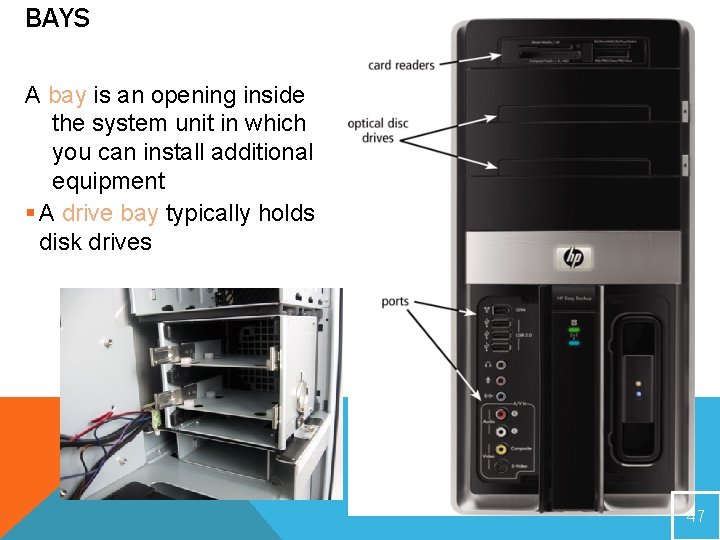
BAYS A bay is an opening inside the system unit in which you can install additional equipment § A drive bay typically holds disk drives 47
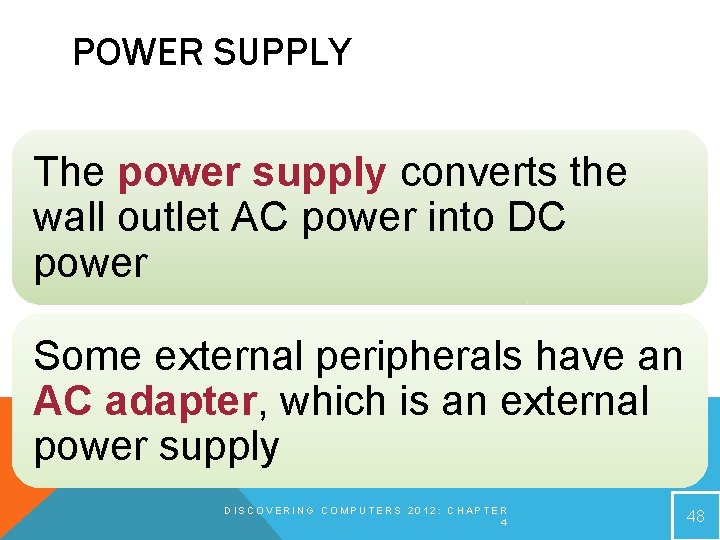
POWER SUPPLY The power supply converts the wall outlet AC power into DC power Some external peripherals have an AC adapter, which is an external power supply DISCOVERING COMPUTERS 2012: CHAPTER 4 48
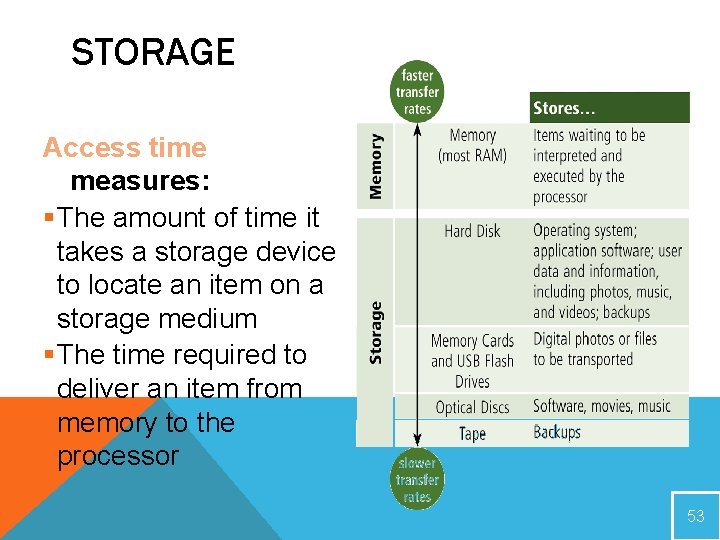
STORAGE Storage holds data, instructions, and information for future use A storage medium is the physical material on which a computer keeps data, instructions, and information DISCOVERING COMPUTERS : CHAPTER 7 49
STORAGE
STORAGE Capacity is the number of bytes a storage medium can hold
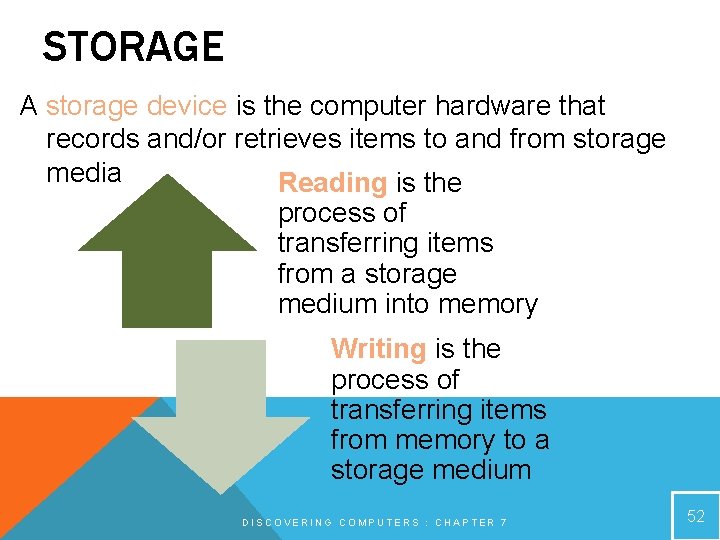
STORAGE A storage device is the computer hardware that records and/or retrieves items to and from storage media Reading is the process of transferring items from a storage medium into memory Writing is the process of transferring items from memory to a storage medium DISCOVERING COMPUTERS : CHAPTER 7 52
STORAGE Access time measures: §The amount of time it takes a storage device to locate an item on a storage medium §The time required to deliver an item from memory to the processor 53
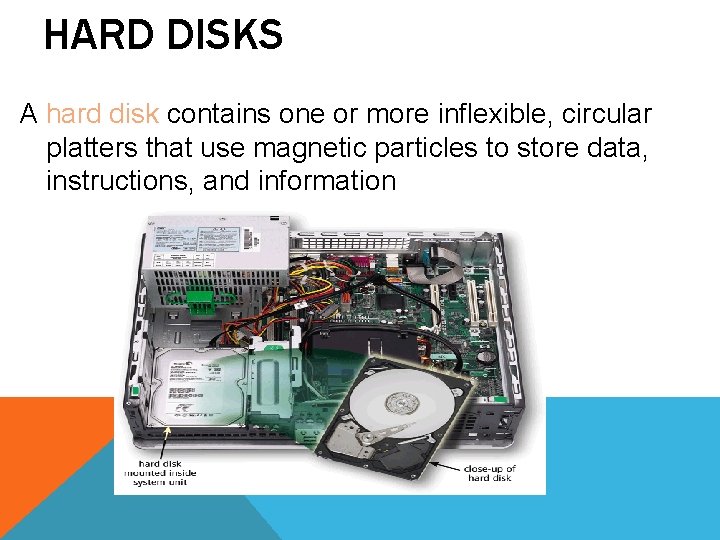
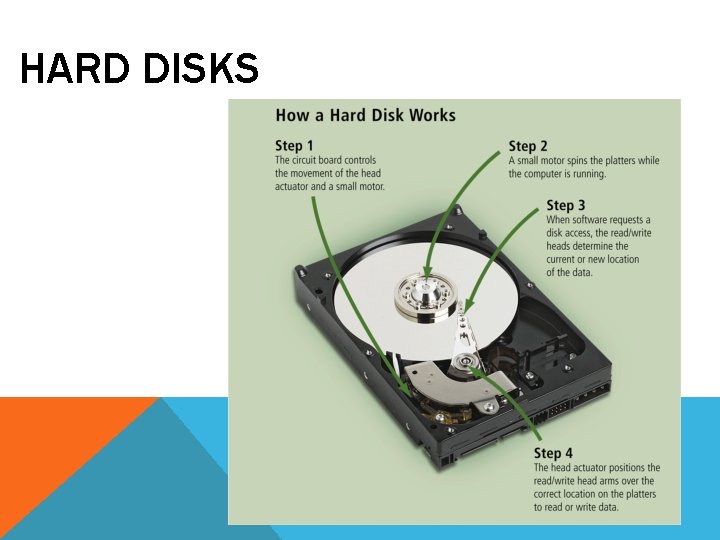
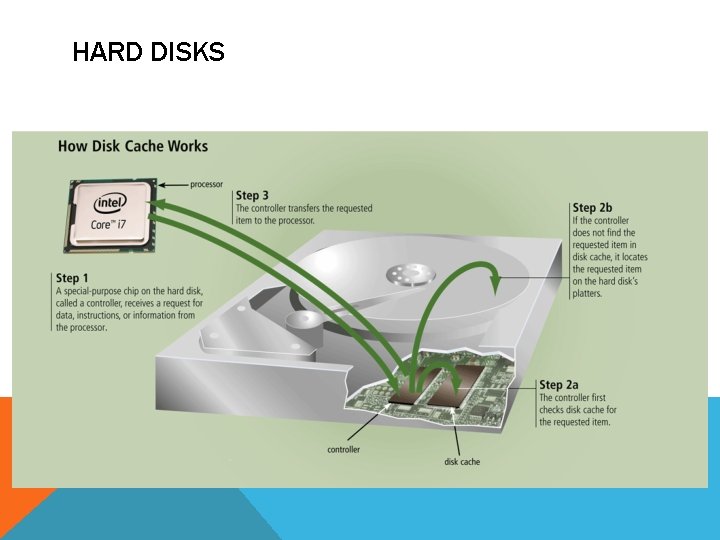
HARD DISKS A hard disk contains one or more inflexible, circular platters that use magnetic particles to store data, instructions, and information
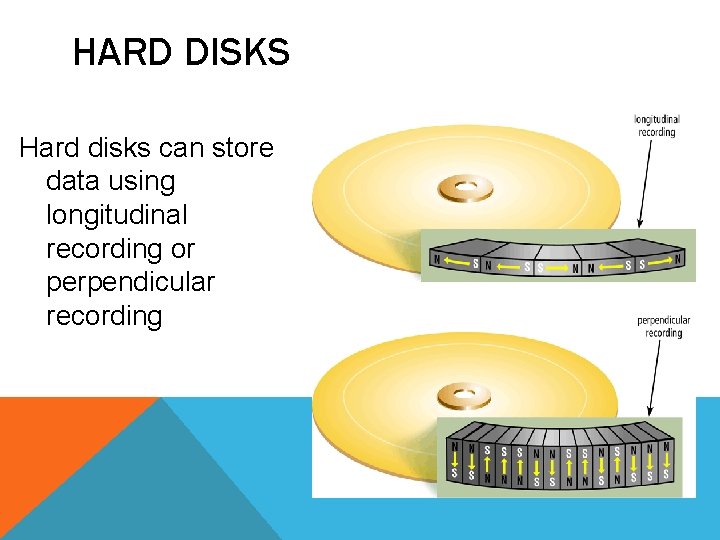
HARD DISKS Hard disks can store data using longitudinal recording or perpendicular recording
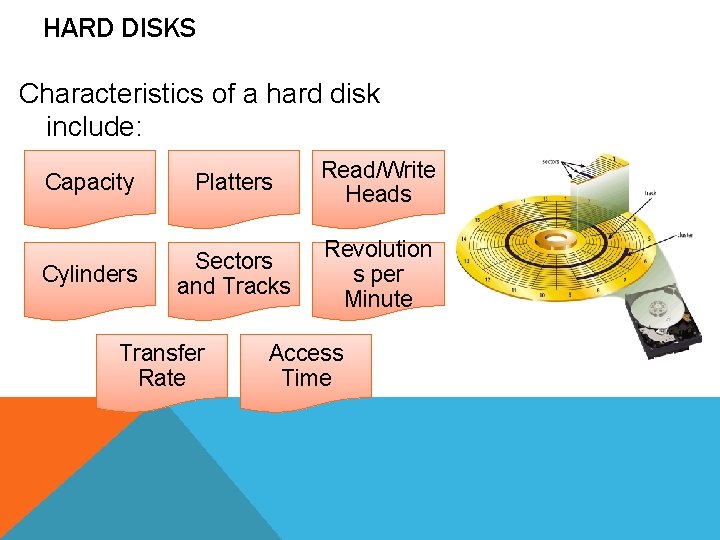
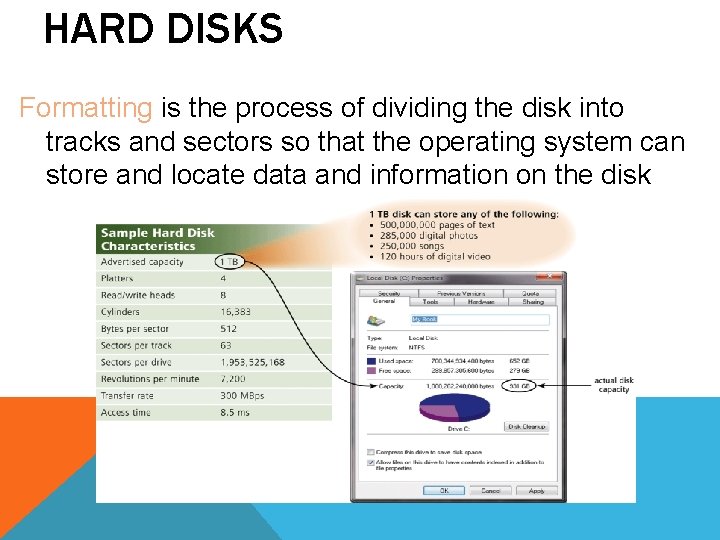
HARD DISKS Characteristics of a hard disk include: Capacity Platters Read/Write Heads Cylinders Sectors and Tracks Revolution s per Minute Transfer Rate Access Time
HARD DISKS Formatting is the process of dividing the disk into tracks and sectors so that the operating system can store and locate data and information on the disk
HARD DISKS
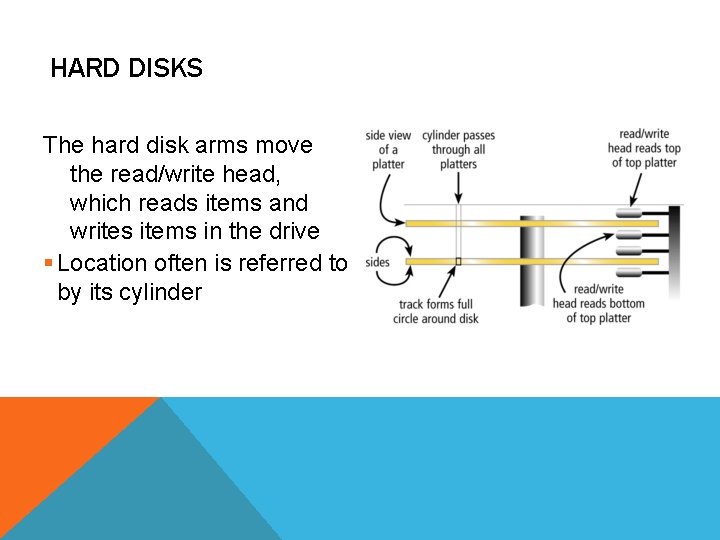
HARD DISKS The hard disk arms move the read/write head, which reads items and writes items in the drive § Location often is referred to by its cylinder
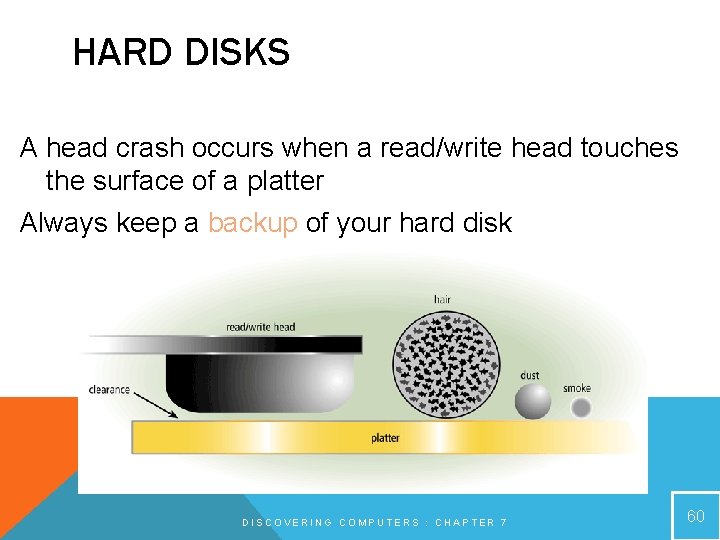
HARD DISKS A head crash occurs when a read/write head touches the surface of a platter Always keep a backup of your hard disk DISCOVERING COMPUTERS : CHAPTER 7 60
HARD DISKS
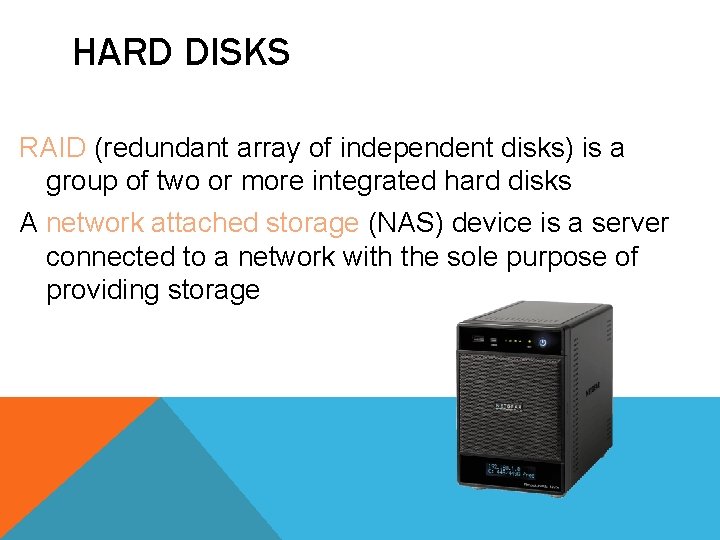
HARD DISKS RAID (redundant array of independent disks) is a group of two or more integrated hard disks A network attached storage (NAS) device is a server connected to a network with the sole purpose of providing storage
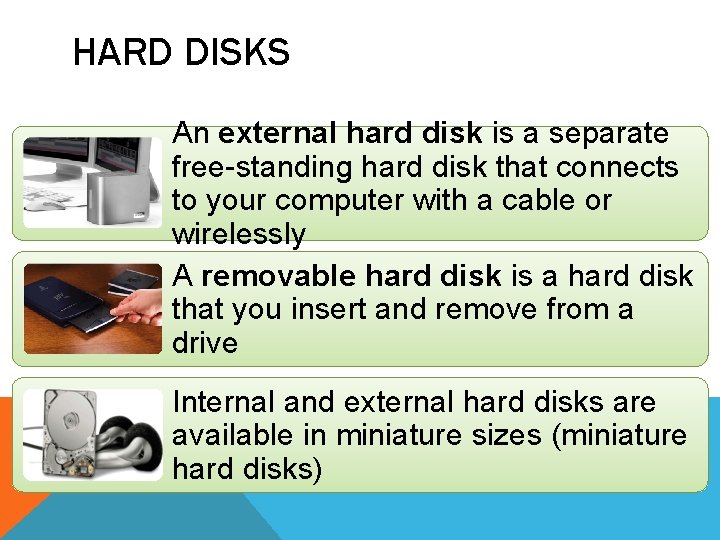
HARD DISKS An external hard disk is a separate free-standing hard disk that connects to your computer with a cable or wirelessly A removable hard disk is a hard disk that you insert and remove from a drive Internal and external hard disks are available in miniature sizes (miniature hard disks)
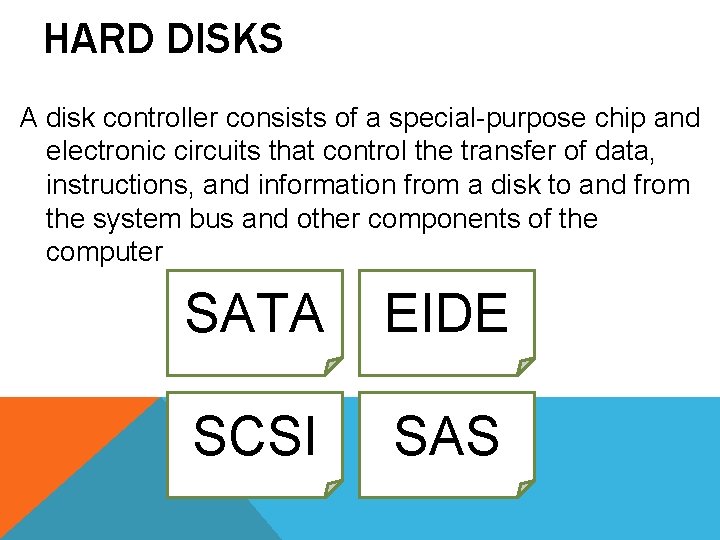
HARD DISKS A disk controller consists of a special-purpose chip and electronic circuits that control the transfer of data, instructions, and information from a disk to and from the system bus and other components of the computer SATA EIDE SCSI SAS
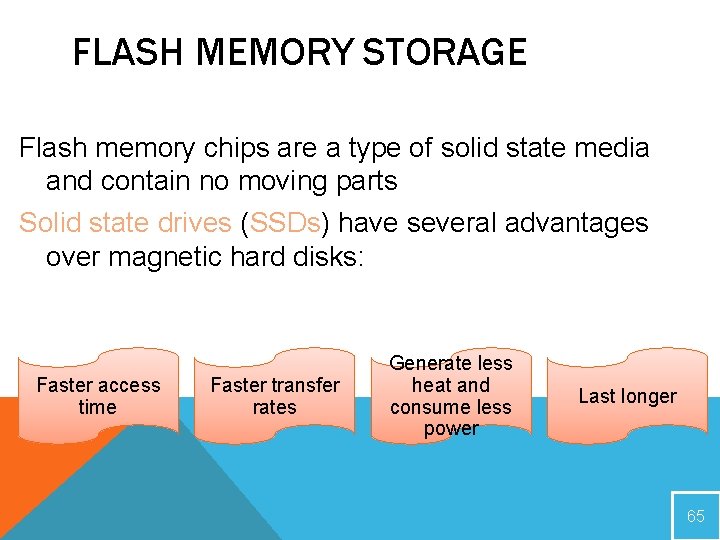
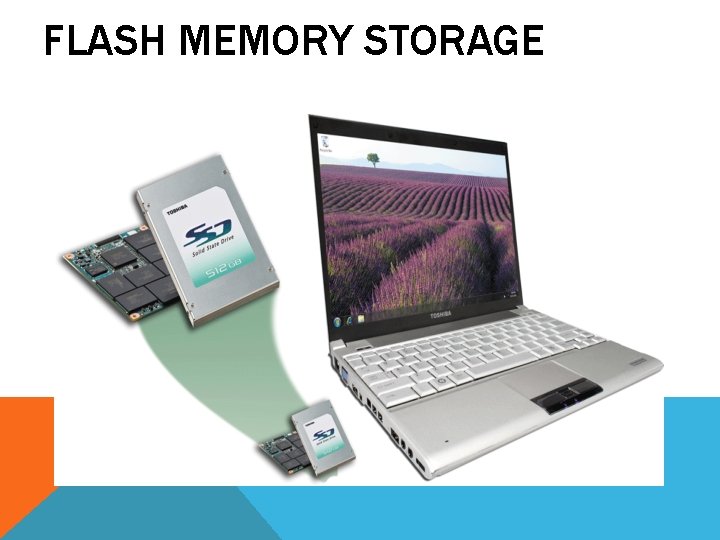
FLASH MEMORY STORAGE Flash memory chips are a type of solid state media and contain no moving parts Solid state drives (SSDs) have several advantages over magnetic hard disks: Faster access time Faster transfer rates Generate less heat and consume less power Last longer 65
FLASH MEMORY STORAGE
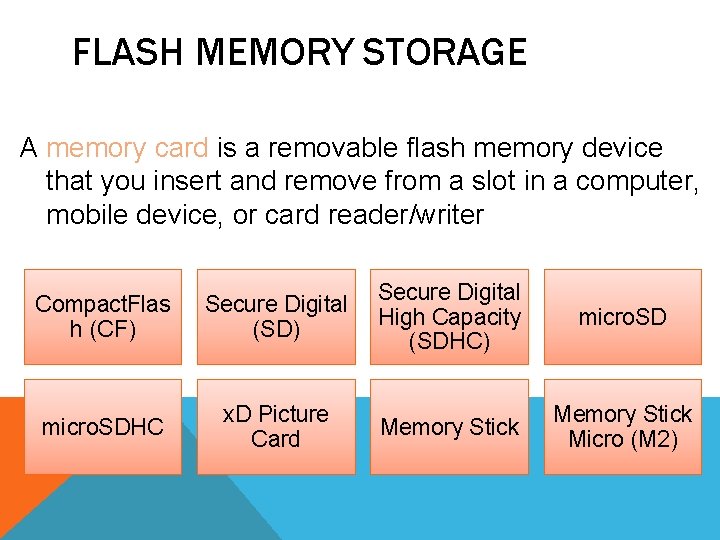
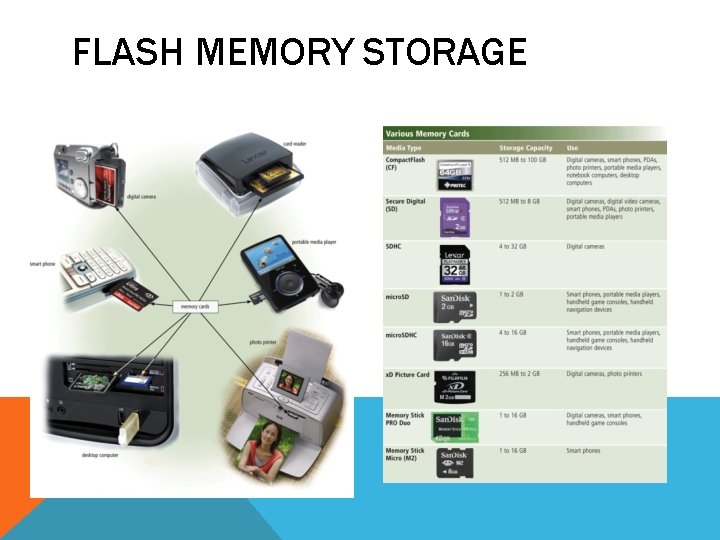
FLASH MEMORY STORAGE A memory card is a removable flash memory device that you insert and remove from a slot in a computer, mobile device, or card reader/writer Compact. Flas h (CF) Secure Digital (SD) Secure Digital High Capacity (SDHC) micro. SDHC x. D Picture Card Memory Stick micro. SD Memory Stick Micro (M 2)
FLASH MEMORY STORAGE
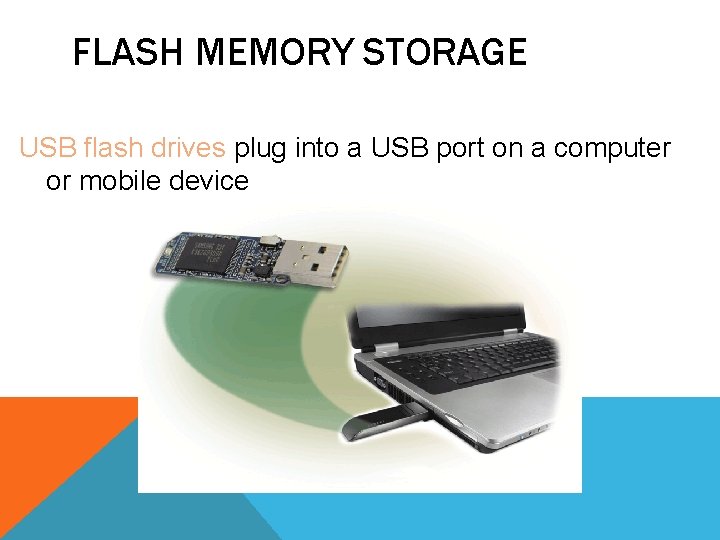
FLASH MEMORY STORAGE USB flash drives plug into a USB port on a computer or mobile device
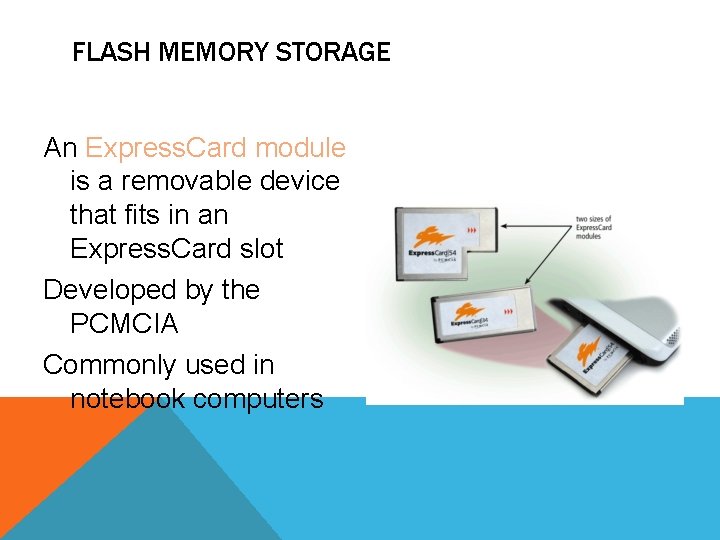
FLASH MEMORY STORAGE An Express. Card module is a removable device that fits in an Express. Card slot Developed by the PCMCIA Commonly used in notebook computers
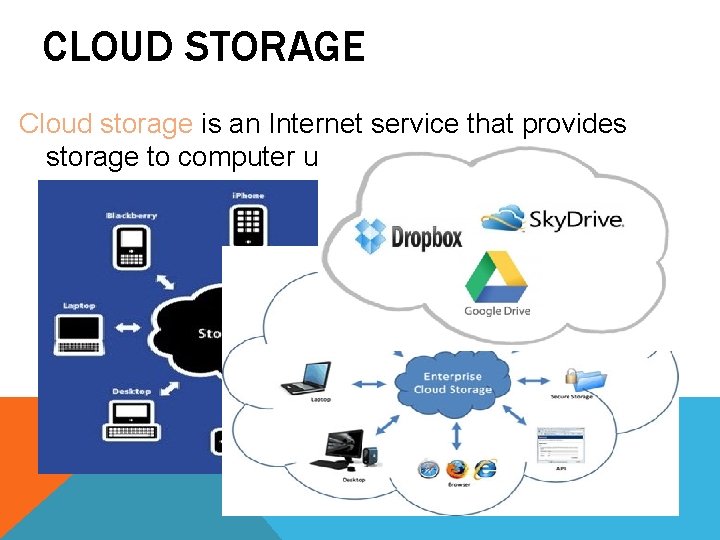
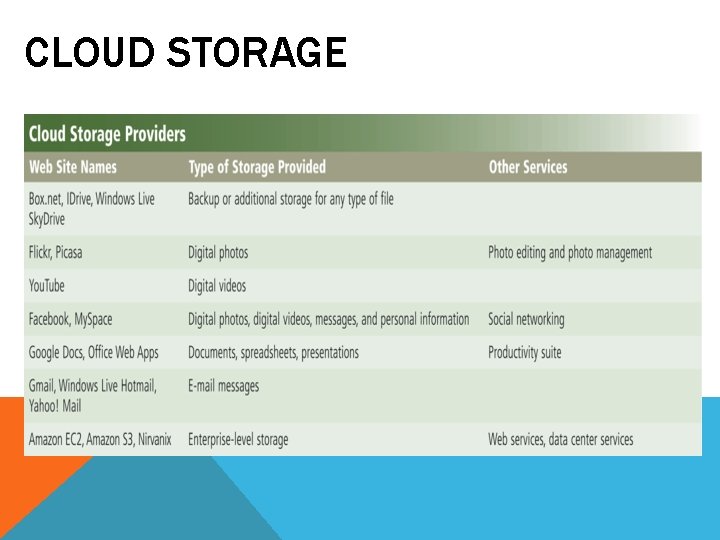
CLOUD STORAGE Cloud storage is an Internet service that provides storage to computer users
CLOUD STORAGE
CLOUD STORAGE Users subscribe to cloud storage for a variety of reasons: Access files from any computer Store large files instantaneously Allow others to access their files View time-critical data and images immediately Store offsite backups Provide data center functions
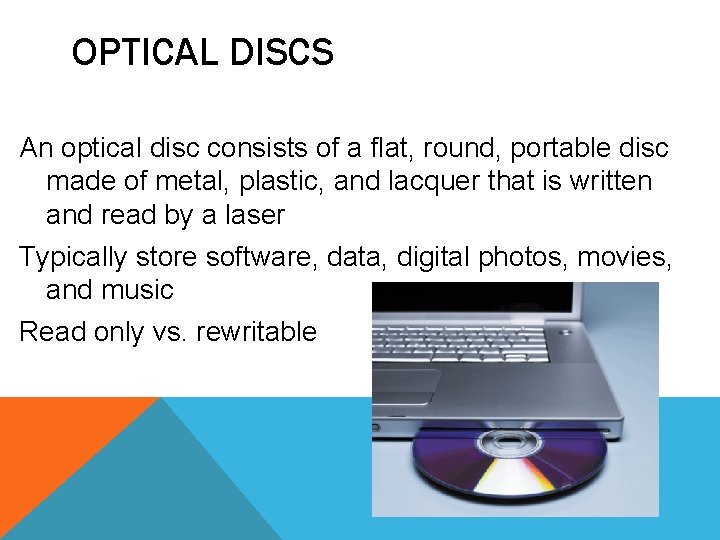
OPTICAL DISCS An optical disc consists of a flat, round, portable disc made of metal, plastic, and lacquer that is written and read by a laser Typically store software, data, digital photos, movies, and music Read only vs. rewritable
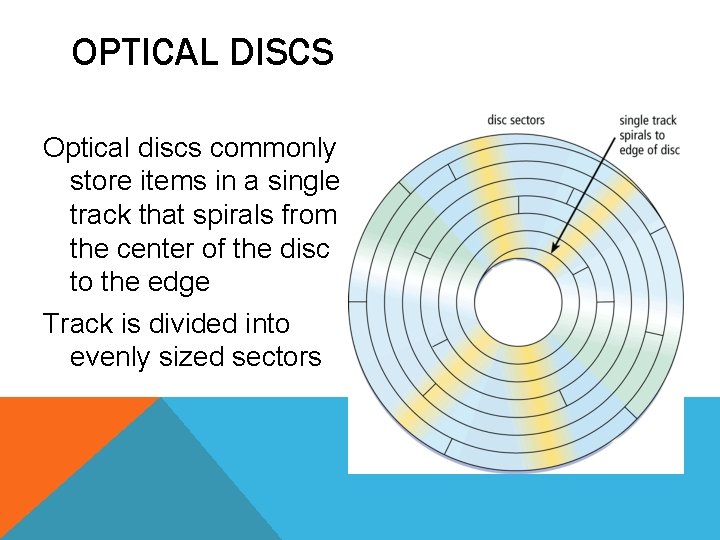
OPTICAL DISCS Optical discs commonly store items in a single track that spirals from the center of the disc to the edge Track is divided into evenly sized sectors
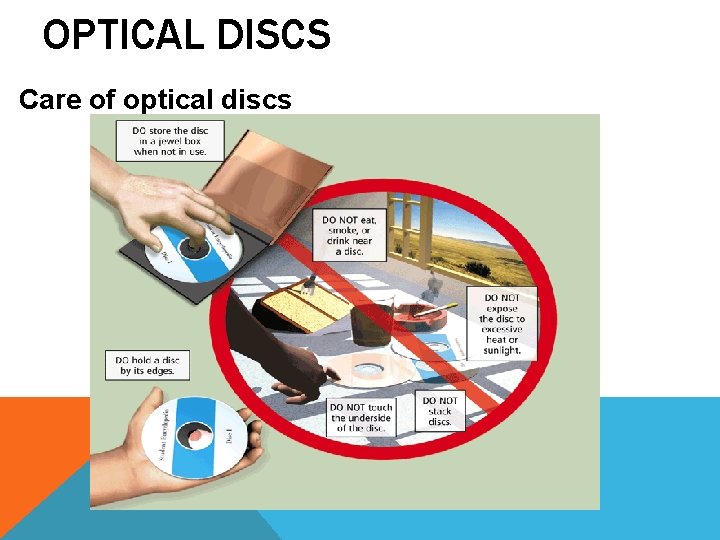
OPTICAL DISCS Care of optical discs
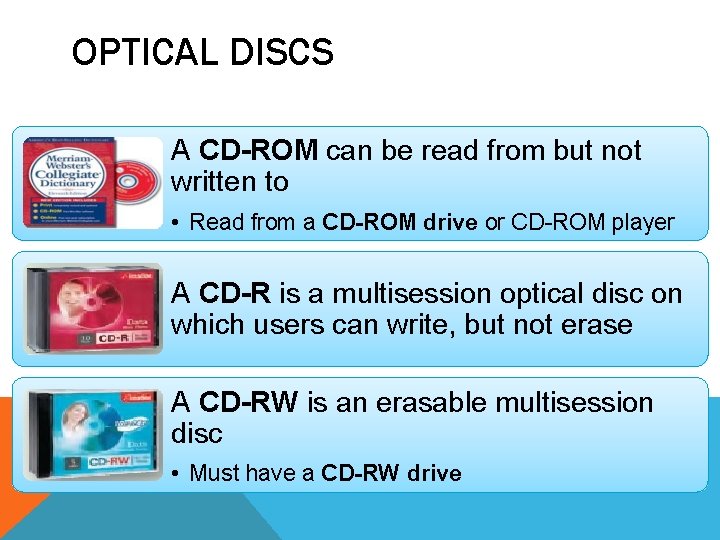
OPTICAL DISCS A CD-ROM can be read from but not written to • Read from a CD-ROM drive or CD-ROM player A CD-R is a multisession optical disc on which users can write, but not erase A CD-RW is an erasable multisession disc • Must have a CD-RW drive
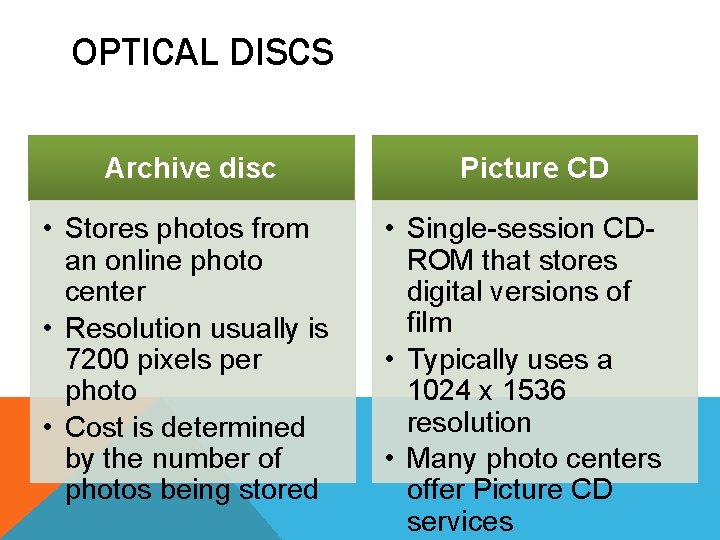
OPTICAL DISCS Archive disc • Stores photos from an online photo center • Resolution usually is 7200 pixels per photo • Cost is determined by the number of photos being stored Picture CD • Single-session CDROM that stores digital versions of film • Typically uses a 1024 x 1536 resolution • Many photo centers offer Picture CD services
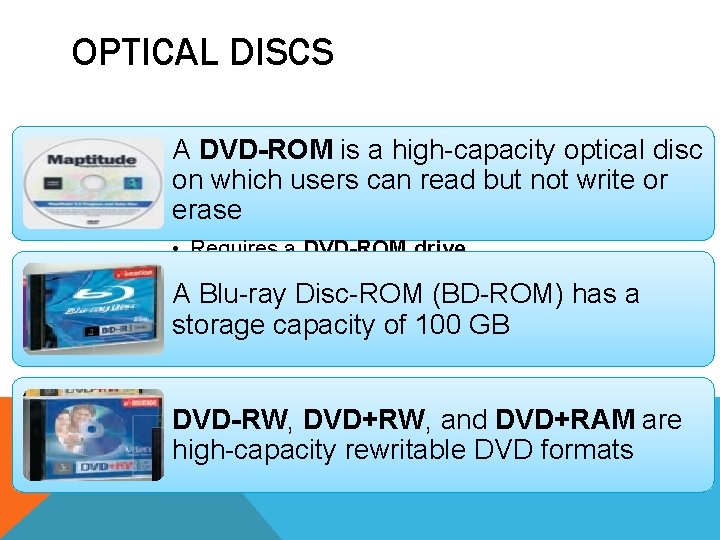
OPTICAL DISCS A DVD-ROM is a high-capacity optical disc on which users can read but not write or erase • Requires a DVD-ROM drive A Blu-ray Disc-ROM (BD-ROM) has a storage capacity of 100 GB DVD-RW, DVD+RW, and DVD+RAM are high-capacity rewritable DVD formats
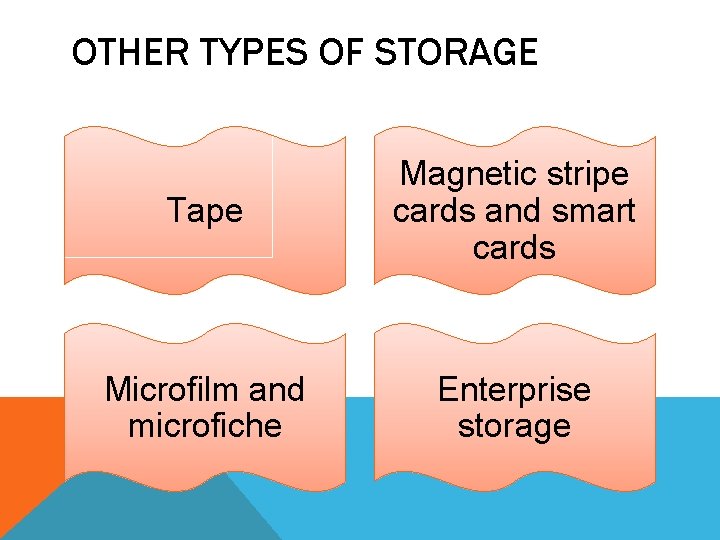
OTHER TYPES OF STORAGE Tape Magnetic stripe cards and smart cards Microfilm and microfiche Enterprise storage
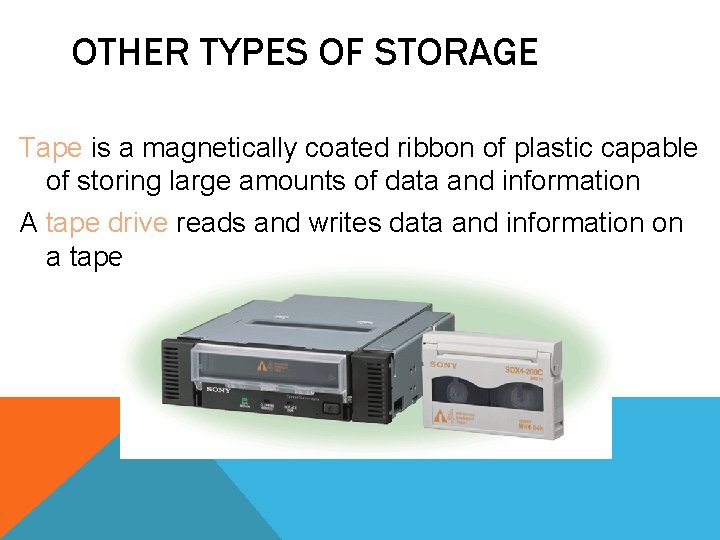
OTHER TYPES OF STORAGE Tape is a magnetically coated ribbon of plastic capable of storing large amounts of data and information A tape drive reads and writes data and information on a tape
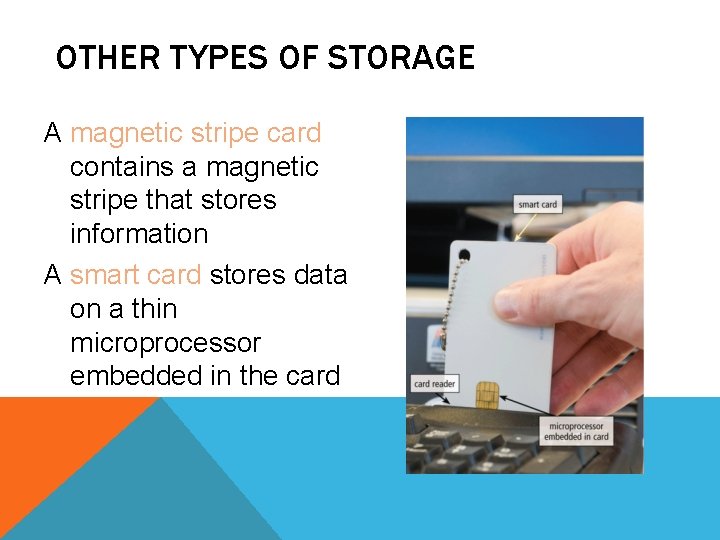
OTHER TYPES OF STORAGE A magnetic stripe card contains a magnetic stripe that stores information A smart card stores data on a thin microprocessor embedded in the card
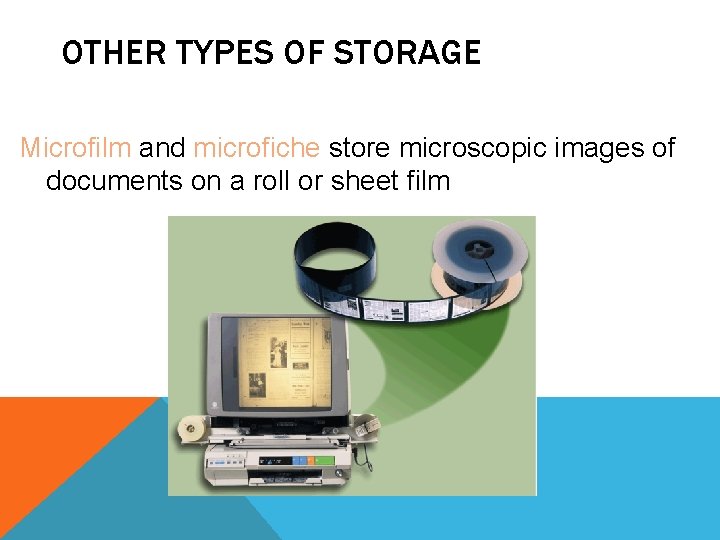
OTHER TYPES OF STORAGE Microfilm and microfiche store microscopic images of documents on a roll or sheet film
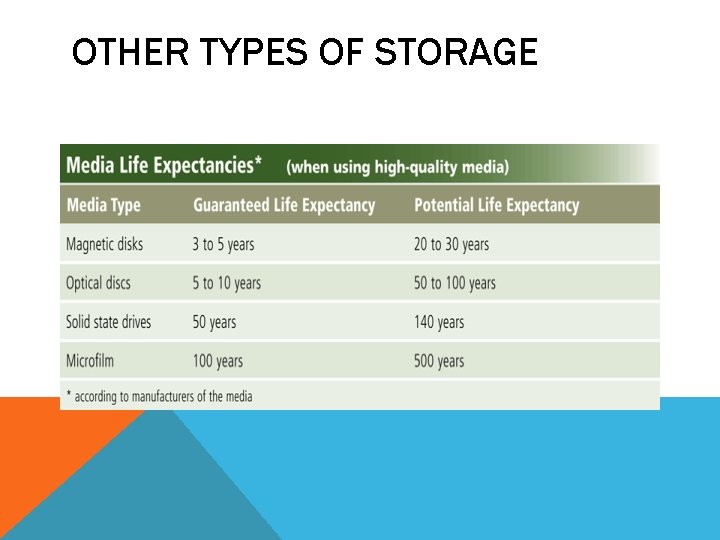
OTHER TYPES OF STORAGE
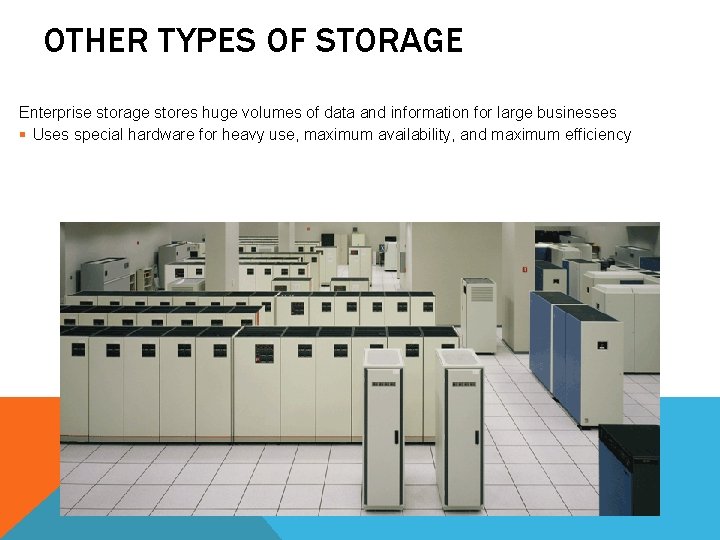
OTHER TYPES OF STORAGE Enterprise storage stores huge volumes of data and information for large businesses § Uses special hardware for heavy use, maximum availability, and maximum efficiency
KEEPING YOUR COMPUTER OR MOBILE DEVICE CLEAN Clean your computer or mobile device once or twice a year Turn off and unplug your computer or mobile device before cleaning it Use compressed air to blow away dust Use an antistatic wipe to clean the exterior of the case and a cleaning solution and soft cloth to clean the screen
EXTRA NOTES You can used the URL for further information : http: //openbookproject. net/courses/intro 2 ict/hardware/internal. html http: //www. tutorialspoint. com/computer_fundamentals/computer_hardware. htm