
DSPS New Directors Training September 16 2019 California
DSPS New Directors Training September 16, 2019 California Community Colleges Chancellor’s Office Student Services & Special Programs Division Disabled Student Programs & Services

Agenda (hyperlinked to section) 1
Welcome Linda Vann, CCCCO • Introductions 2
What you need to know: Your Responsibilities, Part 1 Presenter: Jill Jansen, DSPS Solutions 3
Overview • Logistics • Your role as Coordinator/Director • The Basics • Common Ground – ADA, 504, 508, Title 5 • Most difficult aspect of job • Burning questions 4
DSPS Coordinator/Director page 1 • What is DSPS? • Need to have sufficient time and training to oversee the program • DSPS is complex and poses legal risks to the colleges in terms of ADA and 504 complaints or litigation • Need to work with college/district legal counsel, the campus ADA/504 Coordinator, and 508 IT staff • OCR complaints may go beyond the scope of the initial complaint and can require extensive staff time and resources. • Litigation, regardless of whether the college has erred, costs a great deal. • CCC Chancellor Scott Letter – Institutional Responsibility 5
DSPS Director/Coordinator page 2 The only required position for a DSPS program; minimum quals are in Ed Code; Title 5 – at a minimum, there will be funds for a Coordinator ($150, 000) Duties include: interviewing students with disabilities reviewing disability documentation and determining disability-related functional limitations in the educational setting working with the students to receive needed academic adjustments, auxiliary aids, and services and/or instruction in a timely manner working with students with disabilities when they face various barriers to success or disability-related issues that arise with the college working with faculty and other college staff 6
DSPS Director/Coordinator, page 3 • Important considerations: • Suggest 100% full-time Coordinator position (especially if over 500 students) • Multiple program funding cautions • Has the responsibility for the day-to-day operation of DSPS • Must meet the minimum qualifications for a DSPS counselor or instructor set forth in Section 53414 (a) through (d) or meet the minimum qualifications for an educational administrator set forth in Section 53420 Updates the alignment between Sections 56048 and 53414 (Minimum Qualifications) 7
Team DSPS 8
DSPS- Working with the Institution and Community • Developing good working relationships within the institution and in the community is a primary task (reminder that participation in DSPS is voluntary for students) Students can go to ADA Coordinator if they don’t want to go to DSPS • Responsibility for collaboration with other categorical programs such as EOPS or Cal. WORKS • Other college departments such as Health Services, College Discipline, Psychological Services, Veterans • Must have an Advisory Committee to give guidance and direction to your program related to the needs of the community Title 5 Section 56050 Requirement • Discussion - Advisory Committees 9
Day to Day Operations • CCCCO DSPS Webpage • 2019 DSPS Fact Sheet • DSPS Directors Training • Disabilities 101 • Title 5 Checklist of Requirements • Website on OCR Rulings • Sample OCR ruling for extended time on assignments • Sample OCR ruling for multiple aspects of testing and class assignments 10
ADA § 35. 108: Definition of Disability (1) Disability means, with respect to an individual: (i) A physical or mental impairment that substantially limits one or more of the major life activities of such individual; (ii) A record of such an impairment; or (iii) Being regarded as having such an impairment as described in paragraph (f) of this section. (2) Rules of construction. (i) The definition of “disability” shall be construed broadly in favor of expansive coverage, to the maximum extent permitted by the terms of the ADA. 11
Determining Eligibility for DSPS Services • Section 56002 – “Student with a Disability” • ADA Title II Section 35. 108 “Definition of Disability” • (a)(2)(i) “The definition of ‘disability’ shall be construed broadly in favor of expansive coverage, to the maximum extent permitted by the terms of the ADA. ” • Student must have a verified disability which results in an educational limitation • An impairment may be verified by: • Observation in conjunction with student self-report of the following disabilities only physical, DHH, Blind/Low vision, and ABI • Assessment • Review of existing documentation • Educational limitations are identified/described in the Academic Accommodations Plan by DSPS Certificated Staff 12
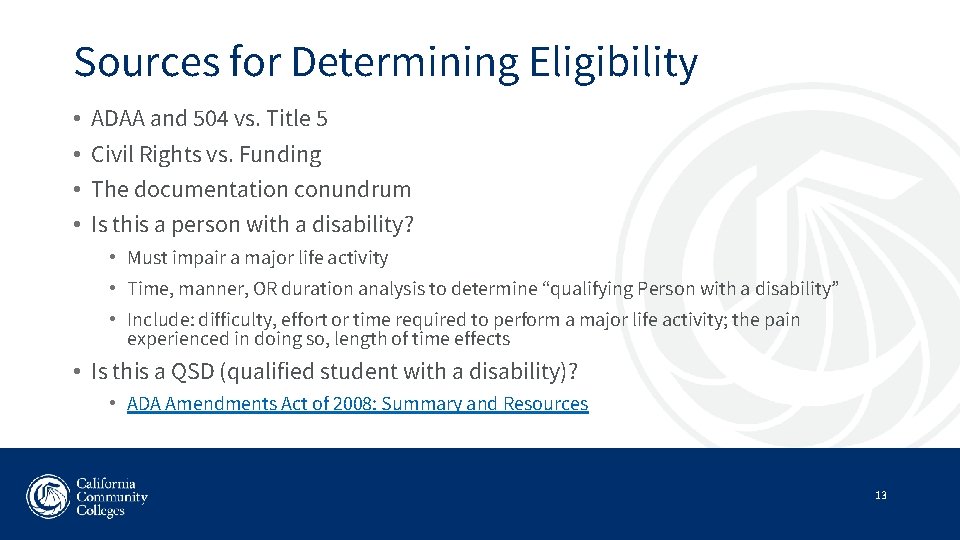
Sources for Determining Eligibility • • ADAA and 504 vs. Title 5 Civil Rights vs. Funding The documentation conundrum Is this a person with a disability? • Must impair a major life activity • Time, manner, OR duration analysis to determine “qualifying Person with a disability” • Include: difficulty, effort or time required to perform a major life activity; the pain experienced in doing so, length of time effects • Is this a QSD (qualified student with a disability)? • ADA Amendments Act of 2008: Summary and Resources 13
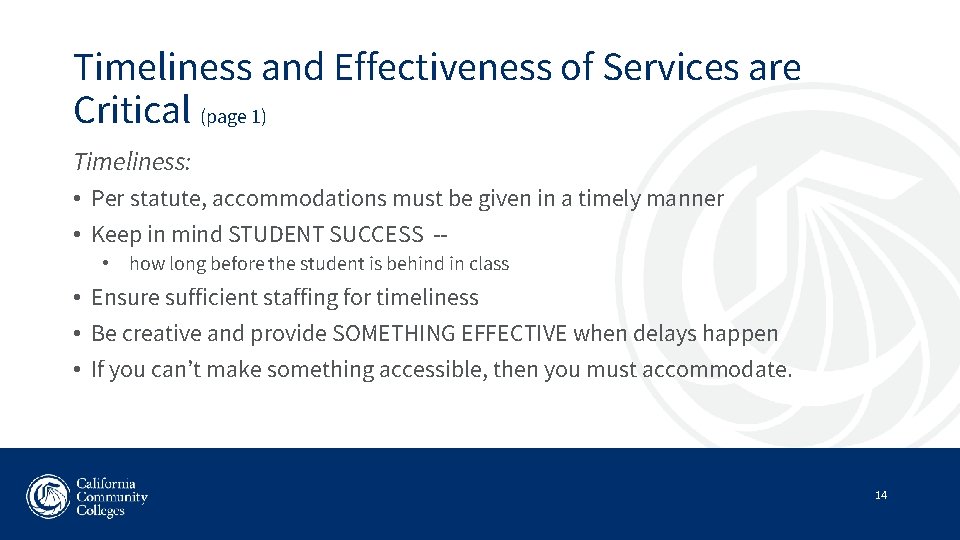
Timeliness and Effectiveness of Services are Critical (page 1) Timeliness: • Per statute, accommodations must be given in a timely manner • Keep in mind STUDENT SUCCESS - • how long before the student is behind in class • Ensure sufficient staffing for timeliness • Be creative and provide SOMETHING EFFECTIVE when delays happen • If you can’t make something accessible, then you must accommodate. 14
Timeliness and Effectiveness of Services (page 2) 15
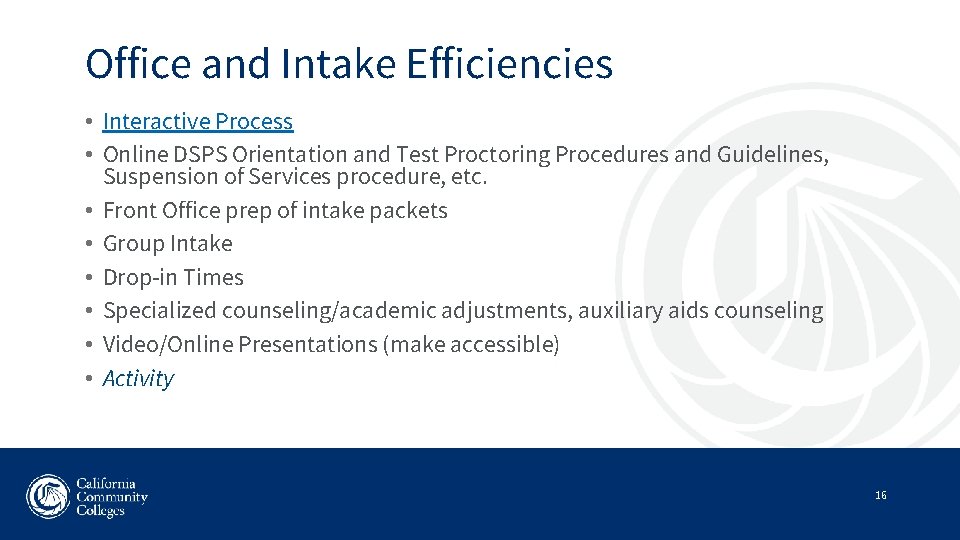
Office and Intake Efficiencies • Interactive Process • Online DSPS Orientation and Test Proctoring Procedures and Guidelines, Suspension of Services procedure, etc. • Front Office prep of intake packets • Group Intake • Drop-in Times • Specialized counseling/academic adjustments, auxiliary aids counseling • Video/Online Presentations (make accessible) • Activity 16
Outreach and Transition • Meeting with feeder high schools • Transition Guides • Catch the Wave • OCR/Transition Guide • High School Students with Disabilities, CCCCO Legal Opinion • MOU’s with feeder HS- determine who provides services, where are classes held? • Chart on Differences 17
Behavioral Issues – Follow Due Process! • Title 5, Section 56010 • College Code of Conduct, well defined • CCCCO Unlawful Discrimination Opinion • Work with your College Disciplinarian – problem solve for best outcome; interactive process • Academic Adjustments – what others may be helpful to remedy the situation; be careful about withdrawing • Suspension of Services (show at intake) and Student Conduct Contracts-Services cannot be entirely canceled, but they can be temporarily suspended until a student completes specified steps to reinstate services. • Direct Threat – Title II, 28 Code of Fed Regulations –a significant risk to the health or safety of others that cannot be eliminated by a modification of policies, practices or procedures, or by the provision of auxiliary aids or services… • SB 968: Postsecondary Education: Mental Health Counselor, one f/t per 1, 500 students (contingent upon funding) 18
DSPS Solutions / Interwork Institute Please pull up the DSPS Solutions website on your computer • DSPS Solutions – The Technical Assistance (TA) provider for DSPS programs in the California Community College System • DSPS Solutions website • Website updated regularly with a variety of training and resource information: • CCCCO Trainings (New Directors, All Directors, Special Trainings… • New Directors Training Assets • Resources (Chancellor’s Office information; laws and regulations, including Title 5 support; OCR and legal rulings; DSPS program management; DSPS service delivery; Alternate media…) • Directories (for all DSPS related groups, including DSPS Coordinators Directory) • Latest News; Hot Topics; Jobs… 19
DSPS Solutions / Interwork Institute Continued • Technical Assistance Support and how to access it: • Individual TA: This is provided via email or phone. Questions range from best practices, to urgencies related to accommodations, to budget and staffing issues and more. If you have a question, we are here to support you. • Can be reached at DSPSsolutions@interwork. sdsu. edu • Via the website at Contact Us • Or contact one of the consultants directly • Group TA: This on-site support is provided to individual colleges; to find out more, visit the Technical Assistance section of the DSPS Solutions website. • Activity 20
What you need to know: Budget, Part 1 Presenter: Gail Conrad, DSPS Solutions 21
Staying Alive! What should you know: • • Guidance provided by the Legislature Be aware of timelines and processing needs Management Information Systems (MIS) Allowable & Non-allowable expenses Required Reports: MIS, SSARCC, Program Eval (2019) Accountability and Audits Resources and Community Partners 22
DSPS Allocation and Budget • • Guided by legislation of Title 5 Guides colleges to provide services to students with disabilities Assures full and equitable participation Intended to offset the complete cost for services Consistent Allocation Method Provides protection in the base allocation (future –minimum guarantee) Allocation based on a formula 23
DSPS Allocation Process • Chancellor’s Office – financial role and technical assistance • State Budget • Reporting and Timelines • Disbursement of Apportionments • Funding Summaries and Reports available on DSPS Solutions website • MIS data collection • DSPS Allocation Formula application • Determine any recalculations (returned funds, re-disbursements) 24
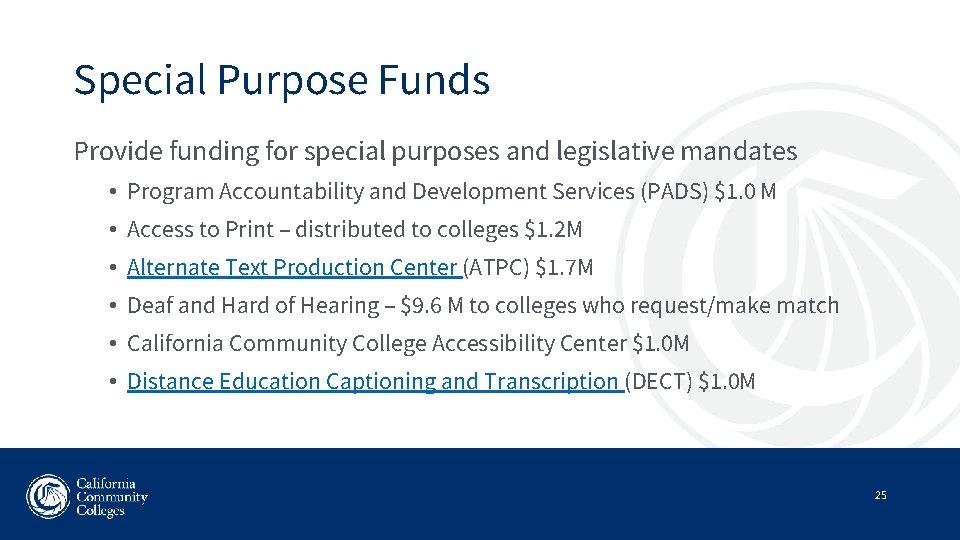
Special Purpose Funds Provide funding for special purposes and legislative mandates • Program Accountability and Development Services (PADS) $1. 0 M • Access to Print – distributed to colleges $1. 2 M • Alternate Text Production Center (ATPC) $1. 7 M • Deaf and Hard of Hearing – $9. 6 M to colleges who request/make match • California Community College Accessibility Center $1. 0 M • Distance Education Captioning and Transcription (DECT) $1. 0 M 25
Section 56064 DSPS Allowable Expenses 26
Section 56064 Allowable expenses 27
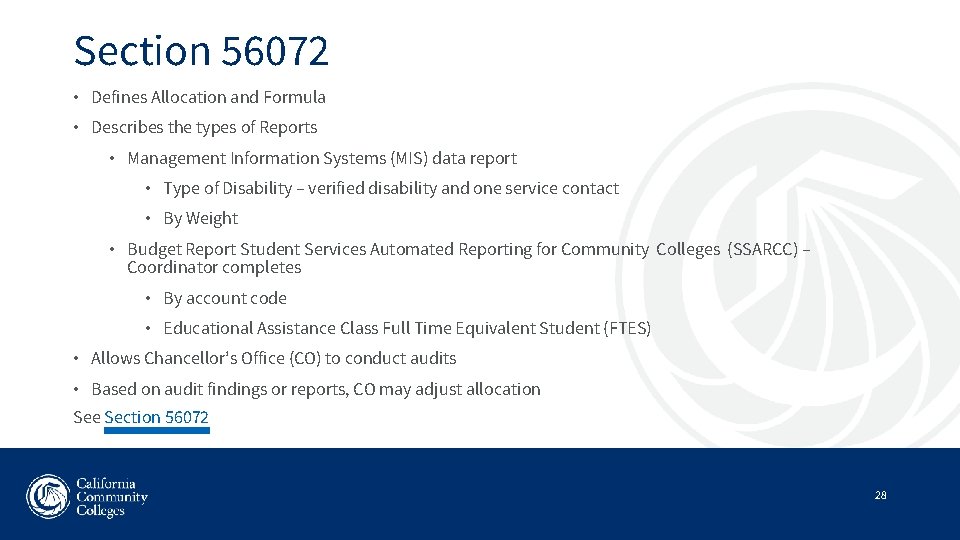
Section 56072 • Defines Allocation and Formula • Describes the types of Reports • Management Information Systems (MIS) data report • Type of Disability – verified disability and one service contact • By Weight • Budget Report Student Services Automated Reporting for Community Colleges (SSARCC) – Coordinator completes • By account code • Educational Assistance Class Full Time Equivalent Student (FTES) • Allows Chancellor’s Office (CO) to conduct audits • Based on audit findings or reports, CO may adjust allocation See Section 56072 28
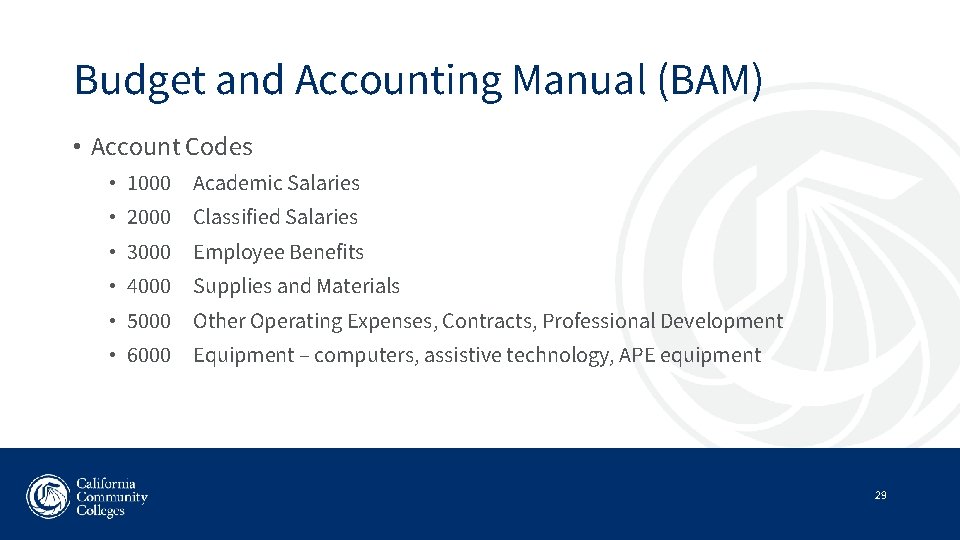
Budget and Accounting Manual (BAM) • Account Codes • 1000 Academic Salaries • 2000 Classified Salaries • 3000 Employee Benefits • 4000 Supplies and Materials • 5000 Other Operating Expenses, Contracts, Professional Development • 6000 Equipment – computers, assistive technology, APE equipment 29
Fiscal Disbursement Timelines 30
Reporting and Accountability • Plan a year in advance – Know your report deadlines • MIS – 30 days after the end of term (Summer, Fall, Spring) • MIS – Check and Re-Check your data with IT prior to submittal • Budget • • • Prepare your documents throughout the year Reconcile by line item to report Know your expenses and what account they are charged to Are the expenses allowable? Special Fund expense tracking (Access to Print, DHH, College Effort) Gather Educational Assistance Class FTES 31
A well-deserved break… This Photo by Unknown Author is licensed under CC BY-ND 32
What you need to know: Budget, Part 2 Presenter: Gail Conrad, DSPS Solutions 33
MIS Weights and Disabilities We have new categories for the disabilities that we identify and report for funding, based on study results of 2015 and consultation. But due to some concerns about the implementation of the new funding formula, we are still using the old weights to determine this year’s allocation. We refer to this as a “pause”. 34
MIS Weighted Student Count (WSC) MIS Data is collected by WSC report for the CCCCO based on: • Primary Verified Disability (SD) • One Service Contact in a Term within the reporting year • Student Record (SD) or Educational Assistance Class (SX) CCCCO MIS Data Element Dictionary webpage 35
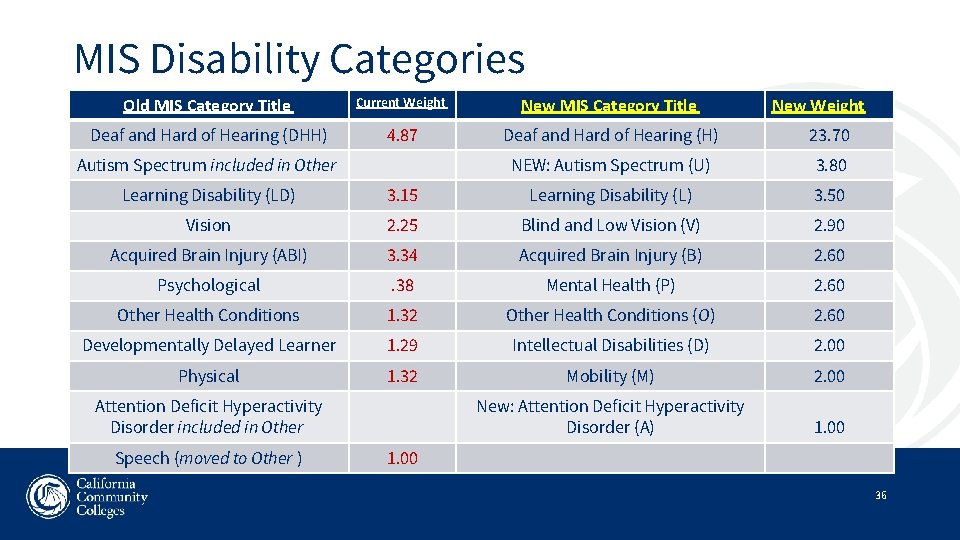
MIS Disability Categories Old MIS Category Title Current Weight New MIS Category Title Deaf and Hard of Hearing (DHH) 4. 87 Deaf and Hard of Hearing (H) 23. 70 NEW: Autism Spectrum (U) 3. 80 Autism Spectrum included in Other New Weight Learning Disability (LD) 3. 15 Learning Disability (L) 3. 50 Vision 2. 25 Blind and Low Vision (V) 2. 90 Acquired Brain Injury (ABI) 3. 34 Acquired Brain Injury (B) 2. 60 Psychological . 38 Mental Health (P) 2. 60 Other Health Conditions 1. 32 Other Health Conditions (O) 2. 60 Developmentally Delayed Learner 1. 29 Intellectual Disabilities (D) 2. 00 Physical 1. 32 Mobility (M) 2. 00 New: Attention Deficit Hyperactivity Disorder (A) 1. 00 Attention Deficit Hyperactivity Disorder included in Other Speech (moved to Other ) 1. 00 36
MIS Data Reporting • Two MIS System Reports which can create an error: • DSPS Data Element • Student with a Disability (SD) • Enrollment in an Educational Assistance Class (SX) • Student Basic Record – demographic data 37
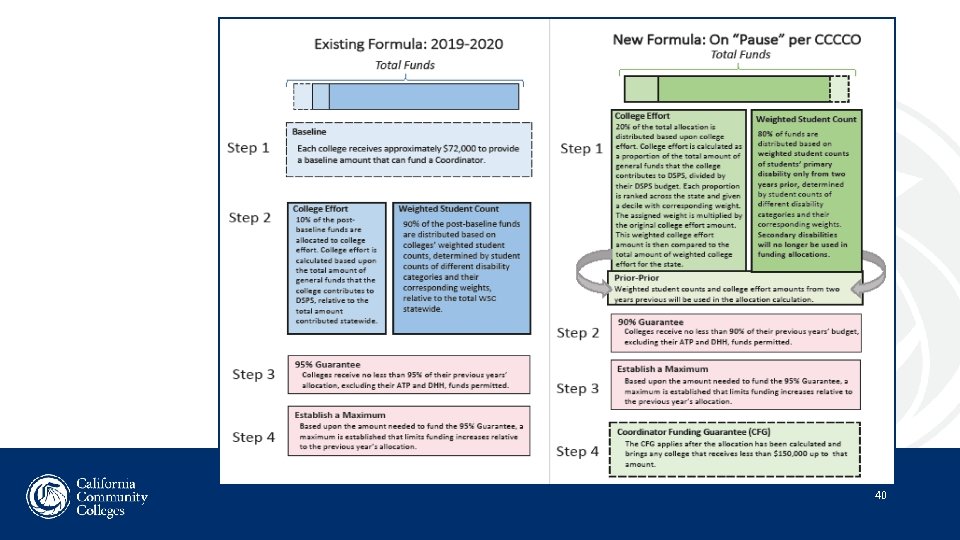
DSPS Formula Components • Based on a finite Budget per college state-wide ($8. 2 M) • College Funding Minimum Guarantee • 2019 -2020: $ 72, 000 base • Future: $150, 000 overall • Weighted Student Count = 90% of the statewide budget allocation • Number of students • Weighted by Disability Group • College Effort = 10% of the statewide budget allocation • Based on College general funds contribution • Variable scale % of total DSPS college budget 38
DSPS Formula Components (continued) • Total Program Expenditures Minus (-) • • Educational Assistance Class Revenues DSPS Allocation (incl. ATP and DHH) Other Income (Student Equity & Achievement, CTEA) Required Deaf and Hard of Hearing match • Remainder of Expenditures Equals = College Effort • DSPS does not require a match or “maintenance of effort” • Exception is only for DHH funds if you received them 39
40
FY 2019 -2020 DSPS Budget ($M) 41
DSPS Calculation for 2019 -2020 • Each college receives a base of $72, 592 • Calculate college’s Weighted Student Count • College receives its share of Weighted Student Count, based on WSC formula and % for statewide distribution (proportional share $399. 75 per unit) • Each college gets its share of College Effort budget, based on CE formula and % for statewide distribution ($0. 27 proportional share) • 95% guarantee applied (highest growth was 129% this year) 42
DSPS Allocation (P 1) Components: 2019/2020 (still using old formula): • Contracts/Grants funded projects ($4. 7 M) • Base of $72, 592 ($8. 2 M) • Weighted Student Count (90% of formula/ $89. 8 M) • College Effort (10% of formula/ $9. 9 M) • ATP ($1. 2 M)/DHH (if requested/ $9. 6 M with 4: 1 match) 43
DHH Allocation (P 1) • Components a) Amount received in last year’s allocation as a result of the number of DHH student count as reported in WSC b) Amount of DHH funds requested by the college and the college’s required match (as stated in SSARCC report) c) Total DHH Expenditures from last year c – a = b (Unmet Need and possible request for DHH funds 4: 1 match) Percentage is based on requests based on $9. 6 M available funds. 44
DHH Allowable Expenses • • • Direct Sign Language Interpreting for classroom and required classroom-related activities Oral Interpreting Cued Speech Real Time Captioning Video Remote Interpreting and Captioning Live Print Communication (e. g. C-Print and Typewell, Alpha. Smart, laptop, Interpreter Type) Tactile Interpreting during tutoring Interpreting for athletes when they are part of a College class and team sport Study abroad – will be reviewed on a case basis (DHH services should be contract-based) Salaries and Benefits for Interpreters and Real Time Captioners Salaries and Benefits for Interpreter Coordinators at the percent of time spent coordinating interpreters if engaged less than full time in this activity 45
DHH Match/ College Effort/SSARCC • Student Equity and Achievement (SEA) funds may be used for DSPS and DHH expenditures • All funding sources need to be reported in SSARCC • SEA Funds used for DHH expenses will not be counted for minimum DHH match and College Effort in the DSPS Allocation Formula • SEA Funds used for DHH expenditures have a positive impact on “unmet need” for DHH fund calculation • Any DHH allowable expense covered by funds other than DSPS and SEA will be counted toward DHH matching requirement 46
College Effort • “College Effort” = “Expenditures” minus “Revenue” • Revenue • • DSPS Allocation Educational Assistance Class Revenue (FTES) Other Income DHH Match • Expenditures as reported on the SSARCC Report See: What is College Effort? 47
Your Assignment – SSARCC Exercise! 48
LUNCH 49
Your Responsibilities, Part 2: Presenter: Jill Jansen DSPS Solutions 50
Counting Students and Service Contacts Student Contacts for MIS Reporting: Title 5 - Section 56062 • A community college district will be deemed to have “provided academic adjustments, auxiliary aids, services and/or instruction” to a student with a disability, as required by Section 56060, if the student has applied to DSPS [has a Student Record/SD screen in MIS] or is enrolled in an educational assistance class or is enrolled in a general class and received one or more service contacts each semester[term] the student attends. • Per Title 5 Implementing Guidelines, revised 2016, Enrollment in classes is no longer necessary. (Ed Code 84850, as amended by AB 2791) 51
Student Contacts for MIS • Meeting with a student to: • discuss classes, accommodations, etc. • conduct services needed for next semester • An online or telephone conversation of substance or outcome-oriented • Training in use of assistive technology • Students who attend an approved “Educational Assistance Class” designed for DSPS students • A telephone call to remind the student of an appointment • Letters / newsletters sent out to students at home • For more information, see : Service Contacts and Being Counted for Allocation, Title 5 Section 56062 52
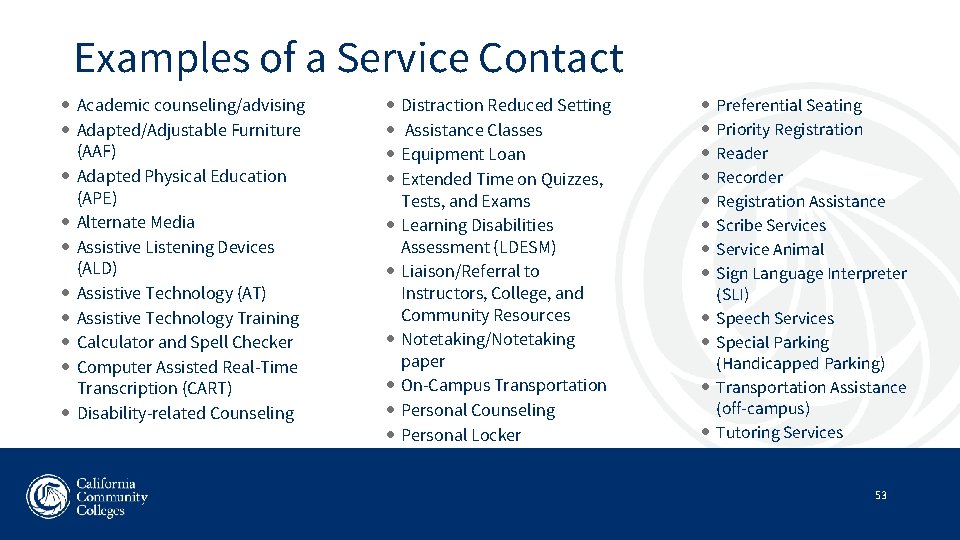
Examples of a Service Contact Academic counseling/advising Adapted/Adjustable Furniture (AAF) Adapted Physical Education (APE) Alternate Media Assistive Listening Devices (ALD) Assistive Technology (AT) Assistive Technology Training Calculator and Spell Checker Computer Assisted Real-Time Transcription (CART) Disability-related Counseling Distraction Reduced Setting Assistance Classes Equipment Loan Extended Time on Quizzes, Tests, and Exams Learning Disabilities Assessment (LDESM) Liaison/Referral to Instructors, College, and Community Resources Notetaking/Notetaking paper On-Campus Transportation Personal Counseling Personal Locker Preferential Seating Priority Registration Reader Recorder Registration Assistance Scribe Services Service Animal Sign Language Interpreter (SLI) Speech Services Special Parking (Handicapped Parking) Transportation Assistance (off-campus) Tutoring Services 53
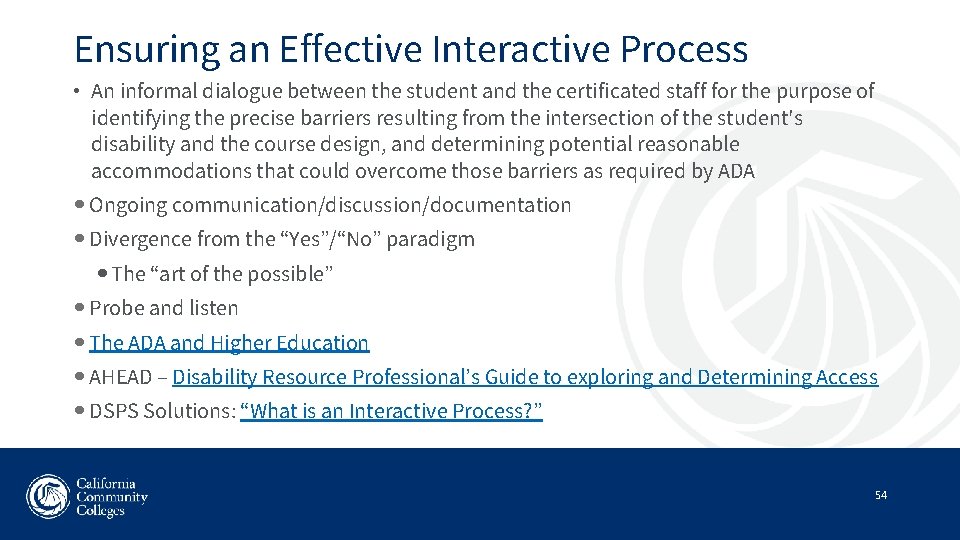
Ensuring an Effective Interactive Process • An informal dialogue between the student and the certificated staff for the purpose of identifying the precise barriers resulting from the intersection of the student's disability and the course design, and determining potential reasonable accommodations that could overcome those barriers as required by ADA Ongoing communication/discussion/documentation Divergence from the “Yes”/“No” paradigm The “art of the possible” Probe and listen The ADA and Higher Education AHEAD – Disability Resource Professional’s Guide to exploring and Determining Access DSPS Solutions: “What is an Interactive Process? ” 54
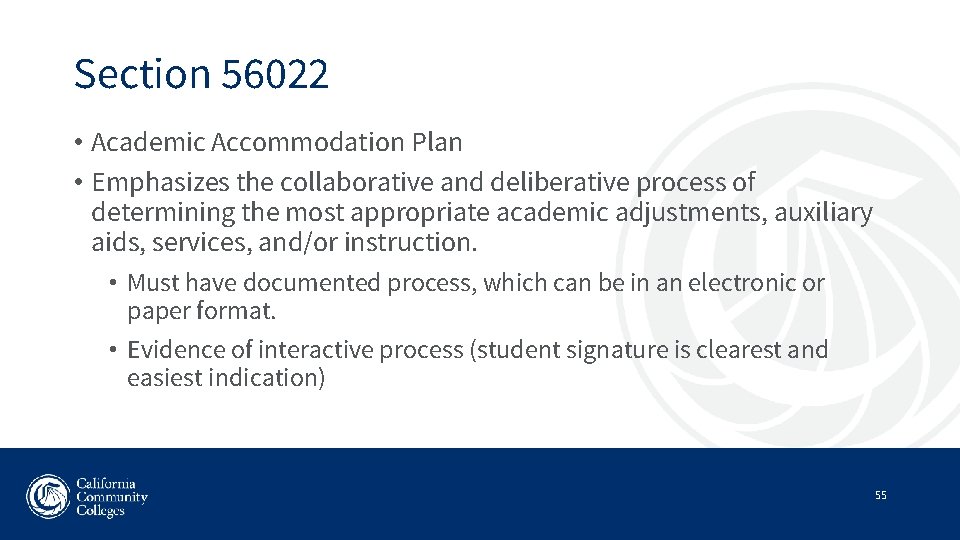
Section 56022 • Academic Accommodation Plan • Emphasizes the collaborative and deliberative process of determining the most appropriate academic adjustments, auxiliary aids, services, and/or instruction. • Must have documented process, which can be in an electronic or paper format. • Evidence of interactive process (student signature is clearest and easiest indication) 55
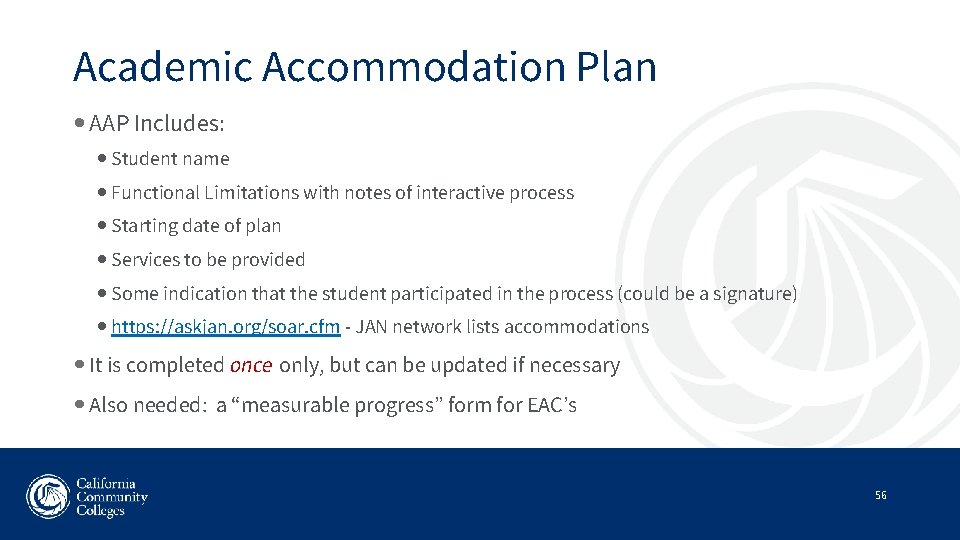
Academic Accommodation Plan AAP Includes: Student name Functional Limitations with notes of interactive process Starting date of plan Services to be provided Some indication that the student participated in the process (could be a signature) https: //askjan. org/soar. cfm - JAN network lists accommodations It is completed once only, but can be updated if necessary Also needed: a “measurable progress” form for EAC’s 56
Academic Accommodation Plan Components Interactive Process 57
Academic Accommodations Policies & Procedures 58
Service Animals 59
Test Accommodations 60
Course Substitutions/Waivers • Section 504 of the Rehabilitation Act, 34 C. F. R. , 104. 44 Ia) states: Modifications may include …substitution of specific courses required for the completion of degree requirements. . • Title 5, Section 56027: Academic Adjustments • Course Substitution Policies and Procedures – section of DSPS Solutions website for legal cases, OCR rulings, substitution policies and procedures • Fundamental Alteration and Undue Burden – procedural/legal requirements and case examples • ADA and Higher Education 61
How to Define Fundamental Alteration and…. 62
…What to Do About It • Handle issues of health and safety carefully • Involve instructional administrators and other faculty and enter into a deliberative process to make a decision • Contact other colleges and look at resources listed • Document your decision-making process – this is CRITICAL • Always involve the student and the faculty to see if creative solutions agreeable to both can be found • Encourage use of universal learning design on your campus – it facilitates program accessibility for ALL students • For more information, see DSPS Solutions’ Fundamental Alteration and Undue Burden regarding procedural/legal requirements and case examples related to this topic 63
Alternate Media Considerations • CCCCO Guidelines for Producing Alternate Media • Addendum to CCCCO Guidelines for Producing Alternate Media • College responsibility • Preference of the student • Timeliness of production • Early selection of texts • Priority registration • Agreement with DOR • Disability Rights Advocates v Berkeley – must provide alt media, 2013 • Disability Rights CA, 2015 – “Rights to Assistive Technology in Higher Ed” 64
Distance Education • Primary concept is to offer students learning anytime, anywhere • College responsibility for accessibility • Universal Design • The Distance Education Accessibility Guidelines • OCR Dear Colleague Letter 2010 • DOJ Fall 2015 Statement of Regulatory Priorities 65
Student Record Essentials page 1 • Documentation in student records should be sufficient to allow a reviewer or other authorized person to determine that: • Verification of the disability has been obtained with documentation & selfreport, or assessment, or observation, and interactive process • The student was eligible to receive services and is a QSD • Appropriate service planning was done • The student was fully informed about the process • Services were delivered as planned in a timely and effective manner • The student’s rights were protected 66
Student Record Essentials page 2 • The student record should also include documentation of: • • any abuse of DSPS service code of conduct issues academic standards issues counseling notes or other service documentation • Written notifications of accommodation or service problems encountered by the student may be placed in the file • Title 5 Checklist of Requirements for Self Assessment • For more information, see : DSPS Solutions DSPS Directors Training Module: Documenting Eligibility and Educational Accommodations 67
Program Compliance • Education Code 84040 – requires annual audits of each community college district; CCR, Title 5, Section 56072 – Allocations, reports, audits, adjustments • Student records and activities must conform to Title 5, Section 59108 • Title 5, Section 59110 allows a district to respond and refute audit findings before action is taken by the CCCCO to recover funds • Title 5, Section 59114 gives the CCCCO authority to make necessary apportionment adjustments • Section 56046 DSPS Program Plan can be a unit plan or whatever your college is using for internal strategic planning as long as it meets the requirements listed in the regulation. • Preparing for the Audit • Elements of an Audit Finding: Criteria, Condition, Questioned Cost, Auditor’s Recommendation, District Response (Corrective Action) 68
Your College DSPS Website 69
Use your Professional Judgement 70
OCR / Legal Updates: Trends from the Past Five Years Presenter: Jill Baker DSPS Solutions 71
Introduction 72
Context for the Past Five Years • In reviewing cases from the past five years, some contextual trends emerged: • • Lingering impact of the 2008 Recession, understaffed Major revisions/refreshes to disability laws and regulations Rapidly changing technology and the challenges of accessibility Campus culture on multiple levels, including stakeholder understanding of applicable laws 73
Trends in Recent OCR Actions and Legal Cases 74
Four Areas of Practice Selected • Electronic and Information Technology Accessibility • Academic Adjustments and Accommodations • Effective Communication • Physical Accessibility • Policies and Procedures for Grievance Process/Filing a Complaint 75
Electronic and Information Technology Accessibility 76
Inaccessibility of the “Full” Educational Experience • Inaccessible websites and content, lack of closed captioning, instructional materials, Learning Management Systems, inaccessible library databases, software, lack of interoperability with accessibility tools, other EIT/ICT issues, both OCR and lawsuits • Long-standing mandates for accessible instructional materials and EIT/ICT based upon Rehabilitation Act of 1973 (Sections 504 & 508) and ADA (Title II) • New, higher levels of accessibility required with the ICT Refresh of Section 508/ Section 255 of Communications Act , effective January 2018 • Question of effective communication 77
Goal of reaching WCAG 2. 0 and more • Legal rulings have established remedies of compliance for reaching specific accessibility standards in all areas cited: • Hiring of experts in the area of accessibility • Adoption and dissemination of Policies and Procedures addressing accessibility in all areas • Timelines for achievement of milestones • The work to make it happen, with reporting • Newest lawsuit, Payan, Mason, and NFB v LACCD (July 2019) has just raised the bar to WCAG 2. 1 standard of compliance • Specifically names My. Math. Lab and People. Soft as issues 78
Academic Adjustments and Accommodations 79
Policies, Procedures, and Practices • Resolution agreements indicated that in many cases, these were outdated, and did not adequately clarify what needed to be done, or by whom, or when • Must be based upon current laws and regulations • Must be detailed and specific • Post/disseminate widely: online, in handbooks, on bulletin boards in office… • Provide training where appropriate 80
Example: Assuring Students’ Accommodations • OCR agreements reflected the need to confirm that students are actually getting their academic adjustments and accommodations in their classes • Notify the faculty, require a response, and document it, track it, check with the student • Implementation of approved accommodations is not optional; it is required by law, and applies to both face-to-face and online courses • Have clearly written policies and procedures for this, and provide outreach and training to those involved 81
Example: Interactive Process 82
Example: Effective Communication • Cases for effective communication typically involved preference for how they received their accommodations (e. g. , CART vs ASL) • Notetaking emerged as a significant problem for some colleges, and the remedy included policies and procedures to manage it • Proactive, with timeline to find someone as soon as possible • Provision of interim support with electronic resources such as recording devices and software • Collaborating with faculty member • Tracking to assure it is resolved 83
Access to Grievance Process 84
Complaints and Grievance Processes 85
Essential Elements of Effective Grievance Procedures • Clearly written and posted in multiple locations and modalities, such as: • Student Handbook, College Catalog, administrative offices, DSPS Office, website… • Are regularly reviewed and revised to ensure CURRENCY • Identifies who, what, when, where, how, and why … the complaint will be resolved, including a timeframe for resolution • Is specific in terms of who to go to with questions and concerns • Is confidential, fair, and unbiased in terms of investigation, hearing, and appeal, including interviews and review of evidence from both parties and witnesses • Formally notifies parties of the outcome • See also: DOE OCR: Developing Effective Grievance Procedures 86
Physical Accessibility 87
Variety of Cases • Accessible parking (stadiums, specific buildings… ratio of van accessible spaces to other spaces) • Ramps, seating, handrails, room to navigate a wheelchair • Maps and signage, both online and physical, informing users of accessible routes, entrances; Braille signage within a building • Old buildings and campuses, built prior to standards for design • Can accommodate with relocating classes, structural changes • Follows different rules for different periods of construction • ADA Standards for Accessible Design 88
Recent Lawsuits to Watch (1) 89
Recent Lawsuits to Watch (2) • Guerra v West Los Angeles College (LACCD)(2018) • Plaintiff, and two others, with mobility disabilities sued West Los Angeles College for discontinuation of a shuttle service for students with disabilities that had been provided during a period of construction and continued after completion. • College argued that there were other public resources that could transport the students to campus, including their scooters, which would provide mobility. College cited the Kirola case as part of its argument. • Court ruled against the plaintiff. 90
Summary • Interactive process • • Use it Train your staff in it Always consider student’s preference for means of accommodation first Document it • Policies, procedures, and practices • Have them, review for currency on a regular cycle, follow them, disseminate them via every appropriate communication venue available • With program practices, track and review effectiveness of services to students • Grievance/complaint process • Have a process, assure it follows current law and regulations, disseminate it via every appropriate communication venue available • Track and review outcomes and effectiveness 91
Hands-on Practice: Find a Case • Go to: DOE/OCR Resolution Letters and Agreements and complete form: • Enter: • Keyword(s) for the case • Name of recipient (college) –this field can remain empty • Select Document Type: • Resolution Letter or Resolution Agreement • Select Covered Statutes, use the following for disability related queries • Section 504 of Rehabilitation Act of 1973 • Title II of the Americans with Disabilities Act of 1990 • Select Location by State • Click Search button 92
Questions 93
Available Resources Presenter: Linda Vann CCCCO 94
Fund Your Captioning Projects with the Distance Education Captioning & Transcription Grant (DECT) 95
What is the DECT Grant? "Jen, Free Money Day, Washington D. C. , USA" licensed under CC BY 4. 0 96
What is eligible for funding? 1. Distance education classes at CCCs 2. Live / synchronous captioning for distance education 3. Delayed / asynchronous captioning for distance education 4. Credit and non-credit courses (excludes community education, community extension, not-for-credit) 97
What do you mean by DE? • Online classes • Hybrid classes • Content repositories • Classes utilizing distance methods of content delivery as they evolve "sensitive noise / obvious 2" by Milosevic is licensed under CC BY 4. 0 98
What are the funding processes? (part 1) 99
What are the funding processes? (part 2) 100
Reminder: Laws Exist “Tati’s Free Money Day, Hyde Park London is licensed under CC BY 2. 0 101

More Information 102
Vision Resource Center Choose from a variety of online modules, i. e. • AB 705: Corequisite Support in California's Community Colleges • Collecting Student Voices for Guided Pathways • Data Coaching for Guided Pathways Development • Pursuing the Vision for Success Visit the Vision Resource Center 103
Learning Ally 104
The Alternate Text Production Center of the California Community Colleges A grant of the San Bernardino Community College District
Who They Are The ATPC is a centralized institution to help with the acquisition of alternate media formats for all of the California Community Colleges at no cost. Currently composed of: • 4 Employees • 77 Independent Contractors • 2 Prison programs consisting of 37 inmates 106
What They Do • Braille Transcription – Over 2300 textbooks available • Text Books • Tests and quizzes • Handouts • Tactile Graphics • Text Book Illustrations • Graphs • Campus Maps • Electronic Text • PDF, DOCX, RTF, TXT, Daisy, Kurzweil • Math. ML • Large Print 107
Students 1. Must be registered in the class 2. Must have purchased the book 3. Must have a qualifying disability “A physical or mental impairment that substantially limits one or more major life activities; has a record of such an impairment; or is regarded as having such an impairment. ” 108
Alternate Media in Education 1. Section 504 of the Rehabilitation Act of 1973 Nondiscrimination under Federal grants and programs 2. Title II of the Americans with Disabilities Act Nondiscrimination on the Basis of Disability in State and Local Government Services Effective Communication - “Timeliness of delivery, accuracy of the translation, and provision in a manner and medium appropriate to the significance of the message and the abilities of the individual with the disability” – U. S. Dept. of Education, Office of Civil Rights • • • Timely Accurate Appropriate 3. Chaffee Amendment, Section 121 of the Copyright Act 109
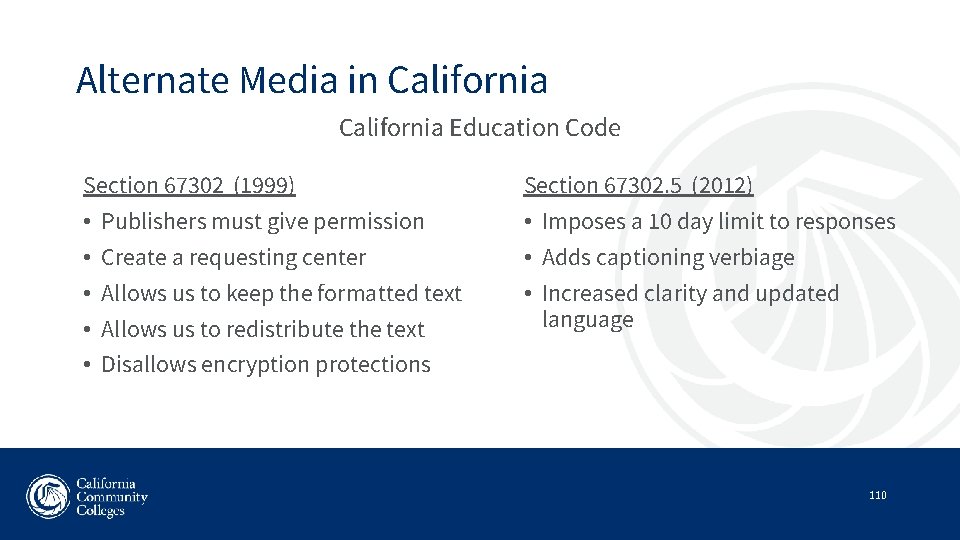
Alternate Media in California Education Code Section 67302 (1999) • Publishers must give permission • Create a requesting center • Allows us to keep the formatted text • Allows us to redistribute the text • Disallows encryption protections Section 67302. 5 (2012) • Imposes a 10 day limit to responses • Adds captioning verbiage • Increased clarity and updated language 110
Contact Information for ATPC Jeff Baugher Director The Alternate Text Production Center 198 Camino Ruiz Camarillo, CA 93012 www. atpc. net jbaugher@atpc. net (805) 383 -1700 x 101 111
BREAK 112
California Community Colleges Accessibility Center Presenters: Sean Keegan, Director Angela Baucom, Project Manager
Current Projects (1) Accessibility Standard Working Group • Focus has been to create implementation solutions for colleges based on the CCC Accessibility Standard from June 2018 • Recent deliverables include: • Updated FAQs and responsibilities for Faculty, Staff, and Administrators in regards to technology accessibility • Board Policy and Administrative Procedure Templates (BP & AP 3725) • Institutional Accessibility Guidance to provide a framework and model for creating an accessible technology environment on campuses 114
Current Projects (2) Website Accessibility Evaluations & Reviews • Free web page reviews available from CCCAC • Small to medium reviews include 5 -20 pages • Report includes identification of specific issues requiring attention Accessibility Help Desk • Moving to the Vision Resource Center websites • Place to ask accessibility questions and request website evaluations 115
Current Projects (3) Evaluating select Canvas LTIs for accessibility • Reviewing selected LTI tools being used by faculty • Flip. Grid and My. Open. Math reviewed Evaluating apps developed by CCC Technology Center • CCCApply, CCC My. Path, etc. • Monitoring accessibility of the Ex Libris library platform 116
Current Tools Dinolytics Website Accessibility Scanner • Based on WAVE engine • Will scan public-facing website and report technical issues • Free to colleges – no limit on pages scanned or system users Equidox • Online PDF remediation tool • Free, but limited number of user accounts 117
Online Micro-Courses (1) Five free, self-paced courses now online in Canvas Available in Canvas Commons for colleges to install locally Topics include: • Canvas Accessibility • MS Word Accessibility • MS Power. Point Accessibility • PDF Accessibility • Video Captioning 118
Online Micro-Courses New courses in development • Alternate Media Workflow Strategies for PDFs (Sept) • Introduction and Overview to Alternate Media Production (Oct) • Microsoft Excel Accessibility (Oct) • Introduction to Braille & Duxbury (Dec) • Evaluating VPATs from Vendors (Jan) • Math and STEM Accessibility (Feb) 119
Trainings & Workshops Face-to-face workshops now available at colleges Focus has been on Canvas and electronic document accessibility New DSPS-specific trainings will happen with release of the new microcourses Zoom-facilitated trainings in development for Spring 2020 • Will be short-term, online workshops that meet for specific time for 2 -3 weeks Request an on-campus training through the CCCAC website 120
Other Resources AIMHub • Collaboration between CCCs and CSU to facilitate exchange of books in alternate formats Accessibility Office Hours • 1: 00 PM on the First and Second Thursday of the Month • Alternating topics between Web accessibility and alternate media/assistive technology DSPS Directors, Alt Media, IT Access and other Mailing Lists are available 121
Contact Information cccaccessibility. org accessibility@ccctechcenter. org skeegan@ccctechcenter. org Linked. In: CCC Accessibility Center 122
Group Work 123
Closing Session and Wrap-up 124
- Slides: 125