
DSC LABS CHROMA DUMONDE Creating a DSC 28
DSC LABS CHROMA DUMONDE Creating a DSC 28 Scene File How to use DSC Labs System Panasonic Solutions Company
DSC LABS CHROMA DUMONDE Benefits Accurate Color Reproduction Excellent tool for matching multiple cameras Industry Standard in USA Video Production No Guess work, just paint by number! Panasonic Solutions Company
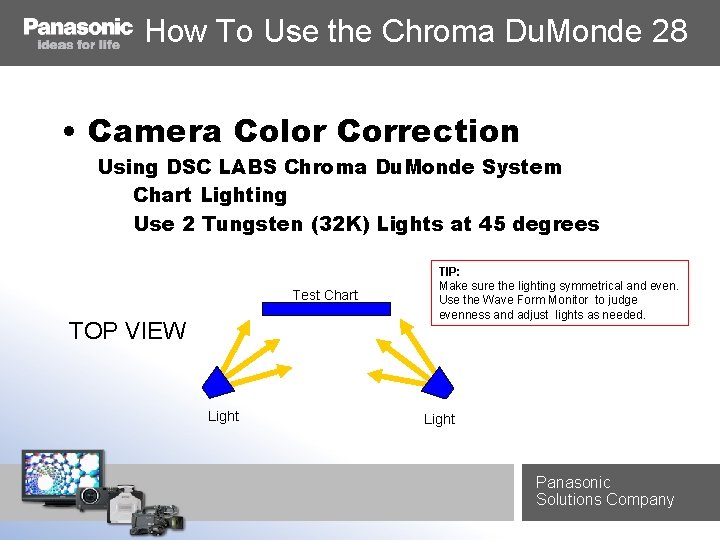
How To Use the Chroma Du. Monde 28 • Camera Color Correction Using DSC LABS Chroma Du. Monde System Chart Lighting Use 2 Tungsten (32 K) Lights at 45 degrees Test Chart TOP VIEW Light TIP: Make sure the lighting symmetrical and even. Use the Wave Form Monitor to judge evenness and adjust lights as needed. Light Panasonic Solutions Company
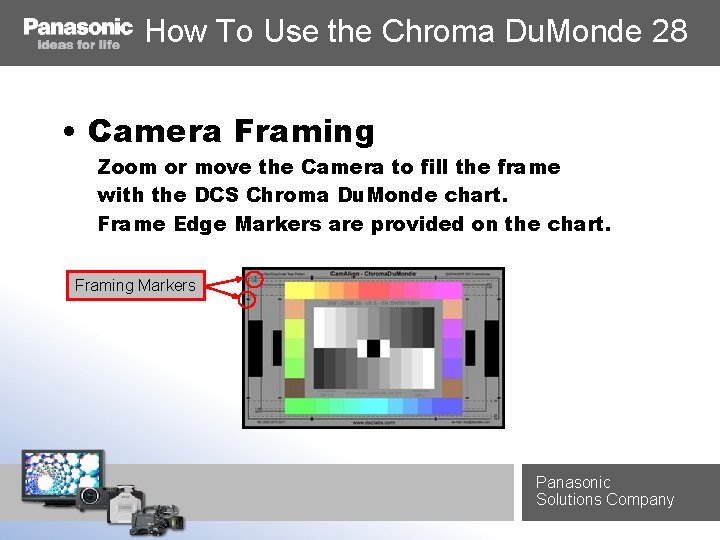
How To Use the Chroma Du. Monde 28 • Camera Framing Zoom or move the Camera to fill the frame with the DCS Chroma Du. Monde chart. Frame Edge Markers are provided on the chart. Framing Markers Panasonic Solutions Company
How To Use the Chroma Du. Monde 28 • Camera Settings Set Filter to Clear (32 K) Shutter OFF Auto Knee OFF Raise Knee Point to Highest setting Set White Clip to Highest Setting Select HD Gama Set Master Gama to. 45 Set Gain to 0 Set Pedestal to 0 Turn ON Matrix and zero out Turn ON Color Correction and zero out Panasonic Solutions Company
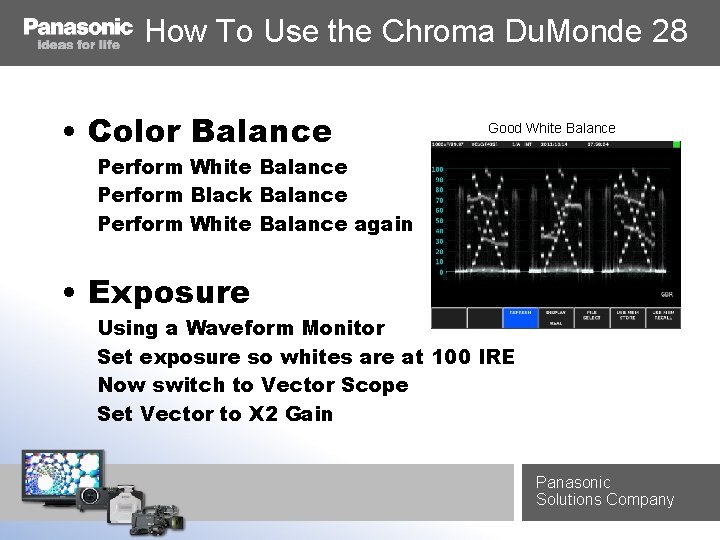
How To Use the Chroma Du. Monde 28 • Color Balance Good White Balance Perform Black Balance Perform White Balance again • Exposure Using a Waveform Monitor Set exposure so whites are at 100 IRE Now switch to Vector Scope Set Vector to X 2 Gain Panasonic Solutions Company
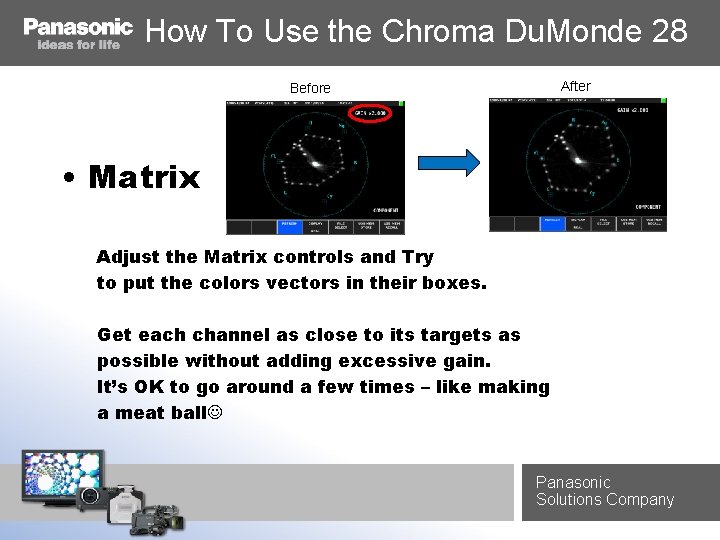
How To Use the Chroma Du. Monde 28 After Before • Matrix Adjust the Matrix controls and Try to put the colors vectors in their boxes. Get each channel as close to its targets as possible without adding excessive gain. It’s OK to go around a few times – like making a meat ball Panasonic Solutions Company

How To Use the Chroma Du. Monde 28 Target Example • Color Correction Adjust the Primary Colors 1 st Work Clockwise around the Vectors using Phase and Saturation Controls to steer each channel into its target. Panasonic Solutions Company
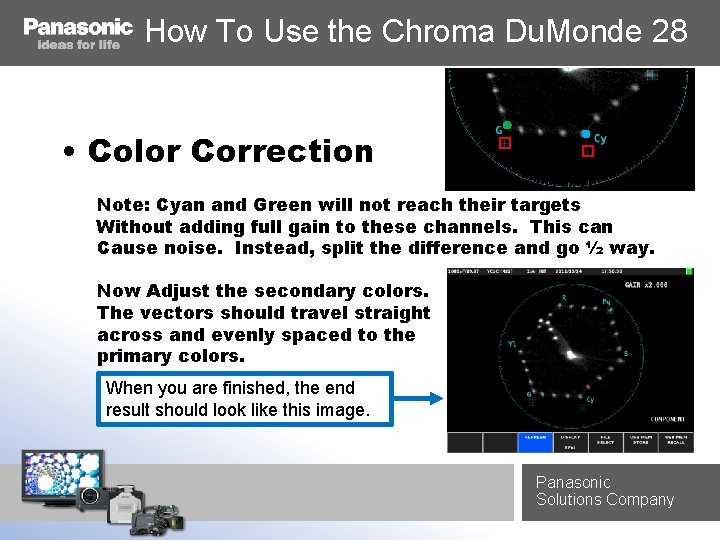
How To Use the Chroma Du. Monde 28 • Color Correction Note: Cyan and Green will not reach their targets Without adding full gain to these channels. This can Cause noise. Instead, split the difference and go ½ way. Now Adjust the secondary colors. The vectors should travel straight across and evenly spaced to the primary colors. When you are finished, the end result should look like this image. Panasonic Solutions Company
How To Use the Chroma Du. Monde 28 • Save Your Settings Now that you have created a DSC Chroma Du. Monde 28 scene file, please be sure to save your settings to an SD Card and the camera scene file memory. Note: When saving to SD Card, please check the SD Card R/W settings. Paint options should be set to ON Panasonic Solutions Company

Website Information For more information on DSC Lab test charts, Please visit: DSCLABS. COM Thank You! Pro. AV Engineering Panasonic Solutions Company
- Slides: 11