
DRIVING VEHICLE ERGONOMICS PRESENTED BY GINGER EDGECOMBE DORSEY
DRIVING & VEHICLE ERGONOMICS PRESENTED BY: GINGER EDGECOMBE DORSEY, Ph. D. APHIS ERGONOMICS PROGRAM MANAGER
Ergonomics Definition: Fitting the job to the worker. Goals: � Fit you to your car so you can drive in a way that maximizes the natural ability of your body to move and respond to physical stress. � Decrease risk of injury/illness. � Enhance worker productivity.
Understand There is no such thing as the average person. It is not normal to be in pain. Different people respond differently to their work environments, particularly after an injury, due to: � Hereditary. � Age. � Gender. � Lifestyles.
Ergonomic Disorders and Injuries The absence of a sound ergonomics environment can lead to a variety of physical ailments named work-related musculoskeletal disorders (WMSDs), cumulative trauma disorders (CTDs), or repetitive strain injuries (RSIs).
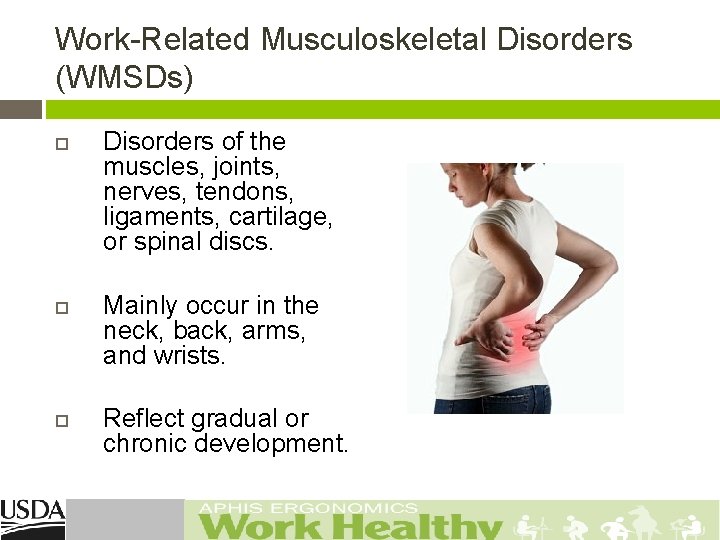
Work-Related Musculoskeletal Disorders (WMSDs) Disorders of the muscles, joints, nerves, tendons, ligaments, cartilage, or spinal discs. Mainly occur in the neck, back, arms, and wrists. Reflect gradual or chronic development.
What You Will Learn Work-related musculoskeletal discomforts and their causes associated with driving. Recommended postures to minimize your risk for musculoskeletal injuries while driving. How to identify if you are an at risk driver. Exercises and stretches to relieve tension.

Reported Driving Discomforts and Their Associated Causes
Question: How many hours/miles do you drive: Daily? Weekly? Monthly? Annually?
Drivers’ Health Driving 20 hrs/wk or more increases risk of WMSDs. (Porter and Gyi, 2002) Frequency of discomforts increases with number of miles driven annually. Driving causes us to sit in forced postures. More adjustable features = less discomfort: � Lumbar support � Seatpan angle � Steering wheel distance
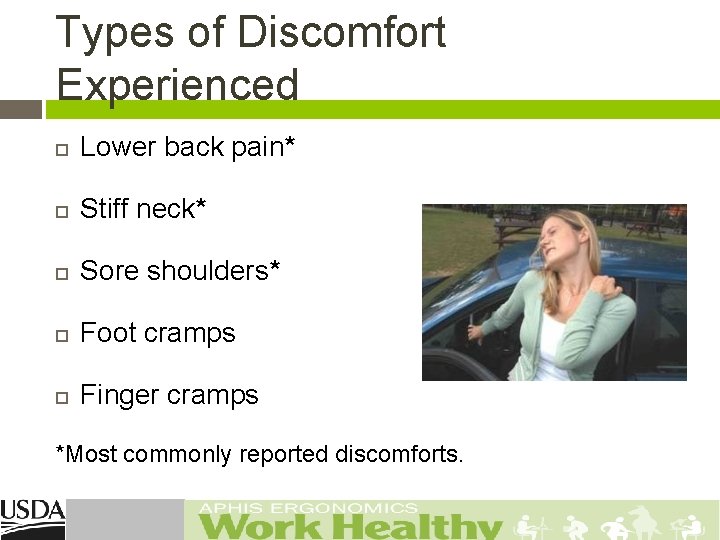
Types of Discomfort Experienced Lower back pain* Stiff neck* Sore shoulders* Foot cramps Finger cramps *Most commonly reported discomforts.
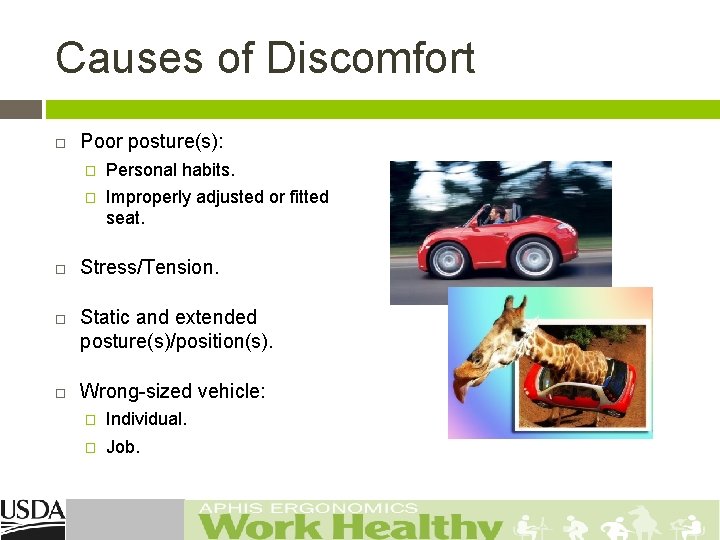
Causes of Discomfort Poor posture(s): � Personal habits. � Improperly adjusted or fitted seat. Stress/Tension. Static and extended posture(s)/position(s). Wrong-sized vehicle: � Individual. � Job.
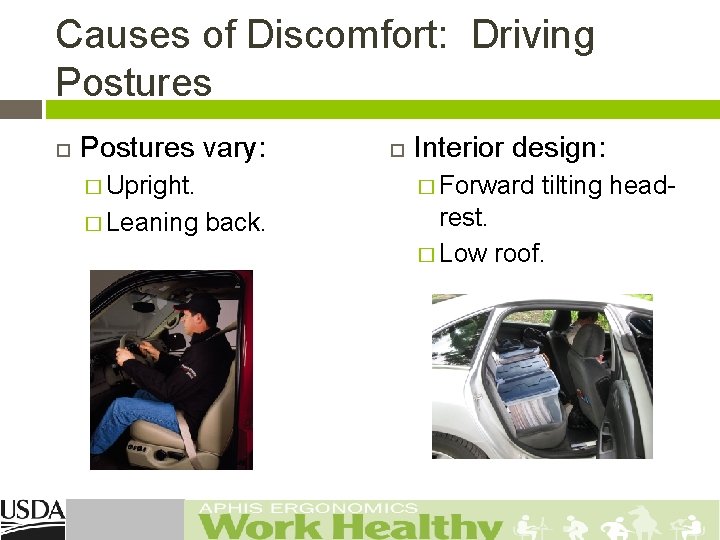
Causes of Discomfort: Driving Postures vary: Interior design: � Upright. � Forward tilting head- � Leaning back. rest. � Low roof.
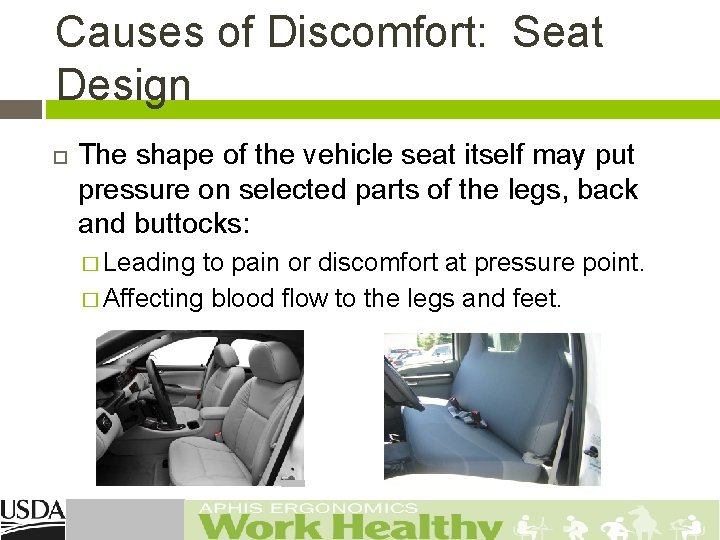
Causes of Discomfort: Seat Design The shape of the vehicle seat itself may put pressure on selected parts of the legs, back and buttocks: � Leading to pain or discomfort at pressure point. � Affecting blood flow to the legs and feet.
Causes of Discomfort: Road Conditions The body moves sideways when you turn on corners. Depending on how fast you accelerate or decelerate, you will feel a force on your body. Your body experiences up-and-down vibrations from the car travelling on uneven or bumpy road surfaces.
Causes of Discomfort: Vibration Low frequency whole-body vibration in moving cars and trucks can contribute to effects on the lower back and performance problems. Contact your agency Safety & Health Program for: � Blurred vision. � Decrease in manual coordination. � Drowsiness (even with proper rest). � Low back pain. � Insomnia. � Headaches or upset stomach.
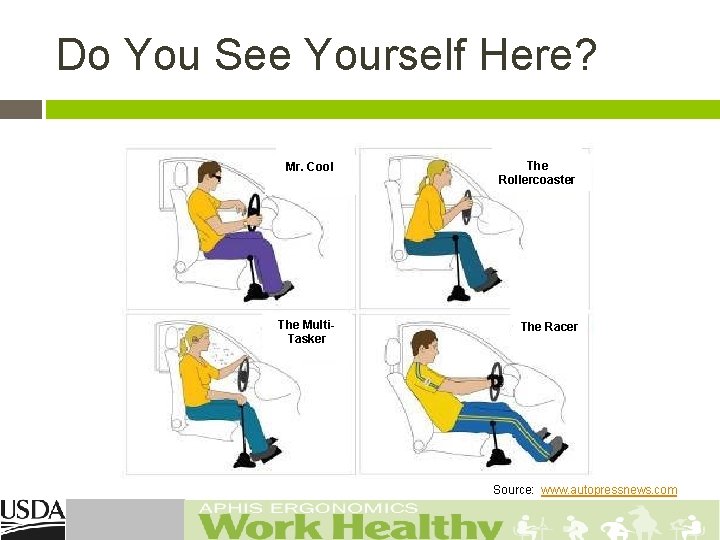
Do You See Yourself Here? Mr. Cool The Rollercoaster The Multi. Tasker The Racer Source: www. autopressnews. com
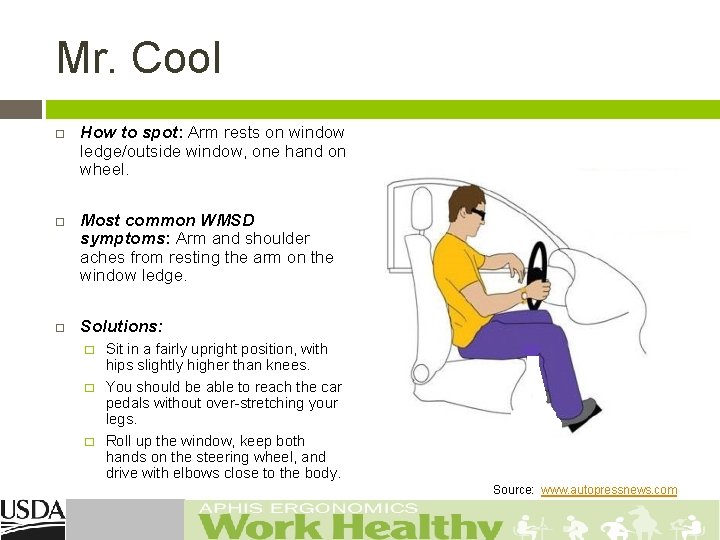
Mr. Cool How to spot: Arm rests on window ledge/outside window, one hand on wheel. Most common WMSD symptoms: Arm and shoulder aches from resting the arm on the window ledge. Solutions: � � � Sit in a fairly upright position, with hips slightly higher than knees. You should be able to reach the car pedals without over-stretching your legs. Roll up the window, keep both hands on the steering wheel, and drive with elbows close to the body. Source: www. autopressnews. com
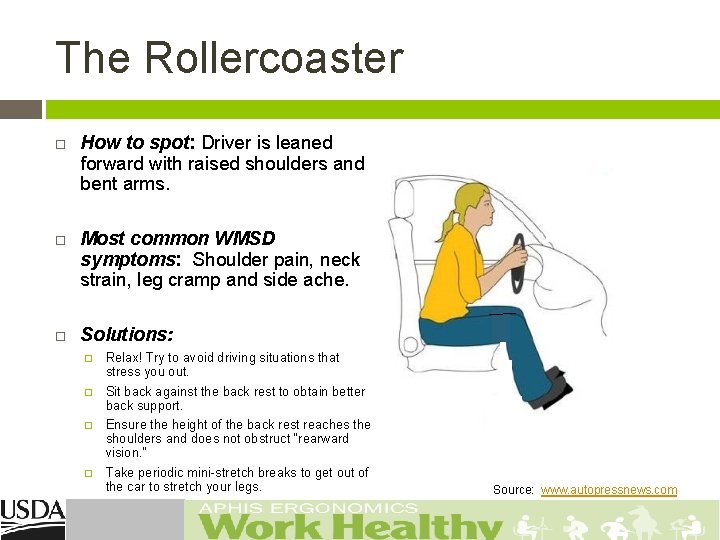
The Rollercoaster How to spot: Driver is leaned forward with raised shoulders and bent arms. Most common WMSD symptoms: Shoulder pain, neck strain, leg cramp and side ache. Solutions: � Relax! Try to avoid driving situations that stress you out. � Sit back against the back rest to obtain better back support. � Ensure the height of the back rest reaches the shoulders and does not obstruct “rearward vision. ” � Take periodic mini-stretch breaks to get out of the car to stretch your legs. Source: www. autopressnews. com

The Racer How to spot: Straight arms, seat reclined, rounded shoulders/upper back, low driving position. Most common WMSD symptoms: Side aches and lumbar pain. Solutions: � � Be aware, low seat positions provide limited support for the lower back and sides. To obtain greater support, sit in a fairly upright position. Keep your hips slightly higher than your knees. Source: www. autopressnews. com
Easing Driving Discomforts Carpool, Ride. Share, or similar. Distance Driving – alternate longer drives with shorter drives. Rest Breaks – implement at least once an hour or more if necessary. Work Days – consider moving office day to middle of week versus the end of the week. � � Drive 2 days. Work at office/home 1 day. Drive 2 days. Rest over 2 day weekend.
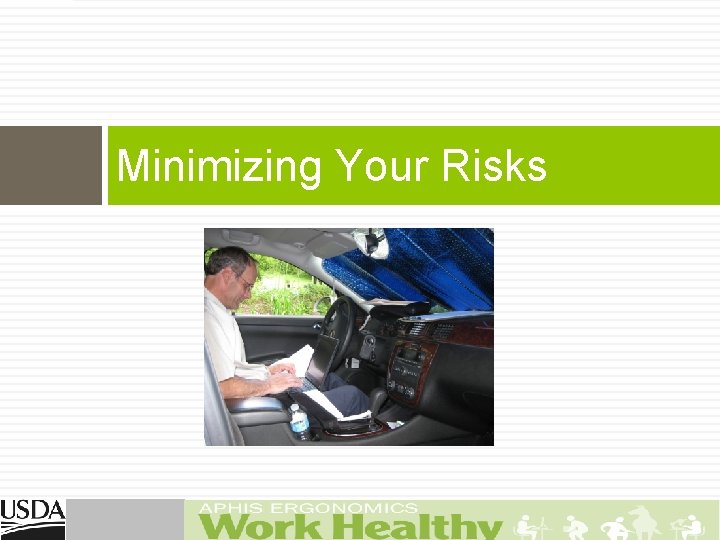
Minimizing Your Risks
Before You Start Your Drive Remove items from your pockets (e. g. , wallet or keys). � May press on soft tissue as you sit down. � This compression can reduce circulation or press on nerves and other soft tissues. Position items that you may need during your drive (e. g. , sunglasses, tissue, mints, etc. ). � Place such as to minimize reaching while driving. � Take time to pull over if necessary to avoid awkward reaching.
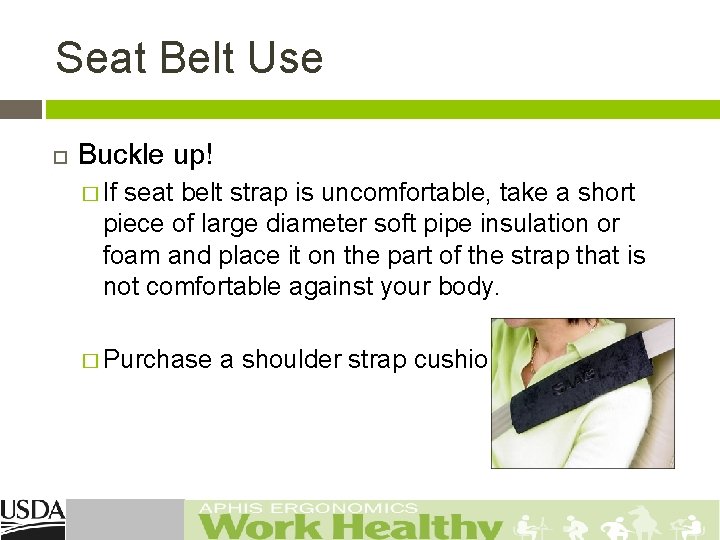
Seat Belt Use Buckle up! � If seat belt strap is uncomfortable, take a short piece of large diameter soft pipe insulation or foam and place it on the part of the strap that is not comfortable against your body. � Purchase a shoulder strap cushion.
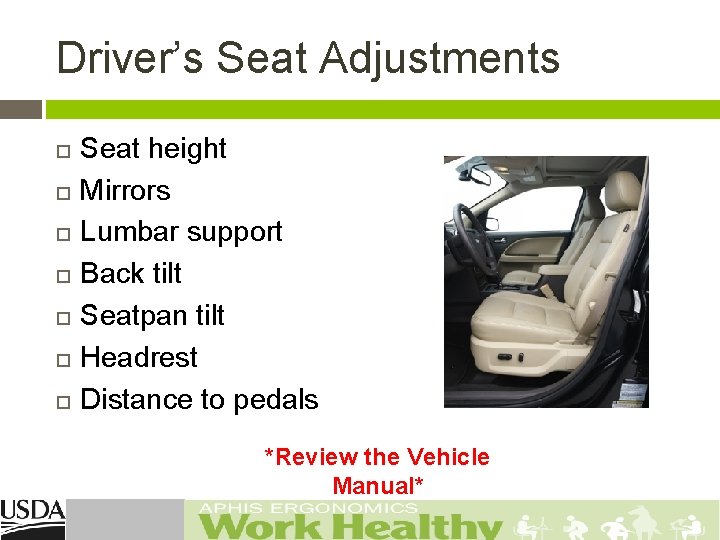
Driver’s Seat Adjustments Seat height Mirrors Lumbar support Back tilt Seatpan tilt Headrest Distance to pedals *Review the Vehicle Manual*
Seat Height Raise your seat as high as you can but still be comfortable. � This height will optimize your vision through the windows. � You should be able to see at least 76 mm (3 in. ) over the top of the steering wheel. � Ensure that you have sufficient room between the roof and the top of your head.
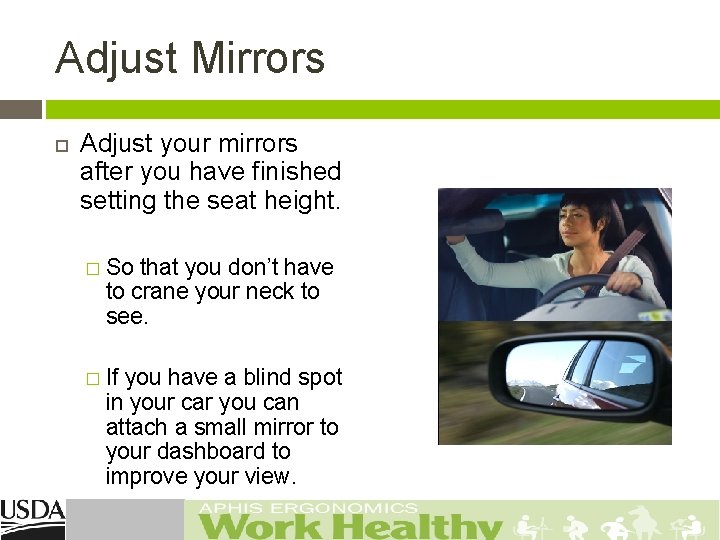
Adjust Mirrors Adjust your mirrors after you have finished setting the seat height. � So that you don’t have to crane your neck to see. � If you have a blind spot in your car you can attach a small mirror to your dashboard to improve your view.
Lumbar Support Adjust your lumbar support up-and-down and in-and -out until you feel an even pressure along your back from the hips to shoulder height. � The lower part of your back should feel supported, i. e. , no gaps or pressure points in the back support area. If not supported, roll up a small towel and place in the curve of your back. Obtain a lumbar pillow if necessary.
Back Tilt Adjust your back tilt. � The least amount of pressure on the back occurs when your seat back is 100 -110 degrees so that you are slightly reclined. � The back support should fully support your back. � If you are leaning too far back, you may end up bending your head and neck forward, which may cause muscle fatigue, neck or shoulder pain, tingling in the fingers, etc. � If you cannot recline your seat, take frequent breaks from your upright posture by shifting your weight side to side and using small upper body motions to relax the back.
Seatpan Depth Check your seatpan/cushion length. � When seated, scoot your tail bone as far back to the seat back as possible. � Should be able to place 2 -4 fingers between back of knee and front of seat. � If cannot perform, add a pillow or back cushion to car seat to move you forward.
Seatpan Tilt Adjust your seatpan tilt. � When seated, scoot your tail bone as far back to the seat back as possible. � Tilt the seatpan tilt until your thighs are supported along the full length of the cushion without there being pressure at the back of your knees. � The seat of your car should allow for your knees to be slightly lower than your hips: Opens up your hip flexors. Increases circulation to the back. Decreases pressure on lower back.
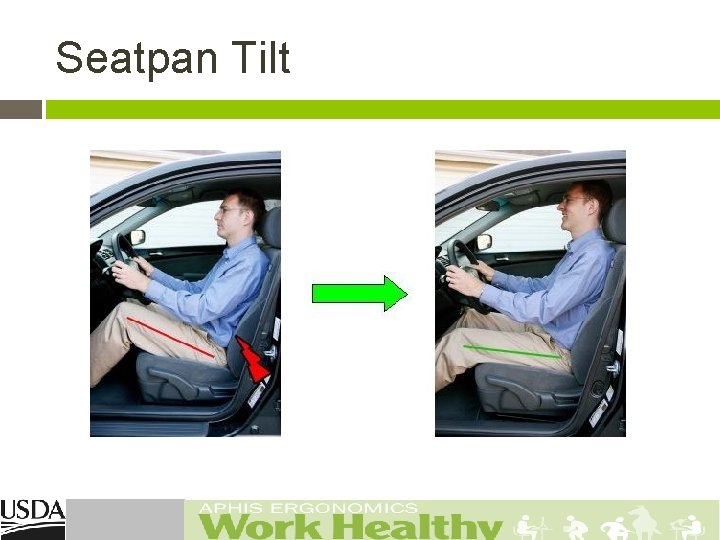
Seatpan Tilt
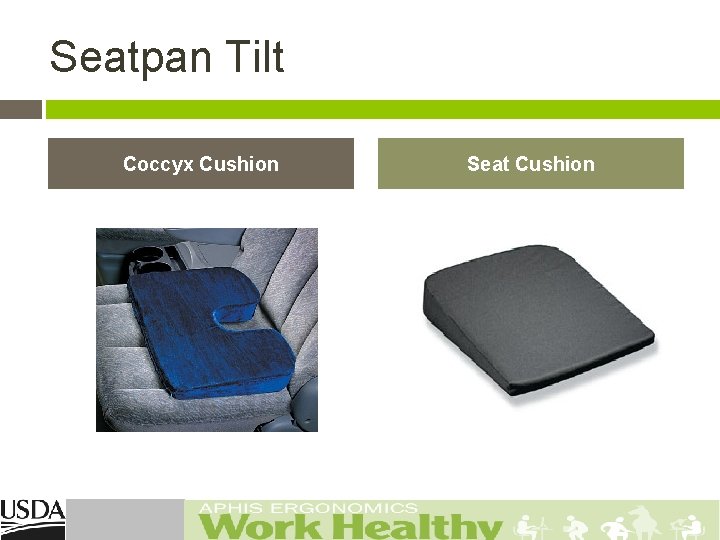
Seatpan Tilt Coccyx Cushion Seat Cushion
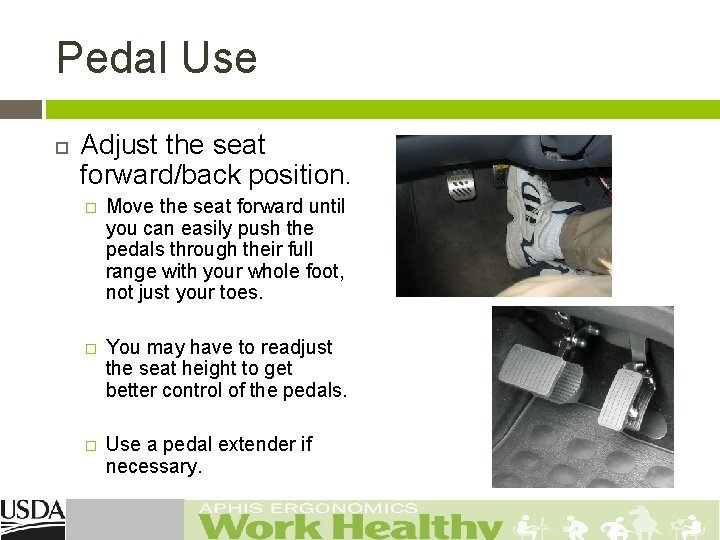
Pedal Use Adjust the seat forward/back position. � Move the seat forward until you can easily push the pedals through their full range with your whole foot, not just your toes. � You may have to readjust the seat height to get better control of the pedals. � Use a pedal extender if necessary.
Head Restraint When seated adjust the head restraint (head rest). � While sitting, raise the head rest until the top of it is level with top of your head. � Adjust the angle of the head rest until it is almost touching the back of your head when you are in your sitting posture.
Steering Wheel Postures Adjust the steering wheel for height or tilt and pull it back for easy reach. The center of the steering wheel should be about 10 - 12 in from the driver's breast bone. � Your arms should be in a comfortable position (not too high or too low). � Steering wheel grip – “The best posture is the next posture. ” Keep two hands on your steering wheel except when shifting gears. � Change your hand postures frequently to improve circulation and reduce fatigue. �
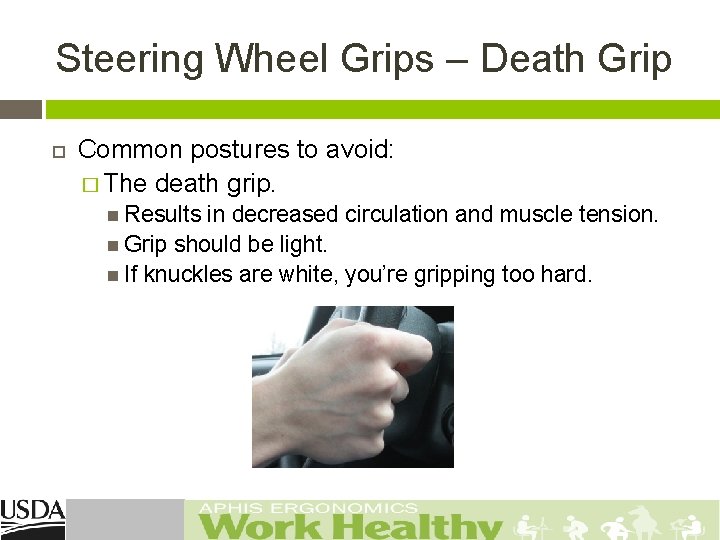
Steering Wheel Grips – Death Grip Common postures to avoid: � The death grip. Results in decreased circulation and muscle tension. Grip should be light. If knuckles are white, you’re gripping too hard.
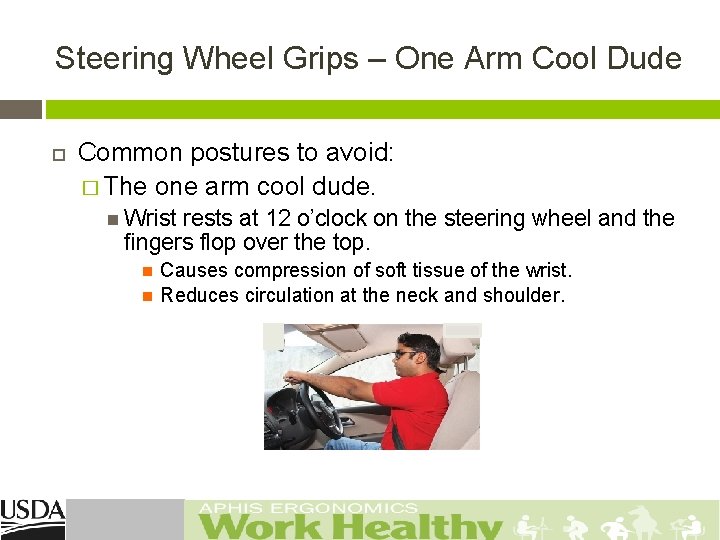
Steering Wheel Grips – One Arm Cool Dude Common postures to avoid: � The one arm cool dude. Wrist rests at 12 o’clock on the steering wheel and the fingers flop over the top. Causes compression of soft tissue of the wrist. Reduces circulation at the neck and shoulder.
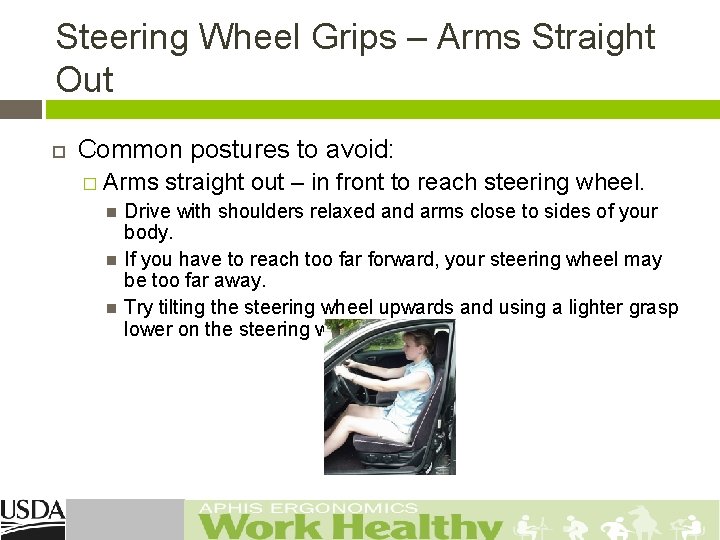
Steering Wheel Grips – Arms Straight Out Common postures to avoid: � Arms straight out – in front to reach steering wheel. Drive with shoulders relaxed and arms close to sides of your body. If you have to reach too far forward, your steering wheel may be too far away. Try tilting the steering wheel upwards and using a lighter grasp lower on the steering wheel.
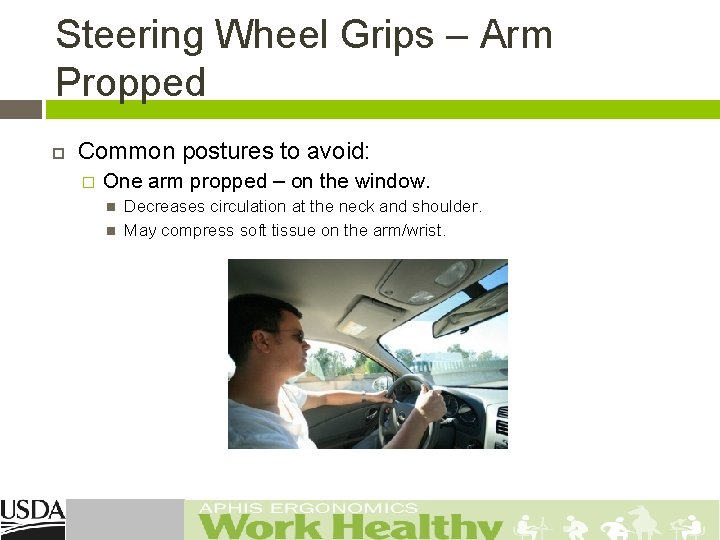
Steering Wheel Grips – Arm Propped Common postures to avoid: � One arm propped – on the window. Decreases circulation at the neck and shoulder. May compress soft tissue on the arm/wrist.
Driving Ergonomics Tips: Entering/Exiting the Vehicle Stepping up/out of vehicle: � If you drive a large vehicle with a high step up/down, add an extra step or slowly step in and out of your vehicle versus jumping down. � � Over time, jumping down cause compression to your spine. If the step height is high (e. g. , SUVs and pick-up trucks), does it have or can you add a running board? Straps and other hand assist devices for holding on to should be checked frequently for wear and tear. Are the door handles easy to grab and operate, to prevent slipping when if wet or snow-covered, including when you are wearing gloves? Does the open door provide enough space to get in and out easily (without stooping or banging your head on the door frame; and without bumping your knees on the bottom of the dashboard / instrument panel and steering column)?
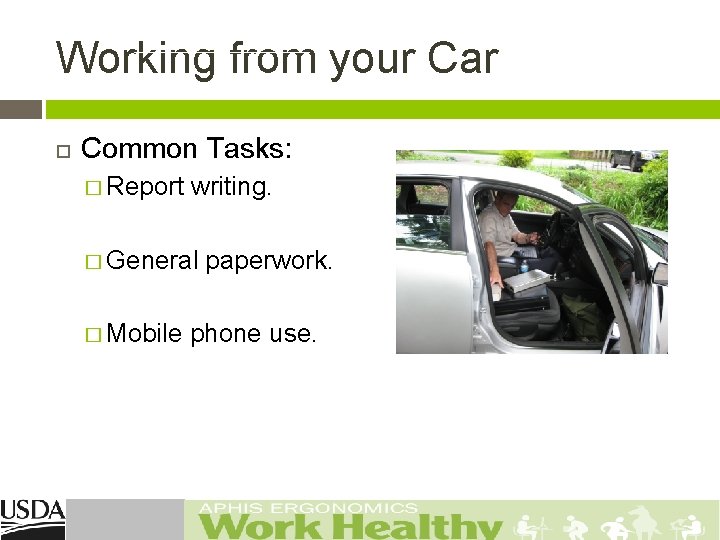
Working from your Car Common Tasks: � Report writing. � General paperwork. � Mobile phone use.
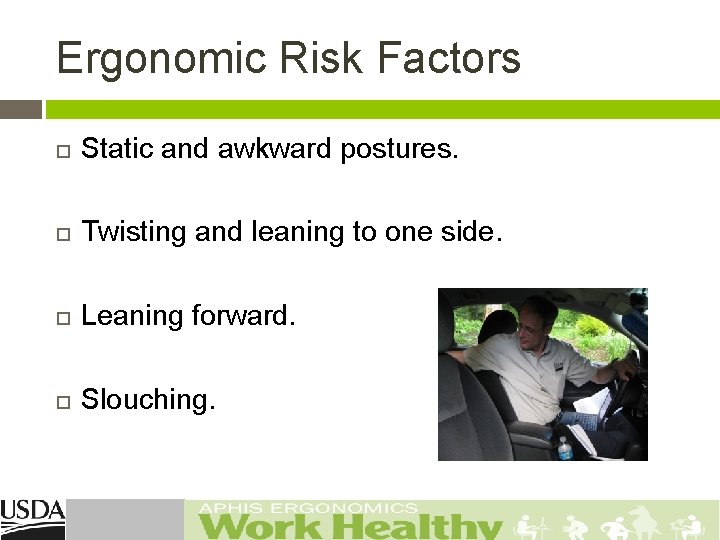
Ergonomic Risk Factors Static and awkward postures. Twisting and leaning to one side. Leaning forward. Slouching.
Report Writing Do you write reports from the: � � � Passenger seat? Driver’s seat? Rear seat? Report writing involves: � � � Laptop use. Portable printer use. Accessing files (plastic storage tubs or boxes). � Back seat. Floor. Accessing equipment bags. Passenger floor. Behind driver’s seat on rear seat or floor.
Laptop Use Move to passenger seat and place laptop on your lap. Never sit in the driver’s seat while resting the laptop on the passenger seat and vice versa. Store laptop in car trunk. � Ensures you get out of the car and stretch your legs before using the laptop. Change position frequently and take breaks. Do not work on your laptop for prolonged periods (i. e. , for more than 10 -15 minutes at a time).
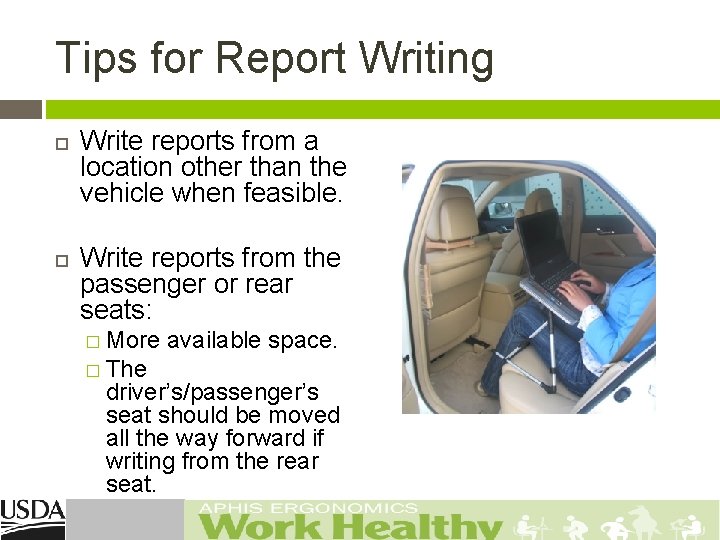
Tips for Report Writing Write reports from a location other than the vehicle when feasible. Write reports from the passenger or rear seats: � More available space. � The driver’s/passenger’s seat should be moved all the way forward if writing from the rear seat.
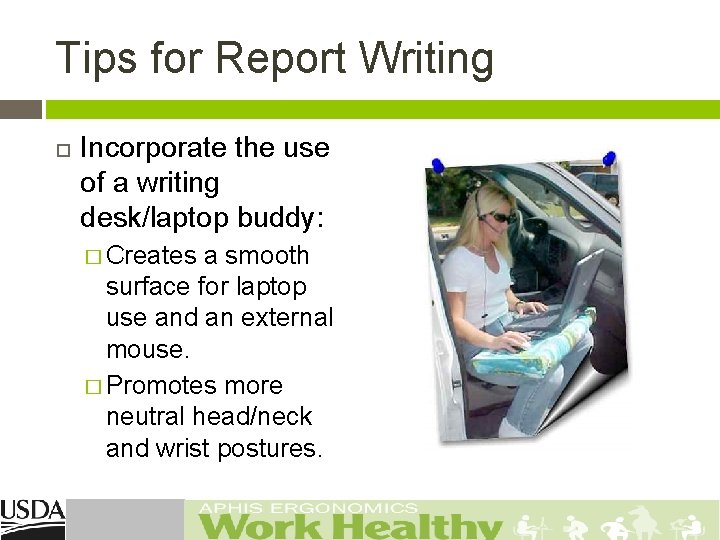
Tips for Report Writing Incorporate the use of a writing desk/laptop buddy: � Creates a smooth surface for laptop use and an external mouse. � Promotes more neutral head/neck and wrist postures.
Tips for Report Writing Place all needed items (e. g. , files, printer, printer paper, etc. ) to write reports within in an arm’s reach prior to starting the report. Such items should ideally be placed directly in front (e. g. , vehicle dashboard) or slightly to the side of the body’s mid-line to avoid the use of awkward postures.
Tips for Report Writing Consider the feasibility of standing to write reports. Consider the use of speech recognition software (e. g. , Dragon Naturally. Speaking). Review the use of laptop/printer mounts.
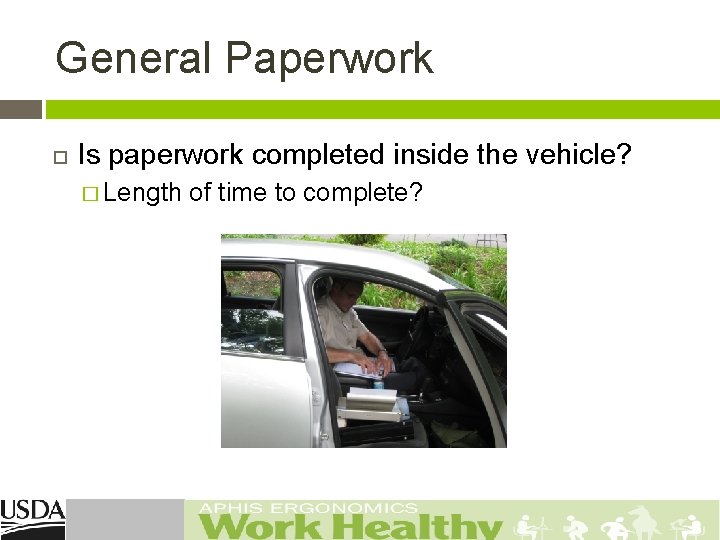
General Paperwork Is paperwork completed inside the vehicle? � Length of time to complete?
General Paperwork Try to achieve as good a range of postures as possible, avoiding: � Slouching. � Leaning forwards. � Twisting. Change position frequently and take breaks. Twisting to access paperwork and the laptop can be more damaging to your back and neck than driving.
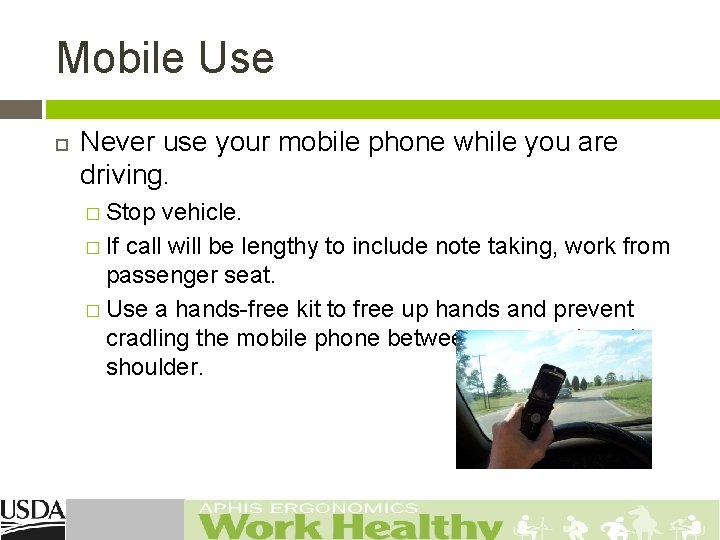
Mobile Use Never use your mobile phone while you are driving. � Stop vehicle. � If call will be lengthy to include note taking, work from passenger seat. � Use a hands-free kit to free up hands and prevent cradling the mobile phone between your neck and shoulder.
Tips for Equipment/Bag Placement Locate all items needed during the drive within an easy reach distance. � � If necessary, place all items in the rear/trunk of the vehicle to eliminate ability to reach for items. This may also encourage unplanned, but needed rest/stretch breaks. Reduce the weight of the equipment bag, file storage, and any other items carried in and out of the car. Only transport the items needed for the day’s site
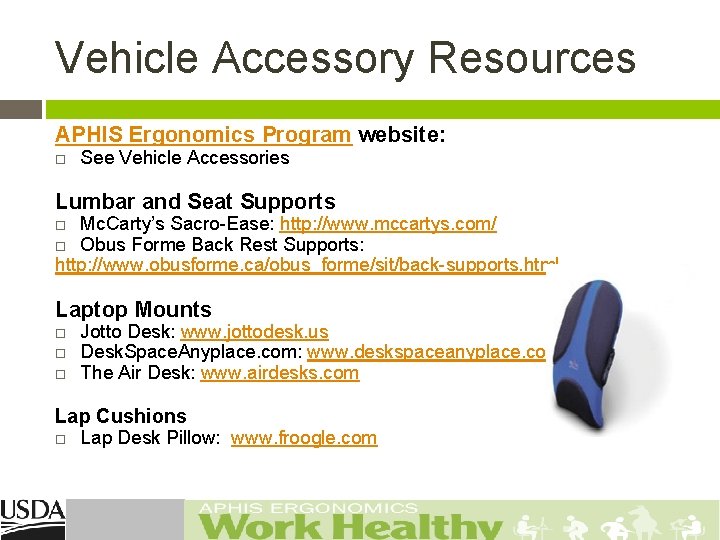
Vehicle Accessory Resources APHIS Ergonomics Program website: See Vehicle Accessories Lumbar and Seat Supports Mc. Carty’s Sacro-Ease: http: //www. mccartys. com/ Obus Forme Back Rest Supports: http: //www. obusforme. ca/obus_forme/sit/back-supports. html Laptop Mounts Jotto Desk: www. jottodesk. us Desk. Space. Anyplace. com: www. deskspaceanyplace. com The Air Desk: www. airdesks. com Lap Cushions Lap Desk Pillow: www. froogle. com
Risk Assessment
Are You an at Risk Driver? Perform an Initial Self-Risk Assessment. � Driving at work. Ask yourself about the time spent in the vehicle and typical daily/weekly mileage. Use the Car Selection Check-List to help evaluate features of the car and seat design. � Body discomfort. Use the Body Part Discomfort Map to identify any discomfort experienced in a typical week. � Working from the car. Ask yourself about work activities undertaken in the car e. g. , manual handling, laptop/PDA use, paperwork. � Use the Working From Your Car guide for a quick assessment. Lifestyle. Consider your personal lifestyle factors, e. g. , physical activity, smoking.
Identifying at Risk Drivers Upon the completion of your self-risk assessment: � Take urgent action to obtain continued support until your risk is deemed minimal, if you: Present with severe pain or a medical history of low back injury. Drive an inappropriate car. Have high driving exposure. Have other risk factors (e. g. , as manual handling). � Contact your agency Safety and Health Specialist to: Observe the work tasks performed which may increase risk. Discuss options and solutions for improved driving support and comfort.
Summary - Driving Postures Poor seated postures are generally considered to contribute to WMSDs. Good posture is a key feature in the prevention of back pain. However, even good postures can result in discomfort. It is important to note that no single posture is ideal if maintained for long periods of time. Adopting a range of comfortable postures, and frequent changes of posture, may help to delay the onset of discomfort in driving. Any seating position should account for the need to vary posture.

APHIS Ergonomics Program USDA APHIS 4700 River Road, Unit 124 Riverdale, MD 20737 301. 436. 3175 Email: aphis. ergonomics. program@aphis. usda. gov Website: APHIS Ergonomics - Work Healthy
- Slides: 58