
Drive HQ Online Backup Easy secure automatic The
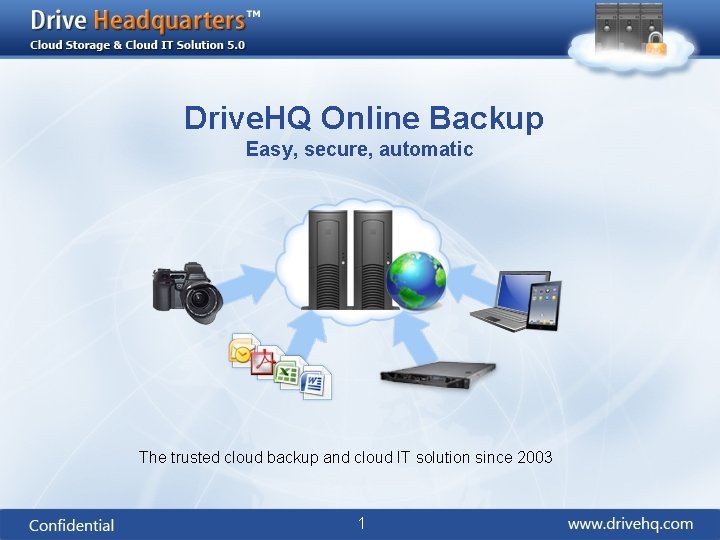
Drive. HQ Online Backup Easy, secure, automatic The trusted cloud backup and cloud IT solution since 2003 1
About Drive. HQ • One of the first few companies offering Cloud Storage & Cloud IT Solution; Services incl. : Online Backup, Sharing, Collaboration and FTP / Email / Web hosting services. • More than 1 million registered users; • 10 s of thousands of business customers, incl. some very large companies. (see http: //www. drivehq. com/about/testimonials. aspx) • Technology and service oriented (compares to marketing oriented); focus on creating real value than hype. 2
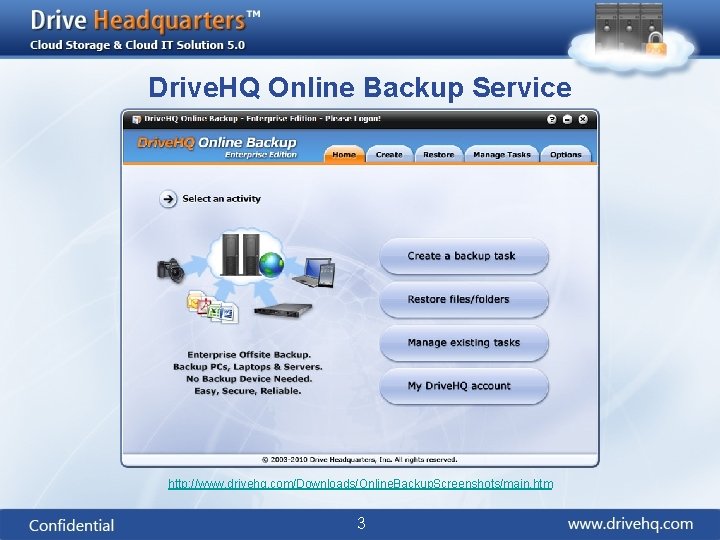
Drive. HQ Online Backup Service http: //www. drivehq. com/Downloads/Online. Backup. Screenshots/main. htm 3
Why Drive. HQ Online Backup? • Drive. HQ Online Backup stores data to a secure remote (offsite) data center; – Offsite backup is the only solution that protects data from any major disasters (e. g. fire, flood, theft, earthquake, hurricane, etc. ) • Easier to setup and maintain than local backup; any user can do it in just a few minutes. – No need to buy expensive backup device; no need to buy backup media (e. g. tapes, DVDs, etc. ) • Can automatically backup all PCs, laptops and servers without attaching any backup device; • Can backup, access and restore files from anywhere; • More reliable than your local backup – Drive. HQ has multiple levels of redundancy. 4
Drive. HQ Online Backup Main Features • • • Can backup servers, PCs, laptops, shared folders, portable drives; Can backup emails, databases and open files; Runs as Windows service; can backup a PC even if nobody is logged on; Scheduled backup Real-time backup Incremental backup File restore through web, Drive. HQ Online Backup, File. Manager or FTP; Backup data with encryption – and data remain encrypted online; Secure data transfer through HTTPS / SSL Can keep multiple file history versions and restore old versions. Remotely access, restore, or share backed-up files / folders online; 5
Online Backup Main Features (2) • Migrate backup tasks from one computer to another computer; • Can record events in the status log / error log; can automatically send backup status email; • Can compress data for faster uploading / downloading; • Support automatic resuming of interrupted file uploads / downloads from where it was left off. • Backup multiple users using Group Account service; • Backup multiple computers with only one account; can install Drive. HQ client software on any number of PCs for no extra charge; • Can filter certain files / folders from the backup source list; • Can create multiple backup tasks to backup different folders; group different data to different tasks and set different backup schedules. 6
Premium Service & Enterprise Service • Drive. HQ premium service – – Offers more storage space, download bytes and access to all premium service features; Premium users can upgrade to group account service and create sub-users; Premium users can order “custom logo and logon page” service. Premium service can be ordered online; it is processed instantly. • Drive. HQ Enterprise Service: – Designed for businesses with a lot of data / a lot of users; – It bundles: • • Storage space: starts from 100 GB; User licenses: starts from 20 user licenses; Branding: Custom Logo and Logon Page service; Free handling of initial upload with a USB disk: you can ship a USB disk to Drive. HQ and we can upload from our data center, which is much faster. – Enterprise service can be setup within 24 hours after receiving the payment or the order form: http: //www. drivehq. com/secure/Purchase. Orders. aspx 7
How to Start • Sign up Drive. HQ. com on www. drivehq. com; • Receive the Account Activation email and activate your account. • Logon www. drivehq. com, go to My Account page and click on: - Subscribe page to order Drive. HQ Premium service; or - For enterprise, please make a payment online by clicking on Deposit, then contact Drive. HQ customer support; (or you can also fax the order form) • Download and Install Drive. HQ Online Backup 5. 0 Enterprise Edition from: http: //www. drivehq. com/downloads/downloadonlinebackup. aspx • Create backup tasks to backup your data. 8
Try the Service for FREE • Try the free service before ordering; the free service does not expire but has limitations; • Try our enterprise demo account: – Visit: http: //Your. Company. Name. drivehq. com, logon with the following info: • • Username: Your. Company. Name Password: 123456 – And also try a sub-user account: • Your. User 1 / 123456 – You can also try Drive. HQ Online Backup client software with the above account. 9
More Resources • A lot of info is available on: http: //www. drivehq. com/backup / – Software screenshots; – Live flash demo about how to use Drive. HQ Online Backup; – Online Backup FAQ. • It is easy. So just do it! – It is good to take a look at the screenshots, the flash demo(s) and the FAQ before starting; – Even if you are non-technical, you can do it! The software is designed for average users. It is very straight-forward. – If you do have questions, or run into problems, please contact Drive. HQ customer support via emails. Your emails are usually answered within a couple of hours (7 days a week). – A complete manual with trouble-shooting info will be available soon. 10
Other Drive. HQ Cloud Storage & Cloud IT Services • Drive. HQ offers a broad range of services and features: – – – – Online Storage, Sharing and Collaboration FTP Server Hosting Email Backup Web / File Hosting Automatic Folder Synchronization Group User Administration, etc. • Drive. HQ service is secure and reliable. – – Redundant hardware and robust software design; High-end data center with 24 x 7 onsite security; 24 x 7 monitoring and emergency response; Tested by time and over 1 million users. 11
Questions? 12
- Slides: 12