
Dragonfly Interconnect Topology Emily Hastings Anda Xu Mentor




- Slides: 57
Dragonfly Interconnect Topology Emily Hastings Anda Xu Mentor: David Bunde
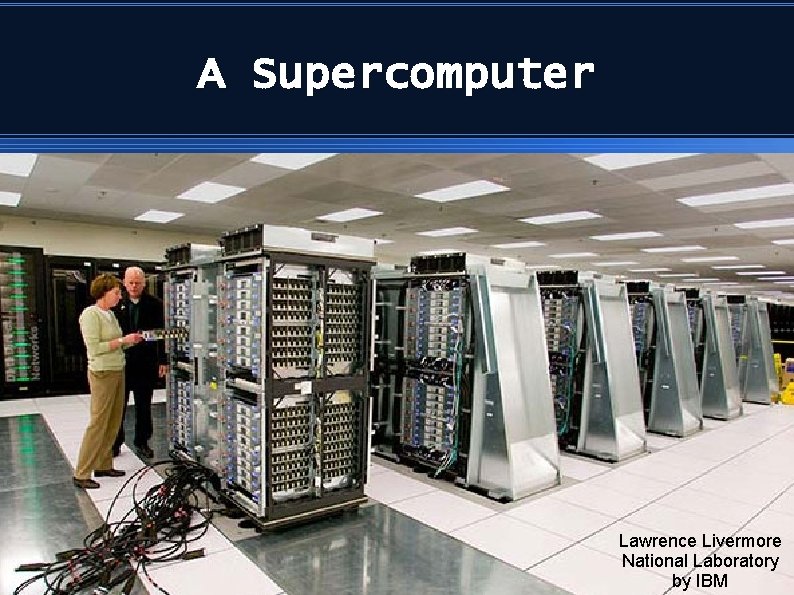
A Supercomputer Lawrence Livermore National Laboratory by IBM
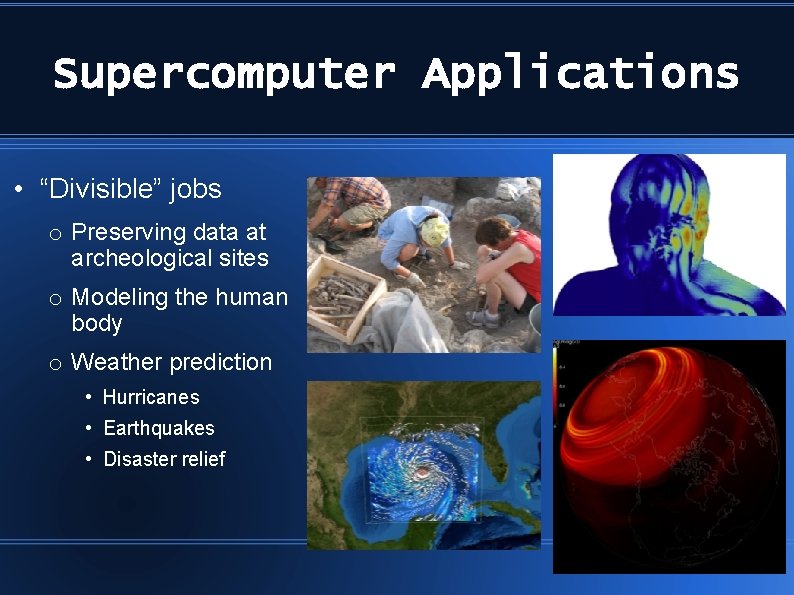
Supercomputer Applications • “Divisible” jobs o Preserving data at archeological sites o Modeling the human body o Weather prediction • Hurricanes • Earthquakes • Disaster relief
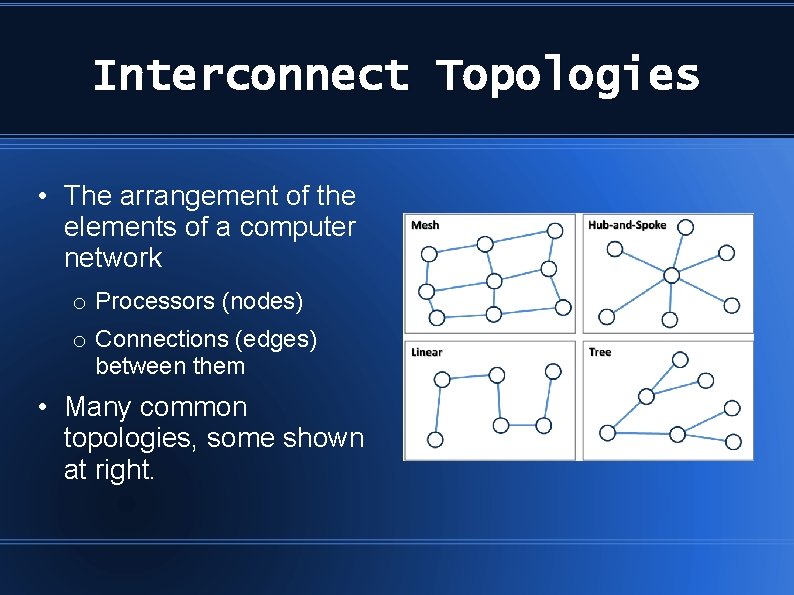
Interconnect Topologies • The arrangement of the elements of a computer network o Processors (nodes) o Connections (edges) between them • Many common topologies, some shown at right.
What is Dragonfly? • Introduced in 2008 by scientists at Stanford University and Cray Inc.
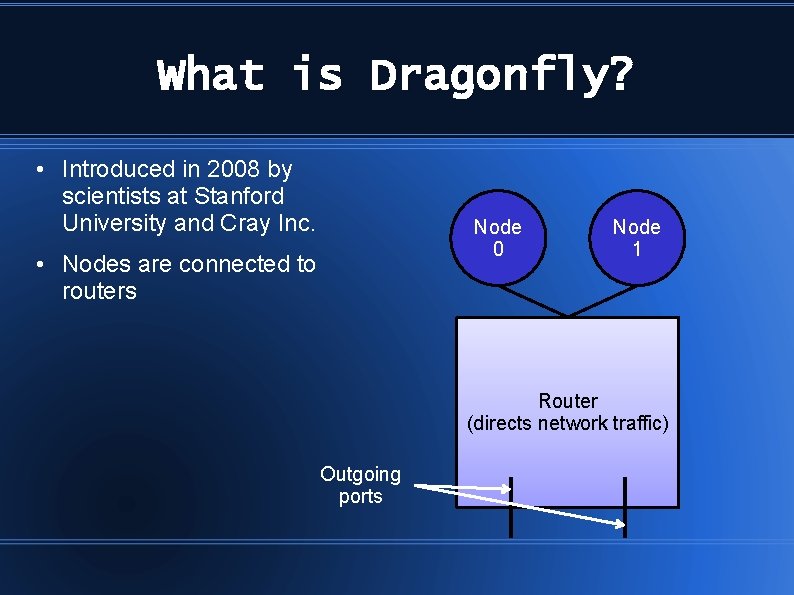
What is Dragonfly? • Introduced in 2008 by scientists at Stanford University and Cray Inc. • Nodes are connected to routers Node 0 Node 1 Router (directs network traffic) Outgoing ports
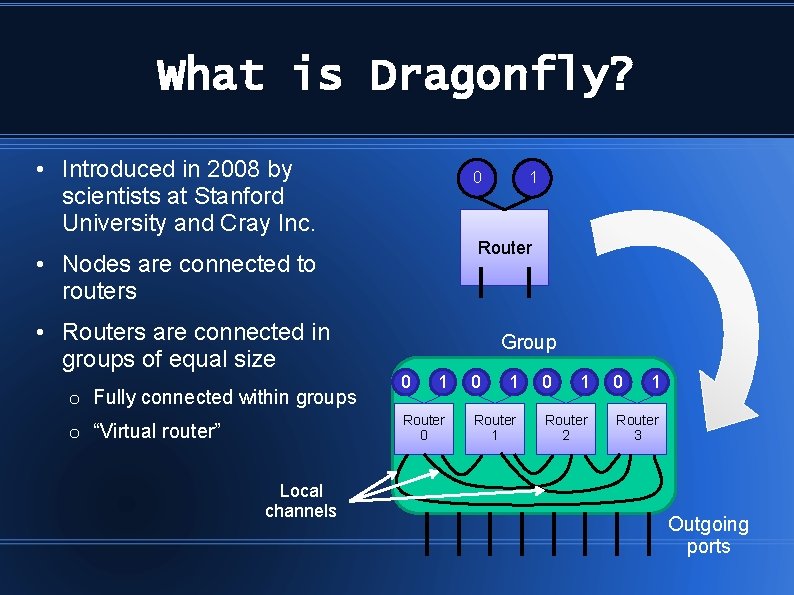
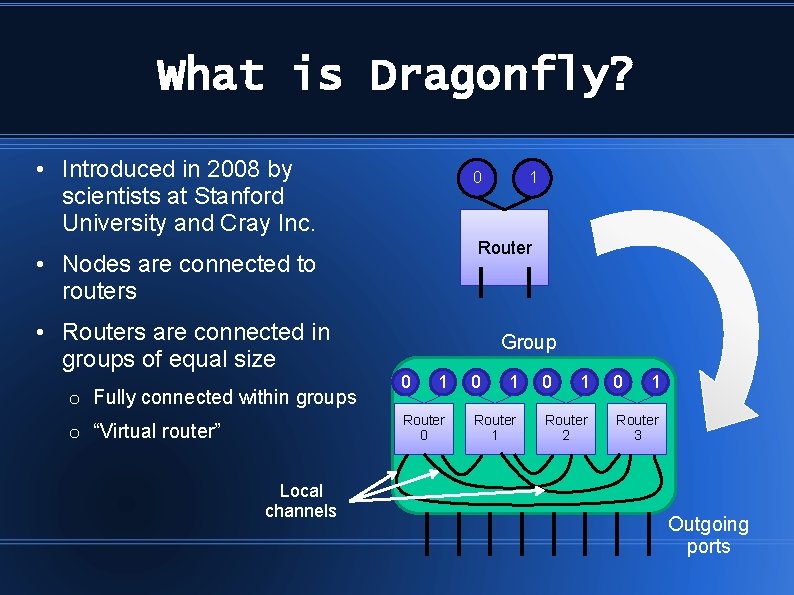
What is Dragonfly? • Introduced in 2008 by scientists at Stanford University and Cray Inc. 0 Router • Nodes are connected to routers • Routers are connected in groups of equal size o Fully connected within groups Group 0 1 Router 0 o “Virtual router” Local channels 1 0 1 Router 2 0 1 Router 3 Outgoing ports
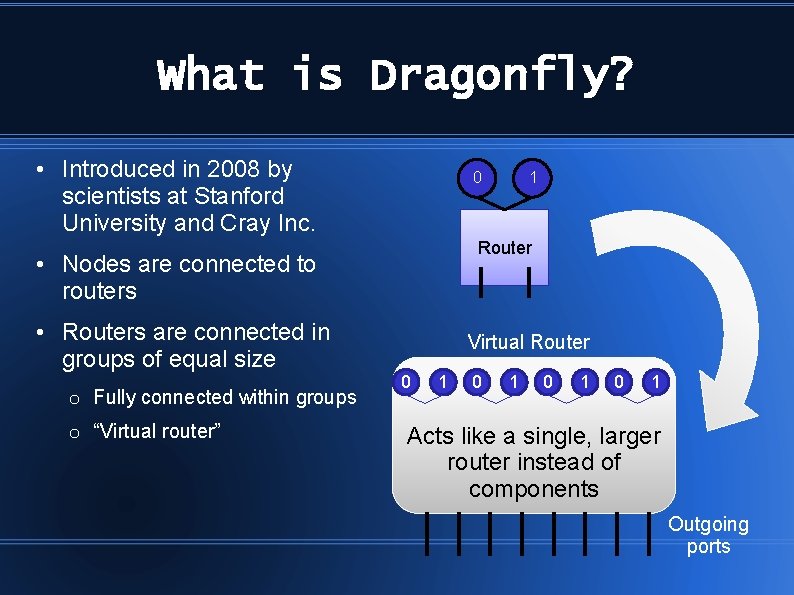
What is Dragonfly? • Introduced in 2008 by scientists at Stanford University and Cray Inc. 0 Router • Nodes are connected to routers • Routers are connected in groups of equal size o Fully connected within groups o “Virtual router” 1 Virtual Router 0 1 Router 0 0 1 Router 1 0 1 Router 2 0 1 Router 3 Acts like a single, larger router instead of components Outgoing ports
What is Dragonfly? • Introduced in 2008 by scientists at Stanford University and Cray Inc. 0 Router • Nodes are connected to routers • Routers are connected in groups of equal size o Fully connected within groups Group 0 1 Router 0 o “Virtual router” Local channels 1 0 1 Router 2 0 1 Router 3 Outgoing ports
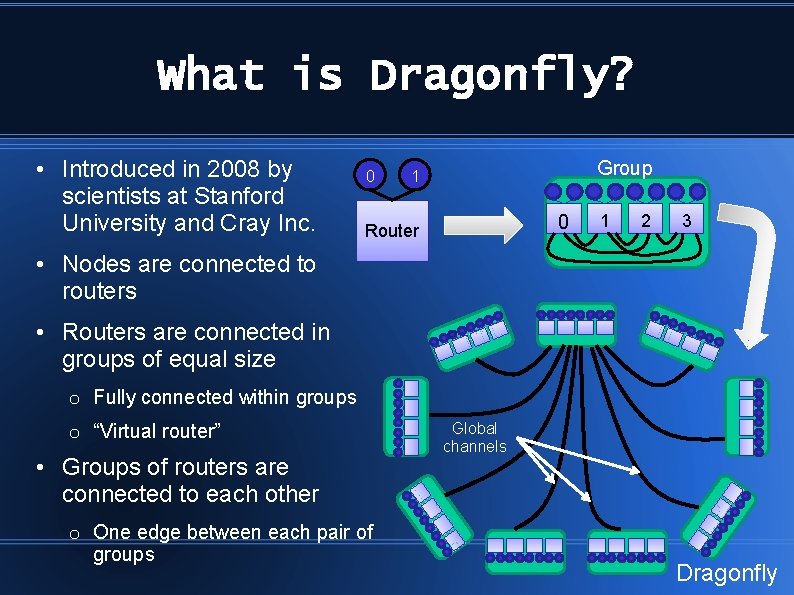
What is Dragonfly? • Introduced in 2008 by scientists at Stanford University and Cray Inc. 0 Group 1 0 Router 1 2 3 • Nodes are connected to routers • Routers are connected in groups of equal size o Fully connected within groups o “Virtual router” • Groups of routers are connected to each other o One edge between each pair of groups Global channels Dragonfly
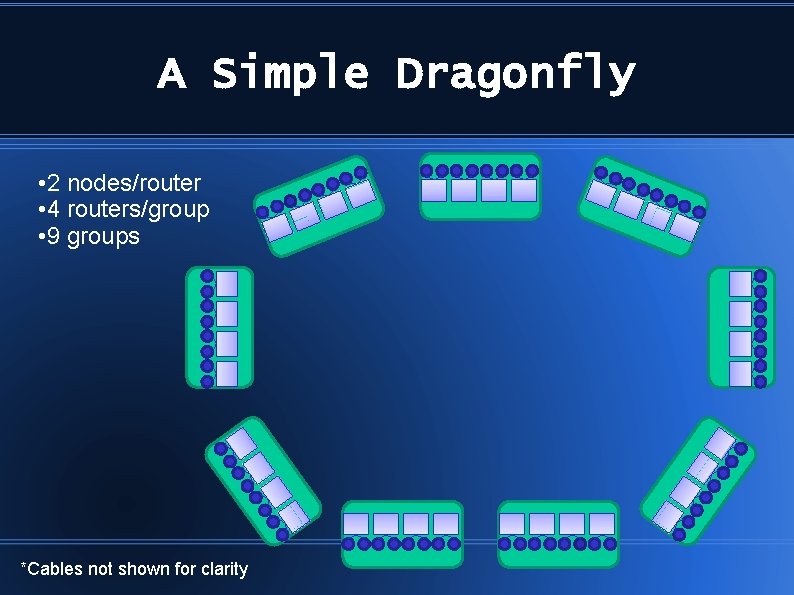
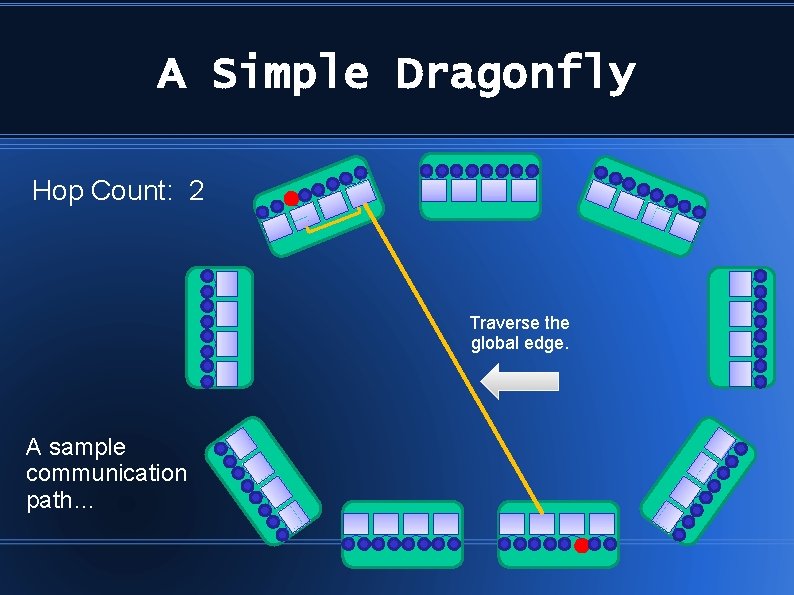
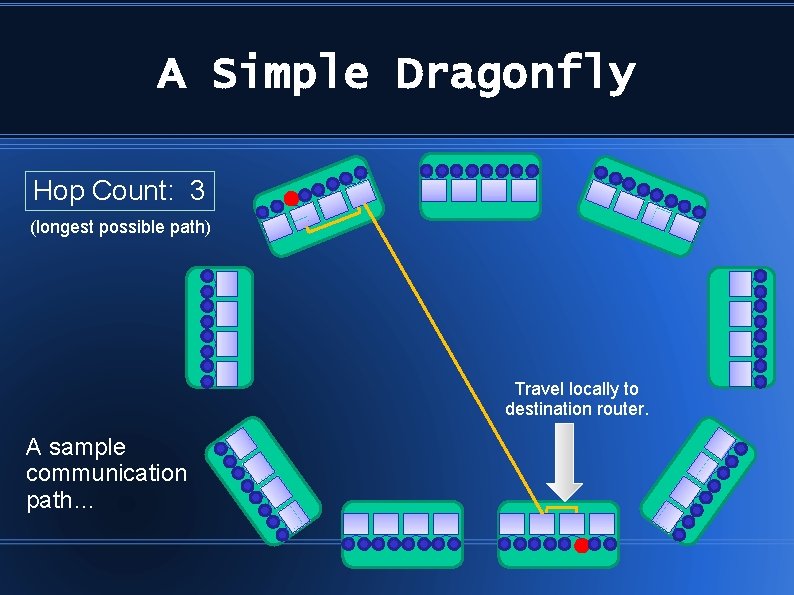
A Simple Dragonfly • 2 nodes/router • 4 routers/group • 9 groups *Cables not shown for clarity
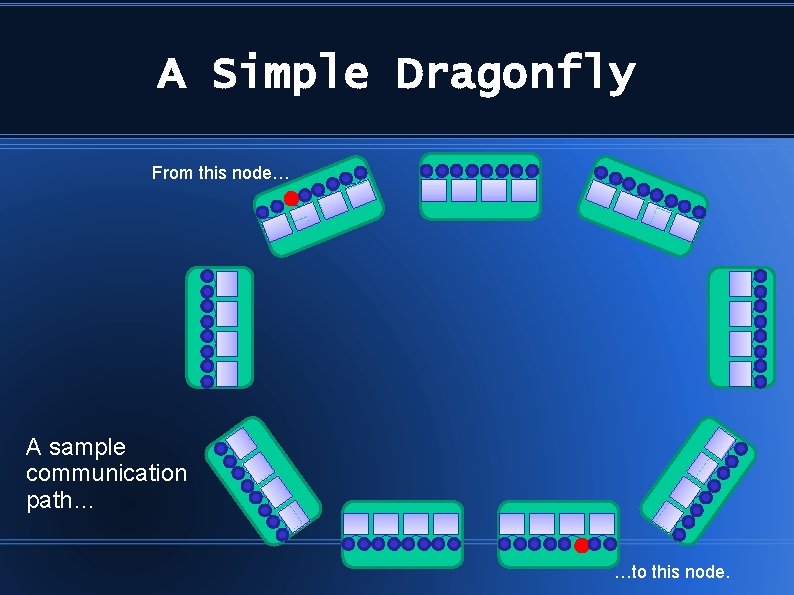
A Simple Dragonfly From this node… A sample communication path… …to this node.
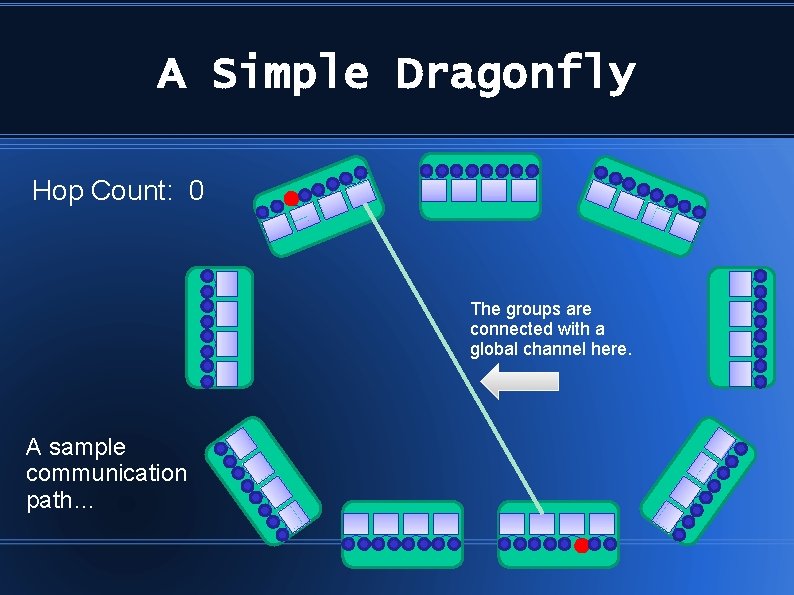
A Simple Dragonfly Hop Count: 0 The groups are connected with a global channel here. A sample communication path…
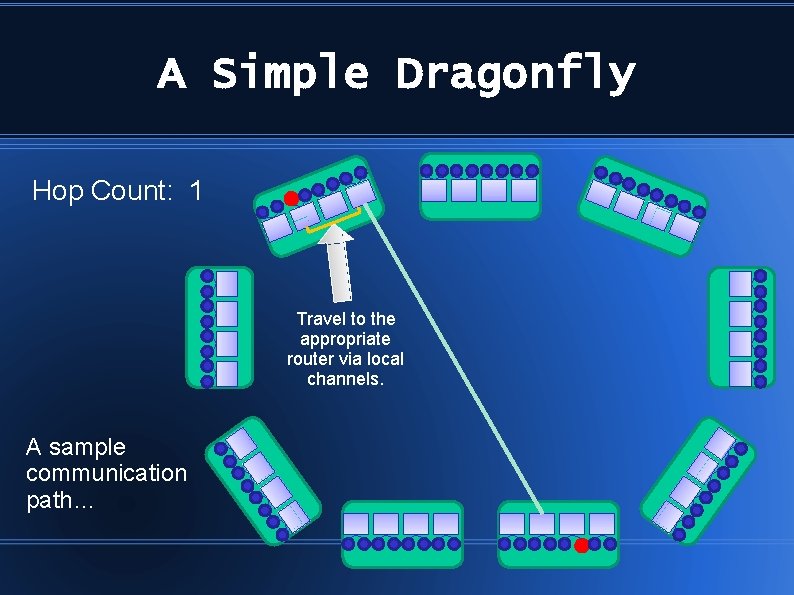
A Simple Dragonfly Hop Count: 1 Travel to the appropriate router via local channels. A sample communication path…
A Simple Dragonfly Hop Count: 2 Traverse the global edge. A sample communication path…
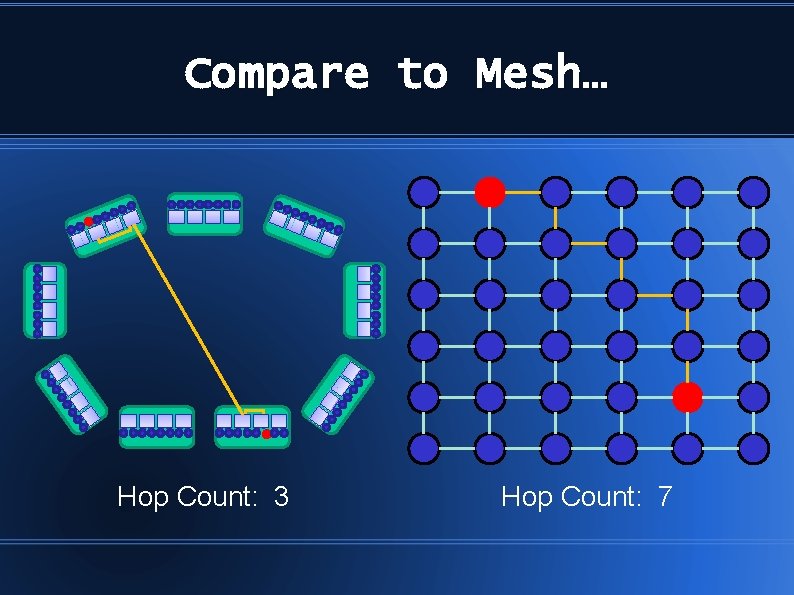
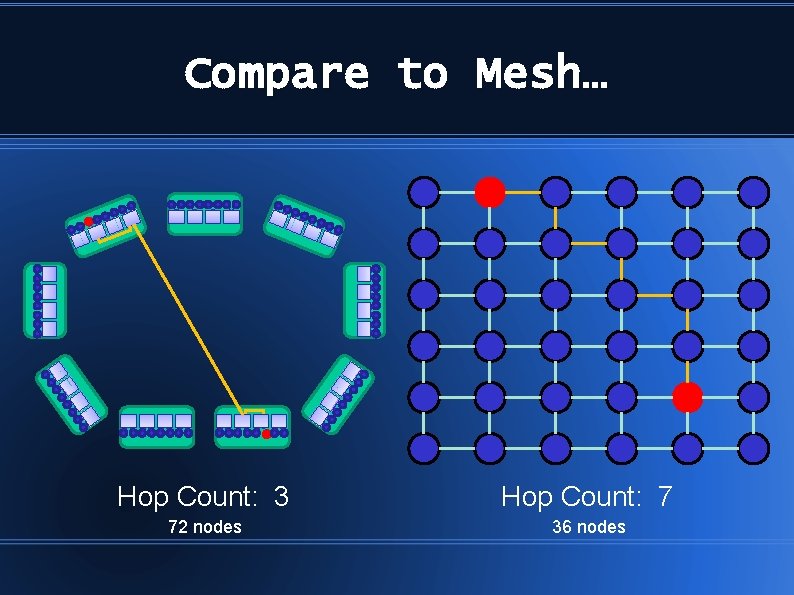
A Simple Dragonfly Hop Count: 3 (longest possible path) Travel locally to destination router. A sample communication path…
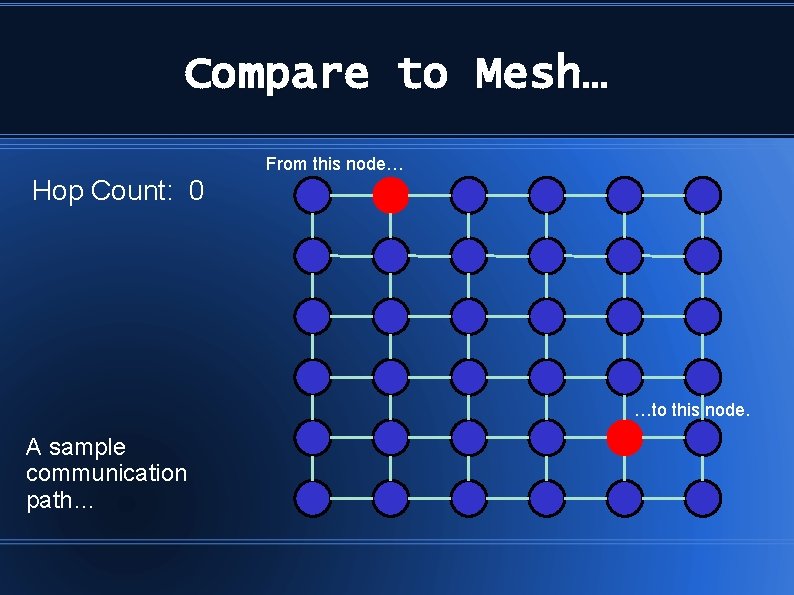
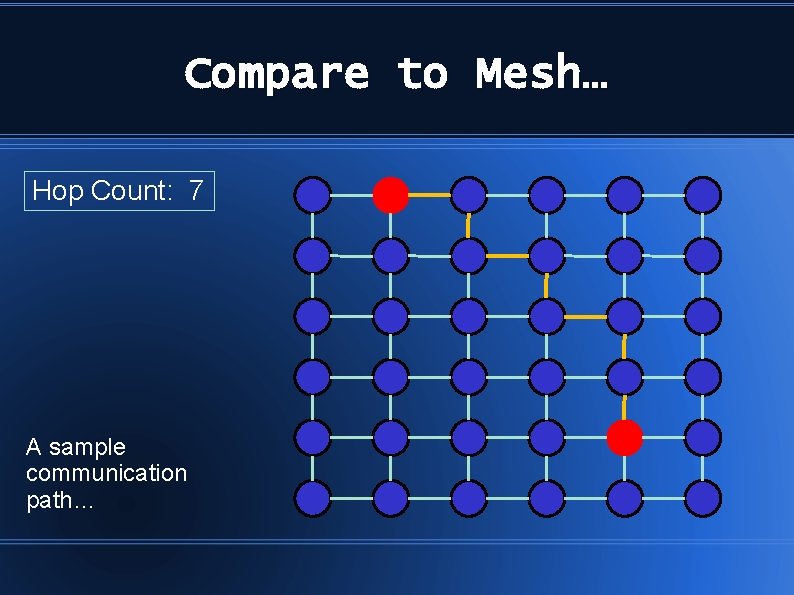
Compare to Mesh… From this node… Hop Count: 0 …to this node. A sample communication path…
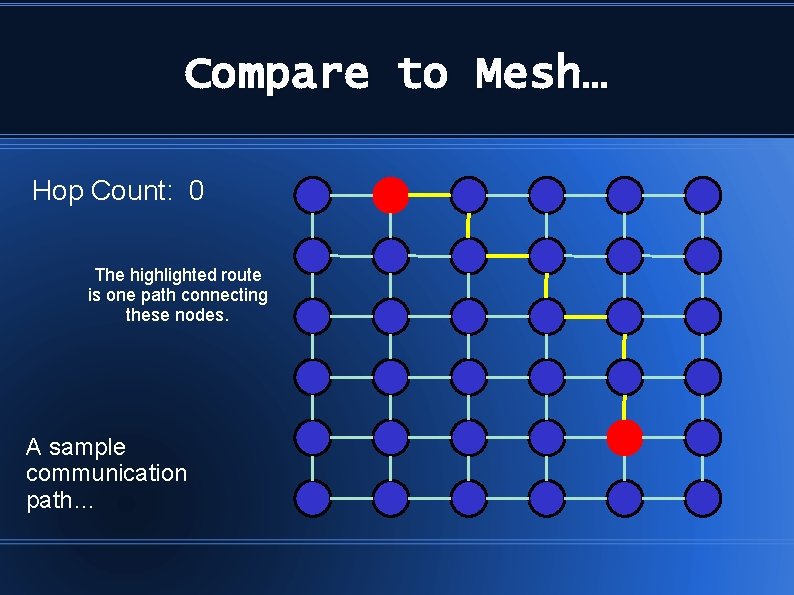
Compare to Mesh… Hop Count: 0 The highlighted route is one path connecting these nodes. A sample communication path…
Compare to Mesh… Hop Count: 7 A sample communication path…
Compare to Mesh… Hop Count: 3 Hop Count: 7
Compare to Mesh… Hop Count: 3 Hop Count: 7 72 nodes 36 nodes
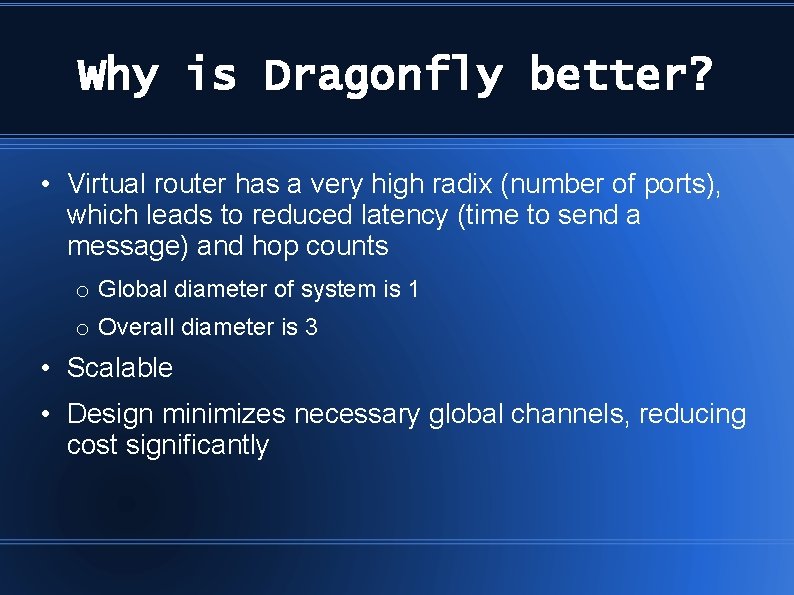
Why is Dragonfly better? • Virtual router has a very high radix (number of ports), which leads to reduced latency (time to send a message) and hop counts o Global diameter of system is 1 o Overall diameter is 3 • Scalable • Design minimizes necessary global channels, reducing cost significantly
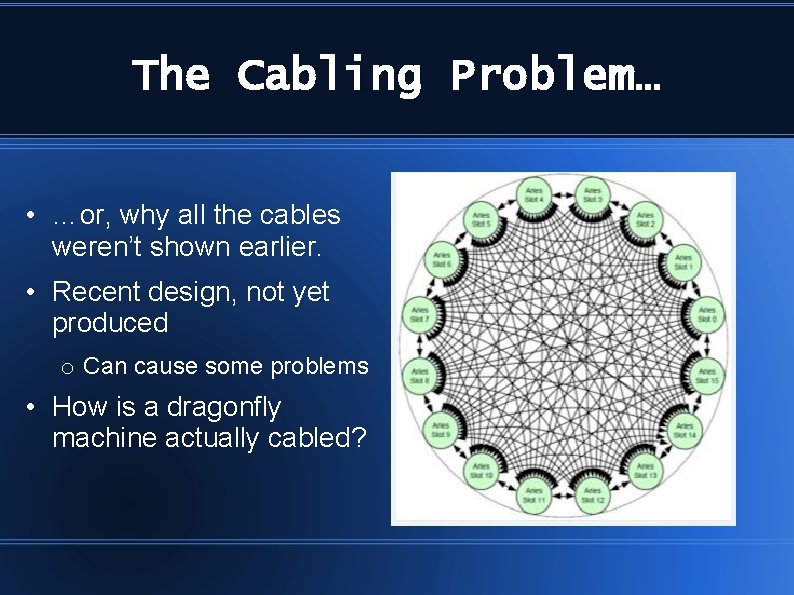
The Cabling Problem… • …or, why all the cables weren’t shown earlier. • Recent design, not yet produced o Can cause some problems • How is a dragonfly machine actually cabled?
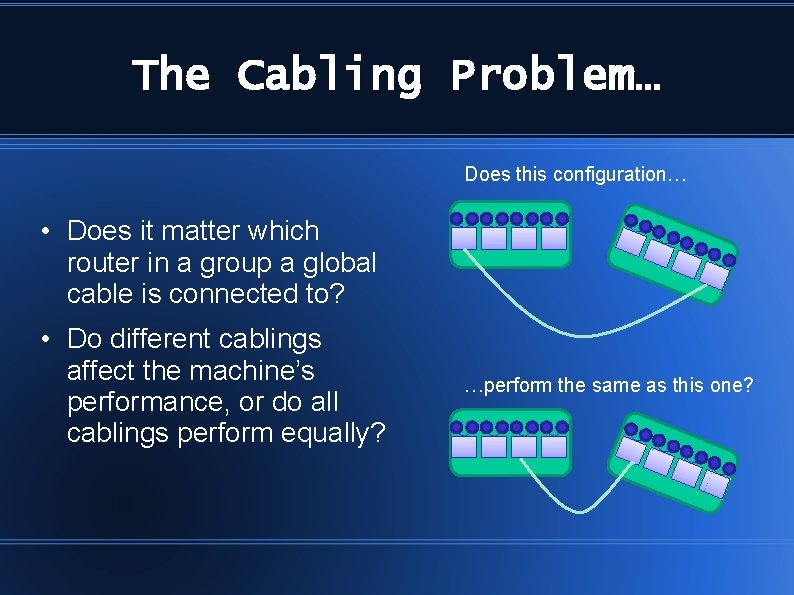
The Cabling Problem… Does this configuration… • Does it matter which router in a group a global cable is connected to? • Do different cablings affect the machine’s performance, or do all cablings perform equally? …perform the same as this one?
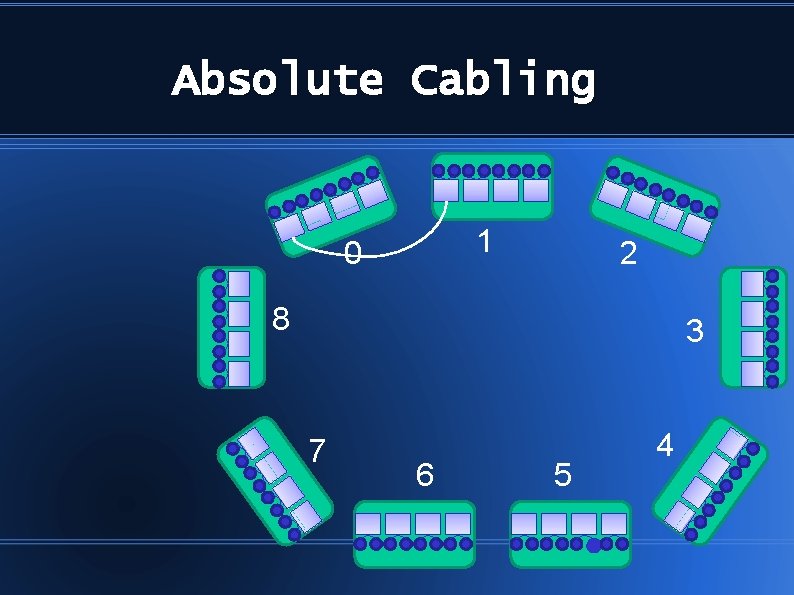
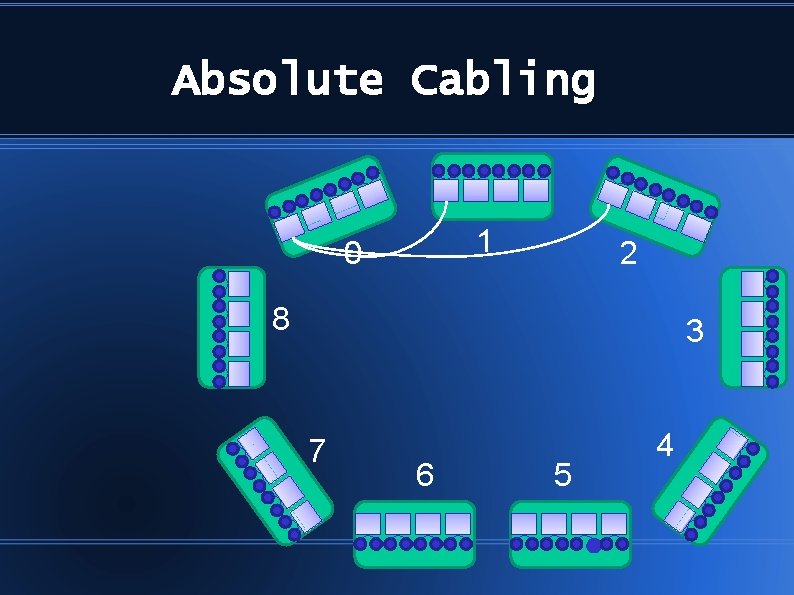
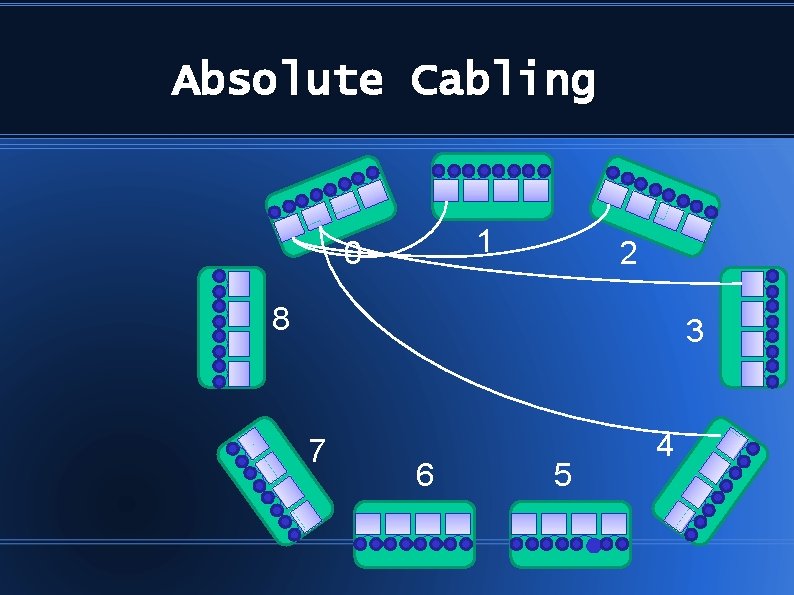
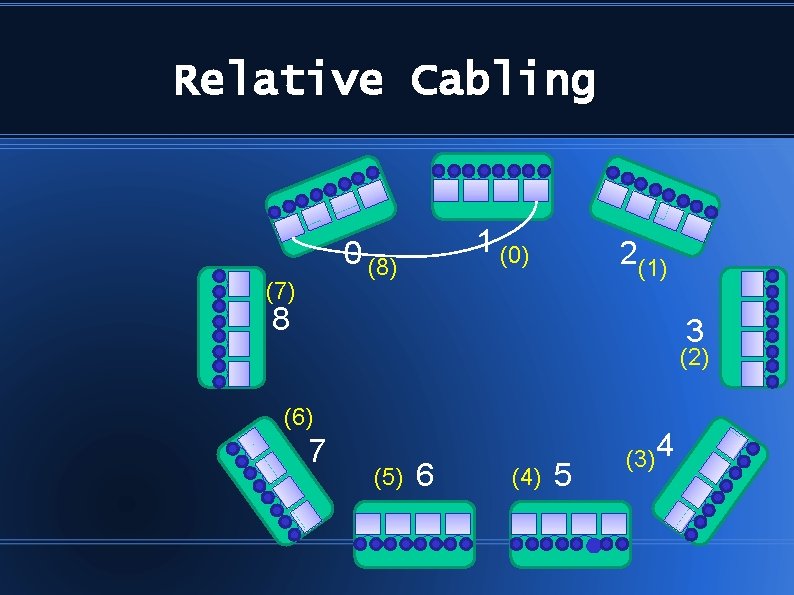
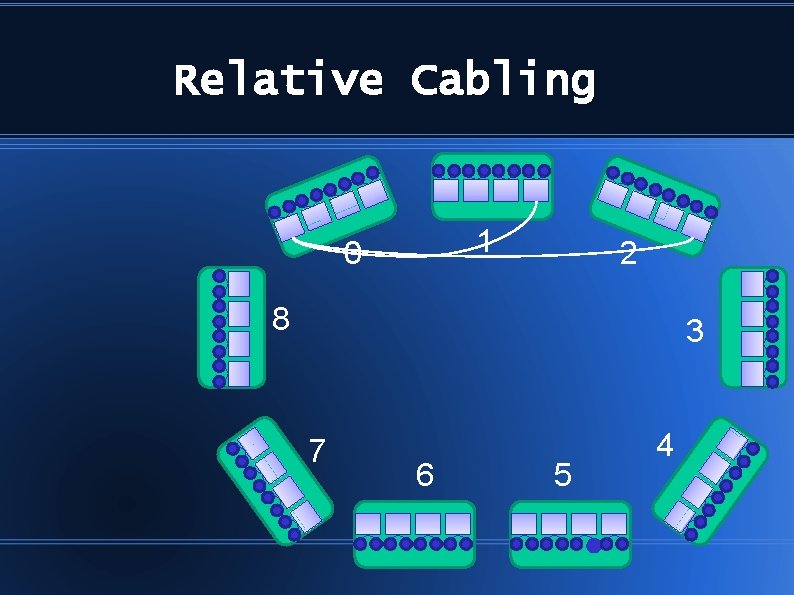
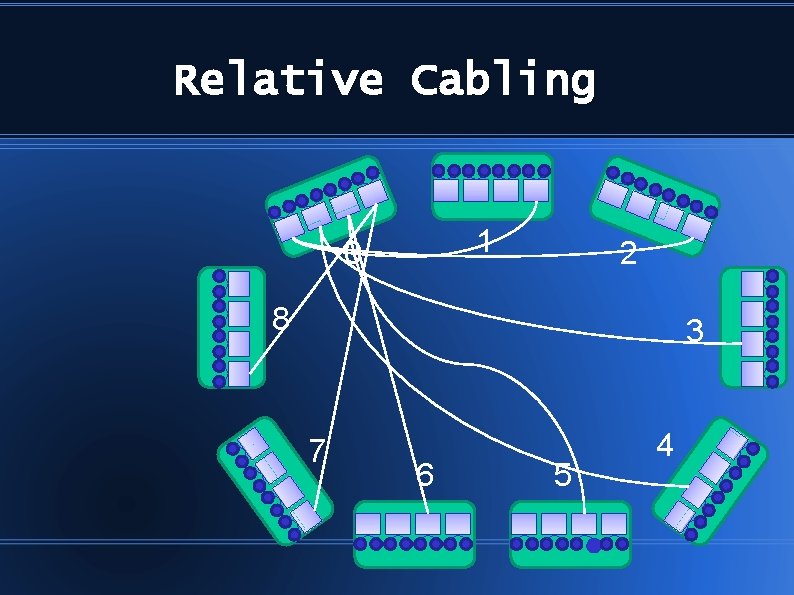
Two Main Cabling Patterns Random cabling is OK but… • Absolute Cabling • Relative Cabling
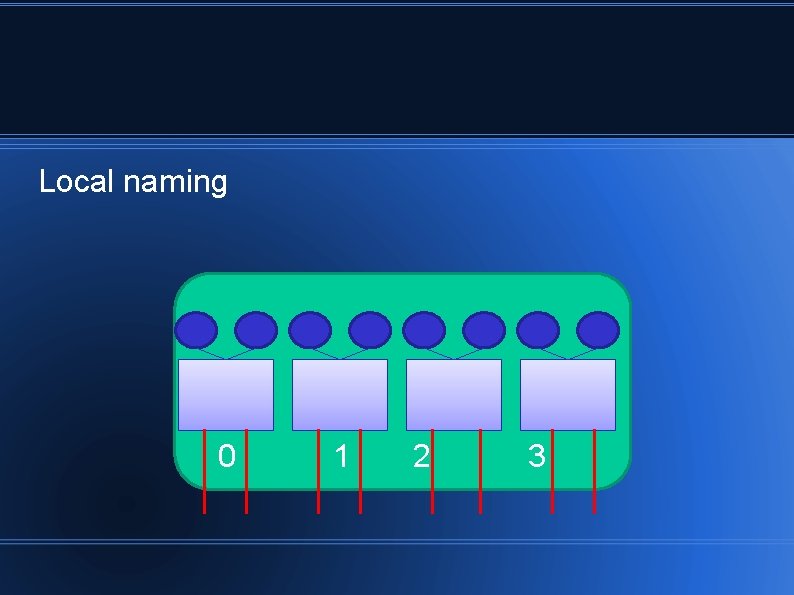
Local naming 0 1 2 3
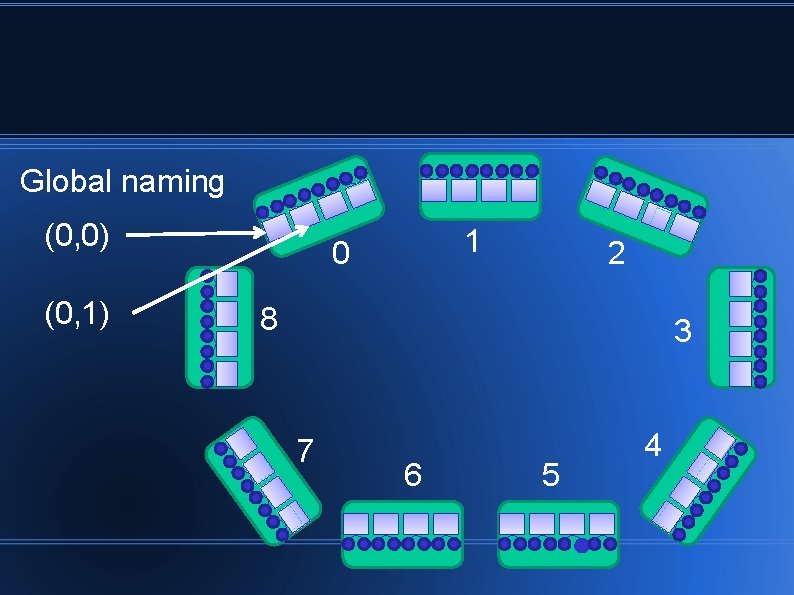
Global naming (0, 0) (0, 1) 1 0 2 8 3 7 6 5 4
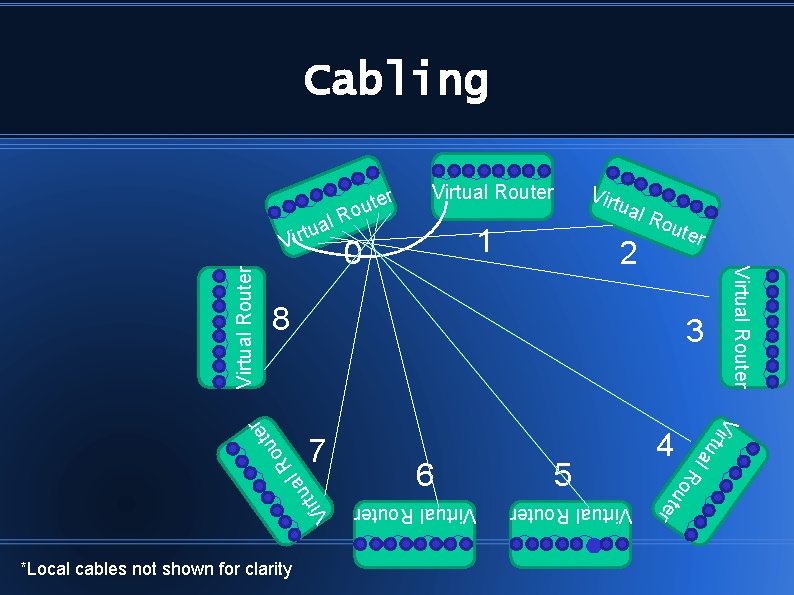
Cabling er t u o Virtual Router ual 1 0 Ro 2 ute Virtual Router l a rtu i V 5 ou t e r *Local cables not shown for clarity 6 4 R 7 Virtual Router u o R 3 V i rtu a l ter 8 r Virtual Router l R a u t Virt
Absolute Cabling 1 0 2 8 3 7 6 5 4
Absolute Cabling 1 0 2 8 3 7 6 5 4
Absolute Cabling 1 0 2 8 3 7 6 5 4
Relative Cabling 1 (0) 0 (8) (7) 2(1) 8 3 (2) (6) 7 (5) 6 (4) 5 (3)4
Relative Cabling 1 0 2 8 3 7 6 5 4
Relative Cabling 1 0 2 8 3 7 6 5 4
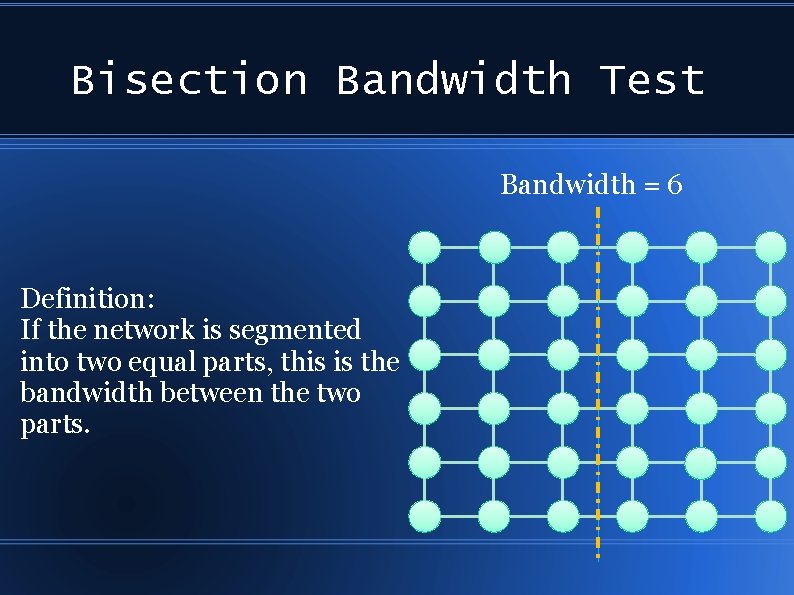
Bisection Bandwidth Test Bandwidth = 6 Definition: If the network is segmented into two equal parts, this is the bandwidth between the two parts.
The Purpose We want to find the worst-case communication.
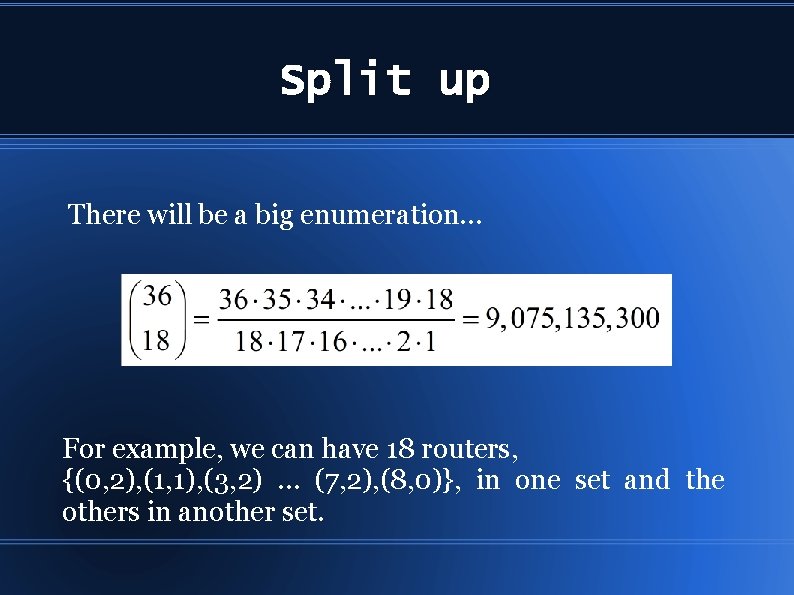
Split up There will be a big enumeration… For example, we can have 18 routers, {(0, 2), (1, 1), (3, 2) … (7, 2), (8, 0)}, in one set and the others in another set.
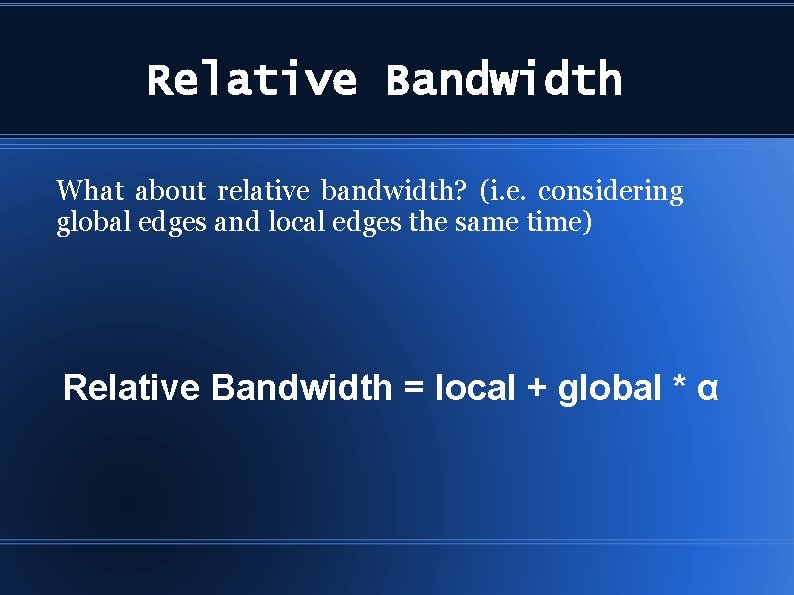
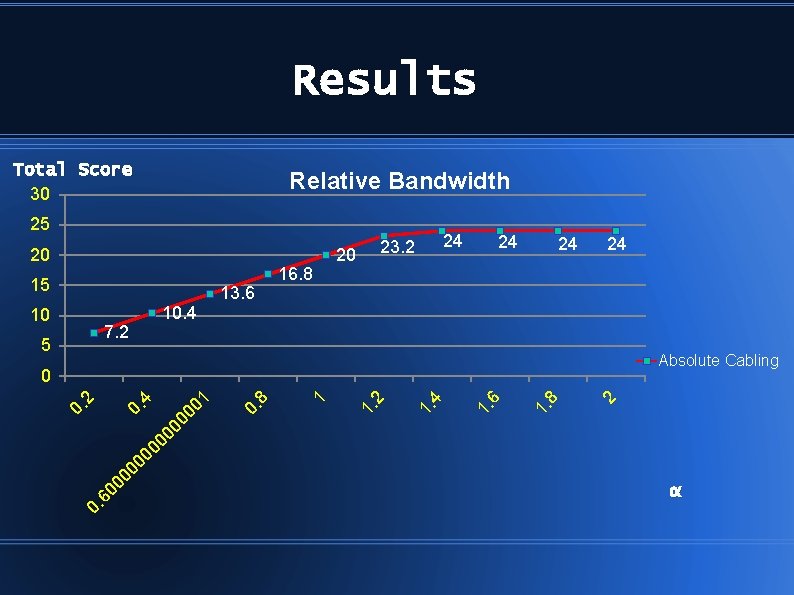
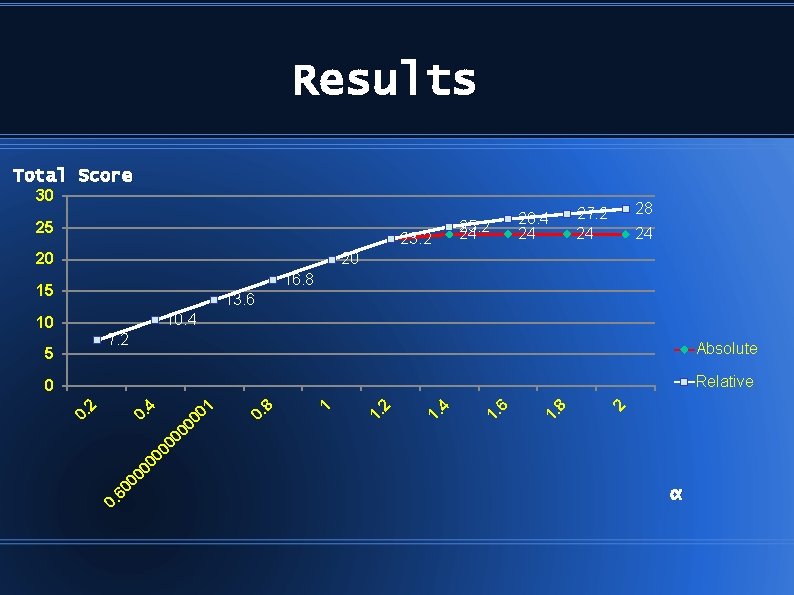
Relative Bandwidth What about relative bandwidth? (i. e. considering global edges and local edges the same time) Relative Bandwidth = local + global * α
Results Total Score 30 Relative Bandwidth 25 20 15 10 7. 2 5 10. 4 13. 6 16. 8 20 23. 2 24 24 Absolute Cabling 0. 2 1. 8 1. 6 1. 4 1. 2 1 0. 8 00 0. 00 4 00 00 00 01 60 0 0. 2 0 α
Results Total Score 30 25 23. 2 20 25. 2 24 26. 4 24 27. 2 24 28 24 20 16. 8 15 13. 6 10. 4 10 7. 2 5 Absolute Relative 2 8 1. 6 1. 4 1. 2 1. 1 8 0. 00 00 0 1 4 0. 60 0 00 0 0. 2 0 α
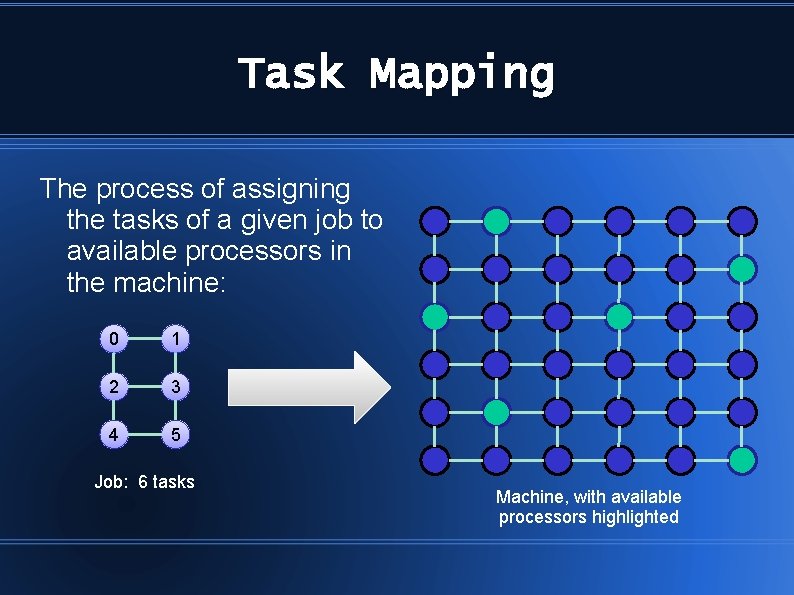
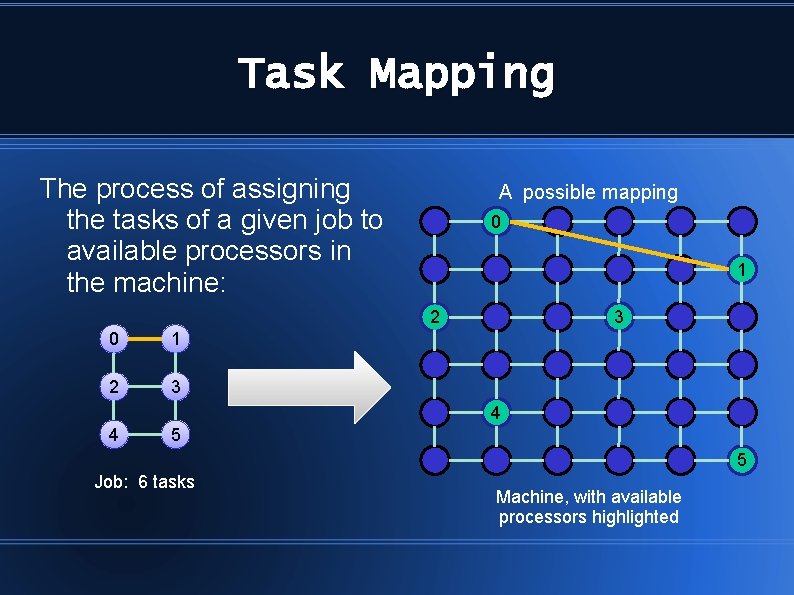
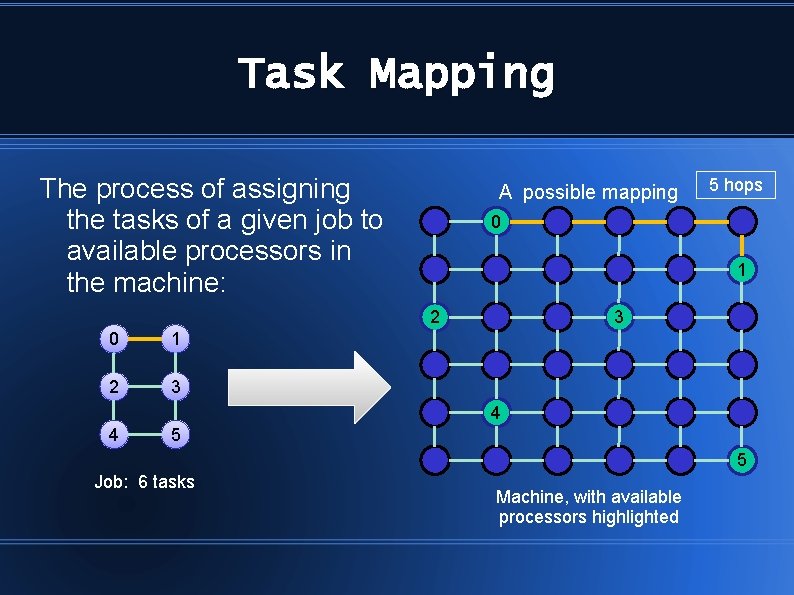
Task Mapping The process of assigning the tasks of a given job to available processors in the machine: 0 1 2 3 4 5 Job: 6 tasks Machine, with available processors highlighted
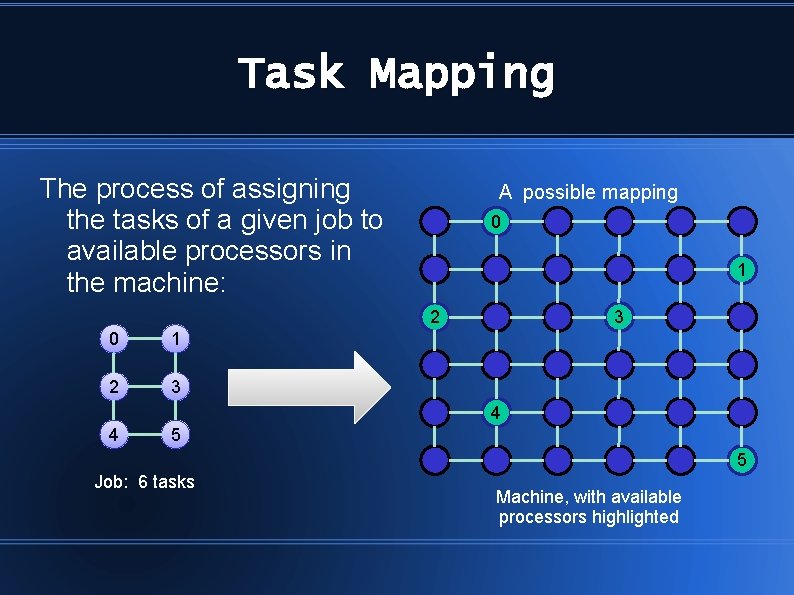
Task Mapping The process of assigning the tasks of a given job to available processors in the machine: A possible mapping 0 1 2 3 3 4 4 5 5 Job: 6 tasks Machine, with available processors highlighted
Task Mapping The process of assigning the tasks of a given job to available processors in the machine: A possible mapping 0 1 2 3 3 4 4 5 5 Job: 6 tasks Machine, with available processors highlighted
Task Mapping The process of assigning the tasks of a given job to available processors in the machine: A possible mapping 0 1 2 3 5 hops 3 4 4 5 5 Job: 6 tasks Machine, with available processors highlighted
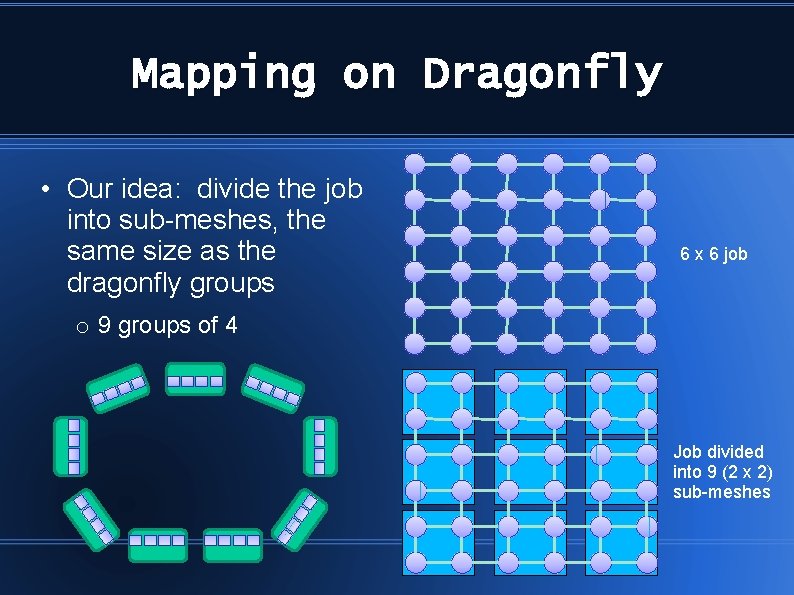
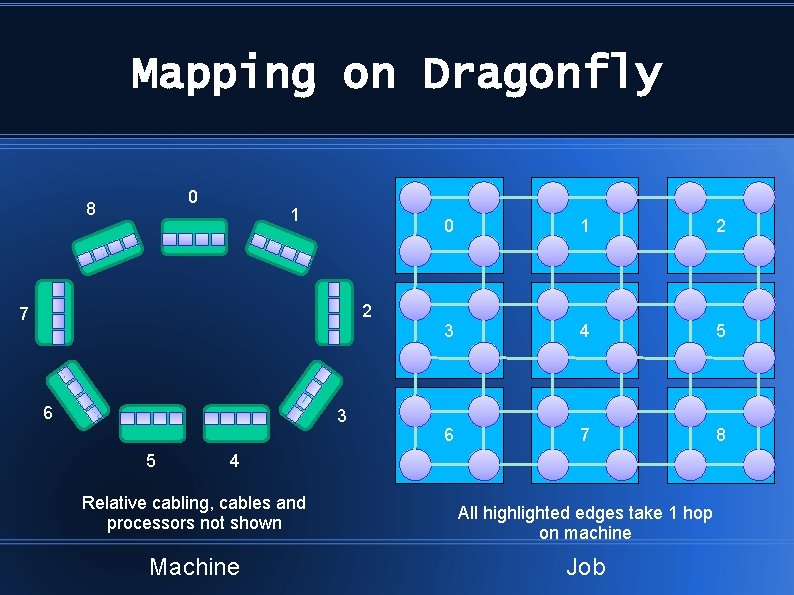
Mapping on Dragonfly • Our idea: divide the job into sub-meshes, the same size as the dragonfly groups 6 x 6 job o 9 groups of 4 Job divided into 9 (2 x 2) sub-meshes
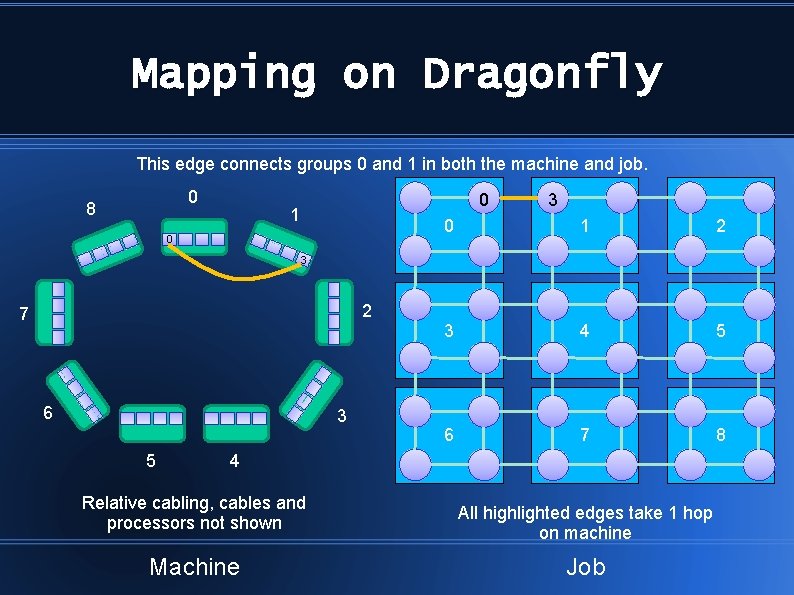
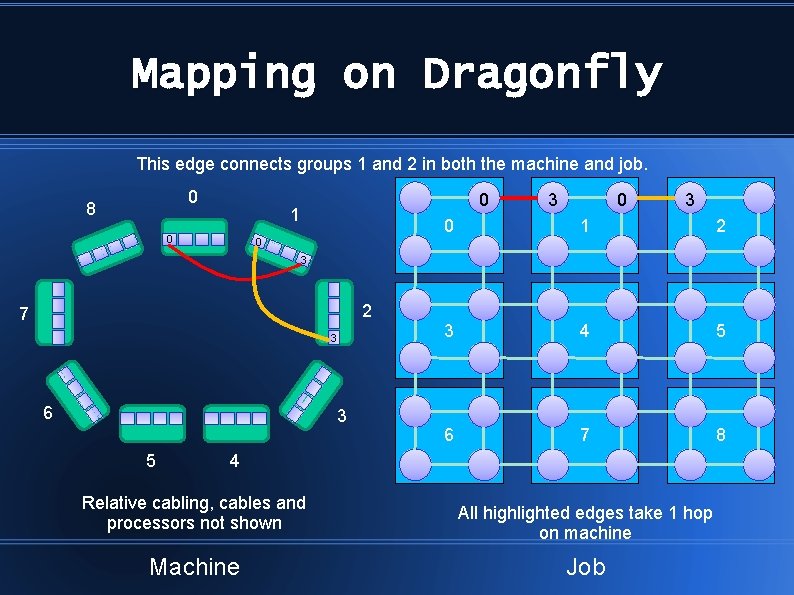
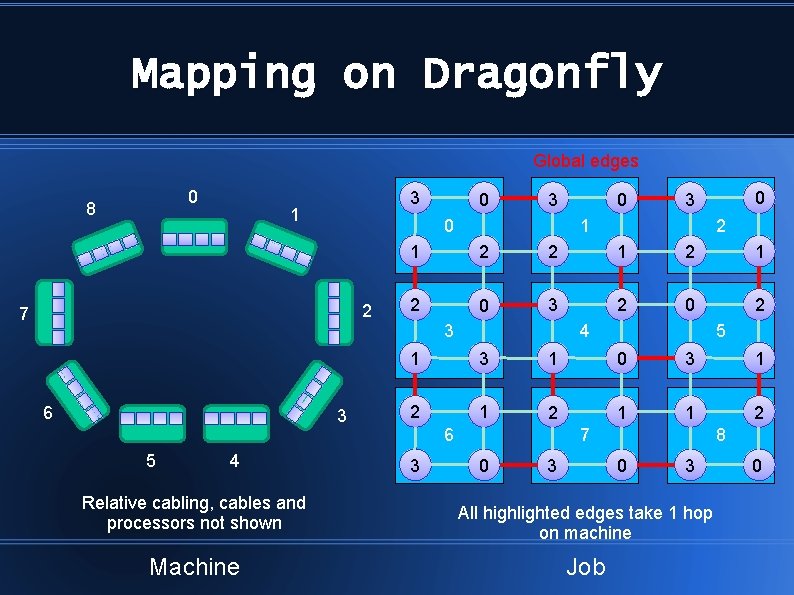
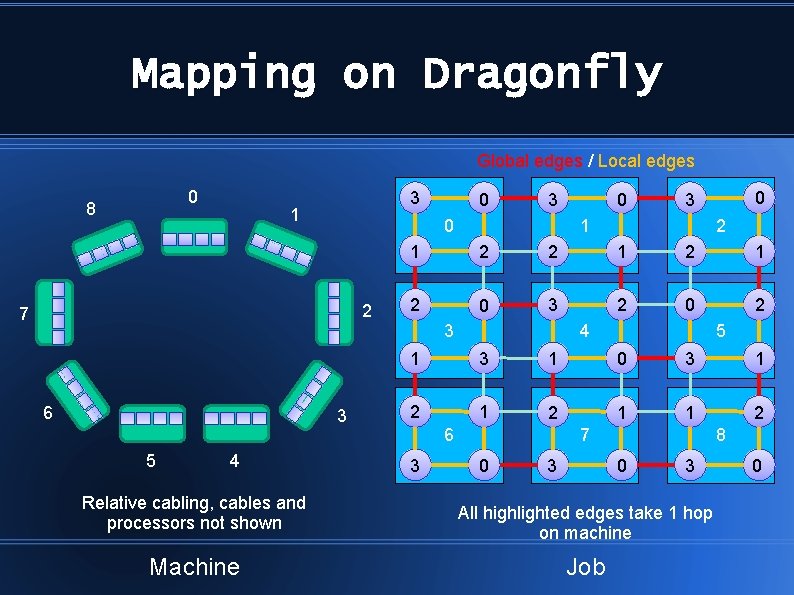
Mapping on Dragonfly • Want to try to match as many global edges on machine as possible to those on job o Minimizes traffic by reducing hop counts of paths taken • Starting with one node per router and 2 -D job meshes
Mapping on Dragonfly 0 8 1 2 7 6 3 5 0 1 2 3 4 5 6 7 8 4 Relative cabling, cables and processors not shown Machine All highlighted edges take 1 hop on machine Job
Mapping on Dragonfly This edge connects groups 0 and 1 in both the machine and job. 0 8 0 1 0 3 0 1 2 3 4 5 6 7 8 3 2 7 6 3 5 4 Relative cabling, cables and processors not shown Machine All highlighted edges take 1 hop on machine Job
Mapping on Dragonfly This edge connects groups 1 and 2 in both the machine and job. 0 8 0 1 0 0 3 3 0 1 2 3 4 5 6 7 8 0 3 2 7 3 6 3 5 4 Relative cabling, cables and processors not shown Machine All highlighted edges take 1 hop on machine Job
Mapping on Dragonfly Global edges 0 8 3 1 2 3 5 4 Relative cabling, cables and processors not shown Machine 0 3 0 7 6 0 0 3 1 2 2 1 2 0 3 2 0 2 3 4 5 1 3 1 0 3 1 2 1 1 2 6 3 7 0 8 0 3 3 All highlighted edges take 1 hop on machine Job 0
Mapping on Dragonfly Global edges / Local edges 0 8 3 1 2 3 5 4 Relative cabling, cables and processors not shown Machine 0 3 0 7 6 0 0 3 1 2 2 1 2 0 3 2 0 2 3 4 5 1 3 1 0 3 1 2 1 1 2 6 3 7 0 8 0 3 3 All highlighted edges take 1 hop on machine Job 0
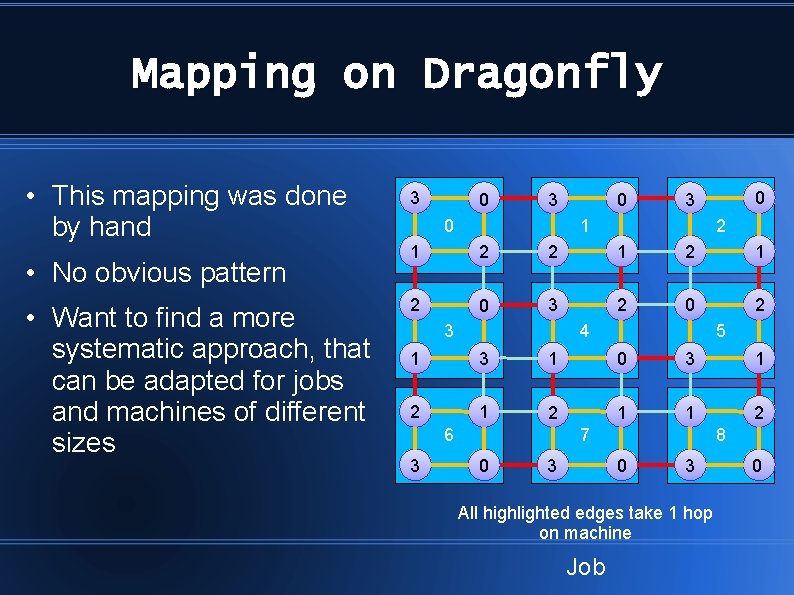
Mapping on Dragonfly • This mapping was done by hand • No obvious pattern • Want to find a more systematic approach, that can be adapted for jobs and machines of different sizes 3 0 0 3 1 2 2 1 2 0 3 2 0 2 3 4 5 1 3 1 0 3 1 2 1 1 2 6 3 7 0 8 0 3 3 All highlighted edges take 1 hop on machine Job 0
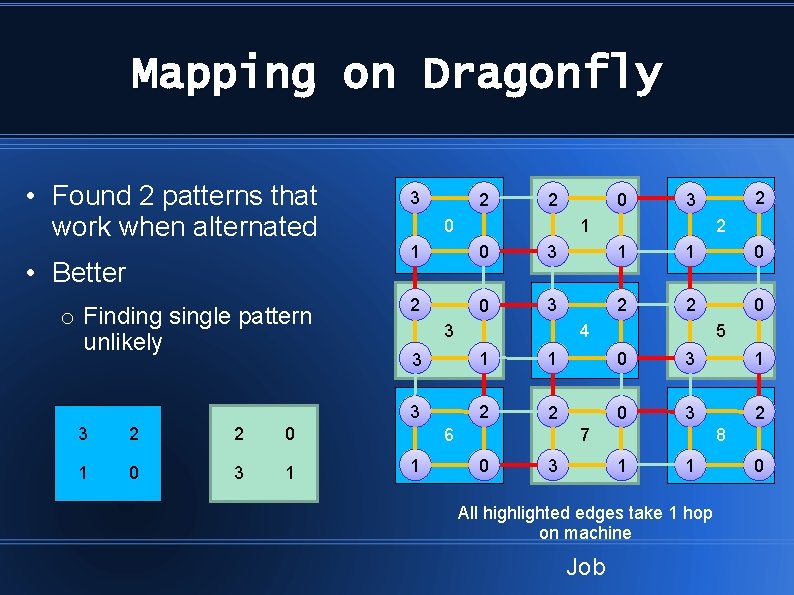
Mapping on Dragonfly • Found 2 patterns that work when alternated • Better o Finding single pattern unlikely 3 2 2 0 1 0 3 1 3 2 0 2 3 1 2 1 0 3 1 1 0 2 0 3 2 2 0 3 4 5 3 1 1 0 3 1 3 2 2 0 3 2 6 1 7 0 8 1 3 1 All highlighted edges take 1 hop on machine Job 0
Future Plans • Working on mapping with absolute cabling • Will be comparing these styles of mapping to arbitrary placement of tasks • 3 D job meshes
Thanks for listening!
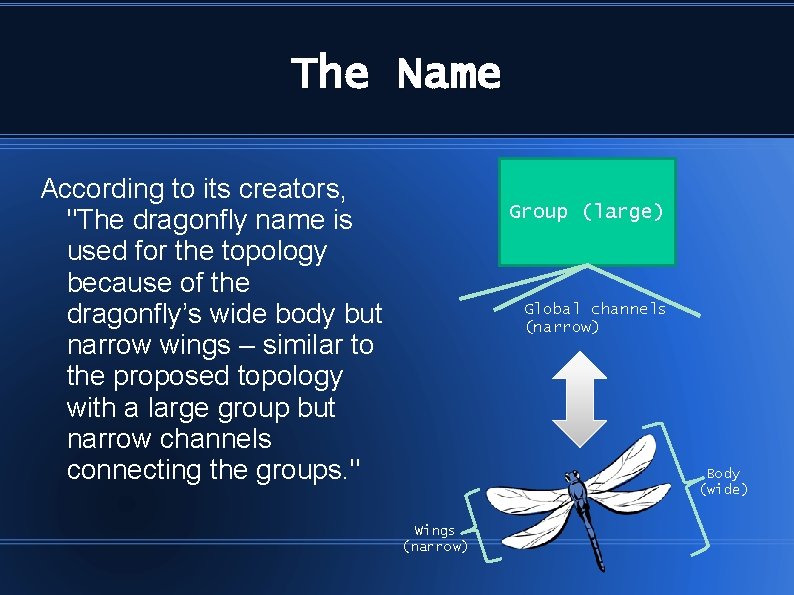
The Name According to its creators, "The dragonfly name is used for the topology because of the dragonfly’s wide body but narrow wings – similar to the proposed topology with a large group but narrow channels connecting the groups. " Group (large) Global channels (narrow) Body (wide) Wings (narrow)
Image Sources • http: //markbw. com/id 68. html • http: //www. webestigate. com/2010/11/13/u-s-building-next-powerfulsupercomputers/ibm_supercomputer/ • http: //www. tacc. utexas. edu/documents/13601/498275/Digitizing. Past. pdf • http: //www. tacc. utexas. edu/documents/13601/498275/Wireless. Worries. pdf • http: //www. tacc. utexas. edu/documents/13601/498275/Centerofthe. Storm. pdf • http: //www. tacc. utexas. edu/documents/13601/498275/Emergency. Computing. J apan. pdf • http: //people. hofstra. edu/geotrans/eng/ch 1 en/conc 1 en/typenettopo. html • http: //www. theregister. co. uk/2012/11/08/cray_cascade_xc 30_supercomputer? page=2