
Dot matrix barcode Presented by Tang Jianlun Luo
Dot matrix barcode Presented by : Tang Jianlun Luo Chuhao

Outline q Dot matrix Ø Motivation Ø Introduction q Encoding Ø Introduction q Detection Ø Introduction Ø Binarization Ø Locate Vertex Ø Affine Transformation q Future work 2
Outline q Dot matrix Ø Motivation Ø Introduction q Encoding Ø Introduction q Detection Ø Introduction Ø Binarization Ø Locate Vertex Ø Affine Transformation q Future work 3
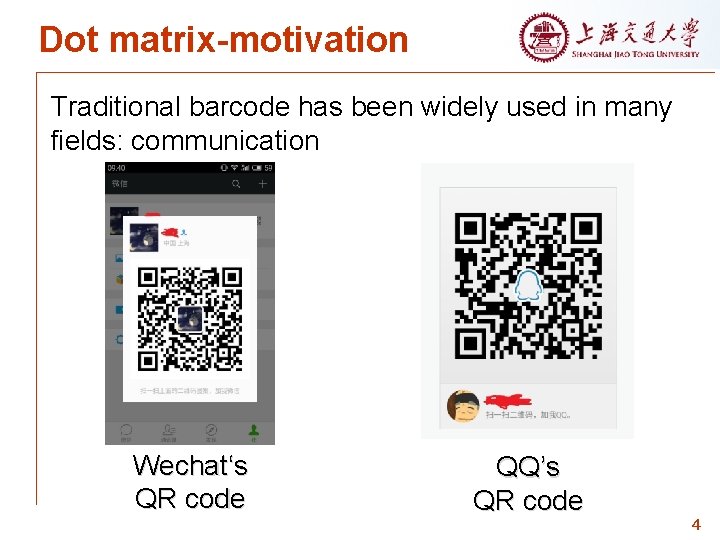
Dot matrix-motivation Traditional barcode has been widely used in many fields: communication Wechat‘s QR code QQ’s QR code 4
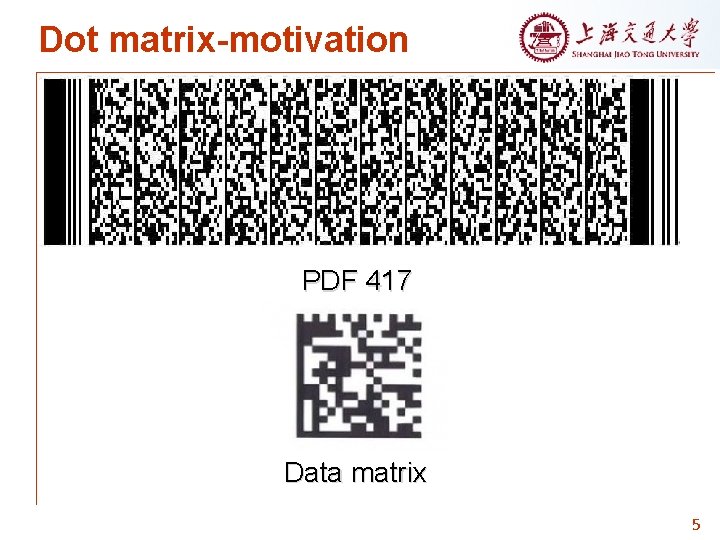
Dot matrix-motivation PDF 417 Data matrix 5
Dot matrix-motivation q Current barcode is not friendly to eyes (ugly) q Waste of space for set up more picture 6
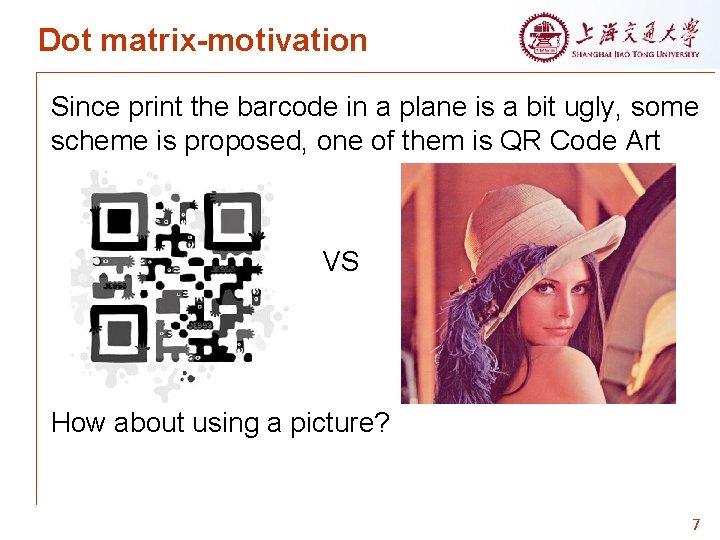
Dot matrix-motivation Since print the barcode in a plane is a bit ugly, some scheme is proposed, one of them is QR Code Art VS How about using a picture? 7
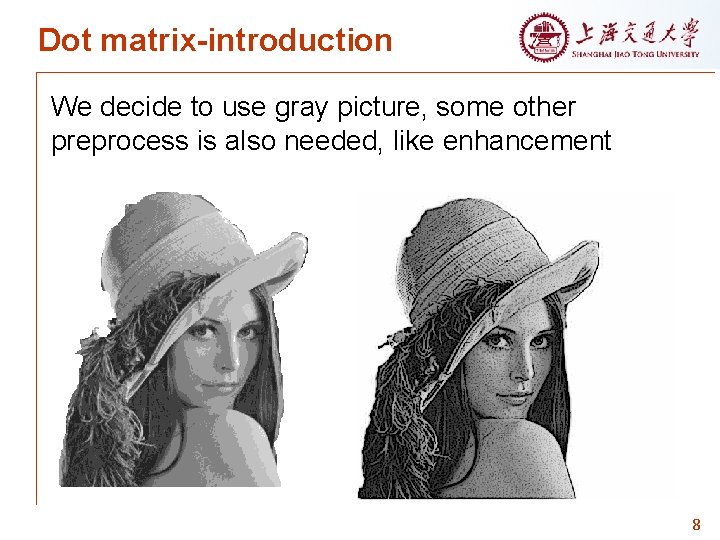
Dot matrix-introduction We decide to use gray picture, some other preprocess is also needed, like enhancement 8

Dot matrix-introduction Next, we convert the gray picture into dot matrix, which is more suitable for hiding data. 9
Dot matrix-introduction q Consider dot matrix as a binary image, composed by 0 and 1 q Utilizing the idea of binary image, we can contain information in dot matrix 10
Outline q Dot matrix Ø Motivation Ø Introduction q Encoding Ø Introduction q Detection Ø Introduction Ø Binarization Ø Locate Vertex Ø Affine Transformation q Future work 11
Encoding-introduction q Encoding or data hiding is typically achieved by altering some nonessential information in the host message. 12
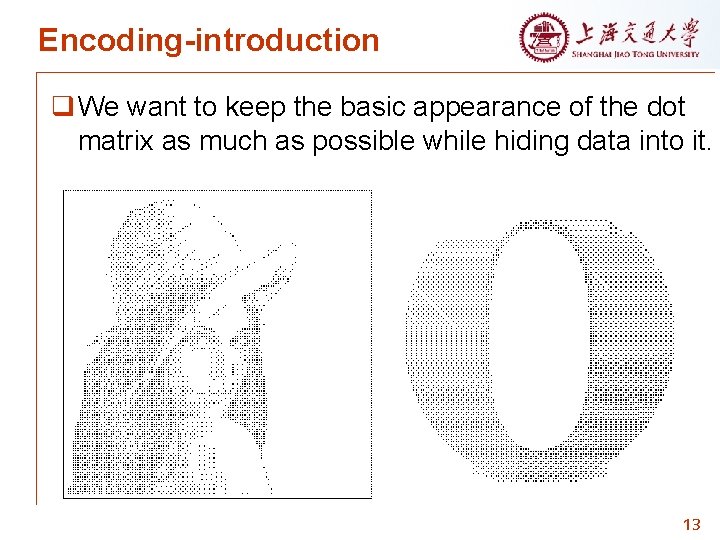
Encoding-introduction q We want to keep the basic appearance of the dot matrix as much as possible while hiding data into it. 13
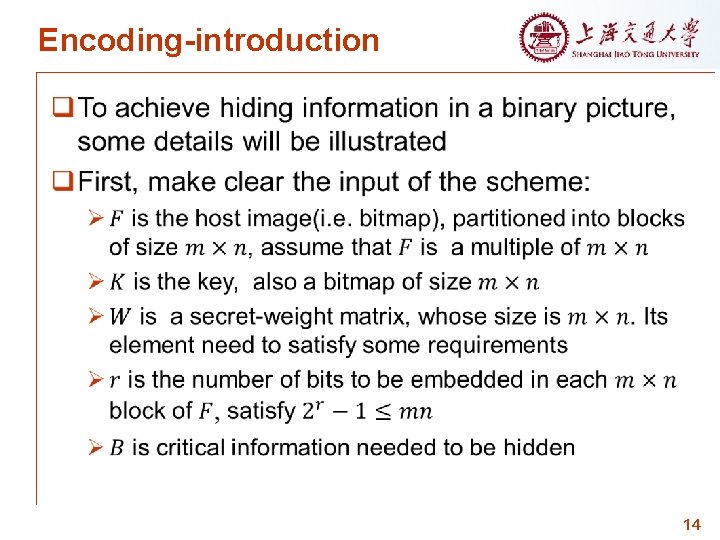
Encoding-introduction 14
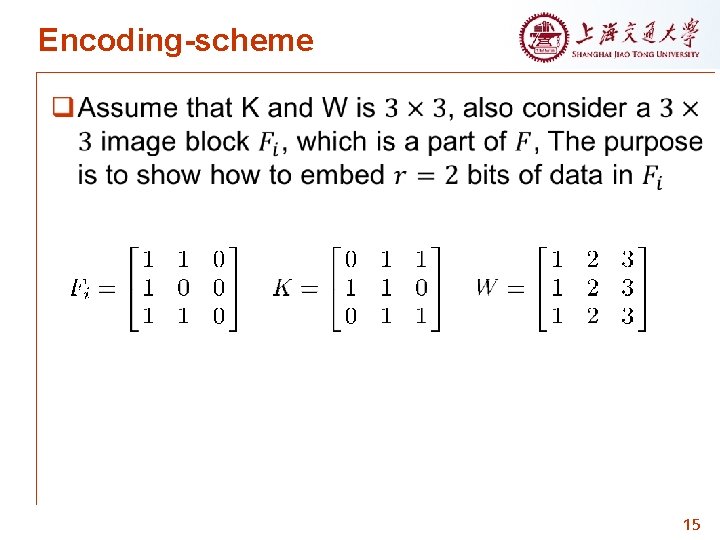
Encoding-scheme 15
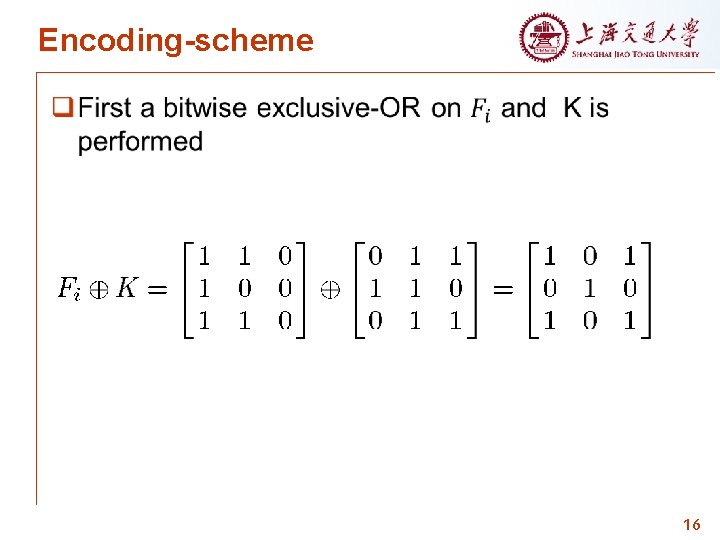
Encoding-scheme 16
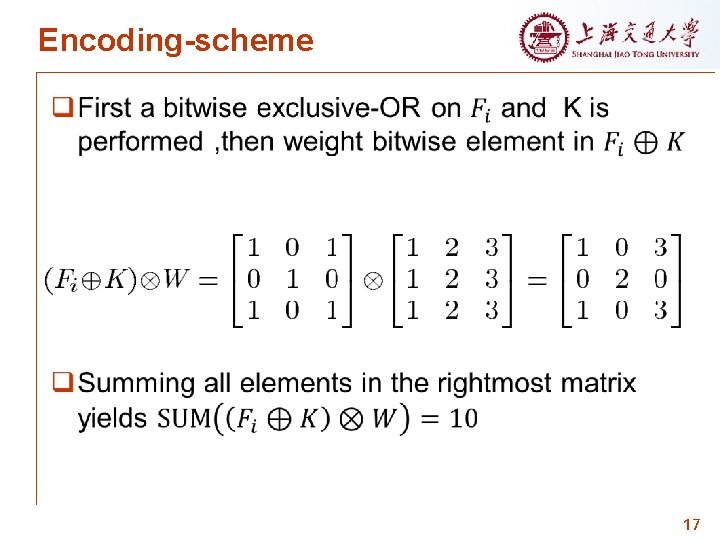
Encoding-scheme 17
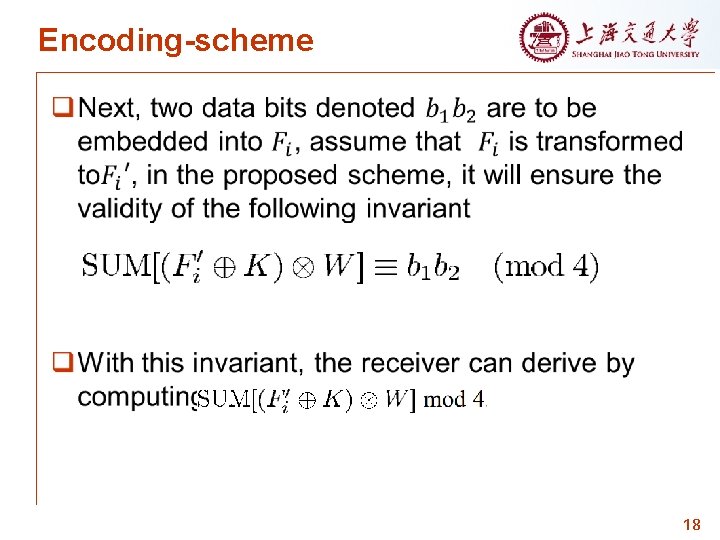
Encoding-scheme 18
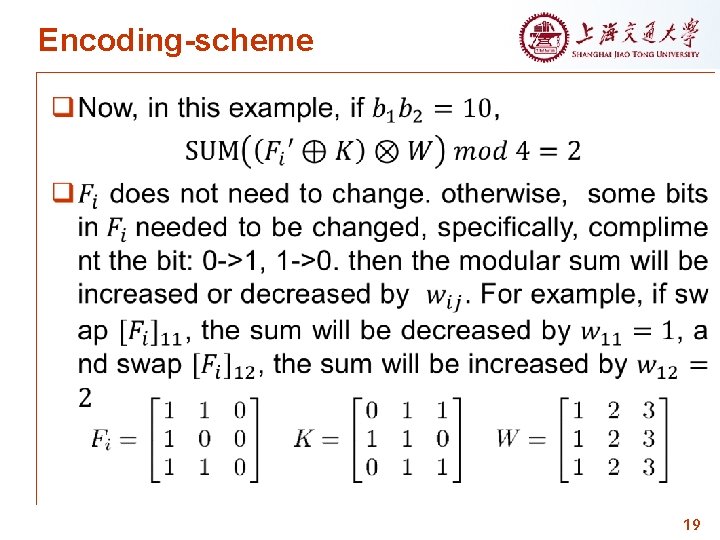
Encoding-scheme 19
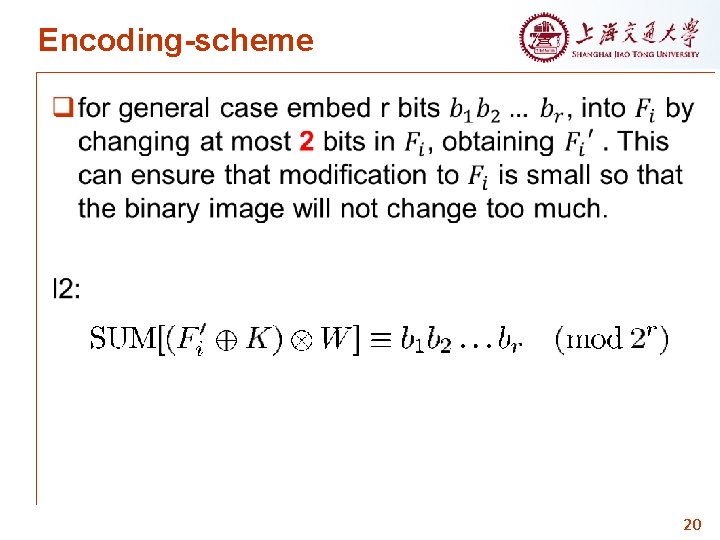
Encoding-scheme 20
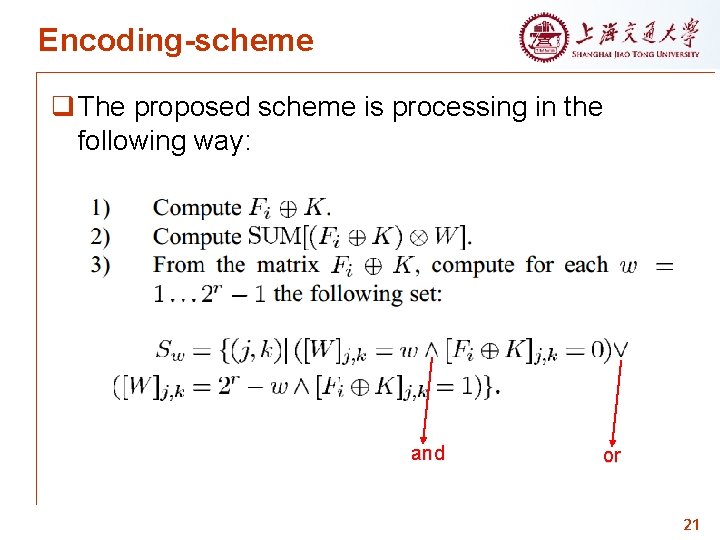
Encoding-scheme q The proposed scheme is processing in the following way: and or 21
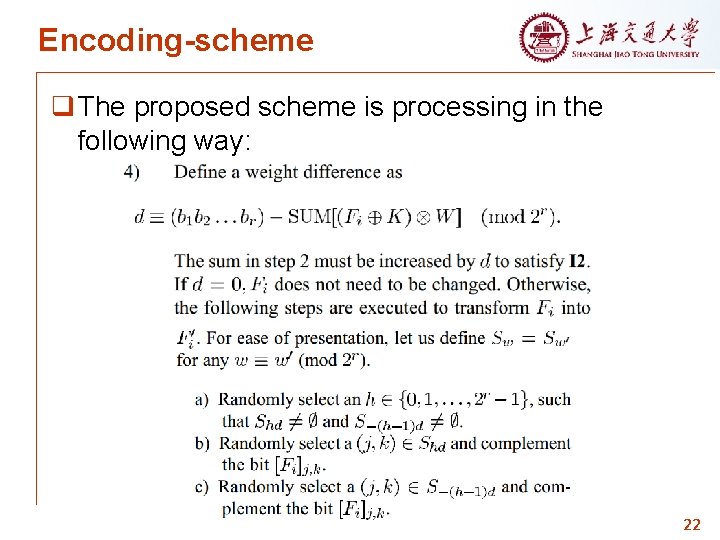
Encoding-scheme q The proposed scheme is processing in the following way: 22
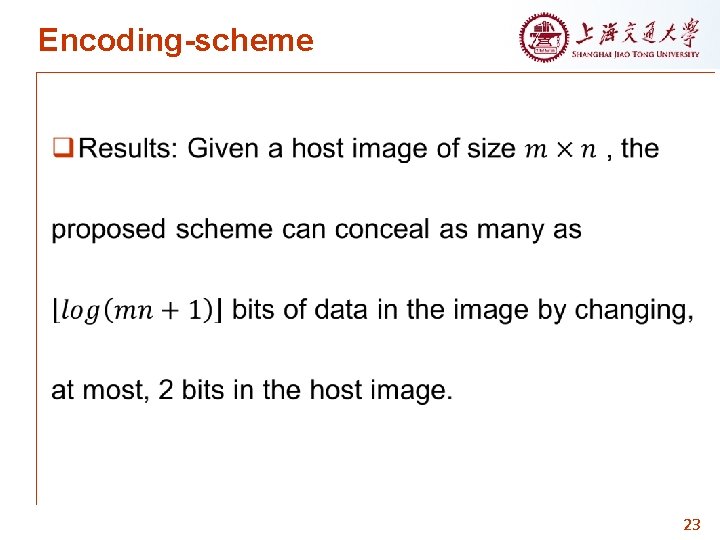
Encoding-scheme 23
Outline q Dot matrix Ø Motivation Ø Introduction q Encoding Ø Introduction q Detection Ø Introduction Ø Binarization Ø Locate Vertex Ø Affine Transformation q Future work 24
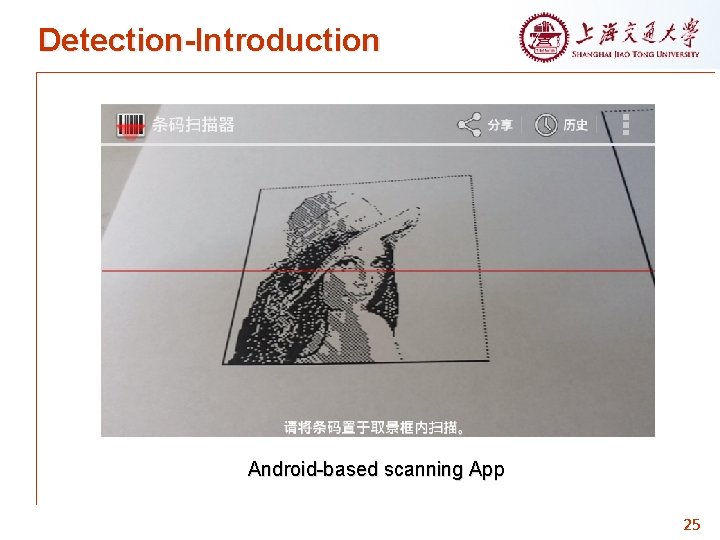
Detection-Introduction Android-based scanning App 25
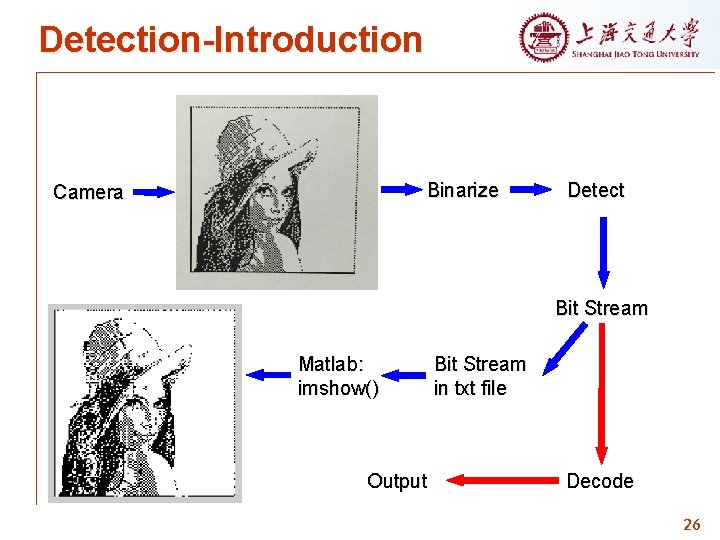
Detection-Introduction Binarize Camera Detect Bit Stream Matlab: imshow() Output Bit Stream in txt file Decode 26
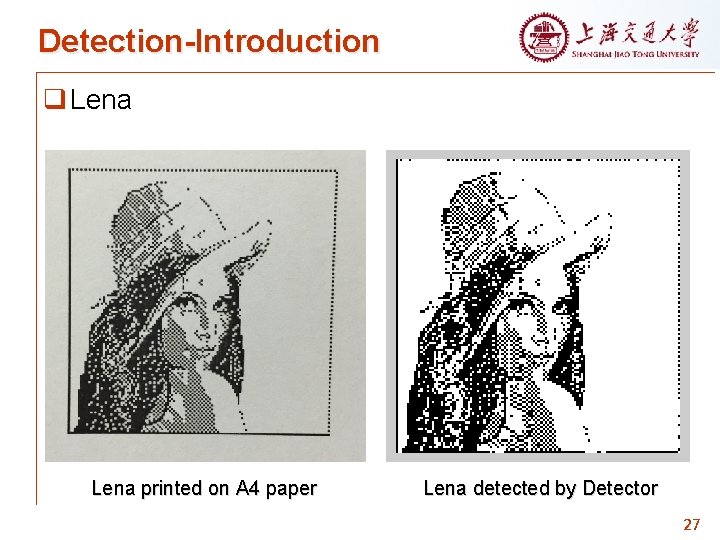
Detection-Introduction q Lena printed on A 4 paper Lena detected by Detector 27
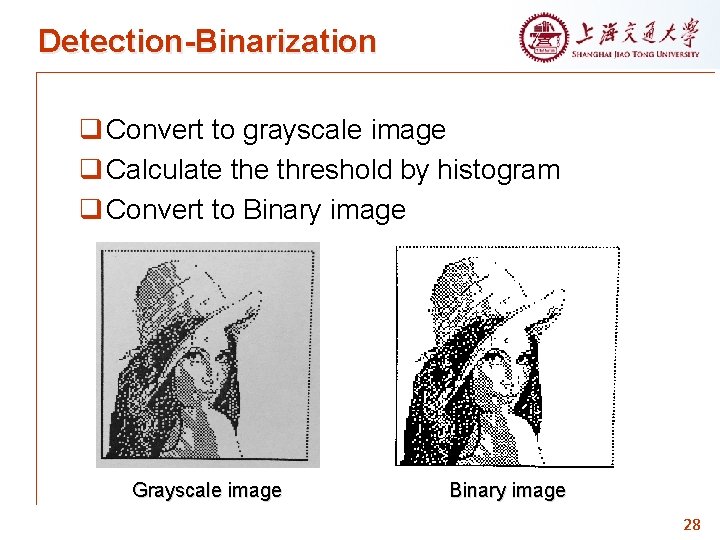
Detection-Binarization q Convert to grayscale image q Calculate threshold by histogram q Convert to Binary image Grayscale image Binary image 28
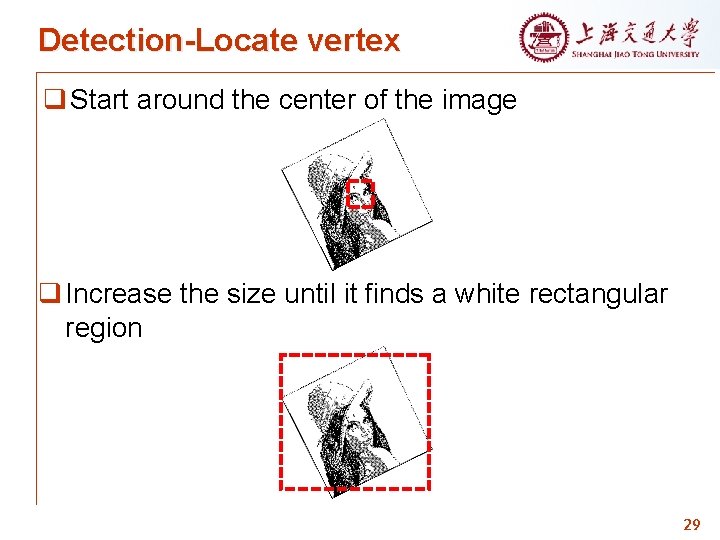
Detection-Locate vertex q Start around the center of the image q Increase the size until it finds a white rectangular region 29
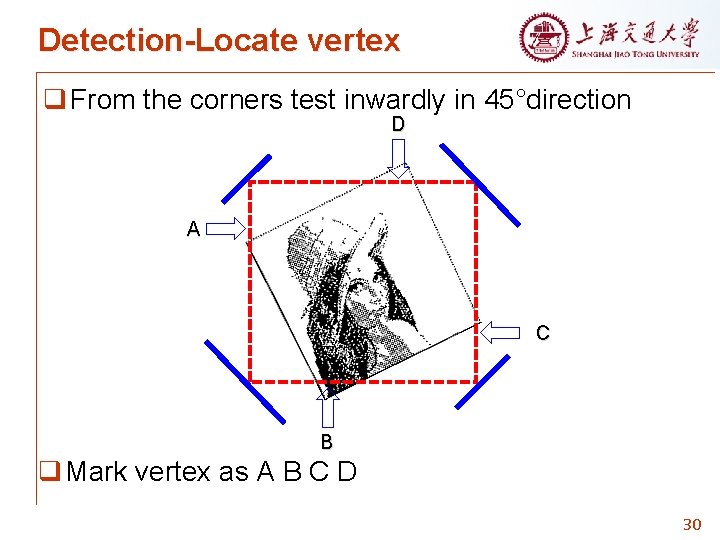
Detection-Locate vertex q From the corners test inwardly in 45°direction D A C B q Mark vertex as A B C D 30
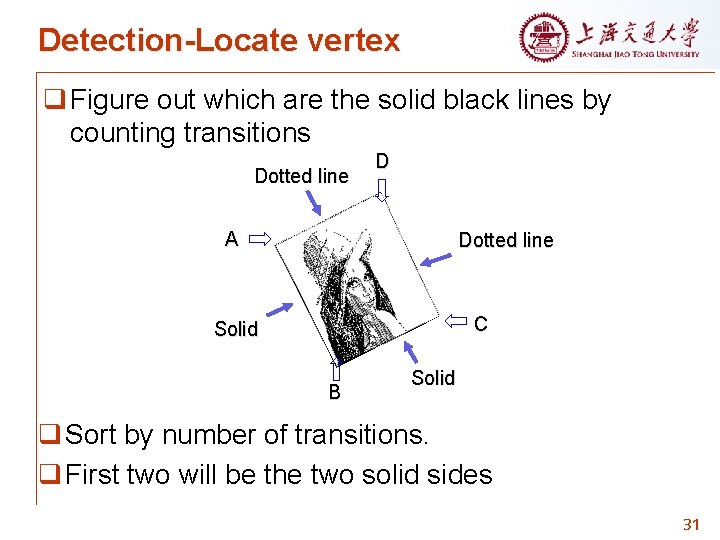
Detection-Locate vertex q Figure out which are the solid black lines by counting transitions Dotted line D A Dotted line C Solid B Solid q Sort by number of transitions. q First two will be the two solid sides 31
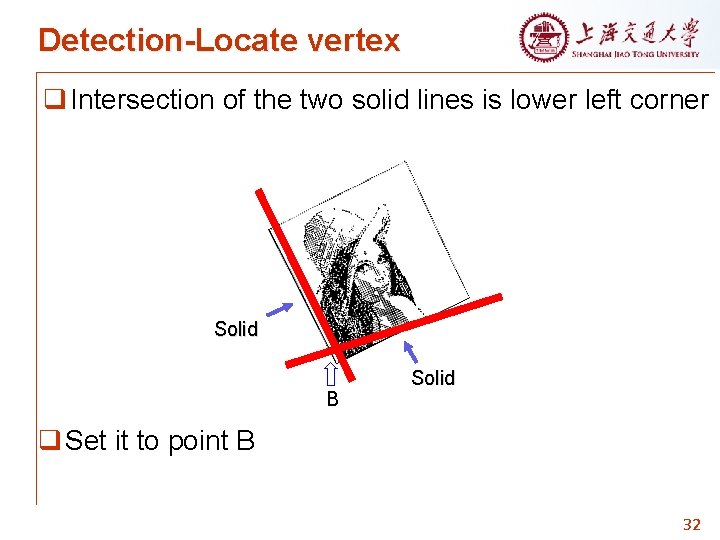
Detection-Locate vertex q Intersection of the two solid lines is lower left corner Solid B Solid q Set it to point B 32
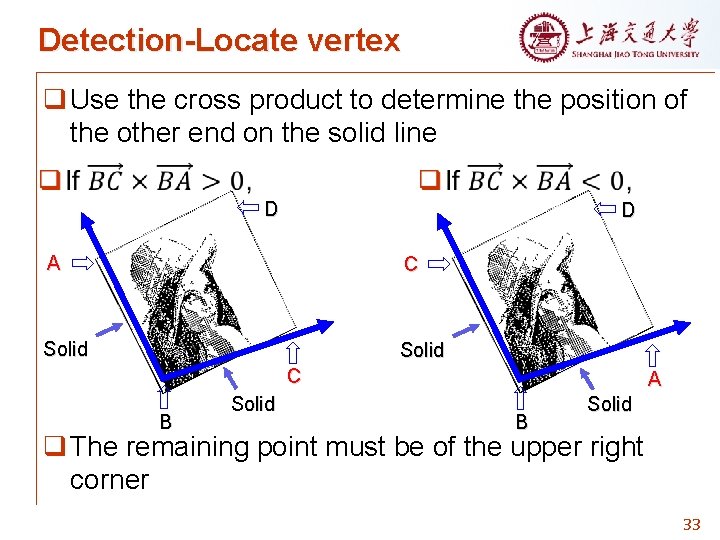
Detection-Locate vertex q Use the cross product to determine the position of the other end on the solid line D D A C Solid C B Solid A B Solid q The remaining point must be of the upper right corner 33
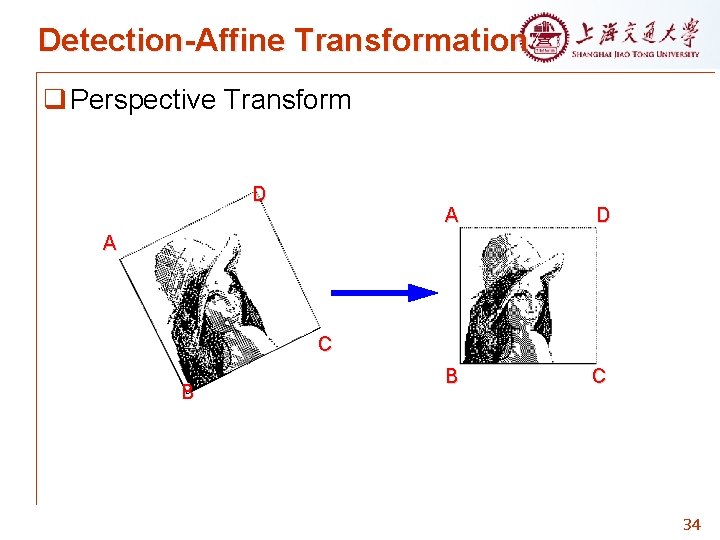
Detection-Affine Transformation q Perspective Transform D A D B C A C B 34
Outline q Dot matrix Ø Motivation Ø Introduction q Encoding Ø Introduction q Detection Ø Introduction Ø Binarization Ø Locate Vertex Ø Affine Transformation q Future work 35
Future Work q Finishing the “decoding” code part q Adding color to dot matrix 36

Thank you ! Q&A
- Slides: 37