
Dos and Donts of System Implementation Session 23

- Slides: 21
Dos and Don’ts of System Implementation Session 23 W Scott Erwin, Sr. , CGFM, CRA Director – OSP, Texas State University – San Marcos Dianne Bozler President, ERA Software Systems Company LOGO 1
Implementation Phases § Phase I Project Plans Process Analysis § Phase II Software Installation Interface Definition § Phase III Load Legacy (if desired) Data § Phase IV Training Change Management and Preparation for Roll-Out § Go-Live 2
Key Success Factors § § § § Dedicated Resources Advocates from Management Communication Strategy Internal Project Plan IT Support and Involvement Trained Local Experts Using the software “off the shelf” before requesting customizations 3
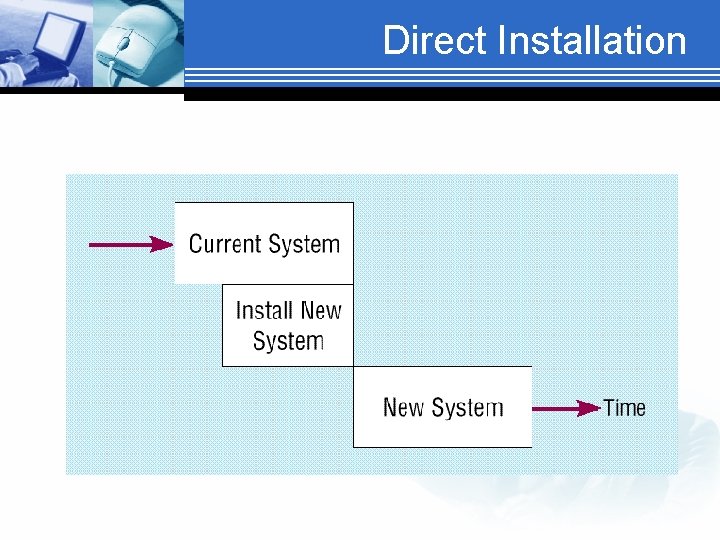
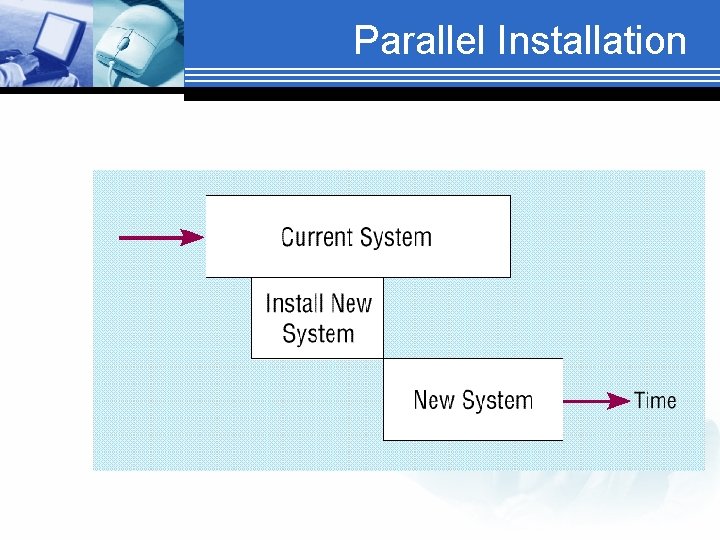
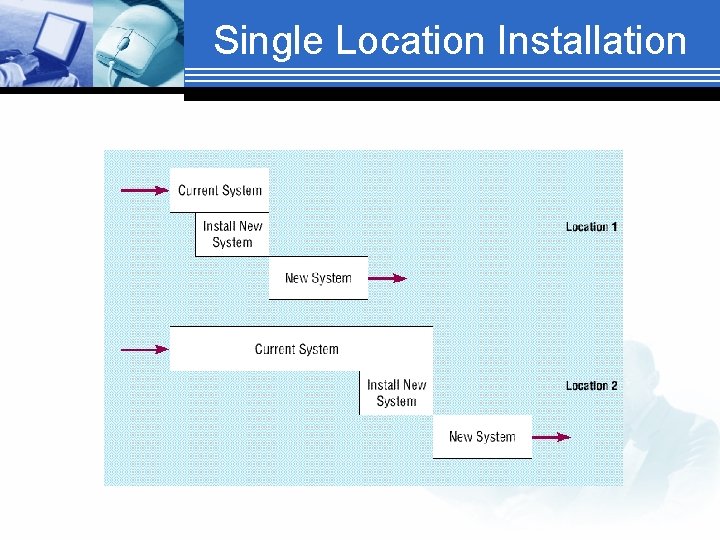
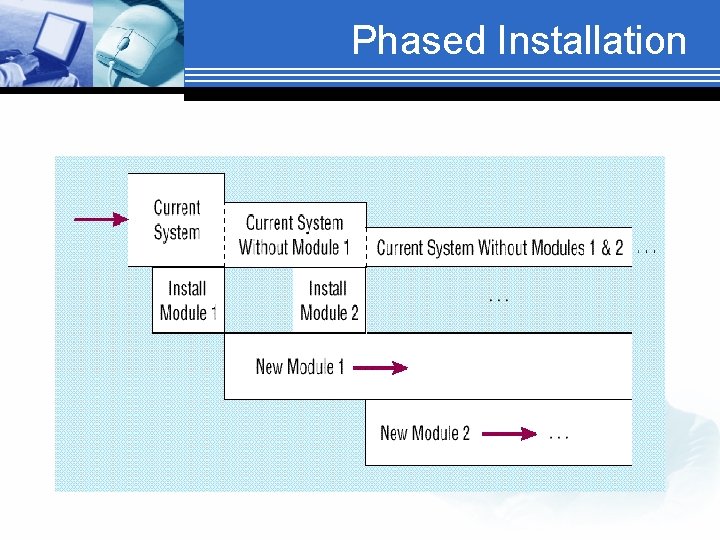
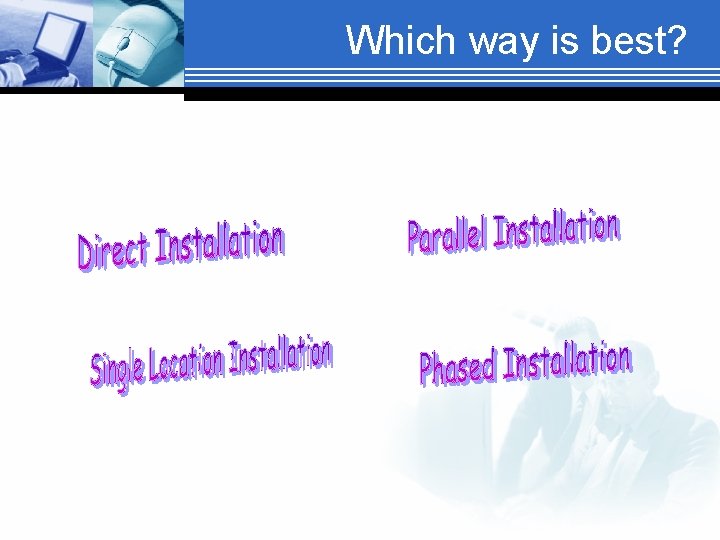
Installation § Process of moving from old system to new system § Conversion of data must be planned § Four approaches to installation Direct (Big Bang) Parallel Installation Single Location Installation Phased Installation
Direct Installation
Parallel Installation
Single Location Installation
Phased Installation
Which way is best?
Is implementation a success? § Is the system used? 1. 2. 3. 4. 5. 6. § Is the user satisfied?
Factors influencing implementation success § § § § User’s personal stake System characteristics User demographics Organizational support Performance Satisfaction Political …
System Documentation § Detailed information about a system’s design specs, its internal workings, and its functionality
User Documentation § Written or visual information about an application system, how it works, and how to use it.
What Makes Good Documentation? § Contains an overview, index, getting started instructions, I. e. – very structured § Describes functionalities § Contains task-based documentation “How to’s…” Frequently Asked Questions Messages & their meanings
Training the end-users § What do users want? Training early on Training manual Straightforward teaching techniques § 1. § 2. § 3.
Training Methodologies § § Instructor Led One-on-One User-Led External sources
Common Training Methods § § Tutorial - one person at a time Courses - several people at a time Computer-aided instruction Interactive training manuals - cmbo of tutorials and CAI § Resident expert § Software help components § External sources (vendors)
Supporting the End-user § § Information Center / Help desk Automating support Resident expert Other things to consider: Providing recovery and backup Disaster recovery PC maintenance
Guess What Despite good planning and perfect execution, Things can and will go wrong 19
Key • The key when things go wrong, is how you and your team respond • Don’t play the blame game • Notify interested parties that there is a problem and you are working a resolution • How you respond is pivotal in how the implementation will be viewed and accepted across campus (for years to come). 20
Thank You Please complete your evaluations If you have any additional questions, please contact us. W Scott Erwin, Sr. , CGFM, CRA Director – OSP, Texas State University – San Marcos we 10@txstate. edu Dianne Bozler President, ERA Software Systems dbozler@erasoftwaresystems. com 21