
Document Number Range Defense Property Accountability System DPAS
Document Number Range Defense Property Accountability System (DPAS) Warehousing Application United States Marine Corps Individual Issue and Unit Issue Facility (IIF and UIF) Implementation Training Course William V. Richardson Jr. and John T. Barrera
Purpose • Used to create document numbers for various processes dealing with the DPAS Warehousing Application.
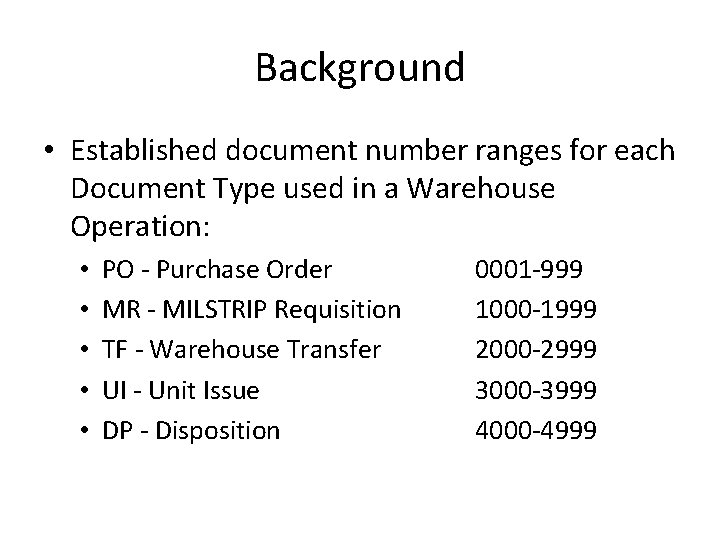
Background • Established document number ranges for each Document Type used in a Warehouse Operation: • • • PO - Purchase Order MR - MILSTRIP Requisition TF - Warehouse Transfer UI - Unit Issue DP - Disposition 0001 -999 1000 -1999 2000 -2999 3000 -3999 4000 -4999
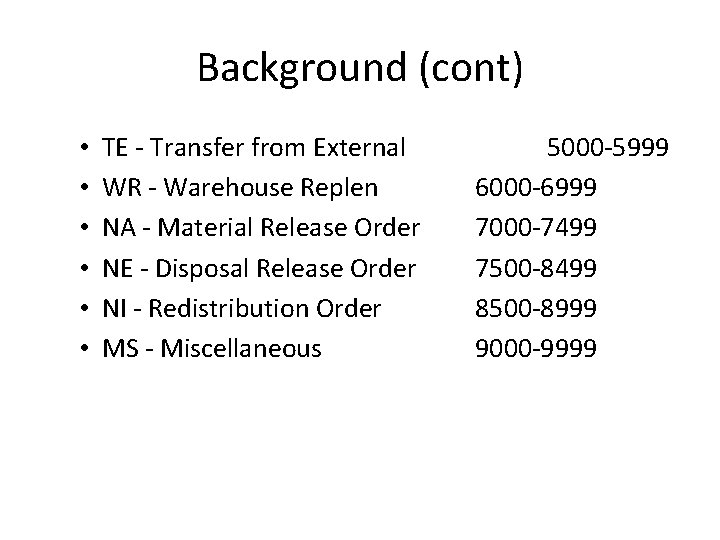
Background (cont) • • • TE - Transfer from External WR - Warehouse Replen NA - Material Release Order NE - Disposal Release Order NI - Redistribution Order MS - Miscellaneous 5000 -5999 6000 -6999 7000 -7499 7500 -8499 8500 -8999 9000 -9999
Situation The Warehouse Officer has directed you to create a miscellaneous document number register.
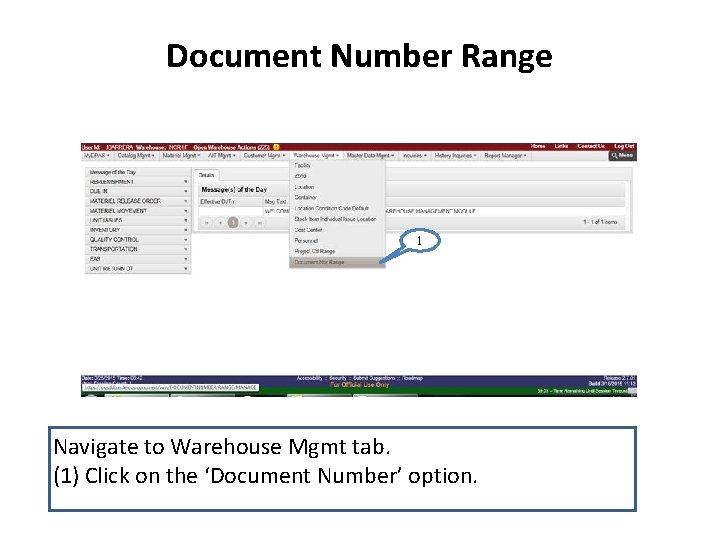
Document Number Range 1 Navigate to Warehouse Mgmt tab. (1) Click on the ‘Document Number’ option.
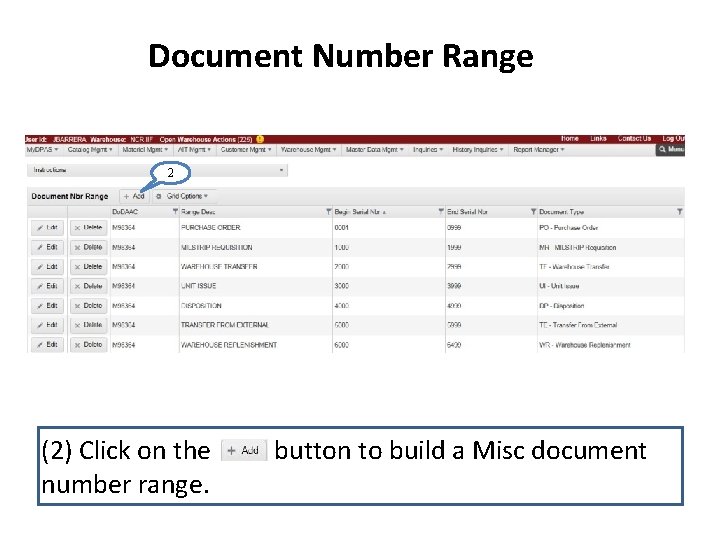
Document Number Range 2 (2) Click on the number range. button to build a Misc document
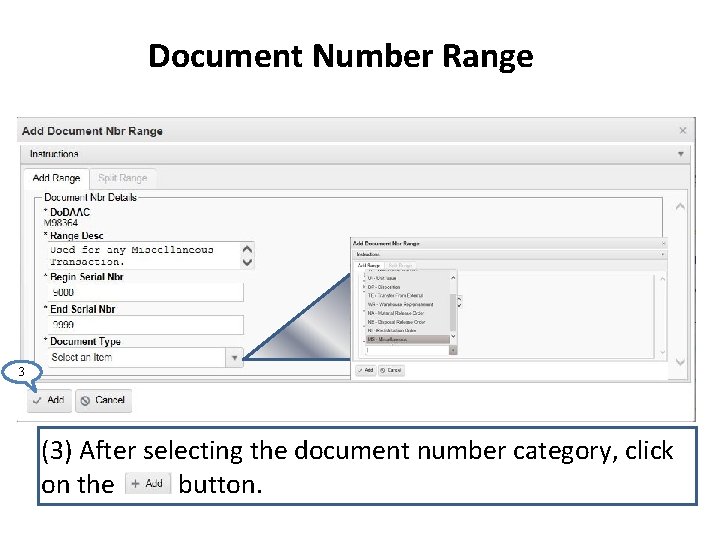
Document Number Range 3 (3) After selecting the document number category, click on the button.
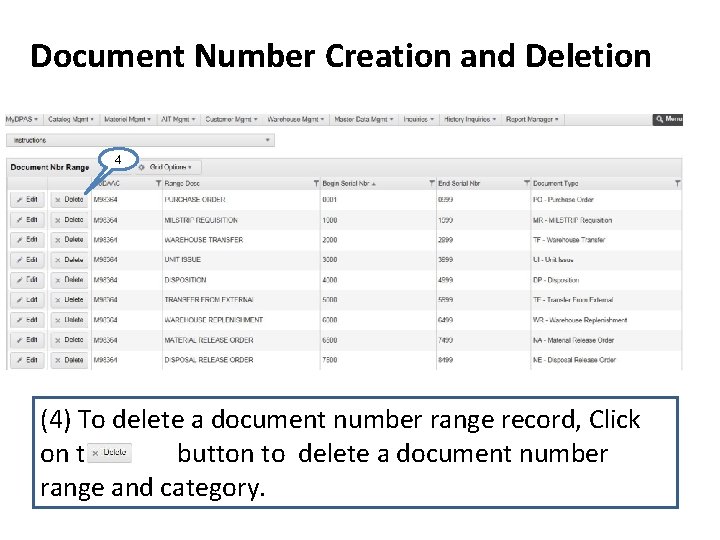
Document Number Creation and Deletion 4 (4) To delete a document number range record, Click on the button to delete a document number range and category.
Questions?
- Slides: 10