
Document Control How to organize your organizational knowledge







- Slides: 34
Document Control How to organize your organizational knowledge in Six easy steps
Why document? • Have you spent way too much time searching for a drawing or work instruction that you need? • Do you have two versions of the same revision? • Do you have two revisions of the same version? • Have you ever ordered the wrong revision from a supplier? • Have you ever built the assembly the wrong way because you had an obsolete work instruction? • Do you have technicians building your design but not in the way you designed? • Have you ever had someone really experienced leave the organization… with all of their knowledge? • Have you ever lost a document with a lot of useful information, maybe even a key design? • Are you planning on training other personnel to build the design the way you designed it? • Have you trained personnel who now train other personnel…but not the way you trained them? If the answer to any of these questions is yes? Implement a Document Control System
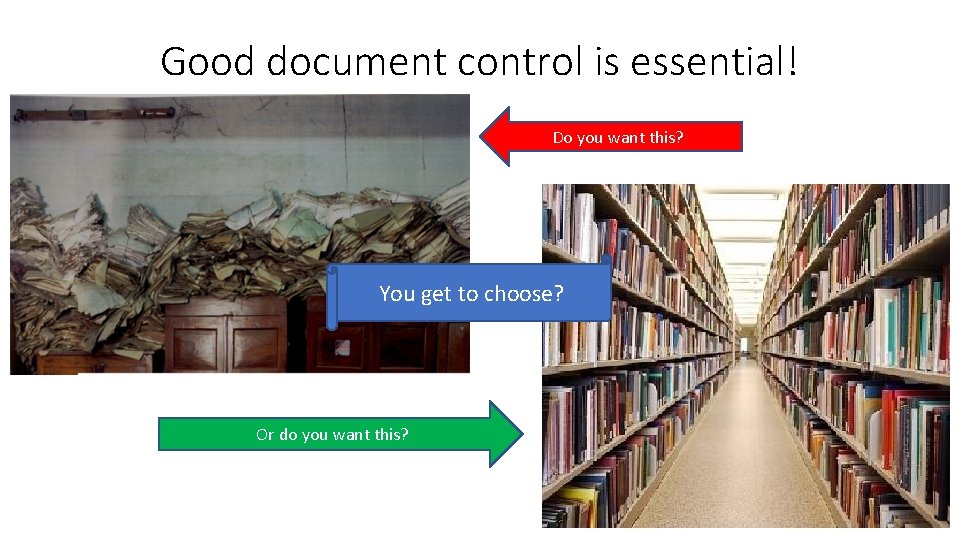
Good document control is essential! Do you want this? You get to choose? Or do you want this?
Document Control Components 1. 2. 3. 4. 5. 6. Storage Location Protection Unique Identity (Templates) Review and Approval Document Management Process (Change Control)
Step 1: Storage Build a Document Library
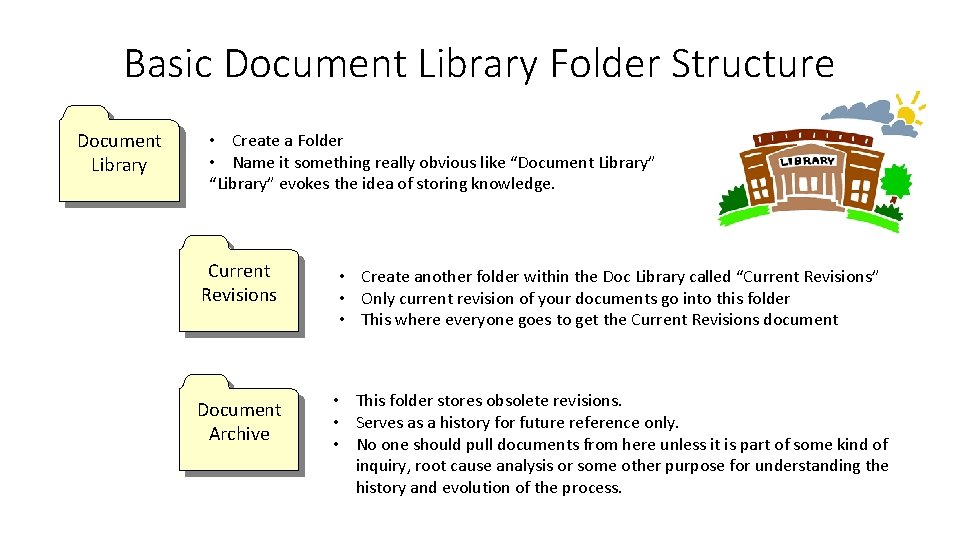
Basic Document Library Folder Structure Document Library • Create a Folder • Name it something really obvious like “Document Library” “Library” evokes the idea of storing knowledge. Current Revisions • Create another folder within the Doc Library called “Current Revisions” • Only current revision of your documents go into this folder • This where everyone goes to get the Current Revisions document Document Archive • This folder stores obsolete revisions. • Serves as a history for future reference only. • No one should pull documents from here unless it is part of some kind of inquiry, root cause analysis or some other purpose for understanding the history and evolution of the process.
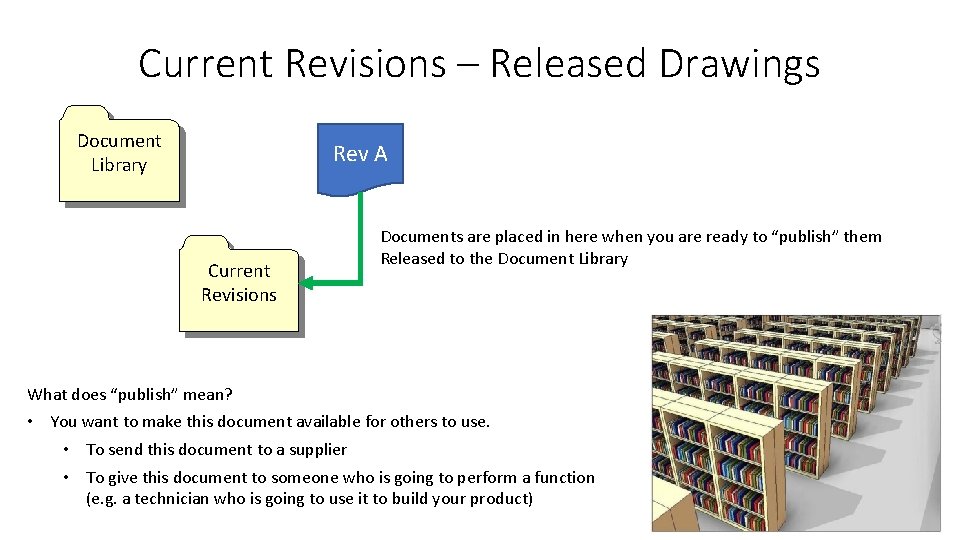
Current Revisions – Released Drawings Document Library Rev A Current Revisions Documents are placed in here when you are ready to “publish” them Released to the Document Library What does “publish” mean? • You want to make this document available for others to use. • To send this document to a supplier • To give this document to someone who is going to perform a function (e. g. a technician who is going to use it to build your product)
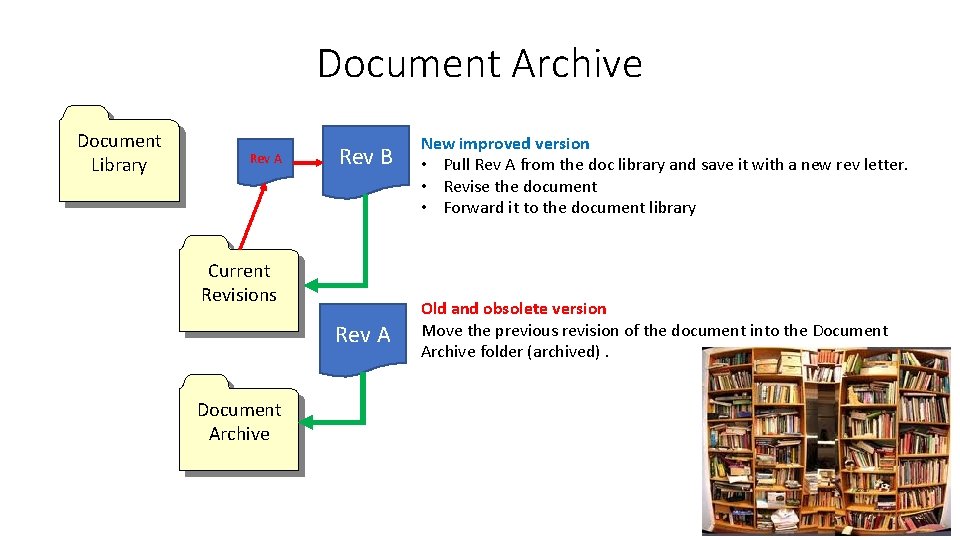
Document Archive Document Library Rev A Rev B Current Revisions Rev A Document Archive New improved version • Pull Rev A from the doc library and save it with a new rev letter. • Revise the document • Forward it to the document library Old and obsolete version Move the previous revision of the document into the Document Archive folder (archived).
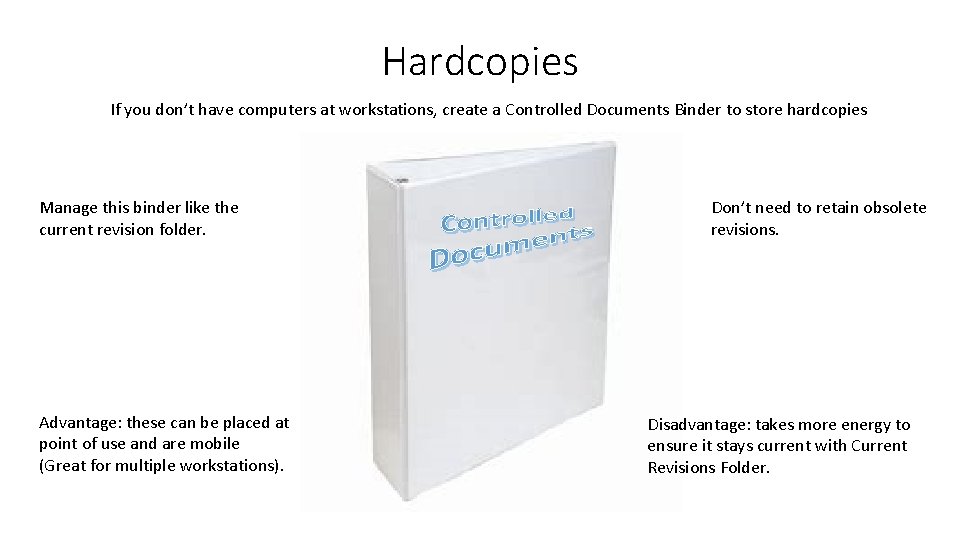
Hardcopies If you don’t have computers at workstations, create a Controlled Documents Binder to store hardcopies Manage this binder like the current revision folder. Advantage: these can be placed at point of use and are mobile (Great for multiple workstations). Don’t need to retain obsolete revisions. Disadvantage: takes more energy to ensure it stays current with Current Revisions Folder.
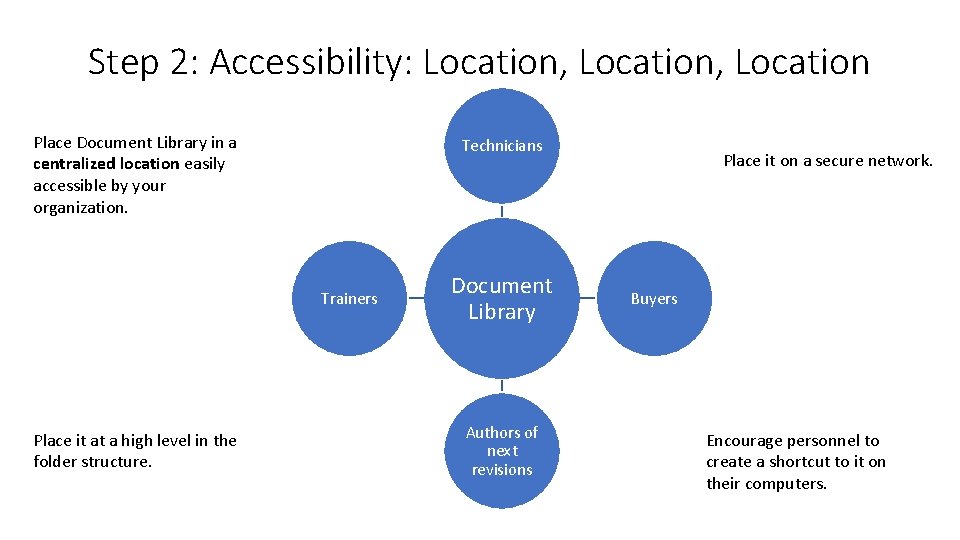
Step 2: Accessibility: Location, Location Place Document Library in a centralized location easily accessible by your organization. Technicians Trainers Place it at a high level in the folder structure. Document Library Authors of next revisions Place it on a secure network. Buyers Encourage personnel to create a shortcut to it on their computers.
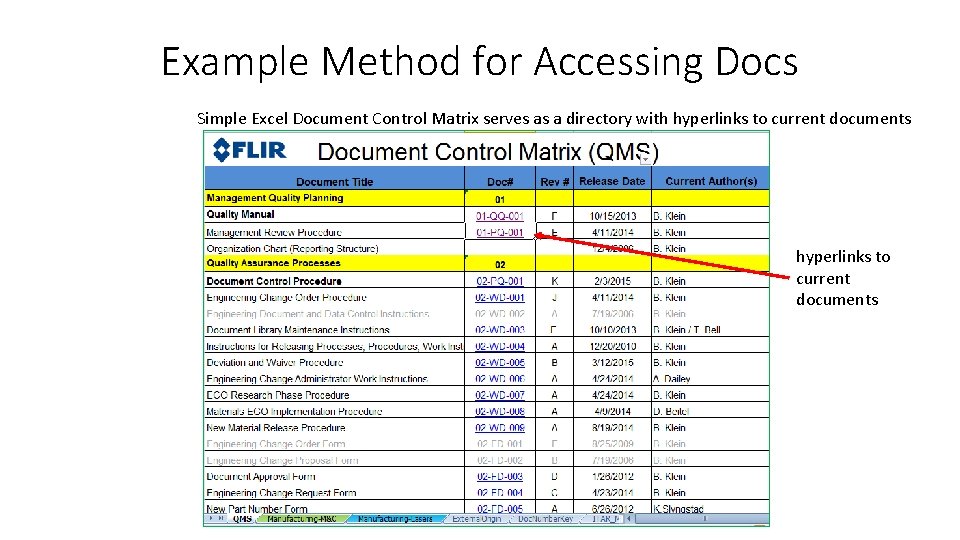
Example Method for Accessing Docs Simple Excel Document Control Matrix serves as a directory with hyperlinks to current documents
Step 3: Protection READ ONLY The documents stored in the Document Library and all of the subfolder are Read Only* Information Security – Protect the folder system from unauthorized access Back-ups – Make regular back-ups *Read/write access will be required by the chosen few • Doc Control Admin – a person assigned to manage the library • Quality Manager – Person assigned the responsibility for maintaining the Quality Management System Document Control Administrator or Coordinator Assign a person to manage the Library (Write access). They place the documents in the folder when they are approved and archive the obsolete revision.
TOC Step 4: Unique Identity: Templates Logo Unique identification in header Title Document # Rev Level Department/Area
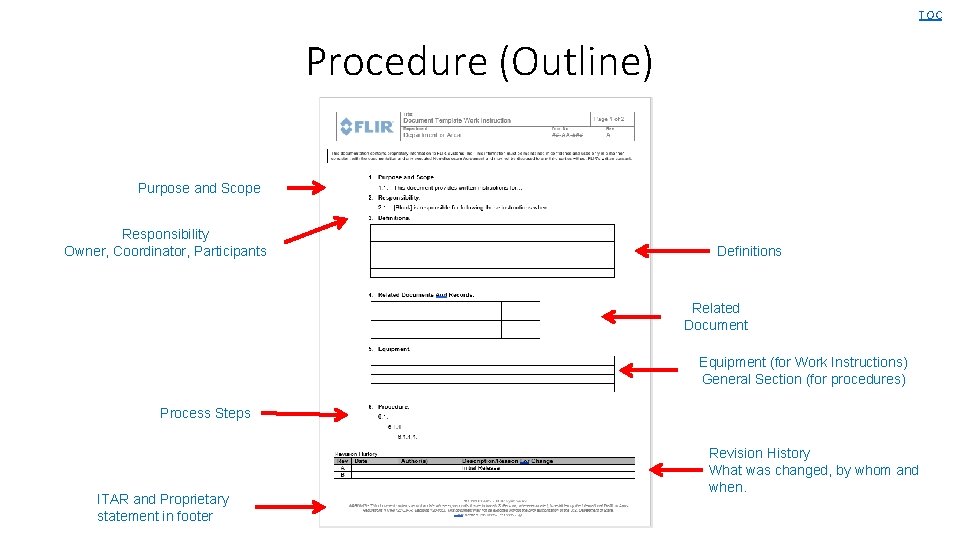
TOC Procedure (Outline) Purpose and Scope Responsibility Owner, Coordinator, Participants Definitions Related Document Equipment (for Work Instructions) General Section (for procedures) Process Steps ITAR and Proprietary statement in footer Revision History What was changed, by whom and when.
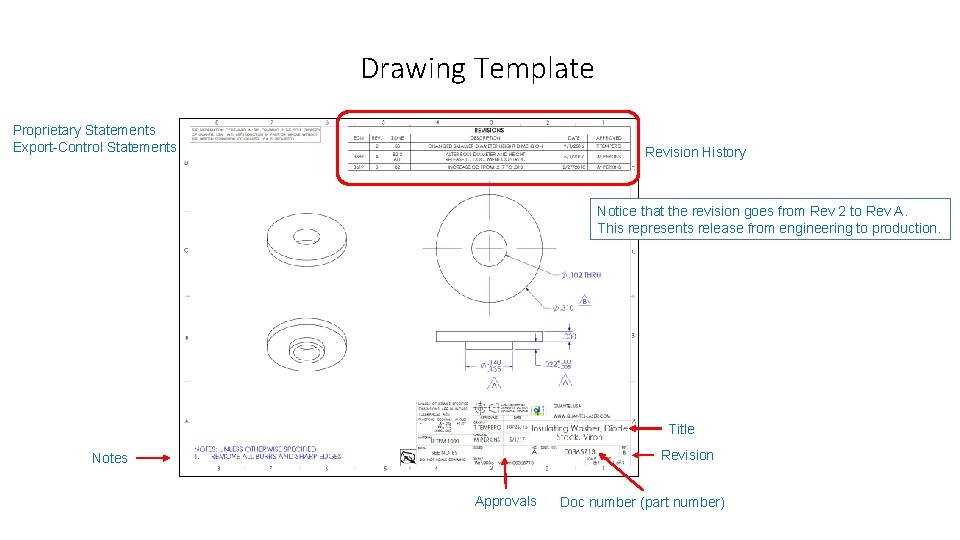
Drawing Template Proprietary Statements Export-Control Statements Revision History Notice that the revision goes from Rev 2 to Rev A. This represents release from engineering to production. Title Revision Notes Approvals Doc number (part number)
Document Library Templates Folder in Doc Library Current Revisions Document Archive Templates Procedures, Work Instructions, Forms, Specification Documents, Drawing templates (unless this is controlled in more sophisticated software).
Step 5: Review and Approval • Review it to make sure it is ready to be published • Approve it to allow it to be published.
Who Approves 1. Author for the document 2. Process lead (process owner) who is responsible for the successful output • If process affects more than one department, may want each department lead to approve. 3. Subject matter expert (such as an engineer) • Someone with the knowledge that can assess the risk of the change. 4. Document Control Administrator • The person who is overseeing the Document Control Process. TIP: You may have it reviewed by several people. Not everyone who reviews it is required to formally approve it.
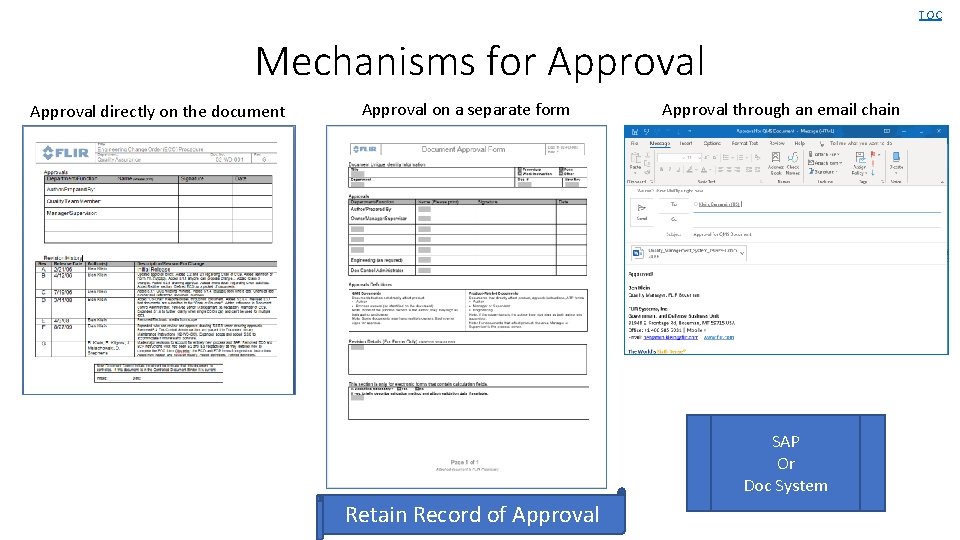
TOC Mechanisms for Approval directly on the document Approval on a separate form Approval through an email chain SAP Or Doc System Retain Record of Approval
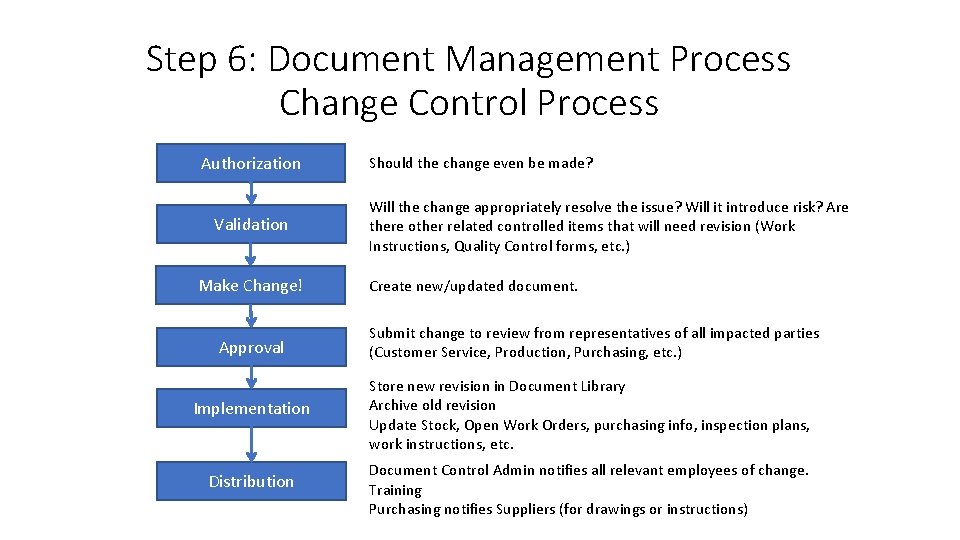
Step 6: Document Management Process Change Control Process Authorization Validation Make Change! Should the change even be made? Will the change appropriately resolve the issue? Will it introduce risk? Are there other related controlled items that will need revision (Work Instructions, Quality Control forms, etc. ) Create new/updated document. Approval Submit change to review from representatives of all impacted parties (Customer Service, Production, Purchasing, etc. ) Implementation Store new revision in Document Library Archive old revision Update Stock, Open Work Orders, purchasing info, inspection plans, work instructions, etc. Distribution Document Control Admin notifies all relevant employees of change. Training Purchasing notifies Suppliers (for drawings or instructions)
Summary When to control documents • • Do you want it safe? Do you want everyone working to the same version? Do you want to find it fast? Do you want a record of changes? Examples of Controlled Documents: • • • Procedures Work Instructions Specifications Drawings Forms Regulatory Requirements and Standards Characteristics of Controlled Documents • • Document Title Document Number Revision Level Common Format (Templates) Revision History Table Proprietary Statement Process for making changes Stored in Document Library • Central Location all can access • Current Revisions • Limited Edit Access
Open Forum This slide deck will be available at the MPIA website
Case Study Version Control Document Numbering Systems
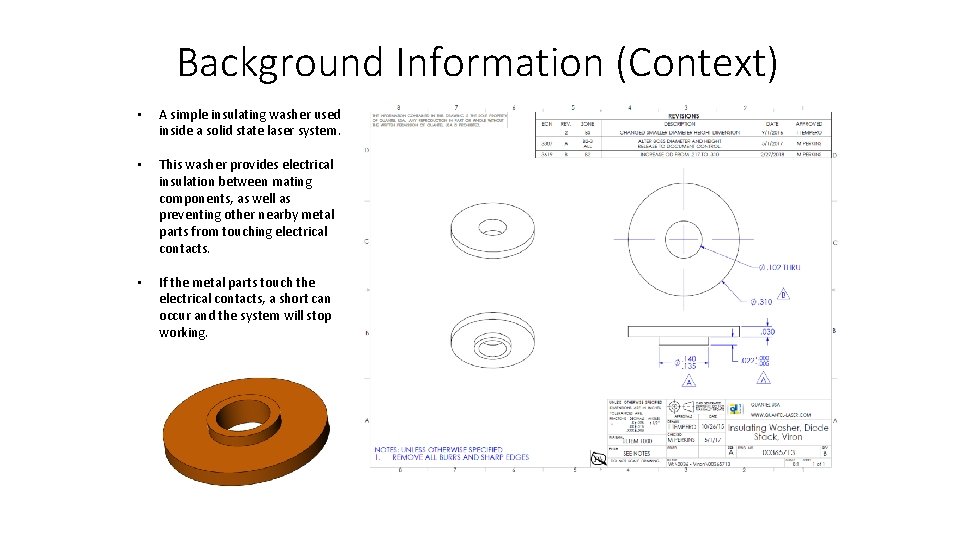
Background Information (Context) • A simple insulating washer used inside a solid state laser system. • This washer provides electrical insulation between mating components, as well as preventing other nearby metal parts from touching electrical contacts. • If the metal parts touch the electrical contacts, a short can occur and the system will stop working.
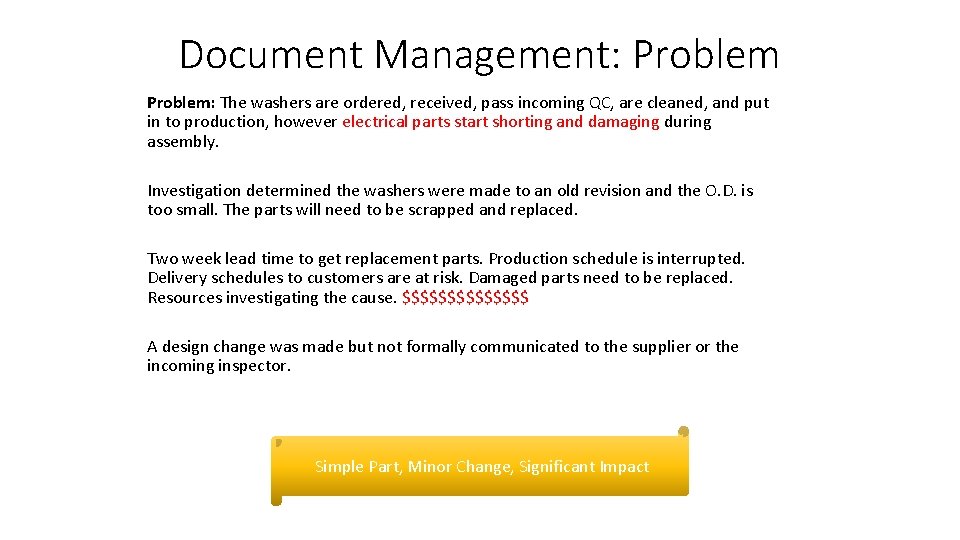
Document Management: Problem: The washers are ordered, received, pass incoming QC, are cleaned, and put in to production, however electrical parts start shorting and damaging during assembly. Investigation determined the washers were made to an old revision and the O. D. is too small. The parts will need to be scrapped and replaced. Two week lead time to get replacement parts. Production schedule is interrupted. Delivery schedules to customers are at risk. Damaged parts need to be replaced. Resources investigating the cause. $$$$$$$ A design change was made but not formally communicated to the supplier or the incoming inspector. Simple Part, Minor Change, Significant Impact
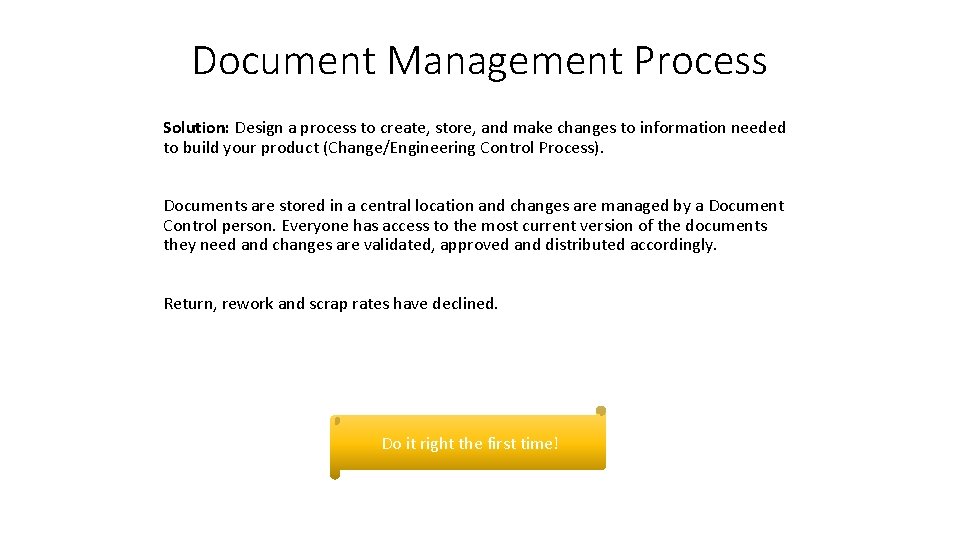
Document Management Process Solution: Design a process to create, store, and make changes to information needed to build your product (Change/Engineering Control Process). Documents are stored in a central location and changes are managed by a Document Control person. Everyone has access to the most current version of the documents they need and changes are validated, approved and distributed accordingly. Return, rework and scrap rates have declined. Do it right the first time!
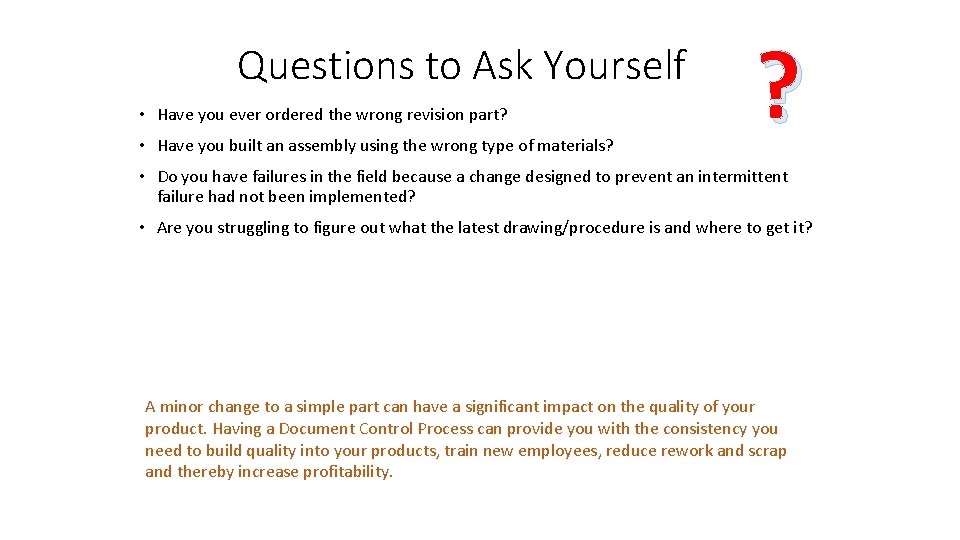
Questions to Ask Yourself • Have you ever ordered the wrong revision part? • Have you built an assembly using the wrong type of materials? ? • Do you have failures in the field because a change designed to prevent an intermittent failure had not been implemented? • Are you struggling to figure out what the latest drawing/procedure is and where to get it? A minor change to a simple part can have a significant impact on the quality of your product. Having a Document Control Process can provide you with the consistency you need to build quality into your products, train new employees, reduce rework and scrap and thereby increase profitability.
Version Control • A critical part of unique identity is the use of a revision level to maintain version control. • Generally revisions are numeric or alpha. • It is common to use revision numbers for engineering level documents and alpha once the document (drawing or work instructions) is released to production Example: Numeric goes, rev 1, 2, 3, 4, etc and roles to rev A when it is released to production. Start with Rev A, the Rev B and so on After Rev Z, Rev AA, AB, AC, etc Software may use decimal places. Not uncommon to use both alpha and numeric to control record changes, ie Rev a to Rev A 1 (Eg. Revision to a doc title, to replace a footer with a new statement, to add a logo. Does not change form, fit or function or process design. )
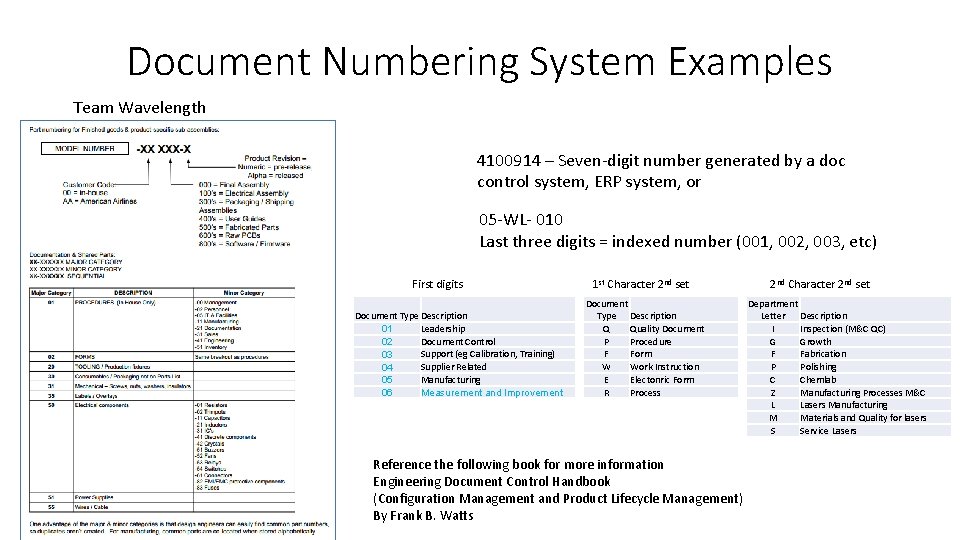
Document Numbering System Examples Team Wavelength 4100914 – Seven-digit number generated by a doc control system, ERP system, or 05 -WL- 010 Last three digits = indexed number (001, 002, 003, etc) First digits Document Type Description Leadership 01 Document Control 02 Support (eg Calibration, Training) 03 Supplier Related 04 Manufacturing 05 06 Measurement and Improvement 1 st Character 2 nd set Document Type Description Q Quality Document P Procedure F Form W Work Instruction E Electonric Form R Process Reference the following book for more information Engineering Document Control Handbook (Configuration Management and Product Lifecycle Management) By Frank B. Watts 2 nd Character 2 nd set Department Letter Description I Inspection (M&C QC) G Growth F Fabrication P Polishing C Chemlab Z Manufacturing Processes M&C L Lasers Manufacturing M Materials and Quality for lasers S Service Lasers
Document Numbering System Examples CC-XXXXXX-NN The CC stands for “commodity code”. This part is intelligent. Different types of parts fit into different commodity codes. There are different commodity codes for: Fastener cable harness machined part inseparable (e. g. welded) assembly kit of parts assembly production procedure raw material and many others. Implied here are that you are going to have <99 different commodity codes. If not, then you’ll want to use 3 digit commodity codes. article outlining some pros and cons of intelligent vs non-intelligent part numbering systems: https: //www. arenasolutions. com/resources/articles/part-numbering/ The XXXXXX is a non-intelligent number that simply increments up every time someone pulls a part number. This could also be a random 6 digit number. Importantly, the same 6 digit number is never reused, even on different commodity codes. This gives some redundancy to the part number, so that if someone gets the commodity code right but one of the 6 digits wrong, chances are that they will have an invalid part number rather than a valid part number but the wrong part. The NN is typically -00 for most parts. However it is used for very similar parts that have multiple variants. For instance, if you had a housing that came in 6 different colors, then the drawing for the housing would show the mechanical design and then have a table illustrating the variants. Something like: -01 -02 -03 -04 -05 -06 unpainted white black yellow blue red Similar logic applies to fasteners or cable harnesses that are identical except for length, or parts that can be made in various alloys, etc. Makes it easy to release or update a series parts that are almost the same, but with minor variations, without having to update many different (redundant) drawings.
Document Numbering System Examples Additional elements of this system: Each part # has a revision to it. Numerical revisions are used for engineering, and are relatively easy to change. Alphabetical revisions are used once a part is released into production, and require a lot more info and approvals to change. Changing form, fit, or function on a part requires a new part number. This is not always followed at the engineering (numerical) rev level, if the responsible engineer can guarantee there are no parts of earlier revisions (with the same part number). For instance, if you had 2 prototypes made in the -01 design, and destroyed the first in testing while figuring out you need to modify the design, and then you make the -02 rev and you can rework the remaining -01 part to the -02 design (or discard it entirely), that’s ok. Or if you decide to loosen a tolerance on a part, that’s fine, because older rev parts still meet the new drawing. But it is absolutely not ok to ever have parts in existence that do not conform to the current rev of that part number. So if you tighten rather than loosen a spec, you either need to change part number or discard/rework all parts that don’t meet the new tighter spec. This guarantees that someone that picks up a part with a given part number can always use that part. In practice, this means that people often have to change part numbers for similar parts. That’s ok. The –NN portion of the part number is “-XX” for the engineering drawing itself. So if you are holding part 42 -035839 -00 and want to see the drawing, you look up 42 -035839 -XX. For parts or systems that can be refurbished, one adds an “R” to the part number to designate a refurbished item. This does not seem like the most elegant system, but it is much better than mixing new and refurbished parts in the same part number, and avoids complications that come from having an entirely separate part number for refurbished parts.
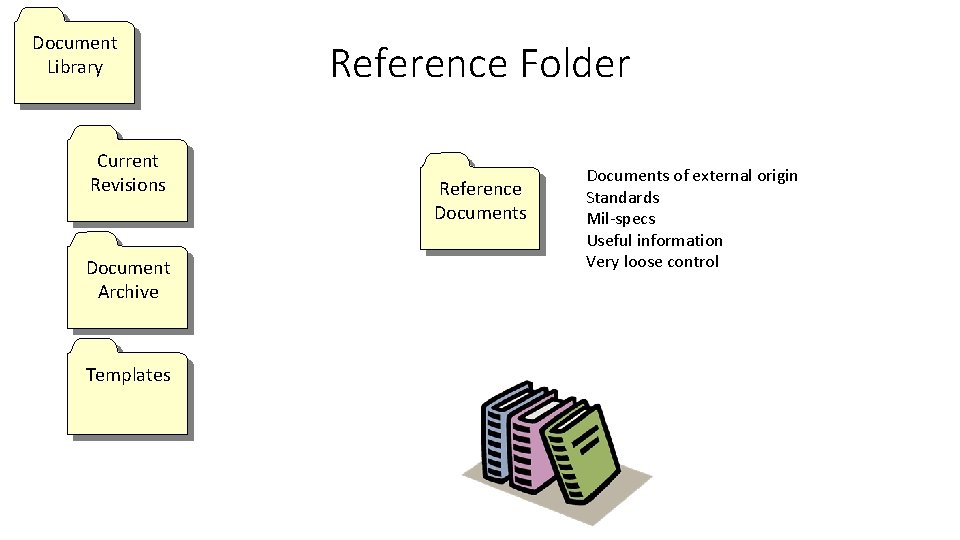
Document Library Current Revisions Document Archive Templates Reference Folder Reference Documents of external origin Standards Mil-specs Useful information Very loose control
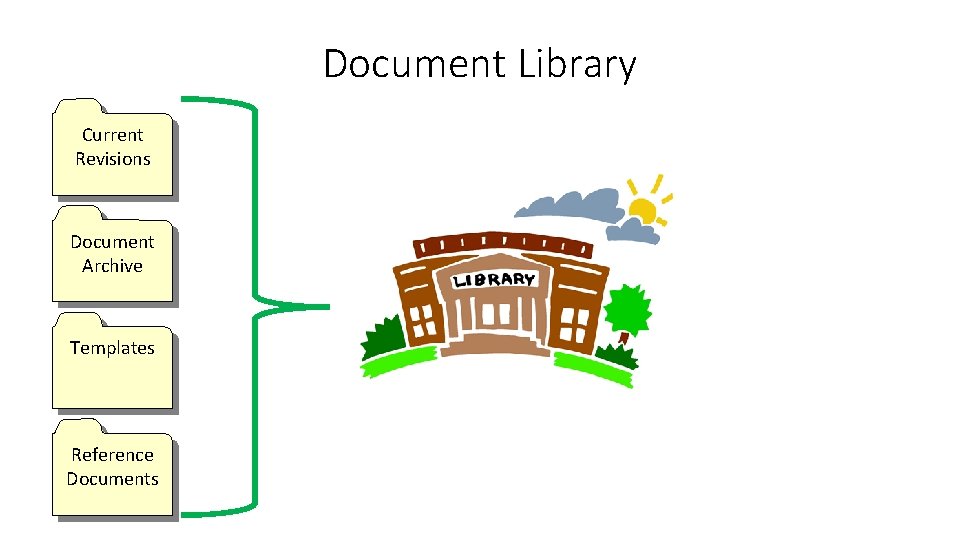
Document Library Current Revisions Document Archive Templates Reference Documents