
DOCKETING SYSTEMS NAPP AMC 2015 7142015 Bruce Young
DOCKETING SYSTEMS NAPP AMC 2015 7/14/2015 Bruce Young, Agent, Young’s Patent Services
GOAL OF THIS PRESENTATION Discuss the Issues that need to be addressed by a Patent Practitioner/Firm when evaluating their Docketing Needs Provide an Overview of Available Patent Docketing Systems and Compare Features § The primary focus will be on patent practice, but some trademark practice features will be mentioned. § Several different docketing systems will be described and compared. § A standard set of questions will be answered for each system, including costs, and then special features will be highlighted for the various systems. § Systems analyzed in detail include App. Coll, Docket. Trak, fileye, Flextrac IP CTS, and Reva. Trademark. § Time will be left at the end for attendees to share their own experiences with docketing systems
WHY WORRY? Unstructured Paper/Whiteboard/Stacks of Documents have been used for many years by many practitioners to keep track of deadlines No Additional Cost – Simple to Use – No Training Required!

WHY WORRY? Unstructured Paper/Whiteboard/Stacks of Documents have been used for many years by many practitioners to keep track of deadlines No Additional Cost – Simple to Use – No Training Required!
YOU SHOULD WORRY! In re Tachner (USPTO D 2012 -30) § Patent attorney; disciplinary complaint alleged: § Failed to report Office communications and docket due dates. § Apps. became abandoned; patents expired for failure to pay maint. fees. § Used handwritten docket book and “white board” for docketing USPTO due dates § later simple MS Word document was used § Staff was undertrained and underequipped. § Suspended from practice before USPTO for 5 years.
ABUNDANCE OF CHOICES
HOW TO DECIDE? Learn about the various types of solutions Understand the needs of YOUR Practice Evaluate solutions that might fit YOUR needs Decide on the best solution for YOUR Practice
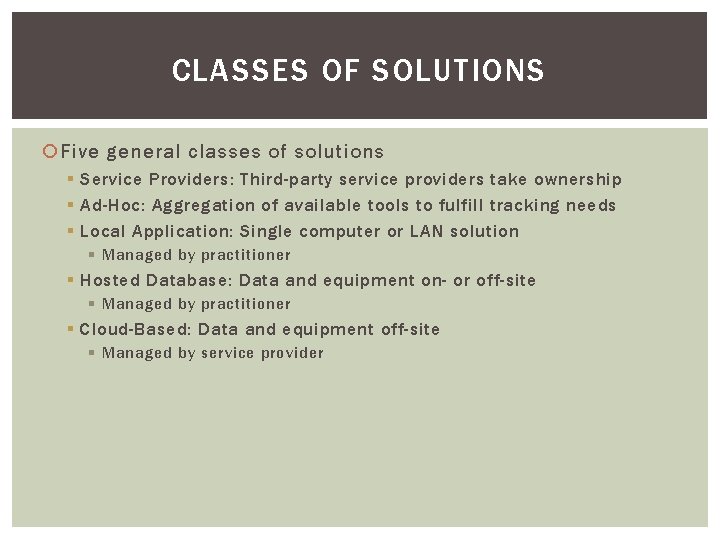
CLASSES OF SOLUTIONS Five general classes of solutions § Service Providers: Third-party service providers take ownership § Ad-Hoc: Aggregation of available tools to fulfill tracking needs § Local Application: Single computer or LAN solution § Managed by practitioner § Hosted Database: Data and equipment on- or off-site § Managed by practitioner § Cloud-Based: Data and equipment off-site § Managed by service provider
CLASSES OF SOLUTIONS OUTSOURCE OR IN-HOUSE Outsourcing § Hire a Third Party to Manage Docket § No Software to buy (usually) § Several Third Party Companies offer Docketing Services § § § Black Hills IP www. blackhillsip. com Cardinal IP www. cardinal-ip. com CPA Global www. cpaglobal. com Facets IP www. facetsip. com Flex. Trac CTS https: //www. flextrac. com/#services § Little to No training required – They already understand the process In-House § § Do it yourself? Hire/use untrained staff and train them? Hire/use an experienced paralegal? In a multi-practitioner office, designate one person or distribute responsibility? § Probably requires investing in software
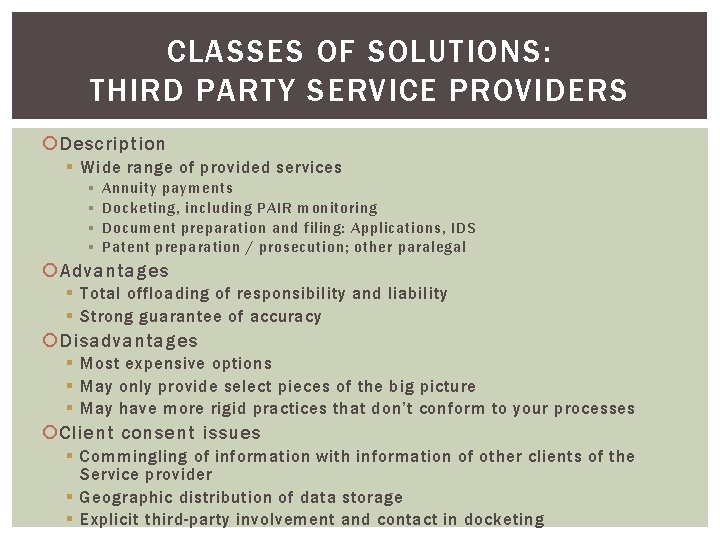
CLASSES OF SOLUTIONS: THIRD PARTY SERVICE PROVIDERS Description § Wide range of provided services § § Annuity payments Docketing, including PAIR monitoring Document preparation and filing: Applications, IDS Patent preparation / prosecution; other paralegal Advantages § Total offloading of responsibility and liability § Strong guarantee of accuracy Disadvantages § Most expensive options § May only provide select pieces of the big picture § May have more rigid practices that don’t conform to your processes Client consent issues § Commingling of information with information of other clients of the Service provider § Geographic distribution of data storage § Explicit third-party involvement and contact in docketing
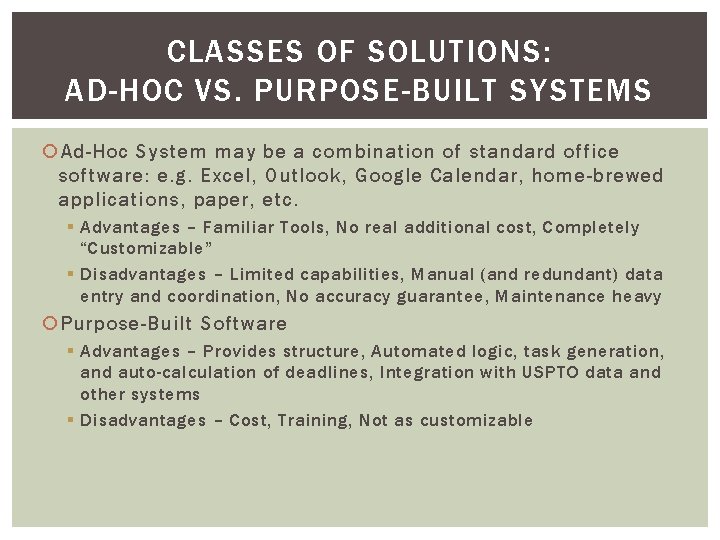
CLASSES OF SOLUTIONS: AD-HOC VS. PURPOSE-BUILT SYSTEMS Ad-Hoc System may be a combination of standard office software: e. g. Excel, Outlook, Google Calendar, home-brewed applications, paper, etc. § Advantages – Familiar Tools, No real additional cost, Completely “Customizable” § Disadvantages – Limited capabilities, Manual (and redundant) data entry and coordination, No accuracy guarantee, Maintenance heavy Purpose-Built Software § Advantages – Provides structure, Automated logic, task generation, and auto-calculation of deadlines, Integration with USPTO data and other systems § Disadvantages – Cost, Training, Not as customizable
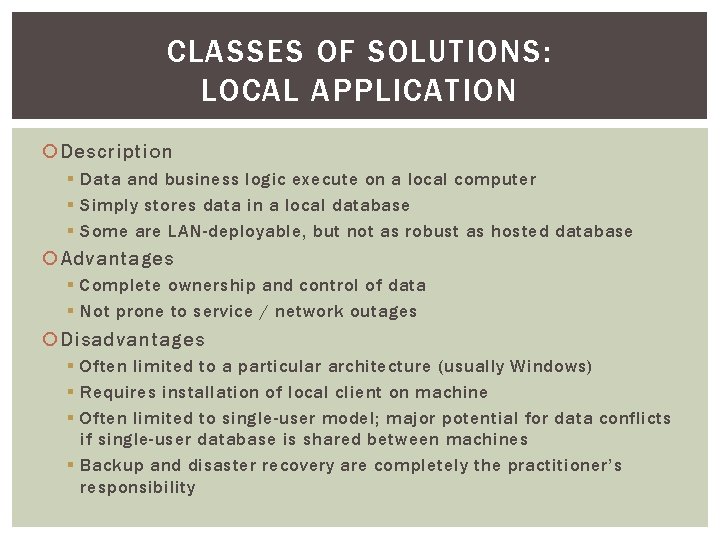
CLASSES OF SOLUTIONS: LOCAL APPLICATION Description § Data and business logic execute on a local computer § Simply stores data in a local database § Some are LAN-deployable, but not as robust as hosted database Advantages § Complete ownership and control of data § Not prone to service / network outages Disadvantages § Often limited to a particular architecture (usually Windows) § Requires installation of local client on machine § Often limited to single-user model; major potential for data conflicts if single-user database is shared between machines § Backup and disaster recovery are completely the practitioner’s responsibility
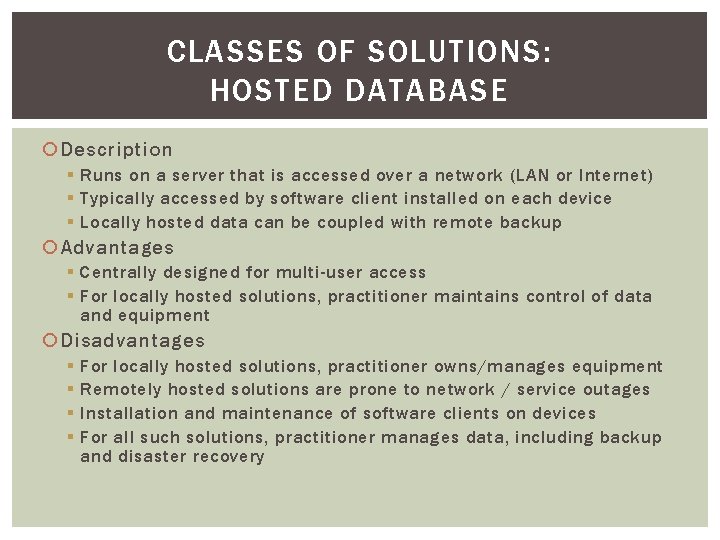
CLASSES OF SOLUTIONS: HOSTED DATABASE Description § Runs on a server that is accessed over a network (LAN or Internet) § Typically accessed by software client installed on each device § Locally hosted data can be coupled with remote backup Advantages § Centrally designed for multi-user access § For locally hosted solutions, practitioner maintains control of data and equipment Disadvantages § § For locally hosted solutions, practitioner owns/manages equipment Remotely hosted solutions are prone to network / service outages Installation and maintenance of software clients on devices For all such solutions, practitioner manages data, including backup and disaster recovery
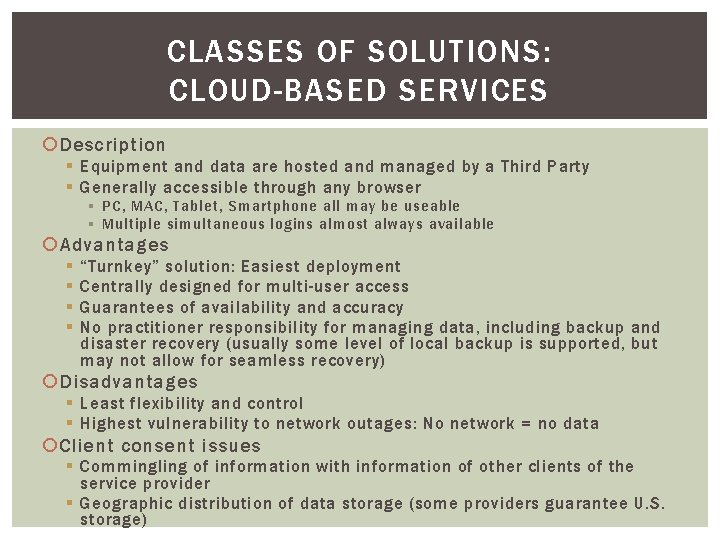
CLASSES OF SOLUTIONS: CLOUD-BASED SERVICES Description § Equipment and data are hosted and managed by a Third Party § Generally accessible through any browser § PC, MAC, Tablet, Smartphone all may be useable § Multiple simultaneous logins almost always available Advantages § § “Turnkey” solution: Easiest deployment Centrally designed for multi-user access Guarantees of availability and accuracy No practitioner responsibility for managing data, including backup and disaster recovery (usually some level of local backup is supported, but may not allow for seamless recovery) Disadvantages § Least flexibility and control § Highest vulnerability to network outages: No network = no data Client consent issues § Commingling of information with information of other clients of the service provider § Geographic distribution of data storage (some providers guarantee U. S. storage)
WHAT IS THE “RIGHT” ANSWER?
WHAT IS THE “RIGHT” ANSWER? There is NO Single “RIGHT” Answer for all practices
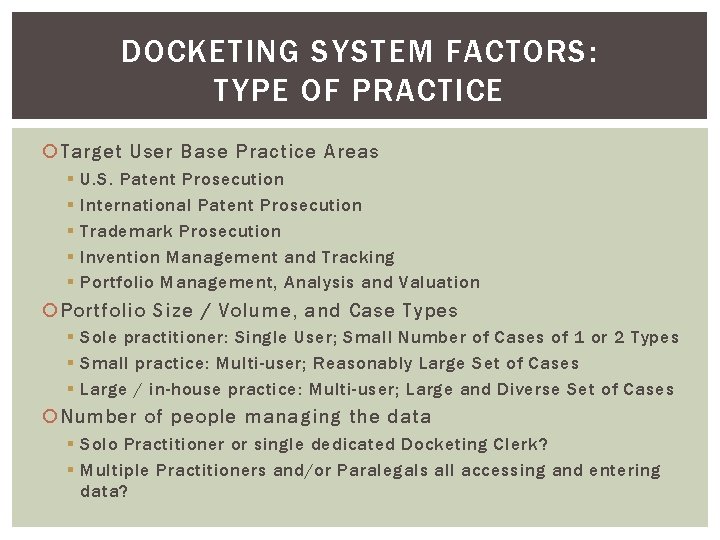
DOCKETING SYSTEM FACTORS: TYPE OF PRACTICE Target User Base Practice Areas § § § U. S. Patent Prosecution International Patent Prosecution Trademark Prosecution Invention Management and Tracking Portfolio Management, Analysis and Valuation Portfolio Size / Volume, and Case Types § Sole practitioner: Single User; Small Number of Cases of 1 or 2 Types § Small practice: Multi-user; Reasonably Large Set of Cases § Large / in-house practice: Multi-user; Large and Diverse Set of Cases Number of people managing the data § Solo Practitioner or single dedicated Docketing Clerk? § Multiple Practitioners and/or Paralegals all accessing and entering data?
DOCKETING SYSTEM FACTORS: TOP-LEVEL CONSIDERATIONS Amount of “Hand-Holding” desired in docketing process § Automated vs manual event generation and date calculation § Pre-existing templates for various tasks IT Support Considerations § Equipment Ownership; Software Installation / Patching; Backup / Recovery Customization for existing workflows § Change the SW to match your workflow or change your workflow? Client Consent/Participation § Do you need/want your Clients to directly see their dockets? § Do you need to inform them of any potential security issues, comingling of data, geographic issues? Upfront Cost § One-Time License Fees, Computer Costs, Installation Costs, etc. Ongoing Costs § Ongoing License Fees, Networking Costs, Maintenance Fees, equipment repair/replacement, etc.
DOCKETING SYSTEM FACTORS: OTHER CONSIDERATIONS User Interface § Intuitiveness § Access speed § Training requirements Customizability § Built-in flexibility (e. g. , custom fields) § Add-on modules for future development § Custom module development Scalability to larger / more diverse case load Patching and continued development Customer service responsiveness; bug reporting
DOCKETING SYSTEM FACTORS: FEATURES Deadline Detection, Tracking, and Notification § Automated (PAIR Integration) vs. Semi-Automated vs. Manual Document Management and Versioning: Basic vs. Extensive Querying and Reporting: Basic vs. Extensive Invoicing Remote Access Prior Art Management and IDS Preparation Form Preparation: Client Letters, ADS, Assignment, Dec / POA Client Access / Notification IT Integration: Email Reminders; Store Email; Calendaring USPTO Integration (EFS-Web, PAIR, TEAS, searching) International Support U. S. / International Searching
DOCKETING SYSTEM FACTORS: OTHER FEATURES Other functions available in some systems § § Outside counsel management Cost tracking / budgeting Portfolio tracking / clustering Invention management and award tracking
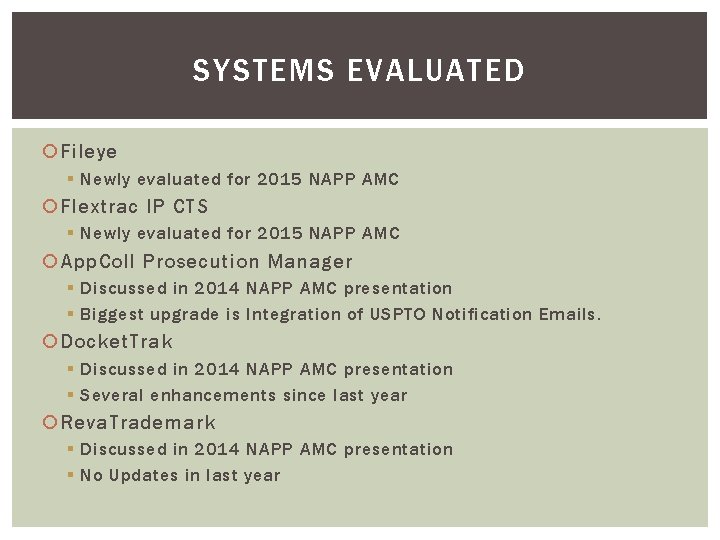
SYSTEMS EVALUATED Fileye § Newly evaluated for 2015 NAPP AMC Flextrac IP CTS § Newly evaluated for 2015 NAPP AMC App. Coll Prosecution Manager § Discussed in 2014 NAPP AMC presentation § Biggest upgrade is Integration of USPTO Notification Emails. Docket. Trak § Discussed in 2014 NAPP AMC presentation § Several enhancements since last year Reva. Trademark § Discussed in 2014 NAPP AMC presentation § No Updates in last year
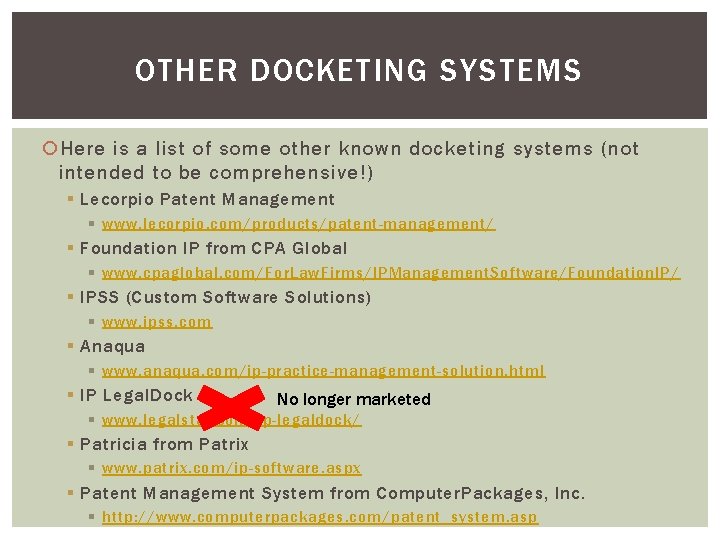
OTHER DOCKETING SYSTEMS Here is a list of some other known docketing systems (not intended to be comprehensive!) § Lecorpio Patent Management § www. lecorpio. com/products/patent-management/ § Foundation IP from CPA Global § www. cpaglobal. com/For. Law. Firms/IPManagement. Software/Foundation. IP/ § IPSS (Custom Software Solutions) § www. ipss. com § Anaqua § www. anaqua. com/ip-practice-management-solution. html § IP Legal. Dock No longer marketed § www. legalstar. com/ip-legaldock/ § Patricia from Patrix § www. patrix. com/ip-software. aspx § Patent Management System from Computer. Packages, Inc. § http: //www. computerpackages. com/patent_system. asp
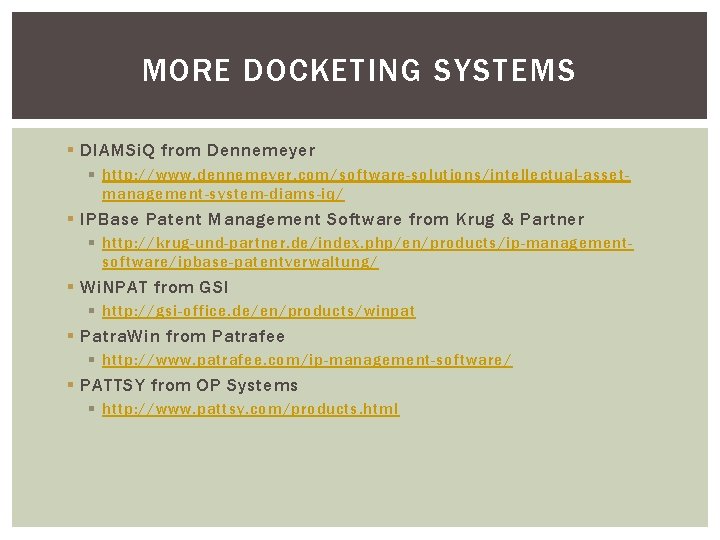
MORE DOCKETING SYSTEMS § DIAMSi. Q from Dennemeyer § http: //www. dennemeyer. com/software-solutions/intellectual-assetmanagement-system-diams-iq/ § IPBase Patent Management Software from Krug & Partner § http: //krug-und-partner. de/index. php/en/products/ip-managementsoftware/ipbase-patentverwaltung/ § Wi. NPAT from GSI § http: //gsi-office. de/en/products/winpat § Patra. Win from Patrafee § http: //www. patrafee. com/ip-management-software/ § PATTSY from OP Systems § http: //www. pattsy. com/products. html
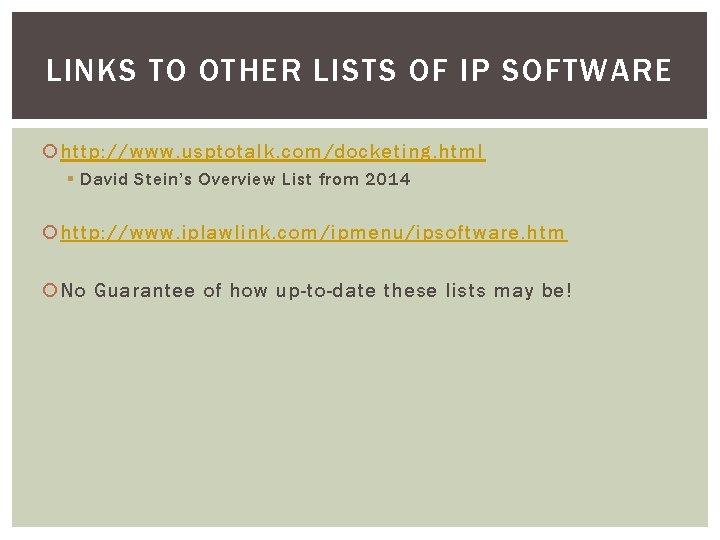
LINKS TO OTHER LISTS OF IP SOFTWARE http: //www. usptotalk. com/docketing. html § David Stein’s Overview List from 2014 http: //www. iplawlink. com/ipmenu/ipsoftware. htm No Guarantee of how up-to-date these lists may be!
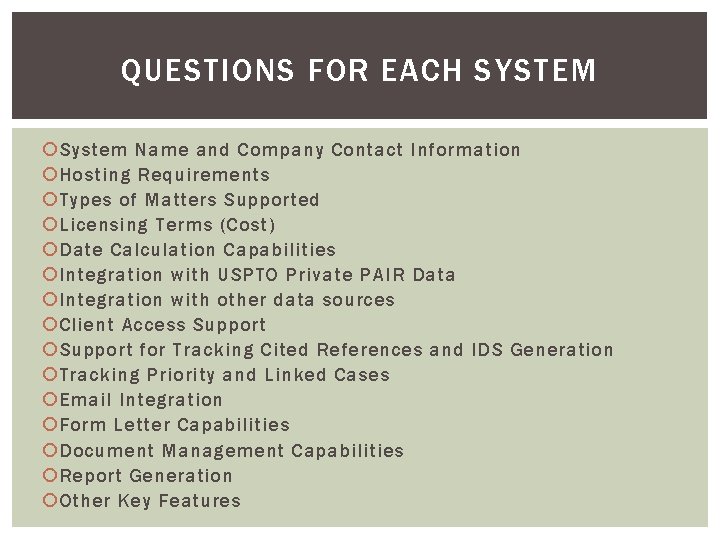
QUESTIONS FOR EACH SYSTEM System Name and Company Contact Information Hosting Requirements Types of Matters Supported Licensing Terms (Cost) Date Calculation Capabilities Integration with USPTO Private PAIR Data Integration with other data sources Client Access Support for Tracking Cited References and IDS Generation Tracking Priority and Linked Cases Email Integration Form Letter Capabilities Document Management Capabilities Report Generation Other Key Features
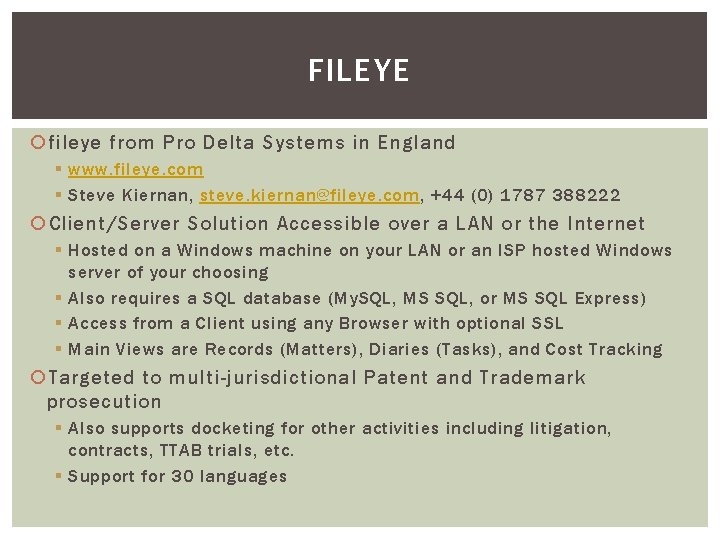
FILEYE fileye from Pro Delta Systems in England § www. fileye. com § Steve Kiernan, steve. kiernan@fileye. com, +44 (0) 1787 388222 Client/Server Solution Accessible over a LAN or the Internet § Hosted on a Windows machine on your LAN or an ISP hosted Windows server of your choosing § Also requires a SQL database (My. SQL, MS SQL, or MS SQL Express) § Access from a Client using any Browser with optional SSL § Main Views are Records (Matters), Diaries (Tasks), and Cost Tracking Targeted to multi-jurisdictional Patent and Trademark prosecution § Also supports docketing for other activities including litigation, contracts, TTAB trials, etc. § Support for 30 languages
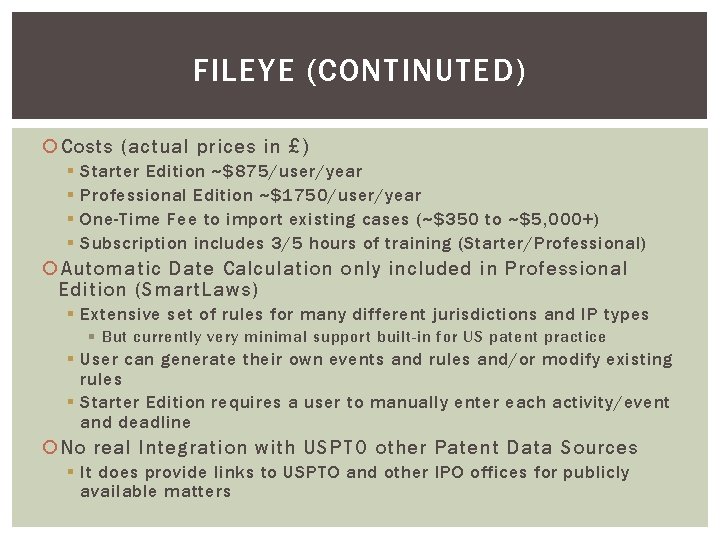
FILEYE (CONTINUTED) Costs (actual prices in £) § § Starter Edition ~$875/user/year Professional Edition ~$1750/user/year One-Time Fee to import existing cases (~$350 to ~$5, 000+) Subscription includes 3/5 hours of training (Starter/Professional) Automatic Date Calculation only included in Professional Edition (Smart. Laws) § Extensive set of rules for many different jurisdictions and IP types § But currently very minimal support built-in for US patent practice § User can generate their own events and rules and/or modify existing rules § Starter Edition requires a user to manually enter each activity/event and deadline No real Integration with USPTO other Patent Data Sources § It does provide links to USPTO and other IPO offices for publicly available matters
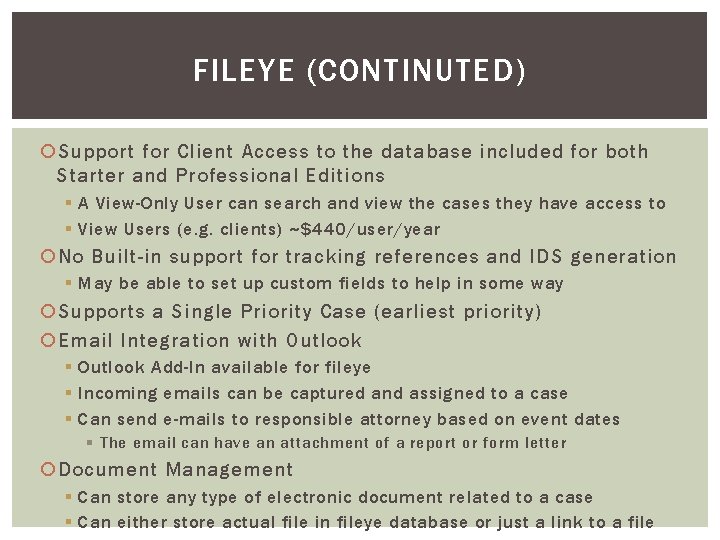
FILEYE (CONTINUTED) Support for Client Access to the database included for both Starter and Professional Editions § A View-Only User can search and view the cases they have access to § View Users (e. g. clients) ~$440/user/year No Built-in support for tracking references and IDS generation § May be able to set up custom fields to help in some way Supports a Single Priority Case (earliest priority) Email Integration with Outlook § Outlook Add-In available for fileye § Incoming emails can be captured and assigned to a case § Can send e-mails to responsible attorney based on event dates § The email can have an attachment of a report or form letter Document Management § Can store any type of electronic document related to a case § Can either store actual file in fileye database or just a link to a file
FILEYE (CONTINUTED) Form Letter and Report Generation § § Can generate a form letter or report based on a search Pre-configured with several examples of form letters and reports No limit to number of form letters and reports a user can add Complete control over fonts and styles. Images can be included. Other Key Features § Cost tracking and invoicing with support for multiple currencies (Professional Edition only) § New releases are included in the subscription price § Typically 1 -2 new versions with feature enhancements plus interim bug fix releases as necessary
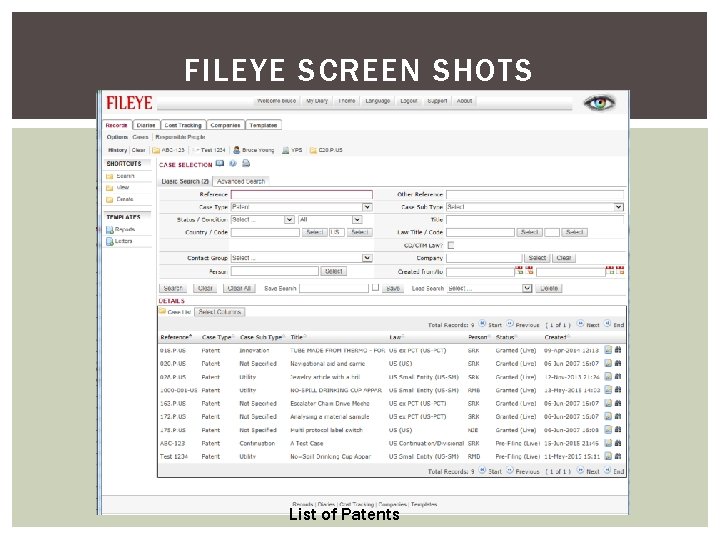
FILEYE SCREEN SHOTS List of Patents
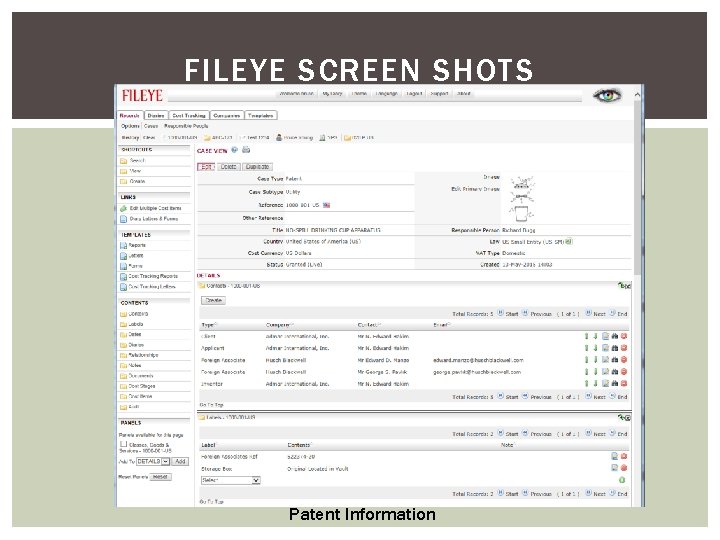
FILEYE SCREEN SHOTS Patent Information
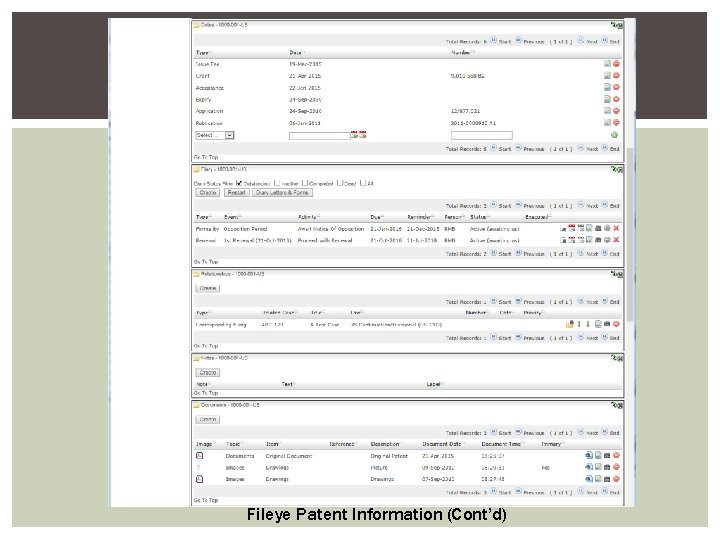
FILEYE SCREEN SHOTS Fileye Patent Information (Cont’d)
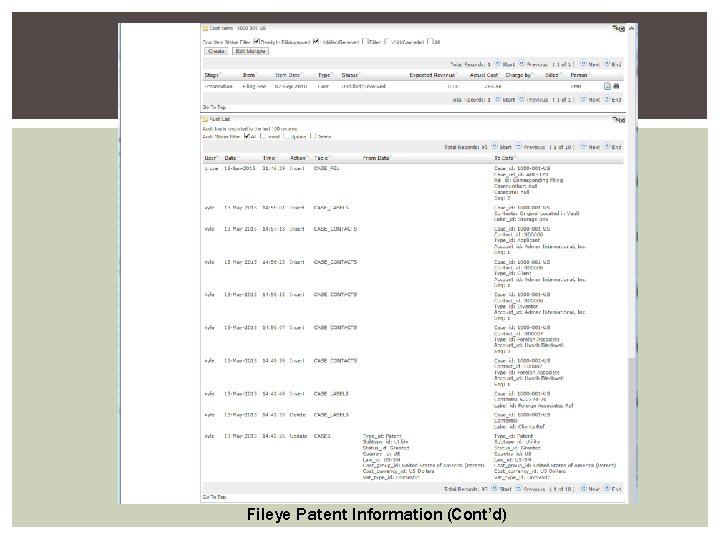
Fileye Patent Information (Cont’d)
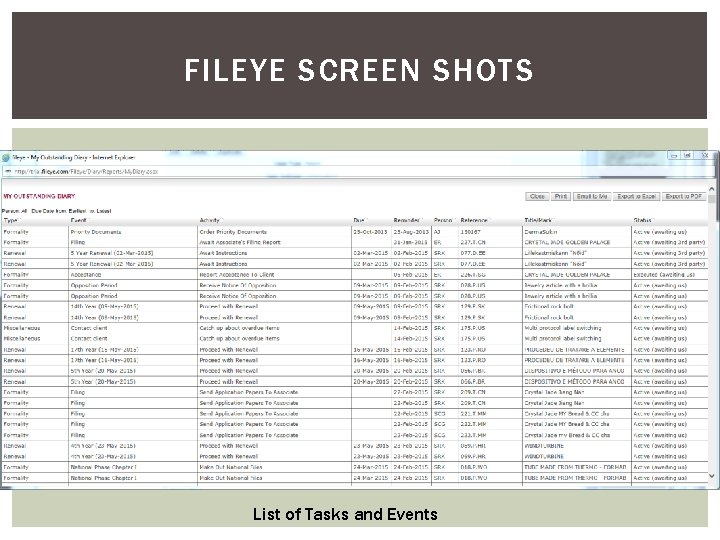
FILEYE SCREEN SHOTS List of Tasks and Events
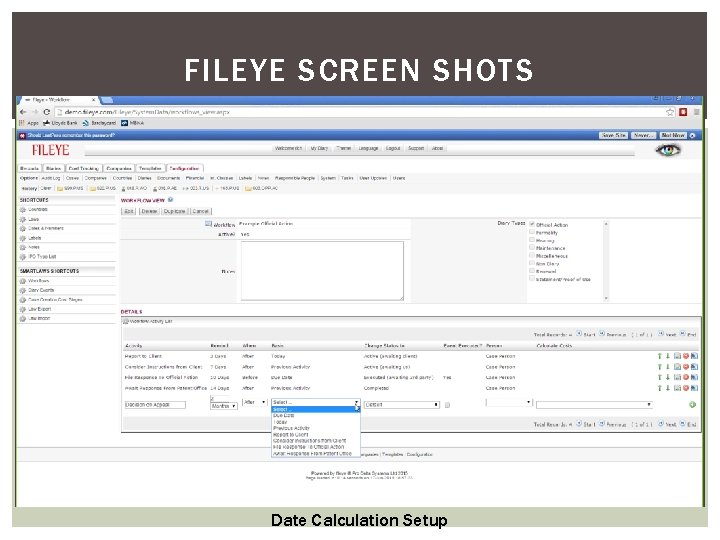
FILEYE SCREEN SHOTS Date Calculation Setup
FLEXTRAC IP - CTS Flex. Trac IP – CTS from TORVi. C Technologies, Inc. § § TORVi. C acquired Flextrac in early 2014 www. flextrac. com Sue Baxter, sales@flextrac. com, (855) 997 -9933 x 109 Discounts for NAPP members under NAPP’s Vendor Access Program Multiple Options for hosting § Local Install on a PC (single user or networked multi-user capable) § Local Server (networked multi-user capable) § Cloud Hosted by TORVi. C Servers and accessed over the internet using a browser, RDP, or a thin client Support for a Wide Variety of IP Matters § Wide variety of IP Matters (depending on version used), Including: § US, Foreign and PCT Patent Applications § US, Foreign State, Madrid Trademark Applications and US Trademark Opposition § Copyright, licensing, trace secret, invention disclosures, and general cases
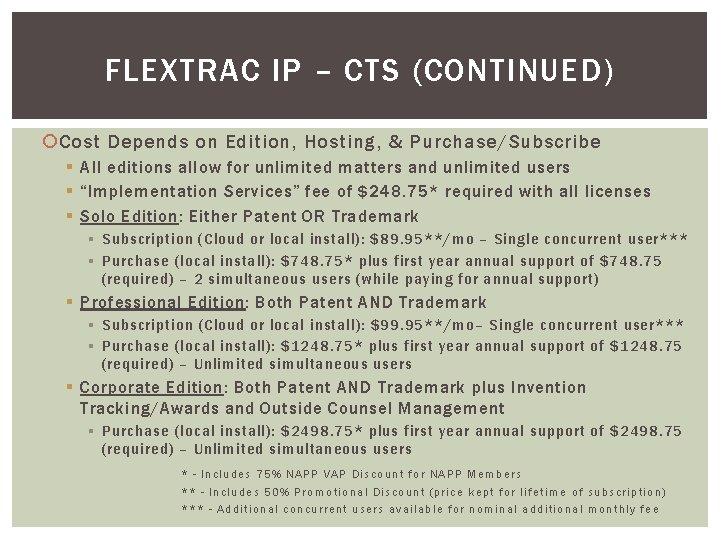
FLEXTRAC IP – CTS (CONTINUED) Cost Depends on Edition, Hosting, & Purchase/Subscribe § All editions allow for unlimited matters and unlimited users § “Implementation Services” fee of $248. 75* required with all licenses § Solo Edition: Either Patent OR Trademark § Subscription (Cloud or local install): $89. 95**/mo – Single concurrent user*** § Purchase (local install): $748. 75* plus first year annual support of $748. 75 (required) – 2 simultaneous users (while paying for annual support) § Professional Edition: Both Patent AND Trademark § Subscription (Cloud or local install): $99. 95**/mo– Single concurrent user*** § Purchase (local install): $1248. 75* plus first year annual support of $1248. 75 (required) – Unlimited simultaneous users § Corporate Edition: Both Patent AND Trademark plus Invention Tracking/Awards and Outside Counsel Management § Purchase (local install): $2498. 75* plus first year annual support of $2498. 75 (required) – Unlimited simultaneous users * - Includes 75% NAPP VAP Discount for NAPP Members ** - Includes 50% Promotional Discount (price kept for lifetime of subscription) *** - Additional concurrent users available for nominal additional monthly fee
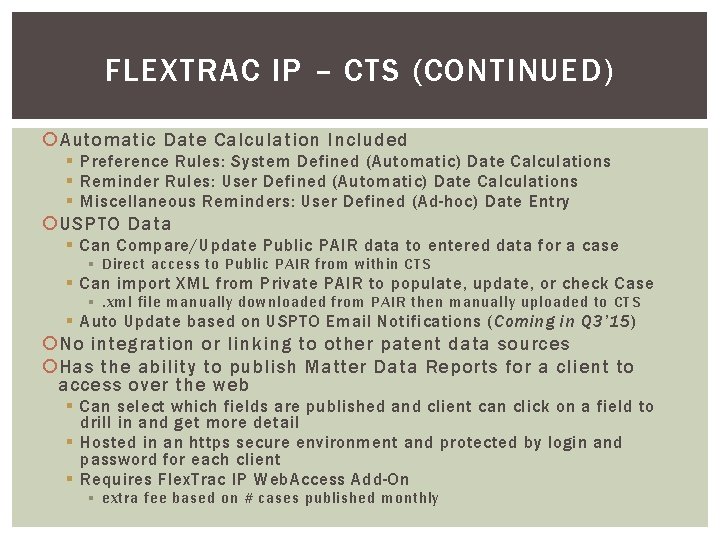
FLEXTRAC IP – CTS (CONTINUED) Automatic Date Calculation Included § Preference Rules: System Defined (Automatic) Date Calculations § Reminder Rules: User Defined (Automatic) Date Calculations § Miscellaneous Reminders: User Defined (Ad-hoc) Date Entry USPTO Data § Can Compare/Update Public PAIR data to entered data for a case § Direct access to Public PAIR from within CTS § Can import XML from Private PAIR to populate, update, or check Case §. xml file manually downloaded from PAIR then manually uploaded to CTS § Auto Update based on USPTO Email Notifications (Coming in Q 3’ 15) No integration or linking to other patent data sources Has the ability to publish Matter Data Reports for a client to access over the web § Can select which fields are published and client can click on a field to drill in and get more detail § Hosted in an https secure environment and protected by login and password for each client § Requires Flex. Trac IP Web. Access Add-On § extra fee based on # cases published monthly
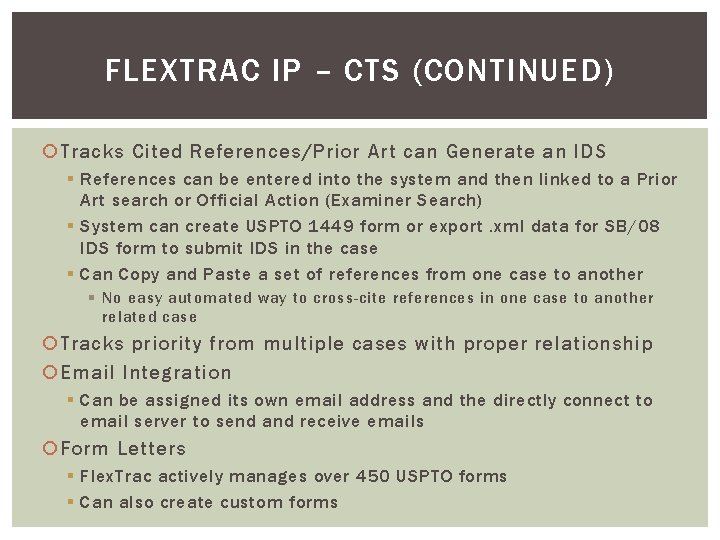
FLEXTRAC IP – CTS (CONTINUED) Tracks Cited References/Prior Art can Generate an IDS § References can be entered into the system and then linked to a Prior Art search or Official Action (Examiner Search) § System can create USPTO 1449 form or export. xml data for SB/08 IDS form to submit IDS in the case § Can Copy and Paste a set of references from one case to another § No easy automated way to cross-cite references in one case to another related case Tracks priority from multiple cases with proper relationship Email Integration § Can be assigned its own email address and the directly connect to email server to send and receive emails Form Letters § Flex. Trac actively manages over 450 USPTO forms § Can also create custom forms
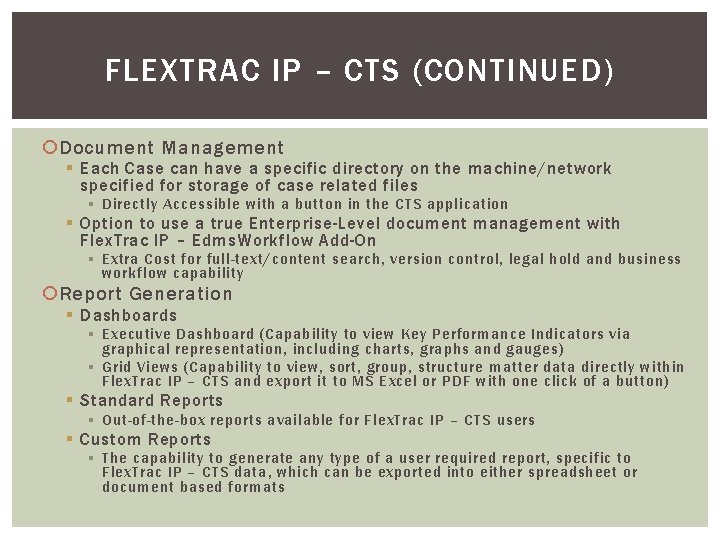
FLEXTRAC IP – CTS (CONTINUED) Document Management § Each Case can have a specific directory on the machine/network specified for storage of case related files § Directly Accessible with a button in the CTS application § Option to use a true Enterprise-Level document management with Flex. Trac IP – Edms. Workflow Add-On § Extra Cost for full-text/content search, version control, legal hold and business workflow capability Report Generation § Dashboards § Executive Dashboard (Capability to view Key Performance Indicators via graphical representation, including charts, graphs and gauges) § Grid Views (Capability to view, sort, group, structure matter data directly within Flex. Trac IP – CTS and export it to MS Excel or PDF with one click of a button) § Standard Reports § Out-of-the-box reports available for Flex. Trac IP – CTS users § Custom Reports § The capability to generate any type of a user required report, specific to Flex. Trac IP – CTS data, which can be exported into either spreadsheet or document based formats
FLEXTRAC IP – CTS (CONTINUED) Other Key Features § Free 30 day demo available § Time Tracking & Billing § Clients who are active on Annual Support & Maintenance, receive: § § § Future software enhancements and new versions for free Unlimited, simultaneous/concurrent users (CTS Solo Edition receives 2 nd ) Dedicated and unlimited Client Support 24/7 online service tools via our “Client Care Center” Complimentary training sessions “CTS Best Practices” offered every month § Optional Add-In Modules for § § § Enterprise Document Management & Business Process Workflow (extra fee) Client Matter Data Online Access (fee based on # cases published monthly) Annuity Payment Management (coming in Q 4) MS Outlook Calendar Reminder Administration Automated Database Backups (extra fee) Remote Desktop Sharing (extra fee)
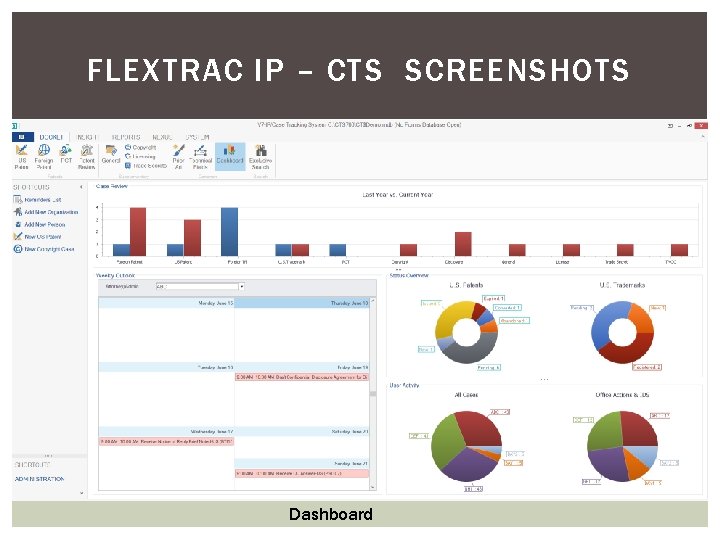
FLEXTRAC IP – CTS SCREENSHOTS Dashboard
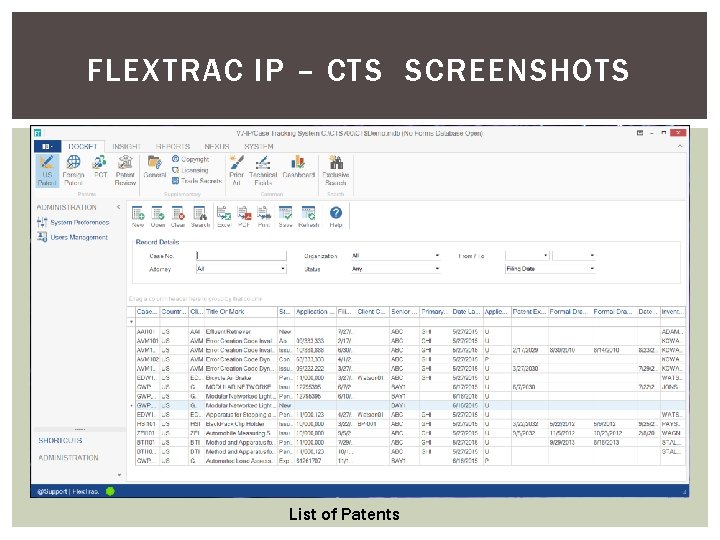
FLEXTRAC IP – CTS SCREENSHOTS List of Patents
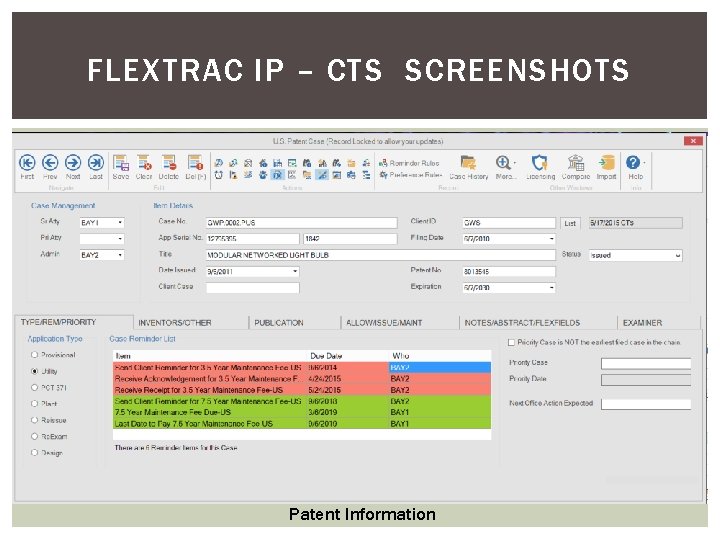
FLEXTRAC IP – CTS SCREENSHOTS Patent Information
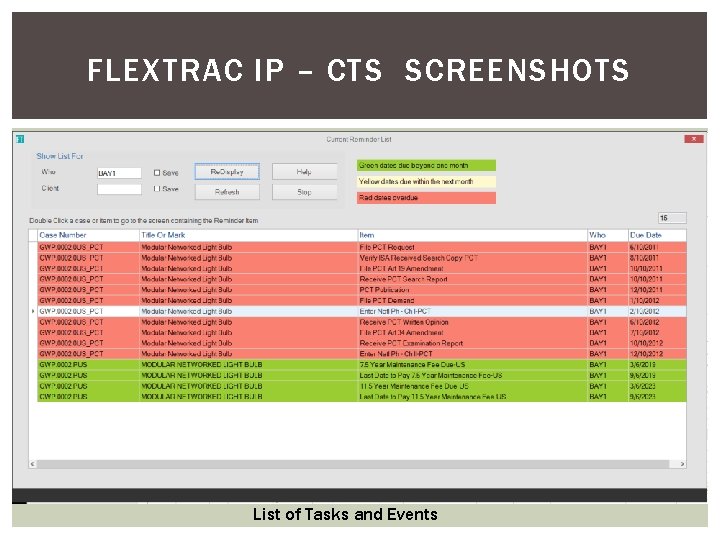
FLEXTRAC IP – CTS SCREENSHOTS List of Tasks and Events
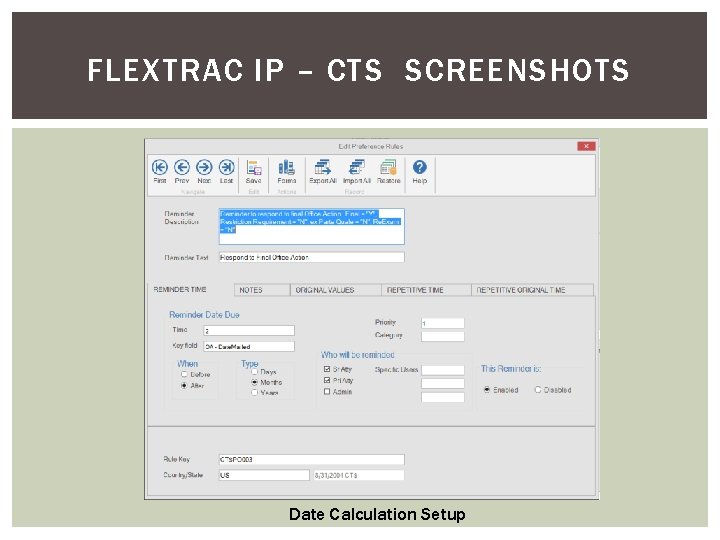
FLEXTRAC IP – CTS SCREENSHOTS Date Calculation Setup
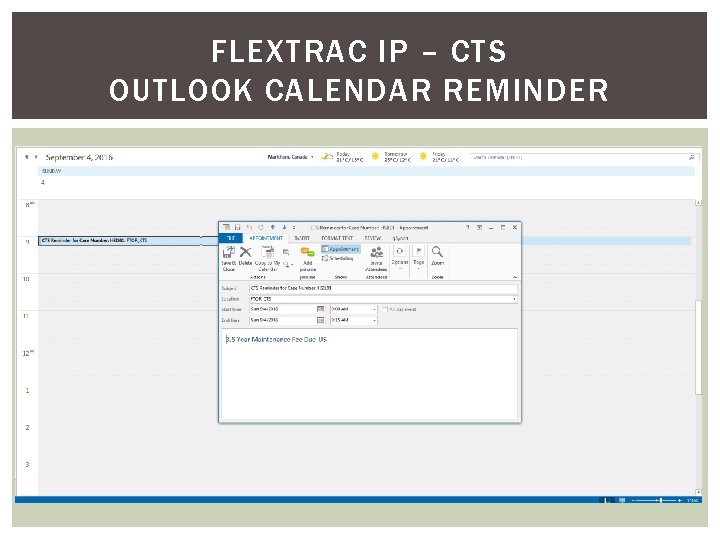
FLEXTRAC IP – CTS OUTLOOK CALENDAR REMINDER
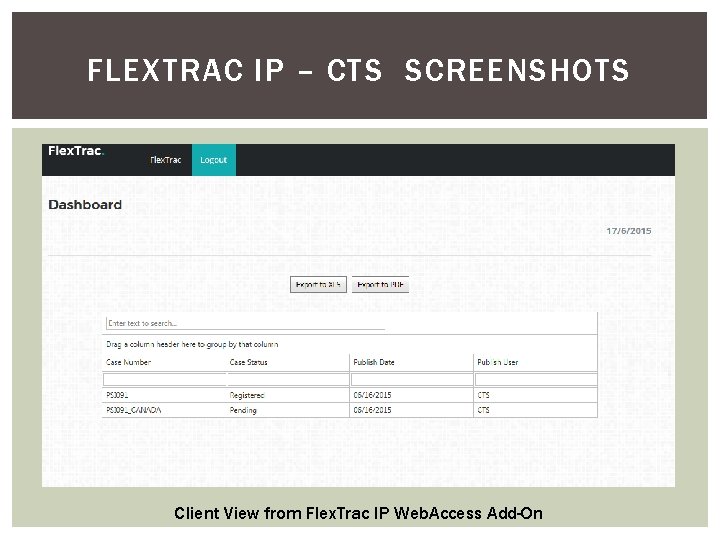
FLEXTRAC IP – CTS SCREENSHOTS Client View from Flex. Trac IP Web. Access Add-On
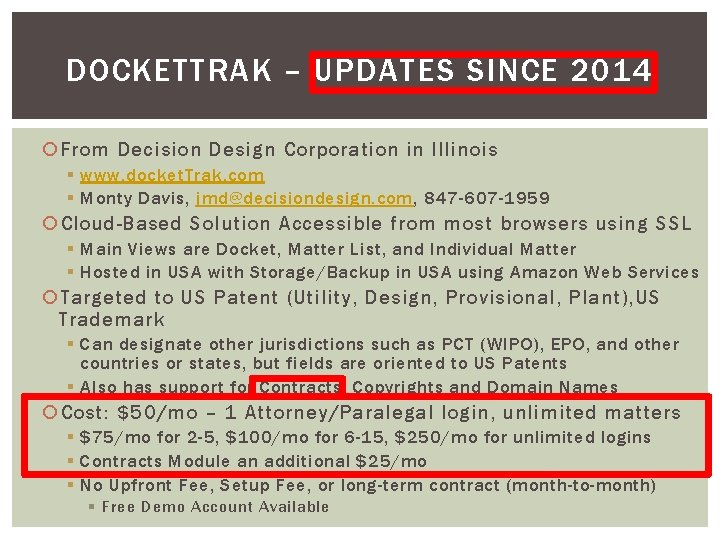
DOCKETTRAK – UPDATES SINCE 2014 From Decision Design Corporation in Illinois § www. docket. Trak. com § Monty Davis, jmd@decisiondesign. com, 847 -607 -1959 Cloud-Based Solution Accessible from most browsers using SSL § Main Views are Docket, Matter List, and Individual Matter § Hosted in USA with Storage/Backup in USA using Amazon Web Services Targeted to US Patent (Utility, Design, Provisional, Plant), US Trademark § Can designate other jurisdictions such as PCT (WIPO), EPO, and other countries or states, but fields are oriented to US Patents § Also has support for Contracts, Copyrights and Domain Names Cost: $50/mo – 1 Attorney/Paralegal login, unlimited matters § $75/mo for 2 -5, $100/mo for 6 -15, $250/mo for unlimited logins § Contracts Module an additional $25/mo § No Upfront Fee, Setup Fee, or long-term contract (month-to-month) § Free Demo Account Available
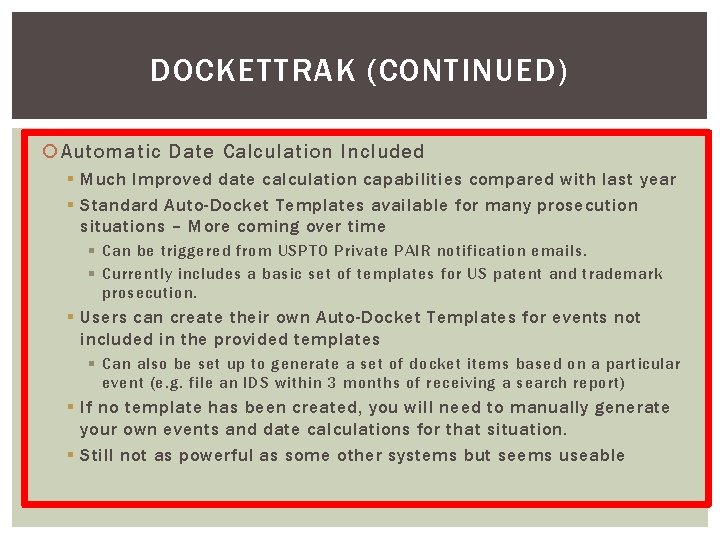
DOCKETTRAK (CONTINUED) Automatic Date Calculation Included § Much Improved date calculation capabilities compared with last year § Standard Auto-Docket Templates available for many prosecution situations – More coming over time § Can be triggered from USPTO Private PAIR notification emails. § Currently includes a basic set of templates for US patent and trademark prosecution. § Users can create their own Auto-Docket Templates for events not included in the provided templates § Can also be set up to generate a set of docket items based on a particular event (e. g. file an IDS within 3 months of receiving a search report) § If no template has been created, you will need to manually generate your own events and date calculations for that situation. § Still not as powerful as some other systems but seems useable
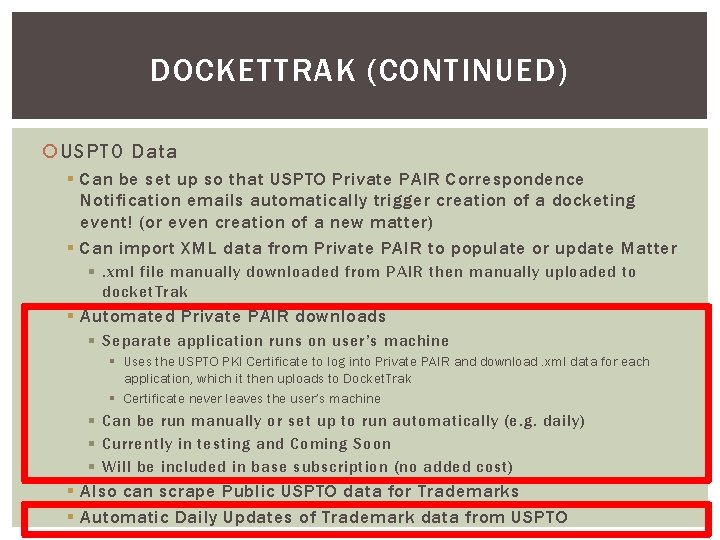
DOCKETTRAK (CONTINUED) USPTO Data § Can be set up so that USPTO Private PAIR Correspondence Notification emails automatically trigger creation of a docketing event! (or even creation of a new matter) § Can import XML data from Private PAIR to populate or update Matter §. xml file manually downloaded from PAIR then manually uploaded to docket. Trak § Automated Private PAIR downloads § Separate application runs on user’s machine § Uses the USPTO PKI Certificate to log into Private PAIR and download. xml data for each application, which it then uploads to Docket. Trak § Certificate never leaves the user’s machine § Can be run manually or set up to run automatically (e. g. daily) § Currently in testing and Coming Soon § Will be included in base subscription (no added cost) § Also can scrape Public USPTO data for Trademarks § Automatic Daily Updates of Trademark data from USPTO
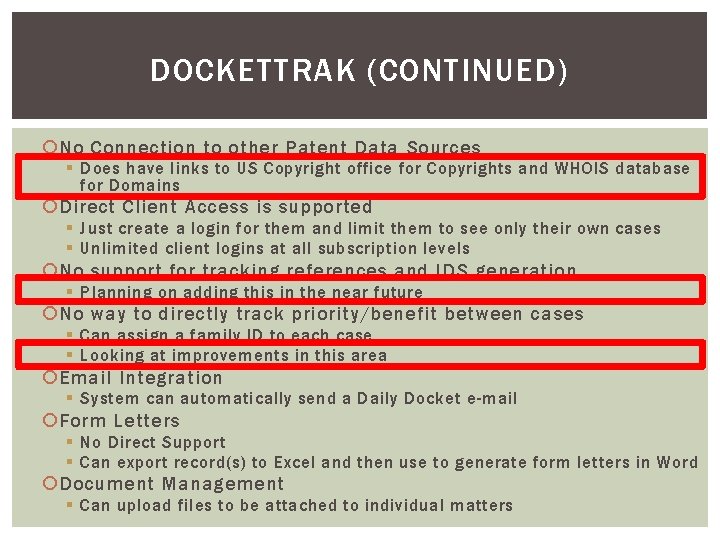
DOCKETTRAK (CONTINUED) No Connection to other Patent Data Sources § Does have links to US Copyright office for Copyrights and WHOIS database for Domains Direct Client Access is supported § Just create a login for them and limit them to see only their own cases § Unlimited client logins at all subscription levels No support for tracking references and IDS generation § Planning on adding this in the near future No way to directly track priority/benefit between cases § Can assign a family ID to each case § Looking at improvements in this area Email Integration § System can automatically send a Daily Docket e-mail Form Letters § No Direct Support § Can export record(s) to Excel and then use to generate form letters in Word Document Management § Can upload files to be attached to individual matters
DOCKETTRAK (CONTINUED) Report Generation § Can filter/sort on many of the fields and export to. xls § Docketing report available in Word or Excel Format Other Key Features § § Has a feature to “edit” fields in multiple patents at once Can store and display Trademark images Can bulk import Trademark and Patent Records in Excel Format Can bulk import the. xml file from a customer number from PAIR, not only a single patent § i. OS app available in the Apple App Store § The company has been very responsive to feedback and has continued to upgrade functionality over the last year.
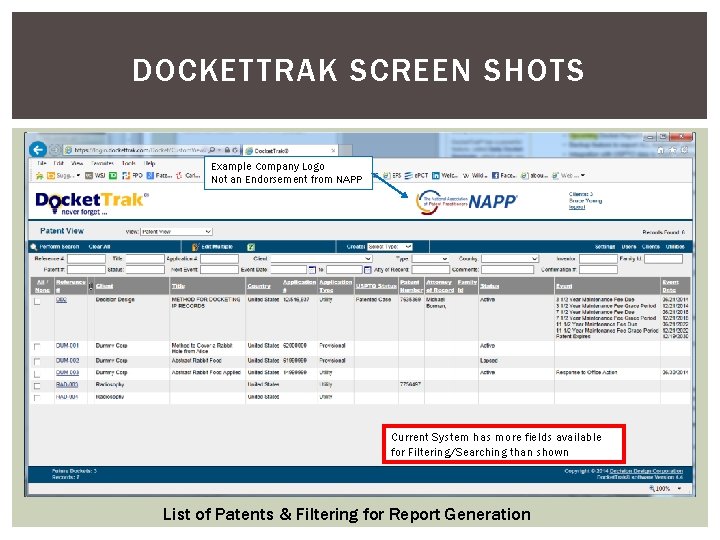
DOCKETTRAK SCREEN SHOTS Example Company Logo Not an Endorsement from NAPP Current System has more fields available for Filtering/Searching than shown List of Patents & Filtering for Report Generation
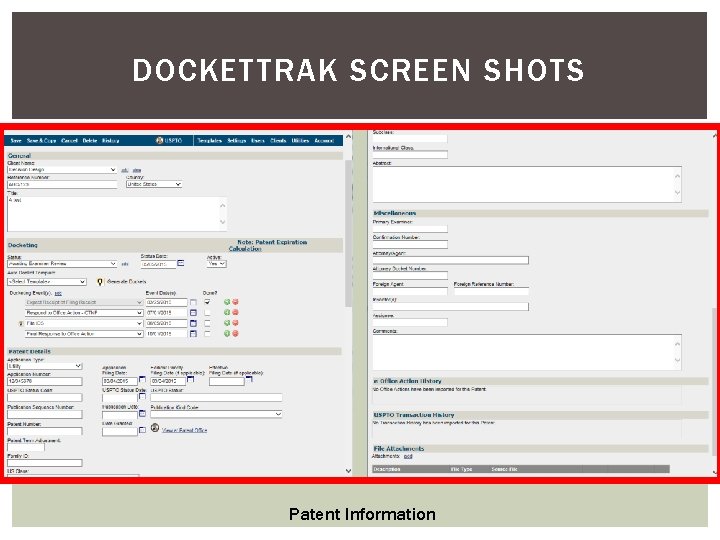
DOCKETTRAK SCREEN SHOTS Patent Information
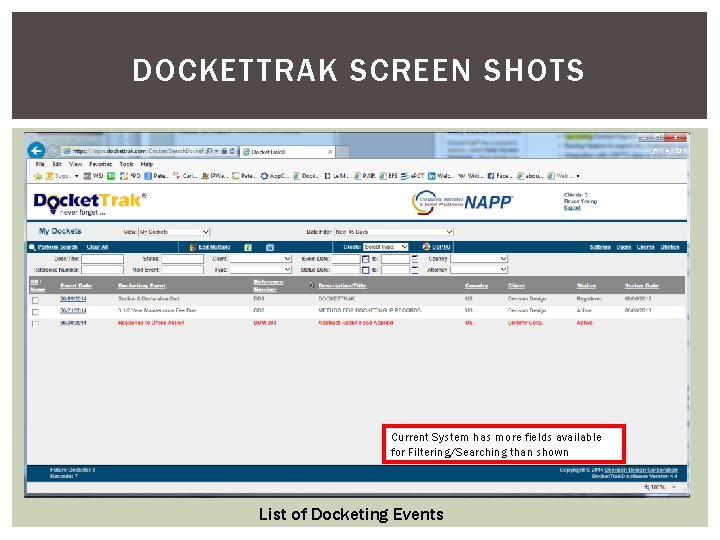
DOCKETTRAK SCREEN SHOTS Current System has more fields available for Filtering/Searching than shown List of Docketing Events
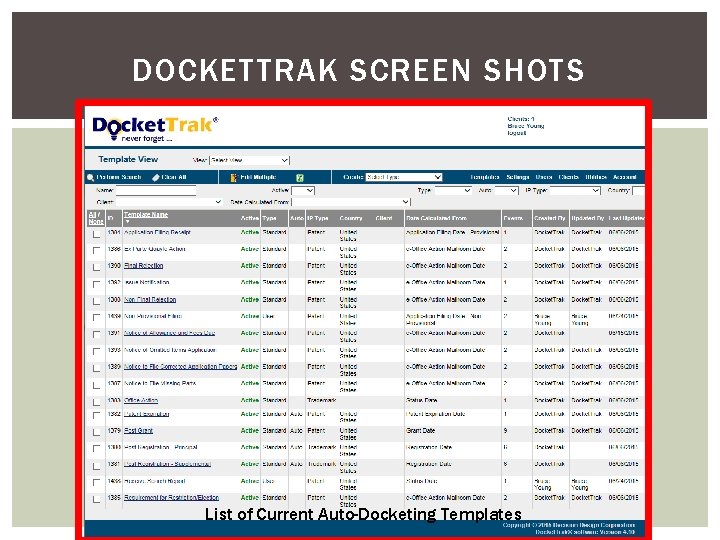
DOCKETTRAK SCREEN SHOTS List of Current Auto-Docketing Templates
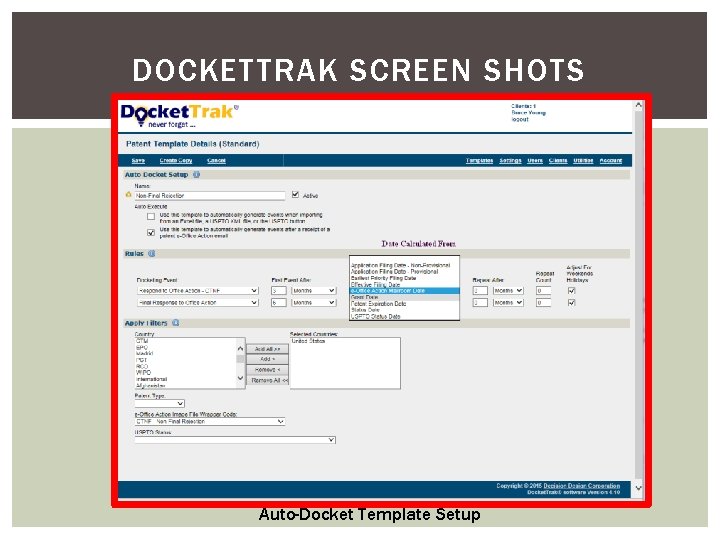
DOCKETTRAK SCREEN SHOTS Auto-Docket Template Setup
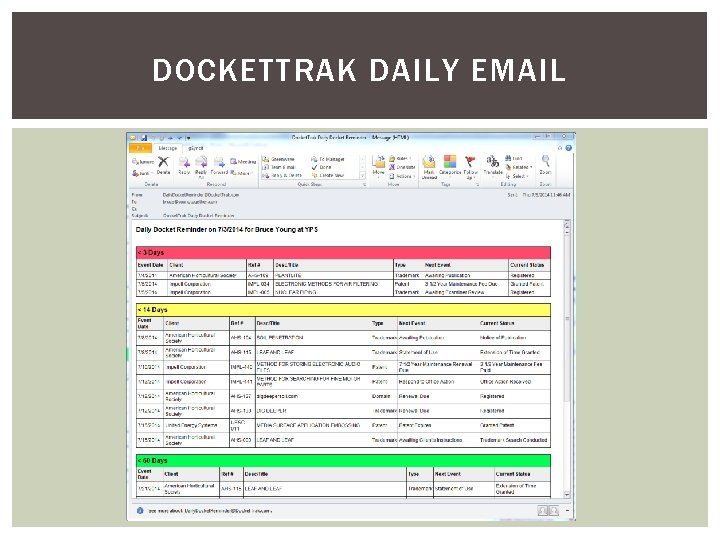
DOCKETTRAK DAILY EMAIL
APPCOLL PROSECUTION MANAGER UPDATES SINCE 2014 From App. Coll Systems in San Mateo/Menlo Park, CA § www. appcoll. com § Jeff Cashen, sales@appcoll. com, (650) 223 -5460 Cloud-Based Solution Accessible from most browsers using SSL § Organized into Tasks, Matters, Prior Art, Files, Billing, Reports, and Contacts Tabs § Hosted in USA with all Storage backed up Daily in 2 US locations Support for US Patent (Utility, Design, Provisional, Reissue, Reexam, Plant), PCT, US Trademark built-in § Can create custom events/rules for other types (e. g. EPO Patent) § Very Good Support for tracking Priority and Related Applications Cost: $100/mo - one user (single login) up to 200 matters § No Upfront Fee, Setup Fee, or long-term contract (month-to-month) § Free Demo Account Available § Additional logins: 2 nd +$100/mo, additional +$50/mo § Additional logins include 200 additional matters each § No reduced cost for paralegals/support personnel § Additional matters without additional logins: $25 per +200 matters
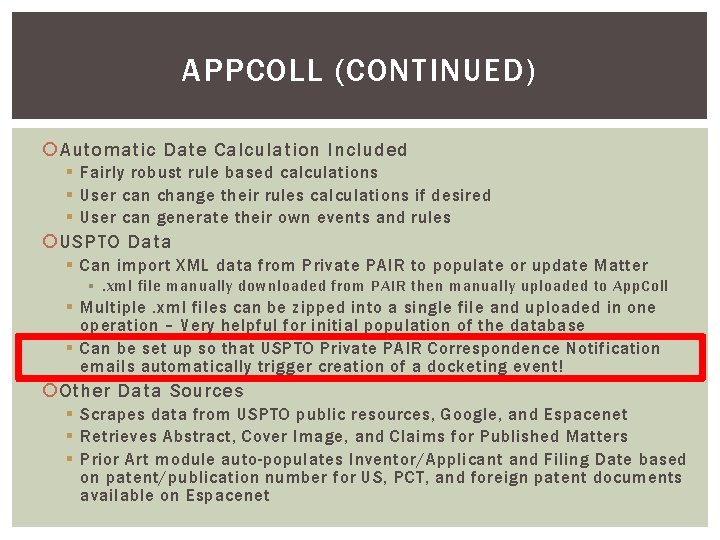
APPCOLL (CONTINUED) Automatic Date Calculation Included § Fairly robust rule based calculations § User can change their rules calculations if desired § User can generate their own events and rules USPTO Data § Can import XML data from Private PAIR to populate or update Matter §. xml file manually downloaded from PAIR then manually uploaded to App. Coll § Multiple. xml files can be zipped into a single file and uploaded in one operation – Very helpful for initial population of the database § Can be set up so that USPTO Private PAIR Correspondence Notification emails automatically trigger creation of a docketing event! Other Data Sources § Scrapes data from USPTO public resources, Google, and Espacenet § Retrieves Abstract, Cover Image, and Claims for Published Matters § Prior Art module auto-populates Inventor/Applicant and Filing Date based on patent/publication number for US, PCT, and foreign patent documents available on Espacenet
APPCOLL (CONTINUED) App. Coll does not support direct client access § They claim this is patented by someone else References and IDS Generation § There is a Prior Art module that can be used to track all art referenced for each matter § This is auto-populated for issued patents § References can also be manually entered § Indicate whether cited by Examiner, already provided in an IDS, or a new reference § Patent document data is populated based on number – no need to look up inventor and filing date § Can also include notes, URLs, and upload copies of the reference § Can generate an. xml file that is then downloaded and imported into the PTO/SB/08 a IDS form § Can also download a. zip file with copies of any references that were uploaded for the references in this IDS
APPCOLL (CONTINUED) Tracks priority from multiple cases with proper relationship § Can handle very complex networks of relationships Email Integration § System can automatically send a Daily Docket e-mail § Can manually send a report attached to an e-mail § Can send e-mails based on events § § They are sent to the attorney/paralegal not directly to client. They can then be forwarded to client as appropriate Fully customizable content Can also generate a calendar entry Form Letters § Can generate custom “form letters” populated with data from the database by matter, client, etc. § Manually Generated (not event based) § Form Letter created in Word, stored in. rtf format, then uploaded § Examples: § Amendment Template, Assignment, Custom Declaration
APPCOLL (CONTINUED) Document Management § Any type of file can be manually uploaded and stored in the system § Multiple files can be zipped and uploaded as a single task with directory structure maintained § Files can be associated with a matter, a reference, a task, etc. § No integration with Cloud Based Storage Services such as Dropbox, Box, Google Drive Report Generation § Data in a tab can be filtered/sorted based on any field § Report can be generated from the filtered/sorted data and exported as a pdf or a. csv file Other Key Features § Time tracking and Billing Module included § Can export. xml files to populate several USPTO pdf forms including ADS, Declaration, RCE, and Provisional Cover Sheet § Can Add Custom Fields § Can upload multiple files in a single. zip file for convenience § Many small usability improvements since 2014 § Improved help system including video tutorials
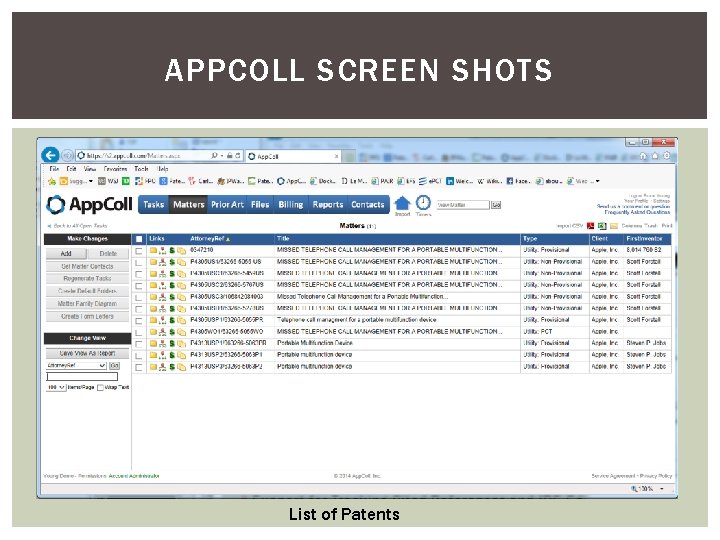
APPCOLL SCREEN SHOTS List of Patents
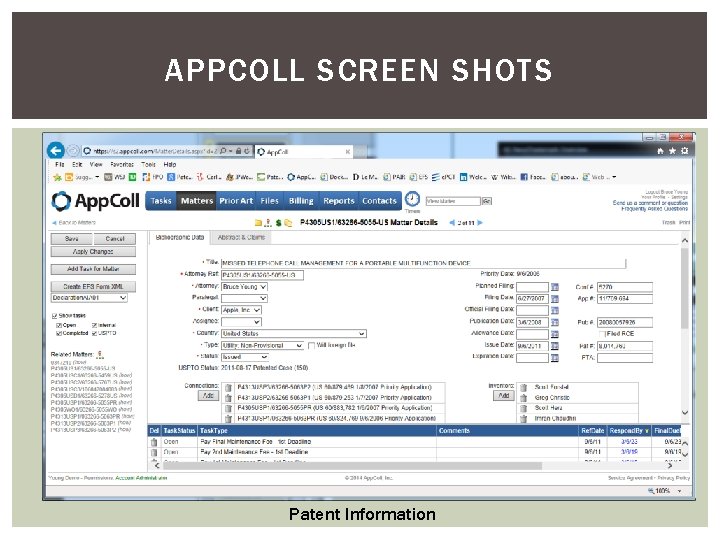
APPCOLL SCREEN SHOTS Patent Information
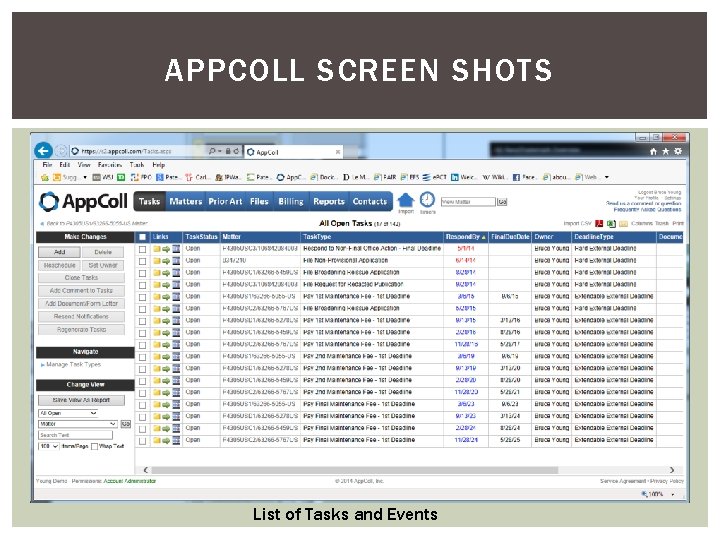
APPCOLL SCREEN SHOTS List of Tasks and Events
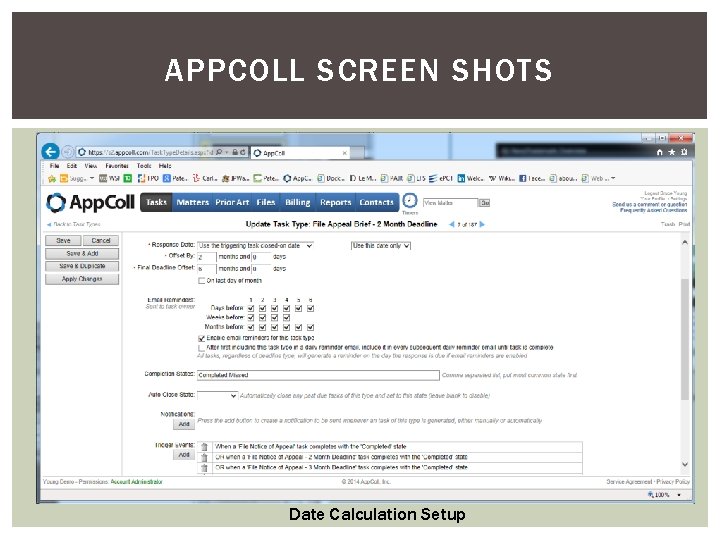
APPCOLL SCREEN SHOTS Date Calculation Setup
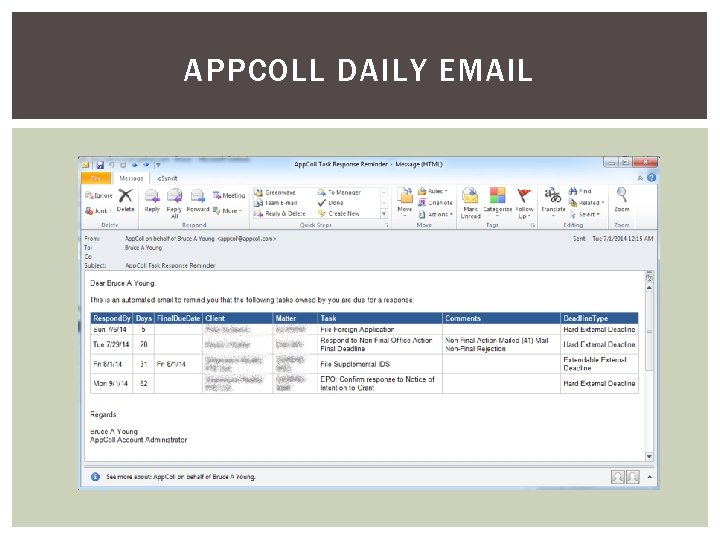
APPCOLL DAILY EMAIL
REVATRADEMARK Reva. Trademark +Patents 6. 0 from Reva. Ware in Tennessee § www. revaware. com § Tom Naughton, tomn@revaware. com, (615) 472 -1960 § No Update since early 2014 Windows “Desktop” Application § Will run on virtually any Windows PC Trademarks and Patents § Patents – Design, Innovation, PCT, Plant Provisional, Utility Model § Some Date Calculations included, but plan on customizing even for “supported” jurisdictions and types. § US (Design, PCT National Stage, Plant, Provisional, & Utility), WIPO (PCT – But supplied date calculations are inadequate), Australia (Innovation, PCT National Stage, Utility), Canada (PCT National Stage, Utility), UK (PCT National Stage, Utility) § Can create your own date calculations for any other jurisdiction (customizable) § Limited Support for tracking Priority And Related Applications § Trademarks Date Calculation for US and several Foreign Countries § Program supports any jurisdiction – create your own date calculations
REVATRADEMARK (CONTINUTED) One Time Fee based on Number of Matters – No Maintenance § § § $1950 for up to 150 matters $2950 for up to 300 matters $3950 for up to 600 matters $4950 for up to 1500 matters $5950 for unlimited matters Can upgrade # matters for difference in price § (e. g. 150 ->300 matters for $100) § Minor version upgrades free, Major version upgrades discounted § Free Demo Version Available – No Time Limit but limited to 80 records Automatic Date Calculation Included § Fairly robust rule based calculations § User can change their rules calculations if desired § User can generate their own events and rules No real integration with USPTO Patent data or other Patent Data Sources § Some integration with USPTO TEAS Trademark data for updates
REVATRADEMARK (CONTINUTED) Support for Client Access to the database § Can support different logins with some limitations to Capabilities § e. g. View-Only (but no way to limit to a single client) § A Separate $1500 Add-On is Available to Create an Extranet which can support Client Access No support for tracking references and IDS generation Tracks priority from multiple cases with proper relationship Email Integration § Can generate (but not send) e-mails based on event dates § Can populate information from any field in Database § Must be reviewed and sent manually Form Letters § Can merge database information into Word § Manually generated (not event based) Document Management § Can create links in the patent record to folders or files on your system to manage documents
REVATRADEMARK (CONTINUTED) Report Generation § A fixed set of reports can be generated with limited customization § Database information can be filtered to determine which records are included § Columns can be selected, arranged and sorted in at least some of the reports § Can be printed, saved as pdf, or exported to Excel § Also allows a table of filtered information to exported to Excel or as a table in a Word file Other Key Features § A nice set of You. Tube training videos are available § Search You. Tube for “Reva. Ware” or “Reva. Trademark” § https: //www. youtube. com/channel/UCD 7 CVHfy. G 5 TQLvycp. TIN_rw § Free Demo Version is full-feature, not time limited, and supports up to 80 records
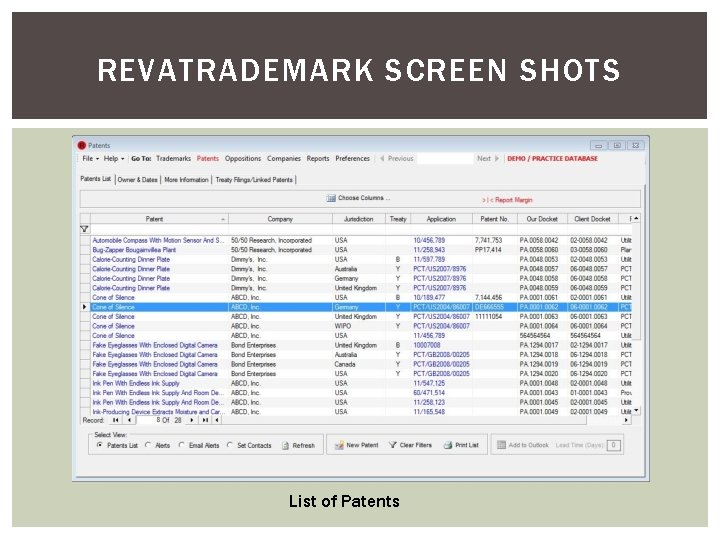
REVATRADEMARK SCREEN SHOTS List of Patents
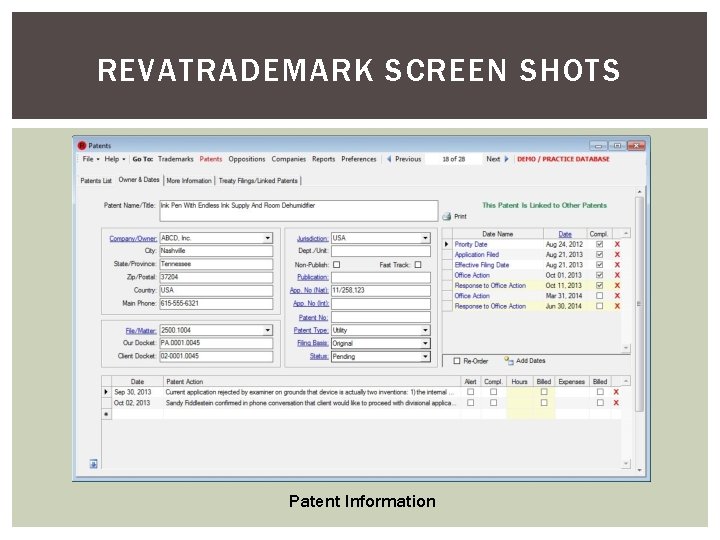
REVATRADEMARK SCREEN SHOTS Patent Information
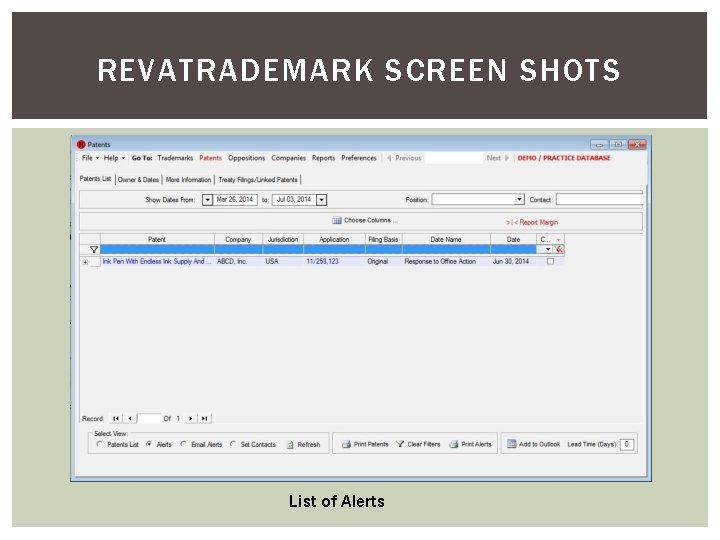
REVATRADEMARK SCREEN SHOTS List of Alerts
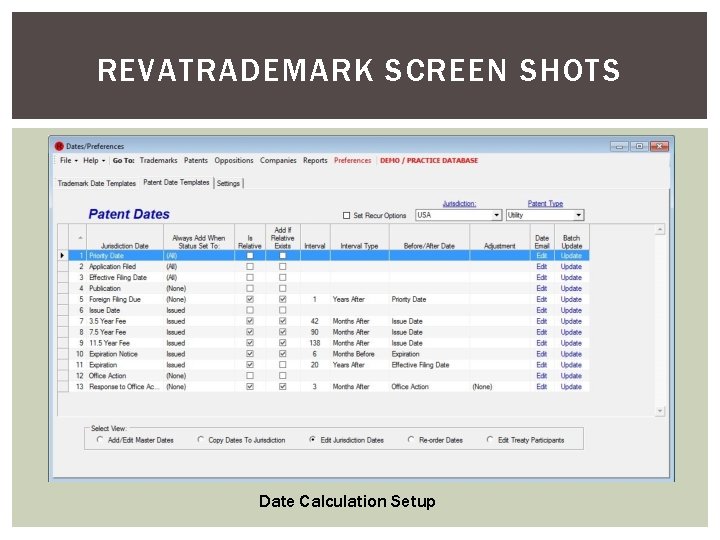
REVATRADEMARK SCREEN SHOTS Date Calculation Setup
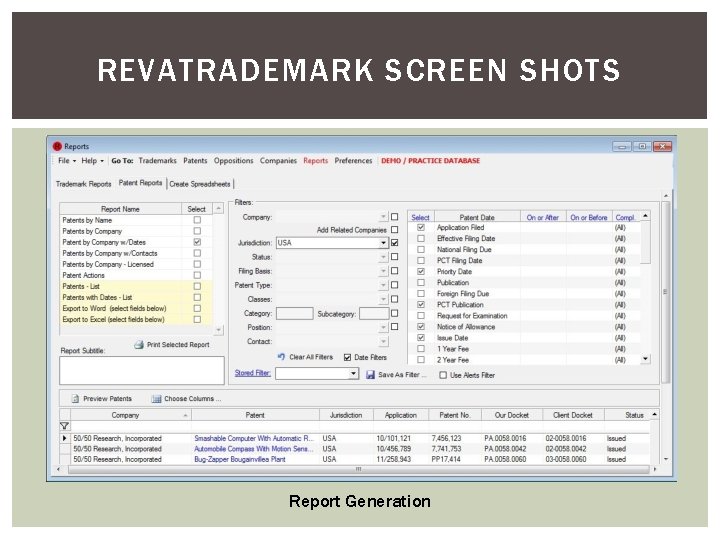
REVATRADEMARK SCREEN SHOTS Report Generation
TIME TO SHARE What Docketing System do You Use? What do you like about it? What do you hate about it? What additional thing do you wish it could do? How expensive is it? Other Comments?

THANKS FOR YOUR ATTENTION! Feel free to contact me with additional questions § Or better yet, post questions to the NAPP Practice forum My Contact Info Bruce Young Patent Agent, USPTO Reg # 45656 Young’s Patent Services +1 (712) 541 -9822 bruce@youngspatentservices. com
- Slides: 81